苍穹外卖学习06--HttpClient与微信小程序
HttpClient简单介绍与微信开发者工具准备
·
一、介绍HttpClient
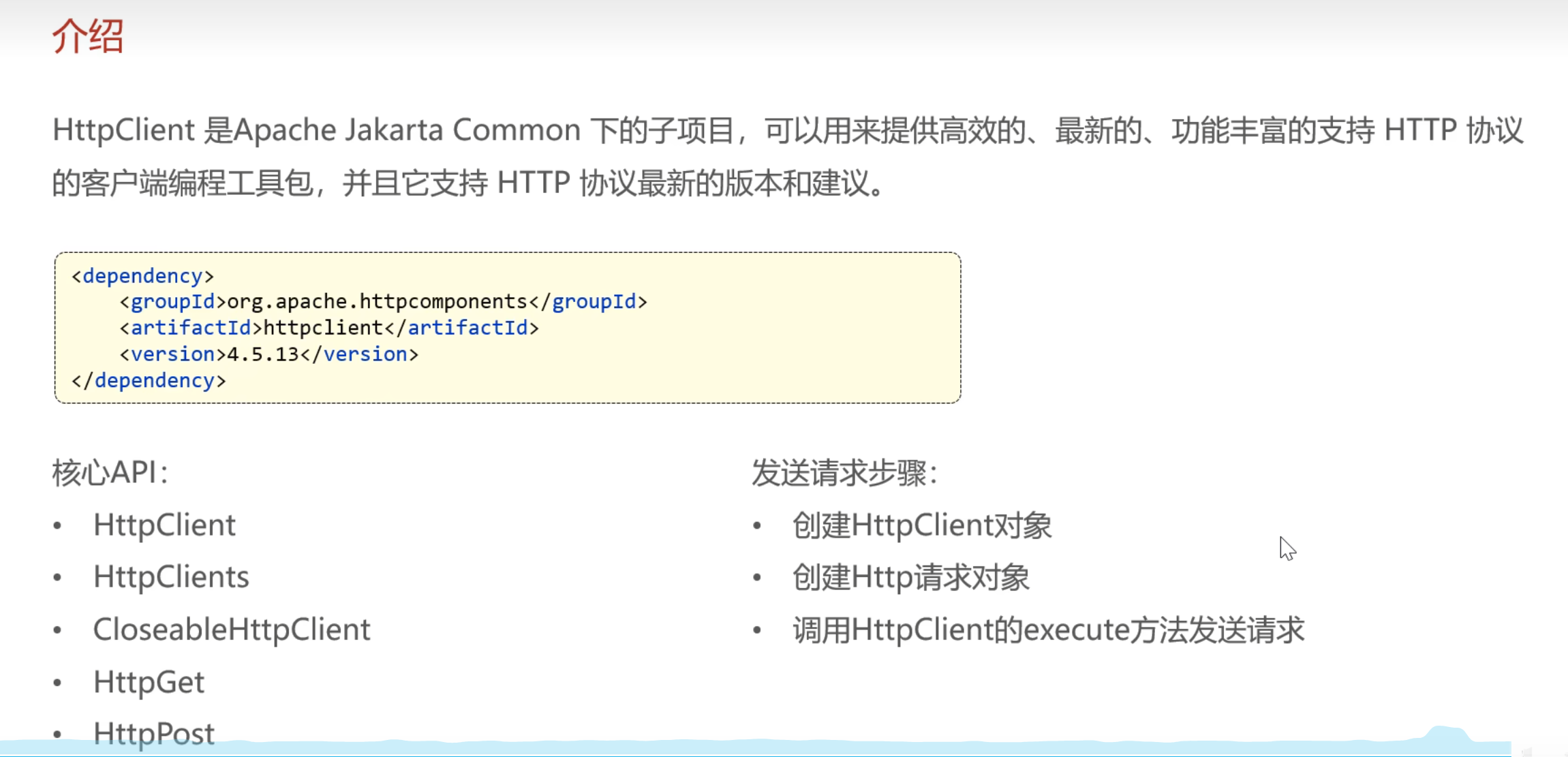
HttpClient是Apache软件基金会提供的一个支持HTTP协议的客户端编程工具包,主要用于发送HTTP请求和处理HTTP响应。
二、测试案例
1.创建HttpClient对象
2.创建请求对象
3.发送请求,并接受响应结果
4.解析响应结果
5.关闭资源
运行测试时,先将项目跑起来,注意Redis也要启动
案例一:httpGet测试
package com.sky.test;

import org.apache.http.HttpEntity;
import org.apache.http.client.HttpClient;
import org.apache.http.client.methods.CloseableHttpResponse;
import org.apache.http.client.methods.HttpGet;
import org.apache.http.impl.client.CloseableHttpClient;
import org.apache.http.impl.client.HttpClients;
import org.apache.http.util.EntityUtils;
import org.junit.jupiter.api.Test;
import org.springframework.boot.test.context.SpringBootTest;

import java.io.IOException;

@SpringBootTest
public class HttpClientTest {
    @Test
    public void testGet() throws IOException {
        //创建HttpClient对象
        CloseableHttpClient client = HttpClients.createDefault();
        //创建请求对象
        HttpGet httpGet = new HttpGet("http://localhost:8080/user/shop/status");
        //发送请求,并接受响应结果
        CloseableHttpResponse response = client.execute(httpGet);
        //解析响应结果--解析状态码和返回的数据
        int statusCode = response.getStatusLine().getStatusCode();
        System.out.println("服务端返回的状态码是:"+statusCode);
        HttpEntity entity = response.getEntity();
        String string = EntityUtils.toString(entity);
        System.out.println("服务端返回的数据是:"+string);
        //关闭资源
        response.close();
        client.close();
    }
}
我在测试过程中发现报了500的异常,经检查发现在user/ShopController中getStatus方法有误
修改前的代码:
    /**
     * 查询店铺状态
     * @param status
     * @return
     */
    @GetMapping("/status")
    @ApiOperation("查询店铺状态")
    public Result<Integer> getStatus(Integer status){
        log.info("查询到的店铺状态为:{}",status==1?"营业中":"已打烊");
        Integer shopStatus = (Integer) redisTemplate.opsForValue().get(KEY);
        return Result.success(shopStatus);
    }
- 方法参数中声明了
Integer status,但这是一个GET请求,且 URL 路径(/user/shop/status)中并没有定义路径变量,也没有使用@RequestParam接收请求参数- 因此,
status参数的值实际为null- 当执行
status==1的判断时,就会触发空指针异常(因为试图对null值进行比较)
修改后的代码:
    /**
     * 查询店铺状态
     * @return
     */
    @GetMapping("/status")
    @ApiOperation("查询店铺状态")
    public Result<Integer> getStatus(){
        Integer shopStatus = (Integer) redisTemplate.opsForValue().get(KEY);
        log.info("查询到的店铺状态为:{}",shopStatus==1?"营业中":"已打烊");
        return Result.success(shopStatus);
    }
案例二:httpPost测试
    @Test
    public void testPost() throws IOException {
        //创建HttpClient对象
        CloseableHttpClient httpClient = HttpClients.createDefault();
        //创建请求对象
        HttpPost httpPost = new HttpPost("http://localhost:8080/admin/employee/login");
        JSONObject jsonObject = new JSONObject();
        jsonObject.put("username","admin");
        jsonObject.put("password","123456");
        StringEntity stringEntity = new StringEntity(jsonObject.toString());
        //指定请求编码方式
        stringEntity.setContentEncoding("utf-8");
        //数据格式
        stringEntity.setContentType("application/json");
        httpPost.setEntity(stringEntity);
        //发送请求,接收响应结果
        CloseableHttpResponse response = httpClient.execute(httpPost);
        //解析响应结果
        int statusCode = response.getStatusLine().getStatusCode();
        System.out.println("服务端返回的状态码是:"+statusCode);
        HttpEntity entity = response.getEntity();
        String string = EntityUtils.toString(entity);
        System.out.println("服务端返回的数据是:"+string);
        //关闭资源
        response.close();
        httpClient.close();
    }
三、微信小程序开发
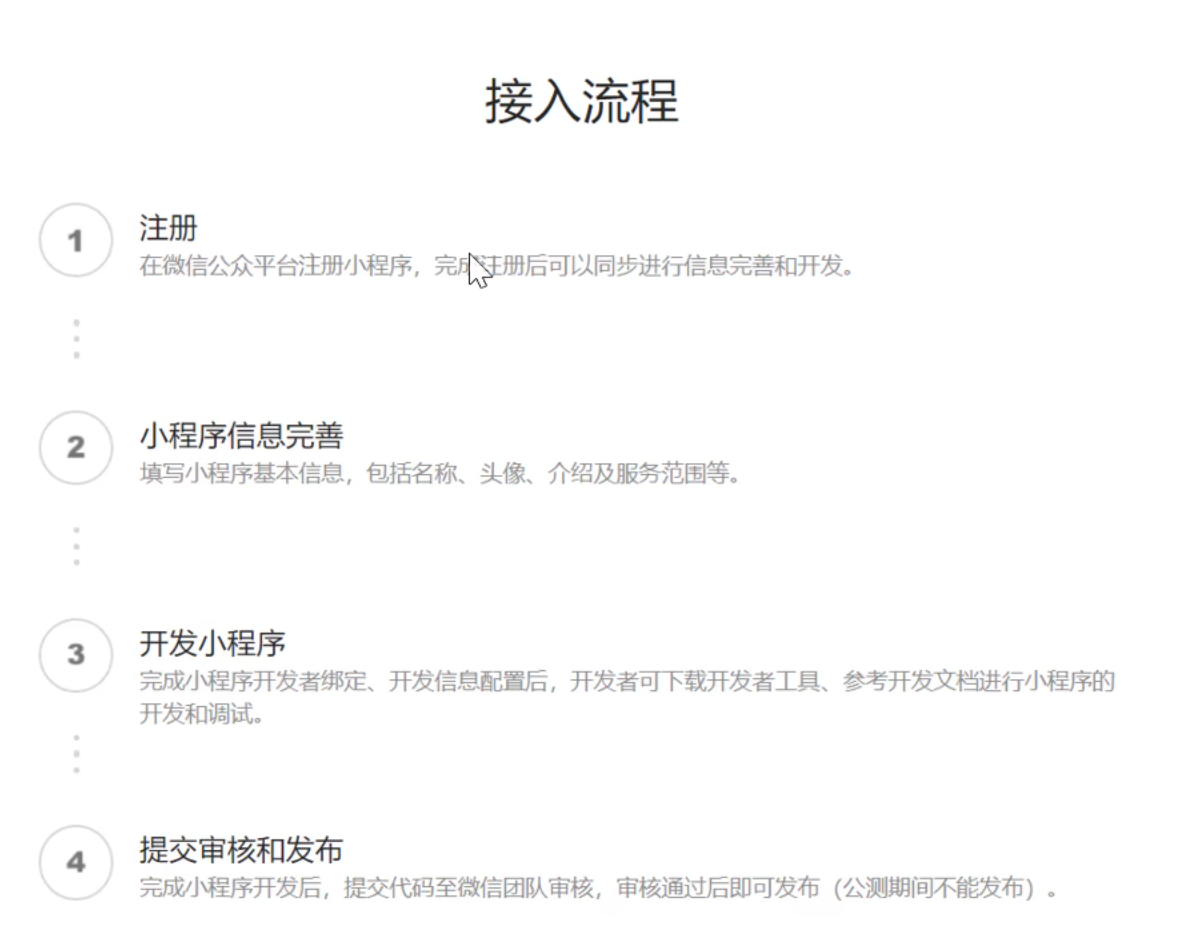 一、注册
一、注册
微信小程序注册网址:小程序
主要填这两个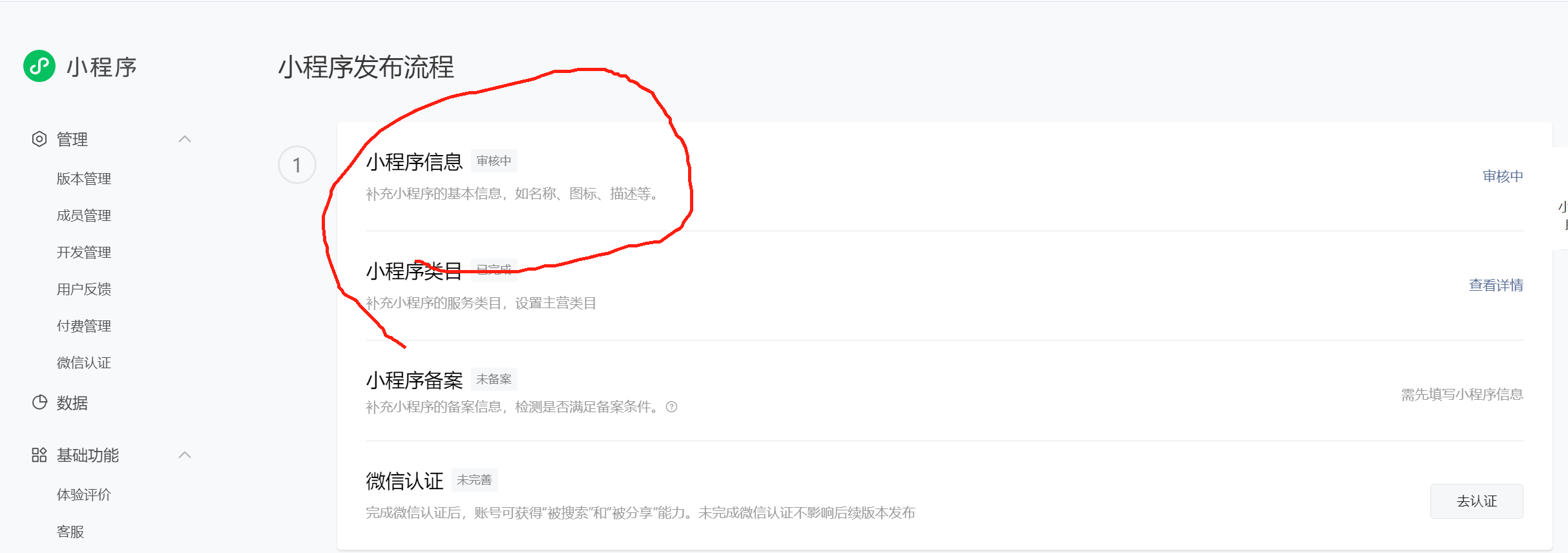
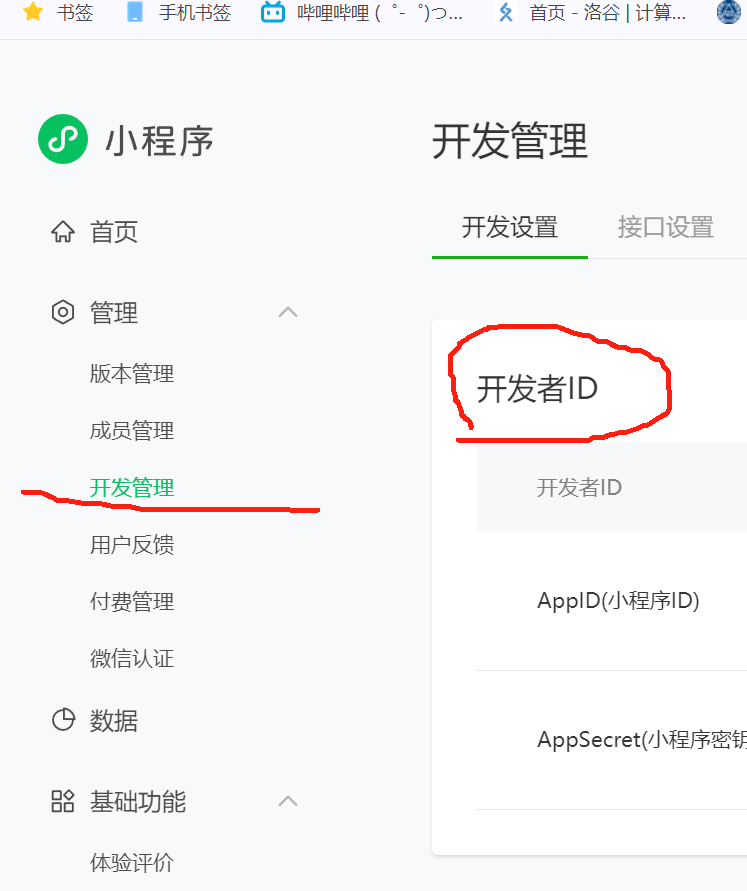
然后就是小程序ID,这个之后会在代码中用到
二、下载微信开发者工具
微信开发者工具(稳定版 Stable Build)下载地址与更新日志 | 微信开放文档
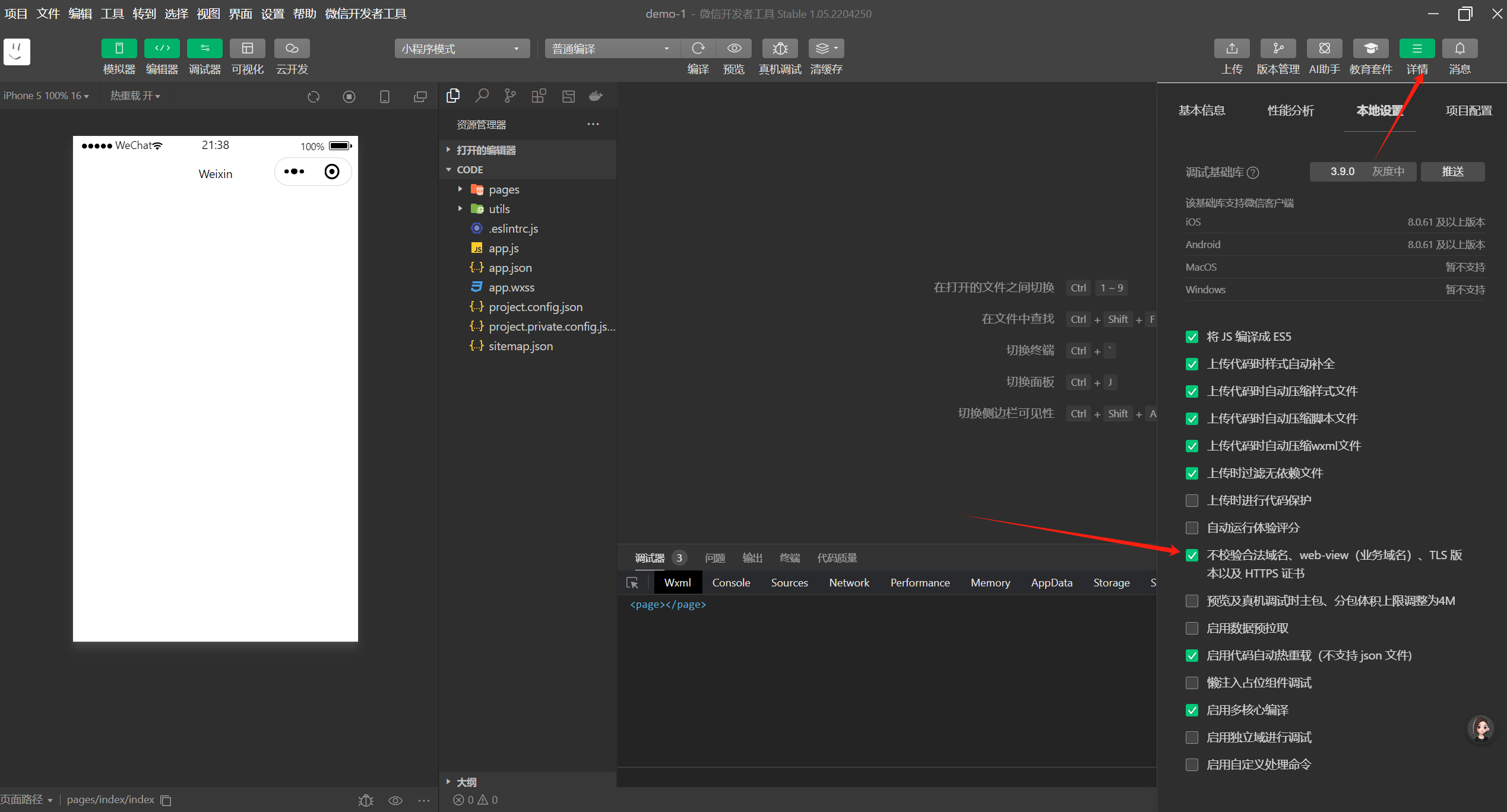
下载好后,扫描登录进去一定要在详细页选择不校验合法域名。
三、导入苍穹外卖微信小程序代码
导入项目注意修改小程序ID
进进入项目后,在vendor.js文件中按ctrl+f搜索localhost,然后修改请求nginx地址,修改为自己设置的端口号。

中国智能体开发者社区,聚焦智能体与大模型开发,提供前沿资讯、实用工具链、开源项目及行业案例。通过技术沙龙、开发者大赛等活动,促进经验交流与协作,助力开发者快速构建创新智能应用。
更多推荐
 5
5 0
0- 0


 已为社区贡献2条内容

所有评论(0)