Vue3+TypeScript+Spring Boot打印进度显示:从无到有、从有到多(前端简单实现、轮询、WebSocket)
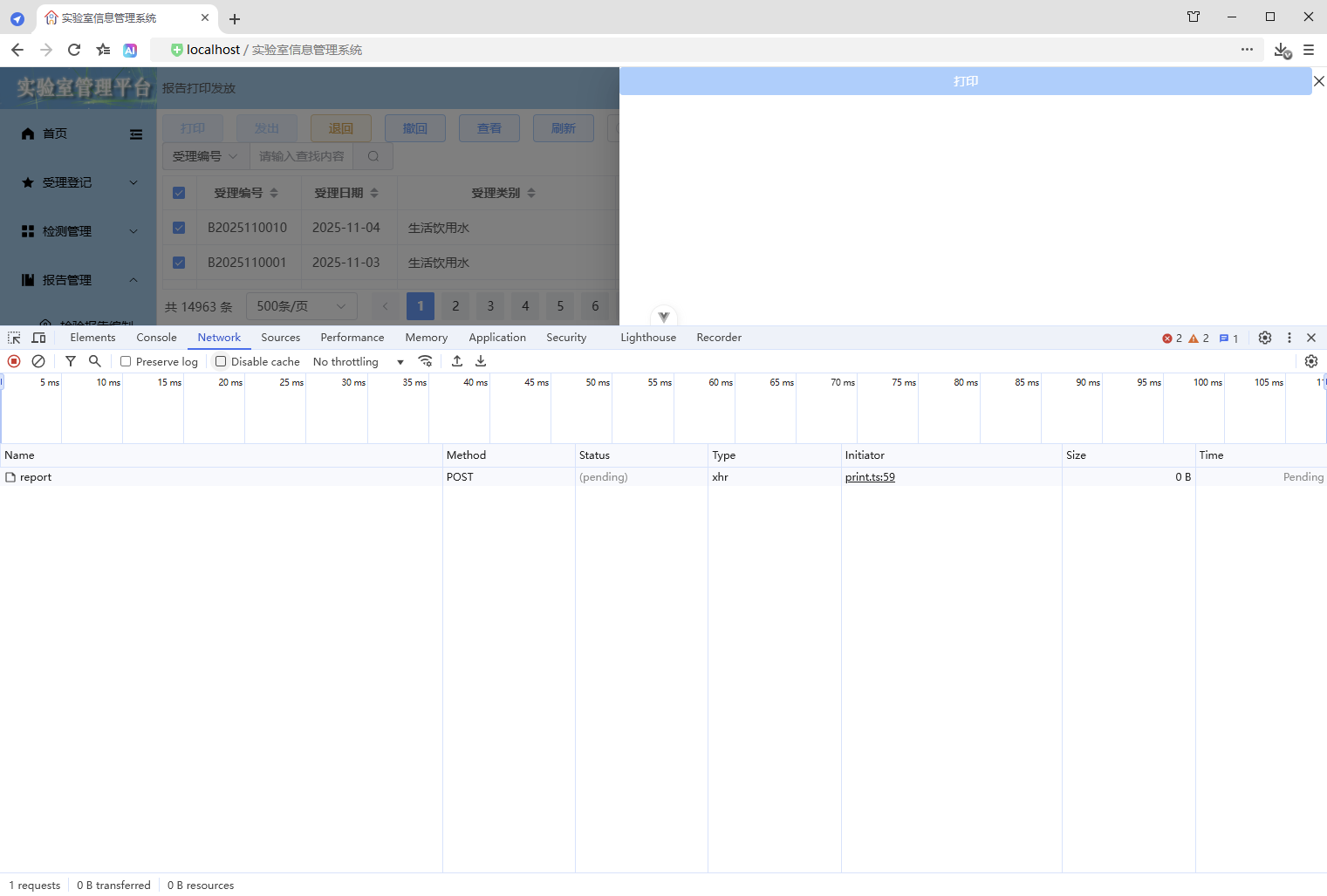
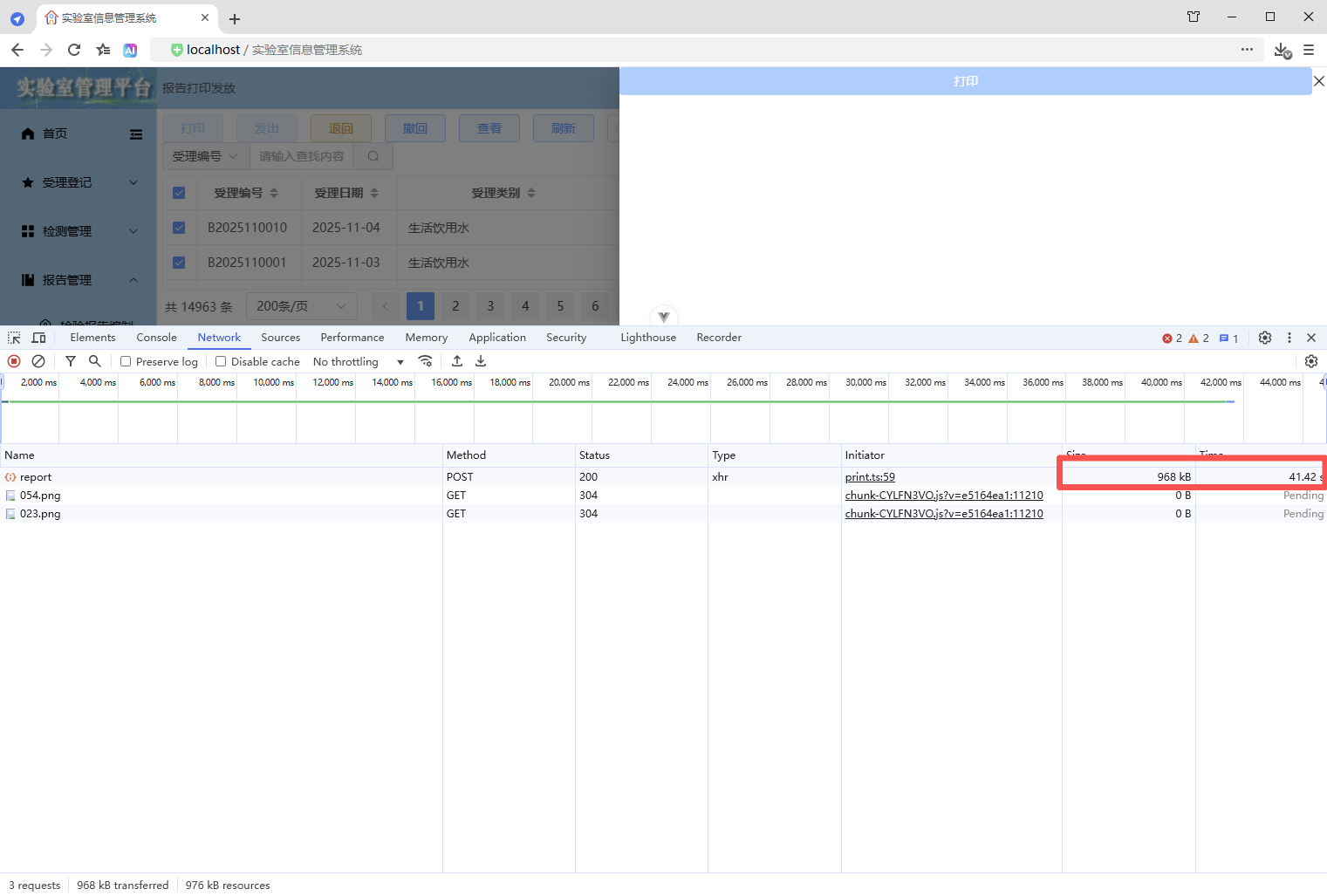
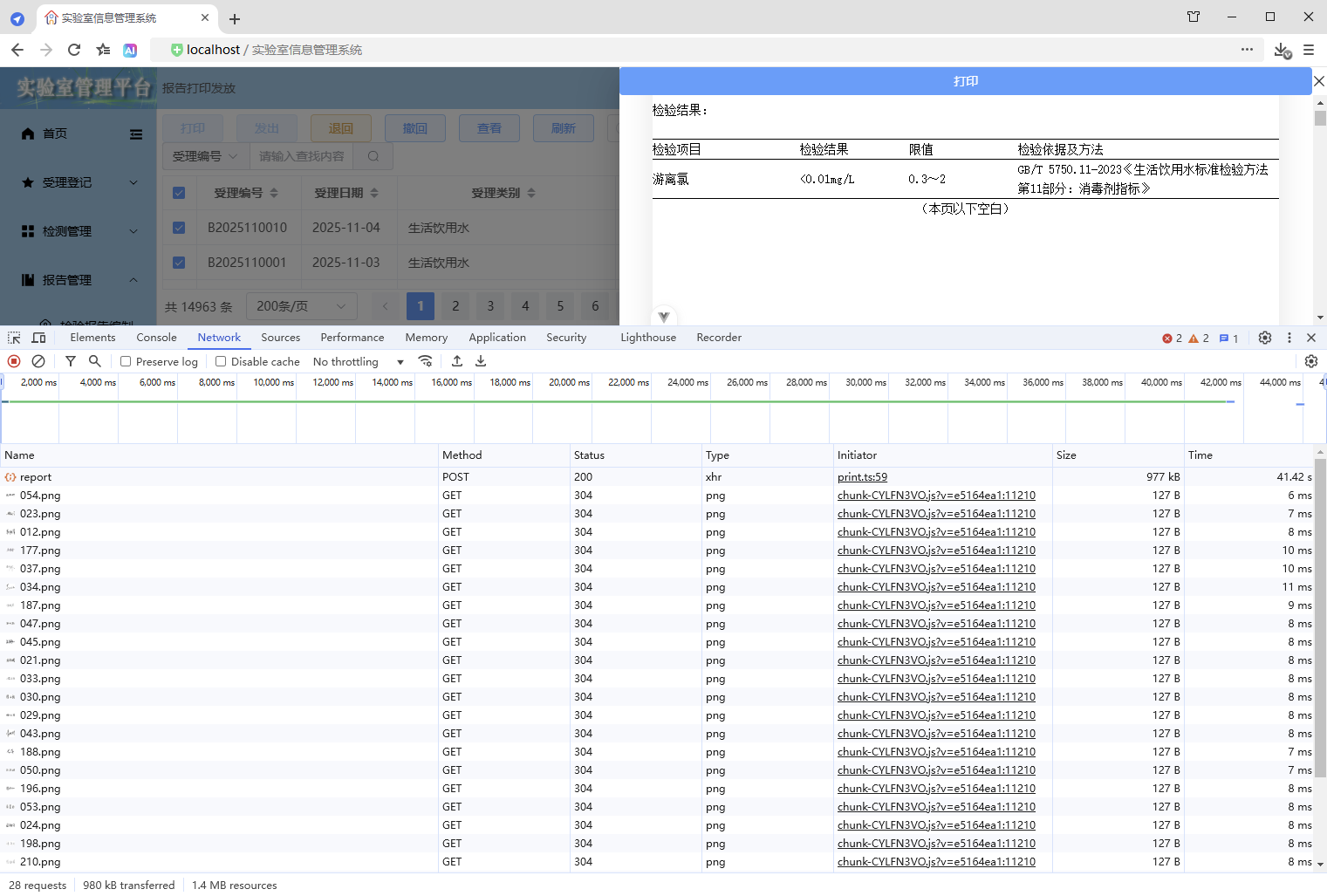
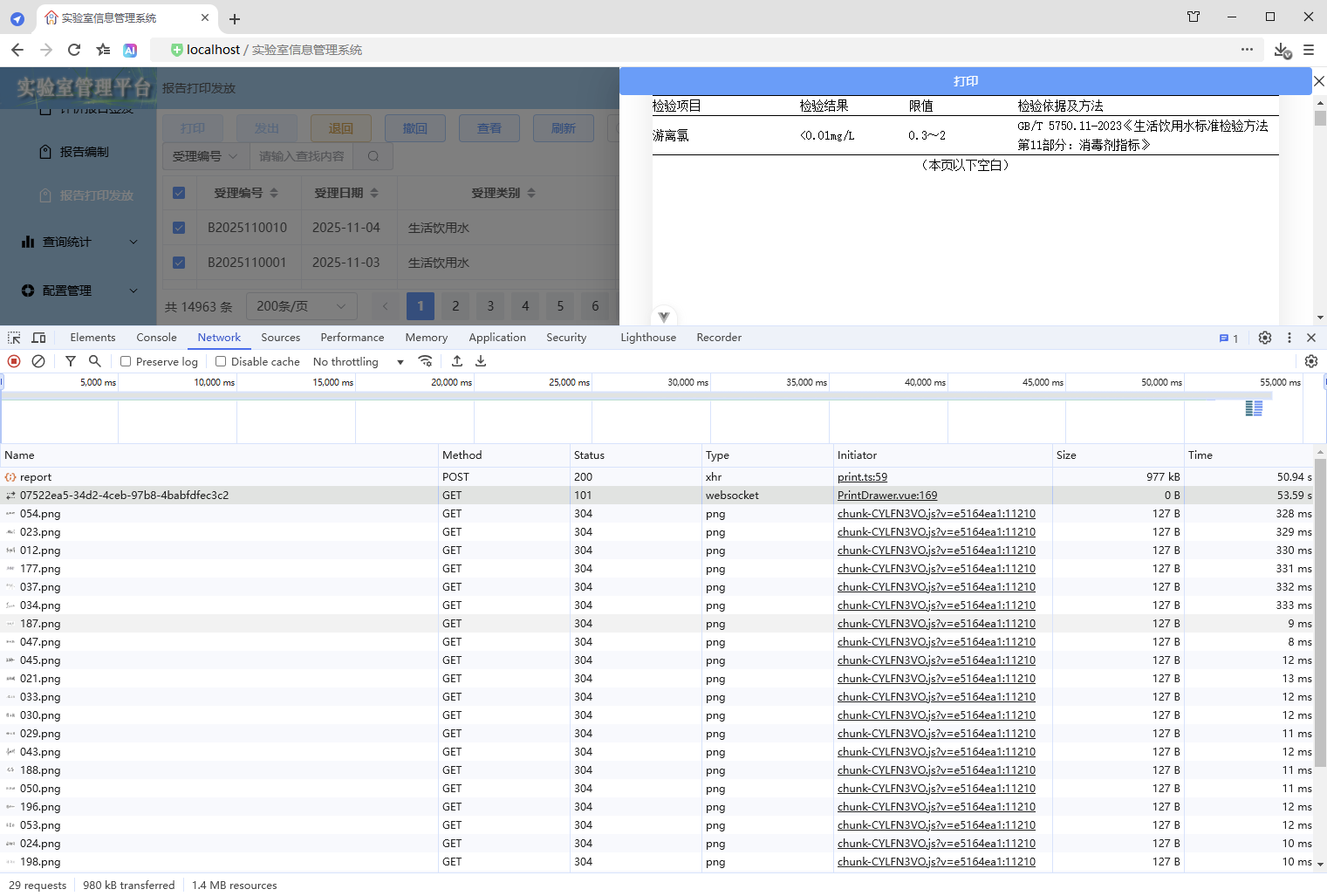
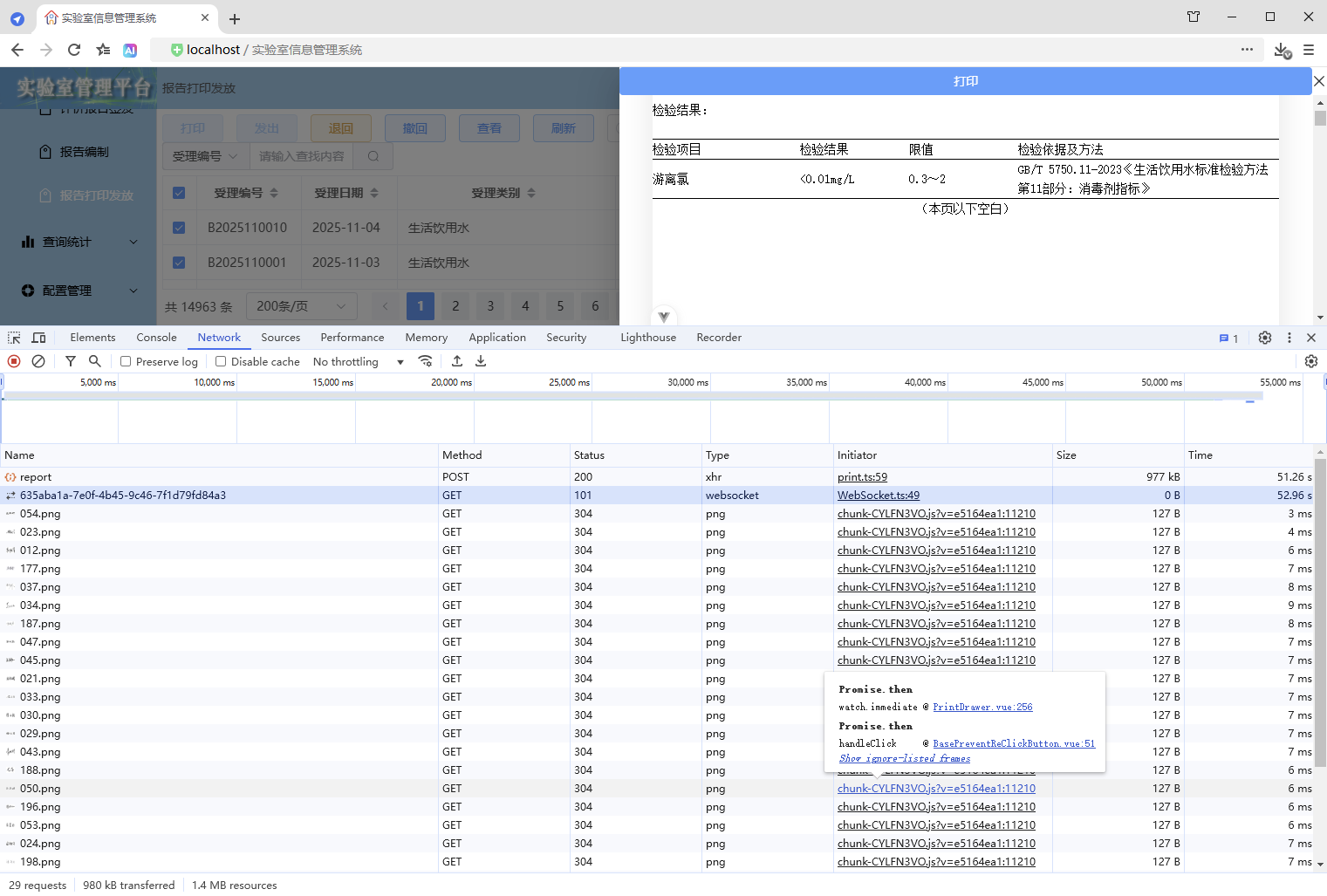
初始情况,打印没有进度条显示:点击【打印/查看】,弹出打印对话框,开始加载数据(200份报告),数据已加载,耗时41.42秒,这个过程页面一直没有变化,需增加进度显示,增强使用体验。原来的代码:打印抽屉。
初始情况,打印没有进度条显示:
点击【打印/查看】,弹出打印对话框,开始加载数据(200份报告),
数据已加载,耗时41.42秒,这个过程页面一直没有变化,需增加进度显示,增强使用体验。
原来的代码:
打印抽屉
src\components\common\PrintDrawer.vue
<script setup lang="ts">
/**
 * 打印抽屉
 *
 * 使用示例:
 * <PrintDrawer :print-visible="drawerVisible" :print-type="PrintType.REPORT" :print-selection="printData" @close-print-drawer="closePrintDrawer" />
 */
defineOptions({
  name: "PrintDrawer"
});
import { printCancelService, printService } from "@api";
import { PrintContainer } from "@components";
import { JJDTemplate, OperateType, PrintDirection, PrintType, TestReportTemplate, WspjReportTemplate } from "@types";
import { v4 as uuidv4 } from "uuid";
import { computed, nextTick, onMounted, onUnmounted, provide, ref, watch } from "vue";

interface Props {
  /** 打印显隐 */
  printVisible: boolean;
  /** 打印类型 */
  printType: PrintType;
  /** 打印选集 */
  printSelection: any[];
  /** 是否打印数据 */
  isPrintData?: boolean;
  /** 打印模板 */
  printTemplate?: JJDTemplate | TestReportTemplate | WspjReportTemplate | null;
  /** 打印方向 */
  printDirection?: PrintDirection;
  /** 操作类型 */
  operateType?: OperateType;
}
const props = withDefaults(defineProps<Props>(), {
  printVisible: false,
  printSelection: () => [],
  isPrintData: false,
  printTemplate: null,
  printDirection: PrintDirection.PORTRAIT,
  operateType: OperateType.PRINT
});

interface Emits {
  /**
   * 关闭打印抽屉的回调
   */
  (e: "close-print-drawer"): void;
}
const emit = defineEmits<Emits>();

// 抽屉显示标识
const drawerVisible = ref(false);
// 数据已加载标识
const isDataLoaded = ref(false);
// 打印按钮禁用标识
const buttonPrintDisabled = ref(true);
// 打印数据,这里使用泛型数组 any[] ,可以灵活接收后端返回的各类打印数据,进行批量打印,从而实现打印组件通用
const printData = ref<any[]>([]);
// 先定义响应式数据,用于接收父组件传递过来的数据,再向后代组件传递数据,这样就会保持响应式
// 打印类型、模板、方向、类名
const printType = ref<PrintType>();
const printTemplate = ref<JJDTemplate | TestReportTemplate | WspjReportTemplate | null>(null);
const printDirection = ref<PrintDirection>(PrintDirection.PORTRAIT);
const printClassName = ref("");
// 打印按钮的宽度(也是打印页面的宽度)
// 纵向打印的宽度为 210mm(793.698px)
// 横向打印的宽度为 297mm(1122.520px)
const printBtnWidth = computed(() => {
  return props.printDirection === PrintDirection.LANDSCAPE ? "1122.520px" : "793.698px";
});
// 抽屉尺寸大小
// 纵向打印抽屉尺寸大小为 210mm(793.698px) + 18(0左边距 + 0右边距 + 18右边滚动条的宽度) = 811.698px
// 横向打印抽屉尺寸大小为 297mm(1122.520px) + 18(0左边距 + 0右边距 + 18右边滚动条的宽度)= 1140.520px
const drawerSize = computed(() => {
  return props.printDirection === PrintDirection.LANDSCAPE ? "1140.520px" : "811.698px";
});
// 创建请求控制器 AbortController,用于取消请求
let controller: AbortController | null = null;
// 请求唯一ID,用于发送请求让后端取消获取打印数据
const requestId = ref("");

// 向后代组件提供数据
provide("printData", printData);
provide("printType", printType);
provide("printTemplate", printTemplate);
provide("printDirection", printDirection);

// 关闭打印抽屉
const onClosePrintDrawerClick = () => {
  // 清理前端资源
  cleanupFrontendResources();

  // 抽屉已关闭则直接退出
  if (!drawerVisible.value) {
    return;
  }

  // 数据尚未加载
  if (!isDataLoaded.value) {
    // 取消后端任务 - 取消打印
    cancelBackendTask();
  }

  // 通知父组件关闭打印抽屉
  emit("close-print-drawer");
  isDataLoaded.value = false;
};

// 取消后端任务 - 取消打印
const cancelBackendTask = () => {
  // 取消打印
  printCancelService(requestId.value);
};

// 清理前端资源
const cleanupFrontendResources = () => {
  // 前端取消请求,取消后不会接收响应,避免资源占用
  if (controller) {
    controller.abort();
    controller = null;
  }
};

// 渲染完成 - 后续逻辑
const RenderCompleted = () => {
  // 打印按钮解除禁用
  buttonPrintDisabled.value = false;
};

// 打印对象,vue3-print-nb,v-print="printObj"
const printObj = ref({
  id: "print-content",
  closeCallback() {
    // 关闭打印抽屉
    onClosePrintDrawerClick();
  }
});

// 添加页面卸载前的处理
const handleBeforeUnload = (event: BeforeUnloadEvent) => {
  if (requestId.value && !isDataLoaded.value) {
    cancelBackendTask();
  }
};

// 监听父组件传递过来的showDrawer值,控制抽屉的显示与隐藏
watch(
  () => props.printVisible,
  async (newValue) => {
    drawerVisible.value = newValue;
    if (drawerVisible.value) {
      printType.value = props.printType;
      if (props.printType === PrintType.JJD_BY_APPLY_ID_LIST) {
        printTemplate.value = props.printTemplate as JJDTemplate;
      } else {
        printTemplate.value = null;
      }
      printTemplate.value = props.printTemplate;
      printDirection.value = props.printDirection ? props.printDirection : PrintDirection.PORTRAIT;
      if (printTemplate.value === JJDTemplate.LANDSCAPE_SAMPLE) {
        printDirection.value = PrintDirection.LANDSCAPE;
      }
      printClassName.value = `${printType.value} ${printDirection.value}`;
      buttonPrintDisabled.value = true;

      // 生成请求唯一ID
      requestId.value = uuidv4();

      // 获取打印数据
      printData.value = [];
      // 父组件传递过来的 printSelection,如果就是打印数据,不需要处理,直接使用即可打印
      if (props.isPrintData) {
        printData.value = props.printSelection;
      } else {
        try {
          // 为当前新请求创建新的控制器
          controller = new AbortController();
          const result = await printService(
            props.printType,
            props.printSelection,
            props.printTemplate,
            controller.signal,
            requestId.value
          );

          // 检查请求是否已被取消,如果已取消则直接返回,不继续执行后续逻辑
          if (controller.signal.aborted) {
            return;
          }

          printData.value = result.data;
        } catch (error) {
          // 检查是否是由于请求取消导致的错误,如果是则直接返回
          if (error instanceof Error && error.name === "AbortError") {
            console.log("Request was cancelled");
            return;
          }
          console.log("printService error: ", error);
        }
      }

      // 检查抽屉是否仍然打开,如果已关闭则不继续执行后续逻辑
      if (!drawerVisible.value) {
        return;
      }

      // 数据加载完成,开始渲染DOM
      isDataLoaded.value = true;

      // 清理前端资源
      cleanupFrontendResources();

      // 确保DOM渲染完成
      await nextTick();

      RenderCompleted();
    }
  },
  { immediate: true }
);

onMounted(() => {
  window.addEventListener("beforeunload", handleBeforeUnload);
});

onUnmounted(() => {
  window.removeEventListener("beforeunload", handleBeforeUnload);
  cleanupFrontendResources();
});
</script>

<template>
  <div>
    <el-drawer
      v-model="drawerVisible"
      :with-header="true"
      :size="drawerSize"
      :close-on-click-modal="false"
      @close="onClosePrintDrawerClick">
      <div class="drawer-div">
        <el-button
          v-if="props.operateType === OperateType.PRINT"
          class="print-btn"
          type="primary"
          :disabled="buttonPrintDisabled"
          v-print="printObj"
          >打印</el-button
        >
        <el-button
          v-else
          class="print-btn"
          type="primary"
          :disabled="buttonPrintDisabled"
          @click="onClosePrintDrawerClick"
          >关闭</el-button
        >
      </div>
      <!-- 打印,这里的 class 是动态值 -->
      <div id="print-content" :class="printDirection">
        <!-- 这里同时使用:父传子(props) :print-data="printData" 和 祖先传后代 provide("printData", printData) 这两种数据传递方式可以共存,但是props优先级高于provide -->
        <PrintContainer :print-data="printData" v-if="isDataLoaded" />
      </div>
    </el-drawer>
  </div>
</template>

<style scoped lang="scss">
// 抽屉头部
:deep(.el-drawer__header) {
  margin-bottom: 0;
  padding: 0;
  height: 32px;
}
// 抽屉内容
:deep(.el-drawer__body) {
  padding: 0;
}
// 抽屉关闭按钮
:deep(.el-drawer__close-btn) {
  padding: 0;
}
.drawer-div {
  // 固定定位,固定在顶部
  position: fixed;
  // 与【浏览器可视区】顶部的垂直距离
  top: 0;
  .print-btn {
    width: v-bind("printBtnWidth");
  }
}

@media print {
  /* 打印通用样式 */
  @page {
    margin: 10mm;
  }

  /* 设定打印方向 */
  /* 纵向打印 */
  /* 通过 CSS 的 命名页面(Named Pages) 技术实现作用域隔离,实现 @page 样式仅影响当前组件 */
  /* 这里的 portrait 对应的是 <div id="print-content" :class="printClassName"> 的 class,是动态值 */
  .portrait {
    page: portrait-page; /* 绑定页面名称 */
  }
  /* 通过媒体样式 @media print 的 @page 设置打印方向, @page portrait-page 这样就不是影响全局了,而是指定的范围 portrait-page */
  @page portrait-page {
    /* 仅影响绑定了portrait-page 的元素 */
    size: A4 portrait;
  }
  /* 横向打印 */
  /* 通过 CSS 的 命名页面(Named Pages) 技术实现作用域隔离,实现 @page 样式仅影响当前组件 */
  /* 这里的 landscape 对应的是 <div id="print-content" :class="printClassName"> 的 class,是动态值 */
  .landscape {
    page: landscape-page; /* 绑定页面名称 */
  }
  /* 通过媒体样式 @media print 的 @page 设置打印方向, @page landscape-page 这样就不是影响全局了,而是指定的范围 landscape-page */
  @page landscape-page {
    /* 仅影响绑定了landscape-page 的元素 */
    size: A4 landscape;
  }
}
</style>
一、进度实现
1、前端简单实现
1.1、前端
1.1.1、打印抽屉
src\components\common\PrintDrawer.vue
1、增加进度条组件
        <el-progress
          v-show="progressValue !== 100"
          :text-inside="true"
          :stroke-width="20"
          :percentage="progressValue"
          status="success"
          :format="progressFormat">
        </el-progress>
2、增加进度值、格式化进度显示的内容
// 进度值,进度从1开始,增强使用体验,感觉一开始就工作了
const progressValue = ref(1);

// 格式化进度显示的内容
const progressFormat = (val: number) => {
  return `正在加载数据 ${val.toFixed(0)}%`;
};
3、增加进度更新逻辑
// 更新进度
const updateProgress = () => {
  // 前端计算进度
  // 1、计算递增的间隔时间
  // 2、设置计数器,进度值从1开始,每次递增1,当到99时停止(防止后端还没有返回数据,进度条就显示为100%,影响使用体验)
  progressValue.value = 1;
  const apartCoefficient = 2; // 间隔系数
  const apartTime = Math.max(100, apartCoefficient * props.printSelection.length); // 递增的间隔时间(毫秒),最小是100毫秒
  progressTimer = setInterval(() => {
    // 计算进度
    const progress = progressValue.value + 1;
    // 确保进度不倒退,确保进度大于1并且不超过99(确保进度条不满100%,保持显示,直到数据加载完毕页面渲染完成,进度才设置为100,从而触发隐藏)
    progressValue.value = Math.min(Math.max(progressValue.value, Math.max(progress, 1)), 99);
  }, apartTime);
};
4、清理前端资源
// 清理前端资源
const cleanupFrontendResources = () => {
  // 清理定时器
  if (progressTimer) {
    clearInterval(progressTimer);
    progressTimer = null;
  }

  // 前端取消请求,取消后不会接收响应,避免资源占用
  if (controller) {
    controller.abort();
    controller = null;
  }
};
5、使用进度更新
// 监听父组件传递过来的showDrawer值,控制抽屉的显示与隐藏
watch(
  () => props.printVisible,
  async (newValue) => {
    drawerVisible.value = newValue;
    if (drawerVisible.value) {

      // 生成请求唯一ID
      requestId.value = uuidv4();

      // 更新进度
      updateProgress();

      // 获取打印数据

      await

      // 数据加载完成,开始渲染DOM
      isDataLoaded.value = true;

      // 清理前端资源
      cleanupFrontendResources();

    }
  },
  { immediate: true }
);
6、追加渲染完成 - 后续逻辑
// 渲染完成 - 后续逻辑
const RenderCompleted = () => {
  // 所有工作全部完成,进度值设置为100,触发隐藏进度条
  progressValue.value = 100;

  // 打印按钮解除禁用
  buttonPrintDisabled.value = false;
};
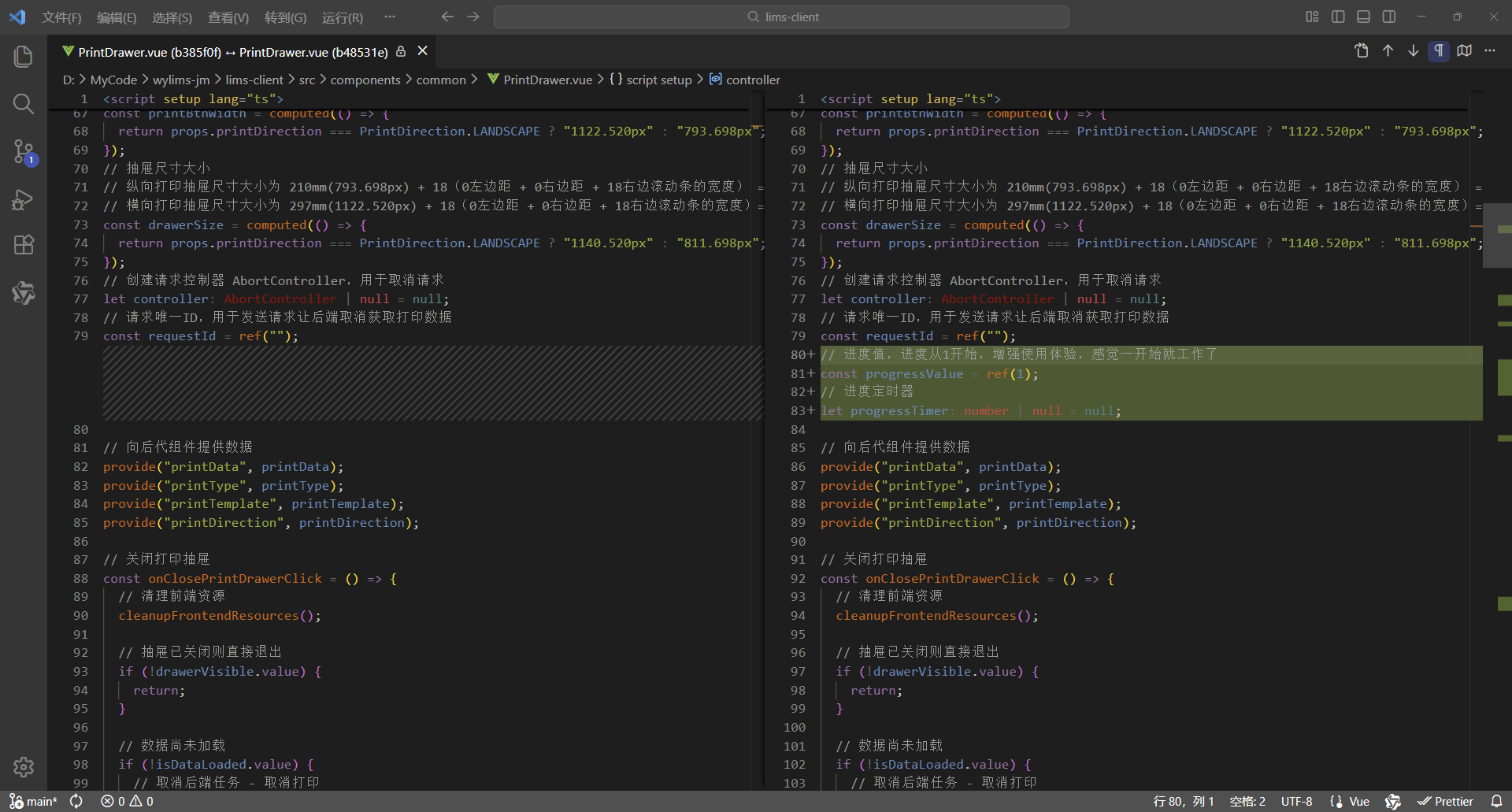
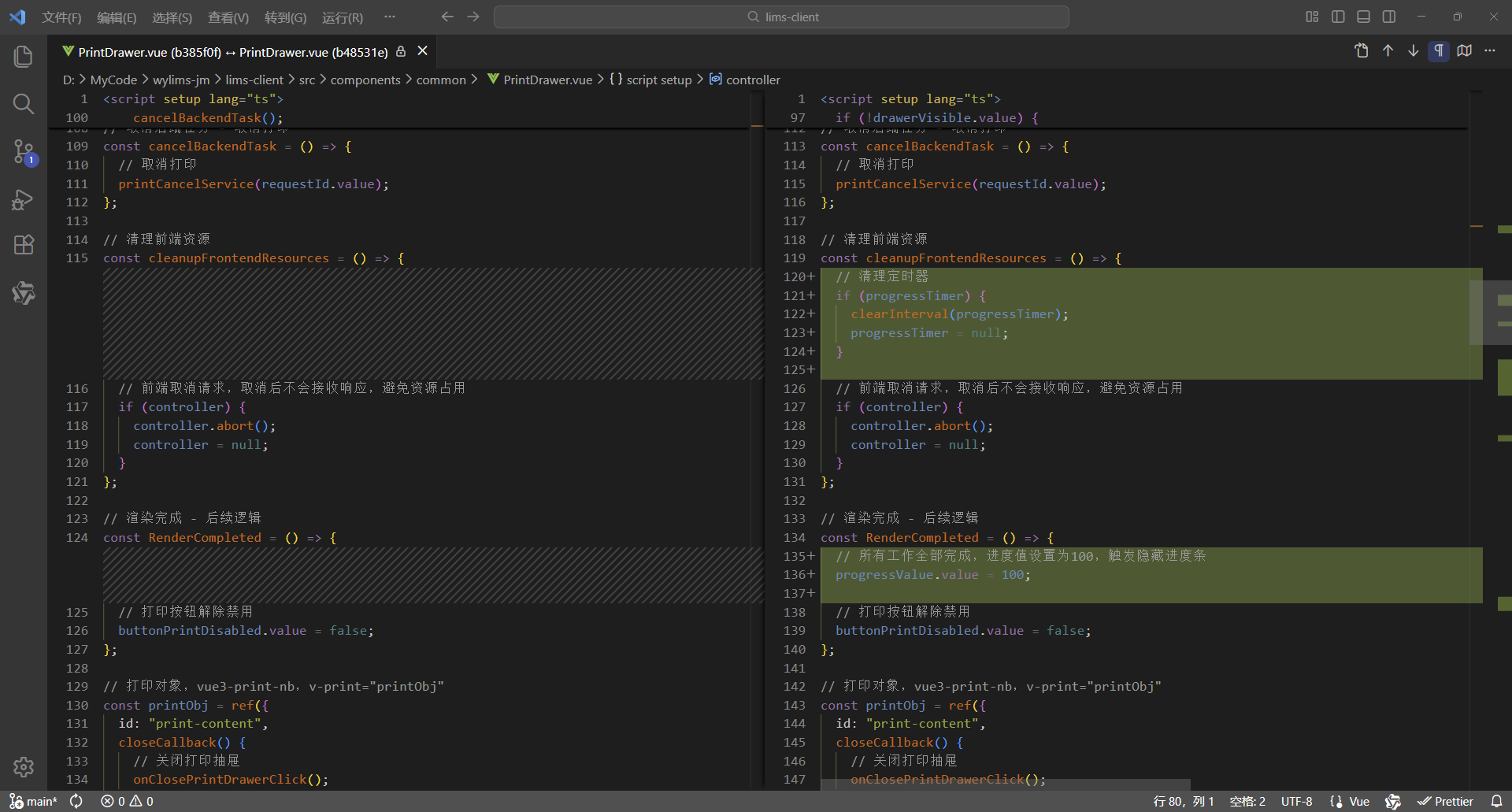
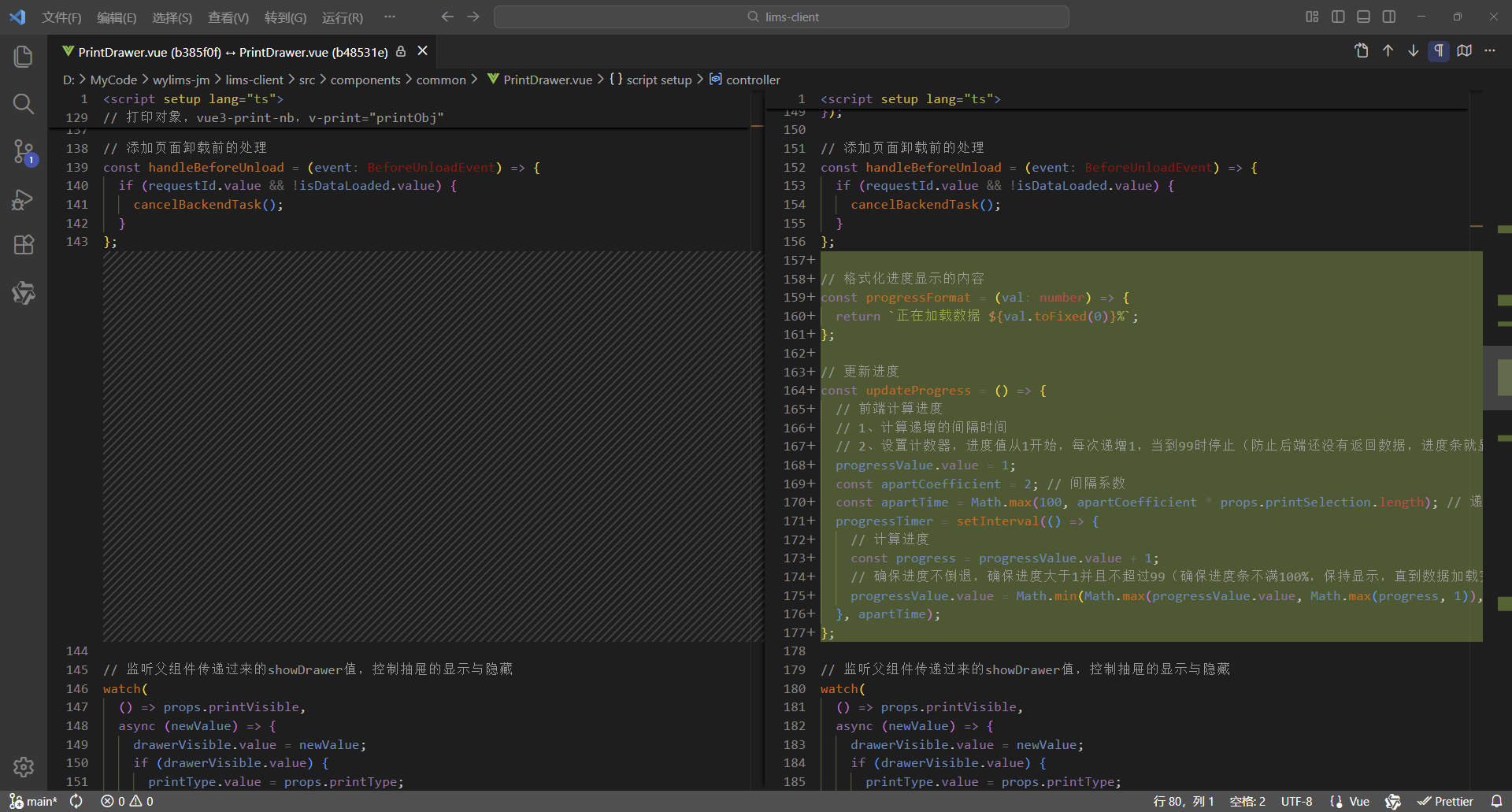
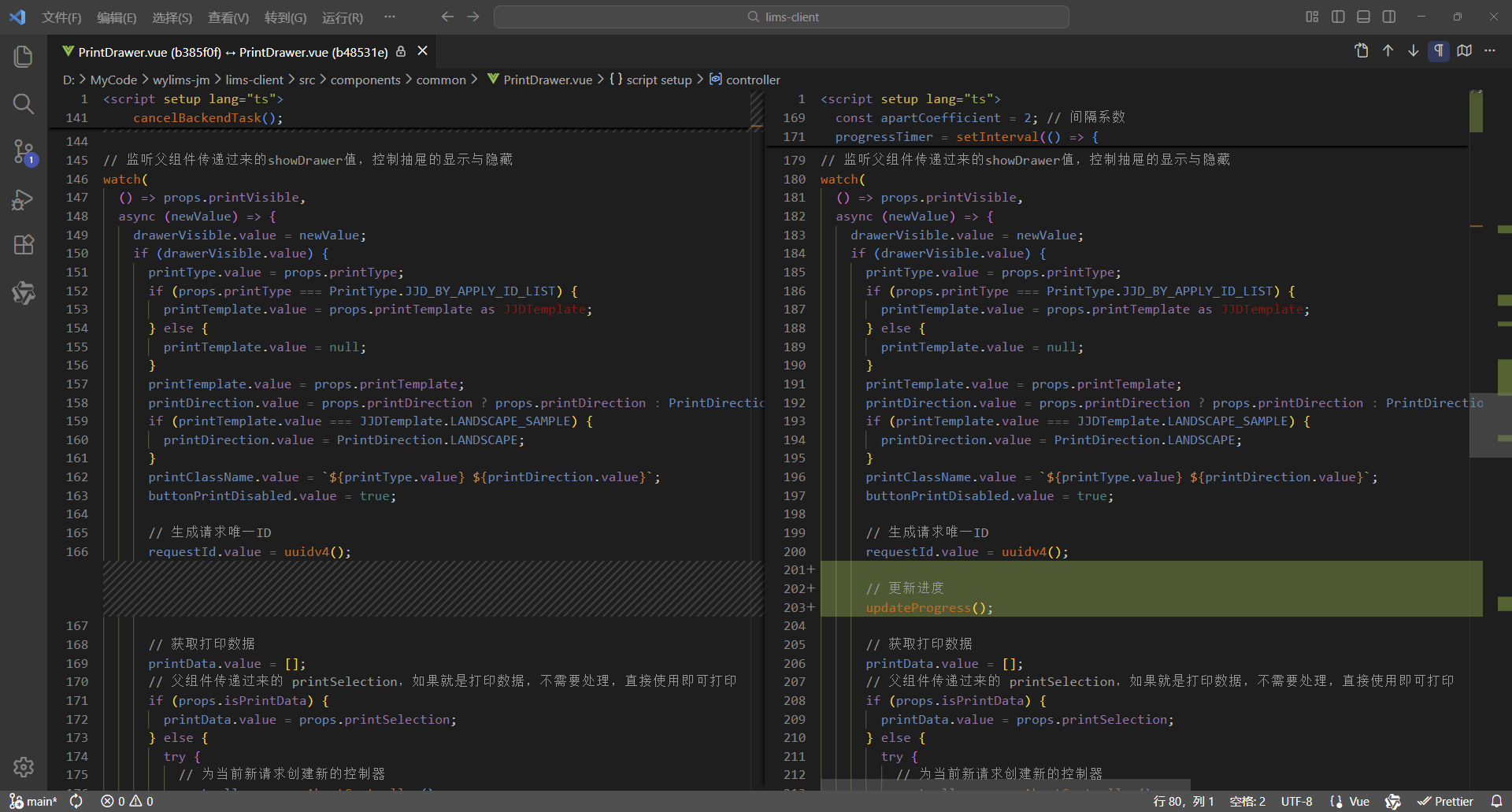
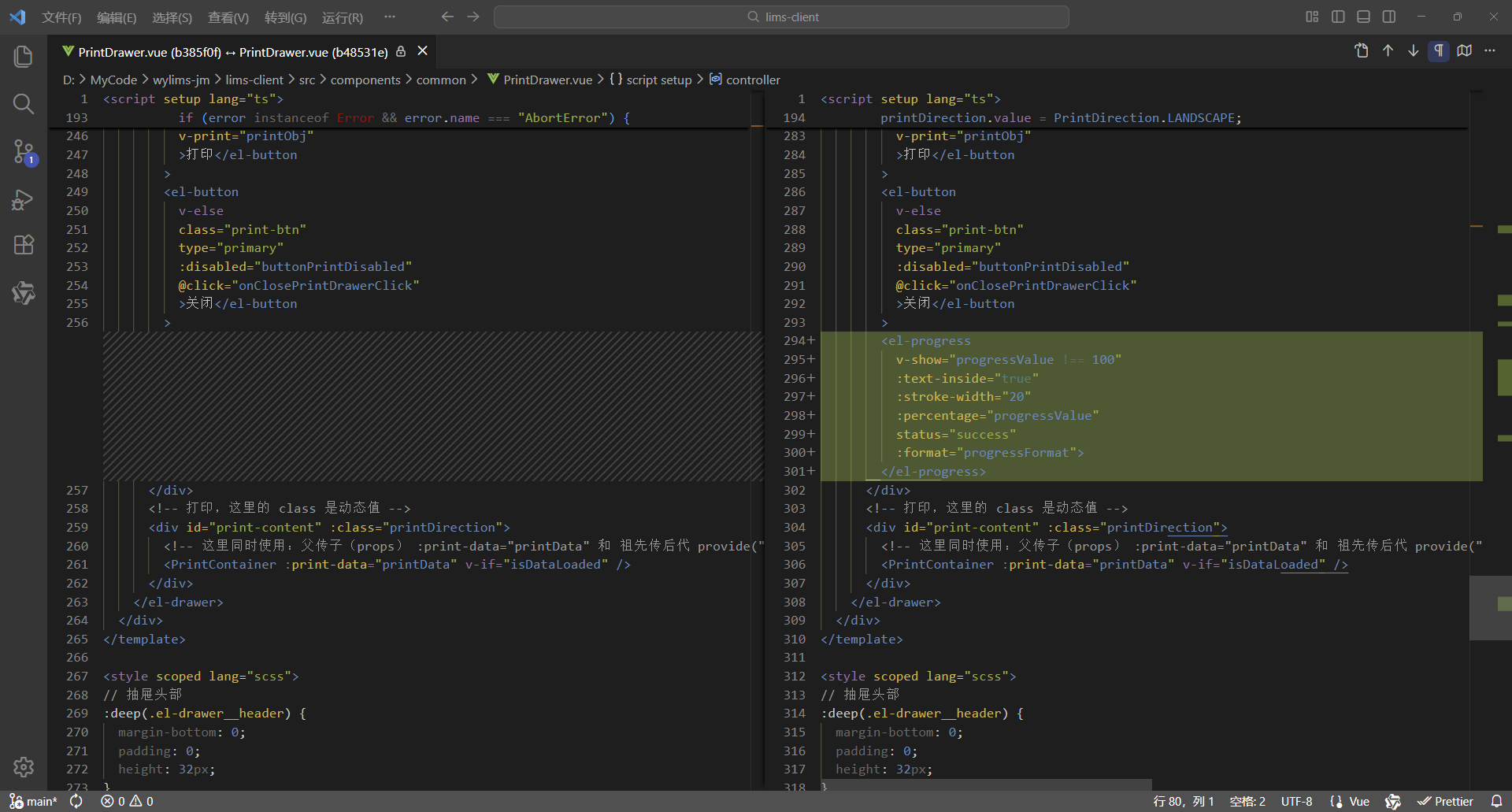
7、对比代码
更改6处,实现进度条
8、完整代码
<script setup lang="ts">
/**
 * 打印抽屉
 *
 * 使用示例:
 * <PrintDrawer :print-visible="drawerVisible" :print-type="PrintType.REPORT" :print-selection="printData" @close-print-drawer="closePrintDrawer" />
 */
defineOptions({
  name: "PrintDrawer"
});
import { printCancelService, printService } from "@api";
import { PrintContainer } from "@components";
import { JJDTemplate, OperateType, PrintDirection, PrintType, TestReportTemplate, WspjReportTemplate } from "@types";
import { v4 as uuidv4 } from "uuid";
import { computed, nextTick, onMounted, onUnmounted, provide, ref, watch } from "vue";

interface Props {
  /** 打印显隐 */
  printVisible: boolean;
  /** 打印类型 */
  printType: PrintType;
  /** 打印选集 */
  printSelection: any[];
  /** 是否打印数据 */
  isPrintData?: boolean;
  /** 打印模板 */
  printTemplate?: JJDTemplate | TestReportTemplate | WspjReportTemplate | null;
  /** 打印方向 */
  printDirection?: PrintDirection;
  /** 操作类型 */
  operateType?: OperateType;
}
const props = withDefaults(defineProps<Props>(), {
  printVisible: false,
  printSelection: () => [],
  isPrintData: false,
  printTemplate: null,
  printDirection: PrintDirection.PORTRAIT,
  operateType: OperateType.PRINT
});

interface Emits {
  /**
   * 关闭打印抽屉的回调
   */
  (e: "close-print-drawer"): void;
}
const emit = defineEmits<Emits>();

// 抽屉显示标识
const drawerVisible = ref(false);
// 数据已加载标识
const isDataLoaded = ref(false);
// 打印按钮禁用标识
const buttonPrintDisabled = ref(true);
// 打印数据,这里使用泛型数组 any[] ,可以灵活接收后端返回的各类打印数据,进行批量打印,从而实现打印组件通用
const printData = ref<any[]>([]);
// 先定义响应式数据,用于接收父组件传递过来的数据,再向后代组件传递数据,这样就会保持响应式
// 打印类型、模板、方向、类名
const printType = ref<PrintType>();
const printTemplate = ref<JJDTemplate | TestReportTemplate | WspjReportTemplate | null>(null);
const printDirection = ref<PrintDirection>(PrintDirection.PORTRAIT);
const printClassName = ref("");
// 打印按钮的宽度(也是打印页面的宽度)
// 纵向打印的宽度为 210mm(793.698px)
// 横向打印的宽度为 297mm(1122.520px)
const printBtnWidth = computed(() => {
  return props.printDirection === PrintDirection.LANDSCAPE ? "1122.520px" : "793.698px";
});
// 抽屉尺寸大小
// 纵向打印抽屉尺寸大小为 210mm(793.698px) + 18(0左边距 + 0右边距 + 18右边滚动条的宽度) = 811.698px
// 横向打印抽屉尺寸大小为 297mm(1122.520px) + 18(0左边距 + 0右边距 + 18右边滚动条的宽度)= 1140.520px
const drawerSize = computed(() => {
  return props.printDirection === PrintDirection.LANDSCAPE ? "1140.520px" : "811.698px";
});
// 创建请求控制器 AbortController,用于取消请求
let controller: AbortController | null = null;
// 请求唯一ID,用于发送请求让后端取消获取打印数据
const requestId = ref("");
// 进度值,进度从1开始,增强使用体验,感觉一开始就工作了
const progressValue = ref(1);
// 进度定时器
let progressTimer: number | null = null;

// 向后代组件提供数据
provide("printData", printData);
provide("printType", printType);
provide("printTemplate", printTemplate);
provide("printDirection", printDirection);

// 关闭打印抽屉
const onClosePrintDrawerClick = () => {
  // 清理前端资源
  cleanupFrontendResources();

  // 抽屉已关闭则直接退出
  if (!drawerVisible.value) {
    return;
  }

  // 数据尚未加载
  if (!isDataLoaded.value) {
    // 取消后端任务 - 取消打印
    cancelBackendTask();
  }

  // 通知父组件关闭打印抽屉
  emit("close-print-drawer");
  isDataLoaded.value = false;
};

// 取消后端任务 - 取消打印
const cancelBackendTask = () => {
  // 取消打印
  printCancelService(requestId.value);
};

// 清理前端资源
const cleanupFrontendResources = () => {
  // 清理定时器
  if (progressTimer) {
    clearInterval(progressTimer);
    progressTimer = null;
  }

  // 前端取消请求,取消后不会接收响应,避免资源占用
  if (controller) {
    controller.abort();
    controller = null;
  }
};

// 渲染完成 - 后续逻辑
const RenderCompleted = () => {
  // 所有工作全部完成,进度值设置为100,触发隐藏进度条
  progressValue.value = 100;

  // 打印按钮解除禁用
  buttonPrintDisabled.value = false;
};

// 打印对象,vue3-print-nb,v-print="printObj"
const printObj = ref({
  id: "print-content",
  closeCallback() {
    // 关闭打印抽屉
    onClosePrintDrawerClick();
  }
});

// 添加页面卸载前的处理
const handleBeforeUnload = (event: BeforeUnloadEvent) => {
  if (requestId.value && !isDataLoaded.value) {
    cancelBackendTask();
  }
};

// 格式化进度显示的内容
const progressFormat = (val: number) => {
  return `正在加载数据 ${val.toFixed(0)}%`;
};

// 更新进度
const updateProgress = () => {
  // 前端计算进度
  // 1、计算递增的间隔时间
  // 2、设置计数器,进度值从1开始,每次递增1,当到99时停止(防止后端还没有返回数据,进度条就显示为100%,影响使用体验)
  progressValue.value = 1;
  const apartCoefficient = 2; // 间隔系数
  const apartTime = Math.max(100, apartCoefficient * props.printSelection.length); // 递增的间隔时间(毫秒),最小是100毫秒
  progressTimer = setInterval(() => {
    // 计算进度
    const progress = progressValue.value + 1;
    // 确保进度不倒退,确保进度大于1并且不超过99(确保进度条不满100%,保持显示,直到数据加载完毕页面渲染完成,进度才设置为100,从而触发隐藏)
    progressValue.value = Math.min(Math.max(progressValue.value, Math.max(progress, 1)), 99);
  }, apartTime);
};

// 监听父组件传递过来的showDrawer值,控制抽屉的显示与隐藏
watch(
  () => props.printVisible,
  async (newValue) => {
    drawerVisible.value = newValue;
    if (drawerVisible.value) {
      printType.value = props.printType;
      if (props.printType === PrintType.JJD_BY_APPLY_ID_LIST) {
        printTemplate.value = props.printTemplate as JJDTemplate;
      } else {
        printTemplate.value = null;
      }
      printTemplate.value = props.printTemplate;
      printDirection.value = props.printDirection ? props.printDirection : PrintDirection.PORTRAIT;
      if (printTemplate.value === JJDTemplate.LANDSCAPE_SAMPLE) {
        printDirection.value = PrintDirection.LANDSCAPE;
      }
      printClassName.value = `${printType.value} ${printDirection.value}`;
      buttonPrintDisabled.value = true;

      // 生成请求唯一ID
      requestId.value = uuidv4();

      // 更新进度
      updateProgress();

      // 获取打印数据
      printData.value = [];
      // 父组件传递过来的 printSelection,如果就是打印数据,不需要处理,直接使用即可打印
      if (props.isPrintData) {
        printData.value = props.printSelection;
      } else {
        try {
          // 为当前新请求创建新的控制器
          controller = new AbortController();
          const result = await printService(
            props.printType,
            props.printSelection,
            props.printTemplate,
            controller.signal,
            requestId.value
          );

          // 检查请求是否已被取消,如果已取消则直接返回,不继续执行后续逻辑
          if (controller.signal.aborted) {
            return;
          }

          printData.value = result.data;
        } catch (error) {
          // 检查是否是由于请求取消导致的错误,如果是则直接返回
          if (error instanceof Error && error.name === "AbortError") {
            console.log("Request was cancelled");
            return;
          }
          console.log("printService error: ", error);
        }
      }

      // 检查抽屉是否仍然打开,如果已关闭则不继续执行后续逻辑
      if (!drawerVisible.value) {
        return;
      }

      // 数据加载完成,开始渲染DOM
      isDataLoaded.value = true;

      // 清理前端资源
      cleanupFrontendResources();

      // 确保DOM渲染完成
      await nextTick();

      // 渲染完成 - 后续逻辑
      RenderCompleted();
    }
  },
  { immediate: true }
);

onMounted(() => {
  window.addEventListener("beforeunload", handleBeforeUnload);
});

onUnmounted(() => {
  window.removeEventListener("beforeunload", handleBeforeUnload);
  cleanupFrontendResources();
});
</script>

<template>
  <div>
    <el-drawer
      v-model="drawerVisible"
      :with-header="true"
      :size="drawerSize"
      :close-on-click-modal="false"
      @close="onClosePrintDrawerClick">
      <div class="drawer-div">
        <el-button
          v-if="props.operateType === OperateType.PRINT"
          class="print-btn"
          type="primary"
          :disabled="buttonPrintDisabled"
          v-print="printObj"
          >打印</el-button
        >
        <el-button
          v-else
          class="print-btn"
          type="primary"
          :disabled="buttonPrintDisabled"
          @click="onClosePrintDrawerClick"
          >关闭</el-button
        >
        <el-progress
          v-show="progressValue !== 100"
          :text-inside="true"
          :stroke-width="20"
          :percentage="progressValue"
          status="success"
          :format="progressFormat">
        </el-progress>
      </div>
      <!-- 打印,这里的 class 是动态值 -->
      <div id="print-content" :class="printDirection">
        <!-- 这里同时使用:父传子(props) :print-data="printData" 和 祖先传后代 provide("printData", printData) 这两种数据传递方式可以共存,但是props优先级高于provide -->
        <PrintContainer :print-data="printData" v-if="isDataLoaded" />
      </div>
    </el-drawer>
  </div>
</template>

<style scoped lang="scss">
// 抽屉头部
:deep(.el-drawer__header) {
  margin-bottom: 0;
  padding: 0;
  height: 32px;
}
// 抽屉内容
:deep(.el-drawer__body) {
  padding: 0;
}
// 抽屉关闭按钮
:deep(.el-drawer__close-btn) {
  padding: 0;
}
.drawer-div {
  // 固定定位,固定在顶部
  position: fixed;
  // 与【浏览器可视区】顶部的垂直距离
  top: 0;
  .print-btn {
    width: v-bind("printBtnWidth");
  }
}

@media print {
  /* 打印通用样式 */
  @page {
    margin: 10mm;
  }

  /* 设定打印方向 */
  /* 纵向打印 */
  /* 通过 CSS 的 命名页面(Named Pages) 技术实现作用域隔离,实现 @page 样式仅影响当前组件 */
  /* 这里的 portrait 对应的是 <div id="print-content" :class="printClassName"> 的 class,是动态值 */
  .portrait {
    page: portrait-page; /* 绑定页面名称 */
  }
  /* 通过媒体样式 @media print 的 @page 设置打印方向, @page portrait-page 这样就不是影响全局了,而是指定的范围 portrait-page */
  @page portrait-page {
    /* 仅影响绑定了portrait-page 的元素 */
    size: A4 portrait;
  }
  /* 横向打印 */
  /* 通过 CSS 的 命名页面(Named Pages) 技术实现作用域隔离,实现 @page 样式仅影响当前组件 */
  /* 这里的 landscape 对应的是 <div id="print-content" :class="printClassName"> 的 class,是动态值 */
  .landscape {
    page: landscape-page; /* 绑定页面名称 */
  }
  /* 通过媒体样式 @media print 的 @page 设置打印方向, @page landscape-page 这样就不是影响全局了,而是指定的范围 landscape-page */
  @page landscape-page {
    /* 仅影响绑定了landscape-page 的元素 */
    size: A4 landscape;
  }
}
</style>
1.2、应用效果
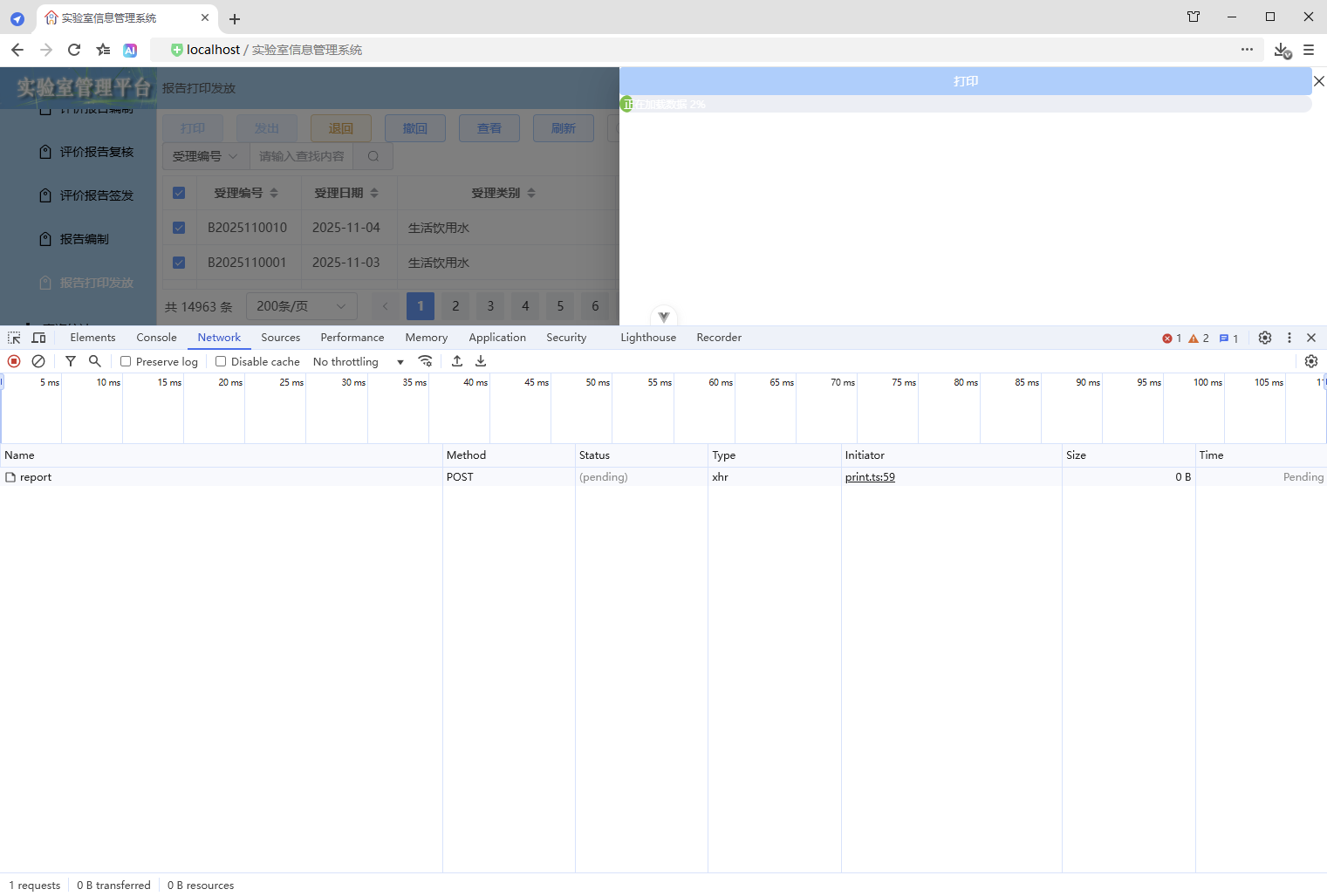
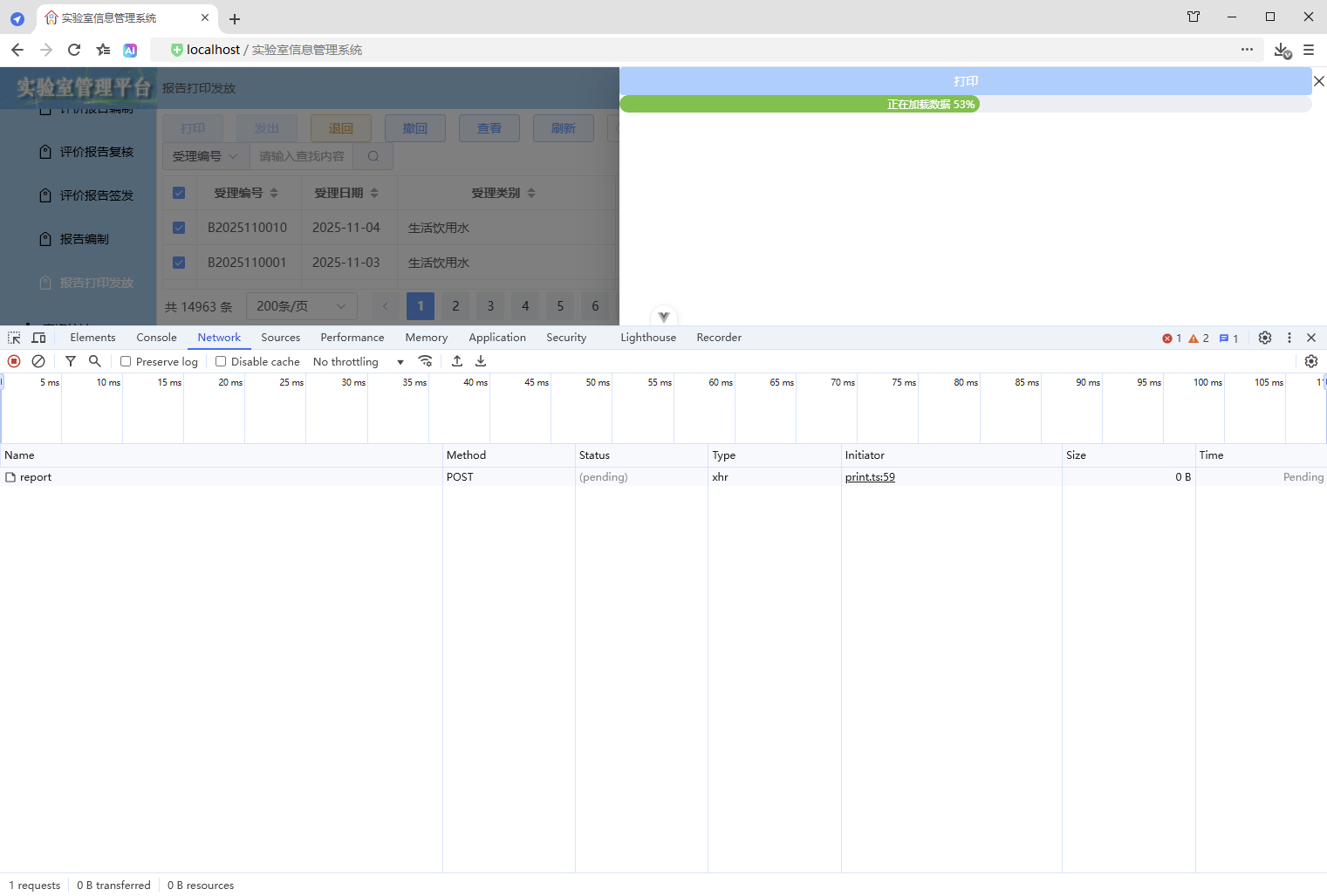
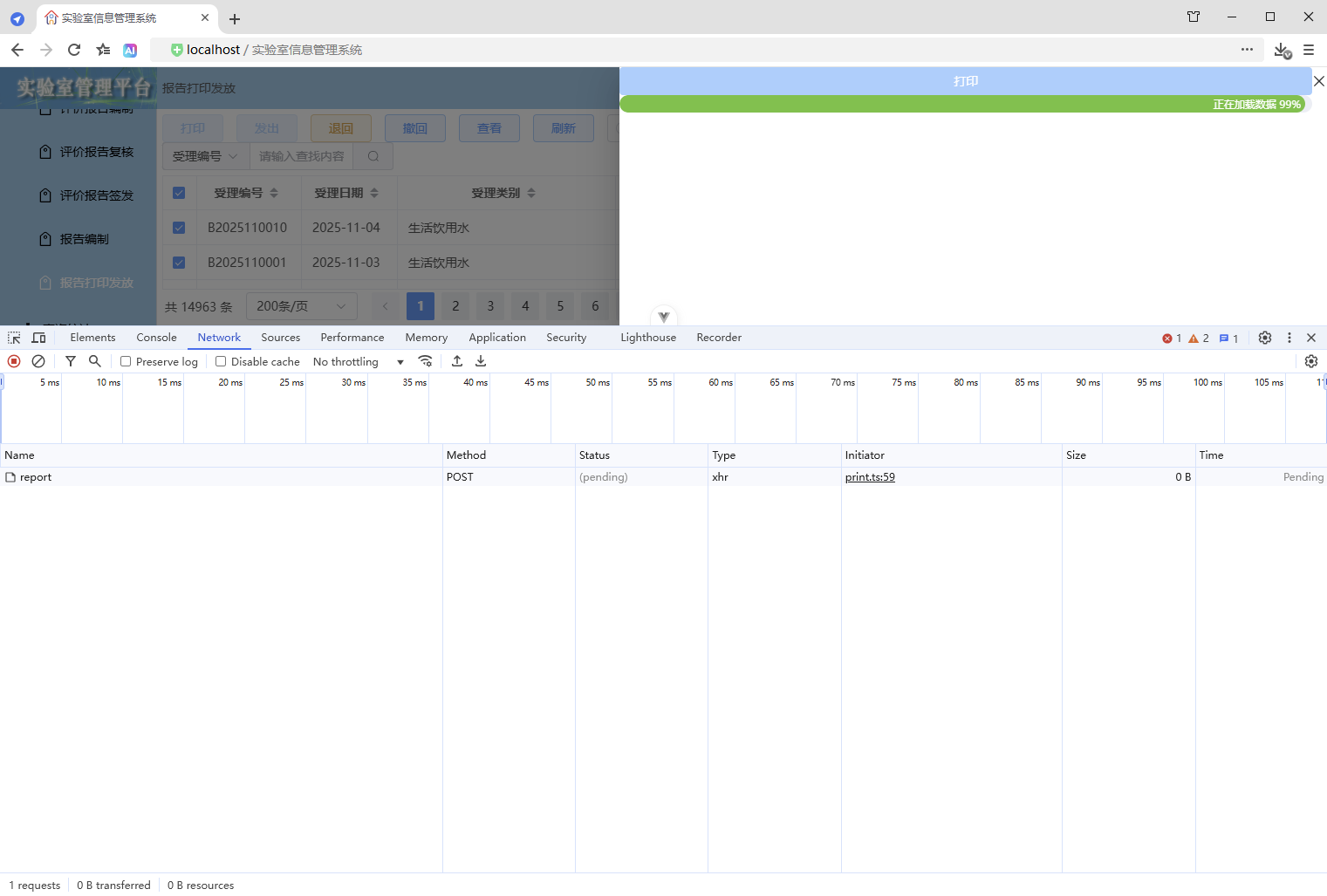
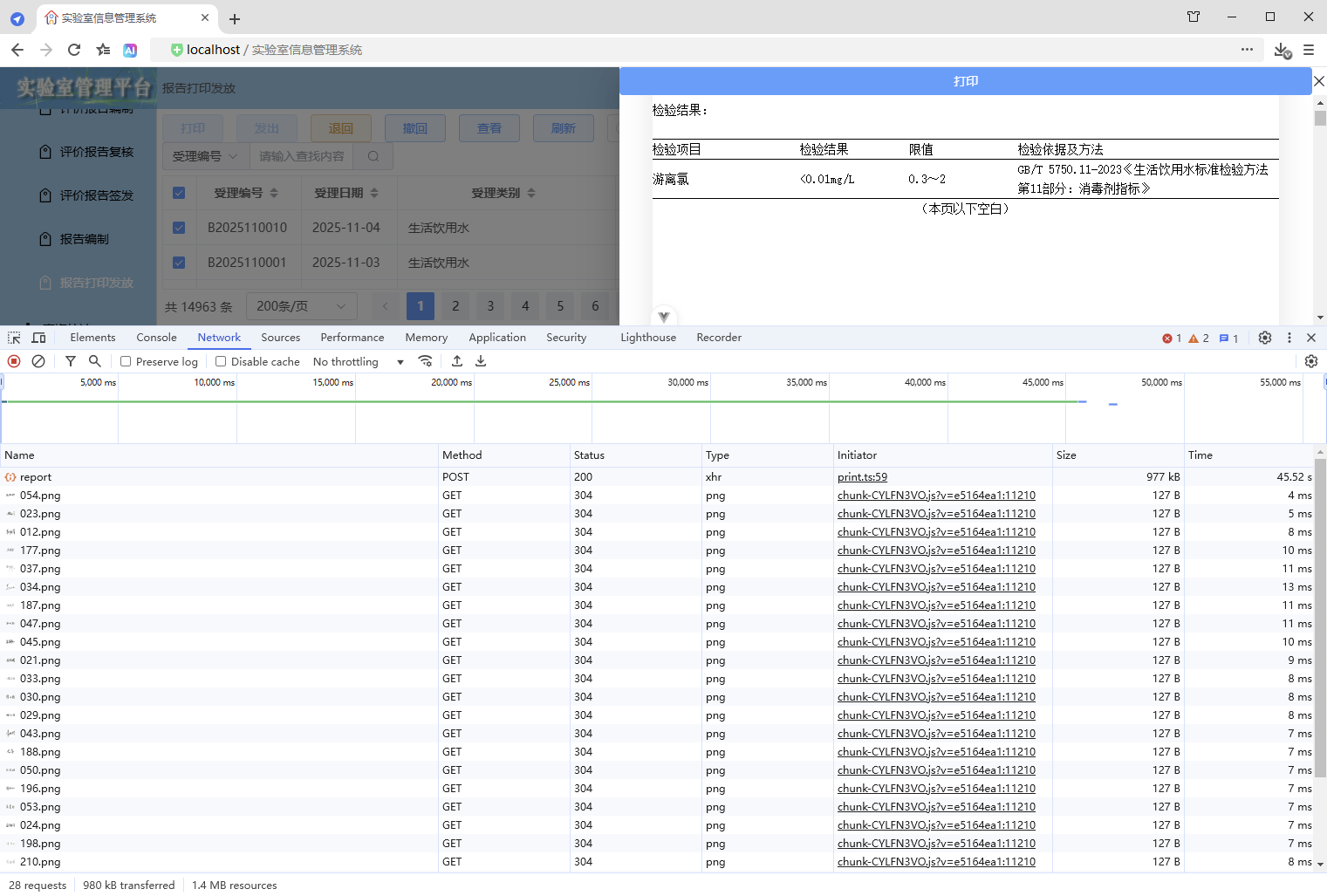
1.3、优缺点
优点:
- 实现简单
缺点:
- 进度条显示与实际数据处理进度不一致,进度条从1到99花费的时间是固定的,遇到大批量数据时,会出现进度条一直显示99,就是不显示出来内容。
2、轮询
2.1、前端
2.1.1、增加 API
src\api\print.ts
/**
 * 打印进度服务
 * @param requestId 请求唯一id
 */
export const printProgressService = async (requestId: string) => {
  return request.get("/print/progress", {
    headers: {
      "X-Request-Id": requestId
    }
  });
};
2.1.2、打印抽屉
src\components\common\PrintDrawer.vue
1、增加进度条组件
同上
2、增加进度值、格式化进度显示的内容
同上
3、增加进度更新逻辑
// 更新进度
const updateProgress = () => {
  // 轮询计算进度
  // 1、动态调整轮询间隔
  // 2、使用 setTimeout 递归调用
  progressValue.value = 1;
  const runProgress = async () => {
    if (isDataLoaded.value) return;
    try {
      const result = await printProgressService(requestId.value);
      const resultValue = Math.trunc((result.data * 100) / props.printSelection.length);
      // 确保进度不倒退
      progressValue.value = Math.max(progressValue.value, resultValue);
      // 根据完成情况动态调整轮询间隔
      const interval = resultValue >= 80 ? 1000 : resultValue >= 50 ? 2000 : 3000;
      if (!isDataLoaded.value) {
        progressTimer = setTimeout(runProgress, interval);
      }
    } catch (error) {
      console.error("获取进度失败:", error);
      // 失败时使用保守的后备方案
      if (progressValue.value < 90 && !isDataLoaded.value) {
        progressValue.value += 5;
        progressTimer = setTimeout(runProgress, 3000);
      }
    }
  };

  // 启动进度
  progressTimer = setTimeout(runProgress, 3000);
};
4、清理前端资源
// 清理前端资源
const cleanupFrontendResources = () => {
  // 清理定时器
  if (progressTimer) {
    clearTimeout(progressTimer);
    progressTimer = null;
  }

  // 前端取消请求,取消后不会接收响应,避免资源占用
  if (controller) {
    controller.abort();
    controller = null;
  }
};
5、使用进度更新
同上
6、追加渲染完成 - 后续逻辑
同上
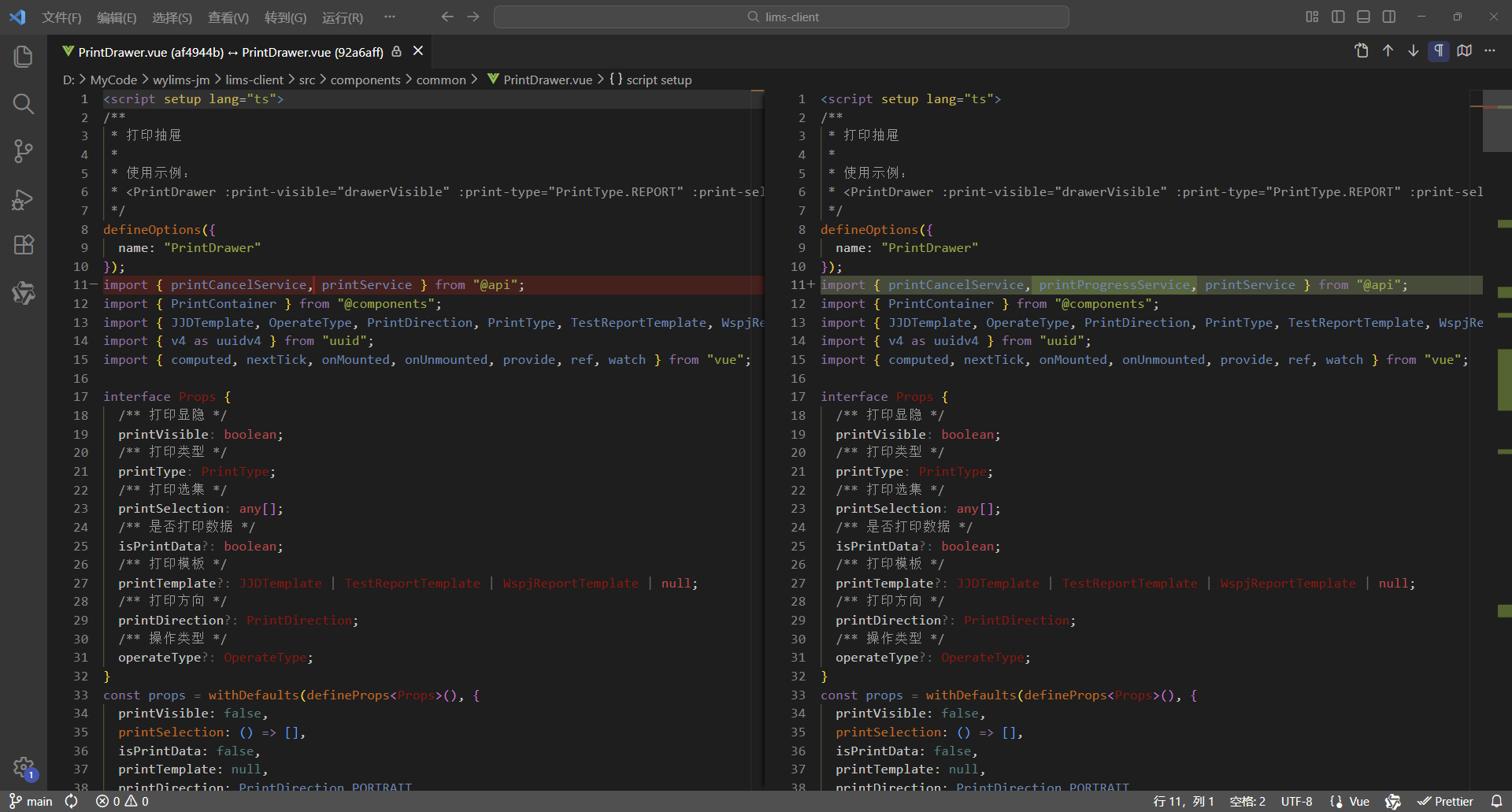
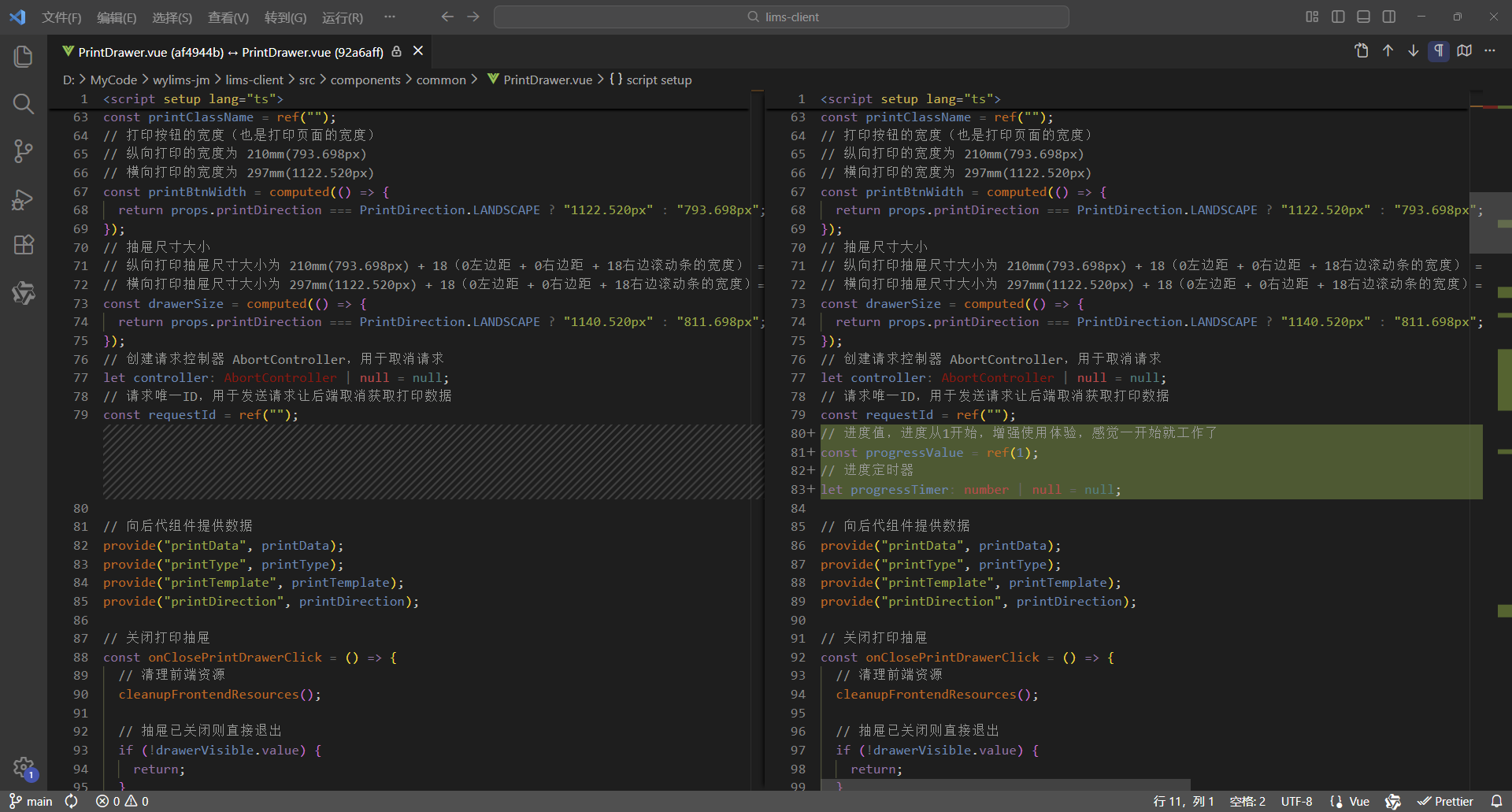
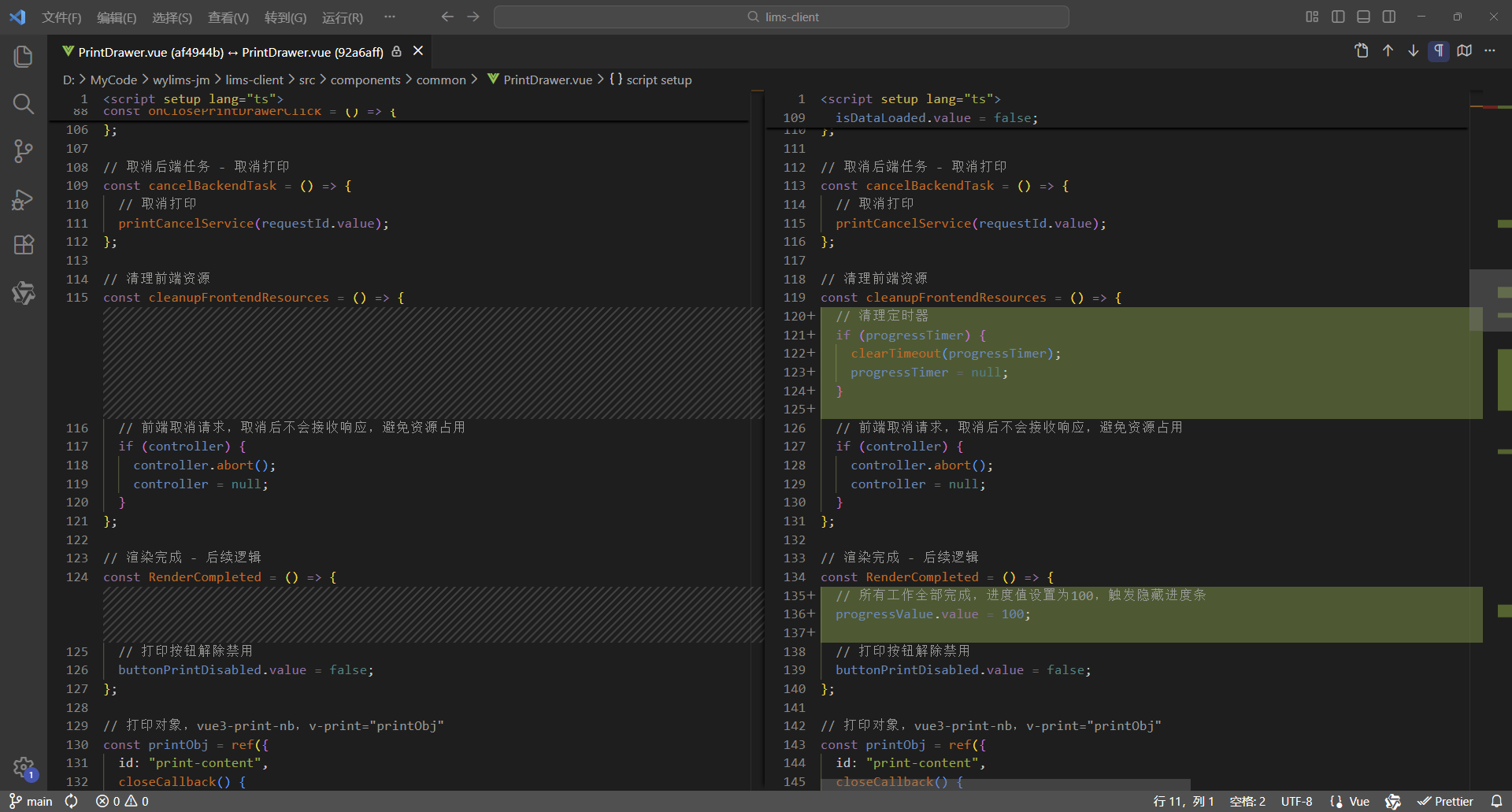
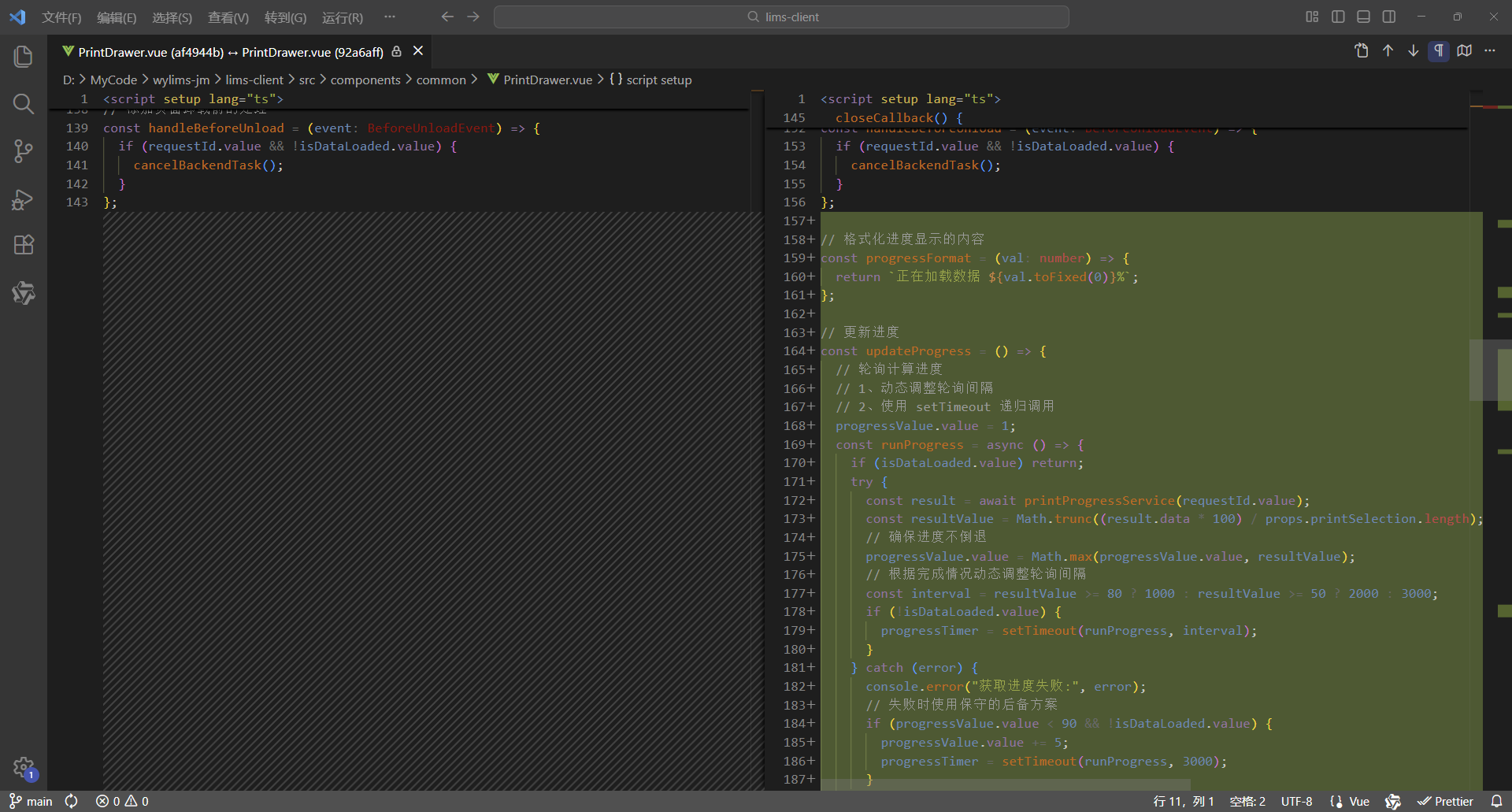
7、对比代码
更改7处,实现进度条
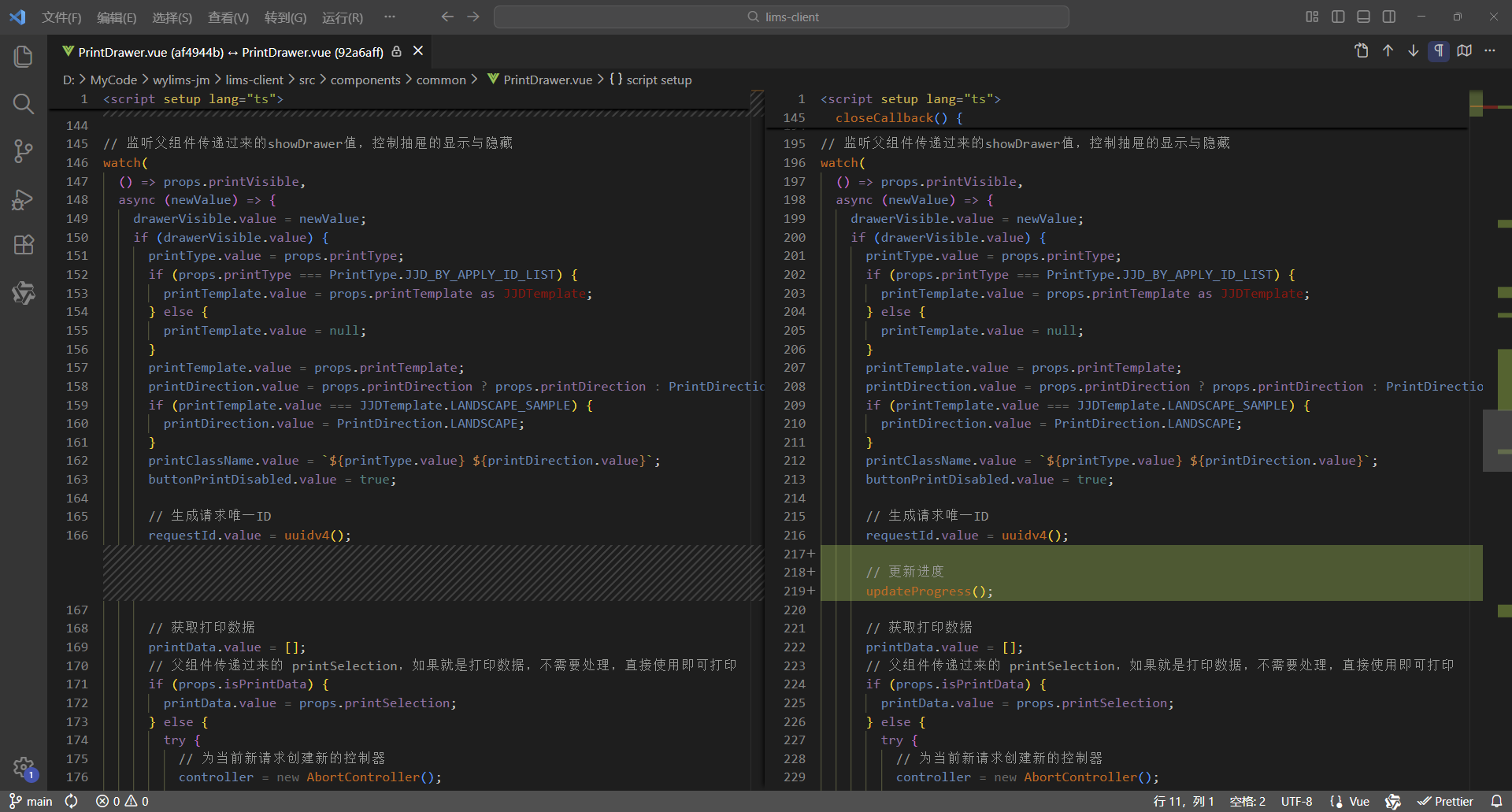
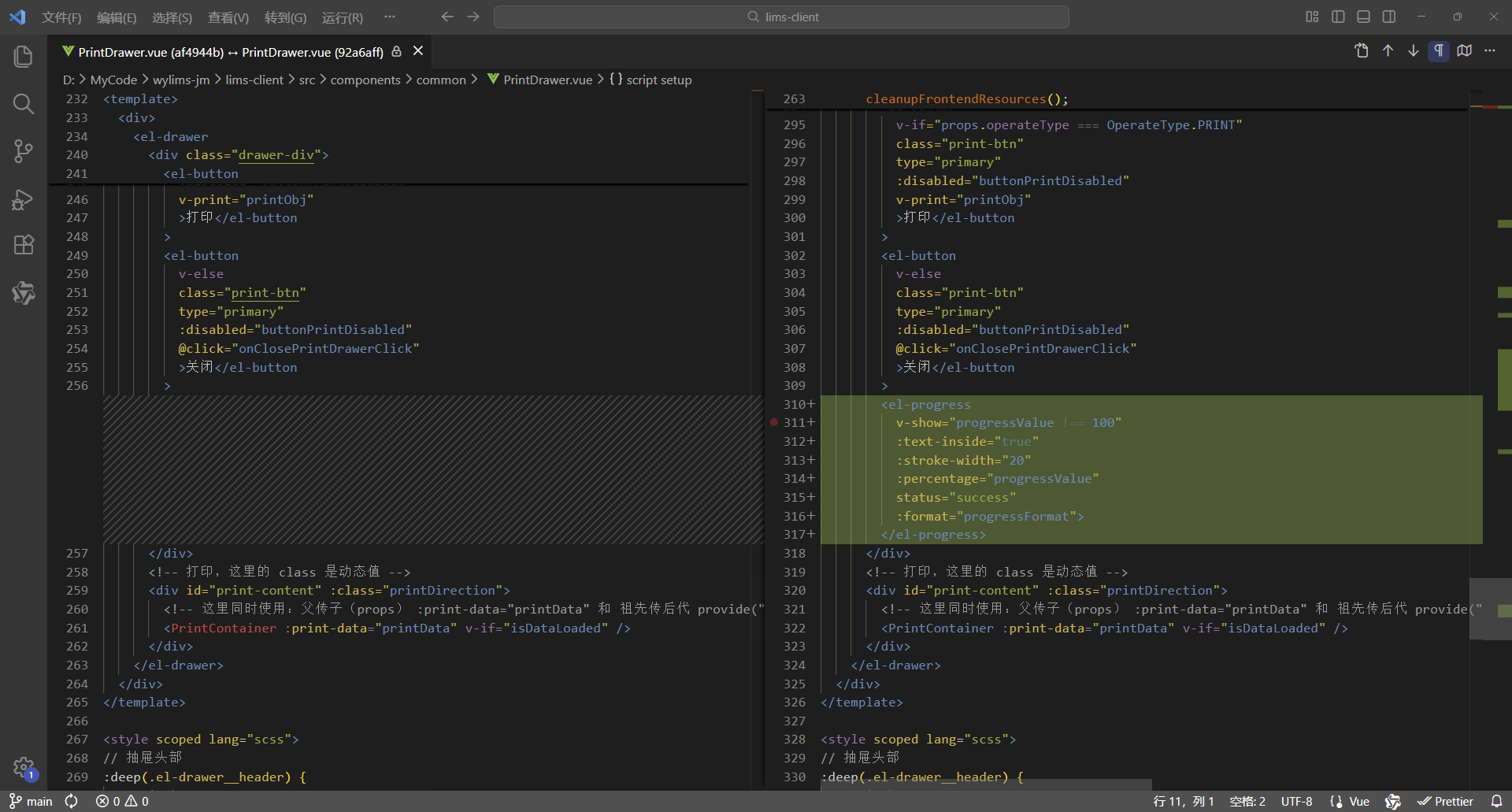
8、完整代码
<script setup lang="ts">
/**
 * 打印抽屉
 *
 * 使用示例:
 * <PrintDrawer :print-visible="drawerVisible" :print-type="PrintType.REPORT" :print-selection="printData" @close-print-drawer="closePrintDrawer" />
 */
defineOptions({
  name: "PrintDrawer"
});
import { printCancelService, printProgressService, printService } from "@api";
import { PrintContainer } from "@components";
import { JJDTemplate, OperateType, PrintDirection, PrintType, TestReportTemplate, WspjReportTemplate } from "@types";
import { v4 as uuidv4 } from "uuid";
import { computed, nextTick, onMounted, onUnmounted, provide, ref, watch } from "vue";

interface Props {
  /** 打印显隐 */
  printVisible: boolean;
  /** 打印类型 */
  printType: PrintType;
  /** 打印选集 */
  printSelection: any[];
  /** 是否打印数据 */
  isPrintData?: boolean;
  /** 打印模板 */
  printTemplate?: JJDTemplate | TestReportTemplate | WspjReportTemplate | null;
  /** 打印方向 */
  printDirection?: PrintDirection;
  /** 操作类型 */
  operateType?: OperateType;
}
const props = withDefaults(defineProps<Props>(), {
  printVisible: false,
  printSelection: () => [],
  isPrintData: false,
  printTemplate: null,
  printDirection: PrintDirection.PORTRAIT,
  operateType: OperateType.PRINT
});

interface Emits {
  /**
   * 关闭打印抽屉的回调
   */
  (e: "close-print-drawer"): void;
}
const emit = defineEmits<Emits>();

// 抽屉显示标识
const drawerVisible = ref(false);
// 数据已加载标识
const isDataLoaded = ref(false);
// 打印按钮禁用标识
const buttonPrintDisabled = ref(true);
// 打印数据,这里使用泛型数组 any[] ,可以灵活接收后端返回的各类打印数据,进行批量打印,从而实现打印组件通用
const printData = ref<any[]>([]);
// 先定义响应式数据,用于接收父组件传递过来的数据,再向后代组件传递数据,这样就会保持响应式
// 打印类型、模板、方向、类名
const printType = ref<PrintType>();
const printTemplate = ref<JJDTemplate | TestReportTemplate | WspjReportTemplate | null>(null);
const printDirection = ref<PrintDirection>(PrintDirection.PORTRAIT);
const printClassName = ref("");
// 打印按钮的宽度(也是打印页面的宽度)
// 纵向打印的宽度为 210mm(793.698px)
// 横向打印的宽度为 297mm(1122.520px)
const printBtnWidth = computed(() => {
  return props.printDirection === PrintDirection.LANDSCAPE ? "1122.520px" : "793.698px";
});
// 抽屉尺寸大小
// 纵向打印抽屉尺寸大小为 210mm(793.698px) + 18(0左边距 + 0右边距 + 18右边滚动条的宽度) = 811.698px
// 横向打印抽屉尺寸大小为 297mm(1122.520px) + 18(0左边距 + 0右边距 + 18右边滚动条的宽度)= 1140.520px
const drawerSize = computed(() => {
  return props.printDirection === PrintDirection.LANDSCAPE ? "1140.520px" : "811.698px";
});
// 创建请求控制器 AbortController,用于取消请求
let controller: AbortController | null = null;
// 请求唯一ID,用于发送请求让后端取消获取打印数据
const requestId = ref("");
// 进度值,进度从1开始,增强使用体验,感觉一开始就工作了
const progressValue = ref(1);
// 进度定时器
let progressTimer: number | null = null;

// 向后代组件提供数据
provide("printData", printData);
provide("printType", printType);
provide("printTemplate", printTemplate);
provide("printDirection", printDirection);

// 关闭打印抽屉
const onClosePrintDrawerClick = () => {
  // 清理前端资源
  cleanupFrontendResources();

  // 抽屉已关闭则直接退出
  if (!drawerVisible.value) {
    return;
  }

  // 数据尚未加载
  if (!isDataLoaded.value) {
    // 取消后端任务 - 取消打印
    cancelBackendTask();
  }

  // 通知父组件关闭打印抽屉
  emit("close-print-drawer");
  isDataLoaded.value = false;
};

// 取消后端任务 - 取消打印
const cancelBackendTask = () => {
  // 取消打印
  printCancelService(requestId.value);
};

// 清理前端资源
const cleanupFrontendResources = () => {
  // 清理定时器
  if (progressTimer) {
    clearTimeout(progressTimer);
    progressTimer = null;
  }

  // 前端取消请求,取消后不会接收响应,避免资源占用
  if (controller) {
    controller.abort();
    controller = null;
  }
};

// 渲染完成 - 后续逻辑
const RenderCompleted = () => {
  // 所有工作全部完成,进度值设置为100,触发隐藏进度条
  progressValue.value = 100;

  // 打印按钮解除禁用
  buttonPrintDisabled.value = false;
};

// 打印对象,vue3-print-nb,v-print="printObj"
const printObj = ref({
  id: "print-content",
  closeCallback() {
    // 关闭打印抽屉
    onClosePrintDrawerClick();
  }
});

// 添加页面卸载前的处理
const handleBeforeUnload = (event: BeforeUnloadEvent) => {
  if (requestId.value && !isDataLoaded.value) {
    cancelBackendTask();
  }
};

// 格式化进度显示的内容
const progressFormat = (val: number) => {
  return `正在加载数据 ${val.toFixed(0)}%`;
};

// 更新进度
const updateProgress = () => {
  // 轮询计算进度
  // 1、动态调整轮询间隔
  // 2、使用 setTimeout 递归调用
  progressValue.value = 1;
  const runProgress = async () => {
    if (isDataLoaded.value) return;
    try {
      const result = await printProgressService(requestId.value);
      const resultValue = Math.trunc((result.data * 100) / props.printSelection.length);
      // 确保进度不倒退
      progressValue.value = Math.max(progressValue.value, resultValue);
      // 根据完成情况动态调整轮询间隔
      const interval = resultValue >= 80 ? 1000 : resultValue >= 50 ? 2000 : 3000;
      if (!isDataLoaded.value) {
        progressTimer = setTimeout(runProgress, interval);
      }
    } catch (error) {
      console.error("获取进度失败:", error);
      // 失败时使用保守的后备方案
      if (progressValue.value < 90 && !isDataLoaded.value) {
        progressValue.value += 5;
        progressTimer = setTimeout(runProgress, 3000);
      }
    }
  };

  // 启动进度
  progressTimer = setTimeout(runProgress, 3000);
};

// 监听父组件传递过来的showDrawer值,控制抽屉的显示与隐藏
watch(
  () => props.printVisible,
  async (newValue) => {
    drawerVisible.value = newValue;
    if (drawerVisible.value) {
      printType.value = props.printType;
      if (props.printType === PrintType.JJD_BY_APPLY_ID_LIST) {
        printTemplate.value = props.printTemplate as JJDTemplate;
      } else {
        printTemplate.value = null;
      }
      printTemplate.value = props.printTemplate;
      printDirection.value = props.printDirection ? props.printDirection : PrintDirection.PORTRAIT;
      if (printTemplate.value === JJDTemplate.LANDSCAPE_SAMPLE) {
        printDirection.value = PrintDirection.LANDSCAPE;
      }
      printClassName.value = `${printType.value} ${printDirection.value}`;
      buttonPrintDisabled.value = true;

      // 生成请求唯一ID
      requestId.value = uuidv4();

      // 更新进度
      updateProgress();

      // 获取打印数据
      printData.value = [];
      // 父组件传递过来的 printSelection,如果就是打印数据,不需要处理,直接使用即可打印
      if (props.isPrintData) {
        printData.value = props.printSelection;
      } else {
        try {
          // 为当前新请求创建新的控制器
          controller = new AbortController();
          const result = await printService(
            props.printType,
            props.printSelection,
            props.printTemplate,
            controller.signal,
            requestId.value
          );

          // 检查请求是否已被取消,如果已取消则直接返回,不继续执行后续逻辑
          if (controller.signal.aborted) {
            return;
          }

          printData.value = result.data;
        } catch (error) {
          // 检查是否是由于请求取消导致的错误,如果是则直接返回
          if (error instanceof Error && error.name === "AbortError") {
            console.log("Request was cancelled");
            return;
          }
          console.log("printService error: ", error);
        }
      }

      // 检查抽屉是否仍然打开,如果已关闭则不继续执行后续逻辑
      if (!drawerVisible.value) {
        return;
      }

      // 数据加载完成,开始渲染DOM
      isDataLoaded.value = true;

      // 清理前端资源
      cleanupFrontendResources();

      // 确保DOM渲染完成
      await nextTick();

      // 渲染完成 - 后续逻辑
      RenderCompleted();
    }
  },
  { immediate: true }
);

onMounted(() => {
  window.addEventListener("beforeunload", handleBeforeUnload);
});

onUnmounted(() => {
  window.removeEventListener("beforeunload", handleBeforeUnload);
  cleanupFrontendResources();
});
</script>

<template>
  <div>
    <el-drawer
      v-model="drawerVisible"
      :with-header="true"
      :size="drawerSize"
      :close-on-click-modal="false"
      @close="onClosePrintDrawerClick">
      <div class="drawer-div">
        <el-button
          v-if="props.operateType === OperateType.PRINT"
          class="print-btn"
          type="primary"
          :disabled="buttonPrintDisabled"
          v-print="printObj"
          >打印</el-button
        >
        <el-button
          v-else
          class="print-btn"
          type="primary"
          :disabled="buttonPrintDisabled"
          @click="onClosePrintDrawerClick"
          >关闭</el-button
        >
        <el-progress
          v-show="progressValue !== 100"
          :text-inside="true"
          :stroke-width="20"
          :percentage="progressValue"
          status="success"
          :format="progressFormat">
        </el-progress>
      </div>
      <!-- 打印,这里的 class 是动态值 -->
      <div id="print-content" :class="printDirection">
        <!-- 这里同时使用:父传子(props) :print-data="printData" 和 祖先传后代 provide("printData", printData) 这两种数据传递方式可以共存,但是props优先级高于provide -->
        <PrintContainer :print-data="printData" v-if="isDataLoaded" />
      </div>
    </el-drawer>
  </div>
</template>

<style scoped lang="scss">
// 抽屉头部
:deep(.el-drawer__header) {
  margin-bottom: 0;
  padding: 0;
  height: 32px;
}
// 抽屉内容
:deep(.el-drawer__body) {
  padding: 0;
}
// 抽屉关闭按钮
:deep(.el-drawer__close-btn) {
  padding: 0;
}
.drawer-div {
  // 固定定位,固定在顶部
  position: fixed;
  // 与【浏览器可视区】顶部的垂直距离
  top: 0;
  .print-btn {
    width: v-bind("printBtnWidth");
  }
}

@media print {
  /* 打印通用样式 */
  @page {
    margin: 10mm;
  }

  /* 设定打印方向 */
  /* 纵向打印 */
  /* 通过 CSS 的 命名页面(Named Pages) 技术实现作用域隔离,实现 @page 样式仅影响当前组件 */
  /* 这里的 portrait 对应的是 <div id="print-content" :class="printClassName"> 的 class,是动态值 */
  .portrait {
    page: portrait-page; /* 绑定页面名称 */
  }
  /* 通过媒体样式 @media print 的 @page 设置打印方向, @page portrait-page 这样就不是影响全局了,而是指定的范围 portrait-page */
  @page portrait-page {
    /* 仅影响绑定了portrait-page 的元素 */
    size: A4 portrait;
  }
  /* 横向打印 */
  /* 通过 CSS 的 命名页面(Named Pages) 技术实现作用域隔离,实现 @page 样式仅影响当前组件 */
  /* 这里的 landscape 对应的是 <div id="print-content" :class="printClassName"> 的 class,是动态值 */
  .landscape {
    page: landscape-page; /* 绑定页面名称 */
  }
  /* 通过媒体样式 @media print 的 @page 设置打印方向, @page landscape-page 这样就不是影响全局了,而是指定的范围 landscape-page */
  @page landscape-page {
    /* 仅影响绑定了landscape-page 的元素 */
    size: A4 landscape;
  }
}
</style>
2.2、后端
2.2.1、增加请求上下文处理器
src/main/java/com/weiyu/handler/RequestContextHandler.java
package com.weiyu.handler;

import lombok.extern.slf4j.Slf4j;
import org.springframework.stereotype.Component;

import java.util.Map;
import java.util.Optional;
import java.util.concurrent.ConcurrentHashMap;

/**
 * 请求上下文处理器
 */
@Component
@Slf4j
public class RequestContextHandler {

    /**
     * 请求进度
     */
    private final Map<String, Integer> requestProgresses = new ConcurrentHashMap<>();

    /**
     * 注册请求,增加 Map 记录
     *
     * @param requestId 请求唯一id
     */
    public void registerRequest(String requestId) {
        requestProgresses.put(requestId, 0);
        log.info("已注册请求 {}", requestId);
    }

    /**
     * 清理请求,移除 Map 记录
     *
     * @param requestId 请求唯一id
     */
    public void cleanupRequest(String requestId) {
        requestProgresses.remove(requestId);
        log.info("已清理请求 {}", requestId);
    }

    /**
     * 更新请求进度
     *
     * @param requestId 请求唯一id
     * @param progress  进度
     */
    public void updateProgress(String requestId, Integer progress) {
        if (progress != null) {
            requestProgresses.put(requestId, progress);
        }
    }

    /**
     * 获取请求进度
     *
     * @param requestId 请求唯一id
     */
    public Optional<Integer> getProgress(String requestId) {
        return Optional.ofNullable(requestProgresses.get(requestId));
    }
}
2.2.2、控制器
src/main/java/com/weiyu/controller/PrintController.java
/**
 * 打印控制器
 */
@RestController
@RequestMapping("/print")
@Slf4j
public class PrintController {

    @Autowired
    private PrintService printService;

    @Autowired
    private RequestContextHandler requestContextHandler;

    /**
     * 获取报告打印数据
     *
     * @param reports 报告列表
     * @param request 请求对象,可以访问请求头属性,获取请求唯一id(X-Request-Id)
     * @return 报告打印数据列表 {@link Result}<{@link List}<{@link ReportPrintDataVO}>>
     */
    @PostMapping("/report")
    public Result<?> printReport(@RequestBody List<Report> reports, HttpServletRequest request) {
        String requestId = request.getHeader("X-Request-Id");
        log.info("【报告编制/打印发放/查询】,查看/打印报告,/print/report,reports = {}, requestId = {}", reports, requestId);

        try {
            if (requestId != null && !requestId.isEmpty()) {
                requestContextHandler.registerRequest(requestId);
            }

            // 执行长时间运行的报告打印任务
            List<ReportPrintDataVO> printDatas = printService.printReport(reports, requestId);
            log.info("报告打印数据 = {}", printDatas);
            return Result.success(printDatas);

        } finally {
            if (requestId != null && !requestId.isEmpty()) {
                requestContextHandler.cleanupRequest(requestId);
            }
        }
    }

     /**
     * 打印进度
     *
     * @param requestId 请求唯一id,直接通过 @RequestHeader("X-Request-Id") 获取
     * @return 进度值
     */
    @GetMapping("/progress")
    public Result<Optional<Integer>> printProgress(@RequestHeader("X-Request-Id") String requestId) {
        log.info("【打印进度】,进度,/print/progress,requestId = {}", requestId);
        return Result.success(requestContextHandler.getProgress(requestId));
    }
}
2.2.3、服务层
src/main/java/com/weiyu/service/impl/PrintServiceImpl.java
/**
 * 打印 Servive 接口实现
 */
@Service
@Slf4j
public class PrintServiceImpl implements PrintService {

    @Autowired
    private TestReportMapper testReportMapper;

    @Autowired
    private WspjReporMapper wspjReporMapper;

    @Autowired
    private RequestContextHandler requestContextHandler;

    /**
     * 获取报告打印数据
     */
    @Override
    public List<ReportPrintDataVO> printReport(List<Report> reports, String requestId) {
        List<ReportPrintDataVO> printDatas = new ArrayList<>();
        int progress = 0;

        for (Report report : reports) {
            // 获取评价报告打印数据
            List<WspjReport> wspjReports = wspjReporMapper.selectByOuterApplyId(report.getOuterApplyId());
            List<WspjReportPrintDataVO> wspjReportPrintDatas = getWspjReportPrintData(wspjReports, requestId, false);

            // 获取检验报告打印数据
            List<TestReport> testReports = testReportMapper.selectByOuterApplyId(report.getOuterApplyId());
            List<TestReportPrintDataVO> testReportPrintDatas = getTestReportPrintData(testReports, requestId, false);

            printDatas.add(new ReportPrintDataVO(wspjReportPrintDatas, testReportPrintDatas));

            ++progress;

            // 轮询更新进度(适用于 http/https)
            requestContextHandler.updateProgress(requestId, progress);
        }

        return printDatas;
    }
}
2.3、应用效果
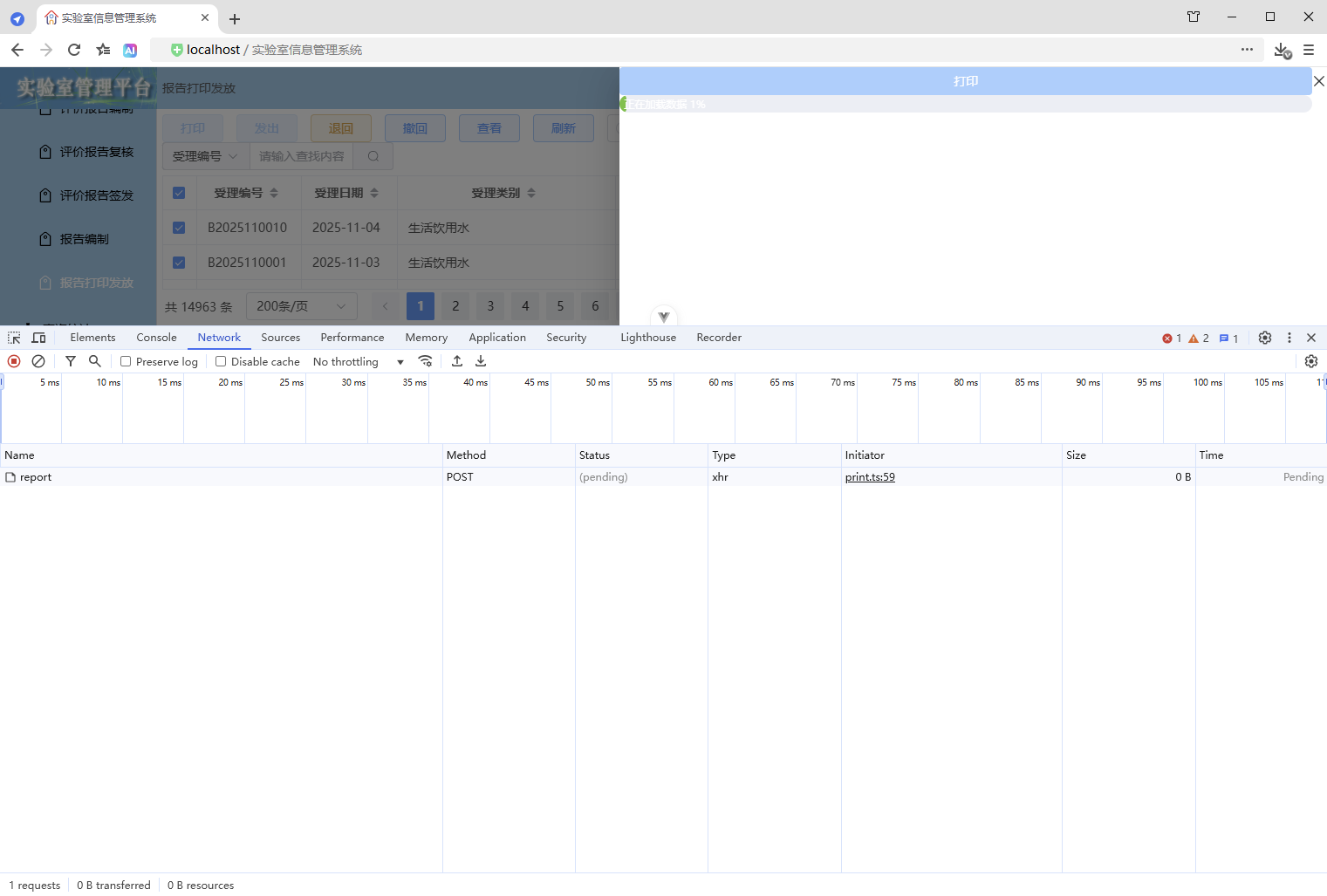
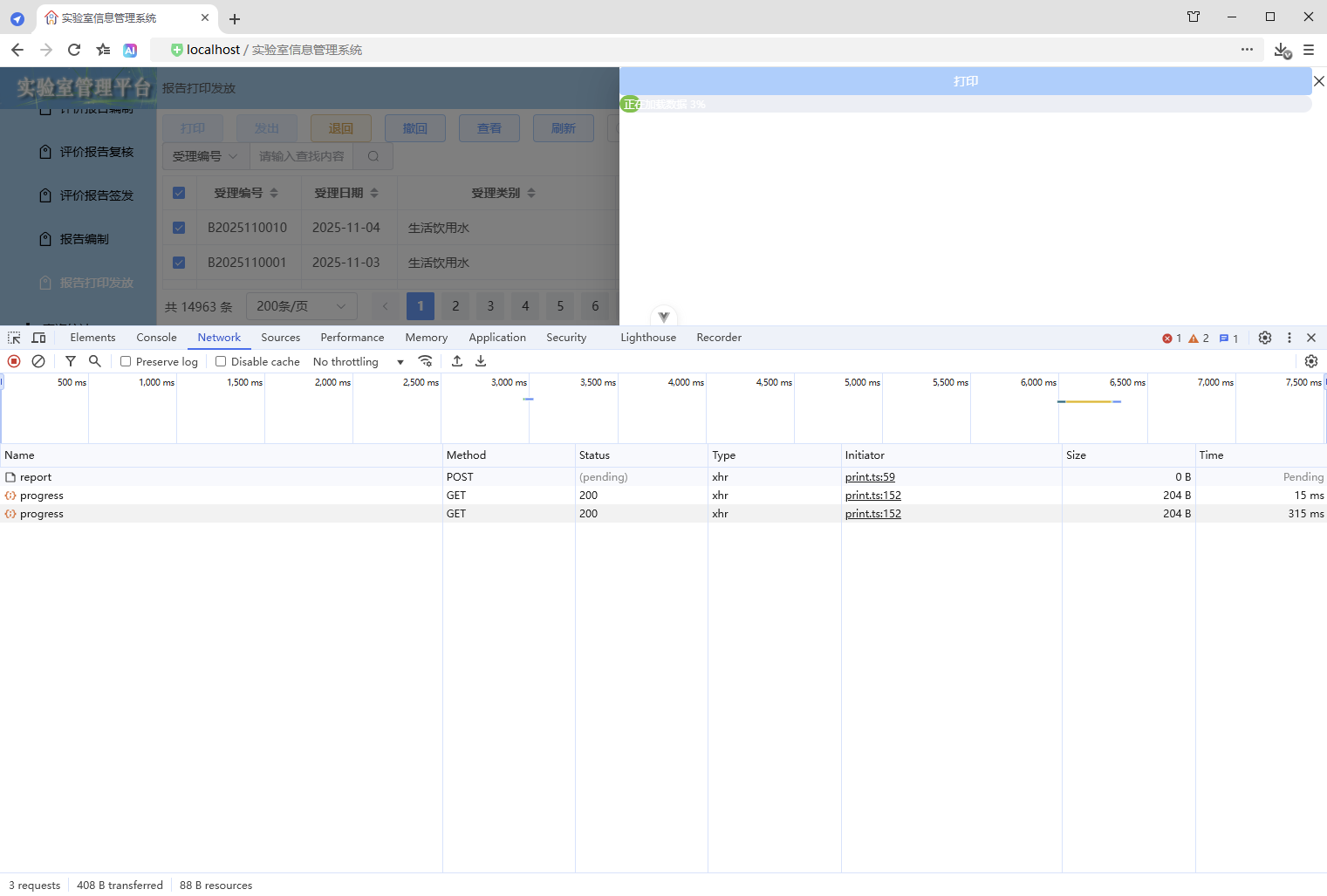
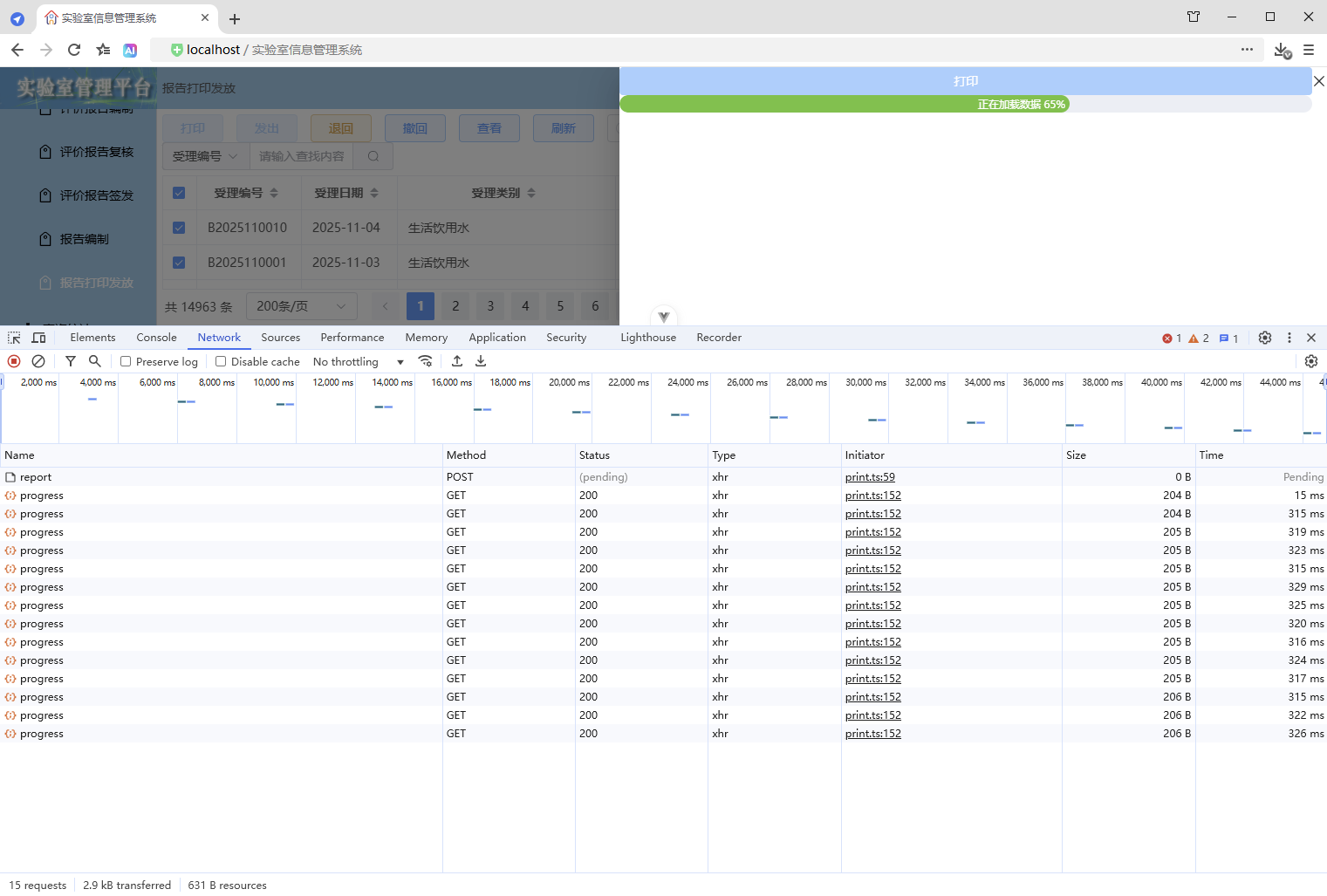
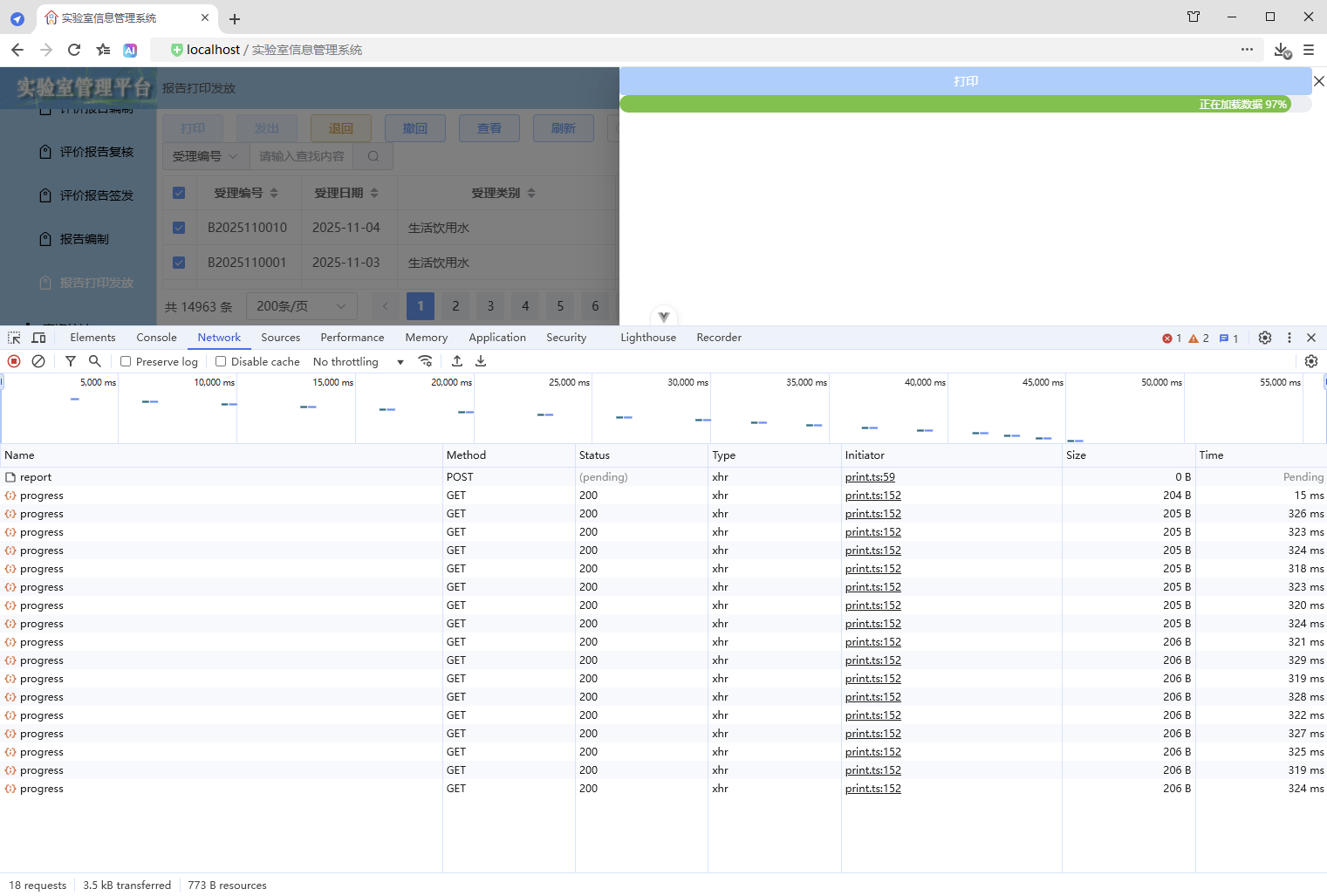
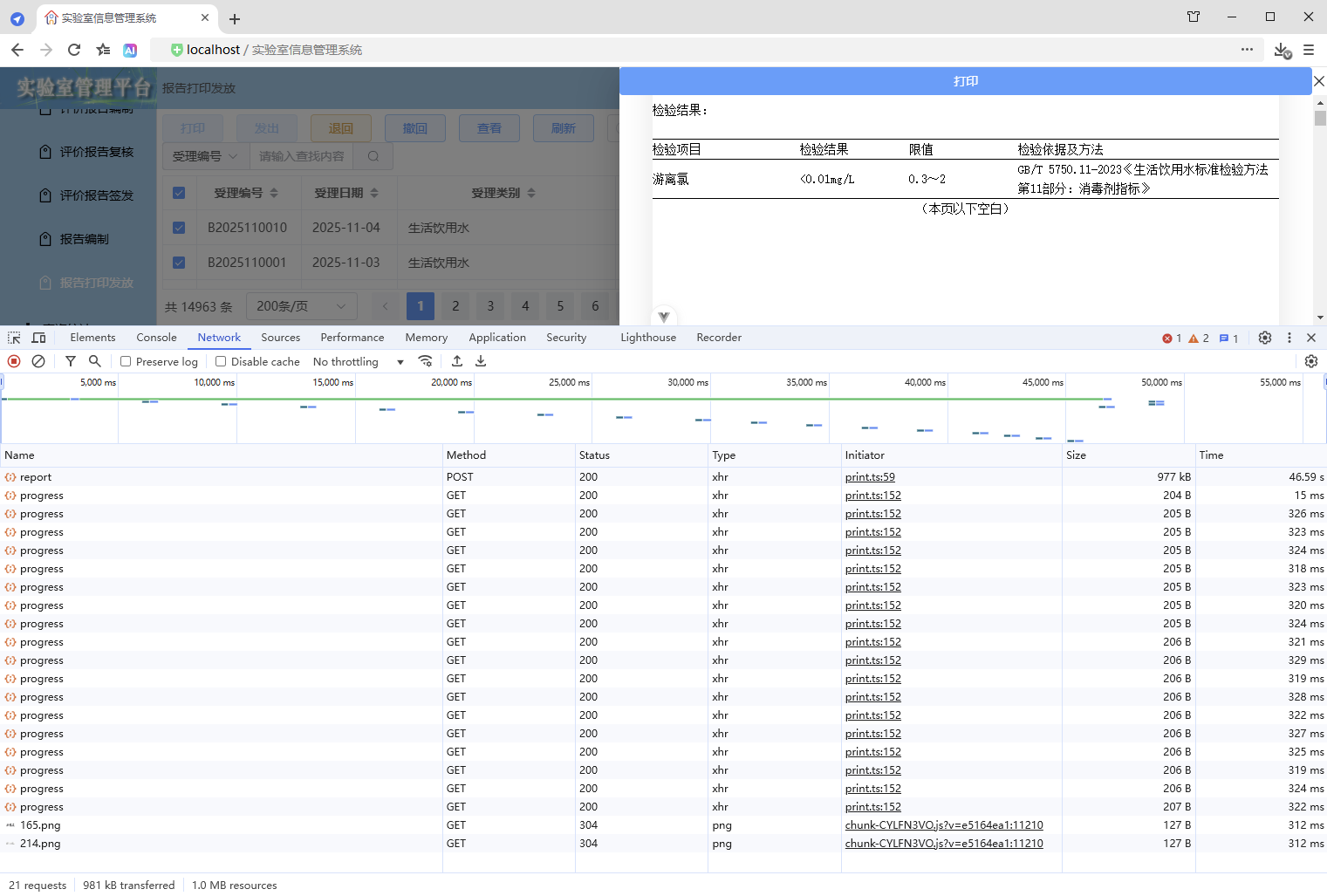
2.4、优缺点
优点:
- 进度条显示与实际数据处理进度一致
缺点:
- 请求频繁
3、WebSocket 双向通信
3.1、使用原生 WebSocket
3.1.1、前端
1、打印抽屉
src\components\common\PrintDrawer.vue
1、增加进度条组件
同上
2、增加进度值、格式化进度显示的内容
同上
3、增加进度更新逻辑
// 更新进度
const updateProgress = () => {
  // WebSocket 双向通信计算进度
  // 1、实时计算进度
  // 2、使用 WebSocket 双向通信,后端主动发送进度信息,前端实时接收并更新进度
  ws = new WebSocket(`ws://localhost:8080/ws/print/progress/${encodeURI(requestId.value)}`); // 由后端处理跨域问题

  // WebSocket 收到消息时
  ws.onmessage = (event) => {
    // 解析数据(后端发送的普通文本)
    const value: any = event.data;
    // 更新进度
    if (Number(value)) {
      // 计算进度
      const progress = Math.trunc(((value as number) * 100) / props.printSelection.length);
      // 确保进度不倒退,确保进度大于1并且不超过99(确保进度条不满100%,保持显示,直到数据加载完毕页面渲染完成,进度才设置为100,从而触发隐藏)
      progressValue.value = Math.min(Math.max(progressValue.value, Math.max(progress, 1)), 99);
    }
  };
};
4、清理前端资源
// 清理前端资源
const cleanupFrontendResources = () => {
  // 前端取消请求,取消后不会接收响应,避免资源占用
  if (controller) {
    controller.abort();
    controller = null;
  }

  // 关闭 WebSocket 连接
  if (ws) {
    ws.close();
    ws = null;
  }
};
5、使用进度更新
同上
6、追加渲染完成 - 后续逻辑
同上
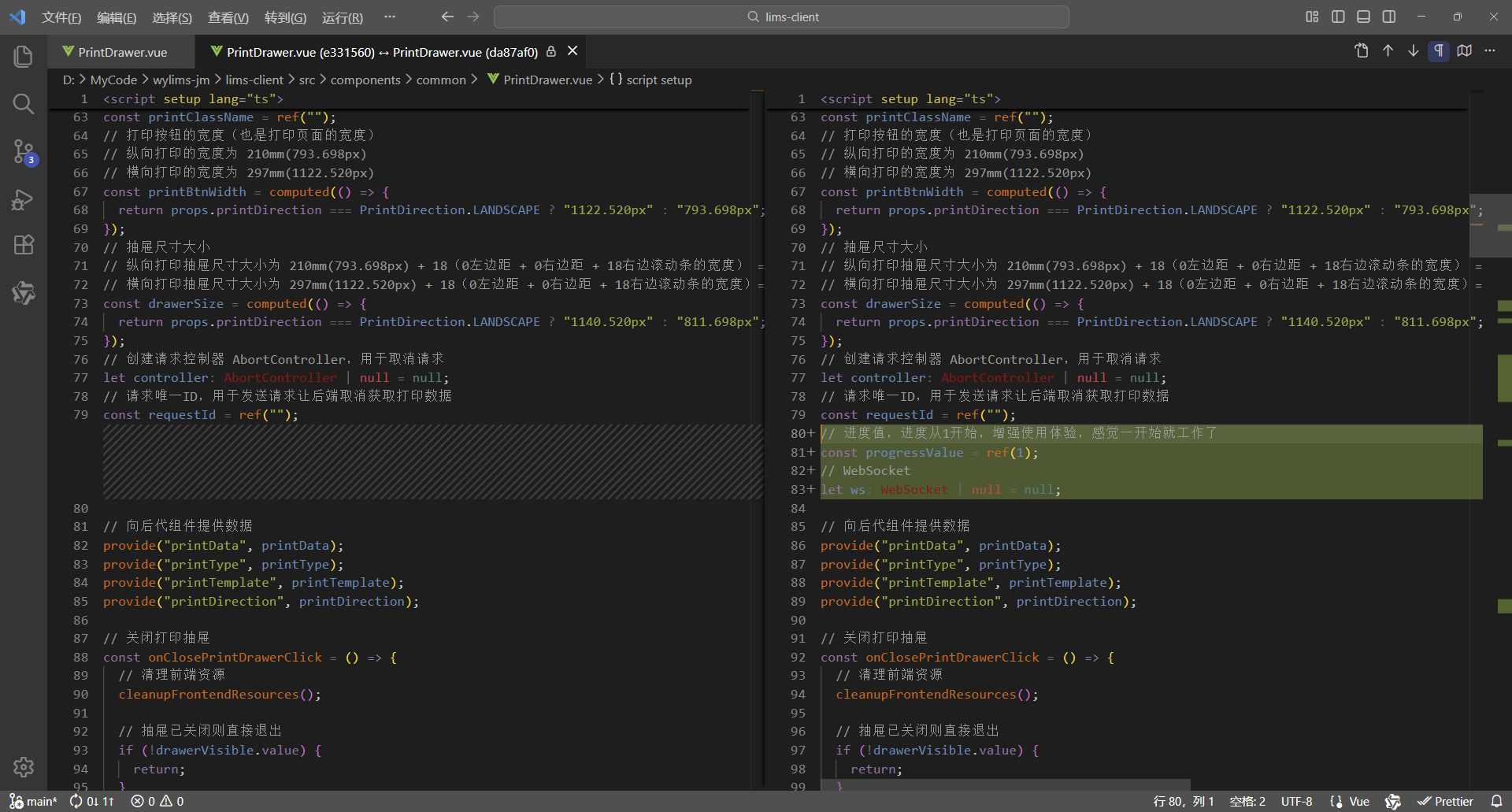
7、对比代码
更改6处,实现进度条
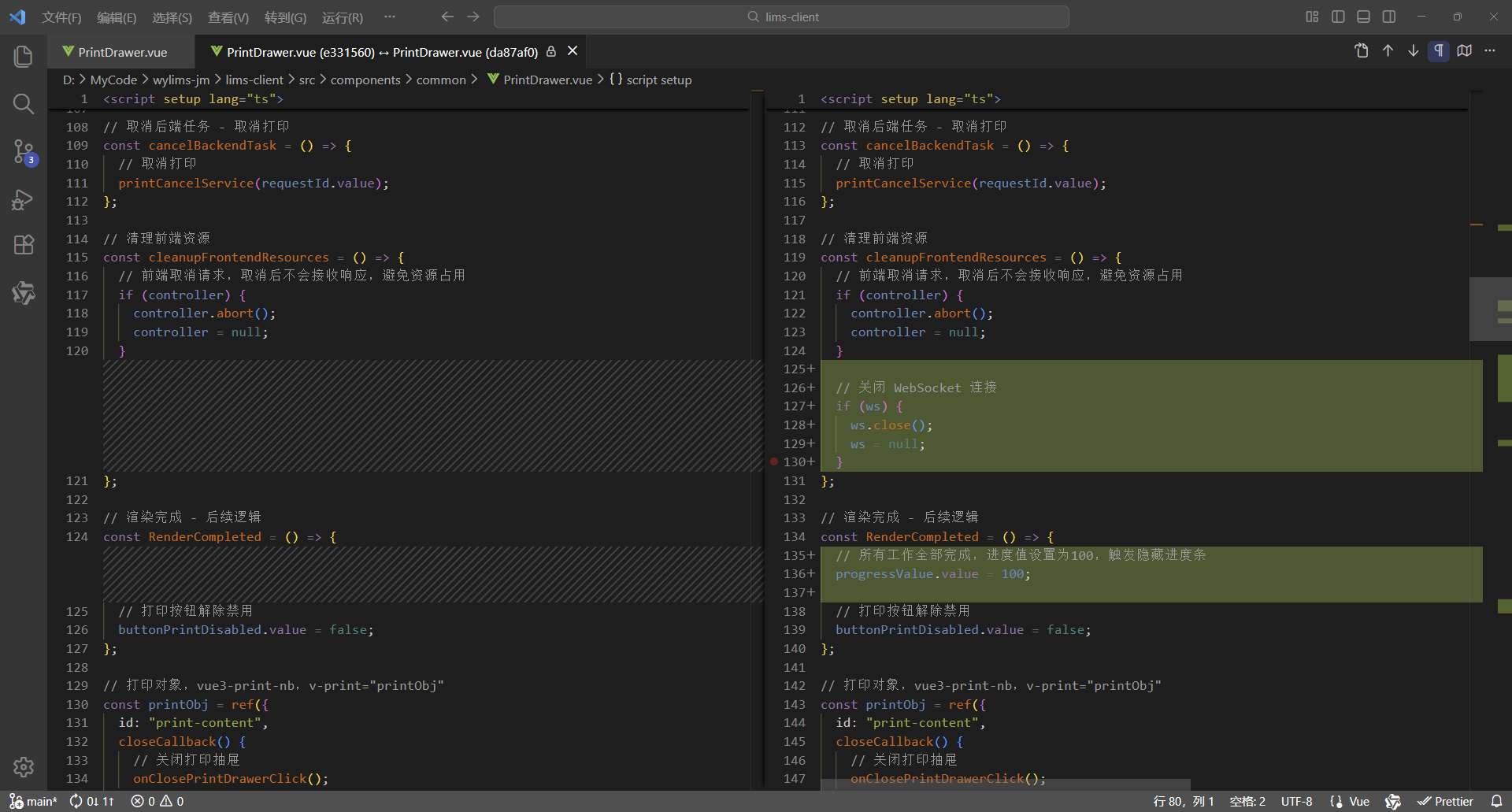
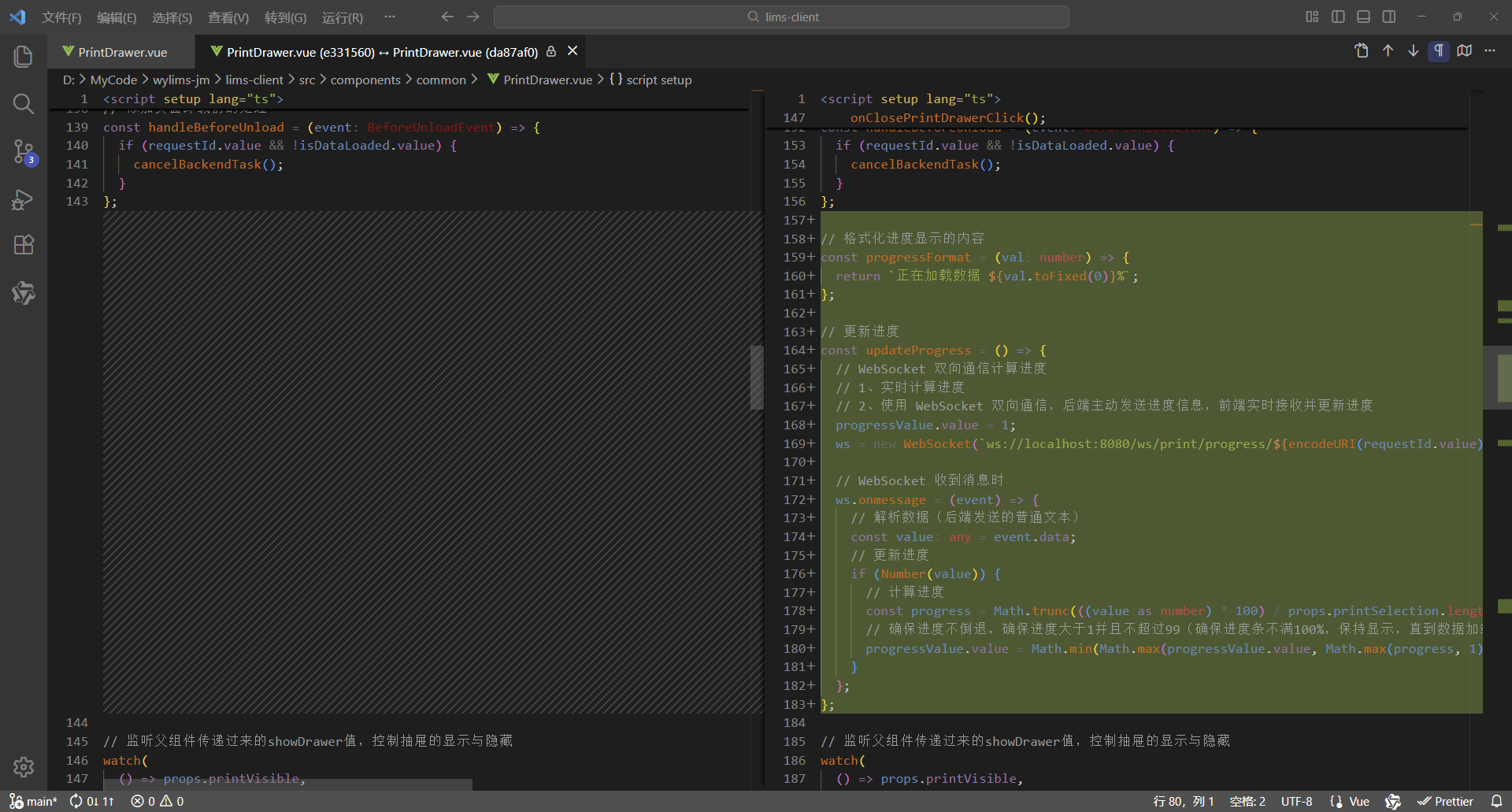
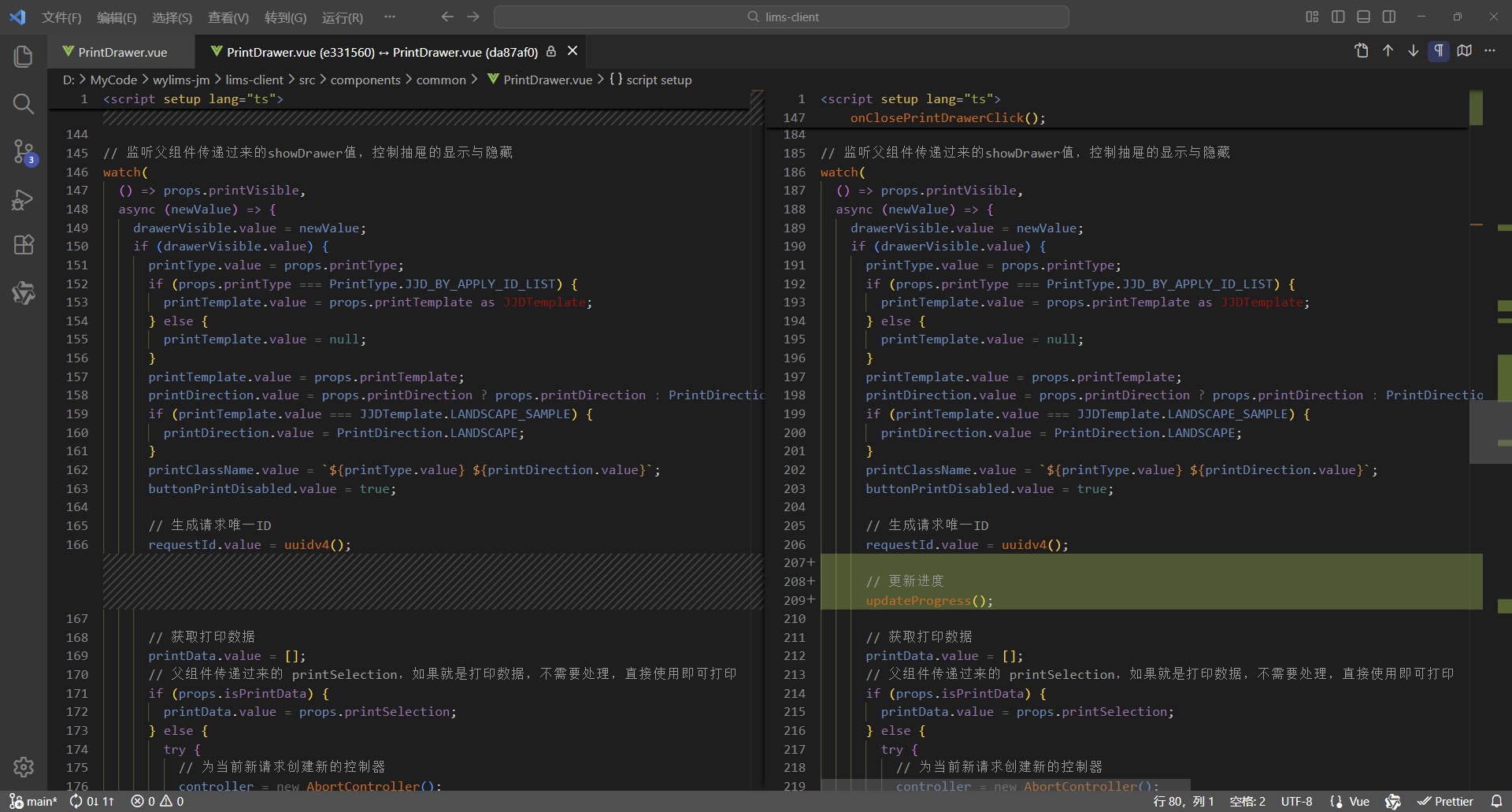
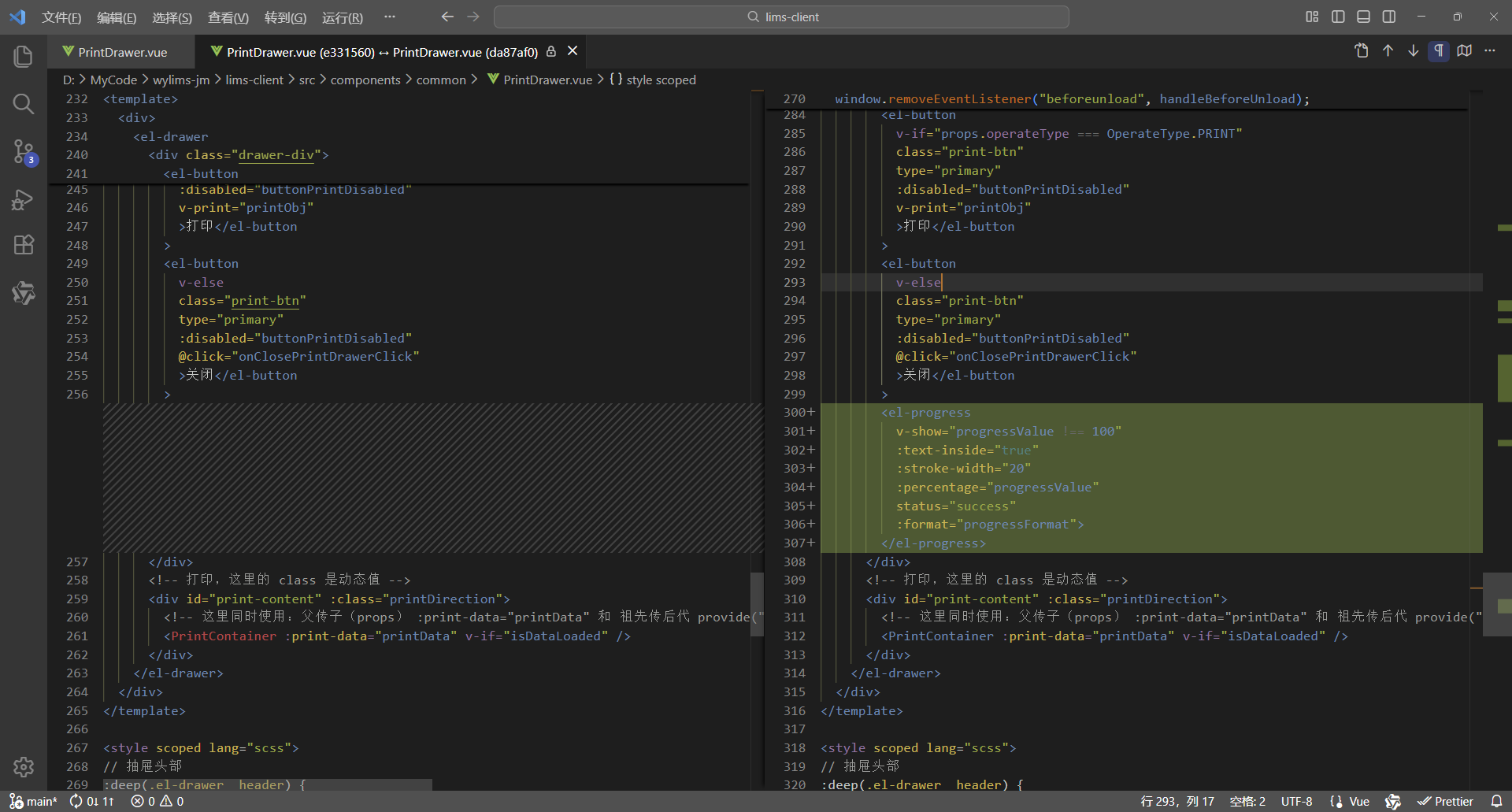
8、完整代码
<script setup lang="ts">
/**
 * 打印抽屉
 *
 * 使用示例:
 * <PrintDrawer :print-visible="drawerVisible" :print-type="PrintType.REPORT" :print-selection="printData" @close-print-drawer="closePrintDrawer" />
 */
defineOptions({
  name: "PrintDrawer"
});
import { printCancelService, printService } from "@api";
import { PrintContainer } from "@components";
import { JJDTemplate, OperateType, PrintDirection, PrintType, TestReportTemplate, WspjReportTemplate } from "@types";
import { v4 as uuidv4 } from "uuid";
import { computed, nextTick, onMounted, onUnmounted, provide, ref, watch } from "vue";

interface Props {
  /** 打印显隐 */
  printVisible: boolean;
  /** 打印类型 */
  printType: PrintType;
  /** 打印选集 */
  printSelection: any[];
  /** 是否打印数据 */
  isPrintData?: boolean;
  /** 打印模板 */
  printTemplate?: JJDTemplate | TestReportTemplate | WspjReportTemplate | null;
  /** 打印方向 */
  printDirection?: PrintDirection;
  /** 操作类型 */
  operateType?: OperateType;
}
const props = withDefaults(defineProps<Props>(), {
  printVisible: false,
  printSelection: () => [],
  isPrintData: false,
  printTemplate: null,
  printDirection: PrintDirection.PORTRAIT,
  operateType: OperateType.PRINT
});

interface Emits {
  /**
   * 关闭打印抽屉的回调
   */
  (e: "close-print-drawer"): void;
}
const emit = defineEmits<Emits>();

// 抽屉显示标识
const drawerVisible = ref(false);
// 数据已加载标识
const isDataLoaded = ref(false);
// 打印按钮禁用标识
const buttonPrintDisabled = ref(true);
// 打印数据,这里使用泛型数组 any[] ,可以灵活接收后端返回的各类打印数据,进行批量打印,从而实现打印组件通用
const printData = ref<any[]>([]);
// 先定义响应式数据,用于接收父组件传递过来的数据,再向后代组件传递数据,这样就会保持响应式
// 打印类型、模板、方向、类名
const printType = ref<PrintType>();
const printTemplate = ref<JJDTemplate | TestReportTemplate | WspjReportTemplate | null>(null);
const printDirection = ref<PrintDirection>(PrintDirection.PORTRAIT);
const printClassName = ref("");
// 打印按钮的宽度(也是打印页面的宽度)
// 纵向打印的宽度为 210mm(793.698px)
// 横向打印的宽度为 297mm(1122.520px)
const printBtnWidth = computed(() => {
  return props.printDirection === PrintDirection.LANDSCAPE ? "1122.520px" : "793.698px";
});
// 抽屉尺寸大小
// 纵向打印抽屉尺寸大小为 210mm(793.698px) + 18(0左边距 + 0右边距 + 18右边滚动条的宽度) = 811.698px
// 横向打印抽屉尺寸大小为 297mm(1122.520px) + 18(0左边距 + 0右边距 + 18右边滚动条的宽度)= 1140.520px
const drawerSize = computed(() => {
  return props.printDirection === PrintDirection.LANDSCAPE ? "1140.520px" : "811.698px";
});
// 创建请求控制器 AbortController,用于取消请求
let controller: AbortController | null = null;
// 请求唯一ID,用于发送请求让后端取消获取打印数据
const requestId = ref("");
// 进度值,进度从1开始,增强使用体验,感觉一开始就工作了
const progressValue = ref(1);
// WebSocket
let ws: WebSocket | null = null;

// 向后代组件提供数据
provide("printData", printData);
provide("printType", printType);
provide("printTemplate", printTemplate);
provide("printDirection", printDirection);

// 关闭打印抽屉
const onClosePrintDrawerClick = () => {
  // 清理前端资源
  cleanupFrontendResources();

  // 抽屉已关闭则直接退出
  if (!drawerVisible.value) {
    return;
  }

  // 数据尚未加载
  if (!isDataLoaded.value) {
    // 取消后端任务 - 取消打印
    cancelBackendTask();
  }

  // 通知父组件关闭打印抽屉
  emit("close-print-drawer");
  isDataLoaded.value = false;
};

// 取消后端任务 - 取消打印
const cancelBackendTask = () => {
  // 取消打印
  printCancelService(requestId.value);
};

// 清理前端资源
const cleanupFrontendResources = () => {
  // 前端取消请求,取消后不会接收响应,避免资源占用
  if (controller) {
    controller.abort();
    controller = null;
  }

  // 关闭 WebSocket 连接
  if (ws) {
    ws.close();
    ws = null;
  }
};

// 渲染完成 - 后续逻辑
const RenderCompleted = () => {
  // 所有工作全部完成,进度值设置为100,触发隐藏进度条
  progressValue.value = 100;

  // 打印按钮解除禁用
  buttonPrintDisabled.value = false;
};

// 打印对象,vue3-print-nb,v-print="printObj"
const printObj = ref({
  id: "print-content",
  closeCallback() {
    // 关闭打印抽屉
    onClosePrintDrawerClick();
  }
});

// 添加页面卸载前的处理
const handleBeforeUnload = (event: BeforeUnloadEvent) => {
  if (requestId.value && !isDataLoaded.value) {
    cancelBackendTask();
  }
};

// 格式化进度显示的内容
const progressFormat = (val: number) => {
  return `正在加载数据 ${val.toFixed(0)}%`;
};

// 更新进度
const updateProgress = () => {
  // WebSocket 双向通信计算进度
  // 1、实时计算进度
  // 2、使用 WebSocket 双向通信,后端主动发送进度信息,前端实时接收并更新进度
  progressValue.value = 1;
  ws = new WebSocket(`ws://localhost:8080/ws/print/progress/${encodeURI(requestId.value)}`); // 由后端处理跨域问题

  // WebSocket 收到消息时
  ws.onmessage = (event) => {
    // 解析数据(后端发送的普通文本)
    const value: any = event.data;
    // 更新进度
    if (Number(value)) {
      // 计算进度
      const progress = Math.trunc(((value as number) * 100) / props.printSelection.length);
      // 确保进度不倒退,确保进度大于1并且不超过99(确保进度条不满100%,保持显示,直到数据加载完毕页面渲染完成,进度才设置为100,从而触发隐藏)
      progressValue.value = Math.min(Math.max(progressValue.value, Math.max(progress, 1)), 99);
    }
  };
};

// 监听父组件传递过来的showDrawer值,控制抽屉的显示与隐藏
watch(
  () => props.printVisible,
  async (newValue) => {
    drawerVisible.value = newValue;
    if (drawerVisible.value) {
      printType.value = props.printType;
      if (props.printType === PrintType.JJD_BY_APPLY_ID_LIST) {
        printTemplate.value = props.printTemplate as JJDTemplate;
      } else {
        printTemplate.value = null;
      }
      printTemplate.value = props.printTemplate;
      printDirection.value = props.printDirection ? props.printDirection : PrintDirection.PORTRAIT;
      if (printTemplate.value === JJDTemplate.LANDSCAPE_SAMPLE) {
        printDirection.value = PrintDirection.LANDSCAPE;
      }
      printClassName.value = `${printType.value} ${printDirection.value}`;
      buttonPrintDisabled.value = true;

      // 生成请求唯一ID
      requestId.value = uuidv4();

      // 更新进度
      updateProgress();

      // 获取打印数据
      printData.value = [];
      // 父组件传递过来的 printSelection,如果就是打印数据,不需要处理,直接使用即可打印
      if (props.isPrintData) {
        printData.value = props.printSelection;
      } else {
        try {
          // 为当前新请求创建新的控制器
          controller = new AbortController();
          const result = await printService(
            props.printType,
            props.printSelection,
            props.printTemplate,
            controller.signal,
            requestId.value
          );

          // 检查请求是否已被取消,如果已取消则直接返回,不继续执行后续逻辑
          if (controller.signal.aborted) {
            return;
          }

          printData.value = result.data;
        } catch (error) {
          // 检查是否是由于请求取消导致的错误,如果是则直接返回
          if (error instanceof Error && error.name === "AbortError") {
            console.log("Request was cancelled");
            return;
          }
          console.log("printService error: ", error);
        }
      }

      // 检查抽屉是否仍然打开,如果已关闭则不继续执行后续逻辑
      if (!drawerVisible.value) {
        return;
      }

      // 数据加载完成,开始渲染DOM
      isDataLoaded.value = true;

      // 清理前端资源
      cleanupFrontendResources();

      // 确保DOM渲染完成
      await nextTick();

      // 渲染完成 - 后续逻辑
      RenderCompleted();
    }
  },
  { immediate: true }
);

onMounted(() => {
  window.addEventListener("beforeunload", handleBeforeUnload);
});

onUnmounted(() => {
  window.removeEventListener("beforeunload", handleBeforeUnload);
  cleanupFrontendResources();
});
</script>

<template>
  <div>
    <el-drawer
      v-model="drawerVisible"
      :with-header="true"
      :size="drawerSize"
      :close-on-click-modal="false"
      @close="onClosePrintDrawerClick">
      <div class="drawer-div">
        <el-button
          v-if="props.operateType === OperateType.PRINT"
          class="print-btn"
          type="primary"
          :disabled="buttonPrintDisabled"
          v-print="printObj"
          >打印</el-button
        >
        <el-button
          v-else
          class="print-btn"
          type="primary"
          :disabled="buttonPrintDisabled"
          @click="onClosePrintDrawerClick"
          >关闭</el-button
        >
        <el-progress
          v-show="progressValue !== 100"
          :text-inside="true"
          :stroke-width="20"
          :percentage="progressValue"
          status="success"
          :format="progressFormat">
        </el-progress>
      </div>
      <!-- 打印,这里的 class 是动态值 -->
      <div id="print-content" :class="printDirection">
        <!-- 这里同时使用:父传子(props) :print-data="printData" 和 祖先传后代 provide("printData", printData) 这两种数据传递方式可以共存,但是props优先级高于provide -->
        <PrintContainer :print-data="printData" v-if="isDataLoaded" />
      </div>
    </el-drawer>
  </div>
</template>

<style scoped lang="scss">
// 抽屉头部
:deep(.el-drawer__header) {
  margin-bottom: 0;
  padding: 0;
  height: 32px;
}
// 抽屉内容
:deep(.el-drawer__body) {
  padding: 0;
}
// 抽屉关闭按钮
:deep(.el-drawer__close-btn) {
  padding: 0;
}
.drawer-div {
  // 固定定位,固定在顶部
  position: fixed;
  // 与【浏览器可视区】顶部的垂直距离
  top: 0;
  .print-btn {
    width: v-bind("printBtnWidth");
  }
}

@media print {
  /* 打印通用样式 */
  @page {
    margin: 10mm;
  }

  /* 设定打印方向 */
  /* 纵向打印 */
  /* 通过 CSS 的 命名页面(Named Pages) 技术实现作用域隔离,实现 @page 样式仅影响当前组件 */
  /* 这里的 portrait 对应的是 <div id="print-content" :class="printClassName"> 的 class,是动态值 */
  .portrait {
    page: portrait-page; /* 绑定页面名称 */
  }
  /* 通过媒体样式 @media print 的 @page 设置打印方向, @page portrait-page 这样就不是影响全局了,而是指定的范围 portrait-page */
  @page portrait-page {
    /* 仅影响绑定了portrait-page 的元素 */
    size: A4 portrait;
  }
  /* 横向打印 */
  /* 通过 CSS 的 命名页面(Named Pages) 技术实现作用域隔离,实现 @page 样式仅影响当前组件 */
  /* 这里的 landscape 对应的是 <div id="print-content" :class="printClassName"> 的 class,是动态值 */
  .landscape {
    page: landscape-page; /* 绑定页面名称 */
  }
  /* 通过媒体样式 @media print 的 @page 设置打印方向, @page landscape-page 这样就不是影响全局了,而是指定的范围 landscape-page */
  @page landscape-page {
    /* 仅影响绑定了landscape-page 的元素 */
    size: A4 landscape;
  }
}
</style>
3.1.2、后端
1、安装依赖
pom.xml
    <!--websocket依赖-->
    <dependency>
      <groupId>org.springframework.boot</groupId>
      <artifactId>spring-boot-starter-websocket</artifactId>
    </dependency>
2、增加 WebSocket 配置类
src/main/java/com/weiyu/config/WebSocketConfig.java
package com.weiyu.config;

import com.weiyu.handler.SessionWebSocketHandler;
import com.weiyu.interceptors.PathParamWebSocketHandshakeInterceptor;
import org.springframework.beans.factory.annotation.Autowired;
import org.springframework.context.annotation.Bean;
import org.springframework.context.annotation.Configuration;
import org.springframework.web.socket.config.annotation.EnableWebSocket;
import org.springframework.web.socket.config.annotation.WebSocketConfigurer;
import org.springframework.web.socket.config.annotation.WebSocketHandlerRegistry;
import org.springframework.web.socket.server.standard.ServletServerContainerFactoryBean;

/**
 * WebSocket 配置类
 */
@Configuration
@EnableWebSocket // 开启 WebSocket
public class WebSocketConfig implements WebSocketConfigurer {

    @Autowired
    private SessionWebSocketHandler sessionWebSocketHandler;

    @Autowired
    private PathParamWebSocketHandshakeInterceptor pathParamWebSocketHandshakeInterceptor;

    @Override
    public void registerWebSocketHandlers(WebSocketHandlerRegistry registry) {
        // 这个方法的调用是由 @EnableWebSocket 触发的
        // 登录拦截器(LoginInterceptor/HandlerInterceptor)com/weiyu/interceptors/LoginInterceptor.java
        // 当前这个WebSocket请求路径:/ws/print/progress,有注册处理器,这个路径不会被登录拦截器拦截
        // 例如有个WebSocket请求路径:/ws/check/progress,无注册处理器,这个路径就会被登录拦截器拦截
        registry.addHandler(sessionWebSocketHandler, "/ws/print/progress/**")
                .addInterceptors(pathParamWebSocketHandshakeInterceptor)    // 添加路径参数握手拦截器
                // 解决跨域,如果是 Vite 代理这里必须要设置,如果是 Nginx 代理这里不用设置
                .setAllowedOrigins(
                        "http://localhost:5173",    // Vite 默认端口
                        "http://127.0.0.1:5173"     // 或者用 IP
                );
    }

    @Bean
    public ServletServerContainerFactoryBean createWebSocketContainer() {
        // 这个 Bean 的创建是由 @EnableWebSocket 触发的
        ServletServerContainerFactoryBean container = new ServletServerContainerFactoryBean();
        container.setMaxTextMessageBufferSize(8192);    // 文本消息流量控制
        container.setMaxBinaryMessageBufferSize(8192);  // 流消息流量控制
        container.setMaxSessionIdleTimeout(300000L);    // 5分钟超时
        return container;
    }
}
3、增加 WebSocket 会话处理器
src/main/java/com/weiyu/handler/SessionWebSocketHandler.java
package com.weiyu.handler;

import lombok.extern.slf4j.Slf4j;
import org.springframework.stereotype.Component;
import org.springframework.lang.NonNull;
import org.springframework.web.socket.TextMessage;
import org.springframework.web.socket.WebSocketSession;
import org.springframework.web.socket.handler.TextWebSocketHandler;

import java.io.IOException;
import java.util.Map;
import java.util.concurrent.ConcurrentHashMap;

/**
 * WebSocket 会话处理器
 */
@Component
@Slf4j
public class SessionWebSocketHandler extends TextWebSocketHandler {

    /**
     * 会话列表,使用线程安全的Map来管理多个会话,key为requestId
     */
    private final Map<String, WebSocketSession> sessions = new ConcurrentHashMap<>();

    // 连接建立后
    @Override
    public void afterConnectionEstablished(@NonNull WebSocketSession session) throws IOException {
        // 从 session 属性中获取请求唯一id requestId
        String requestId = (String) session.getAttributes().get("requestId");

        if (requestId == null || requestId.trim().isEmpty()) {
            log.warn("WebSocket 连接建立失败:未获取到 requestId,session = {}", session);
            session.close();
            return;
        }

        // 发送连接成功消息(普通字符串)
        session.sendMessage(new TextMessage("WebSocket 连接成功,requestId = " + requestId + ", session = " + session.getId()));
        log.info("WebSocket 连接成功,requestId = {}, session = {}", requestId, session.getId());

        // 保存会话
        sessions.put(requestId, session);
    }

    // 收到消息时
    @Override
    public void handleTextMessage(@NonNull WebSocketSession session, @NonNull TextMessage message) {

    }

    // 发送进度更新通知 - 在任务执行过程中调用
    public void sendProgressUpdate(String requestId, int progress) throws IOException {
        WebSocketSession currentSession = sessions.get(requestId);
        if (currentSession == null || !currentSession.isOpen()) {
            return;
        }

        // 发送进度消息(普通字符串)
        currentSession.sendMessage(new TextMessage(String.valueOf(progress)));
    }
}
4、增加 WebSocket 路径参数握手拦截器
src/main/java/com/weiyu/interceptors/PathParamWebSocketHandshakeInterceptor.java
package com.weiyu.interceptors;

import lombok.extern.slf4j.Slf4j;
import org.springframework.http.server.ServerHttpRequest;
import org.springframework.http.server.ServerHttpResponse;
import org.springframework.lang.NonNull;
import org.springframework.stereotype.Component;
import org.springframework.web.socket.WebSocketHandler;
import org.springframework.web.socket.server.HandshakeInterceptor;

import java.util.Map;
import java.util.regex.Matcher;
import java.util.regex.Pattern;

/**
 * WebSocket 路径参数握手拦截器
 */
@Component
@Slf4j
public class PathParamWebSocketHandshakeInterceptor implements HandshakeInterceptor {

    private static final Pattern PATH_PATTERN = Pattern.compile("/ws/print/progress/([^/]+)");

    @Override
    public boolean beforeHandshake(@NonNull ServerHttpRequest request,
                                   @NonNull ServerHttpResponse response,
                                   @NonNull WebSocketHandler wsHandler,
                                   @NonNull Map<String, Object> attributes) {
        String path = request.getURI().getPath();
        log.info("WebSocket 连接路径: {}", path);

        // 使用正则表达式提取请求唯一id requestId,并且放入属性 attributes 中
        Matcher matcher = PATH_PATTERN.matcher(path);
        if (matcher.matches()) {
            String requestId = matcher.group(1);
            attributes.put("requestId", requestId);
            log.info("提取到 requestId: {}", requestId);
        } else {
            log.warn("WebSocket路径格式不匹配: {}", path);
        }

        return true;
    }

    @Override
    public void afterHandshake(@NonNull ServerHttpRequest request,
                               @NonNull ServerHttpResponse response,
                               @NonNull WebSocketHandler wsHandler,
                               Exception exception) {

    }
}
5、服务层
src/main/java/com/weiyu/service/impl/PrintServiceImpl.java
/**
 * 打印 Servive 接口实现
 */
@Service
@Slf4j
public class PrintServiceImpl implements PrintService {

    @Autowired
    private TestReportMapper testReportMapper;

    @Autowired
    private WspjReporMapper wspjReporMapper;

    @Autowired
    private SessionWebSocketHandler sessionWebSocketHandler;

    /**
     * 获取报告打印数据
     */
    @Override
    public List<ReportPrintDataVO> printReport(List<Report> reports, String requestId) {
        List<ReportPrintDataVO> printDatas = new ArrayList<>();
        int progress = 0;

        for (Report report : reports) {
            // 获取评价报告打印数据
            List<WspjReport> wspjReports = wspjReporMapper.selectByOuterApplyId(report.getOuterApplyId());
            List<WspjReportPrintDataVO> wspjReportPrintDatas = getWspjReportPrintData(wspjReports, requestId, false);

            // 获取检验报告打印数据
            List<TestReport> testReports = testReportMapper.selectByOuterApplyId(report.getOuterApplyId());
            List<TestReportPrintDataVO> testReportPrintDatas = getTestReportPrintData(testReports, requestId, false);

            printDatas.add(new ReportPrintDataVO(wspjReportPrintDatas, testReportPrintDatas));

            ++progress;

            // 发送进度更新(适用于 WebSocket)
            try {
                sessionWebSocketHandler.sendProgressUpdate(requestId, progress);
            }catch (Exception ignored){
            }
        }

        return printDatas;
    }
}
3.1.3、应用效果
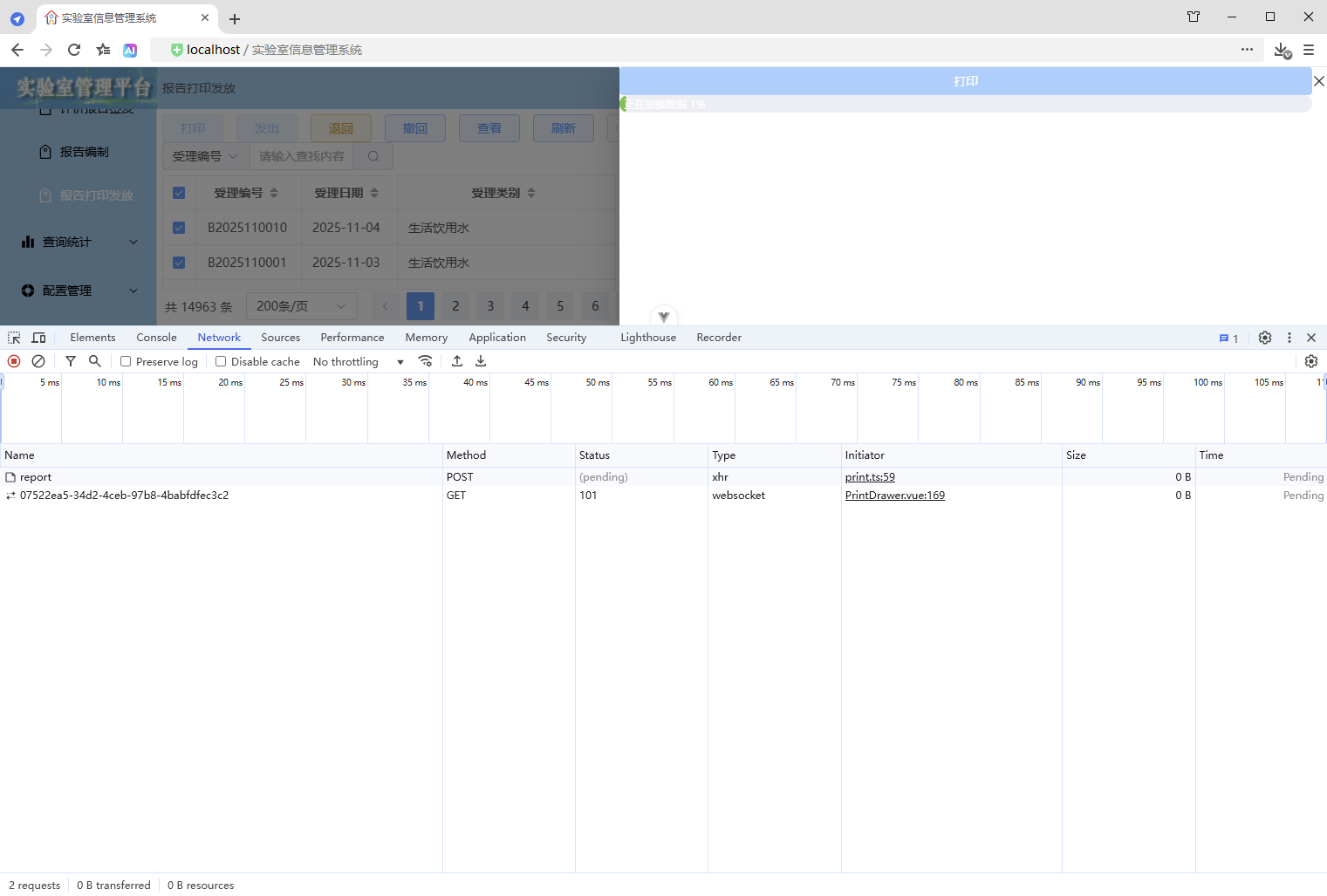
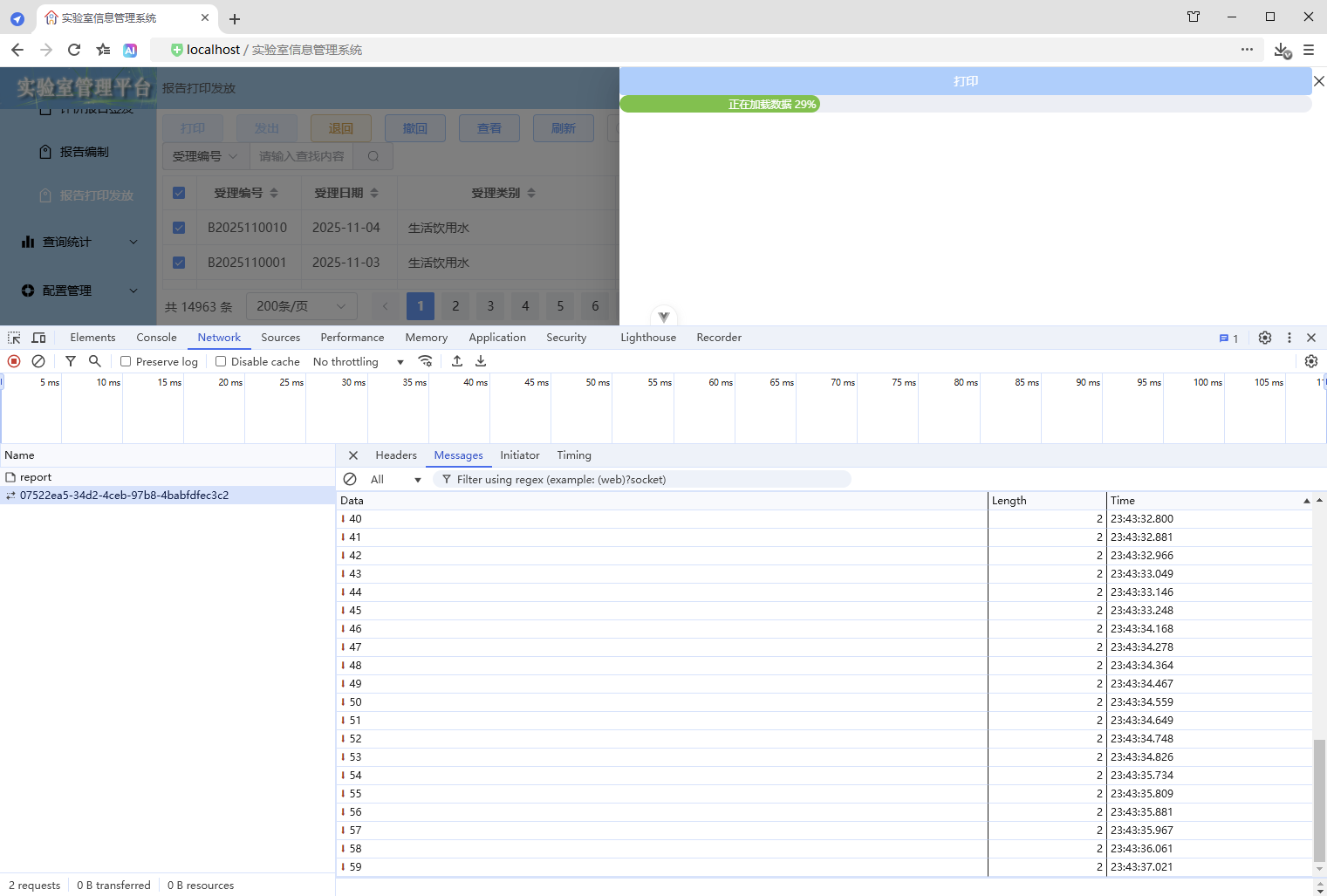
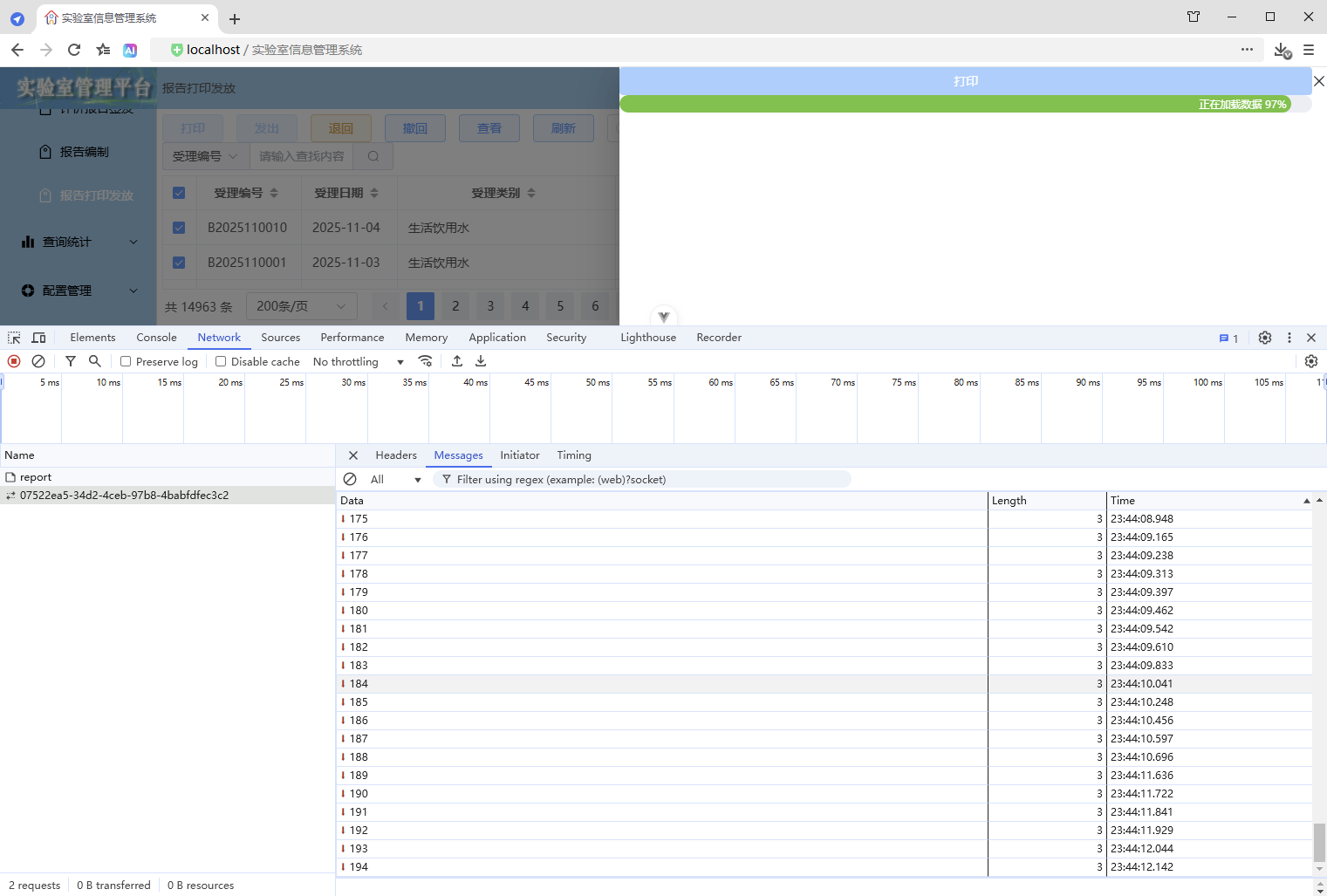
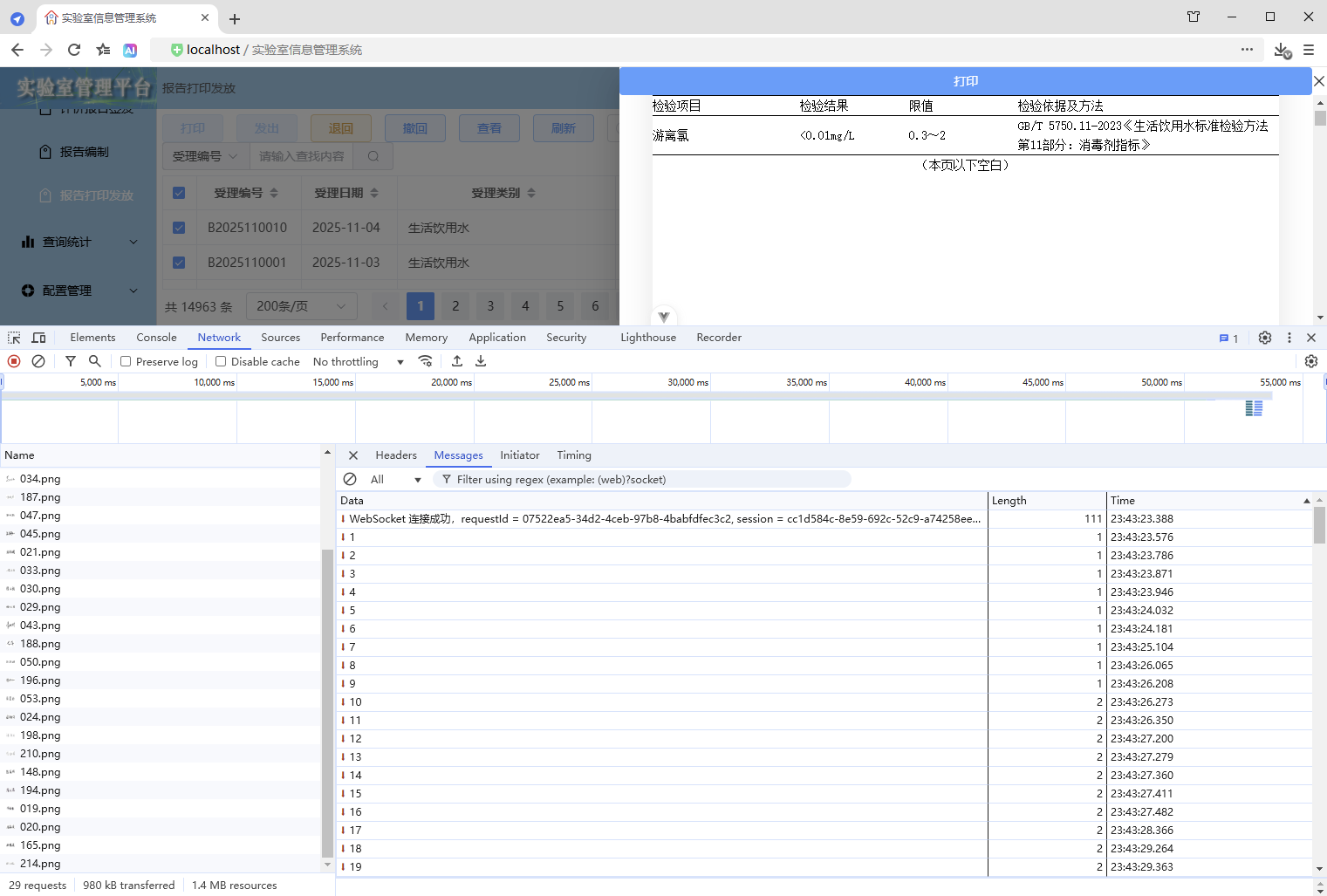
3.1.4、优缺点
优点:
- 进度条显示与实际数据处理进度一致,前后端实时双向通信
缺点:
- 实现复杂
3.2、使用托管 WebSocket 类 ManagedWebSocket(被封装的WebSocket)
3.2.1、使用 ManagedWebSocket
1、前端
1、定义接口、类
src\types\WebSocket.ts
/**
 * WebSocket 消息接口
 * 定义 WebSocket 通信的消息格式
 * @template T 消息数据的类型,默认为 any
 */
export interface WebSocketMessage<T = any> {
  /** 消息类型,用于区分不同的业务场景 */
  type: string;
  /** 消息数据,泛型T允许灵活定义数据结构 */
  data: T;
  /** 消息时间戳,用于记录消息创建时间 */
  timestamp: number;
}

/**
 * 托管 WebSocket 配置选项接口
 * 用于配置 ManagedWebSocket 的行为
 */
export interface ManagedWebSocketOptions {
  /** WebSocket连接地址,如:ws://localhost:8080 */
  url: string;
  /** 收到消息时的回调函数 */
  onMessage?: <T>(message: WebSocketMessage<T>) => void;
}

/**
 * 托管 WebSocket 类
 */
export class ManagedWebSocket {
  /** WebSocket实例 */
  private ws: WebSocket | null = null;

  /**
   * 构造函数
   * @param options 配置选项
   */
  constructor(private options: ManagedWebSocketOptions) {
    // 创建实例时立即建立连接
    this.connect();
  }

  /**
   * 建立 WebSocket 连接
   * 创建 WebSocket 实例并设置事件处理器
   */
  private connect(): void {
    try {
      // 创建 WebSocket 实例
      this.ws = new WebSocket(this.options.url);
      // 设置事件处理器
      this.setupEventHandlers();
    } catch (error) {
      console.error('WebSocket connection failed:', error);
    }
  }

  /**
   * 设置 WebSocket 事件处理器
   */
  private setupEventHandlers(): void {
    if (!this.ws) return;

    // 消息接收事件
    this.ws.onmessage = (event: MessageEvent) => {
      try {
        // 解析 JSON 格式的消息
        const message: WebSocketMessage = JSON.parse(event.data);
        // 调用用户提供的 onMessage 回调
        this.options.onMessage?.(message);
      } catch (error) {
        console.error('Failed to parse WebSocket message:', error);
      }
    };
  }

  /**
   * 主动关闭 WebSocket 连接
   * @param code 关闭代码,默认 1000 (正常关闭)
   * @param reason 关闭原因
   */
  public close(code?: number, reason?: string): void {
    // 关闭 WebSocket 连接
    if (this.ws) {
      this.ws.close(code || 1000, reason);
    }
  }
}
2、导出资源
src\types\index.ts
// 导出 WebSocket
export * from "./WebSocket";
3、打印抽屉
src\components\common\PrintDrawer.vue
1、增加进度条组件
同上
2、增加进度值、格式化进度显示的内容
同上
3、增加进度更新逻辑
// 更新进度
const updateProgress = () => {
  // WebSocket 双向通信计算进度
  // 1、实时计算进度
  // 2、使用 WebSocket 双向通信,后端主动发送进度信息,前端实时接收并更新进度
  progressValue.value = 1;
  ws = new ManagedWebSocket({
    url: `/ws/print/progress/${encodeURI(requestId.value)}`, // 设置代理配置相对路径,Nginx代理(无需后端解决跨域),Vite代理(需要后端解决跨域)
    onMessage: (message) => {
      // 如果是进度信息,则更新进度
      if (message.type === "UPDATE_PROGRESS") {
        // 计算进度
        const progress = Math.trunc(((message.data as number) * 100) / props.printSelection.length);
        // 确保进度不倒退,确保进度大于1并且不超过99(确保进度条不满100%,保持显示,直到数据加载完毕页面渲染完成,进度才设置为100,从而触发隐藏)
        progressValue.value = Math.min(Math.max(progressValue.value, Math.max(progress, 1)), 99);
      }
    }
  });
};
4、清理前端资源
同上
5、使用进度更新
同上
6、追加渲染完成 - 后续逻辑
同上
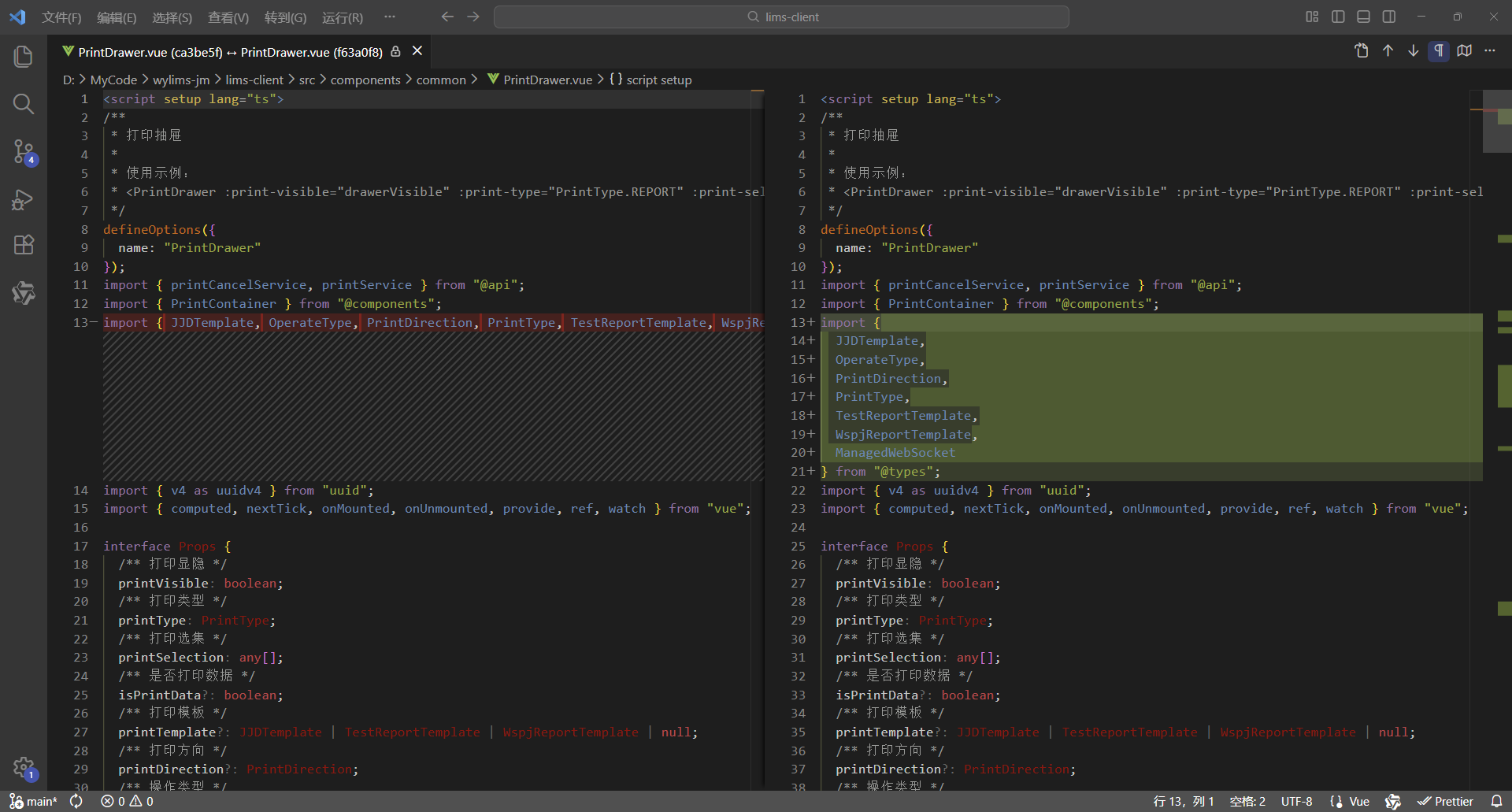
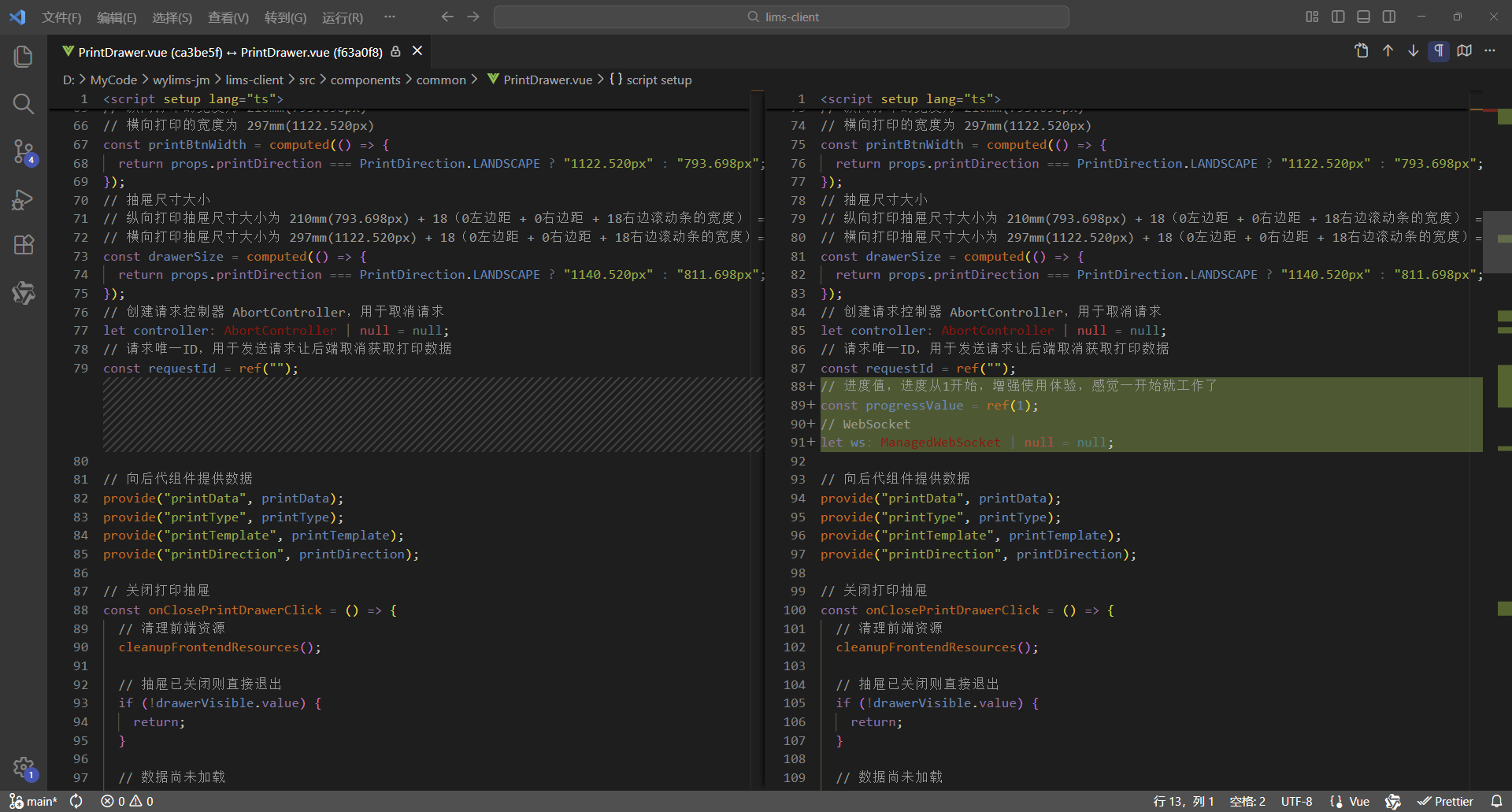
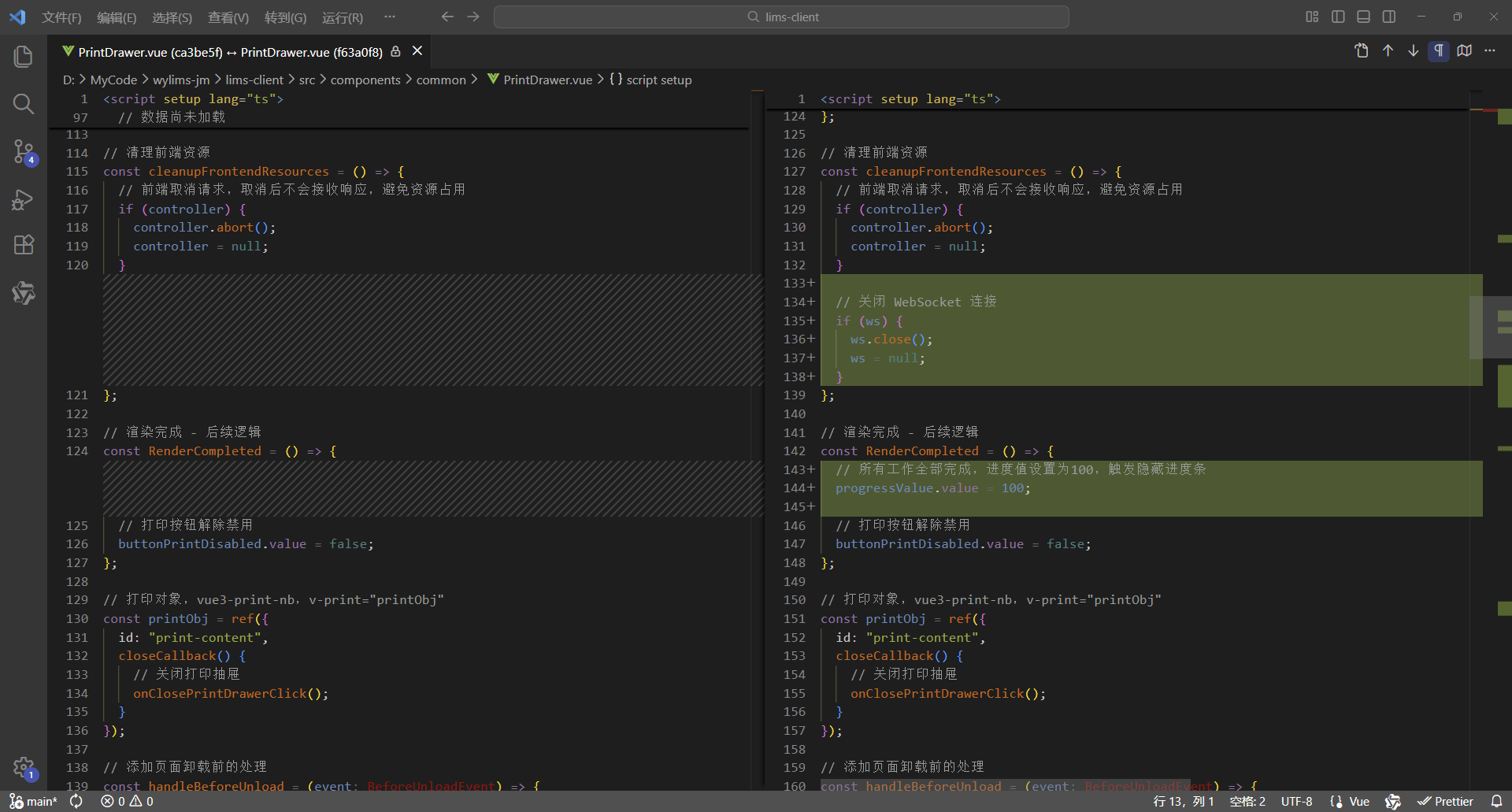
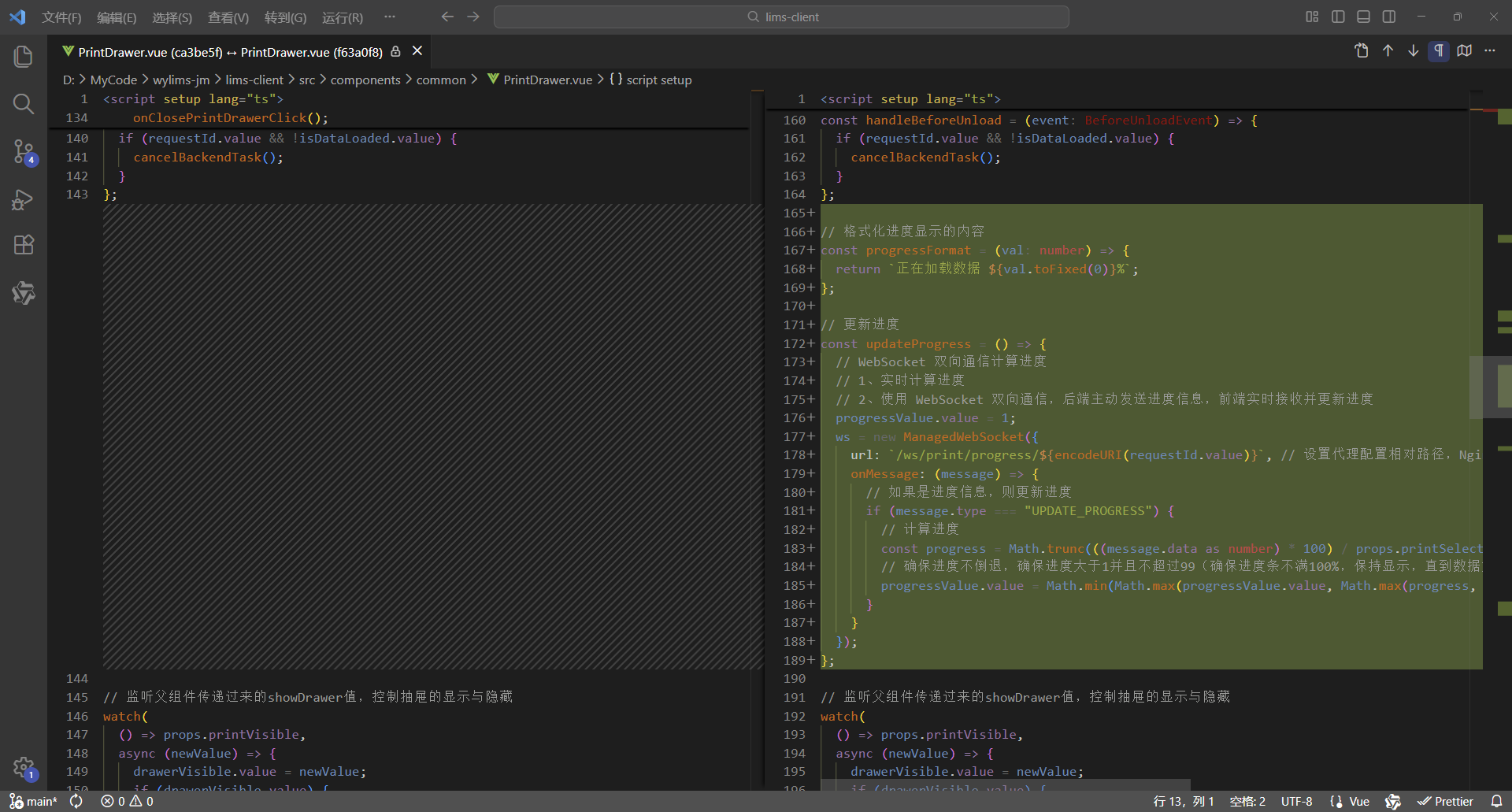
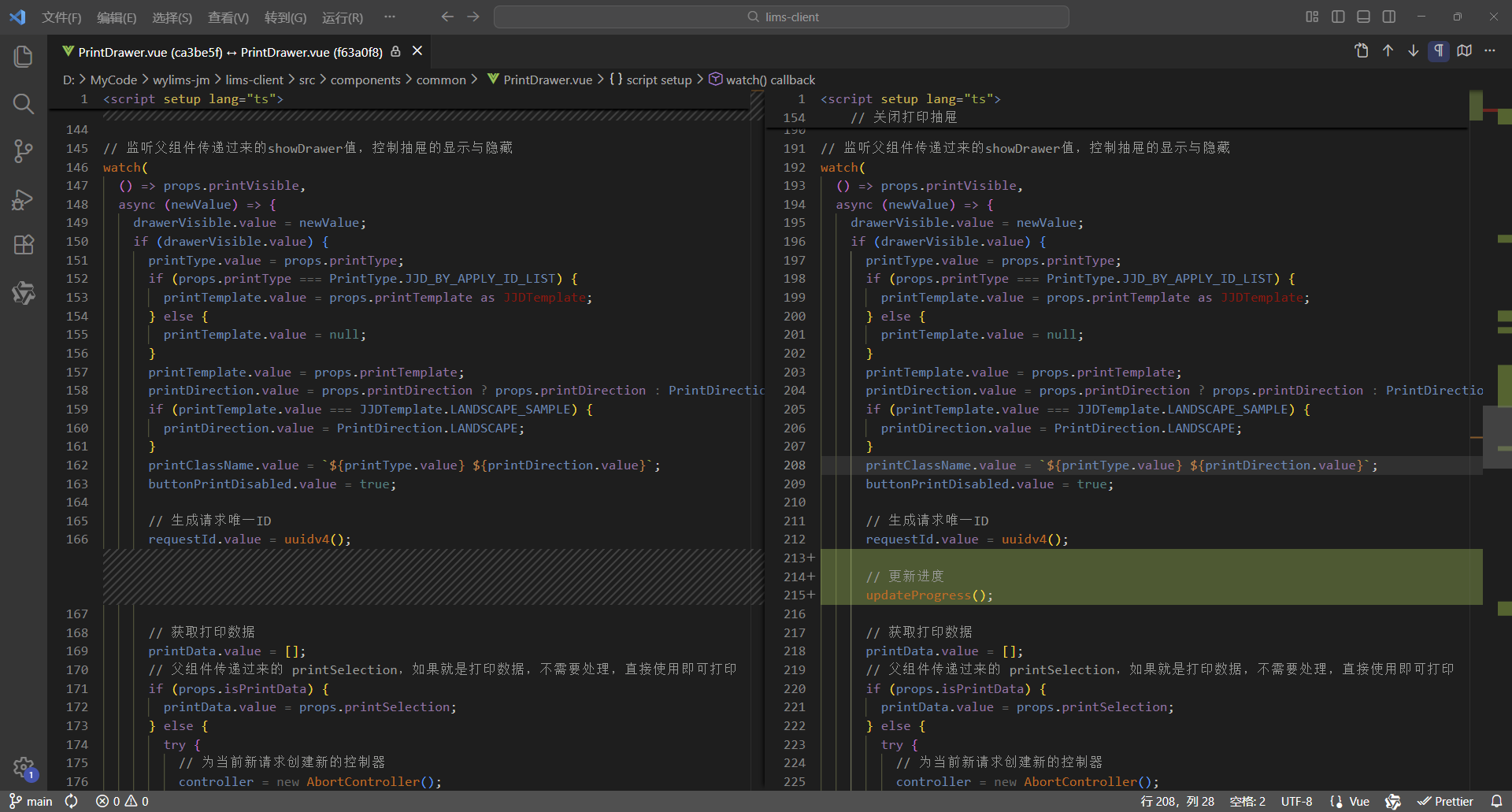
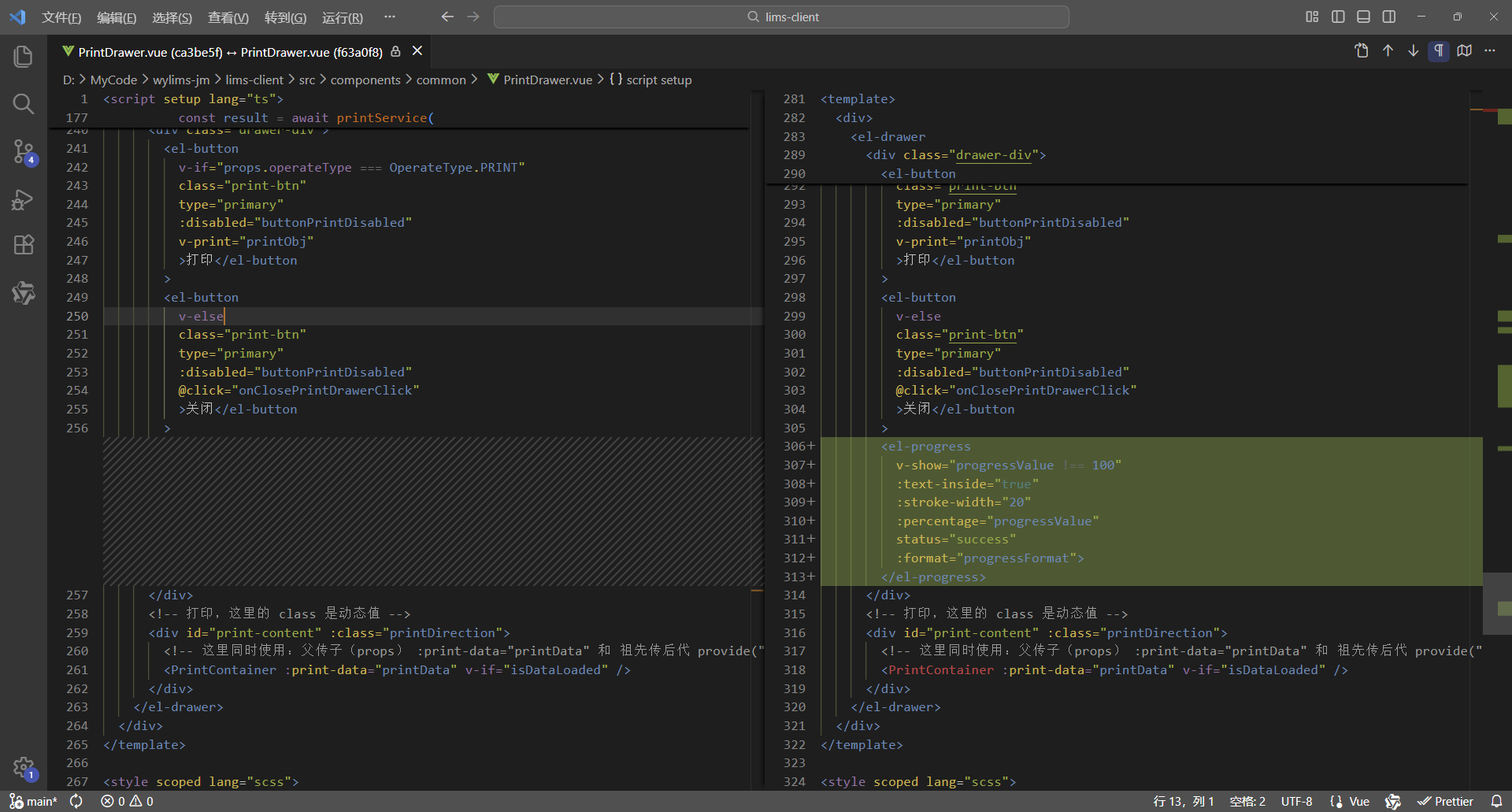
7、对比代码
更改7处,实现进度条
8、完整代码
<script setup lang="ts">
/**
 * 打印抽屉
 *
 * 使用示例:
 * <PrintDrawer :print-visible="drawerVisible" :print-type="PrintType.REPORT" :print-selection="printData" @close-print-drawer="closePrintDrawer" />
 */
defineOptions({
  name: "PrintDrawer"
});
import { printCancelService, printService } from "@api";
import { PrintContainer } from "@components";
import {
  JJDTemplate,
  OperateType,
  PrintDirection,
  PrintType,
  TestReportTemplate,
  WspjReportTemplate,
  ManagedWebSocket
} from "@types";
import { v4 as uuidv4 } from "uuid";
import { computed, nextTick, onMounted, onUnmounted, provide, ref, watch } from "vue";

interface Props {
  /** 打印显隐 */
  printVisible: boolean;
  /** 打印类型 */
  printType: PrintType;
  /** 打印选集 */
  printSelection: any[];
  /** 是否打印数据 */
  isPrintData?: boolean;
  /** 打印模板 */
  printTemplate?: JJDTemplate | TestReportTemplate | WspjReportTemplate | null;
  /** 打印方向 */
  printDirection?: PrintDirection;
  /** 操作类型 */
  operateType?: OperateType;
}
const props = withDefaults(defineProps<Props>(), {
  printVisible: false,
  printSelection: () => [],
  isPrintData: false,
  printTemplate: null,
  printDirection: PrintDirection.PORTRAIT,
  operateType: OperateType.PRINT
});

interface Emits {
  /**
   * 关闭打印抽屉的回调
   */
  (e: "close-print-drawer"): void;
}
const emit = defineEmits<Emits>();

// 抽屉显示标识
const drawerVisible = ref(false);
// 数据已加载标识
const isDataLoaded = ref(false);
// 打印按钮禁用标识
const buttonPrintDisabled = ref(true);
// 打印数据,这里使用泛型数组 any[] ,可以灵活接收后端返回的各类打印数据,进行批量打印,从而实现打印组件通用
const printData = ref<any[]>([]);
// 先定义响应式数据,用于接收父组件传递过来的数据,再向后代组件传递数据,这样就会保持响应式
// 打印类型、模板、方向、类名
const printType = ref<PrintType>();
const printTemplate = ref<JJDTemplate | TestReportTemplate | WspjReportTemplate | null>(null);
const printDirection = ref<PrintDirection>(PrintDirection.PORTRAIT);
const printClassName = ref("");
// 打印按钮的宽度(也是打印页面的宽度)
// 纵向打印的宽度为 210mm(793.698px)
// 横向打印的宽度为 297mm(1122.520px)
const printBtnWidth = computed(() => {
  return props.printDirection === PrintDirection.LANDSCAPE ? "1122.520px" : "793.698px";
});
// 抽屉尺寸大小
// 纵向打印抽屉尺寸大小为 210mm(793.698px) + 18(0左边距 + 0右边距 + 18右边滚动条的宽度) = 811.698px
// 横向打印抽屉尺寸大小为 297mm(1122.520px) + 18(0左边距 + 0右边距 + 18右边滚动条的宽度)= 1140.520px
const drawerSize = computed(() => {
  return props.printDirection === PrintDirection.LANDSCAPE ? "1140.520px" : "811.698px";
});
// 创建请求控制器 AbortController,用于取消请求
let controller: AbortController | null = null;
// 请求唯一ID,用于发送请求让后端取消获取打印数据
const requestId = ref("");
// 进度值,进度从1开始,增强使用体验,感觉一开始就工作了
const progressValue = ref(1);
// WebSocket
let ws: ManagedWebSocket | null = null;

// 向后代组件提供数据
provide("printData", printData);
provide("printType", printType);
provide("printTemplate", printTemplate);
provide("printDirection", printDirection);

// 关闭打印抽屉
const onClosePrintDrawerClick = () => {
  // 清理前端资源
  cleanupFrontendResources();

  // 抽屉已关闭则直接退出
  if (!drawerVisible.value) {
    return;
  }

  // 数据尚未加载
  if (!isDataLoaded.value) {
    // 取消后端任务 - 取消打印
    cancelBackendTask();
  }

  // 通知父组件关闭打印抽屉
  emit("close-print-drawer");
  isDataLoaded.value = false;
};

// 取消后端任务 - 取消打印
const cancelBackendTask = () => {
  // 取消打印
  printCancelService(requestId.value);
};

// 清理前端资源
const cleanupFrontendResources = () => {
  // 前端取消请求,取消后不会接收响应,避免资源占用
  if (controller) {
    controller.abort();
    controller = null;
  }

  // 关闭 WebSocket 连接
  if (ws) {
    ws.close();
    ws = null;
  }
};

// 渲染完成 - 后续逻辑
const RenderCompleted = () => {
  // 所有工作全部完成,进度值设置为100,触发隐藏进度条
  progressValue.value = 100;

  // 打印按钮解除禁用
  buttonPrintDisabled.value = false;
};

// 打印对象,vue3-print-nb,v-print="printObj"
const printObj = ref({
  id: "print-content",
  closeCallback() {
    // 关闭打印抽屉
    onClosePrintDrawerClick();
  }
});

// 添加页面卸载前的处理
const handleBeforeUnload = (event: BeforeUnloadEvent) => {
  if (requestId.value && !isDataLoaded.value) {
    cancelBackendTask();
  }
};

// 格式化进度显示的内容
const progressFormat = (val: number) => {
  return `正在加载数据 ${val.toFixed(0)}%`;
};

// 更新进度
const updateProgress = () => {
  // WebSocket 双向通信计算进度
  // 1、实时计算进度
  // 2、使用 WebSocket 双向通信,后端主动发送进度信息,前端实时接收并更新进度
  progressValue.value = 1;
  ws = new ManagedWebSocket({
    url: `/ws/print/progress/${encodeURI(requestId.value)}`, // 设置代理配置相对路径,Nginx代理(无需后端解决跨域),Vite代理(需要后端解决跨域)
    onMessage: (message) => {
      // 如果是进度信息,则更新进度
      if (message.type === "UPDATE_PROGRESS") {
        // 计算进度
        const progress = Math.trunc(((message.data as number) * 100) / props.printSelection.length);
        // 确保进度不倒退,确保进度大于1并且不超过99(确保进度条不满100%,保持显示,直到数据加载完毕页面渲染完成,进度才设置为100,从而触发隐藏)
        progressValue.value = Math.min(Math.max(progressValue.value, Math.max(progress, 1)), 99);
      }
    }
  });
};

// 监听父组件传递过来的showDrawer值,控制抽屉的显示与隐藏
watch(
  () => props.printVisible,
  async (newValue) => {
    drawerVisible.value = newValue;
    if (drawerVisible.value) {
      printType.value = props.printType;
      if (props.printType === PrintType.JJD_BY_APPLY_ID_LIST) {
        printTemplate.value = props.printTemplate as JJDTemplate;
      } else {
        printTemplate.value = null;
      }
      printTemplate.value = props.printTemplate;
      printDirection.value = props.printDirection ? props.printDirection : PrintDirection.PORTRAIT;
      if (printTemplate.value === JJDTemplate.LANDSCAPE_SAMPLE) {
        printDirection.value = PrintDirection.LANDSCAPE;
      }
      printClassName.value = `${printType.value} ${printDirection.value}`;
      buttonPrintDisabled.value = true;

      // 生成请求唯一ID
      requestId.value = uuidv4();

      // 更新进度
      updateProgress();

      // 获取打印数据
      printData.value = [];
      // 父组件传递过来的 printSelection,如果就是打印数据,不需要处理,直接使用即可打印
      if (props.isPrintData) {
        printData.value = props.printSelection;
      } else {
        try {
          // 为当前新请求创建新的控制器
          controller = new AbortController();
          const result = await printService(
            props.printType,
            props.printSelection,
            props.printTemplate,
            controller.signal,
            requestId.value
          );

          // 检查请求是否已被取消,如果已取消则直接返回,不继续执行后续逻辑
          if (controller.signal.aborted) {
            return;
          }

          printData.value = result.data;
        } catch (error) {
          // 检查是否是由于请求取消导致的错误,如果是则直接返回
          if (error instanceof Error && error.name === "AbortError") {
            console.log("Request was cancelled");
            return;
          }
          console.log("printService error: ", error);
        }
      }

      // 检查抽屉是否仍然打开,如果已关闭则不继续执行后续逻辑
      if (!drawerVisible.value) {
        return;
      }

      // 数据加载完成,开始渲染DOM
      isDataLoaded.value = true;

      // 清理前端资源
      cleanupFrontendResources();

      // 确保DOM渲染完成
      await nextTick();

      // 渲染完成 - 后续逻辑
      RenderCompleted();
    }
  },
  { immediate: true }
);

onMounted(() => {
  window.addEventListener("beforeunload", handleBeforeUnload);
});

onUnmounted(() => {
  window.removeEventListener("beforeunload", handleBeforeUnload);
  cleanupFrontendResources();
});
</script>

<template>
  <div>
    <el-drawer
      v-model="drawerVisible"
      :with-header="true"
      :size="drawerSize"
      :close-on-click-modal="false"
      @close="onClosePrintDrawerClick">
      <div class="drawer-div">
        <el-button
          v-if="props.operateType === OperateType.PRINT"
          class="print-btn"
          type="primary"
          :disabled="buttonPrintDisabled"
          v-print="printObj"
          >打印</el-button
        >
        <el-button
          v-else
          class="print-btn"
          type="primary"
          :disabled="buttonPrintDisabled"
          @click="onClosePrintDrawerClick"
          >关闭</el-button
        >
        <el-progress
          v-show="progressValue !== 100"
          :text-inside="true"
          :stroke-width="20"
          :percentage="progressValue"
          status="success"
          :format="progressFormat">
        </el-progress>
      </div>
      <!-- 打印,这里的 class 是动态值 -->
      <div id="print-content" :class="printDirection">
        <!-- 这里同时使用:父传子(props) :print-data="printData" 和 祖先传后代 provide("printData", printData) 这两种数据传递方式可以共存,但是props优先级高于provide -->
        <PrintContainer :print-data="printData" v-if="isDataLoaded" />
      </div>
    </el-drawer>
  </div>
</template>

<style scoped lang="scss">
// 抽屉头部
:deep(.el-drawer__header) {
  margin-bottom: 0;
  padding: 0;
  height: 32px;
}
// 抽屉内容
:deep(.el-drawer__body) {
  padding: 0;
}
// 抽屉关闭按钮
:deep(.el-drawer__close-btn) {
  padding: 0;
}
.drawer-div {
  // 固定定位,固定在顶部
  position: fixed;
  // 与【浏览器可视区】顶部的垂直距离
  top: 0;
  .print-btn {
    width: v-bind("printBtnWidth");
  }
}

@media print {
  /* 打印通用样式 */
  @page {
    margin: 10mm;
  }

  /* 设定打印方向 */
  /* 纵向打印 */
  /* 通过 CSS 的 命名页面(Named Pages) 技术实现作用域隔离,实现 @page 样式仅影响当前组件 */
  /* 这里的 portrait 对应的是 <div id="print-content" :class="printClassName"> 的 class,是动态值 */
  .portrait {
    page: portrait-page; /* 绑定页面名称 */
  }
  /* 通过媒体样式 @media print 的 @page 设置打印方向, @page portrait-page 这样就不是影响全局了,而是指定的范围 portrait-page */
  @page portrait-page {
    /* 仅影响绑定了portrait-page 的元素 */
    size: A4 portrait;
  }
  /* 横向打印 */
  /* 通过 CSS 的 命名页面(Named Pages) 技术实现作用域隔离,实现 @page 样式仅影响当前组件 */
  /* 这里的 landscape 对应的是 <div id="print-content" :class="printClassName"> 的 class,是动态值 */
  .landscape {
    page: landscape-page; /* 绑定页面名称 */
  }
  /* 通过媒体样式 @media print 的 @page 设置打印方向, @page landscape-page 这样就不是影响全局了,而是指定的范围 landscape-page */
  @page landscape-page {
    /* 仅影响绑定了landscape-page 的元素 */
    size: A4 landscape;
  }
}
</style>
9、Vite代理设置
vite.config.ts
    // 代理设置
    proxy: {
      // 【代理1】获取路径中包含有 /api 的请求
      "/api": {
        // 后台服务所在的源
        target: "http://localhost:8080",
        // 修改源
        changeOrigin: true,
        // 将 api 替换为 '',如:/api/account/login -> /account/login,最终代理访问的 URL 为 http://localhost:8080/account/login
        rewrite: (path) => path.replace(/^\/api/, "")
      },
      // 【代理2】获取路径中包含有 /apu 的请求,【上传数据】用于前端网面对外请求发送数据
      "/apu": {
        // 后台服务所在的源
        target: "http://localhost:8081",
        // 修改源
        changeOrigin: true,
        // 将 apu 替换为 '',如:/apu/sampleItemResult/upload -> /sampleItemResult/upload,最终代理访问的 URL 为 http://localhost:8081/sampleItemResult/upload
        rewrite: (path) => path.replace(/^\/apu/, "")
      },
      // 【代理3】获取路径中包含有 /ws 的请求,WebSocket双向通信专用路径
      "/ws": {
        // 后台服务所在的源
        target: "http://localhost:8080",
        // 修改源
        changeOrigin: true,
        ws: true // 重要:启用 WebSocket 代理
      }
    }
2、后端
1、安装依赖
pom.xml
    <!--websocket依赖-->
    <dependency>
      <groupId>org.springframework.boot</groupId>
      <artifactId>spring-boot-starter-websocket</artifactId>
    </dependency>

    <!--fastjson-->
    <dependency>
      <groupId>com.alibaba</groupId>
      <artifactId>fastjson</artifactId>
      <version>1.2.83</version>
    </dependency>
2、WebSocket 配置类
src/main/java/com/weiyu/config/WebSocketConfig.java
同上
3、WebSocket 会话处理器
src/main/java/com/weiyu/handler/SessionWebSocketHandler.java
package com.weiyu.handler;

import com.alibaba.fastjson.JSON;
import com.alibaba.fastjson.serializer.SerializerFeature;
import com.weiyu.pojo.WebSocketMessage;
import lombok.extern.slf4j.Slf4j;
import org.springframework.beans.factory.annotation.Autowired;
import org.springframework.stereotype.Component;
import org.springframework.lang.NonNull;
import org.springframework.web.socket.TextMessage;
import org.springframework.web.socket.WebSocketSession;
import org.springframework.web.socket.handler.TextWebSocketHandler;

import java.io.IOException;
import java.util.Map;
import java.util.concurrent.ConcurrentHashMap;

/**
 * WebSocket 会话处理器
 */
@Component
@Slf4j
public class SessionWebSocketHandler extends TextWebSocketHandler {

    @Autowired
    private RequestContextHandler requestContextHandler;

    /**
     * 会话列表,使用线程安全的Map来管理多个会话,key为requestId
     */
    private final Map<String, WebSocketSession> sessions = new ConcurrentHashMap<>();

    // 连接建立后
    @Override
    public void afterConnectionEstablished(@NonNull WebSocketSession session) throws IOException {
        // 从 session 属性中获取请求唯一id requestId
        String requestId = (String) session.getAttributes().get("requestId");

        if (requestId == null || requestId.trim().isEmpty()) {
            log.warn("WebSocket 连接建立失败:未获取到 requestId,session = {}", session);
            session.close();
            return;
        }

        // 创建连接成功消息
        WebSocketMessage<String> message = new WebSocketMessage<>("CONNECTED",
                "WebSocket 连接成功,requestId = " + requestId + ",session = " + session);

        // java对象 转换成 json字符串
        String jsonMessage = JSON.toJSONString(message, SerializerFeature.WriteMapNullValue);

        // 发送连接成功消息
        session.sendMessage(new TextMessage(jsonMessage));
        log.info("WebSocket 连接成功,requestId = {}, session = {}", requestId, session.getId());

        // 保存会话
        sessions.put(requestId, session);
    }

    // 收到消息时
    @Override
    public void handleTextMessage(@NonNull WebSocketSession session, @NonNull TextMessage message) {

    }

    // 发送进度更新通知 - 在任务执行过程中调用
    public void sendProgressUpdate(String requestId, int progress) throws IOException {
        WebSocketSession currentSession = sessions.get(requestId);
        if (currentSession == null || !currentSession.isOpen()) {
            return;
        }

        // 创建进度消息
        WebSocketMessage<Integer> progressMessage = new WebSocketMessage<>("UPDATE_PROGRESS", progress);

        // java对象 转换成 json字符串
        String jsonMessage = JSON.toJSONString(progressMessage, SerializerFeature.WriteMapNullValue);

        // 发送进度数据(json数据)
        currentSession.sendMessage(new TextMessage(jsonMessage));
    }
}
4、增加 WebSocket 消息(DTO)
src/main/java/com/weiyu/pojo/WebSocketMessage.java
package com.weiyu.pojo;

import lombok.AllArgsConstructor;
import lombok.Data;
import lombok.NoArgsConstructor;

/**
 * WebSocket 消息
 */
@Data
@AllArgsConstructor
@NoArgsConstructor
public class WebSocketMessage<T> {
    private String type;
    private T data;
    private long timestamp;

    public WebSocketMessage(String type, T data) {
        this.type = type;
        this.data = data;
        this.timestamp = System.currentTimeMillis();
    }
}
5、WebSocket 路径参数握手拦截器
src/main/java/com/weiyu/interceptors/PathParamWebSocketHandshakeInterceptor.java
同上
6、服务层
src/main/java/com/weiyu/service/impl/PrintServiceImpl.java
同上
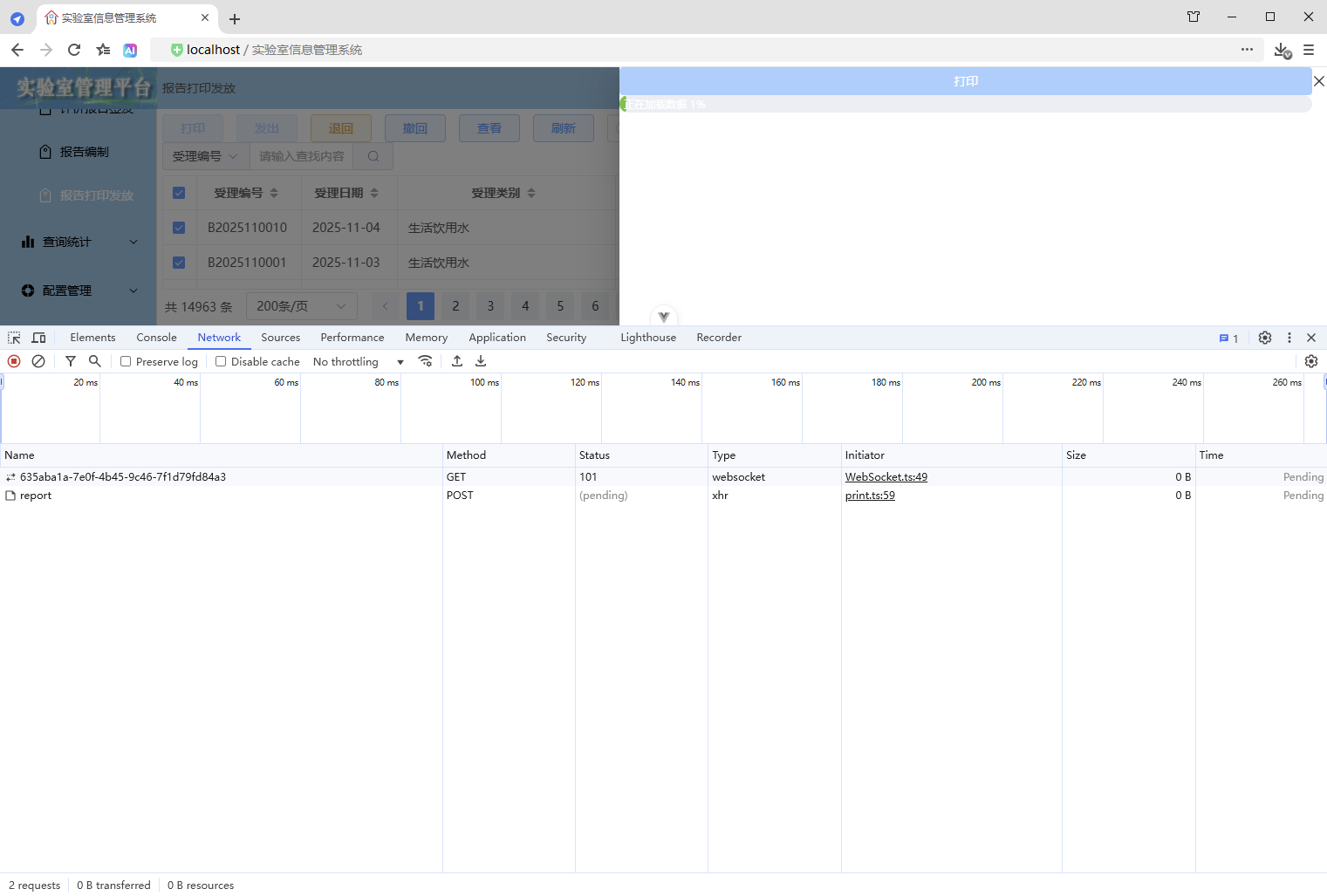
3、应用效果
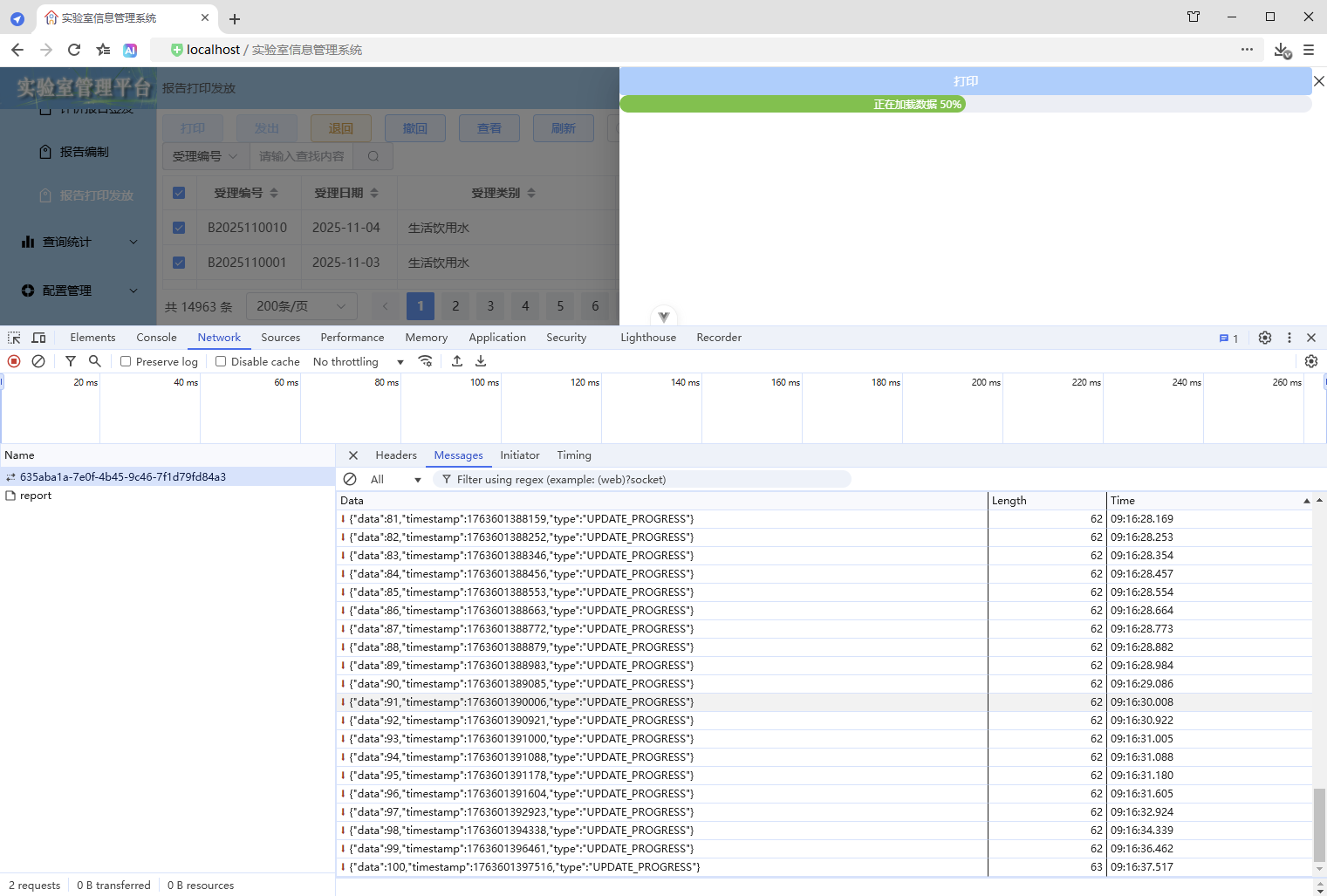
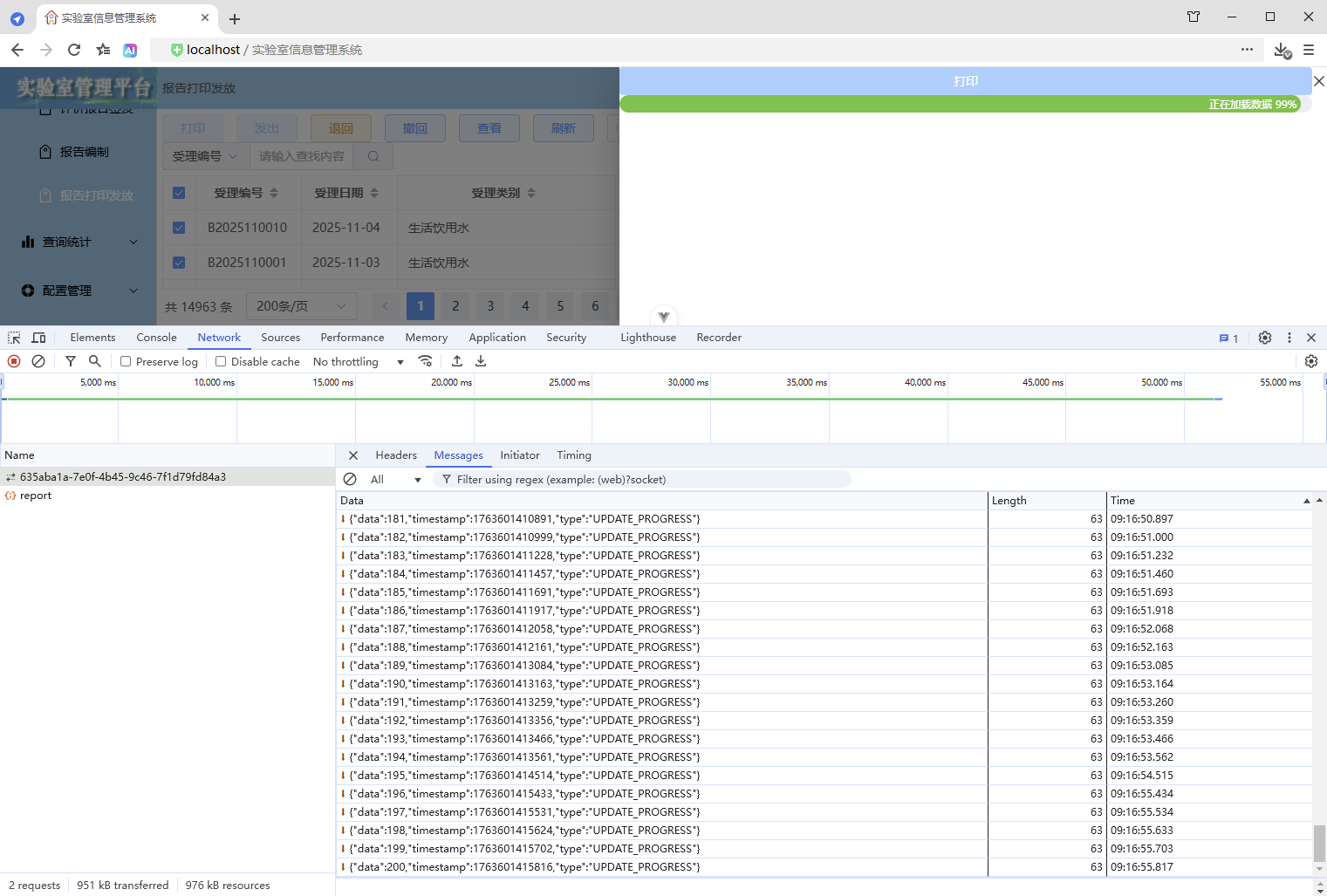
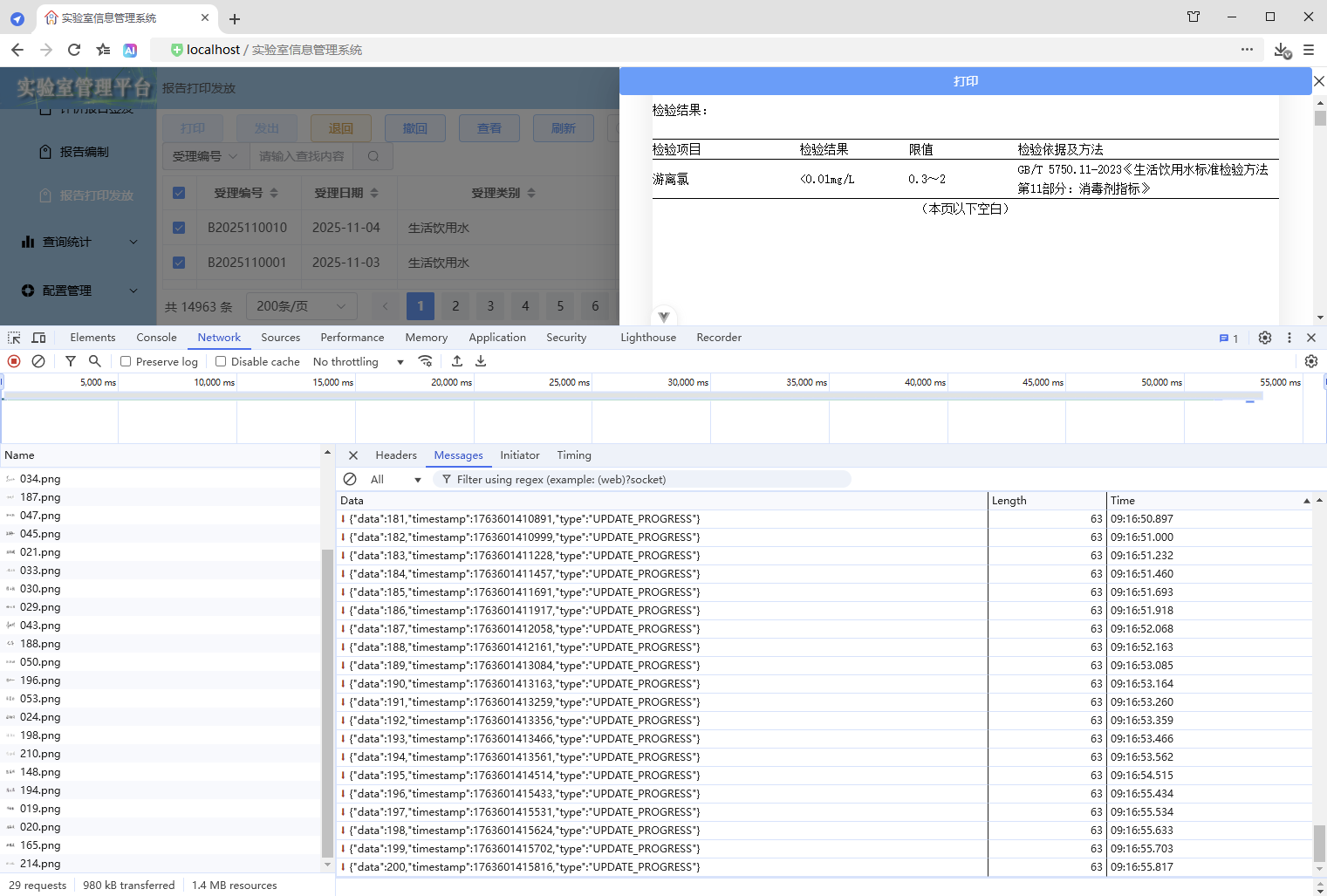
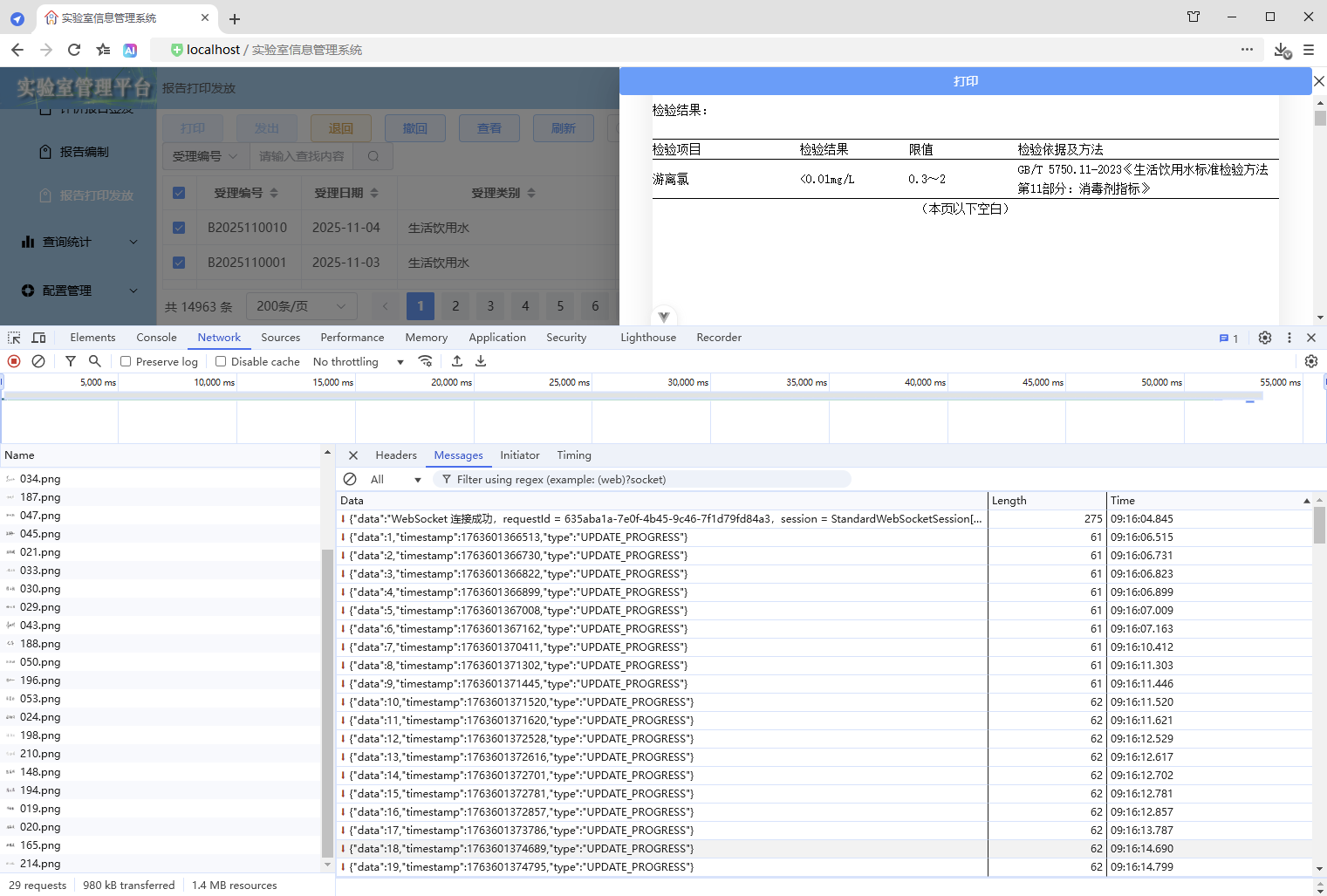
4、优缺点
优点:
- 进度条显示与实际数据处理进度一致,前后端实时双向通信,通过封装可以自定义更多业务逻辑
缺点:
- 实现复杂
3.2.2、使用 Hook(WebSocket 进度 Hook)
1、前端
1、定义 WebSocket 进度 Hook
src\hooks\useWebSocketProgress.ts
import { useTokenStore } from "@/stores";
import { ManagedWebSocket } from "@/types";
import { onUnmounted, ref, watch } from "vue";

/**
 * WebSocket 进度 Hook
 */
export function useWebSocketProgress() {
  // 进度从1开始,增强使用体验,感觉一开始就工作了
  const progressValue = ref(1);
  const { token } = useTokenStore();
  // 连接状态
  const isConnecting = ref(false);
  const isConnected = ref(false);

  let ws: ManagedWebSocket | null = null;

  /**
   * 开始进度
   * 初始化WebSocket连接,并设置接收消息时的处理逻辑(计算进度
   * @param url 连接路径
   * @param taskCount 任务数,默认为1(默认值本身就表示该参数是可选的)
   */
  const startProgress = async (url: string, taskCount: number = 1) => {
    // 数据校验
    if (!url) {
      throw new Error("无效的URL");
    }
    if (!taskCount || taskCount <= 0) {
      throw new Error("无效的任务数");
    }

    // 重置状态
    // 如果已经在连接中,先停止之前的连接
    if (isConnecting.value || isConnected.value) {
      stopProgress();
    }
    isConnecting.value = true;
    progressValue.value = 1;

    // 构建最终的 URL(包含 token 参数)
    let finalUrl = encodeURI(url);
    if (token) {
      const separator = finalUrl.includes("?") ? "&" : "?";
      finalUrl += `${separator}token=${encodeURIComponent(token)}`;
    }

    return new Promise((resolve, reject) => {
      try {
        // 实例化 ManagedWebSocket(被封装的WebSocket)
        ws = new ManagedWebSocket({
          url: finalUrl,

          // 收到消息时的回调
          onMessage: (message) => {
            if (message.type === "UPDATE_PROGRESS" && taskCount) {
              // 计算进度
              const progress = Math.trunc(((message.data as number) * 100) / taskCount);
              // 确保进度不倒退,确保进度大于1并且不超过99(确保进度条不满100%,保持显示,直到数据加载完毕页面渲染完成,进度才设置为100,从而触发隐藏)
              progressValue.value = Math.min(Math.max(progressValue.value, Math.max(progress, 1)), 99);
            }
          }
        });
      } catch (error) {
        console.error("创建WebSocket进度失败:", error);
        isConnecting.value = false;
        reject(error);
      }
    });
  };

  /**
   * 完成进度
   */
  const completeProgress = (): void => {
    progressValue.value = 100;
  };

  /**
   * 停止进度
   */
  const stopProgress = () => {
    // 断开连接
    if (ws) {
      ws.close();
      ws = null;
    }
    isConnecting.value = false;
    isConnected.value = false;
  };

  // 监听进度值变化,当进度100时停止进度
  watch(
    () => progressValue.value,
    () => {
      if (progressValue.value === 100) {
        console.log("进度完成,自动停止WebSocket进度");
        stopProgress();
      }
    }
  );

  // 组件卸载时停止进度
  onUnmounted(() => {
    console.log("组件卸载,触发停止WebSocket进度");
    stopProgress();
  });

  return {
    progressValue,
    isConnecting,
    isConnected,
    startProgress,
    stopProgress,
    completeProgress
  };
}

export default useWebSocketProgress;
2、导出资源
src\hooks\index.ts
export { default as useWebSocketProgress } from "./useWebSocketProgress";3、打印抽屉
src\components\common\PrintDrawer.vue
1、增加进度条组件(同上)
2、增加格式化进度显示的内容
// 格式化进度显示的内容
const progressFormat = (val: number) => {
  return `正在加载数据 ${val.toFixed(0)}%`;
};
3、导入及使用 WebSocket 进度 Hook
import { useWebSocketProgress } from "@hooks";

// 进度值、开始进度、完成进度
const { progressValue, startProgress, completeProgress } = useWebSocketProgress();
4、使用进度更新
// 监听父组件传递过来的showDrawer值,控制抽屉的显示与隐藏
watch(
  () => props.printVisible,
  async (newValue) => {
    drawerVisible.value = newValue;
    if (drawerVisible.value) {

      // 生成请求唯一ID
      requestId.value = uuidv4();

      // 开始进度
      startProgress(`/ws/print/progress/${encodeURI(requestId.value)}`, props.printSelection.length);

      // 获取打印数据

      await

      // 数据加载完成,开始渲染DOM
      isDataLoaded.value = true;

      // 清理前端资源
      cleanupFrontendResources();

      // 确保DOM渲染完成
      await nextTick();

      // 渲染完成 - 后续逻辑
      RenderCompleted();
    }
  },
  { immediate: true }
);
5、追加渲染完成 - 后续逻辑
// 渲染完成 - 后续逻辑
const RenderCompleted = () => {
  // 完成进度
  completeProgress();

  // 打印按钮解除禁用
  buttonPrintDisabled.value = false;
};
6、对比代码
更改6处,实现进度条
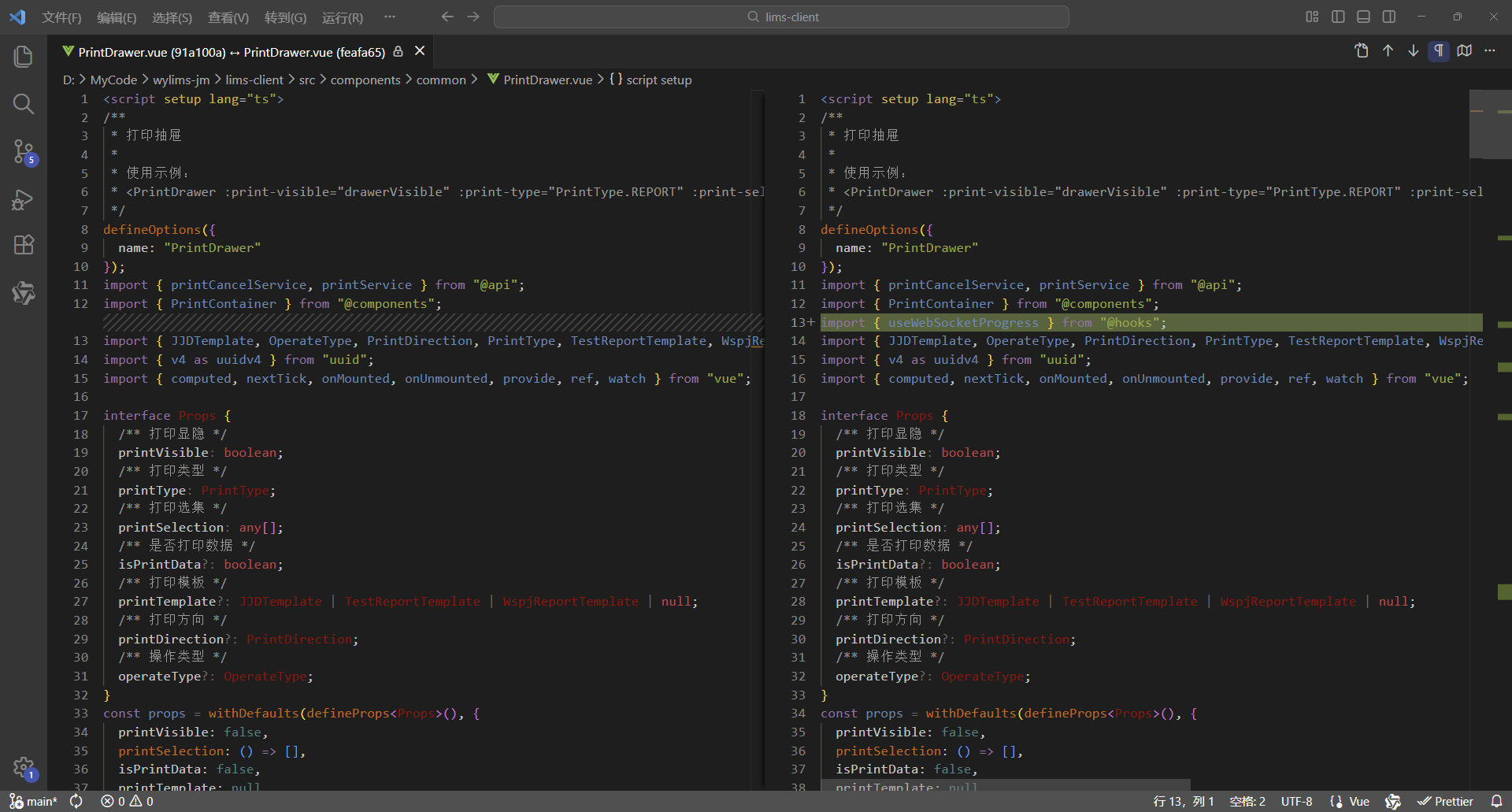
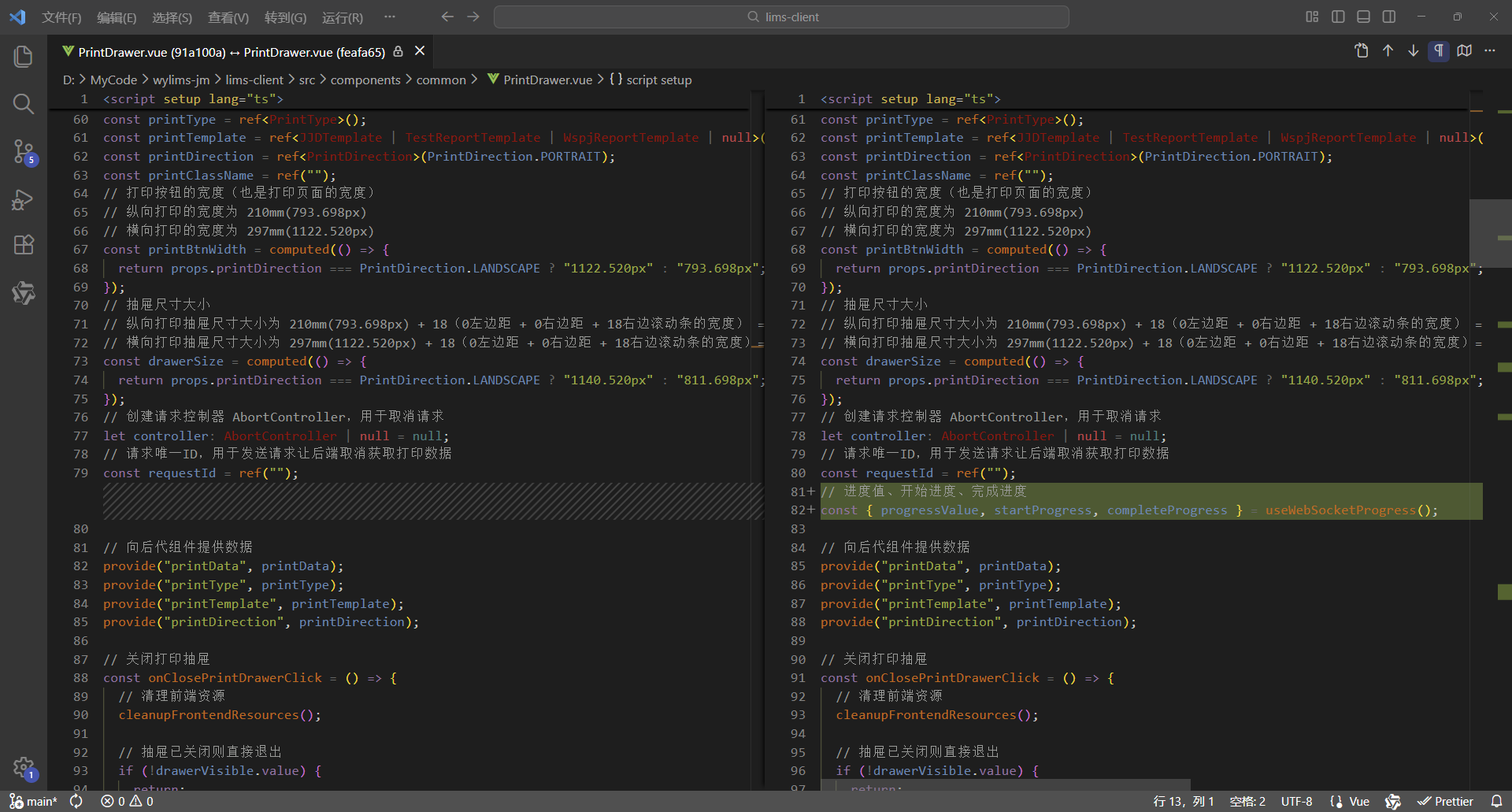
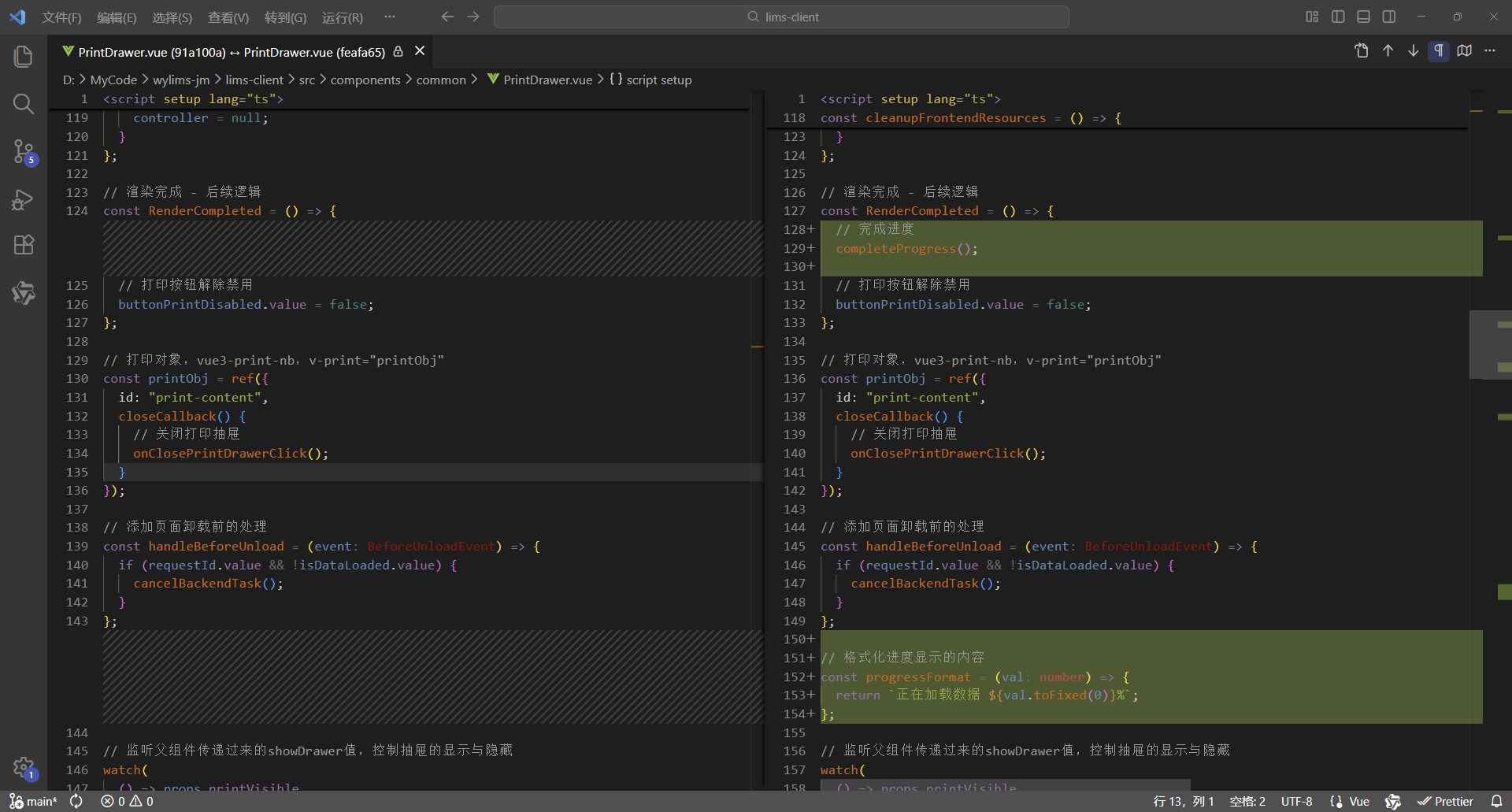
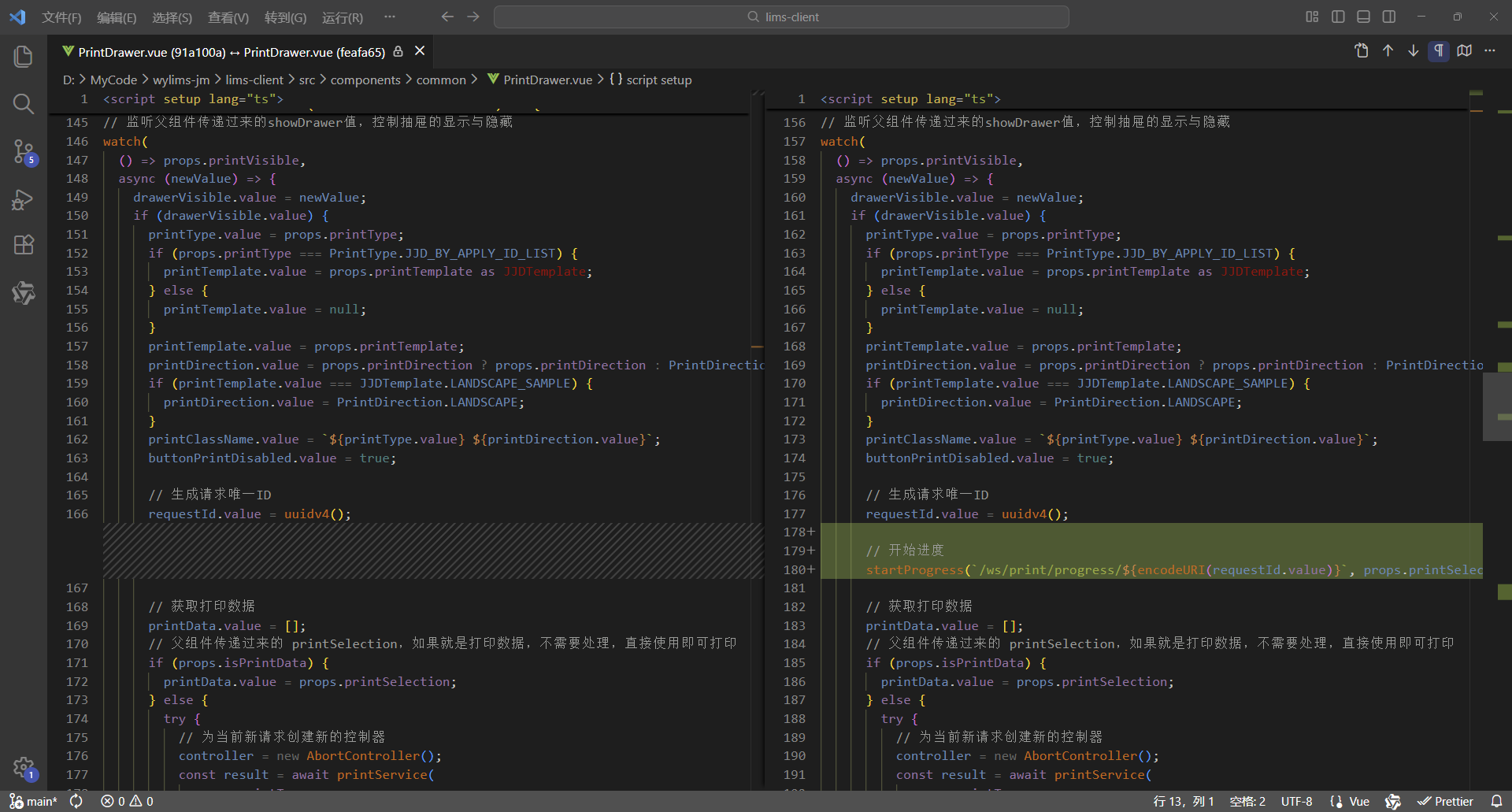
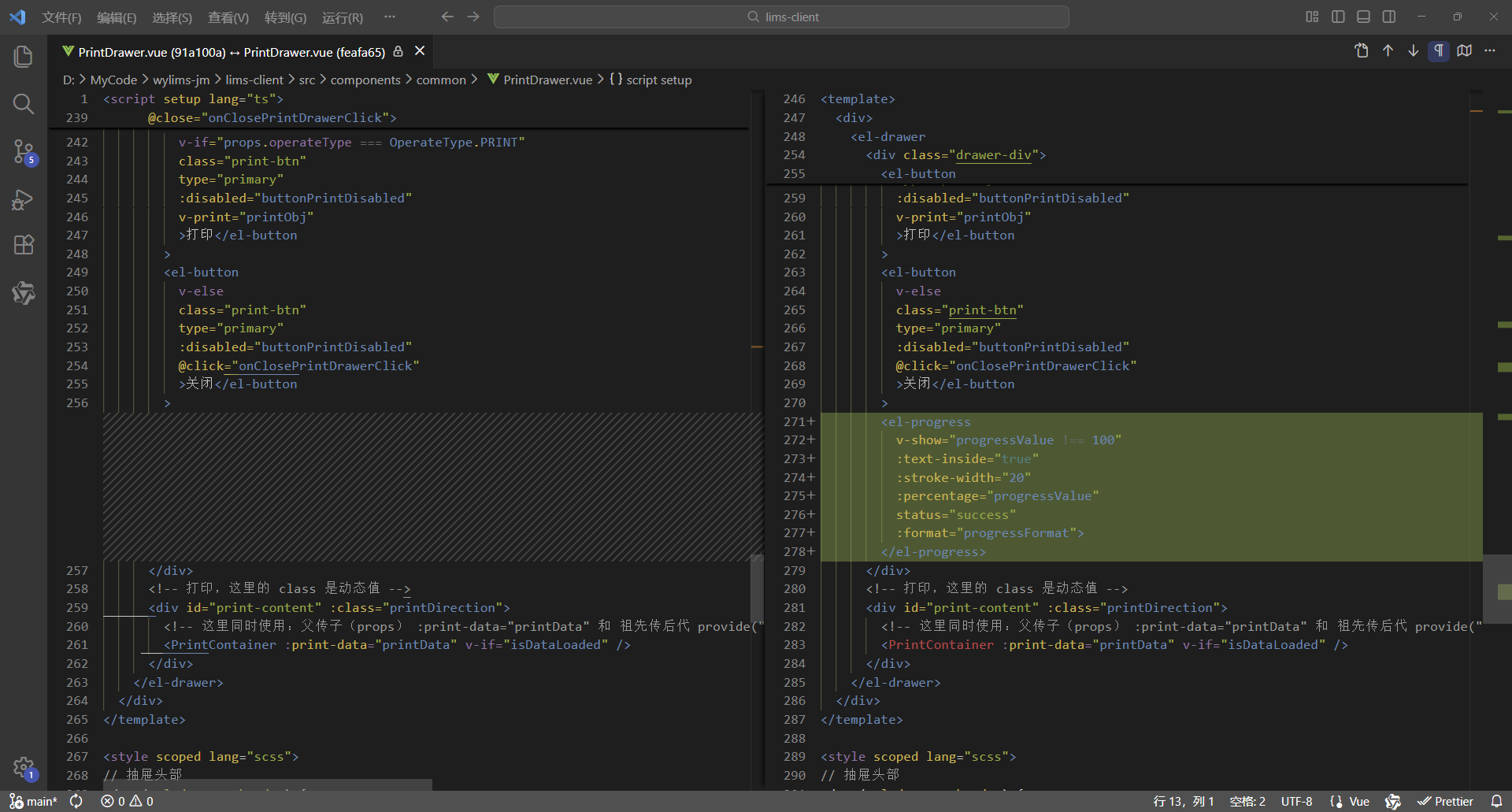
7、完整代码
<script setup lang="ts">
/**
 * 打印抽屉
 *
 * 使用示例:
 * <PrintDrawer :print-visible="drawerVisible" :print-type="PrintType.REPORT" :print-selection="printData" @close-print-drawer="closePrintDrawer" />
 */
defineOptions({
  name: "PrintDrawer"
});
import { printCancelService, printService } from "@api";
import { PrintContainer } from "@components";
import { useWebSocketProgress } from "@hooks";
import { JJDTemplate, OperateType, PrintDirection, PrintType, TestReportTemplate, WspjReportTemplate } from "@types";
import { v4 as uuidv4 } from "uuid";
import { computed, nextTick, onMounted, onUnmounted, provide, ref, watch } from "vue";

interface Props {
  /** 打印显隐 */
  printVisible: boolean;
  /** 打印类型 */
  printType: PrintType;
  /** 打印选集 */
  printSelection: any[];
  /** 是否打印数据 */
  isPrintData?: boolean;
  /** 打印模板 */
  printTemplate?: JJDTemplate | TestReportTemplate | WspjReportTemplate | null;
  /** 打印方向 */
  printDirection?: PrintDirection;
  /** 操作类型 */
  operateType?: OperateType;
}
const props = withDefaults(defineProps<Props>(), {
  printVisible: false,
  printSelection: () => [],
  isPrintData: false,
  printTemplate: null,
  printDirection: PrintDirection.PORTRAIT,
  operateType: OperateType.PRINT
});

interface Emits {
  /**
   * 关闭打印抽屉的回调
   */
  (e: "close-print-drawer"): void;
}
const emit = defineEmits<Emits>();

// 抽屉显示标识
const drawerVisible = ref(false);
// 数据已加载标识
const isDataLoaded = ref(false);
// 打印按钮禁用标识
const buttonPrintDisabled = ref(true);
// 打印数据,这里使用泛型数组 any[] ,可以灵活接收后端返回的各类打印数据,进行批量打印,从而实现打印组件通用
const printData = ref<any[]>([]);
// 先定义响应式数据,用于接收父组件传递过来的数据,再向后代组件传递数据,这样就会保持响应式
// 打印类型、模板、方向、类名
const printType = ref<PrintType>();
const printTemplate = ref<JJDTemplate | TestReportTemplate | WspjReportTemplate | null>(null);
const printDirection = ref<PrintDirection>(PrintDirection.PORTRAIT);
const printClassName = ref("");
// 打印按钮的宽度(也是打印页面的宽度)
// 纵向打印的宽度为 210mm(793.698px)
// 横向打印的宽度为 297mm(1122.520px)
const printBtnWidth = computed(() => {
  return props.printDirection === PrintDirection.LANDSCAPE ? "1122.520px" : "793.698px";
});
// 抽屉尺寸大小
// 纵向打印抽屉尺寸大小为 210mm(793.698px) + 18(0左边距 + 0右边距 + 18右边滚动条的宽度) = 811.698px
// 横向打印抽屉尺寸大小为 297mm(1122.520px) + 18(0左边距 + 0右边距 + 18右边滚动条的宽度)= 1140.520px
const drawerSize = computed(() => {
  return props.printDirection === PrintDirection.LANDSCAPE ? "1140.520px" : "811.698px";
});
// 创建请求控制器 AbortController,用于取消请求
let controller: AbortController | null = null;
// 请求唯一ID,用于发送请求让后端取消获取打印数据
const requestId = ref("");
// 进度值、开始进度、完成进度
const { progressValue, startProgress, completeProgress } = useWebSocketProgress();

// 向后代组件提供数据
provide("printData", printData);
provide("printType", printType);
provide("printTemplate", printTemplate);
provide("printDirection", printDirection);

// 关闭打印抽屉
const onClosePrintDrawerClick = () => {
  // 清理前端资源
  cleanupFrontendResources();

  // 抽屉已关闭则直接退出
  if (!drawerVisible.value) {
    return;
  }

  // 数据尚未加载
  if (!isDataLoaded.value) {
    // 取消后端任务 - 取消打印
    cancelBackendTask();
  }

  // 通知父组件关闭打印抽屉
  emit("close-print-drawer");
  isDataLoaded.value = false;
};

// 取消后端任务 - 取消打印
const cancelBackendTask = () => {
  // 取消打印
  printCancelService(requestId.value);
};

// 清理前端资源
const cleanupFrontendResources = () => {
  // 前端取消请求,取消后不会接收响应,避免资源占用
  if (controller) {
    controller.abort();
    controller = null;
  }
};

// 渲染完成 - 后续逻辑
const RenderCompleted = () => {
  // 完成进度
  completeProgress();

  // 打印按钮解除禁用
  buttonPrintDisabled.value = false;
};

// 打印对象,vue3-print-nb,v-print="printObj"
const printObj = ref({
  id: "print-content",
  closeCallback() {
    // 关闭打印抽屉
    onClosePrintDrawerClick();
  }
});

// 添加页面卸载前的处理
const handleBeforeUnload = (event: BeforeUnloadEvent) => {
  if (requestId.value && !isDataLoaded.value) {
    cancelBackendTask();
  }
};

// 格式化进度显示的内容
const progressFormat = (val: number) => {
  return `正在加载数据 ${val.toFixed(0)}%`;
};

// 监听父组件传递过来的showDrawer值,控制抽屉的显示与隐藏
watch(
  () => props.printVisible,
  async (newValue) => {
    drawerVisible.value = newValue;
    if (drawerVisible.value) {
      printType.value = props.printType;
      if (props.printType === PrintType.JJD_BY_APPLY_ID_LIST) {
        printTemplate.value = props.printTemplate as JJDTemplate;
      } else {
        printTemplate.value = null;
      }
      printTemplate.value = props.printTemplate;
      printDirection.value = props.printDirection ? props.printDirection : PrintDirection.PORTRAIT;
      if (printTemplate.value === JJDTemplate.LANDSCAPE_SAMPLE) {
        printDirection.value = PrintDirection.LANDSCAPE;
      }
      printClassName.value = `${printType.value} ${printDirection.value}`;
      buttonPrintDisabled.value = true;

      // 生成请求唯一ID
      requestId.value = uuidv4();

      // 开始进度
      startProgress(`/ws/print/progress/${encodeURI(requestId.value)}`, props.printSelection.length);

      // 获取打印数据
      printData.value = [];
      // 父组件传递过来的 printSelection,如果就是打印数据,不需要处理,直接使用即可打印
      if (props.isPrintData) {
        printData.value = props.printSelection;
      } else {
        try {
          // 为当前新请求创建新的控制器
          controller = new AbortController();
          const result = await printService(
            props.printType,
            props.printSelection,
            props.printTemplate,
            controller.signal,
            requestId.value
          );

          // 检查请求是否已被取消,如果已取消则直接返回,不继续执行后续逻辑
          if (controller.signal.aborted) {
            return;
          }

          printData.value = result.data;
        } catch (error) {
          // 检查是否是由于请求取消导致的错误,如果是则直接返回
          if (error instanceof Error && error.name === "AbortError") {
            console.log("Request was cancelled");
            return;
          }
          console.log("printService error: ", error);
        }
      }

      // 检查抽屉是否仍然打开,如果已关闭则不继续执行后续逻辑
      if (!drawerVisible.value) {
        return;
      }

      // 数据加载完成,开始渲染DOM
      isDataLoaded.value = true;

      // 清理前端资源
      cleanupFrontendResources();

      // 确保DOM渲染完成
      await nextTick();

      // 渲染完成 - 后续逻辑
      RenderCompleted();
    }
  },
  { immediate: true }
);

onMounted(() => {
  window.addEventListener("beforeunload", handleBeforeUnload);
});

onUnmounted(() => {
  window.removeEventListener("beforeunload", handleBeforeUnload);
  cleanupFrontendResources();
});
</script>

<template>
  <div>
    <el-drawer
      v-model="drawerVisible"
      :with-header="true"
      :size="drawerSize"
      :close-on-click-modal="false"
      @close="onClosePrintDrawerClick">
      <div class="drawer-div">
        <el-button
          v-if="props.operateType === OperateType.PRINT"
          class="print-btn"
          type="primary"
          :disabled="buttonPrintDisabled"
          v-print="printObj"
          >打印</el-button
        >
        <el-button
          v-else
          class="print-btn"
          type="primary"
          :disabled="buttonPrintDisabled"
          @click="onClosePrintDrawerClick"
          >关闭</el-button
        >
        <el-progress
          v-show="progressValue !== 100"
          :text-inside="true"
          :stroke-width="20"
          :percentage="progressValue"
          status="success"
          :format="progressFormat">
        </el-progress>
      </div>
      <!-- 打印,这里的 class 是动态值 -->
      <div id="print-content" :class="printDirection">
        <!-- 这里同时使用:父传子(props) :print-data="printData" 和 祖先传后代 provide("printData", printData) 这两种数据传递方式可以共存,但是props优先级高于provide -->
        <PrintContainer :print-data="printData" v-if="isDataLoaded" />
      </div>
    </el-drawer>
  </div>
</template>

<style scoped lang="scss">
// 抽屉头部
:deep(.el-drawer__header) {
  margin-bottom: 0;
  padding: 0;
  height: 32px;
}
// 抽屉内容
:deep(.el-drawer__body) {
  padding: 0;
}
// 抽屉关闭按钮
:deep(.el-drawer__close-btn) {
  padding: 0;
}
.drawer-div {
  // 固定定位,固定在顶部
  position: fixed;
  // 与【浏览器可视区】顶部的垂直距离
  top: 0;
  .print-btn {
    width: v-bind("printBtnWidth");
  }
}

@media print {
  /* 打印通用样式 */
  @page {
    margin: 10mm;
  }

  /* 设定打印方向 */
  /* 纵向打印 */
  /* 通过 CSS 的 命名页面(Named Pages) 技术实现作用域隔离,实现 @page 样式仅影响当前组件 */
  /* 这里的 portrait 对应的是 <div id="print-content" :class="printClassName"> 的 class,是动态值 */
  .portrait {
    page: portrait-page; /* 绑定页面名称 */
  }
  /* 通过媒体样式 @media print 的 @page 设置打印方向, @page portrait-page 这样就不是影响全局了,而是指定的范围 portrait-page */
  @page portrait-page {
    /* 仅影响绑定了portrait-page 的元素 */
    size: A4 portrait;
  }
  /* 横向打印 */
  /* 通过 CSS 的 命名页面(Named Pages) 技术实现作用域隔离,实现 @page 样式仅影响当前组件 */
  /* 这里的 landscape 对应的是 <div id="print-content" :class="printClassName"> 的 class,是动态值 */
  .landscape {
    page: landscape-page; /* 绑定页面名称 */
  }
  /* 通过媒体样式 @media print 的 @page 设置打印方向, @page landscape-page 这样就不是影响全局了,而是指定的范围 landscape-page */
  @page landscape-page {
    /* 仅影响绑定了landscape-page 的元素 */
    size: A4 landscape;
  }
}
</style>
2、后端
同上
3、应用效果
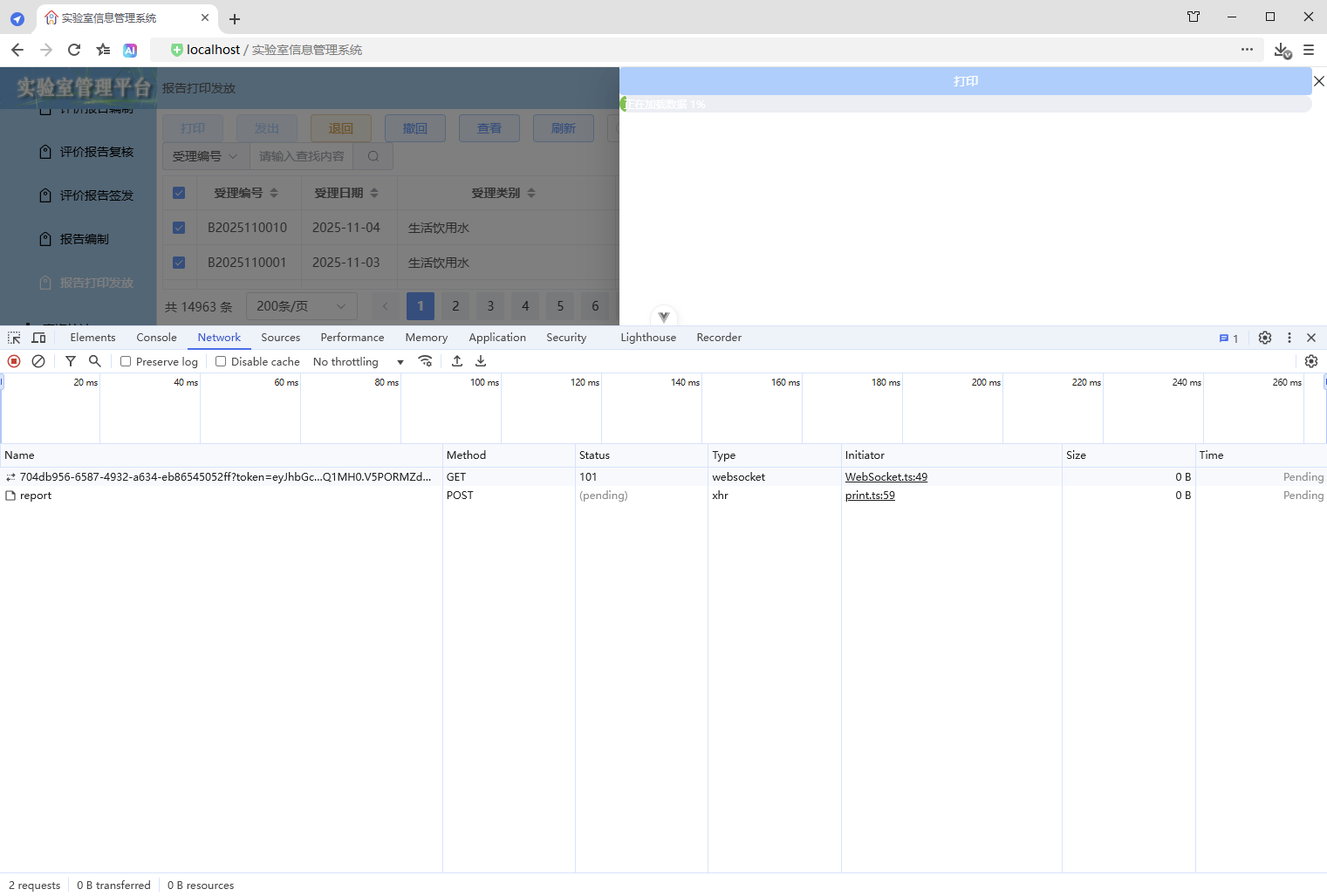
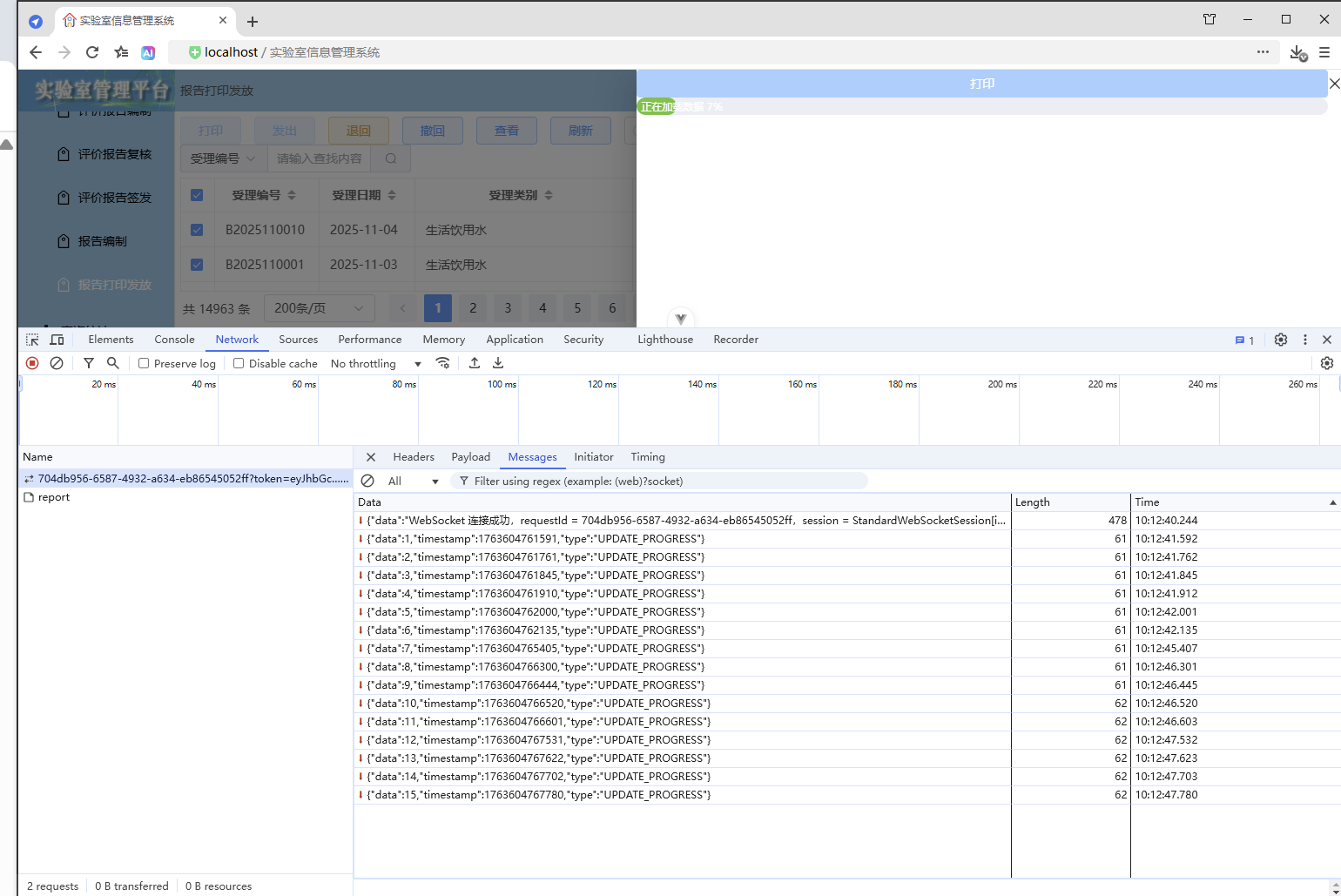
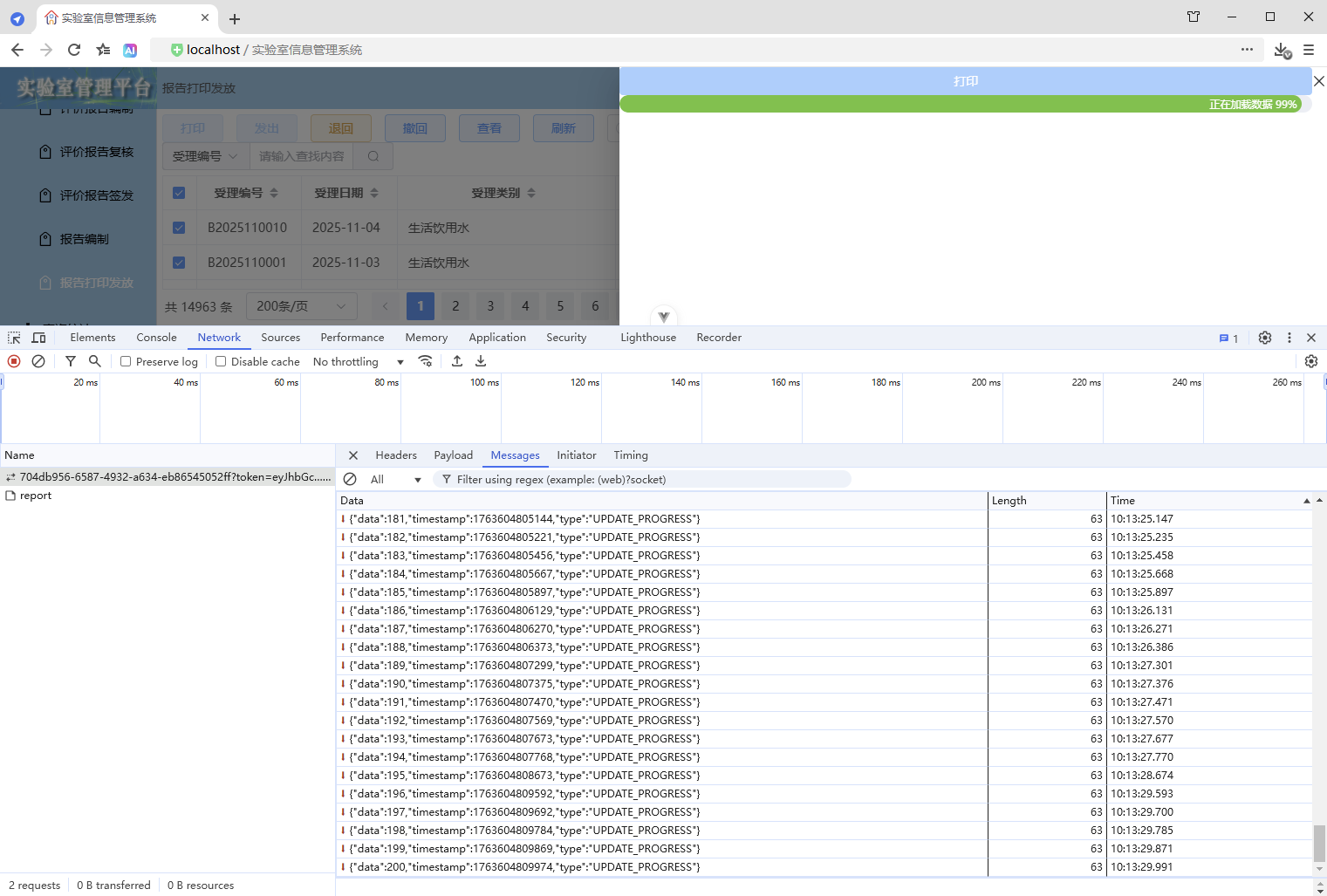
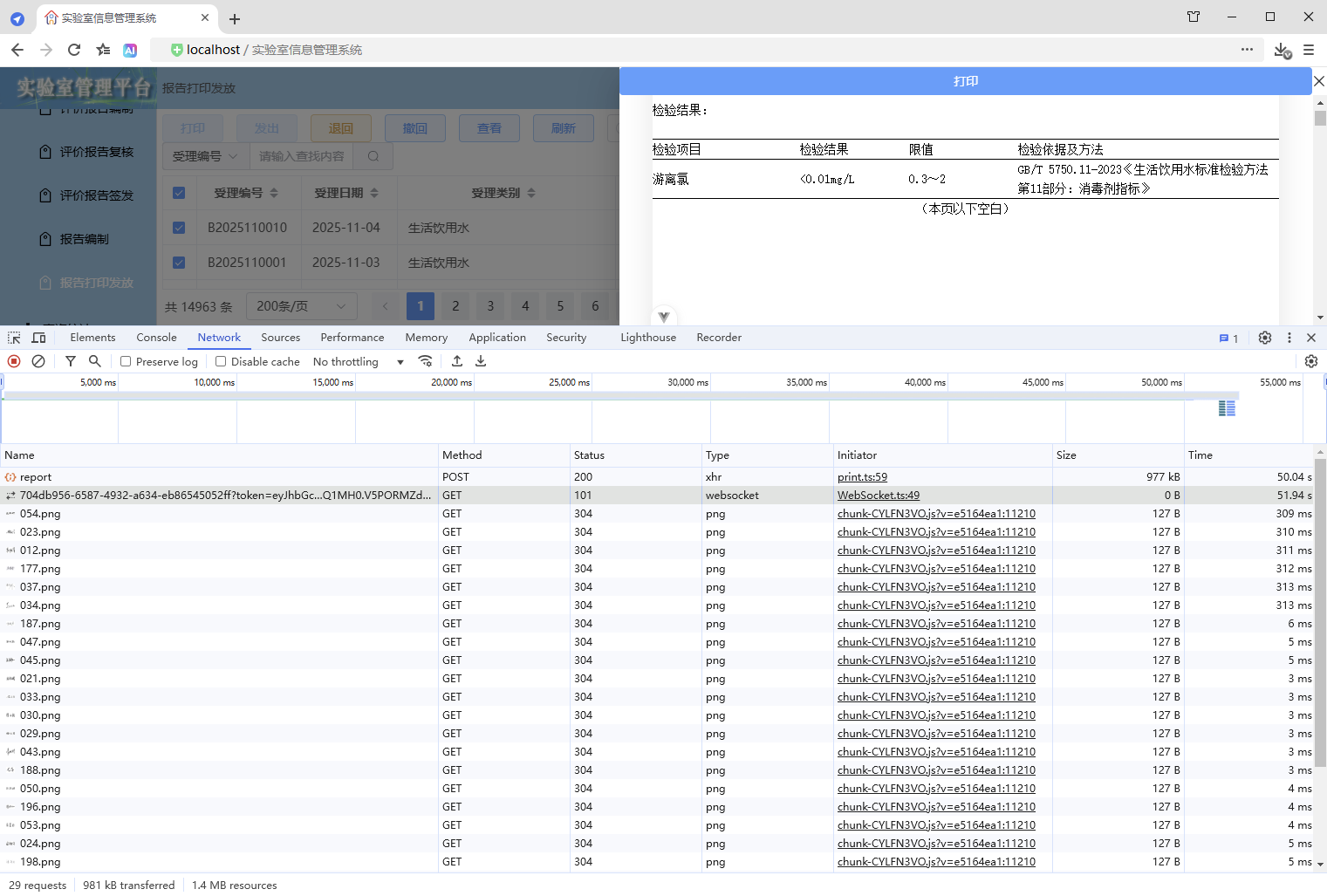
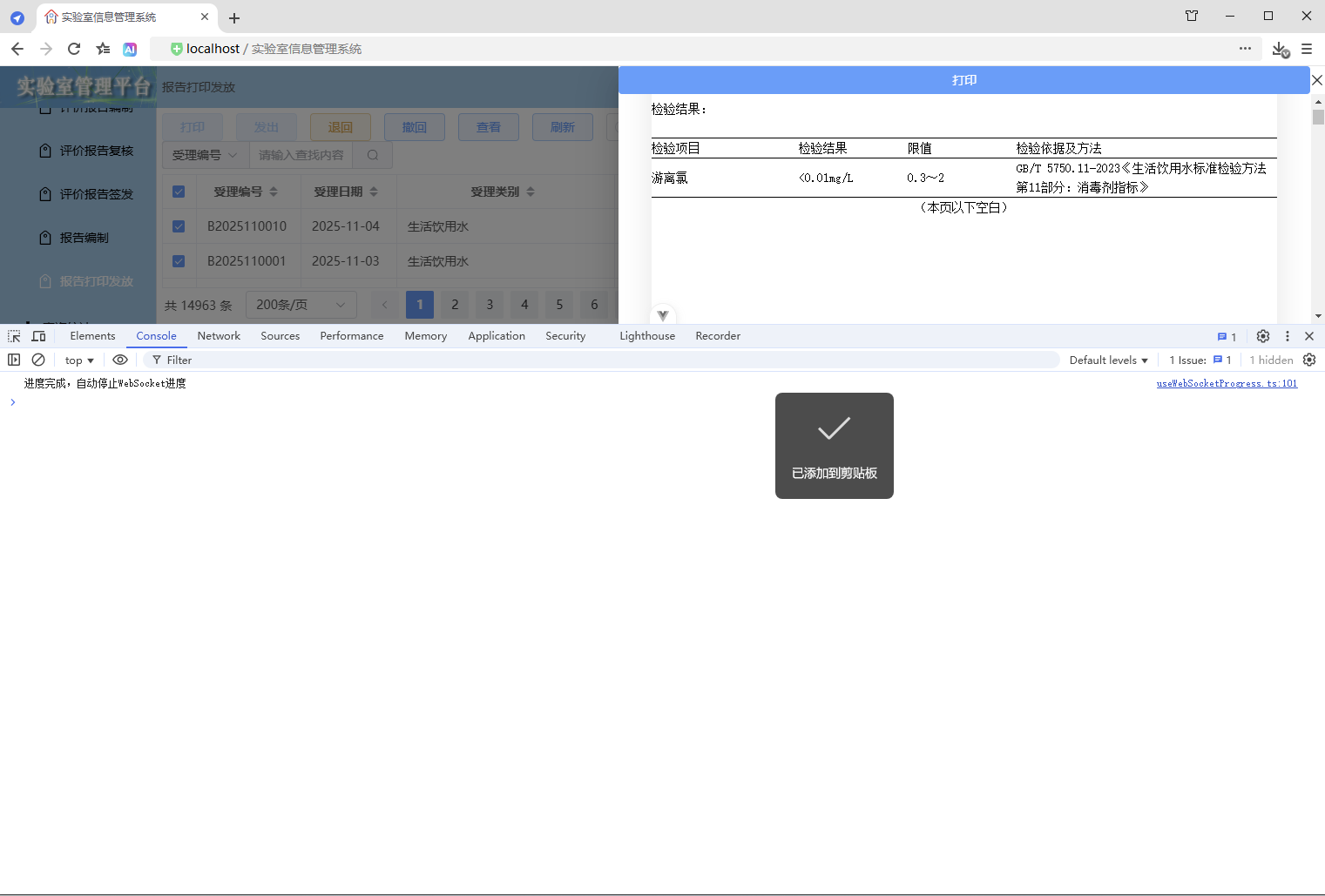
4、优缺点
优点:
- 进度条显示与实际数据处理进度一致,前后端实时双向通信,通过封装可以自定义更多业务逻辑
缺点:
- 实现复杂
3.2.2、使用 组件(WebSocket 进度条组件)
1、前端
1、定义 WebSocket 进度条组件
src\components\base\BaseWebSocketProgress.vue
<script setup lang="ts">
/**
 * WebSocket 进度条组件
 *
 * 使用示例:
 * <BaseWebSocketProgress :url="url" :count="taskCount" />
 */
defineOptions({
  name: "BaseWebSocketProgress"
});
import { useWebSocketProgress } from "@/hooks";
import { onMounted } from "vue";

interface Props {
  /**
   * WebSocket 连接地址
   */
  url: string;
  /**
   * 任务数量
   */
  count: number;
}
const props = withDefaults(defineProps<Props>(), {
  count: 1
});
const { progressValue, startProgress } = useWebSocketProgress();

// 格式化进度显示的内容
const progressFormat = (val: number) => {
  return `正在加载数据 ${val.toFixed(0)}%`;
};

onMounted(async () => {
  await startProgress(props.url, props.count);
});
</script>

<template>
  <el-progress
    v-show="progressValue !== 100"
    :text-inside="true"
    :stroke-width="20"
    :percentage="progressValue"
    status="success"
    :format="progressFormat">
  </el-progress>
</template>
2、导出资源
src\components\index.ts
export { default as BaseWebSocketProgress } from "./base/BaseWebSocketProgress.vue";3、打印抽屉
src\components\common\PrintDrawer.vue
1、增加 WebSocket 进度条组件
        <!-- 进度条 -->
        <BaseWebSocketProgress
          v-if="drawerVisible && !isDataLoaded"
          :url="`/ws/print/progress/${requestId}`"
          :count="props.printSelection.length" />
4、对比代码
更改2处,实现进度条
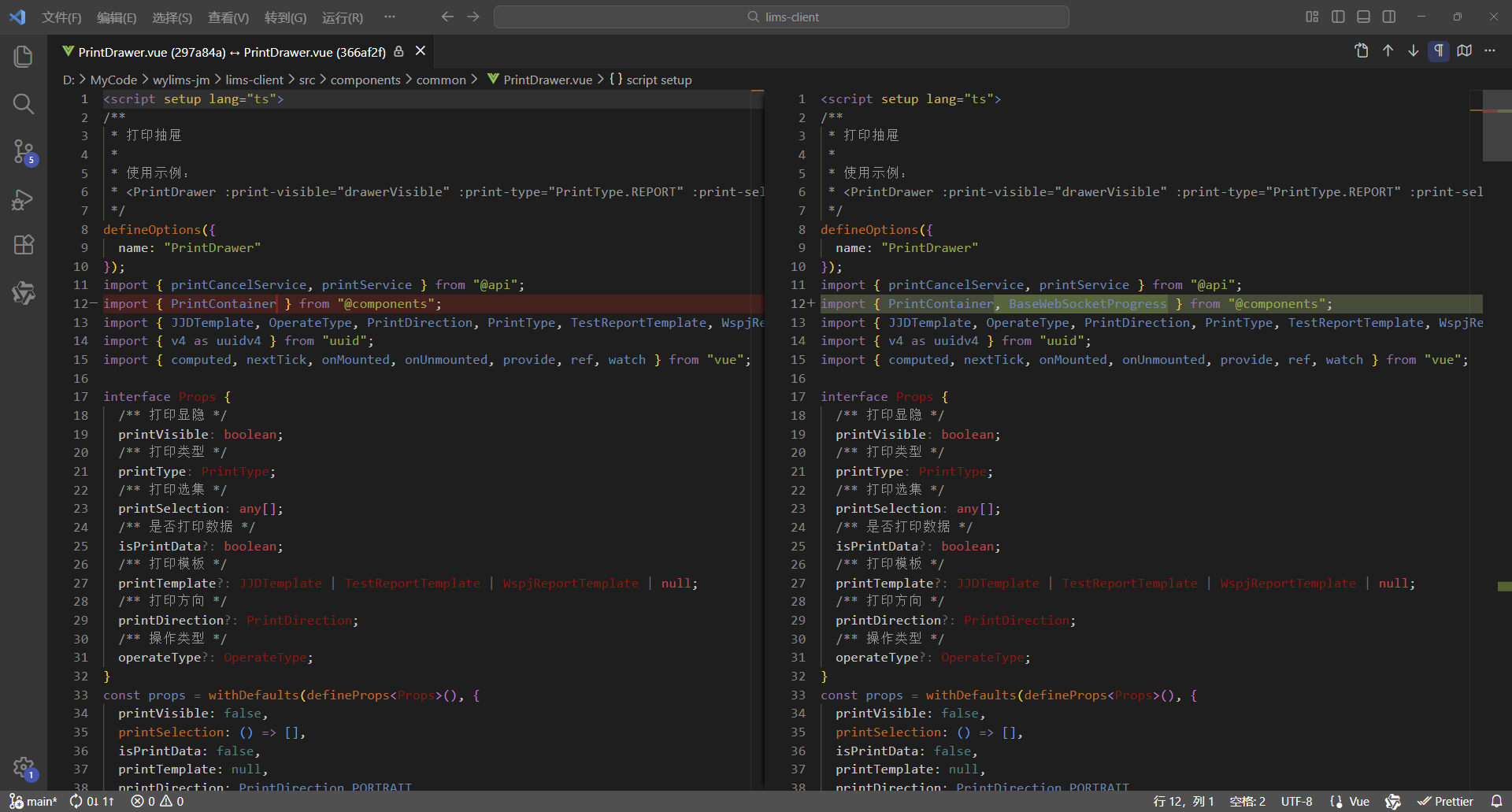
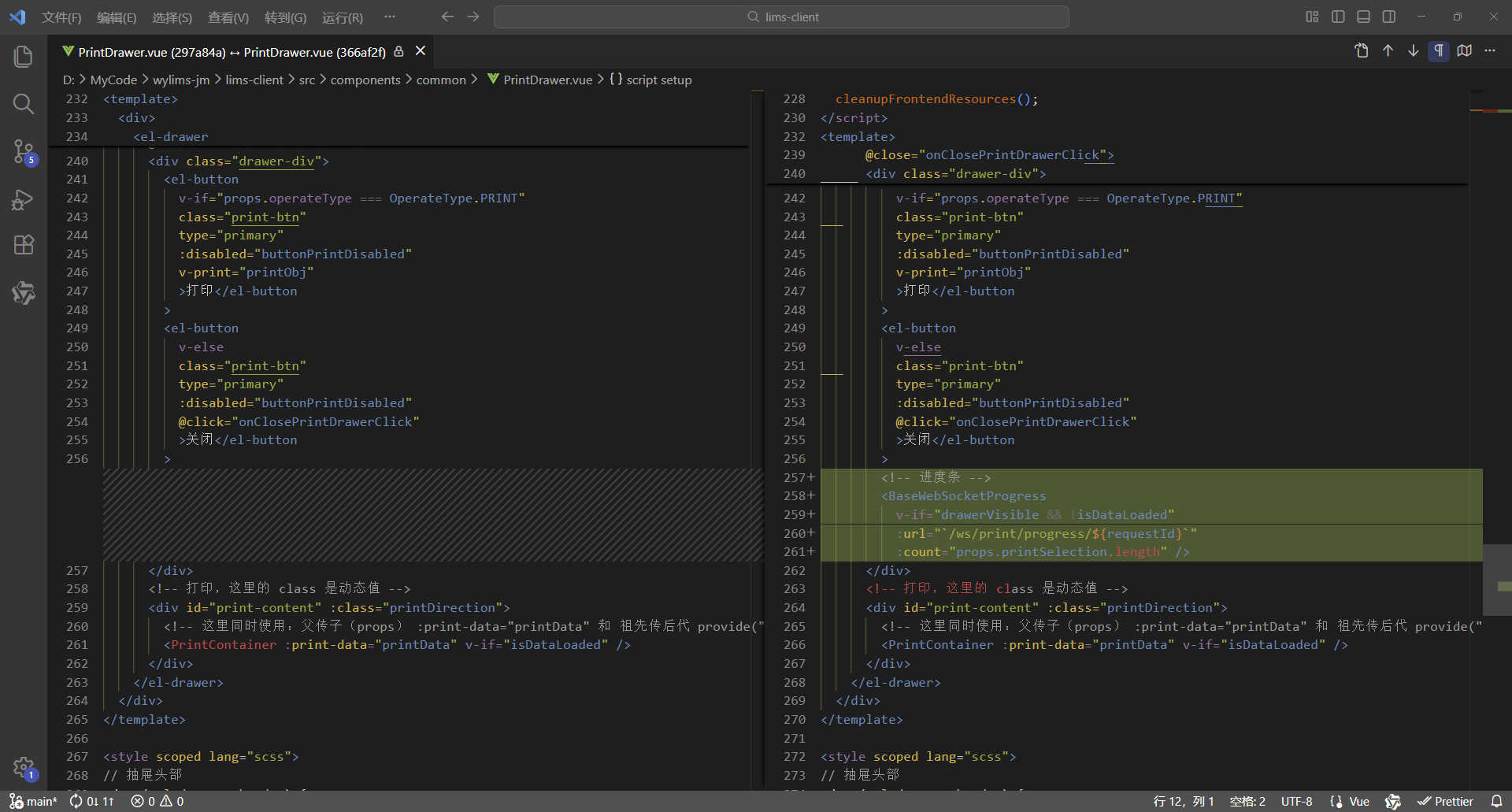
5、完整代码
<script setup lang="ts">
/**
 * 打印抽屉
 *
 * 使用示例:
 * <PrintDrawer :print-visible="drawerVisible" :print-type="PrintType.REPORT" :print-selection="printData" @close-print-drawer="closePrintDrawer" />
 */
defineOptions({
  name: "PrintDrawer"
});
import { printCancelService, printService } from "@api";
import { BaseWebSocketProgress, PrintContainer } from "@components";
import { JJDTemplate, OperateType, PrintDirection, PrintType, TestReportTemplate, WspjReportTemplate } from "@types";
import { v4 as uuidv4 } from "uuid";
import { computed, nextTick, onMounted, onUnmounted, provide, ref, watch } from "vue";

interface Props {
  /** 打印显隐 */
  printVisible: boolean;
  /** 打印类型 */
  printType: PrintType;
  /** 打印选集 */
  printSelection: any[];
  /** 是否打印数据 */
  isPrintData?: boolean;
  /** 打印模板 */
  printTemplate?: JJDTemplate | TestReportTemplate | WspjReportTemplate | null;
  /** 打印方向 */
  printDirection?: PrintDirection;
  /** 操作类型 */
  operateType?: OperateType;
}
const props = withDefaults(defineProps<Props>(), {
  printVisible: false,
  printSelection: () => [],
  isPrintData: false,
  printTemplate: null,
  printDirection: PrintDirection.PORTRAIT,
  operateType: OperateType.PRINT
});

interface Emits {
  /**
   * 关闭打印抽屉的回调
   */
  (e: "close-print-drawer"): void;
}
const emit = defineEmits<Emits>();

// 抽屉显示标识
const drawerVisible = ref(false);
// 数据已加载标识
const isDataLoaded = ref(false);
// 打印按钮禁用标识
const buttonPrintDisabled = ref(true);
// 打印数据,这里使用泛型数组 any[] ,可以灵活接收后端返回的各类打印数据,进行批量打印,从而实现打印组件通用
const printData = ref<any[]>([]);
// 先定义响应式数据,用于接收父组件传递过来的数据,再向后代组件传递数据,这样就会保持响应式
// 打印类型、模板、方向、类名
const printType = ref<PrintType>();
const printTemplate = ref<JJDTemplate | TestReportTemplate | WspjReportTemplate | null>(null);
const printDirection = ref<PrintDirection>(PrintDirection.PORTRAIT);
const printClassName = ref("");
// 打印按钮的宽度(也是打印页面的宽度)
// 纵向打印的宽度为 210mm(793.698px)
// 横向打印的宽度为 297mm(1122.520px)
const printBtnWidth = computed(() => {
  return props.printDirection === PrintDirection.LANDSCAPE ? "1122.520px" : "793.698px";
});
// 抽屉尺寸大小
// 纵向打印抽屉尺寸大小为 210mm(793.698px) + 18(0左边距 + 0右边距 + 18右边滚动条的宽度) = 811.698px
// 横向打印抽屉尺寸大小为 297mm(1122.520px) + 18(0左边距 + 0右边距 + 18右边滚动条的宽度)= 1140.520px
const drawerSize = computed(() => {
  return props.printDirection === PrintDirection.LANDSCAPE ? "1140.520px" : "811.698px";
});
// 创建请求控制器 AbortController,用于取消请求
let controller: AbortController | null = null;
// 请求唯一ID,用于发送请求让后端取消获取打印数据
const requestId = ref("");

// 向后代组件提供数据
provide("printData", printData);
provide("printType", printType);
provide("printTemplate", printTemplate);
provide("printDirection", printDirection);

// 关闭打印抽屉
const onClosePrintDrawerClick = () => {
  // 清理前端资源
  cleanupFrontendResources();

  // 抽屉已关闭则直接退出
  if (!drawerVisible.value) {
    return;
  }

  // 数据尚未加载
  if (!isDataLoaded.value) {
    // 取消后端任务 - 取消打印
    cancelBackendTask();
  }

  // 通知父组件关闭打印抽屉
  emit("close-print-drawer");
  isDataLoaded.value = false;
};

// 取消后端任务 - 取消打印
const cancelBackendTask = () => {
  // 取消打印
  printCancelService(requestId.value);
};

// 清理前端资源
const cleanupFrontendResources = () => {
  // 前端取消请求,取消后不会接收响应,避免资源占用
  if (controller) {
    controller.abort();
    controller = null;
  }
};

// 渲染完成 - 后续逻辑
const RenderCompleted = () => {
  // 打印按钮解除禁用
  buttonPrintDisabled.value = false;
};

// 打印对象,vue3-print-nb,v-print="printObj"
const printObj = ref({
  id: "print-content",
  closeCallback() {
    // 关闭打印抽屉
    onClosePrintDrawerClick();
  }
});

// 添加页面卸载前的处理
const handleBeforeUnload = (event: BeforeUnloadEvent) => {
  if (requestId.value && !isDataLoaded.value) {
    cancelBackendTask();
  }
};

// 监听父组件传递过来的showDrawer值,控制抽屉的显示与隐藏
watch(
  () => props.printVisible,
  async (newValue) => {
    drawerVisible.value = newValue;
    if (drawerVisible.value) {
      printType.value = props.printType;
      if (props.printType === PrintType.JJD_BY_APPLY_ID_LIST) {
        printTemplate.value = props.printTemplate as JJDTemplate;
      } else {
        printTemplate.value = null;
      }
      printTemplate.value = props.printTemplate;
      printDirection.value = props.printDirection ? props.printDirection : PrintDirection.PORTRAIT;
      if (printTemplate.value === JJDTemplate.LANDSCAPE_SAMPLE) {
        printDirection.value = PrintDirection.LANDSCAPE;
      }
      printClassName.value = `${printType.value} ${printDirection.value}`;
      buttonPrintDisabled.value = true;

      // 生成请求唯一ID
      requestId.value = uuidv4();

      // 获取打印数据
      printData.value = [];
      // 父组件传递过来的 printSelection,如果就是打印数据,不需要处理,直接使用即可打印
      if (props.isPrintData) {
        printData.value = props.printSelection;
      } else {
        try {
          // 为当前新请求创建新的控制器
          controller = new AbortController();
          const result = await printService(
            props.printType,
            props.printSelection,
            props.printTemplate,
            controller.signal,
            requestId.value
          );

          // 检查请求是否已被取消,如果已取消则直接返回,不继续执行后续逻辑
          if (controller.signal.aborted) {
            return;
          }

          printData.value = result.data;
        } catch (error) {
          // 检查是否是由于请求取消导致的错误,如果是则直接返回
          if (error instanceof Error && error.name === "AbortError") {
            console.log("Request was cancelled");
            return;
          }
          console.log("printService error: ", error);
        }
      }

      // 检查抽屉是否仍然打开,如果已关闭则不继续执行后续逻辑
      if (!drawerVisible.value) {
        return;
      }

      // 数据加载完成,开始渲染DOM
      isDataLoaded.value = true;

      // 清理前端资源
      cleanupFrontendResources();

      // 确保DOM渲染完成
      await nextTick();

      // 渲染完成 - 后续逻辑
      RenderCompleted();
    }
  },
  { immediate: true }
);

onMounted(() => {
  window.addEventListener("beforeunload", handleBeforeUnload);
});

onUnmounted(() => {
  window.removeEventListener("beforeunload", handleBeforeUnload);
  cleanupFrontendResources();
});
</script>

<template>
  <div>
    <el-drawer
      v-model="drawerVisible"
      :with-header="true"
      :size="drawerSize"
      :close-on-click-modal="false"
      @close="onClosePrintDrawerClick">
      <div class="drawer-div">
        <el-button
          v-if="props.operateType === OperateType.PRINT"
          class="print-btn"
          type="primary"
          :disabled="buttonPrintDisabled"
          v-print="printObj"
          >打印</el-button
        >
        <el-button
          v-else
          class="print-btn"
          type="primary"
          :disabled="buttonPrintDisabled"
          @click="onClosePrintDrawerClick"
          >关闭</el-button
        >
        <!-- 进度条 -->
        <BaseWebSocketProgress
          v-if="drawerVisible && !isDataLoaded"
          :url="`/ws/print/progress/${requestId}`"
          :count="props.printSelection.length" />
      </div>
      <!-- 打印,这里的 class 是动态值 -->
      <div id="print-content" :class="printDirection">
        <!-- 这里同时使用:父传子(props) :print-data="printData" 和 祖先传后代 provide("printData", printData) 这两种数据传递方式可以共存,但是props优先级高于provide -->
        <PrintContainer :print-data="printData" v-if="isDataLoaded" />
      </div>
    </el-drawer>
  </div>
</template>

<style scoped lang="scss">
// 抽屉头部
:deep(.el-drawer__header) {
  margin-bottom: 0;
  padding: 0;
  height: 32px;
}
// 抽屉内容
:deep(.el-drawer__body) {
  padding: 0;
}
// 抽屉关闭按钮
:deep(.el-drawer__close-btn) {
  padding: 0;
}
.drawer-div {
  // 固定定位,固定在顶部
  position: fixed;
  // 与【浏览器可视区】顶部的垂直距离
  top: 0;
  .print-btn {
    width: v-bind("printBtnWidth");
  }
}

@media print {
  /* 打印通用样式 */
  @page {
    margin: 10mm;
  }

  /* 设定打印方向 */
  /* 纵向打印 */
  /* 通过 CSS 的 命名页面(Named Pages) 技术实现作用域隔离,实现 @page 样式仅影响当前组件 */
  /* 这里的 portrait 对应的是 <div id="print-content" :class="printClassName"> 的 class,是动态值 */
  .portrait {
    page: portrait-page; /* 绑定页面名称 */
  }
  /* 通过媒体样式 @media print 的 @page 设置打印方向, @page portrait-page 这样就不是影响全局了,而是指定的范围 portrait-page */
  @page portrait-page {
    /* 仅影响绑定了portrait-page 的元素 */
    size: A4 portrait;
  }
  /* 横向打印 */
  /* 通过 CSS 的 命名页面(Named Pages) 技术实现作用域隔离,实现 @page 样式仅影响当前组件 */
  /* 这里的 landscape 对应的是 <div id="print-content" :class="printClassName"> 的 class,是动态值 */
  .landscape {
    page: landscape-page; /* 绑定页面名称 */
  }
  /* 通过媒体样式 @media print 的 @page 设置打印方向, @page landscape-page 这样就不是影响全局了,而是指定的范围 landscape-page */
  @page landscape-page {
    /* 仅影响绑定了landscape-page 的元素 */
    size: A4 landscape;
  }
}
</style>
2、后端
同上
3、应用效果
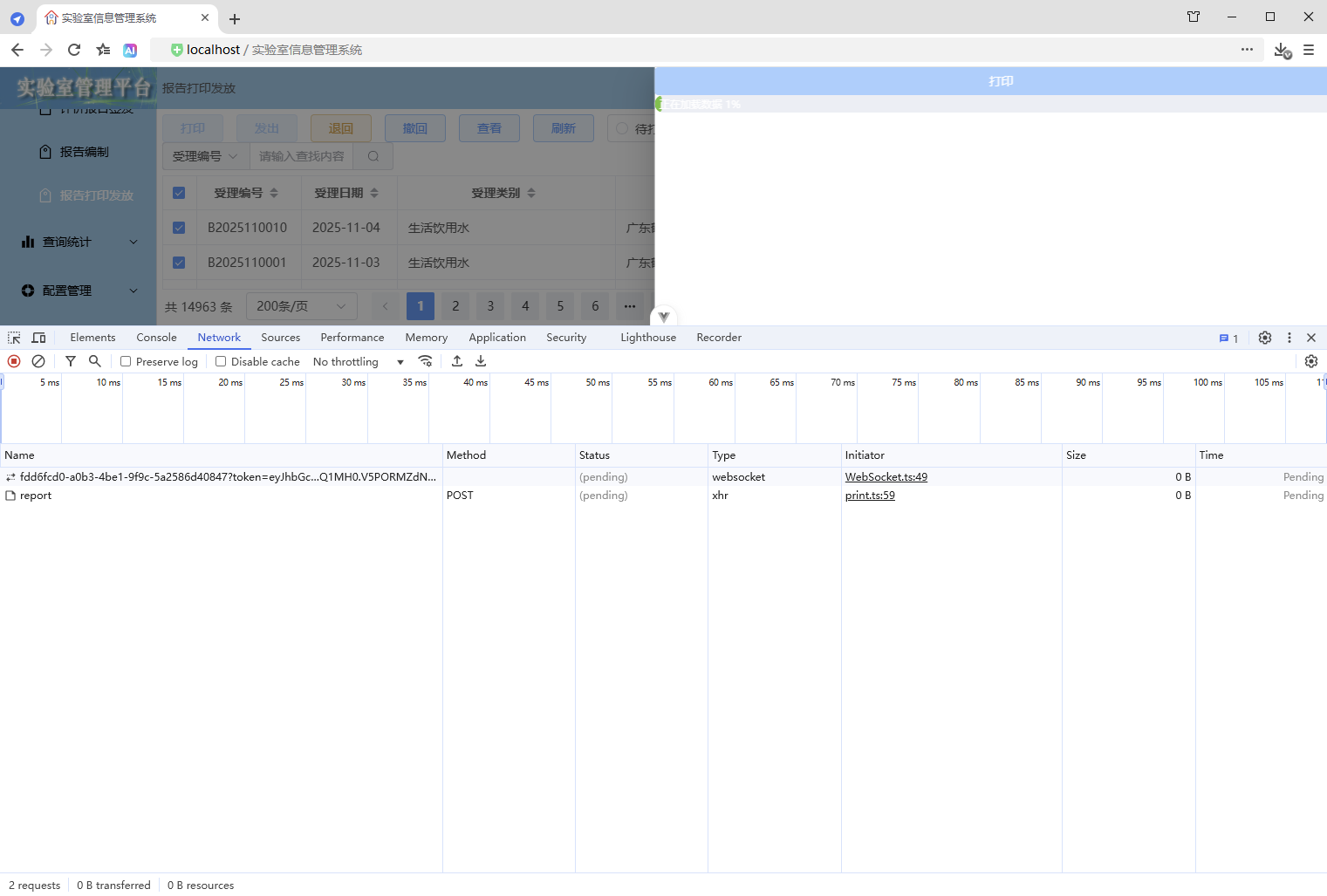
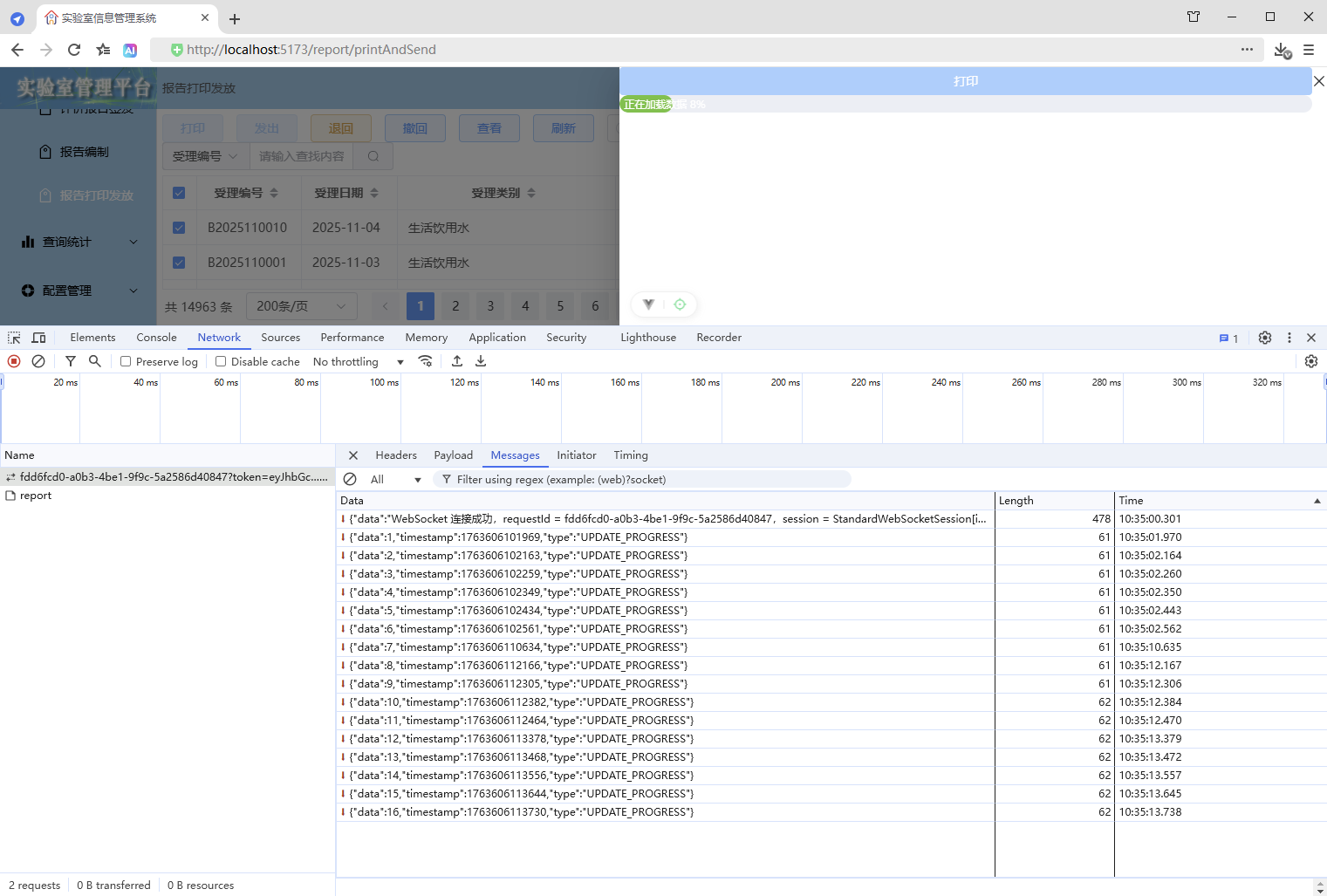
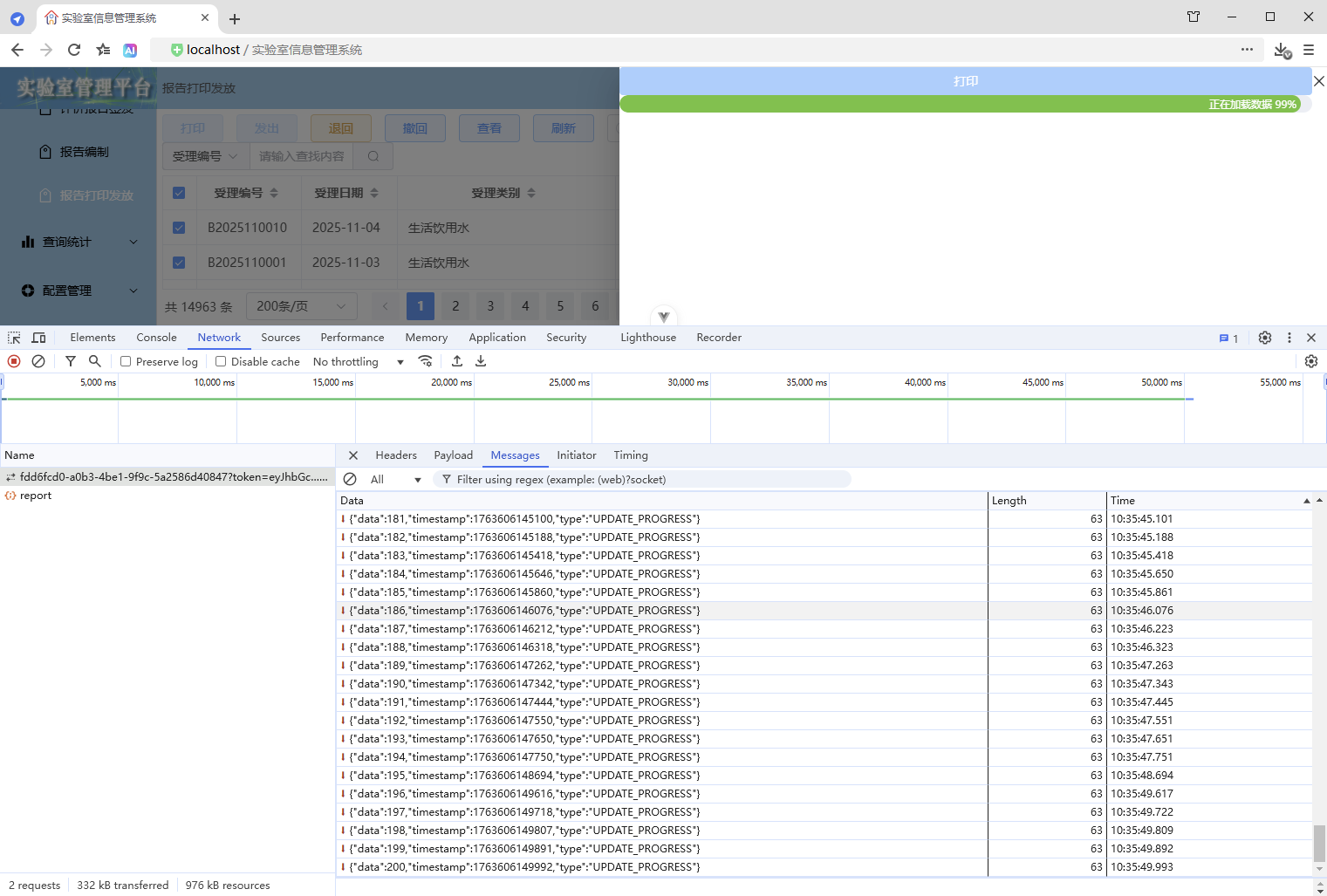
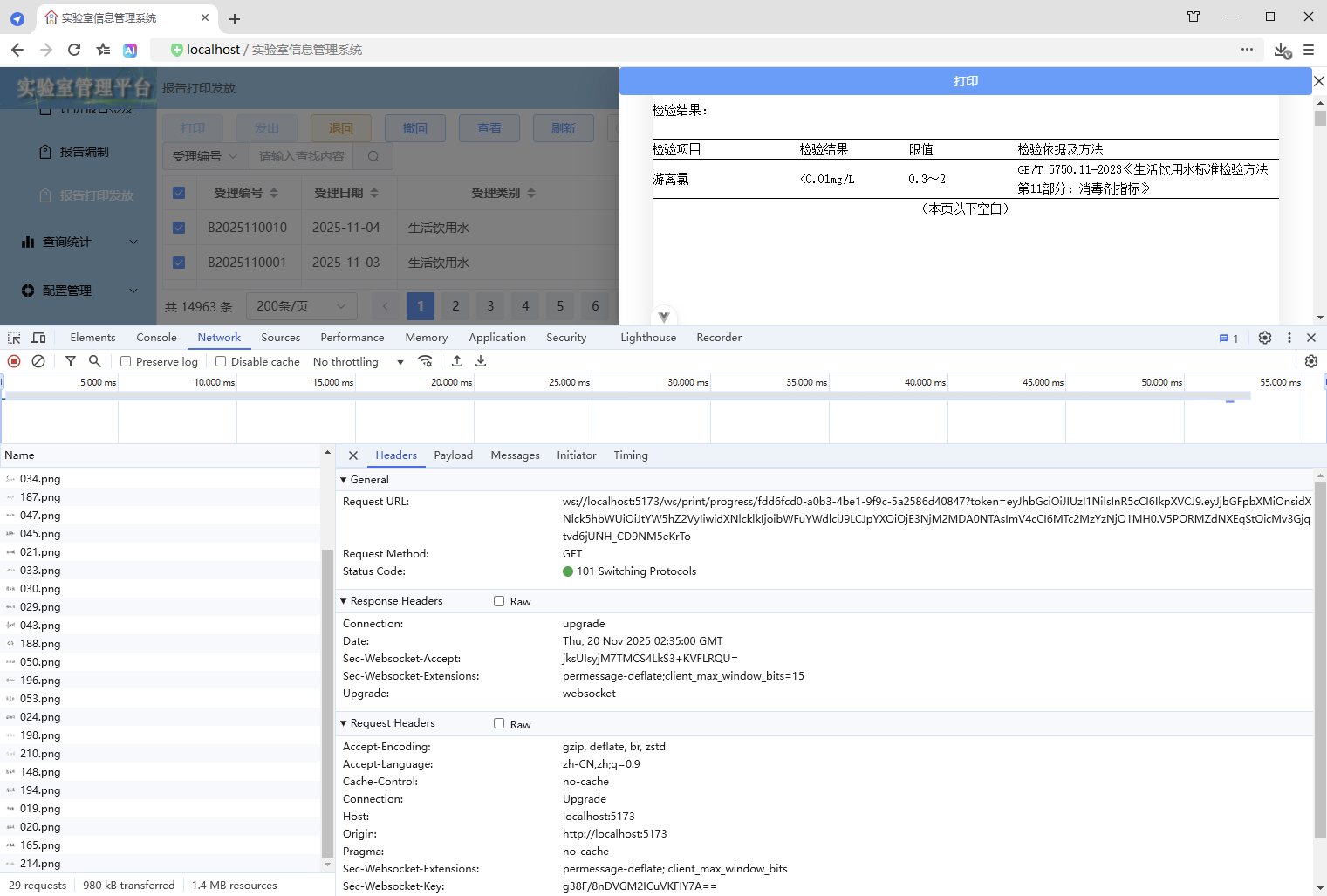
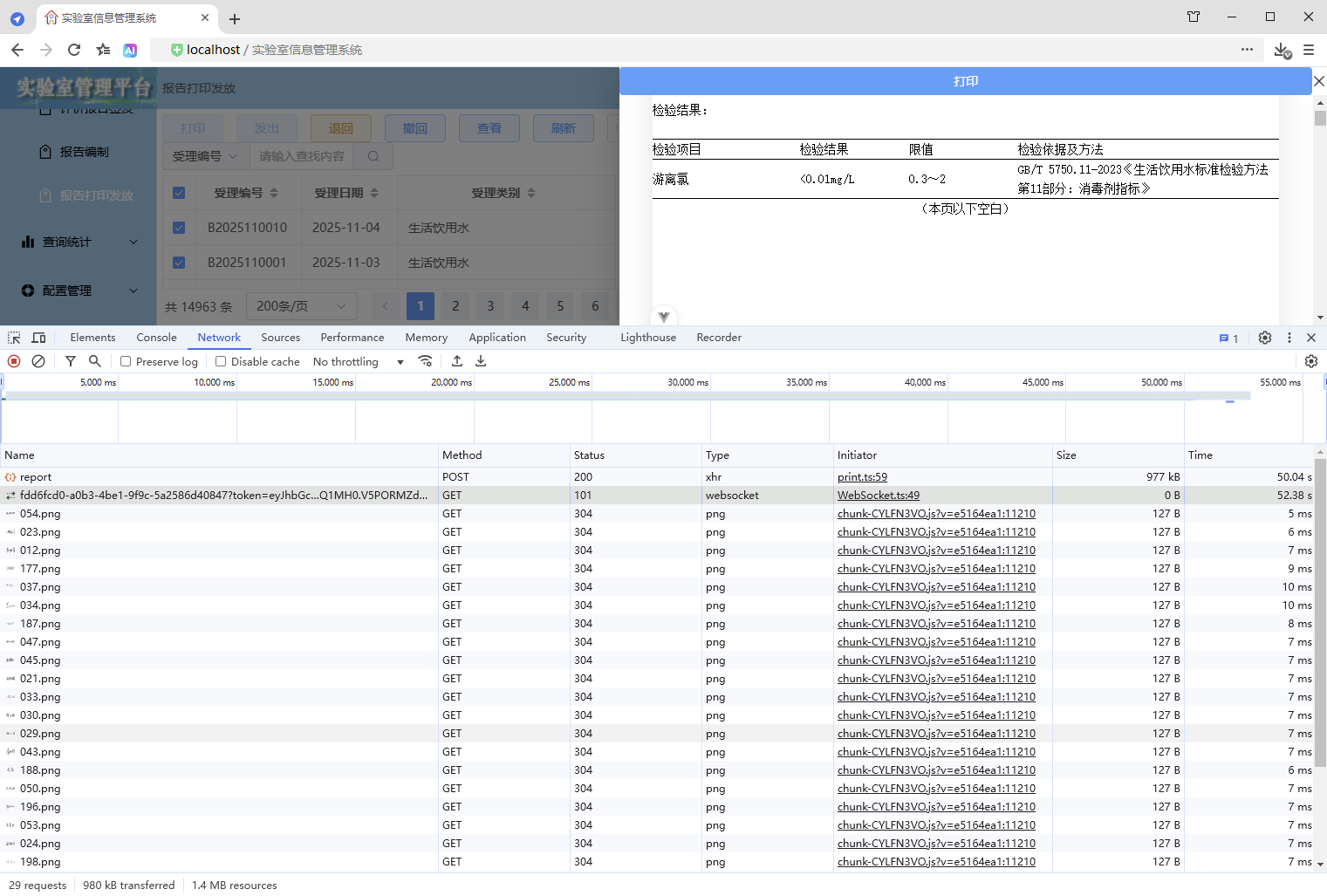
4、优缺点
优点:
- 应用极简,组件化可重可
缺点:
- 实现复杂
二、高阶优化一(完整代码)
- 增加 WebSocket 认证握手拦截器
- 增加心跳机制
- 增加取消
- 增加定时调度
- 增加 Nginx 代理 WebSocket 设置
前端
打印抽屉
src\components\common\PrintDrawer.vue
<script setup lang="ts">
/**
 * 打印抽屉
 *
 * 使用示例:
 * <PrintDrawer :print-visible="drawerVisible" :print-type="PrintType.REPORT" :print-selection="printData" @close-print-drawer="closePrintDrawer" />
 */
defineOptions({
  name: "PrintDrawer"
});
import { printCancelService, printService } from "@api";
import { BaseWebSocketProgress, PrintContainer } from "@components";
import { JJDTemplate, OperateType, PrintDirection, PrintType, TestReportTemplate, WspjReportTemplate } from "@types";
import { v4 as uuidv4 } from "uuid";
import { computed, nextTick, onMounted, onUnmounted, provide, ref, watch } from "vue";

interface Props {
  /** 打印显隐 */
  printVisible: boolean;
  /** 打印类型 */
  printType: PrintType;
  /** 打印选集 */
  printSelection: any[];
  /** 是否打印数据 */
  isPrintData?: boolean;
  /** 打印模板 */
  printTemplate?: JJDTemplate | TestReportTemplate | WspjReportTemplate | null;
  /** 打印方向 */
  printDirection?: PrintDirection;
  /** 操作类型 */
  operateType?: OperateType;
}
const props = withDefaults(defineProps<Props>(), {
  printVisible: false,
  printSelection: () => [],
  isPrintData: false,
  printTemplate: null,
  printDirection: PrintDirection.PORTRAIT,
  operateType: OperateType.PRINT
});

interface Emits {
  /**
   * 关闭打印抽屉的回调
   */
  (e: "close-print-drawer"): void;
}
const emit = defineEmits<Emits>();

// 抽屉显示标识
const drawerVisible = ref(false);
// 数据已加载标识
const isDataLoaded = ref(false);
// 打印按钮禁用标识
const buttonPrintDisabled = ref(true);
// 打印数据,这里使用泛型数组 any[] ,可以灵活接收后端返回的各类打印数据,进行批量打印,从而实现打印组件通用
const printData = ref<any[]>([]);
// 先定义响应式数据,用于接收父组件传递过来的数据,再向后代组件传递数据,这样就会保持响应式
// 打印类型、模板、方向、类名
const printType = ref<PrintType>();
const printTemplate = ref<JJDTemplate | TestReportTemplate | WspjReportTemplate | null>(null);
const printDirection = ref<PrintDirection>(PrintDirection.PORTRAIT);
const printClassName = ref("");
// 打印按钮的宽度(也是打印页面的宽度)
// 纵向打印的宽度为 210mm(793.698px)
// 横向打印的宽度为 297mm(1122.520px)
const printBtnWidth = computed(() => {
  return props.printDirection === PrintDirection.LANDSCAPE ? "1122.520px" : "793.698px";
});
// 抽屉尺寸大小
// 纵向打印抽屉尺寸大小为 210mm(793.698px) + 18(0左边距 + 0右边距 + 18右边滚动条的宽度) = 811.698px
// 横向打印抽屉尺寸大小为 297mm(1122.520px) + 18(0左边距 + 0右边距 + 18右边滚动条的宽度)= 1140.520px
const drawerSize = computed(() => {
  return props.printDirection === PrintDirection.LANDSCAPE ? "1140.520px" : "811.698px";
});
// 创建请求控制器 AbortController,用于取消请求
let controller: AbortController | null = null;
// 请求唯一ID,用于发送请求让后端取消获取打印数据
const requestId = ref("");

// 向后代组件提供数据
provide("printData", printData);
provide("printType", printType);
provide("printTemplate", printTemplate);
provide("printDirection", printDirection);

// 关闭打印抽屉
const onClosePrintDrawerClick = () => {
  // 清理前端资源
  cleanupFrontendResources();

  // 抽屉已关闭则直接退出
  if (!drawerVisible.value) {
    return;
  }

  // 数据尚未加载
  if (!isDataLoaded.value) {
    // 取消后端任务 - 取消打印
    cancelBackendTask();
  }

  // 通知父组件关闭打印抽屉
  emit("close-print-drawer");
  isDataLoaded.value = false;
};

// 取消后端任务 - 取消打印
const cancelBackendTask = () => {
  // 取消打印
  printCancelService(requestId.value);
};

// 清理前端资源
const cleanupFrontendResources = () => {
  // 前端取消请求,取消后不会接收响应,避免资源占用
  if (controller) {
    controller.abort();
    controller = null;
  }
};

// 渲染完成 - 后续逻辑
const RenderCompleted = () => {
  // 打印按钮解除禁用
  buttonPrintDisabled.value = false;
};

// 打印对象,vue3-print-nb,v-print="printObj"
const printObj = ref({
  id: "print-content",
  closeCallback() {
    // 关闭打印抽屉
    onClosePrintDrawerClick();
  }
});

// 添加页面卸载前的处理
const handleBeforeUnload = (event: BeforeUnloadEvent) => {
  if (requestId.value && !isDataLoaded.value) {
    cancelBackendTask();
  }
};

// 监听父组件传递过来的showDrawer值,控制抽屉的显示与隐藏
watch(
  () => props.printVisible,
  async (newValue) => {
    drawerVisible.value = newValue;
    if (drawerVisible.value) {
      printType.value = props.printType;
      if (props.printType === PrintType.JJD_BY_APPLY_ID_LIST) {
        printTemplate.value = props.printTemplate as JJDTemplate;
      } else {
        printTemplate.value = null;
      }
      printTemplate.value = props.printTemplate;
      printDirection.value = props.printDirection ? props.printDirection : PrintDirection.PORTRAIT;
      if (printTemplate.value === JJDTemplate.LANDSCAPE_SAMPLE) {
        printDirection.value = PrintDirection.LANDSCAPE;
      }
      printClassName.value = `${printType.value} ${printDirection.value}`;
      buttonPrintDisabled.value = true;

      // 生成请求唯一ID
      requestId.value = uuidv4();

      // 获取打印数据
      printData.value = [];
      // 父组件传递过来的 printSelection,如果就是打印数据,不需要处理,直接使用即可打印
      if (props.isPrintData) {
        printData.value = props.printSelection;
      } else {
        try {
          // 为当前新请求创建新的控制器
          controller = new AbortController();
          const result = await printService(
            props.printType,
            props.printSelection,
            props.printTemplate,
            controller.signal,
            requestId.value
          );

          // 检查请求是否已被取消,如果已取消则直接返回,不继续执行后续逻辑
          if (controller.signal.aborted) {
            return;
          }

          printData.value = result.data;
        } catch (error) {
          // 检查是否是由于请求取消导致的错误,如果是则直接返回
          if (error instanceof Error && error.name === "AbortError") {
            console.log("Request was cancelled");
            return;
          }
          console.log("printService error: ", error);
        }
      }

      // 检查抽屉是否仍然打开,如果已关闭则不继续执行后续逻辑
      if (!drawerVisible.value) {
        return;
      }

      // 数据加载完成,开始渲染DOM
      isDataLoaded.value = true;

      // 清理前端资源
      cleanupFrontendResources();

      // 确保DOM渲染完成
      await nextTick();

      // 渲染完成 - 后续逻辑
      RenderCompleted();
    }
  },
  { immediate: true }
);

onMounted(() => {
  window.addEventListener("beforeunload", handleBeforeUnload);
});

onUnmounted(() => {
  window.removeEventListener("beforeunload", handleBeforeUnload);
  cleanupFrontendResources();
});
</script>

<template>
  <div>
    <el-drawer
      v-model="drawerVisible"
      :with-header="true"
      :size="drawerSize"
      :close-on-click-modal="false"
      @close="onClosePrintDrawerClick">
      <div class="drawer-div">
        <el-button
          v-if="props.operateType === OperateType.PRINT"
          class="print-btn"
          type="primary"
          :disabled="buttonPrintDisabled"
          v-print="printObj"
          >打印</el-button
        >
        <el-button
          v-else
          class="print-btn"
          type="primary"
          :disabled="buttonPrintDisabled"
          @click="onClosePrintDrawerClick"
          >关闭</el-button
        >
        <!-- 进度条 -->
        <BaseWebSocketProgress
          v-if="drawerVisible && !isDataLoaded"
          :url="`/ws/print/progress/${requestId}`"
          :count="props.printSelection.length" />
      </div>
      <!-- 打印,这里的 class 是动态值 -->
      <div id="print-content" :class="printDirection">
        <!-- 这里同时使用:父传子(props) :print-data="printData" 和 祖先传后代 provide("printData", printData) 这两种数据传递方式可以共存,但是props优先级高于provide -->
        <PrintContainer :print-data="printData" v-if="isDataLoaded" />
      </div>
    </el-drawer>
  </div>
</template>

<style scoped lang="scss">
// 抽屉头部
:deep(.el-drawer__header) {
  margin-bottom: 0;
  padding: 0;
  height: 32px;
}
// 抽屉内容
:deep(.el-drawer__body) {
  padding: 0;
}
// 抽屉关闭按钮
:deep(.el-drawer__close-btn) {
  padding: 0;
}
.drawer-div {
  // 固定定位,固定在顶部
  position: fixed;
  // 与【浏览器可视区】顶部的垂直距离
  top: 0;
  .print-btn {
    width: v-bind("printBtnWidth");
  }
}

@media print {
  /* 打印通用样式 */
  @page {
    margin: 10mm;
  }

  /* 设定打印方向 */
  /* 纵向打印 */
  /* 通过 CSS 的 命名页面(Named Pages) 技术实现作用域隔离,实现 @page 样式仅影响当前组件 */
  /* 这里的 portrait 对应的是 <div id="print-content" :class="printClassName"> 的 class,是动态值 */
  .portrait {
    page: portrait-page; /* 绑定页面名称 */
  }
  /* 通过媒体样式 @media print 的 @page 设置打印方向, @page portrait-page 这样就不是影响全局了,而是指定的范围 portrait-page */
  @page portrait-page {
    /* 仅影响绑定了portrait-page 的元素 */
    size: A4 portrait;
  }
  /* 横向打印 */
  /* 通过 CSS 的 命名页面(Named Pages) 技术实现作用域隔离,实现 @page 样式仅影响当前组件 */
  /* 这里的 landscape 对应的是 <div id="print-content" :class="printClassName"> 的 class,是动态值 */
  .landscape {
    page: landscape-page; /* 绑定页面名称 */
  }
  /* 通过媒体样式 @media print 的 @page 设置打印方向, @page landscape-page 这样就不是影响全局了,而是指定的范围 landscape-page */
  @page landscape-page {
    /* 仅影响绑定了landscape-page 的元素 */
    size: A4 landscape;
  }
}
</style>
定义 WebSocket 相关的接口、枚举、类
src\types\WebSocket.ts
/**
 * WebSocket 消息接口
 * 定义 WebSocket 通信的消息格式
 * @template T 消息数据的类型,默认为any
 */
export interface WebSocketMessage<T = any> {
  /** 消息类型,用于区分不同的业务场景 */
  type: string;
  /** 消息数据,泛型T允许灵活定义数据结构 */
  data: T;
  /** 消息时间戳,用于记录消息创建时间 */
  timestamp: number;
}

/**
 * WebSocket 就绪状态枚举
 */
export enum WebSocketReadyState {
  /** 连接中 - WebSocket 正在建立连接 */
  CONNECTING = 0,
  /** 打开/已连接 - 连接已建立,可以通信 */
  OPEN = 1,
  /** 关闭中/断开中 - 连接正在关闭 */
  CLOSING = 2,
  /** 已关闭/已断开 - 连接已关闭或未能建立 */
  CLOSED = 3
}

/**
 * 托管 WebSocket 配置选项接口
 * 用于配置 ManagedWebSocket 的行为
 */
export interface ManagedWebSocketOptions {
  /** WebSocket 连接地址,如:ws://localhost:8080 */
  url: string;
  /** 可选的 WebSocket 子协议 */
  protocols?: string | string[];
  /** 是否自动重连,默认false */
  autoReconnect?: boolean;
  /** 重连间隔时间(毫秒),默认3000 */
  reconnectInterval?: number;
  /** 最大重连尝试次数,默认5次 */
  maxReconnectAttempts?: number;
  /** 心跳间隔时间(毫秒),不设置则不开启心跳 */
  heartbeatInterval?: number;
  /** 连接成功时的回调函数 */
  onOpen?: (event: Event) => void;
  /** 收到消息时的回调函数 */
  onMessage?: <T>(message: WebSocketMessage<T>) => void;
  /** 发生错误时的回调函数 */
  onError?: (event: Event) => void;
  /** 连接关闭时的回调函数 */
  onClose?: (event: CloseEvent) => void;
}

/**
 * 托管 WebSocket 类
 * 具备自动重连、心跳检测等管理功能的 WebSocket 封装
 *
 * 功能特性:
 * - 自动重连机制(支持指数退避算法)
 * - 心跳保活机制
 * - 连接状态管理
 * - 错误处理和恢复
 * - 手动重连控制
 */
export class ManagedWebSocket {
  /** WebSocket实例 */
  private ws: WebSocket | null = null;
  /** 当前重连尝试次数 */
  private reconnectAttempts = 0;
  /** 心跳定时器ID */
  private heartbeatTimer: number | null = null;
  /** 是否手动关闭的标志,手动关闭时不自动重连 */
  private isManualClose = false;

  /**
   * 构造函数
   * @param options 配置选项
   */
  constructor(private options: ManagedWebSocketOptions) {
    // 创建实例时立即建立连接
    this.connect();
  }

  /**
   * 建立 WebSocket 连接
   * 创建 WebSocket 实例并设置事件处理器
   */
  private connect(): void {
    try {
      // 创建 WebSocket 实例
      this.ws = new WebSocket(this.options.url, this.options.protocols);
      // 设置事件处理器
      this.setupEventHandlers();
    } catch (error) {
      console.error('WebSocket connection failed:', error);
      // 连接失败时尝试重连
      this.handleReconnect();
    }
  }

  /**
   * 设置 WebSocket 事件处理器
   * 处理连接打开、消息接收、错误和关闭事件
   */
  private setupEventHandlers(): void {
    if (!this.ws) return;

    // 连接成功事件
    this.ws.onopen = (event: Event) => {
      console.log('WebSocket connected');
      // 重置重连计数器
      this.reconnectAttempts = 0;
      // 启动心跳检测
      this.startHeartbeat();
      // 调用用户提供的onOpen回调
      this.options.onOpen?.(event);
    };

    // 消息接收事件
    this.ws.onmessage = (event: MessageEvent) => {
      try {
        // 解析JSON字符串的消息
        const message: WebSocketMessage = JSON.parse(event.data);
        // 调用用户提供的onMessage回调
        this.options.onMessage?.(message);

        // 特殊处理:如果是心跳响应消息
        if (message.type === 'PONG') {
          this.handlePong();
        }
      } catch (error) {
        console.error('Failed to parse WebSocket message:', error);
      }
    };

    // 错误事件
    this.ws.onerror = (event: Event) => {
      console.error('WebSocket error:', event);
      // 调用用户提供的onError回调
      this.options.onError?.(event);
    };

    // 连接关闭事件
    this.ws.onclose = (event: CloseEvent) => {
      console.log('WebSocket closed:', event.code, event.reason);
      // 停止心跳检测
      this.stopHeartbeat();
      // 调用用户提供的onClose回调
      this.options.onClose?.(event);

      // 如果不是手动关闭且启用了自动重连,则尝试重连
      if (!this.isManualClose && this.options.autoReconnect) {
        this.handleReconnect();
      }
    };
  }

  /**
   * 处理重连逻辑
   * 使用指数退避算法避免频繁重连
   */
  private handleReconnect(): void {
    // 1. 检查是否超过最大重连次数
    const maxAttempts = this.options.maxReconnectAttempts || 5;
    if (this.reconnectAttempts >= maxAttempts) {
      console.error('Max reconnection attempts reached');
      return;
    }

    // 2. 计算重连间隔(指数退避算法)
    const baseInterval = this.options.reconnectInterval || 3000;
    // 重连间隔 = 基础间隔 × 1.5^重连次数,让重连间隔越来越长
    const backoffInterval = baseInterval * Math.pow(1.5, this.reconnectAttempts);

    console.log(`Attempting to reconnect in ${backoffInterval}ms (attempt ${this.reconnectAttempts + 1})`);

    // 3. 设置定时器进行重连
    setTimeout(() => {
      this.reconnectAttempts++;
      this.connect();
    }, backoffInterval);
  }

  /**
   * 启动心跳检测
   * 定期发送PING消息检测连接是否存活
   */
  private startHeartbeat(): void {
    // 如果没有设置心跳间隔,则不启动心跳
    if (!this.options.heartbeatInterval) return;

    // 设置定时器,定时发送心跳
    this.heartbeatTimer = window.setInterval(() => {
      if (this.isConnected()) {
        // 发送PING消息
        this.send({
          type: "PING",
          data: null,
          timestamp: Date.now()
        });
      }
    }, this.options.heartbeatInterval);
  }

  /**
   * 停止心跳检测
   * 清理心跳定时器
   */
  private stopHeartbeat(): void {
    if (this.heartbeatTimer) {
      clearInterval(this.heartbeatTimer);
      this.heartbeatTimer = null;
    }
  }

  /**
   * 处理心跳响应
   * 接收到PONG消息时的处理,可用于更新最后活跃时间
   */
  private handlePong(): void {
    // 这里可以记录最后收到PONG的时间
    // 用于检测连接是否真的存活,如果长时间没收到PONG可以主动重连
    // 当前实现为空,可根据需要扩展
  }

  /**
   * 发送消息
   * @param message 要发送的消息
   * @returns 发送是否成功
   */
  public send<T>(message: WebSocketMessage<T>): boolean {
    // 检查连接状态
    if (!this.isConnected()) {
      console.error('WebSocket is not connected');
      return false;
    }

    try {
      // 将消息对象转换为JSON字符串并发送
      this.ws!.send(JSON.stringify(message));
      return true;
    } catch (error) {
      console.error('Failed to send WebSocket message:', error);
      return false;
    }
  }

  /**
   * 主动关闭 WebSocket 连接
   * @param code 关闭代码,默认1000(正常关闭)
   * @param reason 关闭原因
   */
  public close(code?: number, reason?: string): void {
    // 设置手动关闭标志,避免自动重连
    this.isManualClose = true;
    // 停止心跳检测
    this.stopHeartbeat();

    // 关闭 WebSocket 连接
    if (this.ws) {
      this.ws.close(code || 1000, reason);
    }
  }

  /**
   * 检查连接是否处于打开状态
   * @returns 是否已连接
   */
  public isConnected(): boolean {
    return this.ws?.readyState === WebSocketReadyState.OPEN;
  }

  /**
   * 获取当前 WebSocket 状态
   * @returns WebSocket 状态枚举值
   */
  public getReadyState(): WebSocketReadyState {
    return this.ws?.readyState ?? WebSocketReadyState.CLOSED;
  }

  /**
   * 手动触发重连
   * 用于网络恢复等场景下的主动重连
   */
  public reconnect(): void {
    // 重置手动关闭标志,允许重连
    this.isManualClose = false;
    // 重置重连计数器
    this.reconnectAttempts = 0;

    // 如果存在现有连接,先关闭
    if (this.ws) {
      this.ws.close();
    }

    // 建立新连接
    this.connect();
  }
}
src\types\index.ts
export * from "./WebSocket";WebSocket 进度 Hook
src\hooks\useWebSocketProgress.ts
import { useTokenStore } from "@/stores";
import { ManagedWebSocket } from "@/types";
import { onUnmounted, ref, watch } from "vue";

/**
 * WebSocket 进度 Hook
 */
export function useWebSocketProgress() {
  // 进度从1开始,增强使用体验,感觉一开始就工作了
  const progressValue = ref(1);
  const { token } = useTokenStore();
  // 连接状态
  const isConnecting = ref(false);
  const isConnected = ref(false);

  let ws: ManagedWebSocket | null = null;

  /**
   * 开始进度
   * 初始化 WebSocket 连接,并设置接收消息时的处理逻辑(计算进度)
   * @param url 连接路径
   * @param taskCount 任务数,默认为1(默认值本身就表示该参数是可选的)
   */
  const startProgress = async (url: string, taskCount: number = 1) => {
    // 数据校验
    if (!url) {
      throw new Error("无效的URL");
    }
    if (!taskCount || taskCount <= 0) {
      throw new Error("无效的任务数");
    }

    // 重置状态
    // 如果已经在连接中,先停止之前的连接
    if (isConnecting.value || isConnected.value) {
      stopProgress();
    }
    isConnecting.value = true;
    progressValue.value = 1;

    // 构建最终的 URL(包含 token 参数)
    let finalUrl = encodeURI(url);
    if (token) {
      const separator = finalUrl.includes("?") ? "&" : "?";
      finalUrl += `${separator}token=${encodeURIComponent(token)}`;
    }

    return new Promise((resolve, reject) => {
      try {
        // 实例化 ManagedWebSocket(被封装的WebSocket)
        ws = new ManagedWebSocket({
          url: finalUrl,
          heartbeatInterval: 30000, // 心跳间隔30秒,在ManagedWebSocket类中已经封装心跳逻辑【启动心跳,每 30 秒发送一次心跳】,这里设置后就会生效,自动启动心跳

          // 收到消息时的回调
          onMessage: (message) => {
            if (message.type === "UPDATE_PROGRESS" && taskCount) {
              // 计算进度
              const progress = Math.trunc(((message.data as number) * 100) / taskCount);
              // 确保进度不倒退,确保进度大于1并且不超过99(确保进度条不满100%,保持显示,直到数据加载完毕页面渲染完成,进度才设置为100,从而触发隐藏)
              progressValue.value = Math.min(Math.max(progressValue.value, Math.max(progress, 1)), 99);
            }
          },

          // 连接成功时的回调
          onOpen: () => {
            console.log("WebSocket进度已连接");
            isConnecting.value = false;
            isConnected.value = true;
            resolve(null);
          },

          // 发出错误时的回调
          onError: (error) => {
            console.error("WebSocket进度出错了:", error);
            isConnecting.value = false;
            isConnected.value = false;
            reject(error);
          },

          // 连接关闭时的回调
          onClose: () => {
            console.log("WebSocket进度已关闭");
            isConnecting.value = false;
            isConnected.value = false;
          }
        });
      } catch (error) {
        console.error("创建WebSocket进度失败:", error);
        isConnecting.value = false;
        reject(error);
      }
    });
  };

  /**
   * 完成进度
   */
  const completeProgress = (): void => {
    progressValue.value = 100;
  };

  /**
   * 停止进度
   */
  const stopProgress = () => {
    // 断开连接
    if (ws) {
      ws.close();
      ws = null;
    }
    isConnecting.value = false;
    isConnected.value = false;
  };

  // 监听进度值变化,当进度100时停止进度
  watch(
    () => progressValue.value,
    () => {
      if (progressValue.value === 100) {
        console.log("进度完成,自动停止WebSocket进度");
        stopProgress();
      }
    }
  );

  // 组件卸载时停止进度
  onUnmounted(() => {
    console.log("组件卸载,触发停止WebSocket进度");
    stopProgress();
  });

  return {
    progressValue,
    isConnecting,
    isConnected,
    startProgress,
    stopProgress,
    completeProgress
  };
}

export default useWebSocketProgress;
src\hooks\index.ts
export { default as useWebSocketProgress } from "./useWebSocketProgress";WebSocket 进度条组件
src\components\base\BaseWebSocketProgress.vue
<script setup lang="ts">
/**
 * WebSocket 进度条组件
 *
 * 使用示例:
 * <BaseWebSocketProgress :url="url" :count="taskCount" />
 */
defineOptions({
  name: "BaseWebSocketProgress"
});
import { useWebSocketProgress } from "@/hooks";
import { onMounted } from "vue";

interface Props {
  /**
   * WebSocket 连接地址
   */
  url: string;
  /**
   * 任务数量
   */
  count: number;
}
const props = withDefaults(defineProps<Props>(), {
  count: 1
});
const { progressValue, startProgress } = useWebSocketProgress();

// 格式化进度显示的内容
const progressFormat = (val: number) => {
  return `正在加载数据 ${val.toFixed(0)}%`;
};

onMounted(async () => {
  await startProgress(props.url, props.count);
});
</script>

<template>
  <el-progress
    v-show="progressValue !== 100"
    :text-inside="true"
    :stroke-width="20"
    :percentage="progressValue"
    status="success"
    :format="progressFormat">
  </el-progress>
</template>
src\components\index.ts
export { default as BaseWebSocketProgress } from "./base/BaseWebSocketProgress.vue";
后端
安装依赖
pom.xml
    <!--websocket依赖-->
    <dependency>
      <groupId>org.springframework.boot</groupId>
      <artifactId>spring-boot-starter-websocket</artifactId>
    </dependency>

    <!--fastjson-->
    <dependency>
      <groupId>com.alibaba</groupId>
      <artifactId>fastjson</artifactId>
      <version>1.2.83</version>
    </dependency>
配置类
src/main/java/com/weiyu/config/WebSocketConfig.java
package com.weiyu.config;

import com.weiyu.handler.SessionWebSocketHandler;
import com.weiyu.interceptors.AuthWebSocketHandshakeInterceptor;
import com.weiyu.interceptors.PathParamWebSocketHandshakeInterceptor;
import org.springframework.beans.factory.annotation.Autowired;
import org.springframework.context.annotation.Bean;
import org.springframework.context.annotation.Configuration;
import org.springframework.web.socket.config.annotation.EnableWebSocket;
import org.springframework.web.socket.config.annotation.WebSocketConfigurer;
import org.springframework.web.socket.config.annotation.WebSocketHandlerRegistry;
import org.springframework.web.socket.server.standard.ServletServerContainerFactoryBean;

/**
 * WebSocket 配置类
 */
@Configuration
@EnableWebSocket // 开启 WebSocket
public class WebSocketConfig implements WebSocketConfigurer {

    @Autowired
    private SessionWebSocketHandler sessionWebSocketHandler;

    @Autowired
    private PathParamWebSocketHandshakeInterceptor pathParamWebSocketHandshakeInterceptor;

    @Autowired
    private AuthWebSocketHandshakeInterceptor authWebSocketHandshakeInterceptor;

    @Override
    public void registerWebSocketHandlers(WebSocketHandlerRegistry registry) {
        // 这个方法的调用是由 @EnableWebSocket 触发的
        // 登录拦截器(LoginInterceptor/HandlerInterceptor)com/weiyu/interceptors/LoginInterceptor.java
        // 当前这个WebSocket请求路径:/ws/print/progress,有注册处理器,这个路径不会被登录拦截器拦截
        // 例如有个WebSocket请求路径:/ws/check/progress,无注册处理器,这个路径就会被登录拦截器拦截
        registry.addHandler(sessionWebSocketHandler, "/ws/print/progress/**")
                .addInterceptors(authWebSocketHandshakeInterceptor)         // 添加用户认证握手拦截器
                .addInterceptors(pathParamWebSocketHandshakeInterceptor)    // 添加路径参数握手拦截器
                // 解决跨域,如果是 Vite 代理这里必须要设置,如果是 Nginx 代理这里不用设置
                .setAllowedOrigins(
                        "http://localhost:5173",    // Vite 默认端口
                        "http://127.0.0.1:5173"     // 或者用 IP
                );
    }

    @Bean
    public ServletServerContainerFactoryBean createWebSocketContainer() {
        // 这个 Bean 的创建是由 @EnableWebSocket 触发的
        ServletServerContainerFactoryBean container = new ServletServerContainerFactoryBean();
        container.setMaxTextMessageBufferSize(8192);    // 文本消息流量控制
        container.setMaxBinaryMessageBufferSize(8192);  // 流消息流量控制
        container.setMaxSessionIdleTimeout(300000L);    // 5分钟超时
        return container;
    }
}
处理器
src/main/java/com/weiyu/handler/RequestContextHandler.java
package com.weiyu.handler;

import com.weiyu.exception.RequestCancelledException;
import lombok.extern.slf4j.Slf4j;
import org.springframework.scheduling.annotation.Scheduled;
import org.springframework.stereotype.Component;

import java.time.LocalDateTime;
import java.util.Map;
import java.util.Optional;
import java.util.concurrent.ConcurrentHashMap;
import java.util.concurrent.atomic.AtomicBoolean;

/**
 * 请求上下文处理器
 */
@Component
@Slf4j
public class RequestContextHandler {

    /**
     * 请求取消标识
     */
    private final Map<String, AtomicBoolean> requestCancelFlags = new ConcurrentHashMap<>();

    /**
     * 请求线程
     */
    private final Map<String, Thread> requestThreads = new ConcurrentHashMap<>();

    /**
     * 请求进度
     */
    private final Map<String, Integer> requestProgresses = new ConcurrentHashMap<>();

    /**
     * 请求开始时间,用于超时检查
     */
    private final Map<String, LocalDateTime> requestStartTimes = new ConcurrentHashMap<>();

    /**
     * 默认超时时间(秒)
     */
    private static final long DEFAULT_TIMEOUT_SECONDS = 60;

    /**
     * 注册请求,增加 Map 记录
     *
     * @param requestId 请求唯一id
     */
    public void registerRequest(String requestId) {
        requestCancelFlags.put(requestId, new AtomicBoolean(false));
        requestThreads.put(requestId, Thread.currentThread());
        requestProgresses.put(requestId, 0);
        requestStartTimes.put(requestId, LocalDateTime.now());
        log.info("已注册请求 {}", requestId);
    }

    /**
     * 清理请求,移除 Map 记录
     *
     * @param requestId 请求唯一id
     */
    public void cleanupRequest(String requestId) {
        requestCancelFlags.remove(requestId);
        requestThreads.remove(requestId);
        requestProgresses.remove(requestId);
        requestStartTimes.remove(requestId);
        log.info("已清理请求 {}", requestId);
    }

    /**
     * 取消请求
     *
     * @param requestId 请求唯一id
     */
    public void cancelRequest(String requestId) {
        // 通过请求唯一id获取取消标识
        AtomicBoolean flag = requestCancelFlags.get(requestId);
        if (flag != null) {
            // 设置为已被取消
            flag.set(true);

            // 通过请求唯一id获取线程
            Thread thread = requestThreads.get(requestId);
            if (thread != null && thread.isAlive()) {
                // 中断线程
                thread.interrupt();
                log.info("已中断请求线程 {}", requestId);
            }
        }
    }

    /**
     * 检查是否已被取消
     *
     * @param requestId 请求唯一id
     */
    public void checkCancellation(String requestId) {
        if (isCancelled(requestId)) {
            throw new RequestCancelledException("请求已被取消");
        }
    }

    /**
     * 更新请求进度
     *
     * @param requestId 请求唯一id
     * @param progress  进度
     */
    public void updateProgress(String requestId, Integer progress) {
        if (progress != null) {
            requestProgresses.put(requestId, progress);
        }
    }

    /**
     * 获取请求进度
     *
     * @param requestId 请求唯一id
     */
    public Optional<Integer> getProgress(String requestId) {
        return Optional.ofNullable(requestProgresses.get(requestId));
    }

    /**
     * 更新请求开始时间
     *
     * @param requestId 请求唯一id
     */
    public void updateRequestStartTime(String requestId) {
        requestStartTimes.put(requestId, LocalDateTime.now());
    }

    /**
     * 检查请求是否超时
     *
     * @param requestId      请求唯一id
     * @param timeoutSeconds 超时时间(秒)
     */
    public boolean isRequestTimeout(String requestId, long timeoutSeconds) {
        LocalDateTime startTime = requestStartTimes.get(requestId);
        if (startTime == null) {
            return false; // 请求不存在,不算超时
        }

        LocalDateTime timeoutTime = startTime.plusSeconds(timeoutSeconds);

        return LocalDateTime.now().isAfter(timeoutTime);
    }

    /**
     * 取消所有超时请求(自定义超时时间)
     *
     * @param timeoutSeconds 超时时间(秒)
     */
    public void cancelTimeoutRequests(long timeoutSeconds) {
        int cancelledCount = 0;

        for (String requestId : requestStartTimes.keySet()) {
            if (isRequestTimeout(requestId, timeoutSeconds)) {
                cancelRequest(requestId);
                cancelledCount++;
            }
        }

        if (cancelledCount > 0) {
            log.info("已自动取消超时请求数: {}", cancelledCount);
        }
    }

    /**
     * 定时任务:每 30 秒检查一次超时请求
     */
    @Scheduled(fixedRate = 30 * 1000)
    public void scheduledTimeoutCheck() {
        // 取消所有超时请求
        cancelTimeoutRequests(DEFAULT_TIMEOUT_SECONDS);
    }

    /**
     * 判断是否已被取消
     *
     * @param requestId 请求唯一id
     */
    private boolean isCancelled(String requestId) {
        AtomicBoolean flag = requestCancelFlags.get(requestId);
        return flag != null && flag.get();
    }
}
src/main/java/com/weiyu/handler/SessionWebSocketHandler.java
package com.weiyu.handler;

import com.alibaba.fastjson.JSON;
import com.alibaba.fastjson.serializer.SerializerFeature;
import com.weiyu.pojo.WebSocketMessage;
import lombok.extern.slf4j.Slf4j;
import org.springframework.beans.factory.annotation.Autowired;
import org.springframework.stereotype.Component;
import org.springframework.lang.NonNull;
import org.springframework.web.socket.TextMessage;
import org.springframework.web.socket.WebSocketSession;
import org.springframework.web.socket.handler.TextWebSocketHandler;

import java.io.IOException;
import java.util.Map;
import java.util.concurrent.ConcurrentHashMap;

/**
 * WebSocket 会话处理器
 */
@Component
@Slf4j
public class SessionWebSocketHandler extends TextWebSocketHandler {

    @Autowired
    private RequestContextHandler requestContextHandler;

    /**
     * 会话列表,使用线程安全的Map来管理多个会话,key为requestId
     */
    private final Map<String, WebSocketSession> sessions = new ConcurrentHashMap<>();

    // 连接建立后
    @Override
    public void afterConnectionEstablished(@NonNull WebSocketSession session) throws IOException {
        // 从 session 属性中获取请求唯一id requestId
        String requestId = (String) session.getAttributes().get("requestId");

        if (requestId == null || requestId.trim().isEmpty()) {
            log.warn("WebSocket 连接建立失败:未获取到 requestId,session = {}", session);
            session.close();
            return;
        }

        // 创建连接成功消息
        WebSocketMessage<String> message = new WebSocketMessage<>("CONNECTED",
                "WebSocket 连接成功,requestId = " + requestId + ",session = " + session);

        // java对象 转换成 json字符串
        String jsonMessage = JSON.toJSONString(message, SerializerFeature.WriteMapNullValue);

        // 发送连接成功消息
        session.sendMessage(new TextMessage(jsonMessage));
        log.info("WebSocket 连接成功,requestId = {}, session = {}", requestId, session.getId());

        // 保存会话
        sessions.put(requestId, session);
    }

    // 收到消息时
    @Override
    public void handleTextMessage(@NonNull WebSocketSession session, @NonNull TextMessage message) {
        // 解析收到的消息(json字符串),获取内容
        String payload = message.getPayload();
        log.info("Received WebSocket message: {}", payload);

        // json字符串 转换成 java对象
        WebSocketMessage<?> wsMessage = JSON.parseObject(payload, WebSocketMessage.class);

        // 收到心跳消息
        if (wsMessage.getType().equals("PING")) {
            // 从 session 属性中获取 请求唯一id requestId
            String requestId = (String) session.getAttributes().get("requestId");
            // 更新请求开始时间,心跳一下,保持活跃
            requestContextHandler.updateRequestStartTime(requestId);
        }
    }

    // 发送进度更新通知 - 在任务执行过程中调用
    public void sendProgressUpdate(String requestId, int progress) throws IOException {
        WebSocketSession currentSession = sessions.get(requestId);
        if (currentSession == null || !currentSession.isOpen()) {
            return;
        }

        // 创建进度消息
        WebSocketMessage<Integer> progressMessage = new WebSocketMessage<>("UPDATE_PROGRESS", progress);

        // java对象 转换成 json字符串
        String jsonMessage = JSON.toJSONString(progressMessage, SerializerFeature.WriteMapNullValue);

        // 发送进度消息
        currentSession.sendMessage(new TextMessage(jsonMessage));
    }
}
拦截器
src/main/java/com/weiyu/interceptors/AuthWebSocketHandshakeInterceptor.java
package com.weiyu.interceptors;

import com.weiyu.utils.JwtUtil;
import lombok.extern.slf4j.Slf4j;
import org.springframework.beans.factory.annotation.Autowired;
import org.springframework.http.HttpStatus;
import org.springframework.http.server.ServerHttpRequest;
import org.springframework.http.server.ServerHttpResponse;
import org.springframework.http.server.ServletServerHttpRequest;
import org.springframework.lang.NonNull;
import org.springframework.stereotype.Component;
import org.springframework.web.socket.WebSocketHandler;
import org.springframework.web.socket.server.HandshakeInterceptor;

import java.util.Map;

/**
 * WebSocket 认证握手拦截器
 */
@Component
@Slf4j
public class AuthWebSocketHandshakeInterceptor implements HandshakeInterceptor {

    @Autowired
    private JwtUtil jwtUtil;

    @Override
    public boolean beforeHandshake(@NonNull ServerHttpRequest request,
                                   @NonNull ServerHttpResponse response,
                                   @NonNull WebSocketHandler wsHandler,
                                   @NonNull Map<String, Object> attributes) {
        String token = null;

        if (request instanceof ServletServerHttpRequest servletRequest) {
            // 从查询参数获取 token
            token = servletRequest.getServletRequest().getParameter("token");
        }

        // 验证 token
        try {
            Map<String, Object> claims = jwtUtil.parseToken(token);
            String userName = (String) claims.get("userName");
            attributes.put("userName", userName);
            log.info("WebSocket 用户认证成功: userName = {}", userName);
            return true;
        } catch (Exception e) {
            log.error("Token validation failed: {}", e.getMessage());
            response.setStatusCode(HttpStatus.UNAUTHORIZED);
            return false;
        }
    }

    @Override
    public void afterHandshake(@NonNull ServerHttpRequest request,
                               @NonNull ServerHttpResponse response,
                               @NonNull WebSocketHandler wsHandler,
                               Exception exception) {

    }
}
src/main/java/com/weiyu/interceptors/PathParamWebSocketHandshakeInterceptor.java
package com.weiyu.interceptors;

import lombok.extern.slf4j.Slf4j;
import org.springframework.http.server.ServerHttpRequest;
import org.springframework.http.server.ServerHttpResponse;
import org.springframework.lang.NonNull;
import org.springframework.stereotype.Component;
import org.springframework.web.socket.WebSocketHandler;
import org.springframework.web.socket.server.HandshakeInterceptor;

import java.util.Map;
import java.util.regex.Matcher;
import java.util.regex.Pattern;

/**
 * WebSocket 路径参数握手拦截器
 */
@Component
@Slf4j
public class PathParamWebSocketHandshakeInterceptor implements HandshakeInterceptor {

    private static final Pattern PATH_PATTERN = Pattern.compile("/ws/print/progress/([^/]+)");

    @Override
    public boolean beforeHandshake(@NonNull ServerHttpRequest request,
                                   @NonNull ServerHttpResponse response,
                                   @NonNull WebSocketHandler wsHandler,
                                   @NonNull Map<String, Object> attributes) {
        String path = request.getURI().getPath();
        log.info("WebSocket 连接路径: {}", path);

        // 使用正则表达式提取请求唯一id requestId,并且放入属性 attributes 中
        Matcher matcher = PATH_PATTERN.matcher(path);
        if (matcher.matches()) {
            String requestId = matcher.group(1);
            attributes.put("requestId", requestId);
            log.info("提取到 requestId: {}", requestId);
        } else {
            log.warn("WebSocket路径格式不匹配: {}", path);
        }

        return true;
    }

    @Override
    public void afterHandshake(@NonNull ServerHttpRequest request,
                               @NonNull ServerHttpResponse response,
                               @NonNull WebSocketHandler wsHandler,
                               Exception exception) {

    }
}
控制器
src/main/java/com/weiyu/controller/PrintController.java
/**
 * 打印控制器
 */
@RestController
@RequestMapping("/print")
@Slf4j
public class PrintController {

    @Autowired
    private PrintService printService;

    @Autowired
    private RequestContextHandler requestContextHandler;

    /**
     * 获取报告打印数据
     *
     * @param reports 报告列表
     * @param request 请求对象,可以访问请求头属性,获取请求唯一id(X-Request-Id)
     * @return 报告打印数据列表 {@link Result}<{@link List}<{@link ReportPrintDataVO}>>
     */
    @PostMapping("/report")
    public Result<?> printReport(@RequestBody List<Report> reports, HttpServletRequest request) {
        String requestId = request.getHeader("X-Request-Id");
        log.info("【报告编制/打印发放/查询】,查看/打印报告,/print/report,reports = {}, requestId = {}", reports, requestId);

        try {
            if (requestId != null && !requestId.isEmpty()) {
                requestContextHandler.registerRequest(requestId);
            }

            // 执行长时间运行的报告打印任务
            List<ReportPrintDataVO> printDatas = printService.printReport(reports, requestId);
            log.info("报告打印数据 = {}", printDatas);
            return Result.success(printDatas);

        } finally {
            if (requestId != null && !requestId.isEmpty()) {
                requestContextHandler.cleanupRequest(requestId);
            }
        }
    }

     /**
     * 打印进度
     *
     * @param requestId 请求唯一id,直接通过 @RequestHeader("X-Request-Id") 获取
     * @return 进度值
     */
    @GetMapping("/progress")
    public Result<Optional<Integer>> printProgress(@RequestHeader("X-Request-Id") String requestId) {
        log.info("【打印进度】,进度,/print/progress,requestId = {}", requestId);
        return Result.success(requestContextHandler.getProgress(requestId));
    }
}
服务层
src/main/java/com/weiyu/service/impl/PrintServiceImpl.java
/**
 * 打印 Servive 接口实现
 */
@Service
@Slf4j
public class PrintServiceImpl implements PrintService {

    @Autowired
    private TestReportMapper testReportMapper;

    @Autowired
    private WspjReporMapper wspjReporMapper;

    @Autowired
    private RequestContextHandler requestContextHandler;

    @Autowired
    private SessionWebSocketHandler sessionWebSocketHandler;

    /**
     * 获取报告打印数据
     */
    @Override
    public List<ReportPrintDataVO> printReport(List<Report> reports, String requestId) {
        List<ReportPrintDataVO> printDatas = new ArrayList<>();
        int progress = 0;

        // 检查锚点1和2均匀分布,之前检查锚点1设在循环体最上面,基本上都是由检查锚点2抛出异常
        for (Report report : reports) {
            // 获取评价报告打印数据
            List<WspjReport> wspjReports = wspjReporMapper.selectByOuterApplyId(report.getOuterApplyId());
            List<WspjReportPrintDataVO> wspjReportPrintDatas = getWspjReportPrintData(wspjReports, requestId, false);

            // 检查锚点1:检查当前请求是否已被取消
            requestContextHandler.checkCancellation(requestId);

            // 获取检验报告打印数据
            List<TestReport> testReports = testReportMapper.selectByOuterApplyId(report.getOuterApplyId());
            List<TestReportPrintDataVO> testReportPrintDatas = getTestReportPrintData(testReports, requestId, false);

            printDatas.add(new ReportPrintDataVO(wspjReportPrintDatas, testReportPrintDatas));

            ++progress;

            // 轮询更新进度(适用于 http/https)
            requestContextHandler.updateProgress(requestId, progress);

            // 发送进度更新(适用于 WebSocket)
            try {
                sessionWebSocketHandler.sendProgressUpdate(requestId, progress);
            }catch (Exception ignored){
            }

            // 检查锚点2:检查当前请求线程是否已被中断,多加一层检查,双重检查机制,双重保障
            if (Thread.currentThread().isInterrupted()) {
                throw new RequestCancelledException("取消请求任务已被中断");
            }
        }

        return printDatas;
    }
}
应用代理
Vite 代理配置
import { fileURLToPath, URL } from "node:url";

import { defineConfig } from "vite";
import vue from "@vitejs/plugin-vue";
// 引入插件 vite-plugin-vue-setup-extend,.vue 文件中,<script> 标签中就可以使用 name 属性,如:<script setup lang="ts" name="Login">
import VueSetupExtend from "vite-plugin-vue-setup-extend";
import VueDevTools from "vite-plugin-vue-devtools";

// https://vitejs.dev/config/
export default defineConfig({
  // 插件配置
  plugins: [vue(), VueSetupExtend(), VueDevTools()],
  // 解析配置
  resolve: {
    // 设置路径别名
    alias: {
      // new URL('./src', import.meta.url) 创建从当前文件到 ./src 目录的绝对URL
      // fileURLToPath() 将 URL 转换为文件系统路径
      // @ 作为别名,指向 src 目录的绝对路径
      "@": fileURLToPath(new URL("./src", import.meta.url)),
      "@api": fileURLToPath(new URL("./src/api", import.meta.url)),
      "@assets": fileURLToPath(new URL("./src/assets", import.meta.url)),
      "@components": fileURLToPath(new URL("./src/components", import.meta.url)),
      "@hooks": fileURLToPath(new URL("./src/hooks", import.meta.url)),
      "@router": fileURLToPath(new URL("./src/router", import.meta.url)),
      "@stores": fileURLToPath(new URL("./src/stores", import.meta.url)),
      "@types": fileURLToPath(new URL("./src/types", import.meta.url)),
      "@utils": fileURLToPath(new URL("./src/utils", import.meta.url)),
      "@views": fileURLToPath(new URL("./src/views", import.meta.url))
    }
  },
  // 服务配置
  server: {
    // 指定端口,vite默认 5173
    port: 5173,
    // 指定服务器监听的 IP 地址,如果将此设置为 0.0.0.0 或者 true 将监听所有地址
    host: "0.0.0.0",
    // 代理设置
    proxy: {
      // 【代理1】获取路径中包含有 /api 的请求
      "/api": {
        // 后台服务所在的源
        target: "http://localhost:8080",
        // 修改源
        changeOrigin: true,
        // 将 api 替换为 '',如:/api/account/login -> /account/login,最终代理访问的 URL 为 http://localhost:8080/account/login
        rewrite: (path) => path.replace(/^\/api/, "")
      },
      // 【代理2】获取路径中包含有 /apu 的请求,【上传数据】用于前端网面对外请求发送数据
      "/apu": {
        // 后台服务所在的源
        target: "http://localhost:8081",
        // 修改源
        changeOrigin: true,
        // 将 apu 替换为 '',如:/apu/sampleItemResult/upload -> /sampleItemResult/upload,最终代理访问的 URL 为 http://localhost:8081/sampleItemResult/upload
        rewrite: (path) => path.replace(/^\/apu/, "")
      },
      // 【代理3】获取路径中包含有 /ws 的请求,WebSocket双向通信专用路径
      "/ws": {
        // 后台服务所在的源
        target: "http://localhost:8080",
        // 修改源
        changeOrigin: true,
        ws: true // 重要:启用 WebSocket 代理
      }
    }
  }
});
Nginx 代理配置
#user  nobody;
worker_processes  1;

#error_log  logs/error.log;
#error_log  logs/error.log  notice;
#error_log  logs/error.log  info;

#pid        logs/nginx.pid;


events {
    worker_connections  1024;
}


http {
    include       mime.types;
    default_type  application/octet-stream;

    #log_format  main  '$remote_addr - $remote_user [$time_local] "$request" '
    #                  '$status $body_bytes_sent "$http_referer" '
    #                  '"$http_user_agent" "$http_x_forwarded_for"';

    #access_log  logs/access.log  main;

    sendfile        on;
    #tcp_nopush     on;

    #keepalive_timeout  0;
    keepalive_timeout  65;

    #gzip  on;

    server {
        listen       8025;
        server_name  localhost;

        #charset koi8-r;

        #access_log  logs/host.access.log  main;


        location / {
            root   html;
            index  index.html index.htm;

            # 处理点击页面刷新,提示404的问题
            try_files $uri $uri/ /index.html;

            # 核心解决方案:禁用缓存
            add_header Cache-Control "no-cache, no-store, must-revalidate";
            add_header Pragma "no-cache";
            expires -1;
        }

        # 设置代理
        # 处理跨域问题,nginx 用的是 8025 端口,tomcat 用的是 8080 端口,这就存在跨域的情况
        # 将请求路径中包含有 /api/ 的,将其前面和其内容替换为 http://localhost:8080/
        # 比如:http://localhost/api/test
        # 替换:http://localhost:8080/test
        location /api/ {
		  proxy_pass http://localhost:8080/;

            # 设置用户客户端的请求头
            # $host:表示HTTP请求中的Host头字段(用户客户端请求的目标域名或IP,不包含端口号)
            # 如 http://example.com,$host 的值为 example.com
            # 如 http://example.com:5173,$host 的值为 example.com
            # 如 http://192.168.31.42,$host 的值为 192.168.31.42
            # 如 http://192.168.31.42:5173,$host 的值为 192.168.31.42
            proxy_set_header Host $host;

            # $remote_addr: 客户端的直接IP地址(与Nginx直接建立连接的地址)
            # 若请求经过代理(如CDN、负载均衡器),$remote_addr为最后一个代理的IP,而非用户客户端真实IP。
            proxy_set_header X-Real-IP $remote_addr;

            # $proxy_add_x_forwarded_for: 用户客户端真实IP地址(通过代理传递给服务器)
            proxy_set_header X-Forwarded-For $proxy_add_x_forwarded_for;

            # $scheme: 请求协议(http或https)
            proxy_set_header X-Forwarded-Proto $scheme;
        }

        # WebSocket代理
        location /ws/ {
		  # 保留 /ws/ 路径
		  proxy_pass http://localhost:8080/ws/;
		  proxy_http_version 1.1;
		  proxy_set_header Upgrade $http_upgrade;
		  proxy_set_header Connection "upgrade";
		  proxy_set_header Host $host;


		  # 关键修正:移除Origin头,让后端认为是同源请求
		  proxy_set_header Origin "";


		  # 修正协议和端口设置
		  proxy_set_header X-Real-IP $remote_addr;
		  proxy_set_header X-Forwarded-Proto $scheme;
		  proxy_set_header X-Forwarded-For $proxy_add_x_forwarded_for;
		  proxy_set_header X-Forwarded-Port $server_port;

		  # 添加超时设置
		  proxy_read_timeout 60s;
		  proxy_send_timeout 60s;
		  proxy_connect_timeout 60s;

		  # 重要:禁用缓存
		  proxy_buffering off;
        }

        #error_page  404              /404.html;

        # redirect server error pages to the static page /50x.html
        #
        error_page   500 502 503 504  /50x.html;
        location = /50x.html {
            root   html;
        }

        # proxy the PHP scripts to Apache listening on 127.0.0.1:80
        #
        #location ~ \.php$ {
        #    proxy_pass   http://127.0.0.1;
        #}

        # pass the PHP scripts to FastCGI server listening on 127.0.0.1:9000
        #
        #location ~ \.php$ {
        #    root           html;
        #    fastcgi_pass   127.0.0.1:9000;
        #    fastcgi_index  index.php;
        #    fastcgi_param  SCRIPT_FILENAME  /scripts$fastcgi_script_name;
        #    include        fastcgi_params;
        #}

        # deny access to .htaccess files, if Apache's document root
        # concurs with nginx's one
        #
        #location ~ /\.ht {
        #    deny  all;
        #}
    }


    # another virtual host using mix of IP-, name-, and port-based configuration
    #
    #server {
    #    listen       8000;
    #    listen       somename:8080;
    #    server_name  somename  alias  another.alias;

    #    location / {
    #        root   html;
    #        index  index.html index.htm;
    #    }
    #}


    # HTTPS server
    #
    #server {
    #    listen       443 ssl;
    #    server_name  localhost;

    #    ssl_certificate      cert.pem;
    #    ssl_certificate_key  cert.key;

    #    ssl_session_cache    shared:SSL:1m;
    #    ssl_session_timeout  5m;

    #    ssl_ciphers  HIGH:!aNULL:!MD5;
    #    ssl_prefer_server_ciphers  on;

    #    location / {
    #        root   html;
    #        index  index.html index.htm;
    #    }
    #}

}
三、高阶优化二(完整代码)
请求上下文处理器 RequestContextHandler
src/main/java/com/weiyu/handler/RequestContextHandler.java
    /**
     * 定时任务:每 30 秒检查一次超时请求
     */
    @Scheduled(fixedRate = 30 * 1000)
    public void scheduledTimeoutCheck() {
        // 取消所有超时请求
        cancelTimeoutRequests(DEFAULT_TIMEOUT_SECONDS);
    }
需求目标:
- 定时任务的检查间隔由目前固定的30秒,升级为支持在配置文件中设置,也支持在数据库配置表中设置,优先数据库配置。
- 超时时间由目前固定的内部变量,升级为支持在配置文件中设置,也支持在数据库配置表中设置,优先数据库配置。
1、查看数据库原有的系统配置表(没有则新建)
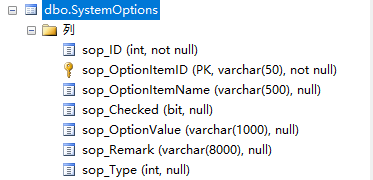
2、系统配置实体类
src/main/java/com/weiyu/model/SysConfig.java
package com.weiyu.model;

import com.baomidou.mybatisplus.annotation.TableField;
import com.baomidou.mybatisplus.annotation.TableName;
import lombok.Data;

/**
 * 系统配置
 */
@Data
@TableName("SystemOptions")
public class SysConfig {

    @TableField("sop_OptionItemID")
    private String configKey;       // 配置项

    @TableField("sop_OptionValue")
    private String configValue;     // 配置值
}
3、系统配置 Mapper
src/main/java/com/weiyu/mapper/SysConfigMapper.java
package com.weiyu.mapper;

import com.baomidou.mybatisplus.core.mapper.BaseMapper;
import com.weiyu.model.SysConfig;
import org.apache.ibatis.annotations.Select;

import java.util.List;
import java.util.Map;

/**
 * 系统配置
 */
public interface SysConfigMapper extends BaseMapper<SysConfig> {

    /**
     * 根据配置键查询配置值
     */
    @Select("select sop_OptionValue from SystemOptions where sop_OptionItemID = #{key}")
    String selectValueByKey(String key);

    /**
     * 查询所有启用的配置
     */
    @Select("select sop_OptionItemID, sop_OptionValue from SystemOptions where sop_OptionValue is not null")
    List<Map<String, String>> selectAllEnabledConfigs();
}
4、系统(数据库)配置服务
src/main/java/com/weiyu/service/SysConfigService.java
package com.weiyu.service;

import com.weiyu.mapper.SysConfigMapper;
import jakarta.annotation.PostConstruct;
import lombok.extern.slf4j.Slf4j;
import org.springframework.beans.factory.annotation.Autowired;
import org.springframework.stereotype.Service;

import java.util.List;
import java.util.Map;
import java.util.concurrent.ConcurrentHashMap;

/**
 * 系统(数据库)配置服务
 */
@Service
@Slf4j
public class SysConfigService {

    @Autowired
    private SysConfigMapper sysConfigMapper;

    // 配置缓存
    private final Map<String, String> configCache = new ConcurrentHashMap<>();

    /**
     * 获取字符串配置
     */
    public String getString(String key, String defaultValue) {
        try {
            // 缓存没有配置,则从数据库配置表中查询获取
            return configCache.computeIfAbsent(key, k -> {
                String value = sysConfigMapper.selectValueByKey(k);
                return value != null ? value : defaultValue;
            });
        } catch (Exception e) {
            log.warn("获取数据库配置失败 key: {}, 使用默认值: {}", key, defaultValue, e);
            return defaultValue;
        }
    }

    /**
     * 获取整数配置
     */
    public Integer getInteger(String key, Integer defaultValue) {
        String value = getString(key, null);
        if (value == null) return defaultValue;
        try {
            return Integer.parseInt(value);
        } catch (NumberFormatException e) {
            log.warn("数据库配置值格式错误 key: {}, value: {}", key, value);
            return defaultValue;
        }
    }

    /**
     * 获取长整型配置
     */
    public Long getLong(String key, Long defaultValue) {
        String value = getString(key, null);
        if (value == null) return defaultValue;
        try {
            return Long.parseLong(value);
        } catch (NumberFormatException e) {
            log.warn("数据库配置值格式有误 key: {}, value: {}", key, value);
            return defaultValue;
        }
    }

    /**
     * 获取布尔配置
     */
    public Boolean getBoolean(String key, Boolean defaultValue) {
        String value = getString(key, null);
        if (value == null) return defaultValue;
        return Boolean.parseBoolean(value);
    }

    /**
     * 刷新配置缓存
     */
    public void refreshCache() {
        log.info("刷新数据库配置缓存");
        configCache.clear();
        List<Map<String, String>> configs = sysConfigMapper.selectAllEnabledConfigs();
        for (Map<String, String> config : configs) {
            String key = config.get("sop_OptionItemID");
            String value = config.get("sop_OptionValue");

            // 添加空值检查
            if (key != null && value != null) {
                configCache.put(key, value);
            } else {
                log.warn("跳过无效配置项: key={}, value={}", key, value);
            }
        }
        log.info("数据库配置缓存刷新完成,共加载 {} 个配置项", configCache.size());
    }

    /**
     * 应用启动时初始化配置缓存
     */
    @PostConstruct
    public void init() {
        refreshCache();
    }
}
5、系统配置控制器(可选)
src/main/java/com/weiyu/controller/SysConfigController.java
package com.weiyu.controller;

import com.weiyu.service.CompositeConfigService;
import com.weiyu.service.SysConfigService;
import lombok.extern.slf4j.Slf4j;
import org.springframework.beans.factory.annotation.Autowired;
import org.springframework.web.bind.annotation.*;

import java.util.Map;

/**
 * 系统配置控制器
 */
@RestController
@RequestMapping("/config")
@Slf4j
public class SysConfigController {

    @Autowired
    private CompositeConfigService compositeConfigService;

    @Autowired
    private SysConfigService sysConfigService;

    /**
     * 获取当前所有配置信息
     */
    @GetMapping("/current")
    public Map<String, Object> getCurrentConfig() {
        return compositeConfigService.getCurrentConfig();
    }

    /**
     * 刷新配置缓存
     */
    @PostMapping("/refresh")
    public String refreshConfig() {
        compositeConfigService.refreshAllConfig();
        return "配置刷新成功";
    }

    /**
     * 获取数据库配置缓存信息
     */
    @GetMapping("/db-cache")
    public Map<String, String> getDbConfigCache() {
        // 注意:这里返回的是缓存内容,实际项目中可能需要保护
        // 可以通过反射获取,或者修改SysConfigService提供获取缓存的方法
        return Map.of("message", "数据库配置缓存信息受保护");
    }
}
6、超时检查配置属性
src/main/java/com/weiyu/config/properties/TimeoutProperties.java
package com.weiyu.config.properties;

import lombok.Data;
import org.springframework.boot.context.properties.ConfigurationProperties;
import org.springframework.stereotype.Component;

/**
 * 超时检查配置属性 - 从 application.yml 读取
 */
@Data
@Component
@ConfigurationProperties(prefix = "app.timeout")
public class TimeoutProperties {

    /**
     * 超时检查间隔(毫秒)
     */
    private Long checkIntervalMs = 1200000L; // 默认20分种

    /**
     * 请求超时时间(秒)
     */
    private Integer requestTimeoutSeconds = 1800; // 默认30分钟

    /**
     * 是否启用超时检查
     */
    private Boolean enabled = true;
}
7、综合配置服务 - 整合yml配置和数据库配置
src/main/java/com/weiyu/service/CompositeConfigService.java
package com.weiyu.service;

import com.weiyu.config.properties.TimeoutProperties;
import lombok.extern.slf4j.Slf4j;
import org.springframework.beans.factory.annotation.Autowired;
import org.springframework.stereotype.Service;

import jakarta.annotation.PostConstruct;
import java.util.HashMap;
import java.util.Map;

/**
 * 综合配置服务 - 整合yml配置和数据库配置
 * 优先级:数据库配置 > 文件配置 > 代码默认值
 */
@Service
@Slf4j
public class CompositeConfigService {

    @Autowired
    private TimeoutProperties timeoutProperties;

    @Autowired
    private SysConfigService sysConfigService;

    // 配置键常量
    private static final String KEY_CHECK_INTERVAL_MS = "app.timeout.check-interval-ms";
    private static final String KEY_REQUEST_TIMEOUT_SECONDS = "app.timeout.request-timeout-seconds";
    private static final String KEY_CHECK_ENABLED = "app.timeout.enabled";

    /**
     * 获取检查间隔(毫秒)
     * 优先级:数据库 > 文件 > 默认值
     */
    public Long getCheckIntervalMs() {
        // 先从数据库获取,如果没有则用文件配置,再没有则用默认值
        Long dbValue = sysConfigService.getLong(KEY_CHECK_INTERVAL_MS, null);
        if (dbValue != null) {
            return dbValue;
        }
        return timeoutProperties.getCheckIntervalMs();
    }

    /**
     * 获取请求超时时间(秒)
     * 优先级:数据库 > 文件 > 默认值
     */
    public Integer getRequestTimeoutSeconds() {
        Integer dbValue = sysConfigService.getInteger(KEY_REQUEST_TIMEOUT_SECONDS, null);
        if (dbValue != null) {
            return dbValue;
        }
        return timeoutProperties.getRequestTimeoutSeconds();
    }

    /**
     * 是否启用超时检查
     * 优先级:数据库 > 文件 > 默认值
     */
    public Boolean isTimeoutCheckEnabled() {
        Boolean dbValue = sysConfigService.getBoolean(KEY_CHECK_ENABLED, null);
        if (dbValue != null) {
            return dbValue;
        }
        return timeoutProperties.getEnabled();
    }

    /**
     * 刷新所有配置(数据库配置 + 文件配置)
     */
    public void refreshAllConfig() {
        sysConfigService.refreshCache();
        log.info("所有配置已刷新");
        logCurrentConfig();
    }

    /**
     * 获取当前所有配置信息(用于监控)
     */
    public Map<String, Object> getCurrentConfig() {
        Map<String, Object> config = new HashMap<>();

        // 数据库配置
        config.put("dbCheckIntervalMs", sysConfigService.getLong(KEY_CHECK_INTERVAL_MS, null));
        config.put("dbRequestTimeoutSeconds", sysConfigService.getInteger(KEY_REQUEST_TIMEOUT_SECONDS, null));
        config.put("dbCheckEnabled", sysConfigService.getBoolean(KEY_CHECK_ENABLED, null));

        // 文件配置
        config.put("fileCheckIntervalMs", timeoutProperties.getCheckIntervalMs());
        config.put("fileRequestTimeoutSeconds", timeoutProperties.getRequestTimeoutSeconds());
        config.put("fileCheckEnabled", timeoutProperties.getEnabled());

        // 最终生效配置
        config.put("finalCheckIntervalMs", getCheckIntervalMs());
        config.put("finalRequestTimeoutSeconds", getRequestTimeoutSeconds());
        config.put("finalCheckEnabled", isTimeoutCheckEnabled());

        return config;
    }

    /**
     * 应用启动时记录配置信息
     */
    @PostConstruct
    public void logConfigOnStartup() {
        log.info("=== 应用配置初始化 ===");
        logCurrentConfig();
        log.info("====================");
    }

    private void logCurrentConfig() {
        Map<String, Object> config = getCurrentConfig();
        log.info("最终生效配置 - 检查间隔: {}ms, 超时时间: {}s, 启用状态: {}",
                config.get("finalCheckIntervalMs"),
                config.get("finalRequestTimeoutSeconds"),
                config.get("finalCheckEnabled"));

        log.debug("详细配置信息: {}", config);
    }
}
8、定时任务配置类
src/main/java/com/weiyu/config/ScheduleConfig.java
package com.weiyu.config;

import com.weiyu.service.CompositeConfigService;
import lombok.extern.slf4j.Slf4j;
import org.springframework.beans.factory.annotation.Autowired;
import org.springframework.context.annotation.Bean;
import org.springframework.context.annotation.Configuration;
import org.springframework.scheduling.annotation.EnableScheduling;
import org.springframework.scheduling.annotation.SchedulingConfigurer;
import org.springframework.scheduling.config.ScheduledTaskRegistrar;

import java.util.concurrent.Executor;
import java.util.concurrent.Executors;

/**
 * 定时任务配置类
 */
@Configuration
@EnableScheduling
@Slf4j
public class ScheduleConfig implements SchedulingConfigurer {

    @Autowired
    private CompositeConfigService compositeConfigService;

    /**
     * 配置定时任务线程池
     */
    @Bean(destroyMethod = "shutdown")
    public Executor taskExecutor() {
        return Executors.newScheduledThreadPool(5, r -> {
            Thread t = new Thread(r);
            t.setDaemon(true);
            t.setName("schedule-task-" + t.getId());
            return t;
        });
    }

    @Override
    public void configureTasks(ScheduledTaskRegistrar taskRegistrar) {
        taskRegistrar.setScheduler(taskExecutor());

        Long interval = compositeConfigService.getCheckIntervalMs();
        log.info("定时任务配置完成,超时检查间隔: {}ms", interval);
    }

    /**
     * 获取超时检查间隔(用于@Scheduled注解)
     * 该方法通过SpEL在@Scheduled注解中调用,IDEA会误报未使用警告
     */
    @SuppressWarnings("unused")
    public Long getTimeoutCheckInterval() {
        return compositeConfigService.getCheckIntervalMs();
    }

    /**
     * 获取请求超时时间(秒)
     */
    public Integer getRequestTimeoutSeconds() {
        return compositeConfigService.getRequestTimeoutSeconds();
    }

    /**
     * 是否启用超时检查
     */
    public Boolean isTimeoutCheckEnabled() {
        return compositeConfigService.isTimeoutCheckEnabled();
    }
}
9、请求上下文处理器
src/main/java/com/weiyu/handler/RequestContextHandler.java
关键修改
    @Autowired
    private ScheduleConfig scheduleConfig;

    /**
     * 定时任务:超时检查
     */
    @Scheduled(fixedRateString = "#{@scheduleConfig.getTimeoutCheckInterval()}")
    public void scheduledTimeoutCheck() {
        try {
            // 检查是否启用超时检查
            if (!scheduleConfig.isTimeoutCheckEnabled()) {
                return;
            }

            // 获取超时时间配置
            int timeoutSeconds = scheduleConfig.getRequestTimeoutSeconds();
            log.debug("执行超时检查,超时阈值: {}秒", timeoutSeconds);
            // 取消所有超时请求
            cancelTimeoutRequests(timeoutSeconds);

        } catch (Exception e) {
            log.error("超时检查任务执行失败", e);
        }
    }
全部代码
package com.weiyu.handler;

import com.weiyu.config.ScheduleConfig;
import com.weiyu.exception.RequestCancelledException;
import lombok.extern.slf4j.Slf4j;
import org.springframework.beans.factory.annotation.Autowired;
import org.springframework.scheduling.annotation.Scheduled;
import org.springframework.stereotype.Component;

import java.time.LocalDateTime;
import java.util.Map;
import java.util.Optional;
import java.util.concurrent.ConcurrentHashMap;
import java.util.concurrent.atomic.AtomicBoolean;

/**
 * 请求上下文处理器
 */
@Component
@Slf4j
public class RequestContextHandler {

    @Autowired
    private ScheduleConfig scheduleConfig;

    /**
     * 请求取消标识
     */
    private final Map<String, AtomicBoolean> requestCancelFlags = new ConcurrentHashMap<>();

    /**
     * 请求线程
     */
    private final Map<String, Thread> requestThreads = new ConcurrentHashMap<>();

    /**
     * 请求进度
     */
    private final Map<String, Integer> requestProgresses = new ConcurrentHashMap<>();

    /**
     * 请求开始时间,用于超时检查
     */
    private final Map<String, LocalDateTime> requestStartTimes = new ConcurrentHashMap<>();

    /**
     * 注册请求,增加 Map 记录
     *
     * @param requestId 请求唯一id
     */
    public void registerRequest(String requestId) {
        requestCancelFlags.put(requestId, new AtomicBoolean(false));
        requestThreads.put(requestId, Thread.currentThread());
        requestProgresses.put(requestId, 0);
        requestStartTimes.put(requestId, LocalDateTime.now());
        log.info("已注册请求: requestId={}", requestId);
    }

    /**
     * 清理请求,移除 Map 记录
     *
     * @param requestId 请求唯一id
     */
    public void cleanupRequest(String requestId) {
        requestCancelFlags.remove(requestId);
        requestThreads.remove(requestId);
        requestProgresses.remove(requestId);
        requestStartTimes.remove(requestId);
        log.info("已清理请求: requestId={}", requestId);
    }

    /**
     * 取消请求
     *
     * @param requestId 请求唯一id
     */
    public void cancelRequest(String requestId) {
        // 通过请求唯一id获取取消标识
        AtomicBoolean flag = requestCancelFlags.get(requestId);
        if (flag != null) {
            // 设置为已被取消
            flag.set(true);

            // 通过请求唯一id获取线程
            Thread thread = requestThreads.get(requestId);
            if (thread != null && thread.isAlive()) {
                // 中断线程
                thread.interrupt();
                log.info("已中断请求线程: requestId={}", requestId);
            }
        }
    }

    /**
     * 检查是否已被取消
     *
     * @param requestId 请求唯一id
     */
    public void checkCancellation(String requestId) {
        if (isCancelled(requestId)) {
            throw new RequestCancelledException("请求已被取消");
        }
    }

    /**
     * 更新请求进度
     *
     * @param requestId 请求唯一id
     * @param progress  进度
     */
    public void updateProgress(String requestId, Integer progress) {
        if (progress != null) {
            requestProgresses.put(requestId, progress);
        }
    }

    /**
     * 获取请求进度
     *
     * @param requestId 请求唯一id
     */
    public Optional<Integer> getProgress(String requestId) {
        return Optional.ofNullable(requestProgresses.get(requestId));
    }

    /**
     * 更新请求开始时间
     *
     * @param requestId 请求唯一id
     */
    public void updateRequestStartTime(String requestId) {
        requestStartTimes.put(requestId, LocalDateTime.now());
    }

    /**
     * 检查请求是否超时
     *
     * @param requestId      请求唯一id
     * @param timeoutSeconds 超时时间(秒)
     */
    public boolean isRequestTimeout(String requestId, long timeoutSeconds) {
        LocalDateTime startTime = requestStartTimes.get(requestId);
        if (startTime == null) {
            return false; // 请求不存在,不算超时
        }

        LocalDateTime timeoutTime = startTime.plusSeconds(timeoutSeconds);

        return LocalDateTime.now().isAfter(timeoutTime);
    }

    /**
     * 取消所有超时请求(自定义超时时间)
     *
     * @param timeoutSeconds 超时时间(秒)
     */
    public void cancelTimeoutRequests(long timeoutSeconds) {
        int cancelledCount = 0;

        for (String requestId : requestStartTimes.keySet()) {
            if (isRequestTimeout(requestId, timeoutSeconds)) {
                cancelRequest(requestId);
                cancelledCount++;
            }
        }

        if (cancelledCount > 0) {
            log.info("已自动取消超时请求数: {}", cancelledCount);
        }
    }

    /**
     * 定时任务:超时检查
     */
    @Scheduled(fixedRateString = "#{@scheduleConfig.getTimeoutCheckInterval()}")
    public void scheduledTimeoutCheck() {
        try {
            // 检查是否启用超时检查
            if (!scheduleConfig.isTimeoutCheckEnabled()) {
                return;
            }

            // 获取超时时间配置
            int timeoutSeconds = scheduleConfig.getRequestTimeoutSeconds();
            log.debug("执行超时检查,超时阈值: {}秒", timeoutSeconds);
            // 取消所有超时请求
            cancelTimeoutRequests(timeoutSeconds);

        } catch (Exception e) {
            log.error("超时检查任务执行失败", e);
        }
    }

    /**
     * 判断是否已被取消
     *
     * @param requestId 请求唯一id
     */
    private boolean isCancelled(String requestId) {
        AtomicBoolean flag = requestCancelFlags.get(requestId);
        return flag != null && flag.get();
    }

//    /**
//     * 获取当前统计信息(用于监控)
//     */
//    public Map<String, Object> getStats() {
//        Map<String, Object> stats = new ConcurrentHashMap<>();
//        stats.put("activeRequests", requestCancelFlags.size());
//        stats.put("checkIntervalMs", scheduleConfig.getTimeoutCheckInterval());
//        stats.put("timeoutSeconds", scheduleConfig.getRequestTimeoutSeconds());
//        stats.put("enabled", scheduleConfig.isTimeoutCheckEnabled());
//        return stats;
//    }
}
10、yml文件配置
10.1、开发环境配置
src/main/resources/application-dev.yml
# 系统配置
app:
  # 应用超时配置
  timeout:
    # 超时检查间隔(毫秒)
    check-interval-ms: 30000
    # 请求超时时间(秒)
    request-timeout-seconds: 60
    # 启用超时检查
    enabled: true
10.2、生产环境配置
src/main/resources/application-prod.yml
# 系统配置
app:
  # 应用超时配置
  timeout:
    # 超时检查间隔(毫秒)
    check-interval-ms: 1200000
    # 请求超时时间(秒)
    request-timeout-seconds: 1800
    # 启用超时检查
    enabled: true
11、数据库配置
-- 系统配置
-- 应用超时配置 - 超时检查间隔(毫秒)
if not exists(select * from SystemOptions where sop_OptionItemID = 'app.timeout.check-interval-ms')
insert into SystemOptions(sop_OptionItemID, sop_OptionItemName, sop_Checked, sop_OptionValue,sop_Remark,sop_Type)
values('app.timeout.check-interval-ms', '超时检查间隔(毫秒)',null,'30000',null,null)
go

-- 应用超时配置 - 请求超时时间(秒)
if not exists(select * from SystemOptions where sop_OptionItemID = 'app.timeout.request-timeout-seconds')
insert into SystemOptions(sop_OptionItemID, sop_OptionItemName, sop_Checked, sop_OptionValue,sop_Remark,sop_Type)
values('app.timeout.request-timeout-seconds', '请求超时时间(秒)',null,'60',null,null)
go

-- 应用超时配置 - 启用超时检查
if not exists(select * from SystemOptions where sop_OptionItemID = 'app.timeout.enabled')
insert into SystemOptions(sop_OptionItemID, sop_OptionItemName, sop_Checked, sop_OptionValue,sop_Remark,sop_Type)
values('app.timeout.enabled', '启用超时检查',null,'true',null,null)
go
12、应用效果
服务启动情况
D:\Develop\jdk\bin\java.exe "-javaagent:D:\Develop\IntelliJ IDEA Community Edition\lib\idea_rt.jar=58370:D:\Develop\IntelliJ IDEA Community Edition\bin" -Dfile.encoding=UTF-8 -classpath D:\MyCode\wylims-jm\lims-server\target\classes;D:\Develop\apache-maven-3.9.6\mvn_repo\org\springframework\boot\spring-boot-starter-web\3.2.12\spring-boot-starter-web-3.2.12.jar;D:\Develop\apache-maven-3.9.6\mvn_repo\org\springframework\boot\spring-boot-starter\3.2.12\spring-boot-starter-3.2.12.jar;D:\Develop\apache-maven-3.9.6\mvn_repo\org\springframework\boot\spring-boot\3.2.12\spring-boot-3.2.12.jar;D:\Develop\apache-maven-3.9.6\mvn_repo\org\springframework\boot\spring-boot-starter-logging\3.2.12\spring-boot-starter-logging-3.2.12.jar;D:\Develop\apache-maven-3.9.6\mvn_repo\ch\qos\logback\logback-classic\1.4.14\logback-classic-1.4.14.jar;D:\Develop\apache-maven-3.9.6\mvn_repo\ch\qos\logback\logback-core\1.4.14\logback-core-1.4.14.jar;D:\Develop\apache-maven-3.9.6\mvn_repo\org\apache\logging\log4j\log4j-to-slf4j\2.21.1\log4j-to-slf4j-2.21.1.jar;D:\Develop\apache-maven-3.9.6\mvn_repo\org\slf4j\jul-to-slf4j\2.0.16\jul-to-slf4j-2.0.16.jar;D:\Develop\apache-maven-3.9.6\mvn_repo\jakarta\annotation\jakarta.annotation-api\2.1.1\jakarta.annotation-api-2.1.1.jar;D:\Develop\apache-maven-3.9.6\mvn_repo\org\springframework\spring-core\6.1.15\spring-core-6.1.15.jar;D:\Develop\apache-maven-3.9.6\mvn_repo\org\springframework\spring-jcl\6.1.15\spring-jcl-6.1.15.jar;D:\Develop\apache-maven-3.9.6\mvn_repo\org\yaml\snakeyaml\2.2\snakeyaml-2.2.jar;D:\Develop\apache-maven-3.9.6\mvn_repo\org\springframework\boot\spring-boot-starter-json\3.2.12\spring-boot-starter-json-3.2.12.jar;D:\Develop\apache-maven-3.9.6\mvn_repo\com\fasterxml\jackson\datatype\jackson-datatype-jdk8\2.15.4\jackson-datatype-jdk8-2.15.4.jar;D:\Develop\apache-maven-3.9.6\mvn_repo\com\fasterxml\jackson\datatype\jackson-datatype-jsr310\2.15.4\jackson-datatype-jsr310-2.15.4.jar;D:\Develop\apache-maven-3.9.6\mvn_repo\com\fasterxml\jackson\module\jackson-module-parameter-names\2.15.4\jackson-module-parameter-names-2.15.4.jar;D:\Develop\apache-maven-3.9.6\mvn_repo\org\springframework\boot\spring-boot-starter-tomcat\3.2.12\spring-boot-starter-tomcat-3.2.12.jar;D:\Develop\apache-maven-3.9.6\mvn_repo\org\apache\tomcat\embed\tomcat-embed-core\10.1.33\tomcat-embed-core-10.1.33.jar;D:\Develop\apache-maven-3.9.6\mvn_repo\org\apache\tomcat\embed\tomcat-embed-websocket\10.1.33\tomcat-embed-websocket-10.1.33.jar;D:\Develop\apache-maven-3.9.6\mvn_repo\org\springframework\spring-web\6.1.15\spring-web-6.1.15.jar;D:\Develop\apache-maven-3.9.6\mvn_repo\org\springframework\spring-beans\6.1.15\spring-beans-6.1.15.jar;D:\Develop\apache-maven-3.9.6\mvn_repo\io\micrometer\micrometer-observation\1.12.13\micrometer-observation-1.12.13.jar;D:\Develop\apache-maven-3.9.6\mvn_repo\io\micrometer\micrometer-commons\1.12.13\micrometer-commons-1.12.13.jar;D:\Develop\apache-maven-3.9.6\mvn_repo\org\springframework\spring-webmvc\6.1.15\spring-webmvc-6.1.15.jar;D:\Develop\apache-maven-3.9.6\mvn_repo\org\springframework\spring-context\6.1.15\spring-context-6.1.15.jar;D:\Develop\apache-maven-3.9.6\mvn_repo\org\springframework\spring-expression\6.1.15\spring-expression-6.1.15.jar;D:\Develop\apache-maven-3.9.6\mvn_repo\com\baomidou\mybatis-plus-spring-boot3-starter\3.5.14\mybatis-plus-spring-boot3-starter-3.5.14.jar;D:\Develop\apache-maven-3.9.6\mvn_repo\com\baomidou\mybatis-plus\3.5.14\mybatis-plus-3.5.14.jar;D:\Develop\apache-maven-3.9.6\mvn_repo\com\baomidou\mybatis-plus-core\3.5.14\mybatis-plus-core-3.5.14.jar;D:\Develop\apache-maven-3.9.6\mvn_repo\com\baomidou\mybatis-plus-annotation\3.5.14\mybatis-plus-annotation-3.5.14.jar;D:\Develop\apache-maven-3.9.6\mvn_repo\com\baomidou\mybatis-plus-spring\3.5.14\mybatis-plus-spring-3.5.14.jar;D:\Develop\apache-maven-3.9.6\mvn_repo\com\baomidou\mybatis-plus-extension\3.5.14\mybatis-plus-extension-3.5.14.jar;D:\Develop\apache-maven-3.9.6\mvn_repo\org\mybatis\mybatis\3.5.19\mybatis-3.5.19.jar;D:\Develop\apache-maven-3.9.6\mvn_repo\org\mybatis\mybatis-spring\3.0.5\mybatis-spring-3.0.5.jar;D:\Develop\apache-maven-3.9.6\mvn_repo\com\baomidou\mybatis-plus-spring-boot-autoconfigure\3.5.14\mybatis-plus-spring-boot-autoconfigure-3.5.14.jar;D:\Develop\apache-maven-3.9.6\mvn_repo\org\springframework\boot\spring-boot-autoconfigure\3.2.12\spring-boot-autoconfigure-3.2.12.jar;D:\Develop\apache-maven-3.9.6\mvn_repo\org\springframework\boot\spring-boot-starter-jdbc\3.2.12\spring-boot-starter-jdbc-3.2.12.jar;D:\Develop\apache-maven-3.9.6\mvn_repo\com\zaxxer\HikariCP\5.0.1\HikariCP-5.0.1.jar;D:\Develop\apache-maven-3.9.6\mvn_repo\org\springframework\spring-jdbc\6.1.15\spring-jdbc-6.1.15.jar;D:\Develop\apache-maven-3.9.6\mvn_repo\org\springframework\spring-tx\6.1.15\spring-tx-6.1.15.jar;D:\Develop\apache-maven-3.9.6\mvn_repo\com\microsoft\sqlserver\mssql-jdbc\8.2.2.jre8\mssql-jdbc-8.2.2.jre8.jar;D:\Develop\apache-maven-3.9.6\mvn_repo\org\projectlombok\lombok\1.18.36\lombok-1.18.36.jar;D:\Develop\apache-maven-3.9.6\mvn_repo\org\springframework\boot\spring-boot-starter-validation\3.2.12\spring-boot-starter-validation-3.2.12.jar;D:\Develop\apache-maven-3.9.6\mvn_repo\org\apache\tomcat\embed\tomcat-embed-el\10.1.33\tomcat-embed-el-10.1.33.jar;D:\Develop\apache-maven-3.9.6\mvn_repo\org\hibernate\validator\hibernate-validator\8.0.1.Final\hibernate-validator-8.0.1.Final.jar;D:\Develop\apache-maven-3.9.6\mvn_repo\jakarta\validation\jakarta.validation-api\3.0.2\jakarta.validation-api-3.0.2.jar;D:\Develop\apache-maven-3.9.6\mvn_repo\org\jboss\logging\jboss-logging\3.5.3.Final\jboss-logging-3.5.3.Final.jar;D:\Develop\apache-maven-3.9.6\mvn_repo\com\fasterxml\classmate\1.6.0\classmate-1.6.0.jar;D:\Develop\apache-maven-3.9.6\mvn_repo\com\auth0\java-jwt\4.4.0\java-jwt-4.4.0.jar;D:\Develop\apache-maven-3.9.6\mvn_repo\com\fasterxml\jackson\core\jackson-databind\2.15.4\jackson-databind-2.15.4.jar;D:\Develop\apache-maven-3.9.6\mvn_repo\com\fasterxml\jackson\core\jackson-annotations\2.15.4\jackson-annotations-2.15.4.jar;D:\Develop\apache-maven-3.9.6\mvn_repo\com\fasterxml\jackson\core\jackson-core\2.15.4\jackson-core-2.15.4.jar;D:\Develop\apache-maven-3.9.6\mvn_repo\com\github\pagehelper\pagehelper-spring-boot-starter\1.4.6\pagehelper-spring-boot-starter-1.4.6.jar;D:\Develop\apache-maven-3.9.6\mvn_repo\org\mybatis\spring\boot\mybatis-spring-boot-starter\2.2.2\mybatis-spring-boot-starter-2.2.2.jar;D:\Develop\apache-maven-3.9.6\mvn_repo\org\mybatis\spring\boot\mybatis-spring-boot-autoconfigure\2.2.2\mybatis-spring-boot-autoconfigure-2.2.2.jar;D:\Develop\apache-maven-3.9.6\mvn_repo\com\github\pagehelper\pagehelper-spring-boot-autoconfigure\1.4.6\pagehelper-spring-boot-autoconfigure-1.4.6.jar;D:\Develop\apache-maven-3.9.6\mvn_repo\com\github\pagehelper\pagehelper\5.3.2\pagehelper-5.3.2.jar;D:\Develop\apache-maven-3.9.6\mvn_repo\com\github\jsqlparser\jsqlparser\4.5\jsqlparser-4.5.jar;D:\Develop\apache-maven-3.9.6\mvn_repo\org\apache\poi\poi\5.3.0\poi-5.3.0.jar;D:\Develop\apache-maven-3.9.6\mvn_repo\commons-codec\commons-codec\1.16.1\commons-codec-1.16.1.jar;D:\Develop\apache-maven-3.9.6\mvn_repo\org\apache\commons\commons-collections4\4.4\commons-collections4-4.4.jar;D:\Develop\apache-maven-3.9.6\mvn_repo\org\apache\commons\commons-math3\3.6.1\commons-math3-3.6.1.jar;D:\Develop\apache-maven-3.9.6\mvn_repo\commons-io\commons-io\2.16.1\commons-io-2.16.1.jar;D:\Develop\apache-maven-3.9.6\mvn_repo\com\zaxxer\SparseBitSet\1.3\SparseBitSet-1.3.jar;D:\Develop\apache-maven-3.9.6\mvn_repo\org\apache\logging\log4j\log4j-api\2.21.1\log4j-api-2.21.1.jar;D:\Develop\apache-maven-3.9.6\mvn_repo\org\apache\poi\poi-ooxml\5.3.0\poi-ooxml-5.3.0.jar;D:\Develop\apache-maven-3.9.6\mvn_repo\org\apache\poi\poi-ooxml-lite\5.3.0\poi-ooxml-lite-5.3.0.jar;D:\Develop\apache-maven-3.9.6\mvn_repo\org\apache\xmlbeans\xmlbeans\5.2.1\xmlbeans-5.2.1.jar;D:\Develop\apache-maven-3.9.6\mvn_repo\org\apache\commons\commons-compress\1.26.2\commons-compress-1.26.2.jar;D:\Develop\apache-maven-3.9.6\mvn_repo\org\apache\commons\commons-lang3\3.13.0\commons-lang3-3.13.0.jar;D:\Develop\apache-maven-3.9.6\mvn_repo\com\github\virtuald\curvesapi\1.08\curvesapi-1.08.jar;D:\Develop\apache-maven-3.9.6\mvn_repo\com\alibaba\fastjson\1.2.83\fastjson-1.2.83.jar;D:\Develop\apache-maven-3.9.6\mvn_repo\com\itextpdf\barcodes\7.2.5\barcodes-7.2.5.jar;D:\Develop\apache-maven-3.9.6\mvn_repo\org\slf4j\slf4j-api\2.0.16\slf4j-api-2.0.16.jar;D:\Develop\apache-maven-3.9.6\mvn_repo\com\itextpdf\font-asian\7.2.5\font-asian-7.2.5.jar;D:\Develop\apache-maven-3.9.6\mvn_repo\com\itextpdf\forms\7.2.5\forms-7.2.5.jar;D:\Develop\apache-maven-3.9.6\mvn_repo\com\itextpdf\hyph\7.2.5\hyph-7.2.5.jar;D:\Develop\apache-maven-3.9.6\mvn_repo\com\itextpdf\io\7.2.5\io-7.2.5.jar;D:\Develop\apache-maven-3.9.6\mvn_repo\com\itextpdf\commons\7.2.5\commons-7.2.5.jar;D:\Develop\apache-maven-3.9.6\mvn_repo\com\itextpdf\kernel\7.2.5\kernel-7.2.5.jar;D:\Develop\apache-maven-3.9.6\mvn_repo\org\bouncycastle\bcpkix-jdk15on\1.70\bcpkix-jdk15on-1.70.jar;D:\Develop\apache-maven-3.9.6\mvn_repo\org\bouncycastle\bcutil-jdk15on\1.70\bcutil-jdk15on-1.70.jar;D:\Develop\apache-maven-3.9.6\mvn_repo\org\bouncycastle\bcprov-jdk15on\1.70\bcprov-jdk15on-1.70.jar;D:\Develop\apache-maven-3.9.6\mvn_repo\com\itextpdf\layout\7.2.5\layout-7.2.5.jar;D:\Develop\apache-maven-3.9.6\mvn_repo\com\itextpdf\pdfa\7.2.5\pdfa-7.2.5.jar;D:\Develop\apache-maven-3.9.6\mvn_repo\com\itextpdf\sign\7.2.5\sign-7.2.5.jar;D:\Develop\apache-maven-3.9.6\mvn_repo\com\itextpdf\styled-xml-parser\7.2.5\styled-xml-parser-7.2.5.jar;D:\Develop\apache-maven-3.9.6\mvn_repo\com\itextpdf\svg\7.2.5\svg-7.2.5.jar;D:\Develop\apache-maven-3.9.6\mvn_repo\org\springframework\boot\spring-boot-starter-aop\3.2.12\spring-boot-starter-aop-3.2.12.jar;D:\Develop\apache-maven-3.9.6\mvn_repo\org\springframework\spring-aop\6.1.15\spring-aop-6.1.15.jar;D:\Develop\apache-maven-3.9.6\mvn_repo\org\aspectj\aspectjweaver\1.9.22.1\aspectjweaver-1.9.22.1.jar;D:\Develop\apache-maven-3.9.6\mvn_repo\com\github\ulisesbocchio\jasypt-spring-boot-starter\3.0.5\jasypt-spring-boot-starter-3.0.5.jar;D:\Develop\apache-maven-3.9.6\mvn_repo\com\github\ulisesbocchio\jasypt-spring-boot\3.0.5\jasypt-spring-boot-3.0.5.jar;D:\Develop\apache-maven-3.9.6\mvn_repo\org\jasypt\jasypt\1.9.3\jasypt-1.9.3.jar;D:\Develop\apache-maven-3.9.6\mvn_repo\org\springframework\boot\spring-boot-starter-websocket\3.2.12\spring-boot-starter-websocket-3.2.12.jar;D:\Develop\apache-maven-3.9.6\mvn_repo\org\springframework\spring-messaging\6.1.15\spring-messaging-6.1.15.jar;D:\Develop\apache-maven-3.9.6\mvn_repo\org\springframework\spring-websocket\6.1.15\spring-websocket-6.1.15.jar com.weiyu.LimsServerApplication

  .   ____          _            __ _ _
 /\\ / ___'_ __ _ _(_)_ __  __ _ \ \ \ \
( ( )\___ | '_ | '_| | '_ \/ _` | \ \ \ \
 \\/  ___)| |_)| | | | | || (_| |  ) ) ) )
  '  |____| .__|_| |_|_| |_\__, | / / / /
 =========|_|==============|___/=/_/_/_/
 :: Spring Boot ::               (v3.2.12)

2025-11-21T20:37:36.802+08:00  INFO 34652 --- [           main] com.weiyu.LimsServerApplication          : Starting LimsServerApplication using Java 17.0.10 with PID 34652 (D:\MyCode\wylims-jm\lims-server\target\classes started by 27973 in D:\MyCode\wylims-jm\lims-server)
2025-11-21T20:37:36.805+08:00  INFO 34652 --- [           main] com.weiyu.LimsServerApplication          : The following 1 profile is active: "dev"
2025-11-21T20:37:38.870+08:00  INFO 34652 --- [           main] ptablePropertiesBeanFactoryPostProcessor : Post-processing PropertySource instances
2025-11-21T20:37:38.874+08:00  INFO 34652 --- [           main] c.u.j.EncryptablePropertySourceConverter : Skipping PropertySource configurationProperties [class org.springframework.boot.context.properties.source.ConfigurationPropertySourcesPropertySource
2025-11-21T20:37:38.882+08:00  INFO 34652 --- [           main] c.u.j.EncryptablePropertySourceConverter : Skipping PropertySource servletConfigInitParams [class org.springframework.core.env.PropertySource$StubPropertySource
2025-11-21T20:37:38.882+08:00  INFO 34652 --- [           main] c.u.j.EncryptablePropertySourceConverter : Skipping PropertySource servletContextInitParams [class org.springframework.core.env.PropertySource$StubPropertySource
2025-11-21T20:37:38.884+08:00  INFO 34652 --- [           main] c.u.j.EncryptablePropertySourceConverter : Converting PropertySource systemProperties [org.springframework.core.env.PropertiesPropertySource] to EncryptableMapPropertySourceWrapper
2025-11-21T20:37:38.885+08:00  INFO 34652 --- [           main] c.u.j.EncryptablePropertySourceConverter : Converting PropertySource systemEnvironment [org.springframework.boot.env.SystemEnvironmentPropertySourceEnvironmentPostProcessor$OriginAwareSystemEnvironmentPropertySource] to EncryptableSystemEnvironmentPropertySourceWrapper
2025-11-21T20:37:38.885+08:00  INFO 34652 --- [           main] c.u.j.EncryptablePropertySourceConverter : Converting PropertySource random [org.springframework.boot.env.RandomValuePropertySource] to EncryptablePropertySourceWrapper
2025-11-21T20:37:38.886+08:00  INFO 34652 --- [           main] c.u.j.EncryptablePropertySourceConverter : Converting PropertySource Config resource 'class path resource [application-dev.yml]' via location 'optional:classpath:/' [org.springframework.boot.env.OriginTrackedMapPropertySource] to EncryptableMapPropertySourceWrapper
2025-11-21T20:37:38.886+08:00  INFO 34652 --- [           main] c.u.j.EncryptablePropertySourceConverter : Converting PropertySource Config resource 'class path resource [application.yml]' via location 'optional:classpath:/' [org.springframework.boot.env.OriginTrackedMapPropertySource] to EncryptableMapPropertySourceWrapper
2025-11-21T20:37:39.539+08:00  INFO 34652 --- [           main] c.u.j.filter.DefaultLazyPropertyFilter   : Property Filter custom Bean not found with name 'encryptablePropertyFilter'. Initializing Default Property Filter
2025-11-21T20:37:39.562+08:00  INFO 34652 --- [           main] c.u.j.r.DefaultLazyPropertyResolver      : Property Resolver custom Bean not found with name 'encryptablePropertyResolver'. Initializing Default Property Resolver
2025-11-21T20:37:39.568+08:00  INFO 34652 --- [           main] c.u.j.d.DefaultLazyPropertyDetector      : Property Detector custom Bean not found with name 'encryptablePropertyDetector'. Initializing Default Property Detector
2025-11-21T20:37:40.254+08:00  INFO 34652 --- [           main] o.s.b.w.embedded.tomcat.TomcatWebServer  : Tomcat initialized with port 8080 (http)
2025-11-21T20:37:40.317+08:00  INFO 34652 --- [           main] o.apache.catalina.core.StandardService   : Starting service [Tomcat]
2025-11-21T20:37:40.318+08:00  INFO 34652 --- [           main] o.apache.catalina.core.StandardEngine    : Starting Servlet engine: [Apache Tomcat/10.1.33]
2025-11-21T20:37:40.444+08:00  INFO 34652 --- [           main] o.a.c.c.C.[Tomcat].[localhost].[/]       : Initializing Spring embedded WebApplicationContext
2025-11-21T20:37:40.445+08:00  INFO 34652 --- [           main] w.s.c.ServletWebServerApplicationContext : Root WebApplicationContext: initialization completed in 3550 ms
Logging initialized using 'class org.apache.ibatis.logging.stdout.StdOutImpl' adapter.
Get /192.168.188.1 network interface
Get network interface info: name:eth5 (VMware Virtual Ethernet Adapter for VMnet1)
Initialization Sequence datacenterId:4 workerId:30
 _ _   |_  _ _|_. ___ _ |    _
| | |\/|_)(_| | |_\  |_)||_|_\
     /               |
                        3.5.14
This "id" is the table primary key by @TableId annotation in Class: "com.weiyu.model.RecordLog",So @TableField annotation will not work!
Can not find table primary key in Class: "com.weiyu.model.SysConfig".
2025-11-21T20:37:42.733+08:00  WARN 34652 --- [           main] c.b.m.core.injector.DefaultSqlInjector   : class com.weiyu.model.SysConfig ,Not found @TableId annotation, Cannot use Mybatis-Plus 'xxById' Method.
2025-11-21T20:37:42.770+08:00  INFO 34652 --- [           main] com.weiyu.service.SysConfigService       : 刷新数据库配置缓存
Creating a new SqlSession
SqlSession [org.apache.ibatis.session.defaults.DefaultSqlSession@782fd504] was not registered for synchronization because synchronization is not active
2025-11-21T20:37:42.921+08:00  INFO 34652 --- [           main] com.zaxxer.hikari.HikariDataSource       : HikariPool-1 - Starting...
2025-11-21T20:37:43.611+08:00  INFO 34652 --- [           main] com.zaxxer.hikari.pool.HikariPool        : HikariPool-1 - Added connection ConnectionID:1 ClientConnectionId: 2add60f4-9b9f-40f3-8dd2-56b8a86e6616
2025-11-21T20:37:43.613+08:00  INFO 34652 --- [           main] com.zaxxer.hikari.HikariDataSource       : HikariPool-1 - Start completed.
JDBC Connection [HikariProxyConnection@165255249 wrapping ConnectionID:1 ClientConnectionId: 2add60f4-9b9f-40f3-8dd2-56b8a86e6616] will not be managed by Spring
==>  Preparing: select sop_OptionItemID, sop_OptionValue from SystemOptions where sop_OptionValue is not null
==> Parameters:
<==    Columns: sop_OptionItemID, sop_OptionValue
<==        Row: AcceptMode, 1
<==        Row: app.timeout.check-interval-ms, 30000
<==        Row: app.timeout.enabled, true
<==        Row: app.timeout.request-timeout-seconds, 60
<==        Row: ApplicationTimeOut, 3600


<==      Total: 154
Closing non transactional SqlSession [org.apache.ibatis.session.defaults.DefaultSqlSession@782fd504]
2025-11-21T20:37:44.099+08:00  INFO 34652 --- [           main] com.weiyu.aop.TimeAspect                 : List com.weiyu.mapper.SysConfigMapper.selectAllEnabledConfigs() 执行sql时间:1308 ms
2025-11-21T20:37:44.099+08:00  INFO 34652 --- [           main] com.weiyu.service.SysConfigService       : 数据库配置缓存刷新完成,共加载 154 个配置项
2025-11-21T20:37:44.102+08:00  INFO 34652 --- [           main] c.weiyu.service.CompositeConfigService   : === 应用配置初始化 ===
2025-11-21T20:37:44.105+08:00  INFO 34652 --- [           main] c.weiyu.service.CompositeConfigService   : 最终生效配置 - 检查间隔: 30000ms, 超时时间: 60s, 启用状态: true
2025-11-21T20:37:44.105+08:00  INFO 34652 --- [           main] c.weiyu.service.CompositeConfigService   : ====================
2025-11-21T20:37:46.762+08:00  INFO 34652 --- [           main] m.e.s.MybatisPlusApplicationContextAware : Register ApplicationContext instances org.springframework.boot.web.servlet.context.AnnotationConfigServletWebServerApplicationContext@21fd5faa


,------.                           ,--.  ,--.         ,--.
|  .--. '  ,--,--.  ,---.   ,---.  |  '--'  |  ,---.  |  |  ,---.   ,---.  ,--.--.
|  '--' | ' ,-.  | | .-. | | .-. : |  .--.  | | .-. : |  | | .-. | | .-. : |  .--'
|  | --'  \ '-'  | ' '-' ' \   --. |  |  |  | \   --. |  | | '-' ' \   --. |  |
`--'       `--`--' .`-  /   `----' `--'  `--'  `----' `--' |  |-'   `----' `--'
                   `---'                                   `--'                        is intercepting.

2025-11-21T20:37:47.319+08:00  INFO 34652 --- [           main] o.s.b.w.embedded.tomcat.TomcatWebServer  : Tomcat started on port 8080 (http) with context path ''
2025-11-21T20:37:47.323+08:00  INFO 34652 --- [           main] u.j.c.RefreshScopeRefreshedEventListener : Refreshing cached encryptable property sources on ServletWebServerInitializedEvent
2025-11-21T20:37:47.326+08:00  INFO 34652 --- [           main] CachingDelegateEncryptablePropertySource : Property Source systemProperties refreshed
2025-11-21T20:37:47.326+08:00  INFO 34652 --- [           main] CachingDelegateEncryptablePropertySource : Property Source systemEnvironment refreshed
2025-11-21T20:37:47.326+08:00  INFO 34652 --- [           main] CachingDelegateEncryptablePropertySource : Property Source random refreshed
2025-11-21T20:37:47.326+08:00  INFO 34652 --- [           main] CachingDelegateEncryptablePropertySource : Property Source Config resource 'class path resource [application-dev.yml]' via location 'optional:classpath:/' refreshed
2025-11-21T20:37:47.326+08:00  INFO 34652 --- [           main] CachingDelegateEncryptablePropertySource : Property Source Config resource 'class path resource [application.yml]' via location 'optional:classpath:/' refreshed
2025-11-21T20:37:47.326+08:00  INFO 34652 --- [           main] c.u.j.EncryptablePropertySourceConverter : Skipping PropertySource configurationProperties [class org.springframework.boot.context.properties.source.ConfigurationPropertySourcesPropertySource
2025-11-21T20:37:47.326+08:00  INFO 34652 --- [           main] c.u.j.EncryptablePropertySourceConverter : Skipping PropertySource servletConfigInitParams [class org.springframework.core.env.PropertySource$StubPropertySource
2025-11-21T20:37:47.327+08:00  INFO 34652 --- [           main] c.u.j.EncryptablePropertySourceConverter : Converting PropertySource servletContextInitParams [org.springframework.web.context.support.ServletContextPropertySource] to EncryptableEnumerablePropertySourceWrapper
2025-11-21T20:37:47.358+08:00  INFO 34652 --- [           main] com.weiyu.config.ScheduleConfig          : 定时任务配置完成,超时检查间隔: 30000ms
2025-11-21T20:37:47.379+08:00  INFO 34652 --- [           main] com.weiyu.LimsServerApplication          : Started LimsServerApplication in 11.143 seconds (process running for 11.547)
应用情况
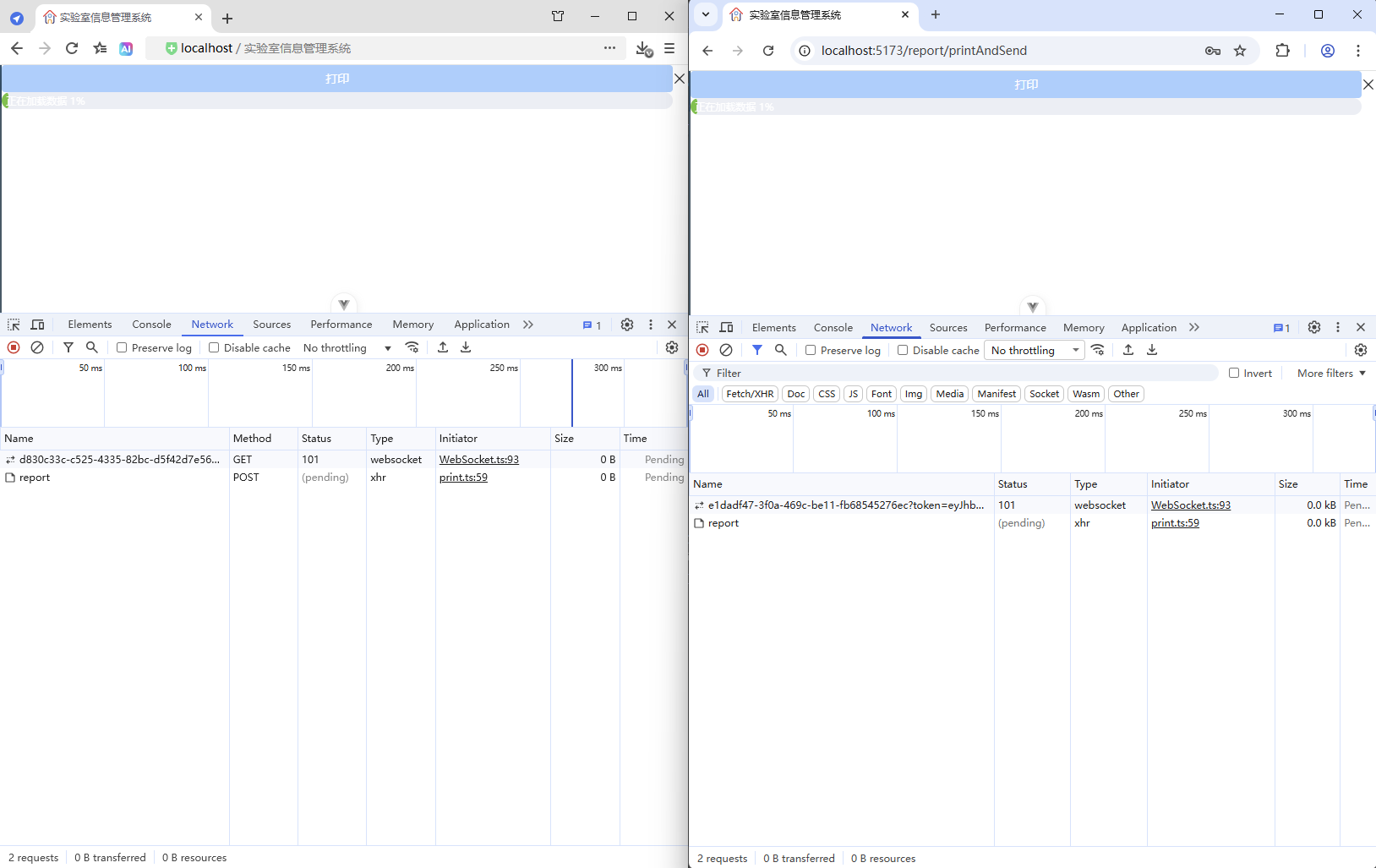
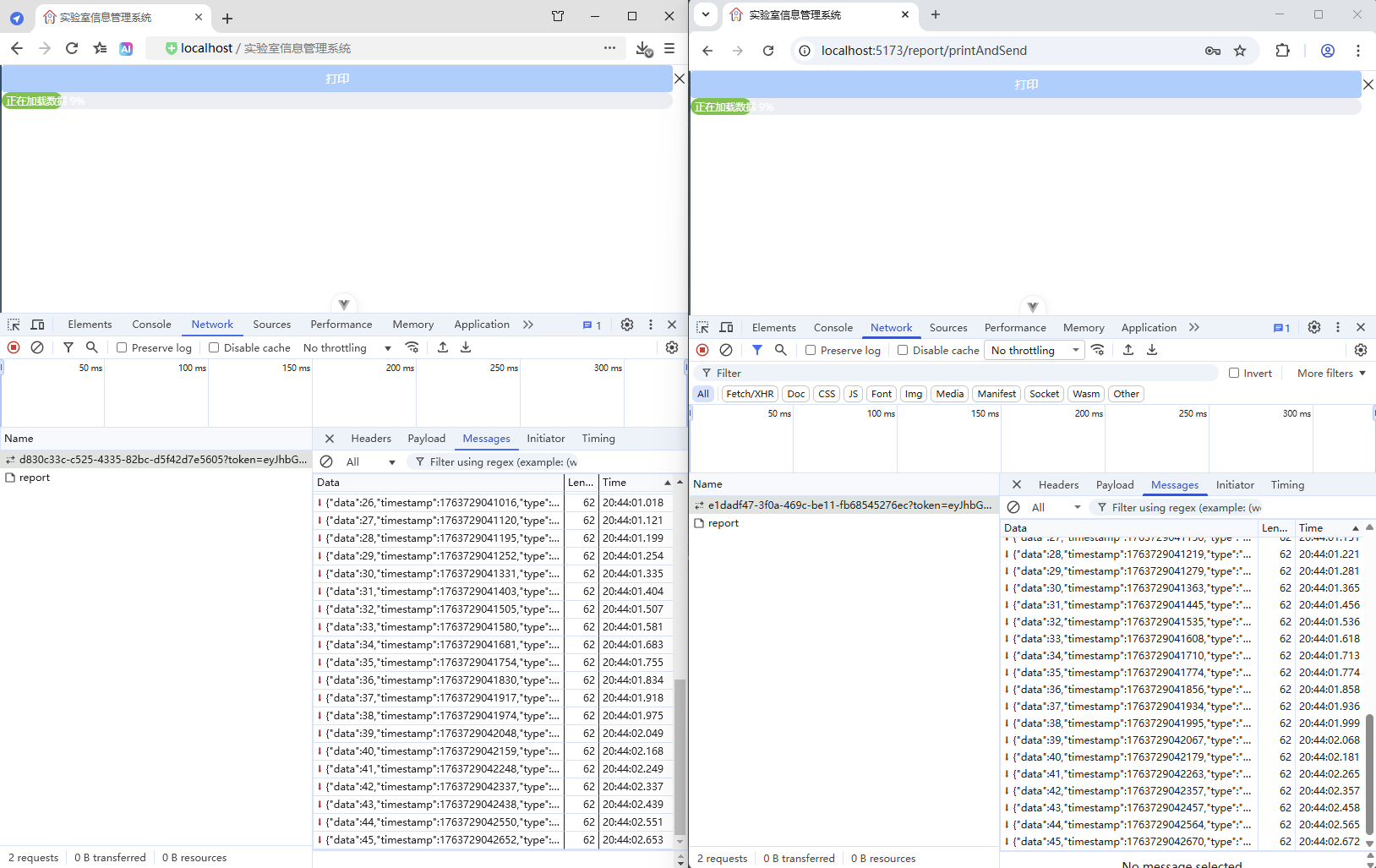
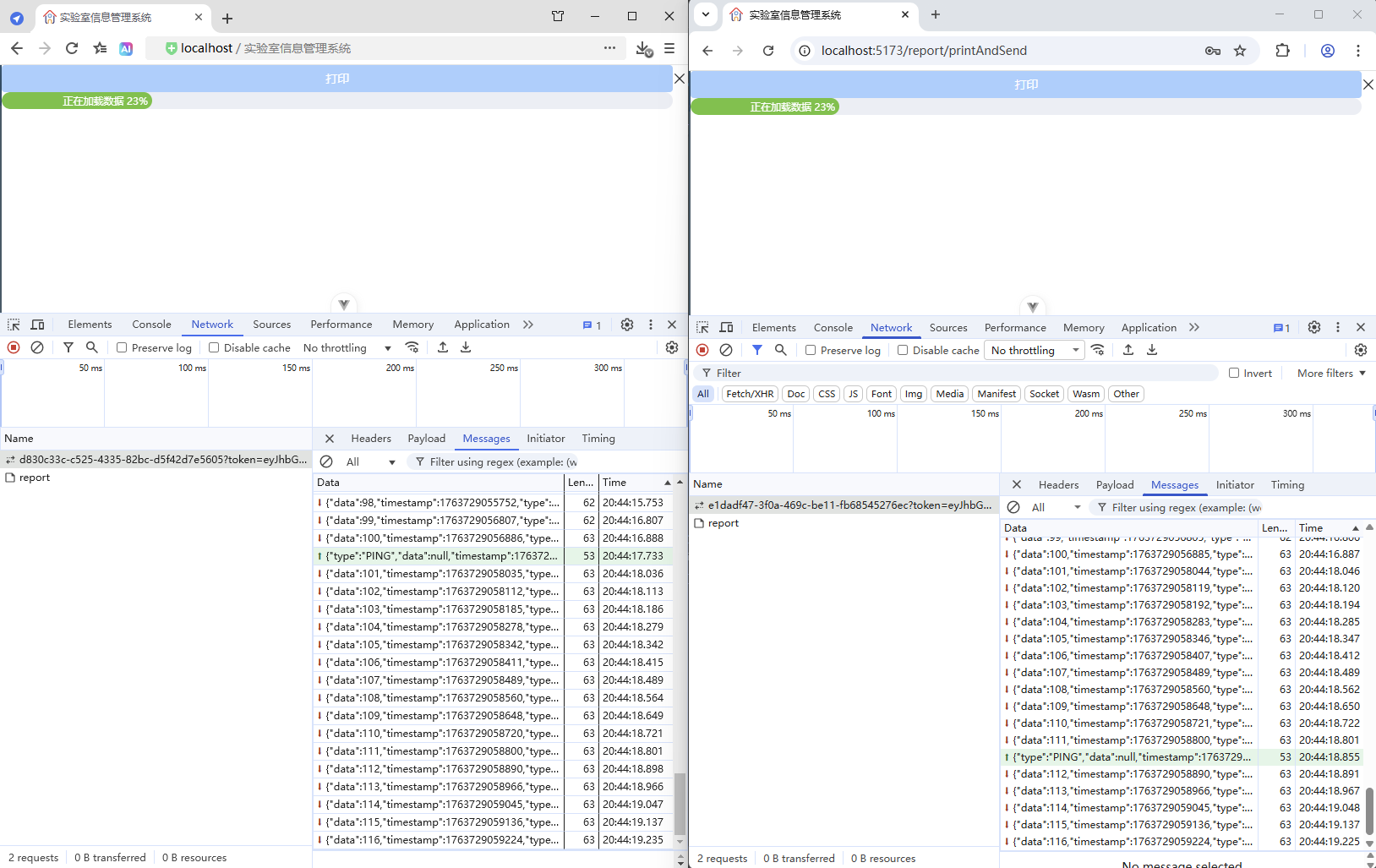
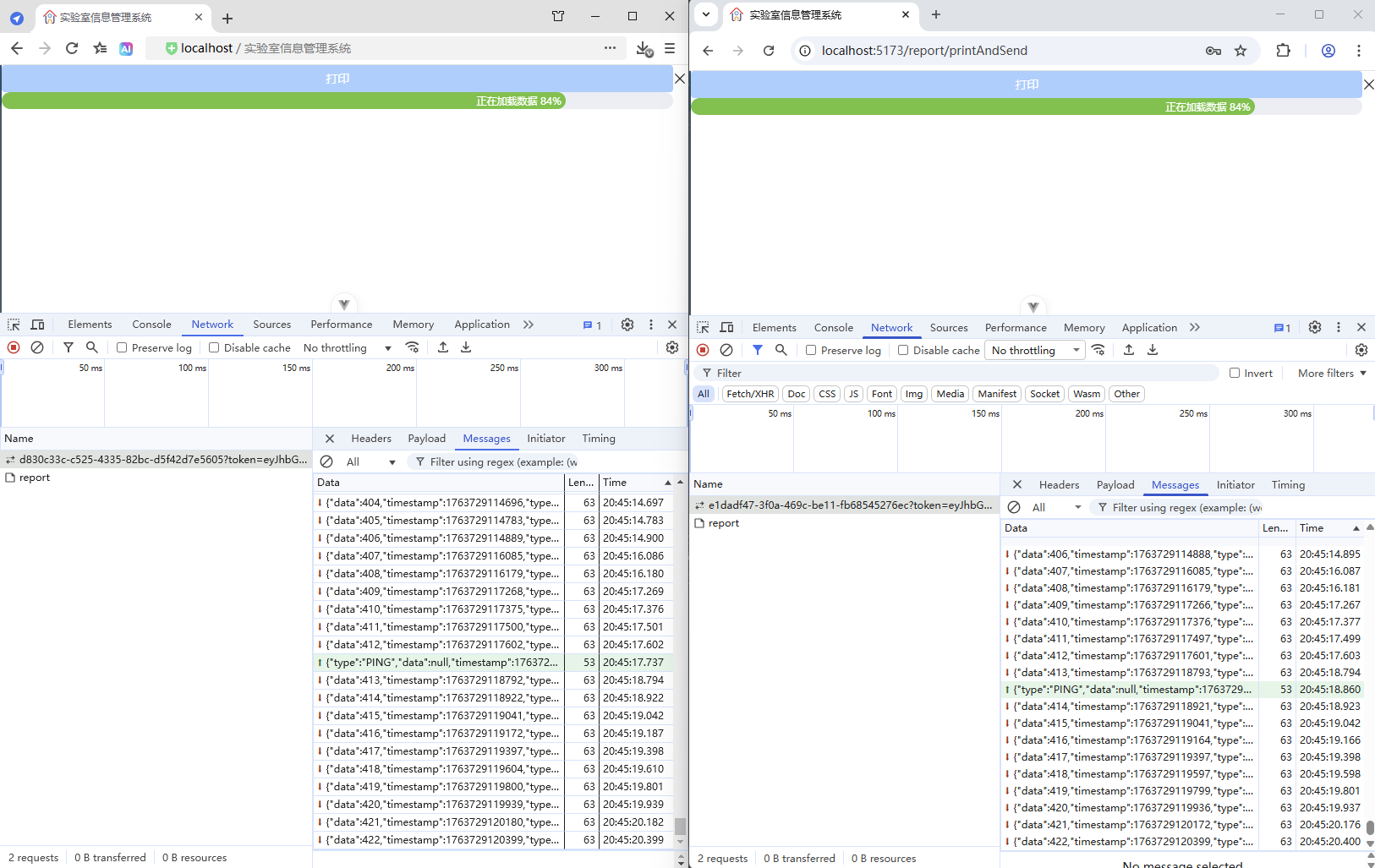
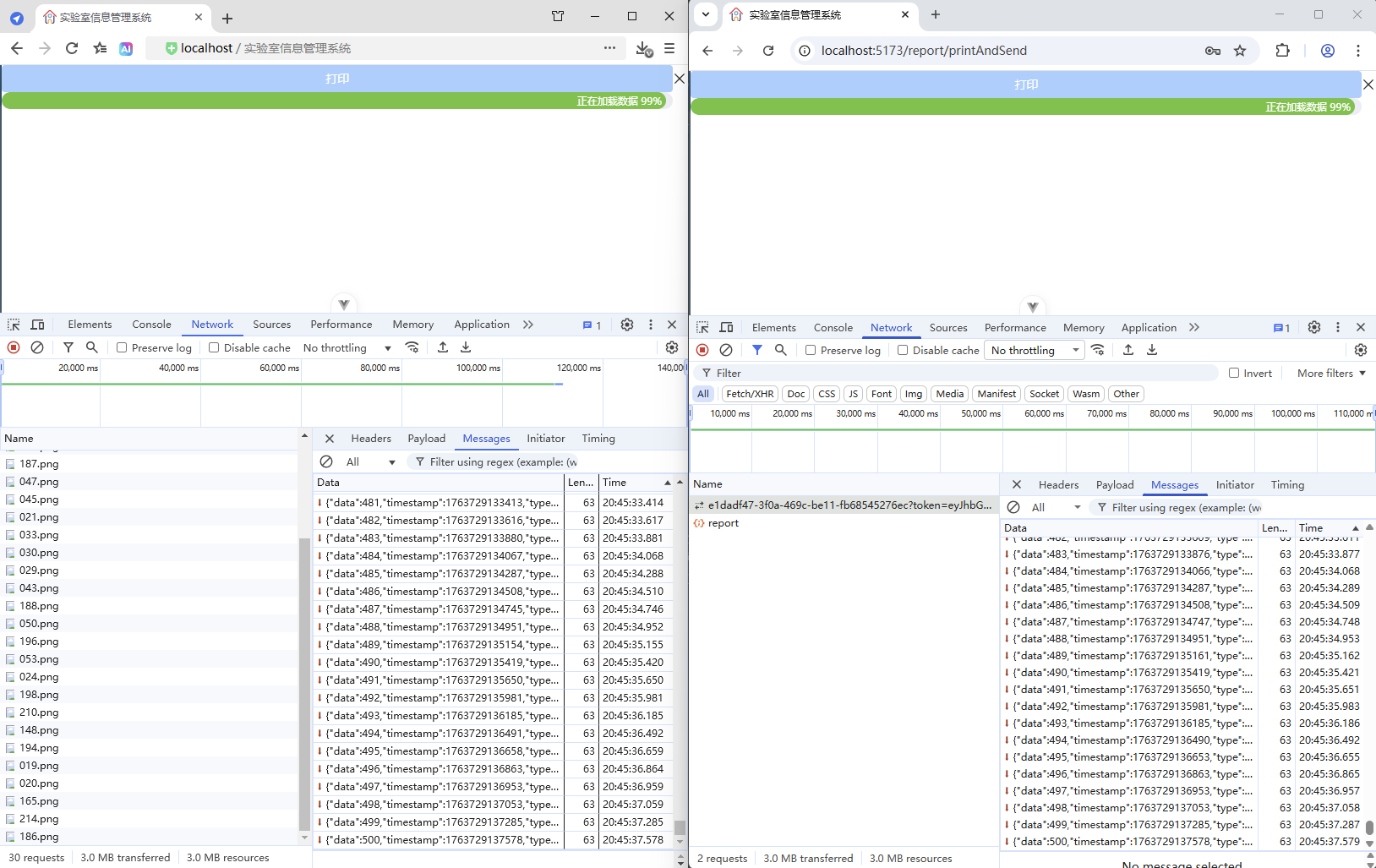
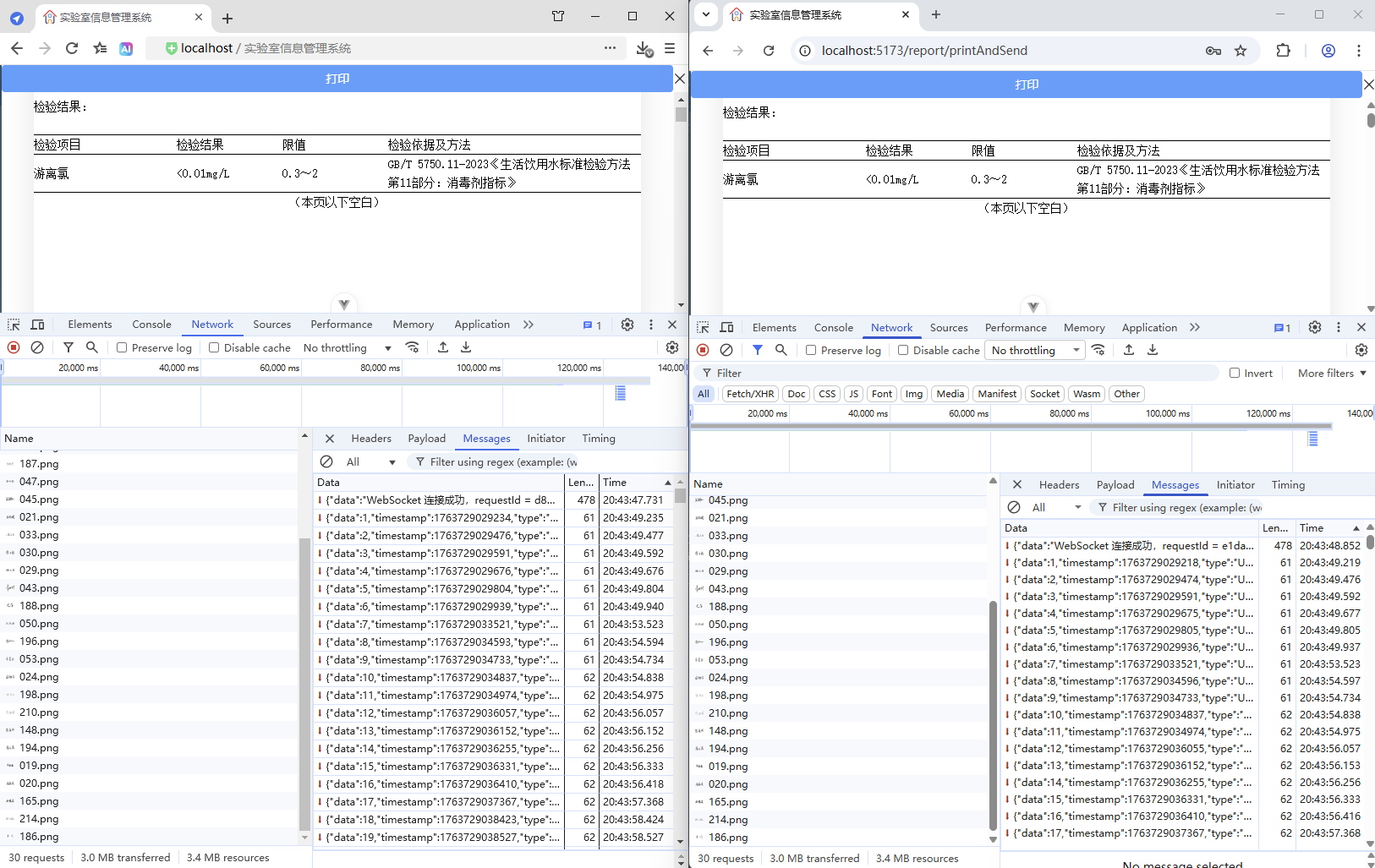
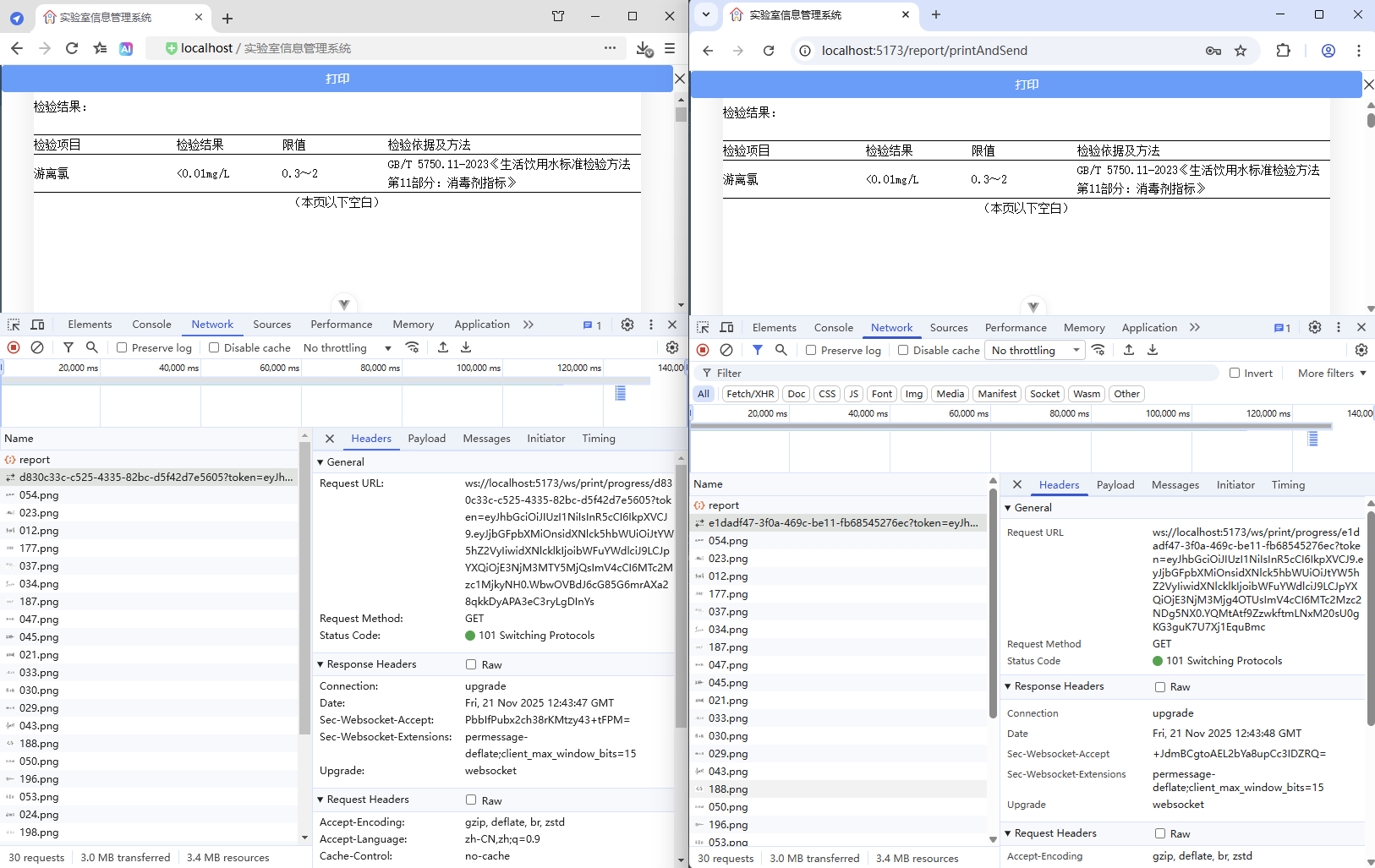
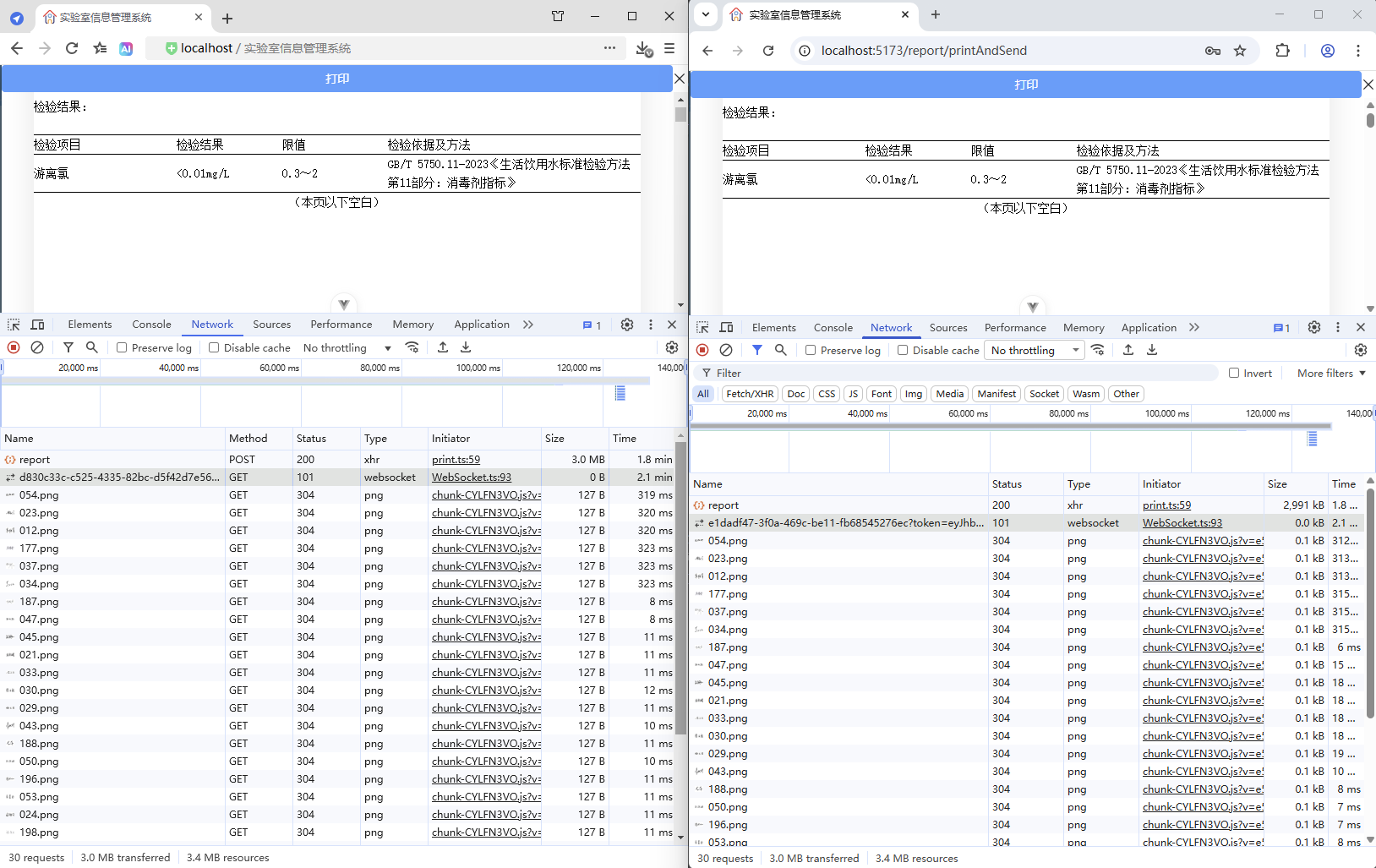
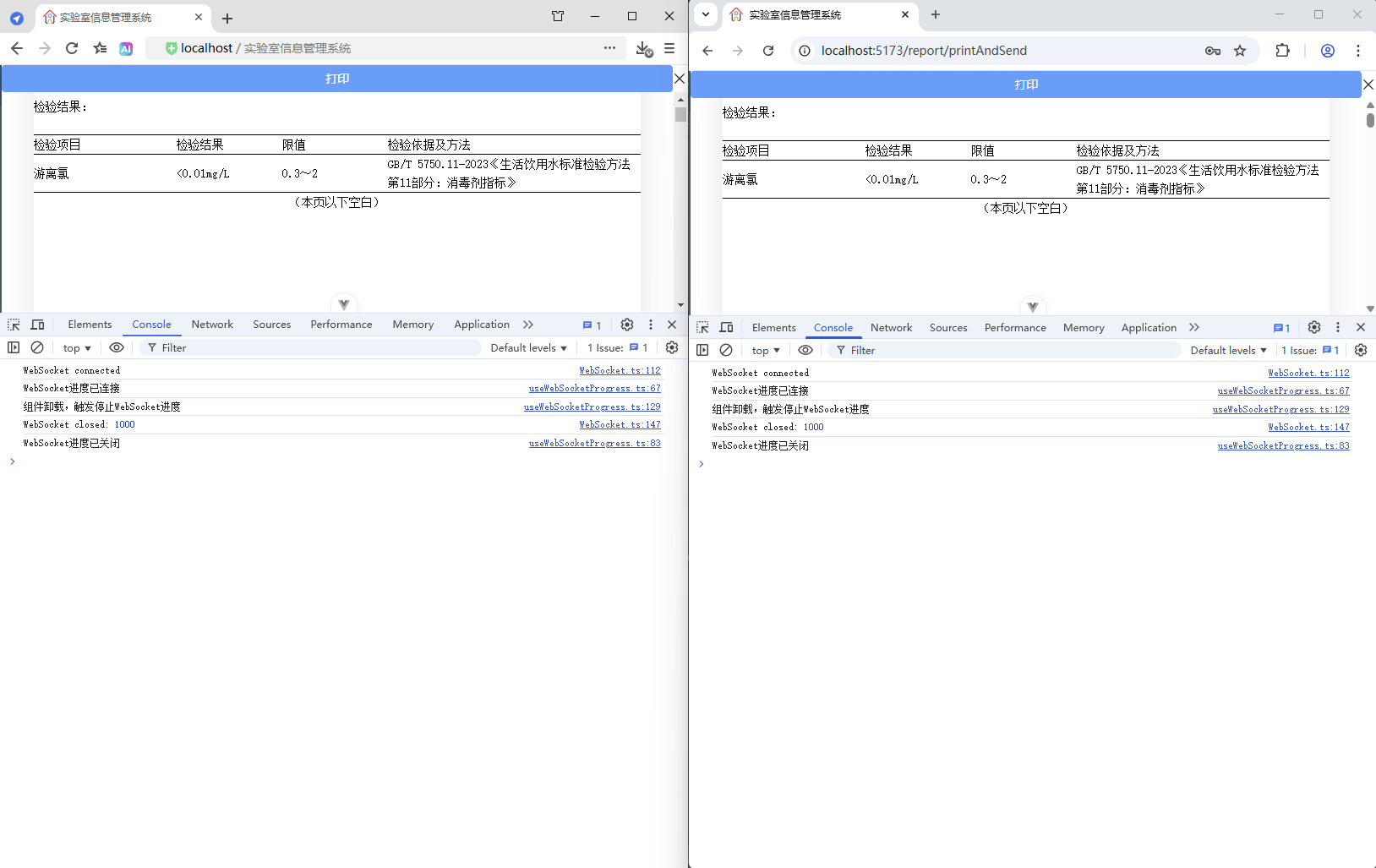
13、指导资料
配置属性 + 配置类 + 数据库配置 完整实现方案
这种组合方案可以实现配置的优先级管理:数据库配置 > 配置文件 > 代码默认值,非常适合需要动态调整配置的生产环境。
1. 整体架构设计
text
应用启动
    ↓
加载 application.yml 默认配置
    ↓
初始化数据库配置服务
    ↓
加载数据库中的配置(覆盖文件配置)
    ↓
提供统一的配置访问接口
2. 项目结构
text
src/main/java/com/weiyu/
├── config/
│   ├── properties/
│   │   └── TimeoutProperties.java
│   └── CompositeConfig.java
├── handler/
│   └── RequestContextHandler.java
├── service/
│   ├── SysConfigService.java
│   └── CompositeConfigService.java
├── mapper/
│   └── SysConfigMapper.java
└── model/
    └── SysConfig.java
3. 完整代码实现
3.1 数据库表结构
sql
CREATE TABLE sys_config (
    id BIGINT AUTO_INCREMENT PRIMARY KEY,
    config_key VARCHAR(100) NOT NULL UNIQUE COMMENT '配置键',
    config_value TEXT COMMENT '配置值',
    config_desc VARCHAR(200) COMMENT '配置描述',
    config_type VARCHAR(20) DEFAULT 'STRING' COMMENT '配置类型:STRING,NUMBER,BOOLEAN,JSON',
    is_enabled TINYINT DEFAULT 1 COMMENT '是否启用',
    create_time DATETIME DEFAULT CURRENT_TIMESTAMP,
    update_time DATETIME DEFAULT CURRENT_TIMESTAMP ON UPDATE CURRENT_TIMESTAMP
);

-- 插入默认配置数据
INSERT INTO sys_config (config_key, config_value, config_desc) VALUES
('timeout.check.interval.ms', '30000', '超时检查间隔(毫秒)'),
('timeout.request.timeout.seconds', '300', '请求超时时间(秒)'),
('timeout.check.enabled', 'true', '是否启用超时检查');
3.2 配置属性类
java
package com.weiyu.config.properties;

import lombok.Data;
import org.springframework.boot.context.properties.ConfigurationProperties;
import org.springframework.stereotype.Component;

/**
 * 超时检查配置属性 - 从application.yml读取
 */
@Data
@Component
@ConfigurationProperties(prefix = "app.timeout")
public class TimeoutProperties {

    // 文件配置中的默认值
    private Long checkIntervalMs = 30000L;
    private Integer requestTimeoutSeconds = 300;
    private Boolean enabled = true;
}
3.3 数据库配置实体类
java
package com.weiyu.model;

import com.baomidou.mybatisplus.annotation.TableField;
import com.baomidou.mybatisplus.annotation.TableId;
import com.baomidou.mybatisplus.annotation.TableName;
import lombok.Data;

import java.time.LocalDateTime;

@Data
@TableName("sys_config")
public class SysConfig {

    @TableId
    private Long id;

    @TableField("config_key")
    private String configKey;

    @TableField("config_value")
    private String configValue;

    @TableField("config_desc")
    private String configDesc;

    @TableField("config_type")
    private String configType;

    @TableField("is_enabled")
    private Boolean enabled;

    @TableField("create_time")
    private LocalDateTime createTime;

    @TableField("update_time")
    private LocalDateTime updateTime;
}
3.4 数据库配置Mapper
java
package com.weiyu.mapper;

import com.baomidou.mybatisplus.core.mapper.BaseMapper;
import com.weiyu.model.SysConfig;
import org.apache.ibatis.annotations.Mapper;
import org.apache.ibatis.annotations.Select;

import java.util.List;
import java.util.Map;

@Mapper
public interface SysConfigMapper extends BaseMapper<SysConfig> {

    /**
     * 根据配置键查询配置值
     */
    @Select("SELECT config_value FROM sys_config WHERE config_key = #{key} AND is_enabled = 1")
    String selectValueByKey(String key);

    /**
     * 查询所有启用的配置
     */
    @Select("SELECT config_key, config_value FROM sys_config WHERE is_enabled = 1")
    List<Map<String, String>> selectAllEnabledConfigs();
}
3.5 数据库配置服务
java
package com.weiyu.service;

import com.weiyu.mapper.SysConfigMapper;
import lombok.extern.slf4j.Slf4j;
import org.springframework.beans.factory.annotation.Autowired;
import org.springframework.stereotype.Service;

import java.util.List;
import java.util.Map;
import java.util.concurrent.ConcurrentHashMap;

/**
 * 数据库配置服务
 */
@Service
@Slf4j
public class SysConfigService {

    @Autowired
    private SysConfigMapper sysConfigMapper;

    // 配置缓存
    private final Map<String, String> configCache = new ConcurrentHashMap<>();

    /**
     * 获取字符串配置
     */
    public String getString(String key, String defaultValue) {
        try {
            return configCache.computeIfAbsent(key, k -> {
                String value = sysConfigMapper.selectValueByKey(k);
                return value != null ? value : defaultValue;
            });
        } catch (Exception e) {
            log.warn("获取数据库配置失败 key: {}, 使用默认值: {}", key, defaultValue, e);
            return defaultValue;
        }
    }

    /**
     * 获取整数配置
     */
    public Integer getInteger(String key, Integer defaultValue) {
        String value = getString(key, null);
        if (value == null) return defaultValue;
        try {
            return Integer.parseInt(value);
        } catch (NumberFormatException e) {
            log.warn("数据库配置值格式错误 key: {}, value: {}", key, value);
            return defaultValue;
        }
    }

    /**
     * 获取长整型配置
     */
    public Long getLong(String key, Long defaultValue) {
        String value = getString(key, null);
        if (value == null) return defaultValue;
        try {
            return Long.parseLong(value);
        } catch (NumberFormatException e) {
            log.warn("数据库配置值格式错误 key: {}, value: {}", key, value);
            return defaultValue;
        }
    }

    /**
     * 获取布尔配置
     */
    public Boolean getBoolean(String key, Boolean defaultValue) {
        String value = getString(key, null);
        if (value == null) return defaultValue;
        return Boolean.parseBoolean(value);
    }

    /**
     * 刷新配置缓存
     */
    public void refreshCache() {
        log.info("刷新数据库配置缓存");
        configCache.clear();
        List<Map<String, String>> configs = sysConfigMapper.selectAllEnabledConfigs();
        for (Map<String, String> config : configs) {
            configCache.put(config.get("config_key"), config.get("config_value"));
        }
        log.info("数据库配置缓存刷新完成,共加载 {} 个配置项", configCache.size());
    }

    /**
     * 应用启动时初始化配置缓存
     */
    @javax.annotation.PostConstruct
    public void init() {
        refreshCache();
    }
}
3.6 综合配置服务(核心)
java
package com.weiyu.service;

import com.weiyu.config.properties.TimeoutProperties;
import lombok.extern.slf4j.Slf4j;
import org.springframework.beans.factory.annotation.Autowired;
import org.springframework.stereotype.Service;

import javax.annotation.PostConstruct;
import java.util.HashMap;
import java.util.Map;

/**
 * 综合配置服务 - 整合文件配置和数据库配置
 * 优先级:数据库配置 > 文件配置 > 代码默认值
 */
@Service
@Slf4j
public class CompositeConfigService {

    @Autowired
    private TimeoutProperties timeoutProperties;

    @Autowired
    private SysConfigService sysConfigService;

    // 配置键常量
    private static final String KEY_CHECK_INTERVAL_MS = "timeout.check.interval.ms";
    private static final String KEY_REQUEST_TIMEOUT_SECONDS = "timeout.request.timeout.seconds";
    private static final String KEY_CHECK_ENABLED = "timeout.check.enabled";

    /**
     * 获取检查间隔(毫秒)
     * 优先级:数据库 > 文件 > 默认值
     */
    public Long getCheckIntervalMs() {
        // 先从数据库获取,如果没有则用文件配置,再没有则用默认值
        Long dbValue = sysConfigService.getLong(KEY_CHECK_INTERVAL_MS, null);
        if (dbValue != null) {
            return dbValue;
        }
        return timeoutProperties.getCheckIntervalMs();
    }

    /**
     * 获取请求超时时间(秒)
     * 优先级:数据库 > 文件 > 默认值
     */
    public Integer getRequestTimeoutSeconds() {
        Integer dbValue = sysConfigService.getInteger(KEY_REQUEST_TIMEOUT_SECONDS, null);
        if (dbValue != null) {
            return dbValue;
        }
        return timeoutProperties.getRequestTimeoutSeconds();
    }

    /**
     * 是否启用超时检查
     * 优先级:数据库 > 文件 > 默认值
     */
    public Boolean isTimeoutCheckEnabled() {
        Boolean dbValue = sysConfigService.getBoolean(KEY_CHECK_ENABLED, null);
        if (dbValue != null) {
            return dbValue;
        }
        return timeoutProperties.getEnabled();
    }

    /**
     * 刷新所有配置(数据库配置 + 文件配置)
     */
    public void refreshAllConfig() {
        sysConfigService.refreshCache();
        log.info("所有配置已刷新");
        logCurrentConfig();
    }

    /**
     * 获取当前所有配置信息(用于监控)
     */
    public Map<String, Object> getCurrentConfig() {
        Map<String, Object> config = new HashMap<>();

        // 数据库配置
        config.put("dbCheckIntervalMs", sysConfigService.getLong(KEY_CHECK_INTERVAL_MS, null));
        config.put("dbRequestTimeoutSeconds", sysConfigService.getInteger(KEY_REQUEST_TIMEOUT_SECONDS, null));
        config.put("dbCheckEnabled", sysConfigService.getBoolean(KEY_CHECK_ENABLED, null));

        // 文件配置
        config.put("fileCheckIntervalMs", timeoutProperties.getCheckIntervalMs());
        config.put("fileRequestTimeoutSeconds", timeoutProperties.getRequestTimeoutSeconds());
        config.put("fileCheckEnabled", timeoutProperties.getEnabled());

        // 最终生效配置
        config.put("finalCheckIntervalMs", getCheckIntervalMs());
        config.put("finalRequestTimeoutSeconds", getRequestTimeoutSeconds());
        config.put("finalCheckEnabled", isTimeoutCheckEnabled());

        return config;
    }

    /**
     * 应用启动时记录配置信息
     */
    @PostConstruct
    public void logConfigOnStartup() {
        log.info("=== 应用配置初始化 ===");
        logCurrentConfig();
        log.info("====================");
    }

    private void logCurrentConfig() {
        Map<String, Object> config = getCurrentConfig();
        log.info("最终生效配置 - 检查间隔: {}ms, 超时时间: {}s, 启用状态: {}",
                config.get("finalCheckIntervalMs"),
                config.get("finalRequestTimeoutSeconds"),
                config.get("finalCheckEnabled"));

        log.debug("详细配置信息: {}", config);
    }
}
3.7 配置类
java
package com.weiyu.config;

import com.weiyu.service.CompositeConfigService;
import lombok.extern.slf4j.Slf4j;
import org.springframework.beans.factory.annotation.Autowired;
import org.springframework.context.annotation.Bean;
import org.springframework.context.annotation.Configuration;
import org.springframework.scheduling.annotation.EnableScheduling;
import org.springframework.scheduling.annotation.SchedulingConfigurer;
import org.springframework.scheduling.config.ScheduledTaskRegistrar;

import java.util.concurrent.Executor;
import java.util.concurrent.Executors;

/**
 * 定时任务配置类
 */
@Configuration
@EnableScheduling
@Slf4j
public class ScheduleConfig implements SchedulingConfigurer {

    @Autowired
    private CompositeConfigService compositeConfigService;

    /**
     * 配置定时任务线程池
     */
    @Bean(destroyMethod = "shutdown")
    public Executor taskExecutor() {
        return Executors.newScheduledThreadPool(5, r -> {
            Thread t = new Thread(r);
            t.setDaemon(true);
            t.setName("schedule-task-" + t.getId());
            return t;
        });
    }

    @Override
    public void configureTasks(ScheduledTaskRegistrar taskRegistrar) {
        taskRegistrar.setScheduler(taskExecutor());

        Long interval = compositeConfigService.getCheckIntervalMs();
        log.info("定时任务配置完成,超时检查间隔: {}ms", interval);
    }

    /**
     * 获取超时检查间隔(用于@Scheduled注解)
     */
    public Long getTimeoutCheckInterval() {
        return compositeConfigService.getCheckIntervalMs();
    }

    /**
     * 获取请求超时时间(秒)
     */
    public Integer getRequestTimeoutSeconds() {
        return compositeConfigService.getRequestTimeoutSeconds();
    }

    /**
     * 是否启用超时检查
     */
    public Boolean isTimeoutCheckEnabled() {
        return compositeConfigService.isTimeoutCheckEnabled();
    }
}
3.8 修改RequestContextHandler
java
package com.weiyu.handler;

import com.weiyu.config.ScheduleConfig;
import com.weiyu.exception.RequestCancelledException;
import lombok.extern.slf4j.Slf4j;
import org.springframework.beans.factory.annotation.Autowired;
import org.springframework.scheduling.annotation.Scheduled;
import org.springframework.stereotype.Component;

import java.time.LocalDateTime;
import java.util.Map;
import java.util.Optional;
import java.util.concurrent.ConcurrentHashMap;
import java.util.concurrent.atomic.AtomicBoolean;

@Component
@Slf4j
public class RequestContextHandler {

    @Autowired
    private ScheduleConfig scheduleConfig;

    // 请求管理相关字段
    private final Map<String, AtomicBoolean> requestCancelFlags = new ConcurrentHashMap<>();
    private final Map<String, Thread> requestThreads = new ConcurrentHashMap<>();
    private final Map<String, Integer> requestProgresses = new ConcurrentHashMap<>();
    private final Map<String, LocalDateTime> requestStartTimes = new ConcurrentHashMap<>();

    /**
     * 定时任务:超时检查
     */
    @Scheduled(fixedRateString = "#{@scheduleConfig.getTimeoutCheckInterval()}")
    public void scheduledTimeoutCheck() {
        try {
            // 检查是否启用超时检查
            if (!scheduleConfig.isTimeoutCheckEnabled()) {
                return;
            }

            // 获取超时时间配置
            int timeoutSeconds = scheduleConfig.getRequestTimeoutSeconds();

            log.debug("执行超时检查,超时阈值: {}秒", timeoutSeconds);
            cancelTimeoutRequests(timeoutSeconds);

        } catch (Exception e) {
            log.error("超时检查任务执行失败", e);
        }
    }

    // 其他方法保持不变...
    public void registerRequest(String requestId) {
        requestCancelFlags.put(requestId, new AtomicBoolean(false));
        requestThreads.put(requestId, Thread.currentThread());
        requestProgresses.put(requestId, 0);
        requestStartTimes.put(requestId, LocalDateTime.now());
        log.info("已注册请求 {}", requestId);
    }

    public void cleanupRequest(String requestId) {
        requestCancelFlags.remove(requestId);
        requestThreads.remove(requestId);
        requestProgresses.remove(requestId);
        requestStartTimes.remove(requestId);
        log.info("已清理请求 {}", requestId);
    }

    public void cancelRequest(String requestId) {
        AtomicBoolean flag = requestCancelFlags.get(requestId);
        if (flag != null) {
            flag.set(true);
            Thread thread = requestThreads.get(requestId);
            if (thread != null && thread.isAlive()) {
                thread.interrupt();
                log.info("已中断请求线程 {}", requestId);
            }
        }
    }

    public void checkCancellation(String requestId) {
        if (isCancelled(requestId)) {
            throw new RequestCancelledException("请求已被取消");
        }
    }

    public void updateProgress(String requestId, Integer progress) {
        if (progress != null) {
            requestProgresses.put(requestId, progress);
        }
    }

    public Optional<Integer> getProgress(String requestId) {
        return Optional.ofNullable(requestProgresses.get(requestId));
    }

    public boolean isRequestTimeout(String requestId, long timeoutSeconds) {
        LocalDateTime startTime = requestStartTimes.get(requestId);
        if (startTime == null) {
            return false;
        }
        LocalDateTime timeoutTime = startTime.plusSeconds(timeoutSeconds);
        return LocalDateTime.now().isAfter(timeoutTime);
    }

    public void cancelTimeoutRequests(long timeoutSeconds) {
        int cancelledCount = 0;
        for (String requestId : requestStartTimes.keySet()) {
            if (isRequestTimeout(requestId, timeoutSeconds)) {
                cancelRequest(requestId);
                cancelledCount++;
                log.info("已取消超时请求: {}", requestId);
            }
        }
        if (cancelledCount > 0) {
            log.info("已自动取消超时请求数: {}", cancelledCount);
        }
    }

    private boolean isCancelled(String requestId) {
        AtomicBoolean flag = requestCancelFlags.get(requestId);
        return flag != null && flag.get();
    }

    /**
     * 获取当前统计信息(用于监控)
     */
    public Map<String, Object> getStats() {
        Map<String, Object> stats = new ConcurrentHashMap<>();
        stats.put("activeRequests", requestCancelFlags.size());
        stats.put("checkIntervalMs", scheduleConfig.getTimeoutCheckInterval());
        stats.put("timeoutSeconds", scheduleConfig.getRequestTimeoutSeconds());
        stats.put("enabled", scheduleConfig.isTimeoutCheckEnabled());
        return stats;
    }
}
3.9 配置文件
application.yml
yaml
# 应用超时配置 - 默认值(会被数据库配置覆盖)
app:
  timeout:
    check-interval-ms: 30000    # 默认30秒
    request-timeout-seconds: 300 # 默认5分钟
    enabled: true               # 默认启用

# 数据库配置
spring:
  datasource:
    url: jdbc:mysql://localhost:3306/your_database
    username: your_username
    password: your_password
    driver-class-name: com.mysql.cj.jdbc.Driver

# MyBatis-Plus配置
mybatis-plus:
  configuration:
    map-underscore-to-camel-case: true
  mapper-locations: classpath*:mapper/**/*.xml

# 日志配置
logging:
  level:
    com.weiyu: DEBUG
3.10 配置管理控制器
java
package com.weiyu.controller;

import com.weiyu.service.CompositeConfigService;
import com.weiyu.service.SysConfigService;
import lombok.extern.slf4j.Slf4j;
import org.springframework.beans.factory.annotation.Autowired;
import org.springframework.web.bind.annotation.*;

import java.util.Map;

/**
 * 配置管理控制器
 */
@RestController
@RequestMapping("/api/config")
@Slf4j
public class ConfigManagerController {

    @Autowired
    private CompositeConfigService compositeConfigService;

    @Autowired
    private SysConfigService sysConfigService;

    /**
     * 获取当前所有配置信息
     */
    @GetMapping("/current")
    public Map<String, Object> getCurrentConfig() {
        return compositeConfigService.getCurrentConfig();
    }

    /**
     * 刷新配置缓存
     */
    @PostMapping("/refresh")
    public String refreshConfig() {
        compositeConfigService.refreshAllConfig();
        return "配置刷新成功";
    }

    /**
     * 获取数据库配置缓存信息
     */
    @GetMapping("/db-cache")
    public Map<String, String> getDbConfigCache() {
        // 注意:这里返回的是缓存内容,实际项目中可能需要保护
        // 可以通过反射获取,或者修改SysConfigService提供获取缓存的方法
        return Map.of("message", "数据库配置缓存信息受保护");
    }
}
4. 配置优先级验证
启动应用后,访问 http://localhost:8080/api/config/current 可以看到:
json
{
  "dbCheckIntervalMs": 30000,
  "dbRequestTimeoutSeconds": 300,
  "dbCheckEnabled": true,
  "fileCheckIntervalMs": 30000,
  "fileRequestTimeoutSeconds": 300,
  "fileCheckEnabled": true,
  "finalCheckIntervalMs": 30000,
  "finalRequestTimeoutSeconds": 300,
  "finalCheckEnabled": true
}
5. 动态更新配置
方式一:直接修改数据库
sql
UPDATE sys_config SET config_value = '60000' WHERE config_key = 'timeout.check.interval.ms';
然后调用刷新接口:
bash
curl -X POST http://localhost:8080/api/config/refresh
方式二:通过管理界面(可以扩展)
可以开发一个配置管理界面,直接修改数据库中的配置值。
6. 方案优势
-
配置优先级:数据库配置 > 文件配置 > 代码默认值
-
动态更新:修改数据库配置后无需重启应用
-
配置回退:如果数据库配置有问题,可以删除或禁用,自动回退到文件配置
-
环境隔离:不同环境可以使用不同的数据库
-
监控完善:提供完整的配置查看和刷新功能
-
性能优化:配置缓存避免频繁查询数据库
这种方案特别适合生产环境,可以在不影响服务的情况下动态调整系统参数。

火山引擎开发者社区是火山引擎打造的AI技术生态平台,聚焦Agent与大模型开发,提供豆包系列模型(图像/视频/视觉)、智能分析与会话工具,并配套评测集、动手实验室及行业案例库。社区通过技术沙龙、挑战赛等活动促进开发者成长,新用户可领50万Tokens权益,助力构建智能应用。
更多推荐
 5
5 0
0- 0


 已为社区贡献25条内容

所有评论(0)