[特殊字符] VSCode+Cline组合实测:3步安装,编码效率翻倍!⚡
VSCode插件、代码规范、效率工具、AI编程、开发者神器、安装教程
Cline怎么使用
前置知识
Cline简介
Cline is an AI development assistant which integrates with Microsoft Visual Studio Code. It provides an interface between your IDE and LLMs facilitating code development, increasing productivity and lowering the barrier to entry for new coders. Depending on permissions, Cline can read/write files, execute commands, use your web browser, and expand its capabilities with Model Context Protocol servers.
Cline 是一款 AI 开发助手,与 Microsoft Visual Studio Code 集成。它提供了一个界面,连接您的 IDE 和 LLMs,促进代码开发,提高生产力,降低新编码者的入门门槛。根据权限,Cline 可以读取/写入文件,执行命令,使用您的网络浏览器,并通过 Model Context Protocol 服务器扩展其功能。
What makes Cline distinctive is its thoughtful approach to code generation and its extensive integration capabilities. Rather than simply generating code snippets, Cline collaborates with developers by planning solutions step-by-step, maintaining awareness of the entire development environment, and requiring explicit approval for all changes. It can understand large codebases, accelerate onboarding for new engineers, and connect with hundreds of tools through its Model Context Protocol Marketplace, enabling everything from streamlined project deployments to automated incident response—all through natural language commands.
Cline 的独特之处在于其对代码生成的深思熟虑的方法和广泛的集成能力。Cline 并非仅仅生成代码片段,而是通过与开发者协作,逐步规划解决方案,保持对整个开发环境的意识,并对所有更改要求明确批准。它可以理解大型代码库,加快新工程师的入职速度,并通过其 Model Context Protocol Marketplace 连接数百个工具,通过自然语言命令实现从简化项目部署到自动事件响应的一切。
cline食用方法:
注册deepseek API
-
进入deepseek官方注册账号,官网链接:DeepSeek | 深度求索
-
点击右上角 API开放平台
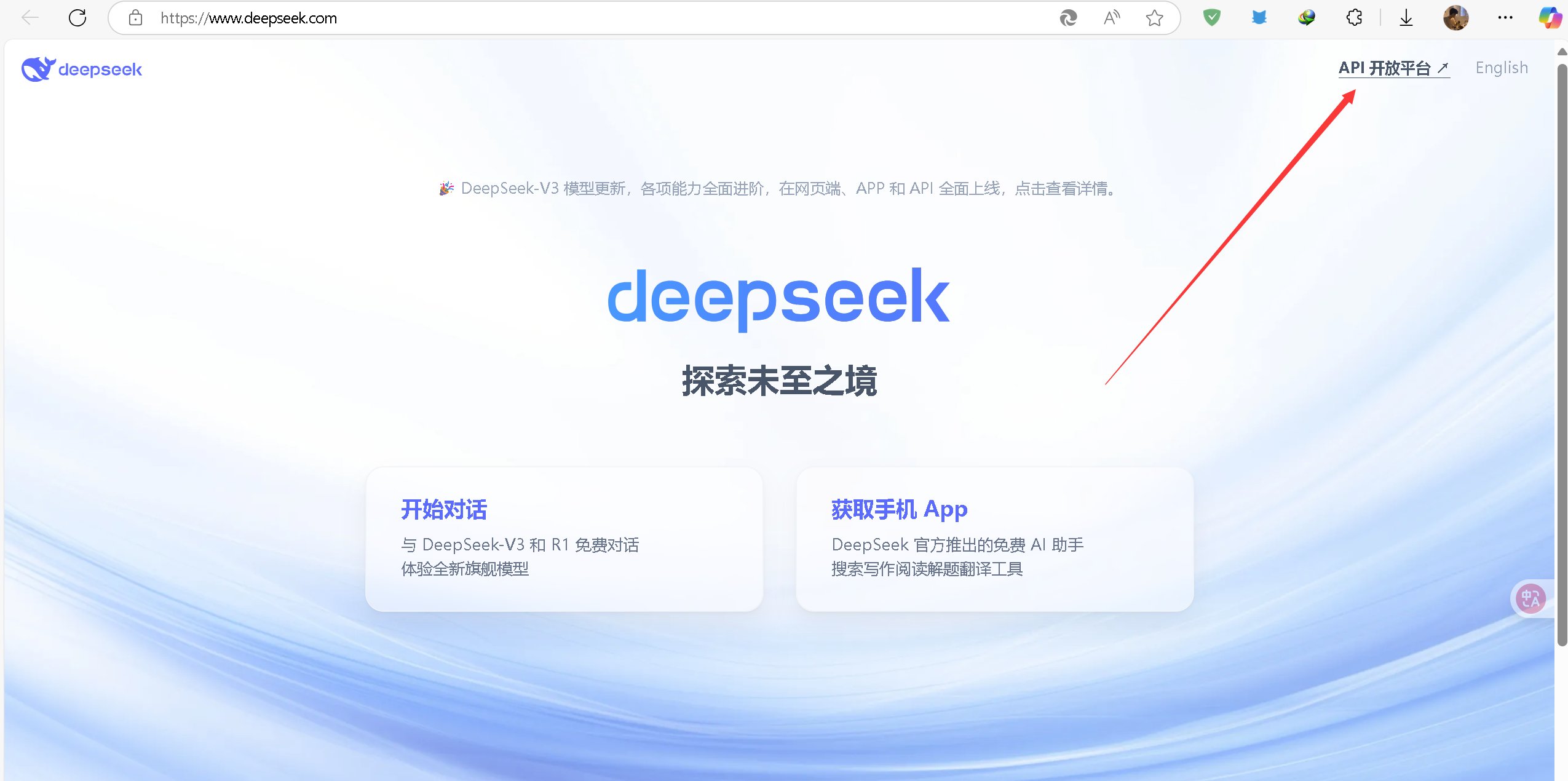
- 注册账号后就是这样
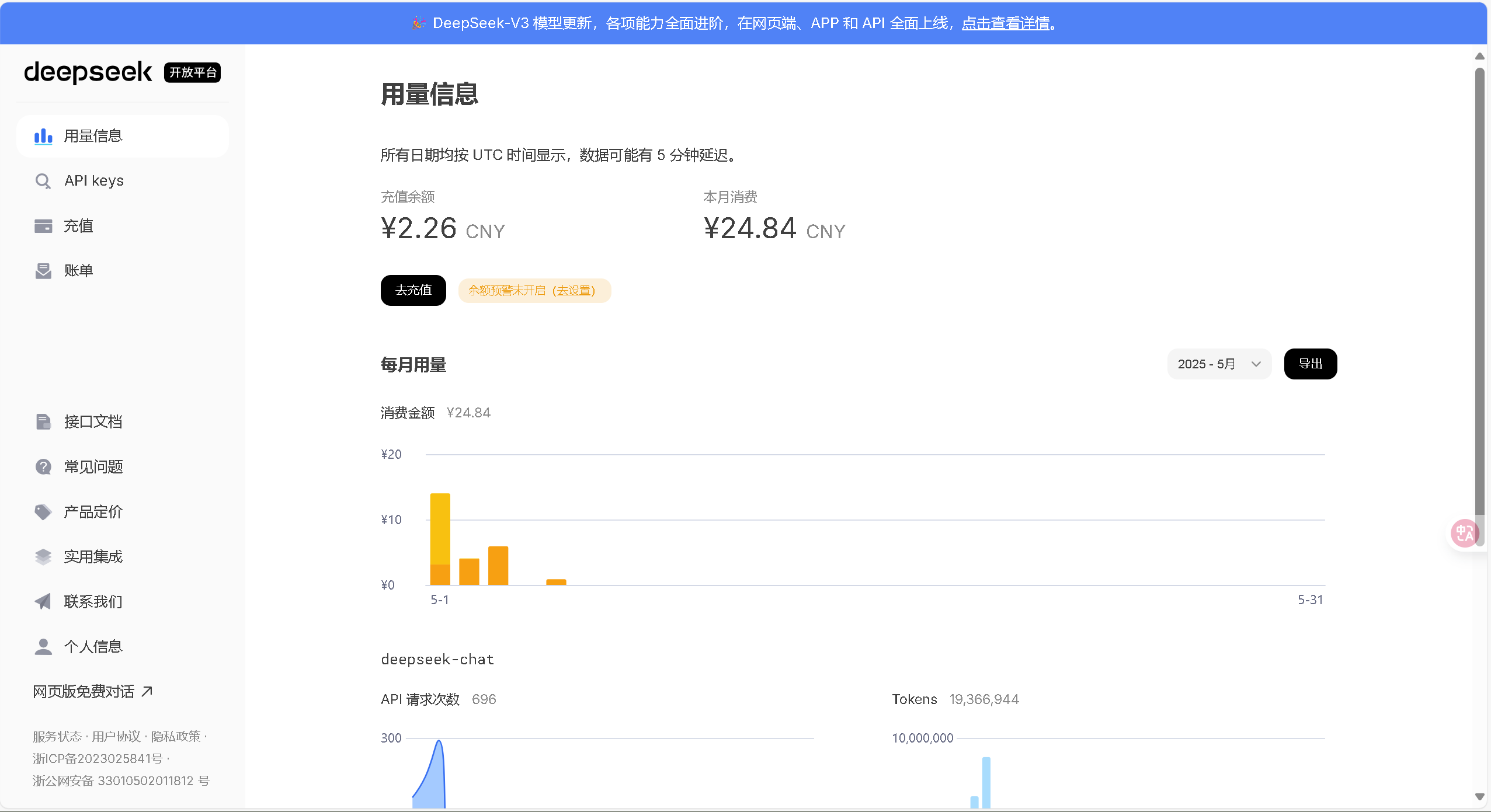
-
充值并创建API keys
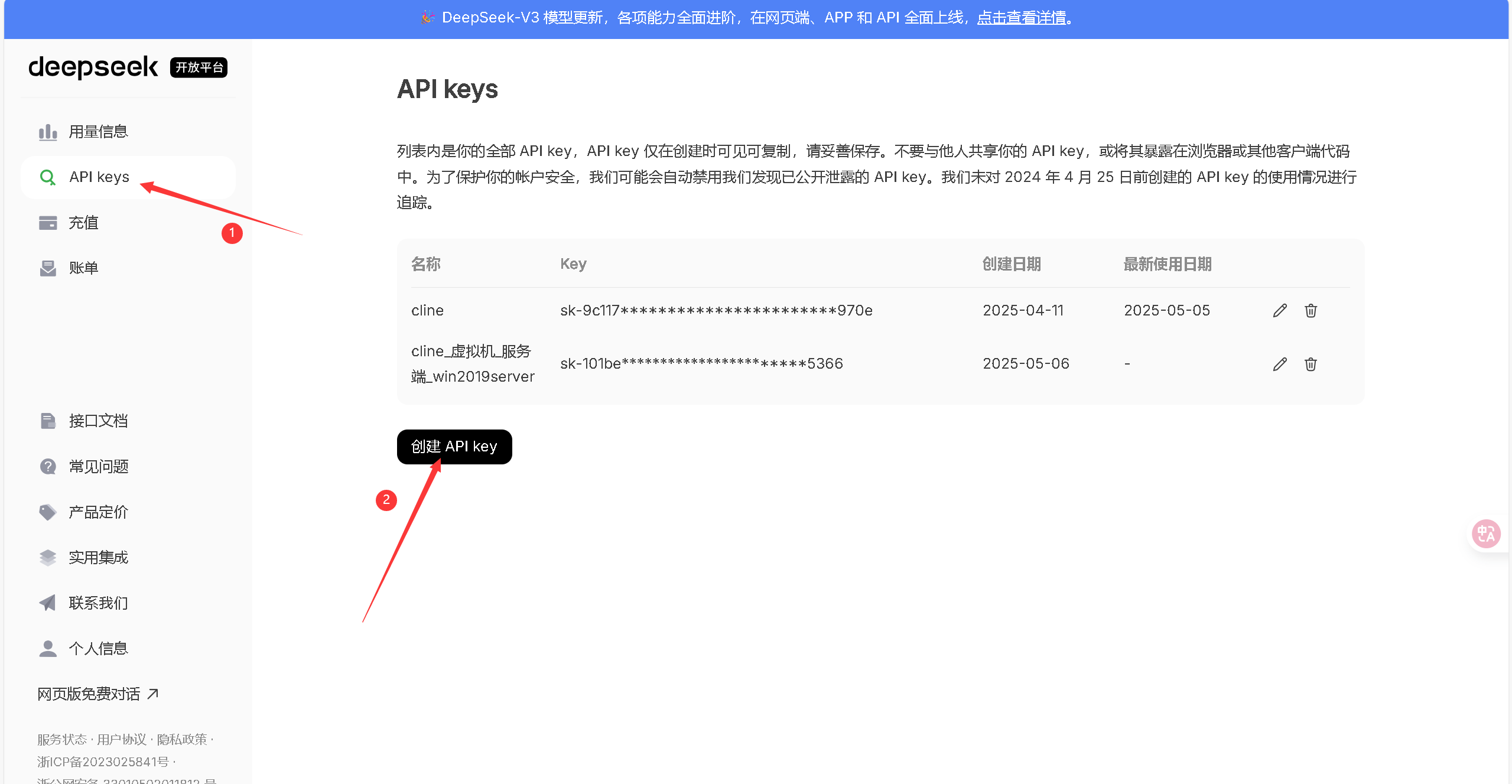
配置vscode _cline
vscode官网:Visual Studio Code - Code Editing. Redefined,一路默认即可
-
在扩展中安装Cline
这里推荐使用英文版,勾选自动更新(官方更新频繁,因为cline是开源的MCP,推荐勾选)
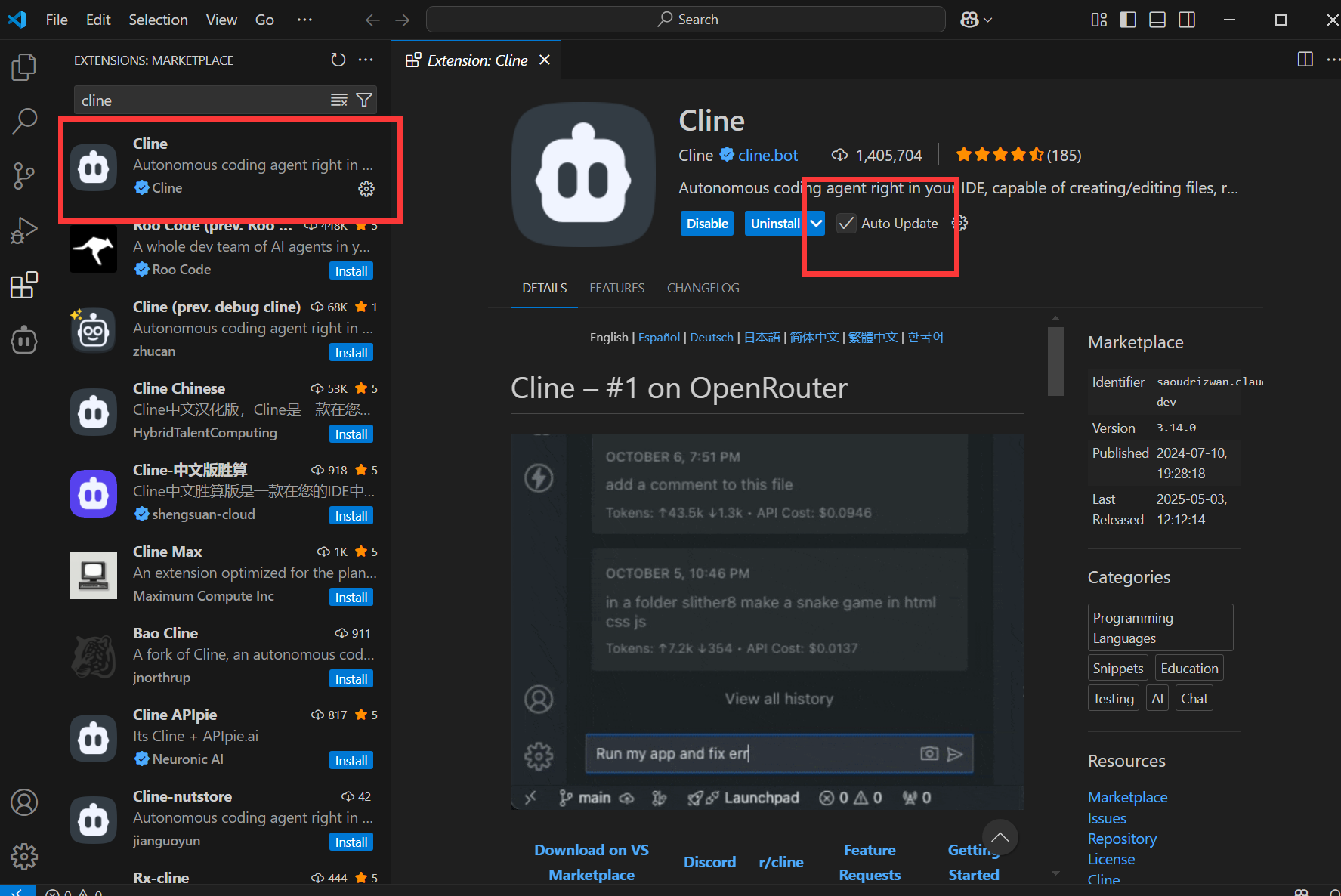
-
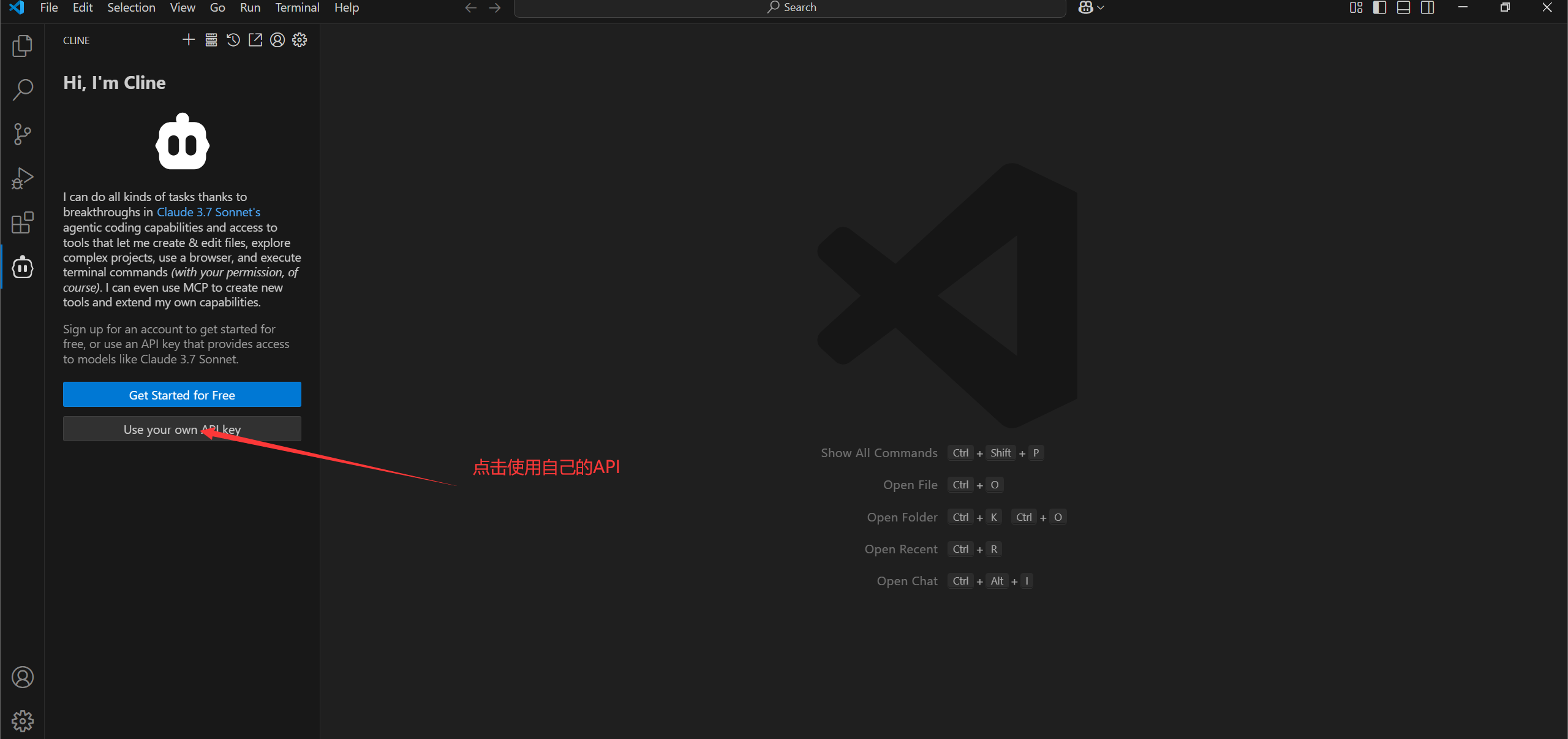
安装完成后如下,点击下方使用自己的api
-
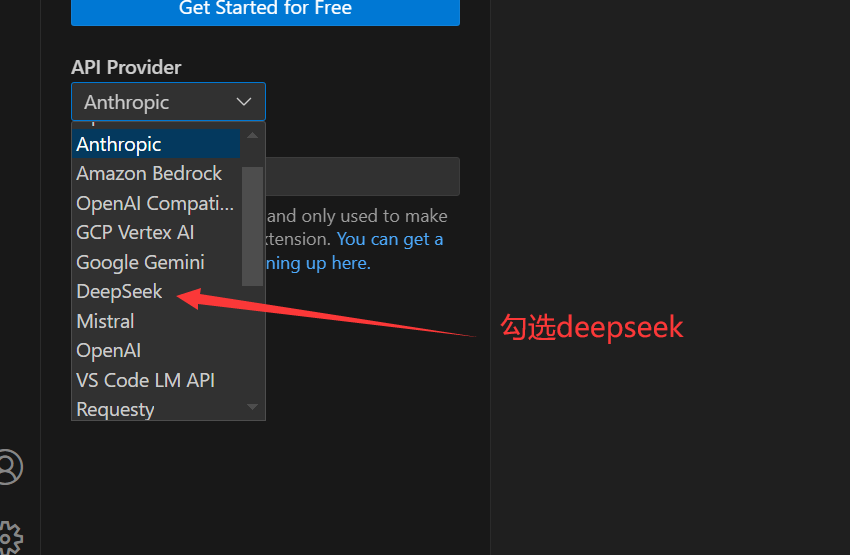
选择deepseek并填写下方的API
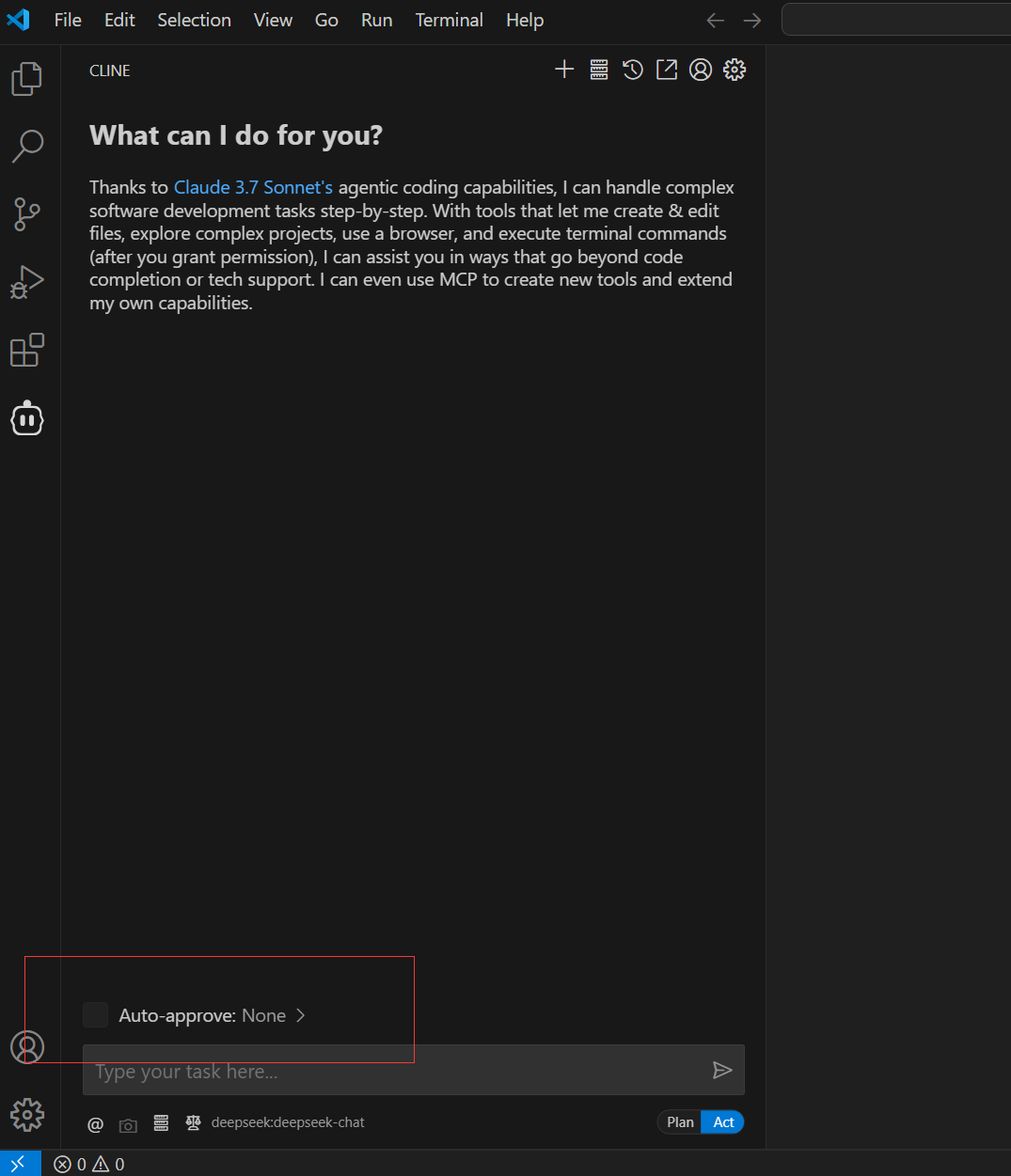
9.完成后点击下方的自动批准
-
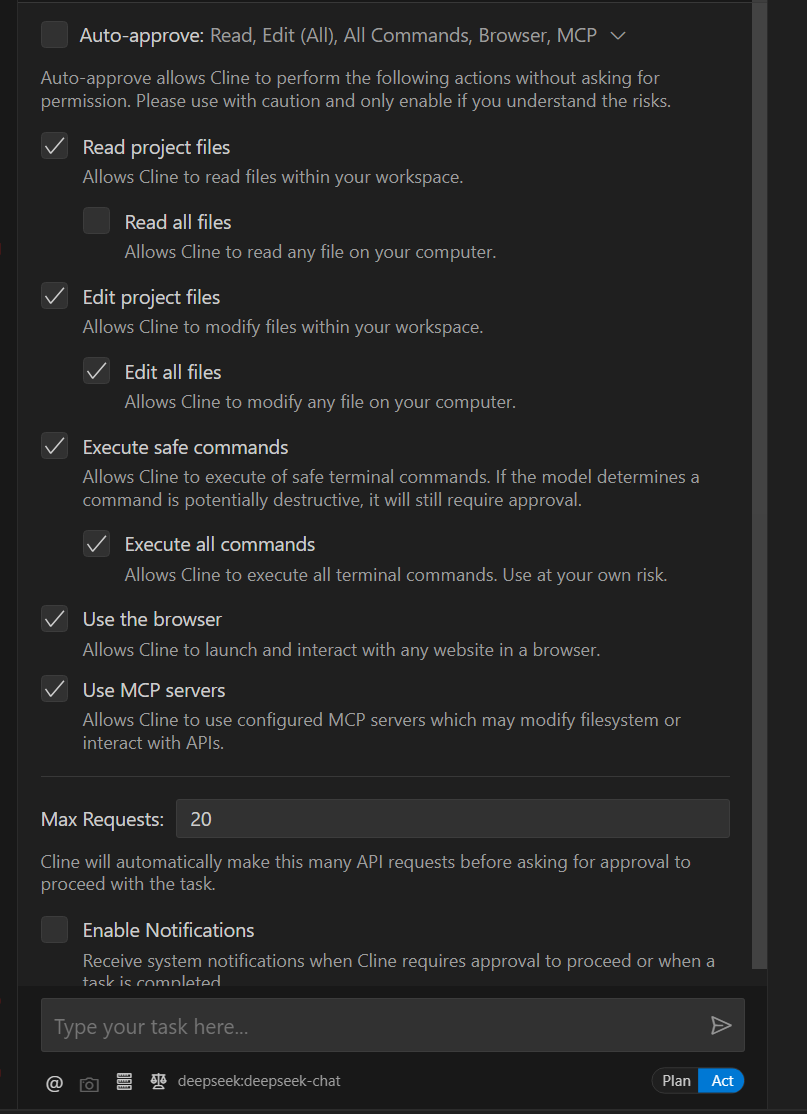
勾选所有选项可让cline接管你的vs code和powershell
-
点击右下方的Plan/Act切换模式
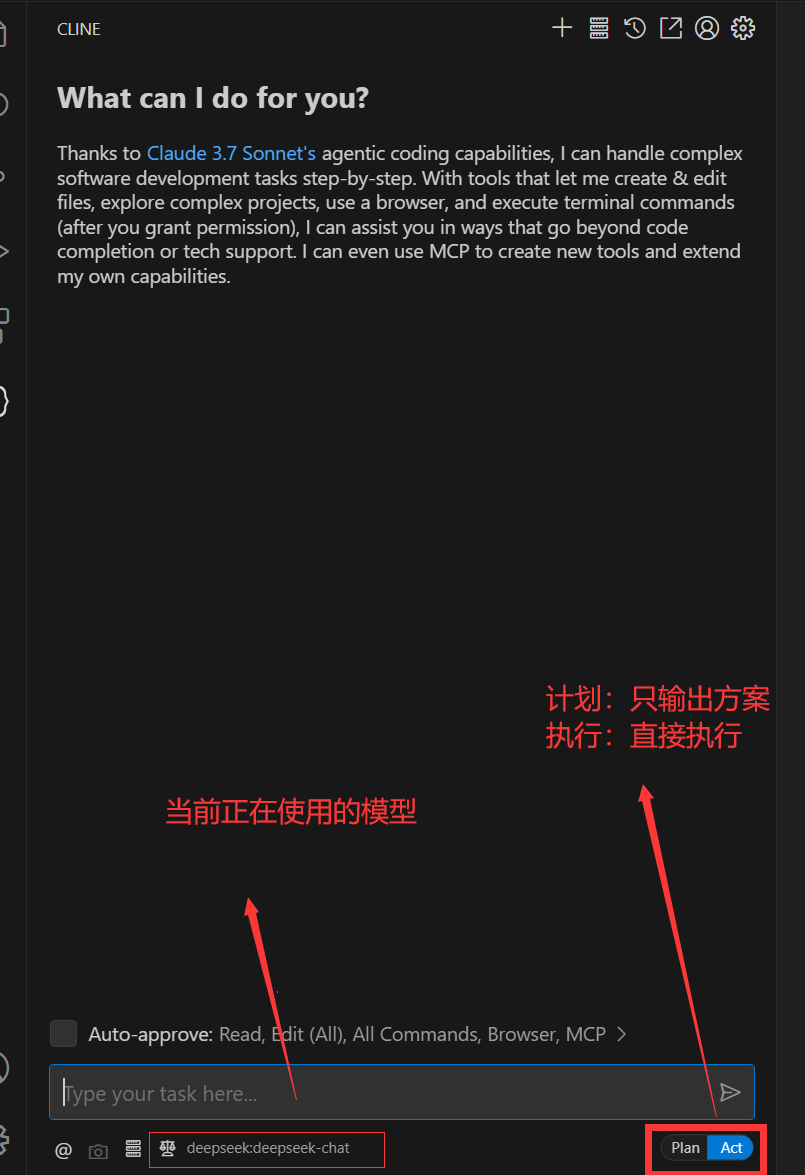
这里推荐先完成计划方案,在点击执行,在确定好技术方案和细节后,再选择实行
- 至此cline配置完成
- 当然cline还有高阶使用方式,安装各类MCP服务,让cline接管你的pc;不过目前并没有那么好用
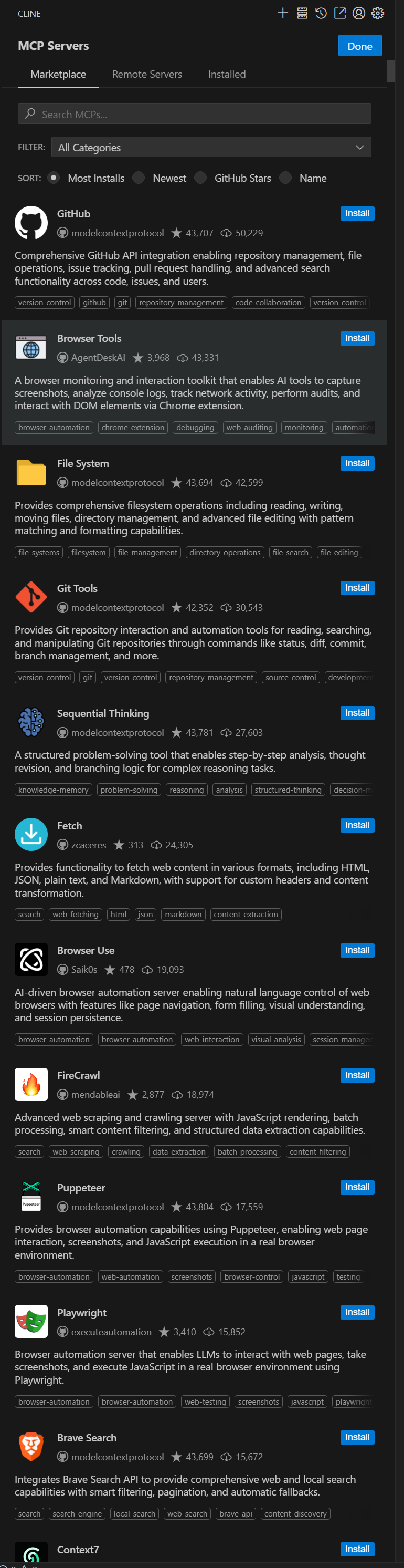
注意
win10因为powershell的版本过低,cline在调用shell时可能会报错,因此推荐升级win11,或者升级你的powershell版本(7.x+)
Powershell GITHUB网址 https://github.com/PowerShell/powershell/releases

中国智能体开发者社区,聚焦智能体与大模型开发,提供前沿资讯、实用工具链、开源项目及行业案例。通过技术沙龙、开发者大赛等活动,促进经验交流与协作,助力开发者快速构建创新智能应用。
更多推荐
 23
23 0
0- 0


 已为社区贡献1条内容

所有评论(0)