基于硅基流动API的DeepSeek本地部署python版
使用python进行基于硅基流动API的DeepSeek本地部署
·
一、准备硅基流动账号
1.前往硅基流动官网注册账号
点击前往硅基流动官网 ,填写邀请码获得14元赠费:EmdUC8Xs
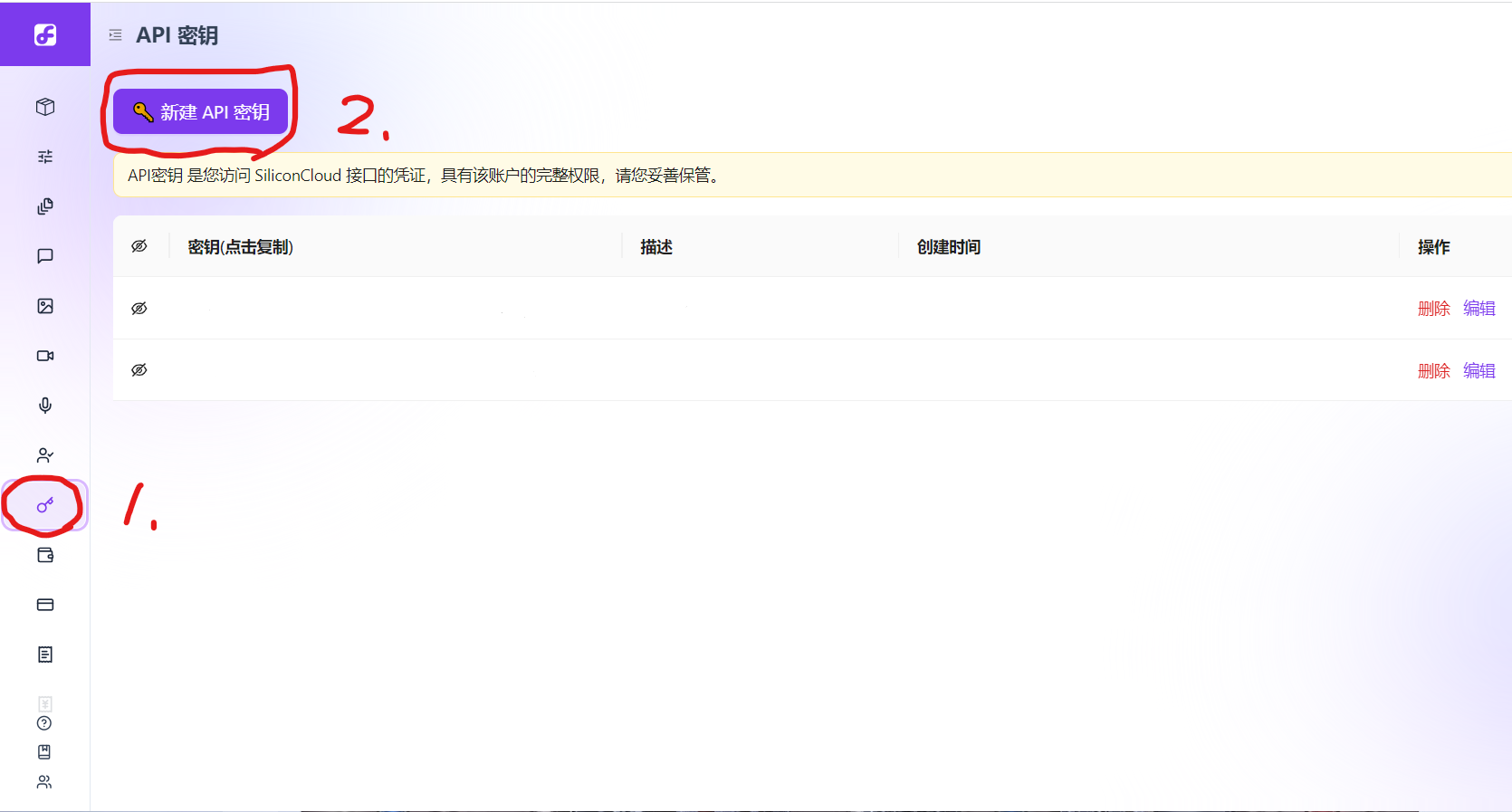
点击新建API密钥,这是第一步(API密钥相当于你可以调用模型的门票)
 2.前往模型广场挑选一个你想用的模型
建议勾选免费的模型来验证服务器和配置的连通性
(本文基于智谱AI运行,深度思考模型回复较慢不建议调试使用)
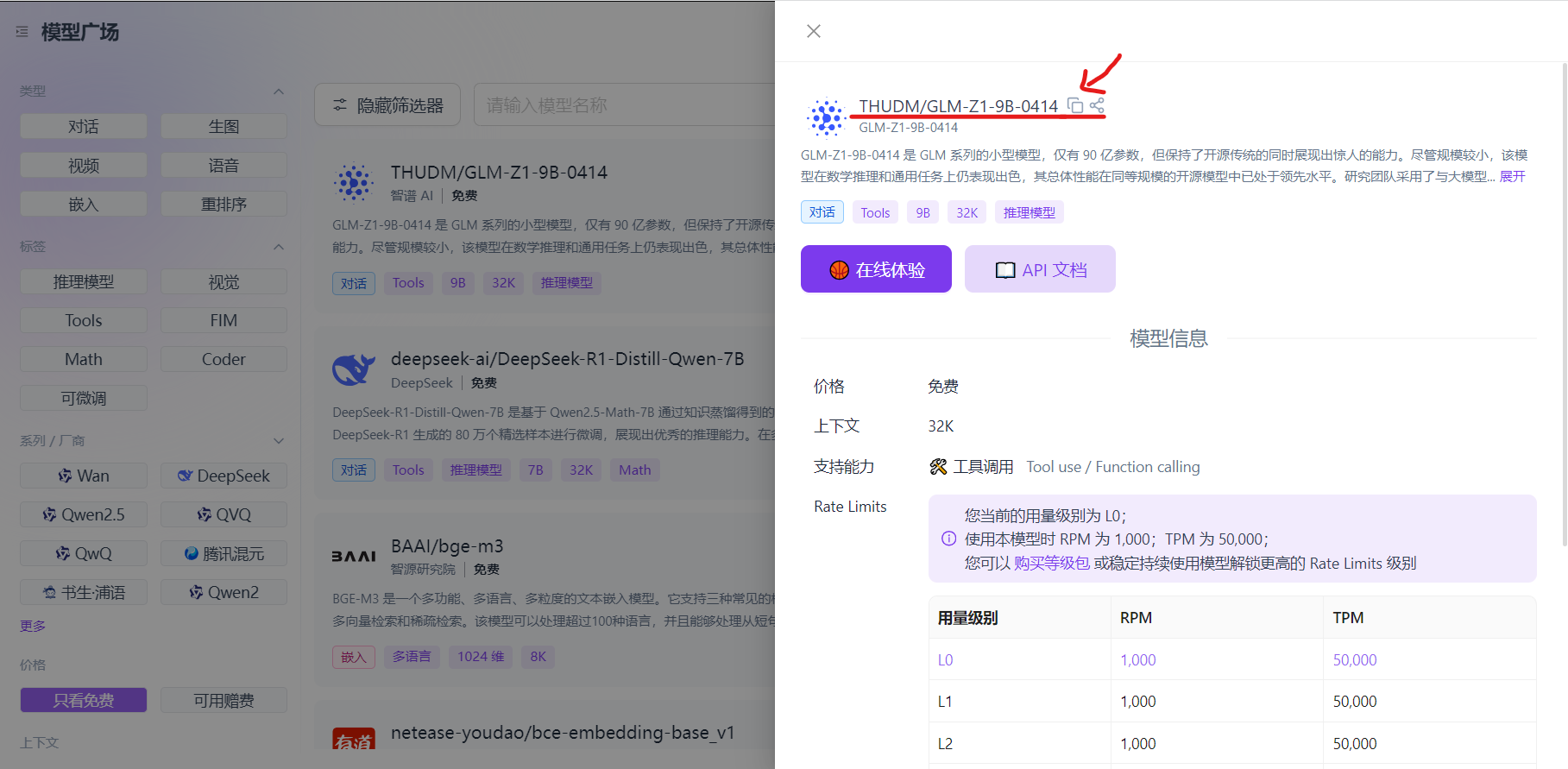
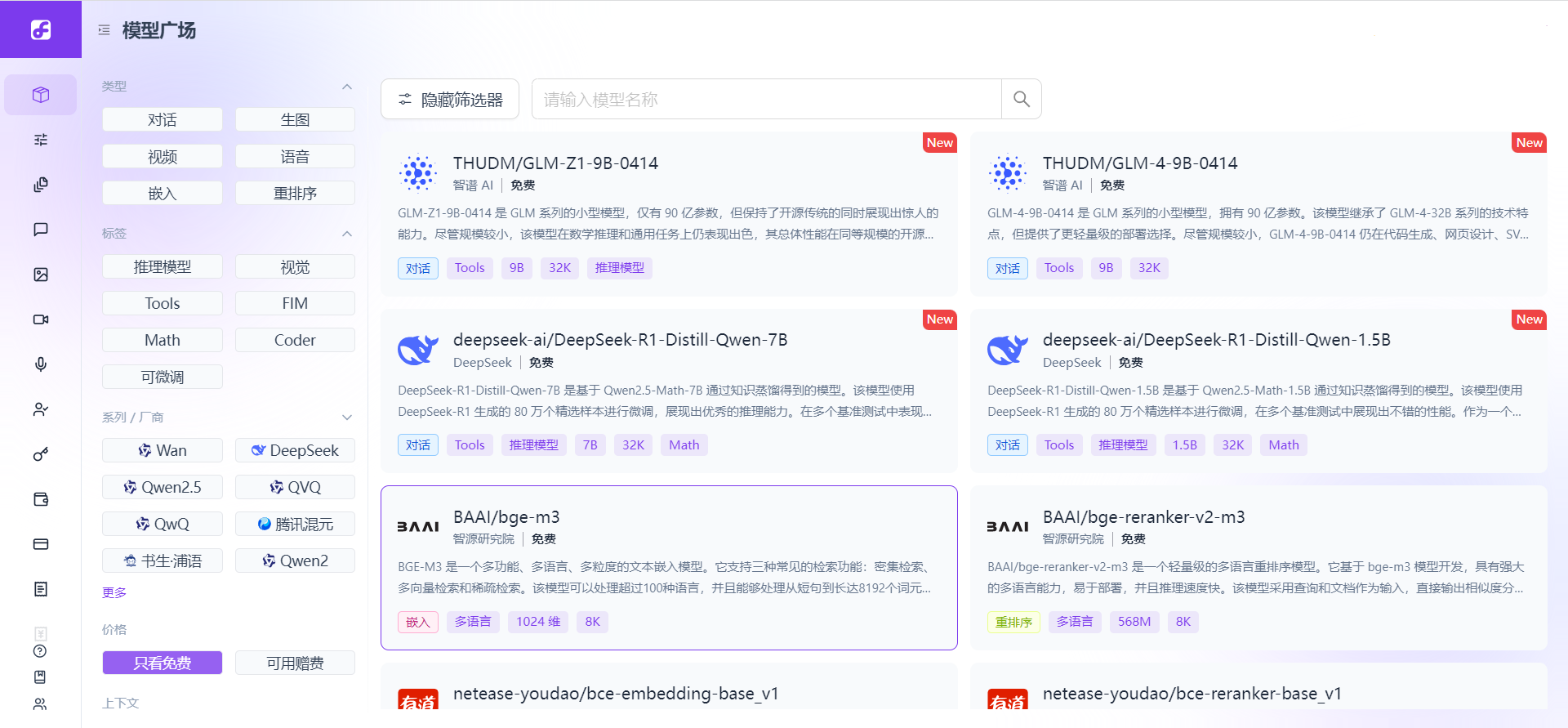 复制模型的名字
二、配置代码
把第一步中准备好的API密钥和选择的模型填入到代码前几行的全局变量中,点击运行即可(可能会比较慢)
import requests
import json

# SiliconFlow API配置
API_KEY = "引号中换成自己创建的API密钥"  # API密钥
API_URL = "https://api.siliconflow.cn/v1/chat/completions"  # SiliconFlow API端点
TEXT_PROMPT = "介绍一下你自己"  # 发送的对话内容
MODEL_NAME = "THUDM/GLM-Z1-9B-0414"  # 调用的模型

def call_language_model(prompt):
    """
    调用语言模型

    参数:
        prompt (str): 文本内容
    返回:
        dict: API响应

    """
    headers = {
        "Content-Type": "application/json",
        "Authorization": f"Bearer {API_KEY}"
    }

    # 准备消息内容
    messages = [{"role": "user", "content": prompt}]

    # 准备请求数据
    data = {
        "model": MODEL_NAME,  # 指定模型名称
        "messages": messages,
        "temperature": 0.7,
        "max_tokens": 1024
    }

    try:
        response = requests.post(API_URL, headers=headers, json=data)
        full_response = response.json()

        # 提取需要的信息
        simplified_response = {}

        # 提取文本内容
        if "choices" in full_response and len(full_response["choices"]) > 0:
            simplified_response["content"] = full_response["choices"][0]["message"]["content"]

        # 提取token使用情况
        if "usage" in full_response:
            simplified_response["usage"] = full_response["usage"]

        return simplified_response
    except Exception as e:
        return {"error": str(e)}

def main():
    # 示例: 纯文本查询
    print("发送文本查询...")
    response = call_language_model(TEXT_PROMPT)

    # 打印简化后的响应
    if "content" in response:
        print("模型回复:")
        print(response["content"])
        print("\n" + "-"*30 + "\n")

        if "usage" in response:
            print("Token使用情况:")
            print(f"提示词tokens: {response['usage']['prompt_tokens']}")
            print(f"回复tokens: {response['usage']['completion_tokens']}")
            print(f"总tokens: {response['usage']['total_tokens']}")
    else:
        print("模型响应出错:")
        print(json.dumps(response, ensure_ascii=False, indent=2))

    print("\n" + "-"*50 + "\n")

if __name__ == "__main__":
    main()
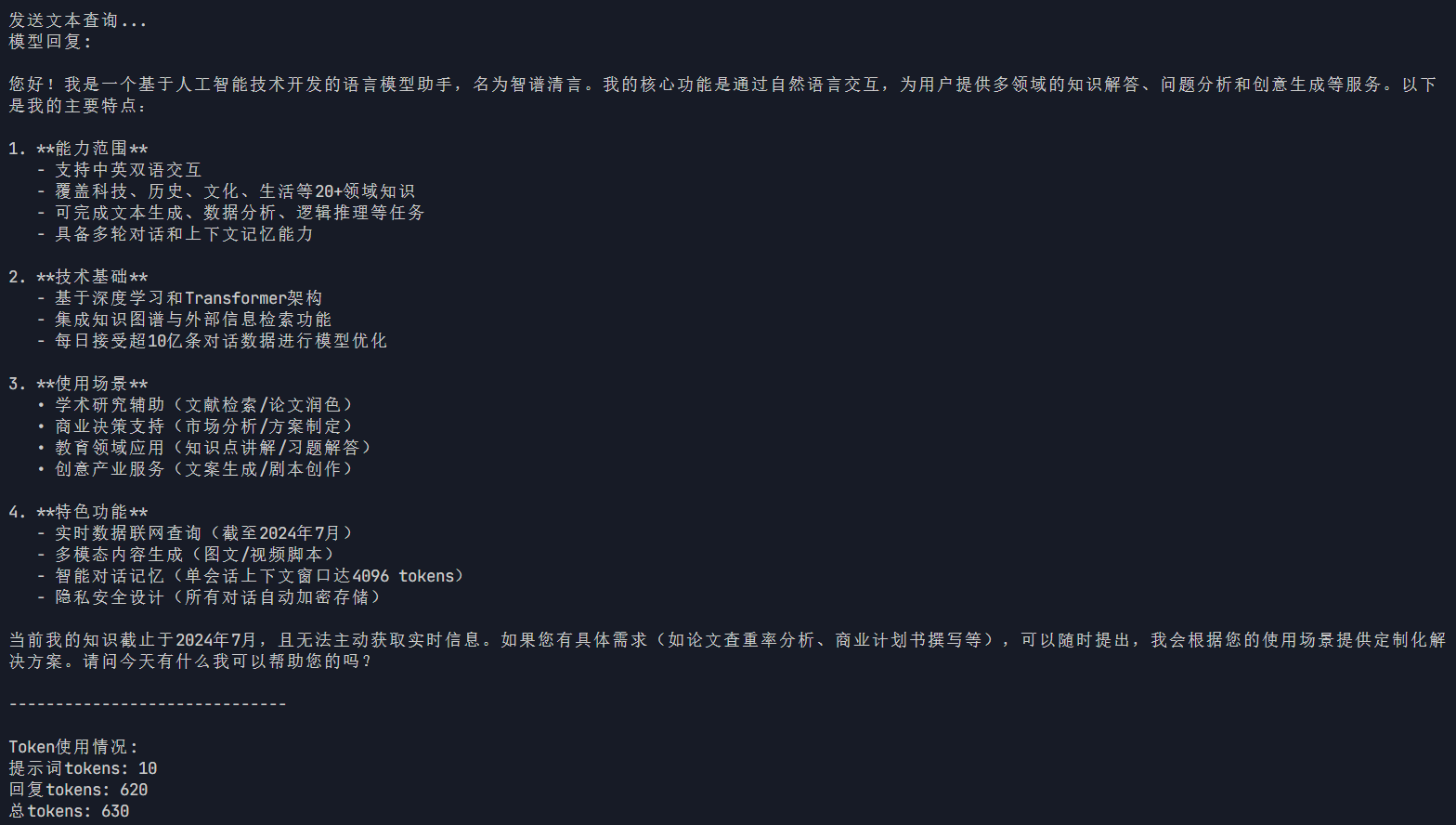
如果如下文所示可以在终端正常运行,则可以替换模型和文本进行你的模型DIY咯

火山引擎开发者社区是火山引擎打造的AI技术生态平台,聚焦Agent与大模型开发,提供豆包系列模型(图像/视频/视觉)、智能分析与会话工具,并配套评测集、动手实验室及行业案例库。社区通过技术沙龙、挑战赛等活动促进开发者成长,新用户可领50万Tokens权益,助力构建智能应用。
更多推荐
 11
11 0
0- 0


 已为社区贡献1条内容

所有评论(0)