苍穹外卖项目日记(day06)
本文记录了苍穹外卖项目第六天的开发日志,重点介绍了微信小程序登录功能的实现。主要内容包括:1)微信小程序开发的前置条件,如注册和完善公众号信息;2)微信登录流程设计,涉及用户授权码获取、后端接口调用和令牌生成;3)具体代码开发,包括拦截器配置、JWT令牌生成和用户服务实现。通过HttpClient调用微信接口服务,完成用户认证并返回令牌,为后续业务请求提供身份验证支持。
·
苍穹外卖|项目日记(day06)
前言: 微信小程序开发主要的是了解相关逻辑和运用的工具, 前端的代码只需了解即可
今日收获:
1.微信小程序开发前置条件
2.微信小程序登录逻辑
3.微信登录代码开发
一.微信小程序开发前置条件
1.进入微信公众平台并登录
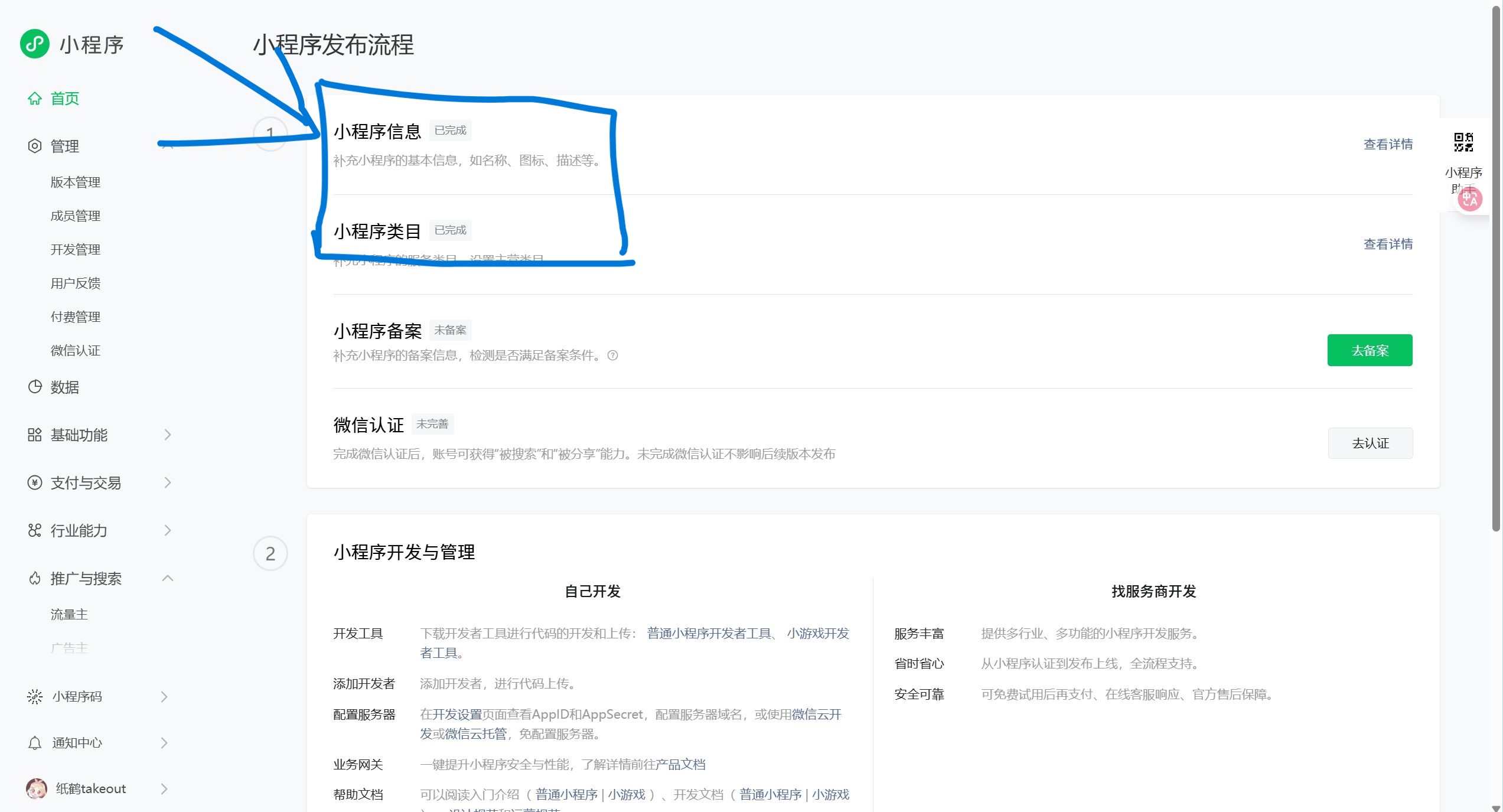
2.完善相关信息
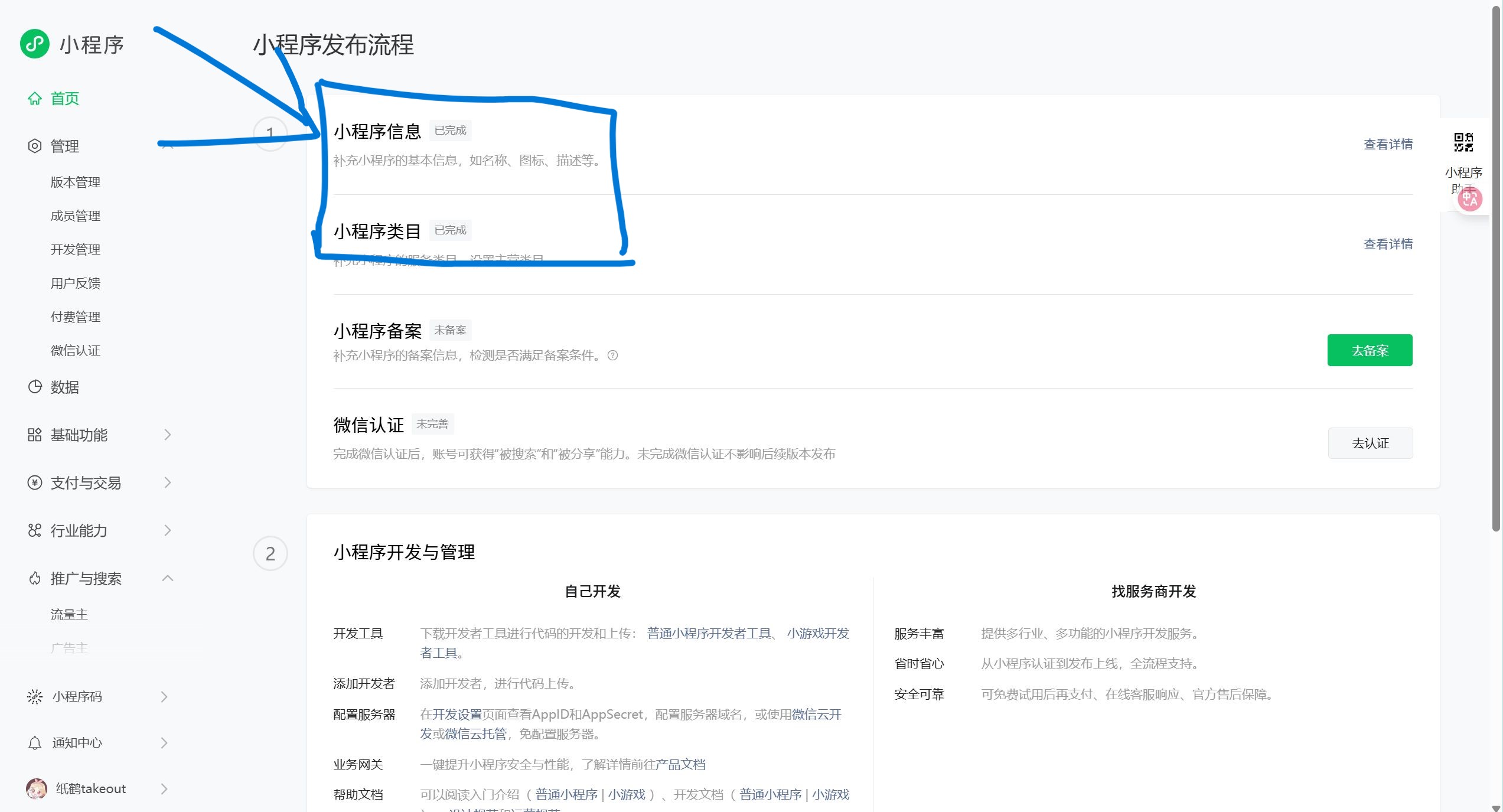
二.微信小程序登录逻辑
1.微信登录流程
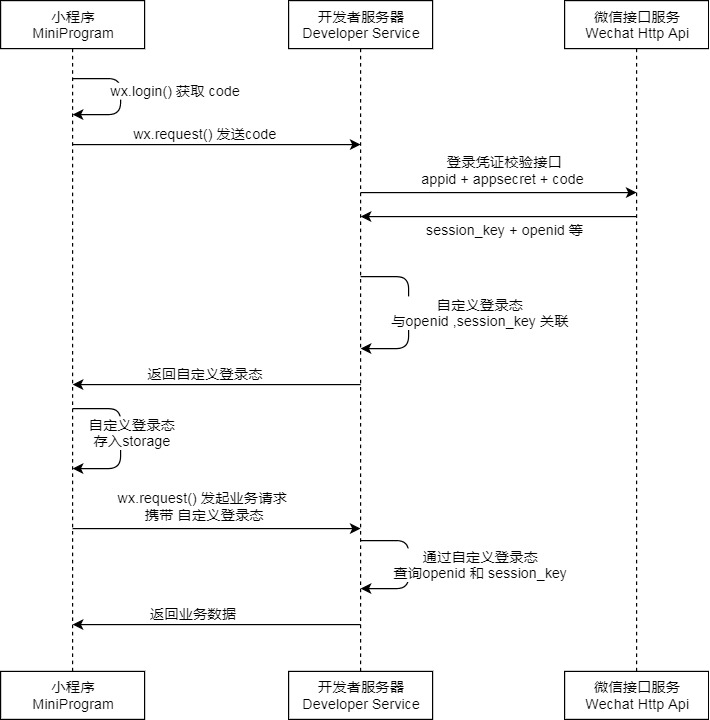
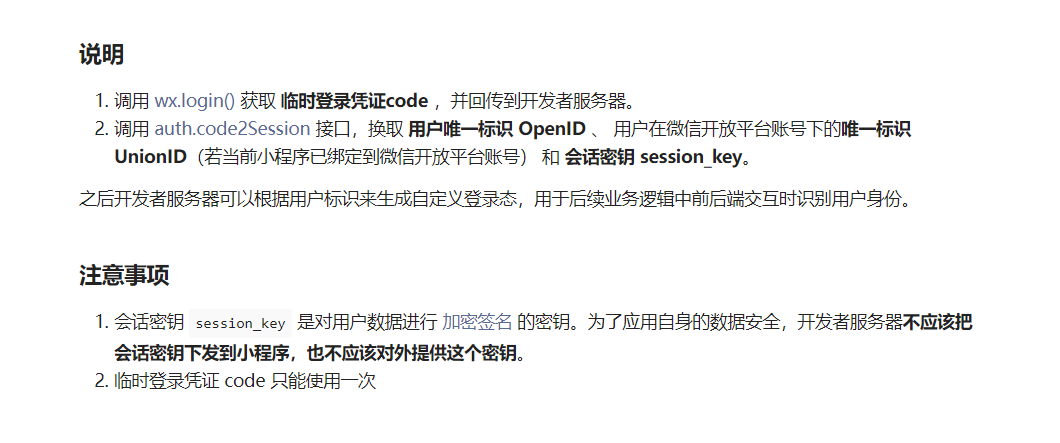
首先在小程序这边获取用户的授权码,然后发送到后端,再由后端发送appid+app密钥和code调用微信的接口服务(通过HttpClient发送请求)。
然后在数据库产生一个令牌返回给用户。小程序 存储令牌,要发起业务的时候就携带令牌。
三.微信登录代码开发
1. 配置用户端拦截器
与管理端基本相同, 只需更改几个参数
a.拦截器
/**
 * jwt令牌校验的拦截器
 */
@Component
@Slf4j
public class JwtTokenUserInterceptor implements HandlerInterceptor {

    @Autowired
    private JwtProperties jwtProperties;

    /**
     * 校验jwt
     *
     * @param request
     * @param response
     * @param handler
     * @return
     * @throws Exception
     */
    public boolean preHandle(HttpServletRequest request, HttpServletResponse response, Object handler) throws Exception {
        //判断当前拦截到的是Controller的方法还是其他资源
        if (!(handler instanceof HandlerMethod)) {
            //当前拦截到的不是动态方法,直接放行
            return true;
        }

        //1、从请求头中获取令牌
        String token = request.getHeader(jwtProperties.getUserTokenName());

        //2、校验令牌
        try {
            log.info("jwt校验:{}", token);
            Claims claims = JwtUtil.parseJWT(jwtProperties.getUserSecretKey(), token);
            Long userId = Long.valueOf(claims.get(JwtClaimsConstant.USER_ID).toString());
            log.info("当前用户id:{}", userId);
            BaseContext.setCurrentId(userId);
            //3、通过,放行
            return true;
        } catch (Exception ex) {
            //4、不通过,响应401状态码
            response.setStatus(401);
            return false;
        }
    }
}
b.注册自定义拦截器
/**
     * 注册自定义拦截器
     *
     * @param registry
     */
    protected void addInterceptors(InterceptorRegistry registry) {
        log.info("开始注册自定义拦截器...");
        registry.addInterceptor(jwtTokenAdminInterceptor)
                .addPathPatterns("/admin/**")
                .excludePathPatterns("/admin/employee/login");

        registry.addInterceptor(jwtTokenUserInterceptor)
                .addPathPatterns("/user/**")
                .excludePathPatterns("/user/user/login")
                .excludePathPatterns("/user/shop/status");
    }
2…配置文件设置
a.配置微信登录所需配置项
// 基础环境中
sky:
  wechat:
    appid: ${sky.wechat.appid}
    secret: ${sky.wechat.secret}
// 开发环境中
sky:
  wechat:
    appid: 你的小程序id
    secret: 你自己的密钥
b.配置为微信用户生成jwt令牌使用的配置项
sky:
  jwt:
    # 设置jwt签名加密时使用的秘钥
    user-secret-key: itheima
    # 设置jwt过期时间
    user-ttl: 7200000
    # 设置前端传递过来的令牌名称
    user-token-name: authentication
3.代码开发
VO设计
@Data
@Builder
@NoArgsConstructor
@AllArgsConstructor
public class UserLoginVO implements Serializable {

    private Long id;
    private String openid;
    private String token;

}
UserController
逻辑: 接收前端传来code,然后根据这个code调用官方接口获取信息然后返回一个token和一个Openid给小程序端
@RestController
@RequestMapping("/user/user")
@Api(tags="C端用户相关接口")
@Slf4j
public class UserController {

    @Autowired
    private UserService userService;

    @Autowired
    private JwtProperties jwtProperties;

    @PostMapping("/login")
    @ApiOperation("微信登录")
    public Result<UserLoginVO> login(@RequestBody UserLoginDTO userLoginDTO){
        log.info("微信用户登录:{}",userLoginDTO.getCode());
        //微信登录
        User user = userService.wxlogin();
        //为微信用户生成jwt令牌
        HashMap<String, Object> claims = new HashMap<>();
        claims.put(JwtClaimsConstant.USER_ID,user.getId());
        String token = JwtUtil.createJWT(jwtProperties.getUserSecretKey(), jwtProperties.getUserTtl(), claims);

        UserLoginVO userLoginVO = UserLoginVO.builder()
                .id(user.getId())
                .openid(user.getOpenid())
                .token(token)
                .build();
        return Result.success(userLoginVO);
    }
}
UserService
@Service
@Slf4j
public class UserServiceImpl implements UserService {
    //微信服务接口地址
    public static final String WX_LOGIN="https://api.weixin.qq.com/sns/jscode2session";


    @Autowired
    private WeChatProperties weChatProperties;

    @Autowired
    private UserMapper userMapper;
    /**
     * 微信登录
     * @return
     */
    @Override
    public User wxlogin(UserLoginDTO userLoginDTO) {

        String openid = getOpenid(userLoginDTO.getCode());

        //判断openid是否为空,如果为空表示登录失败,抛出异常
        if(openid==null){
            throw new LoginFailedException(MessageConstant.LOGIN_FAILED);
        }
        //判断当前用户是否为新用户
        User user = userMapper.getByOpenid(openid);
        //新用户则自动完成注册
        if(user==null){
          user=User.builder()
                    .openid(openid)
                    .createTime(LocalDateTime.now())
                    .build();
          userMapper.insert(user);
        }
        //然后这个用户对象
        return user;
    }

    /**
     * 调用微信接口服务,获取微信用户的openid
     * @param code
     * @return
     */
    private String getOpenid(String code){
        //调用微信接口服务获取当前用户的openid
        Map<String,String> map=new HashMap<>();
        map.put("appid",weChatProperties.getAppid());
        map.put("secret",weChatProperties.getSecret());
        map.put("js_code",code);
        map.put("grant_type","authorization_code");
        String json = HttpClientUtil.doGet(WX_LOGIN, map);

        JSONObject jsonObject = JSON.parseObject(json);
        String openid = jsonObject.getString("openid");

        return openid;
    }
}
UserMapper
@Mapper
public interface UserMapper {


    /**
     * 根据openid查询用户
     * @param openid
     * @return
     */
    @Select("select * from user where openid = #{openid}")
        public User getByOpenid(String openid);

    /**
     * 查入数据
     * @param user
     */
    void insert(User user);
}
/**
 * 根据openid查询用户
 * @param openid
 * @return
 */
@Select("select * from user where openid = #{openid}")
    public User getByOpenid(String openid);

/**
 * 查入数据
 * @param user
 */
void insert(User user);
}

火山引擎开发者社区是火山引擎打造的AI技术生态平台,聚焦Agent与大模型开发,提供豆包系列模型(图像/视频/视觉)、智能分析与会话工具,并配套评测集、动手实验室及行业案例库。社区通过技术沙龙、挑战赛等活动促进开发者成长,新用户可领50万Tokens权益,助力构建智能应用。
更多推荐
 5
5 0
0- 0


 已为社区贡献7条内容

所有评论(0)