SpringBoot+websocket+vue实现简单的群聊聊天室
实现视图:

一、引入websocket依赖
 <dependency>
     <groupId>org.springframework.boot</groupId>
     <artifactId>spring-boot-starter-websocket</artifactId>
</dependency>
二、配置websocket的地址
配置的两种方式,可根据自己项目需求配置
| 对比项 | 方式一(原生 JSR-356) | 方式二(Spring WebSocket) |
| 技术来源 | Java 原生 API | Spring 框架封装 |
| 是否需要配置类 | 是(ServerEndpointExporter) | 是(WebSocketConfigurer) |
| 端点声明方式 | 使用 @ServerEndpoint 注解 | 使用 WebSocketHandler 实现类 |
| 易用性 | 相对独立,较难整合进 Spring MVC | 更易集成 Spring MVC/Boot,功能丰富 |
| 功能扩展 | 编码/解码、拦截器略复杂 | 支持 STOMP、SockJS、拦截器、消息广播更容易 |
| 适用场景 | 简单 WebSocket 服务或非 Spring 应用 | Spring Boot/Web 项目,尤其是需要 STOMP 的场景 |
| 容器依赖 | 必须支持 JSR-356 | 几乎兼容所有常见容器 |
由于我项目中需要获取发送消息客户端的IP,我选择了方式二
方式一配置:
@Configuration
public class WebSocketConfig {
    /*
    *ServerEndpointExporter作用
    *这个Bean会自动注册使用@ServerEndpoint注册 WebSocket 端点(endpoint)
    */
    @Bean
    public ServerEndpointExporter serverEndpointExporter(){
        return new ServerEndpointExporter();
    }
}
方式二配置:
其中MiniChatSocket 为聊天室的业务逻辑类
访问websocket时使用的是Spring boot中配置的端口,访问websocket的url
若项目配置了https,则访问url为:wss://127.0.0.01:端口/chats(其中ip,端口,/chats更换为自己定义的配置)
若项目配置了http,则访问url为:ws://127.0.0.01:端口/chats(其中ip,端口,/chats更换为自己定义的配置)
@Configuration
@EnableWebSocket
public class WebSocketConfig implements WebSocketConfigurer {

    @Override
    public void registerWebSocketHandlers(WebSocketHandlerRegistry registry) {
        registry.addHandler(miniChatSocketSeivice(), "/chats").setAllowedOrigins("*");
    }

    /**
     * 聊天室
     * @return
     */
    public MiniChatSocket miniChatSocketSeivice() {
        return new MiniChatSocket();
    }
}
扩展点:
以上是一个路径对应的是一个websocket,项目中我想在其他地方也用到websocket,需要新增一个url,如下配置,新增一个业务逻辑类和URL即可:
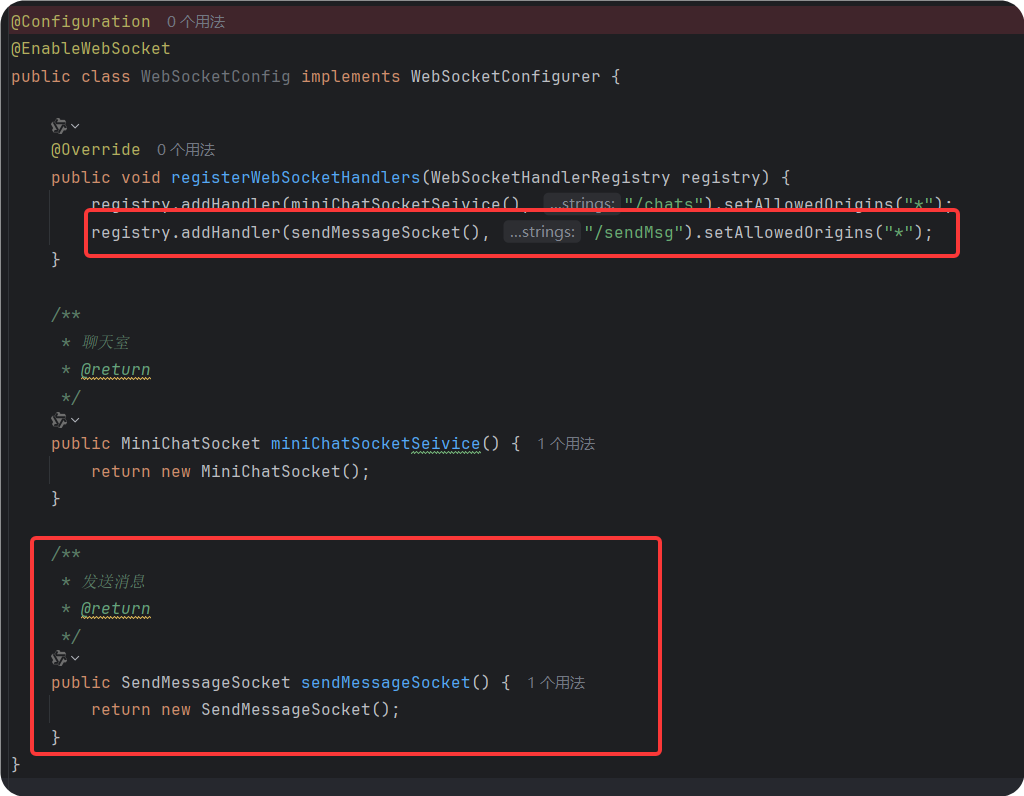
@Configuration
@EnableWebSocket
public class WebSocketConfig implements WebSocketConfigurer {

    @Override
    public void registerWebSocketHandlers(WebSocketHandlerRegistry registry) {
        registry.addHandler(miniChatSocketSeivice(), "/chats").setAllowedOrigins("*");
        registry.addHandler(sendMessageSocket(), "/sendMsg").setAllowedOrigins("*");
    }

    /**
     * 聊天室
     * @return
     */
    public MiniChatSocket miniChatSocketSeivice() {
        return new MiniChatSocket();
    }

    /**
     * 发送消息
     * @return
     */
    public SendMessageSocket sendMessageSocket() {
        return new SendMessageSocket();
    }
}
三、实现websocket的业务逻辑
其中业务层的实现有两种方式
方式一:
其中通过@ServerEndpoint("/online/{userName}")注解定义WebSocket 端点和url
若项目配置了https,则访问url为:wss://127.0.0.01:端口/online/{userName}(其中ip,端口,/online/{userName}更换为自己定义的配置)
若项目配置了http,则访问url为:ws://127.0.0.01:端口//online/{userName}(其中ip,端口,/online/{userName}更换为自己定义的配置)
@Component
@ServerEndpoint("/online/{userName}")
public class OnlineCountSocket {

    /**
     * The constant objectMapper.
     */
    private static final ObjectMapper objectMapper = new ObjectMapper();

    /**
     * The constant logger.
     */
    private static final Logger logger = LoggerFactory.getLogger(OnlineCountSocket.class);

    /**
     * The constant onlineNum.
     */
    private static AtomicInteger onlineNum = new AtomicInteger();

    /**
     * The constant sessionPools.
     */
    private static ConcurrentHashMap<String, Session> sessionPools = new ConcurrentHashMap<>();

    /**
     * 收到客户端信息
     *
     * @param message the message
     * @throws IOException the io exception
     */
    @OnMessage
    public void onMessage(String message) throws IOException {
        logger.info("收到客户端消息:");
    }

    /**
     * 建立连接成功调用
     *
     * @param session  the session
     * @param userName the user name
     * @throws JsonProcessingException the json processing exception
     */
    @OnOpen
    public void onOpen(Session session, @PathParam(value = "userName") String userName) throws JsonProcessingException {
        sessionPools.put(userName, session);
        addOnlineCount();
        logger.info("加入webSocket!当前连接数为{}",onlineNum);
        sendMessage(session, new SocketMsgModel(userName,  "欢迎" + userName + "加入聊天室"));
    }

    /**
     * 关闭连接时调用
     *
     * @param userName the user name
     */
    @OnClose
    public void onClose(@PathParam(value = "userName") String userName) {
        sessionPools.remove(userName);
        subOnlineCount();
        logger.info("断开webSocket连接!当前连接数为{}",onlineNum);
    }

    /**
     * 错误时调用
     *
     * @param session   the session
     * @param throwable the throwable
     */
    @OnError
    public void onError(Session session, Throwable throwable) {
        logger.error("Websocket {} error found! {}", session.getId(), throwable.getMessage());
    }

    /**
     * 发送消息
     *
     * @param session the session
     * @param message the message
     */
    public static void sendMessage(Session session, SocketMsgModel message) {
        if (session != null) {
            try {
                synchronized (session) {
                    session.getBasicRemote().sendText(objectMapper.writeValueAsString(message));
                }
            } catch (IOException e) {
                logger.error(e.getMessage());
            }
        }
    }

    /**
     * Add online count.
     */
    public static void addOnlineCount() {
        onlineNum.incrementAndGet();
    }

    /**
     * Sub online count.
     */
    public static void subOnlineCount() {
        onlineNum.decrementAndGet();
    }

    /**
     * Get session pools concurrent hash map.
     *
     * @return the concurrent hash map
     */
    public static ConcurrentHashMap<String, Session> getSessionPools() {
        return sessionPools;
    }

}
方式二:
发送和接收消息时通过type的值处理不同的逻辑
如下,type为自行定义的数字,方便处理不同的状态,可自行补充:
服务端给客户端发送以下类型:
type:1001代表本人进入聊天室
type:1002代表有用户进入聊天室或者下线时,刷新在线列表
type:1003代表有用户进入聊天室时,通知其他用户
客户端给服务端发送以下类型:
type:9999为客户端定时给服务端发送心跳使用
type:9008代表客户端发送消息了,页面需要刷新聊天记录
@Component
public class SendMessageSocket extends TextWebSocketHandler {
    public static DateTimeFormatter formatter = DateTimeFormatter.ofPattern("yyyy-MM-dd HH:mm:ss.SSS");
    /**
     * The constant logger.
     */
    private static final Logger logger = LoggerFactory.getLogger(MapsParseSocket.class);

    /**
     * The constant onlineNum.
     */
    private static AtomicInteger onlineNum = new AtomicInteger();

    /**
     * The constant sessionPools.
     */
    private static ConcurrentHashMap<String, WebSocketSession> sessionPools = new ConcurrentHashMap<>();

    /**
     * 建立连接
     * @param session
     * @throws Exception
     */
    @Override
    public void afterConnectionEstablished(WebSocketSession session) throws Exception {
        //获取客户端IP
        String requestIp = session.getRemoteAddress().getAddress().getHostAddress();
        //ip映射0:0:0:0:0:0:0:1映射127.0.0.1
        String ip = getKey(requestIp);
        sessionPools.put(ip, session);
        //在线人数计数
        addOnlineCount();
        logger.info(requestIp+" ,加入聊天室!当前连接数为{}",onlineNum);
        // 向客户端发送进入房间的ip
        socketSend_UserId(session, ip);
    }

    /**
     * 接收消息
     * @param session
     * @param message
     * @throws Exception
     */
    @Override
    protected void handleTextMessage(WebSocketSession session, TextMessage message) throws Exception {
        //收到的消息
        String msgStr = message.getPayload();
        //客户端发送的心跳信息
        if(StringUtils.contains(msgStr,"{\"type\":\"9999\"}")){
            return;
        }
        logger.info("收到客户端消息:"+msgStr);
        //限制消息的长度
        if (StringUtils.isEmpty(msgStr) || msgStr.length() > 1024 * 10) {
            return;
        }
        Map<String, Object> messageMap = null;
        try {
            messageMap = new ObjectMapper().readValue(msgStr, new TypeReference<Map<String, Object>>() {});
        } catch (Exception e) {
            logger.error("Invalid JSON " + msgStr);
            messageMap = null;
        }
        String type = (String) messageMap.get("type");
        String sendIp = (String) messageMap.get("sendIp");
        String sendMessage = (String) messageMap.get("message");
        //收到信息时发送给其他人
        if(StringUtils.isNotEmpty(type) && StringUtils.isNotEmpty(sendIp) && StringUtils.isNotEmpty(sendMessage)) {
            String sendMsg = LocalDateTime.now().format(formatter)+" "+sendMessage;
            //告诉其他在线的用户
            if(CollUtil.isNotEmpty(sessionPools)){
                sessionPools.forEach((key, userSocket)->{
                    try {
                        socketSend_Other(key,sendIp,sendMsg,userSocket);
                    } catch (IOException e) {
                        logger.error("send other error:" + e.getMessage());
                    }
                });
            }
        }
    }
    /**
     * 关闭连接
     * @param session
     * @param status
     * @throws Exception
     */
    @Override
    public void afterConnectionClosed(WebSocketSession session, CloseStatus status) throws Exception {
        String requestIp = session.getRemoteAddress().getAddress().getHostAddress();
        requestIp =getKey(requestIp);
        sessionPools.remove(requestIp);
        //通过客户端有用户下线
        if(CollUtil.isNotEmpty(sessionPools)){
            sessionPools.forEach((key,userSocket)->{
                try {
                    socketSend_RoomInfo(userSocket);
                } catch (IOException e) {
                    e.printStackTrace();
                }
            });
        }
        subOnlineCount();
        logger.info(requestIp+" 断开连接!当前连接数为{}",onlineNum);
    }

    /**
     * 给客户端发送自己的ip,type-1001为有用户加入连接
     * @param session
     * @param ip
     * @throws IOException
     */
    private void socketSend_UserId(WebSocketSession session, String ip) throws IOException {
        Map<String, Object> data = new HashMap<>();
        Map<String, Object> idDataMap = new HashMap<>();
        idDataMap.put("sendIp",ip);
        idDataMap.put("sender",ip);
        data.put("data",idDataMap);
        send(session,"1001",data);
    }

    /**
     * 有用户进入时,通知其他人有人上线-type-1002
     * @param session
     * @throws IOException
     */
    private void socketSend_RoomInfo(WebSocketSession session) throws IOException {
        List<String> allIps = sessionPools.keySet().stream().collect(Collectors.toList());
        Map<String, Object> data = new HashMap<>();
        List<Map<String, Object>> ids = new ArrayList<>();
        for (String onlineIp : allIps) {
            Map<String, Object> idDataMap = new HashMap<>();
            idDataMap.put("sendIp", onlineIp);
            idDataMap.put("sender",onlineIp);
            ids.add(idDataMap);
        }
        data.put("data",ids);
        send(session, "1002", data);
    }

    /**
     * 服务端收到type为9007收到信息时发送给其他人,除自己,发送type-1003
     * @param sendIp
     * @param message
     * @throws IOException
     */
    private void socketSend_Other(String sendIp,String targetIp,String message, WebSocketSession targetSocket) throws IOException {
        Map<String, Object> data = new HashMap<>();
        Map<String, Object> dataMap = new HashMap<>();
        dataMap.put("message",message);
        dataMap.put("targetIp",targetIp);
        dataMap.put("sendIp",sendIp);
        dataMap.put("sender",sendIp);
        data.put("data",dataMap);
        send(targetSocket,"1003",data);
    }


    /**
     * 发送信息
     * @param session
     * @param type
     * @param data
     * @throws IOException
     */
    private void send(WebSocketSession session, String type, Map<String, Object> data) throws IOException {
        data.put("type",type);
        session.sendMessage(new TextMessage(new ObjectMapper().writeValueAsString(data)));
    }

    /**
     * Add online count.
     */
    public static void addOnlineCount() {
        onlineNum.incrementAndGet();
    }

    /**
     * Sub online count.
     */
    public static void subOnlineCount() {
        onlineNum.decrementAndGet();
    }

    /**
     * ip处理
     * @param ip
     * @return
     */
    public static String getKey(String ip) {
        if ( CharSequenceUtil.equalsAny(ip, new CharSequence[]{"127.0.0.1", "0:0:0:0:0:0:0:1"})) {
            ip =  NetUtil.getLocalhostStr();
        }
        return  ip;
    }
}
前端部分代码:
 // 初始化
    init: function () {
      if (typeof WebSocket === 'undefined') {
        // alert("您的浏览器不支持socket")
        this.$message.warn('您的浏览器不支持web socket\n(your browser is not support web socket)');
      } else {
        // 实例化socket
        if (window.ws) {
          window.ws.close();
        }
        // 开发环境
        window.ws = new WebSocket(`ws://127.0.0.1:8089/chats`);
        // 监听socket连接
        window.ws.onopen = this.open;
        // 监听socket错误信息
        window.ws.onerror = this.error;
        // 监听socket消息
        window.ws.onmessage = this.getMessage;
        window.ws.onclose = this.close();
      }
    },
    // 建立连接
    open: function () {
      console.log('Connected to signaling server');
      // 向服务端发送心跳
      setInterval(() => {
        window.ws.send(JSON.stringify({ type: '9999' }));
      }, 1000 * 10);
    },
    // 连接错误
    error: function () {
      console.log('连接错误');
    },
    // 获取消息
    getMessage: function ({ data: responseStr }) {
      const response = JSON.parse(responseStr);
      const { type, data } = response;
      // 加入房间
      if (type === '1001') {
        this.me.id = data.id;
        this.me.sender = data.sender;
        return;
      }
      // 刷新在线列表
      if (type === '1002') {
        this.refreshUsers(data);
        return;
      }
      // 通知其他人
      if (type === '1003') {
        this.noticeOther(data);
      }
    },
    // 发送消息
    send: function () {
      window.ws.send();
    },
    // 关闭
    close: function () {
      console.log('socket已经关闭');
    },
    // 回车发送
    enterTxt (event) {
      // 检查是否按下了 Enter 键且没有 Shift 键
      if (event.key === 'Enter') {
        // 检查 Shift 键是否也被按下
        if (event.shiftKey) {
          // 如果是 Shift + Enter,则允许换行
          // 不需要做任何事情,因为默认行为就是换行
        } else {
          // 如果只是 Enter 键,则阻止默认行为(换行)
          event.preventDefault();
          // 然后调用发送消息的方法
          if (this.messageInput !== undefined && this.messageInput !== null &&
            this.messageInput.trim() !== '') {
            this.sendMessage(this.messageInput);
          } else {
            this.$message.warn('请输入发送内容!');
          }
        }
      }
    },
    sendMessage (msg) {
      const message = (msg === '' || msg === undefined || msg === null) ?
      this.messageInput : msg;
      // 9008记录聊天记录
      window.ws.send(JSON.stringify({ type: '9008', uid: this.me.id, targetId:
      this.me.id, message: message, name: this.me.sender }));
      this.messageInput = '';
    }

中国智能体开发者社区,聚焦智能体与大模型开发,提供前沿资讯、实用工具链、开源项目及行业案例。通过技术沙龙、开发者大赛等活动,促进经验交流与协作,助力开发者快速构建创新智能应用。
更多推荐



 24
24 0
0- 0


 已为社区贡献1条内容

所有评论(0)