在不同平台或工具中使用SSE方式接入MCP
以 http://saas-help-mcp-dev.k8s-qunhe.qunhequnhe.com/tools-mcp 为例。8、在IDEA等编辑器中使用Lingma插件接入MCP。1、在Cherry Studio中接入MCP。1、在Cherry Studio中接入MCP。6、在Obsidian中接入MCP。2、在Fastgpt中接入MCP。4、在Cursor中添加MCP。7、在Cline中接
·
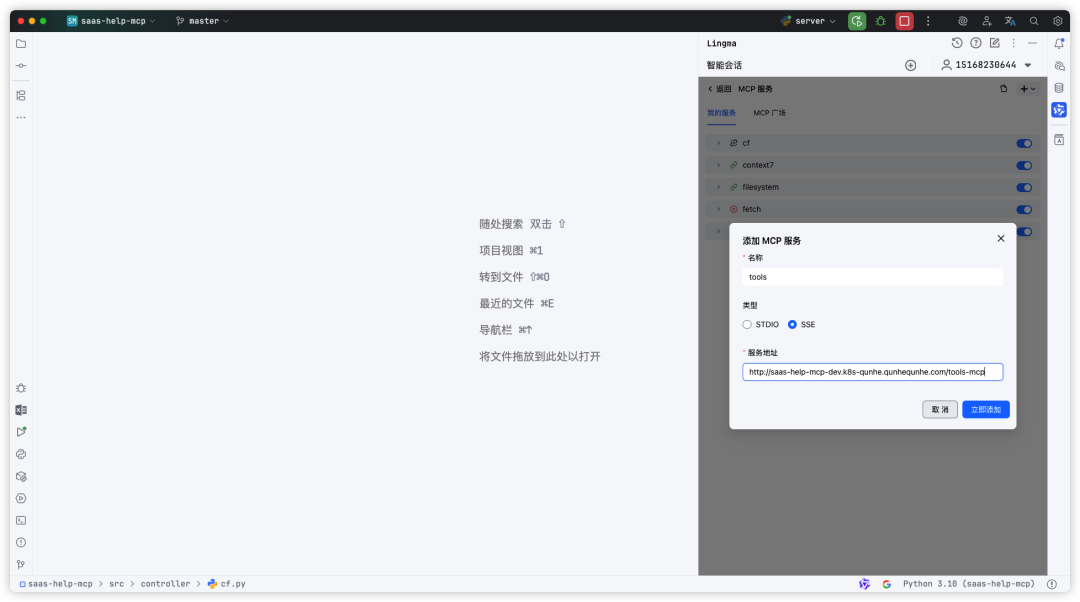
以 http://saas-help-mcp-dev.k8s-qunhe.qunhequnhe.com/tools-mcp 为例
1、在Cherry Studio中接入MCP
https://www.cherry-ai.com/
1、下载最新版Cherry Studio
2、进入设置,MCP服务器
3、点击「添加服务器」
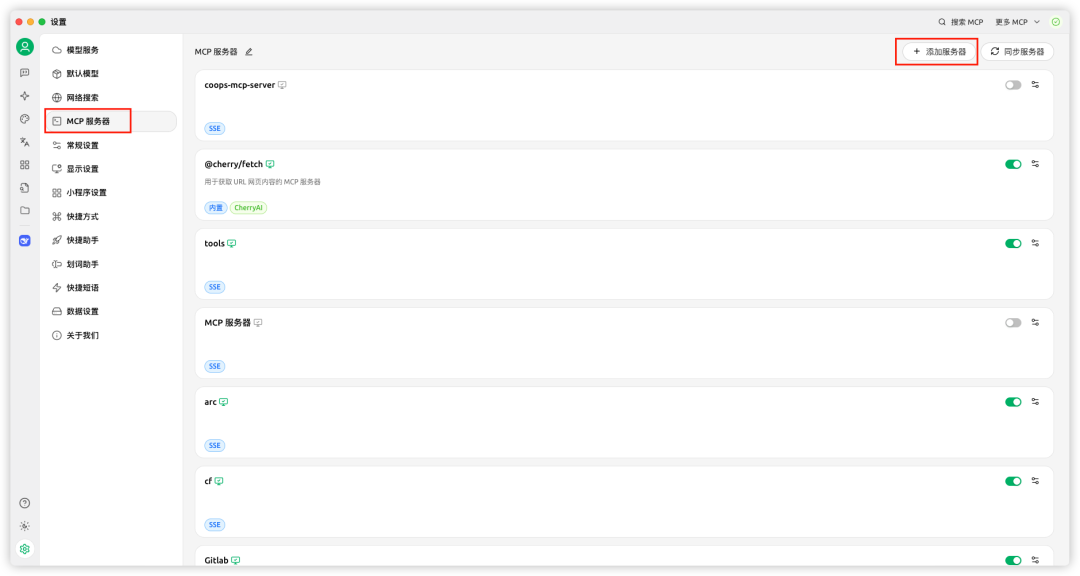
按照如图所示完成添加并开启
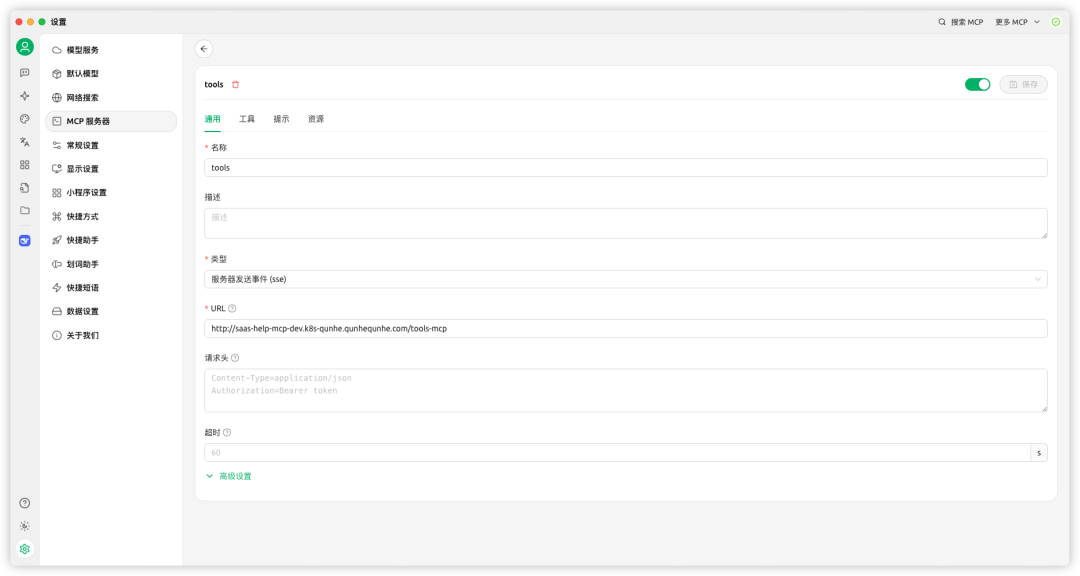
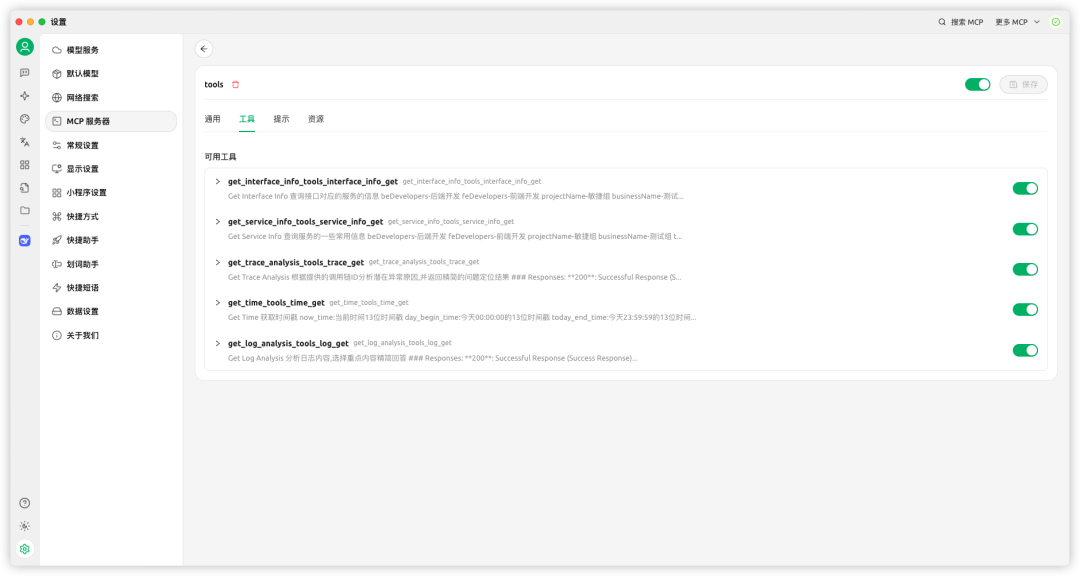
4、在「工具」tab 查看可用工具
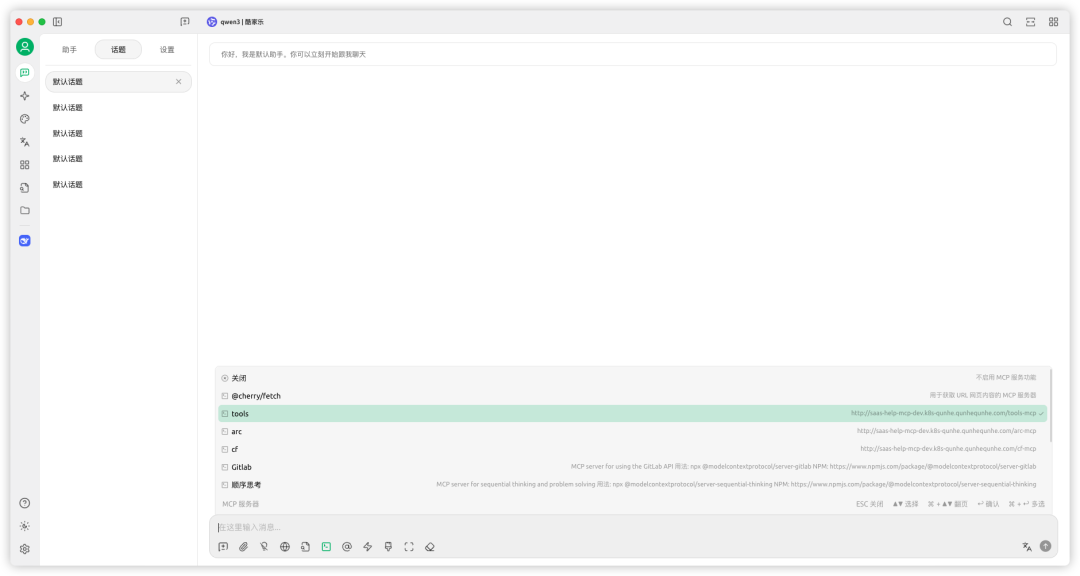
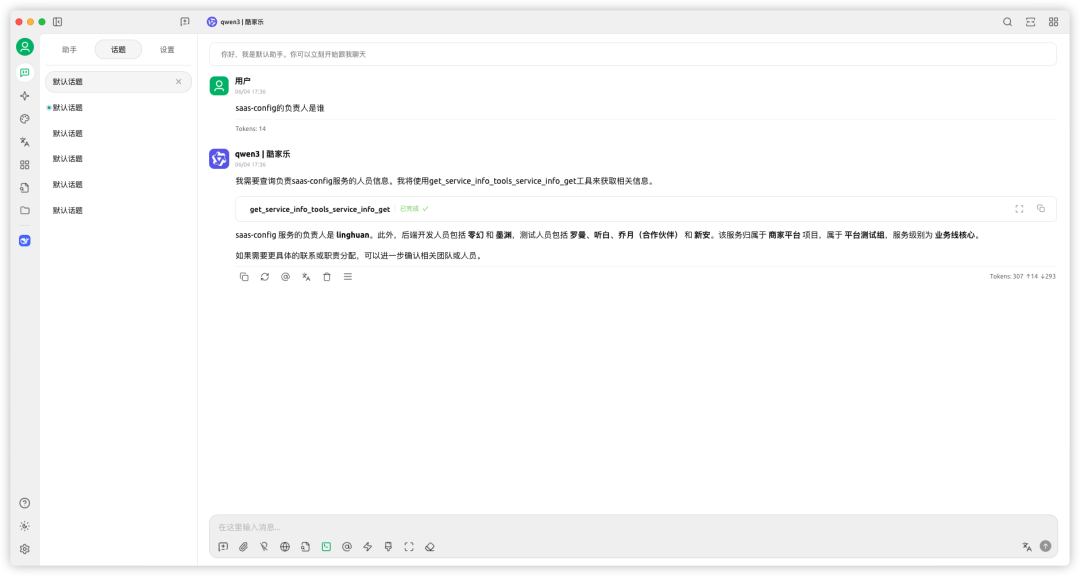
5、使用
在对话前,先开启要使用的MCP服务
2、在Fastgpt中接入MCP
https://fastqa-new.qunhequnhe.com/
1、进入工作台,点击新建→MCP工具集
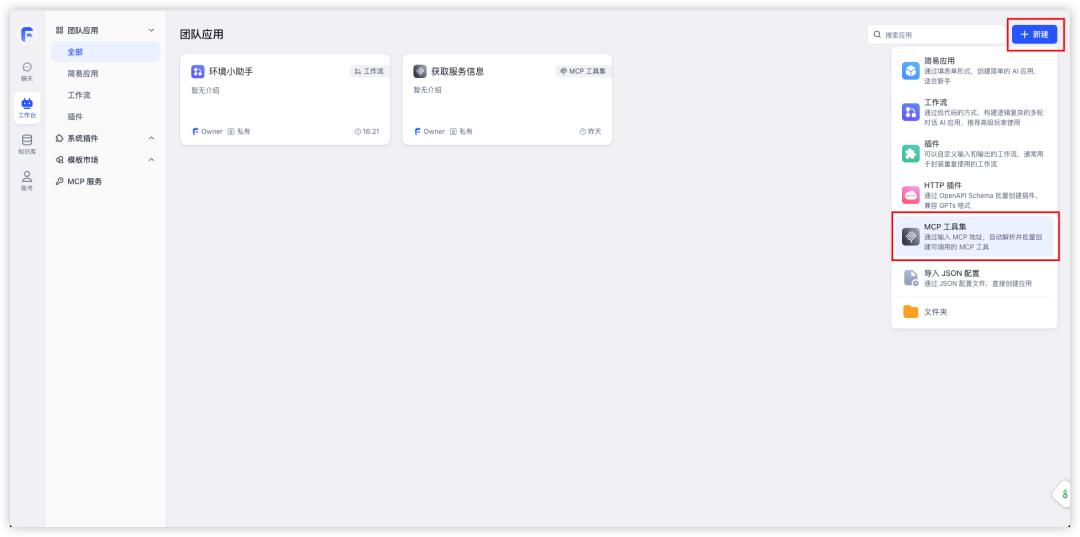
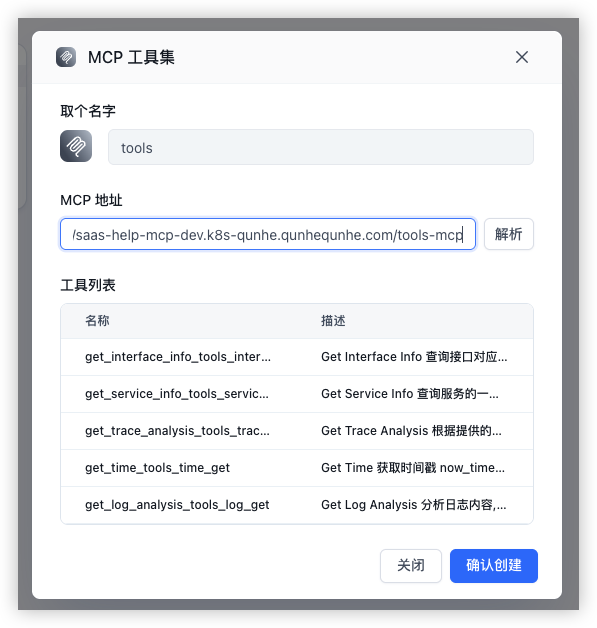
2、如图所示输入内容后点击解析,在确认创建
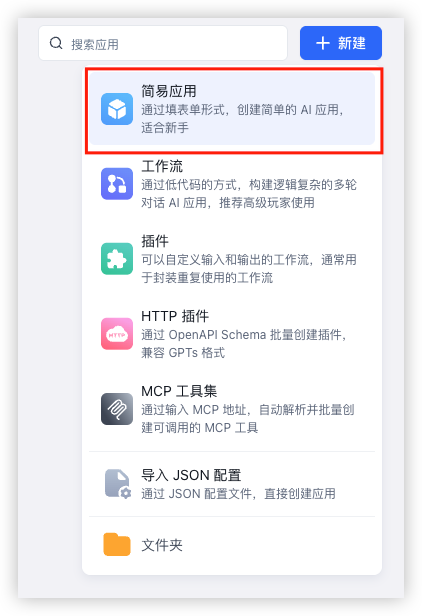
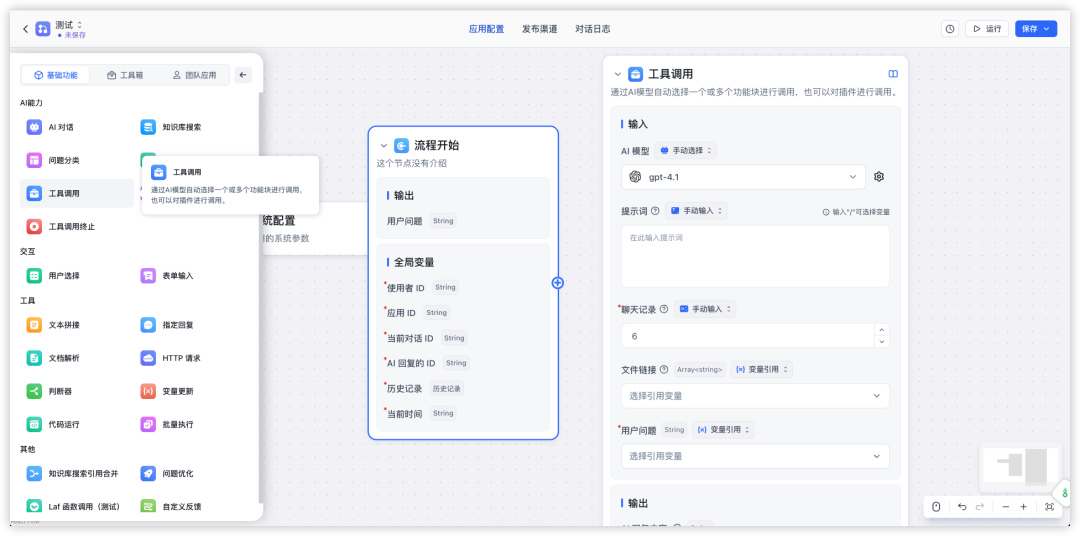
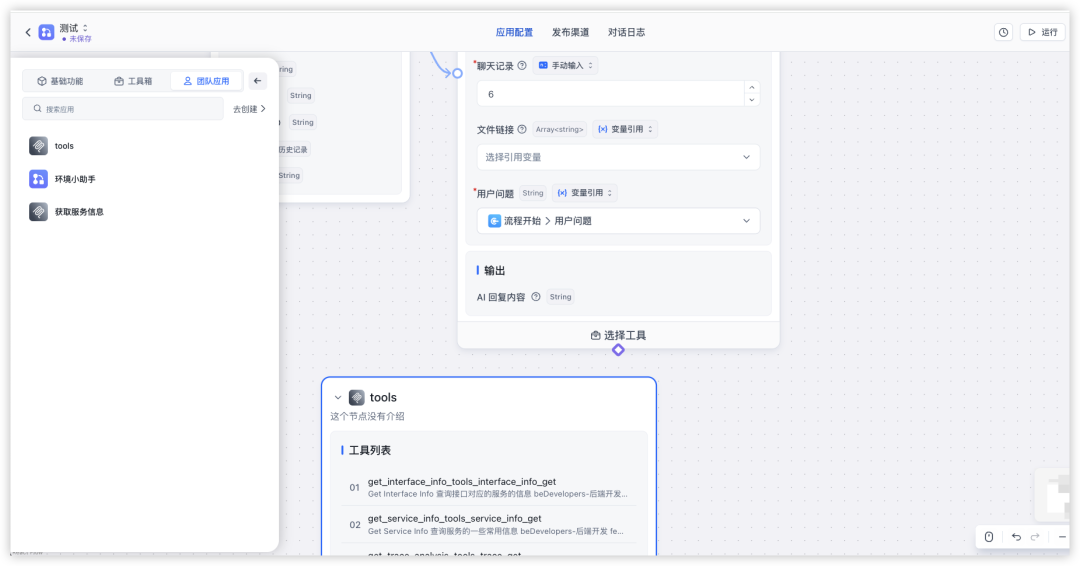
3、在简易应用中使用
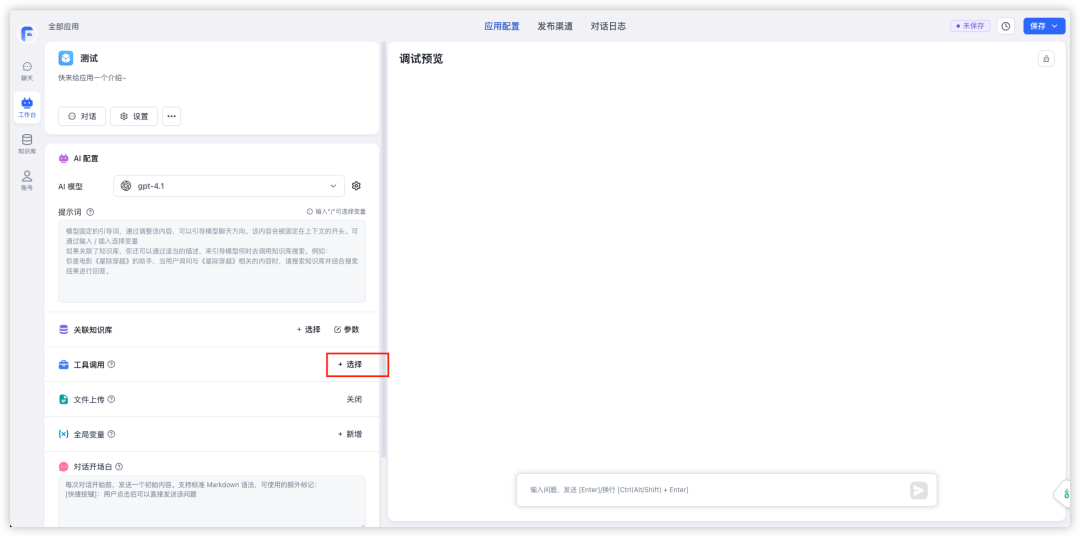
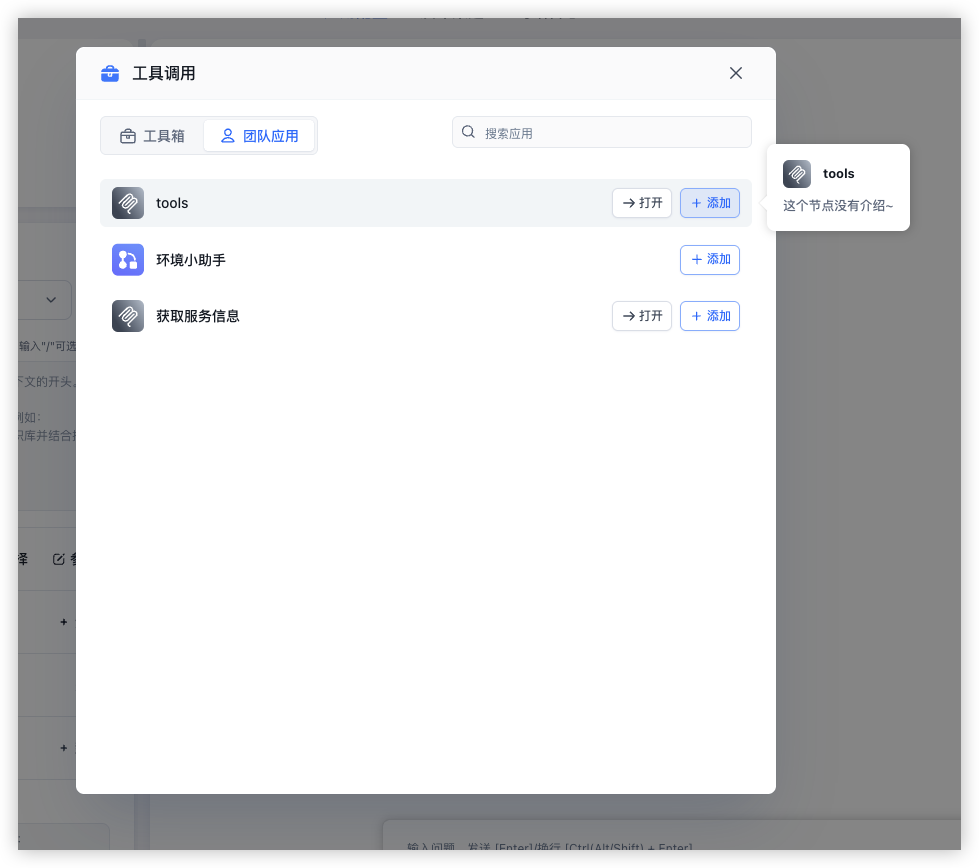
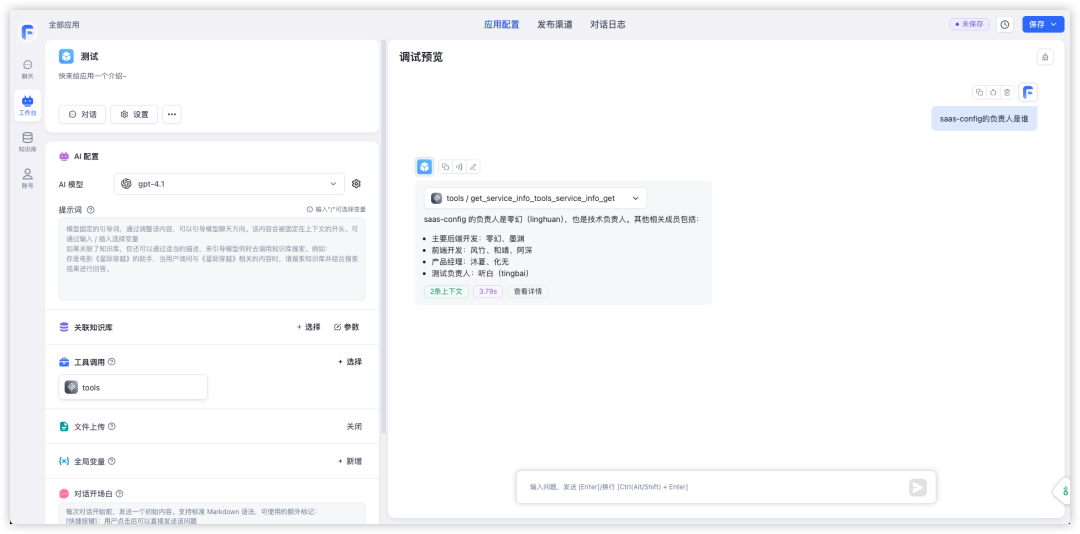
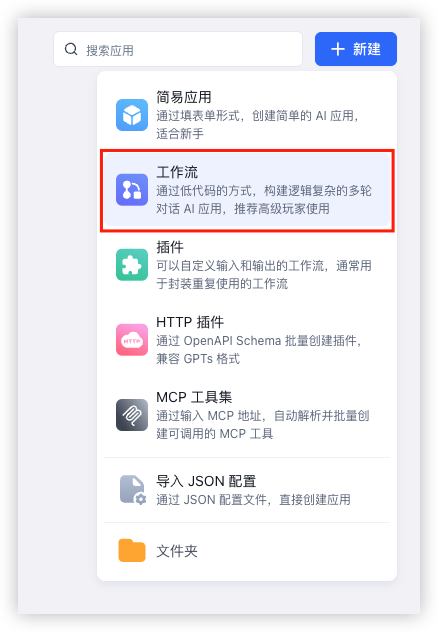
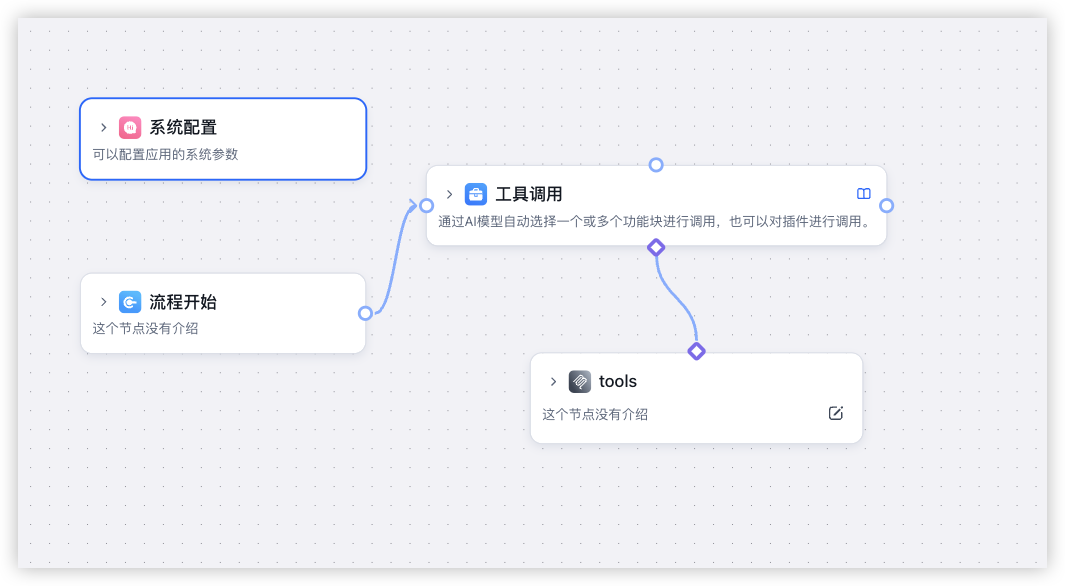
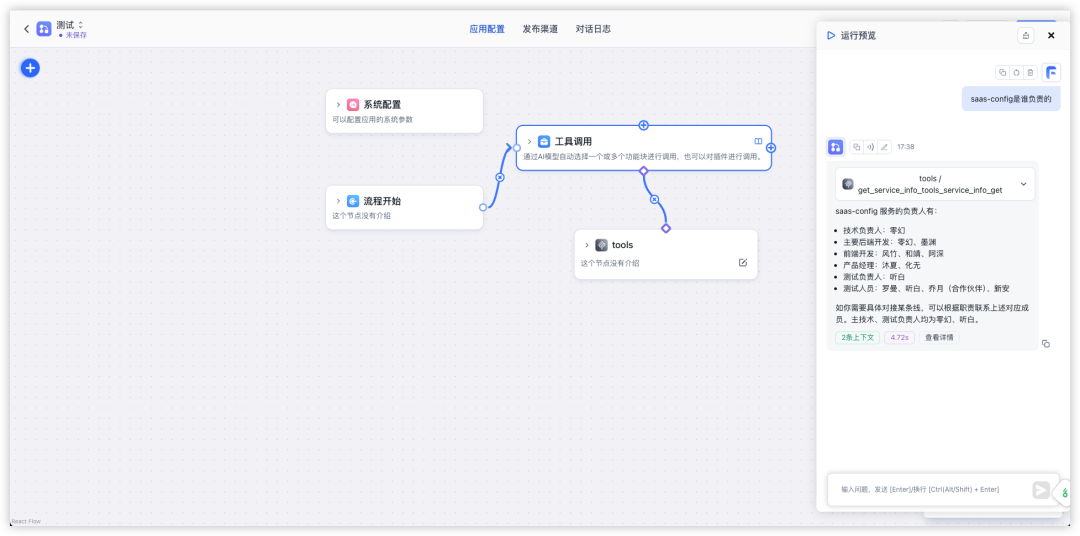
4、在工作流中使用
3、在Dify中接入MCP
https://agent-sit.qunhequnhe.com/apps
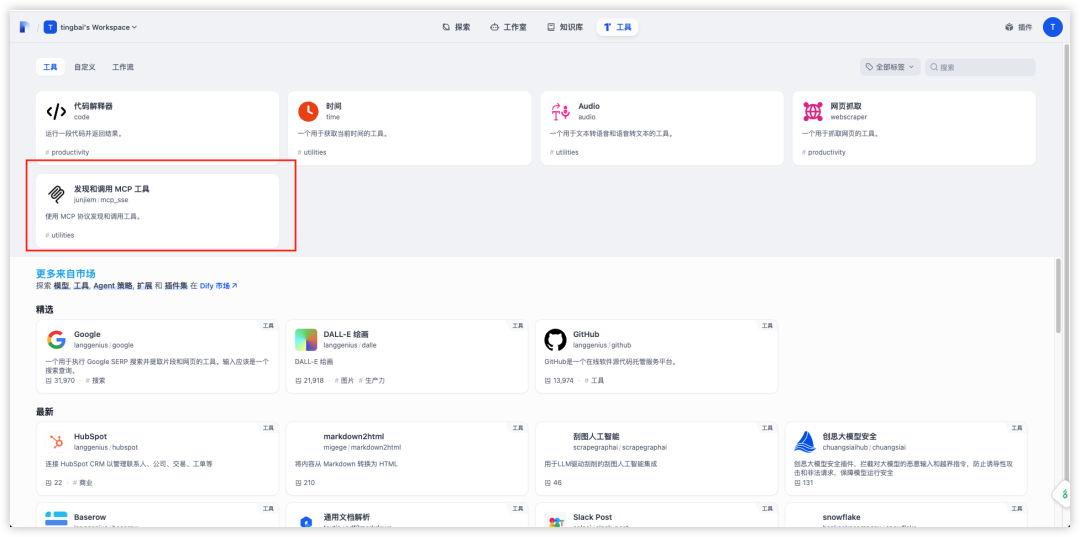
1、安装工具
2、配置MCP服务
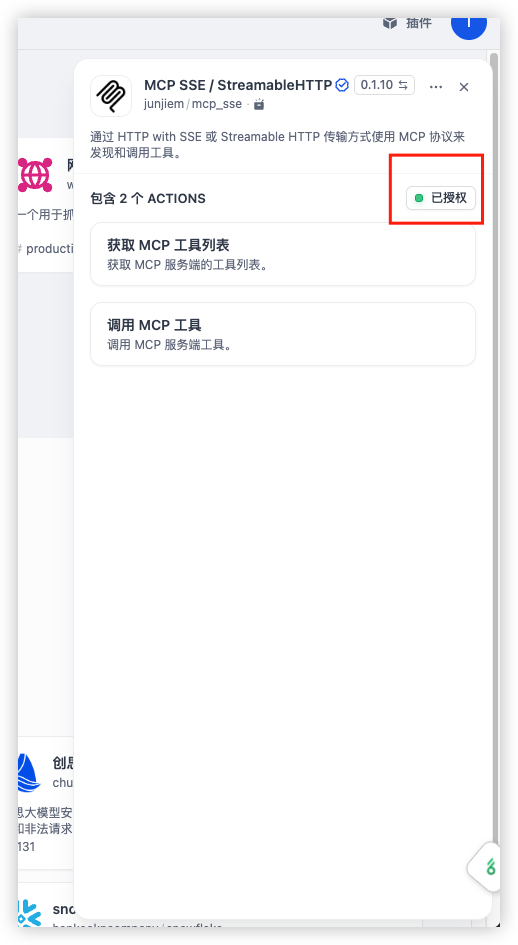
{
    "tools-mcp": {
        "url": "http://saas-help-mcp-dev.k8s-qunhe.qunhequnhe.com/tools-mcp",
        "headers": {},
        "timeout": 120,
        "sse_read_timeout": 120
    }
}
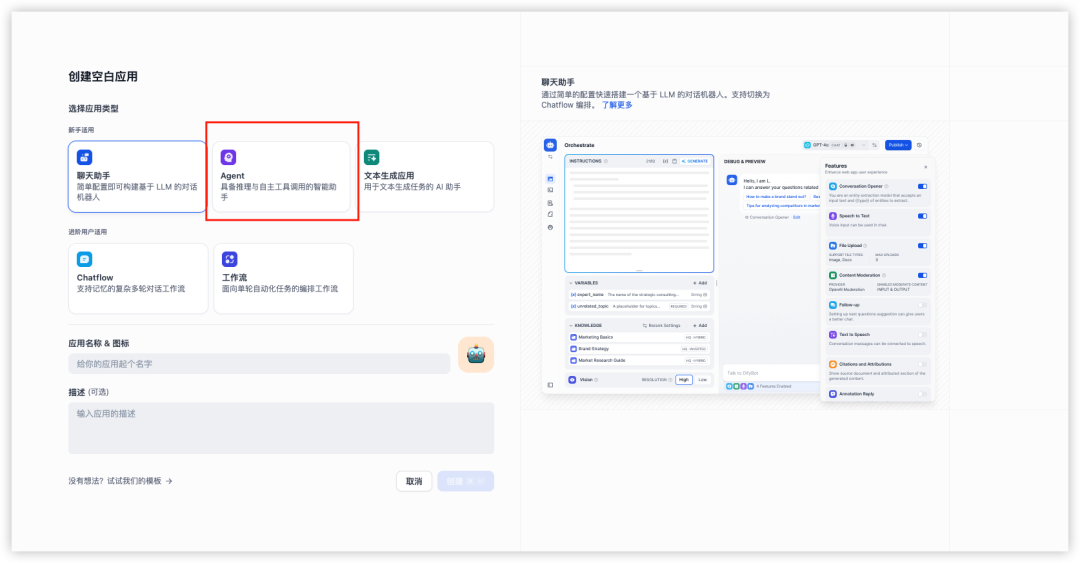
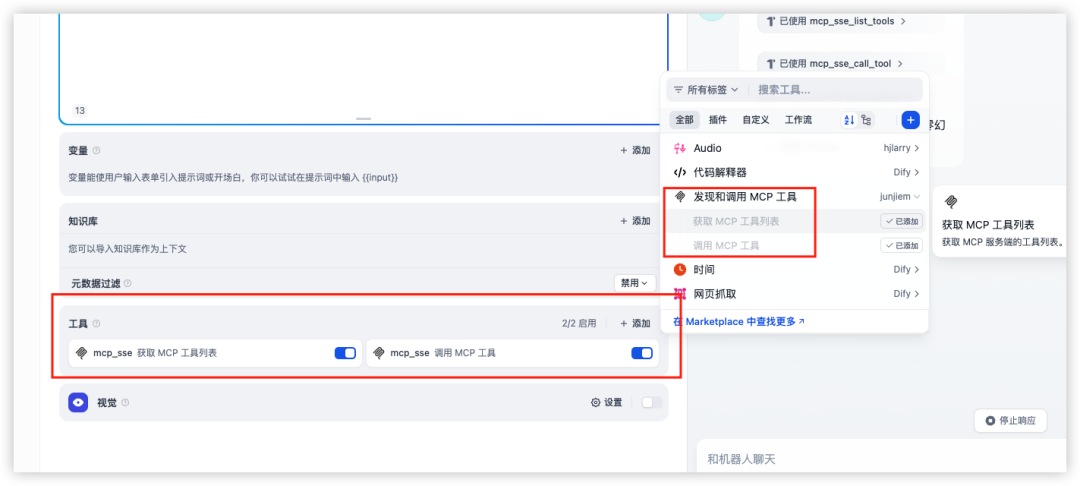
3、在Agent中使用
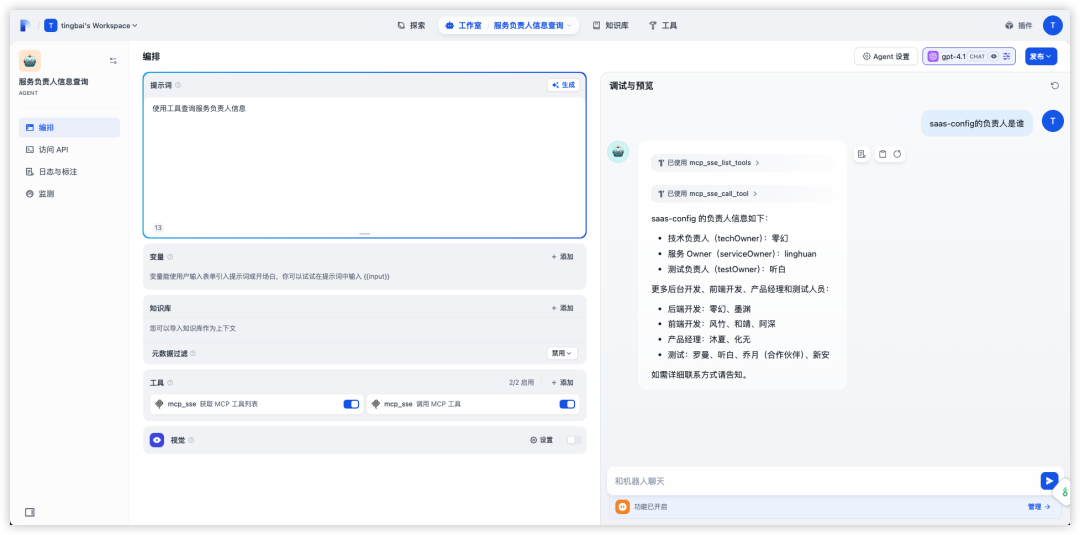
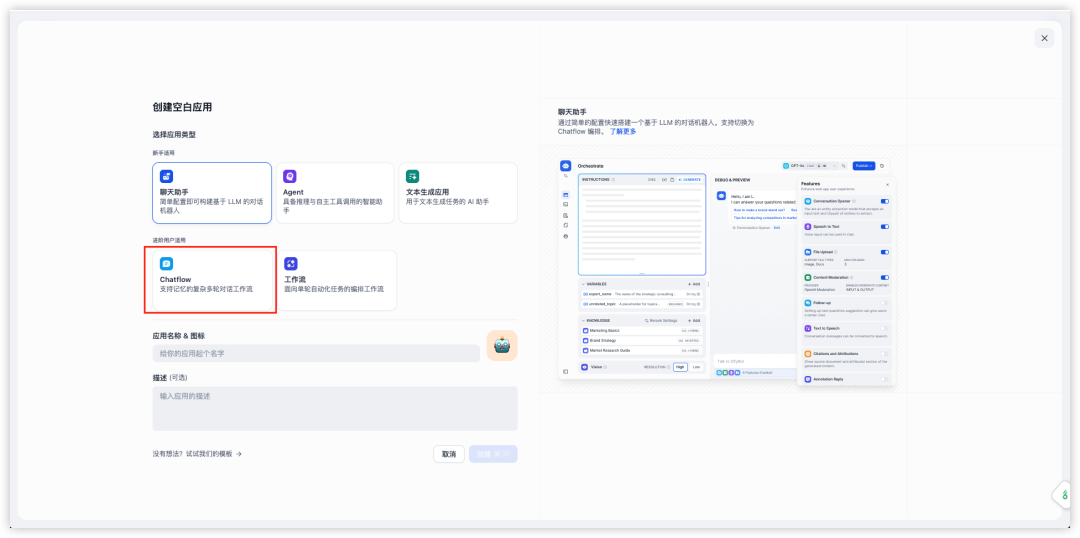
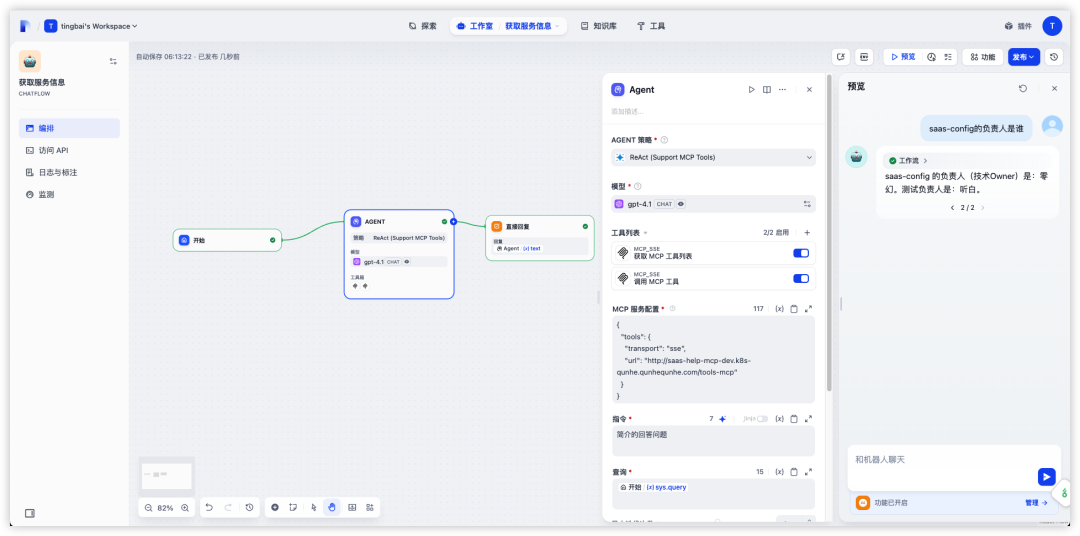
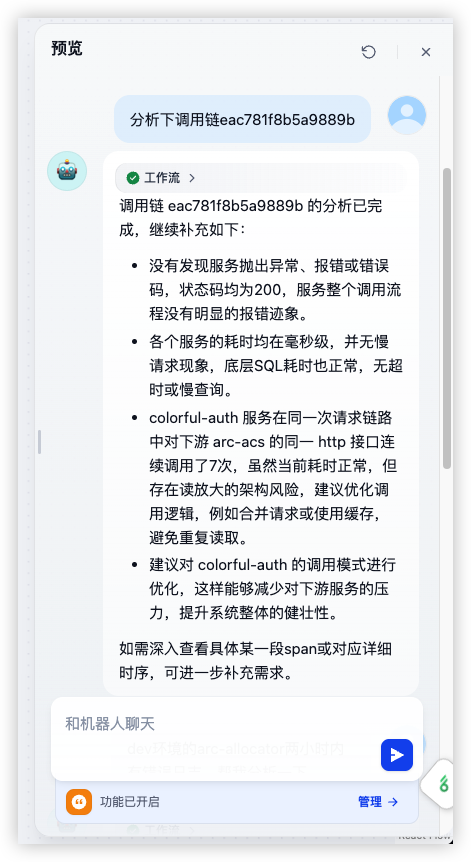
4、在chatflow中使用
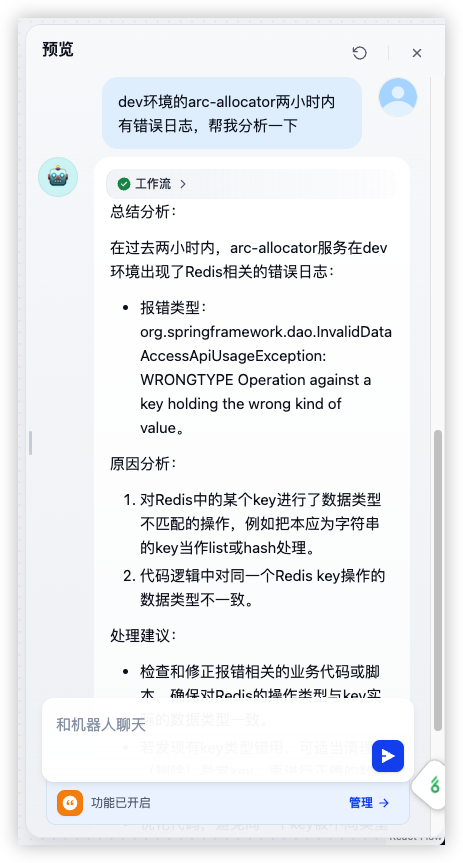
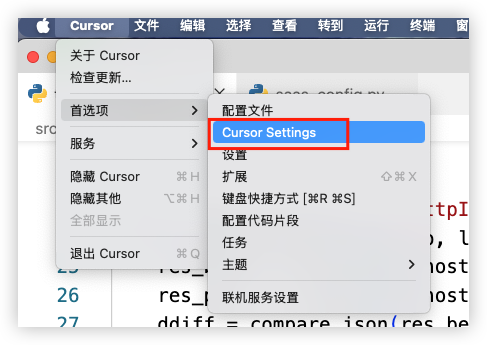
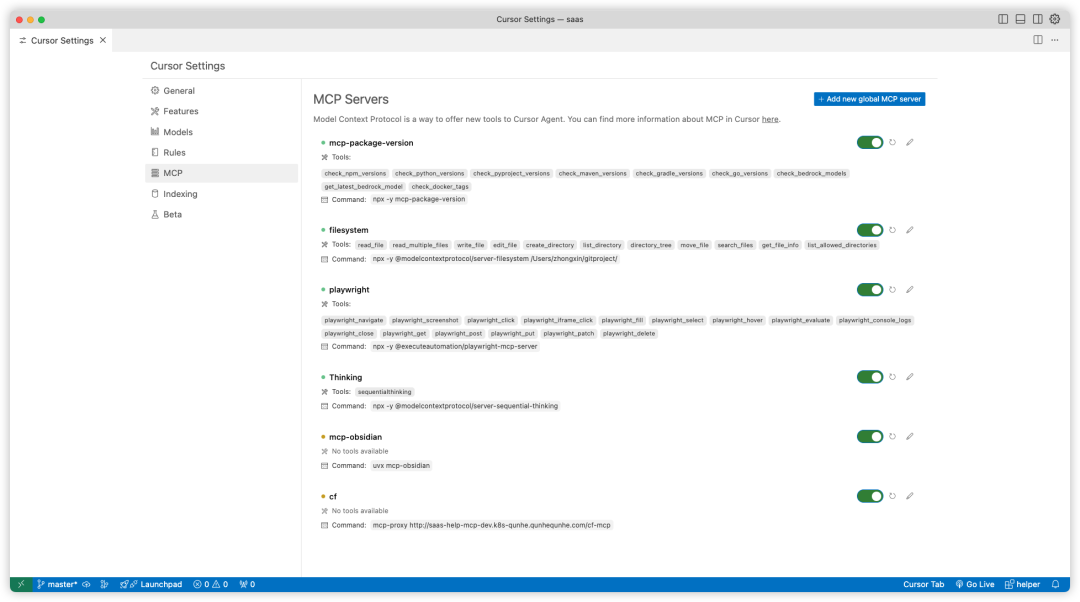
4、在Cursor中添加MCP
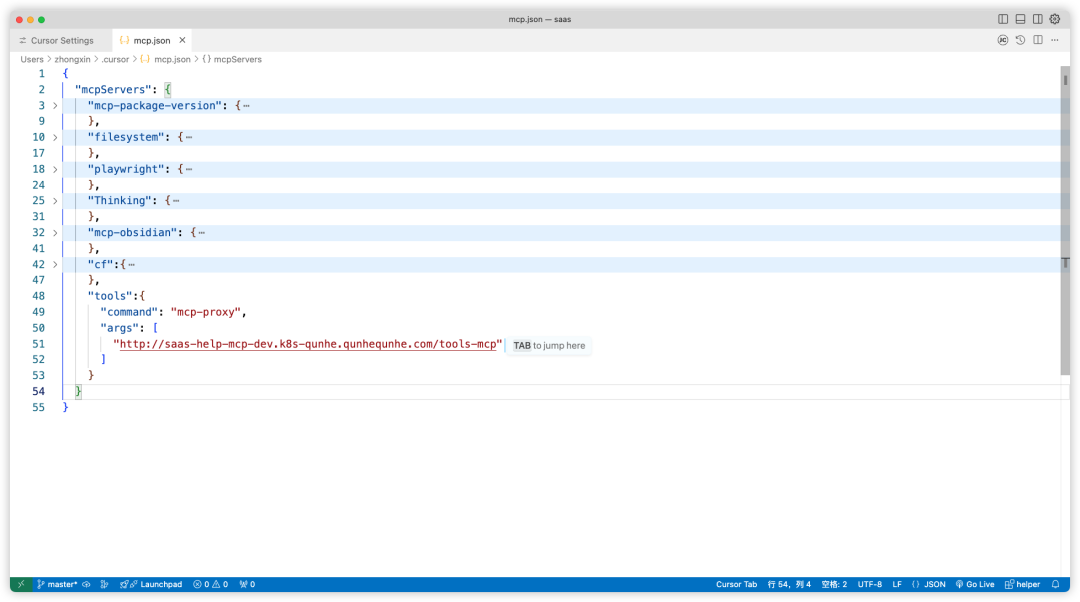
{
  "mcpServers": {
    "tools":{
      "command": "mcp-proxy",
      "args": [
        "http://saas-help-mcp-dev.k8s-qunhe.qunhequnhe.com/tools-mcp"
      ]
    }
  }
}
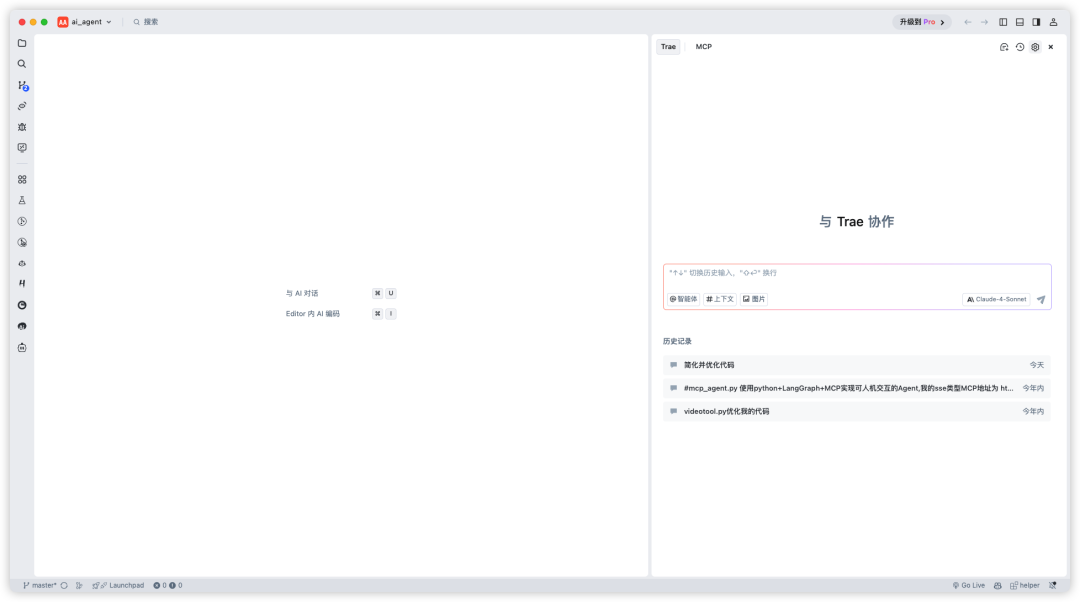
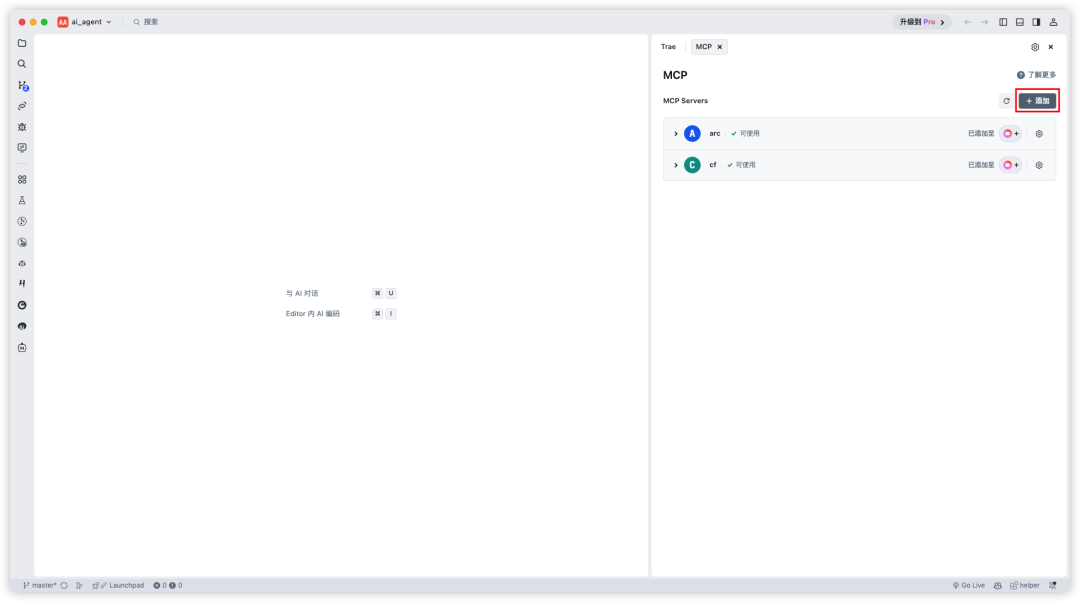
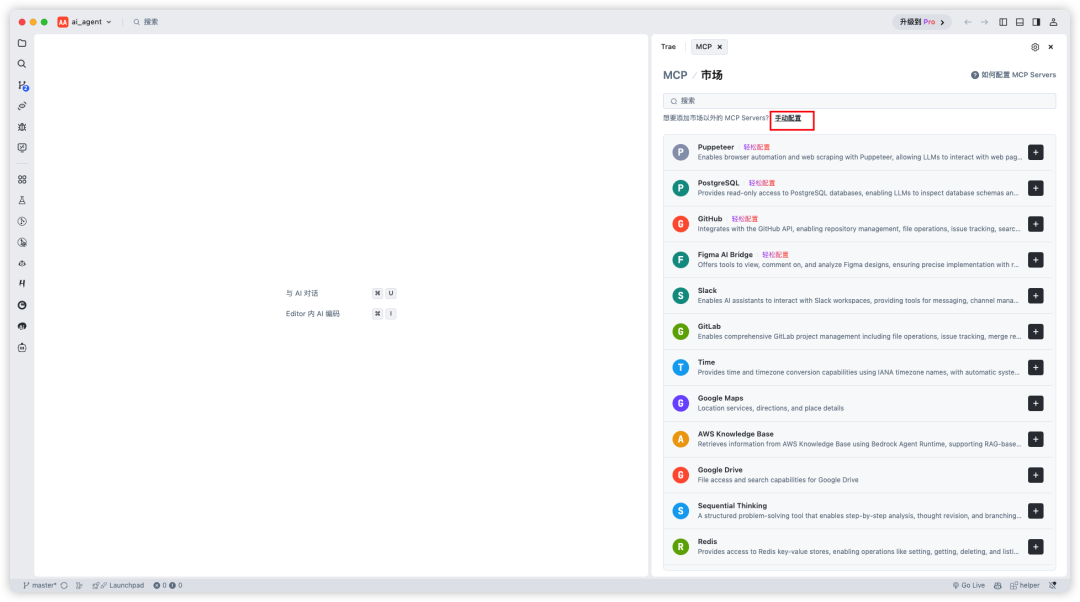
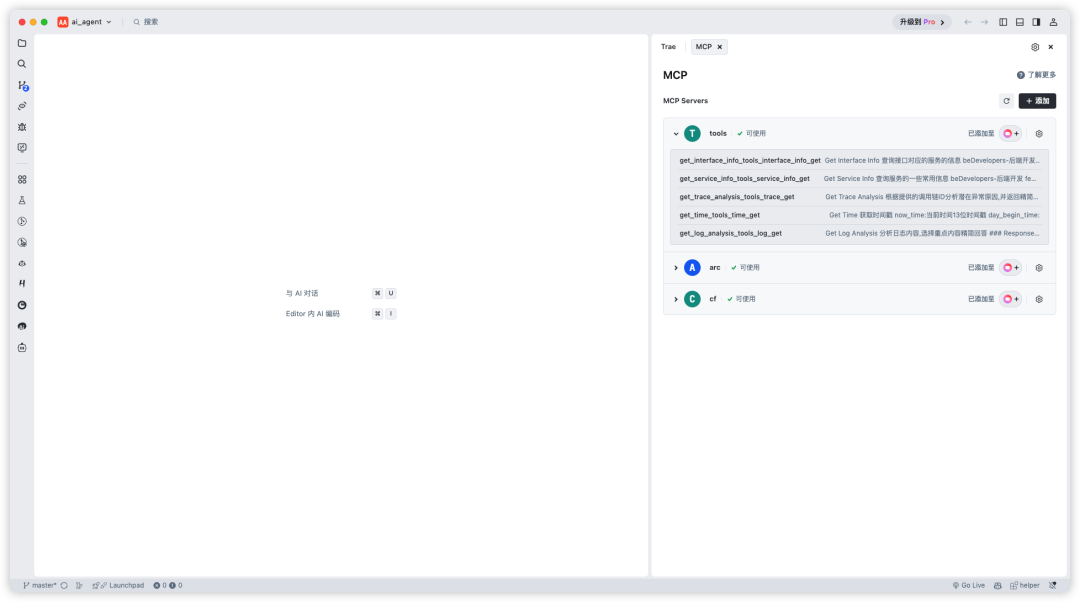
5、在Trae中添加MCP
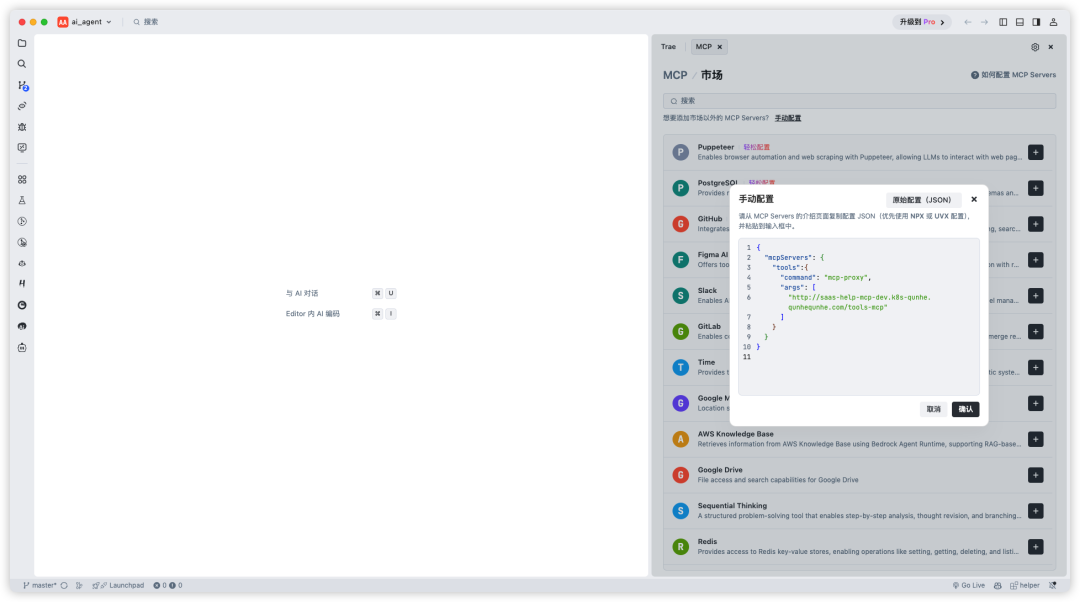
{
  "mcpServers": {
    "tools":{
      "command": "mcp-proxy",
      "args": [
        "http://saas-help-mcp-dev.k8s-qunhe.qunhequnhe.com/tools-mcp"
      ]
    }
  }
}
6、在Obsidian中接入MCP
7、在Cline中接入MCP
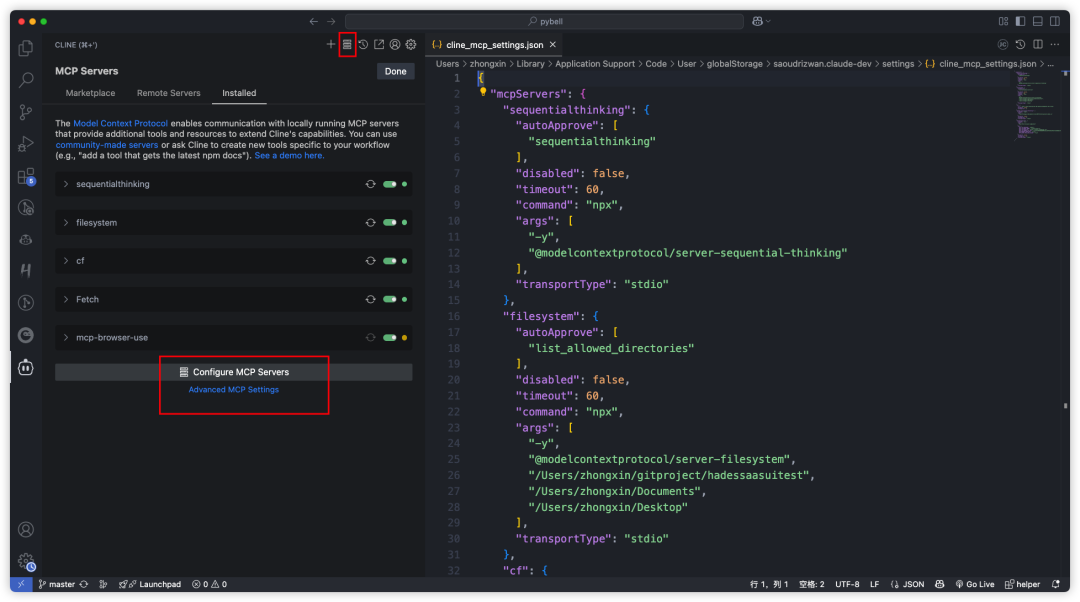
{
  "mcpServers": {
    "tools": {
      "url": "http://saas-help-mcp-dev.k8s-qunhe.qunhequnhe.com/tools-mcp",
      "disabled": false,
      "autoApprove": []
    }
  }
}
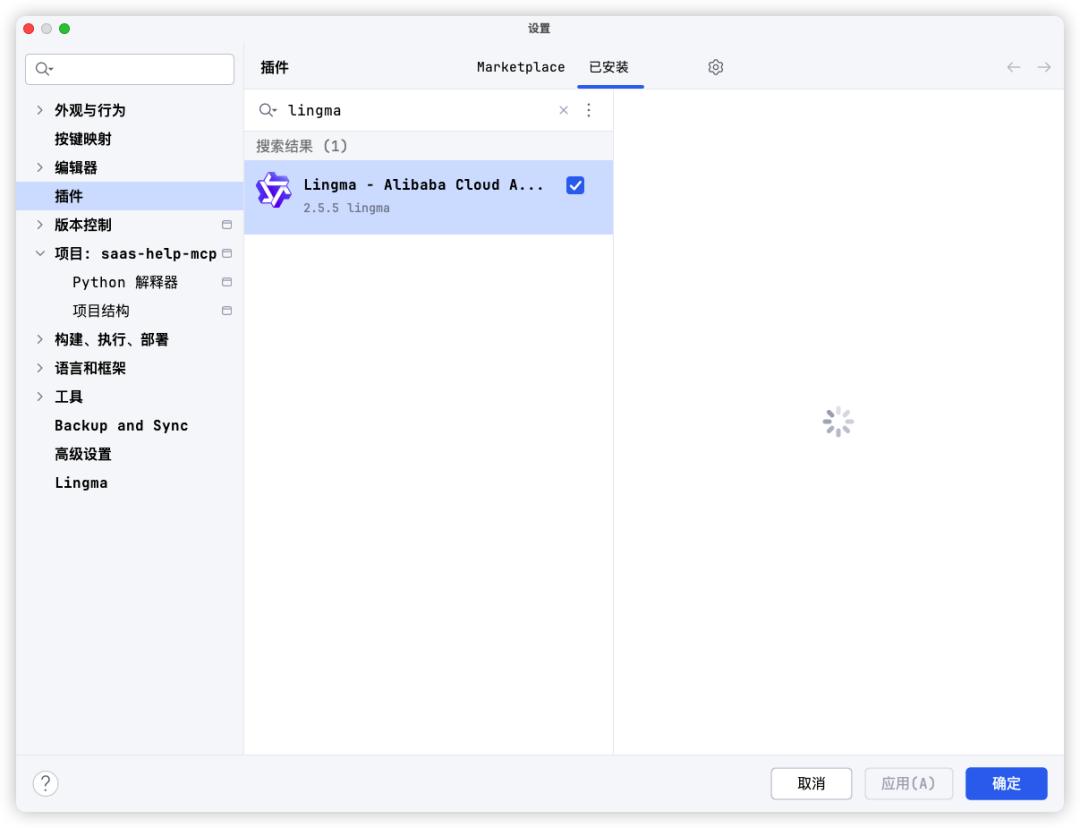
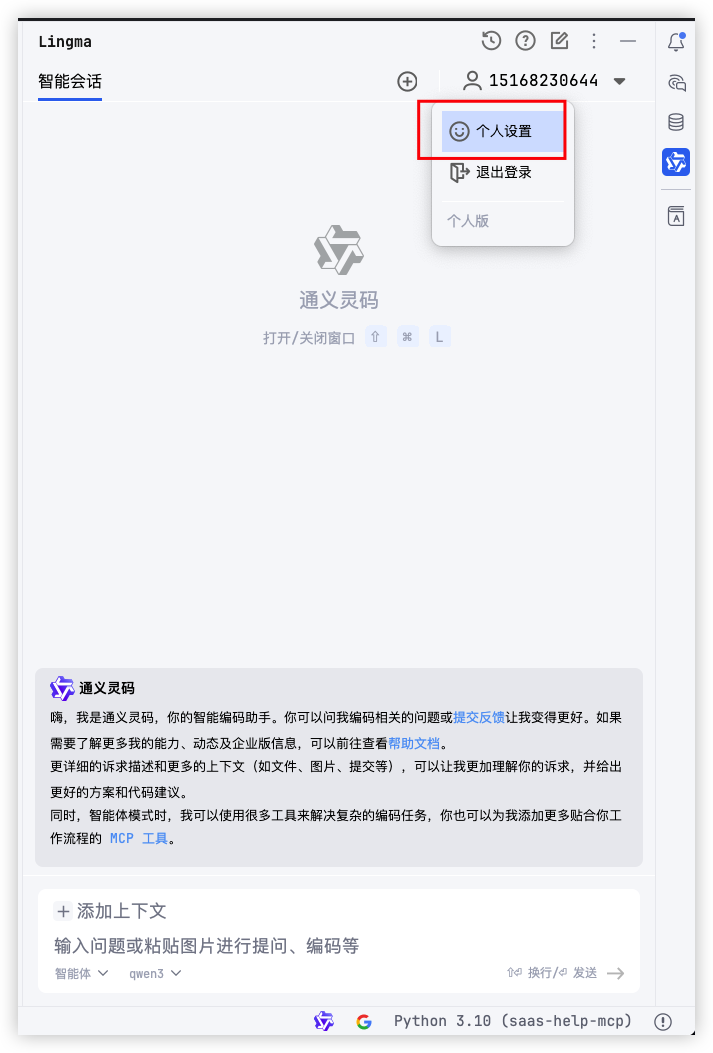
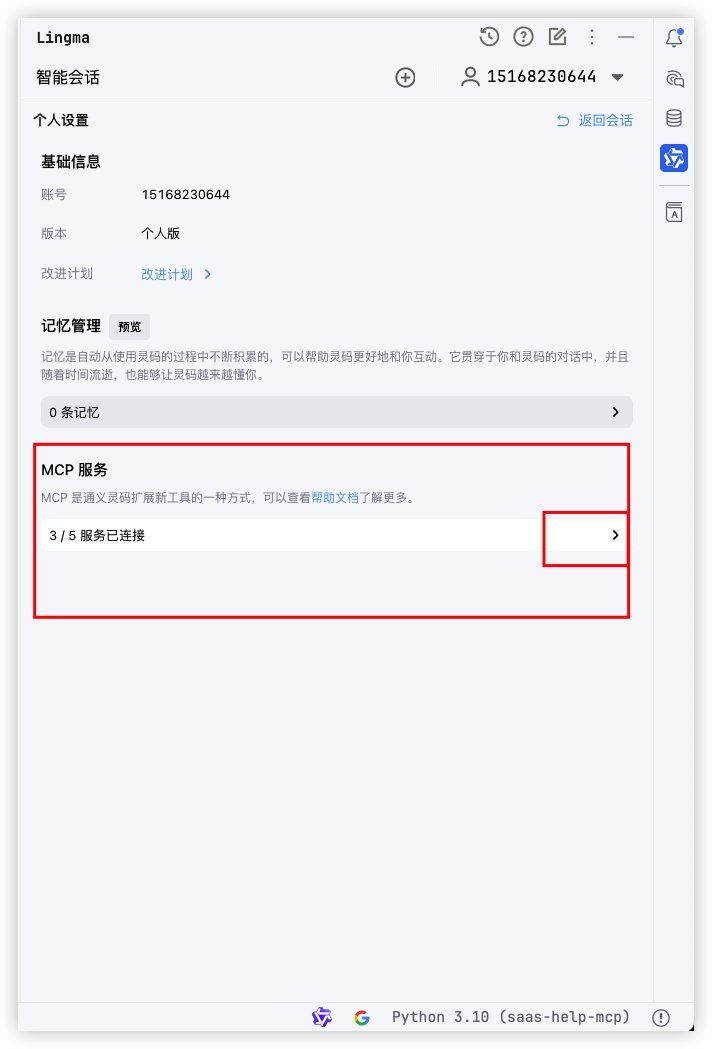
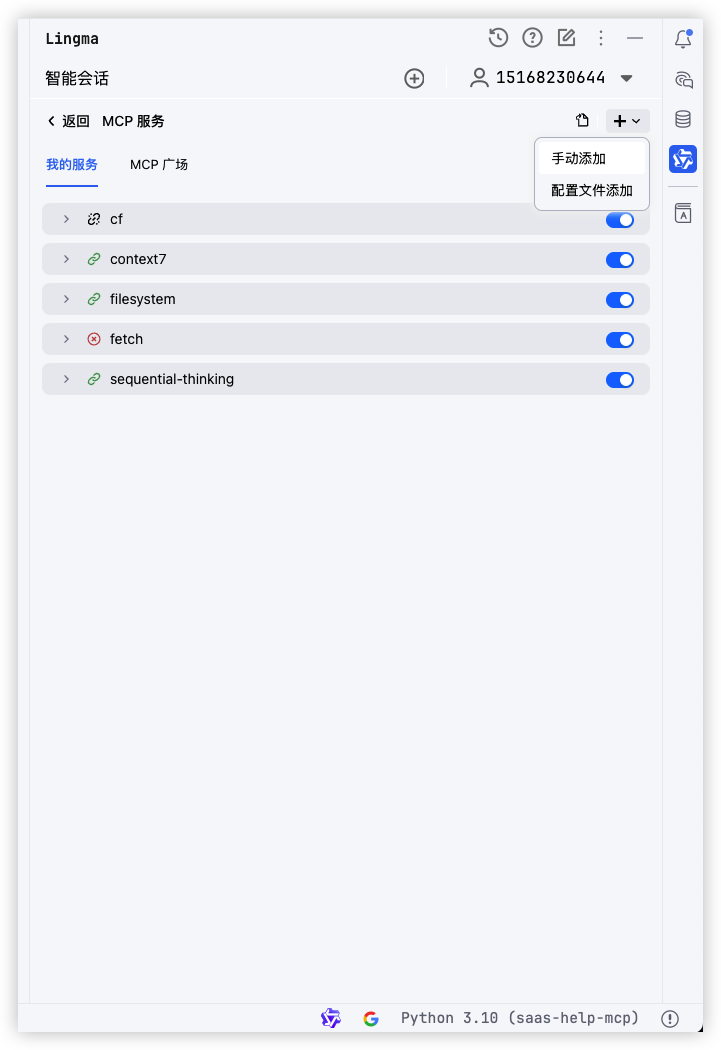
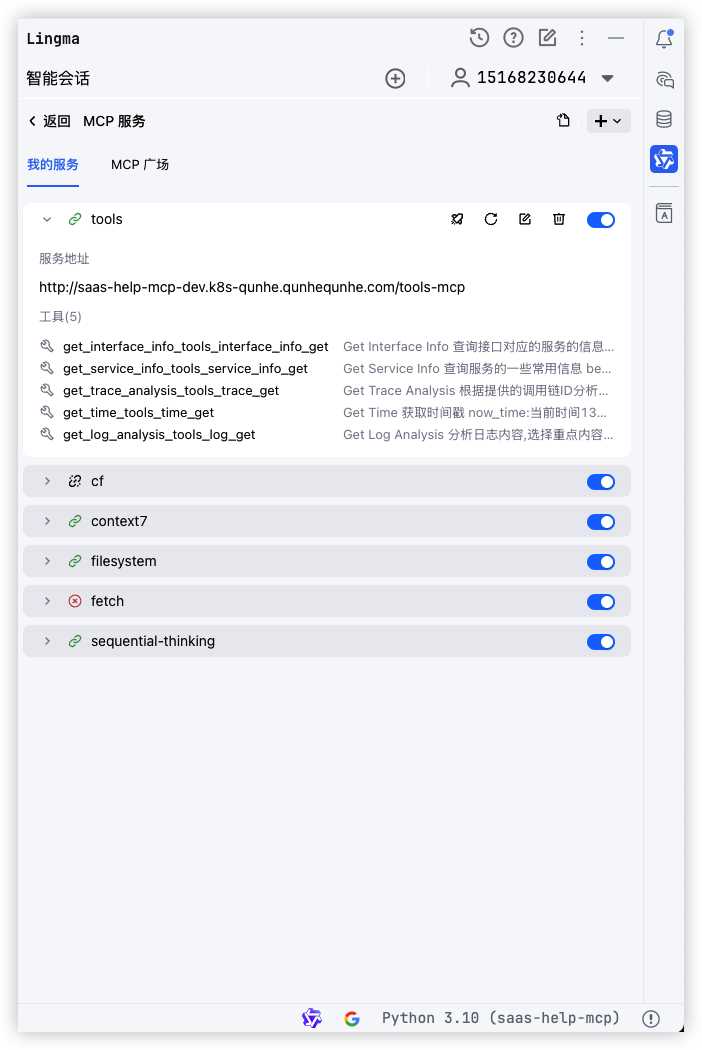
8、在IDEA等编辑器中使用Lingma插件接入MCP

火山引擎开发者社区是火山引擎打造的AI技术生态平台,聚焦Agent与大模型开发,提供豆包系列模型(图像/视频/视觉)、智能分析与会话工具,并配套评测集、动手实验室及行业案例库。社区通过技术沙龙、挑战赛等活动促进开发者成长,新用户可领50万Tokens权益,助力构建智能应用。
更多推荐
 28
28 0
0- 0


 已为社区贡献17条内容

所有评论(0)