MCP中消息协议与传输层协议细节探索
我猜是为了避免服务端挂大量HTTP连接,因为客户端的请求的响应资源可能需要传输很多数据,要等很久,使用主HTTP传输数据就只需要保持一个HTTP层的连接挂着就可以。我们知道一个HTTP连接只能发送一次数据,客户端发送一次数据,服务端响应一次数据,服务端响应可以慢慢响应,只要不关闭流就可以一直发数据。然后服务端,就可以告诉客户端,我有哪些tool可以调用,名字是啥、参数是啥、参数类型是啥,它是干啥的
文章目录
写在开始
在MCP原理与开发及与大模型交互流程这篇文章中我们已经介绍了MCP是什么,它与AI应用、大模型之间的关系。
并且,我们也借助Python的mcp库开发了一个MCP Server服务。
但有时候,我们要作为中间方这种特殊场景,需要我们自己了解协议的细节。
这篇文章,就主要介绍MCP的交互流程细节和传输协议。
主要是流程方法,这样如果你有需求,就可以按照方法去处理,不用反复去猜了,不会涉及长篇大论。
mcp服务器
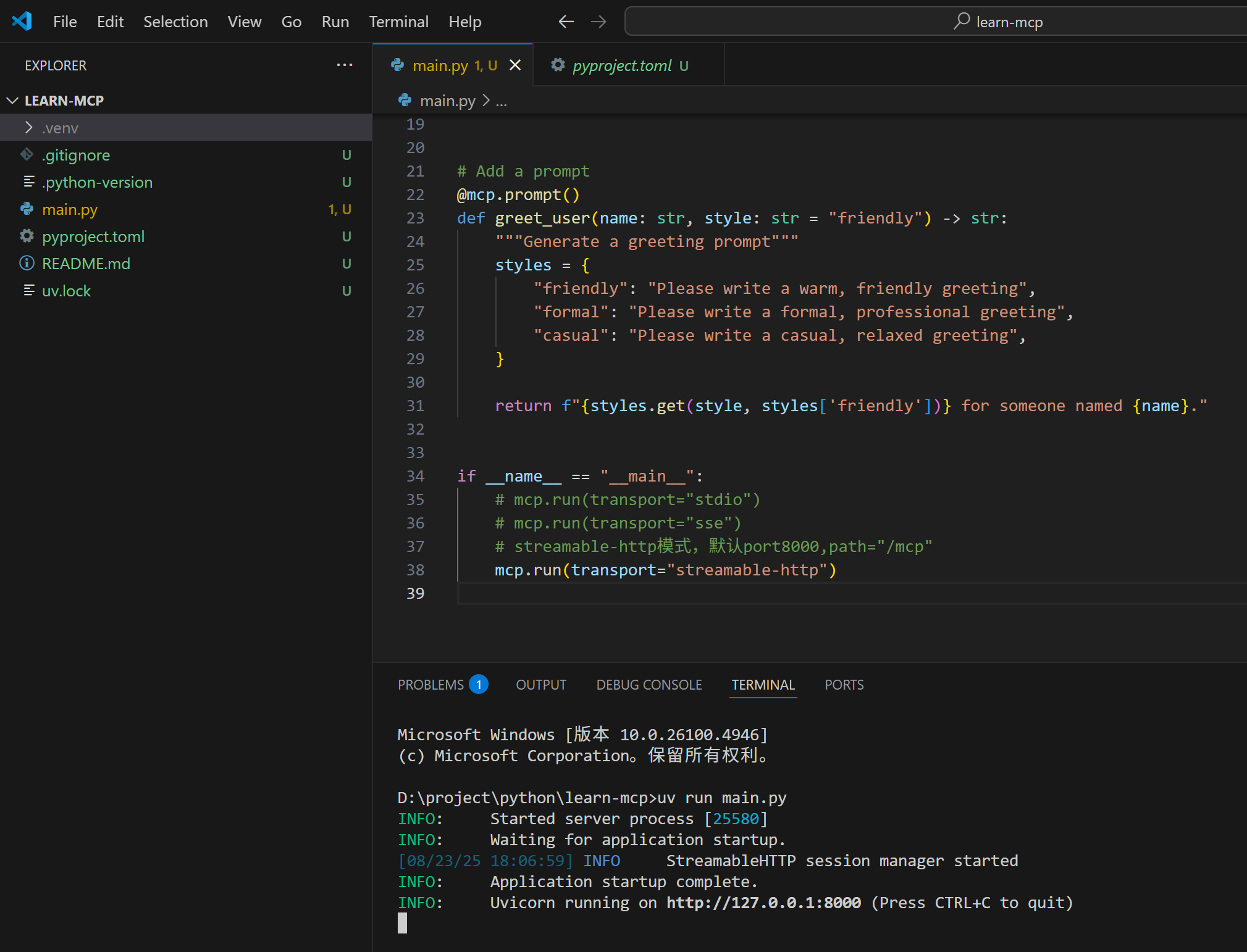
我们还是使用Python的mcp库来作为我们的MCP服务器,我们去开发对应的客户端来理解协议。
uv init
uv add mcp[cli]
uv run main.py
不理解uv的可以参考:Python虚拟环境与包管理工具(uv、Conda)
main.py的内容:
from mcp.server.fastmcp import FastMCP

# Create an MCP server
mcp = FastMCP("Demo")


# Add an addition tool
@mcp.tool()
def add(a: int, b: int) -> int:
    """Add two numbers"""
    return a + b


# Add a dynamic greeting resource
@mcp.resource("greeting://{name}")
def get_greeting(name: str) -> str:
    """Get a personalized greeting"""
    return f"Hello, {name}!"


# Add a prompt
@mcp.prompt()
def greet_user(name: str, style: str = "friendly") -> str:
    """Generate a greeting prompt"""
    styles = {
        "friendly": "Please write a warm, friendly greeting",
        "formal": "Please write a formal, professional greeting",
        "casual": "Please write a casual, relaxed greeting",
    }

    return f"{styles.get(style, styles['friendly'])} for someone named {name}."


if __name__ == "__main__":
    # mcp.run(transport="stdio")
    # mcp.run(transport="sse")
    # streamable-http模式,默认port8000,path="/mcp"
    mcp.run(transport="streamable-http")
参考客户端inspector
官方提供了一个调试服务器开发工具,inspector,我们可以用来请求服务器抓包看一下细节。
按照非常简单:
npx @modelcontextprotocol/inspector
要求:Node.js: ^22.7.5
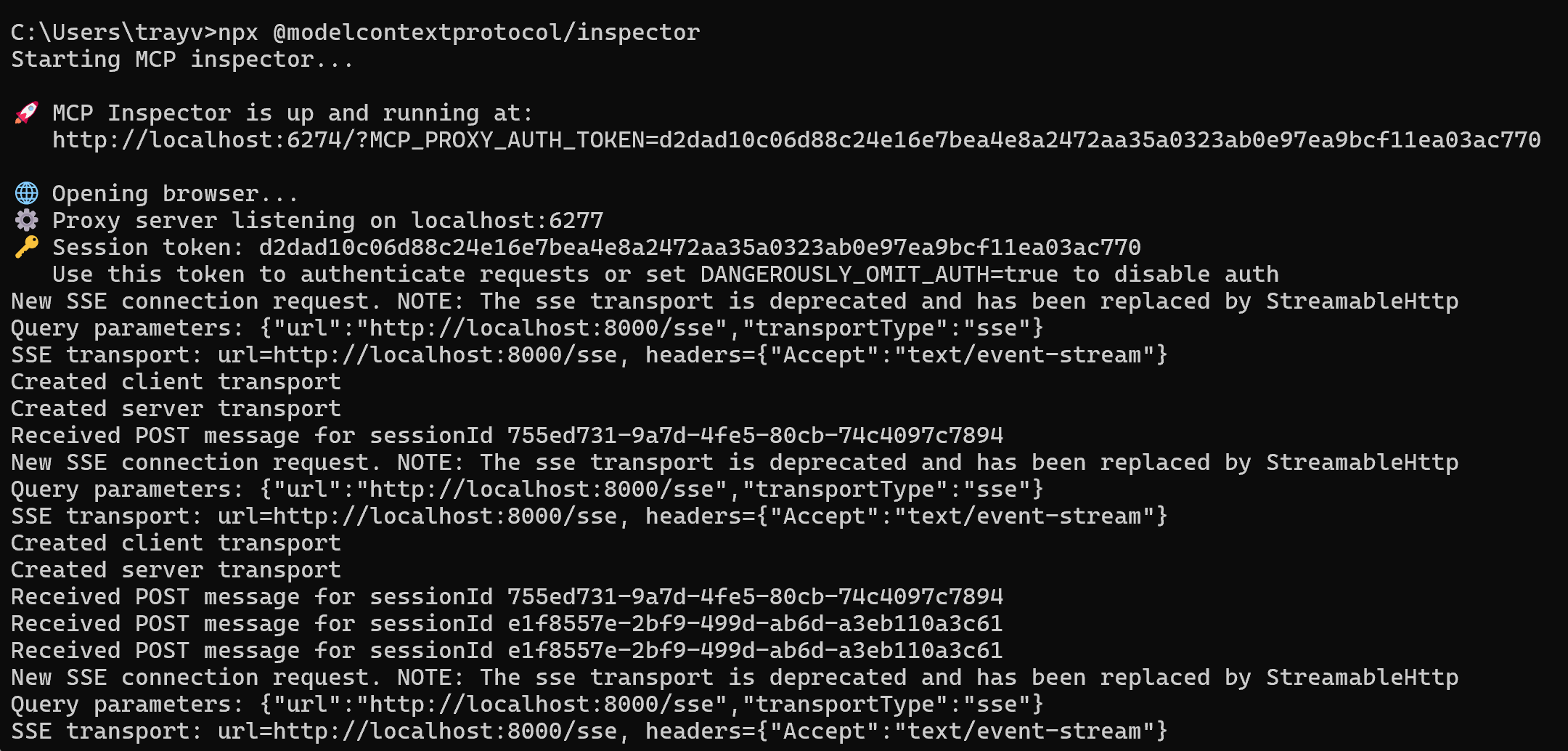
如果没有Node环境,或者版本过低,建议使用nvm下载来管理node非常方便。
inspector是TS开发的,它相当于是一个中间商,会启动一个前端服务,让我们可以通过浏览器去调用MCP服务。
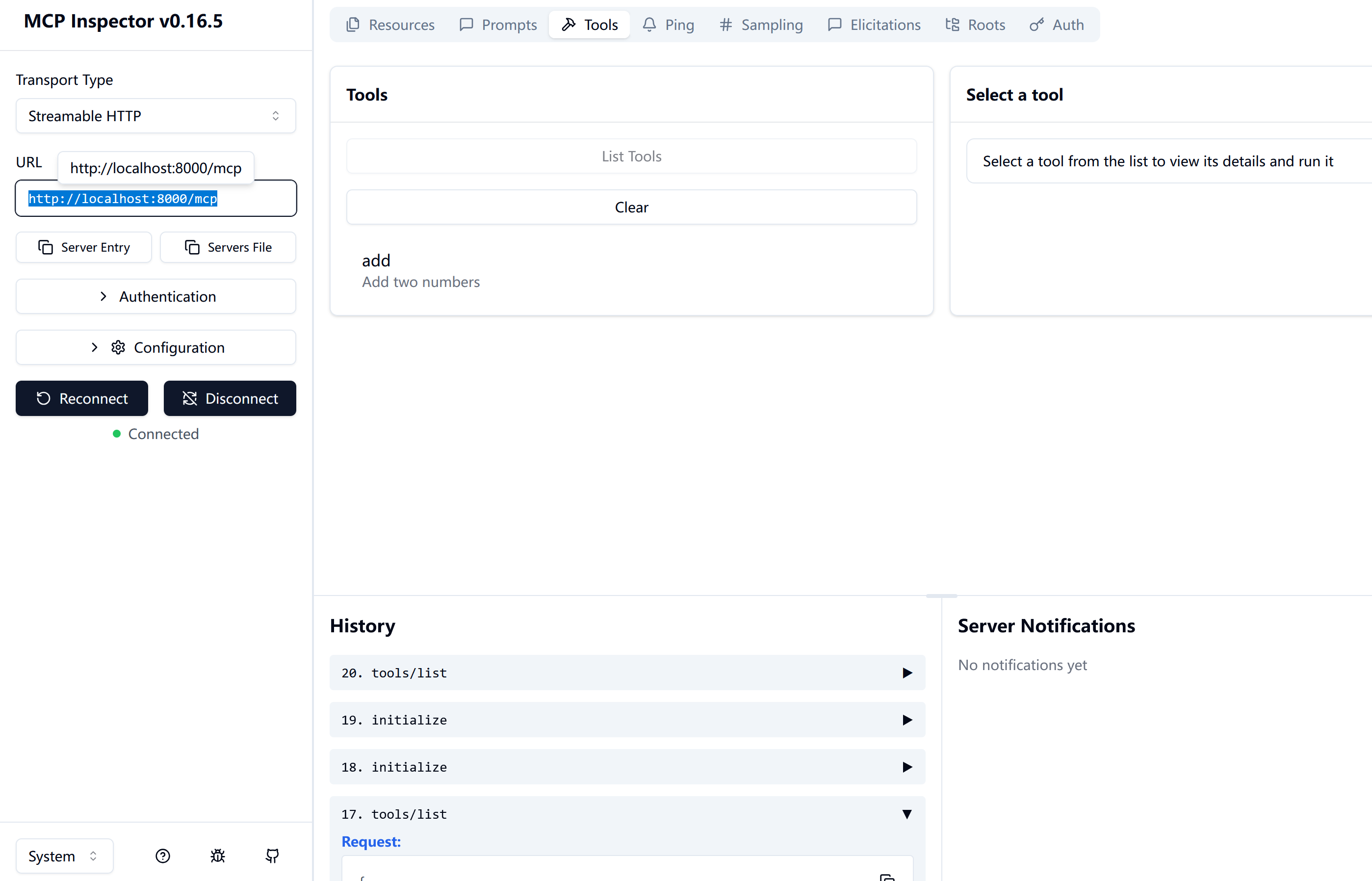
其实,它中间转了一道手,我们浏览器去请求inspector服务,inspector再去请求真正的MCP服务。
所以,抓包的时候需要注意区分。
因为inspector它是省略的,所以还得我们自己动手抓包来研究,抓包工具我们使用wireshark
Message协议
初始化
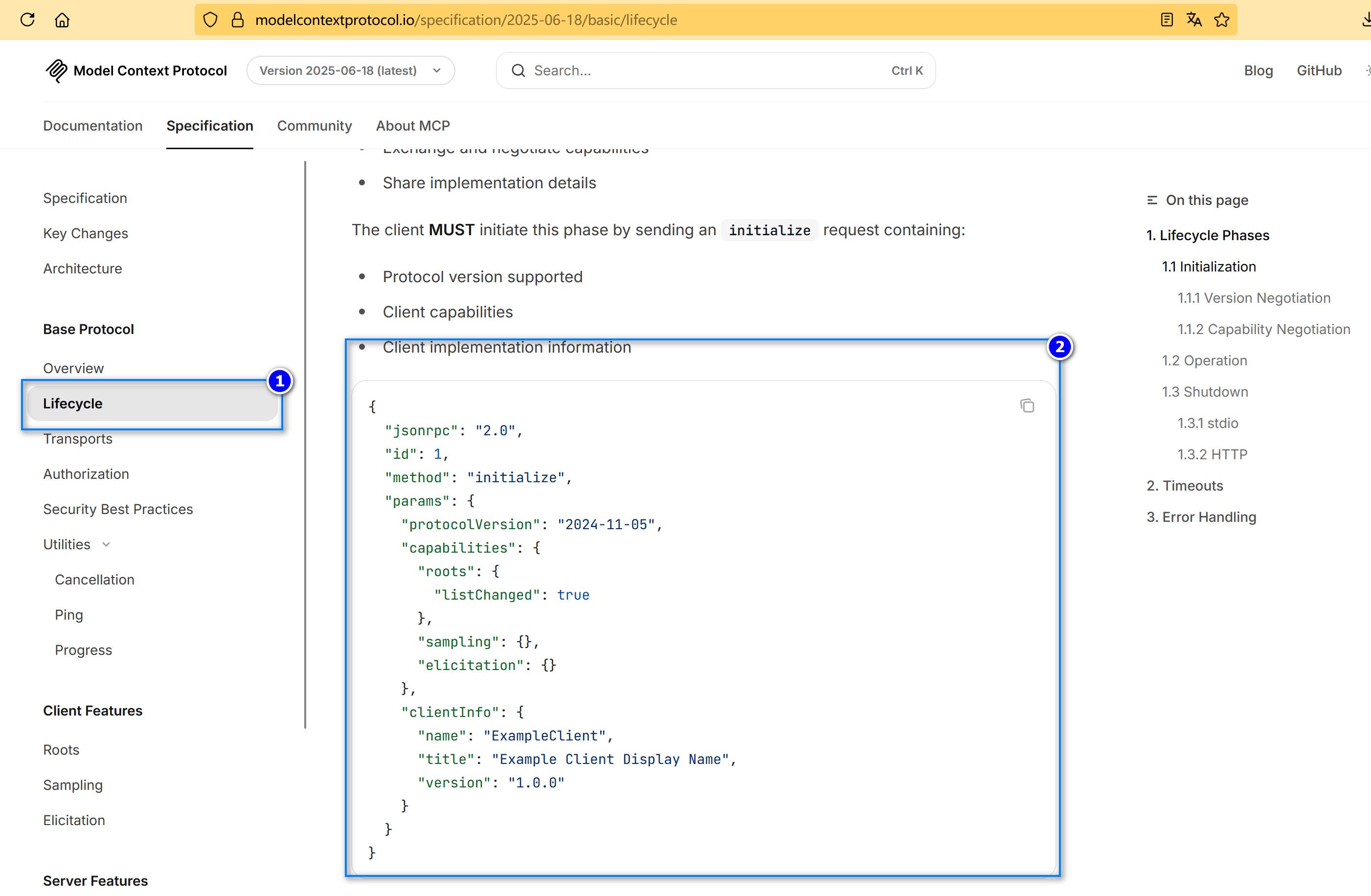
有些流程是必须的,比如客户端首先得发起一个initialize,告诉服务端协议版本、让服务端列举一下他的能力,json格式如下:
{
  "jsonrpc": "2.0",
  "id": 1,
  "method": "initialize",
  "params": {
    "protocolVersion": "2024-11-05",
    "capabilities": {
      "roots": {
        "listChanged": true
      },
      "sampling": {},
      "elicitation": {}
    },
    "clientInfo": {
      "name": "ExampleClient",
      "title": "Example Client Display Name",
      "version": "1.0.0"
    }
  }
}
服务端必须影响客户端,告诉客户端协议版本,和自己的能力。
{
  "jsonrpc": "2.0",
  "id": 1,
  "result": {
    "protocolVersion": "2024-11-05",
    "capabilities": {
      "logging": {},
      "prompts": {
        "listChanged": true
      },
      "resources": {
        "subscribe": true,
        "listChanged": true
      },
      "tools": {
        "listChanged": true
      }
    },
    "serverInfo": {
      "name": "ExampleServer",
      "title": "Example Server Display Name",
      "version": "1.0.0"
    },
    "instructions": "Optional instructions for the client"
  }
}
能力包括:
| 类别 | 功能 | 描述 |
|---|---|---|
| MCP客户端 | roots | 提供文件系统根目录的能力 |
| MCP客户端 | sampling | 支持大语言模型采样请求 |
| MCP客户端 | elicitation | 支持服务器启发请求 |
| MCP客户端 | experimental | 描述对非标准实验性功能的支持 |
| MCP服务端 | prompts | 提供提示词模板 |
| MCP服务端 | resources | 提供可读取的资源 |
| MCP服务端 | tools | 暴露可调用的工具 |
| MCP服务端 | logging | 发出结构化的日志消息 |
| MCP服务端 | completions | 支持参数自动补全 |
| MCP服务端 | experimental | 描述对非标准实验性功能的支持 |
客户端还必须通知服务端,初始化成功了,后面可以交互了:
{
  "jsonrpc": "2.0",
  "method": "notifications/initialized"
}
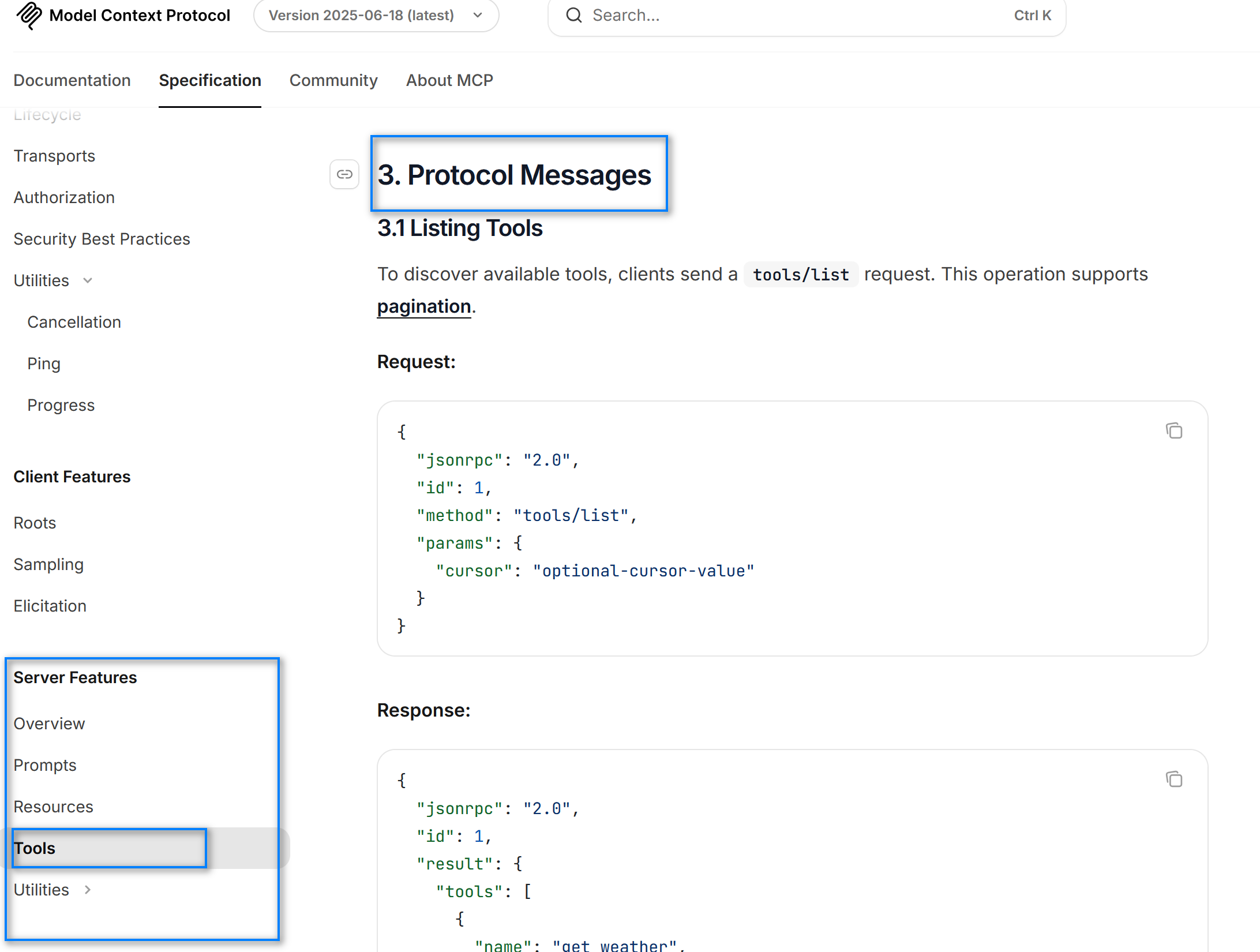
以tool为例说明交互流程
接下来就可以让服务端列举具体的能力,和调用这些能力了:
例如,客户端就可以发送请求,问服务端,你支持哪些tool啊:
{
  "jsonrpc": "2.0",
  "id": 1,
  "method": "tools/list",
  "params": {
    "cursor": "optional-cursor-value"
  }
}
然后服务端,就可以告诉客户端,我有哪些tool可以调用,名字是啥、参数是啥、参数类型是啥,它是干啥的…
{
  "jsonrpc": "2.0",
  "id": 1,
  "result": {
    "tools": [
      {
        "name": "get_weather",
        "title": "Weather Information Provider",
        "description": "Get current weather information for a location",
        "inputSchema": {
          "type": "object",
          "properties": {
            "location": {
              "type": "string",
              "description": "City name or zip code"
            }
          },
          "required": ["location"]
        }
      }
    ],
    "nextCursor": "next-page-cursor"
  }
}
然后客户端就可以根据大模型(LLM)的返回决定调用那个tool:
{
  "jsonrpc": "2.0",
  "id": 2,
  "method": "tools/call",
  "params": {
    "name": "get_weather",
    "arguments": {
      "location": "New York"
    }
  }
}
服务端调用对应工具,将结果返回给客户端:
{
  "jsonrpc": "2.0",
  "id": 2,
  "result": {
    "content": [
      {
        "type": "text",
        "text": "Current weather in New York:\nTemperature: 72°F\nConditions: Partly cloudy"
      }
    ],
    "isError": false
  }
}
客户端将服务端的结果再给大模型,大模型根据结果和上下文继续处理,直到最终完成。
传输协议
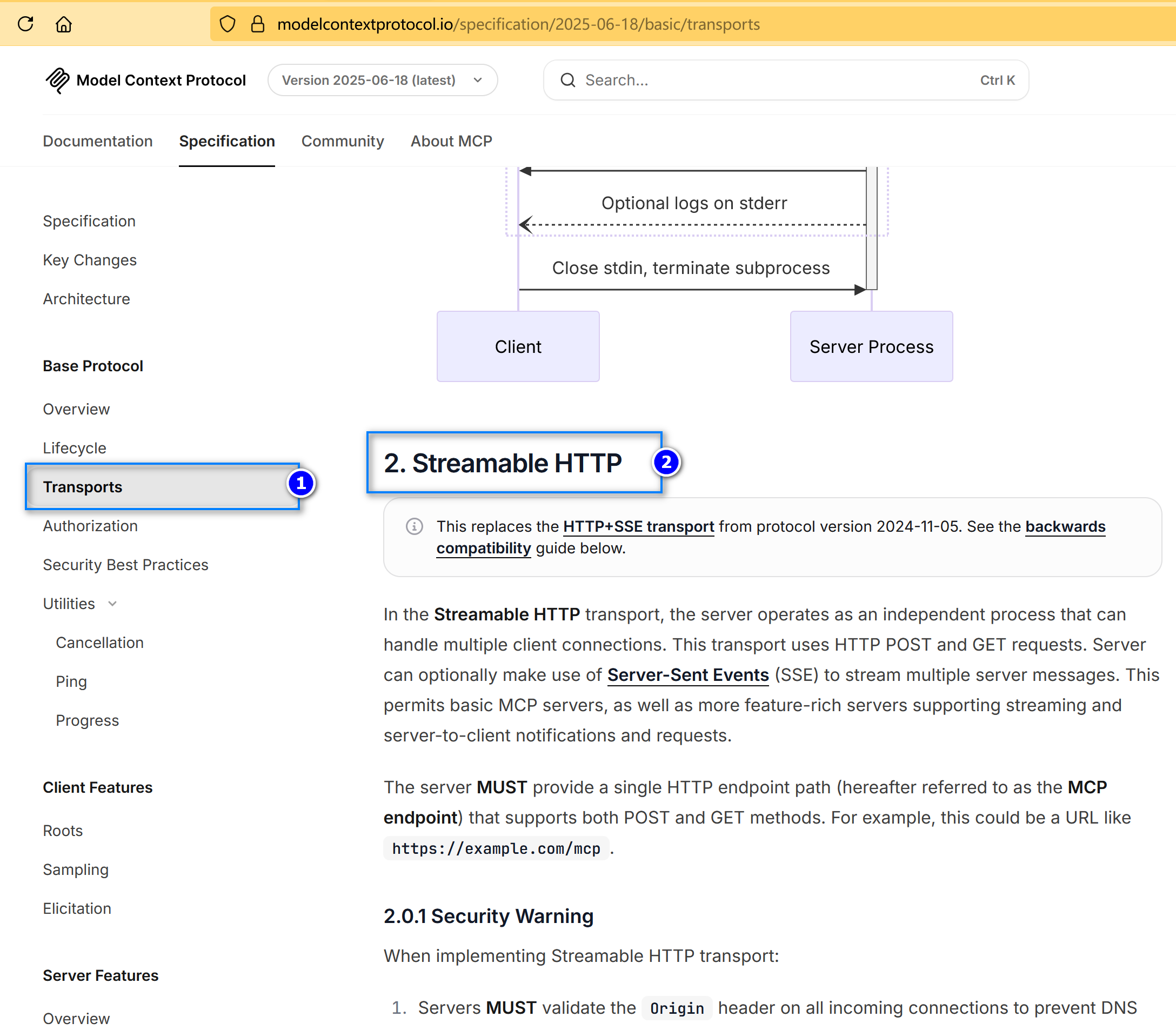
stdio
这个是AI应用作为MCP的客户端,直接在本机启动服务,然后标准输入输出完成进场间通信,从而获取到结果。
本机必须先启动MCP Server服务。
sse
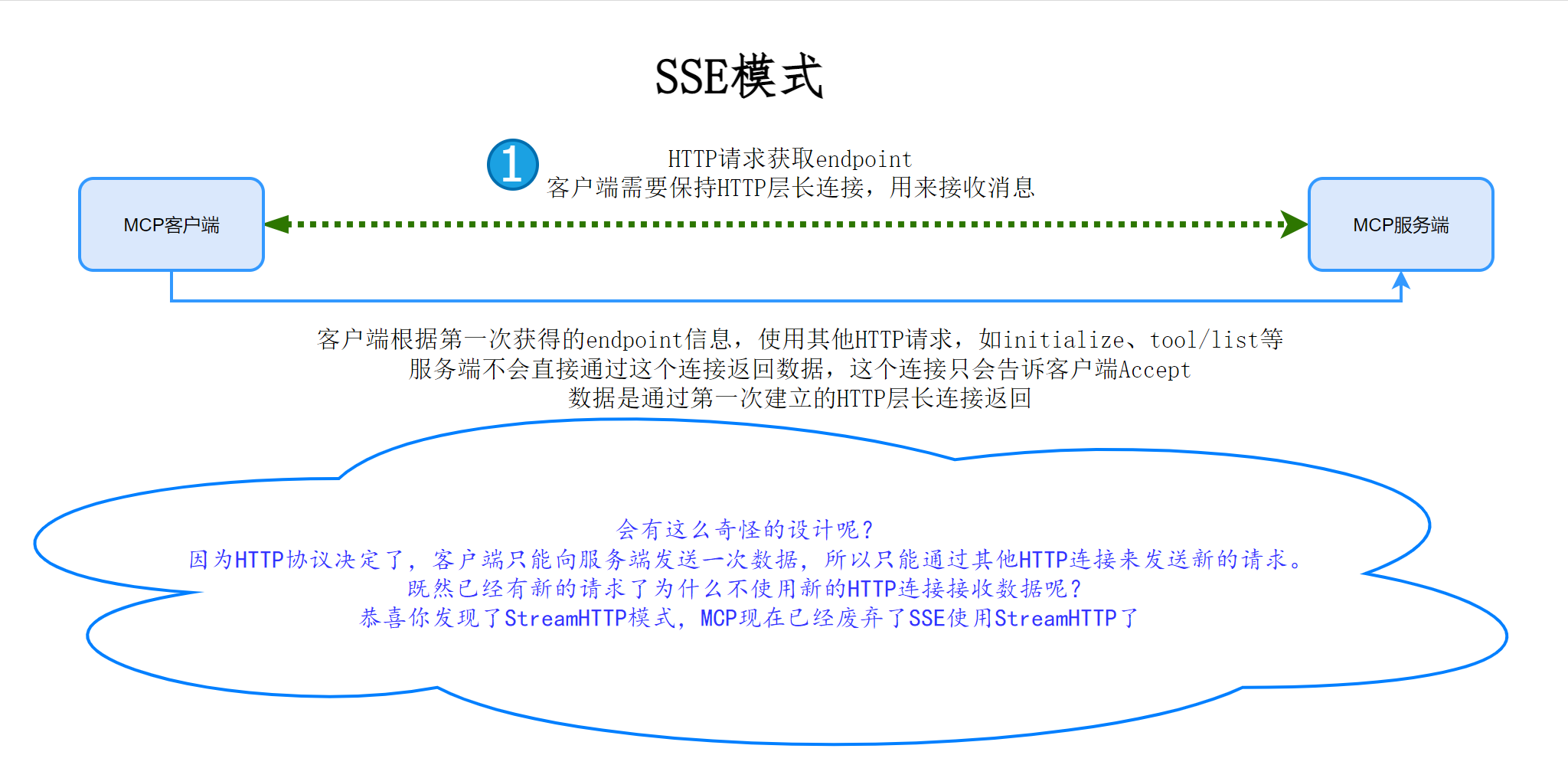
sse是基于HTTP的协议,它需要一个HTTP层的主连接,一直保持,用来接收MCP服务端的结果。
我们知道一个HTTP连接只能发送一次数据,客户端发送一次数据,服务端响应一次数据,服务端响应可以慢慢响应,只要不关闭流就可以一直发数据。
但是客户端发送了一次请求数据,这个HTTP连接客户端就没有办法再发送了数据了。
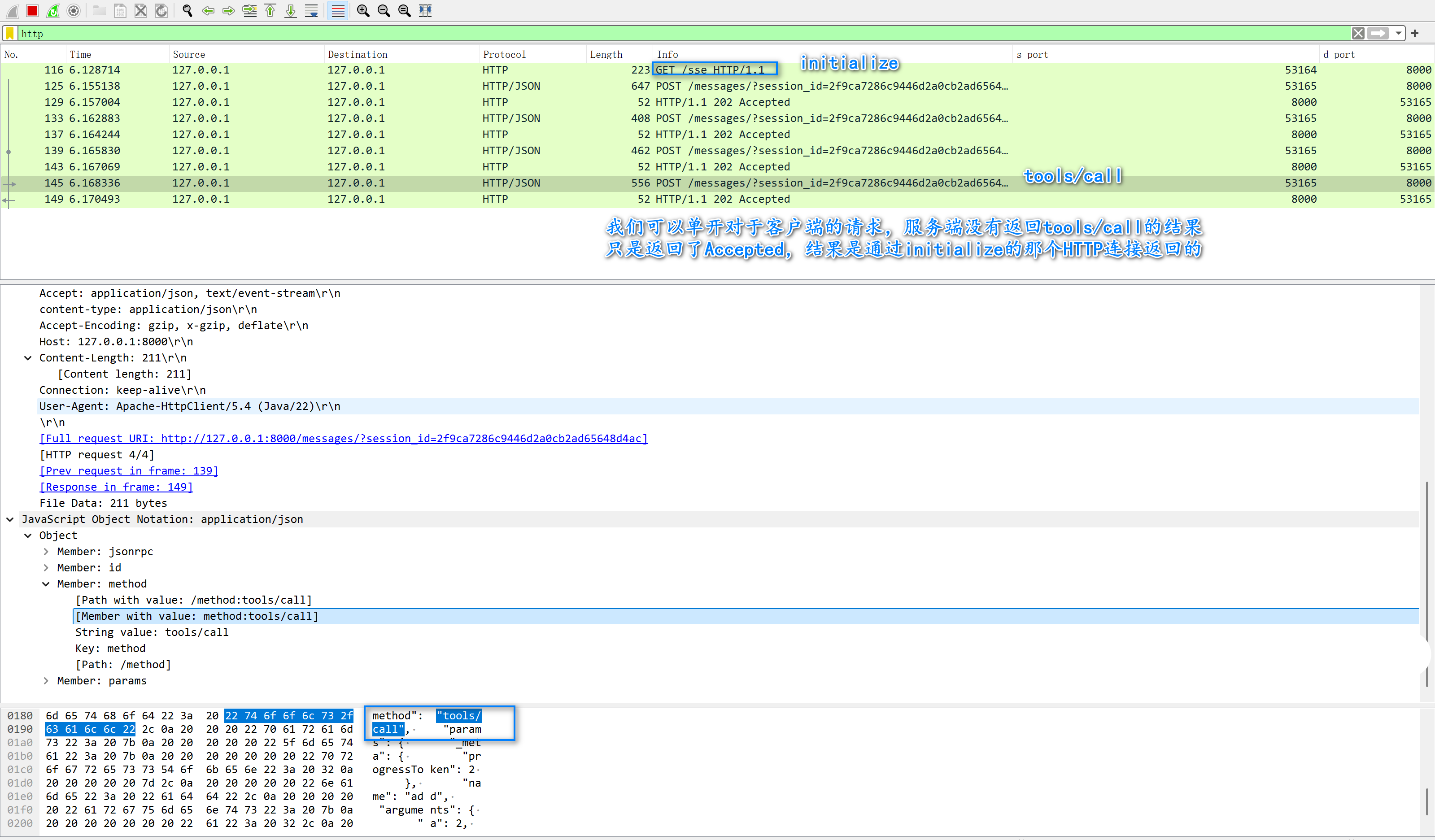
sse的办法就是客户端如果还需要发数据,就新开HTTP连接发送请求。
服务端接收到请求之后,返回accept这个连接就结束了,然后根据session_id把这次的请求需要响应的数据通过主HTTp连接发送给客户端(根据session_id找)。
是不是感觉很畸形?为什么要这么设计呢?
我猜是为了避免服务端挂大量HTTP连接,因为客户端的请求的响应资源可能需要传输很多数据,要等很久,使用主HTTP传输数据就只需要保持一个HTTP层的连接挂着就可以。
其他的请求HTTP,请求确认就关闭,避免占用大量服务器资源。
我们来抓包看看客户端和服务端的交互
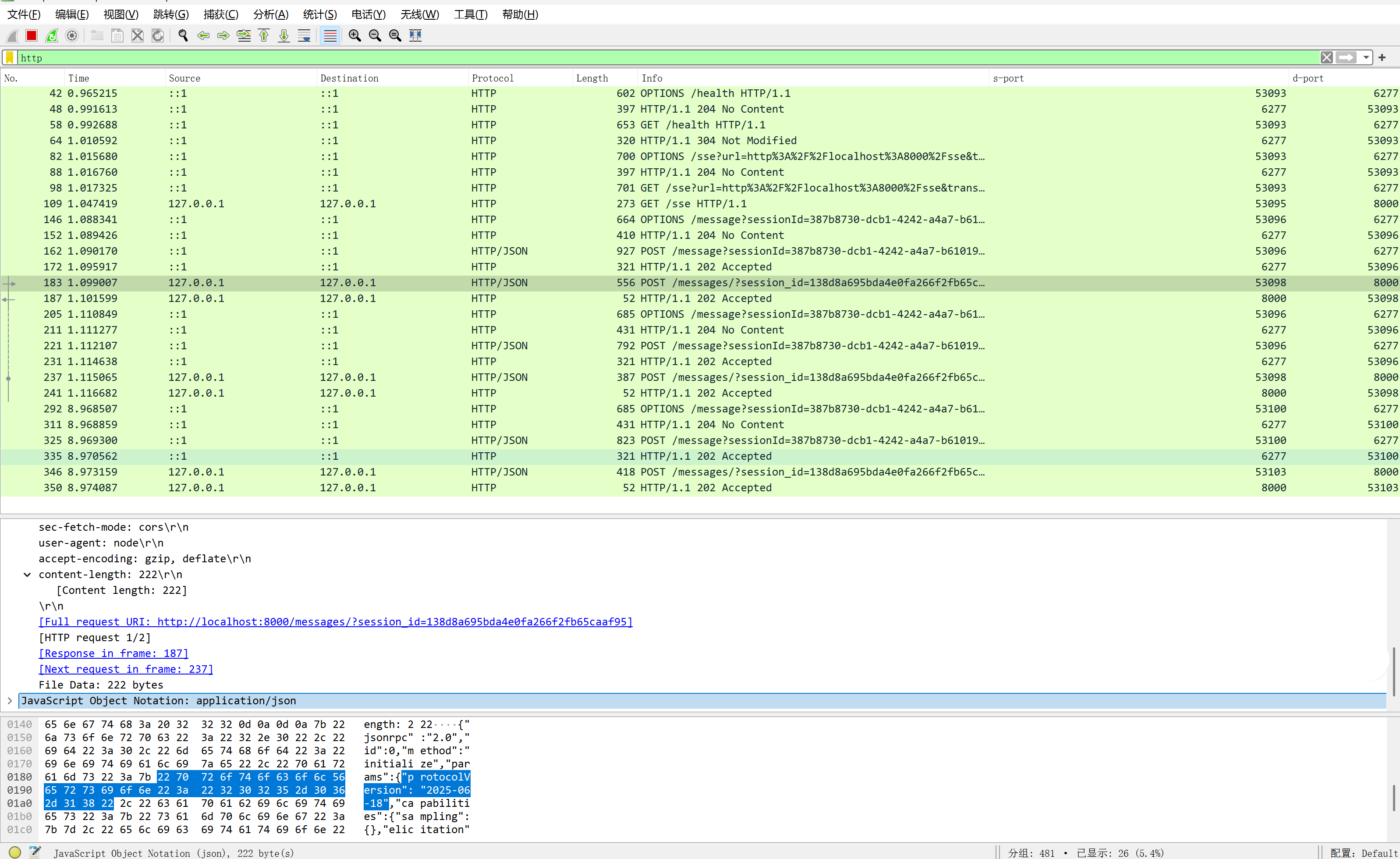
这个是inspector的,它还包含它自己浏览器页面和自己服务端的交互连接,不适很清楚。
我们用自己写的客户端来看看,代码参考后面。
StreamableHTTP
sse显然不够优雅,所以MCP最新的协议已经弃用了sse,而是使用StreamableHTTP,那什么又是StreamableHTTP呢?
StreamableHTTP听名字就知道肯定也是基于HTTP,其实就是名字唬人,没有扩展什么功能,Streamable,HTTP本来就是Streamable。
当下,它最重要的是2点:
- header中通过mcp-session-id来标识客户端身份
- 必须支持application/json和text/event-stream这2中类型
当然,还有很多其他协议要求细节。
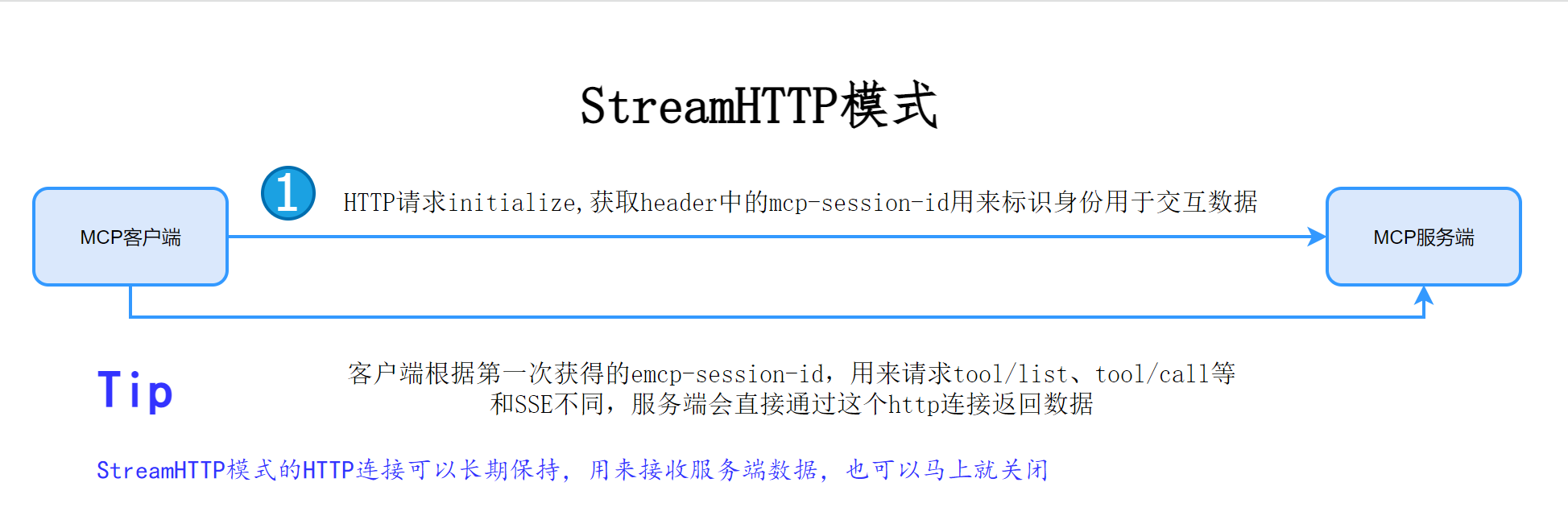
我们来看看StreamHTTP的抓包结果:
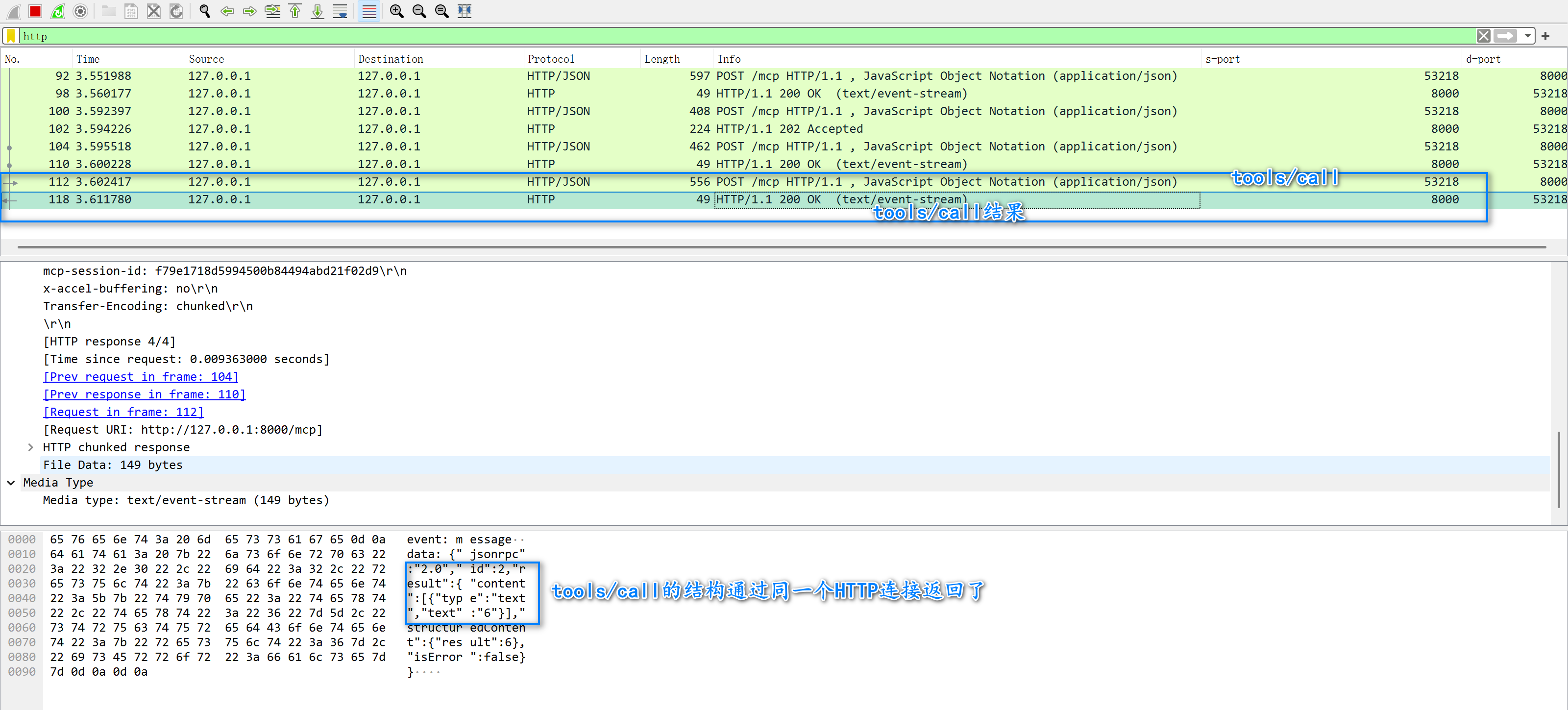
我们可以看到StreamHTTP就是直接在一个HTTP连接中返回了结果,注意结果类型是:text/event-stream。
文本流,需要我们自己解析,大致格式如下:
event: message
data: {"jsonrpc":"2.0","id":2,"result":{"content":[{"type":"text","text":"6"}],"structuredContent":{"result":6},"isError":false}}
event: message告诉客户端这是一个消息,data: 开头的这部分是响应结果数据,json格式,json部分就是我们前面的介绍的message协议部分。
sse与StreamHTTP客户端示例代码
import lombok.extern.slf4j.Slf4j;
import org.apache.hc.client5.http.classic.methods.HttpGet;
import org.apache.hc.client5.http.classic.methods.HttpPost;
import org.apache.hc.client5.http.config.RequestConfig;
import org.apache.hc.client5.http.impl.classic.CloseableHttpClient;
import org.apache.hc.client5.http.impl.classic.HttpClients;
import org.apache.hc.core5.http.ContentType;
import org.apache.hc.core5.http.Header;
import org.apache.hc.core5.http.HttpEntity;
import org.apache.hc.core5.http.ProtocolException;
import org.apache.hc.core5.http.io.HttpClientResponseHandler;
import org.apache.hc.core5.http.io.entity.EntityUtils;
import org.apache.hc.core5.http.io.entity.StringEntity;
import org.apache.hc.core5.util.TimeValue;
import org.apache.hc.core5.util.Timeout;

import java.io.BufferedReader;
import java.io.IOException;
import java.io.InputStream;
import java.io.InputStreamReader;
import java.nio.charset.StandardCharsets;
import java.util.concurrent.CompletableFuture;

@Slf4j
public class MCPClientStudy {


    private static final String BASE_URL = "http://127.0.0.1:8000";

    private static final String SSE_URL = BASE_URL + "/sse";

    private static final String STREAM_HTTP_URL = BASE_URL + "/mcp";

    private static final RequestConfig REQUEST_CONFIG = RequestConfig.custom()
            .setProtocolUpgradeEnabled(false)
            .setConnectionRequestTimeout(Timeout.ofMinutes(1))
            .setConnectionKeepAlive(TimeValue.ofMinutes(10))
            .build();

    private static final CloseableHttpClient client = HttpClients.custom()
            .setDefaultRequestConfig(REQUEST_CONFIG).build();


    private static final String initialize = """
            {
              "jsonrpc": "2.0",
              "id": 1,
              "method": "initialize",
              "params": {
                "protocolVersion": "2024-11-05",
                "capabilities": {
                  "roots": {
                    "listChanged": true
                  },
                  "sampling": {}
                },
                "clientInfo": {
                  "name": "ExampleClient",
                  "version": "1.0.0"
                }
              }
            }
            """;

    private static final String initialized = """
            {
              "jsonrpc": "2.0",
              "method": "notifications/initialized"
            }
            """;

    private static final String tools_list = """
            {
              "jsonrpc": "2.0",
              "id": 1,
              "method": "tools/list",
              "params": {
                "cursor": "optional-cursor-value"
              }
            }
            """;

    private static final String tool_call = """
            {
               "jsonrpc": "2.0",
               "id": 2,
               "method": "tools/call",
               "params": {
                 "_meta": {
                   "progressToken": 2
                 },
                 "name": "add",
                 "arguments": {
                   "a": 2,
                   "b": 4
                 }
               }
             }
            """;


    public static void main(String[] args) throws Exception {
        streamHttp();
//        sse();
    }

    private static void streamHttp() throws ProtocolException, IOException {
        flow(client, STREAM_HTTP_URL);
    }


    private static void sse() throws Exception {
        // sse需要一个单独的http连接保持来接受数据交互流
        HttpGet request = new HttpGet(SSE_URL);
        request.setHeader("Accept", "text/event-stream");

        HttpClientResponseHandler<Void> responseHandler = response -> {
            int statusCode = response.getCode();
            if (statusCode != 200) {
                log.error("SSE连接失败: {},{}", statusCode, response);
                return null;
            }

            try (InputStream is = response.getEntity().getContent();
                 BufferedReader reader = new BufferedReader(
                         new InputStreamReader(is, StandardCharsets.UTF_8))) {
                String line;
                while ((line = reader.readLine()) != null) {
                    if (line.isEmpty()) {
                        continue;
                    }
//                    log.info("SSE数据流消息:{}", line);
                    // 服务端告诉的请求端点,就是请求连接信息
                    if ("event: endpoint".equals(line)) {
                        line = reader.readLine();
                        if (line == null) {
                            break; // 不应该,只是为了处理意外
                        }

                        // 数据不会以data:开头
                        String data = line.replaceFirst("data:\\s*", "");
                        // sse只需要session_id相同就可以
                        String trigger_url = BASE_URL + data;
                        log.info("endpoint 触发url:{}", trigger_url);
                        CompletableFuture.runAsync(() -> {
                            try {
                                flow(HttpClients.createDefault(), trigger_url);
//                                    flow(client, trigger_url);
                            } catch (ProtocolException | IOException e) {
                                log.error("流读取中断: {}", e.getMessage(), e);
                            }
                        }).whenComplete((_, e) -> {
                            if (e != null) {
                                log.error("执行请求出错:{}", e.getMessage(), e);
                            }
                        });
                    } else if ("event: message".equals(line)) {
                        line = reader.readLine();
                        if (line == null) {
                            break; // 不应该,只是为了处理意外
                        }
                        line = line.replaceFirst("data:\\s*", "");
                        log.info("MCP SSE 服务端返回到message信息:{}", line);
                    }
                }
            } catch (IOException e) {
                log.error("流读取中断: {}", e.getMessage(), e);
            }
            return null;
        };
        client.execute(request, responseHandler);
    }

    private static void flow(CloseableHttpClient client, String url) throws ProtocolException, IOException {
        String sid = post(client, url, initialize, null);
        post(client, url, initialized, sid);
        post(client, url, tools_list, sid);
        post(client, url, tool_call, sid);
    }

    public static String post(CloseableHttpClient httpClient, String url, String content, String sid) throws IOException {
        HttpPost httpPost = new HttpPost(url);
        httpPost.addHeader("Accept", "application/json, text/event-stream");
        httpPost.addHeader("content-type", "application/json");
        if (sid != null) {
            httpPost.addHeader("mcp-session-id", sid);
        }
        StringEntity entity = new StringEntity(content, ContentType.APPLICATION_JSON);
        httpPost.setEntity(entity);
        return httpClient.execute(httpPost, r -> {
            HttpEntity resultEntity = r.getEntity();
            String postResult = EntityUtils.toString(resultEntity);
            Header header = r.getHeader("mcp-session-id");
            String msid = null;
            if (header != null) {
                msid = header.getValue();
            }
            log.info("\n---------独立请求post---------\nurl:{}\nrBody:{}\nrSid:{}\nresponseBody:{}\n---------独立请求post---------",
                    url, content, msid, postResult);
            return msid;
        });
    }
}
如果你对Python比较熟悉可以看看mcp的实现:
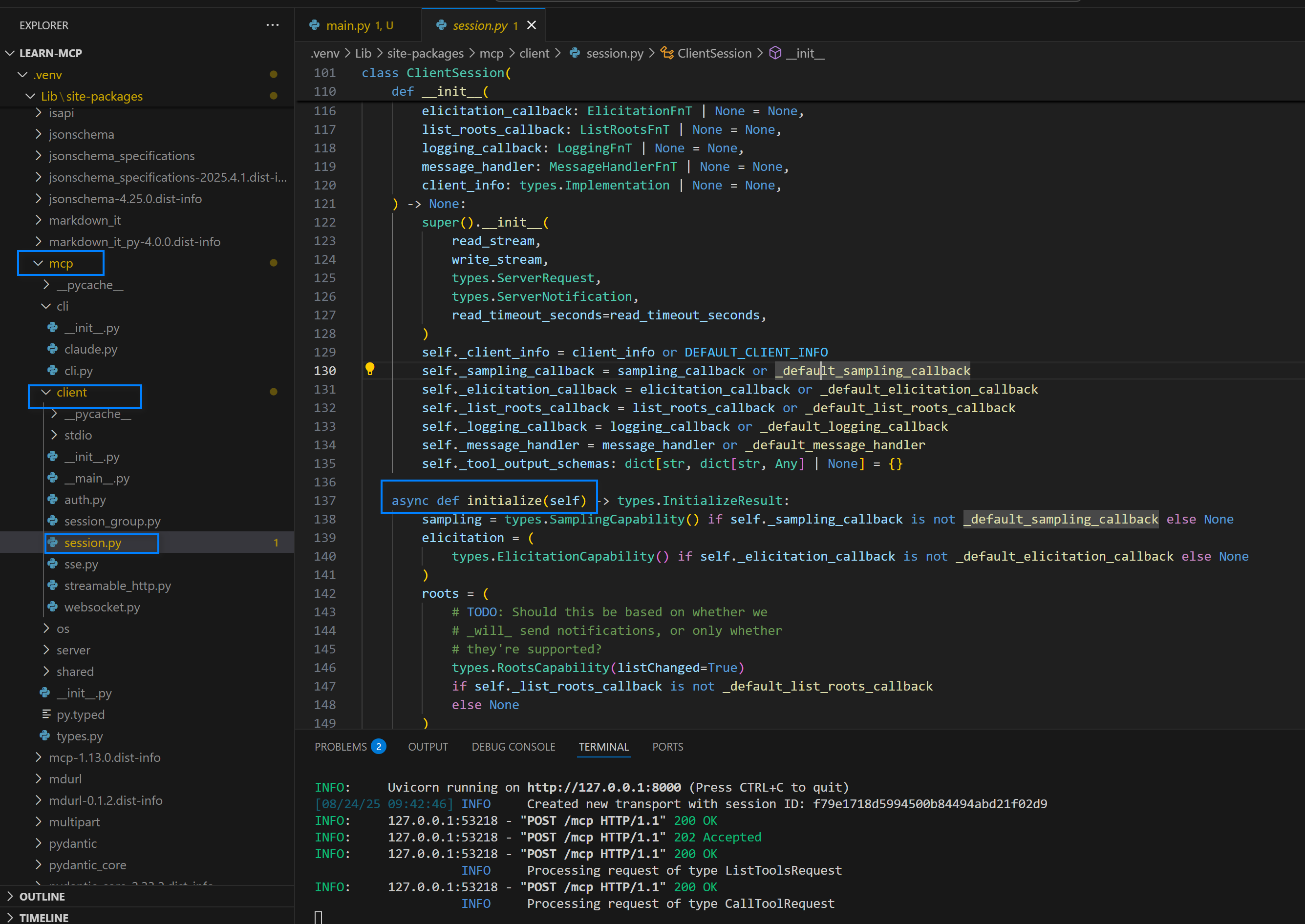
它这个就是完整实现,比较复杂,初学或者只是为了了解流程,可以自己上手试一下,不然容易陷入到跟代码的海洋之中。
参考
找文档的时候注意,官方是io这个,还有一个info这个不知道是啥,李鬼?

火山引擎开发者社区是火山引擎打造的AI技术生态平台,聚焦Agent与大模型开发,提供豆包系列模型(图像/视频/视觉)、智能分析与会话工具,并配套评测集、动手实验室及行业案例库。社区通过技术沙龙、挑战赛等活动促进开发者成长,新用户可领50万Tokens权益,助力构建智能应用。
更多推荐
 4
4 0
0- 0


 已为社区贡献2条内容

所有评论(0)