扣子平台开发SSE微信小程序聊天全流程
本文介绍了"旅小伴"微信小程序的开发过程,主要基于扣子低代码平台实现。开发步骤包括:1)在扣子平台搭建智能体并创建工作流;2)将智能体发布为API;3)使用Java SDK开发接口,采用Server-Sent Events (SSE)协议实现流式通信。文章提供了前后端示例代码,前端通过EventSource接收流式响应,后端使用Flux处理SSE事件流。该方案展示了如何利用低代
·
先看成果
一、旅小伴微信小程序
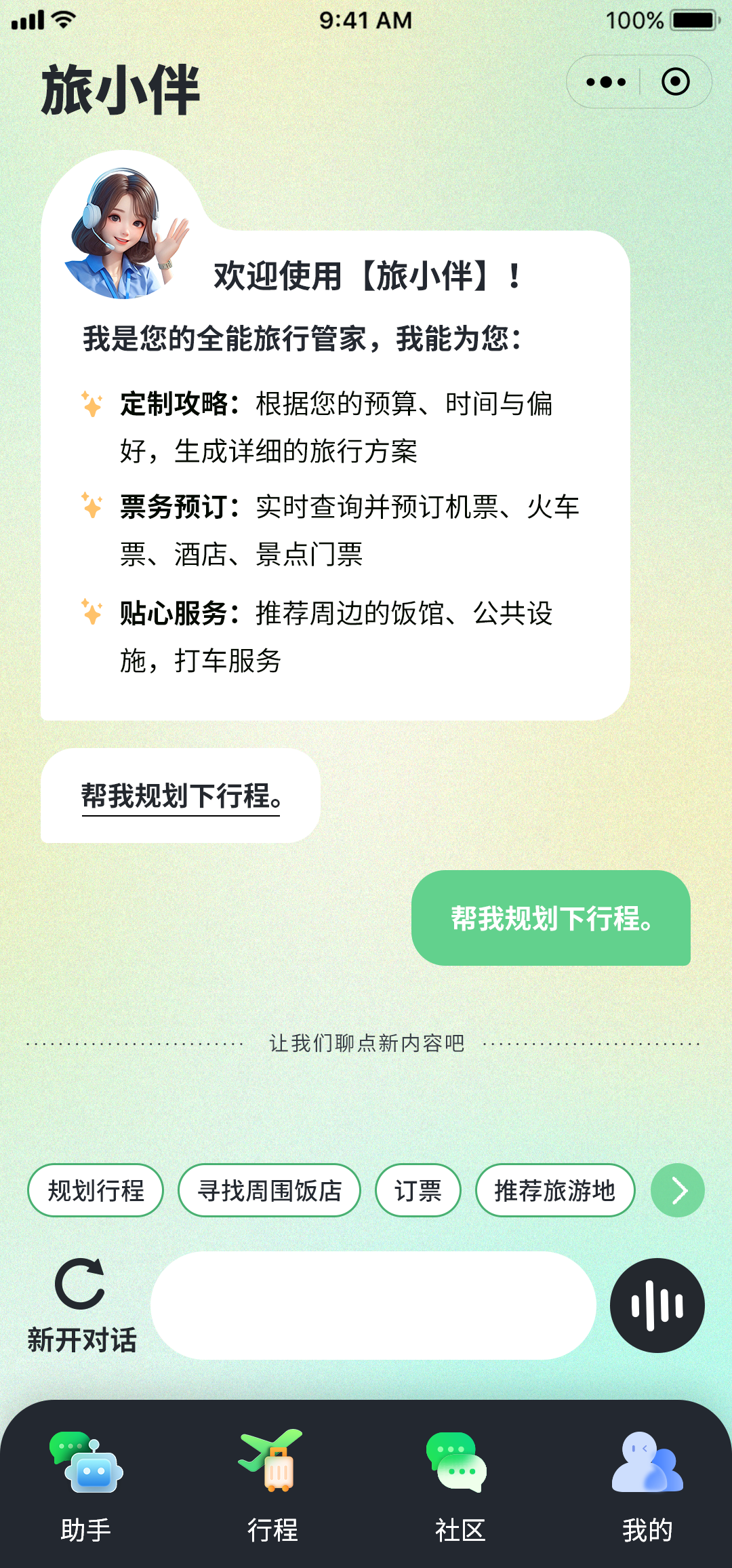
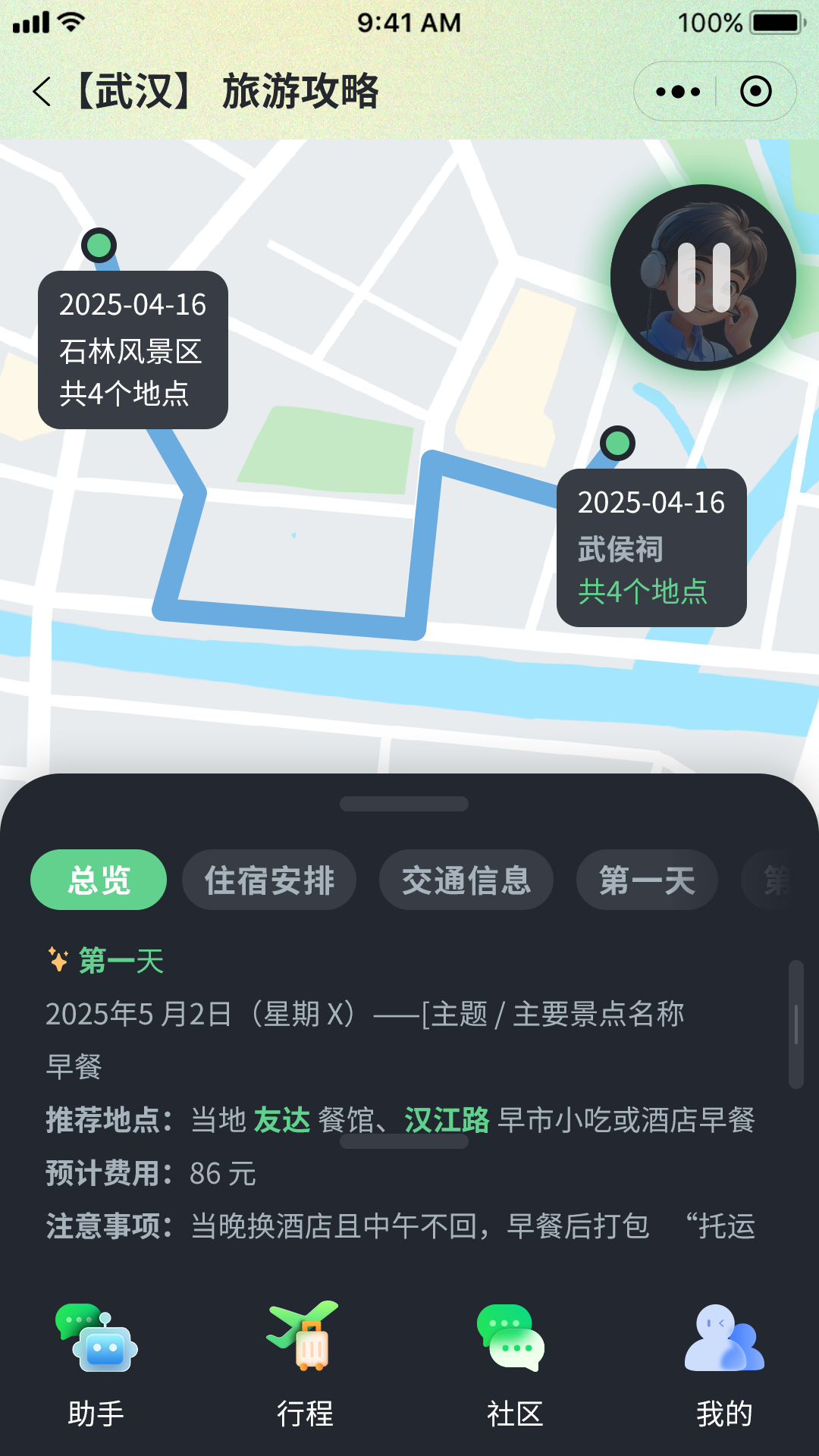
二、开发步骤
1、扣子开发平台智能体搭建
基于扣子低代码平台,搭建工作流
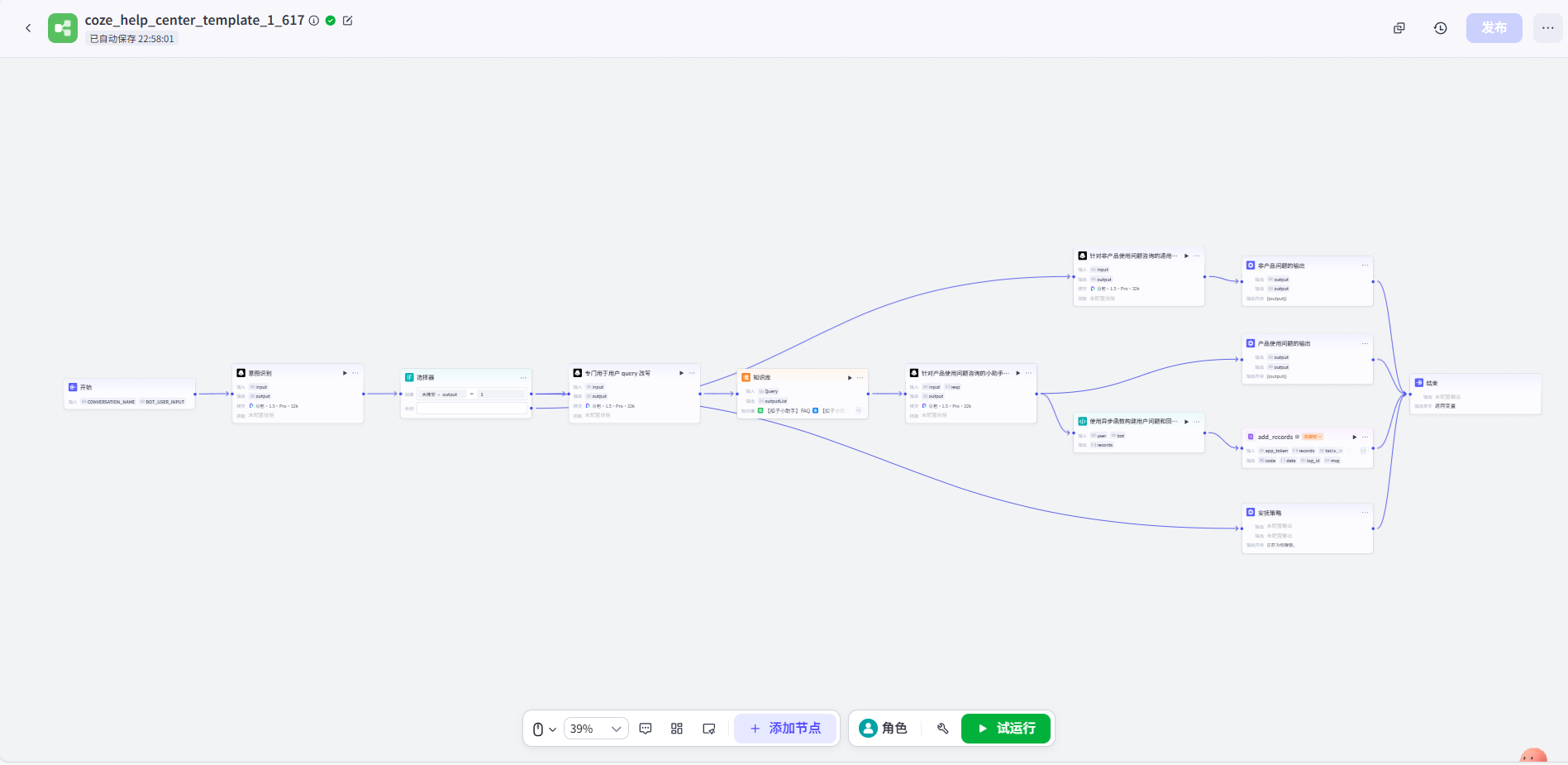
工作流嵌入智能体,智能体可以是多agents,也可以是单agent。
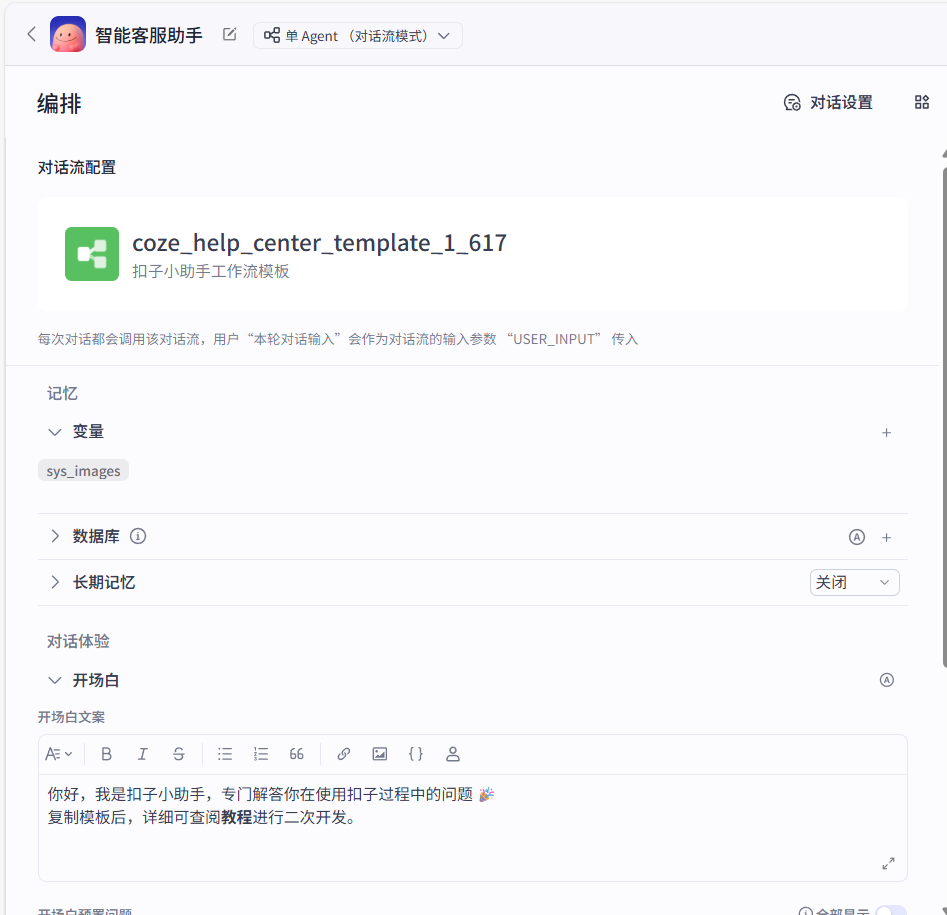
3、智能体发布为API
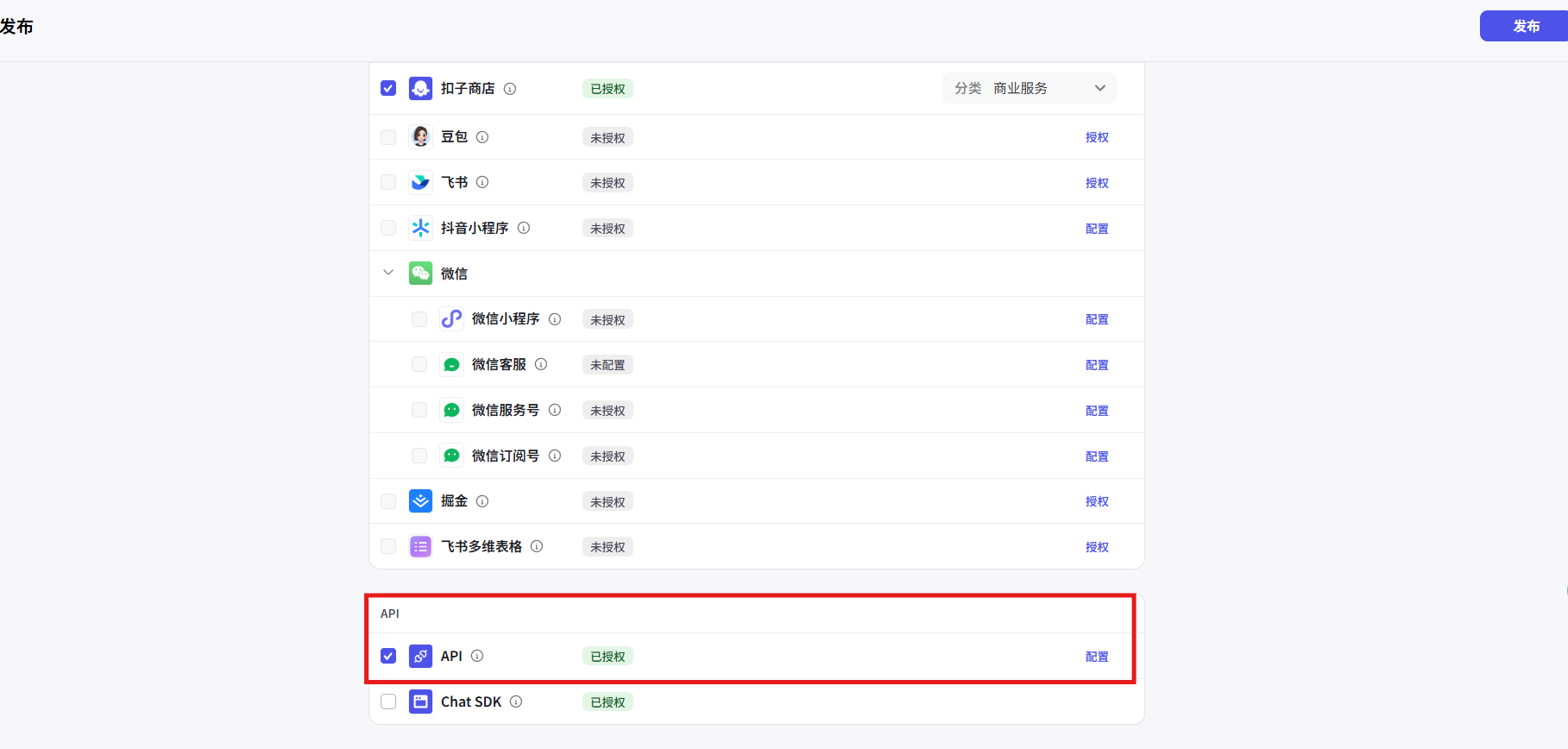
4、基于扣子java sdk开发接口,使用Server-Sent Events (SSE) 协议。
前端示例代码:
<!DOCTYPE html>
<html lang="en">

<head>
    <meta charset="UTF-8">
    <meta name="viewport" content="width=device-width, initial-scale=1.0">
    <title>扣子平台流式聊天 - SSE</title>
</head>

<body>
    <input type="text" id="question" placeholder="请输入问题">
    <button onclick="sendQuestion()">发送</button>
    <div id="answer"></div>

    <script>
        function sendQuestion() {
            const question = document.getElementById('question').value;
            const eventSource = new EventSource(`/stream-chat?question=${encodeURIComponent(question)}`);

            eventSource.onmessage = function (event) {
                const answerDiv = document.getElementById('answer');
                answerDiv.innerHTML += event.data;
            };

            eventSource.onerror = function (error) {
                console.error('发生错误:', error);
                eventSource.close();
            };
        }
    </script>
</body>

</html>
后端示例代码
import com.coze.openapi.client.chat.ChatReq;
import com.coze.openapi.client.chat.model.ChatEvent;
import com.coze.openapi.client.chat.model.ChatEventType;
import com.coze.openapi.client.connversations.message.model.Message;
import com.coze.openapi.service.auth.TokenAuth;
import com.coze.openapi.service.service.CozeAPI;
import io.reactivex.Flowable;
import org.springframework.http.MediaType;
import org.springframework.http.codec.ServerSentEvent;
import org.springframework.web.bind.annotation.GetMapping;
import org.springframework.web.bind.annotation.RequestParam;
import org.springframework.web.bind.annotation.RestController;
import reactor.core.publisher.Flux;

import java.util.Collections;

@RestController
public class CozeStreamChatController {

    @GetMapping(path = "/stream-chat", produces = MediaType.TEXT_EVENT_STREAM_VALUE)
    public Flux<ServerSentEvent<String>> streamChat(@RequestParam String question) {
        String token = System.getenv("COZE_API_TOKEN");
        String botID = System.getenv("PUBLISHED_BOT_ID");
        String userID = System.getenv("USER_ID");
        TokenAuth authCli = new TokenAuth(token);
        CozeAPI coze = new CozeAPI.Builder()
               .baseURL(System.getenv("COZE_API_BASE"))
               .auth(authCli)
               .build();

        ChatReq req = ChatReq.builder()
               .botID(botID)
               .userID(userID)
               .messages(Collections.singletonList(Message.buildUserQuestionText(question)))
               .build();

        Flowable<ChatEvent> resp = coze.chat().stream(req);

        return Flux.fromStream(resp.toStream())
               .map(event -> {
                    if (ChatEventType.CONVERSATION_MESSAGE_DELTA.equals(event.getEvent())) {
                        return ServerSentEvent.<String>builder()
                               .data(event.getMessage().getContent())
                               .build();
                    }
                    return null;
                })
               .filter(event -> event != null);
    }
}
搭建过程是这样,更具体的步骤扣子文档里有详细介绍。
如需获取本文完整方案 PDF、技术架构图,或有相关定制开发需求,可直接点击我的头像私信我,我会在 24 小时内回复。也可查看「行业案例」,获取更多落地经验和联系方式。

火山引擎开发者社区是火山引擎打造的AI技术生态平台,聚焦Agent与大模型开发,提供豆包系列模型(图像/视频/视觉)、智能分析与会话工具,并配套评测集、动手实验室及行业案例库。社区通过技术沙龙、挑战赛等活动促进开发者成长,新用户可领50万Tokens权益,助力构建智能应用。
更多推荐
 1
1 0
0- 0


 已为社区贡献2条内容

所有评论(0)