若依集成积木大屏和积木报表
2.前端(学过的一丢丢前端知识已经忘光了,直接搬了swagger的index.vue改的)路由地址不直接使用外网地址http或https开头时,可简单使用以下方式。创建views/tool/report/index.vue。url直接指向需跳转的地址,无需处理后端代码。创建views/tool/drag/index.vue。
·
路由地址不直接使用外网地址http或https开头时,可简单使用以下方式。
1.菜单设置
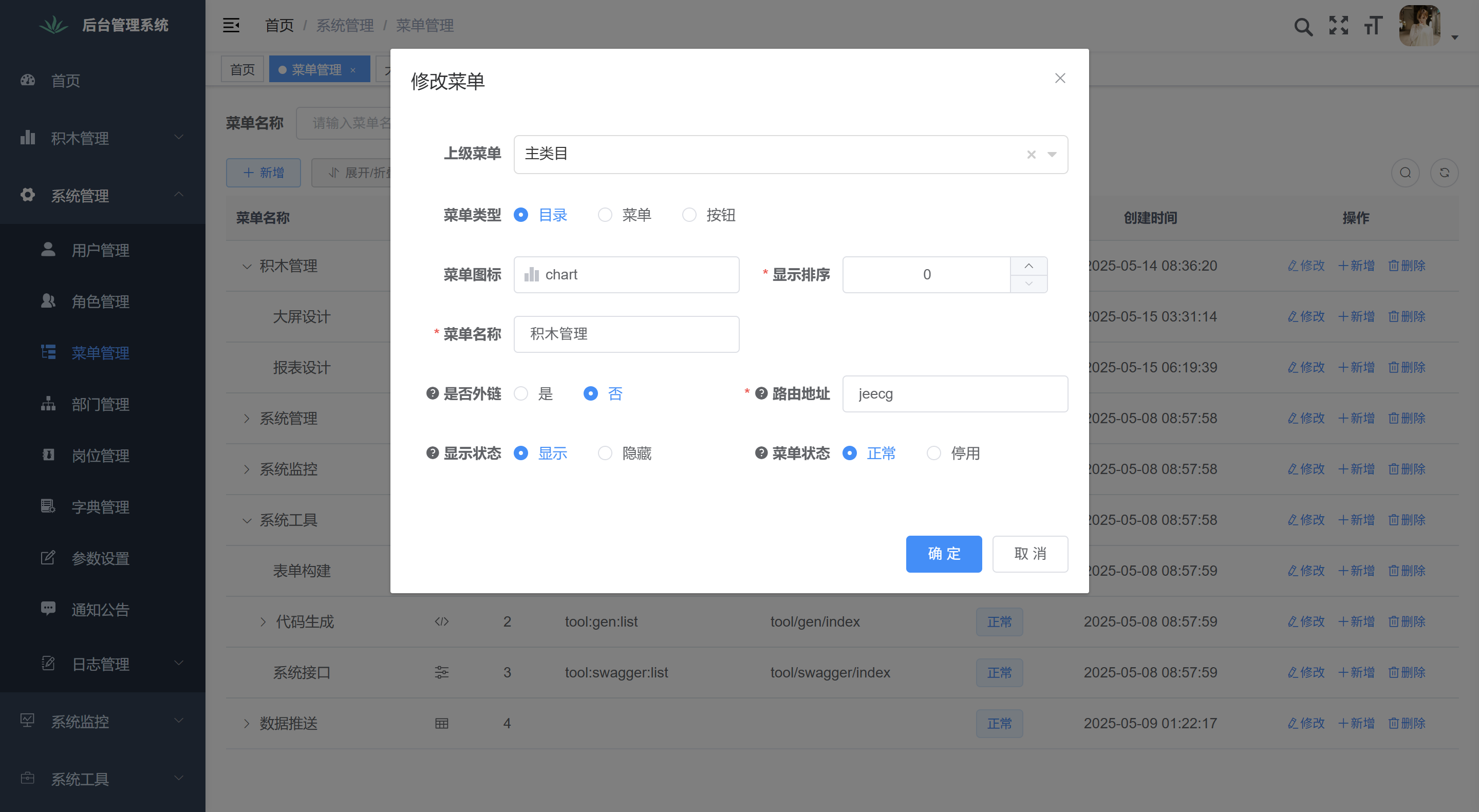
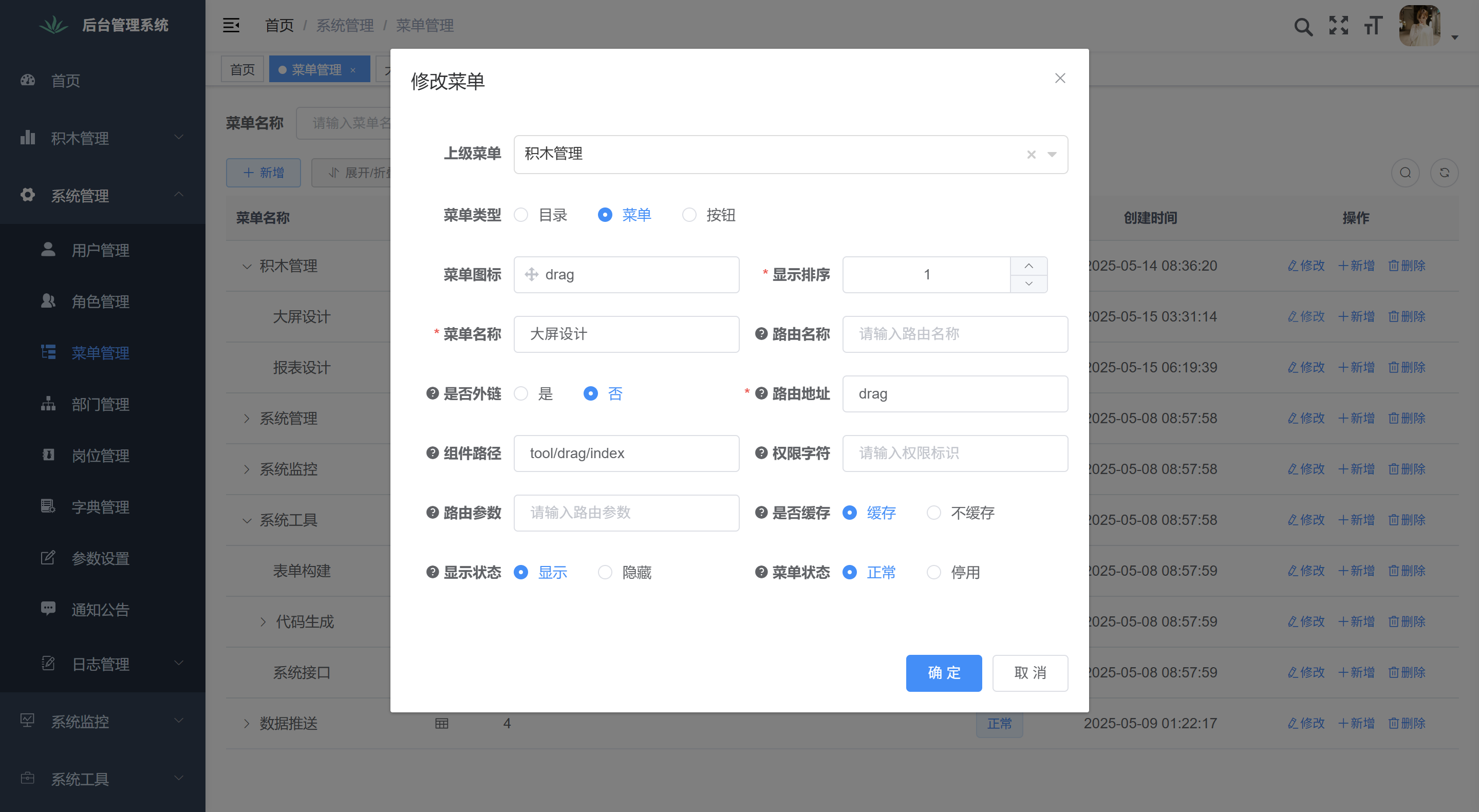
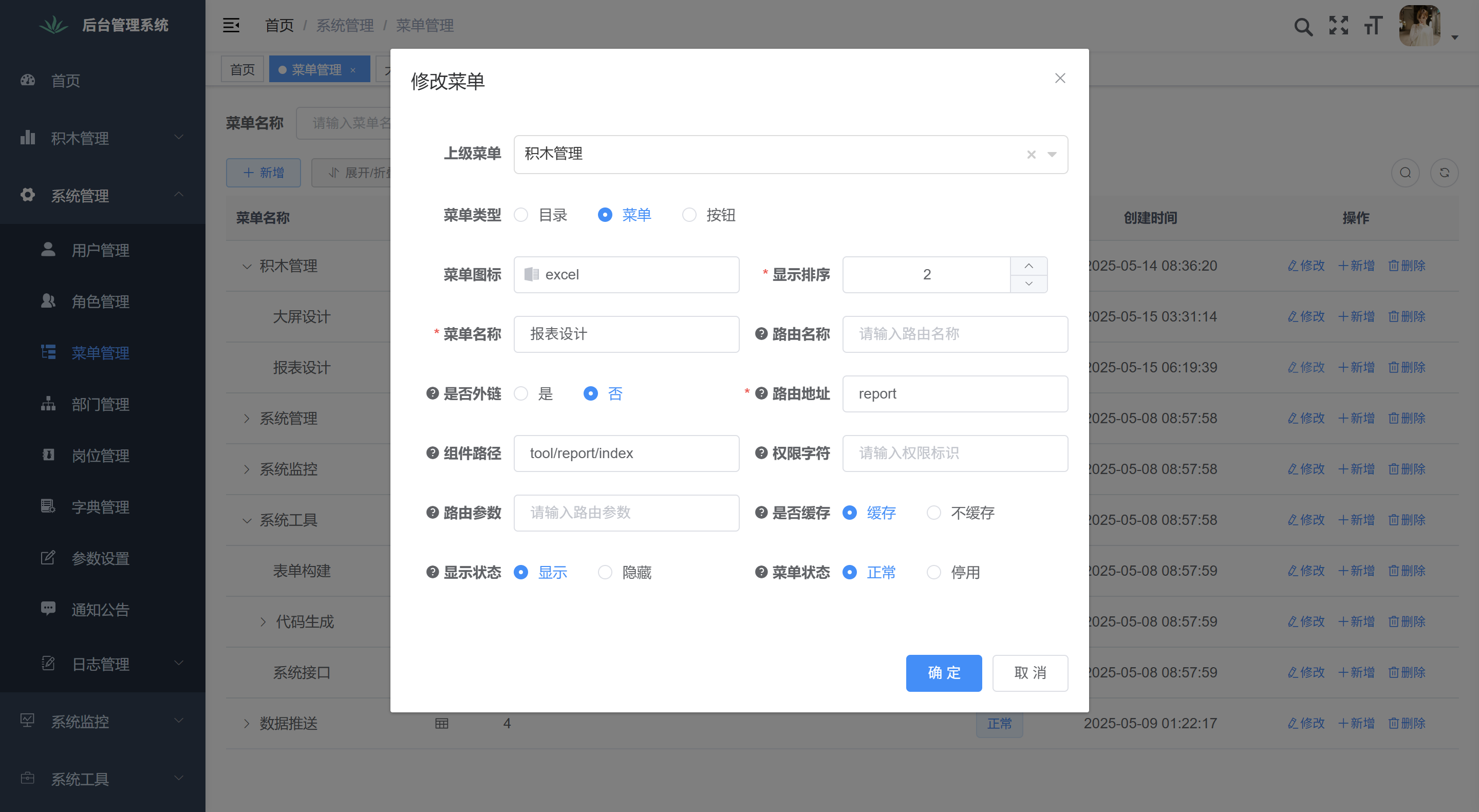
2.前端(学过的一丢丢前端知识已经忘光了,直接搬了swagger的index.vue改的)
创建views/tool/drag/index.vue
<template>
  <i-frame :src="url" />
</template>
<script>
import iFrame from "@/components/iFrame/index"
export default {
  name: "Drag",
  components: { iFrame },
  data() {
    return {
      url: "http://localhost:端口/drag/list"
    }
  }
}
</script>
创建views/tool/report/index.vue
<template>
  <i-frame :src="url" />
</template>
<script>
import iFrame from "@/components/iFrame/index"
export default {
  name: "Report",
  components: { iFrame },
  data() {
    return {
      url: "http://localhost:端口/jmreport/list"
    }
  }
}
</script>
url直接指向需跳转的地址,无需处理后端代码。自行修改IP端口

中国智能体开发者社区,聚焦智能体与大模型开发,提供前沿资讯、实用工具链、开源项目及行业案例。通过技术沙龙、开发者大赛等活动,促进经验交流与协作,助力开发者快速构建创新智能应用。
更多推荐
 3
3 0
0- 0


 已为社区贡献2条内容

所有评论(0)