ComfyUI:革命性可视化AI工作流工具的架构解析与实现原理
ComfyUI:革命性可视化AI工作流工具的架构解析与实现原理
一、ComfyUI核心架构设计
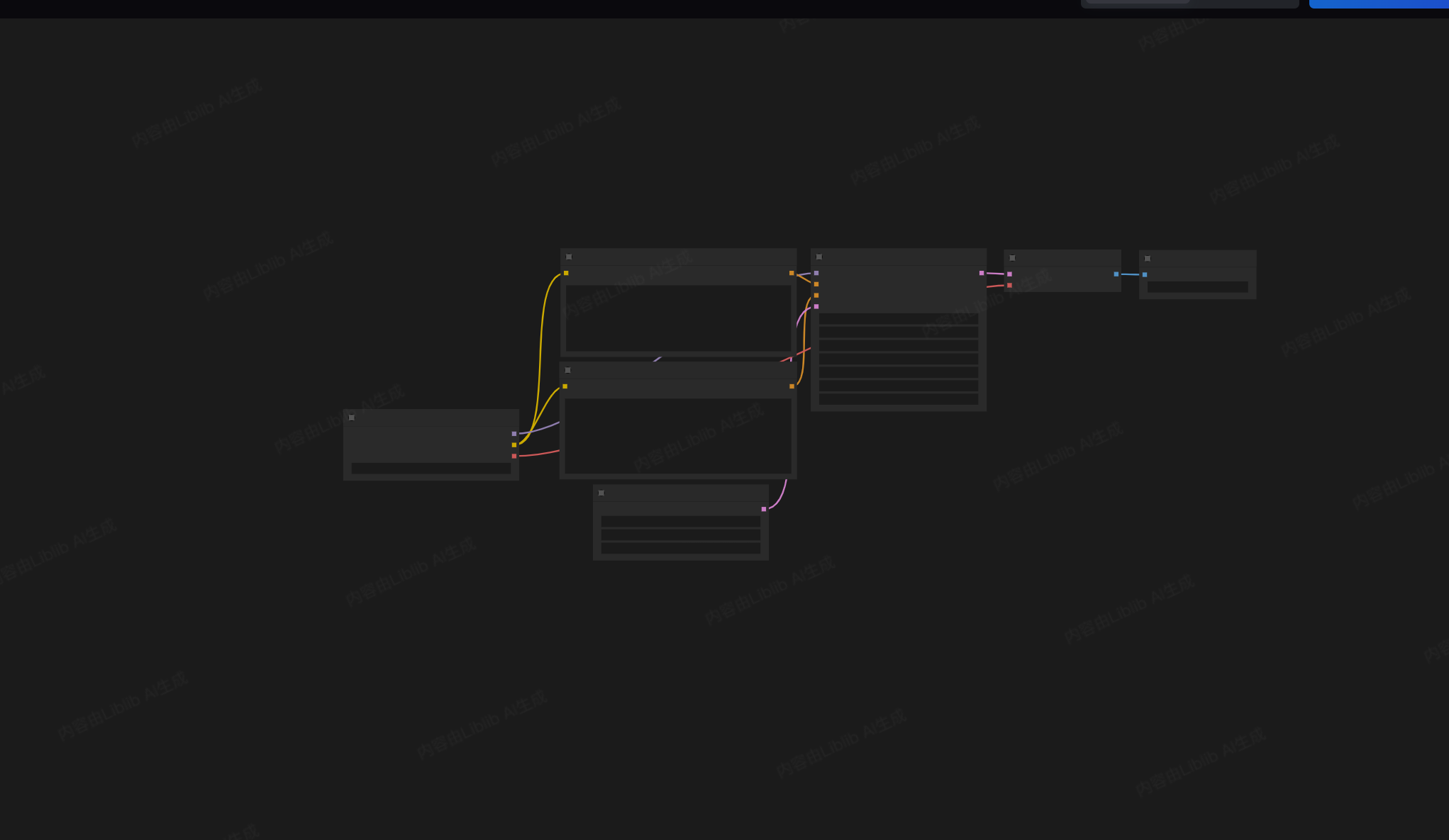
1.1 可视化编程范式的突破
ComfyUI是一个基于节点图的可视化编程环境,专为Stable Diffusion等AI模型设计。与传统的线性脚本不同,ComfyUI采用了数据流编程模型,允许用户通过连接不同功能的节点来构建复杂的AI工作流。
核心架构建立在有向无环图(DAG)的基础上,每个节点代表一个处理单元,节点间的连接定义了数据流动路径。这种设计使得复杂的工作流可以被分解为可重用的模块化组件,大大提高了灵活性和可维护性。
class ComfyUI_Node:
    """ComfyUI节点基类,所有功能节点都继承自此基类"""

    def __init__(self, id, name, node_type):
        self.id = id  # 节点唯一标识符
        self.name = name  # 节点显示名称
        self.type = node_type  # 节点类型
        self.inputs = []  # 输入端口列表
        self.outputs = []  # 输出端口列表
        self.position = (0, 0)  # 节点在画布上的位置
        self.parameters = {}  # 节点参数存储

    def add_input(self, name, data_type, default_value=None):
        """添加输入端口"""
        self.inputs.append({
            'name': name,
            'type': data_type,
            'value': default_value,
            'link': None  # 连接的源节点和端口
        })

    def add_output(self, name, data_type):
        """添加输出端口"""
        self.outputs.append({
            'name': name,
            'type': data_type,
            'links': []  # 连接的目标节点列表
        })

    def process(self, inputs):
        """处理函数,子类必须重写此方法"""
        raise NotImplementedError("子类必须实现process方法")

    def execute(self, context):
        """执行节点计算"""
        # 收集输入数据
        input_values = {}
        for i, input_port in enumerate(self.inputs):
            if input_port['link'] is not None:
                # 从连接的节点获取数据
                source_node_id, source_output_idx = input_port['link']
                source_node = context.get_node(source_node_id)
                input_values[i] = source_node.get_output_value(source_output_idx)
            else:
                # 使用本地值
                input_values[i] = input_port['value']

        # 执行处理逻辑
        results = self.process(input_values)

        # 设置输出值
        for i, output in enumerate(self.outputs):
            output['value'] = results[i] if i < len(results) else None

        return results
每个节点都包含输入输出端口、处理逻辑和参数配置。当工作流执行时,系统会按照依赖关系拓扑排序节点,确保每个节点在其所有依赖节点执行完毕后再执行。这种架构支持高度并行化处理,特别是在现代GPU上能够充分利用计算资源。
1.2 类型系统与数据流管理
ComfyUI实现了强大的类型系统,确保节点间连接的数据类型兼容性。系统支持多种数据类型,包括图像、潜在表示、条件数据、掩码等,每种类型都有特定的数据格式和处理方式。
class ComfyUI_DataType:
    """ComfyUI数据类型系统"""

    # 支持的数据类型
    TYPES = {
        'IMAGE': {
            'name': 'IMAGE',
            'color': '#FF6B6B',
            'default': None,
            'validate': lambda x: isinstance(x, (torch.Tensor, np.ndarray)) and len(x.shape) == 4
        },
        'LATENT': {
            'name': 'LATENT',
            'color': '#4ECDC4',
            'default': None,
            'validate': lambda x: isinstance(x, dict) and 'samples' in x
        },
        'CONDITIONING': {
            'name': 'CONDITIONING',
            'color': '#45B7D1',
            'default': None,
            'validate': lambda x: isinstance(x, list) and all('conditioning' in item for item in x)
        },
        'MASK': {
            'name': 'MASK',
            'color': '#96CEB4',
            'default': None,
            'validate': lambda x: isinstance(x, (torch.Tensor, np.ndarray)) and len(x.shape) == 3
        },
        'STRING': {
            'name': 'STRING',
            'color': '#FECA57',
            'default': '',
            'validate': lambda x: isinstance(x, str)
        },
        'INT': {
            'name': 'INT',
            'color': '#FF9FF3',
            'default': 0,
            'validate': lambda x: isinstance(x, int)
        },
        'FLOAT': {
            'name': 'FLOAT',
            'color': '#54A0FF',
            'default': 0.0,
            'validate': lambda x: isinstance(x, (int, float))
        }
    }

    @classmethod
    def validate_connection(cls, source_type, target_type):
        """验证两个数据类型是否可以连接"""
        # 相同类型总是可以连接
        if source_type == target_type:
            return True

        # 特定类型的兼容规则
        compatibility_rules = {
            'IMAGE': ['MASK'],  # 图像可以连接到掩码
            'LATENT': ['IMAGE'],  # 潜在表示可以连接到图像
            'INT': ['FLOAT'],  # 整数可以连接到浮点数
            'FLOAT': ['INT']   # 浮点数可以连接到整数
        }

        return target_type in compatibility_rules.get(source_type, [])
类型系统不仅确保数据流的正确性,还提供了直观的可视化反馈。当用户连接节点时,系统会实时验证连接的有效性,并通过颜色编码提供视觉提示。这种设计大大降低了用户出错的可能性,使得复杂工作流的构建更加直观。
二、节点系统与扩展机制
2.1 核心节点类别与功能
ComfyUI的节点系统被组织成多个功能类别,每个类别包含专门处理特定任务的节点。这种组织方式使得用户能够快速找到所需功能,同时也便于系统的扩展和维护。
class ComfyUI_NodeRegistry:
    """节点注册表,管理所有可用节点"""

    def __init__(self):
        self.nodes = {}
        self.categories = {
            'loaders': '模型加载',
            'conditioning': '条件控制',
            'latent': '潜在空间',
            'image': '图像处理',
            'mask': '掩码操作',
            'utility': '实用工具',
            'advanced': '高级功能'
        }

    def register_node(self, node_class, category):
        """注册新节点"""
        node_type = node_class.__name__
        self.nodes[node_type] = {
            'class': node_class,
            'category': category,
            'name': getattr(node_class, 'NAME', node_type),
            'description': getattr(node_class, 'DESCRIPTION', ''),
            'version': getattr(node_class, 'VERSION', '1.0.0')
        }

    def create_node(self, node_type, id, **kwargs):
        """创建节点实例"""
        if node_type not in self.nodes:
            raise ValueError(f"未知节点类型: {node_type}")

        node_info = self.nodes[node_type]
        node_class = node_info['class']
        return node_class(id, **kwargs)

    def get_nodes_by_category(self, category):
        """按类别获取节点"""
        return {name: info for name, info in self.nodes.items()
                if info['category'] == category}

    def get_available_categories(self):
        """获取所有可用类别"""
        return list(self.categories.values())


# 示例:图像加载节点实现
class ImageLoadNode(ComfyUI_Node):
    """图像加载节点"""

    NAME = "加载图像"
    DESCRIPTION = "从文件系统加载图像文件"
    VERSION = "1.0.0"

    def __init__(self, id):
        super().__init__(id, self.NAME, "IMAGE_LOAD")

        # 定义输入端口
        self.add_input("图像路径", "STRING", "")

        # 定义输出端口
        self.add_output("图像", "IMAGE")
        self.add_output("掩码", "MASK")  # 可选输出,用于透明图像

    def process(self, inputs):
        """处理图像加载"""
        image_path = inputs[0]  # 获取输入路径

        if not os.path.exists(image_path):
            raise ValueError(f"图像文件不存在: {image_path}")

        # 使用PIL加载图像
        image = Image.open(image_path)

        # 转换为RGB模式(处理透明通道)
        if image.mode in ('RGBA', 'LA'):
            # 分离图像和掩码
            background = Image.new('RGB', image.size, (255, 255, 255))
            background.paste(image, mask=image.split()[-1])
            image = background.convert('RGB')
            mask = image.split()[-1] if image.mode == 'RGBA' else None
        else:
            image = image.convert('RGB')
            mask = None

        # 转换为PyTorch张量
        image_tensor = torch.from_numpy(np.array(image).astype(np.float32) / 255.0)
        image_tensor = image_tensor.unsqueeze(0)  # 添加批次维度

        if mask is not None:
            mask_tensor = torch.from_numpy(np.array(mask).astype(np.float32) / 255.0)
            mask_tensor = mask_tensor.unsqueeze(0)  # 添加批次维度
        else:
            mask_tensor = torch.ones((1, image_tensor.shape[1], image_tensor.shape[2]))

        return [image_tensor, mask_tensor]
图像加载节点展示了ComfyUI如何处理常见的AI工作流任务。它接受文件路径作为输入,输出图像张量和可选的掩码张量。这种设计允许节点轻松集成到更大的工作流中,例如图像预处理、风格转换或图像生成管道。
2.2 自定义节点开发
ComfyUI的强大之处在于其可扩展性。开发者可以轻松创建自定义节点来扩展系统功能,满足特定需求。
class CustomNodeTemplate(ComfyUI_Node):
    """自定义节点模板"""

    # 节点元数据
    NAME = "自定义节点"
    DESCRIPTION = "自定义节点示例"
    VERSION = "1.0.0"
    CATEGORY = "utility"  # 节点类别

    def __init__(self, id):
        super().__init__(id, self.NAME, "CUSTOM_NODE")

        # 定义输入端口
        self.add_input("输入图像", "IMAGE")
        self.add_input("强度", "FLOAT", 1.0)
        self.add_input("参数", "INT", 10)

        # 定义输出端口
        self.add_output("处理结果", "IMAGE")
        self.add_output("处理信息", "STRING")

    def process(self, inputs):
        """节点处理逻辑"""
        input_image = inputs[0]  # 输入图像
        strength = inputs[1]     # 强度参数
        param = inputs[2]        # 整型参数

        # 在这里实现自定义处理逻辑
        # 示例:简单的图像亮度调整
        result_image = input_image * strength

        # 生成处理信息
        info = f"处理完成: 强度={strength}, 参数={param}"

        return [result_image, info]

    @classmethod
    def get_node_config(cls):
        """获取节点配置信息(用于UI显示)"""
        return {
            'name': cls.NAME,
            'description': cls.DESCRIPTION,
            'category': cls.CATEGORY,
            'version': cls.VERSION,
            'inputs': [
                {'name': '输入图像', 'type': 'IMAGE', 'default': None},
                {'name': '强度', 'type': 'FLOAT', 'default': 1.0, 'min': 0.0, 'max': 5.0},
                {'name': '参数', 'type': 'INT', 'default': 10, 'min': 1, 'max': 100}
            ],
            'outputs': [
                {'name': '处理结果', 'type': 'IMAGE'},
                {'name': '处理信息', 'type': 'STRING'}
            ]
        }


# 节点注册示例
registry = ComfyUI_NodeRegistry()
registry.register_node(ImageLoadNode, 'loaders')
registry.register_node(CustomNodeTemplate, 'utility')
自定义节点开发遵循清晰的模式:定义节点类、指定输入输出端口、实现处理逻辑。系统会自动处理节点间的数据流和依赖关系,使开发者能够专注于核心算法实现。
三、工作流引擎与执行机制
3.1 工作流表示与持久化
ComfyUI使用JSON格式来表示和存储工作流,这种设计使得工作流可以轻松保存、分享和版本控制。工作流文件包含了所有节点的配置、连接信息以及全局设置。
class ComfyUI_Workflow:
    """ComfyUI工作流类"""

    def __init__(self):
        self.nodes = {}  # 节点字典:{id: 节点实例}
        self.connections = []  # 连接列表
        self.metadata = {  # 工作流元数据
            'name': '未命名工作流',
            'description': '',
            'version': '1.0.0',
            'created': datetime.now().isoformat(),
            'modified': datetime.now().isoformat(),
            'author': '',
            'tags': []
        }

    def add_node(self, node):
        """添加节点到工作流"""
        if node.id in self.nodes:
            raise ValueError(f"节点ID已存在: {node.id}")
        self.nodes[node.id] = node

    def connect(self, source_node_id, source_output_idx, target_node_id, target_input_idx):
        """连接两个节点"""
        # 验证源节点
        if source_node_id not in self.nodes:
            raise ValueError(f"源节点不存在: {source_node_id}")
        source_node = self.nodes[source_node_id]

        # 验证目标节点
        if target_node_id not in self.nodes:
            raise ValueError(f"目标节点不存在: {target_node_id}")
        target_node = self.nodes[target_node_id]

        # 验证输出端口
        if source_output_idx >= len(source_node.outputs):
            raise ValueError(f"源节点输出端口不存在: {source_output_idx}")

        # 验证输入端口
        if target_input_idx >= len(target_node.inputs):
            raise ValueError(f"目标节点输入端口不存在: {target_input_idx}")

        # 验证数据类型兼容性
        source_type = source_node.outputs[source_output_idx]['type']
        target_type = target_node.inputs[target_input_idx]['type']

        if not ComfyUI_DataType.validate_connection(source_type, target_type):
            raise ValueError(f"数据类型不兼容: {source_type} -> {target_type}")

        # 创建连接
        connection = {
            'source': (source_node_id, source_output_idx),
            'target': (target_node_id, target_input_idx)
        }

        # 更新节点连接信息
        target_node.inputs[target_input_idx]['link'] = (source_node_id, source_output_idx)
        source_node.outputs[source_output_idx]['links'].append((target_node_id, target_input_idx))

        self.connections.append(connection)

    def to_json(self):
        """将工作流转换为JSON格式"""
        workflow_data = {
            'metadata': self.metadata,
            'nodes': {},
            'connections': self.connections
        }

        # 序列化节点
        for node_id, node in self.nodes.items():
            node_data = {
                'type': node.type,
                'name': node.name,
                'position': node.position,
                'parameters': node.parameters,
                'inputs': node.inputs,
                'outputs': node.outputs
            }
            workflow_data['nodes'][node_id] = node_data

        return json.dumps(workflow_data, indent=2, default=str)

    @classmethod
    def from_json(cls, json_str):
        """从JSON创建工作流"""
        data = json.loads(json_str)
        workflow = cls()

        # 设置元数据
        workflow.metadata = data.get('metadata', {})

        # 创建节点
        for node_id, node_data in data['nodes'].items():
            node_type = node_data['type']
            node = registry.create_node(node_type, node_id)

            # 设置节点属性
            node.name = node_data.get('name', node.NAME)
            node.position = node_data.get('position', (0, 0))
            node.parameters = node_data.get('parameters', {})
            node.inputs = node_data.get('inputs', [])
            node.outputs = node_data.get('outputs', [])

            workflow.add_node(node)

        # 创建连接
        for connection in data.get('connections', []):
            source = connection['source']
            target = connection['target']
            workflow.connect(source[0], source[1], target[0], target[1])

        return workflow

    def validate(self):
        """验证工作流有效性"""
        # 检查是否有循环依赖
        if self._has_cycles():
            raise ValueError("工作流包含循环依赖")

        # 检查所有连接的有效性
        for connection in self.connections:
            source_id, source_idx = connection['source']
            target_id, target_idx = connection['target']

            if source_id not in self.nodes or target_id not in self.nodes:
                raise ValueError("连接引用了不存在的节点")

            source_node = self.nodes[source_id]
            target_node = self.nodes[target_id]

            if source_idx >= len(source_node.outputs):
                raise ValueError("连接引用了不存在的输出端口")

            if target_idx >= len(target_node.inputs):
                raise ValueError("连接引用了不存在的输入端口")

        return True

    def _has_cycles(self):
        """检查工作流是否有循环依赖(使用DFS)"""
        visited = set()
        recursion_stack = set()

        def dfs(node_id):
            if node_id in recursion_stack:
                return True
            if node_id in visited:
                return False

            visited.add(node_id)
            recursion_stack.add(node_id)

            node = self.nodes[node_id]
            for output in node.outputs:
                for link in output['links']:
                    target_id, _ = link
                    if dfs(target_id):
                        return True

            recursion_stack.remove(node_id)
            return False

        for node_id in self.nodes:
            if dfs(node_id):
                return True

        return False
工作流序列化机制使得复杂的AI管道可以轻松保存和分享。用户可以将精心设计的工作流导出为JSON文件,与其他用户共享,或者在不同设备间迁移。这种设计也便于版本控制系统跟踪工作流的演变历史。
3.2 执行调度与优化
ComfyUI的执行引擎负责高效地调度节点执行,优化资源使用,特别是GPU内存管理。引擎使用拓扑排序确定执行顺序,并实现多种优化策略提高性能。
class ComfyUI_Executor:
    """ComfyUI工作流执行器"""

    def __init__(self, device='cuda', optimize_memory=True):
        self.device = device  # 执行设备
        self.optimize_memory = optimize_memory  # 是否优化内存使用
        self.node_execution_order = []  # 节点执行顺序
        self.execution_time = {}  # 节点执行时间统计

    def prepare_execution(self, workflow):
        """准备执行:验证工作流并确定执行顺序"""
        # 验证工作流
        workflow.validate()

        # 计算拓扑排序(执行顺序)
        self.node_execution_order = self._calculate_execution_order(workflow)

        # 预分配内存(如果启用优化)
        if self.optimize_memory:
            self._preallocate_memory(workflow)

        return self.node_execution_order

    def execute(self, workflow, progress_callback=None):
        """执行工作流"""
        # 准备执行
        execution_order = self.prepare_execution(workflow)
        total_nodes = len(execution_order)

        # 执行每个节点
        results = {}
        for i, node_id in enumerate(execution_order):
            node = workflow.nodes[node_id]

            # 执行前回调
            if progress_callback:
                progress_callback(i, total_nodes, f"执行节点: {node.name}")

            # 记录开始时间
            start_time = time.time()

            try:
                # 执行节点
                node_outputs = node.execute(self)
                results[node_id] = node_outputs

                # 记录执行时间
                exec_time = time.time() - start_time
                self.execution_time[node_id] = exec_time

            except Exception as e:
                raise RuntimeError(f"节点执行失败: {node.name} ({node_id}) - {str(e)}")

        return results

    def _calculate_execution_order(self, workflow):
        """计算拓扑排序的执行顺序(Kahn算法)"""
        # 计算每个节点的入度(依赖的未完成节点数)
        in_degree = {node_id: 0 for node_id in workflow.nodes}
        for node_id, node in workflow.nodes.items():
            for output in node.outputs:
                for link in output['links']:
                    target_id, _ = link
                    in_degree[target_id] += 1

        # 初始化队列(入度为0的节点)
        queue = collections.deque()
        for node_id, degree in in_degree.items():
            if degree == 0:
                queue.append(node_id)

        # 拓扑排序
        execution_order = []
        while queue:
            node_id = queue.popleft()
            execution_order.append(node_id)

            # 减少后继节点的入度
            node = workflow.nodes[node_id]
            for output in node.outputs:
                for link in output['links']:
                    target_id, _ = link
                    in_degree[target_id] -= 1
                    if in_degree[target_id] == 0:
                        queue.append(target_id)

        # 检查是否所有节点都被处理
        if len(execution_order) != len(workflow.nodes):
            raise ValueError("工作流包含循环依赖,无法确定执行顺序")

        return execution_order

    def _preallocate_memory(self, workflow):
        """预分配内存以减少碎片化"""
        # 分析内存使用模式
        memory_requirements = self._analyze_memory_requirements(workflow)

        # 根据执行顺序预分配内存池
        memory_pool = {}
        for node_id in self.node_execution_order:
            node = workflow.nodes[node_id]

            # 估计节点的内存需求
            required_memory = memory_requirements.get(node_id, 0)

            # 从内存池中分配或释放内存
            self._manage_memory_pool(memory_pool, required_memory, node_id)

    def _analyze_memory_requirements(self, workflow):
        """分析每个节点的内存需求"""
        requirements = {}

        for node_id, node in workflow.nodes.items():
            # 根据节点类型和历史数据估计内存需求
            if node.type == 'IMAGE_LOAD':
                requirements[node_id] = 512 * 1024 * 1024  # 512MB
            elif node.type == 'LATENT_DECODE':
                requirements[node_id] = 1024 * 1024 * 1024  # 1GB
            else:
                requirements[node_id] = 256 * 1024 * 1024  # 默认256MB

        return requirements

    def _manage_memory_pool(self, memory_pool, required_memory, node_id):
        """管理内存池,优化内存使用"""
        # 简化版内存管理:在实际实现中会使用更复杂的策略
        current_usage = sum(memory_pool.values())

        if required_memory > current_usage:
            # 需要更多内存
            additional_memory = required_memory - current_usage
            # 在实际实现中会在这里分配GPU内存
            memory_pool[node_id] = additional_memory
        else:
            # 可以释放一些内存
            memory_to_free = current_usage - required_memory
            # 在实际实现中会在这里释放不需要的GPU内存

    def get_performance_report(self):
        """获取性能报告"""
        total_time = sum(self.execution_time.values())
        report = {
            'total_time': total_time,
            'node_times': self.execution_time,
            'slowest_nodes': sorted(self.execution_time.items(),
                                   key=lambda x: x[1], reverse=True)[:5]
        }
        return report
执行引擎采用多种优化策略确保高效性能。拓扑排序确保节点以正确的顺序执行,内存池管理减少GPU内存碎片化,执行时间统计帮助用户识别性能瓶颈。这些优化使得ComfyUI能够处理极其复杂的工作流,同时保持合理的资源使用。
四、高级功能与集成能力
4.1 条件执行与循环控制
ComfyUI支持高级控制流功能,如条件执行和循环,使得工作流能够根据运行时数据动态调整执行路径。
class ConditionalExecuteNode(ComfyUI_Node):
    """条件执行节点"""

    NAME = "条件执行"
    DESCRIPTION = "根据条件选择执行路径"
    VERSION = "1.0.0"
    CATEGORY = "advanced"

    def __init__(self, id):
        super().__init__(id, self.NAME, "CONDITIONAL_EXECUTE")

        # 输入端口
        self.add_input("条件", "BOOLEAN", False)
        self.add_input("真分支输入", "ANY", None)
        self.add_input("假分支输入", "ANY", None)

        # 输出端口
        self.add_output("输出", "ANY")

    def process(self, inputs):
        """根据条件选择输出"""
        condition = inputs[0]
        true_input = inputs[1]
        false_input = inputs[2]

        return [true_input if condition else false_input]


class LoopNode(ComfyUI_Node):
    """循环执行节点"""

    NAME = "循环"
    DESCRIPTION = "循环执行子工作流"
    VERSION = "1.0.0"
    CATEGORY = "advanced"

    def __init__(self, id):
        super().__init__(id, self.NAME, "LOOP")

        # 输入端口
        self.add_input("迭代次数", "INT", 5)
        self.add_input("初始值", "ANY", None)
        self.add_input("循环体", "WORKFLOW", None)  # 子工作流

        # 输出端口
        self.add_output("最终结果", "ANY")
        self.add_output("迭代历史", "LIST")

    def process(self, inputs):
        """执行循环"""
        iterations = inputs[0]
        initial_value = inputs[1]
        sub_workflow = inputs[2]  # 子工作流定义

        current_value = initial_value
        history = []

        for i in range(iterations):
            # 设置子工作流的输入
            sub_workflow.set_input('loop_input', current_value)
            sub_workflow.set_input('iteration', i)

            # 执行子工作流
            results = sub_workflow.execute()
            current_value = results.get('loop_output', None)

            # 记录历史
            history.append({
                'iteration': i,
                'value': current_value
            })

        return [current_value, history]


class BatchProcessingNode(ComfyUI_Node):
    """批处理节点"""

    NAME = "批处理"
    DESCRIPTION = "对输入列表中的每个元素执行处理"
    VERSION = "1.0.0"
    CATEGORY = "advanced"

    def __init__(self, id):
        super().__init__(id, self.NAME, "BATCH_PROCESS")

        # 输入端口
        self.add_input("输入列表", "LIST", [])
        self.add_input("处理函数", "WORKFLOW", None)  # 处理工作流

        # 输出端口
        self.add_output("结果列表", "LIST")

    def process(self, inputs):
        """批处理执行"""
        input_list = inputs[0]
        process_workflow = inputs[1]

        results = []

        for i, item in enumerate(input_list):
            # 设置处理工作流的输入
            process_workflow.set_input('input', item)
            process_workflow.set_input('index', i)

            # 执行处理
            item_result = process_workflow.execute()
            results.append(item_result.get('output', None))

        return [results]
条件执行和循环控制使得ComfyUI能够处理复杂的算法逻辑,如图像处理流水线中的迭代优化、参数扫描或条件分支。这些高级控制结构将ComfyUI从简单的数据流系统提升为完整的可视化编程环境。
4.2 外部系统集成
ComfyUI提供丰富的API和插件系统,支持与外部工具和服务的集成,如Hugging Face模型库、云存储服务和第三方AI工具。
class HuggingFaceIntegrationNode(ComfyUI_Node):
    """Hugging Face集成节点"""

    NAME = "Hugging Face模型"
    DESCRIPTION = "加载和使用Hugging Face模型"
    VERSION = "1.0.0"
    CATEGORY = "integration"

    def __init__(self, id):
        super().__init__(id, self.NAME, "HF_INTEGRATION")

        # 输入端口
        self.add_input("模型名称", "STRING", "runwayml/stable-diffusion-v1-5")
        self.add_input("输入数据", "ANY", None)

        # 输出端口
        self.add_output("模型输出", "ANY")
        self.add_output("模型信息", "DICT")

    def process(self, inputs):
        """处理Hugging Face模型请求"""
        model_name = inputs[0]
        input_data = inputs[1]

        try:
            # 加载模型(带缓存)
            model = self._load_model(model_name)

            # 处理输入
            if isinstance(input_data, str):
                # 文本输入
                result = model(input_data)
            elif isinstance(input_data, torch.Tensor):
                # 图像或张量输入
                result = model(input_data)
            else:
                raise ValueError("不支持的输入类型")

            # 提取模型信息
            model_info = {
                'model_name': model_name,
                'framework': 'pytorch',
                'input_type': type(input_data).__name__,
                'output_type': type(result).__name__
            }

            return [result, model_info]

        except Exception as e:
            raise RuntimeError(f"Hugging Face模型处理失败: {str(e)}")

    def _load_model(self, model_name):
        """加载Hugging Face模型(带缓存机制)"""
        from transformers import pipeline, cached_path

        # 检查缓存
        cache_key = f"hf_model_{model_name}"
        if cache_key in self.model_cache:
            return self.model_cache[cache_key]

        # 下载并加载模型
        try:
            # 根据模型类型选择适当的pipeline
            if "stable-diffusion" in model_name:
                model = pipeline("text-to-image", model=model_name)
            elif "bert" in model_name:
                model = pipeline("feature-extraction", model=model_name)
            else:
                model = pipeline("text-generation", model=model_name)

            # 缓存模型
            self.model_cache[cache_key] = model
            return model

        except Exception as e:
            raise RuntimeError(f"模型加载失败: {model_name} - {str(e)}")


class APIClientNode(ComfyUI_Node):
    """API客户端节点"""

    NAME = "API请求"
    DESCRIPTION = "发送HTTP请求到外部API"
    VERSION = "1.0.0"
    CATEGORY = "integration"

    def __init__(self, id):
        super().__init__(id, self.NAME, "API_CLIENT")

        # 输入端口
        self.add_input("URL", "STRING", "")
        self.add_input("请求方法", "STRING", "GET")
        self.add_input("请求头", "DICT", {})
        self.add_input("请求体", "ANY", None)
        self.add_input("超时时间", "INT", 30)

        # 输出端口
        self.add_output("响应数据", "ANY")
        self.add_output("状态码", "INT")
        self.add_output("响应头", "DICT")

    def process(self, inputs):
        """处理API请求"""
        url = inputs[0]
        method = inputs[1].upper()
        headers = inputs[2] or {}
        body = inputs[3]
        timeout = inputs[4]

        try:
            import requests

            # 准备请求
            if method == 'GET':
                response = requests.get(url, headers=headers, timeout=timeout)
            elif method == 'POST':
                response = requests.post(url, headers=headers, json=body, timeout=timeout)
            elif method == 'PUT':
                response = requests.put(url, headers=headers, json=body, timeout=timeout)
            elif method == 'DELETE':
                response = requests.delete(url, headers=headers, timeout=timeout)
            else:
                raise ValueError(f"不支持的HTTP方法: {method}")

            # 处理响应
            if response.headers.get('Content-Type', '').startswith('application/json'):
                response_data = response.json()
            else:
                response_data = response.text

            return [response_data, response.status_code, dict(response.headers)]

        except Exception as e:
            raise RuntimeError(f"API请求失败: {str(e)}")


class CloudStorageNode(ComfyUI_Node):
    """云存储节点"""

    NAME = "云存储"
    DESCRIPTION = "与云存储服务交互"
    VERSION = "1.0.0"
    CATEGORY = "integration"

    def __init__(self, id):
        super().__init__(id, self.NAME, "CLOUD_STORAGE")

        # 输入端口
        self.add_input("服务类型", "STRING", "s3")
        self.add_input("配置", "DICT", {})
        self.add_input("操作", "STRING", "download")
        self.add_input("路径", "STRING", "")
        self.add_input("数据", "ANY", None)

        # 输出端口
        self.add_output("结果", "ANY")
        self.add_output("操作信息", "DICT")

    def process(self, inputs):
        """处理云存储操作"""
        service_type = inputs[0]
        config = inputs[1] or {}
        operation = inputs[2]
        path = inputs[3]
        data = inputs[4]

        try:
            # 初始化云存储客户端
            client = self._get_client(service_type, config)

            # 执行操作
            if operation == 'download':
                result = self._download_file(client, path)
            elif operation == 'upload':
                result = self._upload_file(client, path, data)
            elif operation == 'list':
                result = self._list_files(client, path)
            else:
                raise ValueError(f"不支持的云存储操作: {operation}")

            # 操作信息
            info = {
                'service': service_type,
                'operation': operation,
                'path': path,
                'success': True
            }

            return [result, info]

        except Exception as e:
            raise RuntimeError(f"云存储操作失败: {str(e)}")

    def _get_client(self, service_type, config):
        """获取云存储客户端"""
        if service_type == 's3':
            import boto3
            return boto3.client('s3', **config)
        elif service_type == 'gcs':
            from google.cloud import storage
            return storage.Client(**config)
        else:
            raise ValueError(f"不支持的云存储服务: {service_type}")
外部系统集成使得ComfyUI能够充分利用现有的AI生态系统,用户可以轻松地将Hugging Face的预训练模型、云存储服务或自定义API集成到工作流中。这种开放架构确保了ComfyUI的长期可扩展性和适应性。
五、性能优化与部署
5.1 高级优化技术
ComfyUI实现了多种高级优化技术,确保工作流在执行时能够充分利用硬件资源,特别是在大规模生产环境中。
class ComfyUI_Optimizer:
    """ComfyUI性能优化器"""

    def __init__(self):
        self.optimization_strategies = {
            'memory': self.optimize_memory,
            'computation': self.optimize_computation,
            'io': self.optimize_io,
            'mixed': self.optimize_mixed
        }

    def optimize_workflow(self, workflow, strategy='mixed'):
        """优化工作流性能"""
        if strategy not in self.optimization_strategies:
            raise ValueError(f"不支持的优化策略: {strategy}")

        # 创建工作流副本
        optimized_workflow = copy.deepcopy(workflow)

        # 应用优化策略
        optimizer_func = self.optimization_strategies[strategy]
        optimizer_func(optimized_workflow)

        return optimized_workflow

    def optimize_memory(self, workflow):
        """内存优化策略"""
        # 1. 节点融合:将多个连续节点融合为单个节点
        self._fuse_nodes(workflow)

        # 2. 内存重用:识别可以重用内存的节点
        self._reuse_memory(workflow)

        # 3. 延迟加载:推迟数据加载直到真正需要时
        self._lazy_loading(workflow)

    def optimize_computation(self, workflow):
        """计算优化策略"""
        # 1. 操作融合:融合多个张量操作
        self._fuse_operations(workflow)

        # 2. 精度调整:根据需求调整计算精度
        self._adjust_precision(workflow)

        # 3. 内核选择:选择最优的计算内核
        self._select_optimal_kernels(workflow)

    def optimize_io(self, workflow):
        """I/O优化策略"""
        # 1. 批处理:合并I/O操作
        self._batch_io_operations(workflow)

        # 2. 预取:预取下一步需要的数据
        self._prefetch_data(workflow)

        # 3. 缓存:实现智能缓存策略
        self._implement_caching(workflow)

    def optimize_mixed(self, workflow):
        """混合优化策略"""
        self.optimize_memory(workflow)
        self.optimize_computation(workflow)
        self.optimize_io(workflow)

    def _fuse_nodes(self, workflow):
        """节点融合优化"""
        # 识别可以融合的节点序列
        fusion_patterns = [
            ['IMAGE_LOAD', 'IMAGE_PREPROCESS', 'IMAGE_NORMALIZE'],
            ['LATENT_GENERATE', 'LATENT_OPTIMIZE'],
            ['CONDITIONING_ENCODE', 'CONDITIONING_COMBINE']
        ]

        for pattern in fusion_patterns:
            self._apply_fusion_pattern(workflow, pattern)

    def _apply_fusion_pattern(self, workflow, pattern):
        """应用融合模式"""
        # 在实际实现中会遍历工作流,寻找匹配模式的节点序列
        # 并将它们替换为优化的融合节点
        pass

    def _reuse_memory(self, workflow):
        """内存重用优化"""
        # 分析内存使用模式,识别可以重用的内存区域
        memory_analysis = self._analyze_memory_usage(workflow)

        for node_id, memory_info in memory_analysis.items():
            if memory_info['reusable']:
                self._mark_memory_reusable(workflow, node_id)

    def _analyze_memory_usage(self, workflow):
        """分析内存使用模式"""
        # 在实际实现中会详细分析每个节点的内存使用情况
        # 并识别可以重用的内存区域
        return {}

    def profile_workflow(self, workflow, num_runs=3):
        """性能分析:运行工作流并收集性能数据"""
        profile_data = {
            'total_times': [],
            'node_times': {},
            'memory_usage': {},
            'throughput': 0
        }

        executor = ComfyUI_Executor()

        for i in range(num_runs):
            # 执行工作流
            results = executor.execute(workflow)

            # 收集性能数据
            profile_data['total_times'].append(executor.get_total_time())

            # 收集节点级数据
            node_times = executor.get_execution_time()
            for node_id, time in node_times.items():
                if node_id not in profile_data['node_times']:
                    profile_data['node_times'][node_id] = []
                profile_data['node_times'][node_id].append(time)

        # 计算统计信息
        profile_data['avg_total_time'] = sum(profile_data['total_times']) / num_runs
        profile_data['throughput'] = 1 / profile_data['avg_total_time']

        # 识别性能瓶颈
        profile_data['bottlenecks'] = self._identify_bottlenecks(profile_data)

        return profile_data

    def _identify_bottlenecks(self, profile_data):
        """识别性能瓶颈"""
        bottlenecks = []

        for node_id, times in profile_data['node_times'].items():
            avg_time = sum(times) / len(times)
            percentage = (avg_time / profile_data['avg_total_time']) * 100

            if percentage > 10:  # 占用总时间10%以上的节点
                bottlenecks.append({
                    'node_id': node_id,
                    'avg_time': avg_time,
                    'percentage': percentage
                })

        # 按影响程度排序
        bottlenecks.sort(key=lambda x: x['percentage'], reverse=True)
        return bottlenecks
性能优化器通过多种技术提高工作流执行效率,包括节点融合、内存重用、计算优化和I/O优化。这些优化可以显著减少执行时间和资源消耗,特别是在处理复杂工作流或大规模数据时。
5.2 部署与生产化
ComfyUI支持多种部署模式,从单机开发环境到大规模生产集群,满足不同场景的需求。
class ComfyUI_Deployment:
    """ComfyUI部署管理器"""

    def __init__(self):
        self.deployment_modes = {
            'standalone': self.deploy_standalone,
            'server': self.deploy_server,
            'cluster': self.deploy_cluster,
            'cloud': self.deploy_cloud
        }

    def deploy(self, workflow, mode='server', config=None):
        """部署工作流"""
        if mode not in self.deployment_modes:
            raise ValueError(f"不支持的部署模式: {mode}")

        deploy_func = self.deployment_modes[mode]
        return deploy_func(workflow, config or {})

    def deploy_standalone(self, workflow, config):
        """独立部署模式"""
        # 创建独立的可执行文件或脚本
        deployment_package = self._create_standalone_package(workflow, config)

        # 包含所有依赖和运行时
        self._bundle_dependencies(deployment_package, config)

        return {
            'mode': 'standalone',
            'package_path': deployment_package,
            'dependencies_bundled': True
        }

    def deploy_server(self, workflow, config):
        """服务器部署模式"""
        # 启动HTTP服务器
        server_config = config.get('server', {})
        server = self._start_http_server(workflow, server_config)

        # 设置API端点
        self._setup_api_endpoints(server, workflow)

        return {
            'mode': 'server',
            'server_url': server.url,
            'api_endpoints': list(server.endpoints.keys())
        }

    def deploy_cluster(self, workflow, config):
        """集群部署模式"""
        # 配置集群设置
        cluster_config = config.get('cluster', {})

        # 分发工作流到集群节点
        distribution_plan = self._distribute_workflow(workflow, cluster_config)

        # 启动集群管理器
        cluster_manager = self._start_cluster_manager(distribution_plan)

        return {
            'mode': 'cluster',
            'cluster_size': len(distribution_plan['nodes']),
            'manager_url': cluster_manager.url
        }

    def deploy_cloud(self, workflow, config):
        """云部署模式"""
        # 选择云提供商
        cloud_provider = config.get('provider', 'aws')

        # 创建云资源
        cloud_resources = self._create_cloud_resources(workflow, config)

        # 部署到云平台
        deployment_id = self._deploy_to_cloud(workflow, cloud_resources)

        return {
            'mode': 'cloud',
            'provider': cloud_provider,
            'deployment_id': deployment_id,
            'resources': cloud_resources
        }

    def _create_standalone_package(self, workflow, config):
        """创建独立部署包"""
        # 序列化工作流
        workflow_json = workflow.to_json()

        # 创建部署目录
        package_dir = config.get('output_dir', 'deployment')
        os.makedirs(package_dir, exist_ok=True)

        # 保存工作流
        workflow_path = os.path.join(package_dir, 'workflow.json')
        with open(workflow_path, 'w') as f:
            f.write(workflow_json)

        # 创建启动脚本
        self._create_launch_script(package_dir, config)

        return package_dir

    def _start_http_server(self, workflow, config):
        """启动HTTP服务器"""
        from http.server import HTTPServer, BaseHTTPRequestHandler
        import json

        class WorkflowHandler(BaseHTTPRequestHandler):
            def __init__(self, workflow, *args, **kwargs):
                self.workflow = workflow
                super().__init__(*args, **kwargs)

            def do_POST(self):
                # 处理工作流执行请求
                content_length = int(self.headers['Content-Length'])
                post_data = self.rfile.read(content_length)
                inputs = json.loads(post_data)

                # 执行工作流
                try:
                    executor = ComfyUI_Executor()
                    results = executor.execute(self.workflow, inputs)

                    self.send_response(200)
                    self.send_header('Content-Type', 'application/json')
                    self.end_headers()
                    self.wfile.write(json.dumps(results).encode())

                except Exception as e:
                    self.send_response(500)
                    self.send_header('Content-Type', 'application/json')
                    self.end_headers()
                    self.wfile.write(json.dumps({'error': str(e)}).encode())

        # 创建服务器
        server_address = (config.get('host', 'localhost'), config.get('port', 8000))
        server = HTTPServer(server_address,
                           lambda *args: WorkflowHandler(workflow, *args))

        # 启动服务器(在后台线程中)
        import threading
        server_thread = threading.Thread(target=server.serve_forever)
        server_thread.daemon = True
        server_thread.start()

        return server
部署管理器支持多种部署场景,从简单的独立部署到复杂的云原生部署。这种灵活性使得ComfyUI工作流可以轻松地从研究原型过渡到生产环境,满足不同规模和要求的应用场景。
结论:可视化AI工作流的未来
ComfyUI代表了AI工作流管理的重要演进方向,其可视化编程范式显著降低了复杂AI系统的开发门槛。通过深入分析其架构设计、节点系统、工作流引擎和高级功能,我们可以看到几个关键发展趋势:
-
模块化与可组合性:ComfyUI的节点化设计使得AI组件可以像乐高积木一样灵活组合,促进了代码重用和协作开发。
-
可视化编程的成熟:从简单的数据流到复杂的控制结构,可视化编程正在变得足够强大以处理现实世界的AI任务。
-
性能与可用性的平衡:通过高级优化技术,ComfyUI在保持易用性的同时实现了接近手写代码的性能。
-
生态系统集成:强大的扩展能力和外部集成支持使得ComfyUI能够充分利用现有的AI生态系统。
-
生产就绪的部署:多种部署模式和支持大规模生产的特性使得ComfyUI适用于从研究到生产的全流程。
随着AI技术的不断发展和应用场景的扩大,ComfyUI这样的可视化工作流工具将继续演进,为更广泛的用户群体提供强大的AI能力。其开源性质和活跃的社区支持也确保了系统的持续改进和创新。
参考资源:
- ComfyUI官方文档 - 完整的API参考和使用指南
- ComfyUI GitHub仓库 - 源代码和社区贡献
- Stable Diffusion with ComfyUI - 讨论区和最佳实践
- ComfyUI示例工作流库 - 丰富的工作流示例
- AI可视化编程研究 - 相关学术研究论文

中国智能体开发者社区,聚焦智能体与大模型开发,提供前沿资讯、实用工具链、开源项目及行业案例。通过技术沙龙、开发者大赛等活动,促进经验交流与协作,助力开发者快速构建创新智能应用。
更多推荐
 13
13 0
0- 0


 已为社区贡献166条内容

所有评论(0)