在gazebo仿真场景中添加turtolebot3无人车
环境:
ubuntu22.04
ROS2humble
一、在gazebo仿真场景中添加1台turtolebot3无人车
1. 安装 Gazebo 与常用工具
sudo apt update
sudo apt install -y ros-humble-gazebo-* \
                    ros-humble-rviz2 \
                    ros-humble-cartographer \
                    ros-humble-cartographer-ros \
                    ros-humble-navigation2 \
                    ros-humble-nav2-bringup \
                    python3-colcon-common-extensions
2 获取 TurtleBot3 仿真源码
2.1 建立工作空间
mkdir -p ~/turtlebot3_ws/src
cd ~/turtlebot3_ws/src
2.2 拉官方仓库(humble 分支)
git clone -b humble https://github.com/ROBOTIS-GIT/turtlebot3_msgs.git
git clone -b humble https://github.com/ROBOTIS-GIT/turtlebot3.git
git clone -b humble https://github.com/ROBOTIS-GIT/turtlebot3_simulations.git
2.3 编译
cd ~/turtlebot3_ws
colcon build --symlink-install
echo 'source ~/turtlebot3_ws/install/setup.bash' >> ~/.bashrc
source ~/.bashrc
3 配置环境变量
把下面 3 行追加到 ~/.bashrc,然后重新打开终端:
export TURTLEBOT3_MODEL=burger                 # 或 waffle / waffle_pi
export GAZEBO_MODEL_PATH=$GAZEBO_MODEL_PATH:~/turtlebot3_ws/install/turtlebot3_gazebo/share/turtlebot3_gazebo/models
source /usr/share/gazebo/setup.sh
4 启动第一台 TurtleBot3 仿真
4.1 启动 Gazebo 世界
ros2 launch turtlebot3_gazebo turtlebot3_world.launch.py看到小车和空场地即成功 。
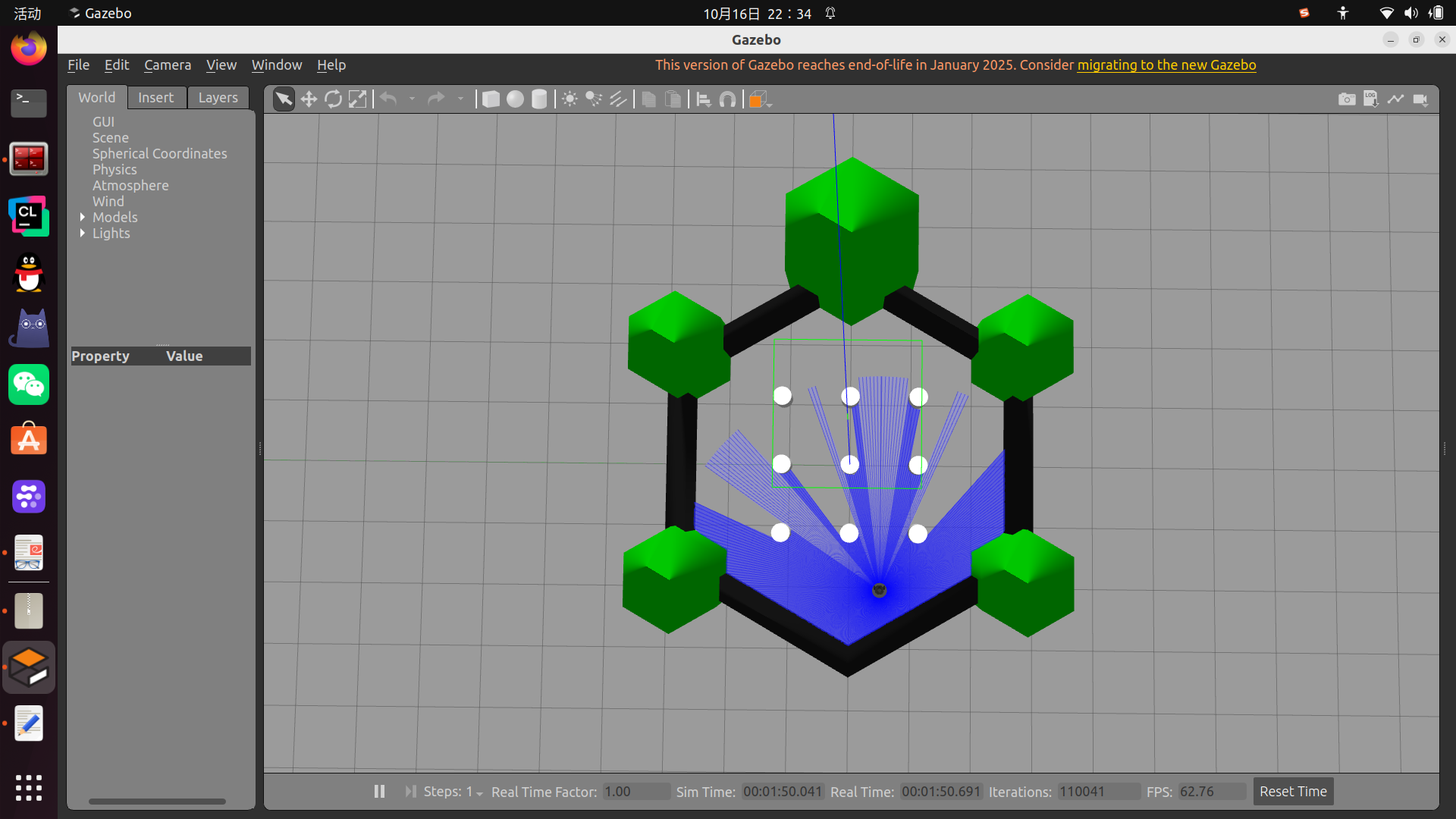
若Gazebo 里没出现小车,99 % 是因为 spawn 环节失败
spawn_entity.py 被 Anaconda 的 Python 3.11 劫持了,而 ROS Humble 的 rclpy 扩展只编译给 系统 Python 3.10,于是找不到 .so → spawn 进程崩 → Gazebo 里只剩空地图。
问题解决(退出 conda 再重跑)
# 1. 退出 conda base
conda deactivate

# 2. 确认用的是系统 3.10
which python3   # 应该 = /usr/bin/python3

# 3. 把刚才残留的 Gazebo 进程杀干净
pkill -f gzserver
pkill -f gzclient

# 4. 重新启动
ros2 launch turtlebot3_gazebo turtlebot3_world.launch.py
看到 Successfully spawned entity turtlebot3_burger 就成功了,小车会出现在地图里。
4.2 键盘遥控小车
ros2 run turtlebot3_teleop teleop_keyboard方向键移动,空格急停。
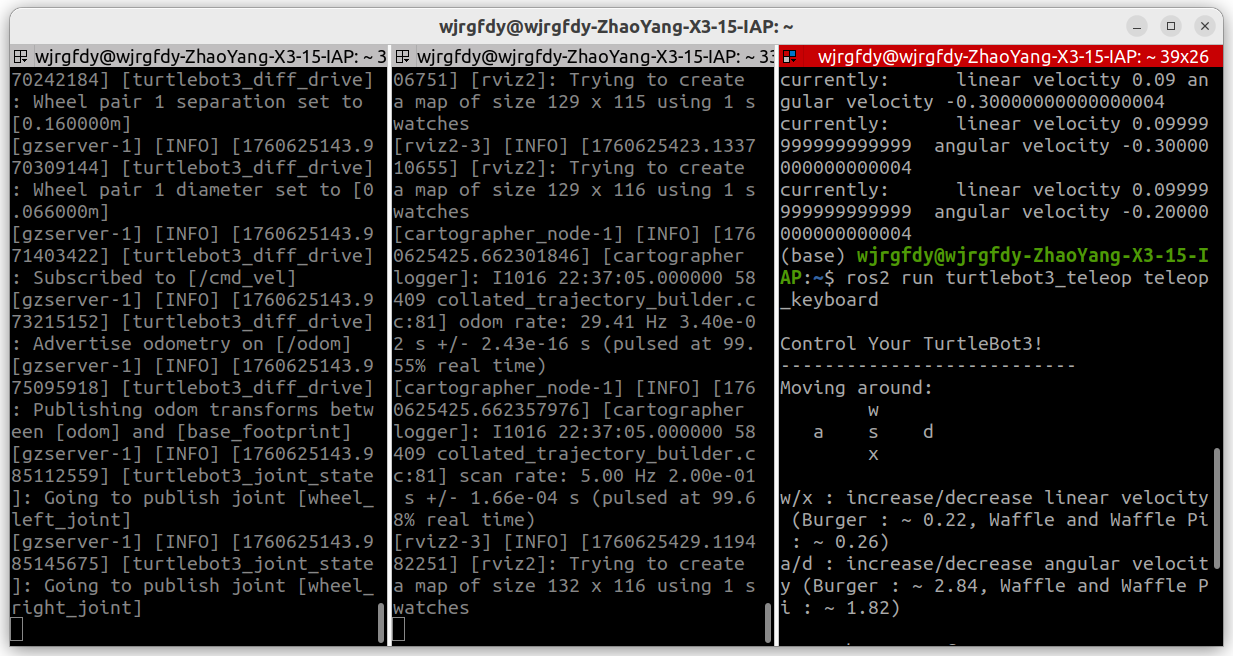
4.3 启动 SLAM
ros2 launch turtlebot3_cartographer cartographer.launch.py use_sim_time:=True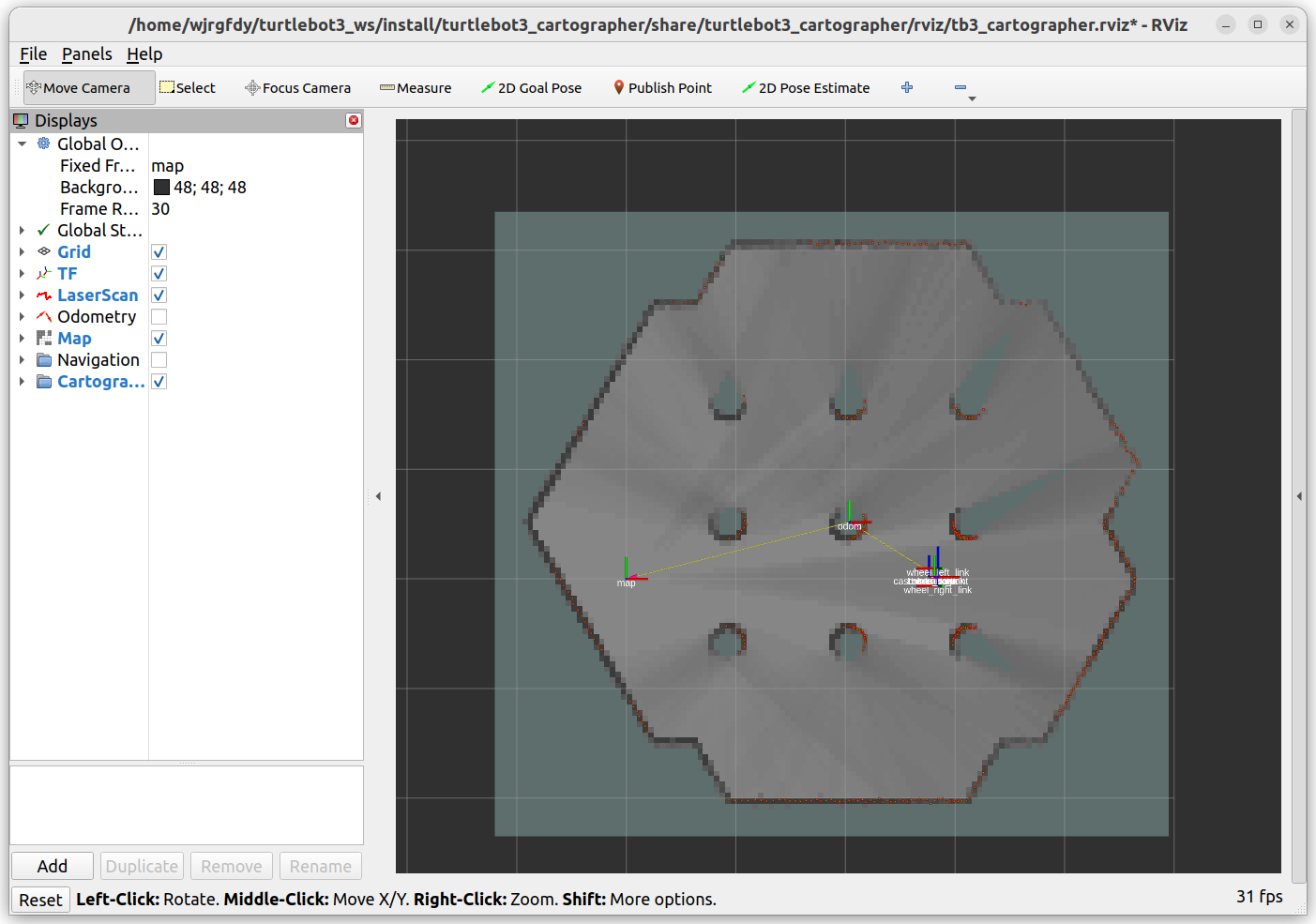
4.4 启动 RViz(可视化模型 + 点云 + 地图)
ros2 launch turtlebot3_bringup rviz2.launch.py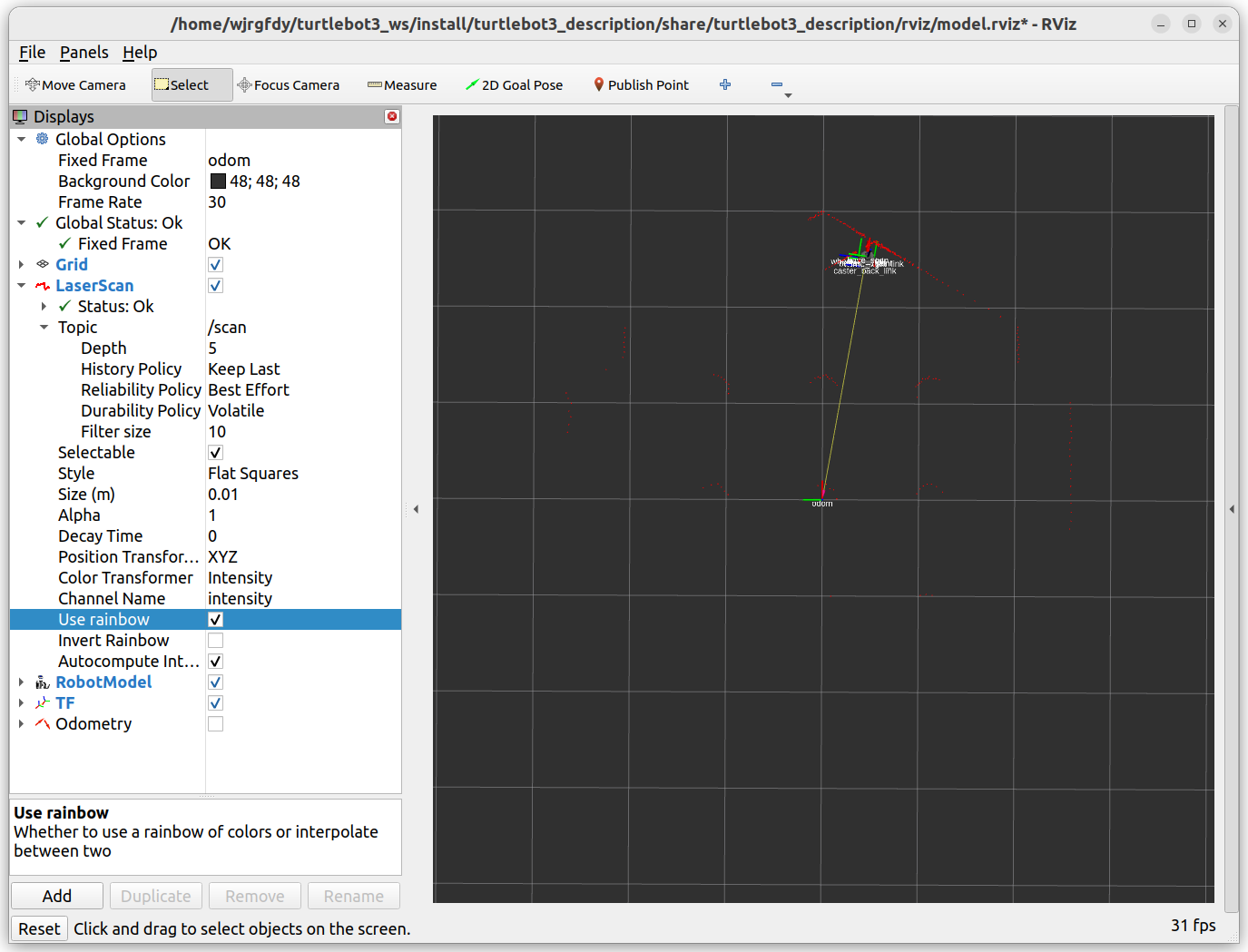
二、在gazebo仿真场景中添加3台turtolebot3无人车(法一)
1 创建功能包
ROS2 里所有节点、launch 文件、参数、脚本……都必须属于某个功能包。
所以我们要先创建一个空的功能包,再把 multi_tb3.launch.py 塞进去。
📁 整体文件架构
你的工作空间(例如:~/turtlebot3_ws/)
├── src/
│   └── my_turtlebot3_sim/              # 你自定义的功能包
│       ├── launch/
│       │   ├── multi_tb3.launch.py     # 多机器人启动文件
│       │   └── single_tb3.launch.py    # 单机器人启动文件
│       ├── worlds/
│       │   └── my_world.world          # 你的Gazebo世界文件
│       ├── config/
│       │   └── rviz/
│       │       └── multi_tb3.rviz      # RViz配置文件
│       ├── package.xml
│       └── setup.py
├── build/
├── install/
└── log/
1.1 创建空功能包
mkdir -p ~/turtlebot3_ws/src

cd ~/turtlebot3_ws/src
ros2 pkg create my_turtlebot3_sim --build-type ament_python --dependencies rclpy launch gazebo_ros turtlebot3_gazebo
1.2 创建launch文件目录和文件
cd my_turtlebot3_sim
mkdir launch
mkdir worlds
mkdir -p config/rviz
2 写 launch 文件
2.1 创建launch文件 launch/multi_tb3.launch.py
cd ~/turtlebot3_ws/src/my_turtlebot3_sim/launch
gedit multi_tb3.launch.py
2.2 写launch文件
import os
from ament_index_python.packages import get_package_share_directory
from launch import LaunchDescription
from launch.actions import IncludeLaunchDescription, TimerAction
from launch.launch_description_sources import PythonLaunchDescriptionSource
from launch_ros.actions import Node
from launch.actions import ExecuteProcess

def generate_launch_description():

    os.environ['TURTLEBOT3_MODEL'] = 'burger'

    ld = LaunchDescription()

    # 使用 gazebo_ros 包启动 Gazebo
    gazebo_launch = IncludeLaunchDescription(
        PythonLaunchDescriptionSource([
            get_package_share_directory('gazebo_ros'),
            '/launch/gazebo.launch.py'
        ]),
        launch_arguments={
            'world': 'worlds/empty.world',
            'verbose': 'true'
        }.items()
    )
    ld.add_action(gazebo_launch)

    # 机器人配置 - 现在为每个机器人设置命名空间
    robots = [
        {'name': 'tb3_0', 'x': '0.0', 'y': '0.0', 'z': '0.1', 'namespace': 'tb3_0'},
        {'name': 'tb3_1', 'x': '1.5', 'y': '0.0', 'z': '0.1', 'namespace': 'tb3_1'},
        {'name': 'tb3_2', 'x': '-1.5', 'y': '0.0', 'z': '0.1', 'namespace': 'tb3_2'}
    ]

    # 延迟生成机器人
    for i, robot in enumerate(robots):
        spawn_delay = 10.0 + i * 3.0  # 增加间隔时间

        spawn_robot = TimerAction(
            period=spawn_delay,
            actions=[
                ExecuteProcess(
                    cmd=['ros2', 'run', 'gazebo_ros', 'spawn_entity.py',
                         '-entity', robot['name'],
                         '-x', robot['x'], '-y', robot['y'], '-z', robot['z'],
                         '-robot_namespace', robot['namespace'],  # 添加命名空间参数
                         '-file', '/opt/ros/humble/share/turtlebot3_gazebo/models/turtlebot3_burger/model.sdf'],
                    output='screen'
                )
            ]
        )
        ld.add_action(spawn_robot)

    return ld
3 创建世界文件(可选)
3.1 创建 worlds/empty.world 文件
(Gazebo自带的空世界,或者你可以使用自己的世界文件):
cd ~/turtlebot3_ws/src/my_turtlebot3_sim/worlds
gedit empty.world
3.2 写world文件
<?xml version="1.0" ?>
<sdf version="1.6">
  <world name="empty">
    <include>
      <uri>model://ground_plane</uri>
    </include>
    <include>
      <uri>model://sun</uri>
    </include>
  </world>
</sdf>
4. 修改package.xml
确保你的package.xml包含必要的依赖:
<?xml version="1.0"?>
<?xml-model href="http://download.ros.org/schema/package_format3.xsd" schematypelocation="http://www.ros.org/schema/package_format3.xsd"?>
<package format="3">
  <name>my_turtlebot3_sim</name>
  <version>0.0.0</version>
  <description>Multi TurtleBot3 simulation package</description>
  <maintainer email="you@example.com">Your Name</maintainer>
  <license>Apache-2.0</license>

  <depend>rclpy</depend>
  <depend>launch</depend>
  <depend>gazebo_ros</depend>
  <depend>turtlebot3_gazebo</depend>
  <depend>robot_state_publisher</depend>

  <export>
    <build_type>ament_python</build_type>
  </export>
</package>
5 修改setup.py文件
让 ROS2 能找到你的 launch 文件
ROS2 不会自动扫描 launch/ 目录,确保launch文件能被正确安装:
from setuptools import setup
import os
from glob import glob

package_name = 'my_turtlebot3_sim'

setup(
    name=package_name,
    version='0.0.0',
    packages=[package_name],
    data_files=[
        ('share/ament_index/resource_index/packages',
            ['resource/' + package_name]),
        ('share/' + package_name, ['package.xml']),
        # 安装launch文件
        (os.path.join('share', package_name, 'launch'), glob('launch/*.launch.py')),
        # 安装世界文件
        (os.path.join('share', package_name, 'worlds'), glob('worlds/*.world')),
    ],
    install_requires=['setuptools'],
    zip_safe=True,
    maintainer='Your Name',
    maintainer_email='you@example.com',
    description='Multi TurtleBot3 simulation package',
    license='Apache-2.0',
    tests_require=['pytest'],
    entry_points={
        'console_scripts': [
        ],
    },
)
6. 编译和运行
6.1 编译
cd ~/turtlebot3_ws
colcon build --packages-select my_turtlebot3_sim
source install/setup.bash
6.2 运行多机器人仿真
conda deactivate

pkill -f gzserver
pkill -f gzclient

ros2 launch my_turtlebot3_sim multi_tb3.launch.py
7 控制三台机器人
关键概念解释:
-
命名空间:
/tb3_0,/tb3_1,/tb3_2-
话题变成:
/tb3_0/cmd_vel,/tb3_1/cmd_vel等 -
服务也相应隔离
-
-
TF前缀:
tb3_0/,tb3_1/,tb3_2/-
坐标框架:
tb3_0/base_link,tb3_1/base_link等 -
避免TF树中的命名冲突
-
启动仿真后,在三个不同的终端中分别控制:
# 终端1 - 控制tb3_0
ROS_NAMESPACE=tb3_0 ros2 run turtlebot3_teleop teleop_keyboard

# 终端2 - 控制tb3_1
ROS_NAMESPACE=tb3_1 ros2 run turtlebot3_teleop teleop_keyboard

# 终端3 - 控制tb3_2
ROS_NAMESPACE=tb3_2 ros2 run turtlebot3_teleop teleop_keyboard
或者
# 控制第一台机器人 (tb3_0)
ros2 run turtlebot3_teleop teleop_keyboard --ros-args -r /cmd_vel:=/tb3_0/cmd_vel

# 控制第二台机器人 (tb3_1) - 新终端
ros2 run turtlebot3_teleop teleop_keyboard --ros-args -r /cmd_vel:=/tb3_1/cmd_vel

# 控制第三台机器人 (tb3_2) - 新终端
ros2 run turtlebot3_teleop teleop_keyboard --ros-args -r /cmd_vel:=/tb3_2/cmd_vel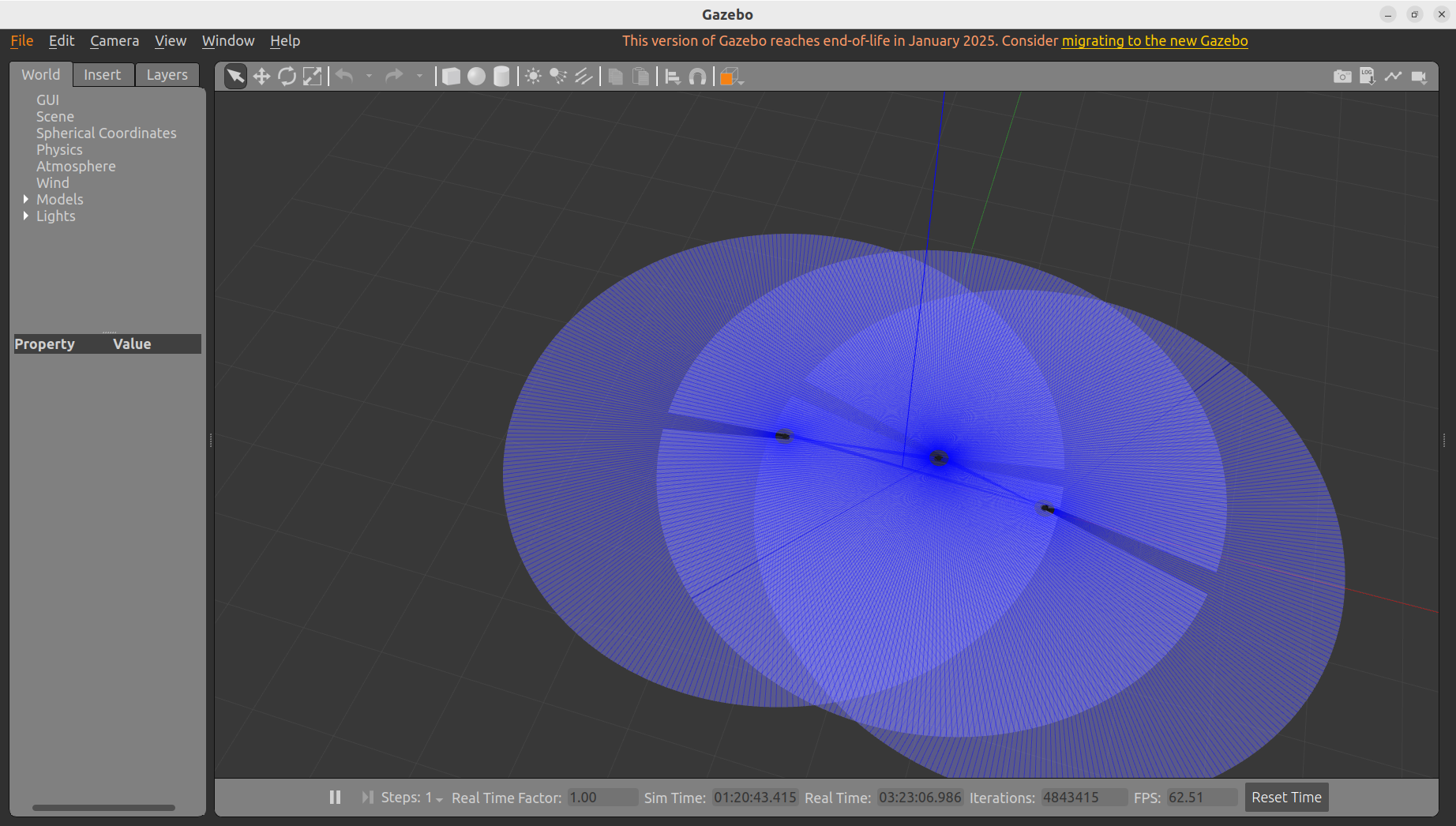
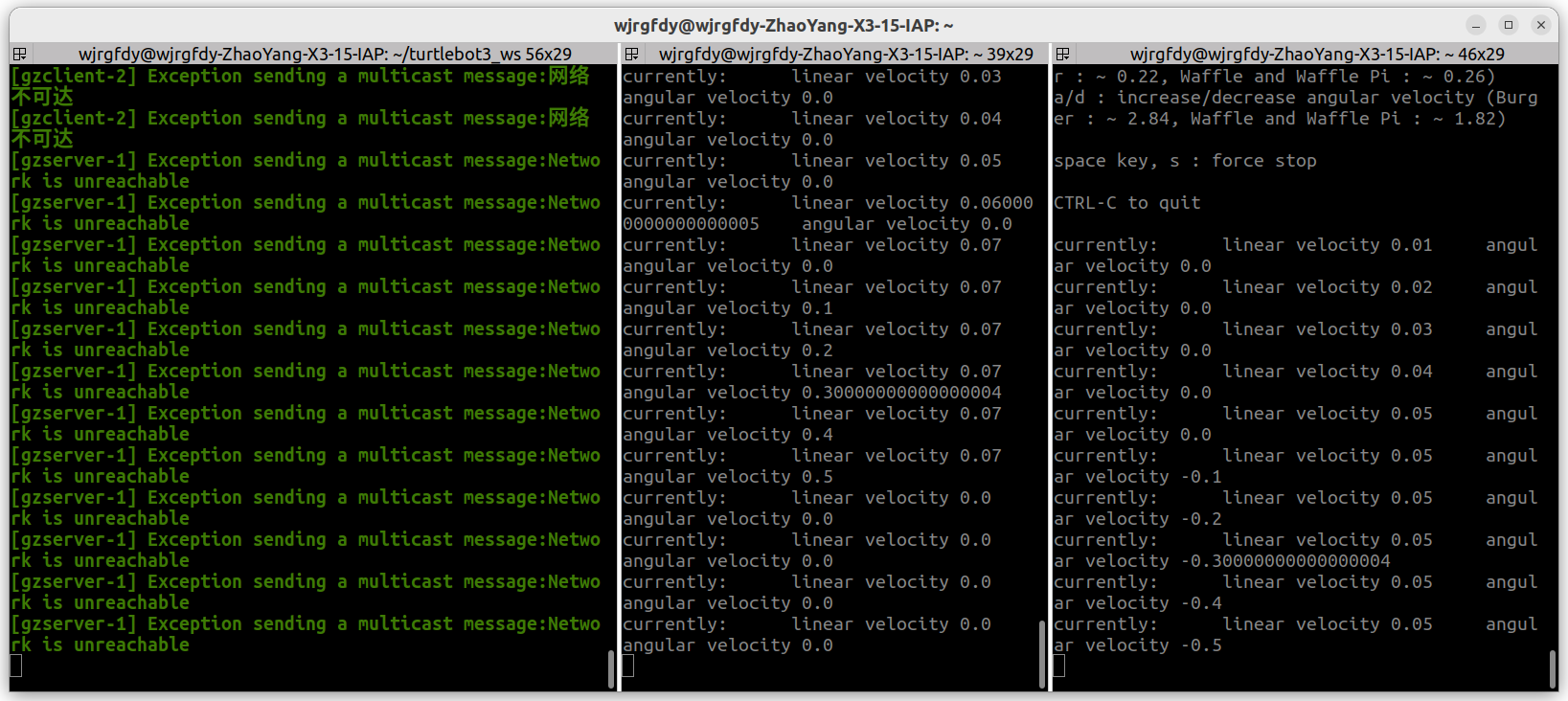
二、在gazebo仿真场景中添加3台turtolebot3无人车(法二)
直接修改turtlebot3原文件multi_robot.launch.py,更推荐,不卡,可扩展
文件位置/home/wjrgfdy/turtlebot3_ws/src/turtlebot3_simulations/turtlebot3_gazebo/launch
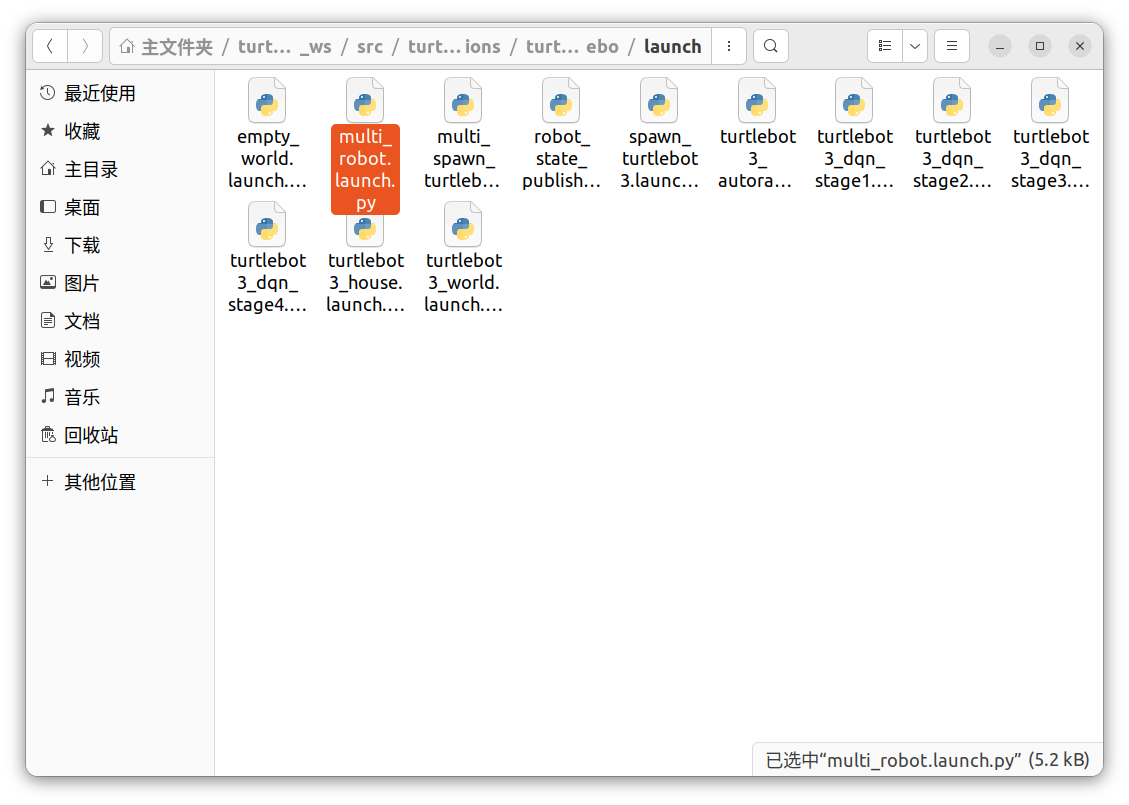
原文件内容如下:
#!/usr/bin/env python3
#
# Copyright 2019 ROBOTIS CO., LTD.
#
# Licensed under the Apache License, Version 2.0 (the "License");
# you may not use this file except in compliance with the License.
# You may obtain a copy of the License at
#
#     http://www.apache.org/licenses/LICENSE-2.0
#
# Unless required by applicable law or agreed to in writing, software
# distributed under the License is distributed on an "AS IS" BASIS,
# WITHOUT WARRANTIES OR CONDITIONS OF ANY KIND, either express or implied.
# See the License for the specific language governing permissions and
# limitations under the License.
#
# Authors: Joep Tool, HyunGyu Kim

import os
import xml.etree.ElementTree as ET

from ament_index_python.packages import get_package_share_directory
from launch import LaunchDescription
from launch.actions import GroupAction
from launch.actions import IncludeLaunchDescription
from launch.actions import RegisterEventHandler
from launch.event_handlers import OnShutdown
from launch.launch_description_sources import PythonLaunchDescriptionSource
from launch.substitutions import LaunchConfiguration
from launch_ros.actions import PushRosNamespace


def generate_launch_description():
    TURTLEBOT3_MODEL = os.environ['TURTLEBOT3_MODEL']

    number_of_robots = 4
    namespace = 'TB3'
    pose = [[-2, -0.5], [0.5, -2], [2, 0.5], [-0.5, 2]]
    model_folder = 'turtlebot3_' + TURTLEBOT3_MODEL
    urdf_path = os.path.join(
        get_package_share_directory('turtlebot3_gazebo'),
        'models',
        model_folder,
        'model.sdf'
    )
    save_path = os.path.join(
        get_package_share_directory('turtlebot3_gazebo'),
        'models',
        model_folder,
        'tmp'
    )
    launch_file_dir = os.path.join(get_package_share_directory('turtlebot3_gazebo'), 'launch')
    pkg_gazebo_ros = get_package_share_directory('gazebo_ros')

    use_sim_time = LaunchConfiguration('use_sim_time', default='false')

    world = os.path.join(
        get_package_share_directory('turtlebot3_gazebo'),
        'worlds',
        'turtlebot3_world.world'
    )

    gzserver_cmd = IncludeLaunchDescription(
        PythonLaunchDescriptionSource(
            os.path.join(pkg_gazebo_ros, 'launch', 'gzserver.launch.py')
        ),
        launch_arguments={'world': world}.items()
    )

    gzclient_cmd = IncludeLaunchDescription(
        PythonLaunchDescriptionSource(
            os.path.join(pkg_gazebo_ros, 'launch', 'gzclient.launch.py')
        )
    )

    robot_state_publisher_cmd_list = []

    for count in range(number_of_robots):
        robot_state_publisher_cmd_list.append(
            IncludeLaunchDescription(
                PythonLaunchDescriptionSource(
                    os.path.join(launch_file_dir, 'robot_state_publisher.launch.py')
                ),
                launch_arguments={
                    'use_sim_time': use_sim_time,
                    'frame_prefix': f'{namespace}_{count+1}'
                    }.items()
            )
        )

    spawn_turtlebot_cmd_list = []

    for count in range(number_of_robots):
        tree = ET.parse(urdf_path)
        root = tree.getroot()
        for odom_frame_tag in root.iter('odometry_frame'):
            odom_frame_tag.text = f'{namespace}_{count+1}/odom'
        for base_frame_tag in root.iter('robot_base_frame'):
            base_frame_tag.text = f'{namespace}_{count+1}/base_footprint'
        for scan_frame_tag in root.iter('frame_name'):
            scan_frame_tag.text = f'{namespace}_{count+1}/base_scan'
        urdf_modified = ET.tostring(tree.getroot(), encoding='unicode')
        urdf_modified = '<?xml version="1.0" ?>\n'+urdf_modified
        with open(f'{save_path}{count+1}.sdf', 'w') as file:
            file.write(urdf_modified)

        spawn_turtlebot_cmd_list.append(
            IncludeLaunchDescription(
                PythonLaunchDescriptionSource(
                    os.path.join(launch_file_dir, 'multi_spawn_turtlebot3.launch.py')
                ),
                launch_arguments={
                        'x_pose': str(pose[count][0]),
                        'y_pose': str(pose[count][1]),
                        'robot_name': f'{TURTLEBOT3_MODEL}_{count+1}',
                        'namespace': f'{namespace}_{count+1}',
                        'sdf_path': f'{save_path}{count+1}.sdf'
                }.items()
            )
        )

    ld = LaunchDescription()
    # Add the commands to the launch description
    ld.add_action(gzserver_cmd)
    ld.add_action(gzclient_cmd)
    ld.add_action(RegisterEventHandler(
        OnShutdown(
            on_shutdown=lambda event,
            context: [os.remove(f'{save_path}{count+1}.sdf') for count in range(number_of_robots)]
        )
    ))
    for count, spawn_turtlebot_cmd in enumerate(spawn_turtlebot_cmd_list, start=1):
        ld.add_action(GroupAction([PushRosNamespace(f'{namespace}_{count}'),
                                  robot_state_publisher_cmd_list[count-1],
                                  spawn_turtlebot_cmd]))

    return ld
将文件复制到/home/wjrgfdy/turtlebot3_ws/src/my_turtlebot3_sim/launch下
📁 整体文件架构
你的工作空间(例如:~/turtlebot3_ws/)
├── src/
│   └── my_turtlebot3_sim/              # 你自定义的功能包
│       ├── launch/
│       │   ├── multi_robot.launch.py   # 修改的turtlebot3原文件
│       │   ├── multi_tb3.launch.py     # 多机器人启动文件
│       │   └── single_tb3.launch.py    # 单机器人启动文件
│       ├── worlds/
│       │   └── my_world.world          # 你的Gazebo世界文件
│       ├── config/
│       │   └── rviz/
│       │       └── multi_tb3.rviz      # RViz配置文件
│       ├── package.xml
│       └── setup.py
├── build/
├── install/
└── log/
修改launch文件后如下,可自选world文件
#!/usr/bin/env python3
#
# Copyright 2019 ROBOTIS CO., LTD.
#
# Licensed under the Apache License, Version 2.0 (the "License");
# you may not use this file except in compliance with the License.
# You may obtain a copy of the License at
#
#     http://www.apache.org/licenses/LICENSE-2.0
#
# Unless required by applicable law or agreed to in writing, software
# distributed under the License is distributed on an "AS IS" BASIS,
# WITHOUT WARRANTIES OR CONDITIONS OF ANY KIND, either express or implied.
# See the License for the specific language governing permissions and
# limitations under the License.
#
# Authors: Joep Tool, HyunGyu Kim

import os
import xml.etree.ElementTree as ET

from ament_index_python.packages import get_package_share_directory
from launch import LaunchDescription
from launch.actions import GroupAction
from launch.actions import IncludeLaunchDescription
from launch.actions import RegisterEventHandler
from launch.event_handlers import OnShutdown
from launch.launch_description_sources import PythonLaunchDescriptionSource
from launch.substitutions import LaunchConfiguration
from launch_ros.actions import PushRosNamespace


def generate_launch_description():
    TURTLEBOT3_MODEL = os.environ['TURTLEBOT3_MODEL']

    number_of_robots = 4
    namespace = 'TB3'
    pose = [[-2, -0.5], [0.5, -2], [2, 0.5], [-0.5, 2]]
    model_folder = 'turtlebot3_' + TURTLEBOT3_MODEL
    urdf_path = os.path.join(
        get_package_share_directory('turtlebot3_gazebo'),
        'models',
        model_folder,
        'model.sdf'
    )
    save_path = os.path.join(
        get_package_share_directory('turtlebot3_gazebo'),
        'models',
        model_folder,
        'tmp'
    )
    launch_file_dir = os.path.join(get_package_share_directory('turtlebot3_gazebo'), 'launch')
    pkg_gazebo_ros = get_package_share_directory('gazebo_ros')
    pkg_my_turtlebot3_sim = get_package_share_directory('my_turtlebot3_sim')

    use_sim_time = LaunchConfiguration('use_sim_time', default='false')

    world = os.path.join(pkg_my_turtlebot3_sim, 'worlds', 'myworld.world')

    gzserver_cmd = IncludeLaunchDescription(
        PythonLaunchDescriptionSource(
            os.path.join(pkg_gazebo_ros, 'launch', 'gzserver.launch.py')
        ),
        launch_arguments={'world': world}.items()
    )

    gzclient_cmd = IncludeLaunchDescription(
        PythonLaunchDescriptionSource(
            os.path.join(pkg_gazebo_ros, 'launch', 'gzclient.launch.py')
        )
    )

    robot_state_publisher_cmd_list = []

    for count in range(number_of_robots):
        robot_state_publisher_cmd_list.append(
            IncludeLaunchDescription(
                PythonLaunchDescriptionSource(
                    os.path.join(launch_file_dir, 'robot_state_publisher.launch.py')
                ),
                launch_arguments={
                    'use_sim_time': use_sim_time,
                    'frame_prefix': f'{namespace}_{count+1}'
                    }.items()
            )
        )

    spawn_turtlebot_cmd_list = []

    for count in range(number_of_robots):
        tree = ET.parse(urdf_path)
        root = tree.getroot()
        for odom_frame_tag in root.iter('odometry_frame'):
            odom_frame_tag.text = f'{namespace}_{count+1}/odom'
        for base_frame_tag in root.iter('robot_base_frame'):
            base_frame_tag.text = f'{namespace}_{count+1}/base_footprint'
        for scan_frame_tag in root.iter('frame_name'):
            scan_frame_tag.text = f'{namespace}_{count+1}/base_scan'
        urdf_modified = ET.tostring(tree.getroot(), encoding='unicode')
        urdf_modified = '<?xml version="1.0" ?>\n'+urdf_modified
        with open(f'{save_path}{count+1}.sdf', 'w') as file:
            file.write(urdf_modified)

        spawn_turtlebot_cmd_list.append(
            IncludeLaunchDescription(
                PythonLaunchDescriptionSource(
                    os.path.join(launch_file_dir, 'multi_spawn_turtlebot3.launch.py')
                ),
                launch_arguments={
                        'x_pose': str(pose[count][0]),
                        'y_pose': str(pose[count][1]),
                        'robot_name': f'{TURTLEBOT3_MODEL}_{count+1}',
                        'namespace': f'{namespace}_{count+1}',
                        'sdf_path': f'{save_path}{count+1}.sdf'
                }.items()
            )
        )

    ld = LaunchDescription()
    # Add the commands to the launch description
    ld.add_action(gzserver_cmd)
    ld.add_action(gzclient_cmd)
    ld.add_action(RegisterEventHandler(
        OnShutdown(
            on_shutdown=lambda event,
            context: [os.remove(f'{save_path}{count+1}.sdf') for count in range(number_of_robots)]
        )
    ))
    for count, spawn_turtlebot_cmd in enumerate(spawn_turtlebot_cmd_list, start=1):
        ld.add_action(GroupAction([PushRosNamespace(f'{namespace}_{count}'),
                                  robot_state_publisher_cmd_list[count-1],
                                  spawn_turtlebot_cmd]))

    return ld
编译运行
cd ~/turtlebot3_ws
colcon build --packages-select my_turtlebot3_sim
source install/setup.bash

conda deactivate

pkill -f gzserver
pkill -f gzclient

ros2 launch my_turtlebot3_sim multi_robot.launch.py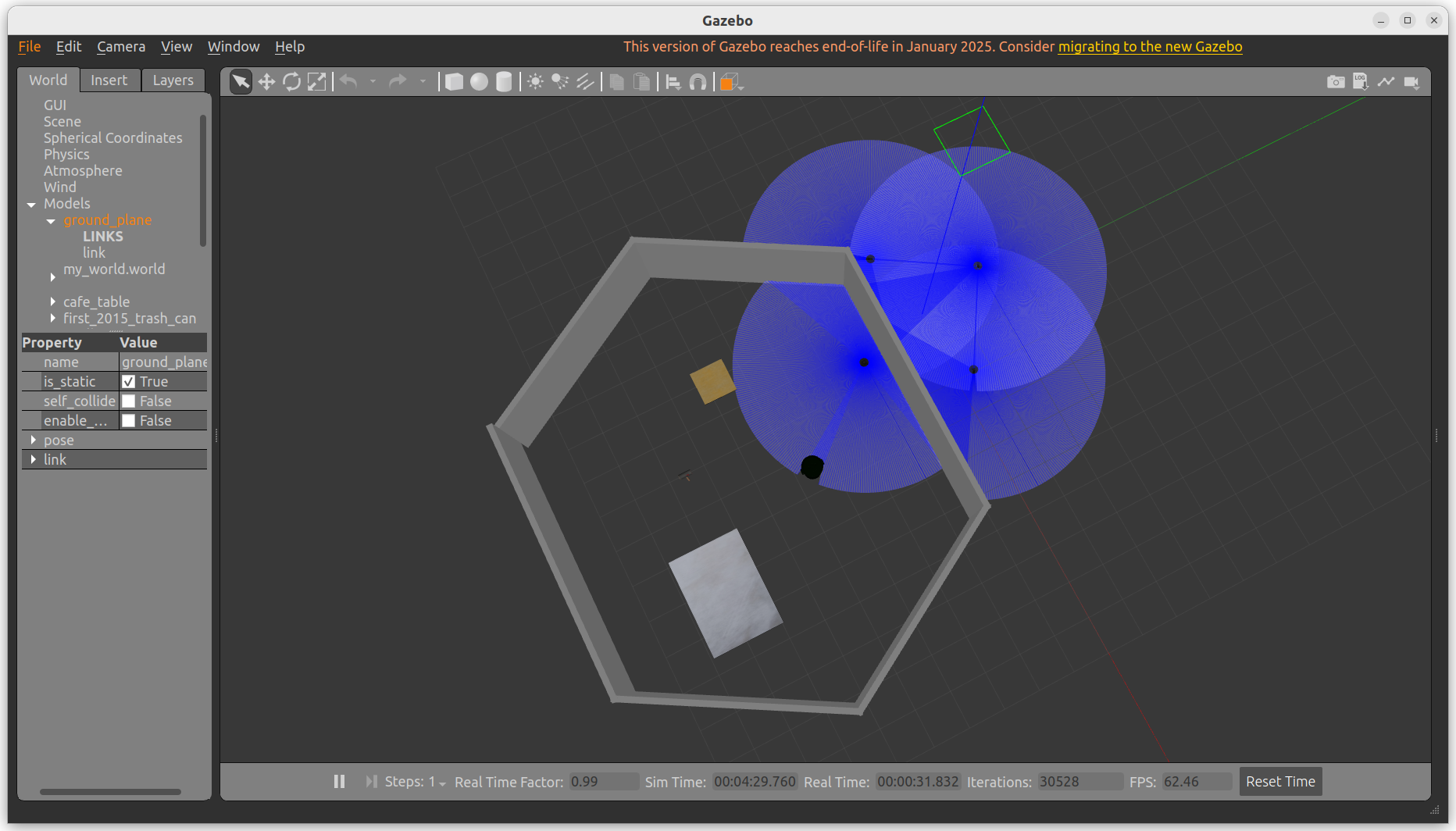
控制机器人移动
ros2 run teleop_twist_keyboard teleop_twist_keyboard --ros-args -r cmd_vel:=/TB3_1/cmd_vel

ros2 run teleop_twist_keyboard teleop_twist_keyboard --ros-args -r cmd_vel:=/TB3_2/cmd_vel

ros2 run teleop_twist_keyboard teleop_twist_keyboard --ros-args -r cmd_vel:=/TB3_3/cmd_vel

ros2 run teleop_twist_keyboard teleop_twist_keyboard --ros-args -r cmd_vel:=/TB3_4/cmd_vel
中国智能体开发者社区,聚焦智能体与大模型开发,提供前沿资讯、实用工具链、开源项目及行业案例。通过技术沙龙、开发者大赛等活动,促进经验交流与协作,助力开发者快速构建创新智能应用。
更多推荐

 12
12 0
0- 0


 已为社区贡献1条内容

所有评论(0)