vue中嵌入Power Bi报表,结合Microsoft Azure管理中心的客户端授权认证模式进行实现
最近公司项目中需要在vue的前端页面中展示powerbi的报表,网上可以参考的资料很少,随后又询问deepseek以及chatgpt,给出的方案总是零零散散的不能用,不过还好,经过本人这些天的不懈努力终于是成功了,话不多说,直接开整。
前言
最近公司项目中需要在vue的前端页面中展示powerbi的报表,网上可以参考的资料很少,随后又询问deepseek以及chatgpt,给出的方案总是零零散散的不能用,不过还好,经过本人这些天的不懈努力终于是成功了,话不多说,直接开整。
1.Power Bi配置
能需要展示Power Bi报表的项目,多半是已经拥有Power Bi的使用权限的,这里就不再赘述了,如果没有Power Bi使用权限的可以去网上找一下相关的文档。
1.1.新建工作区
1.1.1工作区->新建工作区->填入工作区名称->应用
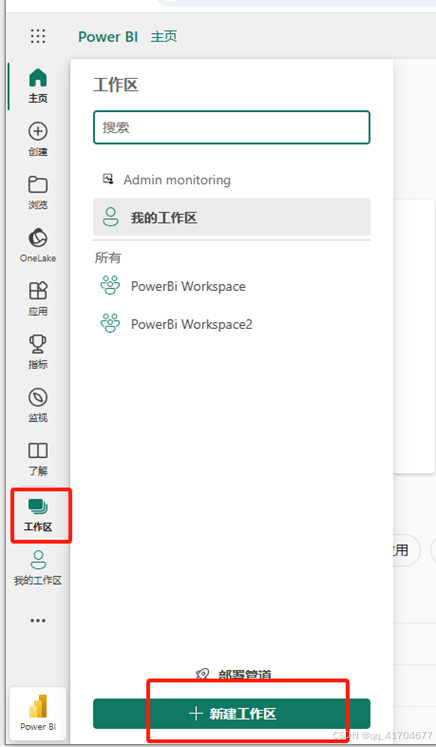
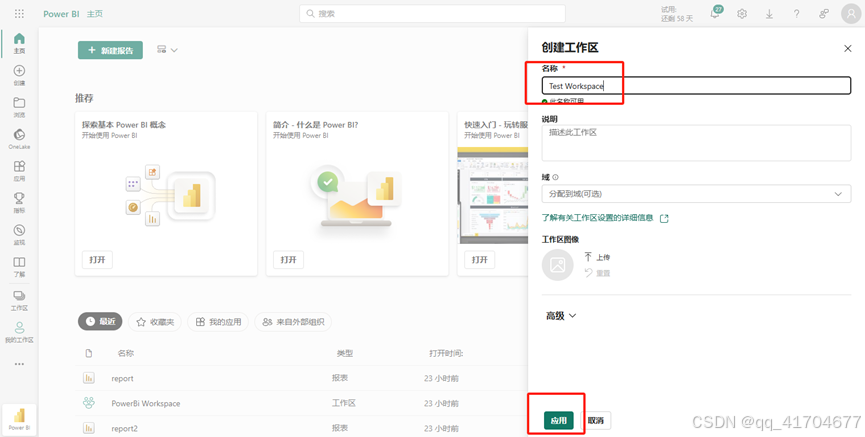
1.2.创建报表
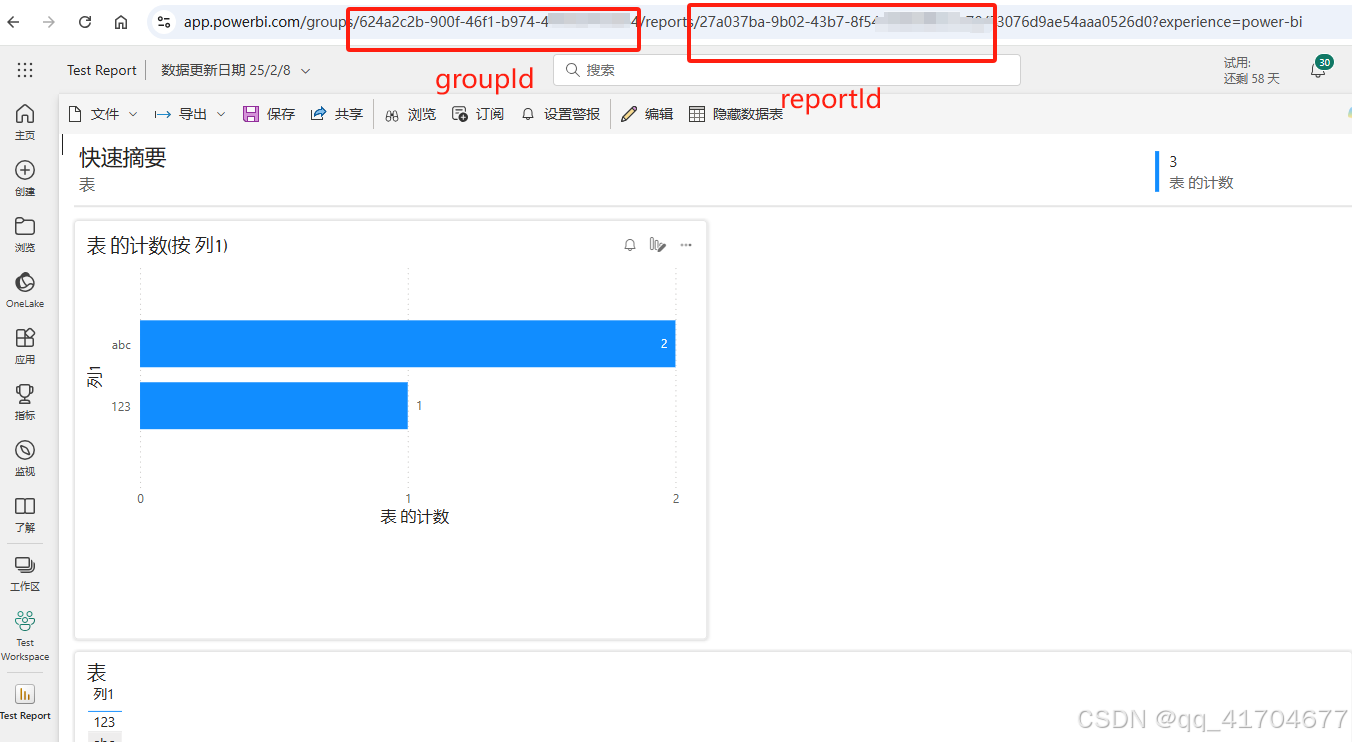
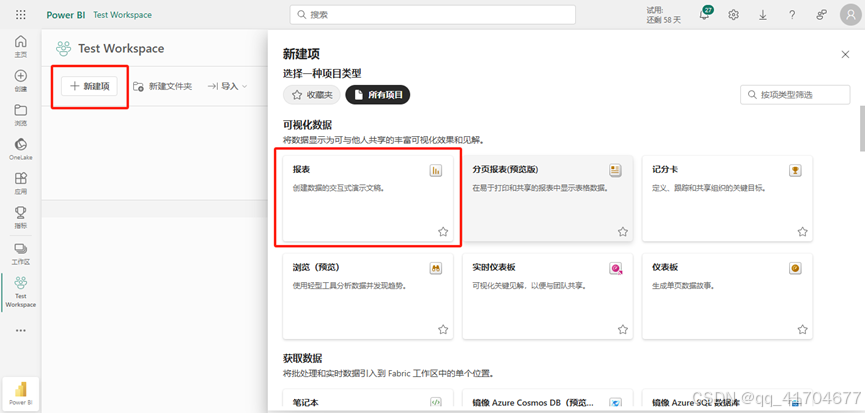 注:创建报表后记录下该报表的groupId以及reportId,后续代码中需要配置
groupId是表示该工作区的id,同一个工作区的报表groupId是相同的,reportId表示的是该报表的id
1.3.创建工作区标识
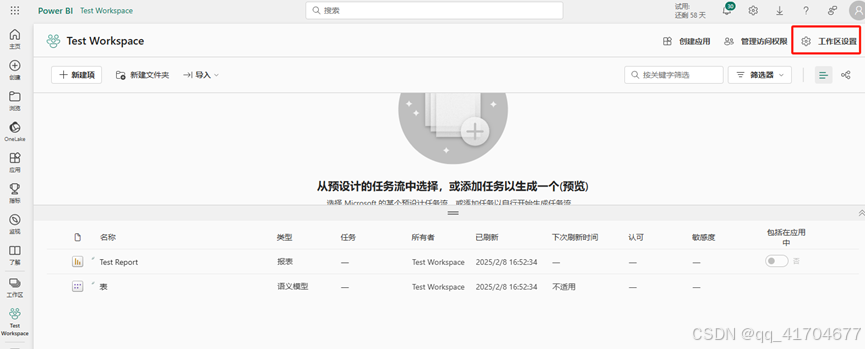
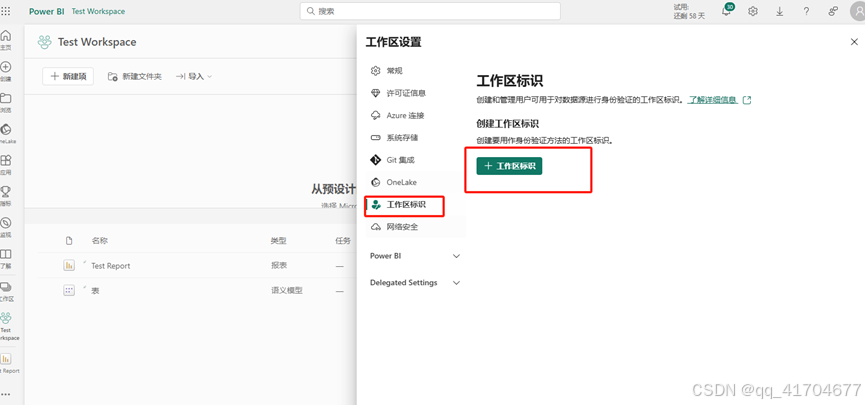
1.4.添加工作区权限
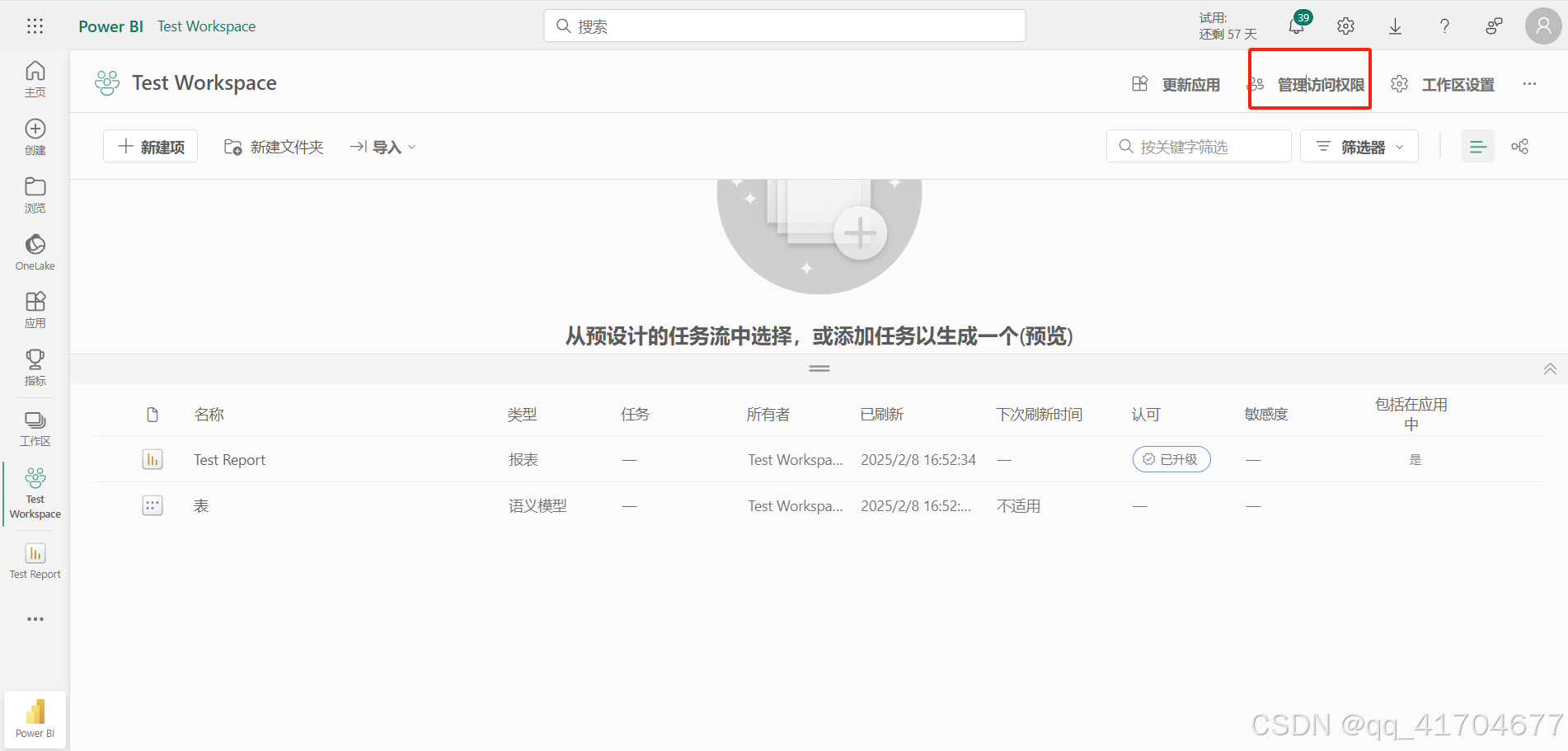
将工作区名称填入,并设置为管理员
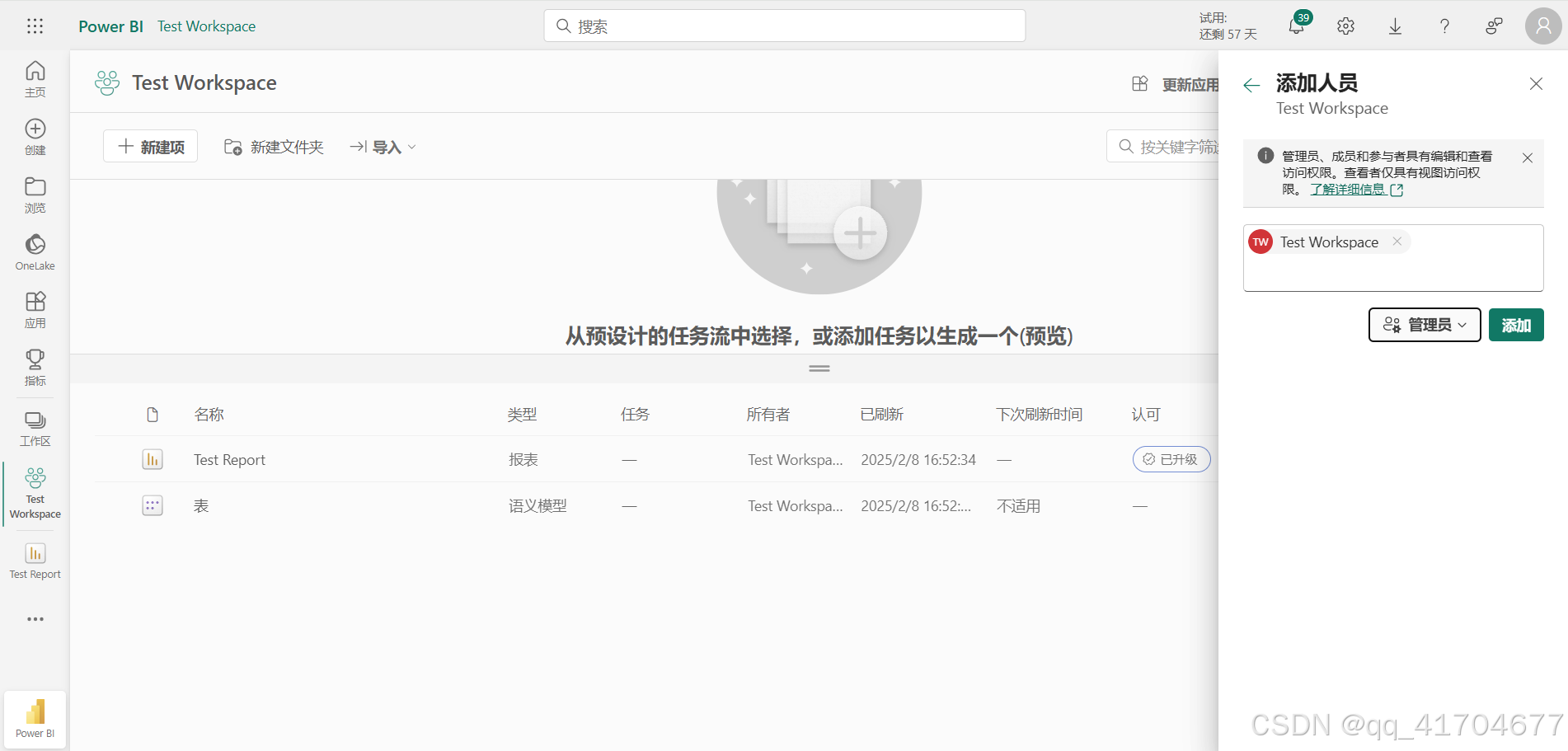
2.配置Microsoft Azure
附:Microsoft Azure管理中心可以用于开发集成微软msal统一认证及微软saml单一认证,后续有时间会单独出一篇关于msal及saml认证的说明。
上面步骤创建完工作区的工作区标识后,会在Microsoft Azure中自动生成新的应用,打开Microsoft Azure,在应用注册中查看是否有刚创建的工作区应用
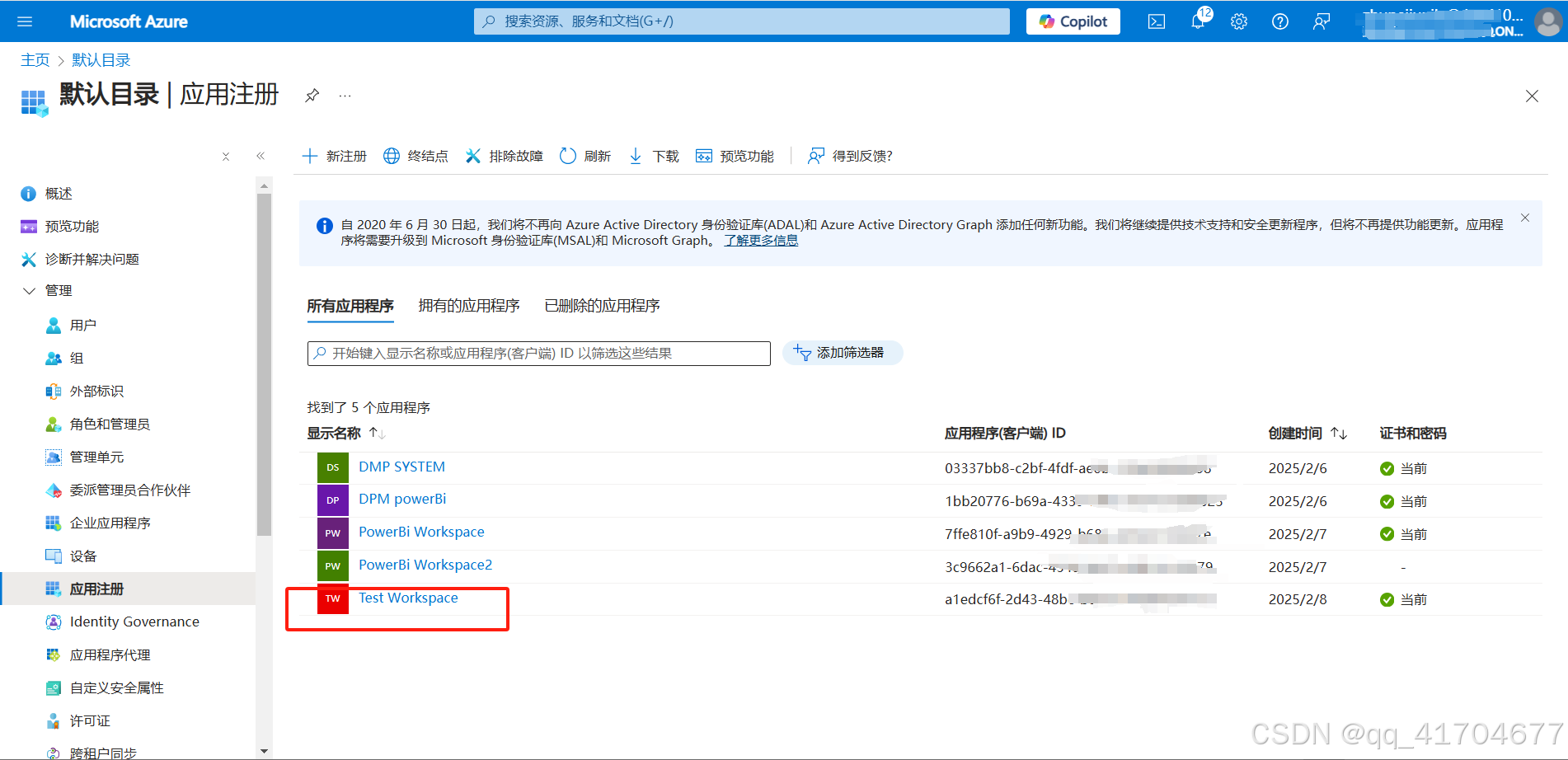
2.1.记录clientId以及tenantId以供代码中使用
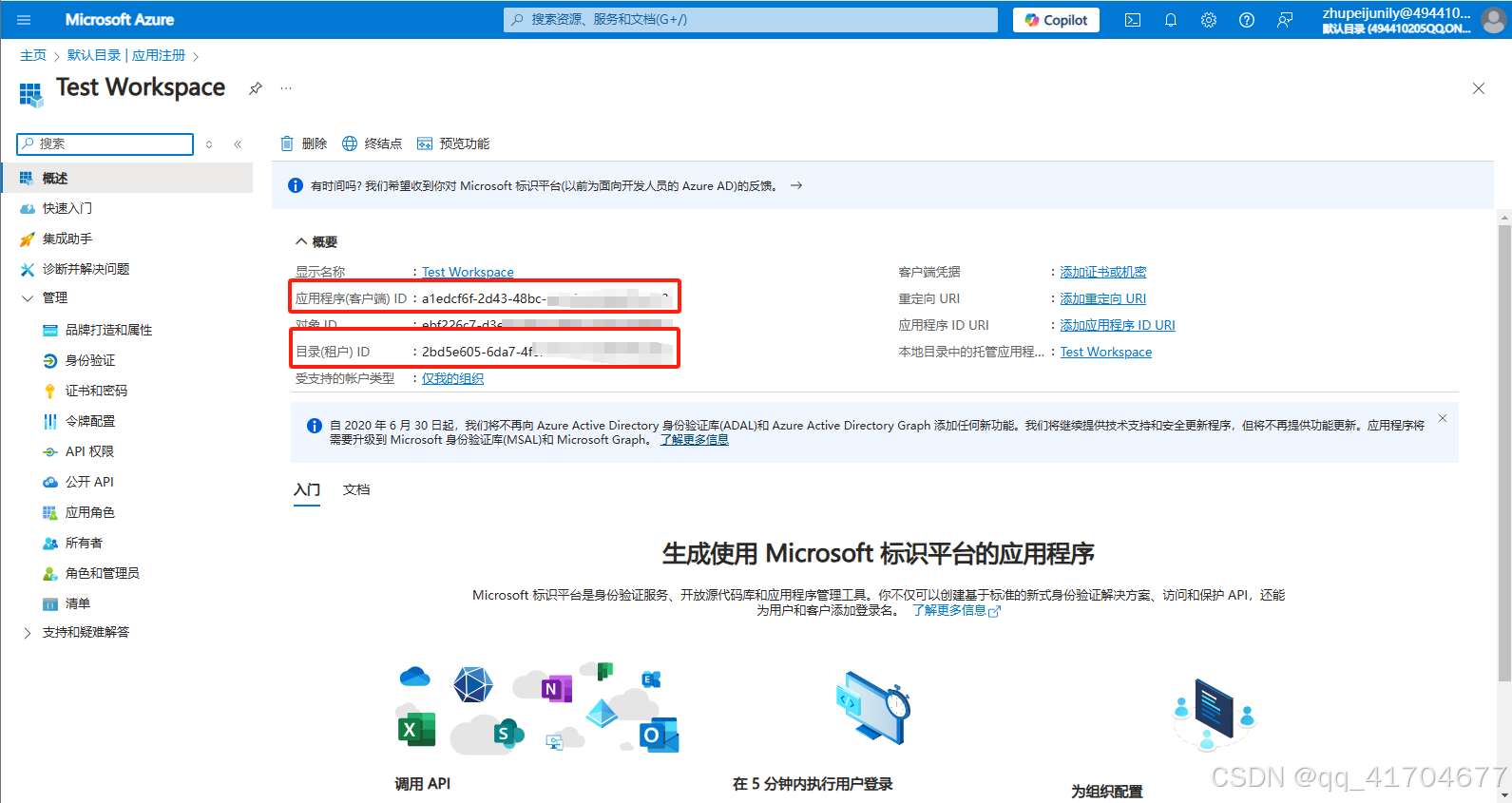
2.2.配置客户端凭据
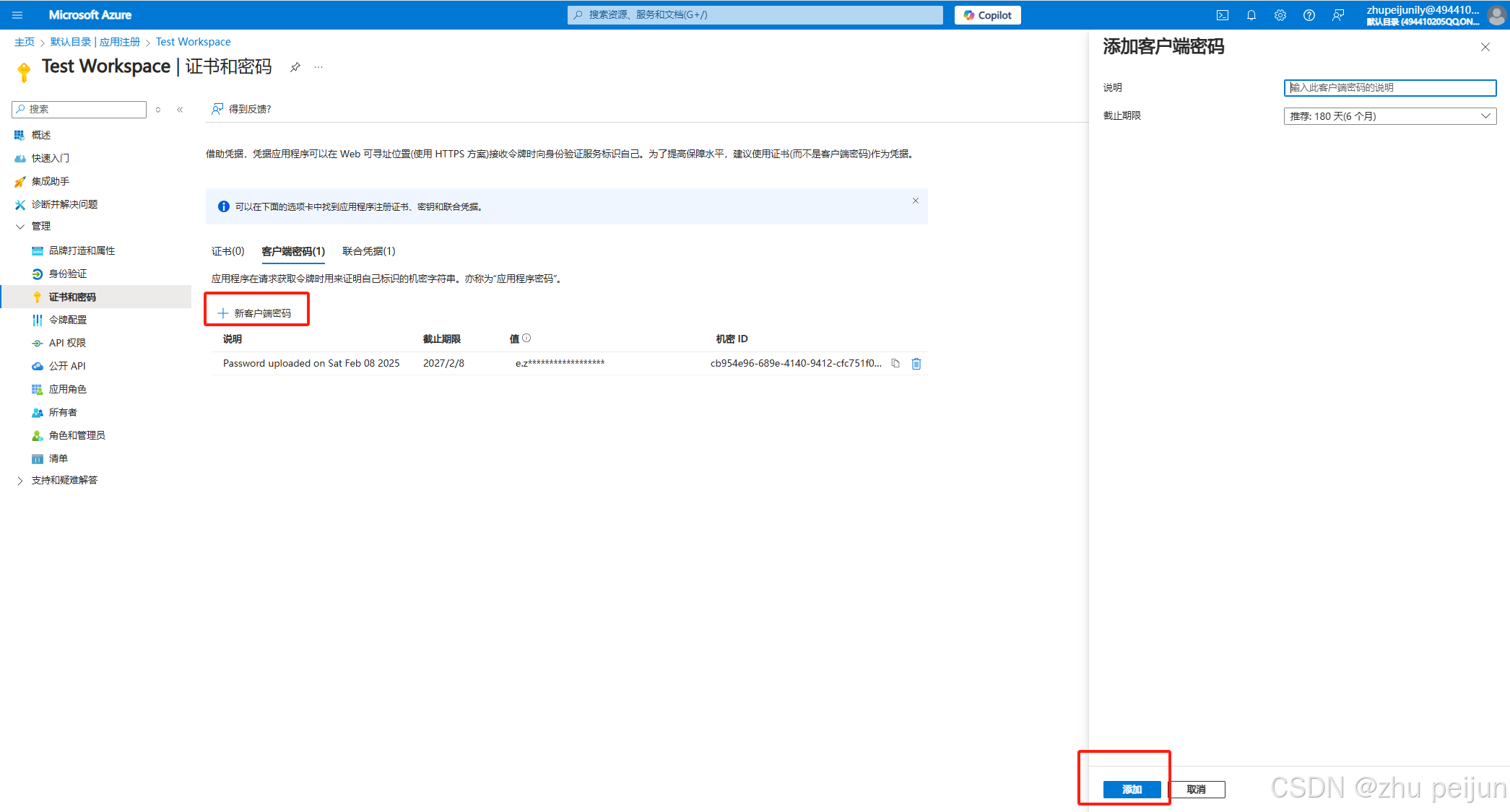
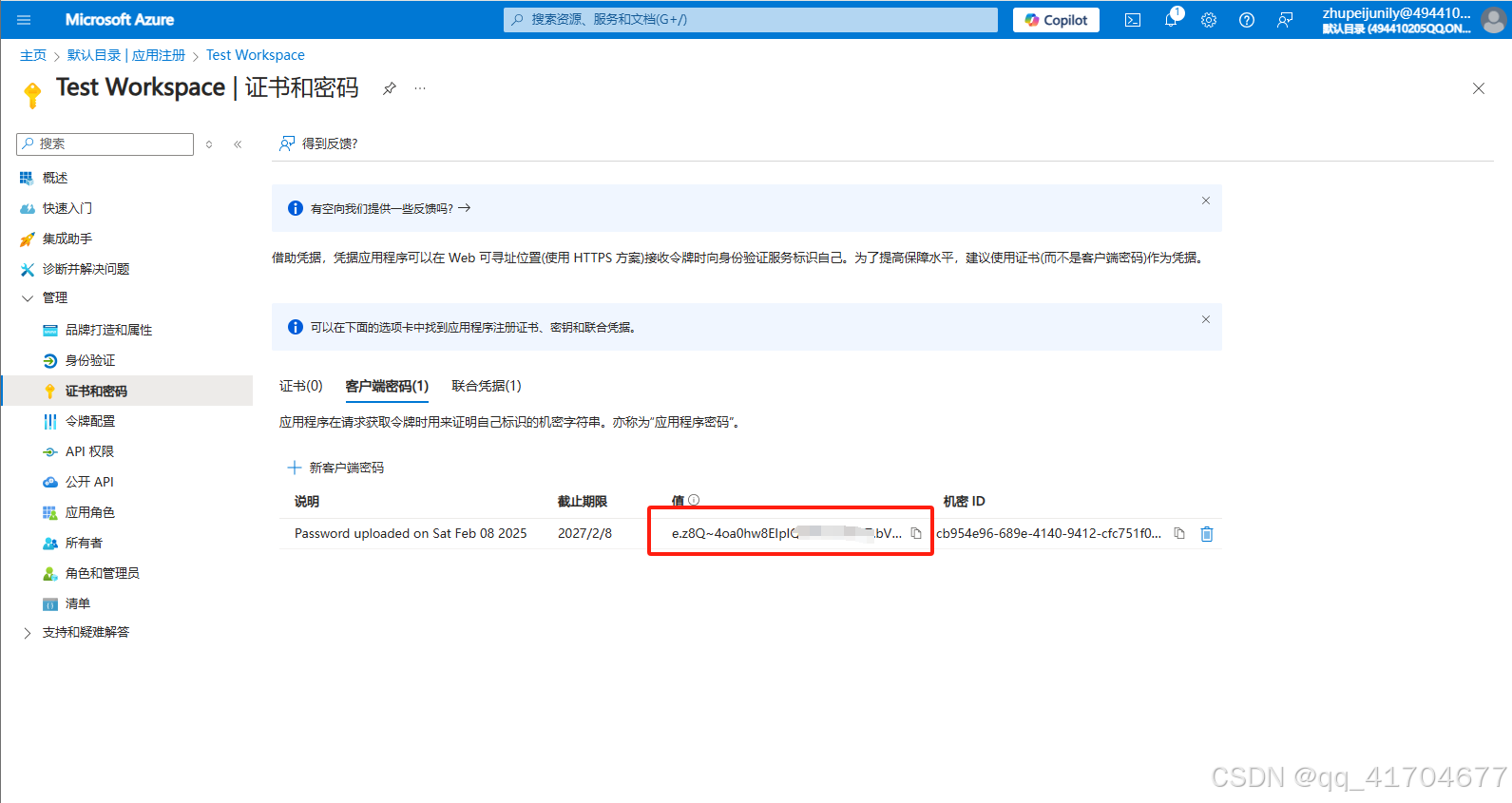
创建后及时保存秘钥值,因为只有创建时可以看到,后续就看不到了,另外代码中也需要用到
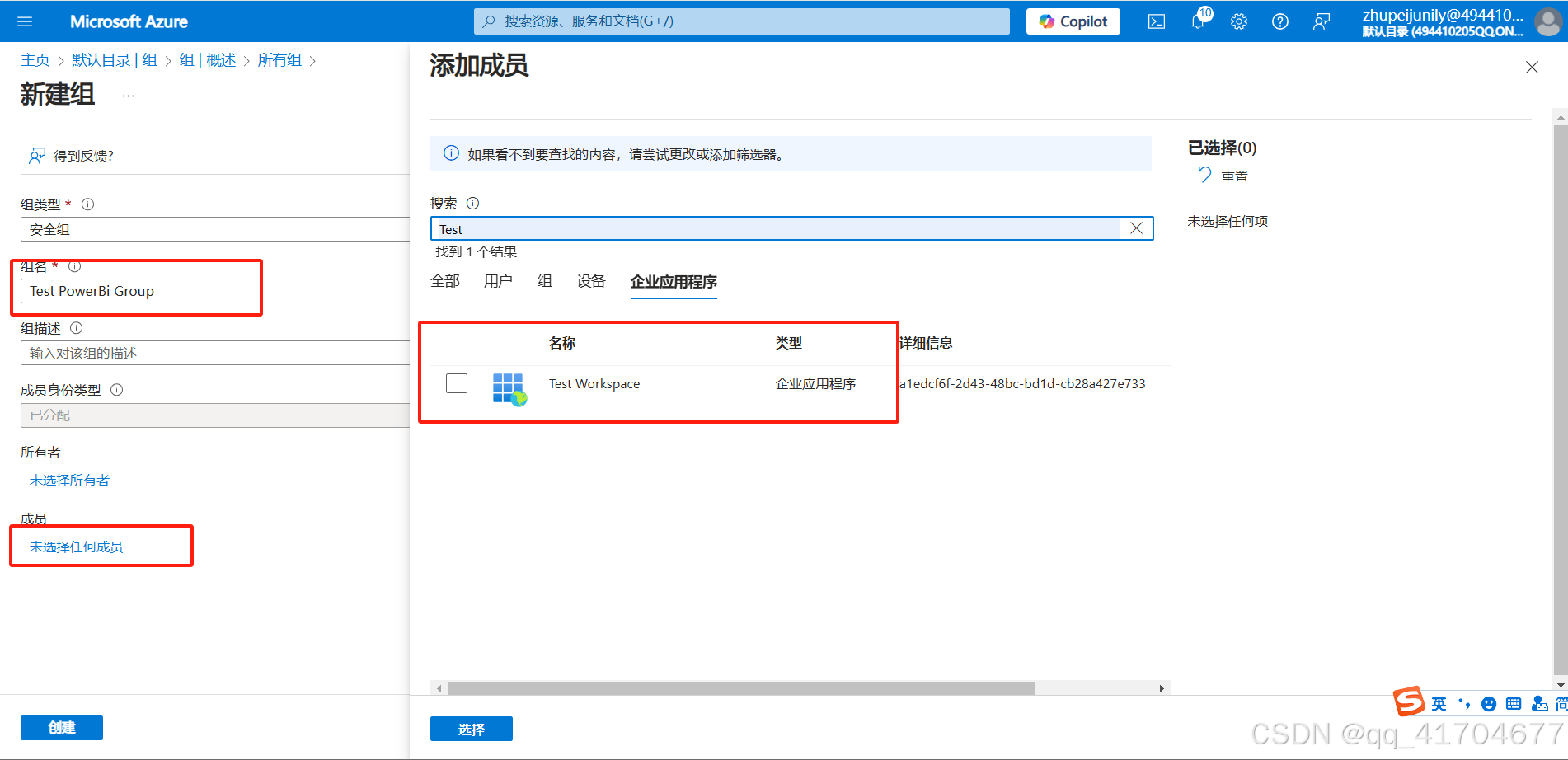
2.3.创建安全组
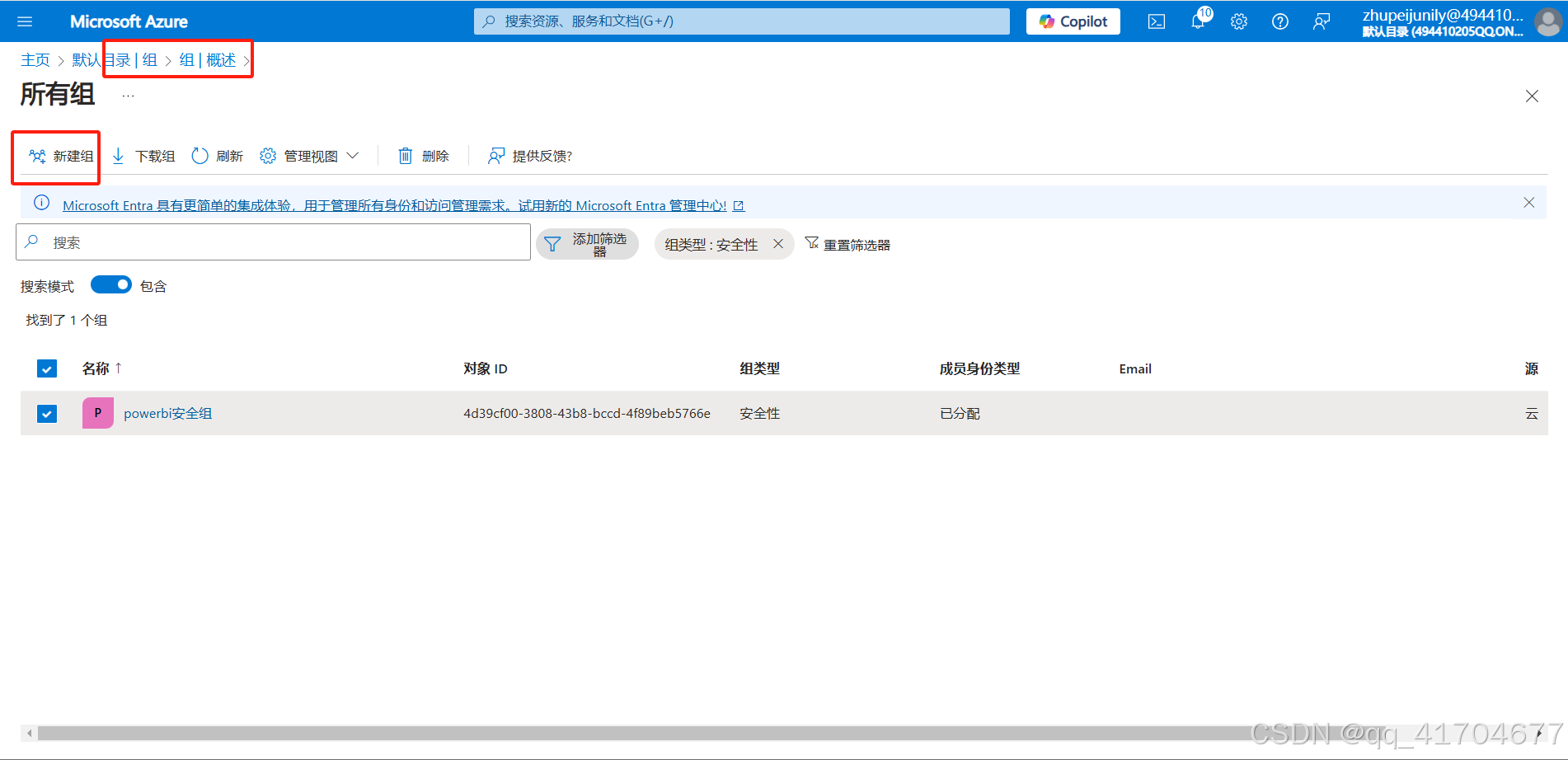
重要:将应用程序加入组内
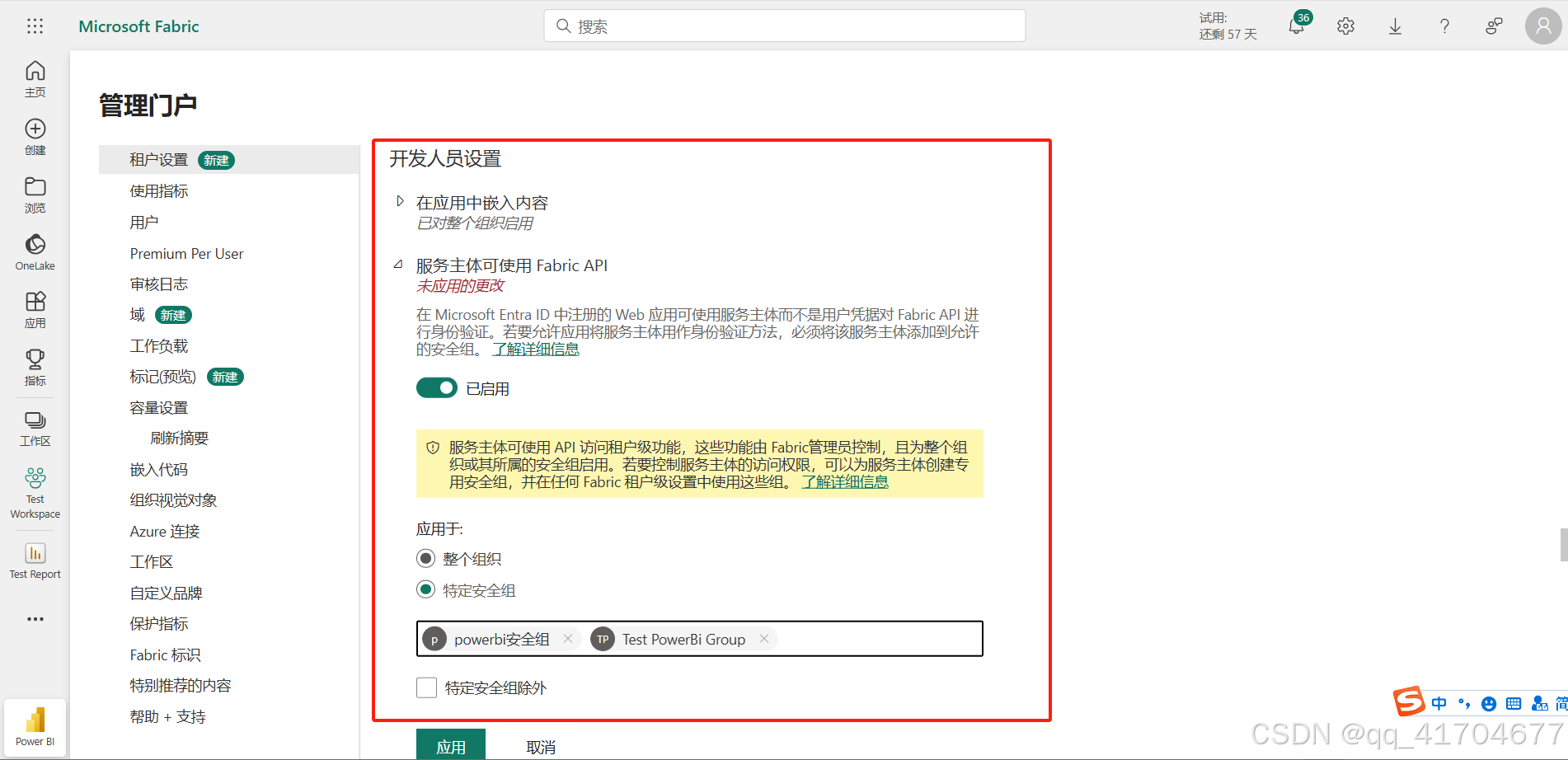
2.4.返回PowerBI设置门户
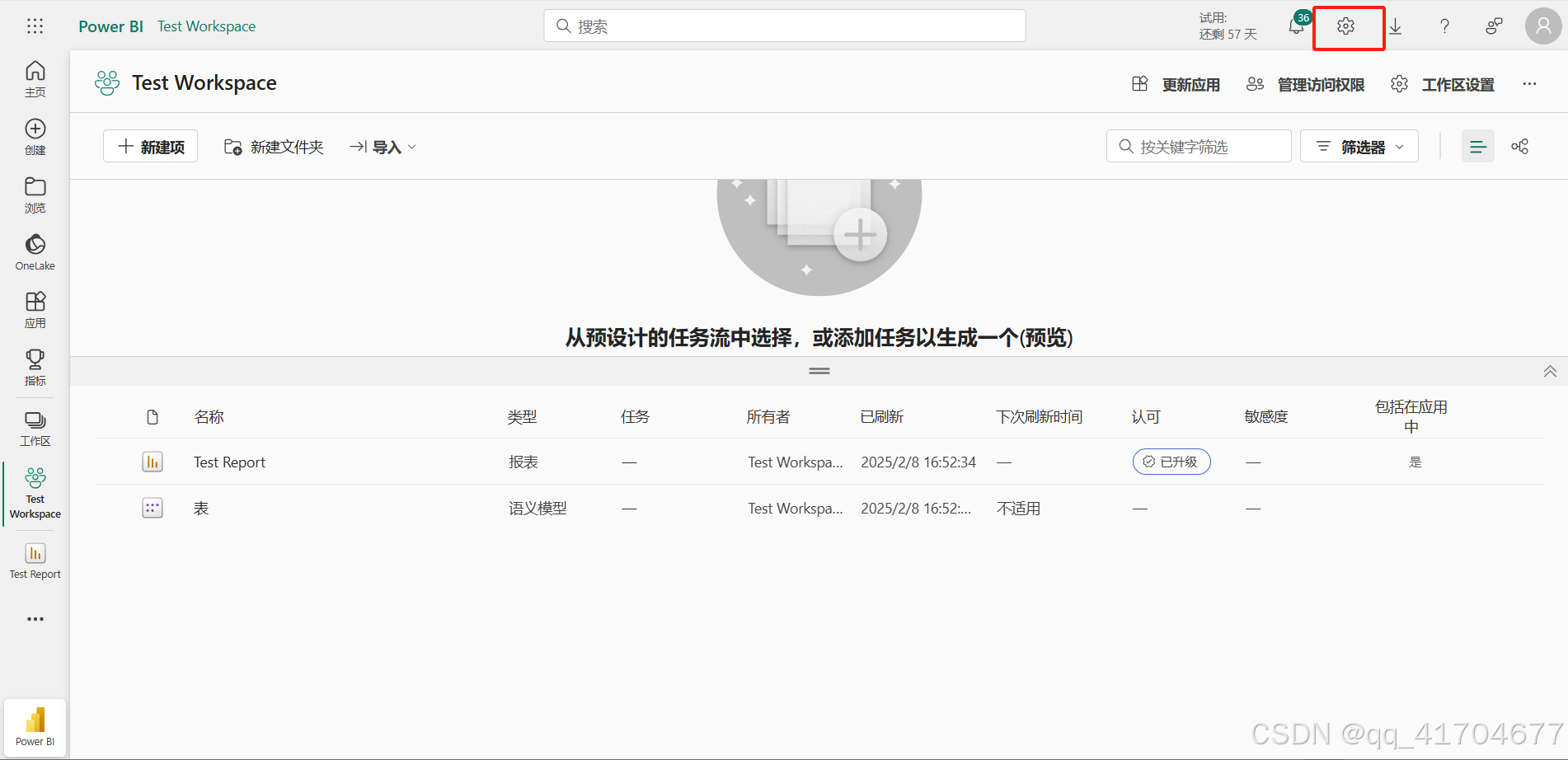
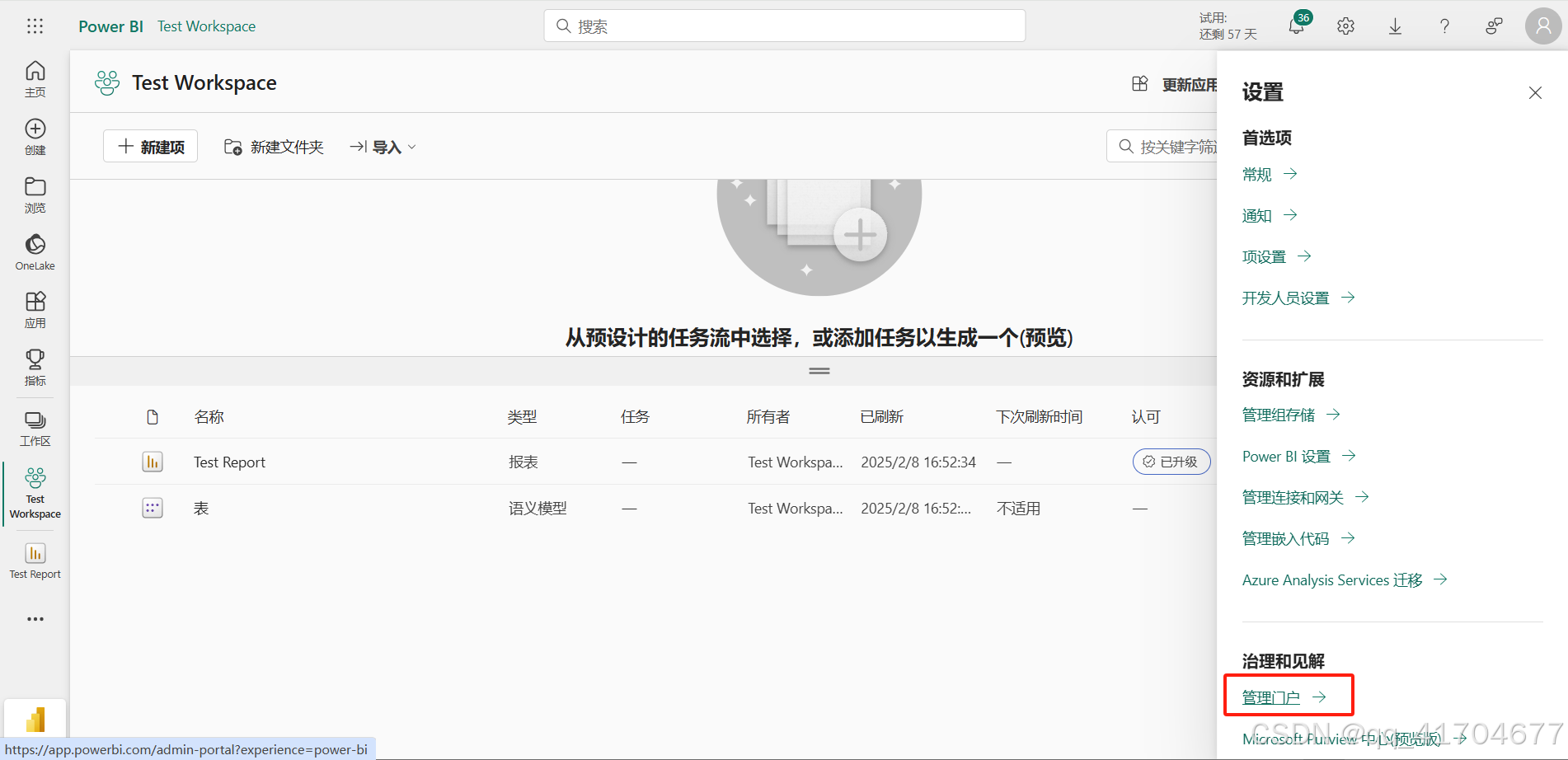
重要:找到开发人员设置-服务主体设置,将刚刚创建的安全组加进去
3.Vue代码
先装依赖npm install powerbi-client
<template>
  <div class="JNPF-common-layout">
    <div class="JNPF-common-layout-center">
<!--      <iframe width="100%" height="100%"-->
<!--              src=""-->
<!--              frameborder="0" allowFullScreen="true">-->
<!--      </iframe>-->
      <div id="reportContainer" style="width:100%;height:100%"></div>
    </div>
  </div>
</template>

<script>
import * as powerbi from 'powerbi-client';
import request from '@/utils/request'

export default {
  name: "index",
  data() {
    return {
    }
  },
  watch: {

  },

  mounted() {
    this.initData()
  },
  beforeDestroy() {
    if (this.report) {
      this.report.off('loaded');
      this.report.off('error');
      this.report = null;
    }
  },
  methods: {
    initData() {
      request({
        url: '/api/powerBi/getPowerBiReportInfo',
        method: 'GET',
      }).then(res => {
        var { token, reportId, groupId } = res.data
        var embedConfig = {
          type: 'report',
          tokenType: powerbi.models.TokenType.Embed,
          accessToken: token, // 替换为你的Access Token
          embedUrl: `https://app.powerbi.com/reportEmbed?reportId=${reportId}&groupId=${groupId}`, // 替换为你的Embed URL
          id: reportId, // 替换为你的Report ID
          settings: {
            filterPaneEnabled: false,
            navContentPaneEnabled: true
          }
        }
        const container = document.getElementById('reportContainer');
        this.powerbi = new powerbi.service.Service(powerbi.factories.hpmFactory, powerbi.factories.wpmpFactory, powerbi.factories.routerFactory);
        this.report = this.powerbi.embed(container, embedConfig);

        this.report.on('loaded', () => {
          console.log('Report loaded');
        });

        this.report.on('error', (error) => {
          console.error('Error loading report:', error);
        });
      })

    }
  }
}
</script>

<style scoped>

</style>
4.Java代码
4.1.yml配置
powerBi:
  tenantId: 2bd5e605-6da7-4fc7。。。 #租户Id
  clientId: a1edcf6f-2d43。。。#应用程序(客户端) ID
  clientSecret: e.z8Q~4oa0hw8。。。。#客户端秘钥
  authority: https://login.microsoftonline.com/${powerBi.tenantId}/oauth2/v2.0/token
  groupId: 624a2c2b-900f-46f1-。。。#工作区id
  reportId: 27a037ba-9b02-43b7-。。。#报表id
4.2.controller层
@Slf4j
@RestController
@RequestMapping("/api/powerBi")
public class PowerBiController {

    @Autowired
    private PowerBiService powerbiService;

    @GetMapping("/getPowerBiReportInfo")
    public ActionResult getPowerBiReportInfo() throws IOException, ParseException {
        return powerbiService.getPowerBiReportInfo();
    }
}
4.3.接口
public interface PowerBiService {

    ActionResult getPowerBiReportInfo() throws IOException, ParseException;
}
4.4.service
@Slf4j
@Service
public class PowerBiServiceImpl implements PowerBiService {

    @Value("${powerBi.clientId}")
    public String CLIENT_ID;
    @Value("${powerBi.authority}")
    public String AUTHORITY;
    @Value("${powerBi.clientSecret}")
    public String CLIENT_SECRET;

    @Value("${powerBi.groupId}")
    private String groupId;

    @Value("${powerBi.reportId}")
    private String reportId;

    @Override
    public ActionResult getPowerBiReportInfo() throws IOException, ParseException {
        String token = this.getEmbedToken(groupId,reportId);
        Map<String,String> resultMap = new HashMap<>();
        resultMap.put("token",token);
        resultMap.put("groupId",groupId);
        resultMap.put("reportId",reportId);
        return ActionResult.success(resultMap);
    }


    public String getEmbedToken(String groupId,String reportId) throws IOException, ParseException {
        String accessToken = this.powerBiAccessToken();
        String url = "https://api.powerbi.com/v1.0/myorg/groups/" + groupId + "/reports/" + reportId + "/GenerateToken";
        Map<String, Object> body = new HashMap<>();
        body.put("accessLevel", "view");

        CloseableHttpClient client = HttpClients.createDefault();
        HttpPost httpPost = new HttpPost(url);
        httpPost.setHeader("Content-Type", "application/json");
        httpPost.setHeader("Authorization", "Bearer " + accessToken);
        httpPost.setEntity(new StringEntity(new ObjectMapper().writeValueAsString(body)));

        CloseableHttpResponse response = client.execute(httpPost);
        HttpEntity entity = response.getEntity();
        String responseString = EntityUtils.toString(entity);
        Map<String, Object> responseMap = new ObjectMapper().readValue(responseString, Map.class);

        return (String)responseMap.get("token");
    }

    public String powerBiAccessToken() {
        String url = AUTHORITY;
        Map<String, String> params = new HashMap<>();
        params.put("grant_type", "client_credentials");
        params.put("client_id", CLIENT_ID);
        params.put("client_secret", CLIENT_SECRET);
        params.put("scope", "https://analysis.windows.net/powerbi/api/.default");

        CloseableHttpClient client = HttpClients.createDefault();
        HttpPost httpPost = new HttpPost(url);
        httpPost.setHeader("Content-Type", "application/x-www-form-urlencoded");
        httpPost.setEntity(new UrlEncodedFormEntity(params.entrySet().stream()
                .map(e -> new BasicNameValuePair(e.getKey(), e.getValue()))
                .collect(Collectors.toList())));

        try {
            CloseableHttpResponse response = client.execute(httpPost);
            HttpEntity entity = response.getEntity();
            String responseString = EntityUtils.toString(entity);
            Map<String, Object> responseMap = new ObjectMapper().readValue(responseString, Map.class);
            return (String) responseMap.get("access_token");
        } catch (Exception e) {
            e.printStackTrace();
        }

        return "";
    }
}
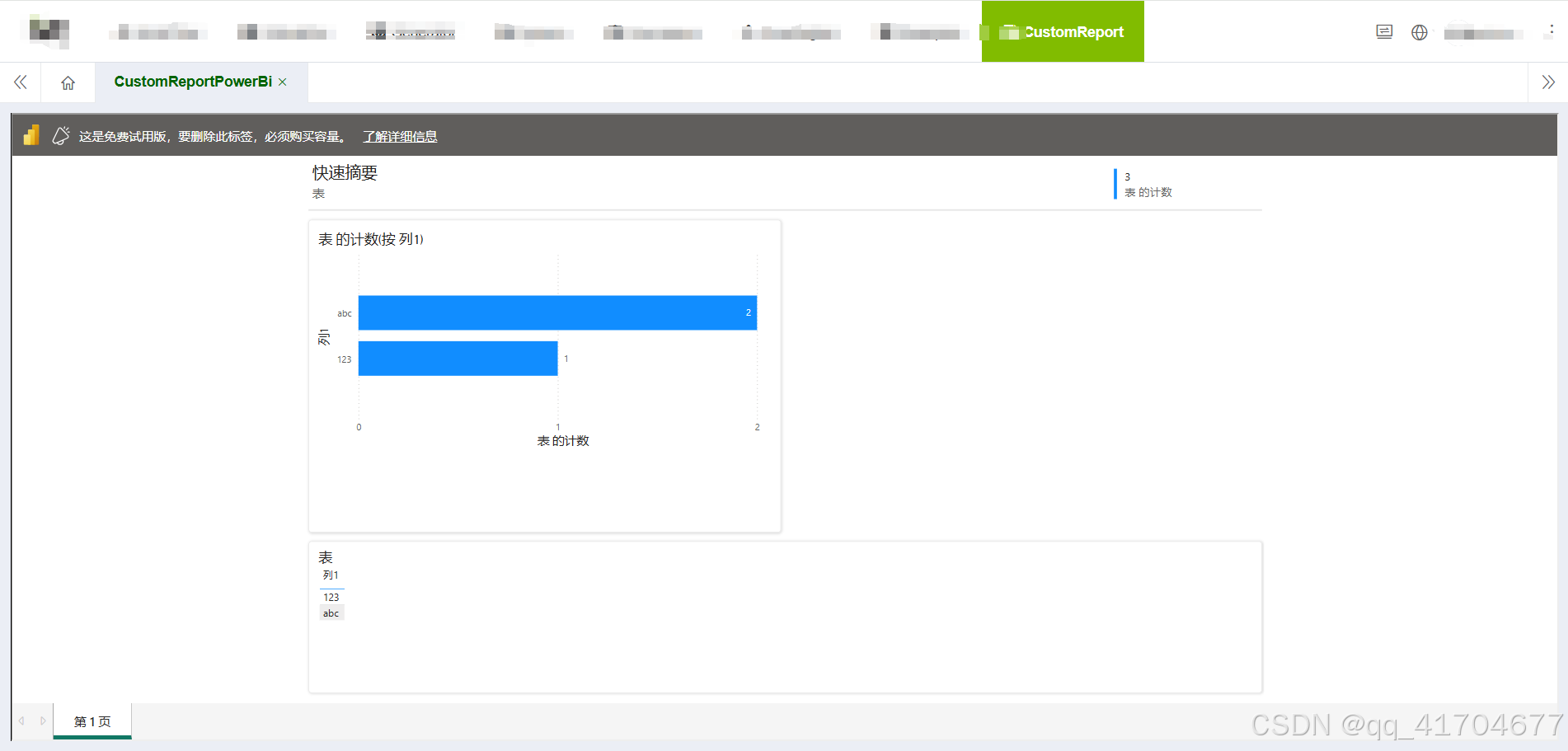
5.查看成果
报表的展示大小需要再powerbi里面调整
6.免登录展示powerBi
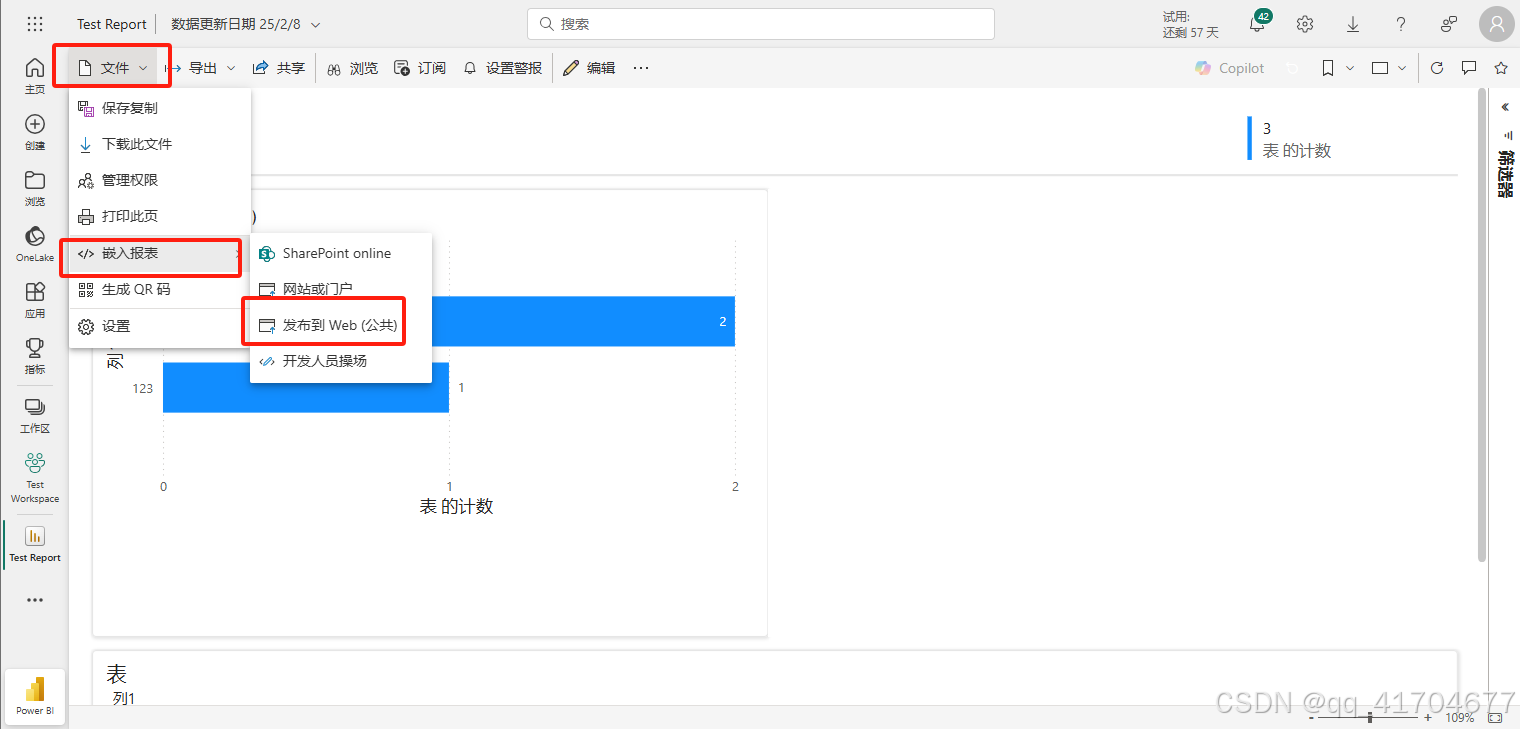
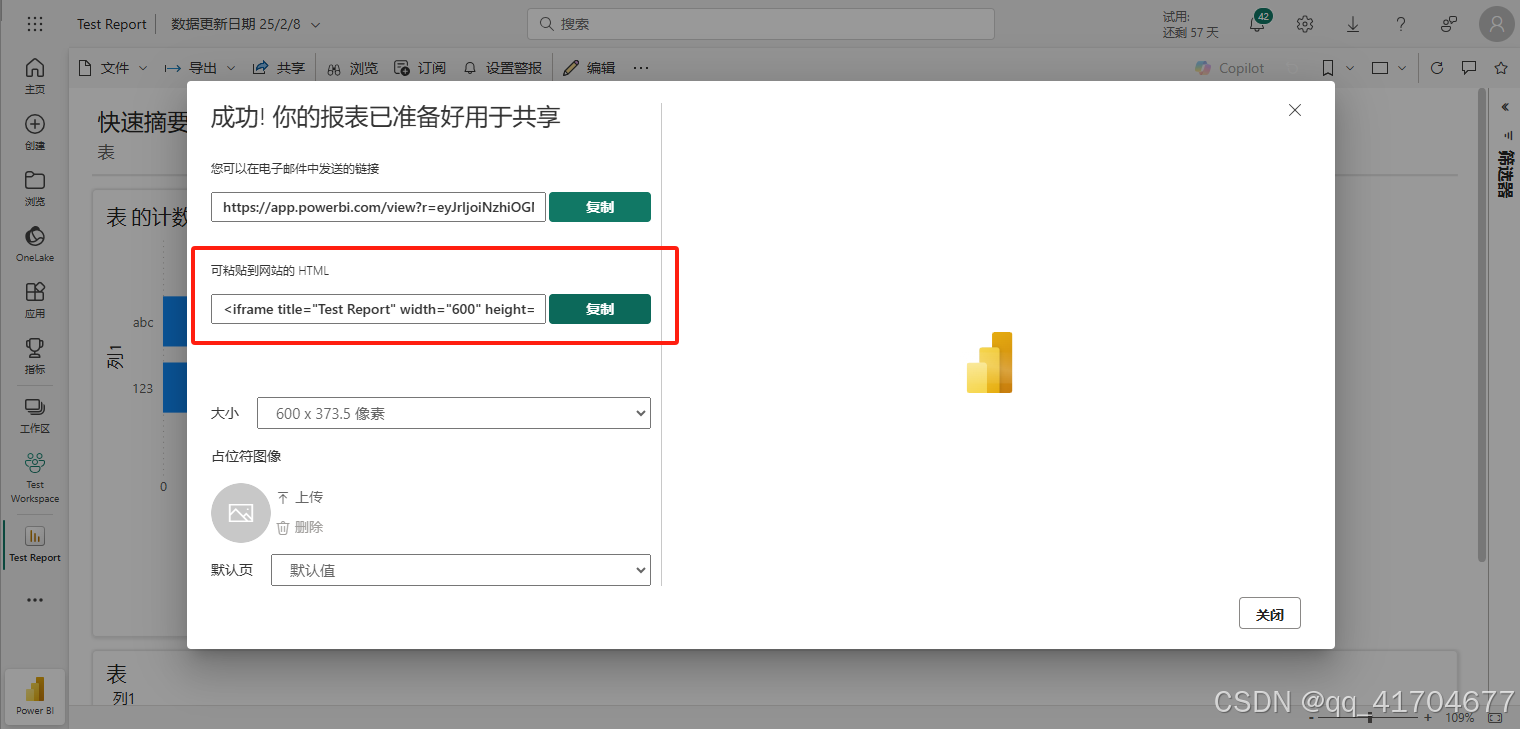
Power Bi还提供了一种不需要授权就能查看报表内容的方式,但这种方式不安全,不涉及数据安全的可以使用此方式,很简单。
打开报表-》文件-》嵌入报表-》发布到web(公共)
直接复制iframe代码放入到前端页面中即可

火山引擎开发者社区是火山引擎打造的AI技术生态平台,聚焦Agent与大模型开发,提供豆包系列模型(图像/视频/视觉)、智能分析与会话工具,并配套评测集、动手实验室及行业案例库。社区通过技术沙龙、挑战赛等活动促进开发者成长,新用户可领50万Tokens权益,助力构建智能应用。
更多推荐
 12
12 0
0- 0


 已为社区贡献1条内容

所有评论(0)