使用 Oh My Posh 自定义 PowerShell 提示符
由于ai生图,ai视频这方面mac太差了,买N卡,转windows了,这里也记录一下 PowerShell 配置Oh My Posh先上效果图。
使用 Oh My Posh 自定义 PowerShell 提示符
由于ai生图,ai视频这方面mac太差了,买N卡,转windows了,这里也记录一下 PowerShell 配置Oh My Posh
先上效果图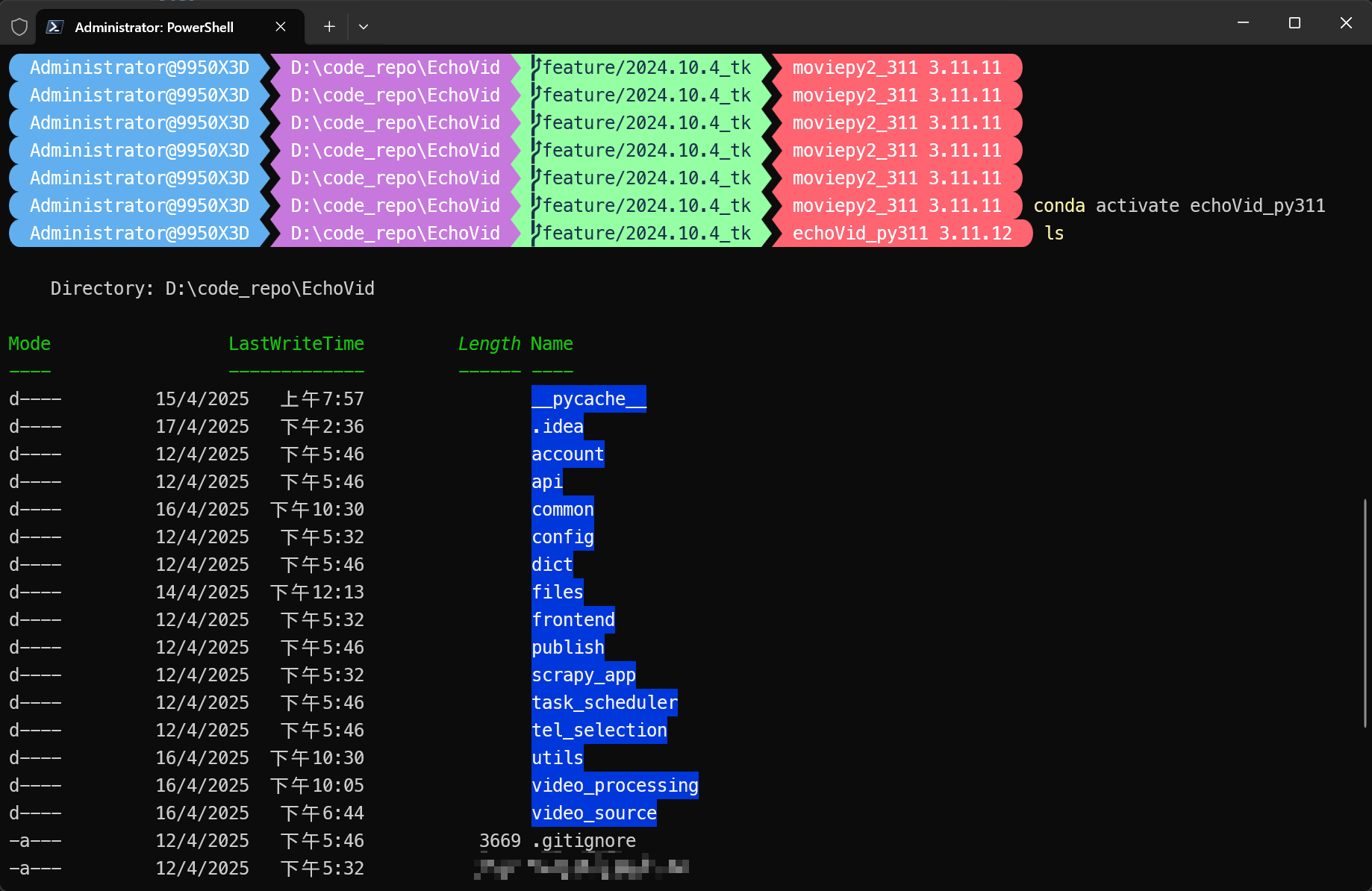
一、下载 PowerShell7
默认的 PowerShell5 太差了,下载地址:
https://github.com/PowerShell/PowerShell/releases
二、 安装 Oh My Posh for PowerShell
Oh My Posh 官网:
https://ohmyposh.dev/
1. 通过winget安装
winget install JanDeDobbeleer.OhMyPosh
2. 选个主题
主题:https://ohmyposh.dev/docs/themes
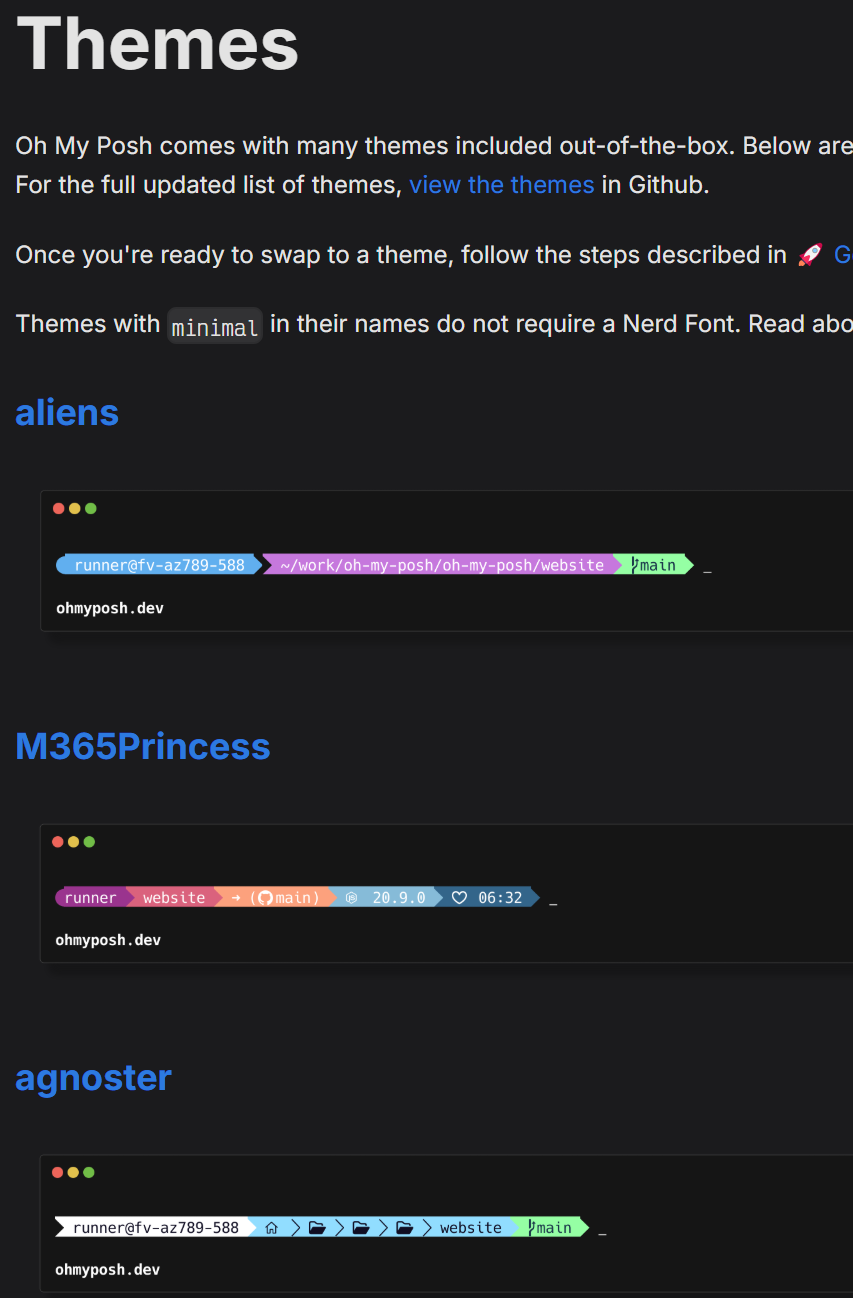
3. 选择并应用 PowerShell 提示符主题
notepad $PROFILE
如果收到路径错误,则你可能还没有 PowerShell 的配置文件。 若要创建一个,请使用以下 PowerShell 命令创建配置文件,然后尝试再次使用文本编辑器打开它。
new-item -type file -path $profile -force
将以下项添加到 PowerShell 配置文件的末尾,以设置 paradox 主题。 (将 paradox 替换为你选择的主题。)
oh-my-posh init pwsh --config "$env:POSH_THEMES_PATH\aliens.omp.json" | Invoke-Expression
现在,每个新的 PowerShell 实例都将首先导入 Oh My Posh 并设置主题。
如果在尝试打开新的 PowerShell 实例时收到脚本错误,则表明 PowerShell 执行策略可能受到限制。 若要将 PowerShell 执行策略设置为不受限制,则需以管理员身份启动 PowerShell,然后使用以下命令:
Set-ExecutionPolicy -ExecutionPolicy Unrestricted
4. windows terminal中配置on-my-posh,conda虚拟环境提示不生效
遇到了oh-my-posh的conda虚拟环境提示无法生效的问题。
实际不是不生效,只是在~文件夹下面看不到。进入到其他任何文件都能看到虚拟环境提示。
原因是:on-my-posh的配置的python segment的properties中有一个项目是"home_enabled", 默认值是false。
很早以前踩过这个坑,但重装系统又花了很长时间解决这个问题。网上查到的有用资料很少,故记下来。
目前用的python的segment的配置
{
"type": "python",
"style": "powerline",
"properties": {
"display_mode": "environment",
"fetch_virtual_env": true,
"home_enabled": true
},
"powerline_symbol": "",
"foreground": "#100e23",
"background": "#906cff",
"template": " {{ if .Error }}{{ .Error }}{{ else }}{{ if .Venv }}{{ .Venv }} {{ end }}{{ .Full }}{{ end }} "
},
参考:
https://learn.microsoft.com/zh-cn/windows/terminal/tutorials/custom-prompt-setup

中国智能体开发者社区,聚焦智能体与大模型开发,提供前沿资讯、实用工具链、开源项目及行业案例。通过技术沙龙、开发者大赛等活动,促进经验交流与协作,助力开发者快速构建创新智能应用。
更多推荐
 7
7 0
0- 0


 已为社区贡献1条内容

所有评论(0)