Spring AI 实现 MCP 服务(STDIO模式)
Java开发MCP(Microservice Communication Protocol)服务的stdio模式配置方案。服务端通过yml文件配置stdio模式,关闭web应用类型;客户端需要配置JSON格式的服务定义,指定Java版本和启动参数。配置完成后可在Cherry Studio中进行测试调用。
·
一、对应配置
MCP服务端配置文件:
spring:
  ai:
    mcp:
      server:
        stdio: true
        name: image-search-mcp-server
        type: SYNC
        version: 1.0.0


  #stdio
  main:
    web-application-type: none
    banner-mode: off
logging:
  pattern:
    console: ""
MCP客户端配置文件:
spring:
  ai:
    openai:
      api-key: "apply for an API key"
      base-url: https://api.openai.com/v1
      chat:
        options:
          model: qwen3-max
          temperature: 0.8
          max-tokens: 500
    mcp:
      client:
#        sse:
#          connections:
#            server1:
#              url: http://localhost:8181
        stdio:
          servers-configuration: classpath:/mcp-servers.json
        type: sync
{
  "mcpServers": {
    "image-search-mcp-server": {
      "command": "/Library/Java/JavaVirtualMachines/jdk-17.jdk/Contents/Home/bin/java",
      "args": [
        "-Dspring.ai.mcp.server.stdio=true",
        "-Dspring.main.web-application-type=none",
        "-Djava.version=17",
        "-jar",
        "/Users/k13726/IdeaProjects/Spring_AI_Demo/spring_ai_mcp_demo/target/spring_ai_mcp_demo-0.0.1-SNAPSHOT.jar"
      ],
      "env": {}
    }
  }
}
"command": "/Library/Java/JavaVirtualMachines/jdk-17.jdk/Contents/Home/bin/java",为指定启动服务端jar包的java版本,因本地有多个java版本。
配置为stdio类型
Cherry Studio中STDIO模式配置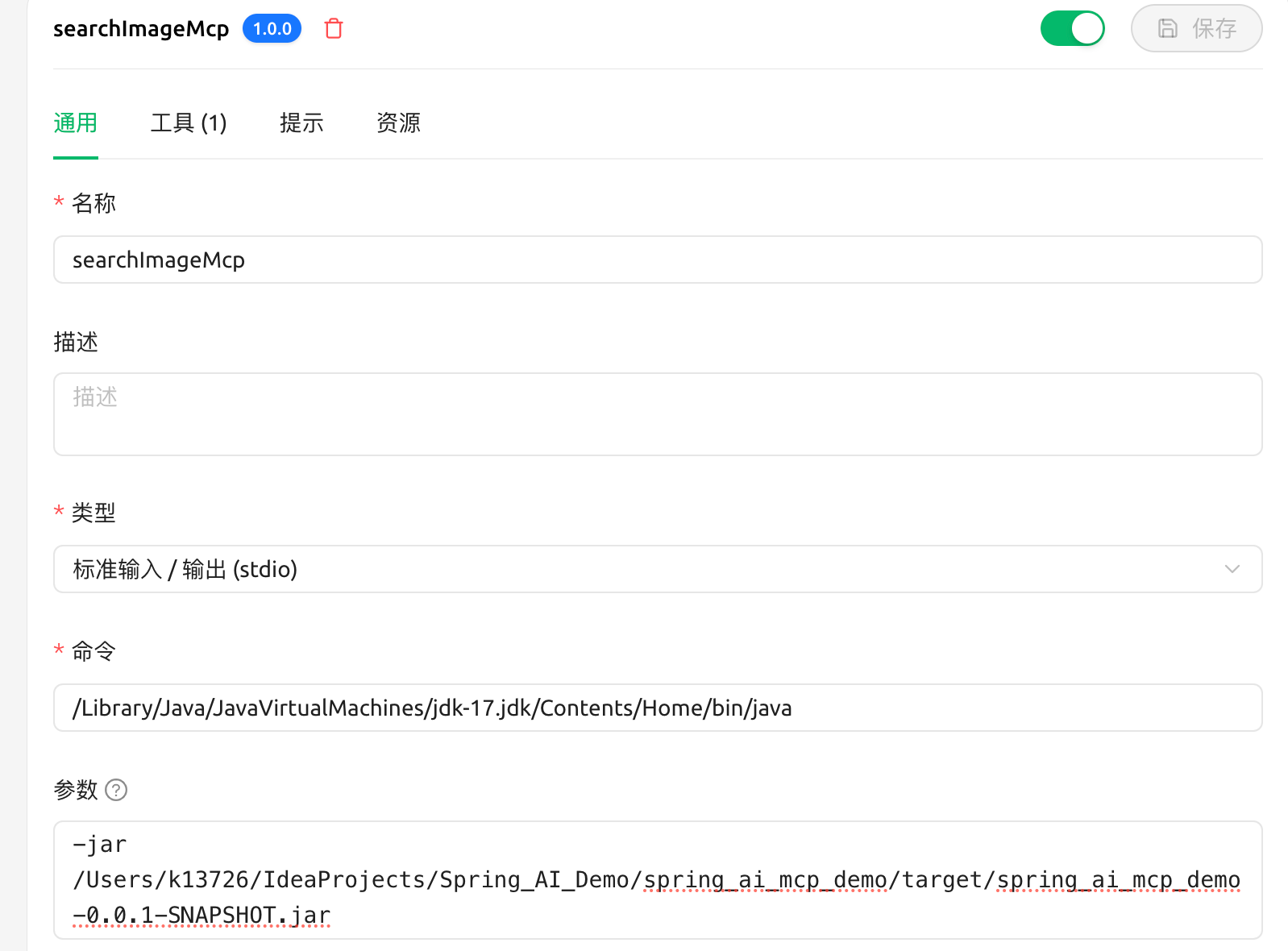
调用测试
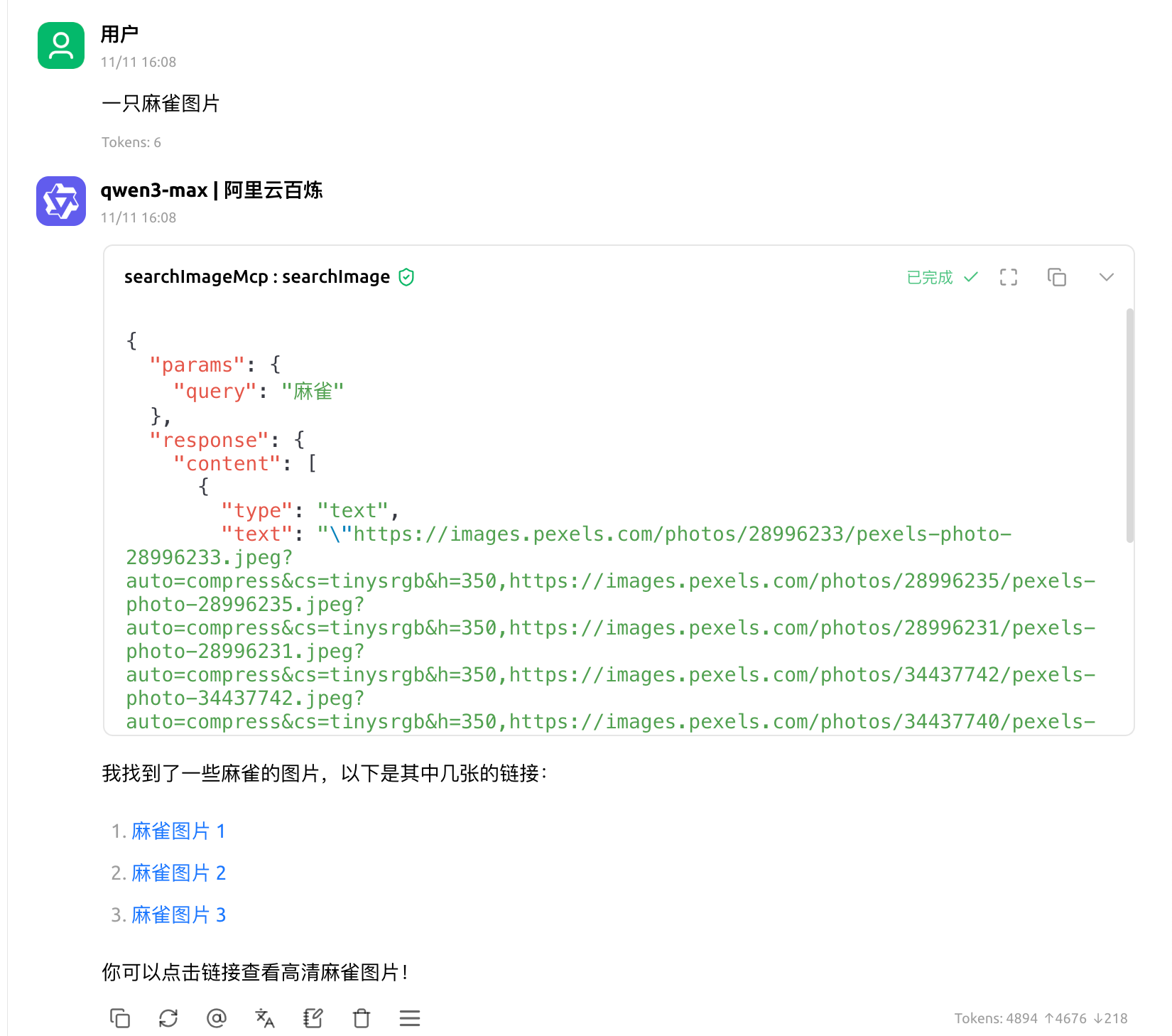
注:服务端代码实现请看Spring AI 实现 MCP 服务

中国智能体开发者社区,聚焦智能体与大模型开发,提供前沿资讯、实用工具链、开源项目及行业案例。通过技术沙龙、开发者大赛等活动,促进经验交流与协作,助力开发者快速构建创新智能应用。
更多推荐
 9
9 0
0- 0


 已为社区贡献4条内容

所有评论(0)