Qt 平台插件报错找不到
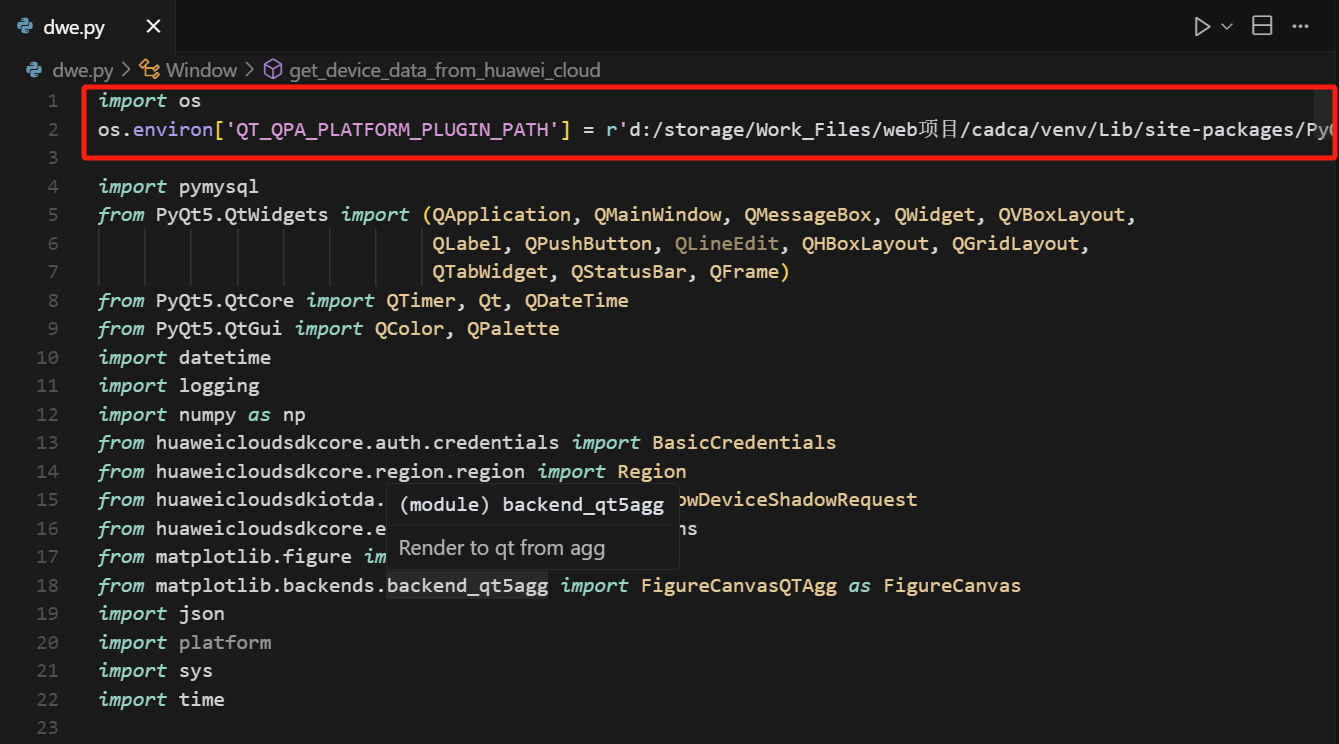
os.environ['QT_QPA_PLATFORM_PLUGIN_PATH'] = r'd:/storage/Work_Files/web项目/cadca/venv/Lib/site-packages/PyQt5/Qt5/plugins/platforms'<python安装目录>/Lib/site-packages/PyQt5/Qt/plugins/platforms。请确认该目录下有 qw
This application failed to start because no Qt platform plugin could beinitialized. Reinstalling the application may fix this problem.
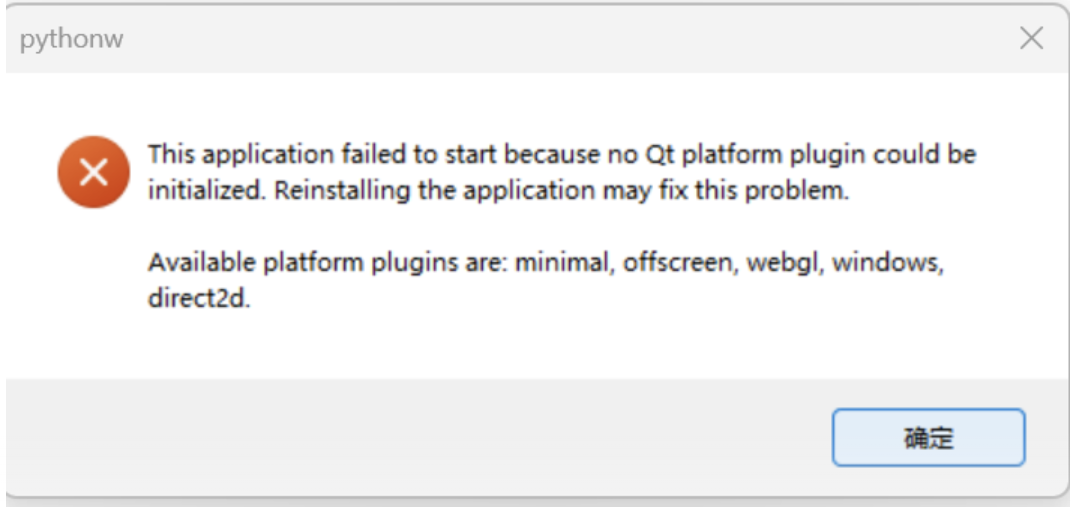
1.检查 PyQt5 是否正确安装
先确认 PyQt5 已经通过 pip 正确安装:
pip show PyQt5
2.检查 Qt 平台插件目录
PyQt5 安装后,platforms 目录一般在如下路径:
<python安装目录>/Lib/site-packages/PyQt5/Qt/plugins/platforms
请确认该目录下有 qwindows.dll 文件。
3. 设置环境变量
有时 Python 找不到平台插件,需要手动指定
import os
os.environ['QT_QPA_PLATFORM_PLUGIN_PATH'] = r'd:/storage/Work_Files/web项目/cadca/venv/Lib/site-packages/PyQt5/Qt5/plugins/platforms'

中国智能体开发者社区,聚焦智能体与大模型开发,提供前沿资讯、实用工具链、开源项目及行业案例。通过技术沙龙、开发者大赛等活动,促进经验交流与协作,助力开发者快速构建创新智能应用。
更多推荐
 6
6 0
0- 0


 已为社区贡献1条内容

所有评论(0)