autodl部署wan2.1的具体过程及遇到的问题
指定任务类型(如t2v-14B表示 Text-to-Video 14B 模型)。--size:指定生成视频的分辨率(如1280*720--ckpt_dir:指定模型权重所在的目录。--prompt:输入文本提示,用于生成视频。
部署过程:
git clone https://github.com/Wan-Video/Wan2.1.git
cd Wan2.1
pip install -r requirements.txt从 Hugging Face 或 ModelScope 下载模型权重:
modelscope download Wan-AI/Wan2.1-T2V-14B --local_dir ./Wan2.1-T2V-14B运行 Text-to-Video 生成(单个 GPU 上运行):
python generate.py --task t2v-14B --size 1280*720 --ckpt_dir ./Wan2.1-T2V-14B --prompt "Two anthropomorphic cats in comfy boxing gear and bright gloves fight intensely on a spotlighted stage."-
--task:指定任务类型(如t2v-14B表示 Text-to-Video 14B 模型)。 -
--size:指定生成视频的分辨率(如1280*720)。 -
--ckpt_dir:指定模型权重所在的目录。 -
--prompt:输入文本提示,用于生成视频。
结果:
运行 Image-to-Video 生成
python generate.py --task i2v-14B --size 1280*720 --ckpt_dir ./Wan2.1-I2V-14B-720P --image examples/i2v_input.JPG --prompt "Your prompt here"结果:
使用 Diffusers 进行推理:
import torch
from diffusers import AutoencoderKLWan, WanPipeline
from diffusers.schedulers.scheduling_unipc_multistep import UniPCMultistepScheduler

model_id = "Wan-AI/Wan2.1-T2V-14B-Diffusers"
vae = AutoencoderKLWan.from_pretrained(model_id, subfolder="vae", torch_dtype=torch.float32)
scheduler = UniPCMultistepScheduler(prediction_type='flow_prediction', use_flow_sigmas=True, num_train_timesteps=1000, flow_shift=5.0)
pipe = WanPipeline.from_pretrained(model_id, vae=vae, torch_dtype=torch.bfloat16)
pipe.scheduler = scheduler
pipe.to("cuda")

prompt = "Your prompt here"
output = pipe(prompt=prompt, height=720, width=1280, num_frames=81, guidance_scale=5.0).frames[0]
遇到的问题:
1.用huggingface-cli下载模型
huggingface-cli download Wan-AI/Wan2.1-T2V-14B --local-dir ./Wan2.1-T2V-14B报错:
RuntimeError: Data processing error: CAS service error : ReqwestMiddleware Error: Request failed after 5 retries
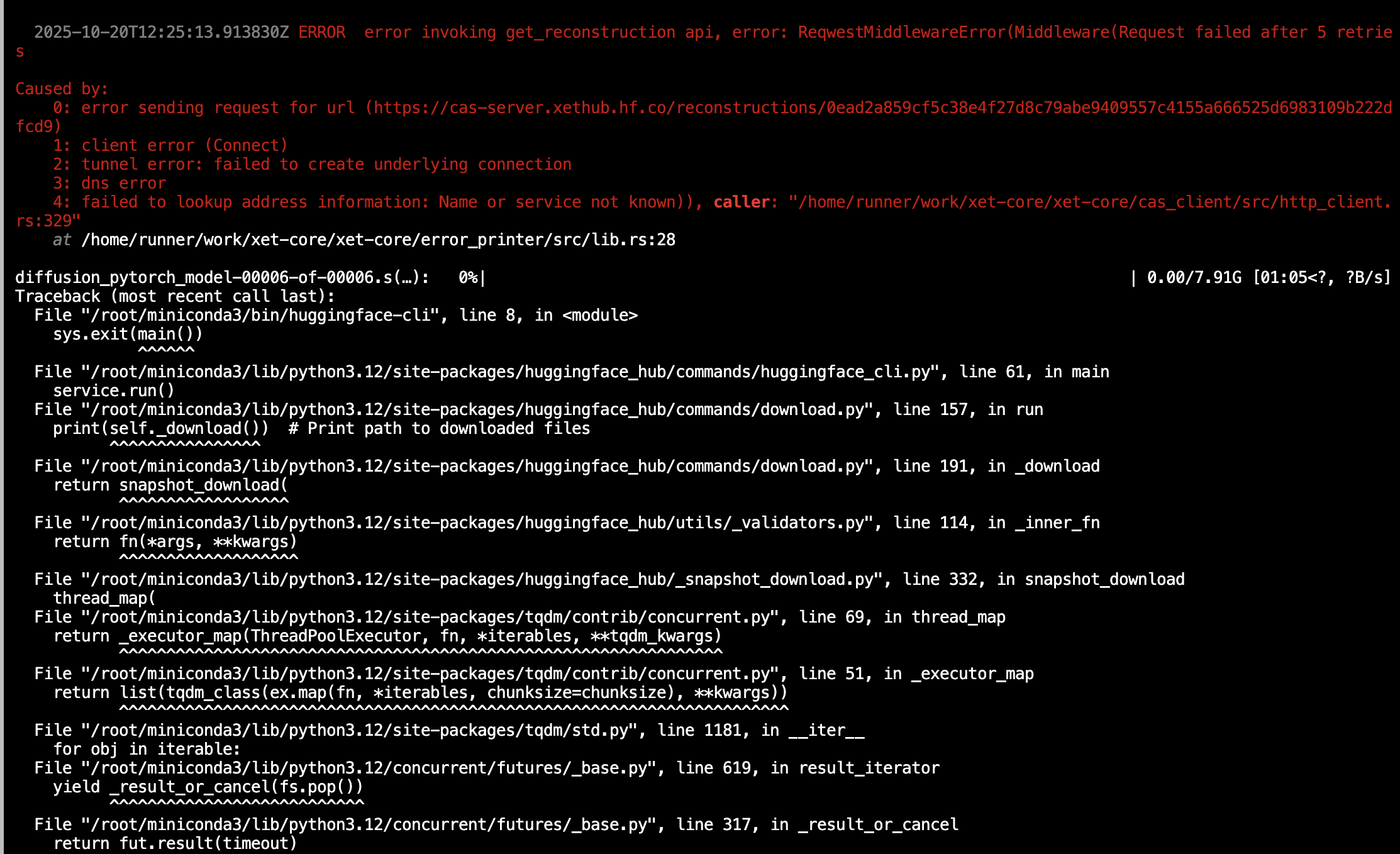
解决方法:用modelscope下载
modelscope download Wan-AI/Wan2.1-T2V-14B --local_dir ./Wan2.1-T2V-14B又有问题:
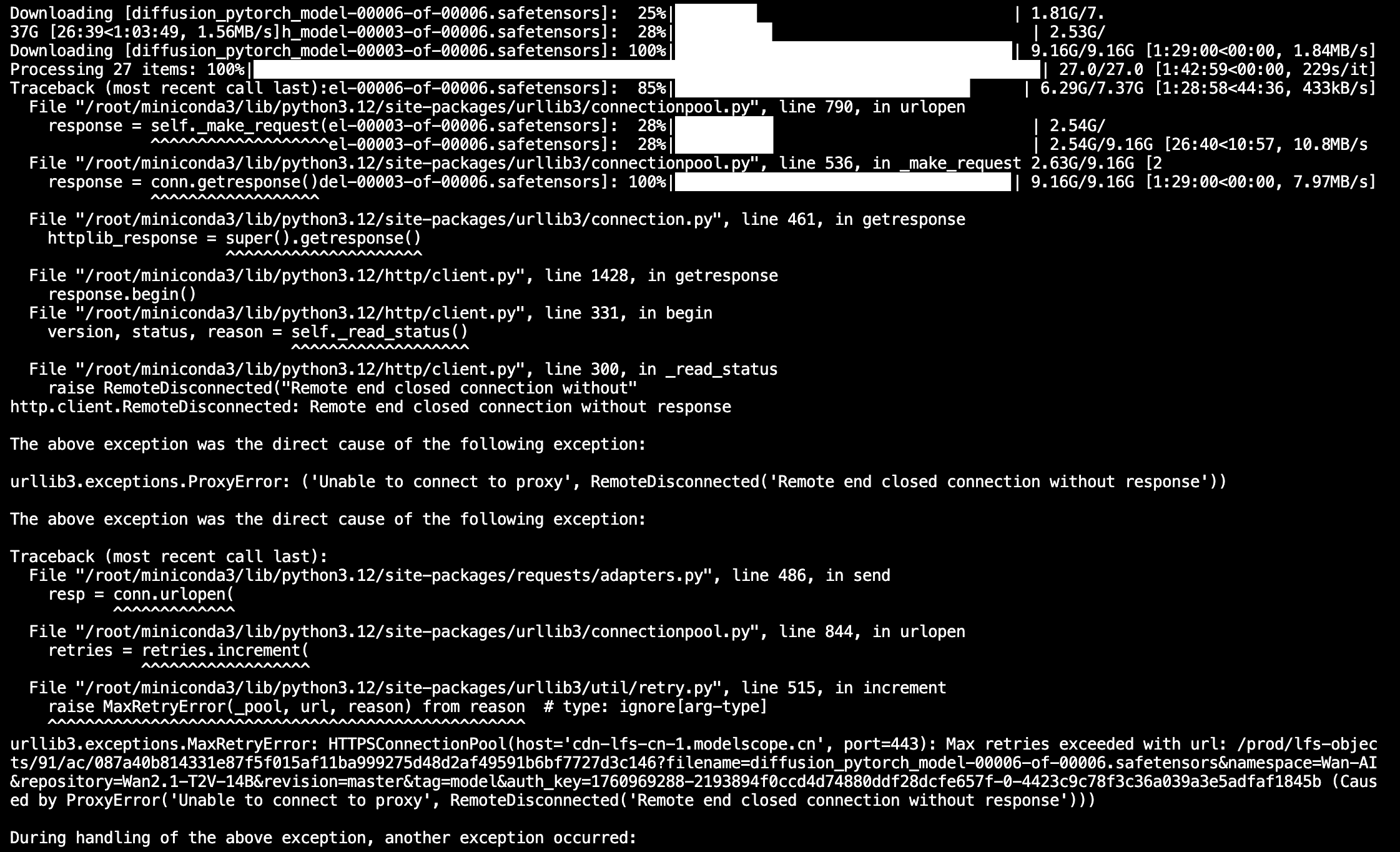
修改文件/root/miniconda3/lib/python3.12/site-packages/modelscope/hub/file_download.py的http_get_model_file函数为:
def http_get_model_file(
    url: str,
    local_dir: str,
    file_name: str,
    file_size: int,
    cookies: requests.cookies.RequestsCookieJar,
    headers: Optional[Dict[str, str]] = None,
    disable_tqdm: bool = False,
    progress_callbacks: List[object] = None,
):
    """Download remote file, will retry multiple times before giving up on errors."""
    progress_callbacks = [] if progress_callbacks is None else progress_callbacks.copy()
    if not disable_tqdm:
        progress_callbacks.append(TqdmCallback)
    progress_callbacks = [
        callback(file_name, file_size) for callback in progress_callbacks
    ]
    get_headers = {} if headers is None else headers.copy()
    get_headers['X-Request-ID'] = str(uuid.uuid4().hex)
    temp_file_path = os.path.join(local_dir, file_name)
    os.makedirs(os.path.dirname(temp_file_path), exist_ok=True)
    logger.debug('downloading %s to %s', url, temp_file_path)

    has_retry = False
    hash_sha256 = hashlib.sha256()
    retry = Retry(
        total=API_FILE_DOWNLOAD_RETRY_TIMES,
        backoff_factor=1,
        allowed_methods=['GET'])

    while True:
        try:
            if file_size == 0:
                with open(temp_file_path, 'w+'):
                    for callback in progress_callbacks:
                        callback.update(1)
                break
            partial_length = 0
            if os.path.exists(temp_file_path):
                has_retry = True
                with open(temp_file_path, 'rb') as f:
                    partial_length = f.seek(0, os.SEEK_END)
                    for callback in progress_callbacks:
                        callback.update(partial_length)

            if partial_length >= file_size:
                break
            get_headers['Range'] = 'bytes=%s-%s' % (partial_length, file_size - 1)

            with open(temp_file_path, 'ab+') as f:
                r = requests.get(
                    url,
                    stream=True,
                    headers=get_headers,
                    cookies=cookies,
                    timeout=API_FILE_DOWNLOAD_TIMEOUT)
                r.raise_for_status()
                for chunk in r.iter_content(
                        chunk_size=API_FILE_DOWNLOAD_CHUNK_SIZE):
                    if chunk:
                        for callback in progress_callbacks:
                            callback.update(len(chunk))
                        f.write(chunk)
                        if not has_retry:
                            hash_sha256.update(chunk)
            break
        except Exception as e:
            has_retry = True
            logger.warning(f"Retrying download due to error: {e}")
            retry = retry.increment('GET', url, error=e)
            retry.sleep()
    for callback in progress_callbacks:
        callback.end()
    return None if has_retry else hash_sha256.hexdigest()
成功:

2.gpu不足
运行:
python generate.py --task i2v-14B --size 1280*720 --ckpt_dir ./Wan2.1-I2V-14B-720P --image examples/i2v_input.JPG --prompt "Your prompt here"报错:torch.OutOfMemoryError: CUDA out of memory.
解决方法:增加gpu数量、缩小size到832*480
成功


火山引擎开发者社区是火山引擎打造的AI技术生态平台,聚焦Agent与大模型开发,提供豆包系列模型(图像/视频/视觉)、智能分析与会话工具,并配套评测集、动手实验室及行业案例库。社区通过技术沙龙、挑战赛等活动促进开发者成长,新用户可领50万Tokens权益,助力构建智能应用。
更多推荐
 3
3 0
0- 0


 已为社区贡献1条内容

所有评论(0)