苍穹外卖项目&前端第一部分&vue技术总结
方括号代表可选参数前端要想访问后端接口要配置代理,因为跨域了。proxy就是代理的意思,下一行的api意思是给所有路径有api的请求配置代理,最后一行意思是把代理以后的api转换为空,为的是能够匹配上后端的请求地址。后面就要把前端的请求地址改成有api的样式了。get需要有token令牌。method不指定就是默认的get请求。具体的一些要点可以自己查阅axios文档。vue 属于单页面应用,所谓
vue基础回顾
创建项目
脚手架创建前端工程

创建方式
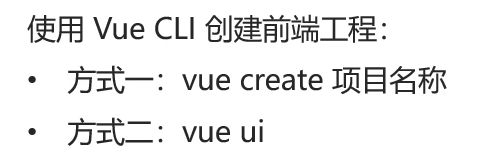
方式一
文件目录下面打开终端输入创建指令
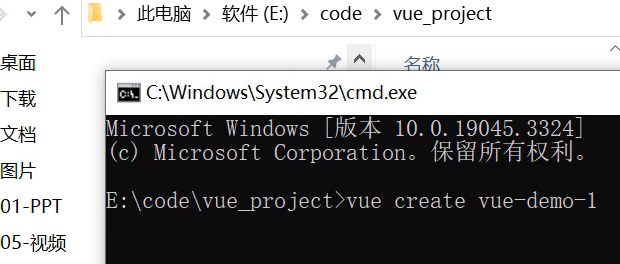
然后选择vue版本,vue2已经停止维护了,所以建议选择vue3。
之后脚手架结构文件就创建在当前目录下面。
方式二
使用命令vue ui
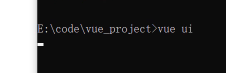
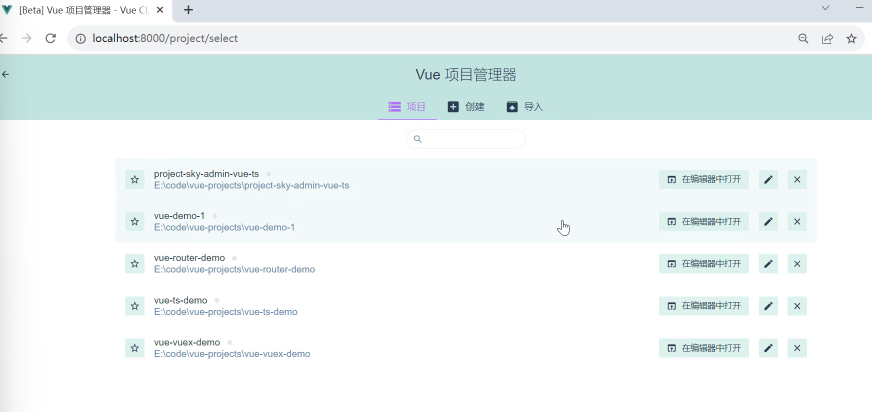
会自动转换到一个网页,我们直接在网页上创建项目。
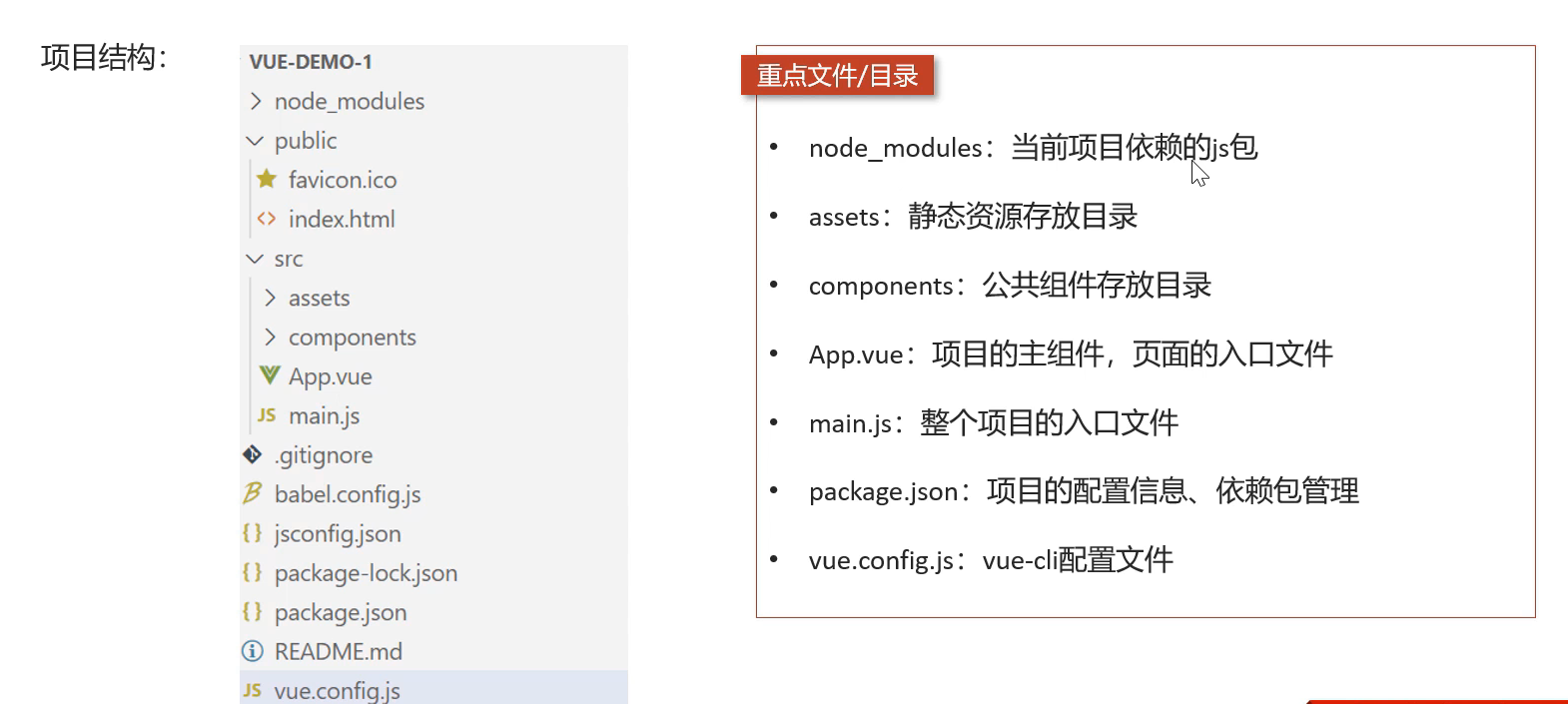
脚手架创建的项目目录结构
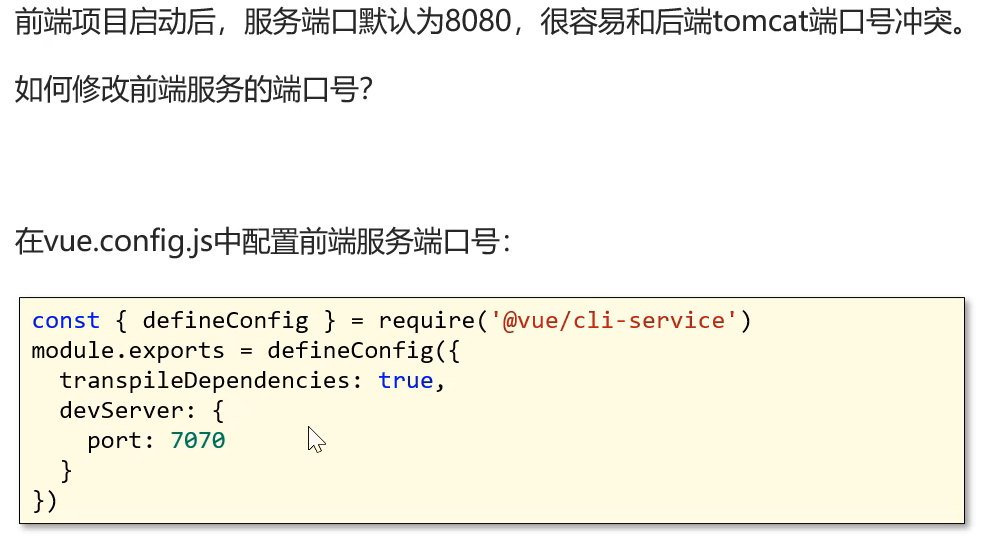
启动前端项目
在vs里面的终端运行指令npm run serve就行了。
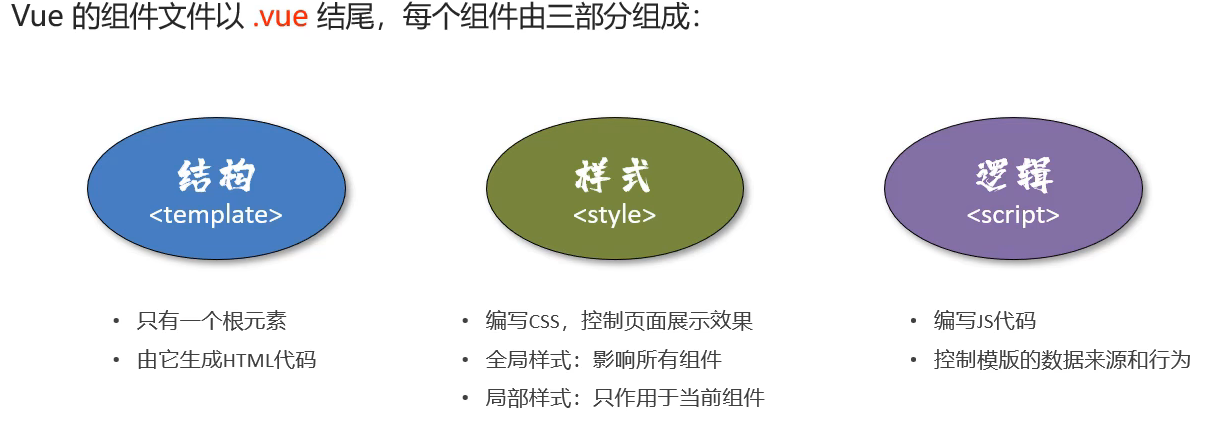
vue组件
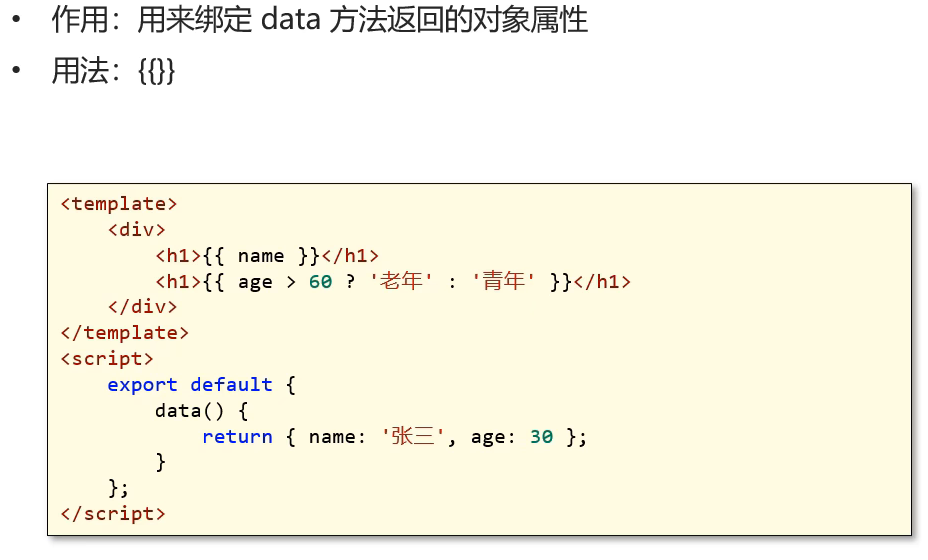
文本插值
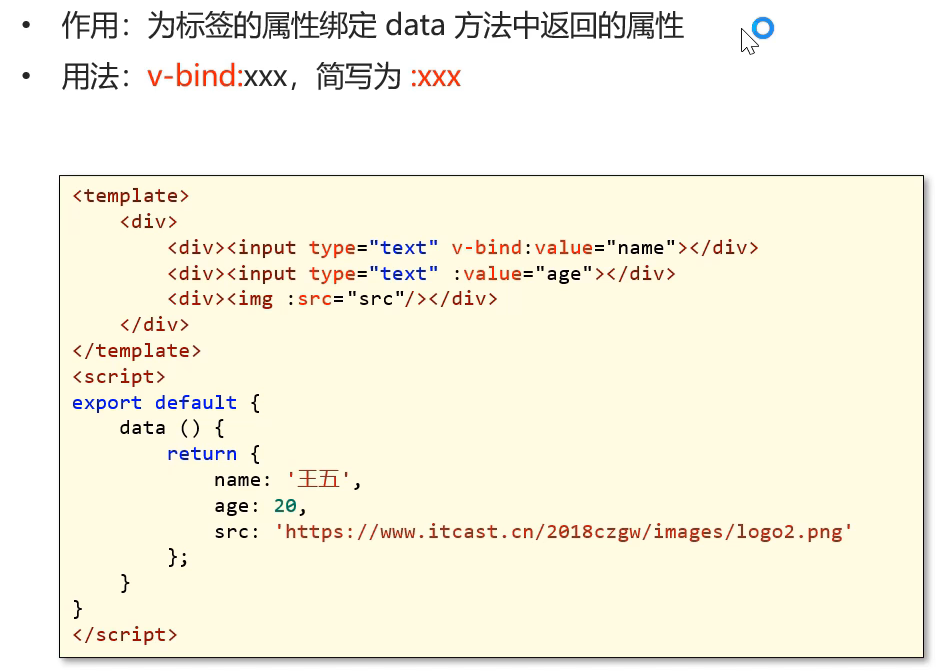
属性绑定
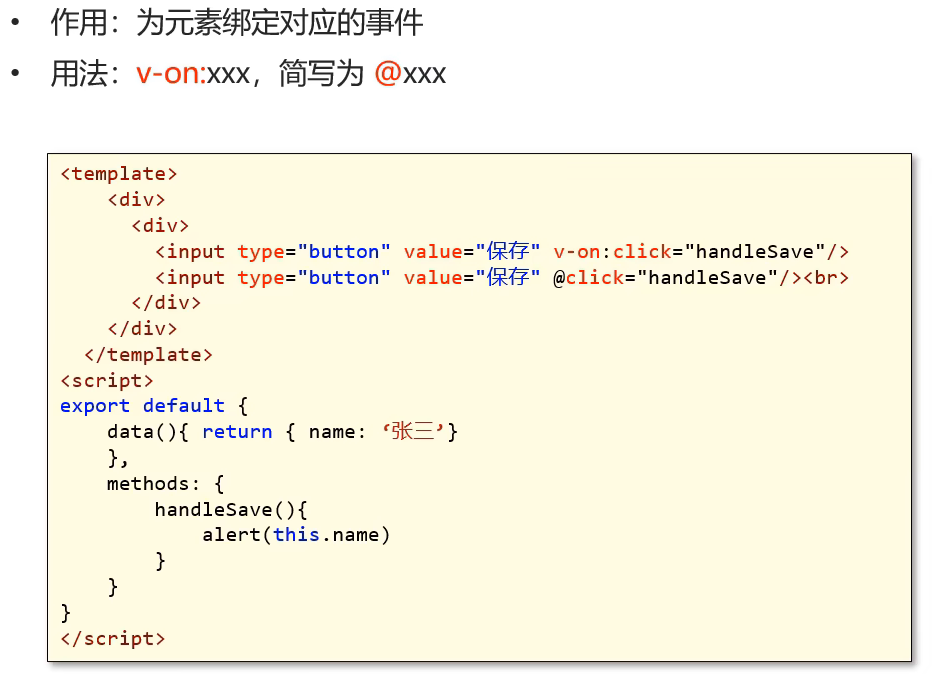
事件绑定
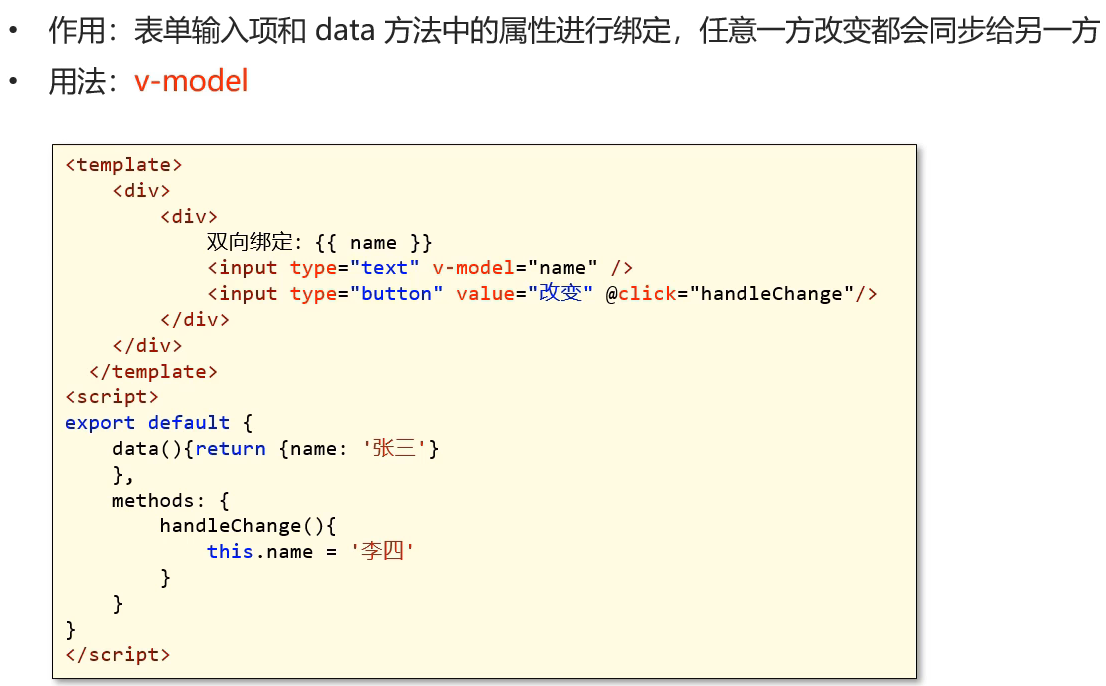
双向绑定
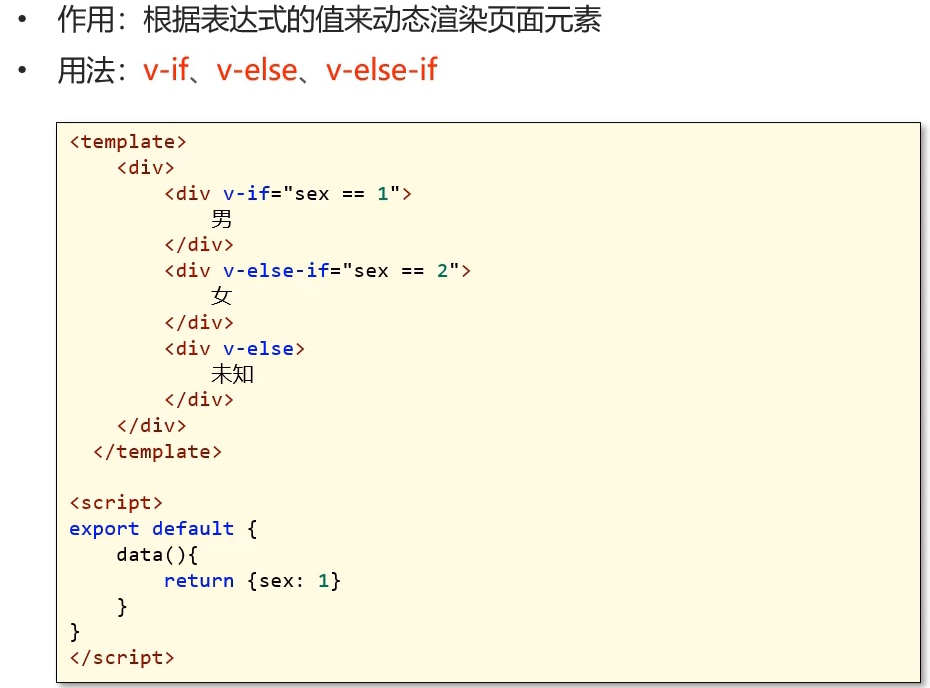
条件渲染
axios
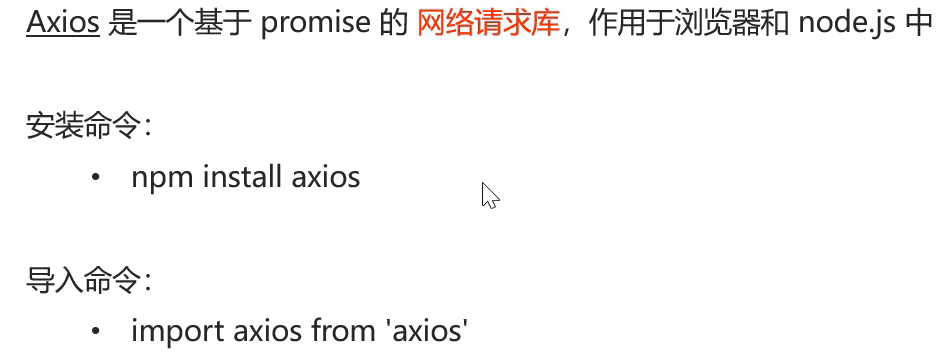
简介
请求方式
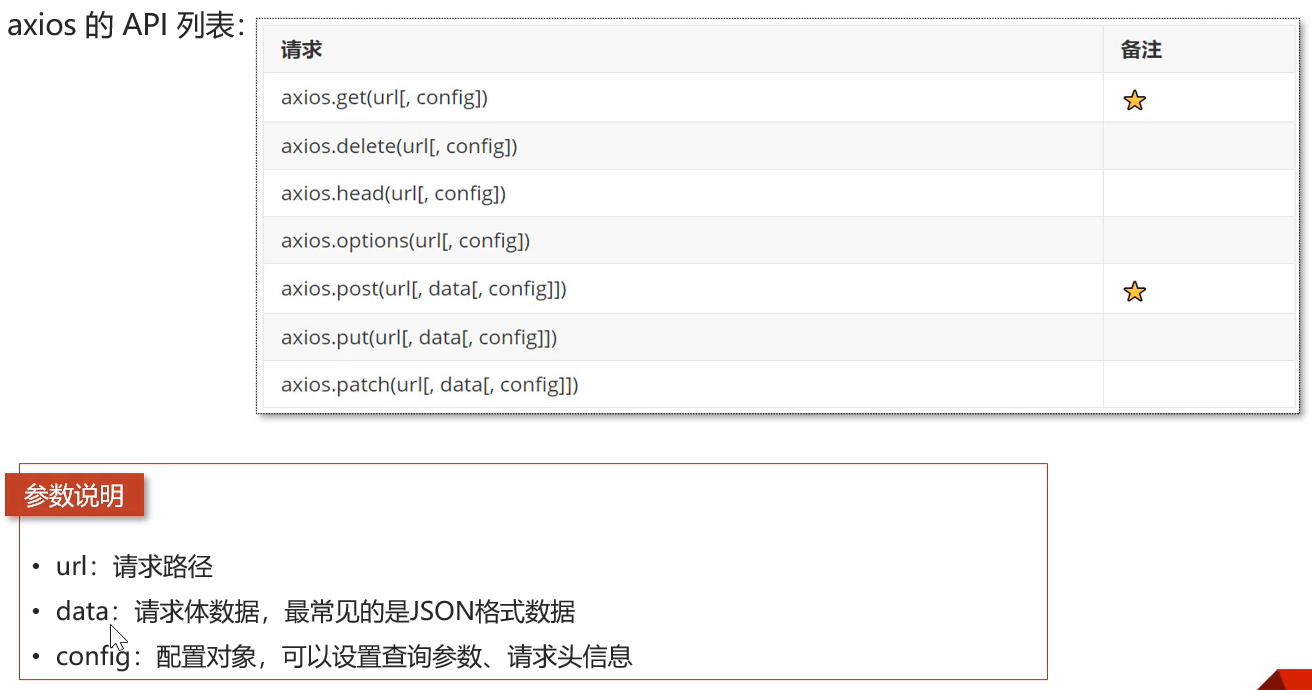
方括号代表可选参数
前端要想访问后端接口要配置代理,因为跨域了。
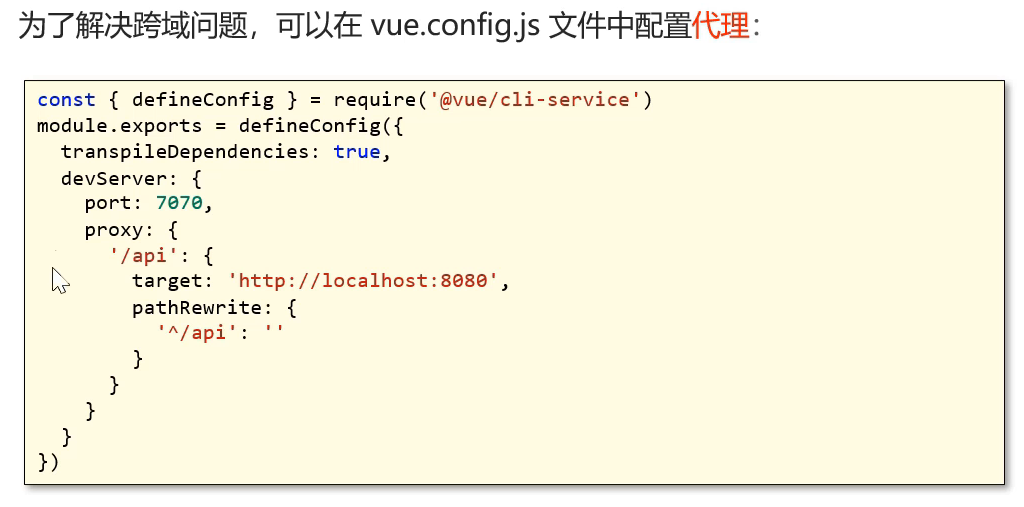
proxy就是代理的意思,下一行的api意思是给所有路径有api的请求配置代理,最后一行意思是把代理以后的api转换为空,为的是能够匹配上后端的请求地址。后面就要把前端的请求地址改成有api的样式了。
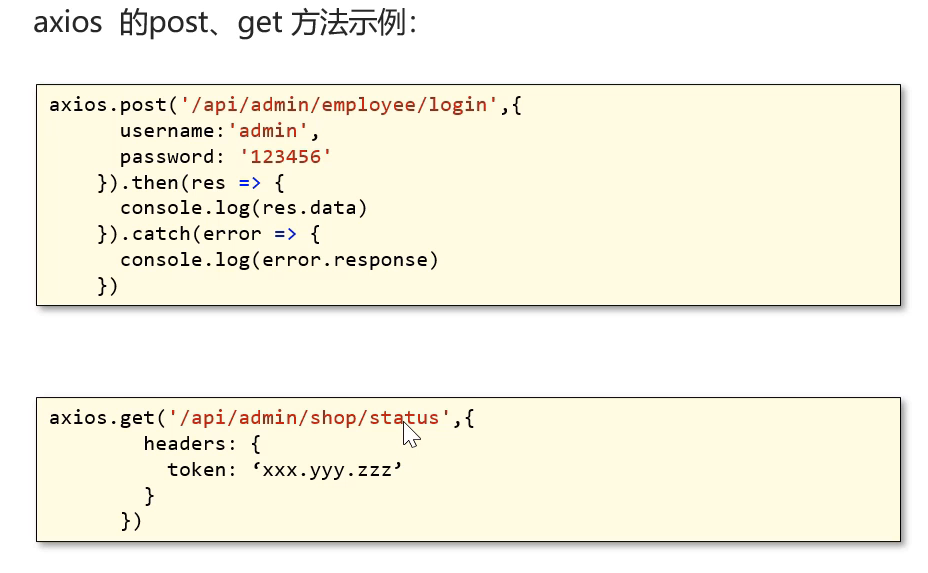
get需要有token令牌。
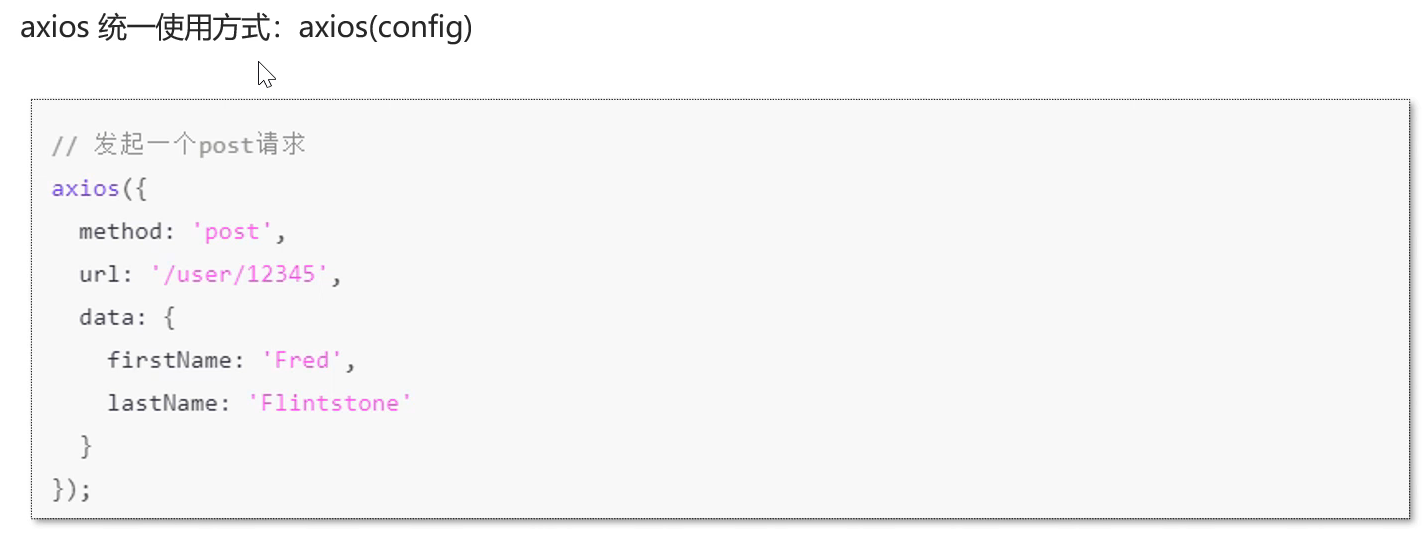
method不指定就是默认的get请求。具体的一些要点可以自己查阅axios文档。
路由 Vue-Router
简介
vue 属于单页面应用,所谓的路由,就是根据浏览器路径不同,用不同的视图组件替换这个页面内容
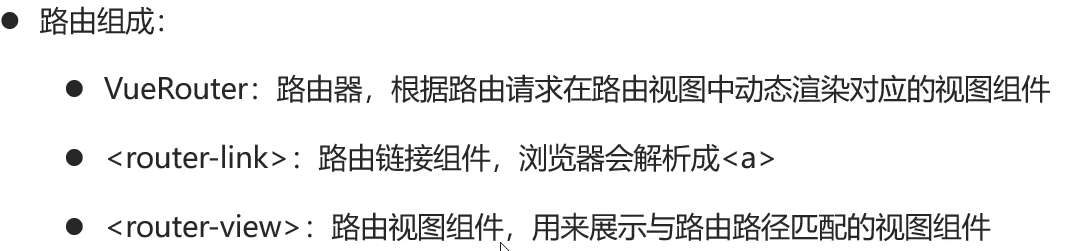
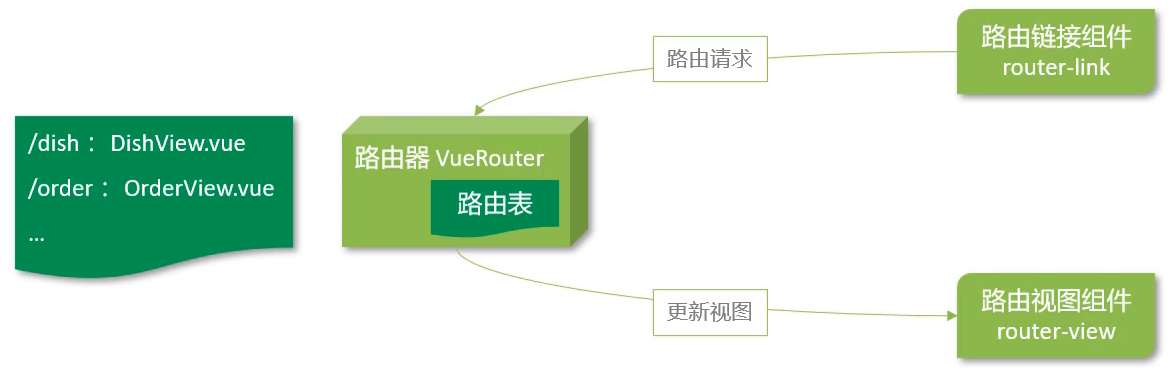
路由表
const routes = [
  {
    path: '/',
    name: 'home',
    component: HomeView
  },
  {
    path: '/about',
    name: 'about',
    // route level code-splitting
    // this generates a separate chunk (about.[hash].js) for this route
    // which is lazy-loaded when the route is visited.
    component: () => import(/* webpackChunkName: "about" */ '../views/AboutView.vue')
  }
];
第一个路由对象:
path 是 '/',表示根路径。
name 是 'home',表示这个路由的名称为 home。
component 是 HomeView,表示这个路由对应的组件是 HomeView。
第二个路由对象:
path 是 '/about',表示 /about 路径。
name 是 'about',表示这个路由的名称为 about。
component 使用了动态导入(import()),实现了按需加载。当访问 /about 路径时,会懒加 载 ../views/AboutView.vue 组件,并生成一个单独的代码块 about.[hash].js。
路由跳转
标签式
在vue app入口文件里面,设置点击切换页面的超链接。
<template>
  <div id="app">
    <nav>
      <router-link to="/">Home</router-link> |
      <router-link to="/about">About</router-link>
    </nav>
    <router-view></router-view>
  </div>
</template>
第一个 <router-link> 的 to 属性是 '/',表示链接到根路径,并显示文本 "Home"。
<router-view> 组件,用于渲染当前路由对应的组件。在这里知识占位作用,具体的组件在路由表里面声明了。
编码式
<template>
  <div id="app">
    <nav>
      <input type="button" value="编程式路由跳转" @click="jump"/>
    </nav>
    <router-view/>
  </div>
</template>

<script>
export default{
  methods:{
    jump(){
      //使用编程式路由跳转
      this.$router.push('/about')
    }
  }
}
</script>
404跳转
如果没有视图渲染,我们希望通过配置(重定向),使其报错而不是显示空白页面。
import Vue from 'vue'
import VueRouter from 'vue-router'
import HomeView from '../views/HomeView.vue'

Vue.use(VueRouter)

const routes = [
  {
    path: '/',
    name: 'home',
    component: HomeView
  },
  {
    path: '/about',
    name: 'about',
    component: () => import('../views/AboutView.vue')
  },
  {
    path: '/404',
    component: () => import('../views/404View.vue')
  },
  {
    path: '*',
    redirect: '/404'
  }
]

const router = new VueRouter({
  routes
})

export default router
<template>
<div class="about">
<h1>你访问的页面不存在</h1>
</div>
</template>嵌套路由
简介
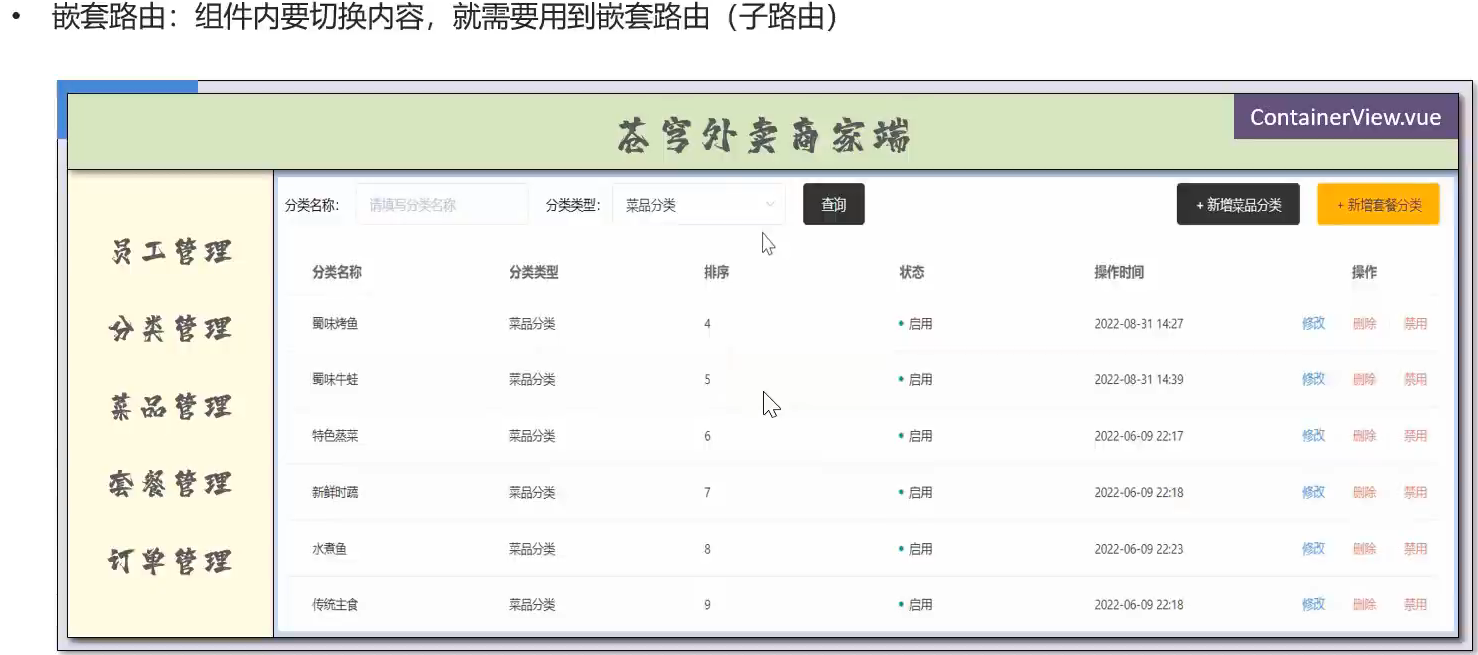
操作
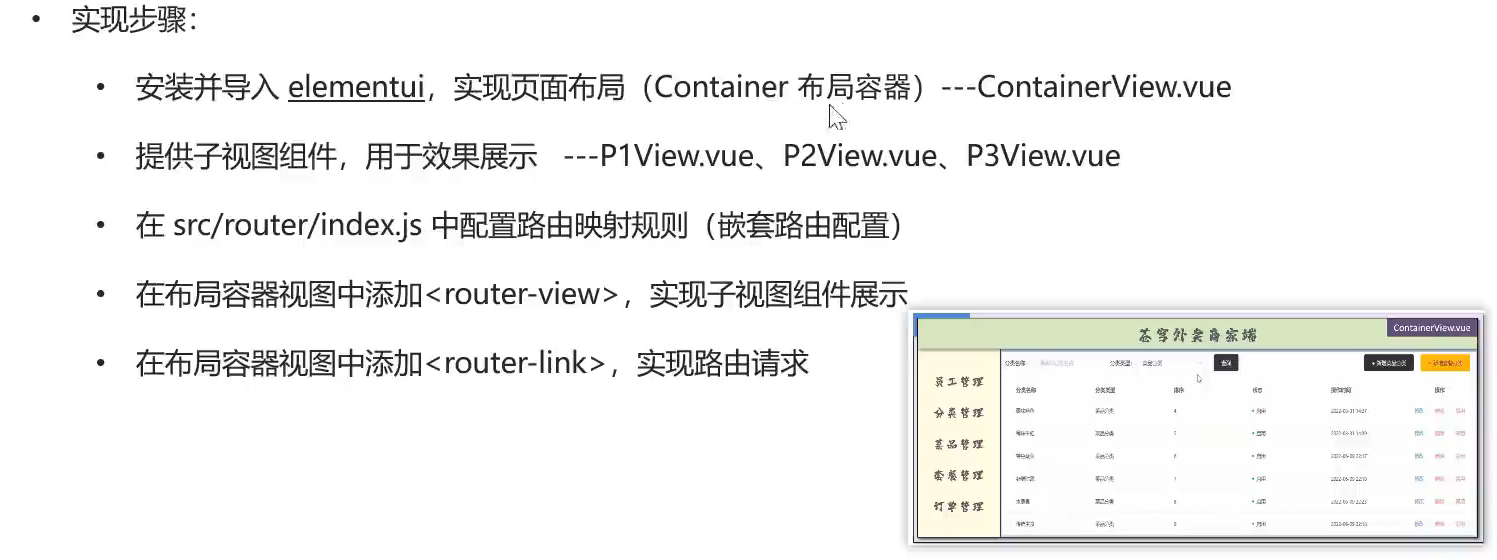
在当前项目终端安装
npm i element-ui -S在main.js入口js文件导入
import ElementUI from 'element-ui'
import 'element-ui/lib/theme-chalk/index.css'
Vue.use(ElementUI)
具体的区域布局代码需要自己到element官网查询。
下一步就是创建子视图。
然后在配置文件index.js里面配置嵌套路由的映射规则。
{
  path: '/c',
  component: () => import('../views/container/ContainerView.vue'),
  // 嵌套路由(子路由),对应的组件会展示在当前组件内部
  children: [
    {
      path: 'p1',
      component: () => import('../views/container/P1View.vue')
    }
  ]
}
在容器中使用占位符完成展示
<template>
  <el-container>
    <el-header>Header</el-header>
    <el-container>
      <el-aside width="200px">Aside</el-aside>
      <el-main>
        <router-view />
      </el-main>
    </el-container>
  </el-container>
</template>
添加超链接
<template>
  <el-container>
    <el-header>Header</el-header>
    <el-container>
      <el-aside width="200px">
        <router-link to="/c/p1">P1</router-link><br>
        <router-link to="/c/p2">P2</router-link><br>
        <router-link to="/c/p3">P3</router-link><br>
      </el-aside>
      <el-main>
        <router-view />
      </el-main>
    </el-container>
  </el-container>
</template>
状态管理vuex
简介
vuex是一个专为Vue.js应用程序开发的状态管理库。
vuex可以在多个组件之间共享数据,并且共享的数据是响应式的,即数据的变更能及时渲染到模板。
vuex采用集中式存储管理所有组件的状态。
npm install vuex@next --savestate:状态对象,集中定义各个组件共享的数据。
mutations:类似于一个事件,用于修改共享数据,要求必须是同步函数。
actions:类似于mutation,可以包含异步操作,通过调用mutation来改变共享数据。
使用方式
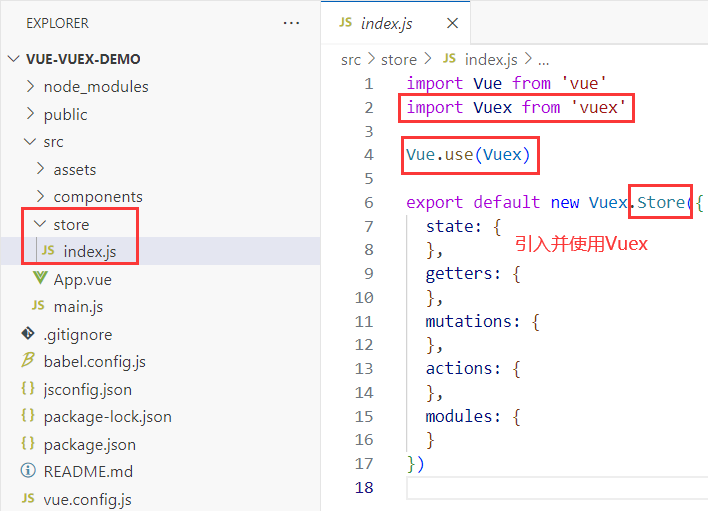
在state下定义一个name公共变量,然后在2个组件中用插值表达式展示。
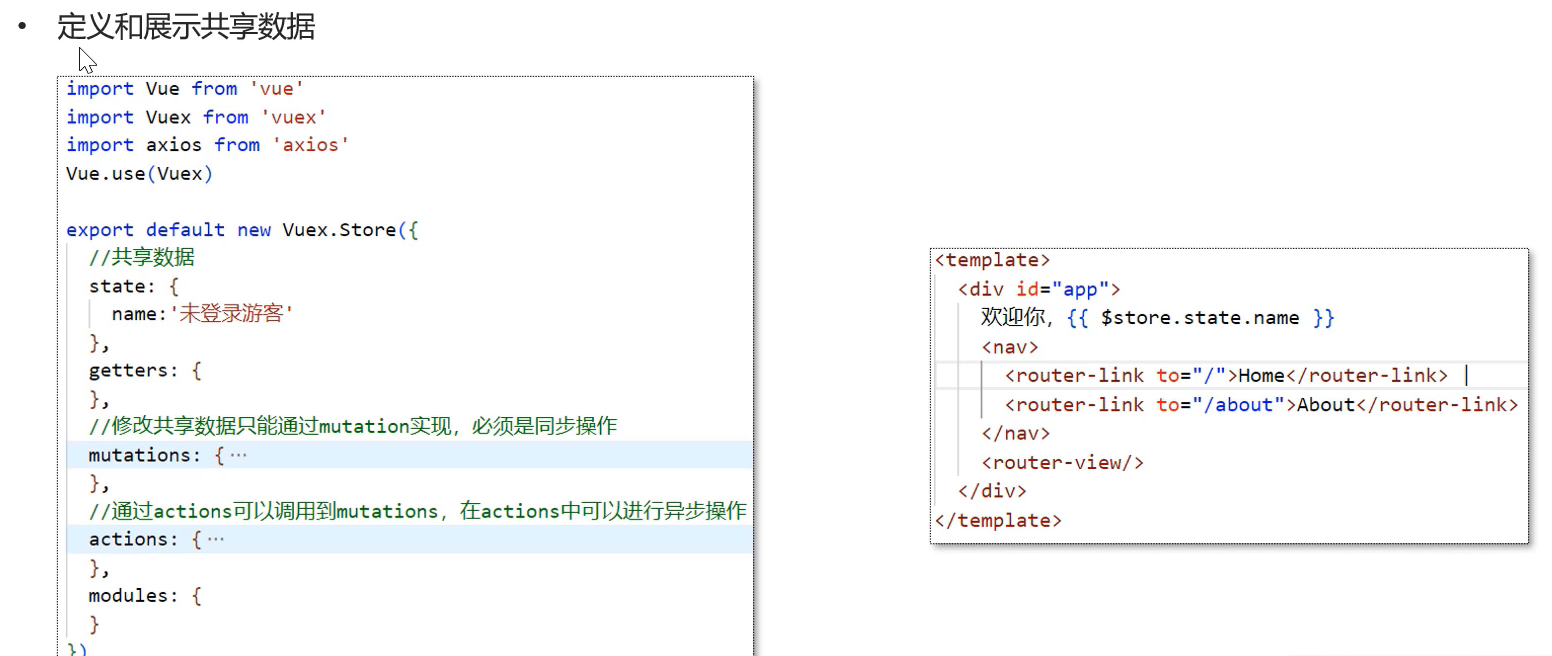
修改操作
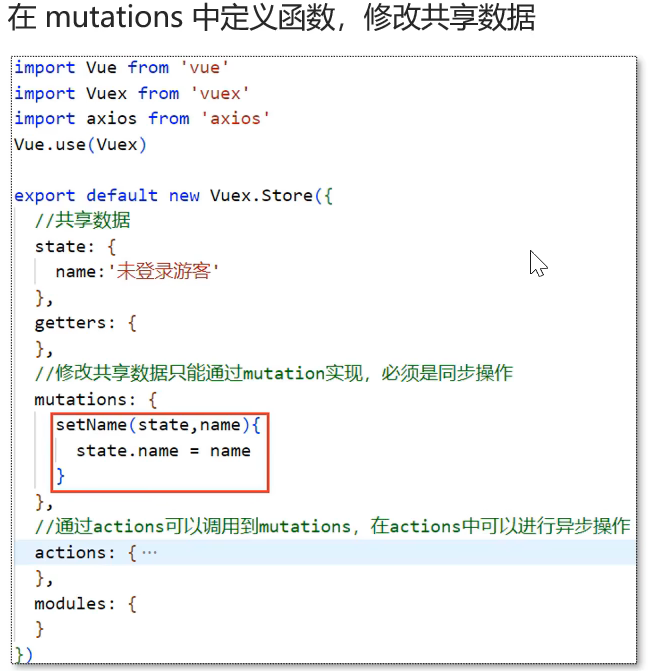
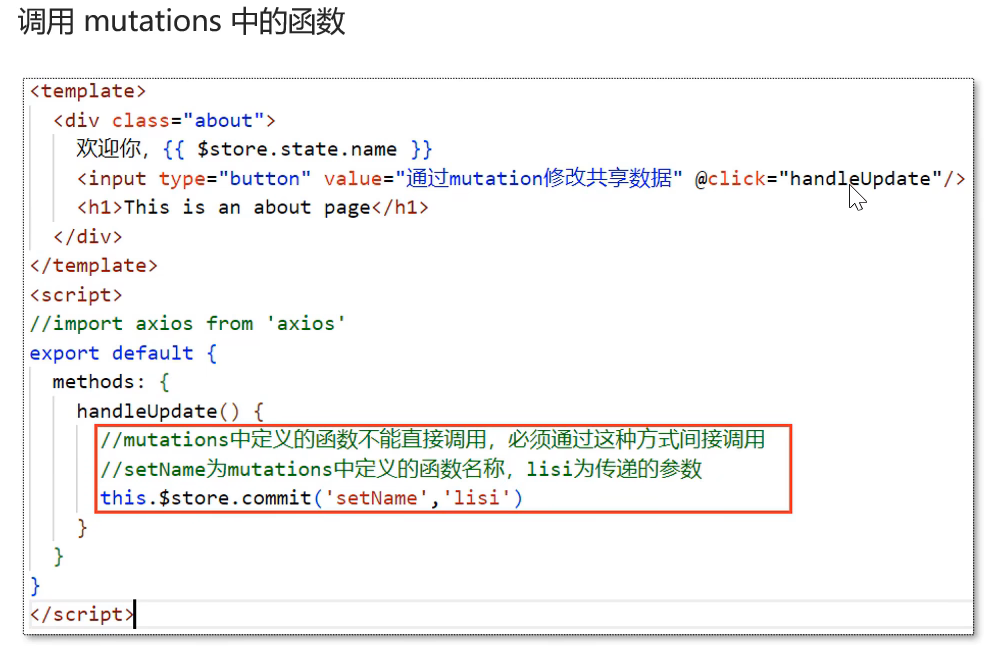
对于异步的请求操作我们要修改就要用另外的方法。
context是上下文,有了上下文就可以调用到mutations里面的方法。
在异步请求后,需要修改共享数据,只能通过mutations中的方法。
在App.vue中将<template>和<script>代码替换为如下:
<template>
  <div id="app">
    欢迎你,{{$store.state.name}}
    <input type="button" value="通过mutations修改共享数据" @click="handleUpdate"/>
    <input type="button" value="通过actions中定义的函数" @click="handleCallAction"/>
    <img alt="Vue logo" src="./assets/logo.png">
    <HelloWorld msg="Welcome to Your Vue.js App"/>
  </div>
</template>

<script>
import HelloWorld from './components/HelloWorld.vue'
export default {
  name: 'App',
  components: {
    HelloWorld
  },
  methods:{
    handleUpdate(){
      //mutation中定义的函数不能直接调用,必须通过下面这种方式调用
      this.$store.commit('setName','lisi')
      //setName为mutation中定义的函数名称,list为传递的参数
    },
    handleCallAction(){
      //调用actions中定义的函数,setNameByAxios为函数名称
      this.$store.dispatch('setNameByAxios')
    }
  }
}
</script>
在store/index.js中将代码替换为如下:
import Vue from 'vue'
import Vuex from 'vuex'
import axios from 'axios'

Vue.use(Vuex)

export default new Vuex.Store({
  state: {
    name: '未登录游客'
  },
  getters: {
  },
  //通过当前属性中定义的函数修改共享数据,必须都是同步操作
  mutations: {
    setName(state,newName){
      state.name = newName
    }
  },
  //通过actions调用mutation,在actions中可以进行异步操作
  actions: {
    setNameByAxios(context){
      axios({
        url:'/api/admin/employee/login',
        method: 'post',
        data:{
          username:'admin',
          password:'123456'
        }
      }).then(res=>{
        if(res.data.code==1){
          //异步请求后,需要修改共享数据
          //在actions中调用mutation中定义的setName函数
          context.commit('setName',res.data.data.name)
        }
      })
    }
  },
  modules: {
  }
})
这里还需要配置代理。
TpyeScripe
简介
TypeScript简称TS,是微软推出的开源语言。TypeScript是JavaScript的超集(JS有的TS都有)。TypeScript=Type+JavaScript(在JS基础上增加了类型支持)。TypeScript文件扩展名为ts。TypeScript可编译成标准的JavaScript,并且在编译时进行类型检查。
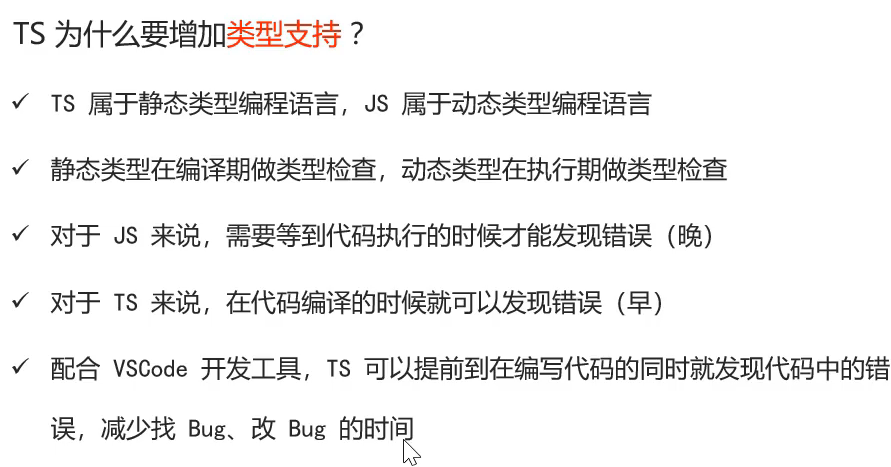
安装方法:
npm install -g typescript查看版本:
tsc -v操作
要把ts文件编译成js文件才可以运行。
在终端输入tsc+文件名就行了。编译好之后用node+新文件名就可以运行了。
常用数据类型
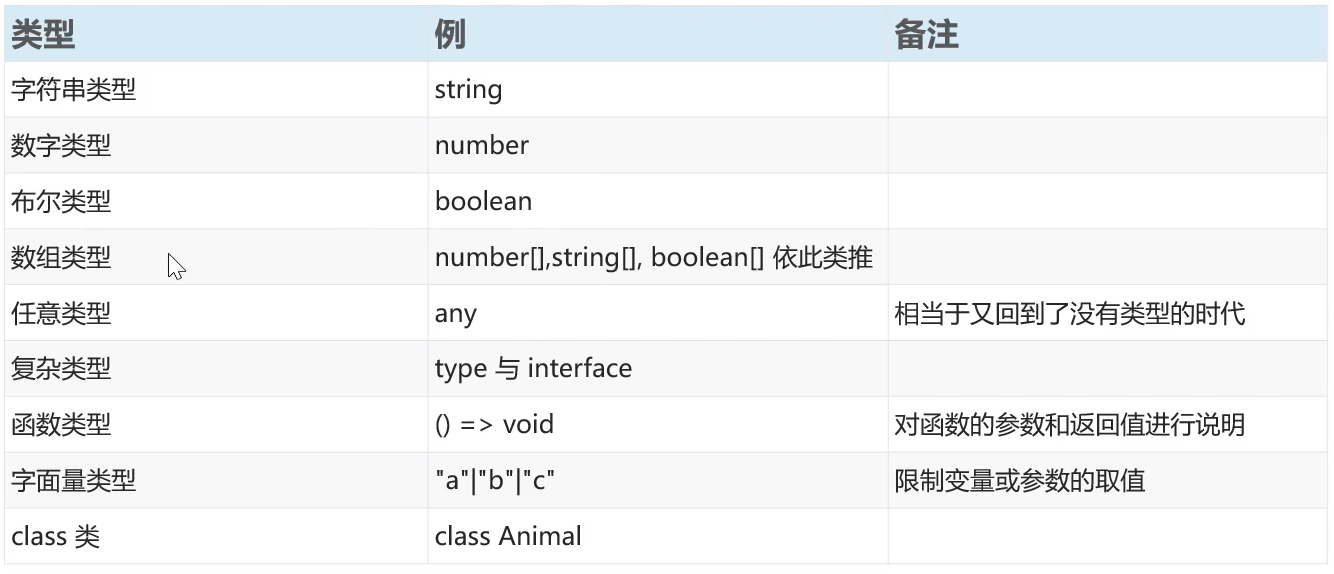

火山引擎开发者社区是火山引擎打造的AI技术生态平台,聚焦Agent与大模型开发,提供豆包系列模型(图像/视频/视觉)、智能分析与会话工具,并配套评测集、动手实验室及行业案例库。社区通过技术沙龙、挑战赛等活动促进开发者成长,新用户可领50万Tokens权益,助力构建智能应用。
更多推荐
 21
21 0
0- 0


 已为社区贡献1条内容

所有评论(0)