关于vivado中用ILA逻辑分析IP观测波形碰到的问题及其解决办法
摘要:FPGA调试时出现JTAG设备与探针文件不匹配的错误([Labtools27-3412]),主要是由于gmii_rx_dv信号端口索引不兼容。解决方法包括:1)检查调试核的时钟信号是否稳定;2)确保时钟满足时序约束;3)将JTAG时钟频率降至调试核时钟的1/2.5倍。建议通过Vivado Hardware Manager调低PARAM中的FREQUENCY参数值,这是简单有效的解决方案。
ERROR: [Labtools 27-3412] Mismatch between the design programmed into the
device 'xc7a35t' (JTAG device index = '0'
and the probes file(s) 'D:/FPAG_study/FPGA_test/ARP_TEST/prj/ARP_TEST.runs/
impl_1/arp_top.ltx'.
The hw_probe 'gmii_rx_dv' in the probes file has port index '7'. This port
location for the ILA core at location (uuid_23E7D65A79BC59F7BC47406C1714DFAE),
does not support a data probe.
.
Resolution:
1) Ensure that the clock signal connected to the debug core and/or debug
hub is clean and free-running.
2) Ensure that the clock connected to the debug core and/or debug hub meets
all timing constraints.
3) Ensure that the JTAG clock frequency is 2.5x times slower than the frequency
of the clock connected to your debug hub.
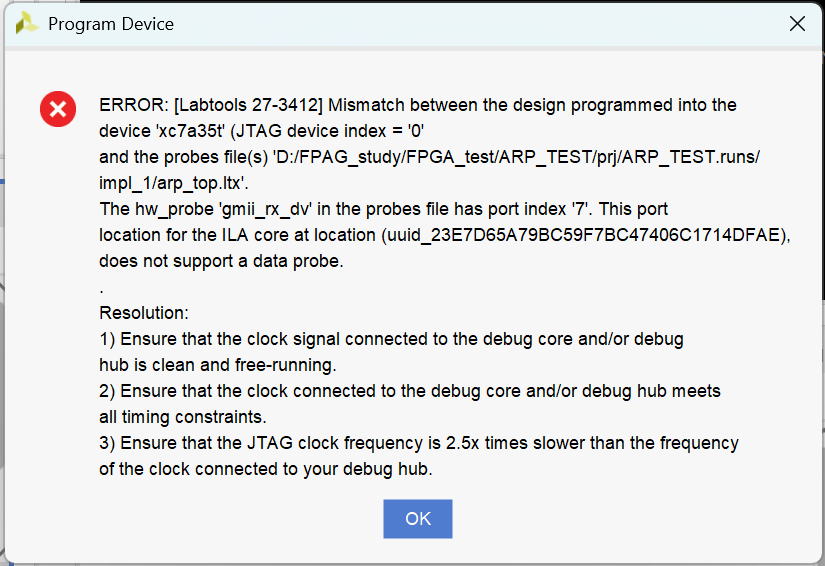
看见这个报错不要慌,可以尝试降低 JTAG 频率
打开Vivado Hardware Manager
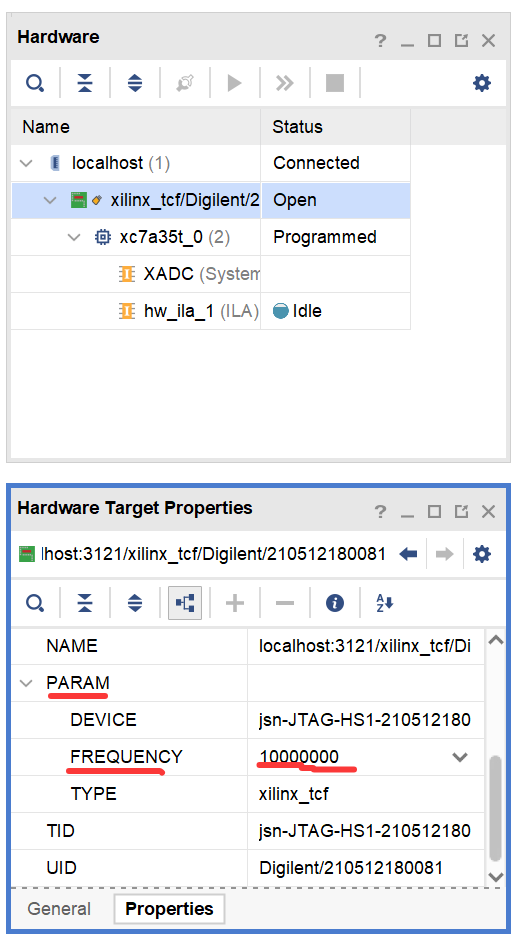
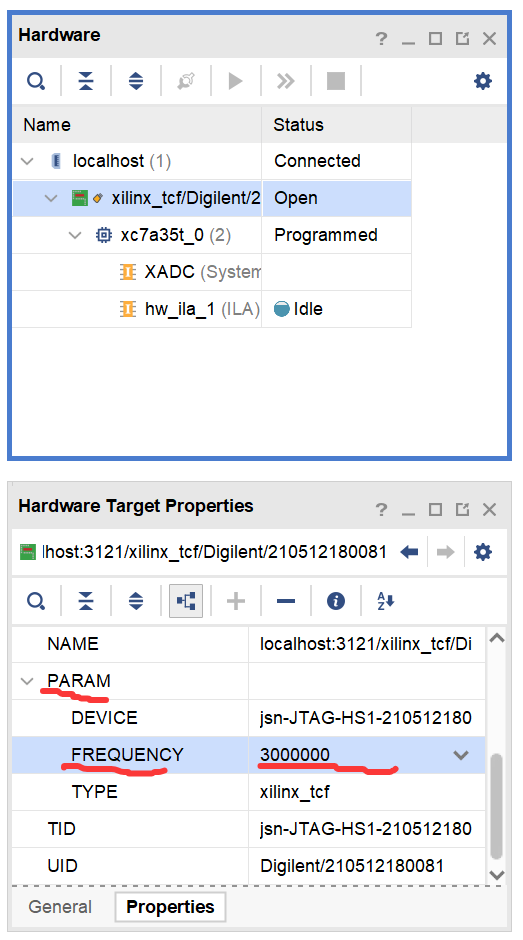
将PARAM下的FREQUENCY的值改小。如下图所示

火山引擎开发者社区是火山引擎打造的AI技术生态平台,聚焦Agent与大模型开发,提供豆包系列模型(图像/视频/视觉)、智能分析与会话工具,并配套评测集、动手实验室及行业案例库。社区通过技术沙龙、挑战赛等活动促进开发者成长,新用户可领50万Tokens权益,助力构建智能应用。
更多推荐
 23
23 0
0- 0


 已为社区贡献5条内容

所有评论(0)