【go/wails】wails入门系列(二)无边框应用的菜单栏以及窗口拖拽
摘要:本文介绍了在Wails框架中实现无边框窗口并进行自定义菜单栏和窗口拖拽功能的开发过程。主要内容包括:1) 通过将Frameless设为true实现无边框窗口;2) 使用Wails提供的API实现最小化、最大化和关闭功能;3) 添加自定义菜单栏的前端代码;4) 通过CSS样式--wails-draggable:drag实现窗口拖拽功能。文章提供了完整的代码示例和运行效果截图,展示了如何在Wai
·
说在前面
- 操作系统:win11
- go版本:1.24.4
- nodejs版本:v22.16.0
- wails版本:v2.10.1
wails设置
- wails设置无边框是比较简单的,在配置里将
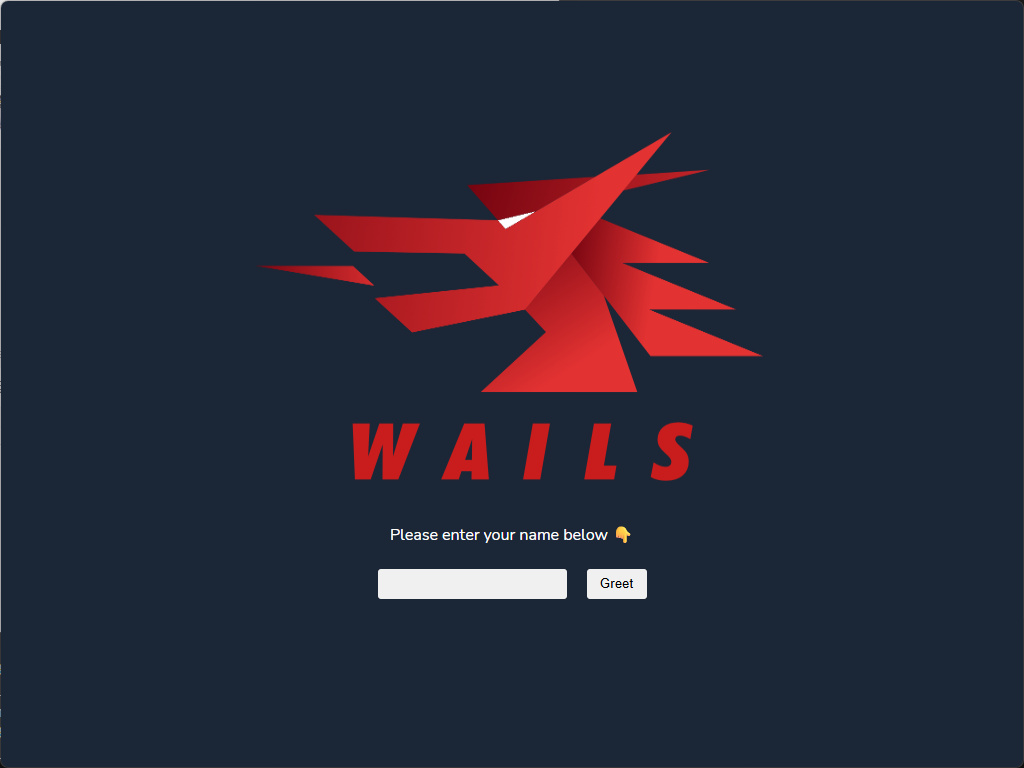
Frameless设置为true即可func main() { // Create an instance of the app structure app := NewApp() // Create application with options err := wails.Run(&options.App{ Title: "workbench-go", Width: 1024, Height: 768, AssetServer: &assetserver.Options{ Assets: assets, }, Frameless: true, BackgroundColour: &options.RGBA{R: 27, G: 38, B: 54, A: 1}, OnStartup: app.startup, Bind: []interface{}{ app, }, }) if err != nil { println("Error:", err.Error()) } } - 运行结果如下,但是关闭按钮也没了,拖拽也没了
自定义菜单栏
- wails提供的api中已经存在了对应的最大化/最小化/关闭应用等功能,可以在
frontend\wailsjs\runtime\runtime.d.ts中找到:// [WindowMaximise](https://wails.io/docs/reference/runtime/window#windowmaximise) // Maximises the window to fill the screen. export function WindowMaximise(): void; // [WindowToggleMaximise](https://wails.io/docs/reference/runtime/window#windowtogglemaximise) // Toggles between Maximised and UnMaximised. export function WindowToggleMaximise(): void; // [WindowUnmaximise](https://wails.io/docs/reference/runtime/window#windowunmaximise) // Restores the window to the dimensions and position prior to maximising. export function WindowUnmaximise(): void; // [WindowIsMaximised](https://wails.io/docs/reference/runtime/window#windowismaximised) // Returns the state of the window, i.e. whether the window is maximised or not. export function WindowIsMaximised(): Promise<boolean>; // [WindowMinimise](https://wails.io/docs/reference/runtime/window#windowminimise) // Minimises the window. export function WindowMinimise(): void; // [WindowUnminimise](https://wails.io/docs/reference/runtime/window#windowunminimise) // Restores the window to the dimensions and position prior to minimising. export function WindowUnminimise(): void; // [WindowIsMinimised](https://wails.io/docs/reference/runtime/window#windowisminimised) // Returns the state of the window, i.e. whether the window is minimised or not. export function WindowIsMinimised(): Promise<boolean>; - 这样,我们只需要编写对应的前端代码即可
运行结果如下:<template> <div class="title-bar"> <!-- 左侧:应用图标和名称 --> <div class="title-bar-left"> <img src="../assets/images/logo-universal.png" alt="App Icon" class="app-icon" /> <span class="app-name">Workbench</span> </div> <!-- 右侧:窗口控制按钮 --> <div class="title-bar-right"> <button @click="minimizeWindow" class="window-control minimize" title="最小化"> <Minus :size="14" /> </button> <button @click="toggleMaximize" class="window-control maximize" :title="isMaximized ? '还原' : '最大化'"> <Maximize2 v-if="!isMaximized" :size="14" /> <Minimize2 v-else :size="14" /> </button> <button @click="closeWindow" class="window-control close" title="关闭"> <X :size="14" /> </button> </div> </div> </template> <script setup lang="ts"> import { ref, onMounted } from 'vue' import { Minus, Maximize2, Minimize2, X } from 'lucide-vue-next' import { WindowMaximise, WindowMinimise, WindowUnmaximise, Quit, WindowIsMaximised } from '../../wailsjs/runtime/runtime' const isMaximized = ref(false) const minimizeWindow = async () => { try { await WindowMinimise() } catch (error) { console.error('Error minimizing window:', error) } } const toggleMaximize = async () => { try { if (isMaximized.value) { await WindowUnmaximise() isMaximized.value = false } else { await WindowMaximise() isMaximized.value = true } } catch (error) { console.error('Error toggling maximize:', error) } } const closeWindow = async () => { try { await Quit() } catch (error) { console.error('Error closing window:', error) } } const checkMaximizeState = async () => { try { isMaximized.value = await WindowIsMaximised() } catch (error) { console.error('Error checking maximize state:', error) } } onMounted(() => { checkMaximizeState() // 监听窗口状态变化 window.addEventListener('resize', checkMaximizeState) }) </script> </style>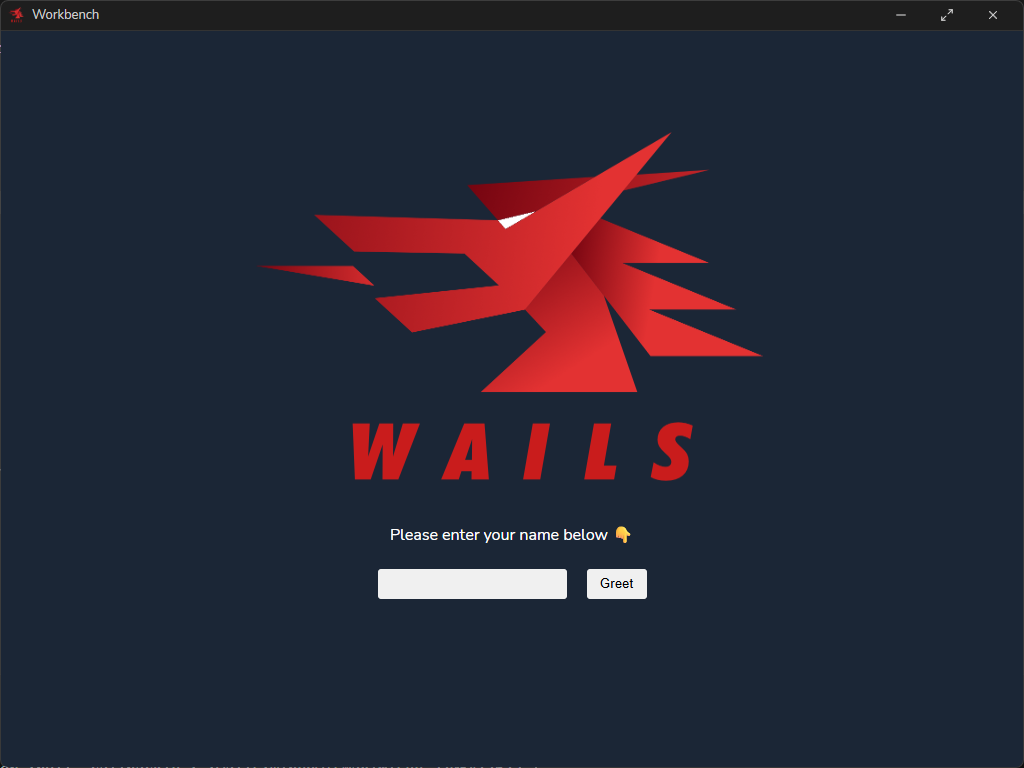
窗口拖拽
- 添加完成之后,整个窗口是不能拖拽的,需要我们添加拖拽支持,wails提供了对应的方法,即设置css样式
这样将菜单栏对应的dom节点设置一下就行--wails-draggable:drag<template> <div class="title-bar" style="--wails-draggable: drag;"> <!-- 左侧:应用图标和名称 --> <div class="title-bar-left"> <img src="../assets/images/logo-universal.png" alt="App Icon" class="app-icon" /> <span class="app-name">Workbench</span> </div> <!-- 右侧:窗口控制按钮 --> <div class="title-bar-right"> <button @click="minimizeWindow" class="window-control minimize" title="最小化" style="--wails-draggable: no-drag;"> <Minus :size="14" /> </button> <button @click="toggleMaximize" class="window-control maximize" :title="isMaximized ? '还原' : '最大化'" style="--wails-draggable: no-drag;"> <Maximize2 v-if="!isMaximized" :size="14" /> <Minimize2 v-else :size="14" /> </button> <button @click="closeWindow" class="window-control close" title="关闭" style="--wails-draggable: no-drag;"> <X :size="14" /> </button> </div> </div> </template>

火山引擎开发者社区是火山引擎打造的AI技术生态平台,聚焦Agent与大模型开发,提供豆包系列模型(图像/视频/视觉)、智能分析与会话工具,并配套评测集、动手实验室及行业案例库。社区通过技术沙龙、挑战赛等活动促进开发者成长,新用户可领50万Tokens权益,助力构建智能应用。
更多推荐
 5
5 0
0- 0


 已为社区贡献14条内容

所有评论(0)