在 Dify 中使用本地自定义嵌入模型
将微调后的本地自定义模型集成在 dify 中,使得在 dify 中创建知识库时可以选用微调后的 embedding model。
任务目标: 将微调后的本地自定义模型集成在 dify 中,使得在 dify 中创建知识库时可以选用微调后的 embedding model。
微调后的本地模型目录:
/models
└── bge-large-zh-v1.5-finetuned
    ├── config.json
    ├── model.safetensors
    ├── tokenizer.json
    └── special_tokens_map.json
在本项目中,选择使用 XInference 来完成这一部署,实现本地模型的高效调用与集成。
XInference 是一个轻量级、高性能的推理服务框架,主要用于将训练好的模型(微调模型)快速部署为可调用的推理接口。
提供与 OpenAI API 类似的接口,包括生成(completion)、嵌入(embeddings)等,使现有系统(如 Dify)可以调用。
Step1:部署 xinference
参见 dify 官方文档:https://docs.dify.ai/zh-hans/development/models-integration/xinference
Step2:创建并部署模型
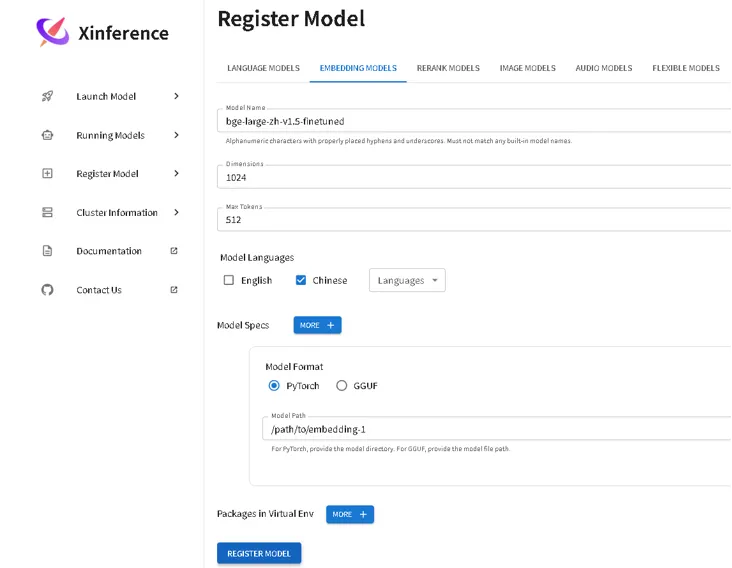
在xinference中,选择 register model,设置 model-name,model format为 pytorch,选择模型路径,register model
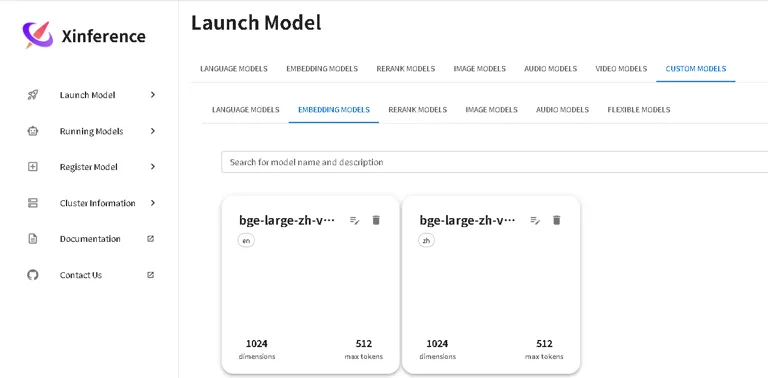
可以在 launch model 中的custom model 看到:
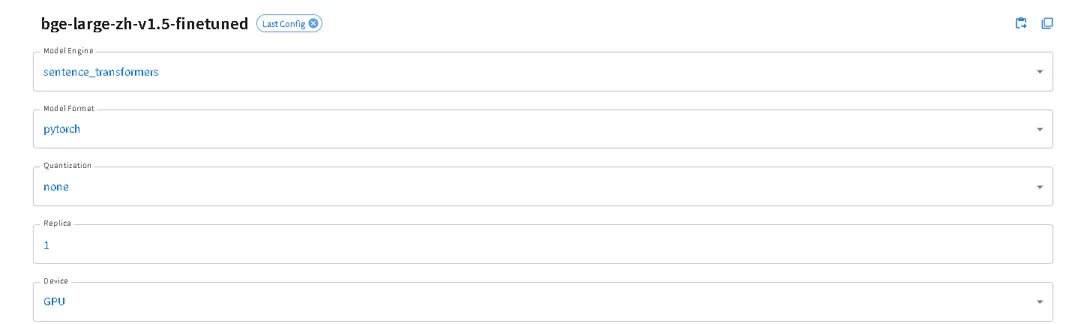
设置 model engine 为 sentence-transformers:
随后可以在running model 中看到模型已部署:

Step3:在 dify 中选择模型
在dify中选择 Xorbits Inference 插件,设置参数:
- 模型名称:对应上图name
- 服务器URL:http://your-localhost:9997
linux系统中如何查看ip地址:
ip addr show | grep inet
找到 inet …… scope global dynamic noprefixroute ……enp4s0是有线网卡wlo1是无线网卡
- 模型UID:对应上图ID
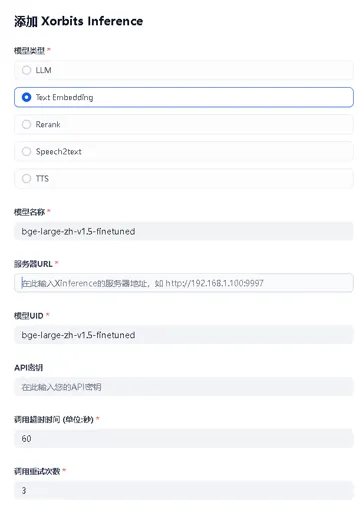
添加后可以在模型列表中看到:
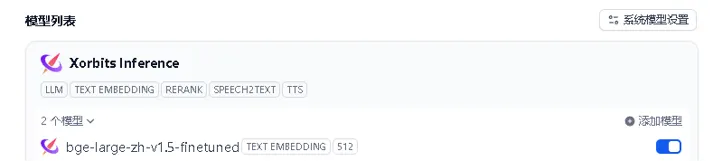
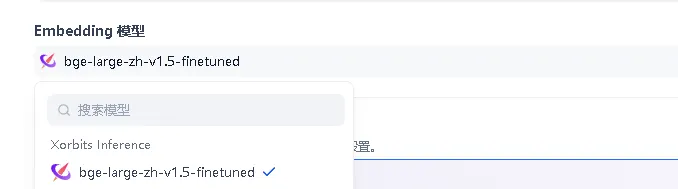
即可在 dify 知识库中调用微调之后的模型:

中国智能体开发者社区,聚焦智能体与大模型开发,提供前沿资讯、实用工具链、开源项目及行业案例。通过技术沙龙、开发者大赛等活动,促进经验交流与协作,助力开发者快速构建创新智能应用。
更多推荐
 9
9 0
0- 0


 已为社区贡献3条内容

所有评论(0)