【Bug已解决】openclaw cache corruption detected / Invalid cache format — OpenClaw 缓存损坏解决方案
·
【Bug已解决】openclaw: "cache corruption detected" / Invalid cache format — OpenClaw 缓存损坏解决方案
1. 问题描述
在使用 OpenClaw 时,系统检测到缓存文件损坏,导致会话恢复失败或配置加载异常:
# 缓存损坏 - 标准报错
$ openclaw "继续上次的任务"
Error: Cache corruption detected
Invalid cache format at .openclaw/cache/session_20240115.json
Unexpected token } in JSON at position 1024

# 缓存版本不兼容
$ openclaw "恢复会话"
Error: Cache version mismatch
Cache format v3 is not compatible with current version (expected v4)
Run 'openclaw --clear-cache' to reset

# 缓存文件权限错误
$ openclaw "启动"
Error: EACCES: permission denied
Cannot read cache file: .openclaw/cache/tools.cache
Permission denied (os error 13)

# 缓存数据不完整
$ openclaw "分析项目"
Error: Cache integrity check failed
Checksum mismatch for cache entry 'file_index'
Cache may be corrupted or tampered with
这个问题在以下场景中特别常见:
- OpenClaw 异常退出(OOM/kill/崩溃)后缓存未完整写入
- 升级 OpenClaw 后缓存格式变更
- 磁盘空间不足导致缓存写入截断
- 多个 OpenClaw 实例同时写入缓存
- 文件系统异常(断电/强制卸载)
- 手动编辑缓存文件导致格式错误
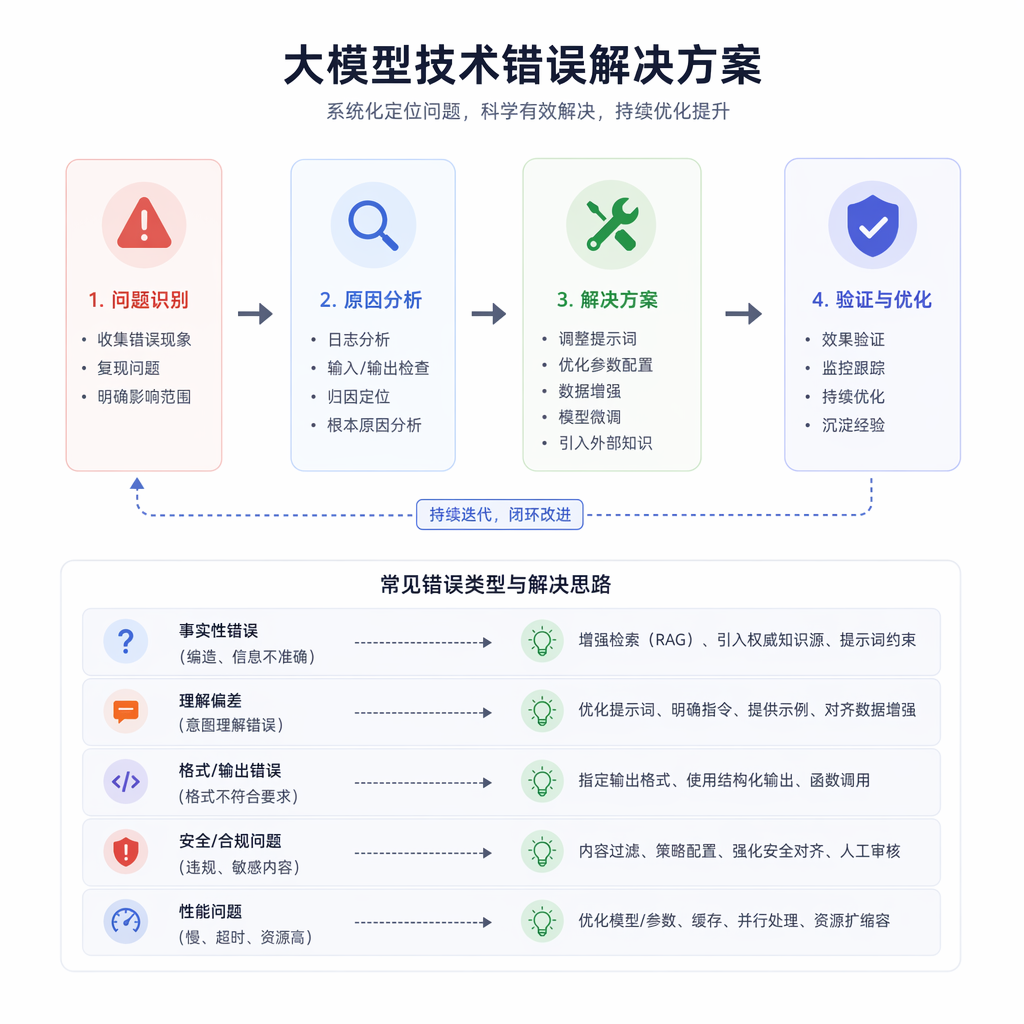
2. 原因分析
OpenClaw运行中
    ↓
写入缓存文件 ←──── 可能被中断
    ↓
异常退出 ←──── 写入未完成
    ↓
缓存文件不完整/损坏 ←──── JSON截断或格式错误
    ↓
下次启动读取缓存 → 解析失败 → 报错
| 原因分类 | 具体表现 | 占比 |
|---|---|---|
| 异常退出导致截断 | JSON不完整 | 约 35% |
| 版本不兼容 | 格式变更 | 约 25% |
| 并发写入冲突 | 多实例同时写 | 约 15% |
| 磁盘空间不足 | 写入失败 | 约 10% |
| 权限问题 | EACCES | 约 8% |
| 文件系统错误 | 数据损坏 | 约 7% |
深层原理
OpenClaw 使用本地文件缓存来存储会话历史、文件索引、工具执行结果等数据,以提高后续任务的响应速度。缓存以 JSON 格式存储在 .openclaw/cache/ 目录下。当 OpenClaw 正常退出时,缓存会被完整写入并验证校验和。但如果进程被强制终止(OOM Killer、SIGKILL、断电),缓存文件可能只写了一半,导致 JSON 格式不完整。此外,OpenClaw 版本升级可能引入新的缓存格式(如从 v3 到 v4),旧版本缓存无法被新版本解析。
3. 解决方案
方案一:清理缓存重新开始(最推荐)
# 清理所有缓存
rm -rf .openclaw/cache/
echo "缓存已清理"

# 清理特定缓存类型
rm -f .openclaw/cache/session_*.json    # 清理会话缓存
rm -f .openclaw/cache/tools.cache       # 清理工具缓存
rm -f .openclaw/cache/file_index.cache  # 清理文件索引
rm -f .openclaw/cache/response_*.json   # 清理响应缓存

# 使用 OpenClaw 内置命令清理
openclaw --clear-cache
openclaw --clear-cache --all  # 清理所有缓存包括全局缓存

# 清理全局缓存
rm -rf ~/.openclaw/cache/
rm -rf ~/.cache/openclaw/

# 清理后验证
ls -la .openclaw/cache/ 2>/dev/null || echo "缓存目录已清空"

# 重新运行
openclaw "新任务"
方案二:修复损坏的缓存文件
# 创建缓存修复工具
import json
import os
import sys
import hashlib

class CacheRepairTool:
    """缓存文件修复工具"""

    CACHE_DIR = '.openclaw/cache'

    @classmethod
    def scan_cache(cls):
        """扫描所有缓存文件,检测损坏"""
        results = {'valid': [], 'corrupted': [], 'unreadable': []}

        if not os.path.exists(cls.CACHE_DIR):
            print("缓存目录不存在")
            return results

        for filename in os.listdir(cls.CACHE_DIR):
            filepath = os.path.join(cls.CACHE_DIR, filename)

            if not os.path.isfile(filepath):
                continue

            try:
                with open(filepath, 'r') as f:
                    content = f.read()

                # 尝试解析JSON
                json.loads(content)
                results['valid'].append(filepath)

            except json.JSONDecodeError as e:
                results['corrupted'].append({
                    'file': filepath,
                    'error': str(e),
                    'size': os.path.getsize(filepath)
                })
            except Exception as e:
                results['unreadable'].append({
                    'file': filepath,
                    'error': str(e)
                })

        return results

    @classmethod
    def repair_json(cls, filepath):
        """尝试修复损坏的JSON缓存"""
        with open(filepath, 'r') as f:
            content = f.read()

        # 策略1: 补全缺失的括号
        open_braces = content.count('{')
        close_braces = content.count('}')
        open_brackets = content.count('[')
        close_brackets = content.count(']')

        if open_braces > close_braces:
            content += '}' * (open_braces - close_braces)
        if open_brackets > close_brackets:
            content += ']' * (open_brackets - close_brackets)

        try:
            data = json.loads(content)
            print(f"  [修复成功] {filepath}")
            # 写回修复后的内容
            with open(filepath, 'w') as f:
                json.dump(data, f, indent=2)
            return True
        except json.JSONDecodeError:
            pass

        # 策略2: 截取到最后一个完整对象
        last_valid = content.rfind('}')
        if last_valid > 0:
            truncated = content[:last_valid + 1]
            try:
                data = json.loads(truncated)
                print(f"  [截断修复] {filepath} (截取到位置 {last_valid})")
                with open(filepath, 'w') as f:
                    json.dump(data, f, indent=2)
                return True
            except json.JSONDecodeError:
                pass

        # 策略3: 无法修复,删除
        print(f"  [无法修复] 删除 {filepath}")
        os.remove(filepath)
        return False

    @classmethod
    def repair_all(cls):
        """修复所有损坏的缓存"""
        results = cls.scan_cache()

        print(f"扫描结果:")
        print(f"  有效: {len(results['valid'])}")
        print(f"  损坏: {len(results['corrupted'])}")
        print(f"  不可读: {len(results['unreadable'])}")

        if results['corrupted']:
            print(f"\n修复损坏文件:")
            for item in results['corrupted']:
                print(f"  {item['file']} ({item['size']} bytes)")
                print(f"    错误: {item['error']}")
                cls.repair_json(item['file'])

        if results['unreadable']:
            print(f"\n删除不可读文件:")
            for item in results['unreadable']:
                print(f"  {item['file']}: {item['error']}")
                try:
                    os.remove(item['file'])
                    print(f"    已删除")
                except Exception:
                    pass

if __name__ == "__main__":
    CacheRepairTool.repair_all()
方案三:配置原子写入防止缓存损坏
# 配置 OpenClaw 使用原子写入模式
python3 -c "
import json
with open('.openclaw/config.json', 'r') as f:
    config = json.load(f)

config['cacheOptions'] = {
    'atomicWrite': True,           # 原子写入(先写临时文件再重命名)
    'writeSync': True,             # fsync 确保写入磁盘
    'checksumValidation': True,    # 读取时验证校验和
    'backupBeforeWrite': True,     # 写入前备份旧缓存
    'maxBackups': 3,               # 保留3个备份
    'autoRepair': True,            # 自动修复损坏缓存
    'compressionLevel': 6          # 压缩级别
}

with open('.openclaw/config.json', 'w') as f:
    json.dump(config, f, indent=2)
print('缓存原子写入已启用,自动修复和备份已配置')
"

# 原子写入实现原理
cat > .openclaw/atomic_cache_writer.js << 'JEOF'
const fs = require('fs');
const path = require('path');
const crypto = require('crypto');

class AtomicCacheWriter {
    constructor(cacheDir) {
        this.cacheDir = cacheDir;
    }

    async write(filename, data) {
        const filepath = path.join(this.cacheDir, filename);
        const tempPath = filepath + '.tmp';
        const backupPath = filepath + '.bak';

        try {
            // 1. 备份旧文件
            if (fs.existsSync(filepath)) {
                fs.copyFileSync(filepath, backupPath);
            }

            // 2. 计算校验和
            const content = JSON.stringify(data);
            const checksum = crypto.createHash('md5').update(content).digest('hex');
            const wrapped = { data, checksum, version: 4, timestamp: Date.now() };

            // 3. 写入临时文件
            fs.writeFileSync(tempPath, JSON.stringify(wrapped, null, 2));

            // 4. 确保写入磁盘
            fs.syncSync(tempPath);

            // 5. 原子重命名
            fs.renameSync(tempPath, filepath);

            return true;
        } catch (err) {
            console.error(`缓存写入失败: ${err.message}`);
            // 回滚:恢复备份
            if (fs.existsSync(backupPath)) {
                fs.copyFileSync(backupPath, filepath);
            }
            // 清理临时文件
            if (fs.existsSync(tempPath)) {
                fs.unlinkSync(tempPath);
            }
            return false;
        }
    }

    read(filename) {
        const filepath = path.join(this.cacheDir, filename);

        if (!fs.existsSync(filepath)) {
            return null;
        }

        try {
            const content = fs.readFileSync(filepath, 'utf-8');
            const wrapped = JSON.parse(content);

            // 验证校验和
            const expectedChecksum = wrapped.checksum;
            const actualChecksum = crypto.createHash('md5')
                .update(JSON.stringify(wrapped.data)).digest('hex');

            if (expectedChecksum !== actualChecksum) {
                console.warn('缓存校验和不匹配,可能已损坏');
                // 尝试从备份恢复
                return this.restoreFromBackup(filename);
            }

            return wrapped.data;
        } catch (err) {
            console.warn(`缓存读取失败: ${err.message}`);
            return this.restoreFromBackup(filename);
        }
    }

    restoreFromBackup(filename) {
        const backupPath = path.join(this.cacheDir, filename + '.bak');
        if (fs.existsSync(backupPath)) {
            console.log('从备份恢复缓存...');
            const filepath = path.join(this.cacheDir, filename);
            fs.copyFileSync(backupPath, filepath);
            return this.read(filename);  // 递归读取(但避免无限循环)
        }
        return null;
    }
}

module.exports = AtomicCacheWriter;
JEOF
echo "原子缓存写入器已创建"
方案四:处理版本不兼容的缓存
# 检查缓存版本
python3 -c "
import json
import os

cache_dir = '.openclaw/cache'
if not os.path.exists(cache_dir):
    print('无缓存目录')
    exit()

for filename in os.listdir(cache_dir):
    filepath = os.path.join(cache_dir, filename)
    try:
        with open(filepath, 'r') as f:
            data = json.load(f)
        version = data.get('version', 'unknown')
        print(f'{filename}: v{version}')
    except Exception:
        print(f'{filename}: 无法读取(可能损坏)')
"

# 迁移旧版本缓存
python3 -c "
import json
import os

def migrate_cache(filepath, from_version, to_version):
    \"\"\"迁移缓存版本\"\"\"
    with open(filepath, 'r') as f:
        data = json.load(f)

    if data.get('version') == to_version:
        return True

    if data.get('version') != from_version:
        print(f'  跳过: 版本 {data.get(\"version\")} 不在迁移范围')
        return False

    # 执行迁移逻辑
    if from_version == 3 and to_version == 4:
        # v3 -> v4: 重命名字段
        if 'file_list' in data.get('data', {}):
            data['data']['files'] = data['data'].pop('file_list')
        if 'tool_results' in data.get('data', {}):
            data['data']['toolCache'] = data['data'].pop('tool_results')
        data['version'] = to_version

    with open(filepath, 'w') as f:
        json.dump(data, f, indent=2)

    print(f'  迁移成功: v{from_version} -> v{to_version}')
    return True

# 批量迁移
cache_dir = '.openclaw/cache'
migrated = 0
for filename in os.listdir(cache_dir):
    filepath = os.path.join(cache_dir, filename)
    try:
        if migrate_cache(filepath, 3, 4):
            migrated += 1
    except Exception as e:
        print(f'  迁移失败 {filename}: {e}')

print(f'共迁移 {migrated} 个缓存文件')
"
方案五:防止并发写入冲突
# 使用文件锁防止多实例同时写入缓存
python3 -c "
import json
with open('.openclaw/config.json', 'r') as f:
    config = json.load(f)

config['cacheOptions']['locking'] = True
config['cacheOptions']['lockTimeout'] = 5000  # 5秒锁超时
config['cacheOptions']['singleWriter'] = True  # 单写入者模式
config['cacheOptions']['writerQueue'] = True   # 写入队列

with open('.openclaw/config.json', 'w') as f:
    json.dump(config, f, indent=2)
print('缓存写入锁已启用: 5秒超时, 单写入者模式')
"

# 检查是否有多个 OpenClaw 实例
ps aux | grep openclaw | grep -v grep | wc -l
echo "当前 OpenClaw 实例数"

# 如果有多个实例,使用不同的缓存目录
export OPENCLAW_CACHE_DIR=".openclaw/cache_$$"  # 使用PID区分
mkdir -p "$OPENCLAW_CACHE_DIR"
openclaw "任务"
方案六:缓存健康检查与自动维护
# 创建缓存健康检查脚本
cat > .openclaw/cache_healthcheck.sh << 'EOF'
#!/bin/bash
# 缓存健康检查

CACHE_DIR=".openclaw/cache"
ISSUES=0

echo "=== 缓存健康检查 ==="

# 检查1: 目录是否存在
if [ ! -d "$CACHE_DIR" ]; then
    echo "✅ 缓存目录不存在(全新状态)"
    exit 0
fi

# 检查2: 缓存文件数量
FILE_COUNT=$(ls -1 "$CACHE_DIR" | wc -l)
echo "缓存文件数: $FILE_COUNT"

# 检查3: 缓存总大小
CACHE_SIZE=$(du -sh "$CACHE_DIR" | cut -f1)
echo "缓存大小: $CACHE_SIZE"

# 检查4: 检测损坏的JSON文件
CORRUPTED=0
for f in "$CACHE_DIR"/*.json; do
    if [ -f "$f" ]; then
        if ! python3 -c "import json; json.load(open('$f'))" 2>/dev/null; then
            echo "❌ 损坏: $(basename $f)"
            CORRUPTED=$((CORRUPTED + 1))
            ISSUES=$((ISSUES + 1))
        fi
    fi
done

if [ $CORRUPTED -eq 0 ]; then
    echo "✅ 所有JSON缓存文件完整"
fi

# 检查5: 检查临时文件残留
TMP_COUNT=$(ls -1 "$CACHE_DIR"/*.tmp 2>/dev/null | wc -l)
if [ $TMP_COUNT -gt 0 ]; then
    echo "⚠️  发现 $TMP_COUNT 个临时文件残留"
    rm -f "$CACHE_DIR"/*.tmp
    echo "   已清理临时文件"
fi

# 检查6: 检查备份文件数量
BAK_COUNT=$(ls -1 "$CACHE_DIR"/*.bak 2>/dev/null | wc -l)
if [ $BAK_COUNT -gt 10 ]; then
    echo "⚠️  备份文件过多 ($BAK_COUNT 个)"
    # 保留最新的3个备份
    ls -t "$CACHE_DIR"/*.bak | tail -n +4 | xargs rm -f
    echo "   已清理旧备份,保留最近3个"
fi

# 检查7: 磁盘空间
DISK_SPACE=$(df -h . | tail -1 | awk '{print $5}' | tr -d '%')
if [ $DISK_SPACE -gt 90 ]; then
    echo "❌ 磁盘空间不足 (${DISK_SPACE}%)"
    echo "   清理缓存..."
    rm -rf "$CACHE_DIR"
    echo "   缓存已清理"
    ISSUES=$((ISSUES + 1))
fi

echo ""
if [ $ISSUES -eq 0 ]; then
    echo "✅ 缓存健康状态良好"
else
    echo "⚠️  发现 $ISSUES 个问题(已自动修复)"
fi
EOF

chmod +x .openclaw/cache_healthcheck.sh

# 添加到定时任务
echo "0 2 * * * $(pwd)/.openclaw/cache_healthcheck.sh >> /tmp/openclaw_cache.log 2>&1" | crontab -
echo "缓存健康检查已配置为每天凌晨2点执行"
4. 各方案对比总结
| 方案 | 适用场景 | 推荐指数 |
|---|---|---|
| 方案一:清理缓存 | 快速解决 | ⭐⭐⭐⭐⭐ |
| 方案二:修复缓存 | 保留历史数据 | ⭐⭐⭐⭐ |
| 方案三:原子写入 | 长期预防 | ⭐⭐⭐⭐⭐ |
| 方案四:版本迁移 | 升级后 | ⭐⭐⭐ |
| 方案五:并发控制 | 多实例 | ⭐⭐⭐⭐ |
| 方案六:健康检查 | 运维监控 | ⭐⭐⭐ |
5. 常见问题 FAQ
5.1 Windows 上缓存路径包含空格导致问题
Windows 路径中的空格可能导致缓存读取失败:
# 检查缓存路径
$cachePath = "$env:USERPROFILE\.openclaw\cache"
Write-Host "缓存路径: $cachePath"

# 如果路径包含空格(如 C:\Users\John Doe\.openclaw)
# 确保所有路径操作都使用引号
if ($cachePath -match " ") {
    Write-Host "⚠️ 路径包含空格,使用短路径"
    $shortPath = (New-Object -ComObject Scripting.FileSystemObject).GetFolder($cachePath).ShortPath
    Write-Host "短路径: $shortPath"
    $env:OPENCLAW_CACHE_DIR = $shortPath
}

# 清理缓存
Remove-Item -Recurse -Force "$env:USERPROFILE\.openclaw\cache"
openclaw "新任务"
5.2 Docker 容器中缓存丢失
容器重启后缓存丢失:
# 使用 volume 持久化缓存
docker run -v openclaw_cache:/app/.openclaw/cache openclaw "任务"

# Docker Compose
services:
  openclaw:
    volumes:
      - cache_data:/app/.openclaw/cache
      - ./config:/app/.openclaw/config.json
volumes:
  cache_data:

# 如果缓存损坏,清理 volume
docker volume rm openclaw_cache
docker volume create openclaw_cache
5.3 CI/CD 中不需要缓存
CI 环境每次都是全新的,缓存可能造成问题:
# 禁用缓存
env:
  OPENCLAW_NO_CACHE: "true"
  OPENCLAW_CACHE_DIR: "/tmp/openclaw_cache"
steps:
  - name: Run without cache
    run: openclaw --no-cache "分析项目"

  # CI结束后自动清理
  - name: Cleanup
    if: always()
    run: rm -rf /tmp/openclaw_cache
5.4 缓存文件过大占用磁盘空间
长期运行的缓存可能积累到很大:
# 检查缓存大小
du -sh .openclaw/cache/
du -sh ~/.openclaw/cache/

# 配置缓存大小限制
python3 -c "
import json
with open('.openclaw/config.json', 'r') as f:
    config = json.load(f)
config['cacheOptions']['maxSize'] = 104857600  # 100MB
config['cacheOptions']['maxAge'] = 604800       # 7天过期
config['cacheOptions']['maxEntries'] = 10000    # 最多10000条
config['cacheOptions']['autoCleanup'] = True    # 自动清理
config['cacheOptions']['cleanupInterval'] = 3600 # 每小时清理
with open('.openclaw/config.json', 'w') as f:
    json.dump(config, f, indent=2)
print('缓存限制: 100MB, 7天过期, 最多1万条, 每小时清理')
"

# 手动清理旧缓存
find .openclaw/cache/ -type f -mtime +7 -delete
echo "已清理7天前的缓存文件"
5.5 缓存损坏导致会话历史丢失
会话历史是重要的工作记录:
# 启用会话历史自动备份
python3 -c "
import json
with open('.openclaw/config.json', 'r') as f:
    config = json.load(f)
config['sessionOptions'] = {
    'autoBackup': True,
    'backupInterval': 5,       # 每5条消息备份
    'maxBackups': 20,          # 保留20个备份
    'backupDir': '.openclaw/backups',
    'exportFormat': 'json',    # 备份格式
    'compressBackups': True    # 压缩备份
}
with open('.openclaw/config.json', 'w') as f:
    json.dump(config, f, indent=2)
print('会话历史自动备份已启用: 每5条备份, 保留20个')
"

# 从备份恢复会话
ls -la .openclaw/backups/
LATEST_BACKUP=$(ls -t .openclaw/backups/session_*.json | head -1)
cp "$LATEST_BACKUP" .openclaw/cache/session.json
openclaw "恢复会话"
5.6 多用户共享服务器时缓存冲突
多用户在同一服务器上使用 OpenClaw:
# 确保每个用户使用独立的缓存目录
# 默认情况下缓存在项目目录下,不会冲突
# 但全局缓存可能冲突

# 检查全局缓存权限
ls -la ~/.openclaw/cache/

# 确保只有当前用户可读写
chmod 700 ~/.openclaw/cache/
chmod 600 ~/.openclaw/cache/*

# 如果使用共享目录,设置用户级缓存
export OPENCLAW_CACHE_DIR="$HOME/.openclaw/cache_$(whoami)"
mkdir -p "$OPENCLAW_CACHE_DIR"
5.7 缓存加密导致解密失败
如果启用了缓存加密,密钥变更后无法解密:
# 检查是否启用了缓存加密
cat .openclaw/config.json | grep -i encrypt

# 如果加密密钥丢失,只能清理缓存
rm -rf .openclaw/cache/

# 重新配置加密(使用稳定的密钥来源)
python3 -c "
import json
import os
with open('.openclaw/config.json', 'r') as f:
    config = json.load(f)
config['cacheOptions']['encryption'] = False  # 禁用加密避免密钥问题
# 或者使用机器ID作为密钥(稳定但安全性较低)
# config['cacheOptions']['encryptionKey'] = os.environ.get('OPENCLAW_ENCRYPT_KEY')
with open('.openclaw/config.json', 'w') as f:
    json.dump(config, f, indent=2)
print('缓存加密已禁用')
"
5.8 网络文件系统上缓存写入缓慢导致超时
NFS/SMB 上的缓存操作可能超时:
# 将缓存目录设置到本地文件系统
export OPENCLAW_CACHE_DIR="/tmp/openclaw_cache_$$"
mkdir -p "$OPENCLAW_CACHE_DIR"
openclaw "任务"

# 或在配置中指定本地路径
python3 -c "
import json
import tempfile
import os
with open('.openclaw/config.json', 'r') as f:
    config = json.load(f)
config['cacheOptions']['cacheDir'] = os.path.join(tempfile.gettempdir(), 'openclaw_cache')
config['cacheOptions']['writeTimeout'] = 10000  # 10秒写入超时
config['cacheOptions']['asyncWrite'] = True     # 异步写入
with open('.openclaw/config.json', 'w') as f:
    json.dump(config, f, indent=2)
print('缓存目录已设置到本地临时目录')
"
排查清单速查表
□ 1. 清理缓存: rm -rf .openclaw/cache/
□ 2. 使用 openclaw --clear-cache 清理
□ 3. 运行缓存修复脚本检测损坏文件
□ 4. 配置 atomicWrite=True 原子写入
□ 5. 启用 checksumValidation 校验和验证
□ 6. 启用 autoRepair 自动修复
□ 7. 配置 backupBeforeWrite 写入前备份
□ 8. 检查缓存版本兼容性
□ 9. 配置缓存大小限制和自动清理
□ 10. 运行缓存健康检查脚本
6. 总结
- 最常见原因:OpenClaw 异常退出导致缓存写入不完整(35%),JSON 被截断无法解析
- 快速解决:执行
openclaw --clear-cache或rm -rf .openclaw/cache/清理缓存重新开始 - 数据保留:使用缓存修复工具尝试补全缺失的括号或截取到最后一个有效 JSON 对象
- 长期预防:配置原子写入(临时文件+重命名)、校验和验证、写入前备份
- 最佳实践建议:部署缓存健康检查定时任务,配置缓存大小限制和自动清理策略,将会话历史备份到独立目录
故障排查流程图
flowchart TD
    A[缓存损坏检测] --> B[扫描缓存文件]
    B --> C[运行修复脚本]
    C --> D{能修复?}
    D -->|是| E[修复JSON格式]
    D -->|否| F[清理损坏文件]
    E --> G[openclaw 测试]
    F --> G
    G --> H{成功?}
    H -->|是| I[配置原子写入]
    H -->|否| J[清理所有缓存]
    J --> K[rm -rf .openclaw/cache]
    K --> L[openclaw --clear-cache]
    L --> G
    I --> M[atomicWrite=True]
    M --> N[checksumValidation=True]
    N --> O[backupBeforeWrite=True]
    O --> P[autoRepair=True]
    P --> Q[配置缓存大小限制]
    Q --> R[设置健康检查定时任务]
    R --> S[✅ 长期方案]
    G --> S

中国智能体开发者社区,聚焦智能体与大模型开发,提供前沿资讯、实用工具链、开源项目及行业案例。通过技术沙龙、开发者大赛等活动,促进经验交流与协作,助力开发者快速构建创新智能应用。
更多推荐

 0
0 0
0- 0



 已为社区贡献97条内容

所有评论(0)