靠Claude Code写了登录助手AuthDash:一键自动登录,每天节省10分钟——这才是AI编程的降本增效
·
AuthDash
本地高效登录助手 · MVP 版
AuthDash 是一个运行在 localhost:8000 的极简 Web 面板,帮你一键自动填写网站登录凭据。它利用 Playwright 启动真实浏览器,自动填入账号密码,遇到验证码时你可以手动介入操作。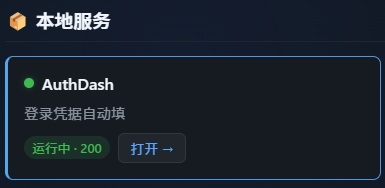
目录
快速开始
前置要求
- Python 3.10+
- Google Chrome 或 Chromium 浏览器
1. 克隆 / 下载项目
git clone https://github.com/your-username/AuthDash.git
cd AuthDash
2. 创建虚拟环境(推荐)
python -m venv .venv
# Windows
.venv\Scripts\activate
# macOS / Linux
source .venv/bin/activate
3. 安装依赖
pip install -r requirements.txt
4. 安装 Playwright 浏览器
playwright install chromium
5. 配置凭据
cp .env.example .env
编辑 .env 文件,填入你的真实账号和密码:
GITHUB_USER=your_actual_username
GITHUB_PASSWORD=your_actual_password
6. (可选)调整 config.json 选择器
config.json 中的 CSS 选择器是示例值,某些网站可能需要你根据当前页面结构调整。详见 配置指南。
7. 启动
python main.py
打开浏览器访问 http://localhost:8000,你会看到: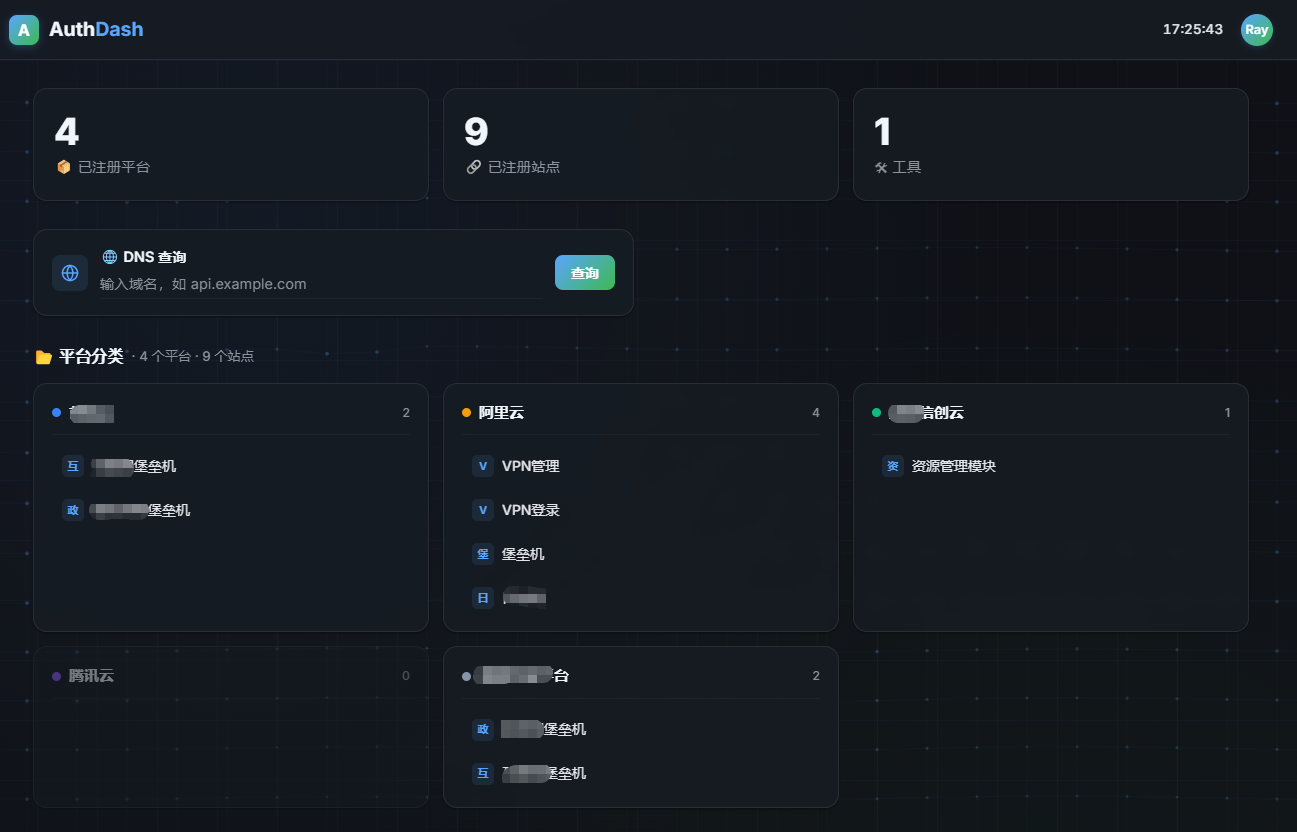
配置指南
config.json — 网站定义
config.json 定义所有网站条目,不能包含明文密码。每个条目的结构:
{
  "id": "github",
  "name": "GitHub",
  "url": "https://github.com/login",
  "selectors": {
    "username": "#login_field",
    "password": "#password",
    "login_button": "input[type=\"submit\"][value=\"Sign in\"]"
  }
}
| 字段 | 必填 | 说明 |
|---|---|---|
id |
是 | 唯一标识符,用于关联 .env 凭据(自动转为大写) |
name |
是 | 面板上显示的名称 |
url |
是 | 登录页面的完整 URL |
selectors.username |
推荐 | 账号输入框的 CSS 选择器 |
selectors.password |
推荐 | 密码输入框的 CSS 选择器 |
selectors.login_button |
可选 | 登录按钮的 CSS 选择器。留空则填表后不自动点击 |
如何获取选择器:
- 在浏览器中打开登录页面
- 右键账号输入框 → 检查(Inspect)
- 找到合适的唯一标识(
id、name或独特的 CSS class) - 填入
selectors对应字段
.env — 凭据存储
.env 文件存储真正的账号和密码,命名规则:
{SITE_ID_UPPER}_USER=xxx
{SITE_ID_UPPER}_PASSWORD=xxx
例如 config.json 中 id: "github" 对应:
GITHUB_USER=my_account
GITHUB_PASSWORD=my_password
添加新网站
以添加第 11 个网站 “Stack Overflow” 为例:
步骤 1:在 config.json 末尾追加
{
  "id": "stackoverflow",
  "name": "Stack Overflow",
  "url": "https://stackoverflow.com/users/login",
  "selectors": {
    "username": "input[name=\"email\"]",
    "password": "input[name=\"password\"]",
    "login_button": "button[type=\"submit\"]"
  }
}
步骤 2:在 .env 中追加
STACKOVERFLOW_USER=your_email@example.com
STACKOVERFLOW_PASSWORD=your_password
步骤 3:重启后端
按 Ctrl+C 停止,然后重新运行 python main.py。
未来版本会加入"热重载 config.json"功能,届时无需重启。
项目结构
AuthDash/
├── main.py           # FastAPI 后端 + Playwright 自动化逻辑
├── config.json       # 网站定义(无密码!)
├── .env              # 凭据文件(已加入 .gitignore)
├── .env.example      # 凭据模版(供参考)
├── requirements.txt  # Python 依赖
├── .gitignore
├── README.md
├── templates/
│   └── index.html    # Web 面板
└── static/
    └── style.css     # 面板样式
安全说明
.env文件不会提交到 GitHub —.gitignore已明确禁止- 密码仅存储在本地 — 不经过任何网络传输(后端在 localhost 运行)
- Playwright 完全在本地 — 浏览器在本地启动,凭据只填入本地浏览器
- 建议为本项目创建独立的操作系统用户或使用虚拟环境
- 如果与他人共用电脑,建议使用完毕后关闭浏览器和终端
GitHub 托管注意事项
推送前请确认:
- ✅
.env不在 Git 跟踪中(执行git status检查) - ✅ 没有在
config.json或代码中硬编码密码 - ✅
__pycache__/、.venv/等目录已被.gitignore排除
初始化 Git
git init
git add .
git commit -m "feat: Init AuthDash MVP"
git remote add origin https://github.com/your-username/AuthDash.git
git push -u origin main
技术栈
| 组件 | 技术 |
|---|---|
| 后端框架 | FastAPI (Python) |
| 浏览器自动化 | Playwright for Python |
| 凭据管理 | python-dotenv |
| 前端 | 原生 HTML + CSS (Jinja2) |
| 运行端口 | localhost:8000 |

中国智能体开发者社区,聚焦智能体与大模型开发,提供前沿资讯、实用工具链、开源项目及行业案例。通过技术沙龙、开发者大赛等活动,促进经验交流与协作,助力开发者快速构建创新智能应用。
更多推荐
 15
15 0
0- 0


 已为社区贡献5条内容

所有评论(0)