连接deepseek
·
一、课前准备:获取 API 凭证
连接 DeepSeek 的核心前提是拿到合法凭证,全程三步操作,安全高效无冗余。
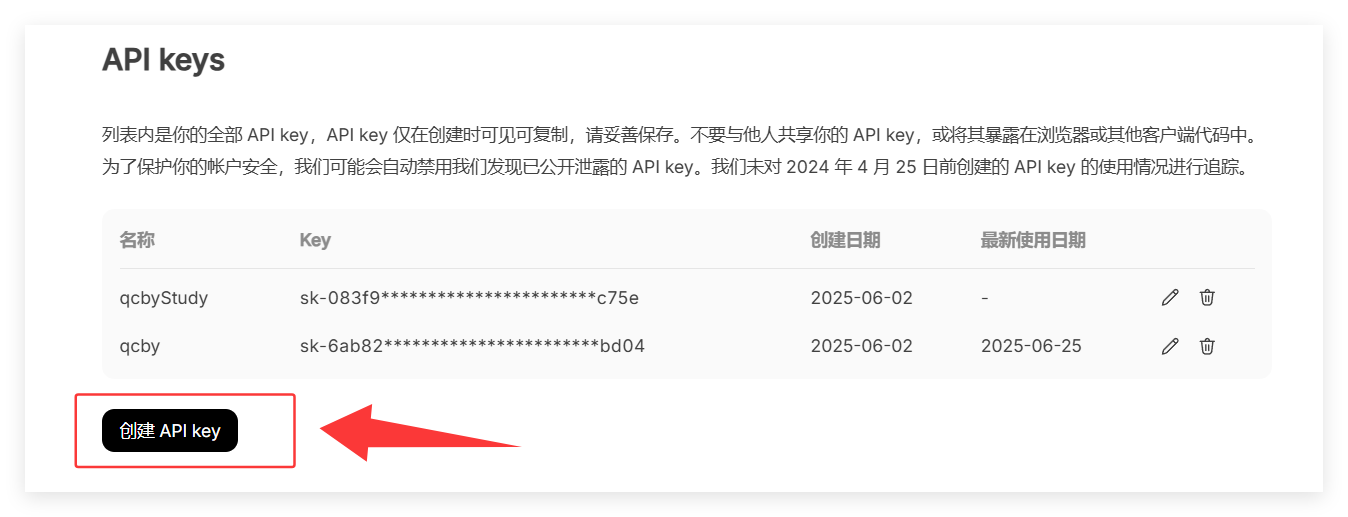
- 登录 DeepSeek 开放平台(官网:https://www.deepseek.com/),进入「API Keys」模块;
- 点击「创建 API Key」,命名后立即复制密钥(仅显示一次,务必妥善保存);
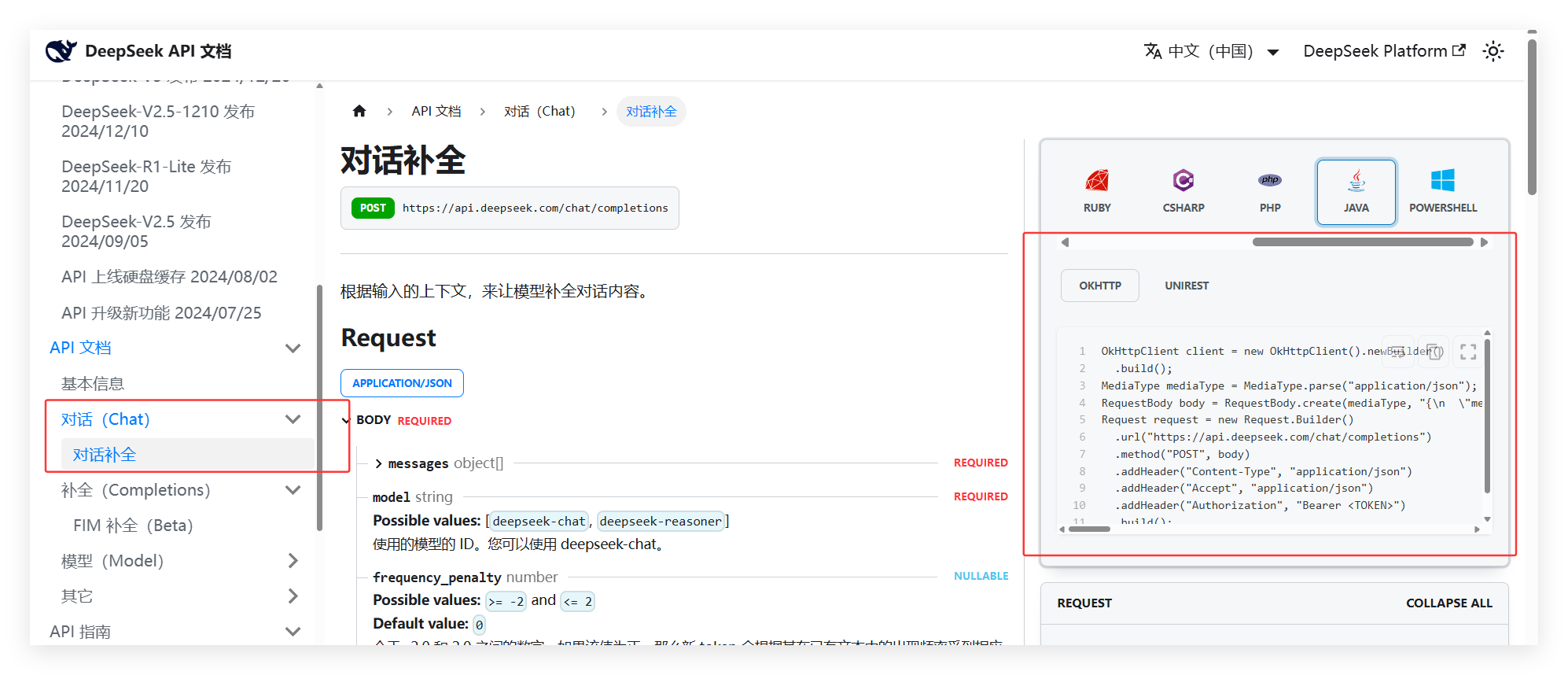
- 确认可用模型:常用
deepseek-chat(通用对话)、deepseek-reasoner(深度推理)。
二、环境依赖:引入核心组件
<dependency>
    <groupId>com.squareup.okhttp3</groupId>
    <artifactId>logging-interceptor</artifactId>
    <version>4.12.0</version>
</dependency>
import okhttp3.*;
import java.io.IOException;
public class DeepSeekUtil {
// 替换为你的 API Key
private static final String API_KEY = "Bearer sk-6ab82467950146cfa608a427725dbd04";
private static final String API_URL = "https://api.deepseek.com/chat/completions";
public static void main(String[] args) throws IOException {
// 1. 创建请求体(JSON)
String jsonBody = String.format("{\n"
+ " \"model\": \"deepseek-chat\",\n"
+ " \"messages\": [\n"
+ " {\"role\": \"user\", \"content\": \"%s\"}\n"
+ " ],\n"
+ " \"temperature\": 0.7,\n"
+ " \"top_p\": 0.8\n"
+ "}", "你好");
// 2. 创建 HTTP 请求
OkHttpClient client = new OkHttpClient();
RequestBody body = RequestBody.create(MediaType.get("application/json"), jsonBody);
Request request = new Request.Builder()
.url(API_URL)
.post(body)
.addHeader("Content-Type", "application/json")
.addHeader("Accept", "application/json")
.addHeader("Authorization", API_KEY) // 直接使用API Key
.build();
// 3. 发送请求并处理响应
try (Response response = client.newCall(request).execute()) {
if (!response.isSuccessful()) {
throw new IOException("请求失败: " + response);
}
System.out.println("响应结果:\\n" + response.body().string());
}
}
}<dependency>
<groupId>com.squareup.okhttp3</groupId>
<artifactId>okhttp</artifactId>
<version>3.14.9</version>
</dependency>
中国智能体开发者社区,聚焦智能体与大模型开发,提供前沿资讯、实用工具链、开源项目及行业案例。通过技术沙龙、开发者大赛等活动,促进经验交流与协作,助力开发者快速构建创新智能应用。
更多推荐

 1
1 0
0- 0


 已为社区贡献1条内容

所有评论(0)