OpenClaw部署教程(不废话、简单直接可执行)
·
文章目录
一、常用命令
|
|
|
|
|---|---|---|
npm install -g openclaw@latest --registry https://registry.npmmirror.com |
|
|
openclaw onboard |
|
|
openclaw status |
|
|
openclaw health |
|
|
openclaw doctor |
|
--yes / --non-interactive 自动执行
|
openclaw configure |
|
|
openclaw config get <path> |
|
|
openclaw config set <path> <value> |
|
|
openclaw config unset <path> |
|
|
openclaw channels list |
|
|
openclaw channels login |
|
|
openclaw skills list |
|
|
openclaw skills info <skill> |
|
|
openclaw plugins list |
|
|
openclaw plugins install <id> |
|
|
openclaw plugins enable <id> |
|
|
openclaw logs --follow |
|
--json / --plain / --limit
|
openclaw gateway |
|
|
openclaw gateway install |
|
|
openclaw gateway start |
|
|
openclaw gateway stop |
|
|
openclaw gateway restart |
|
|
openclaw gateway status |
|
openclaw status,会探测服务单元
|
openclaw uninstall |
|
|
openclaw uninstall --all --yes --non-interactive |
|
|
openclaw uninstall --state |
|
|
openclaw uninstall --workspace |
|
|
openclaw uninstall --service |
|
|
openclaw uninstall --dry-run |
|
|
二、部署操作
1. 安装openclaw
1.1 执行脚本(含带引导)
openclaw 官网版
curl -fsSL https://openclaw.ai/install.sh | sudo bash -s -- --registry https://registry.npmmirror.com
openclaw-cn 中文社区版,适合新人伙伴使用。熟练后,使用官网版即可。他们操作的方式是一样的。
curl -fsSL https://clawd.org.cn/install.sh | sudo bash -s -- --registry https://registry.npmmirror.com
1.2 引导配置
注意 -cn 为中文版,如果你不是执行的 curl 一键安装版本,是采用了 安装 openclaw@latest 程序,那么需要自己执行引导配置。
sudo npm install -g openclaw@latest --registry https://registry.npmmirror.com
sudo npm install -g openclaw-cn@latest --registry https://registry.npmmirror.com

# 运行向导
sudo openclaw onboard
sudo openclaw-cn onboard
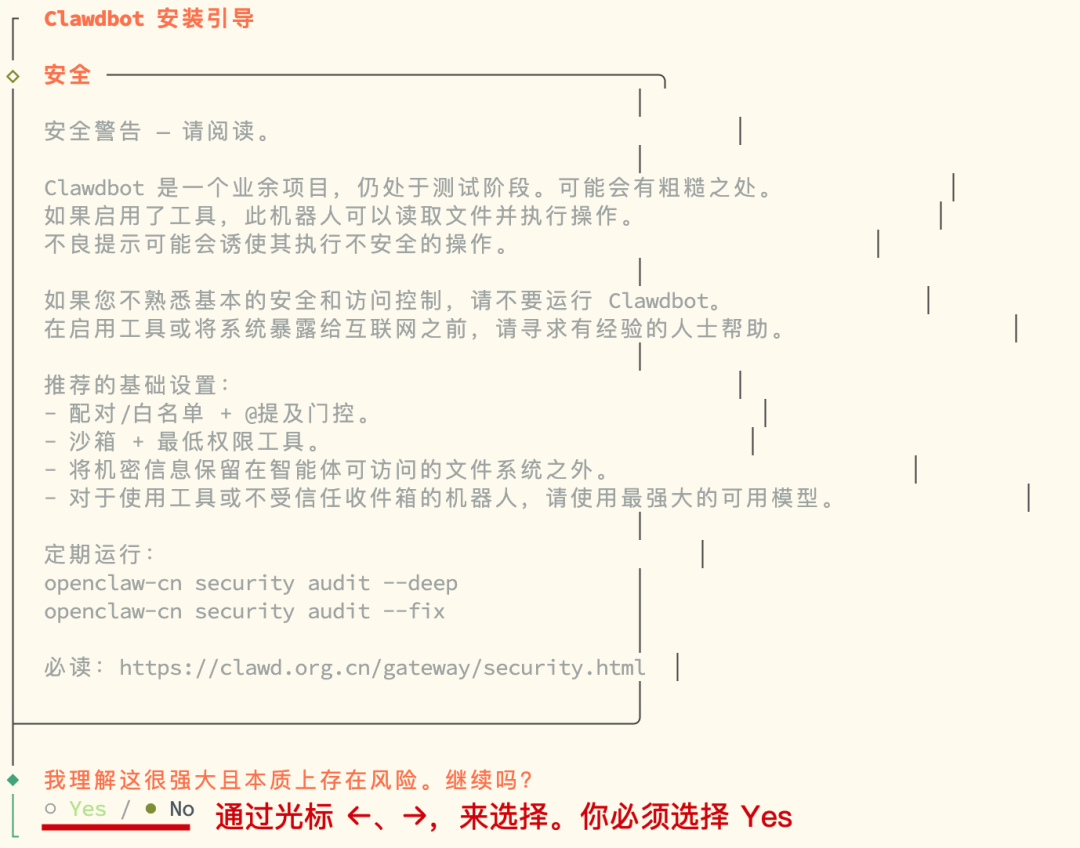
1.2.1 安全提示
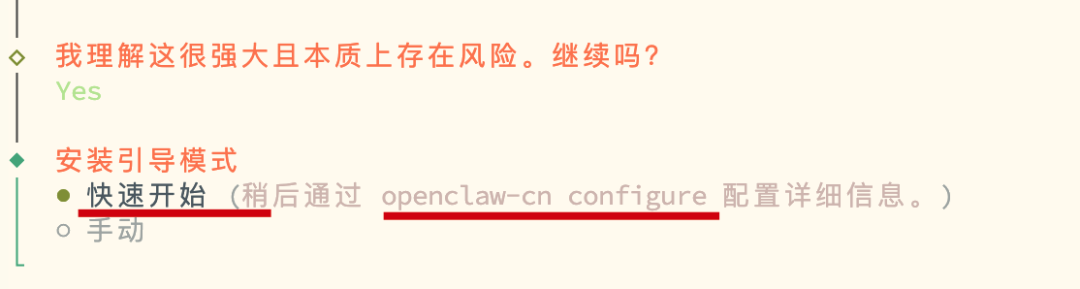
1.2.2 配置方式
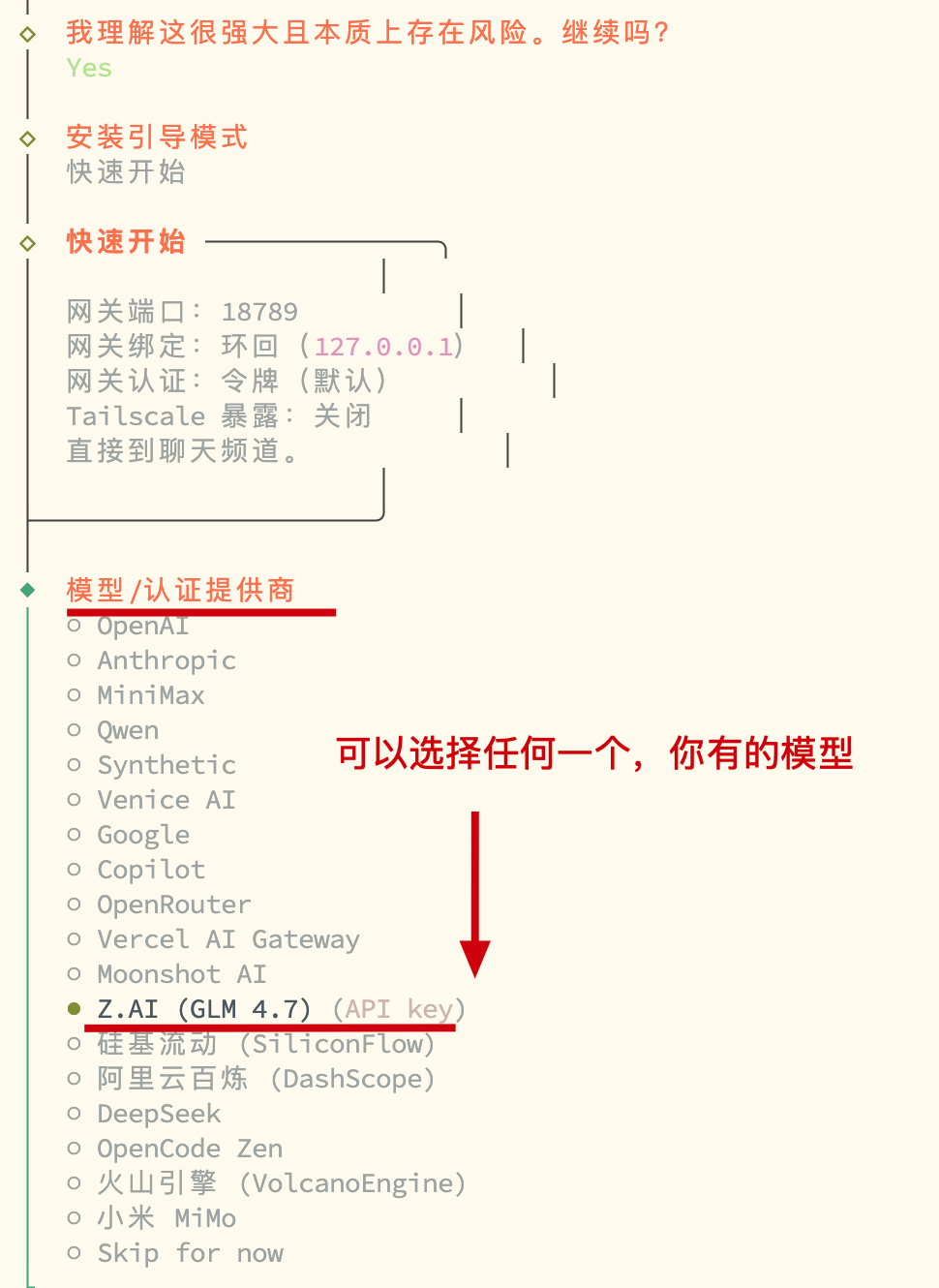
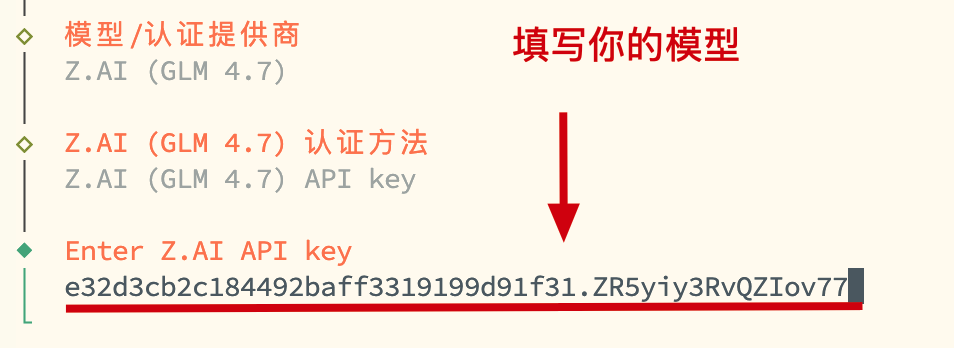
1.2.3 模型配置
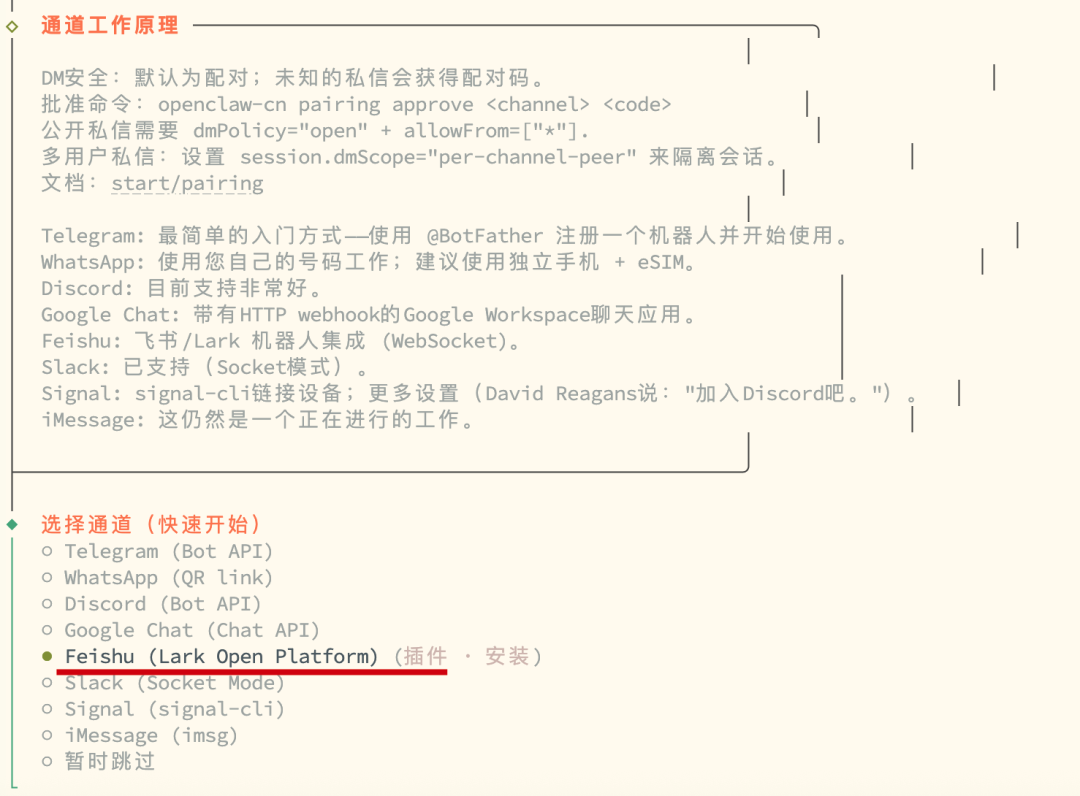
1.2.4 通信通道(飞书)
选择渠道
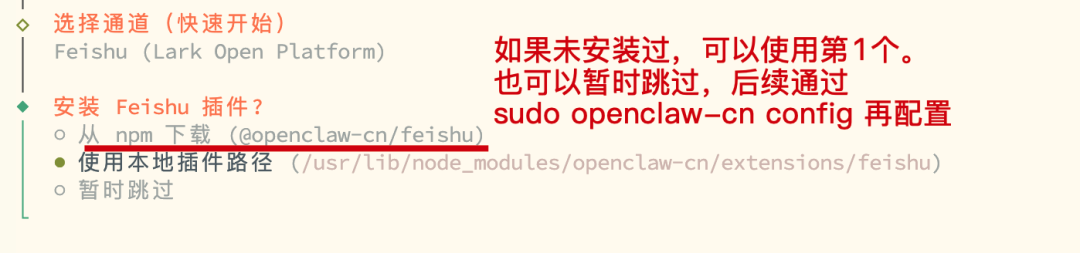
安装插件
- 如果未安装过飞书插件,可以选择安装,也可以跳过后,后续在安装。
- 单独安装插件
sudo openclaw-cn plugins install @m1heng-clawd/feishu
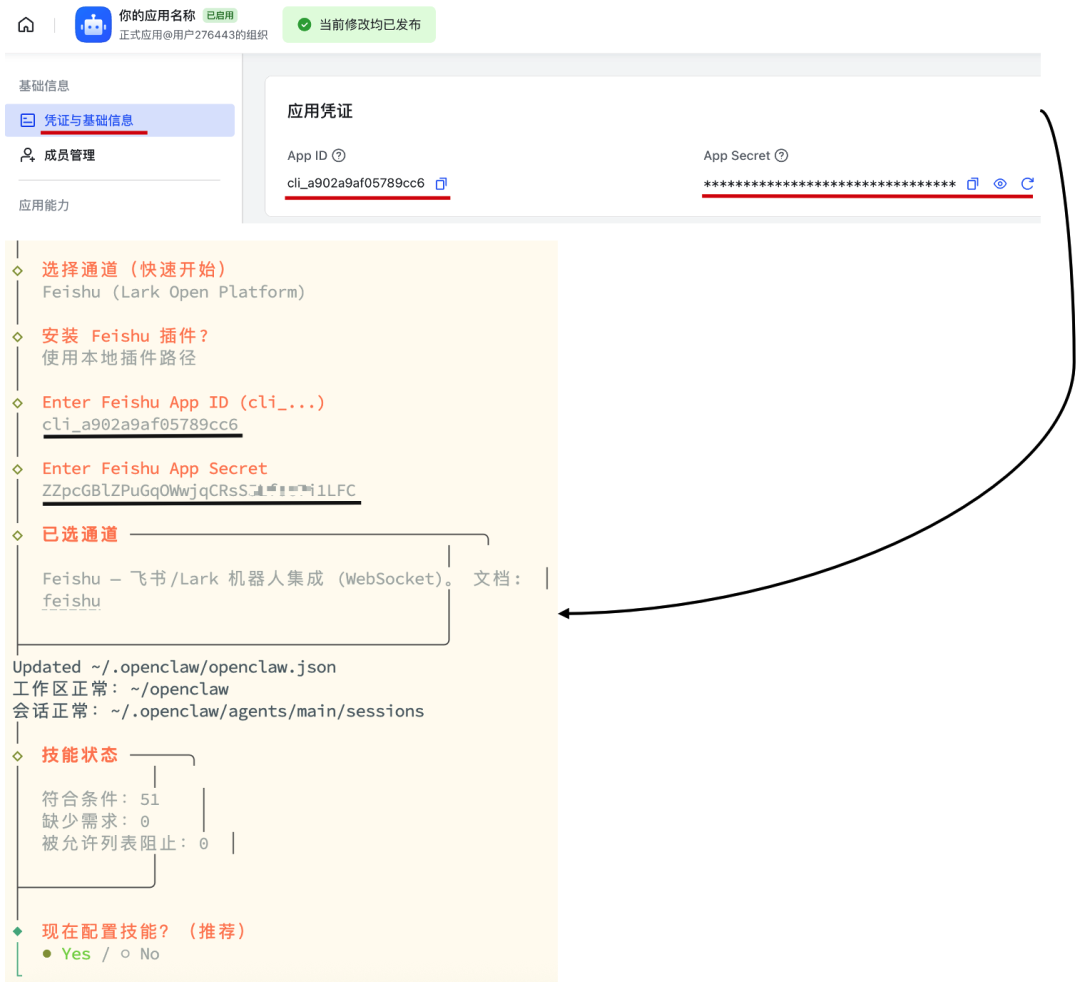
配置凭证
1.2.5 技能配置
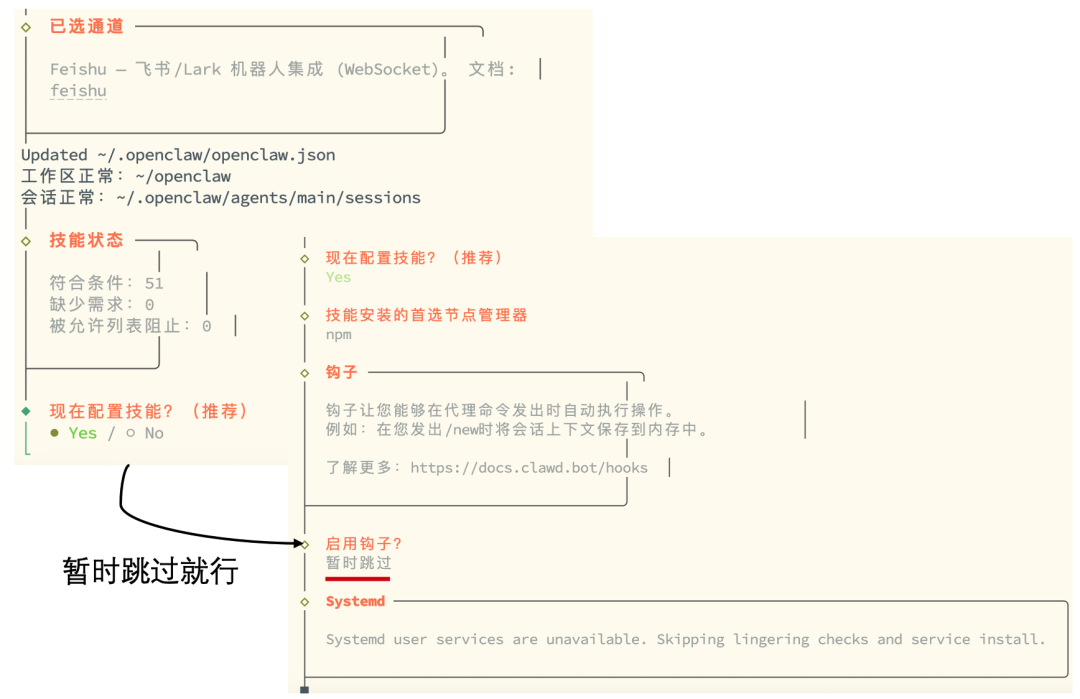
1.2.6 部署完成
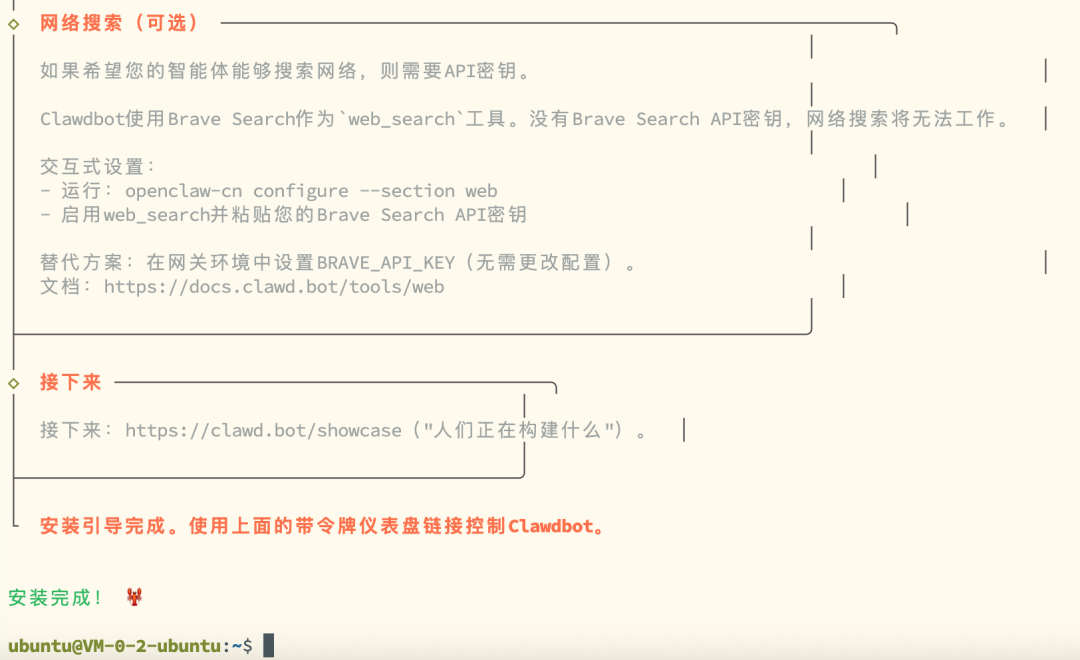
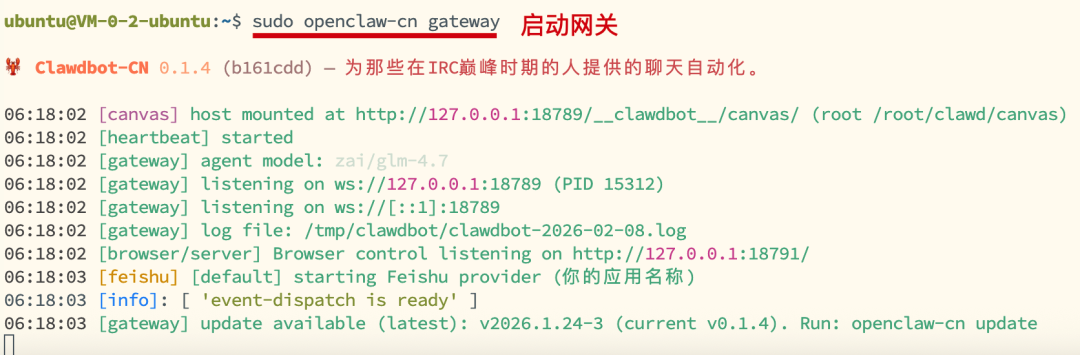
配置完成后,要启动下网关。能看到以上信息,表示运行没问题了。
ubuntu@VM-0-2-ubuntu:~$ sudo openclaw-cn gateway
2. 配置飞书
2.1 创建飞书
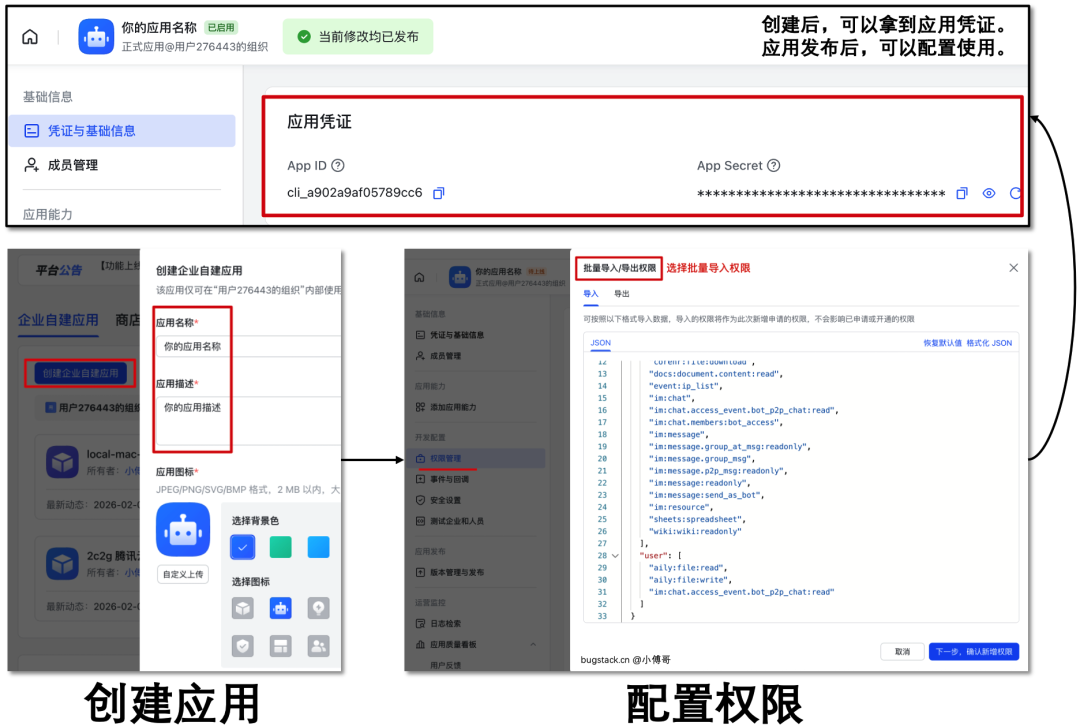
2.2 创建应用
创建应用后,你可以获得到应用凭证(appid、appsecret)这个信息是用于 openclaw 对接使用的
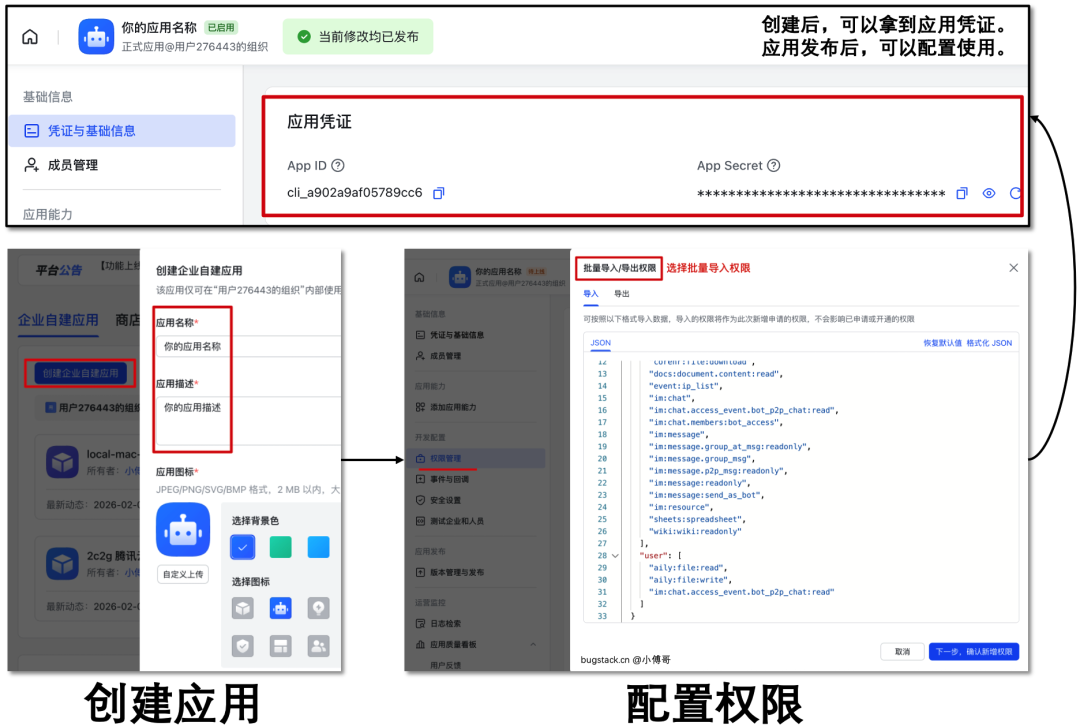
批量导入,权限列表
{
  "scopes": {
    "tenant": [
      "aily:file:read",
      "aily:file:write",
      "application:application.app_message_stats.overview:readonly",
      "application:application:self_manage",
      "application:bot.menu:write",
      "cardkit:card:write",
      "contact:contact.base:readonly",
      "contact:user.employee_id:readonly",
      "corehr:file:download",
      "docs:document.content:read",
      "event:ip_list",
      "im:chat",
      "im:chat.access_event.bot_p2p_chat:read",
      "im:chat.members:bot_access",
      "im:message",
      "im:message.group_at_msg:readonly",
      "im:message.group_msg",
      "im:message.p2p_msg:readonly",
      "im:message:readonly",
      "im:message:send_as_bot",
      "im:resource",
      "sheets:spreadsheet",
      "wiki:wiki:readonly"
    ],
    "user": [
      "aily:file:read",
      "aily:file:write",
      "im:chat.access_event.bot_p2p_chat:read"
    ]
  }
}
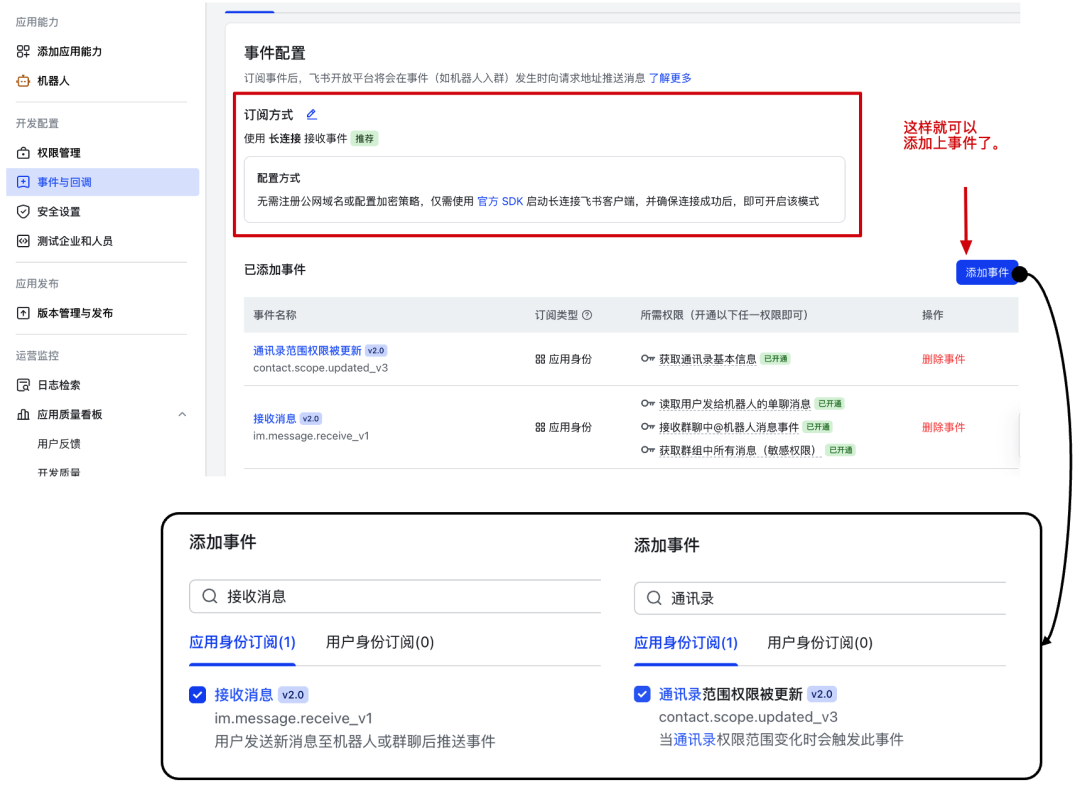
2.3 事件配置(机器人)
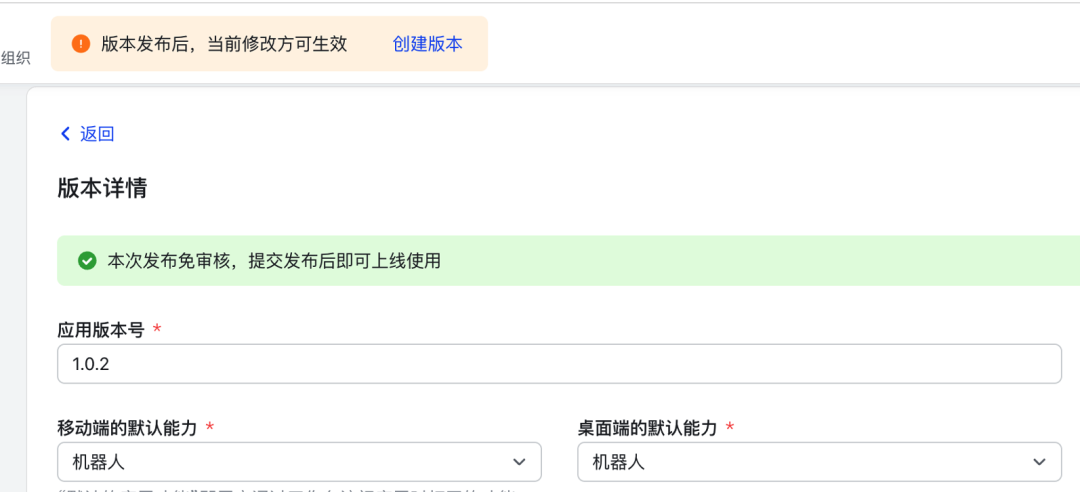
2.4 发布应用
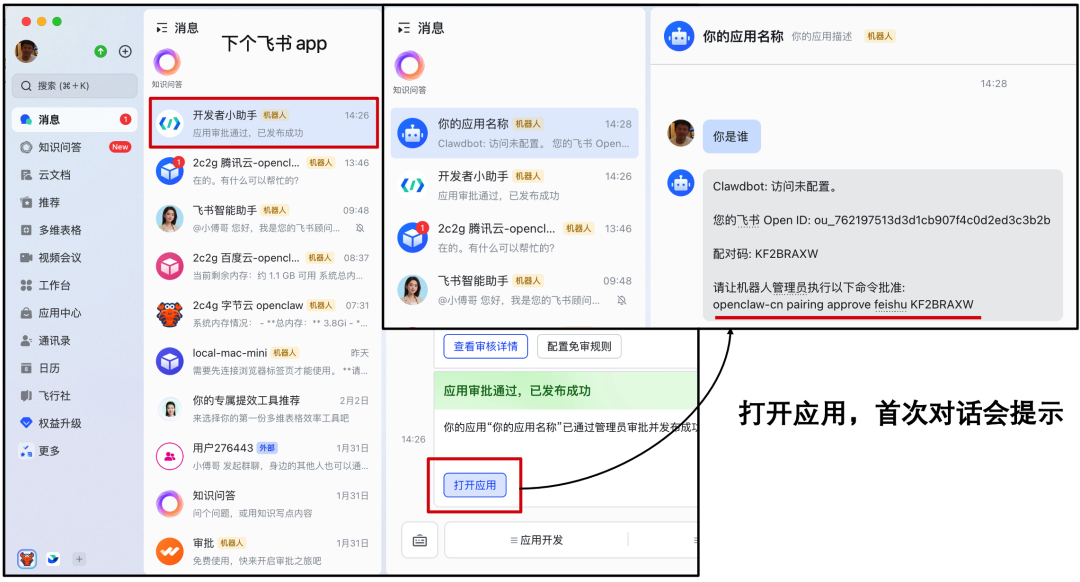
2.5 测试
命令 sudo openclaw-cn pairing approve feishu KF2BRAXW

中国智能体开发者社区,聚焦智能体与大模型开发,提供前沿资讯、实用工具链、开源项目及行业案例。通过技术沙龙、开发者大赛等活动,促进经验交流与协作,助力开发者快速构建创新智能应用。
更多推荐

 64
64 0
0- 0


 已为社区贡献1条内容

所有评论(0)