Elasticsearch:使用 Gradio 来创建一个简单的 RAG 应用界面
Gradio 是一个快速构建机器学习模型网页界面的工具。本文展示了如何使用 Gradio 为基于 Elasticsearch 和 DeepSeekR1 的 RAG 问答系统创建交互式界面。代码示例演示了如何设置 Elasticsearch 连接、处理语义搜索查询,并通过 OpenAI 接口生成回答。通过简单的 Gradio 界面,用户可以输入关于《爱丽丝梦游仙境》的问题,系统会从书中检索相关段落并
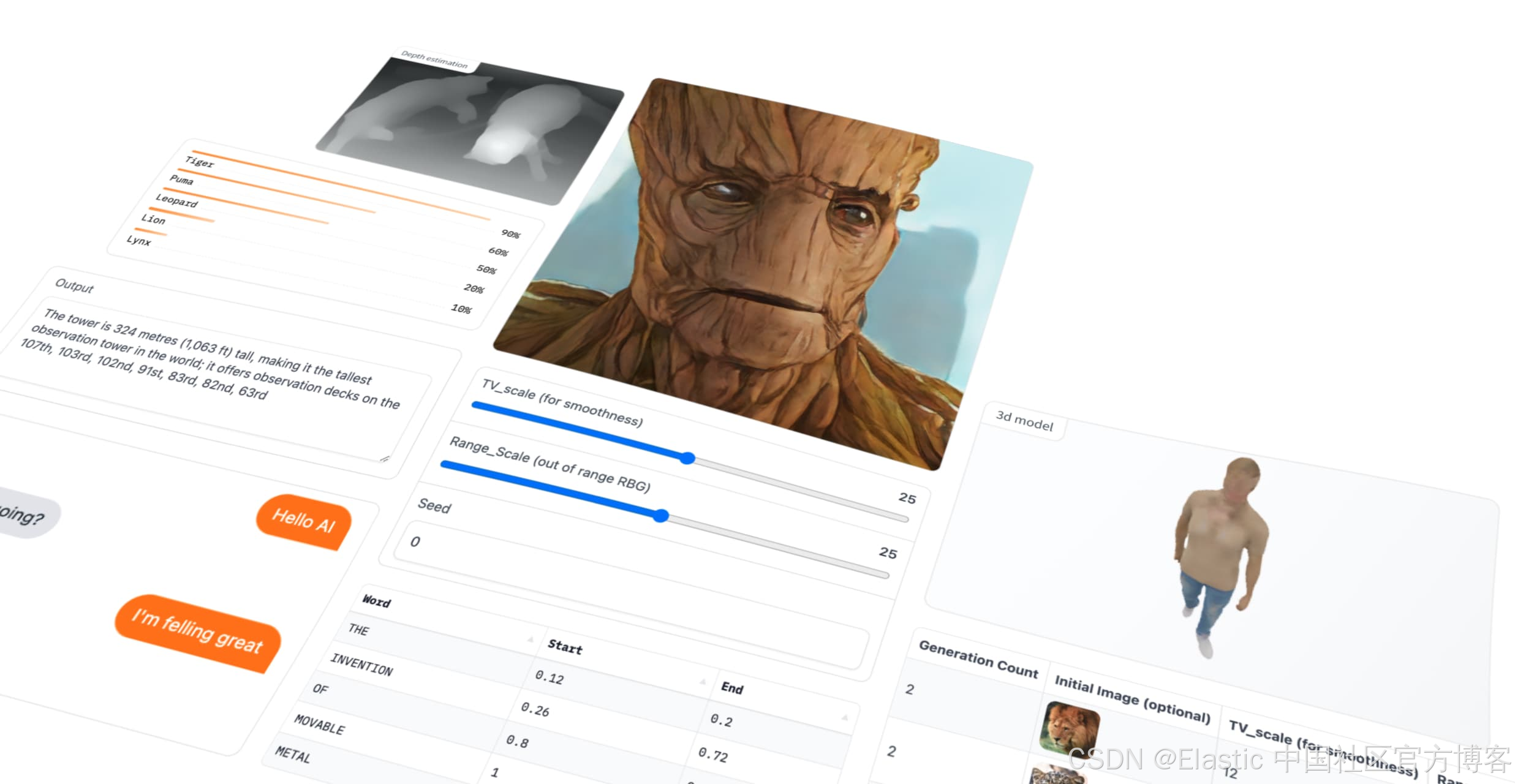
Gradio 是用最快的方式为你的机器学习模型制作一个友好的网页界面,让任何人都能在任何地方使用它!最近看了一两个例子。Gradio 的实现非常简单粗暴,但是界面还是非常不错。我们可以使用它快速地构建我们想要的测试界面。
在进行下面的代码之前,建议大家先阅读我之前的文章 “Elasticsearch:在 Elastic 中玩转 DeepSeek R1 来实现 RAG 应用”。在那篇文章中,我们详细地描述了如何使用 DeepSeek R1 来帮我们实现 RAG 应用。在今天的展示中,我使用 Elastic Stack 9.1.2 来展示。
alice_gradio.py
## Install the required packages
## pip install -qU elasticsearch openai
import os
from dotenv import load_dotenv
from elasticsearch import Elasticsearch
from openai import OpenAI
import gradio as gr
import subprocess

load_dotenv()

ELASTICSEARCH_URL = os.getenv('ELASTICSEARCH_URL')
OPENAI_API_KEY = os.getenv("OPENAI_API_KEY")
ES_API_KEY = os.getenv("ES_API_KEY")
DEEPSEEK_URL = os.getenv("DEEPSEEK_URL")

es_client = Elasticsearch(
    ELASTICSEARCH_URL,
    ca_certs="./http_ca.crt",
    api_key=ES_API_KEY,
    verify_certs = True
)

# resp = es_client.info()
# print(resp)

try:
    openai_client = OpenAI(
    api_key=OPENAI_API_KEY,
    base_url=DEEPSEEK_URL
    )
except:
    print("Something is wrong")

index_source_fields = {
    "book_alice": [
        "content"
    ]
}

def get_elasticsearch_results(query):
    es_query = {
        "retriever": {
            "standard": {
                "query": {
                    "semantic": {
                        "field": "content",
                        "query": query
                    }
                }
            }
        },
        "highlight": {
            "fields": {
                "content": {
                    "type": "semantic",
                    "number_of_fragments": 2,
                    "order": "score"
                }
            }
        },
        "size": 3
    }
    result = es_client.search(index="book_alice", body=es_query)
    return result["hits"]["hits"]

def create_openai_prompt(results):
    context = ""
    for hit in results:
        ## For semantic_text matches, we need to extract the text from the highlighted field
        if "highlight" in hit:
            highlighted_texts = []
            for values in hit["highlight"].values():
                highlighted_texts.extend(values)
            context += "\n --- \n".join(highlighted_texts)
        else:
            context_fields = index_source_fields.get(hit["_index"])
            for source_field in context_fields:
                hit_context = hit["_source"][source_field]
                if hit_context:
                    context += f"{source_field}: {hit_context}\n"
    prompt = f"""
  Instructions:

  - You are an assistant for question-answering tasks using relevant text passages from the book Alice in wonderland
  - Answer questions truthfully and factually using only the context presented.
  - If you don't know the answer, just say that you don't know, don't make up an answer.
  - You must always cite the document where the answer was extracted using inline academic citation style [], using the position.
  - Use markdown format for code examples.
  - You are correct, factual, precise, and reliable.

  Context:
  {context}

  """
    return prompt

def generate_openai_completion(user_prompt, question, official):
    response = openai_client.chat.completions.create(
        model='deepseek-chat',

        messages=[
            {"role": "system", "content": user_prompt},
            {"role": "user", "content": question},
        ],
        stream=False
    )
    return response.choices[0].message.content

def rag_interface(query):
    elasticsearch_results = get_elasticsearch_results(query)
    context_prompt = create_openai_prompt(elasticsearch_results)
    answer = generate_openai_completion(context_prompt, query, official=True)
    return answer

demo = gr.Interface(
    fn=rag_interface,
    inputs=gr.Textbox(label="输入你的问题"),
    # outputs=gr.Markdown(label="RAG Answer"),
    outputs=gr.Textbox(label="RAG Answer"),
    title="Alice in Wonderland RAG QA",
    description="Ask a question about Alice in Wonderland and get an answer based on retrieved passages."
)

demo.launch()

# if __name__ == "__main__":
#     # question = "Who was at the tea party?"
#     question = "哪些人在茶会?"
#     print("Question is: ", question, "\n")

#     elasticsearch_results = get_elasticsearch_results(question)
#     context_prompt = create_openai_prompt(elasticsearch_results)

#     openai_completion = generate_openai_completion(context_prompt, question, official=True)
#     print(openai_completion)
这里的代码是从 Playground 里下载而来。我做了一下改动。为了能够使得我们每次都能输入我们想要的查询而不用重新运行代码,我添加了如下的代码:
def rag_interface(query):
    elasticsearch_results = get_elasticsearch_results(query)
    context_prompt = create_openai_prompt(elasticsearch_results)
    answer = generate_openai_completion(context_prompt, query, official=True)
    return answer

demo = gr.Interface(
    fn=rag_interface,
    inputs=gr.Textbox(label="输入你的问题"),
    # outputs=gr.Markdown(label="RAG Answer"),
    outputs=gr.Textbox(label="RAG Answer"),
    title="Alice in Wonderland RAG QA",
    description="Ask a question about Alice in Wonderland and get an answer based on retrieved passages."
)
就是这几行代码。它能帮我构建我们想要的界面。我们运行上面的代码:
python alice_gradio.py $ python alice_gradio.py
* Running on local URL: http://127.0.0.1:7860
* To create a public link, set `share=True` in `launch()`.如上所示,我们打开页面 http://127.0.0.1:7860
哪些人在茶会上?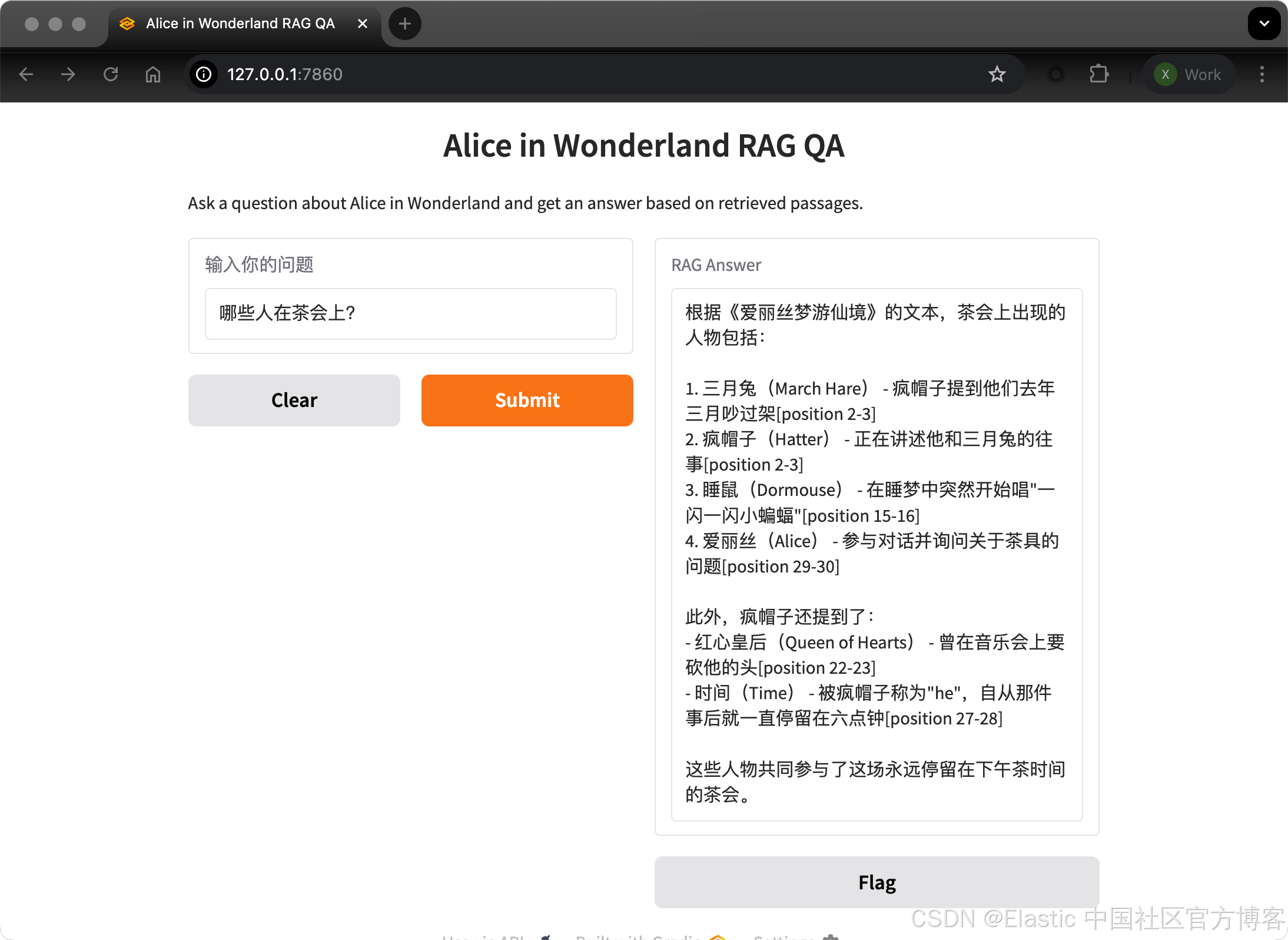
我们也可以用英文进行提问:
who were at the tea party?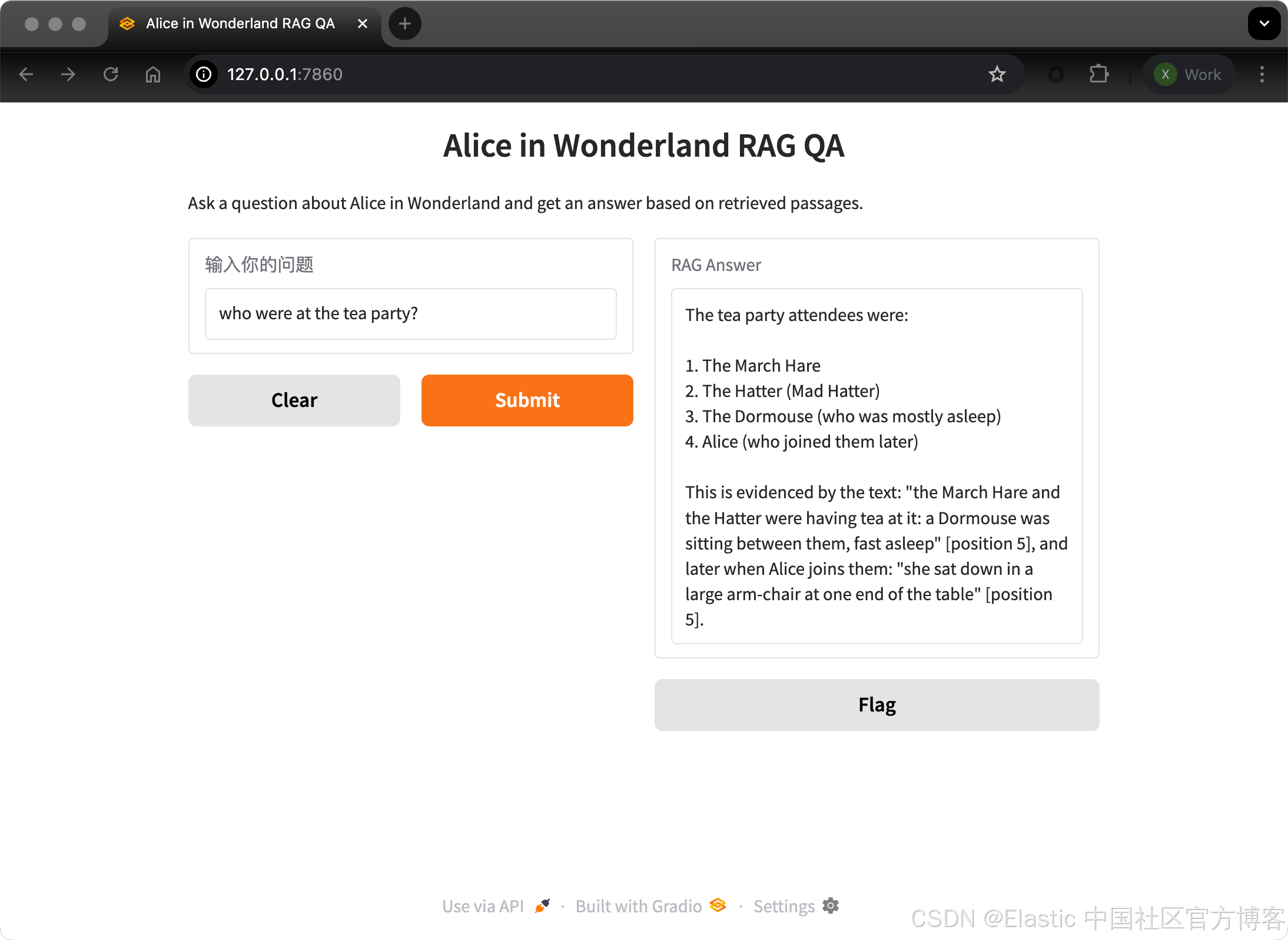
我们还可以提出问题,比如:
这篇文章有几个章节?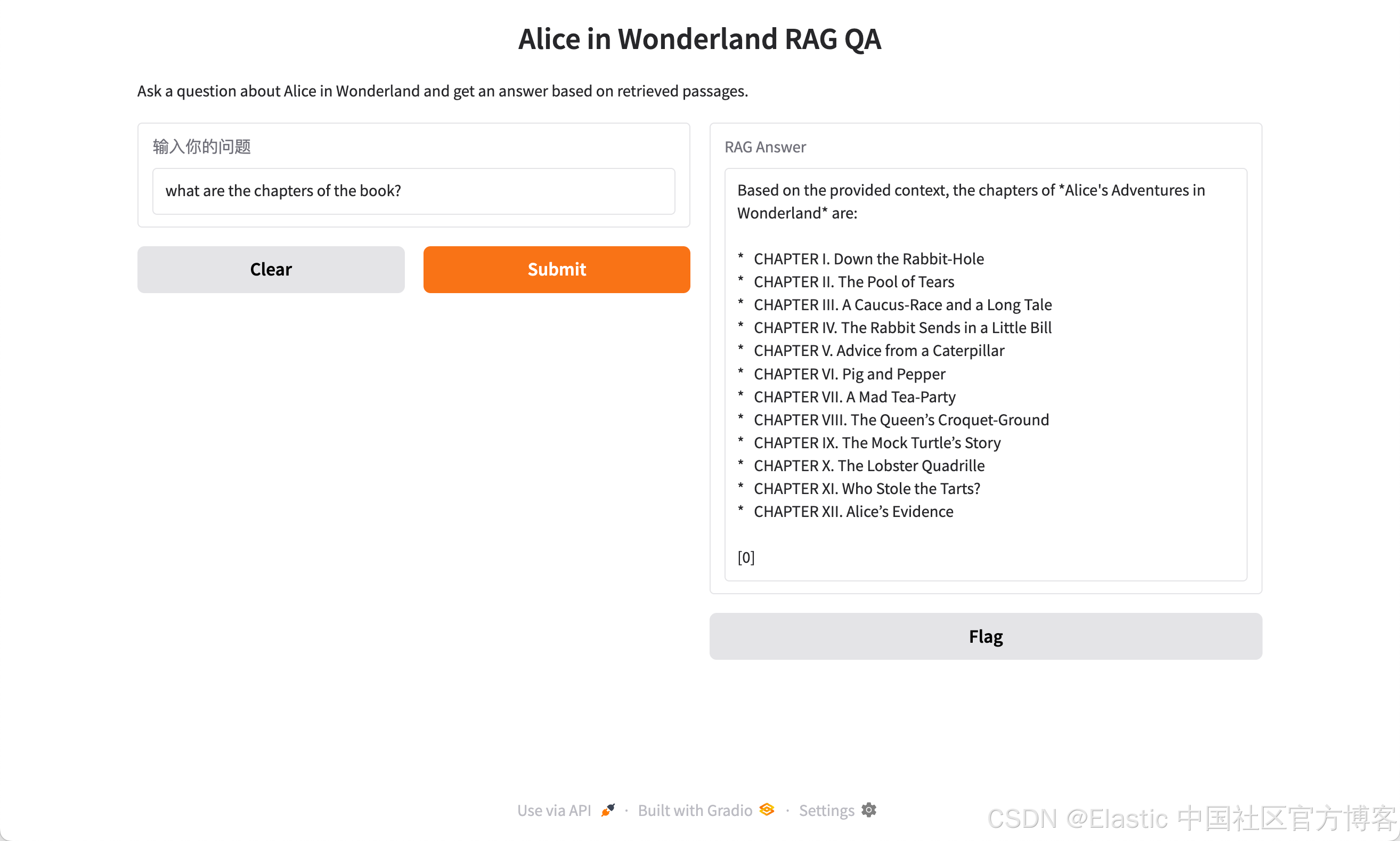
这篇文章的作者是谁?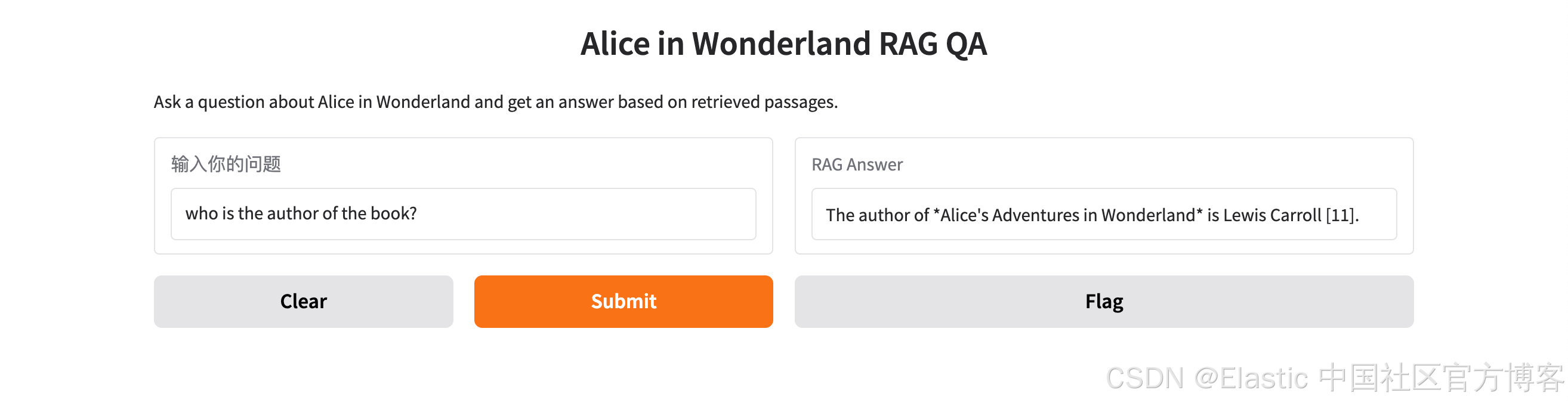

火山引擎开发者社区是火山引擎打造的AI技术生态平台,聚焦Agent与大模型开发,提供豆包系列模型(图像/视频/视觉)、智能分析与会话工具,并配套评测集、动手实验室及行业案例库。社区通过技术沙龙、挑战赛等活动促进开发者成长,新用户可领50万Tokens权益,助力构建智能应用。
更多推荐
 9
9 0
0- 0


 已为社区贡献283条内容

所有评论(0)