Windows平台上安装WSL和docker和Dify问题总结
·
安装WSL
安装WSL教程:https://blog.csdn.net/u013851294/article/details/144448730
问题: 安装时出现0x80072ee7错误
情况:网络问题,无法在命令行链接windows商店
解决方案:安装ubuntu时最好直接从windows store下载
问题: wsl 安装其中一个文件系统时出现错误。有关详细信息,请运行’dmesg’。件系统时出现错误。
情况:当前的发行版失败了,那么直接卸载掉当前发行版就可以,重装ubuntu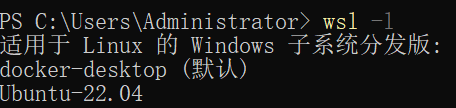
wsl -l
【会显示出当前的发行版】
wsl --unregister [你的发行版名称]
安装后设置安装后的分发版为默认:
安装Ubuntu和Docker
参考博客:https://blog.csdn.net/qq_42168462/article/details/140930118
安装ubuntu可以直接从windows商店下载,有点慢;
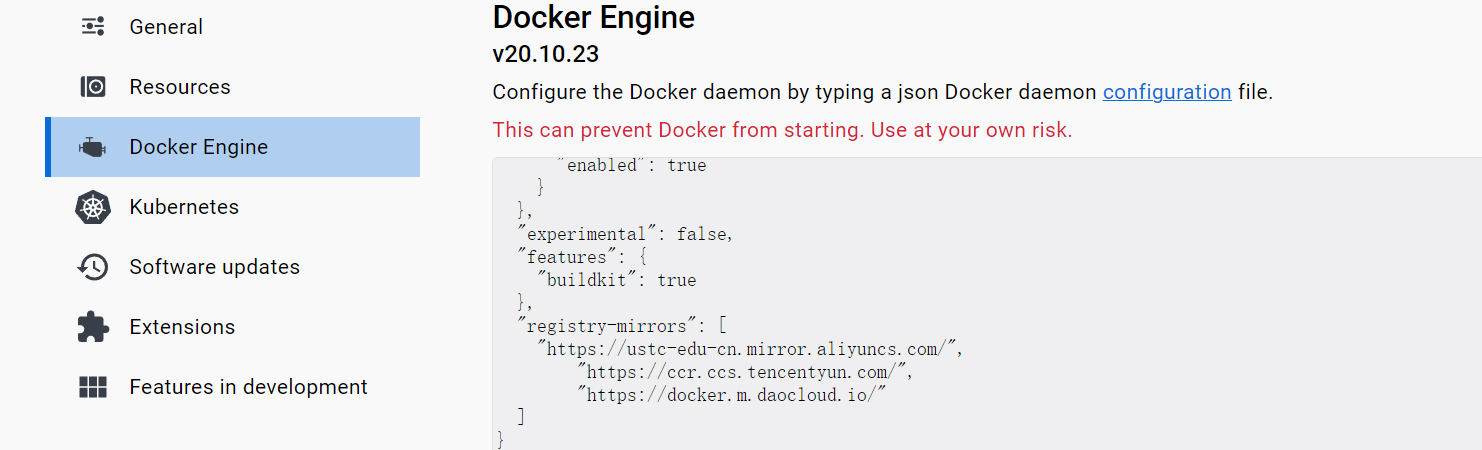
安装docker后注意配置wsl适用和ubuntu适用,并更改源: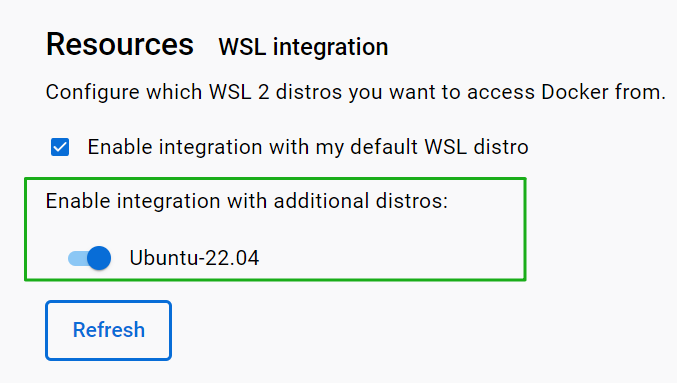
安装Dify
Error response from daemon: Get “https://registry-1.docker.io/v2/”: net/http: request canceled while waiting for connection (Client.Timeout exceeded while awaiting headers)
解决方案:
docker换源,之后重启
sudo systemctl daemon-reload
sudo systemctl restart docker
参考链接:https://blog.csdn.net/qingzhumuqingfeng/article/details/14409432
阿里云镜像服务申请:https://cr.console.aliyun.com/cn-hangzhou/instances/mirrors
dependency failed to start: container db-1 is unhealthy
解决方案:修改yaml文件
参考链接:https://blog.csdn.net/chen18876633032/article/details/149635629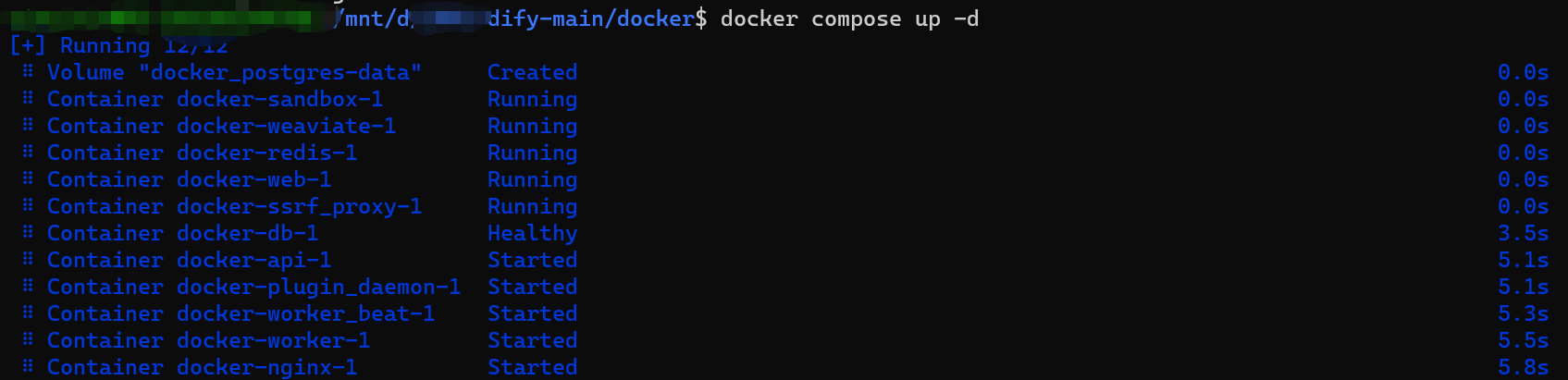
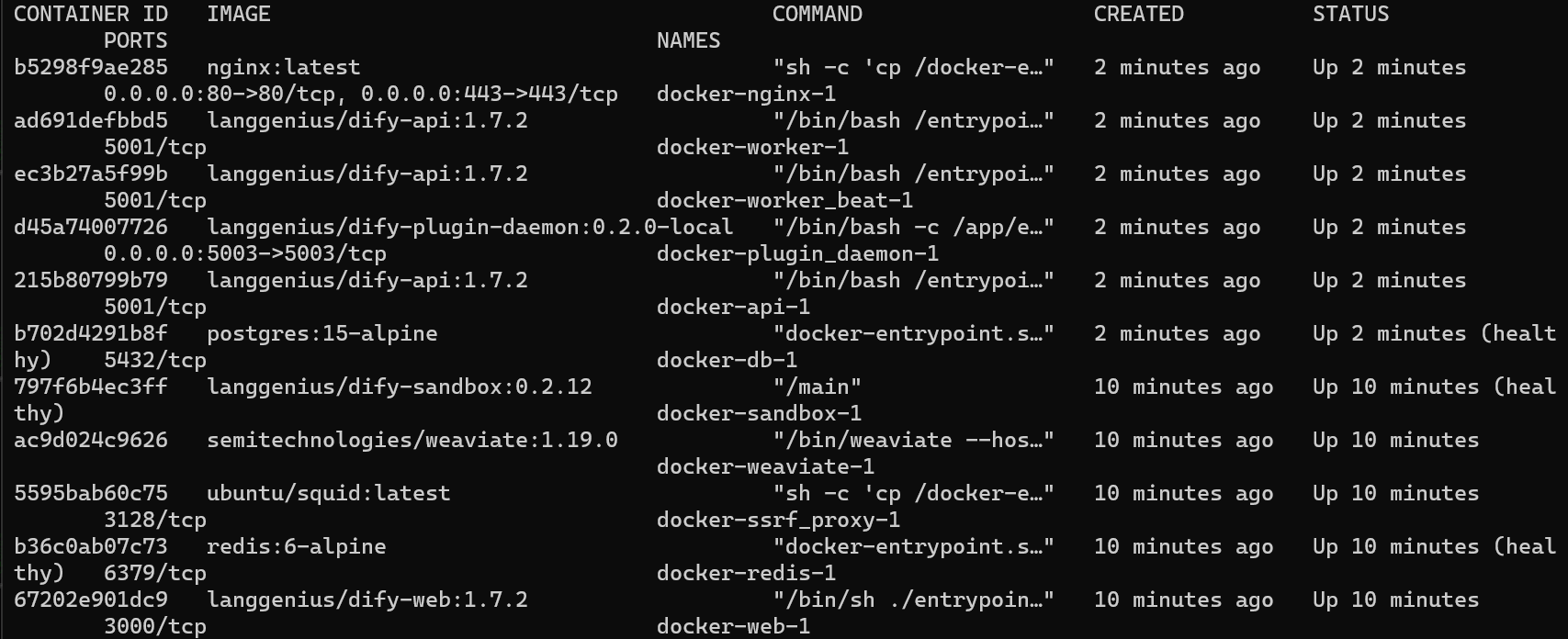
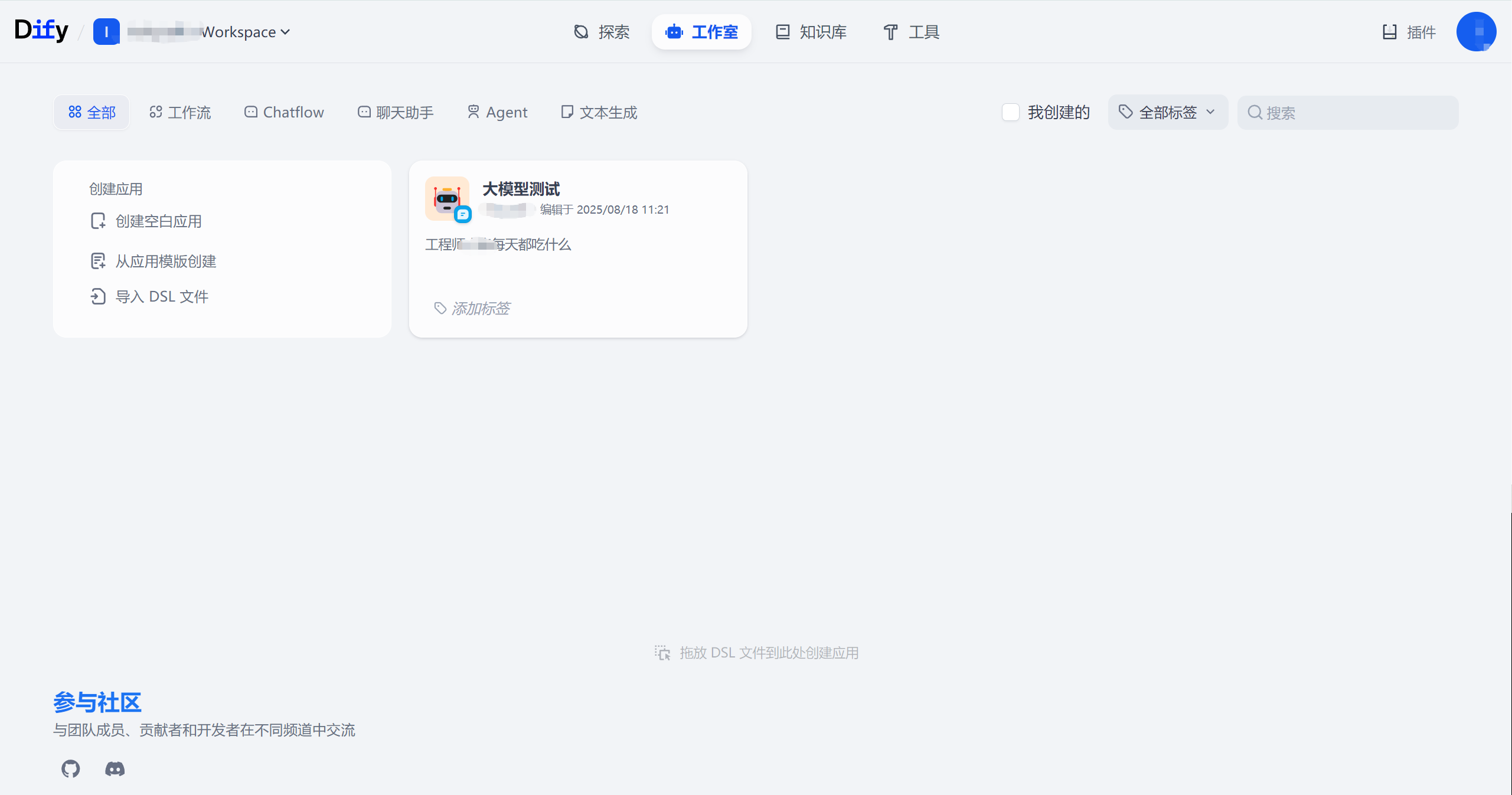
安装Dify成功

中国智能体开发者社区,聚焦智能体与大模型开发,提供前沿资讯、实用工具链、开源项目及行业案例。通过技术沙龙、开发者大赛等活动,促进经验交流与协作,助力开发者快速构建创新智能应用。
更多推荐
 4
4 0
0- 0


 已为社区贡献1条内容

所有评论(0)