SpringAI 本地调用 Ollama
LangChain4j 是一个专为 Java 生态系统设计的开源框架,旨在简化大语言模型(LLM)与应用程序的集成,提供了构建基于 LLM 的复杂应用所需的核心组件和工具。其设计理念借鉴了 Python 生态的 LangChain,但针对 Java 开发者的习惯和需求进行了优化。
·
SpringAI 本地调用 Ollama
LangChain4j VS Spring AI
| 维度 | LangChain4j | Spring AI |
|---|---|---|
| 定位 | 专注于 LLM 应用开发的工具链,类似 Java 版 LangChain | Spring 生态的官方 AI 扩展,提供标准化集成 |
| 生态依赖 | 独立框架,可与任何 Java 框架集成(包括 Spring) | 深度依赖 Spring 生态(如 Spring Boot、Spring Cloud) |
| 核心能力 | 提供完整的 LLM 应用组件(链、记忆、工具等) | 聚焦于模型接口标准化、数据处理、集成能力 |
| 模型支持 | 支持主流闭源/开源模型,配置灵活 | 支持主流模型,通过统一接口抽象,符合 Spring 风格 |
| 易用性 | 需手动组合组件,灵活性高,但学习成本略高 | 遵循 Spring 约定优于配置,开箱即用,适合 Spring 开发者 |
| 企业级特性 | 需自行集成安全、监控等特性 | 天然支持 Spring 生态的企业级特性(如安全、审计、监控) |
| 社区与更新 | 社区活跃,更新频率中等 | 官方背书,更新频繁,与 Spring 版本同步演进 |
| 适用场景 | 复杂 LLM 应用(如多链协作、自定义记忆策略) | 快速集成 LLM 到 Spring 应用,追求标准化和稳定性 |
选择建议
- 若项目已基于 Spring 生态(如 Spring Boot),且希望快速集成 LLM 并利用 Spring 的企业级特性,优先选择 Spring AI。
- 若需要更灵活的 LLM 应用构建能力,或项目不依赖 Spring 框架,LangChain4j 是更合适的选择。
- 若需实现复杂的 RAG、多轮对话记忆或工具调用逻辑,LangChain4j 的组件化设计可能更具优势。
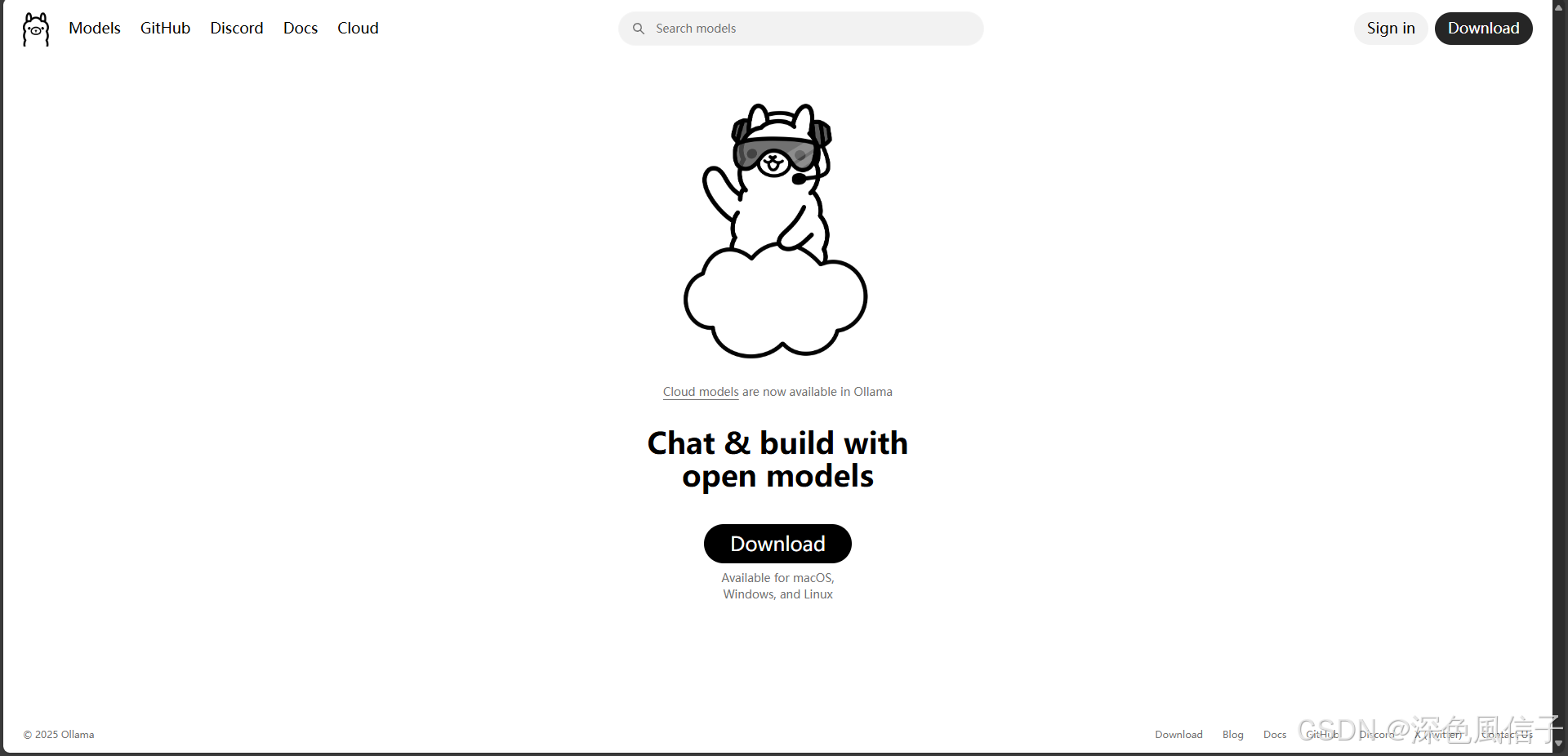
1 Ollama 软件下载
2 Ollama 模型下载
2.1 PowerShell 下载脚本
复制内容到ollama_download.ps1文件中
# 定义模型名称避免硬编码
$modelName = "gemma3:27b"

# 设置重试参数
$maxRetries = 50
$retryInterval = 3  # 秒
$downloadTimeout = 80  # 秒

for ($retry = 1; $retry -le $maxRetries; $retry++) {
    # 精确检查模型是否存在
    $modelExists = ollama list | Where-Object { $_ -match "\b$modelName\b" }

    if ($modelExists) {
        Write-Host "[$(Get-Date)] model is already downloaded!"
        exit 0
    }

    Write-Host "[$(Get-Date)] start $retry times downloading..."

    # 启动进程并显示实时输出
    $process = Start-Process -FilePath "ollama" `
        -ArgumentList "run", $modelName `
        -PassThru `
        -NoNewWindow

    # 等待下载完成或超时
    try {
        $process | Wait-Process -Timeout $downloadTimeout -ErrorAction Stop
    } catch {
        # 超时处理
        Write-Host "download timeout, safe terminate process..."
        $process | Stop-Process -Force
    }

    if (-not $process.HasExited) {
        $process | Stop-Process -Force
        Write-Host "process terminated due to timeout."
    } else {
        # 检查退出代码
        if ($process.ExitCode -eq 0) {
            Write-Host "download success!"
            exit 0
        }
        Write-Host "download failed, exit code: $($process.ExitCode)"
    }

    Start-Sleep -Seconds $retryInterval
}

Write-Host "exceeded maximum retries ($maxRetries), download failed."
exit 1
PS C:\Users\xuhya\Desktop> .\ollama_download.ps1
[10/09/2025 21:42:20] start 1 times downloading...
pulling manifest
pulling e796792eba26:  98% ▕████████████████████████████████████████████████████████  ▏  17 GB/ 17 GB  1.7 MB/s   3m20sdownload timeout, safe terminate process...
download failed, exit code: -1
[10/09/2025 21:43:43] start 2 times downloading...
pulling manifest
pulling e796792eba26: 100% ▕██████████████████████████████████████████████████████████▏  17 GB
pulling e0a42594d802: 100% ▕██████████████████████████████████████████████████████████▏  358 B
pulling dd084c7d92a3: 100% ▕██████████████████████████████████████████████████████████▏ 8.4 KB
pulling 3116c5225075: 100% ▕██████████████████████████████████████████████████████████▏   77 B
pulling f838f048d368: 100% ▕██████████████████████████████████████████████████████████▏  490 B
verifying sha256 digest ⠸ download timeout, safe terminate process...
download failed, exit code: -1
[10/09/2025 21:45:06] start 3 times downloading...
pulling manifest
pulling e796792eba26: 100% ▕██████████████████████████████████████████████████████████▏  17 GB
pulling e0a42594d802: 100% ▕██████████████████████████████████████████████████████████▏  358 B
pulling dd084c7d92a3: 100% ▕██████████████████████████████████████████████████████████▏ 8.4 KB
pulling 3116c5225075: 100% ▕██████████████████████████████████████████████████████████▏   77 B
pulling f838f048d368: 100% ▕██████████████████████████████████████████████████████████▏  490 B
verifying sha256 digest
writing manifest
success
⠏ download timeout, safe terminate process...
download failed, exit code: -1
[10/09/2025 21:46:29] model is already downloaded!
PS C:\Users\xuhya\Desktop>
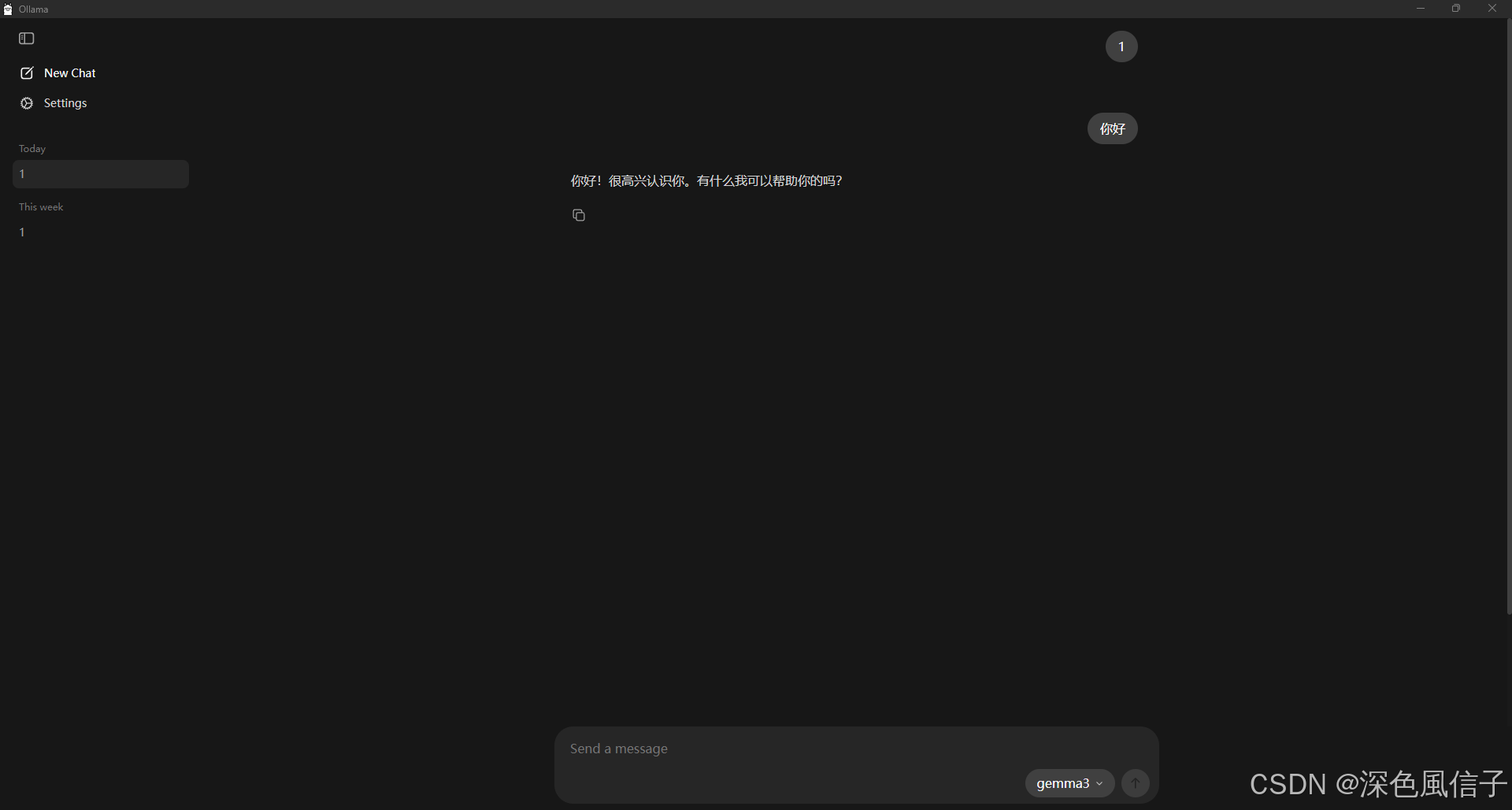
2.2 Ollama模型运行
PS C:\Users\xuhya\Desktop> ollama list
NAME             ID              SIZE      MODIFIED
gemma3:27b       a418f5838eaf    17 GB     2 minutes ago
gemma3:latest    a2af6cc3eb7f    3.3 GB    7 minutes ago
PS C:\Users\xuhya\Desktop>
3 SpringAI
1 依赖
<?xml version="1.0" encoding="UTF-8"?>
<project xmlns="http://maven.apache.org/POM/4.0.0" xmlns:xsi="http://www.w3.org/2001/XMLSchema-instance"
	xsi:schemaLocation="http://maven.apache.org/POM/4.0.0 https://maven.apache.org/xsd/maven-4.0.0.xsd">

	<modelVersion>4.0.0</modelVersion>

	<parent>
		<groupId>org.springframework.boot</groupId>
		<artifactId>spring-boot-starter-parent</artifactId>
		<version>3.5.6</version>
		<relativePath/> <!-- lookup parent from repository -->
	</parent>

	<groupId>com.xu</groupId>
	<artifactId>spring-ai</artifactId>
	<version>0.0.1-SNAPSHOT</version>
	<name>spring-ai</name>
	<description>Demo project for Spring Boot</description>

	<properties>
		<java.version>25</java.version>
	</properties>

    <dependencyManagement>
        <dependencies>
            <dependency>
                <groupId>org.springframework.ai</groupId>
                <artifactId>spring-ai-bom</artifactId>
                <version>1.0.3</version>
                <type>pom</type>
                <scope>import</scope>
            </dependency>
        </dependencies>
    </dependencyManagement>


    <dependencies>

		<dependency>
			<groupId>org.springframework.boot</groupId>
			<artifactId>spring-boot-starter-web</artifactId>
		</dependency>

        <dependency>
            <groupId>org.springframework.ai</groupId>
            <artifactId>spring-ai-starter-model-ollama</artifactId>
        </dependency>

		<dependency>
			<groupId>org.springframework.boot</groupId>
			<artifactId>spring-boot-devtools</artifactId>
			<scope>runtime</scope>
			<optional>true</optional>
		</dependency>

		<dependency>
			<groupId>org.projectlombok</groupId>
			<artifactId>lombok</artifactId>
			<optional>true</optional>
		</dependency>

		<dependency>
			<groupId>org.springframework.boot</groupId>
			<artifactId>spring-boot-starter-test</artifactId>
			<scope>test</scope>
		</dependency>

	</dependencies>

	<build>
		<plugins>
			<plugin>
				<groupId>org.apache.maven.plugins</groupId>
				<artifactId>maven-compiler-plugin</artifactId>
				<configuration>
					<annotationProcessorPaths>
						<path>
							<groupId>org.projectlombok</groupId>
							<artifactId>lombok</artifactId>
						</path>
					</annotationProcessorPaths>
				</configuration>
			</plugin>
			<plugin>
				<groupId>org.springframework.boot</groupId>
				<artifactId>spring-boot-maven-plugin</artifactId>
				<configuration>
					<excludes>
						<exclude>
							<groupId>org.projectlombok</groupId>
							<artifactId>lombok</artifactId>
						</exclude>
					</excludes>
				</configuration>
			</plugin>
		</plugins>
	</build>

</project>
2 配置
spring:
  application:
    name: spring-ai
  ai:
    ollama:
      base-url: http://localhost:11434
      chat:
        model: gemma3:latest
3 MemConf.java
package com.xu.conf;

import org.springframework.ai.chat.memory.ChatMemory;
import org.springframework.ai.chat.memory.InMemoryChatMemoryRepository;
import org.springframework.ai.chat.memory.MessageWindowChatMemory;
import org.springframework.context.annotation.Bean;
import org.springframework.context.annotation.Configuration;

@Configuration
public class MemConf {

	@Bean
	public ChatMemory chatMemory() {
		return MessageWindowChatMemory.builder()
				.chatMemoryRepository(new InMemoryChatMemoryRepository())
				.maxMessages(20)
				.build();
	}

}
4 OllamaController.java
package com.xu.ollama;

import lombok.AllArgsConstructor;
import org.springframework.ai.chat.memory.ChatMemory;
import org.springframework.ai.chat.messages.UserMessage;
import org.springframework.ai.chat.model.ChatResponse;
import org.springframework.ai.chat.prompt.Prompt;
import org.springframework.ai.content.Media;
import org.springframework.ai.ollama.OllamaChatModel;
import org.springframework.http.MediaType;
import org.springframework.util.MimeType;
import org.springframework.web.bind.annotation.RequestMapping;
import org.springframework.web.bind.annotation.RequestParam;
import org.springframework.web.bind.annotation.RestController;
import org.springframework.web.multipart.MultipartFile;
import reactor.core.publisher.Flux;

@RestController
@AllArgsConstructor
@RequestMapping("/ollama")
public class OllamaController {

	private final ChatMemory chatMemory;

	private final OllamaChatModel model;

	/**
	 * 聊天
	 *
	 * @param content 聊天内容
	 * @return 聊天结果
	 */
	@RequestMapping("/common/chat")
	public Object chat(String content) {
		return model.call(content);
	}

	/**
	 * 聊天记忆
	 *
	 * @param content 聊天内容
	 * @return 聊天结果
	 */
	@RequestMapping("/common/memory")
	public Object memory(String content, String msgId) {

		UserMessage message = UserMessage.builder().text(content).build();
		chatMemory.add(msgId, message);
		ChatResponse response = model.call(new Prompt(message));
		chatMemory.add(msgId, response.getResult().getOutput());

		return response.getResult().getOutput().getText();
	}

	/**
	 * 聊天图片
	 *
	 * @param content 聊天内容
	 * @return 聊天结果
	 */
	@RequestMapping("/common/image")
	public Object image(@RequestParam("content") String content, @RequestParam("file") MultipartFile file) {
		if (file.isEmpty()) {
			return model.call(content);
		}
		var media = new Media(new MimeType("image", "png"), file.getResource());
		return model.call(new Prompt(UserMessage.builder().media(media).text(content).build()));
	}

	/**
	 * 聊天流式
	 *
	 * @param content 聊天内容
	 * @return 聊天结果
	 */
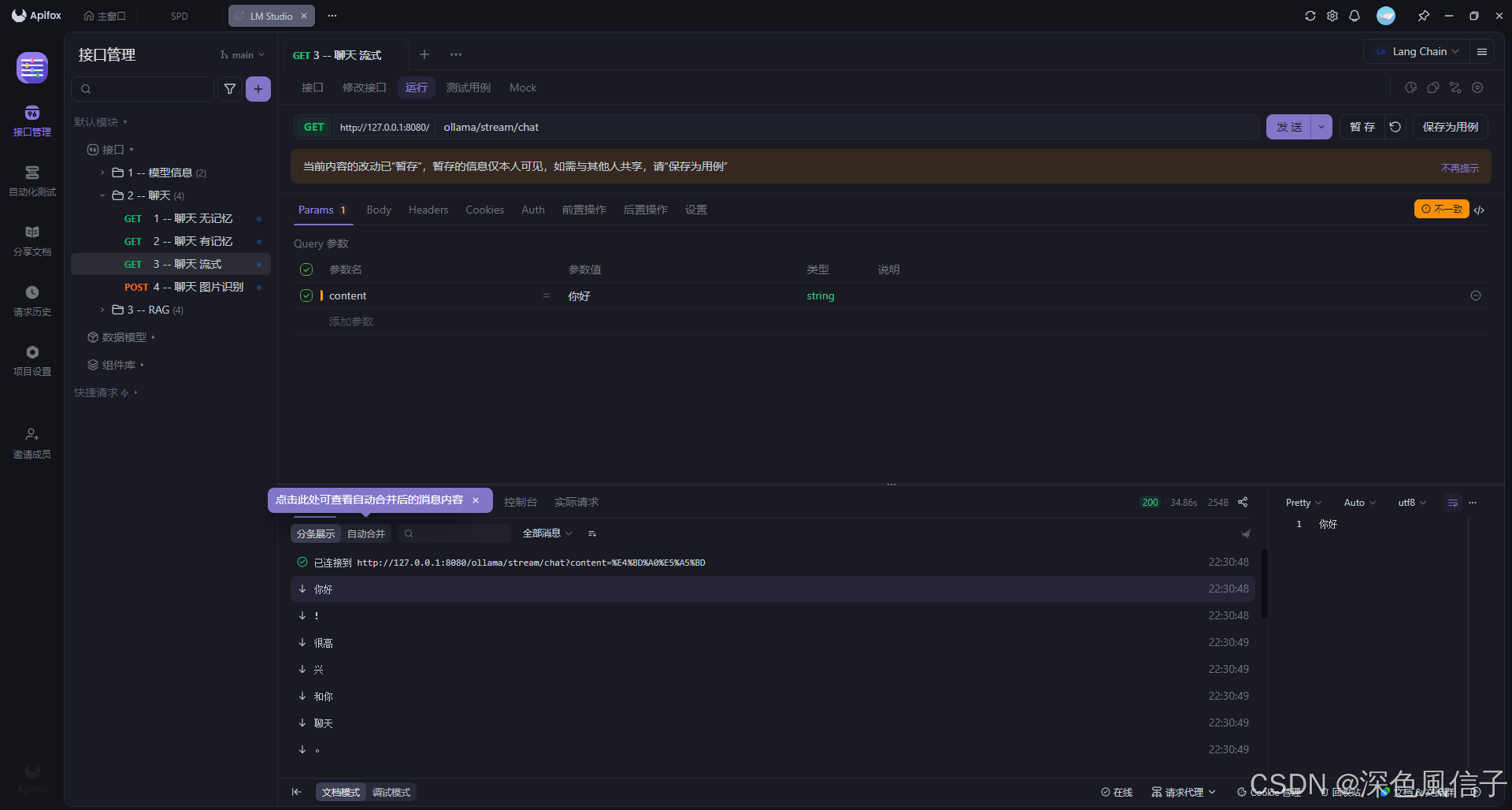
	@RequestMapping(value = "/stream/chat", produces = MediaType.TEXT_EVENT_STREAM_VALUE)
	public Flux<String> stream(String content) {
		return model.stream(content);
	}

}

火山引擎开发者社区是火山引擎打造的AI技术生态平台,聚焦Agent与大模型开发,提供豆包系列模型(图像/视频/视觉)、智能分析与会话工具,并配套评测集、动手实验室及行业案例库。社区通过技术沙龙、挑战赛等活动促进开发者成长,新用户可领50万Tokens权益,助力构建智能应用。
更多推荐
 19
19 0
0- 0


 已为社区贡献12条内容

所有评论(0)