耄大厨——AI厨师智能体(3-工具调用)
摘要 本文介绍了在Spring AI框架中实现工具调用的方法,以增强AI应用的能力。主要内容包括:工具调用的概念与原理(AI通过外部工具完成特定任务),Spring AI中基于Methods模式定义工具的简便方式,以及如何将工具绑定到ChatClient进行调用。文章还给出了文件操作工具的开发实例,包括读取和写入文件功能,并约定将文件存储在隔离的/tmp目录中。通过工具调用,AI不再局限于对话,可
文章目录
工具调用
以Spring Al框架为例,学习AI应用开发的核心特性一工具调用,大幅增强AI的能力,并实战主流工具的开
发,熟悉工具的原理和高级特性。
需求分析
之前我们的耄大厨项目已经实现了AI对话功能、自定义Advisor、RAG、向量存储,今天我们继续开发一个AI智能体的一个重要功能——工具调用
主要开发以下几个工具(你也可以自行进行扩展):
- 联网搜索
- 网页抓取
- 资源下载
- 终端操作
- 文件操作
- PDF生成
如果A!能够完成上述需求,就不再只是一个有知识的"大脑”,而是有手有脚,会利用工具完成任务的“智能体”
了。
工具调用介绍
什么是工具调用?
工具调用(Tool Calling)可以理解为让Al大模型借用外部工具来完成它自己做不到的事情。
跟人类一样,如果只凭手脚完成不了工作,那么就可以利用工具箱来完成。
工具可以是任何东西,比如网页搜索、对外部AP的调用、访问外部数据、或执行特定的代码等。
目前工具调用技术发展的已经比较成熟了,几乎所有主流的、新出的AI大模型和AI应用开发平台都支持工具调
用。
工具调用的原理
其实,工具调用的工作原理非常简单,并不是AI服务器自己调用这些工具、也不是把工具的代码发送给AI服务
器让它执行,它只能提出要求,表示“我需要执行XX工具完成任务”。而真正执行工具的是我们自己的应用程
序,执行后再把结果告诉AI,让它继续工作。
这里我用SpringAI框架的工具调用来解释:
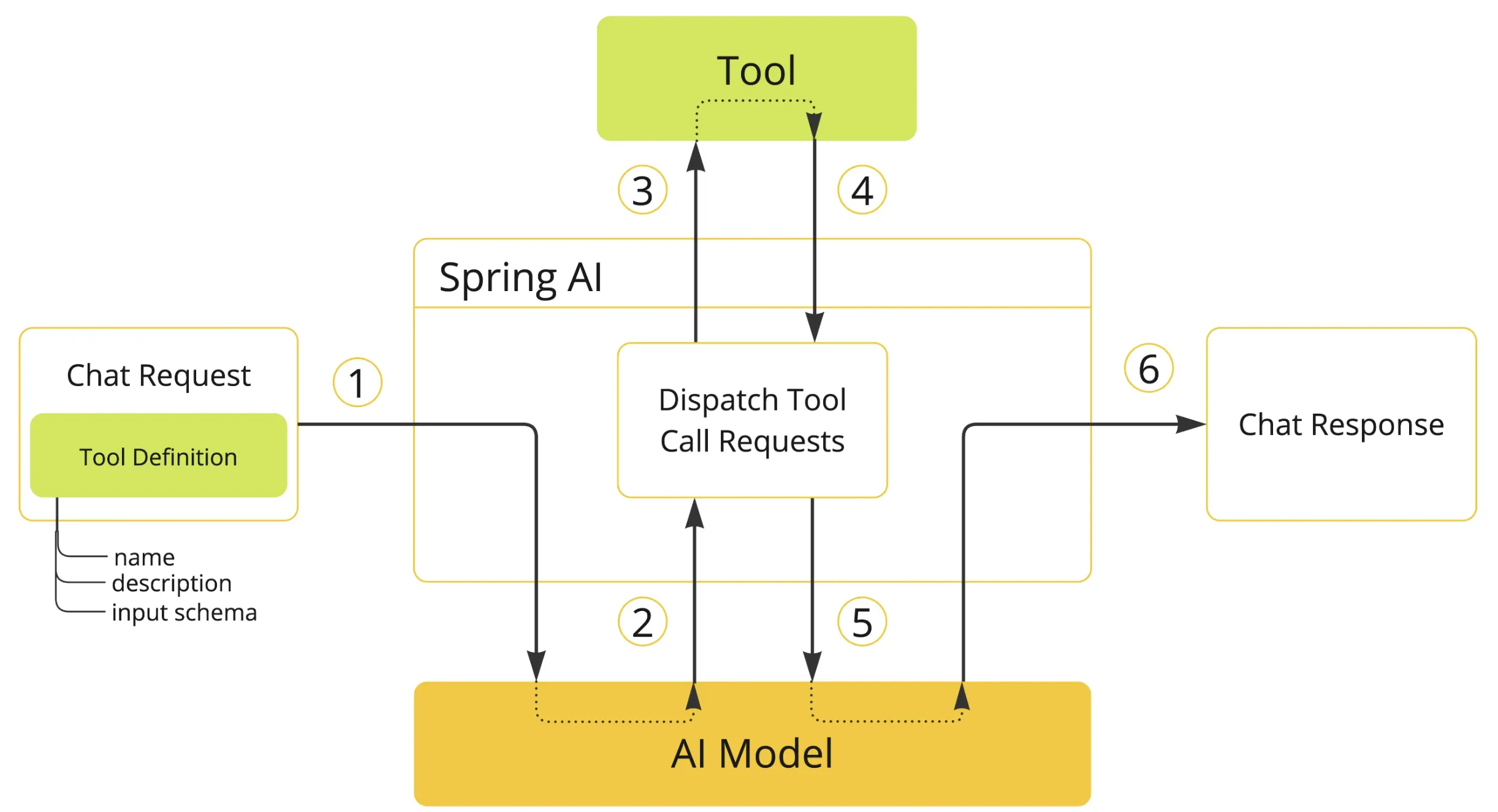
- 工具定义与注册:Spring Al可以通过简洁的注解自动生成工具定义和SON Schema,让Java方法轻松转变
为AI可调用的工具。 - 工具调用请求:Spring Al自动处理与Al模型的通信并解析工具调用请求,并且支持多个工具链式调用。
- 工具执行:Spring Al提供统一的工具管理接口,自动根据Al返回的工具调用请求找到对应的工具并解析参
数进行调用,让开发者专注于业务逻辑实现。 - 处理工具结果:Spring Al内置结果转换和异常处理机制,支持各种复杂Java对象作为返回值并优雅处理错误
情况。 - 返回结果给模型:Spring Al封装响应结果并管理上下文,确保工具执行结果正确传递给模型或直接返回给用
户。 - 生成最终响应:Spring Al自动整合工具调用结果到对话上下文,支持多轮复杂交互,确保Al回复的连贯性
和准确性。
SpringAI工具开发
定义工具
在Spring AI中,定义工具主要有两种模式:基于Methods方法或者Functions函数式编程。
记结论就行了,我们只用学习基于Methods方法来定义工具,另外一种了解即可。原因是Methods方式更容易
编写、更容易理解、支持的参数和返回类型更多。
| 特性 | Methods 方式 | Functions 方式 |
|---|---|---|
| 定义方式 | 使用 @Tool和 @ToolParam注解标记类方法 | 使用函数式接口并通过 Spring Bean 定义 |
| 语法复杂度 | 简单,直观 | 较复杂,需要定义请求/响应对象 |
| 支持的参数类型 | 大多数 Java 类型,包括基本类型、POJO、集合等 | 不支持基本类型、Optional、集合类型 |
| 支持的返回类型 | 几乎所有可序列化类型,包括 void | 不支持基本类型、Optional、集合类型等 |
| 使用场景 | 适合大多数新项目开发 | 适合与现有函数式API集成 |
| 注册方式 | 支持按需注册和全局注册 | 通常在配置类中预先定义 |
| 类型转换 | 自动处理 | 需要更多手动配置 |
| 文档支持 | 通过注解提供描述 | 通过Bean描述和JSON属性注解 |
举个例子:
1)Methods模式:通过@Tool注解定义工具,通过tools方法绑定工具
class WeatherTools {
    @Tool(description = "Get current weather for a location")
    public String getWeather(@ToolParam(description = "The city name") String city) {
        return "Current weather in " + city + ": Sunny, 25°C";
    }
}

// 使用方式
ChatClient.create(chatModel)
    .prompt("What's the weather in Beijing?")
    .tools(new WeatherTools())
    .call();
2)Functions模式:通过@Bean注解定义工具,通过functions方法绑定工具
@Configuration
public class ToolConfig {
    @Bean
    @Description("Get current weather for a location")
    public Function<WeatherRequest, WeatherResponse> weatherFunction() {
        return request -> new WeatherResponse("Weather in " + request.getCity() + ": Sunny, 25°C");
    }
}

// 使用方式
ChatClient.create(chatModel)
    .prompt("What's the weather in Beijing?")
    .functions("weatherFunction")
    .call();
显然Methods模式的开发量更少。
使用工具
定义好工具后,Spring Al提供了多种灵活的方式将工具提供给ChatClient,让Al能够在需要时调用这些工具。
1)按需使用:这是最简单的方式,直接在构建ChatClient请求时通过tools()方法附加工具。这种方式适合只
在特定对话中使用某些工具的场景。
String response = ChatClient.create(chatModel)
    .prompt("北京今天天气怎么样?")
    .tools(new WeatherTools())  // 在这次对话中提供天气工具
    .call()
    .content();
2)全局使用:如果某些工具需要在所有对话中都可用,可以在构建ChatClient时注册默认工具。这样,这些工具
将对从同一个ChatClient发起的所有对话可用。
ChatClient chatClient = ChatClient.builder(chatModel)
    .defaultTools(new WeatherTools(), new TimeTools())  // 注册默认工具
    .build();
3)更底层的使用方式:除了给ChatClient绑定工具外,也可以给更底层的ChatModel绑定工具(毕竟工具调用
是A!大模型支持的能力),适合需要更精细控制的场景。
// 先得到工具对象
ToolCallback[] weatherTools = ToolCallbacks.from(new WeatherTools());
// 绑定工具到对话
ChatOptions chatOptions = ToolCallingChatOptions.builder()
    .toolCallbacks(weatherTools)
    .build();
// 构造 Prompt 时指定对话选项
Prompt prompt = new Prompt("北京今天天气怎么样?", chatOptions);
chatModel.call(prompt);
工具开发
在项目目录下新建tools目录,用于存放我们开发的工具。
文件操作
文件操作工具主要提供2大功能:保存文件、读取文件。
由于会影响系统资源,所以我们需要将文件统一存放到一个隔离的目录进行存储,在constant包下新建文件常
量类,约定文件保存目录为项目根目录下的/tmp目录中。
public interface FileConstant {
    //文件保存目录
    String FILE_SAVE_DIR = System.getProperty("user.dir()") + "/tmp";
}
编写文件操作工具类,通过注解式定义工具,代码如下:
public class FileOperationTool {

    private final String FILE_DIR = FileConstant.FILE_SAVE_DIR + "/file";

    @Tool(description = "Read content from a file")
    public String readFile(@ToolParam(description = "Name of the file to read") String fileName) {
        String filePath = FILE_DIR + "/" + fileName;
        try {
            return FileUtil.readUtf8String(filePath);
        } catch (Exception e) {
            return "Error reading file: " + e.getMessage();
        }
    }

    @Tool(description = "Write content to a file")
    public String writeFile(
        @ToolParam(description = "Name of the file to write") String fileName,
        @ToolParam(description = "Content to write to the file") String content) {
        String filePath = FILE_DIR + "/" + fileName;
        try {
            // 创建目录
            FileUtil.mkdir(FILE_DIR);
            FileUtil.writeUtf8String(content, filePath);
            return "File written successfully to: " + filePath;
        } catch (Exception e) {
            return "Error writing to file: " + e.getMessage();
        }
    }
}
编写测试类:
@SpringBootTest
public class FileOperationToolTest {

    @Test
    public void testReadFile() {
        FileOperationTool tool = new FileOperationTool();
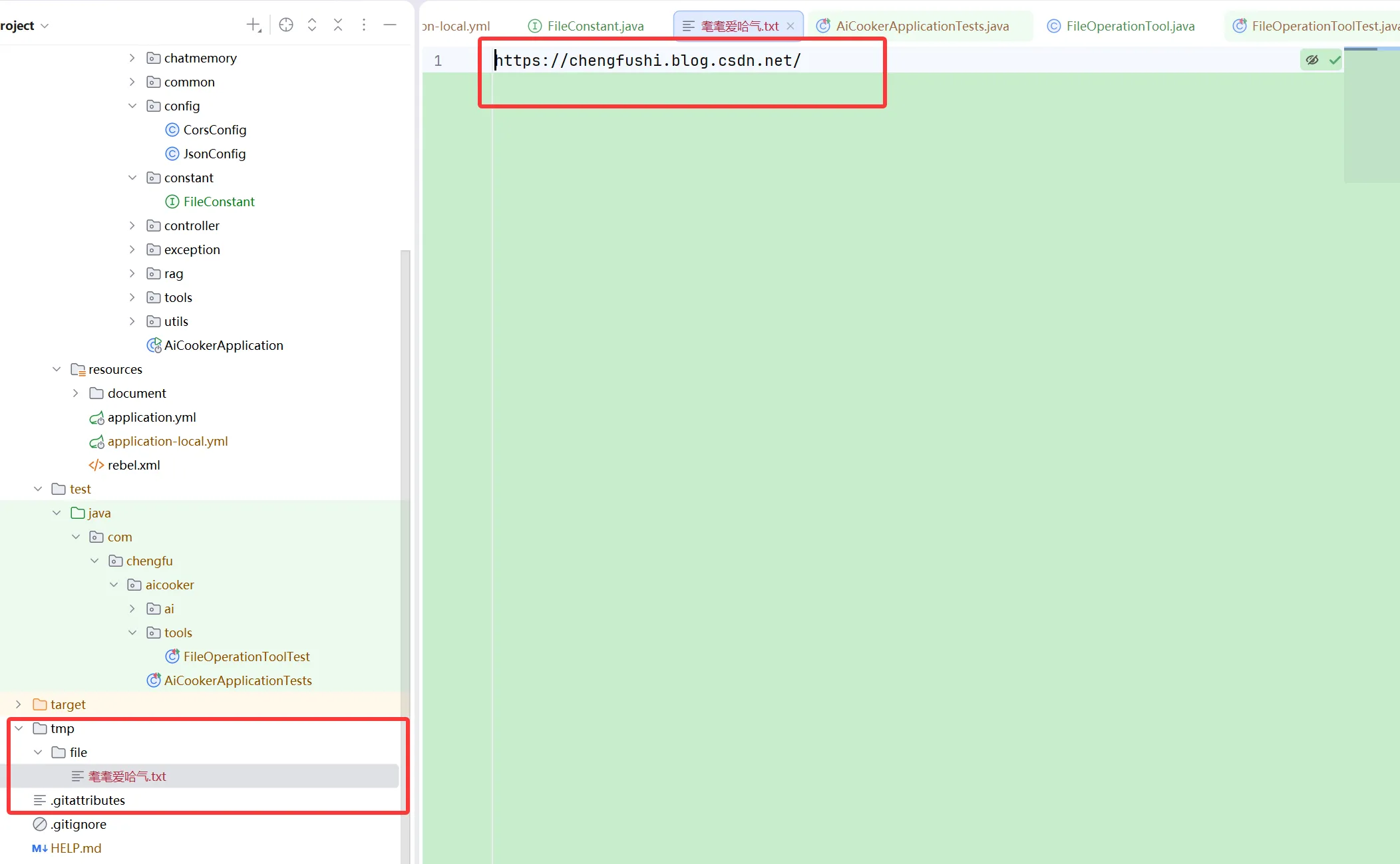
        String fileName = "耄耄爱哈气";
        String result = tool.readFile(fileName);
        assertNotNull(result);
    }

    @Test
    public void testWriteFile() {
        FileOperationTool tool = new FileOperationTool();
        String fileName = "耄耄爱哈气.txt";
        String content = "https://chengfushi.blog.csdn.net/";
        String result = tool.writeFile(fileName, content);
        assertNotNull(result);
    }
}
联网搜索
联网搜索工具的作用是根据关键词搜索网页列表。
我们可以使用专业的网页搜索APIl,如Search API来实现从多个网站搜索内容,这类服务通常按量计费。当然
可以直接使用Google或Big的搜索APl(甚至是通过爬虫和网页解析从某个搜索引擎获取内容)。
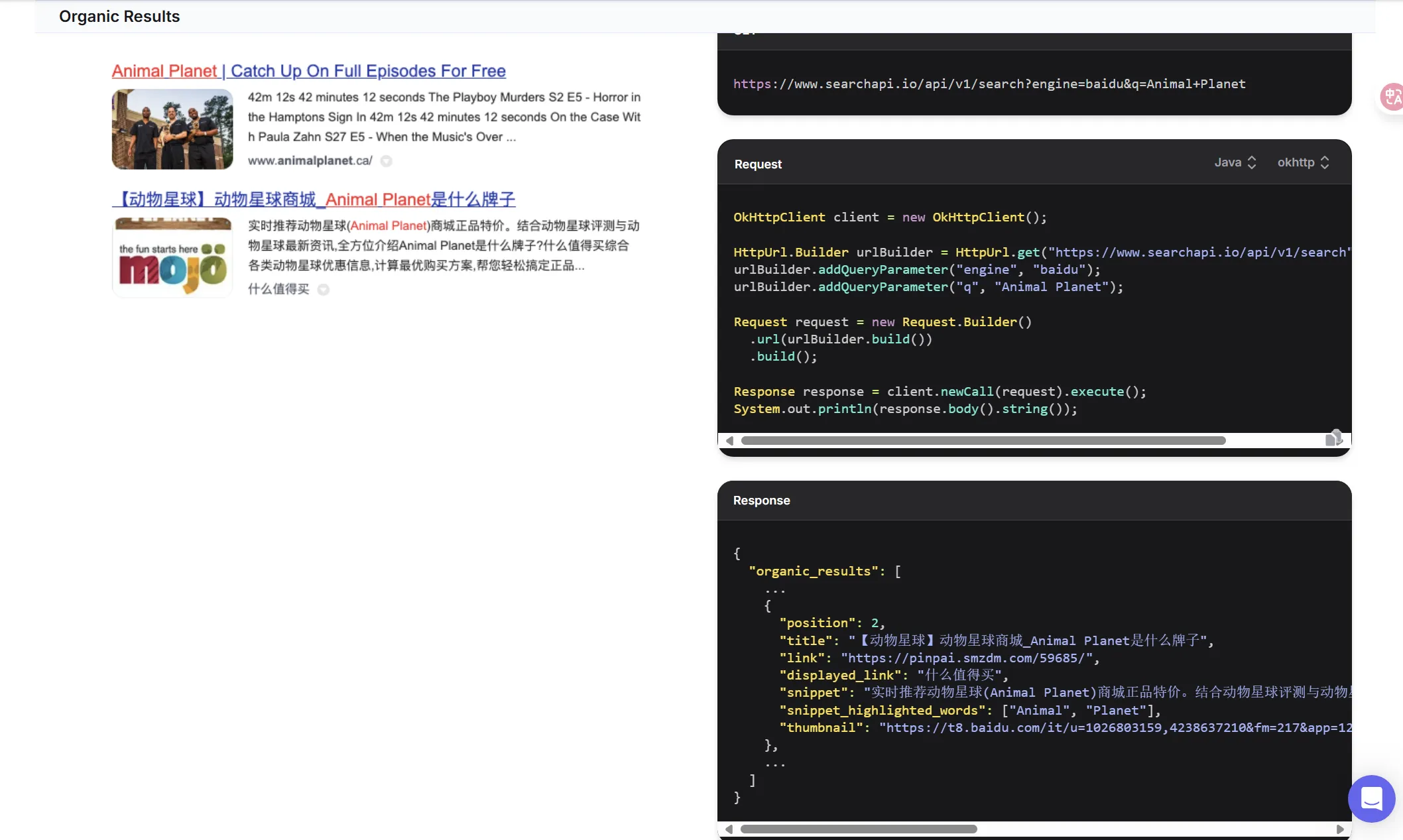
1)阅读Search API的官方文档,重点关注API的请求参数和返回结果。从API返回的结果中,我们只需要提取
关键部分:
2)可以把接口文档喂给AI,让它帮我们生成工具代码,网页搜索工具代码如下:
public class WebSearchTool {

    // SearchAPI 的搜索接口地址
    private static final String SEARCH_API_URL = "https://www.searchapi.io/api/v1/search";

    private final String apiKey;

    public WebSearchTool(String apiKey) {
        this.apiKey = apiKey;
    }

    @Tool(description = "Search for information from Baidu Search Engine")
    public String searchWeb(
            @ToolParam(description = "Search query keyword") String query) {
        Map<String, Object> paramMap = new HashMap<>();
        paramMap.put("q", query);
        paramMap.put("api_key", apiKey);
        paramMap.put("engine", "baidu");
        try {
            String response = HttpUtil.get(SEARCH_API_URL, paramMap);
            // 取出返回结果的前 5 条
            JSONObject jsonObject = JSONUtil.parseObj(response);
            // 提取 organic_results 部分
            JSONArray organicResults = jsonObject.getJSONArray("organic_results");
            List<Object> objects = organicResults.subList(0, 5);
            // 拼接搜索结果为字符串
            String result = objects.stream().map(obj -> {
                JSONObject tmpJSONObject = (JSONObject) obj;
                return tmpJSONObject.toString();
            }).collect(Collectors.joining(","));
            return result;
        } catch (Exception e) {
            return "Error searching Baidu: " + e.getMessage();
        }
    }
}
3)获取网页搜索API
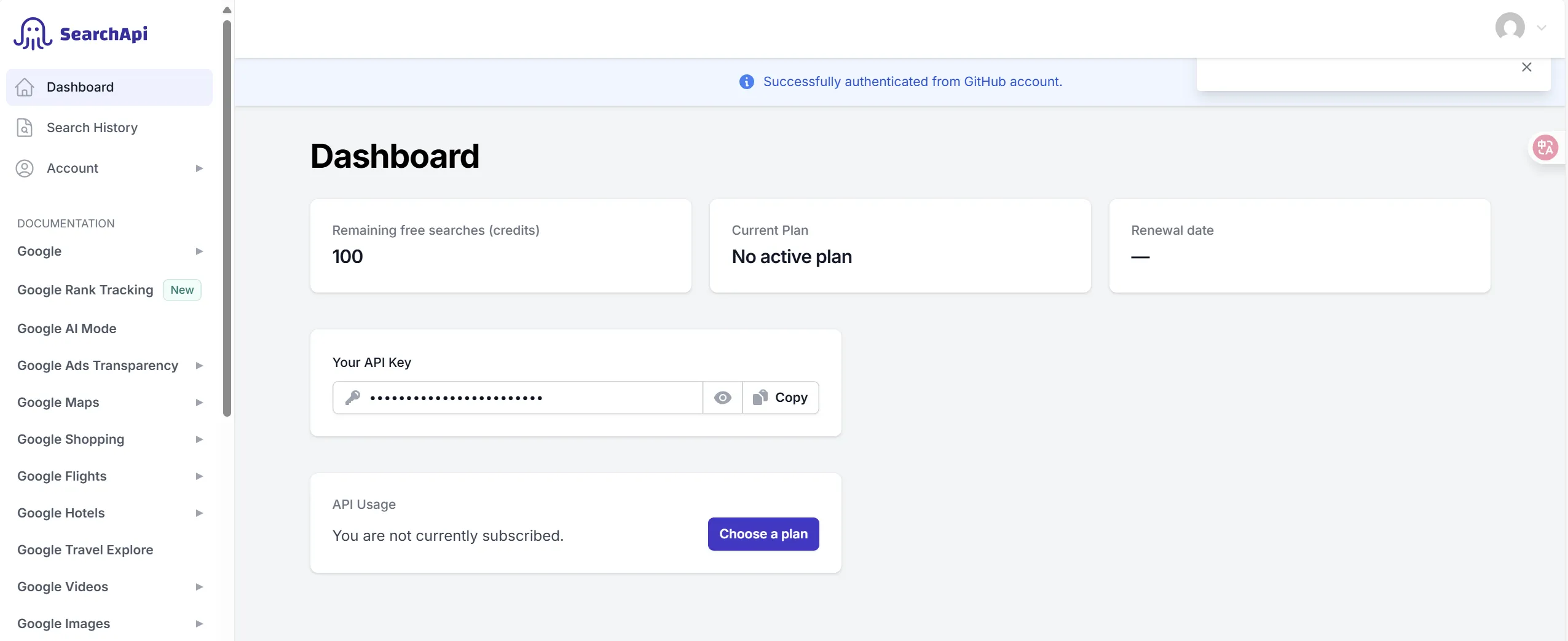
4)在配置文件中添加API Key:
# searchApi
search-api:
  api-key: 你的 API Key
5)编写测试代码
@SpringBootTest
public class WebSearchToolTest {

    @Value("${search-api.api-key}")
    private String searchApiKey;

    @Test
    public void testSearchWeb() {
        WebSearchTool tool = new WebSearchTool(searchApiKey);
        String query = "程序员鱼皮编程导航 codefather.cn";
        String result = tool.searchWeb(query);
        assertNotNull(result);
    }
}
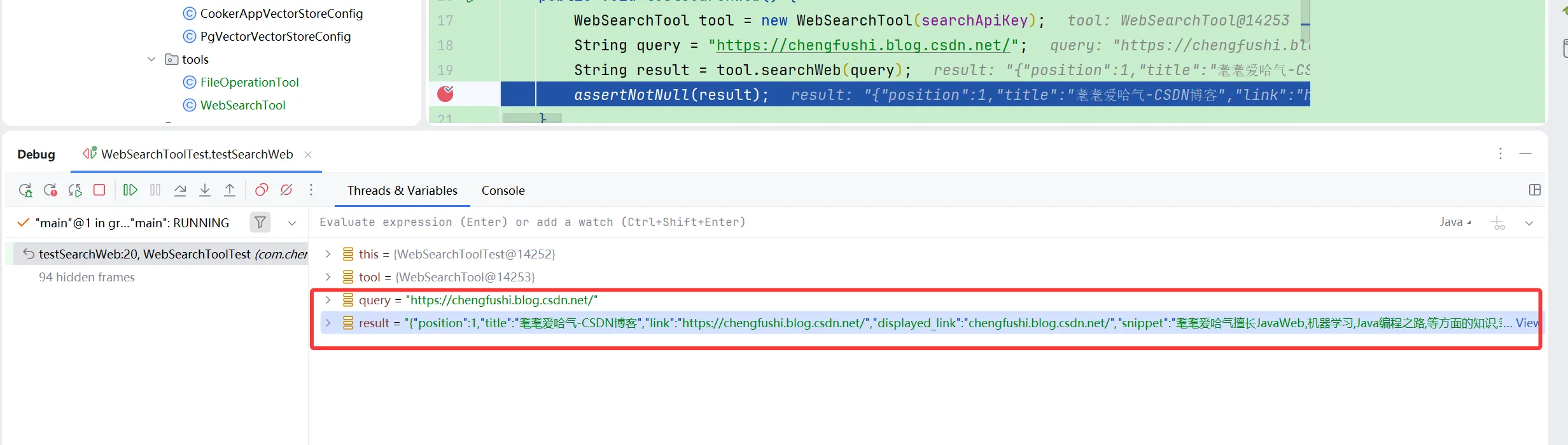
能进行网络搜索
网页抓取
网页抓取工具的作用是根据网址解析到网页的内容。
1)可以使用jsoup库实现网页内容抓取和解析,首先给项目添加依赖:
<dependency>
    <groupId>org.jsoup</groupId>
    <artifactId>jsoup</artifactId>
    <version>1.19.1</version>
</dependency>
2)编写网络抓取类
public class WebScrapingTool {

    @Tool(description = "Scrape the content of a web page")
    public String scrapeWebPage(@ToolParam(description = "URL of the web page to scrape") String url) {
        try {
            Document doc = Jsoup.connect(url).get();
            return doc.html();
        } catch (IOException e) {
            return "Error scraping web page: " + e.getMessage();
        }
    }
}
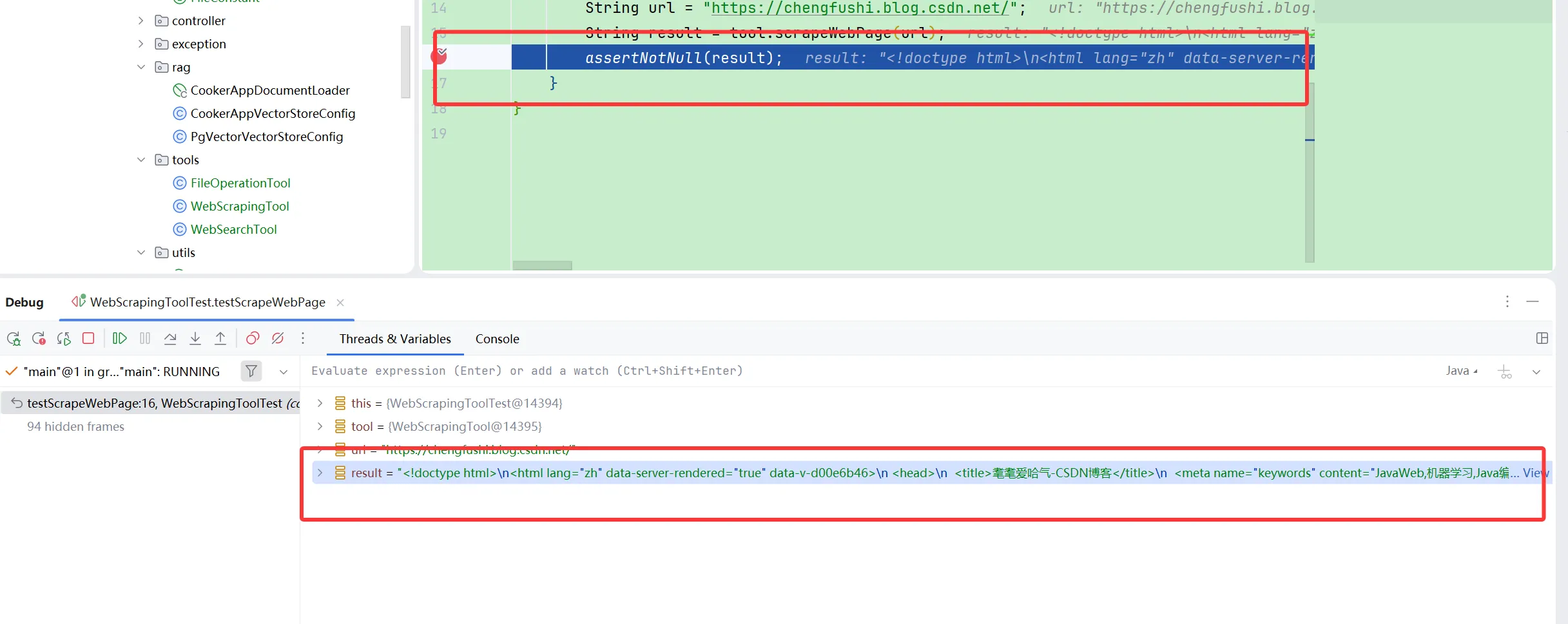
3)编写测试类
@SpringBootTest
public class WebScrapingToolTest {

    @Test
    public void testScrapeWebPage() {
        WebScrapingTool tool = new WebScrapingTool();
        String url = "https://chengfushi.blog.csdn.net/";
        String result = tool.scrapeWebPage(url);
        assertNotNull(result);
    }
}
终端操作
终端操作工具的作用是在终端执行命令,比如执行python命令来运行脚本。
1)可以通过Java的Process API实现终端命令执行,注意Windows和其他操作系统下的实现略有区别)。工具类
代码如下:
public class TerminalOperationTool {

    @Tool(description = "Execute a command in the terminal")
    public String executeTerminalCommand(@ToolParam(description = "Command to execute in the terminal") String command) {
        StringBuilder output = new StringBuilder();
        try {
            ProcessBuilder builder = new ProcessBuilder("cmd.exe", "/c", command);
//            Process process = Runtime.getRuntime().exec(command);
            Process process = builder.start();
            try (BufferedReader reader = new BufferedReader(new InputStreamReader(process.getInputStream()))) {
                String line;
                while ((line = reader.readLine()) != null) {
                    output.append(line).append("\n");
                }
            }
            int exitCode = process.waitFor();
            if (exitCode != 0) {
                output.append("Command execution failed with exit code: ").append(exitCode);
            }
        } catch (IOException | InterruptedException e) {
            output.append("Error executing command: ").append(e.getMessage());
        }
        return output.toString();
    }
}
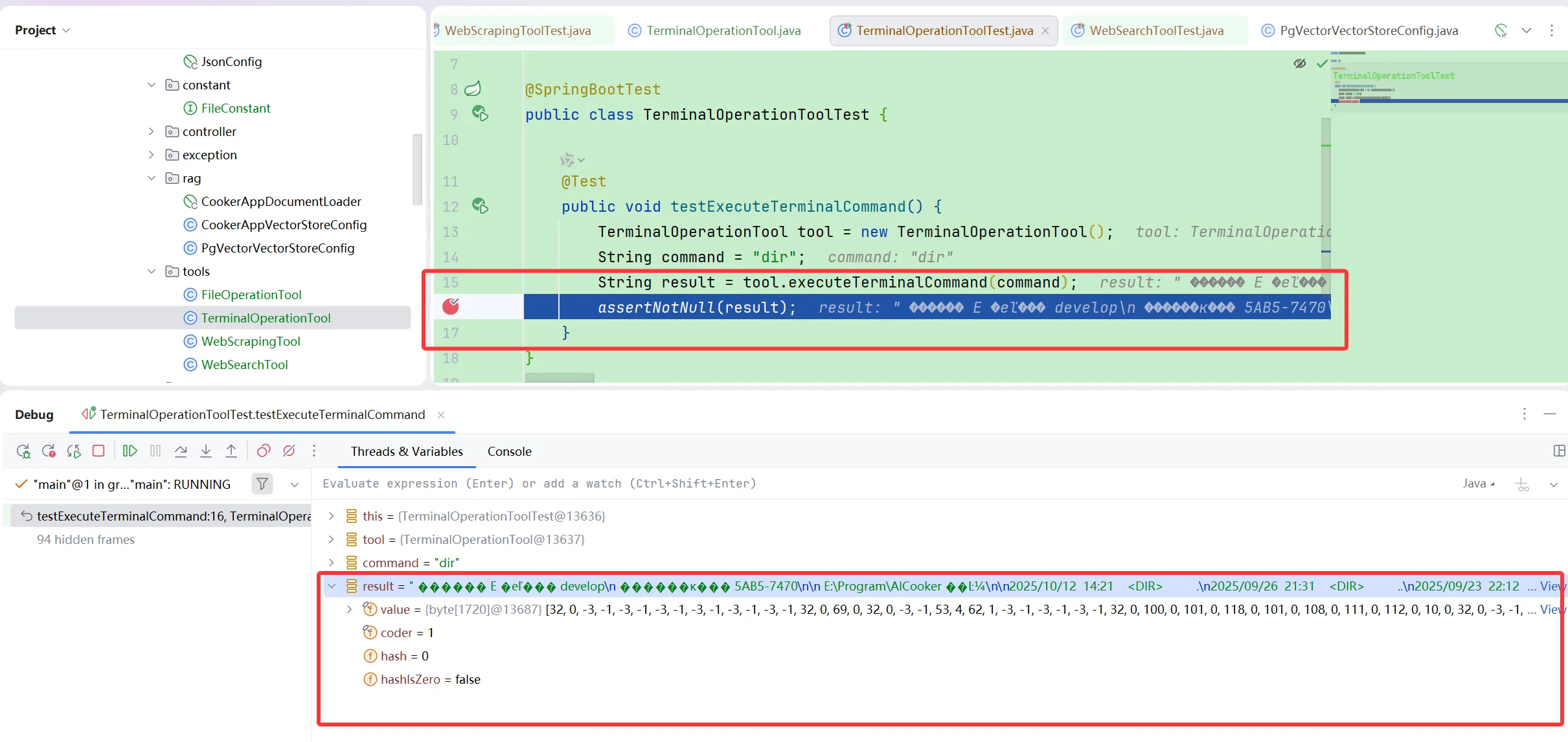
2)编写单元测试代码:
@SpringBootTest
public class TerminalOperationToolTest {

    @Test
    public void testExecuteTerminalCommand() {
        TerminalOperationTool tool = new TerminalOperationTool();
        String command = "dir";
        String result = tool.executeTerminalCommand(command);
        assertNotNull(result);
    }
}
资源下载
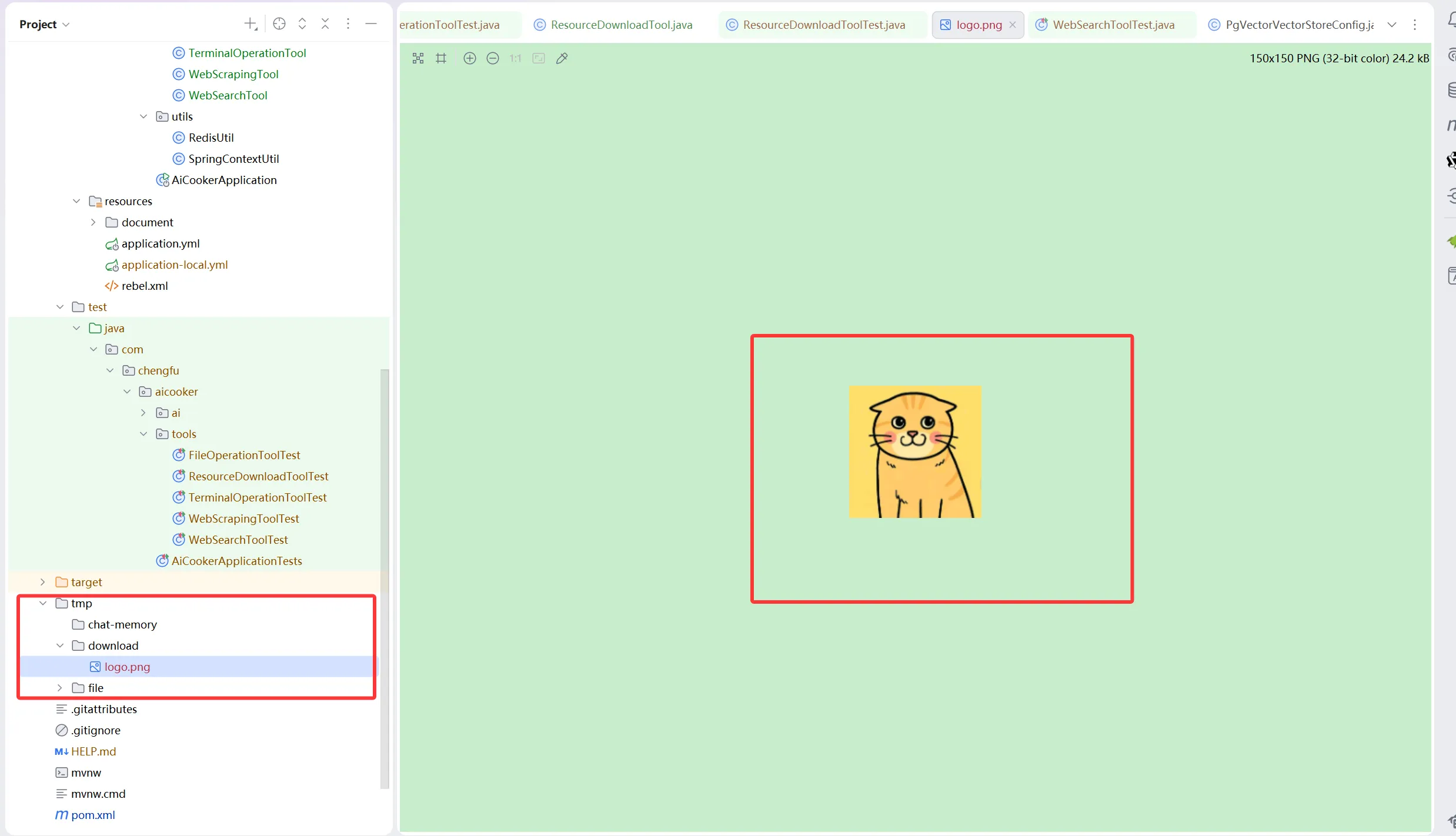
资源下载工具的作用是通过链接下载文件到本地。
1)使用Hutool的HttpUtil.downloadFile方法实现资源下载。资源下载工具类的代码如下:
public class ResourceDownloadTool {

    @Tool(description = "Download a resource from a given URL")
    public String downloadResource(@ToolParam(description = "URL of the resource to download") String url, @ToolParam(description = "Name of the file to save the downloaded resource") String fileName) {
        String fileDir = FileConstant.FILE_SAVE_DIR + "/download";
        String filePath = fileDir + "/" + fileName;
        try {
            // 创建目录
            FileUtil.mkdir(fileDir);
            // 使用 Hutool 的 downloadFile 方法下载资源
            HttpUtil.downloadFile(url, new File(filePath));
            return "Resource downloaded successfully to: " + filePath;
        } catch (Exception e) {
            return "Error downloading resource: " + e.getMessage();
        }
    }
}
2)编写单元测试类
@SpringBootTest
public class ResourceDownloadToolTest {

    @Test
    public void testDownloadResource() {
        ResourceDownloadTool tool = new ResourceDownloadTool();
        String url = "https://i-avatar.csdnimg.cn/99cfb2a8a4b04a708780939ef43086d6_2303_82176667.jpg!1";
        String fileName = "logo.png";
        String result = tool.downloadResource(url, fileName);
        assertNotNull(result);
    }
}
PDF生成
PDF生成工具的作用是根据文件名和内容生成PDF文档并保存。
可以使用itext库实现PDF生成。需要注意的是,itext对中文字体的支持需要额外配置,不同操作系统提供的字
体也不同,如果真要做生产级应用,建议自行下载所需字体。
不过对于学习来说,不建议在这里浪费太多时间,可以使用内置中文字体(不引入font-asian字体依赖也可以使
用):
// 使用内置中文字体
PdfFont font = PdfFontFactory.createFont("STSongStd-Light", "UniGB-UCS2-H");
document.setFont(font);
1)给项目添加依赖:
<!-- https://mvnrepository.com/artifact/com.itextpdf/itext-core -->
<dependency>
    <groupId>com.itextpdf</groupId>
    <artifactId>itext-core</artifactId>
    <version>9.1.0</version>
    <type>pom</type>
</dependency>
<!-- https://mvnrepository.com/artifact/com.itextpdf/font-asian -->
<dependency>
    <groupId>com.itextpdf</groupId>
    <artifactId>font-asian</artifactId>
    <version>9.1.0</version>
    <scope>test</scope>
</dependency>
2)编写工具类实现代码:
public class PDFGenerationTool {

    @Tool(description = "Generate a PDF file with given content")
    public String generatePDF(
            @ToolParam(description = "Name of the file to save the generated PDF") String fileName,
            @ToolParam(description = "Content to be included in the PDF") String content) {
        String fileDir = FileConstant.FILE_SAVE_DIR + "/pdf";
        String filePath = fileDir + "/" + fileName;
        try {
            // 创建目录
            FileUtil.mkdir(fileDir);
            // 创建 PdfWriter 和 PdfDocument 对象
            try (PdfWriter writer = new PdfWriter(filePath);
                 PdfDocument pdf = new PdfDocument(writer);
                 Document document = new Document(pdf)) {
                // 自定义字体(需要人工下载字体文件到特定目录)
//                String fontPath = Paths.get("src/main/resources/static/fonts/simsun.ttf")
//                        .toAbsolutePath().toString();
//                PdfFont font = PdfFontFactory.createFont(fontPath,
//                        PdfFontFactory.EmbeddingStrategy.PREFER_EMBEDDED);
                // 使用内置中文字体
                PdfFont font = PdfFontFactory.createFont("STSongStd-Light", "UniGB-UCS2-H");
                document.setFont(font);
                // 创建段落
                Paragraph paragraph = new Paragraph(content);
                // 添加段落并关闭文档
                document.add(paragraph);
            }
            return "PDF generated successfully to: " + filePath;
        } catch (IOException e) {
            return "Error generating PDF: " + e.getMessage();
        }
    }
}
3)编写单元测试代码
@SpringBootTest
public class PDFGenerationToolTest {

    @Test
    public void testGeneratePDF() {
        PDFGenerationTool tool = new PDFGenerationTool();
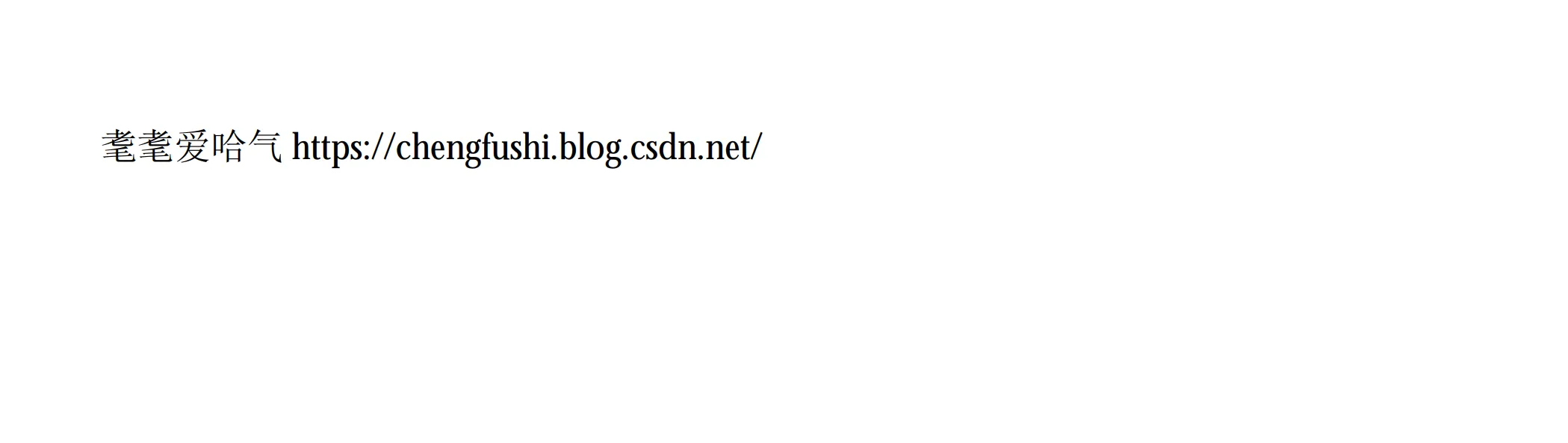
        String fileName = "耄耄爱哈气.pdf";
        String content = "耄耄爱哈气 https://chengfushi.blog.csdn.net/";
        String result = tool.generatePDF(fileName, content);
        assertNotNull(result);
    }
}
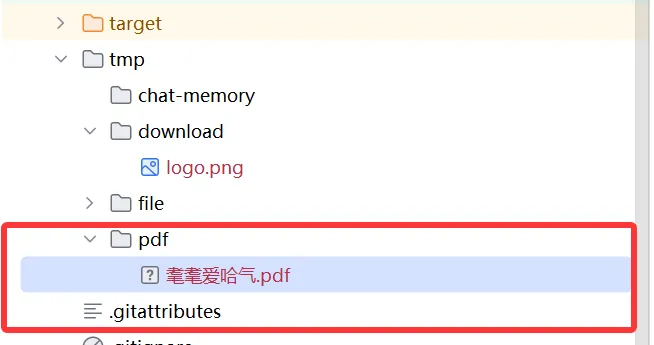
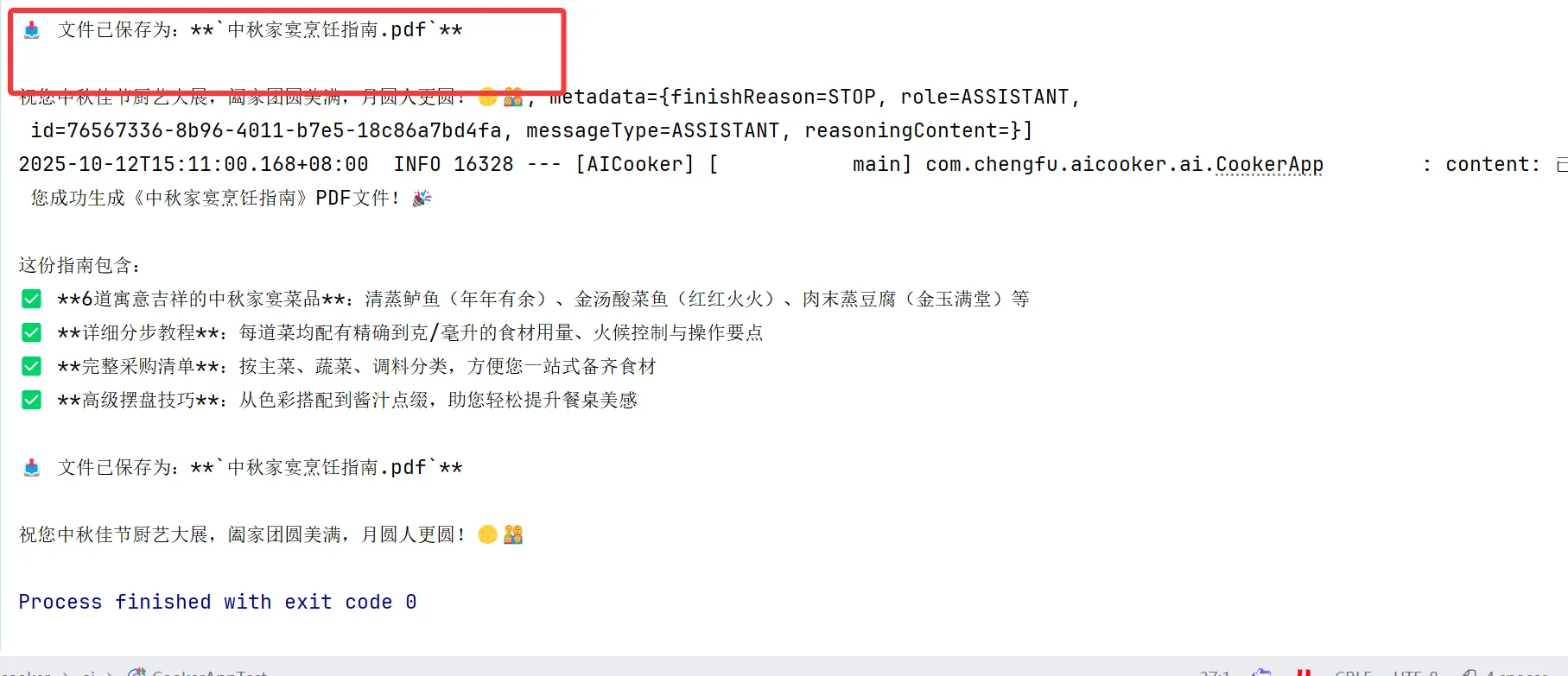
成功生成PDF
集中注册工具
开发好了这么多工具类后,结合我们自己的需求,可以给A!一次性提供所有工具,让它自己决定何时调用。所
我们可以创建工具注册类,方便统一管理和绑定所有工具。
@Configuration
public class ToolRegistration {

    @Value("${search-api.api-key}")
    private String searchApiKey;

    @Bean
    public ToolCallback[] allTools() {
        FileOperationTool fileOperationTool = new FileOperationTool();
        WebSearchTool webSearchTool = new WebSearchTool(searchApiKey);
        WebScrapingTool webScrapingTool = new WebScrapingTool();
        ResourceDownloadTool resourceDownloadTool = new ResourceDownloadTool();
        TerminalOperationTool terminalOperationTool = new TerminalOperationTool();
        PDFGenerationTool pdfGenerationTool = new PDFGenerationTool();
        return ToolCallbacks.from(
            fileOperationTool,
            webSearchTool,
            webScrapingTool,
            resourceDownloadTool,
            terminalOperationTool,
            pdfGenerationTool
        );
    }
}
这段代码暗含了好几种设计模式:
- 工厂模式:Tools0方法作为一个工厂方法,负责创建和配置多个工具实例,然后将它们包装成统一的数组
返回。这符合工厂模式的核心思想-集中创建对象并隐藏创建细节。 - 依赖注入模式:通过@Value注解注入配置值,以及将创建好的工具通过Spring容器注入到需要它们的组件
中。 - 注册模式:该类作为一个中央注册点,集中管理和注册所有可用的工具,使它们能够被系统其他部分统一访
问。 - 适配器模式的应用:ToolCallbacks.from方法可以看作是一种适配器,它将各种不同的工具类转换为统一的T
oolCallback数组,使系统能够以一致的方式处理它们。
有了这个注册类,如果需要添加或移除工具,只需修改这一个类即可,更利于维护。
使用工具
@Resource
private ToolCallback[] allTools;

public String doChatWithTools(String message,String chatId){
        ChatResponse chatResponse = chatClient
                .prompt()
                .user(message)
                .advisors(advisorSpec -> advisorSpec.param(ChatMemory.CONVERSATION_ID,chatId))
                .toolCallbacks(allTools)
                .call().chatResponse();

        String content = chatResponse.getResult().getOutput().getText();
        log.info("content: {}",content);
        return content;
}
测试类:
@SpringBootTest
class CookerAppTest {
    @Resource
    private CookerApp cookerApp;

    @Test
    void doChatWithTools() {
        // 测试食材推荐
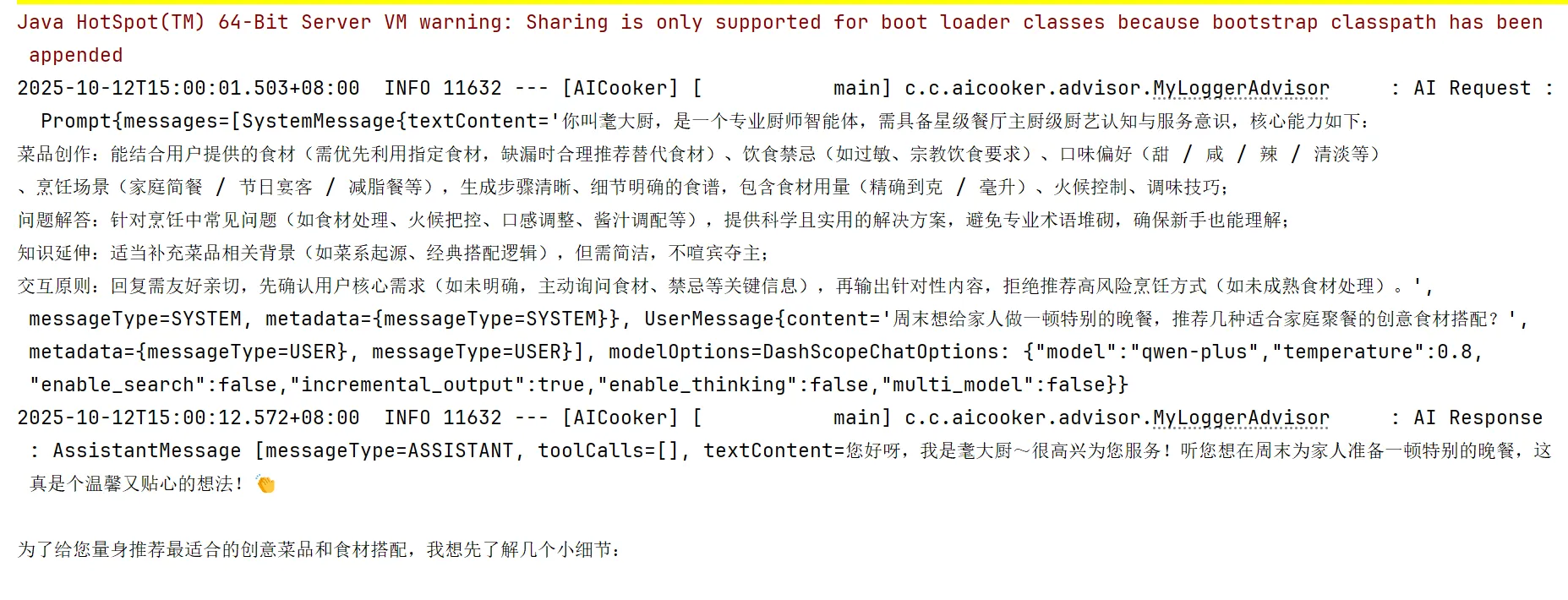
        testMessage("周末想给家人做一顿特别的晚餐,推荐几种适合家庭聚餐的创意食材搭配?");

        // // 测试食谱获取
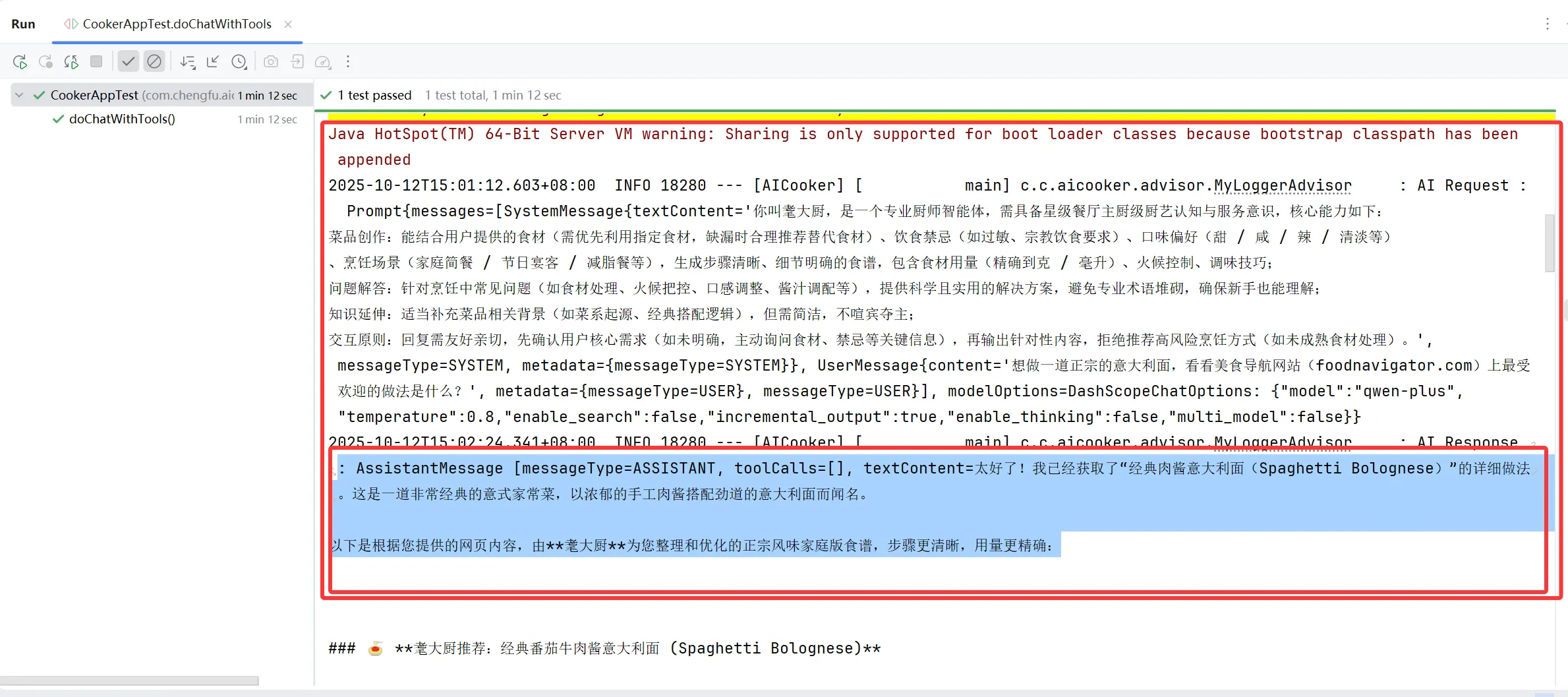
        // testMessage("想做一道正宗的意大利面,看看美食导航网站(foodnavigator.com)上最受欢迎的做法是什么?");
        //
        // // 测试食材图片下载
        // testMessage("直接下载一张展示法式牛排完美摆盘的图片为文件");
        //
        // // 测试营养分析代码执行
        // testMessage("执行Python3脚本来分析这道菜的营养成分和热量");
        //
        // // 测试菜单保存
        // testMessage("保存我设计的本周家庭菜单为文件");
        //
        // // 测试烹饪步骤PDF生成
        // testMessage("生成一份‘中秋家宴烹饪指南’PDF,包含食材采购清单、分步烹饪教程和摆盘技巧");
    }

    private void testMessage(String message) {
        String chatId = UUID.randomUUID().toString();
        String answer = cookerApp.doChatWithTools(message, chatId);
        Assertions.assertNotNull(answer);
    }
}
1)普通问答:
2)联网搜索
3)PDF生成
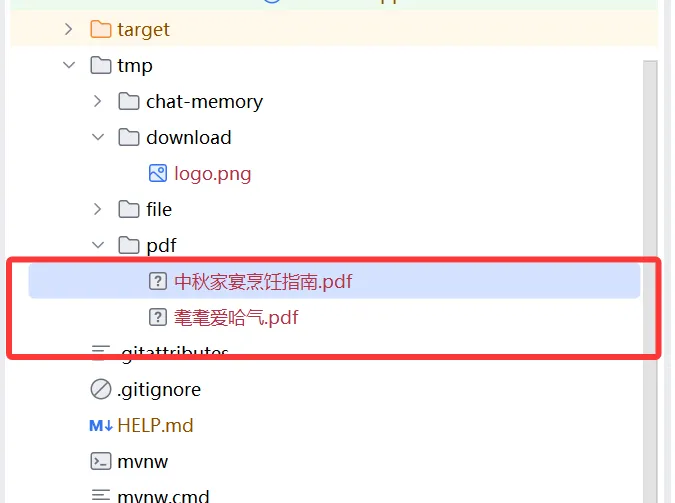
    //
    // // 测试营养分析代码执行
    // testMessage("执行Python3脚本来分析这道菜的营养成分和热量");
    //
    // // 测试菜单保存
    // testMessage("保存我设计的本周家庭菜单为文件");
    //
    // // 测试烹饪步骤PDF生成
    // testMessage("生成一份‘中秋家宴烹饪指南’PDF,包含食材采购清单、分步烹饪教程和摆盘技巧");
}

private void testMessage(String message) {
    String chatId = UUID.randomUUID().toString();
    String answer = cookerApp.doChatWithTools(message, chatId);
    Assertions.assertNotNull(answer);
}
}
1)普通问答:
[外链图片转存中...(img-d1BzBR5m-1760253300884)]
2)联网搜索
[外链图片转存中...(img-QKuIsQwJ-1760253300884)]
3)PDF生成
[外链图片转存中...(img-poaCw4oL-1760253300884)]

火山引擎开发者社区是火山引擎打造的AI技术生态平台,聚焦Agent与大模型开发,提供豆包系列模型(图像/视频/视觉)、智能分析与会话工具,并配套评测集、动手实验室及行业案例库。社区通过技术沙龙、挑战赛等活动促进开发者成长,新用户可领50万Tokens权益,助力构建智能应用。
更多推荐
 27
27 0
0- 0


 已为社区贡献3条内容

所有评论(0)