Unity 使用ScrollRect制作按钮翻页效果
本文介绍了在Unity中实现ScrollRect翻页效果的两种方法。第一种通过修改horizontalNormalizedPosition属性,根据页数n将页面位置均匀分布在0到1之间(位置计算公式为1/(n-1)),配合Lerp函数实现平滑滚动。第二种使用Dotween插件和IEndDragHandler接口,通过计算滑动距离和方向来确定目标页位置,实现更流畅的拖动翻页效果。两种方法都提供了完整
记录一下,主要是看别人讲的课程,实在不堪入目,数据都是模糊的,碰巧正确,就做了下面这个,也是清清白白。
通过修改scrollRect的horizontalNormalizedPosition来做出翻页效果。
首先需要找出每一页的位置规律:当有两页时:horizontalNormalizedPosition分别是0,1;当有三页时,horizontalNormalizedPosition分别是0,0.5,1;当有四页时,horizontalNormalizedPosition的值是0,0.33,066,1。由此可知 当有n页时,每一页所占的位置是1/(n-1)。那么有了规律之后就好办了。
建一个简易scrollRect如下图。
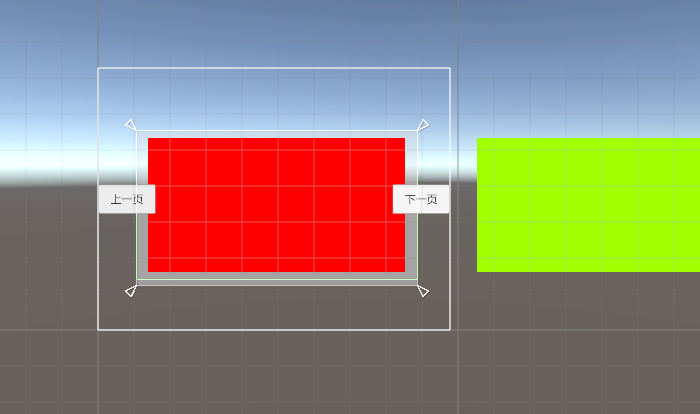
贴上代码如下:
using System.Collections;
using System.Collections.Generic;
using UnityEngine;
using UnityEngine.UI;

public class PageScrollView : MonoBehaviour
{
    ScrollRect rect;
    int pageCount;//页数
    Transform content;
    public float[] pages;//保存页面的位置
    //public float moveTime = 0.3f;//可设置滚动时间

    private int currentPage = 0;//当前页
    private int perPageCount=2;//每一页的item个数
    public Button nextBtn;
    public Button lastBtn;
    public float targePage;//目标页
    private bool isRoll;//控制滚动

    private void Start()
    {
        rect = GetComponent<ScrollRect>();
        if (rect == null)
            Debug.LogError("未查询到ScrollRect");
        content = rect.transform.Find("Viewport/Content");
        pageCount = Mathf.CeilToInt(content.childCount / perPageCount);
        pages = new float[pageCount];
        for (int i = 0; i < pages.Length; i++)
        {
            pages[i] = i * (1 / (float)(pageCount - 1));
        }

        nextBtn.onClick.AddListener(() =>
        {
            if (currentPage + 1 < pages.Length)
            {
                isRoll = true;
                targePage = pages[currentPage + 1];
                currentPage += 1;
                if (targePage > 1)
                    targePage = 1;
            }

        });

        //上一页
        lastBtn.onClick.AddListener(delegate
        {
            if (currentPage - 1 >= 0)
            {
                isRoll = true;
                targePage = pages[currentPage - 1];
                currentPage -= 1;
                if (targePage < 0)
                    targePage = 0;
            }

        });
    }


    private void Update()
    {
        //翻页
        if (isRoll)
        {
            if (Mathf.Abs(rect.horizontalNormalizedPosition - targePage) < 0.01f)
            {
                rect.horizontalNormalizedPosition = targePage;
                isRoll = false;
                return;
            }
            //设置水平滚动位置
            rect.horizontalNormalizedPosition = Mathf.Lerp(rect.horizontalNormalizedPosition, targePage, Time.timeScale * 0.1f);
        }
    }
}
手动设置上一页按钮及下一页按钮 测试能行。
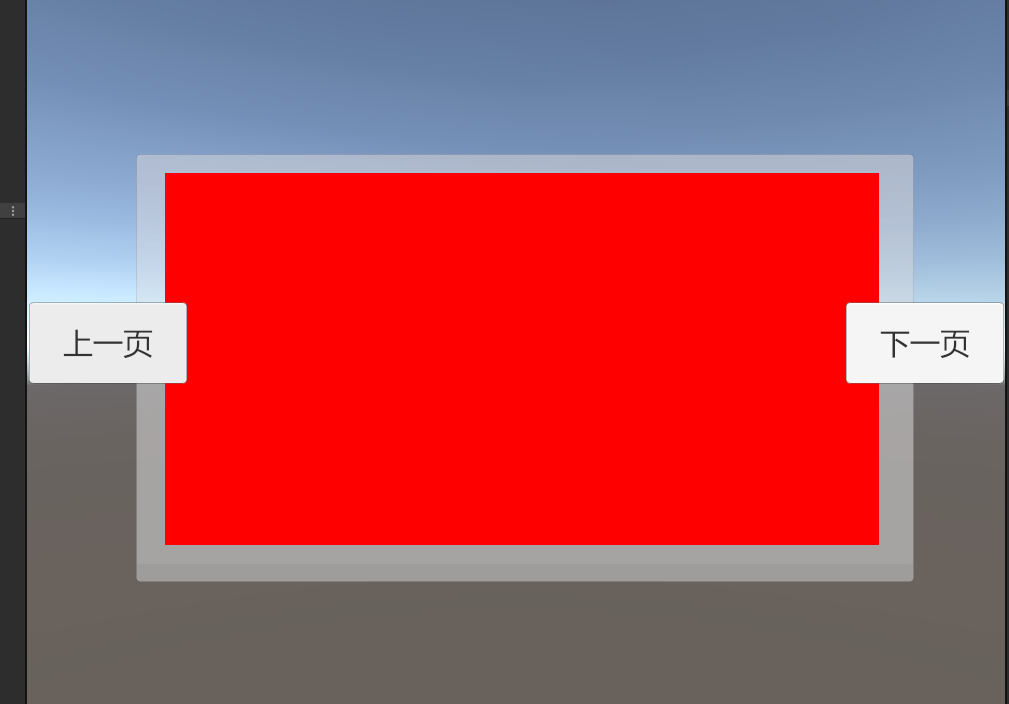
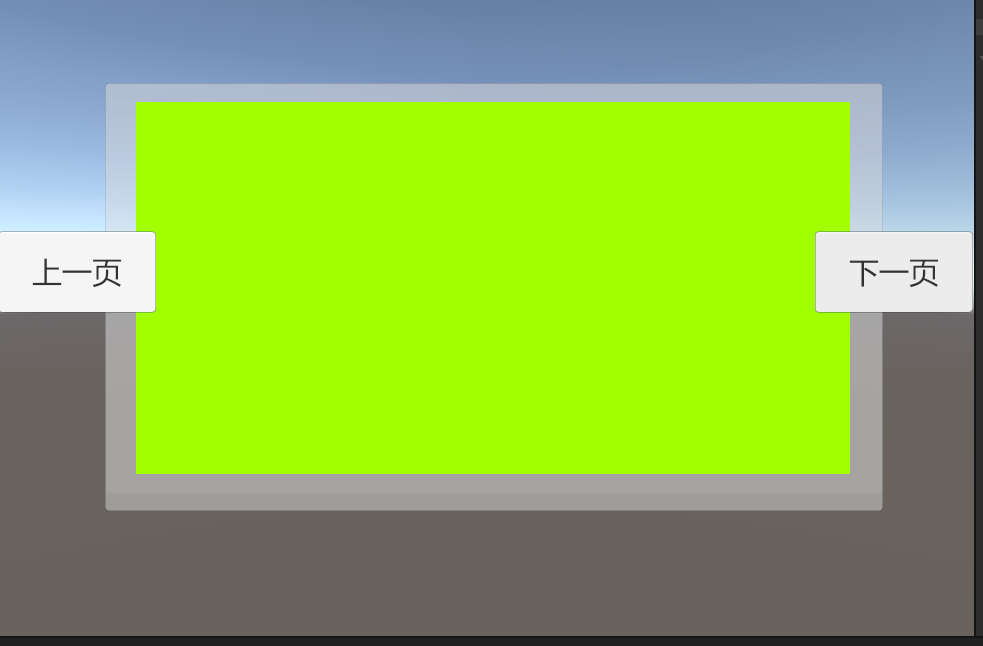
另外除了原作者在Update中实现缓动效果 ,也可以使用Dotween来实现缓动效果,我是使用的IEndDragHandler接口实现,测试效果OK,调试和效果比Update好很多。
public void OnEndDrag(PointerEventData eventData)
    {
        float offSetX = 0;
        endPositionX = eventData.position.x;
        offSetX = endPositionX - beginPositionX;
        if (offSetX > 0) //右滑
        {
            if (currentIndex <= 0)
            {
                return;
            }
            int moveCount = (int) (offSetX / oneItemLength);
            currentIndex -= moveCount;
            if (currentIndex <= 0)
            {
                currentIndex = 0;
            }
            // scrollRect.horizontalNormalizedPosition = (float) currentIndex / (totalItemNum - 1);
            targetPage = (float) currentIndex / (totalItemNum - 1);
            DOTween.To(()=>scrollRect.horizontalNormalizedPosition, x=> scrollRect.horizontalNormalizedPosition = x, targetPage, 0.5f);

            // isRoll = true;
        }
        else//左滑
        {
            if (currentIndex >= totalItemNum - 1)
            {
                return;
            }
            int moveCount = (int) (offSetX / oneItemLength);
            currentIndex += Mathf.Abs(moveCount);
            if (currentIndex >= totalItemNum - 1)
            {
                currentIndex = totalItemNum - 1;
            }
            // scrollRect.horizontalNormalizedPosition = (float) currentIndex / (totalItemNum - 1);
            targetPage = (float) currentIndex / (totalItemNum - 1);
            DOTween.To(()=>scrollRect.horizontalNormalizedPosition, x=> scrollRect.horizontalNormalizedPosition = x, targetPage, 0.5f);

            // isRoll = true;
        }
火山引擎开发者社区是火山引擎打造的AI技术生态平台,聚焦Agent与大模型开发,提供豆包系列模型(图像/视频/视觉)、智能分析与会话工具,并配套评测集、动手实验室及行业案例库。社区通过技术沙龙、挑战赛等活动促进开发者成长,新用户可领50万Tokens权益,助力构建智能应用。
更多推荐
 0
0 0
0- 0


 已为社区贡献1条内容

所有评论(0)