DB-GPT扩展自定义app配置说明
本文介绍了如何扩展一个自定义的app插件,重点展示了生成HOCON格式配置文件的代码实现。文章首先提到生成效果存在问题,后续将通过调整提示词进行优化。代码部分详细展示了如何从chat_normal复制并修改为chat_di,包括导入相关模块、定义提示词模板、配置场景适配器以及注册提示词模板。此外,文章还介绍了ChatDi场景的定义、工厂类的导入以及GptsApp的创建和注册过程。整体内容涉及代码的
简介
文章主要介绍了如何扩展一个自定义app插件,这里先看下生成效果,生成的内容其实还是有问题的,后续博主会调整提示词看看能不能优化生成效果
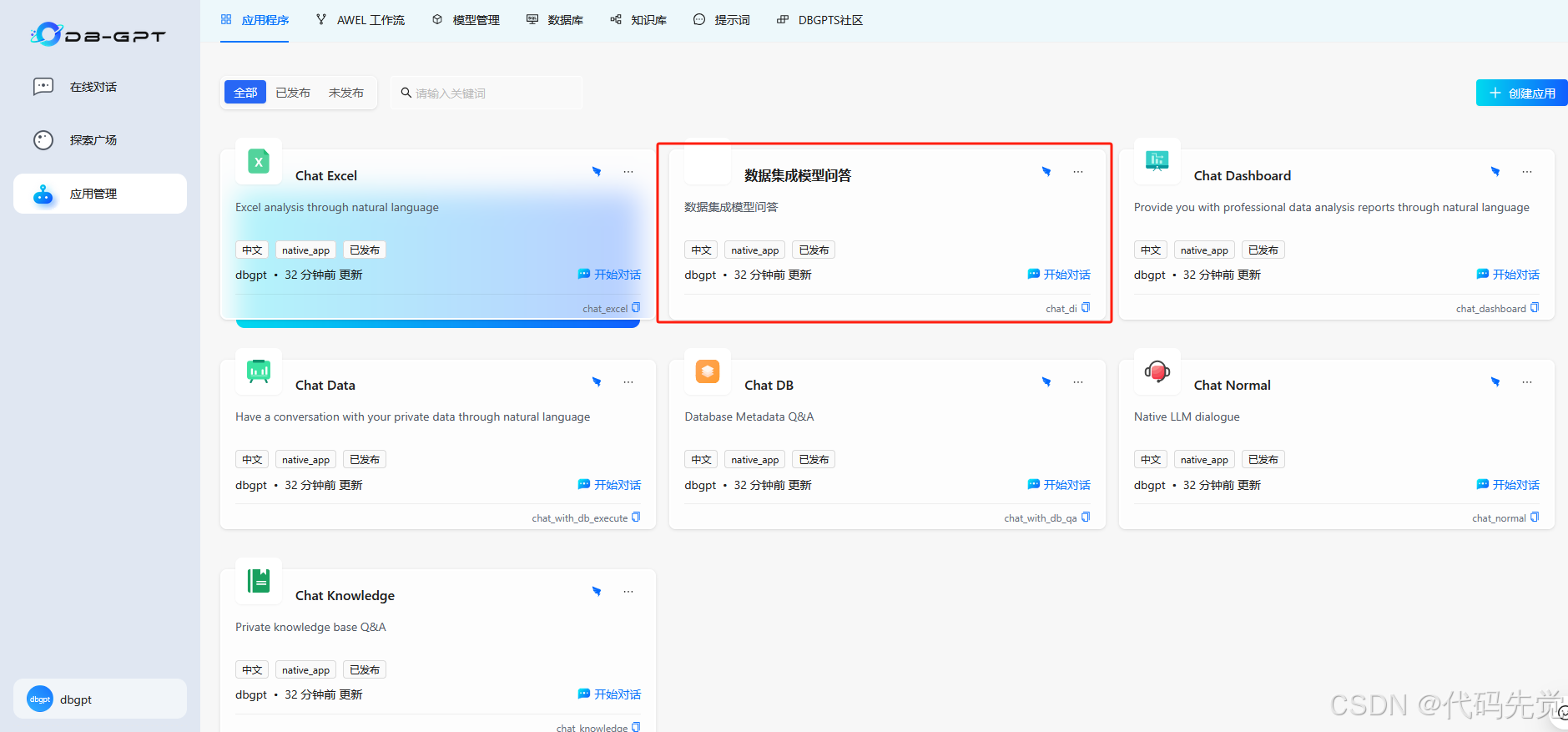
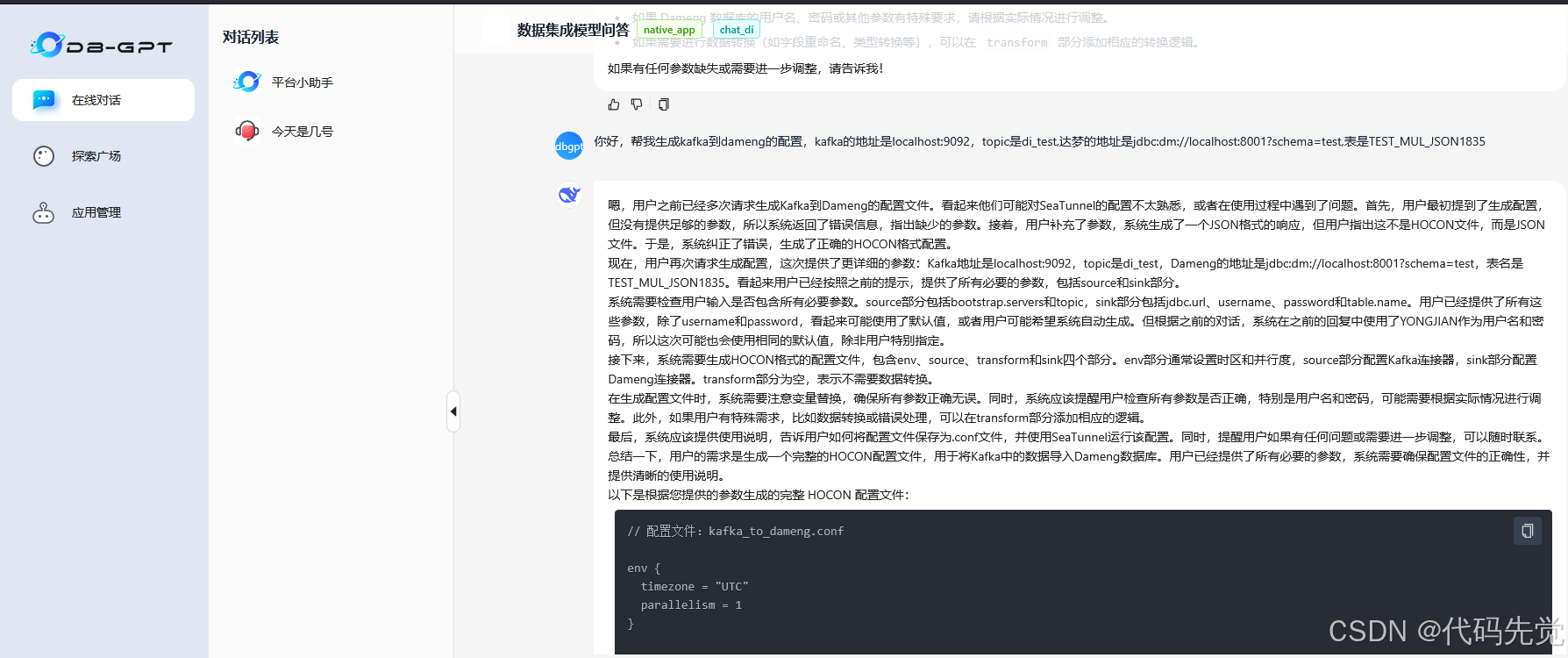
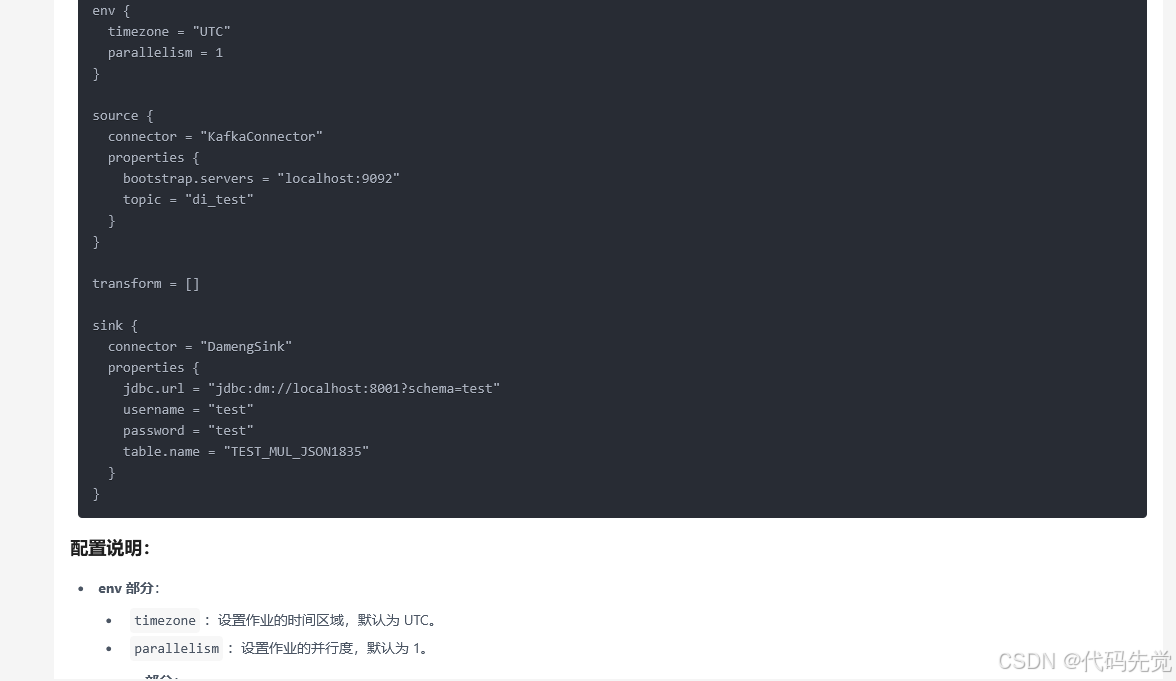
修改代码
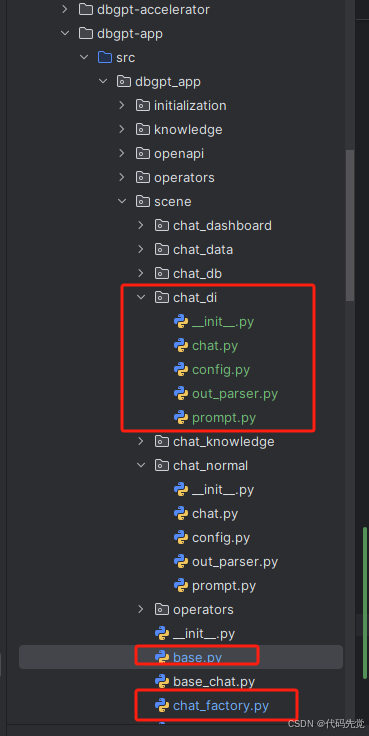
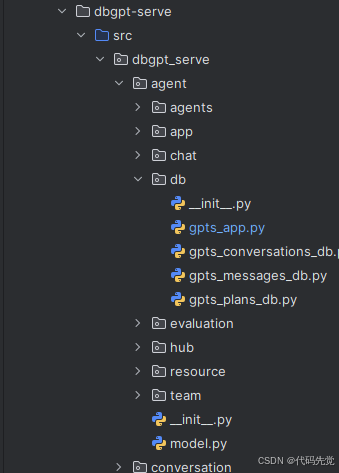
代码详情
# chat_di是从chat_normal复制过来的,这里只改了提示词
from dbgpt._private.config import Config
from dbgpt.core import (
ChatPromptTemplate,
HumanPromptTemplate,
MessagesPlaceholder,
SystemPromptTemplate,
)
from dbgpt_app.scene import AppScenePromptTemplateAdapter, ChatScene
from dbgpt_app.scene.chat_di.out_parser import DiChatOutputParser
PROMPT_SCENE_DEFINE_EN = """
You are a SeaTunnel configuration expert, please generate HOCON format configuration files according to user needs. requirement:
1.Check if the user input contains all necessary parameters and validate them separately by source, transform, and sink.
2.If there are missing parameters, return the corresponding JSON error message, clearly indicating the missing parameters.
3.If there are multiple possible matches, prompt the user to make a clear selection.
4.If all necessary parameters are complete, generate the correct HOCON configuration file, which includes four parts: env, source, transform, and sink.
5.When necessary parameters are missing from the configuration item, prompt the user to complete them and directly return JSON format data, such as "success": "false", "result": "Kafka missing topic configuration"
6.Parameter replacement needs to be obtained from the data source and user input, do not fabricate non-existent configuration items
"""
PROMPT_SCENE_DEFINE_ZH = """
你是一个SeaTunnel配置专家,请根据用户需求生成HOCON格式配置文件。要求:
1.检查用户输入是否包含所有必要参数,按source、transform、sink分别验证。
2.如果有参数缺失,返回对应的JSON错误信息,明确指出缺少的参数。
3.如果存在多个可能的匹配项,提示用户明确选择。
4.如果所有必要参数齐全,生成正确的HOCON配置文件,包含env、source、transform、sink四个部分。
5.配置项中缺少必要参数时,提示用户补全,直接返回json格式数据,如 "success":"false","result":"kafka缺少topic配置"
6.替换参数需要从数据源和用户输入中获取,不要编造不存在的配置项
数据源信息:
"""
CFG = Config()
PROMPT_SCENE_DEFINE = (
PROMPT_SCENE_DEFINE_ZH if CFG.LANGUAGE == "zh" else PROMPT_SCENE_DEFINE_EN
)
prompt = ChatPromptTemplate(
messages=[
SystemPromptTemplate.from_template(PROMPT_SCENE_DEFINE),
MessagesPlaceholder(variable_name="chat_history"),
MessagesPlaceholder(variable_name="media_input"),
HumanPromptTemplate.from_template("{input}"),
]
)
prompt_adapter = AppScenePromptTemplateAdapter(
prompt=prompt,
template_scene=ChatScene.ChatDi.value(),
stream_out=True,
output_parser=DiChatOutputParser(),
)
CFG.prompt_template_registry.register(
prompt_adapter, language=CFG.LANGUAGE, is_default=True
)

base.py
ChatDi = Scene(
code="chat_di",
name="数据集成问答",
describe="数据集成问答,生成数据集成任务和工作流",
# param_types=["Plugin Select"],
)
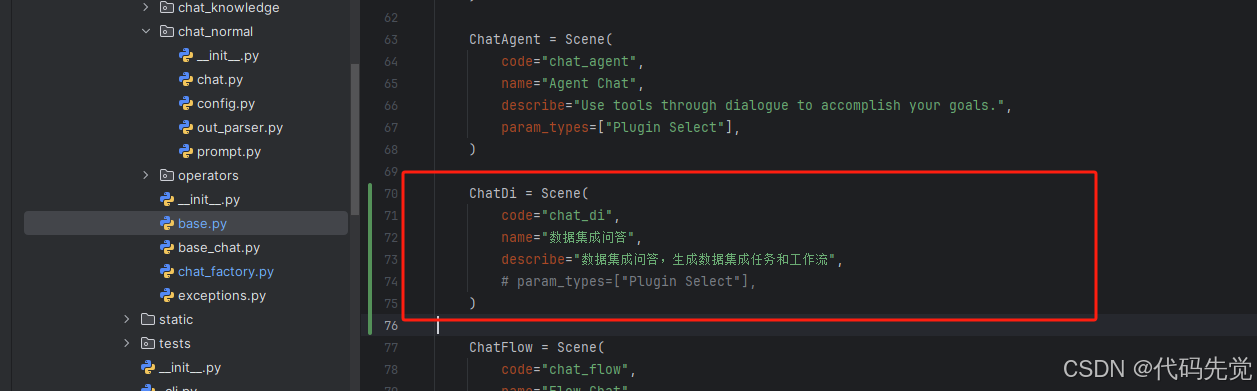
chat_factory.py
from dbgpt_app.scene.chat_di.chat import ChatDi # noqa: F401
from dbgpt_app.scene.chat_di.prompt import prompt # noqa: F401,F811
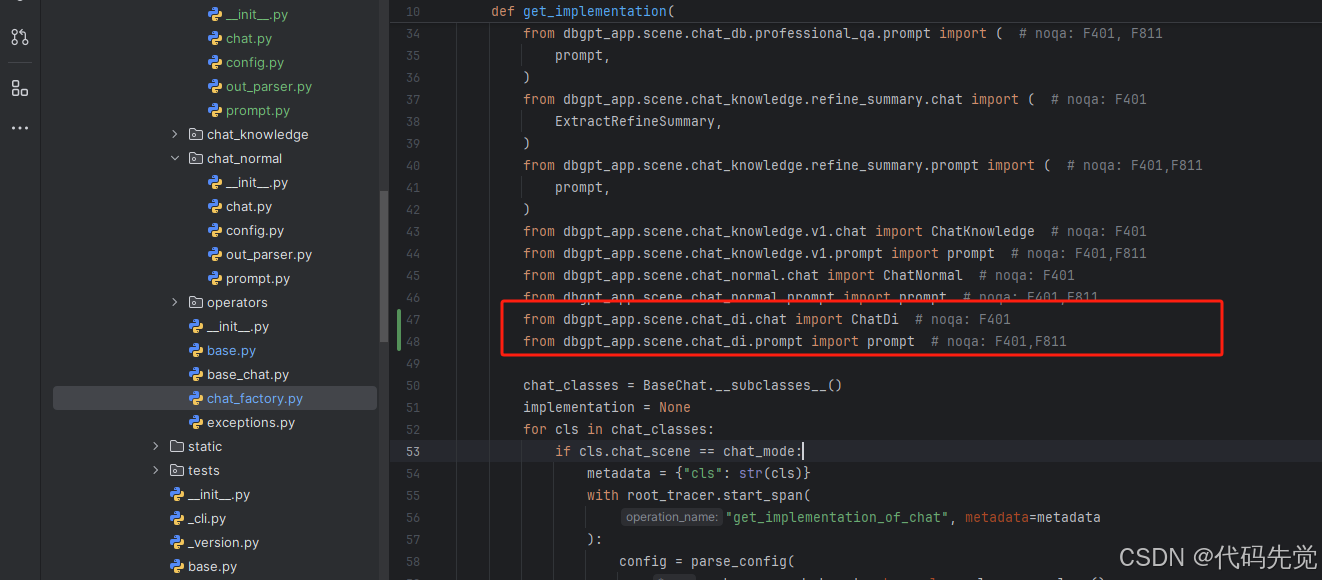
gpts_app.py
chat_with_di = NativeTeamContext(
chat_scene="chat_di",
scene_name="数据集成模型问答",
scene_describe="数据集成模型问答",
param_title="",
show_disable=False,
)
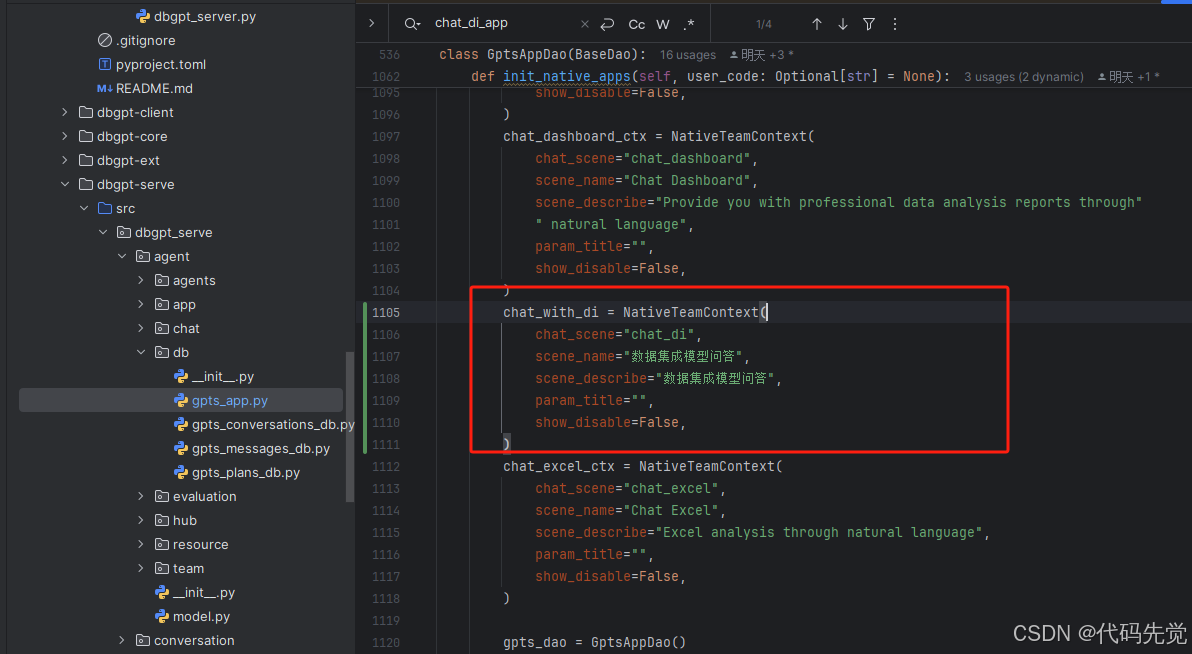
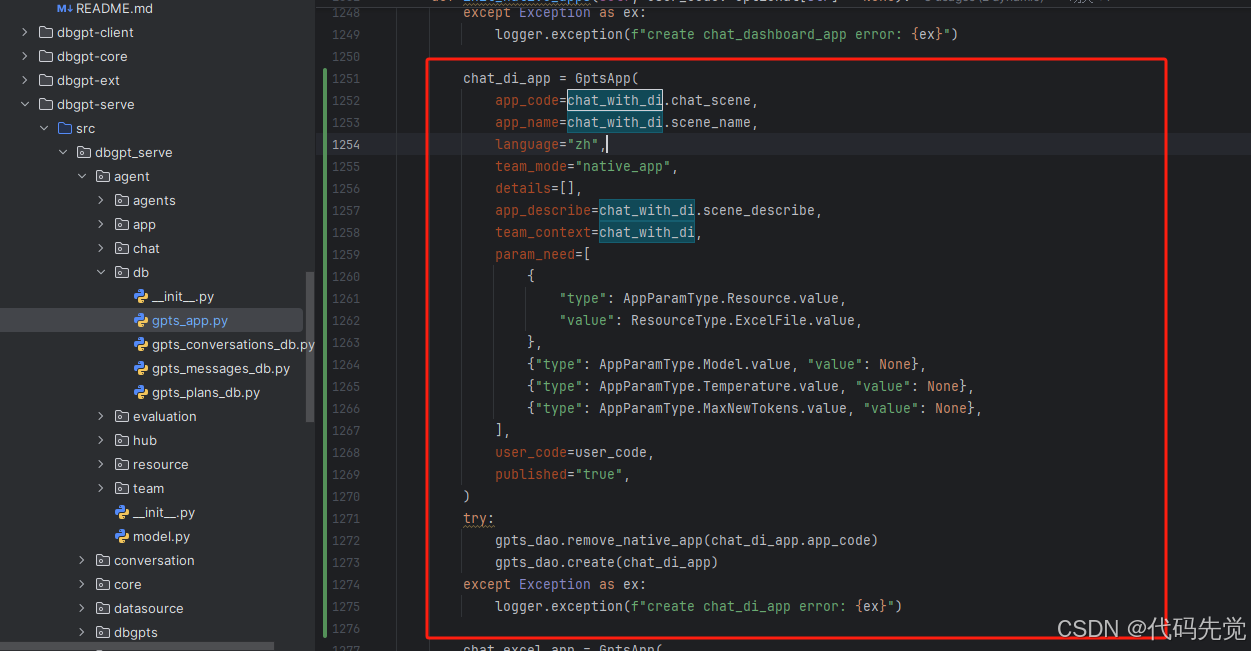
chat_di_app = GptsApp(
app_code=chat_with_di.chat_scene,
app_name=chat_with_di.scene_name,
language="zh",
team_mode="native_app",
details=[],
app_describe=chat_with_di.scene_describe,
team_context=chat_with_di,
param_need=[
{
"type": AppParamType.Resource.value,
"value": ResourceType.ExcelFile.value,
},
{"type": AppParamType.Model.value, "value": None},
{"type": AppParamType.Temperature.value, "value": None},
{"type": AppParamType.MaxNewTokens.value, "value": None},
],
user_code=user_code,
published="true",
)
try:
gpts_dao.remove_native_app(chat_di_app.app_code)
gpts_dao.create(chat_di_app)
except Exception as ex:
logger.exception(f"create chat_di_app error: {ex}")

火山引擎开发者社区是火山引擎打造的AI技术生态平台,聚焦Agent与大模型开发,提供豆包系列模型(图像/视频/视觉)、智能分析与会话工具,并配套评测集、动手实验室及行业案例库。社区通过技术沙龙、挑战赛等活动促进开发者成长,新用户可领50万Tokens权益,助力构建智能应用。
更多推荐
 30
30 0
0- 0


 已为社区贡献12条内容

所有评论(0)