ElasticSearch JavaRestClient之索引库操作
在 Elasticsearch 中,索引库是数据存储和查询的基础,学习如何通过 Java 客户端进行索引库的操作是很重要的。以下是使用 Java 客户端来创建、查询和删除索引库的详细操作步骤和实现。首先对比一下,创建索引库的 Java API 和 Restful 接口 API 对比:创建请求对象→设置请求体→发送请求。创建请求对象设置请求体:对于创建索引库等操作,可能需要设置请求体(通常是 JSO
前言
在 Elasticsearch 中,索引库是数据存储和查询的基础,学习如何通过 Java 客户端进行索引库的操作是很重要的。以下是使用 Java 客户端来创建、查询和删除索引库的详细操作步骤和实现。
操作流程概述
首先对比一下,创建索引库的 Java API 和 Restful 接口 API 对比:
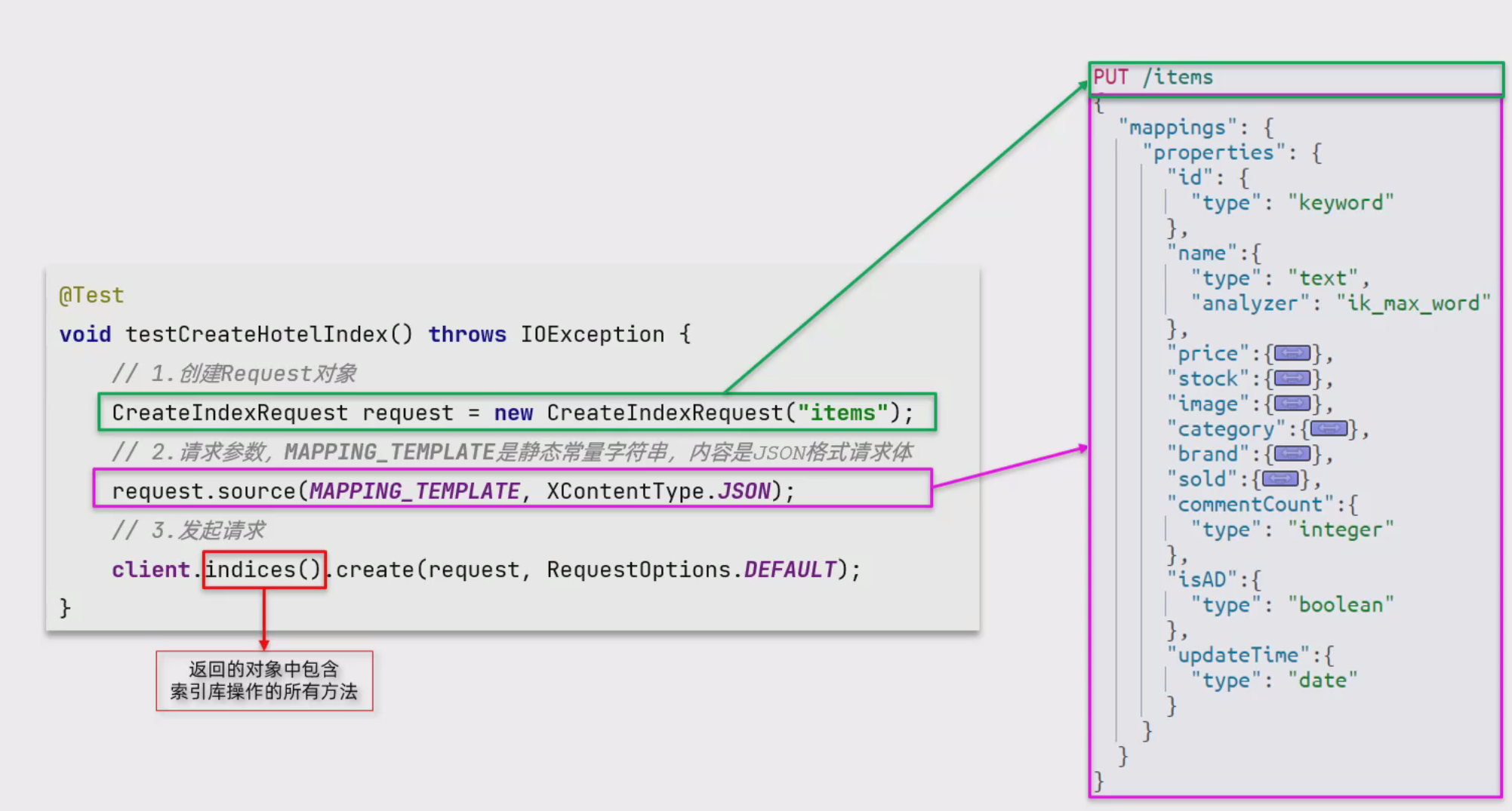
可以看出,操作的基本结构就是:创建请求对象 → 设置请求体 → 发送请求。
- 创建请求对象:为不同的操作(如创建、查询、删除)创建对应的请求对象(例如:
CreateIndexRequest、GetIndexRequest、DeleteIndexRequest)。 - 设置请求体:对于创建索引库等操作,可能需要设置请求体(通常是 JSON 格式的映射)。
- 发送请求:通过 Elasticsearch 客户端发送请求,执行具体操作(如创建、查询或删除)。
创建索引库
创建请求对象
创建索引库的请求对象使用 CreateIndexRequest 类,指定索引库的名称。
// 准备Request对象
CreateIndexRequest request = new CreateIndexRequest("items");
这行代码的作用是创建一个名为 "items" 的索引库。
设置请求体
请求体包含索引库的映射(mapping),通常是一个 JSON 格式的字符串。映射中包含字段定义、数据类型等信息。我们可以通过 .source() 方法将映射数据传入。
映射的例子:
private static String MAPPING_TIMPLATE = "{" +
    "\"mappings\": {" +
    "  \"properties\": {" +
    "    \"product_name\": {\"type\": \"text\"}," +
    "    \"price\": {\"type\": \"double\"}," +
    "    \"description\": {\"type\": \"text\"}" +
    "  }" +
    "}" +
"}";


// 准备请求参数
request.source(MAPPING_TIMPLATE, XContentType.JSON);
mappingTemplate 这里包含了定义的字段和它们的类型。source() 方法将这个 JSON 字符串设置为请求体,并指定内容类型为 JSON。
发送请求
最后,使用 ElasticsearchClient 执行创建操作:
// 发送请求
client.indices().create(request, RequestOptions.DEFAULT);
查询索引库
创建请求对象
查询索引库的请求对象使用 GetIndexRequest 类。我们只需要传递索引库的名称即可。
// 准备Request请求
GetIndexRequest request = new GetIndexRequest("items");
发送请求
查询索引库的操作使用 client.indices().get() 方法:
// 发送请求
GetIndexResponse response = client.indices().get(request, RequestOptions.DEFAULT);
GetIndexResponse 返回查询结果。可以通过它获取索引库的配置信息。
检查索引库是否存在
通常情况下,我们不需要获取完整的索引库信息,只需判断索引库是否存在。可以使用 exists() 方法:
boolean exists = client.indices().exists(request, RequestOptions.DEFAULT);
此方法会返回一个布尔值,表示索引库是否存在。
删除索引库
创建请求对象
删除索引库的请求对象使用 DeleteIndexRequest 类,指定要删除的索引库名称。
// 准备Request对象
DeleteIndexRequest request = new DeleteIndexRequest("items");
发送请求
删除索引库的操作使用 client.indices().delete() 方法:
// 发送请求
client.indices().delete(request, RequestOptions.DEFAULT);
增删改查操作的 API 方法对比
| 操作 | 请求对象类 | 方法名 | 返回值 | 说明 |
|---|---|---|---|---|
| 创建索引库 | CreateIndexRequest |
client.indices().create() |
CreateIndexResponse |
用于创建索引库 |
| 查询索引库 | GetIndexRequest |
client.indices().get() |
GetIndexResponse |
获取索引库的详细信息 |
| 检查索引库 | GetIndexRequest |
client.indices().exists() |
boolean |
判断索引库是否存在 |
| 删除索引库 | DeleteIndexRequest |
client.indices().delete() |
DeleteIndexResponse |
删除指定的索引库 |
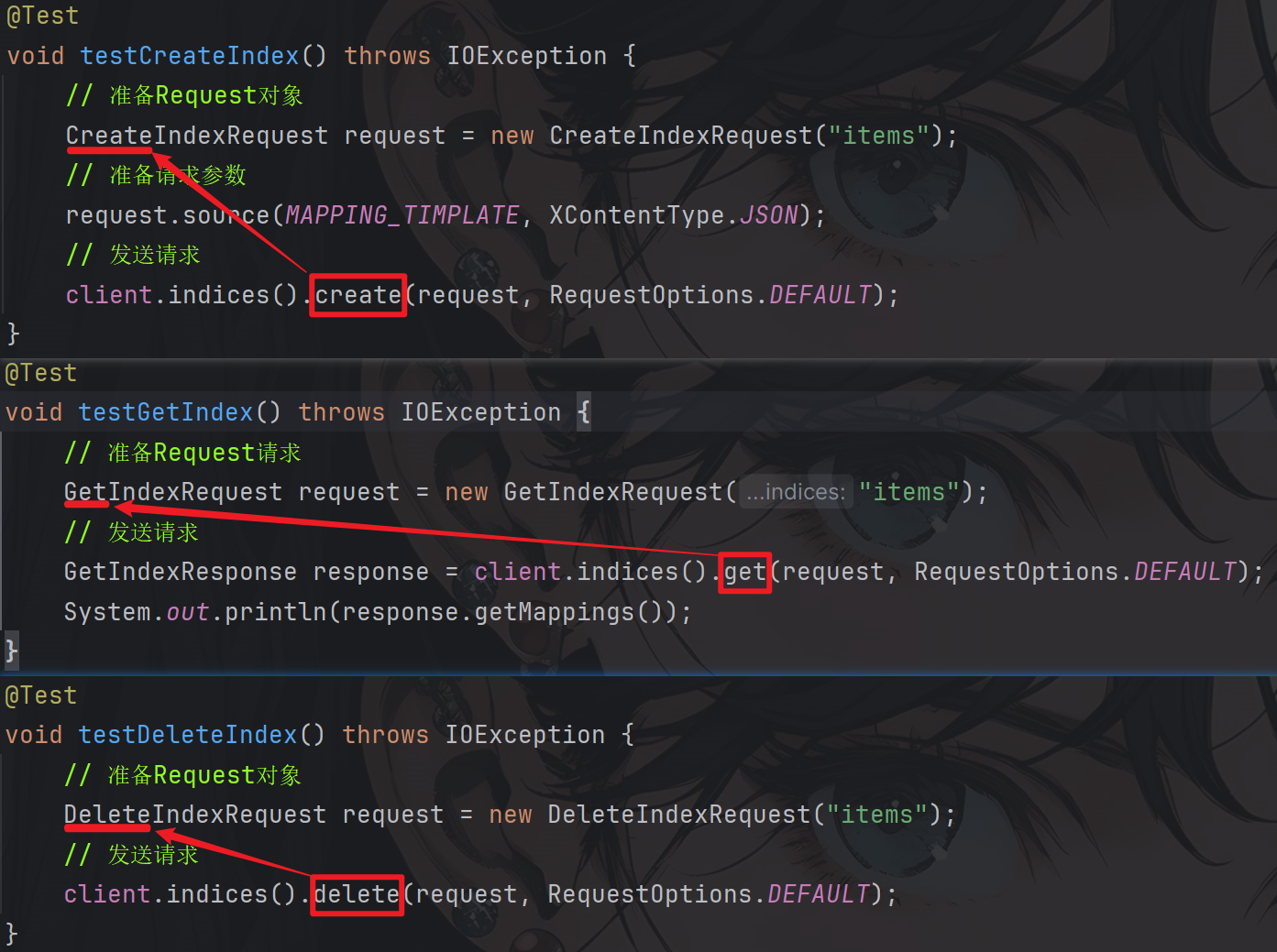
代码示例
创建索引库代码示例
// 注意导包应该是这个,否则会报错
import org.elasticsearch.client.indices.CreateIndexRequest;
@Test
void testCreateIndex() throws IOException {
    // 准备Request对象
    CreateIndexRequest request = new CreateIndexRequest("items");
    // 准备请求参数
    request.source(MAPPING_TIMPLATE, XContentType.JSON);
    // 发送请求
    client.indices().create(request, RequestOptions.DEFAULT);
}


// 声明请求参数
private static String MAPPING_TIMPLATE = "{\n" +
            "  \"mappings\": {\n" +
            "    \"properties\": {\n" +
            "      \"id\": {\n" +
            "        \"type\": \"keyword\"\n" +
            "      },\n" +
            "      \"name\": {\n" +
            "        \"type\": \"text\",\n" +
            "        \"analyzer\": \"ik_smart\"\n" +
            "      },\n" +
            "      \"price\": {\n" +
            "        \"type\": \"integer\"\n" +
            "      },\n" +
            "      \"image\": {\n" +
            "        \"type\": \"keyword\",\n" +
            "        \"index\": false\n" +
            "      },\n" +
            "      \"category\": {\n" +
            "        \"type\": \"keyword\"\n" +
            "      },\n" +
            "      \"brand\": {\n" +
            "        \"type\": \"keyword\"\n" +
            "      },\n" +
            "      \"sold\": {\n" +
            "        \"type\": \"integer\"\n" +
            "      },\n" +
            "      \"commentCount\": {\n" +
            "        \"type\": \"integer\",\n" +
            "        \"index\": false\n" +
            "      },\n" +
            "      \"isAD\": {\n" +
            "        \"type\": \"boolean\"\n" +
            "      },\n" +
            "      \"updateTime\": {\n" +
            "        \"type\": \"date\"\n" +
            "      }\n" +
            "    }\n" +
            "  }\n" +
            "}";
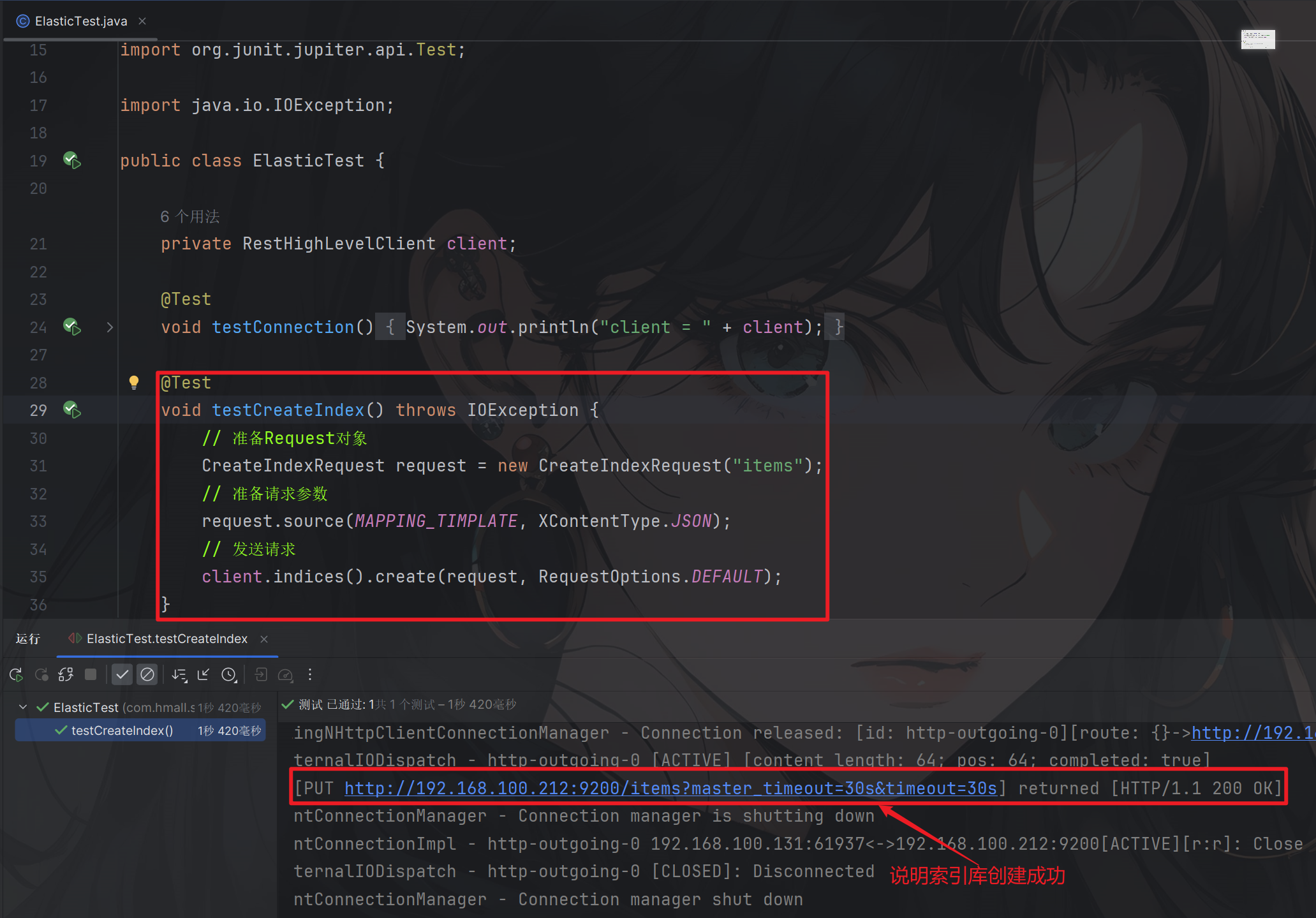
测试结果:
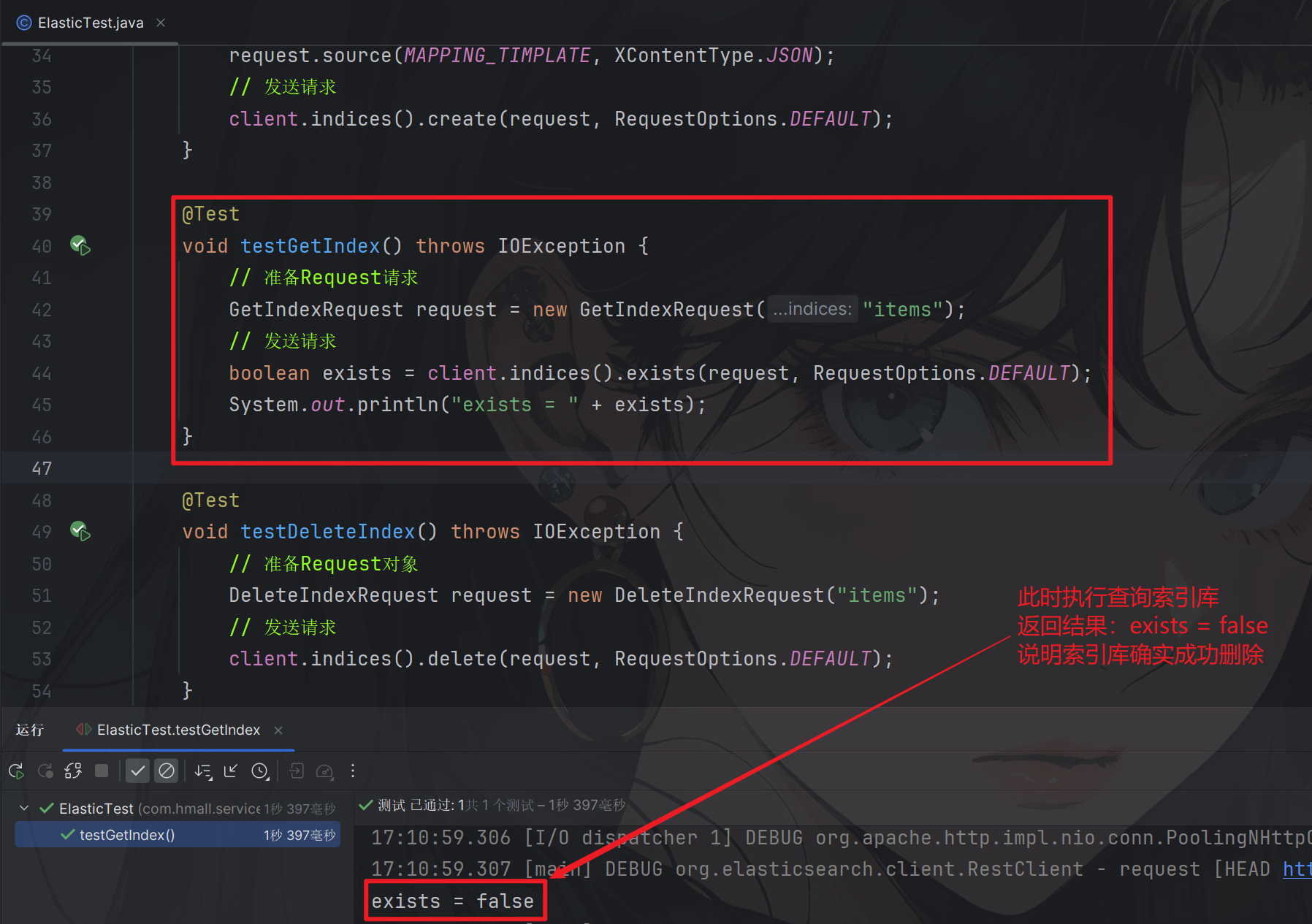
查询索引库代码示例
 @Test
void testGetIndex() throws IOException {
    // 准备Request请求
    GetIndexRequest request = new GetIndexRequest("items");
    // 发送请求
    boolean exists = client.indices().exists(request, RequestOptions.DEFAULT);
    System.out.println("exists = " + exists);
}
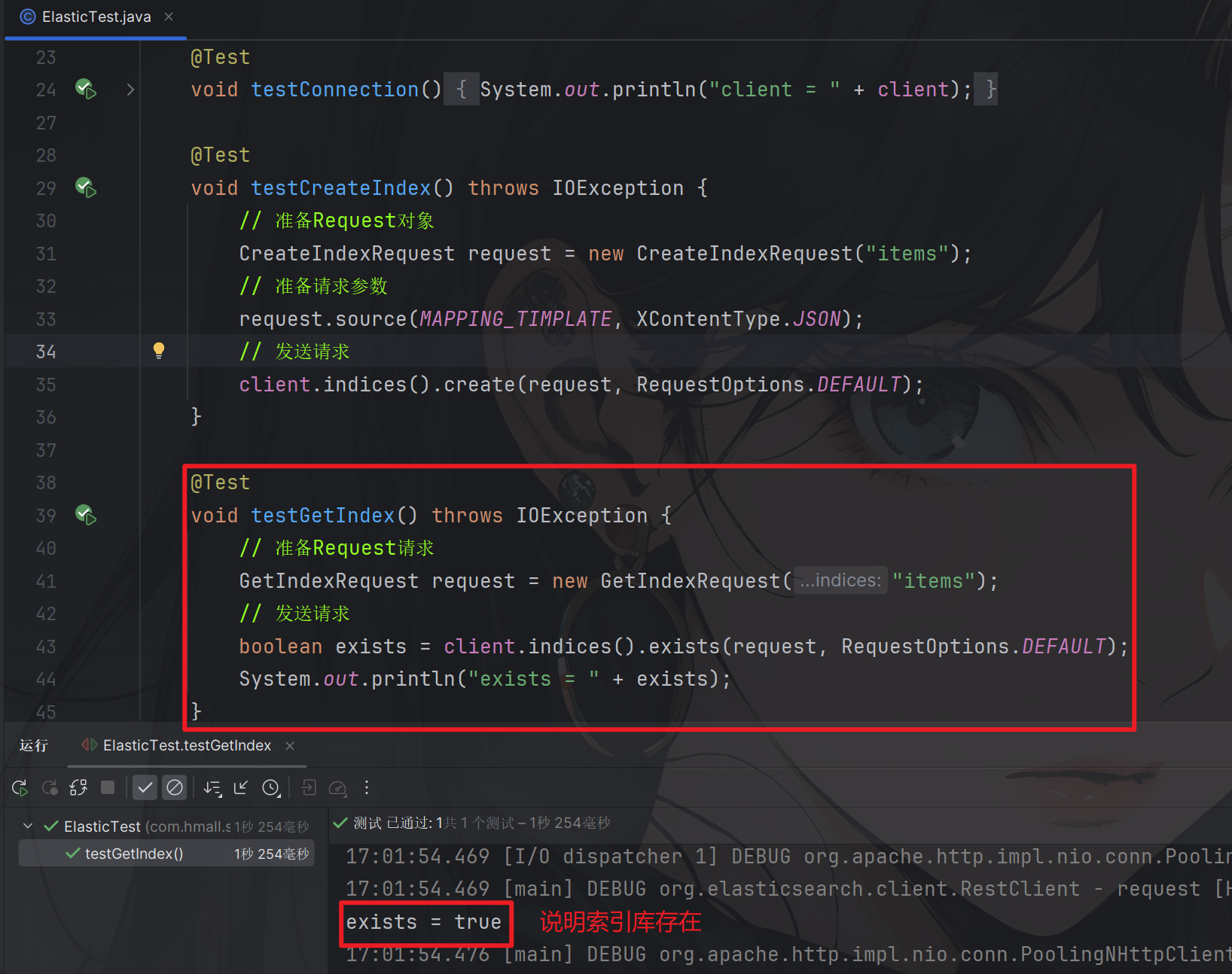
测试结果:
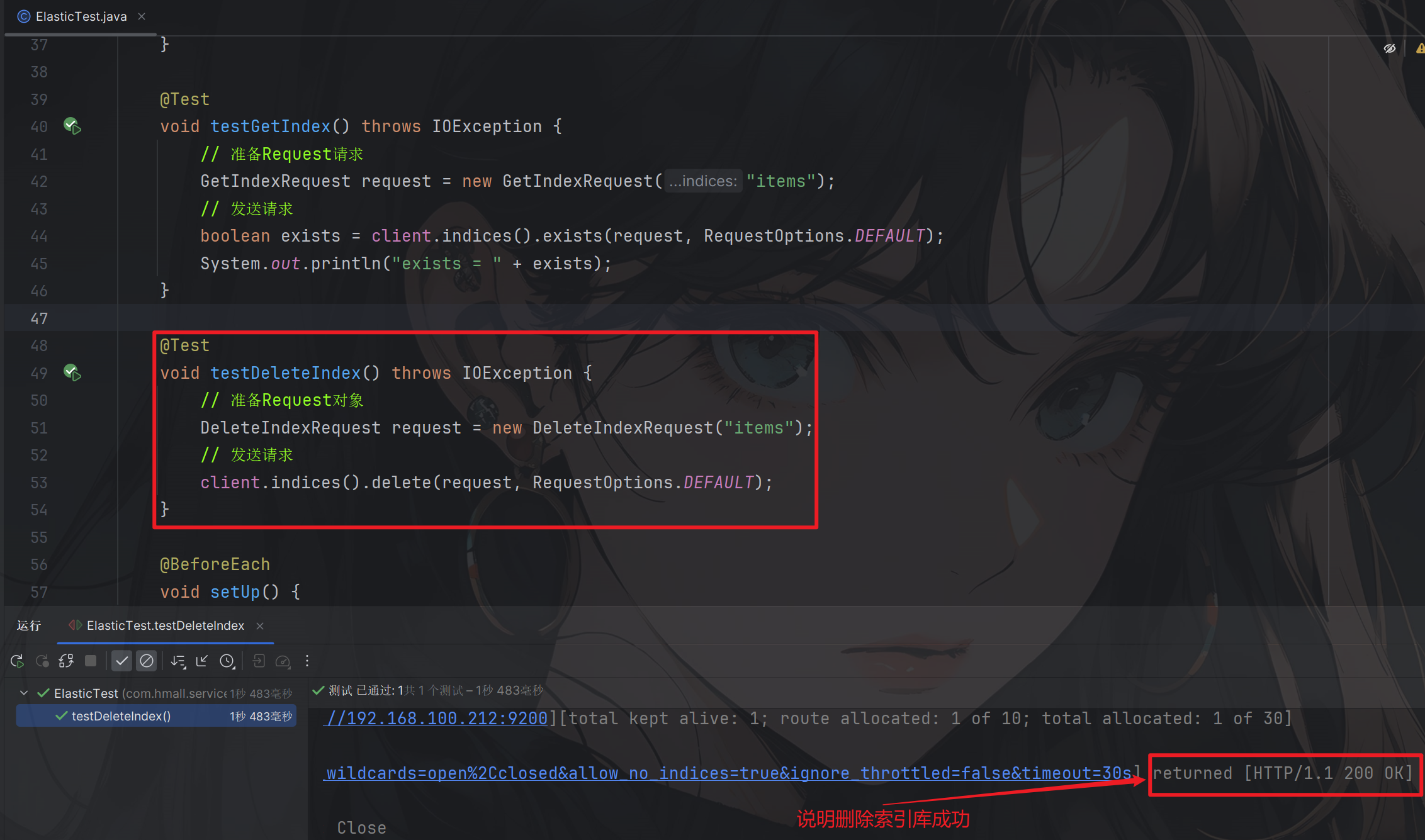
删除索引库代码示例
@Test
void testDeleteIndex() throws IOException {
    // 准备Request对象
    DeleteIndexRequest request = new DeleteIndexRequest("items");
    // 发送请求
    client.indices().delete(request, RequestOptions.DEFAULT);
}
测试结果:
总结
通过 Elasticsearch 的 Java API,可以高效地对索引库进行增删改查操作。主要的操作包括:
- 创建索引库:通过
CreateIndexRequest和source()设置映射,然后使用create()方法发送请求。 - 查询索引库:通过
GetIndexRequest获取索引库信息,使用get()或exists()判断索引库是否存在。 - 删除索引库:通过
DeleteIndexRequest删除索引库,使用delete()方法发送请求。

火山引擎开发者社区是火山引擎打造的AI技术生态平台,聚焦Agent与大模型开发,提供豆包系列模型(图像/视频/视觉)、智能分析与会话工具,并配套评测集、动手实验室及行业案例库。社区通过技术沙龙、挑战赛等活动促进开发者成长,新用户可领50万Tokens权益,助力构建智能应用。
更多推荐
 38
38 0
0- 0


 已为社区贡献7条内容

所有评论(0)