HTTP访问网络之GET
场景介绍
应用通过HTTP发起一个数据请求,支持常见的GET、POST、OPTIONS、HEAD、PUT、DELETE、TRACE、CONNECT方法。当前提供了2种HTTP请求方式,若请求发送或接收的数据量较少,可使用HttpRequest.request,若是大文件的上传或者下载,且关注数据发送和接收进度,可使用HTTP请求流式传输HttpRequest.requestInstream。
api:12+
添加访问权限
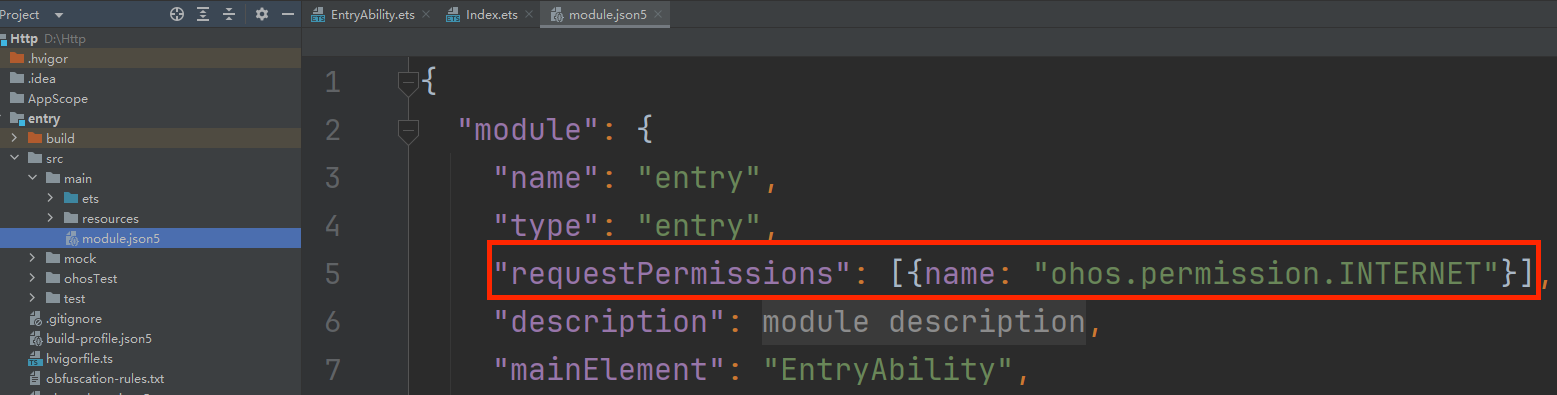
打开模块的配置文件module.json5,添加网络权限声明配置。
初始代码
import { http } from '@kit.NetworkKit';

@Entry
@Component
struct Index {
  httpClient=http.createHttp()
  build() {
    Column() {
      Button('GET')
        .width(100)
        .height(50)
        .border({radius:30})
        .onClick(()=>{
          this.httpClient.request('https://www.baidu.com/',{
            method:http.RequestMethod.GET
          }).then(res=>{
            console.log('network',JSON.stringify(res))
          })
        })
    }
    .height('100%')
    .width('100%')
  }
}
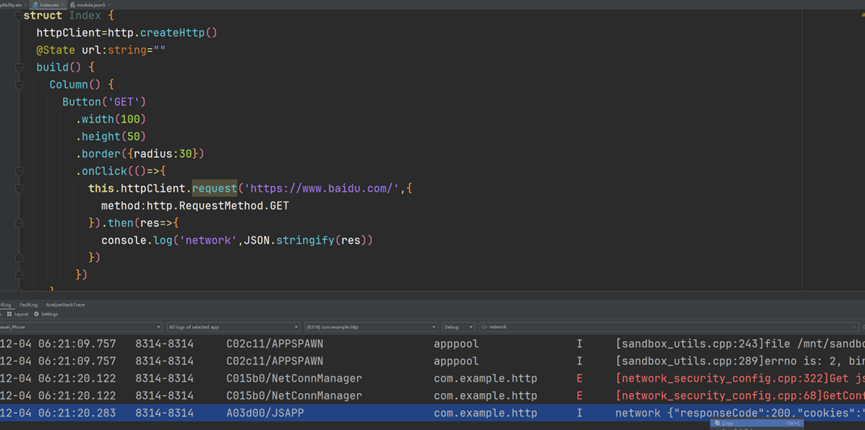
运行成功后,点击GET按钮,并在log窗口中输入network进行查看。
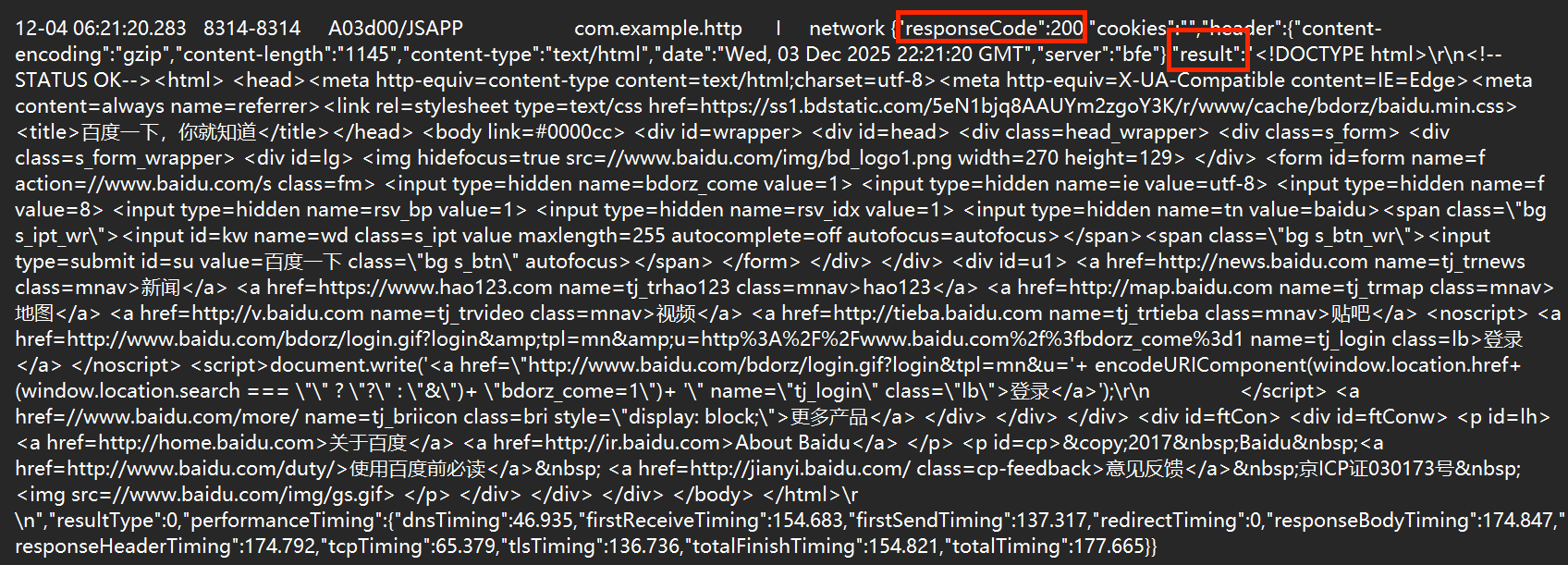
选中该条log信息,并复制到txt中。
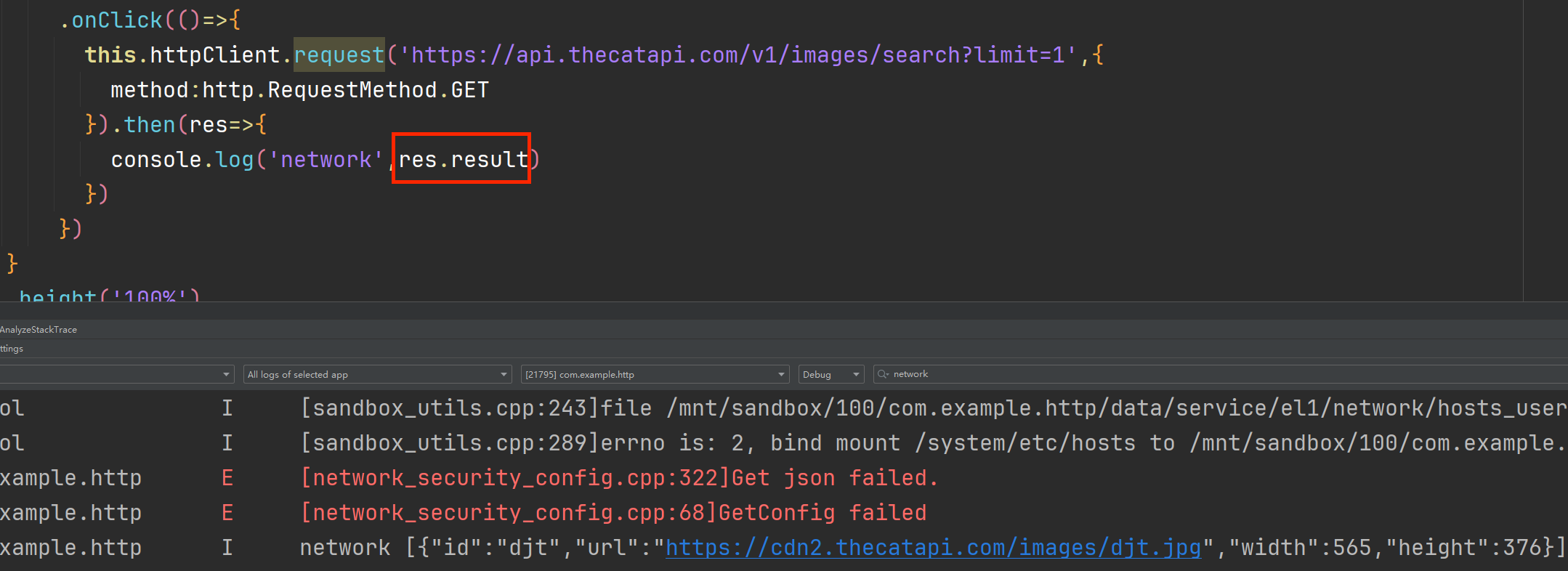
在免费api大全中https://www.free-api.com找到 猫咪图片,用该网址中请求示例替换代码中百度网址,用log打印result,返回result数据格式见猫咪图片网页最下方JSON返回示例处。

安装JSON插件
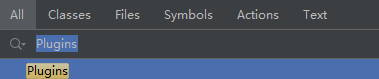
在代码中访问result中数据需使用JSON插件,在DevEco Studio右上方点击搜索栏,打开后输入Plugins

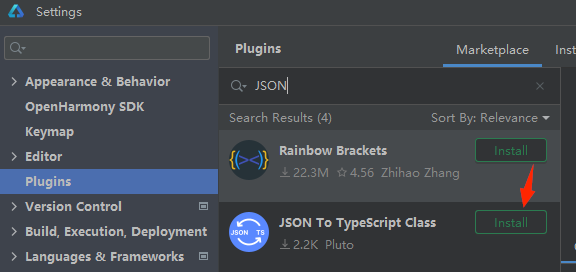
在Marketplace中找到JSON To TypeScript Class,点击Install,并Restart IDE。
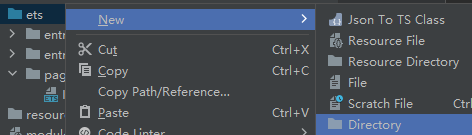
右键ets,New->Directory,命名为bean,后续将JSON解析文件存放至此文件。
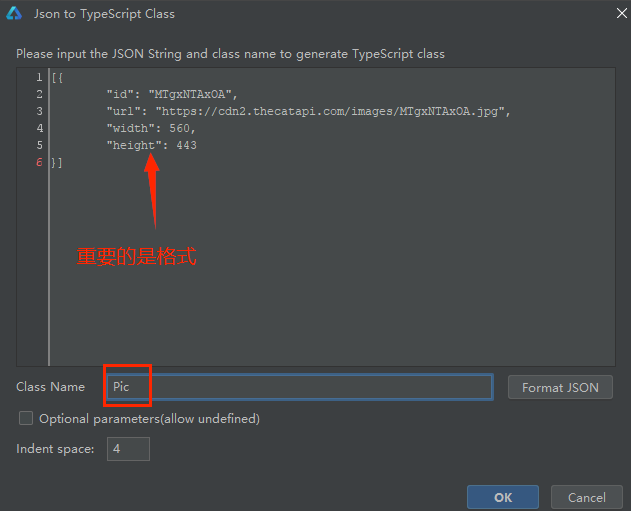
右键bean,New->Json To TS Class,将 猫咪图片 网页中 JSON返回示例复制到Json To TypeScript Class窗口。

bean文件夹下生成Pic.ts文件。
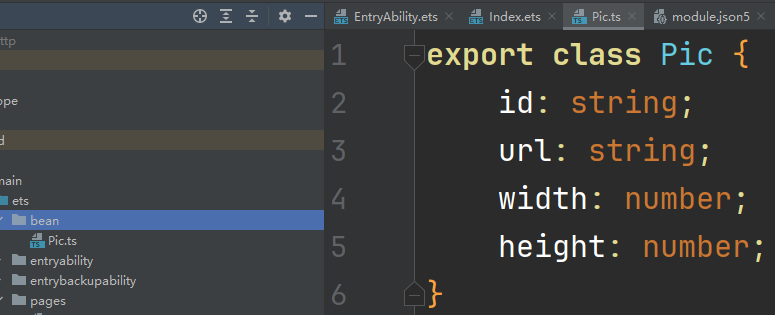
Index.ets代码为:
import { http } from '@kit.NetworkKit';
import { Pic } from '../bean/Pic';

@Entry
@Component
struct Index {
  httpClient=http.createHttp()
  @State url:string=""
  build() {
    Column() {
      Image(this.url)
        .height(300)
        .width("100%")
      Button('GET')
        .width(100)
        .height(50)
        .border({radius:30})
        .onClick(()=>{
          this.httpClient.request('https://api.thecatapi.com/v1/images/search',{
            method:http.RequestMethod.GET
          }).then(res=>{
            // 猫咪图片API返回示例显示,返回的是JSON数组,因此需转换为对应的对象数组
            let dataArray=JSON.parse(res.result+"") as Pic[]
            const data=dataArray[0]
            this.url=data.url
          })
        })
    }
    .height('100%')
    .width('100%')
  }
}
添加请求参数
猫咪图片API的请求参数如下:
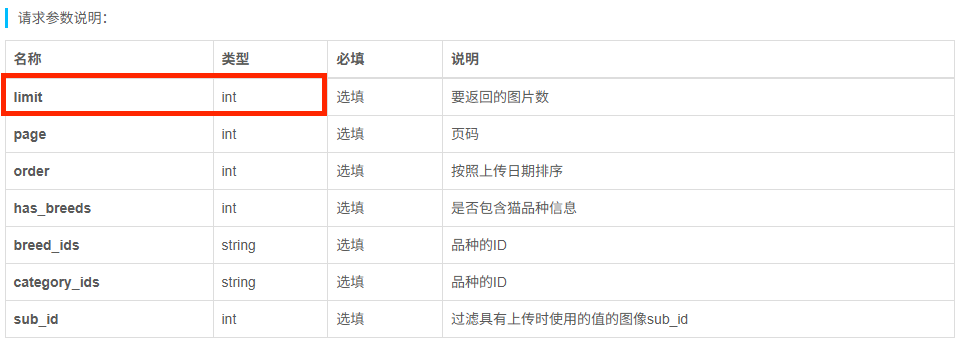
import { http } from '@kit.NetworkKit';
import { Pic } from '../bean/Pic';

@Entry
@Component
struct Index {
  httpClient=http.createHttp()
  @State url:string=""
  build() {
    Column() {
      Image(this.url)
        .height(300)
        .width("100%")
      Button('GET')
        .width(100)
        .height(50)
        .border({radius:30})
        .onClick(()=>{
          this.httpClient.request('https://api.thecatapi.com/v1/images/search',{
            method:http.RequestMethod.GET,
            //limit为表中请求参数中一个,其值类型为int
            extraData:{limit:5}
          }).then(res=>{
            // 猫咪图片API返回示例显示,返回的是JSON数组,因此需转换为对应的对象数组
            let dataArray=JSON.parse(res.result+"") as Pic[]
            const data=dataArray[0]
            this.url=data.url
          })
        })
    }
    .height('100%')
    .width('100%')
  }
}
中国智能体开发者社区,聚焦智能体与大模型开发,提供前沿资讯、实用工具链、开源项目及行业案例。通过技术沙龙、开发者大赛等活动,促进经验交流与协作,助力开发者快速构建创新智能应用。
更多推荐


 10
10 0
0- 0


 已为社区贡献1条内容

所有评论(0)