SpringBoot 集成 LangChain4j RAG ElasticSearch
【代码】SpringBoot 集成 LangChain4j RAG ElasticSearch。
·
这里写目录标题
1 依赖
<?xml version="1.0" encoding="UTF-8"?>
<project xmlns="http://maven.apache.org/POM/4.0.0" xmlns:xsi="http://www.w3.org/2001/XMLSchema-instance"
	xsi:schemaLocation="http://maven.apache.org/POM/4.0.0 https://maven.apache.org/xsd/maven-4.0.0.xsd">

	<modelVersion>4.0.0</modelVersion>

	<parent>
		<groupId>org.springframework.boot</groupId>
		<artifactId>spring-boot-starter-parent</artifactId>
		<version>3.5.6</version>
		<relativePath/> <!-- lookup parent from repository -->
	</parent>

	<groupId>com.xu</groupId>
	<artifactId>lang-chain-es</artifactId>
	<version>1.0.0</version>
	<name>lang-chain-es</name>
	<description>Demo project for Spring Boot</description>

	<properties>
		<java.version>25</java.version>
	</properties>

	<dependencies>

        <!--Spring Boot 的 Web starter-->
        <dependency>
            <groupId>org.springframework.boot</groupId>
            <artifactId>spring-boot-starter-web</artifactId>
        </dependency>

        <!-- 内嵌模型 -->
        <dependency>
            <groupId>dev.langchain4j</groupId>
            <artifactId>langchain4j-embeddings-all-minilm-l6-v2</artifactId>
        </dependency>

        <!--LangChain4j 的 Spring Boot starter-->
        <dependency>
            <groupId>dev.langchain4j</groupId>
            <artifactId>langchain4j-spring-boot-starter</artifactId>
        </dependency>

        <!-- 文档解析 -->
        <dependency>
            <groupId>dev.langchain4j</groupId>
            <artifactId>langchain4j-document-parser-apache-tika</artifactId>
        </dependency>

        <!-- ElasticSearch RAG -->
        <dependency>
            <groupId>dev.langchain4j</groupId>
            <artifactId>langchain4j-elasticsearch</artifactId>
        </dependency>

        <!--Spring Boot 的开发工具,提供热部署、自动重启等功能,加速开发过程-->
        <dependency>
            <groupId>org.springframework.boot</groupId>
            <artifactId>spring-boot-devtools</artifactId>
            <scope>runtime</scope>
            <optional>true</optional>
        </dependency>

        <!--简化 Java 代码的工具库-->
        <dependency>
            <groupId>org.projectlombok</groupId>
            <artifactId>lombok</artifactId>
            <optional>true</optional>
        </dependency>

        <!--Spring Boot 的测试 starter-->
        <dependency>
            <groupId>org.springframework.boot</groupId>
            <artifactId>spring-boot-starter-test</artifactId>
            <scope>test</scope>
        </dependency>

	</dependencies>

    <dependencyManagement>
        <dependencies>
            <dependency>
                <groupId>dev.langchain4j</groupId>
                <artifactId>langchain4j-bom</artifactId>
                <version>1.7.1</version>
                <type>pom</type>
                <scope>import</scope>
            </dependency>
            <dependency>
                <groupId>dev.langchain4j</groupId>
                <artifactId>langchain4j-community-bom</artifactId>
                <version>1.7.1-beta14</version>
                <type>pom</type>
                <scope>import</scope>
            </dependency>
        </dependencies>
    </dependencyManagement>

	<build>
		<plugins>
			<plugin>
				<groupId>org.apache.maven.plugins</groupId>
				<artifactId>maven-compiler-plugin</artifactId>
				<configuration>
					<annotationProcessorPaths>
						<path>
							<groupId>org.projectlombok</groupId>
							<artifactId>lombok</artifactId>
						</path>
					</annotationProcessorPaths>
				</configuration>
			</plugin>
			<plugin>
				<groupId>org.springframework.boot</groupId>
				<artifactId>spring-boot-maven-plugin</artifactId>
				<configuration>
					<excludes>
						<exclude>
							<groupId>org.projectlombok</groupId>
							<artifactId>lombok</artifactId>
						</exclude>
					</excludes>
				</configuration>
			</plugin>
		</plugins>
	</build>

</project>
2 配置
server:
  port: 8080
  servlet:
    context-path: /

spring:
  application:
    name: lang-chain-es
3 代码
3.1 RagConf
package com.xu.controller.conf;

import dev.langchain4j.data.segment.TextSegment;
import dev.langchain4j.model.embedding.EmbeddingModel;
import dev.langchain4j.model.embedding.onnx.allminilml6v2.AllMiniLmL6V2EmbeddingModelFactory;
import dev.langchain4j.store.embedding.EmbeddingStore;
import dev.langchain4j.store.embedding.elasticsearch.ElasticsearchEmbeddingStore;
import org.apache.http.HttpHost;
import org.elasticsearch.client.RestClient;
import org.springframework.context.annotation.Bean;
import org.springframework.context.annotation.Configuration;
import org.springframework.context.annotation.Primary;

@Configuration
public class RagConf {

    @Bean
    public RestClient restClient() {
        return RestClient.builder(HttpHost.create("http://localhost:9200")).build();
    }

    @Bean
    public EmbeddingModel embeddingModel() {
        return new AllMiniLmL6V2EmbeddingModelFactory().create();
    }

    @Bean
    @Primary
    public EmbeddingStore<TextSegment> embeddingStore(RestClient restClient) {
        return ElasticsearchEmbeddingStore.builder()
                .restClient(restClient)
                .indexName("lang-chain-rag")
                .build();
    }

}
3.2 RagController
package com.xu.controller.controller;

import dev.langchain4j.data.document.loader.FileSystemDocumentLoader;
import dev.langchain4j.data.document.parser.apache.tika.ApacheTikaDocumentParser;
import dev.langchain4j.data.document.splitter.DocumentByWordSplitter;
import dev.langchain4j.data.segment.TextSegment;
import dev.langchain4j.model.embedding.EmbeddingModel;
import dev.langchain4j.store.embedding.EmbeddingSearchRequest;
import dev.langchain4j.store.embedding.EmbeddingStore;
import dev.langchain4j.store.embedding.EmbeddingStoreIngestor;
import lombok.AllArgsConstructor;
import lombok.extern.slf4j.Slf4j;
import org.springframework.http.ResponseEntity;
import org.springframework.web.bind.annotation.GetMapping;
import org.springframework.web.bind.annotation.RequestMapping;
import org.springframework.web.bind.annotation.RequestParam;
import org.springframework.web.bind.annotation.RestController;

import java.util.HashMap;
import java.util.Map;
import java.util.stream.Collectors;

@Slf4j
@RestController
@AllArgsConstructor
@RequestMapping("/rag")
public class RagController {

    private final EmbeddingModel embeddingModel;

    private final EmbeddingStore<TextSegment> embeddingStore;

    /**
     * RAG数据入库
     *
     * @return 数量
     */
    @GetMapping("/save")
    public Object chat() {
        // 1️⃣ 使用 Tika 解析 docx/pdf 等文件
        var documents = FileSystemDocumentLoader.loadDocuments(
                "D:\\SourceCode\\简历",
                new ApacheTikaDocumentParser()
        );
        // 2️⃣ 定义自定义的文本拆分器 chunkSize=50 表示每段最大 50 tokens,overlap=10 表示重叠 10 tokens
        var splitter = new DocumentByWordSplitter(50, 10);
        // 3️⃣ 构建带自定义拆分器的 ingestor
        var ingestor = EmbeddingStoreIngestor.builder()
                .documentSplitter(splitter)
                .embeddingStore(embeddingStore)
                .embeddingModel(embeddingModel)
                .build();
        // 4️⃣ 执行嵌入生成与存储
        ingestor.ingest(documents);
        return documents.size();
    }

    /**
     * RAG数据查询
     *
     * @param content 查询
     * @return 结果
     */
    @GetMapping("/search")
    public Object search(@RequestParam String content) {
        var embedding = embeddingModel.embed(TextSegment.from(content)).content();

        var search = EmbeddingSearchRequest.builder()
                .queryEmbedding(embedding)
                .maxResults(5)
                .minScore(0.6)
                .build();

        var matches = embeddingStore.search(search).matches();

        var results = matches.stream()
                .map(match -> {
                    Map<String, Object> map = new HashMap<>();
                    map.put("embeddingScore", match.score());
                    map.put("embeddingId", match.embeddingId());
                    // 添加文本内容以便调试
                    map.put("embedded", match.embedded().text());
                    return map;
                }).collect(Collectors.toList());

        return ResponseEntity.ok(results);
    }

}
4 ES Mapping
{
    "lang-chain-rag": {
        "mappings": {
            "properties": {
                "metadata": {
                    "properties": {
                        "absolute_directory_path": {
                            "type": "text",
                            "fields": {
                                "keyword": {
                                    "type": "keyword",
                                    "ignore_above": 256
                                }
                            }
                        },
                        "file_name": {
                            "type": "text",
                            "fields": {
                                "keyword": {
                                    "type": "keyword",
                                    "ignore_above": 256
                                }
                            }
                        },
                        "index": {
                            "type": "text",
                            "fields": {
                                "keyword": {
                                    "type": "keyword",
                                    "ignore_above": 256
                                }
                            }
                        }
                    }
                },
                "text": {
                    "type": "text",
                    "fields": {
                        "keyword": {
                            "type": "keyword",
                            "ignore_above": 256
                        }
                    }
                },
                "vector": {
                    "type": "dense_vector",
                    "dims": 384,
                    "index": true,
                    "similarity": "cosine",
                    "index_options": {
                        "type": "bbq_hnsw",
                        "m": 16,
                        "ef_construction": 100,
                        "rescore_vector": {
                            "oversample": 3.0
                        }
                    }
                }
            }
        }
    }
}
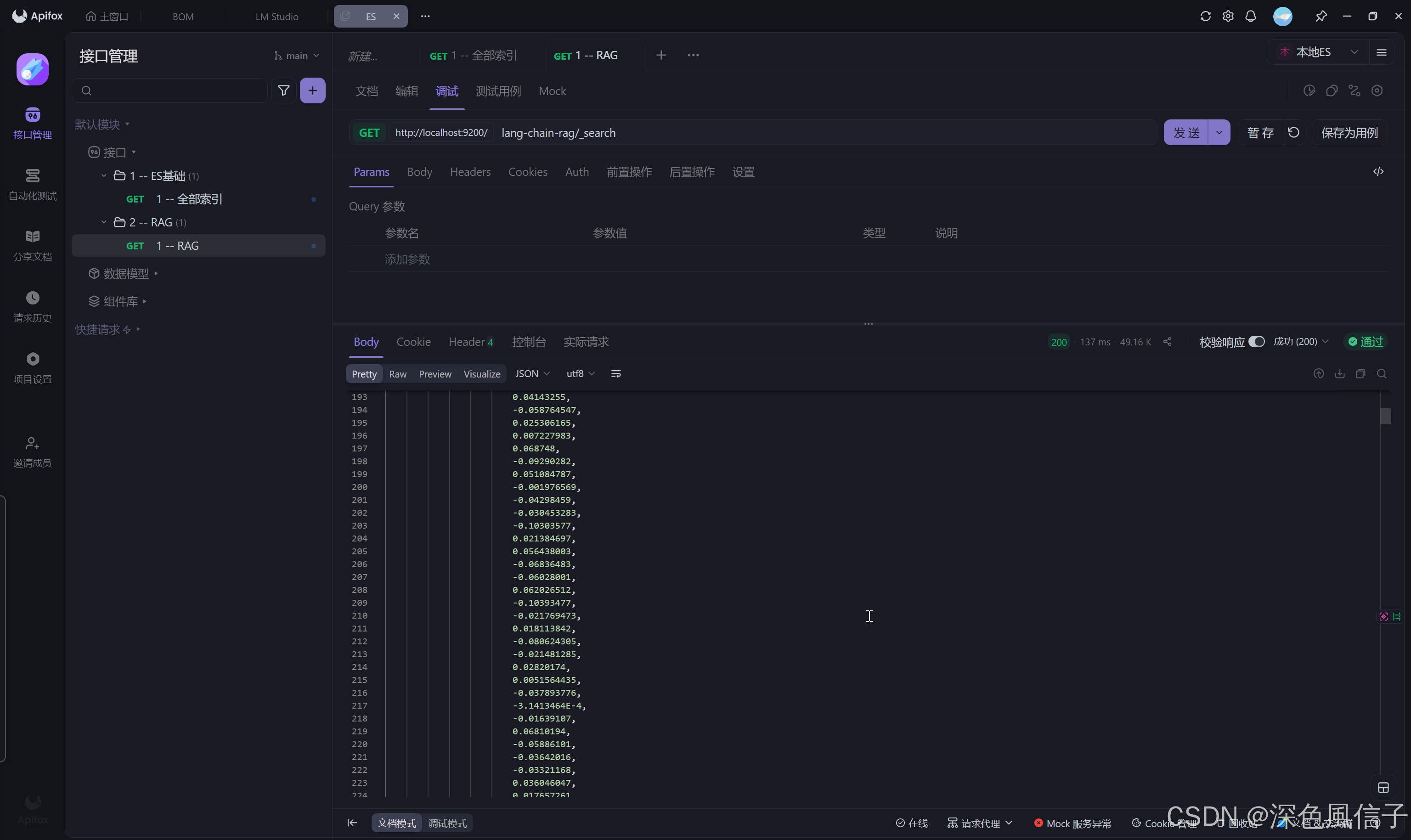
5 结果

火山引擎开发者社区是火山引擎打造的AI技术生态平台,聚焦Agent与大模型开发,提供豆包系列模型(图像/视频/视觉)、智能分析与会话工具,并配套评测集、动手实验室及行业案例库。社区通过技术沙龙、挑战赛等活动促进开发者成长,新用户可领50万Tokens权益,助力构建智能应用。
更多推荐
 4
4 0
0- 0


 已为社区贡献12条内容

所有评论(0)