MCP学习 - 其四 - 在VS Code的GitHub Copilot Agent中使用自己创建的MCP服务
·
教程:
https://github.com/microsoft/mcp-for-beginners/blob/main/translations/zh/03-GettingStarted/04-vscode/README.md
使用 Visual Studio Code 和 GitHub Copilot 的 Agent 模式作为 MCP 服务器的客户端
创建配置文件
在 VS Code中的项目根目录创建文件夹.vscode, 然后在其中创建 mcp.json文件
配置服务器
在mcp.json中添加内容
{
    "inputs": [],
    "servers": {
        "hello-mcp": {
           "command": "python",
           "args": [
               "03-llm-client/server.py"
           ]
       }
    }
}
启动服务器
点击 Start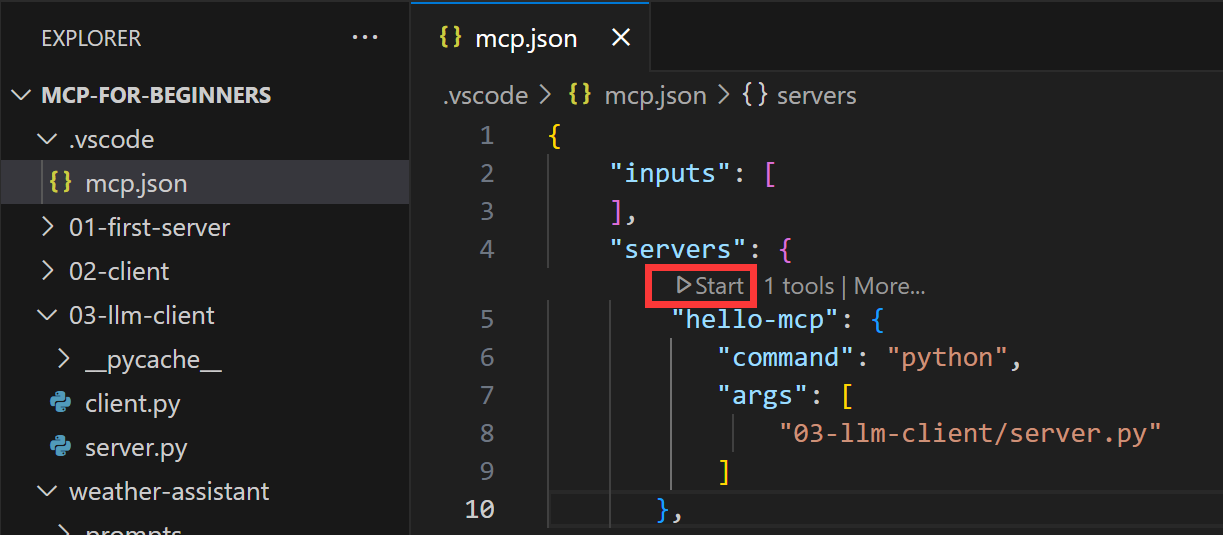
启动后状态应该如下: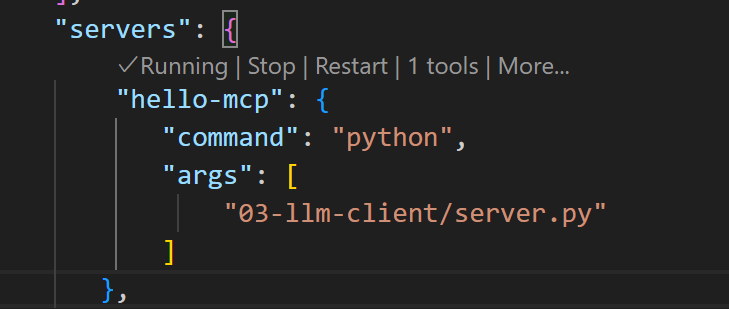
GitHub Copilot
Agent 模式下,提问: add 22 to 1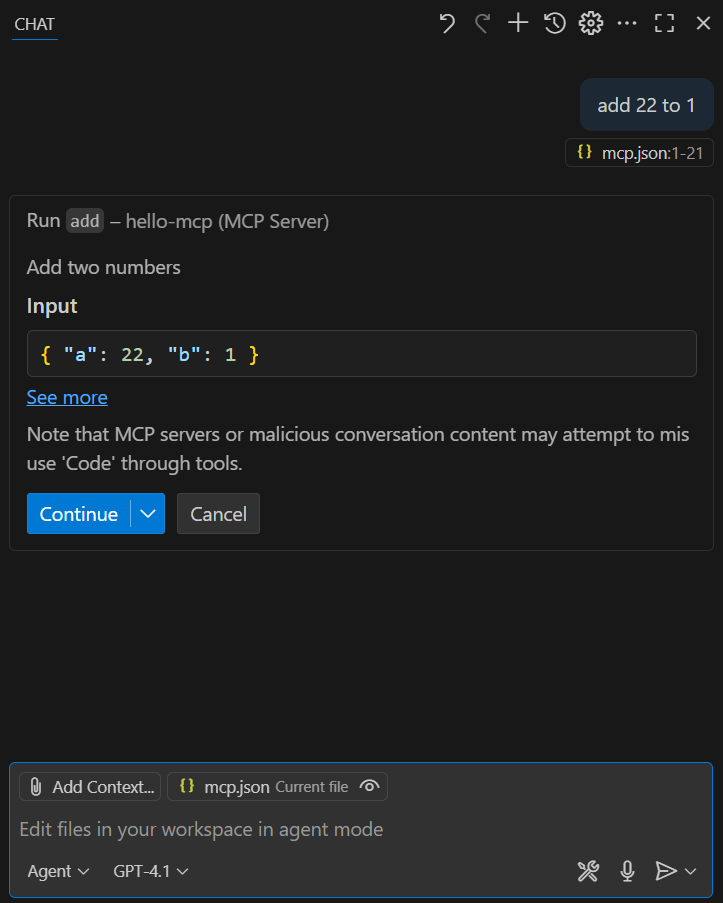
点击Continue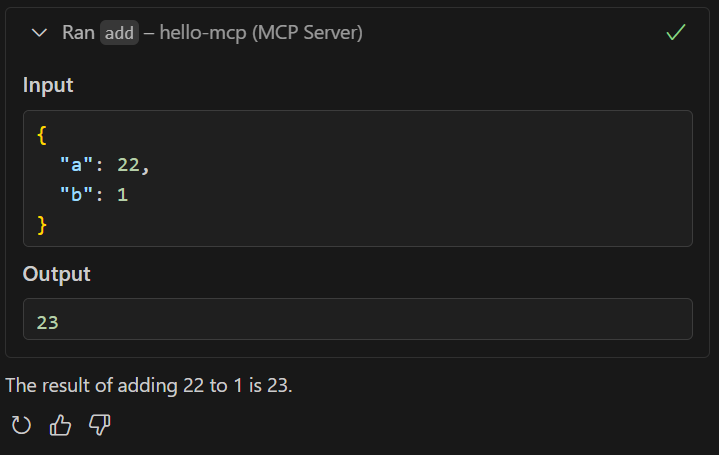
附
server.py
# server.py
from mcp.server.fastmcp import FastMCP

# Create an MCP server
mcp = FastMCP("Demo")


# Add an addition tool
@mcp.tool()
def add(a: int, b: int) -> int:
    """Add two numbers"""
    return a + b


# Add a dynamic greeting resource
@mcp.resource("greeting://{name}")
def get_greeting(name: str) -> str:
    """Get a personalized greeting"""
    return f"Hello, {name}!"

if __name__ == "__main__":
    mcp.run()

中国智能体开发者社区,聚焦智能体与大模型开发,提供前沿资讯、实用工具链、开源项目及行业案例。通过技术沙龙、开发者大赛等活动,促进经验交流与协作,助力开发者快速构建创新智能应用。
更多推荐

 11
11 0
0- 0


 已为社区贡献6条内容

所有评论(0)