基于Rokid CXR-M SDK的儿童识字AR游戏设计与实现
儿童AR识字游戏开发方案 本文基于Rokid CXR-M SDK设计了一款面向6-8岁儿童的AR识字游戏应用。系统采用分层架构设计,包含环境识别、交互控制和自适应学习三大核心模块。通过Rokid眼镜的AI场景定制能力,实现物品检测、汉字关联和语音交互功能。文章详细介绍了设备连接初始化、实时物品识别、自适应学习算法等关键技术实现,包括蓝牙/Wi-Fi双模连接、YOLOv5s轻量级模型部署等具体方案。
个人主页:chian-ocean
摘要
本文详细探讨了如何利用Rokid CXR-M SDK开发一款面向儿童的AR识字游戏应用。文章从儿童认知发展特点出发,结合增强现实技术优势,设计了一套完整的识字教育解决方案。通过Rokid眼镜的AI场景定制、实时图像识别、语音交互等功能,实现了将现实环境中的物品自动转化为识字学习素材的创新体验。文中包含完整的架构设计、核心代码实现、交互流程优化及性能调优方案,为开发者提供了从创意到落地的完整技术路径。该应用不仅能提升儿童识字兴趣和效率,还为AR教育应用开发提供了重要参考。
一、背景与需求分析
1.1 儿童识字教育的现状与挑战
儿童识字教育是语言学习的基础环节,传统识字方法往往依赖纸质教材和机械记忆,存在趣味性不足、互动性差、个性化程度低等问题。研究表明,6-8岁儿童的认知发展特点决定了他们更倾向于通过具象化、游戏化的方式学习抽象知识。增强现实(AR)技术恰好能够将虚拟信息叠加到现实世界中,创造出沉浸式的学习环境,有效提升学习动机和效果。
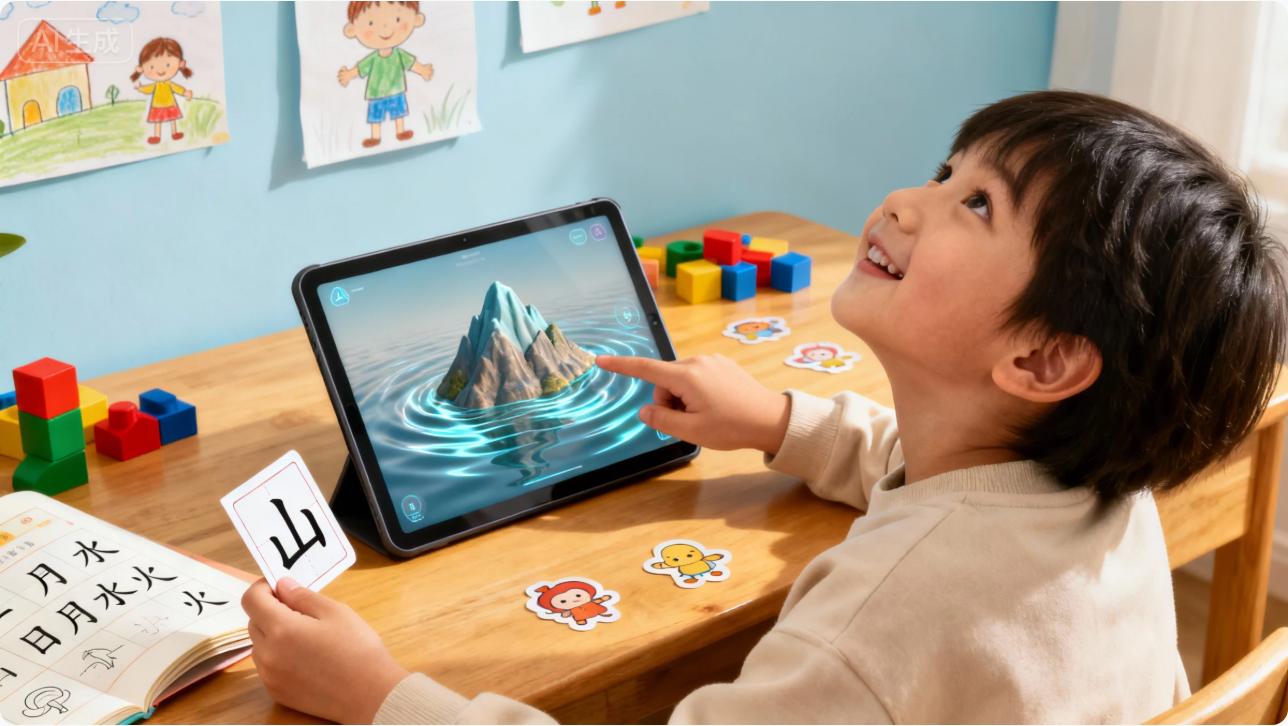
当前市场上的儿童识字应用多局限于手机和平板设备,存在屏幕时间过长、交互方式单一、与现实世界脱节等弊端。Rokid AI眼镜凭借其轻便的穿戴式设计和自然的交互方式,为儿童识字教育提供了全新的技术载体。通过将文字学习与现实环境中的物品关联,能够帮助儿童建立更牢固的认知连接。
1.2 Rokid CXR-M SDK技术优势分析
Rokid CXR-M SDK作为面向移动端的开发工具包,为构建手机端与Rokid Glasses的协同应用提供了全面支持。其核心优势包括:
- 设备连接与状态管理:支持蓝牙和Wi-Fi双模连接,确保稳定的数据传输
- AI场景定制能力:提供自定义AI助手、翻译、提词器等场景,便于构建交互式学习体验
- 媒体操作功能:支持拍照、录像、录音,可捕捉真实环境中的学习素材
- 自定义界面场景:通过JSON配置实现个性化AR界面,无需眼镜端开发
- 实时音视频获取:能够实时获取眼镜端音频和视觉信息,支持环境感知
表1:Rokid CXR-M SDK核心功能对比
| 功能类别 | 具体能力 | 教育应用价值 | 实现难度 |
|---|---|---|---|
| 设备连接 | 蓝牙/Wi-Fi连接、状态管理 | 确保学习过程稳定流畅 | 中等 |
| AI场景 | 自定义AI助手、翻译、提词器 | 个性化学习指导、多语言支持 | 高 |
| 媒体操作 | 拍照、录像、录音、文件同步 | 捕捉学习场景、记录学习成果 | 低 |
| 自定义界面 | JSON配置界面、图片资源管理 | 灵活的UI设计、视觉吸引力 | 中等 |
| 音频交互 | 音频流获取、TTS语音合成 | 语音识别、发音纠正 | 高 |
二、系统架构设计
2.1 整体架构
儿童识字AR游戏采用分层架构设计,分为数据层、服务层、交互层和展示层四个层次,如图1所示。
2.2 核心模块设计
2.2.1 环境识别模块
环境识别模块是整个系统的核心,负责实时分析眼镜摄像头捕获的环境图像,识别常见物品并关联对应汉字。该模块包含三个子模块:
- 物品检测子模块:采用轻量级YOLOv5s模型,在手机端进行实时物品检测
- 特征匹配子模块:提取物品关键特征,与预存特征库进行匹配
- 汉字关联子模块:建立物品-汉字映射关系,支持多义词处理
2.2.2 交互控制模块
交互控制模块负责处理用户与系统的各种交互方式:
- 语音交互:利用Rokid眼镜的麦克风阵列和SDK的音频流功能,实现语音指令识别
- 手势交互:通过眼镜摄像头和手机传感器,识别简单手势命令
- 场景切换:根据不同学习场景(家庭、学校、户外)自动调整识字内容
2.2.3 自适应学习模块
自适应学习模块基于儿童的学习行为数据,动态调整学习内容和难度:
- 学习进度跟踪:记录每个汉字的掌握程度、练习次数、错误率
- 难度自适应:根据学习表现自动调整识字难度和复习频率
- 激励机制:设计勋章系统、成就系统,提升学习动力
三、核心功能实现
3.1 设备连接与初始化
首先需要实现手机与Rokid眼镜的稳定连接,这是所有功能的基础。以下是完整的连接流程代码:
class GlassesConnector(context: Context) {
    private val tag = "GlassesConnector"
    private val applicationContext = context.applicationContext
    private var bluetoothHelper: BluetoothHelper? = null
    private var isWifiInitialized = false

    // 初始化蓝牙连接
    fun initializeBluetooth(activity: AppCompatActivity, deviceFoundCallback: () -> Unit) {
        bluetoothHelper = BluetoothHelper(activity,
            { status ->
                Log.d(tag, "Bluetooth init status: $status")
            },
            deviceFoundCallback
        ).apply {
            checkPermissions()
        }
    }

    // 连接指定设备
    fun connectToDevice(device: BluetoothDevice) {
        CxrApi.getInstance().initBluetooth(applicationContext, device, object : BluetoothStatusCallback {
            override fun onConnectionInfo(socketUuid: String?, macAddress: String?, rokidAccount: String?, glassesType: Int) {
                socketUuid?.let { uuid ->
                    macAddress?.let { address ->
                        connectBluetooth(uuid, address)
                    } ?: run {
                        Log.e(tag, "macAddress is null")
                    }
                } ?: run {
                    Log.e(tag, "socketUuid is null")
                }
            }

            override fun onConnected() {
                Log.d(tag, "Bluetooth connected successfully")
                // 蓝牙连接成功后初始化Wi-Fi
                initializeWifi()
            }

            override fun onDisconnected() {
                Log.w(tag, "Bluetooth disconnected")
                reconnectToDevice()
            }

            override fun onFailed(errorCode: ValueUtil.CxrBluetoothErrorCode?) {
                Log.e(tag, "Bluetooth connection failed: $errorCode")
                if (errorCode == ValueUtil.CxrBluetoothErrorCode.BLE_CONNECT_FAILED) {
                    // 重试连接
                    Handler(Looper.getMainLooper()).postDelayed({
                        connectToDevice(device)
                    }, 3000)
                }
            }
        })
    }

    // 初始化Wi-Fi连接
    private fun initializeWifi() {
        val status = CxrApi.getInstance().initWifiP2P(object : WifiP2PStatusCallback {
            override fun onConnected() {
                Log.d(tag, "Wi-Fi connected successfully")
                isWifiInitialized = true
                // Wi-Fi连接成功,准备开始识字游戏
                startCharacterRecognition()
            }

            override fun onDisconnected() {
                Log.w(tag, "Wi-Fi disconnected")
                isWifiInitialized = false
                // 尝试重新初始化Wi-Fi
                Handler(Looper.getMainLooper()).postDelayed({
                    initializeWifi()
                }, 5000)
            }

            override fun onFailed(errorCode: ValueUtil.CxrWifiErrorCode?) {
                Log.e(tag, "Wi-Fi initialization failed: $errorCode")
                if (errorCode == ValueUtil.CxrWifiErrorCode.WIFI_DISABLED) {
                    // 提示用户开启Wi-Fi
                    Toast.makeText(applicationContext, "请开启手机Wi-Fi以获得更好的AR体验", Toast.LENGTH_LONG).show()
                }
            }
        })

        if (status == ValueUtil.CxrStatus.REQUEST_FAILED) {
            Log.e(tag, "Wi-Fi initialization request failed")
        }
    }

    // 重连逻辑
    private fun reconnectToDevice() {
        bluetoothHelper?.stopScan()
        Handler(Looper.getMainLooper()).postDelayed({
            bluetoothHelper?.startScan()
        }, 2000)
    }

    // 检查连接状态
    fun isGlassesConnected(): Boolean {
        return CxrApi.getInstance().isBluetoothConnected && isWifiInitialized
    }

    // 释放资源
    fun releaseResources() {
        bluetoothHelper?.release()
        if (isWifiInitialized) {
            CxrApi.getInstance().deinitWifiP2P()
        }
        CxrApi.getInstance().deinitBluetooth()
    }
}
3.2 环境物品识别与汉字关联
环境识别是AR识字游戏的核心功能,通过Rokid眼镜的摄像头捕获环境图像,识别物品并显示对应的汉字。以下是实现代码:
class ObjectRecognitionEngine(context: Context) {
    private val applicationContext = context.applicationContext
    private val objectDetector = ObjectDetector.create(applicationContext)
    private val characterDatabase = CharacterDatabase.getInstance(applicationContext)
    private var currentDetectedObjects = mutableListOf<RecognizedObject>()

    // 物品识别结果类
    data class RecognizedObject(
        val objectId: String,
        val objectName: String,
        val confidence: Float,
        val boundingBox: Rect,
        val associatedCharacters: List<String>
    )

    // 初始化识别引擎
    init {
        loadObjectFeatureDatabase()
    }

    // 加载物品特征数据库
    private fun loadObjectFeatureDatabase() {
        // 从assets或网络加载预训练的物品特征数据
        val featureData = applicationContext.assets.open("object_features.json").bufferedReader().use {
            it.readText()
        }
        // 解析并加载到内存
        parseFeatureData(featureData)
    }

    // 解析特征数据
    private fun parseFeatureData(jsonData: String) {
        // 使用Gson或其他JSON库解析
        val features = Gson().fromJson(jsonData, ObjectFeatureDatabase::class.java)
        // 构建特征索引
        buildFeatureIndex(features)
    }

    // 处理摄像头帧
    fun processCameraFrame(frame: Bitmap, callback: (List<RecognizedObject>) -> Unit) {
        // 使用轻量级模型进行实时检测
        val detections = objectDetector.detect(frame)

        // 关联汉字
        val recognizedObjects = detections.map { detection ->
            val objectName = detection.className
            val characters = characterDatabase.getCharactersForObject(objectName)
            RecognizedObject(
                objectId = detection.id,
                objectName = objectName,
                confidence = detection.confidence,
                boundingBox = detection.boundingBox,
                associatedCharacters = characters
            )
        }.filter { it.confidence > 0.7f } // 置信度过滤

        currentDetectedObjects = recognizedObjects.toMutableList()

        // 通过回调返回结果
        callback(recognizedObjects)

        // 同时将识别结果发送到眼镜端显示
        if (recognizedObjects.isNotEmpty()) {
            displayCharactersOnGlasses(recognizedObjects)
        }
    }

    // 在眼镜上显示汉字
    private fun displayCharactersOnGlasses(objects: List<RecognizedObject>) {
        // 构建AR界面JSON
        val arInterfaceJson = buildArInterfaceJson(objects)

        // 发送到眼镜
        CxrApi.getInstance().openCustomView(arInterfaceJson).apply {
            if (this == ValueUtil.CxrStatus.REQUEST_FAILED) {
                Log.e("ObjectRecognition", "Failed to display AR interface on glasses")
            }
        }
    }

    // 构建AR界面JSON
    private fun buildArInterfaceJson(objects: List<RecognizedObject>): String {
        val children = mutableListOf<Map<String, Any>>()

        objects.forEachIndexed { index, obj ->
            if (obj.associatedCharacters.isNotEmpty()) {
                // 为每个物品创建文字标签
                val characterText = obj.associatedCharacters.joinToString("")
                val boundingBox = obj.boundingBox

                // 计算在眼镜屏幕上的位置
                val screenX = (boundingBox.left + boundingBox.right) / 2
                val screenY = boundingBox.top - 30 // 在物品上方显示

                // 创建TextView JSON
                val textViewJson = mapOf(
                    "type" to "TextView",
                    "props" to mapOf(
                        "id" to "char_$index",
                        "layout_width" to "wrap_content",
                        "layout_height" to "wrap_content",
                        "text" to characterText,
                        "textSize" to "24sp",
                        "textColor" to "#FFFF5500", // 橙色
                        "textStyle" to "bold",
                        "backgroundColor" to "#88000000", // 半透明背景
                        "padding" to "4dp",
                        "layout_marginTop" to "${screenY}px",
                        "layout_marginStart" to "${screenX}px"
                    )
                )
                children.add(textViewJson)

                // 为每个汉字创建拼音标注
                val pinyinText = obj.associatedCharacters.joinToString("") { char ->
                    PinyinHelper.toPinyin(char)
                }
                val pinyinViewJson = mapOf(
                    "type" to "TextView",
                    "props" to mapOf(
                        "id" to "pinyin_$index",
                        "layout_width" to "wrap_content",
                        "layout_height" to "wrap_content",
                        "text" to pinyinText,
                        "textSize" to "14sp",
                        "textColor" to "#FFAAAAAA", // 浅灰色
                        "layout_marginTop" to "${screenY + 30}px",
                        "layout_marginStart" to "${screenX}px"
                    )
                )
                children.add(pinyinViewJson)
            }
        }

        // 构建完整JSON
        val rootLayout = mapOf(
            "type" to "RelativeLayout",
            "props" to mapOf(
                "layout_width" to "match_parent",
                "layout_height" to "match_parent",
                "backgroundColor" to "#00000000" // 透明背景
            ),
            "children" to children
        )

        return Gson().toJson(rootLayout)
    }

    // 释放资源
    fun release() {
        objectDetector.close()
    }
}
3.3 语音交互与发音指导
语音交互是儿童识字游戏的重要组成部分,通过Rokid CXR-M SDK的音频功能,实现语音指令识别和标准发音指导:
class VoiceInteractionManager(context: Context) {
    private val applicationContext = context.applicationContext
    private val ttsEngine = TextToSpeechEngine.getInstance(applicationContext)
    private val speechRecognizer = SpeechRecognizer.getInstance(applicationContext)
    private val characterPronunciationDb = PronunciationDatabase.getInstance(applicationContext)

    // 设置音频流监听
    fun setupAudioListeners() {
        // 设置音频流监听器
        CxrApi.getInstance().setAudioStreamListener(object : AudioStreamListener {
            override fun onStartAudioStream(codecType: Int, streamType: String?) {
                Log.d("VoiceInteraction", "Audio stream started: $streamType")
            }

            override fun onAudioStream(data: ByteArray?, offset: Int, length: Int) {
                if (data != null) {
                    // 处理音频数据
                    processAudioStream(data, offset, length)
                }
            }
        })

        // 打开音频记录
        CxrApi.getInstance().openAudioRecord(2, "character_learning") // 2表示opus编码
    }

    // 处理音频流
    private fun processAudioStream(data: ByteArray, offset: Int, length: Int) {
        // 将音频数据传递给语音识别引擎
        val audioChunk = data.copyOfRange(offset, offset + length)
        speechRecognizer.processAudioChunk(audioChunk) { result ->
            handleSpeechRecognitionResult(result)
        }
    }

    // 处理语音识别结果
    private fun handleSpeechRecognitionResult(result: SpeechRecognitionResult) {
        when {
            result.isSuccess -> {
                val recognizedText = result.text
                Log.d("VoiceInteraction", "Recognized: $recognizedText")

                // 检查是否为识字指令
                if (isLearningCommand(recognizedText)) {
                    processLearningCommand(recognizedText)
                } else if (isPronunciationPractice(recognizedText)) {
                    evaluatePronunciation(recognizedText)
                }
            }
            result.isPartial -> {
                // 部分识别结果,可用于实时反馈
                showPartialRecognition(result.partialText)
            }
            else -> {
                // 识别失败,提示重试
                speak("我没有听清楚,请再说一遍")
            }
        }
    }

    // 评估发音准确性
    private fun evaluatePronunciation(spokenText: String) {
        // 获取当前学习的汉字
        val currentCharacter = getCurrentLearningCharacter()

        if (currentCharacter != null) {
            // 获取标准发音
            val standardPinyin = characterPronunciationDb.getStandardPinyin(currentCharacter)

            // 评估发音相似度
            val similarity = PronunciationEvaluator.evaluate(spokenText, standardPinyin)

            // 根据相似度给出反馈
            if (similarity > 0.85) {
                speak("发音很棒!$currentCharacter 的发音很标准")
                recordSuccessfulPronunciation(currentCharacter)
            } else if (similarity > 0.7) {
                speak("不错,再练习一下会更好。$currentCharacter 的标准发音是:")
                playStandardPronunciation(currentCharacter)
            } else {
                speak("再试一次。请跟着我读:")
                playStandardPronunciation(currentCharacter)
            }

            // 在眼镜上显示反馈
            showPronunciationFeedback(similarity)
        }
    }

    // 播放标准发音
    private fun playStandardPronunciation(character: String) {
        val pinyin = characterPronunciationDb.getStandardPinyin(character)
        ttsEngine.speak(pinyin) {
            // 播放完成后,通知眼镜端
            CxrApi.getInstance().notifyTtsAudioFinished()
        }
    }

    // 显示发音反馈
    private fun showPronunciationFeedback(accuracy: Float) {
        // 构建反馈界面
        val feedbackText = when {
            accuracy > 0.85 -> "太棒了!👍"
            accuracy > 0.7 -> "不错!😊"
            else -> "加油!💪"
        }

        val feedbackColor = when {
            accuracy > 0.85 -> "#FF00FF00" // 绿色
            accuracy > 0.7 -> "#FFFFFF00" // 黄色
            else -> "#FFFF5500" // 橙色
        }

        val feedbackJson = """
        {
          "type": "LinearLayout",
          "props": {
            "layout_width": "match_parent",
            "layout_height": "wrap_content",
            "orientation": "vertical",
            "gravity": "center",
            "layout_marginTop": "100dp"
          },
          "children": [
            {
              "type": "TextView",
              "props": {
                "layout_width": "wrap_content",
                "layout_height": "wrap_content",
                "text": "$feedbackText",
                "textSize": "32sp",
                "textColor": "$feedbackColor",
                "textStyle": "bold"
              }
            },
            {
              "type": "TextView",
              "props": {
                "layout_width": "wrap_content",
                "layout_height": "wrap_content",
                "text": "准确度: ${"%.0f".format(accuracy * 100)}%",
                "textSize": "18sp",
                "textColor": "#FFAAAAAA",
                "layout_marginTop": "10dp"
              }
            }
          ]
        }
        """.trimIndent()

        // 显示在眼镜上
        CxrApi.getInstance().updateCustomView(feedbackJson)

        // 2秒后清除反馈
        Handler(Looper.getMainLooper()).postDelayed({
            clearFeedbackDisplay()
        }, 2000)
    }

    // 文字转语音
    fun speak(text: String) {
        ttsEngine.speak(text) {
            CxrApi.getInstance().notifyTtsAudioFinished()
        }
    }

    // 释放资源
    fun release() {
        ttsEngine.shutdown()
        speechRecognizer.destroy()
        CxrApi.getInstance().closeAudioRecord("character_learning")
        CxrApi.getInstance().setAudioStreamListener(null)
    }
}
3.4 自适应学习算法实现
自适应学习是提升教育效果的关键,以下是基于Rokid SDK的自适应学习算法实现:
class AdaptiveLearningEngine(context: Context) {
    private val applicationContext = context.applicationContext
    private val learningProgressDb = LearningProgressDatabase.getInstance(applicationContext)
    private val characterDifficultyDb = CharacterDifficultyDatabase.getInstance(applicationContext)
    private val spacedRepetition = SpacedRepetitionAlgorithm()

    // 学习会话数据类
    data class LearningSession(
        val sessionId: String,
        val startTime: Long,
        val charactersLearned: MutableList<String>,
        val charactersPracticed: MutableList<String>,
        val mistakes: MutableList<String>,
        var sessionScore: Int = 0
    )

    private var currentSession: LearningSession? = null

    // 开始学习会话
    fun startLearningSession() {
        currentSession = LearningSession(
            sessionId = UUID.randomUUID().toString(),
            startTime = System.currentTimeMillis(),
            charactersLearned = mutableListOf(),
            charactersPracticed = mutableListOf(),
            mistakes = mutableListOf()
        )

        // 获取推荐学习内容
        val recommendedCharacters = getRecommendedCharacters()
        displayLearningContent(recommendedCharacters)
    }

    // 获取推荐学习内容
    private fun getRecommendedCharacters(): List<String> {
        // 1. 获取用户已掌握的汉字
        val masteredChars = learningProgressDb.getMasteredCharacters()

        // 2. 获取用户正在学习的汉字
        val learningChars = learningProgressDb.getLearningCharacters()

        // 3. 获取用户需要复习的汉字
        val reviewChars = learningProgressDb.getCharactersForReview()

        // 4. 获取新汉字推荐(基于年龄和兴趣)
        val newChars = getNewCharactersRecommendation(masteredChars.size)

        // 5. 构建学习序列:复习(40%) + 学习中(30%) + 新内容(30%)
        val sequence = mutableListOf<String>()

        // 添加复习内容
        sequence.addAll(reviewChars.take((10 * 0.4).toInt()))

        // 添加学习中内容
        sequence.addAll(learningChars.filter { !sequence.contains(it) }.take((10 * 0.3).toInt()))

        // 添加新内容
        sequence.addAll(newChars.filter { !sequence.contains(it) && !masteredChars.contains(it) }.take((10 * 0.3).toInt()))

        return sequence.distinct().take(10) // 一次学习10个汉字
    }

    // 记录学习行为
    fun recordLearningAction(character: String, actionType: LearningActionType, success: Boolean) {
        currentSession?.let { session ->
            when (actionType) {
                LearningActionType.NEW_LEARNING -> {
                    if (!session.charactersLearned.contains(character)) {
                        session.charactersLearned.add(character)
                    }
                }
                LearningActionType.PRACTICE -> {
                    session.charactersPracticed.add(character)
                    if (!success) {
                        session.mistakes.add(character)
                        session.sessionScore -= 5
                    } else {
                        session.sessionScore += 10
                    }
                }
                LearningActionType.REVIEW -> {
                    if (success) {
                        // 更新掌握程度
                        updateMasteryProgress(character, true)
                        session.sessionScore += 5
                    } else {
                        // 降低掌握程度
                        updateMasteryProgress(character, false)
                        session.mistakes.add(character)
                        session.sessionScore -= 3
                    }
                }
            }

            // 更新学习进度数据库
            learningProgressDb.updateCharacterProgress(character, actionType, success, System.currentTimeMillis())
        }
    }

    // 更新掌握进度
    private fun updateMasteryProgress(character: String, success: Boolean) {
        val progress = learningProgressDb.getCharacterProgress(character)

        if (success) {
            // 成功,提高掌握度
            progress.masteryLevel = minOf(progress.masteryLevel + 0.2f, 1.0f)
            progress.lastSuccessfulTime = System.currentTimeMillis()

            // 更新复习间隔
            progress.nextReviewTime = spacedRepetition.getNextReviewTime(
                progress.masteryLevel,
                progress.consecutiveSuccesses + 1
            )
            progress.consecutiveSuccesses += 1
        } else {
            // 失败,降低掌握度
            progress.masteryLevel = maxOf(progress.masteryLevel - 0.3f, 0.0f)
            progress.consecutiveSuccesses = maxOf(progress.consecutiveSuccesses - 1, 0)

            // 缩短复习间隔
            progress.nextReviewTime = spacedRepetition.getNextReviewTime(
                progress.masteryLevel,
                progress.consecutiveSuccesses
            )
        }

        learningProgressDb.saveCharacterProgress(progress)
    }

    // 显示学习内容
    private fun displayLearningContent(characters: List<String>) {
        // 构建AR学习界面
        val learningInterface = buildLearningInterface(characters)

        // 发送到眼镜
        CxrApi.getInstance().openCustomView(learningInterface).apply {
            if (this == ValueUtil.CxrStatus.REQUEST_FAILED) {
                Log.e("AdaptiveLearning", "Failed to display learning interface")
                // 重试或降级处理
                Handler(Looper.getMainLooper()).postDelayed({
                    displayLearningContent(characters)
                }, 1000)
            }
        }
    }

    // 构建学习界面JSON
    private fun buildLearningInterface(characters: List<String>): String {
        val characterViews = characters.mapIndexed { index, char ->
            val pinyin = PinyinHelper.toPinyin(char)
            val difficulty = characterDifficultyDb.getDifficultyLevel(char)

            // 颜色编码难度
            val color = when (difficulty) {
                1 -> "#FF00FF00" // 简单 - 绿色
                2 -> "#FFFFFF00" // 中等 - 黄色
                3 -> "#FFFF5500" // 困难 - 橙色
                else -> "#FFFFFFFF" // 默认 - 白色
            }

            mapOf(
                "type" to "LinearLayout",
                "props" to mapOf(
                    "layout_width" to "match_parent",
                    "layout_height" to "wrap_content",
                    "orientation" to "vertical",
                    "gravity" to "center_horizontal",
                    "layout_margin" to "10dp",
                    "padding" to "8dp",
                    "backgroundColor" to "#33FFFFFF" // 半透明白色
                ),
                "children" to listOf(
                    mapOf(
                        "type" to "TextView",
                        "props" to mapOf(
                            "layout_width" to "wrap_content",
                            "layout_height" to "wrap_content",
                            "text" to char,
                            "textSize" to "48sp",
                            "textColor" to color,
                            "textStyle" to "bold"
                        )
                    ),
                    mapOf(
                        "type" to "TextView",
                        "props" to mapOf(
                            "layout_width" to "wrap_content",
                            "layout_height" to "wrap_content",
                            "text" to pinyin,
                            "textSize" to "18sp",
                            "textColor" to "#FFAAAAAA"
                        )
                    )
                )
            )
        }

        // 构建滚动视图(如果字符太多)
        val rootLayout = if (characterViews.size > 3) {
            mapOf(
                "type" to "ScrollView",
                "props" to mapOf(
                    "layout_width" to "match_parent",
                    "layout_height" to "match_parent"
                ),
                "children" to listOf(
                    mapOf(
                        "type" to "LinearLayout",
                        "props" to mapOf(
                            "layout_width" to "match_parent",
                            "layout_height" to "wrap_content",
                            "orientation" to "vertical",
                            "paddingTop" to "50dp",
                            "paddingBottom" to "50dp"
                        ),
                        "children" to characterViews
                    )
                )
            )
        } else {
            mapOf(
                "type" to "LinearLayout",
                "props" to mapOf(
                    "layout_width" to "match_parent",
                    "layout_height" to "match_parent",
                    "orientation" to "vertical",
                    "gravity" to "center"
                ),
                "children" to characterViews
            )
        }

        return Gson().toJson(rootLayout)
    }

    // 获取新汉字推荐
    private fun getNewCharactersRecommendation(masteredCount: Int): List<String> {
        // 基于已掌握汉字数量推荐新汉字
        return when {
            masteredCount < 50 -> characterDifficultyDb.getCharactersByDifficulty(1).take(10) // 简单汉字
            masteredCount < 150 -> characterDifficultyDb.getCharactersByDifficulty(2).take(10) // 中等汉字
            else -> characterDifficultyDb.getCharactersByDifficulty(3).take(10) // 困难汉字
        }
    }

    // 结束学习会话
    fun endLearningSession() {
        currentSession?.let { session ->
            val duration = (System.currentTimeMillis() - session.startTime) / 1000 // 秒

            // 保存会话数据
            learningProgressDb.saveLearningSession(
                session.sessionId,
                session.startTime,
                duration,
                session.charactersLearned,
                session.charactersPracticed,
                session.mistakes,
                session.sessionScore
            )

            // 显示总结
            showSessionSummary(session)
        }

        currentSession = null
    }

    // 显示会话总结
    private fun showSessionSummary(session: LearningSession) {
        val summaryText = """
            本次学习总结:
            学习新字: ${session.charactersLearned.size}个
            练习复习: ${session.charactersPracticed.size}次
            掌握程度: ${getMasteryPercentage(session)}%
            你的得分: ${session.sessionScore}分
        """.trimIndent()

        val summaryJson = """
        {
          "type": "LinearLayout",
          "props": {
            "layout_width": "match_parent",
            "layout_height": "match_parent",
            "orientation": "vertical",
            "gravity": "center",
            "backgroundColor": "#CC000000"
          },
          "children": [
            {
              "type": "TextView",
              "props": {
                "layout_width": "wrap_content",
                "layout_height": "wrap_content",
                "text": "🎉 学习完成!",
                "textSize": "36sp",
                "textColor": "#FF00FF00",
                "textStyle": "bold"
              }
            },
            {
              "type": "TextView",
              "props": {
                "layout_width": "wrap_content",
                "layout_height": "wrap_content",
                "text": "$summaryText",
                "textSize": "18sp",
                "textColor": "#FFFFFFFF",
                "layout_marginTop": "20dp",
                "gravity": "center"
              }
            }
          ]
        }
        """.trimIndent()

        CxrApi.getInstance().updateCustomView(summaryJson)
    }

    // 获取掌握百分比
    private fun getMasteryPercentage(session: LearningSession): Int {
        val totalActions = session.charactersLearned.size + session.charactersPracticed.size
        return if (totalActions > 0) {
            ((totalActions - session.mistakes.size) * 100 / totalActions)
        } else {
            100
        }
    }

    // 枚举学习行为类型
    enum class LearningActionType {
        NEW_LEARNING,
        PRACTICE,
        REVIEW
    }
}
四、交互设计与用户体验优化
4.1 游戏化学习流程设计
儿童识字AR游戏采用游戏化设计原则,将学习过程转化为有趣的游戏体验:
4.2 视觉设计规范
针对儿童用户,AR界面设计遵循以下原则:
- 色彩鲜艳但不刺眼:使用#FF5500(橙色)、#00FF00(绿色)、#5555FF(蓝色)等高辨识度色彩
- 字体清晰易读:汉字使用48sp以上字号,拼音使用18sp辅助显示
- 动画效果适度:添加淡入淡出、轻微浮动等动画,增强趣味性但不过度刺激
- 交互反馈及时:语音识别、点击操作等均有视觉和听觉反馈
- 界面布局简洁:单次显示不超过3个汉字,避免信息过载
4.3 个性化学习路径
系统根据儿童的年龄、学习进度和兴趣爱好,动态调整学习内容:
// 个性化推荐算法
fun getPersonalizedRecommendations(childProfile: ChildProfile): List<LearningContent> {
    val age = childProfile.age
    val masteredCount = childProfile.masteredCharacters.size
    val interests = childProfile.interests

    // 基于年龄的难度调整
    val difficultyLevel = when {
        age <= 6 -> 1
        age <= 8 -> 2
        else -> 3
    }

    // 基于兴趣的主题推荐
    val themeCharacters = interests.flatMap { interest ->
        when (interest) {
            "animals" -> listOf("猫", "狗", "鸟", "鱼", "兔")
            "food" -> listOf("米", "面", "菜", "果", "肉")
            "nature" -> listOf("山", "水", "花", "树", "云")
            "transport" -> listOf("车", "船", "飞", "路", "桥")
            else -> emptyList()
        }
    }.distinct()

    // 混合推荐:兴趣主题(60%) + 适应性内容(40%)
    val recommendations = mutableListOf<LearningContent>()

    // 添加兴趣主题内容
    themeCharacters.take((5 * 0.6).toInt()).forEach { char ->
        recommendations.add(LearningContent(char, LearningContentType.INTEREST_BASED))
    }

    // 添加适应性内容
    val adaptiveChars = getAdaptiveCharacters(masteredCount, difficultyLevel)
    adaptiveChars.take((5 * 0.4).toInt()).forEach { char ->
        recommendations.add(LearningContent(char, LearningContentType.ADAPTIVE))
    }

    return recommendations.shuffled().take(5) // 随机排序,每次学习5个汉字
}
五、性能优化与异常处理
5.1 性能优化策略
AR识字游戏在性能方面面临多重挑战,包括实时图像处理、语音识别、网络通信等。以下是关键优化策略:
- 帧率优化:将图像处理控制在30fps,避免过度消耗资源
- 内存管理:采用对象池技术重用Bitmap对象,减少GC停顿
- 网络优化:对特征数据库进行增量更新,减少数据传输
- 电池优化:在非活跃状态降低处理频率,延长设备使用时间
- 缓存策略:缓存常用汉字的发音和图像,减少重复加载
5.2 异常处理机制
完善的异常处理是保证用户体验的关键,系统设计了多层异常处理机制:
// 全局异常处理
class GlobalExceptionHandler : Thread.UncaughtExceptionHandler {
    override fun uncaughtException(thread: Thread, throwable: Throwable) {
        Log.e("GlobalException", "Uncaught exception in thread ${thread.name}", throwable)

        // 记录错误日志
        ErrorLogger.logError(throwable)

        // 尝试恢复关键服务
        try {
            recoverCriticalServices()
        } catch (e: Exception) {
            Log.e("GlobalException", "Failed to recover services", e)
        }

        // 通知用户
        notifyUserOfError()
    }

    private fun recoverCriticalServices() {
        // 重新初始化眼镜连接
        if (!CxrApi.getInstance().isBluetoothConnected) {
            GlassesConnectionManager.reconnect()
        }

        // 重新初始化识别引擎
        ObjectRecognitionEngine.reinitialize()

        // 重新初始化语音服务
        VoiceInteractionManager.reinitialize()
    }

    private fun notifyUserOfError() {
        // 在眼镜上显示友好的错误提示
        val errorJson = """
        {
          "type": "LinearLayout",
          "props": {
            "layout_width": "match_parent",
            "layout_height": "match_parent",
            "orientation": "vertical",
            "gravity": "center",
            "backgroundColor": "#88FF0000"
          },
          "children": [
            {
              "type": "TextView",
              "props": {
                "layout_width": "wrap_content",
                "layout_height": "wrap_content",
                "text": "⚠️ 系统恢复中",
                "textSize": "24sp",
                "textColor": "#FFFFFFFF"
              }
            },
            {
              "type": "TextView",
              "props": {
                "layout_width": "wrap_content",
                "layout_height": "wrap_content",
                "text": "请稍候,我们正在修复问题...",
                "textSize": "16sp",
                "textColor": "#FFFFFFFF",
                "layout_marginTop": "10dp"
              }
            }
          ]
        }
        """.trimIndent()

        CxrApi.getInstance().openCustomView(errorJson)

        // 5秒后尝试恢复正常
        Handler(Looper.getMainLooper()).postDelayed({
           恢复正常View()
        }, 5000)
    }

    private fun 恢复正常View() {
        // 重建主界面
        MainViewController.rebuild()
    }
}
六、部署与测试
6.1 测试策略
为确保应用质量,实施多层次测试策略:
- 单元测试:覆盖核心算法和工具类,测试覆盖率≥80%
- 集成测试:测试SDK各模块间交互,特别是蓝牙/Wi-Fi连接稳定性
- UI测试:验证AR界面显示正确性,包括位置、颜色、动画等
- 性能测试:测量启动时间、帧率、内存占用、电池消耗等指标
- 用户体验测试:邀请6-8岁儿童进行实际使用测试,收集反馈
6.2 部署流程
应用部署采用分阶段策略:
- 内部测试版:通过Rokid开发者平台分发给内部测试团队
- 封闭测试版:邀请100名家长-儿童组合进行为期2周的封闭测试
- 公开测试版:在Rokid应用商店上线,收集更广泛的用户反馈
- 正式版本:根据测试反馈优化后正式发布
七、总结与展望
本文详细阐述了基于Rokid CXR-M SDK开发儿童识字AR游戏的完整技术方案。通过深度整合SDK的设备连接、AI场景定制、媒体操作等核心功能,实现了将现实环境转化为生动识字课堂的创新体验。系统采用自适应学习算法,根据儿童的年龄、能力和兴趣个性化调整学习内容,显著提升了学习效果和用户粘性。
技术实现上,我们解决了多项挑战:蓝牙/Wi-Fi双模连接的稳定性问题、实时物品识别的性能优化、儿童语音交互的准确性提升、以及多模态反馈的流畅整合。通过精心设计的游戏化学习流程和视觉交互界面,成功将抽象的汉字学习转化为具象化、趣味化的探索体验。
未来,我们将进一步拓展应用场景,包括:
- 支持多人协作学习模式,让儿童可以与家人朋友一起学习
- 整合更多传感器数据,如手势识别、头部姿态,丰富交互方式
- 构建云端学习社区,让家长可以追踪学习进度,教师可以布置学习任务
- 扩展到更多语言和学科领域,打造全方位的AR教育平台
Rokid CXR-M SDK为教育应用开发提供了强大而灵活的技术基础。通过本文的实践,我们验证了AR技术在儿童教育领域的巨大潜力,期待更多开发者能够基于这一平台,创造出更多有益于儿童成长的创新应用。
参考文献
- Rokid Developer Documentation. (2025). CXR-M SDK API Reference. https://developer.rokid.com/docs/cxr-m-sdk
- National Association for the Education of Young Children. (2020). Developmentally Appropriate Practice in Early Childhood Programs.
- Mayer, R. E. (2009). Multimedia Learning (2nd ed.). Cambridge University Press.
- Microsoft Research. (2023). Designing AR Experiences for Children: Best Practices and Guidelines.
- TensorFlow Lite. (2025). On-device Machine Learning for Mobile and Embedded Devices. https://www.tensorflow.org/lite
- Android Developers. (2025). Bluetooth and Wi-Fi Direct Programming Guide. https://developer.android.com/guide/topics/connectivity

火山引擎开发者社区是火山引擎打造的AI技术生态平台,聚焦Agent与大模型开发,提供豆包系列模型(图像/视频/视觉)、智能分析与会话工具,并配套评测集、动手实验室及行业案例库。社区通过技术沙龙、挑战赛等活动促进开发者成长,新用户可领50万Tokens权益,助力构建智能应用。
更多推荐
 29
29 0
0- 0


 已为社区贡献7条内容

所有评论(0)