Python代码生成动漫角色
·
实现动漫角色生成的Python代码
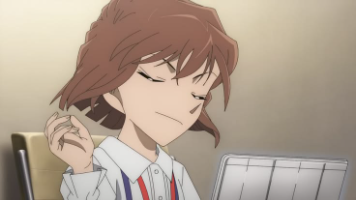
以下代码使用Python和Stable Diffusion模型实现动漫角色生成功能,可通过文本描述生成高质量的动漫风格图像。
import torch
from diffusers import StableDiffusionPipeline
from PIL import Image

# 加载预训练的Stable Diffusion模型
pipe = StableDiffusionPipeline.from_pretrained(
    "runwayml/stable-diffusion-v1-5",
    torch_dtype=torch.float16
).to("cuda")

# 生成动漫角色的函数
def generate_anime_character(prompt, negative_prompt=None, steps=50):
    with torch.autocast("cuda"):
        image = pipe(
            prompt,
            negative_prompt=negative_prompt,
            num_inference_steps=steps,
            guidance_scale=7.5
        ).images[0]
    return image

# 示例使用
prompt = "beautiful anime girl, pink hair, blue eyes, school uniform, detailed face, anime style, 4k"
negative_prompt = "low quality, blurry, deformed, extra limbs"
character_image = generate_anime_character(prompt, negative_prompt)

# 保存图像
character_image.save("anime_character.png")
代码说明
模型配置部分使用Hugging Face的Diffusers库加载Stable Diffusion模型。"runwayml/stable-diffusion-v1-5"是基础模型,可以替换为其他动漫专用模型如"andite/anything-v4.0"。
生成函数接受三个主要参数:正面提示词、负面提示词和迭代步数。正面提示词应详细描述想要的动漫角色特征,负面提示词用于排除不想要的元素。
示例中的提示词生成一个穿校服的粉发蓝眼动漫女孩,负面提示词排除了低质量、模糊和变形等问题。输出图像会保存为PNG格式文件。
进阶优化建议
使用更专业的动漫模型能获得更好效果:
pipe = StableDiffusionPipeline.from_pretrained(
    "andite/anything-v4.0",
    torch_dtype=torch.float16
)
调整生成参数可以改善质量:
image = pipe(
    prompt,
    height=768,
    width=512,
    num_inference_steps=70,
    guidance_scale=8.5
).images[0]
添加LoRA模型能实现特定风格:
pipe.load_lora_weights("path/to/lora", weight_name="anime_style.safetensors")
环境准备
运行此代码需要:
- Python 3.8+
- PyTorch with CUDA
- Diffusers库
- Transformers库
- 至少8GB显存的NVIDIA GPU
安装依赖:
pip install torch diffusers transformers pillow

中国智能体开发者社区,聚焦智能体与大模型开发,提供前沿资讯、实用工具链、开源项目及行业案例。通过技术沙龙、开发者大赛等活动,促进经验交流与协作,助力开发者快速构建创新智能应用。
更多推荐
 2
2 0
0- 0


 已为社区贡献1条内容

所有评论(0)