ESP32 006 MicroPython 实现PCM文件录音并保存到SD卡(SPI协议)
ESP32 006 MicroPython 实现I2S PCM文件录音并保存到SD卡
·
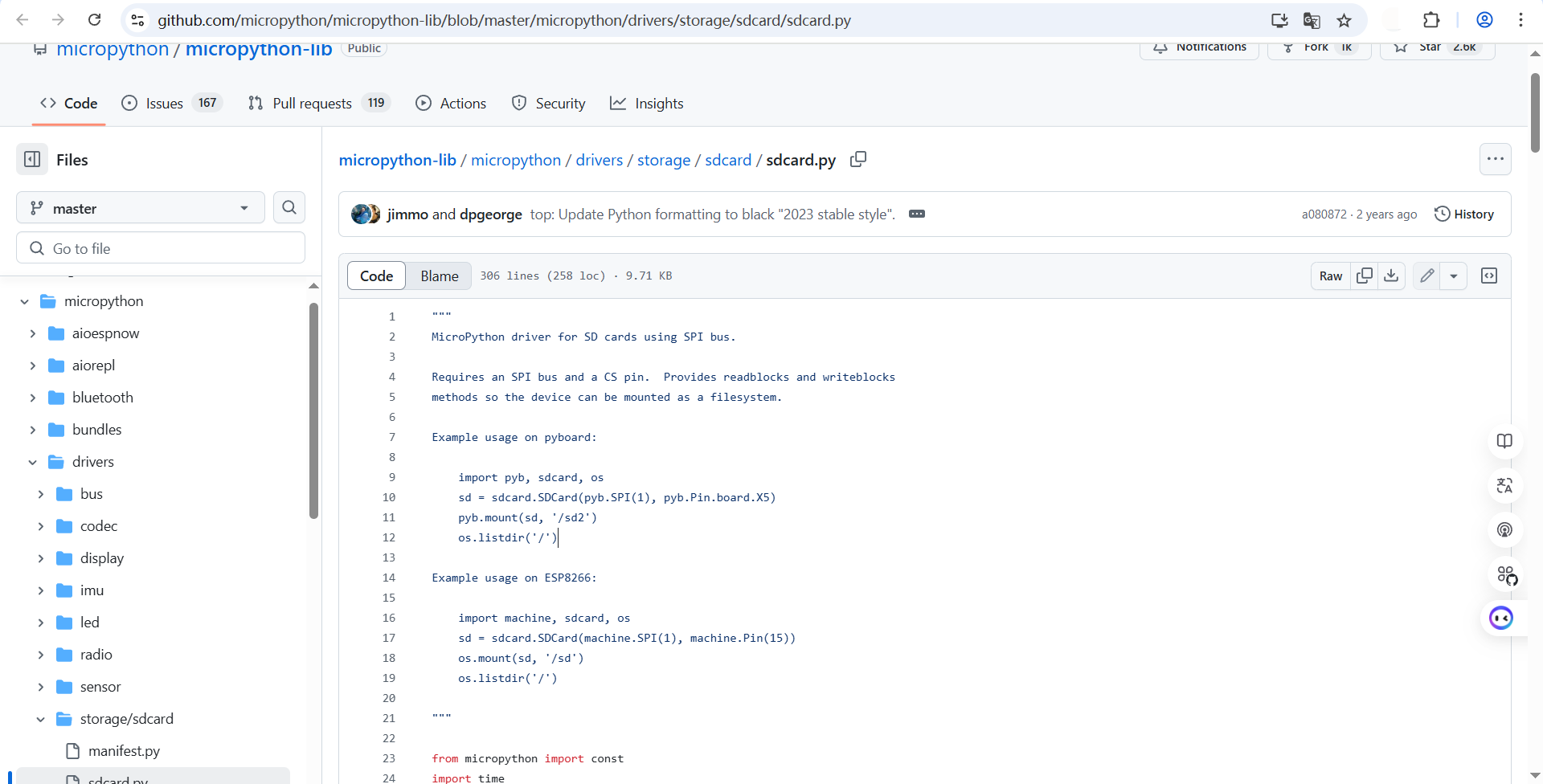
准备库文件:将 sdcard.py上传到设备
- 使用 Thonny / uPyCraft / ampy / WebREPL 等工具
- 把这段
sdcard.py文件上传到 ESP32 的根目录(/)
接线
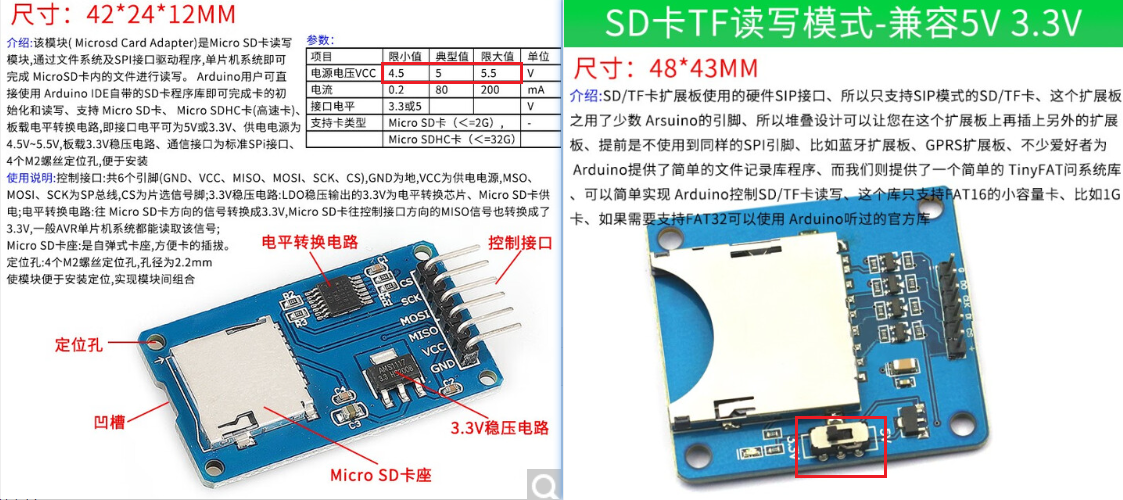
- 确保 SD 卡非NTFS模式,模块需要支持 3.3V 逻辑,否则需要电平转换(如下图两个模块,左侧的模块VCC要输入大于3.3V,因为LDO输出电压会减小。右侧将开关调到关闭LDO的位置,直接连接ESP32的3.3VCC即可)。
| SD 卡引脚 | ESP32 GPIO(示例) | 说明 |
|---|---|---|
CS |
GPIO4 | 片选 |
MOSI |
GPIO6 | 主机输出 |
MISO |
GPIO7 | 主机输入 |
SCK |
GPIO5 | SPI 时钟 |
VCC |
3.3V | 电源 |
GND |
GND | 接地 |
测试使用代码
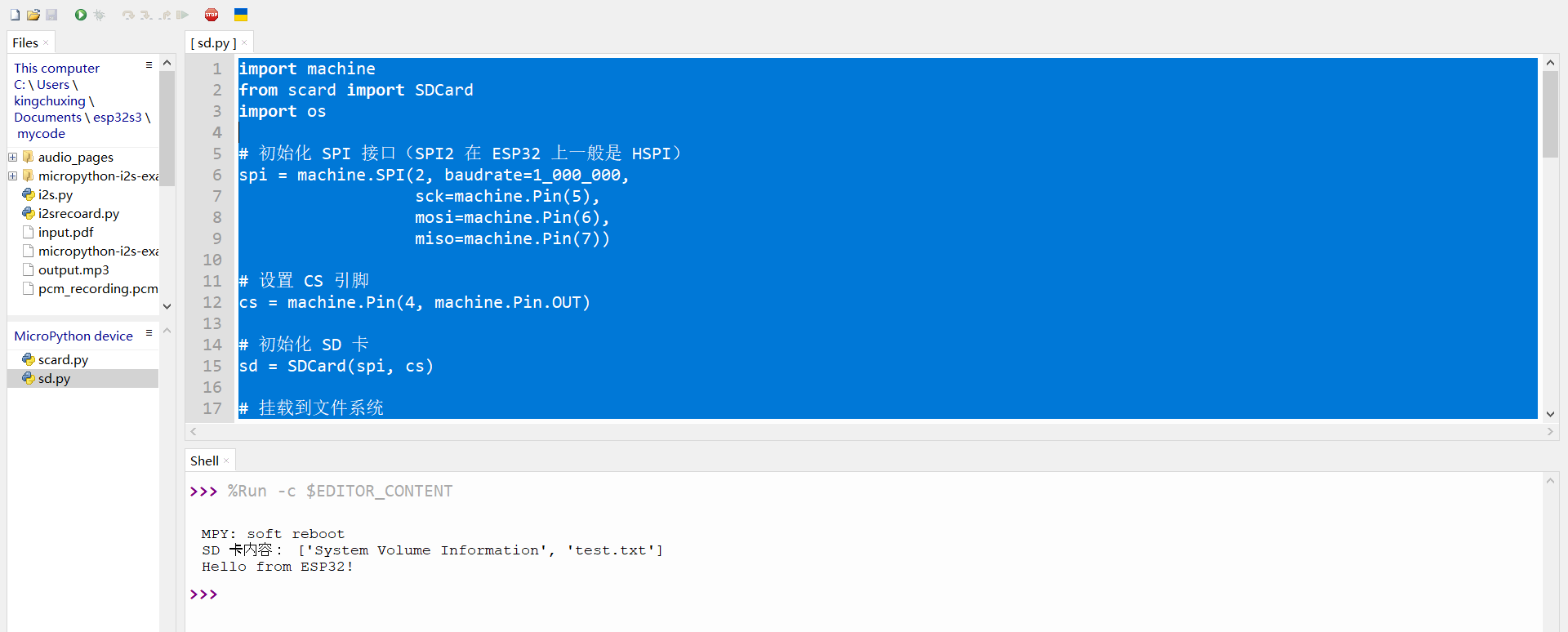
import machine
from scard import SDCard
import os

# 初始化 SPI 接口(SPI2 在 ESP32 上一般是 HSPI)
spi = machine.SPI(2, baudrate=1_000_000,
                  sck=machine.Pin(5),
                  mosi=machine.Pin(6),
                  miso=machine.Pin(7))

# 设置 CS 引脚
cs = machine.Pin(4, machine.Pin.OUT)

# 初始化 SD 卡
sd = SDCard(spi, cs)

# 挂载到文件系统
os.mount(sd, '/sd')

# 查看目录内容
print("SD 卡内容:", os.listdir('/sd'))

with open("/sd/test.txt", "w") as f:
    f.write("Hello from ESP32!")

print(open("/sd/test.txt").read())

os.umount('/sd')
录音并保存到SD卡
from machine import I2S, Pin, SPI
from scard import SDCard
import os
import time

# === SD 卡初始化 ===
spi = SPI(2, baudrate=1_000_000,
          sck=Pin(5),
          mosi=Pin(6),
          miso=Pin(7))
cs = Pin(4, Pin.OUT)
sd = SDCard(spi, cs)

# 尝试挂载 SD 卡
try:
    os.mount(sd, '/sd')
    print("SD 卡内容:", os.listdir('/sd'))
except OSError:
    print("SD 卡挂载失败")
    raise

# === I2S 麦克风参数 ===
SAMPLE_RATE = 16000
BITS_PER_SAMPLE = 16
CHANNELS = 1
BUFFER_SIZE = 1024

gnd_8 = Pin(8, Pin.OUT)
gnd_8.value(0)  # GND
gnd = Pin(46, Pin.OUT)
gnd.value(0)  # 左声道

i2s = I2S(
    0,  # I2S channel
    sck=Pin(9),    # BCLK (避免与 SD 卡冲突)
    ws=Pin(10),     # L/R clock
    sd=Pin(3),     # SD from mic
    mode=I2S.RX,
    bits=BITS_PER_SAMPLE,
    format=I2S.MONO,
    rate=SAMPLE_RATE,
    ibuf=BUFFER_SIZE * 8
)

# === 录音函数 ===
def record_pcm_to_sd(index, seconds=5):
    filename = "/sd/record_{:03d}.pcm".format(index)
    print("录音开始:", filename)
    total_bytes = SAMPLE_RATE * (BITS_PER_SAMPLE // 8) * seconds
    buf = bytearray(BUFFER_SIZE)
    with open(filename, "wb") as f:
        for _ in range(total_bytes // BUFFER_SIZE):
            num_read = i2s.readinto(buf)
            if num_read > 0:
                f.write(buf)
    print("录音结束:", filename)

# === 定时录音循环 ===
NUM_RECORDINGS = 60
INTERVAL_SECONDS = 50

for i in range(NUM_RECORDINGS):
    try:
        record_pcm_to_sd(i, INTERVAL_SECONDS)
    except OSError as e:
        print("录音保存失败(OSError): ", e)
    except Exception as e:
        print("录音保存失败(未知错误): ", e)
    else:
        print("录音 {} 保存成功。".format(i))
    time.sleep(1)  # 稍作停顿防止 SD 卡忙冲突


# 录音完成,卸载 SD 卡
os.umount('/sd')
print("所有录音已完成并卸载 SD 卡。")

火山引擎开发者社区是火山引擎打造的AI技术生态平台,聚焦Agent与大模型开发,提供豆包系列模型(图像/视频/视觉)、智能分析与会话工具,并配套评测集、动手实验室及行业案例库。社区通过技术沙龙、挑战赛等活动促进开发者成长,新用户可领50万Tokens权益,助力构建智能应用。
更多推荐
 3
3 0
0- 0


 已为社区贡献20条内容

所有评论(0)