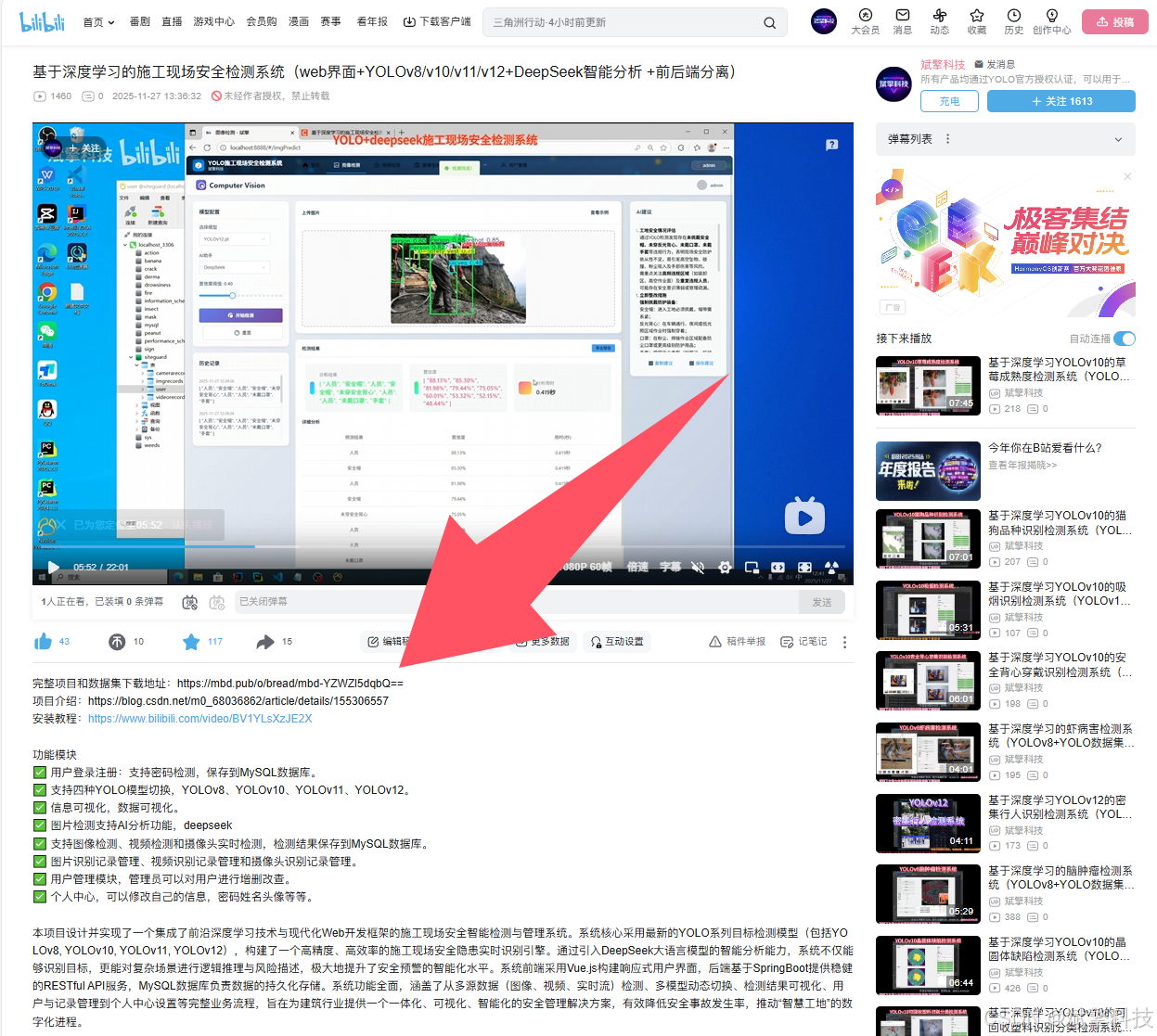
基于深度学习的施工现场安全检测系统(web界面+YOLOv8/YOLOv10/YOLOv11/YOLOv12+DeepSeek智能分析 +前后端分离)
本项目设计并实现了一个集成了前沿深度学习技术与现代化Web开发框架的施工现场安全智能检测与管理系统。系统核心采用最新的YOLO系列目标检测模型(包括YOLOv8, YOLOv10, YOLOv11, YOLOv12),构建了一个高精度、高效率的施工现场安全隐患实时识别引擎。通过引入DeepSeek大语言模型的智能分析能力,系统不仅能够识别目标,更能对复杂场景进行逻辑推理与风险描述,极大地提升了安全
项目摘要
本项目设计并实现了一个集成了前沿深度学习技术与现代化Web开发框架的施工现场安全智能检测与管理系统。系统核心采用最新的YOLO系列目标检测模型(包括YOLOv8, YOLOv10, YOLOv11, YOLOv12),构建了一个高精度、高效率的施工现场安全隐患实时识别引擎。通过引入DeepSeek大语言模型的智能分析能力,系统不仅能够识别目标,更能对复杂场景进行逻辑推理与风险描述,极大地提升了安全预警的智能化水平。系统前端采用Vue.js构建响应式用户界面,后端基于SpringBoot提供稳健的RESTful API服务,MySQL数据库负责数据的持久化存储。系统功能全面,涵盖了从多源数据(图像、视频、实时流)检测、多模型动态切换、检测结果可视化、用户与记录管理到个人中心设置等完整业务流程,旨在为建筑行业提供一个一体化、可视化、智能化的安全管理解决方案,有效降低安全事故发生率,推动“智慧工地”的数字化进程。
目录
项目源码+数据集下载链接
完整代码在哔哩哔哩视频下方简介内获取:
基于深度学习的施工现场安全检测系统(web界面+YOLOv8/v10/v11/v12+DeepSeek智能分析 +前后端分离)_哔哩哔哩_bilibili
 https://www.bilibili.com/video/BV1uxUzBUEdE/?spm_id_from=333.999.0.0&vd_source=549d0b4e2b8999929a61a037fcce3b0f
https://www.bilibili.com/video/BV1uxUzBUEdE
第一章:引言
1.1 研究背景与意义
随着全球城市化进程的加速,建筑行业作为国民经济的重要支柱,其规模与复杂性日益增长。然而,施工现场环境动态多变,人员、机械、材料密集交叉作业,导致其一直是安全事故的高发区。传统的人工安全监管方式存在效率低下、主观性强、无法全天候覆盖、反应滞后等诸多弊端,难以满足现代大型工程项目的安全管理需求。
近年来,人工智能,特别是深度学习技术在计算机视觉领域取得了突破性进展,为目标检测与识别任务提供了强大的技术支撑。将AI技术应用于施工现场安全监控,能够实现从“人防”到“技防”的转变,做到7x24小时不间断的自动预警与风险识别,从根本上改变安全管理的模式。本项目正是在此背景下应运而生,它不仅是一个技术验证,更是一个旨在解决行业痛点的实际应用系统。通过集成多种最新的YOLO模型,系统具备了持续进化的能力;通过融合DeepSeek的语义理解,系统实现了从“看到什么”到“理解发生了什么”的跨越,为管理者提供更具洞察力的决策支持。
1.2 项目目标
本项目的核心目标是构建一个功能完备、性能优异、用户体验良好的智能安全检测平台。具体目标包括:
-
高精度检测:集成并优化多个先进的YOLO模型,实现对施工现场25类关键目标(如人员、安全装备、重型机械等)的精准、快速识别。
-
多模态输入支持:无缝支持图像上传检测、视频文件分析以及摄像头实时流媒体检测,满足不同场景下的应用需求。
-
智能化分析:结合DeepSeek大模型,对检测结果进行深度语义分析,生成自然语言描述的安全报告或风险提示。
-
动态模型管理:提供友好的Web界面,允许用户或管理员根据具体需求(如精度与速度的权衡)自由切换不同的YOLO检测模型。
-
全面的数据管理:对所有检测记录、用户操作进行系统性的存储、查询和管理,并利用图表等形式进行数据可视化,揭示安全态势。
-
健壮的系统架构:采用前后端分离的架构,确保系统的高可用性、可扩展性和可维护性。
1.3 文档结构
本报告将依次从项目背景、核心技术、系统设计与实现、功能模块详解、数据集介绍以及总结展望等方面,对项目进行全面深入的阐述。
第二章:背景与技术综述
2.1 施工现场安全检测的挑战
施工现场的视觉检测面临诸多独特挑战:
-
环境复杂性:光照变化、天气因素(雨、雾、尘)、背景杂乱。
-
目标多样性:目标尺度差异巨大,从小的安全帽、手套到大型的挖掘机、卡车。
-
目标形态多变:同一类物体(如人员)存在各种姿态、遮挡。
-
实时性要求:对于实时监控场景,模型必须在极短时间内完成推理,才能实现有效预警。
2.2 目标检测技术演进与YOLO系列
目标检测技术经历了从传统手工特征到深度学习的两阶段(如R-CNN系列)和单阶段(如YOLO, SSD)方法的演进。其中,YOLO系列以其卓越的速度与精度平衡而备受青睐。
-
YOLOv8:Ultralytics公司发布,在骨干网络、特征融合和损失函数上进行了多项优化,成为当前工业界应用最广泛的基准模型之一。
-
YOLOv10:由清华大学研究团队提出,专注于消除后处理中的非极大值抑制,通过一致的双重分配策略等创新,在保持高精度的同时进一步提升推理速度。
-
YOLOv11 & YOLOv12:代表了YOLO开源社区的最新探索方向。它们通常在网络结构、训练策略或激活函数上进行持续改进,旨在挖掘模型的极限性能。本项目集成这些模型,旨在提供一个性能持续领先的检测工具箱。
2.3 大语言模型在视觉任务中的应用
传统的计算机视觉模型输出的是冰冷的边界框和类别标签。大语言模型如DeepSeek的引入,为系统赋予了“认知”和“描述”的能力。通过将视觉模型的输出(边界框、类别、置信度)作为提示词输入给LLM,可以生成如“画面中央有一名未佩戴安全帽的工人正在靠近挖掘机,存在碰撞风险”的富语义描述,使报警信息更加直观和可操作。
2.4 系统架构选择
本项目采用前后端分离的架构模式。
-
前端(Vue.js):负责构建用户界面,处理用户交互,通过Axios等工具与后端进行数据通信。其组件化、响应式的特性非常适合开发复杂的单页面应用。
-
后端(SpringBoot):负责核心业务逻辑、模型推理调度、用户认证、数据持久化等。SpringBoot的自动化配置和丰富的生态(如Spring Security, MyBatis-Plus)极大地加速了开发进程。
-
数据库(MySQL):作为关系型数据库,负责存储结构化的数据,如用户信息、检测记录、模型配置等,保证数据的ACID特性。
第三章:数据集介绍
一个高质量的数据集是模型性能的基石。本项目所使用的数据集是专门为施工现场安全场景构建的。
-
类别定义:数据集共定义了 25个精细类别,全面覆盖了施工现场的关键要素。这些类别可以被归纳为:
-
人员与安全装备:
Person,Hardhat(安全帽),NO-Hardhat(未戴安全帽),Safety Vest(安全背心),NO-Safety Vest(未穿安全背心),Mask(口罩),NO-Mask(未戴口罩),Gloves(手套)。 -
重型机械与车辆:
Excavator(挖掘机),wheel loader(轮式装载机),dump truck(自卸卡车),crane(起重机,可能在machinery中),truck,trailer(拖车),bus,SUV,sedan,van,mini-van,semi(半挂车)等。 -
安全设施与杂项:
Safety Cone(安全锥),fire hydrant(消防栓),Ladder(梯子),machinery(机械设备)。
-
-
数据规模与划分:
-
训练集:521张图像。用于训练深度学习模型,使其学习不同类别在不同角度、光照和背景下的特征。
-
验证集:114张图像。用于在训练过程中评估模型性能,调整超参数,并防止过拟合。
-
测试集:82张图像。用于在模型训练完成后,进行最终的无偏评估,以衡量其泛化到未知数据的能力。
-
总量:717张图像。考虑到施工现场场景的复杂性,这个规模是一个良好的起点,但为了达到工业级应用的鲁棒性,持续的数据扩充是未来的重要工作。
-
-
数据标注:所有图像均使用边界框进行了精确的标注,格式为YOLO所需的TXT文件(归一化的中心点坐标和宽高)。
第四章:功能模块
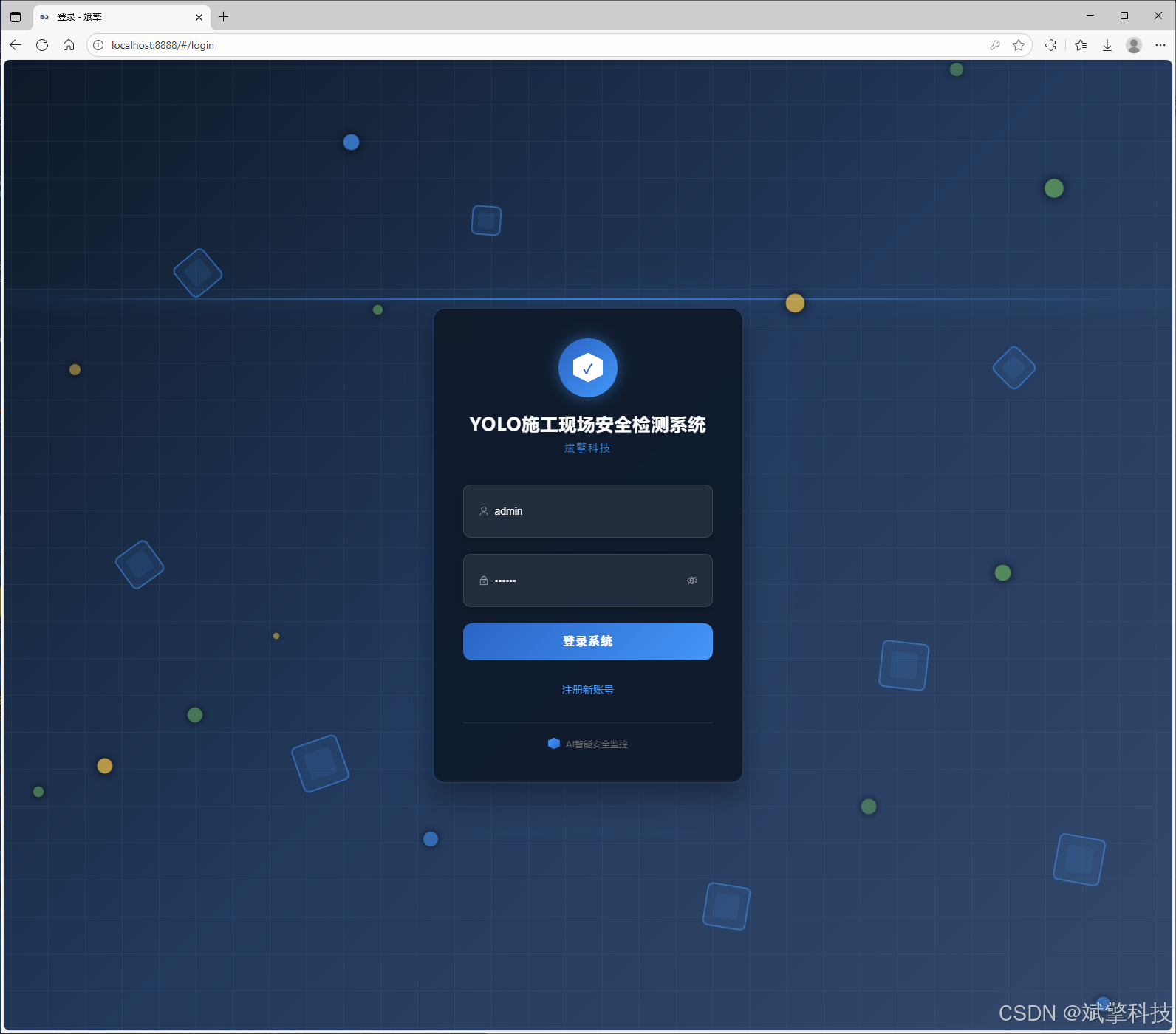
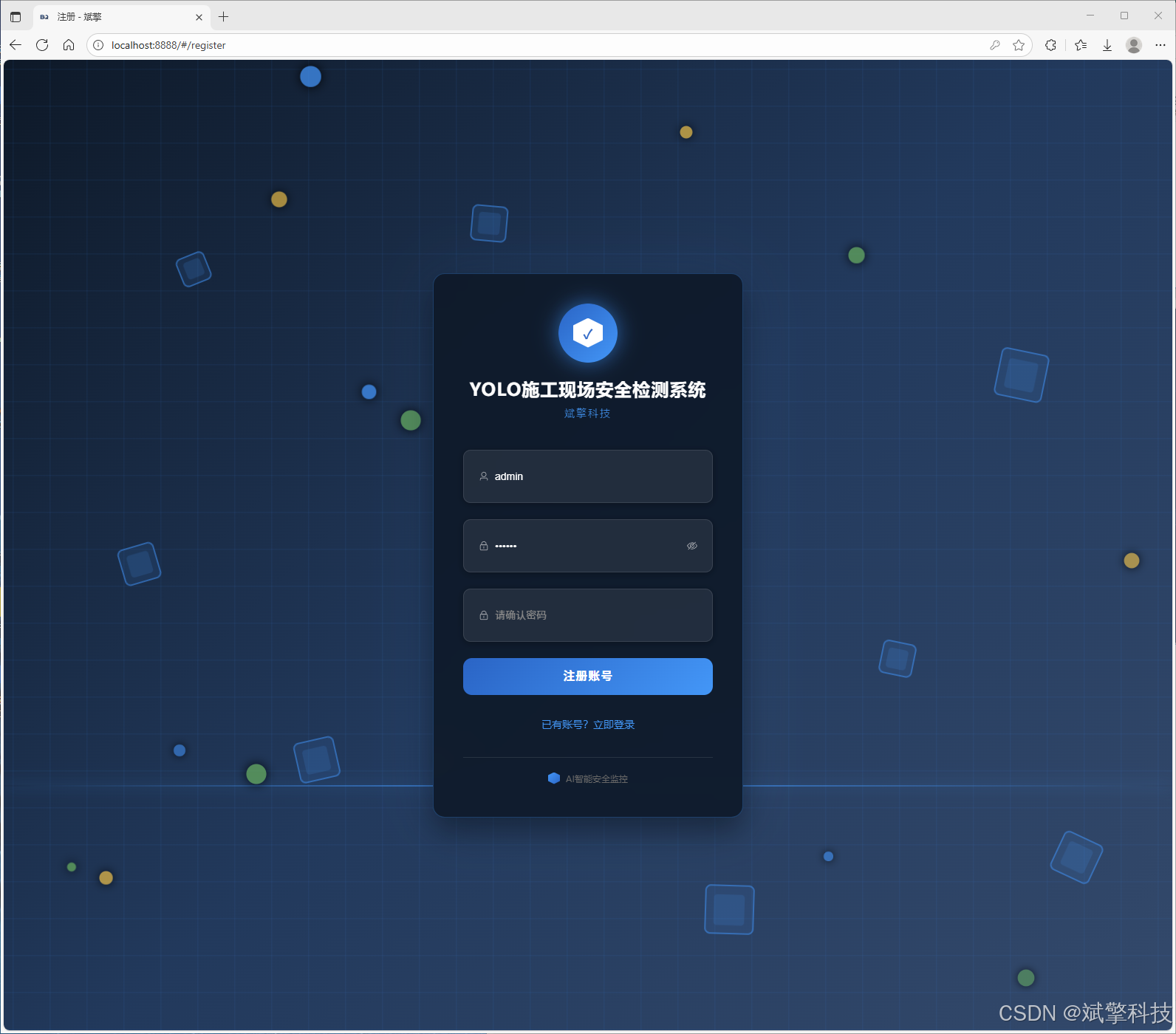
✅ 用户登录注册:支持密码检测,保存到MySQL数据库。
✅ 支持四种YOLO模型切换,YOLOv8、YOLOv10、YOLOv11、YOLOv12。
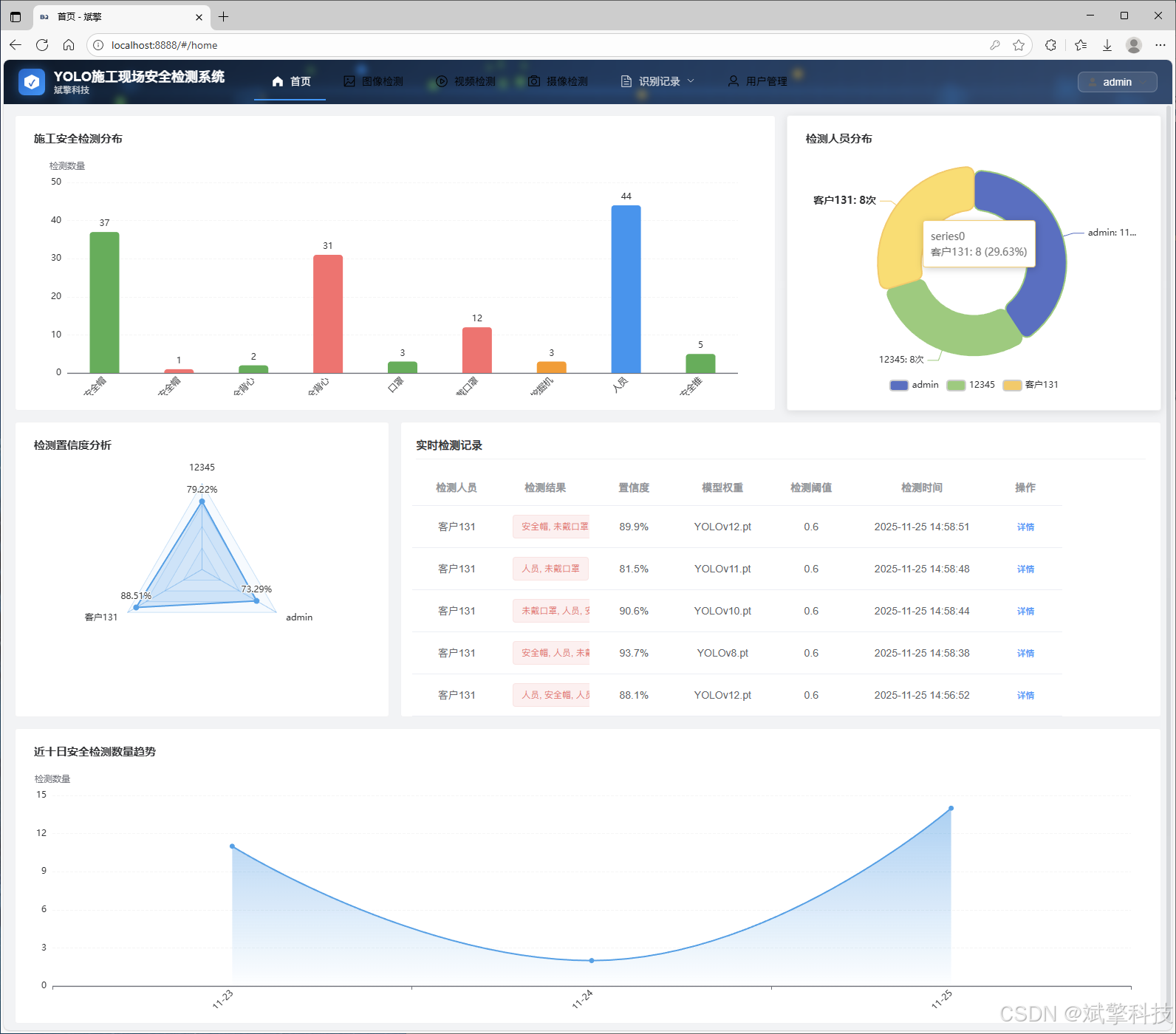
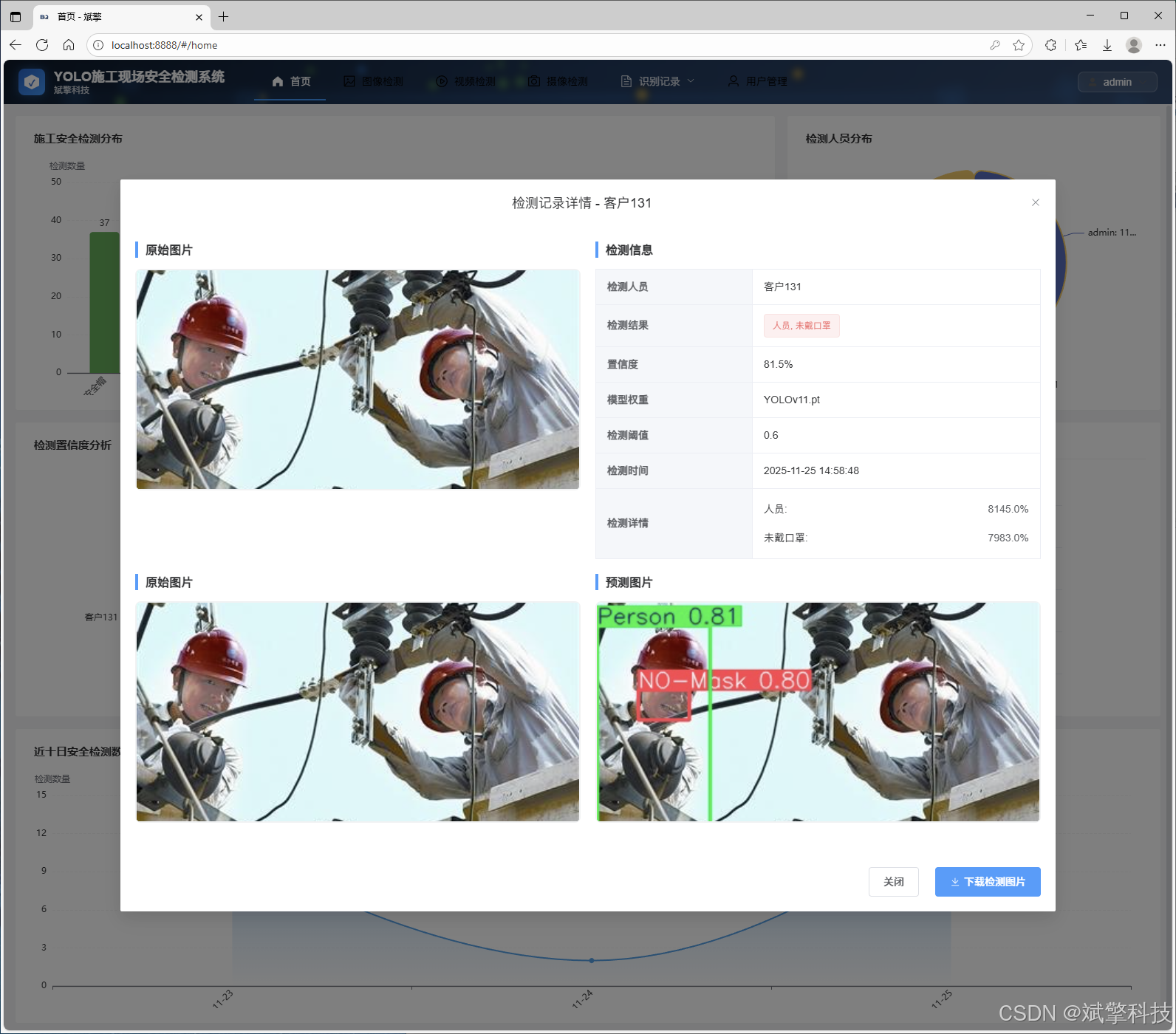
✅ 信息可视化,数据可视化。
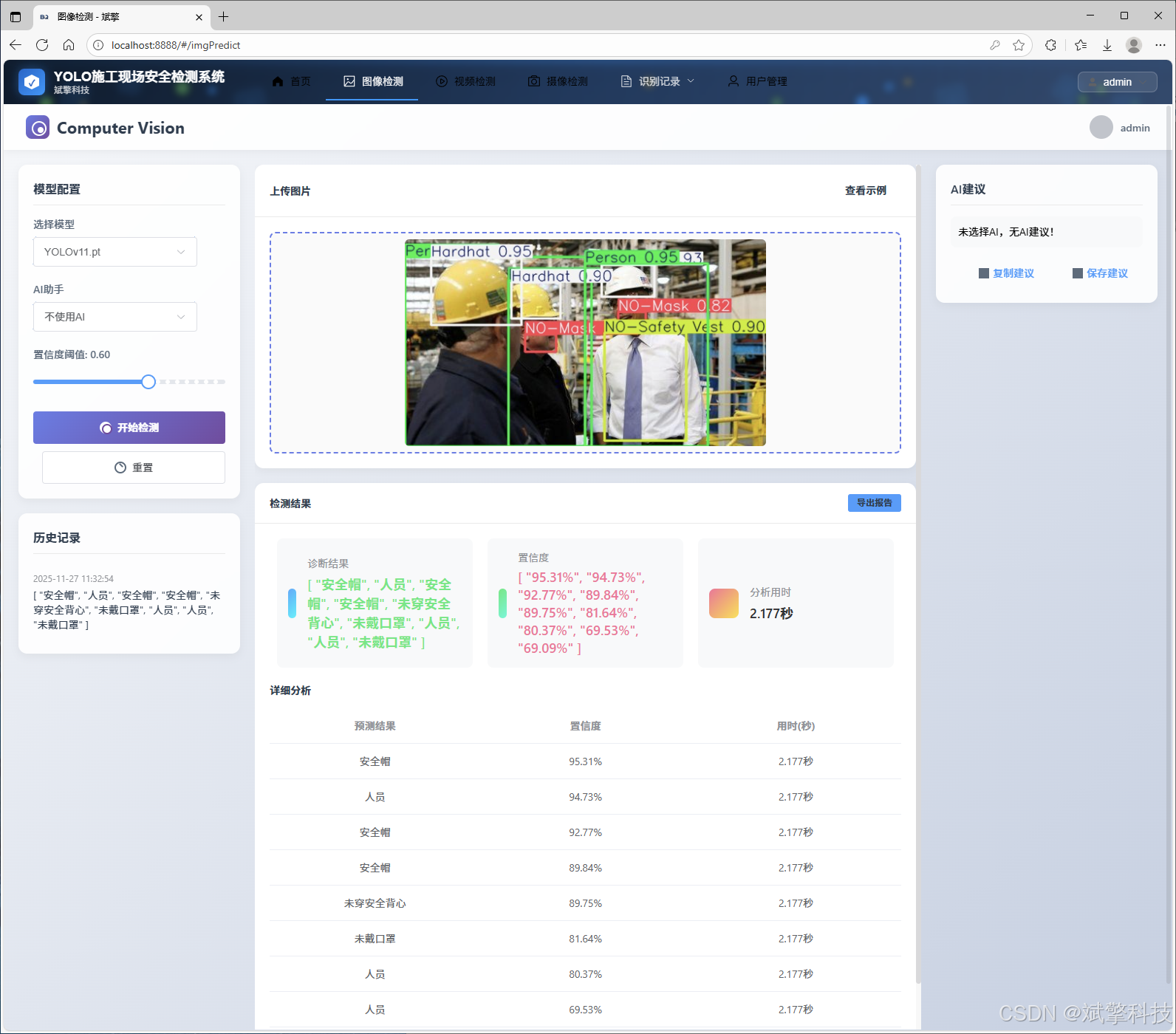
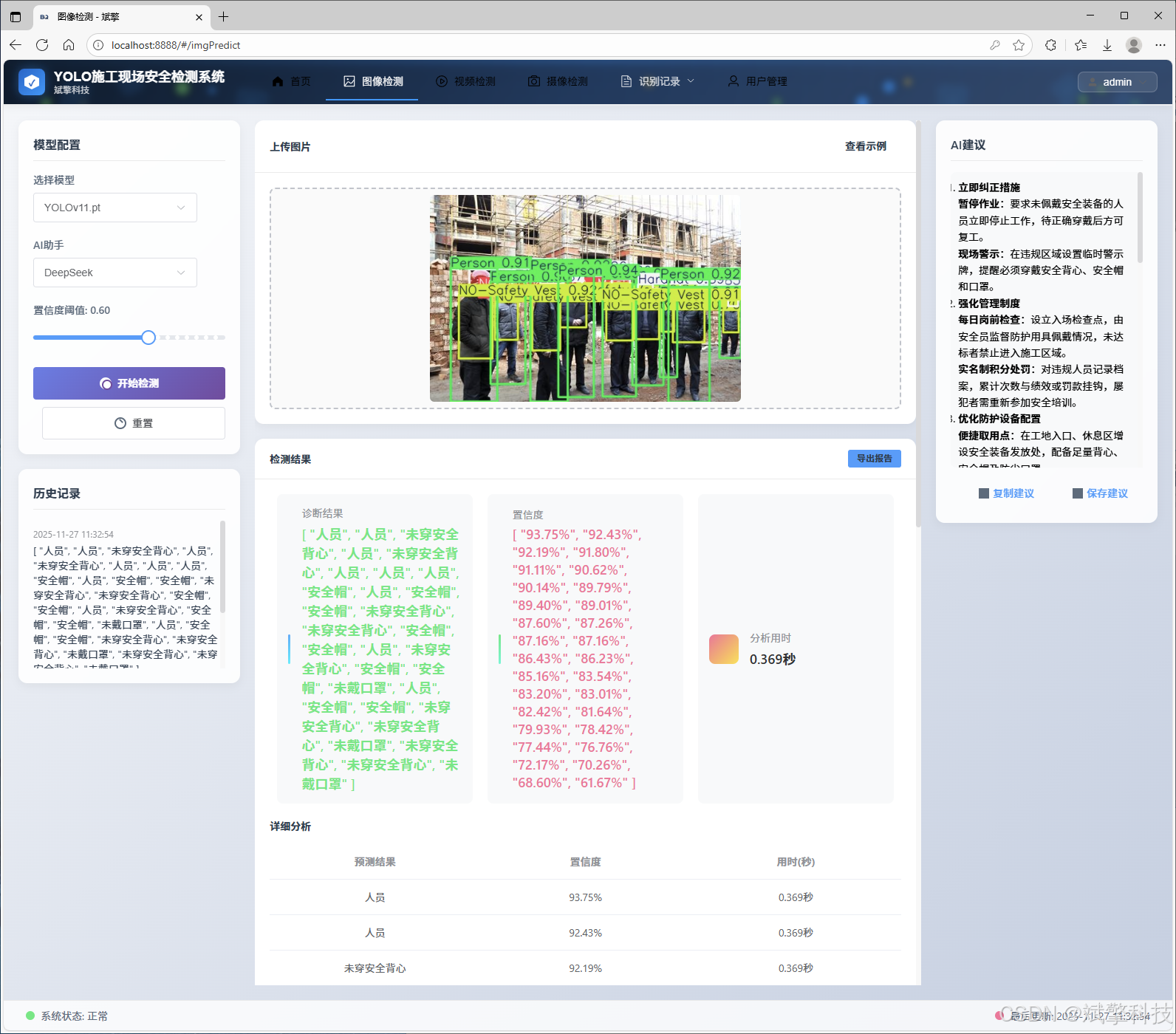
✅ 图片检测支持AI分析功能,deepseek
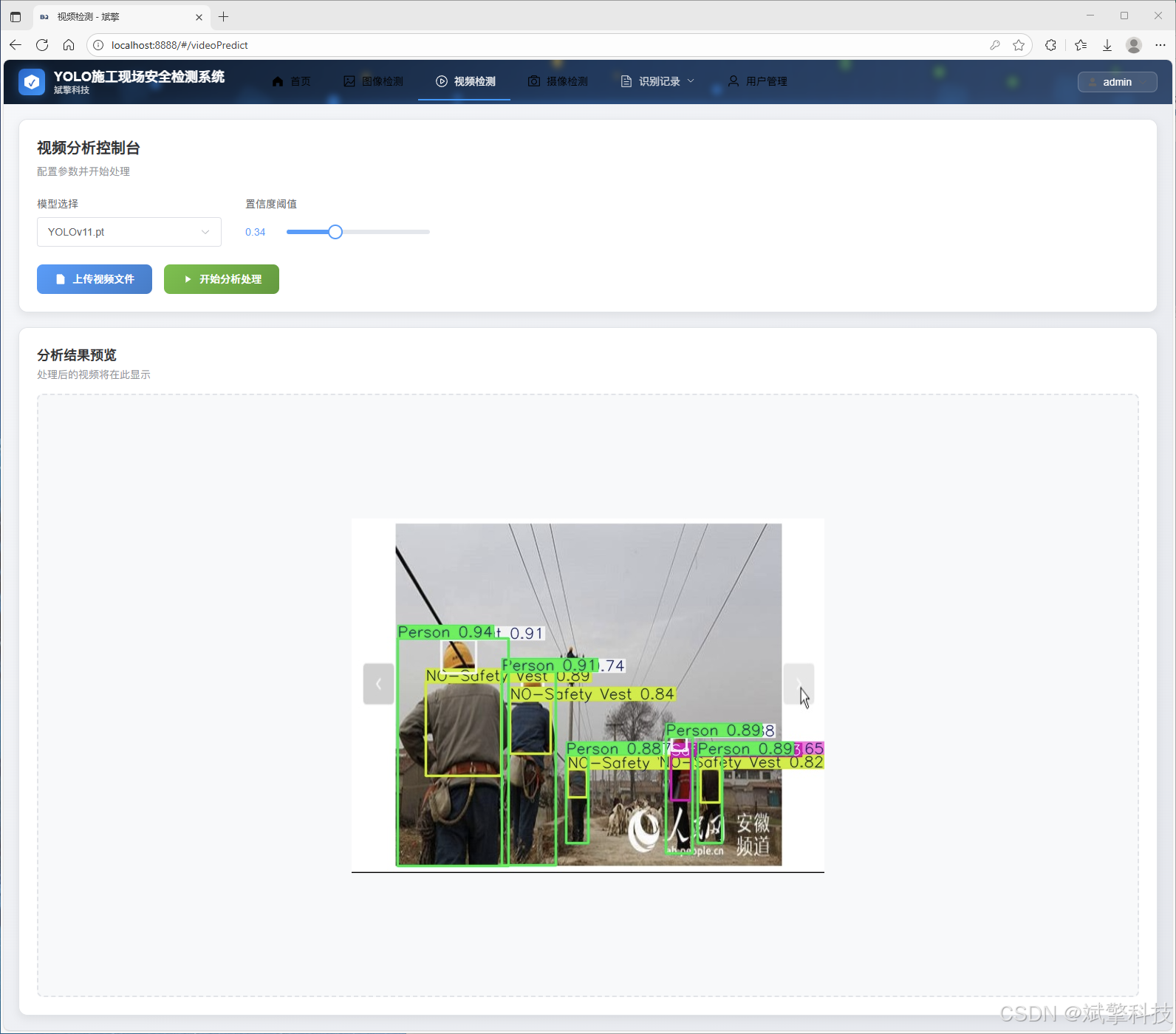
✅ 支持图像检测、视频检测和摄像头实时检测,检测结果保存到MySQL数据库。
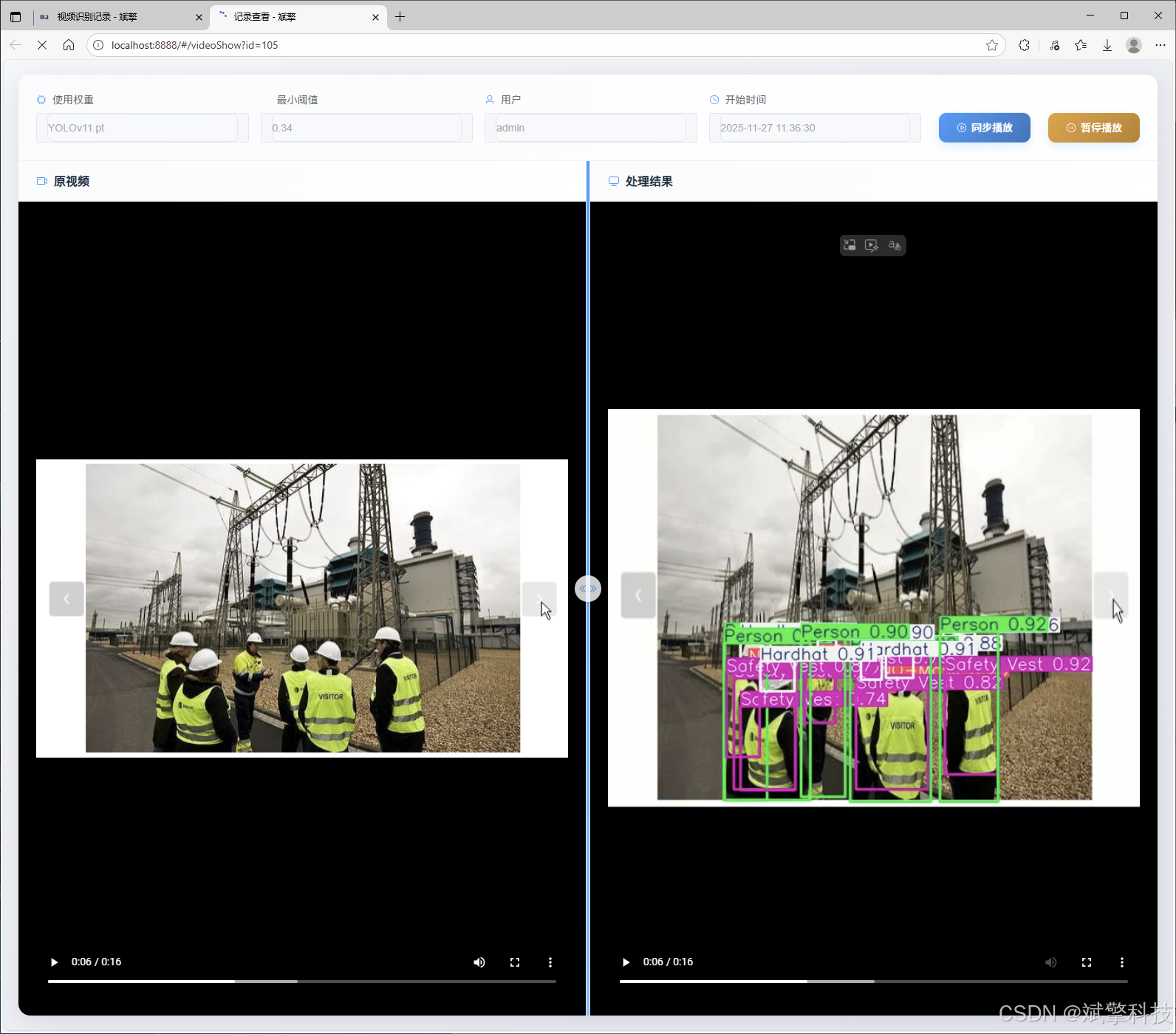
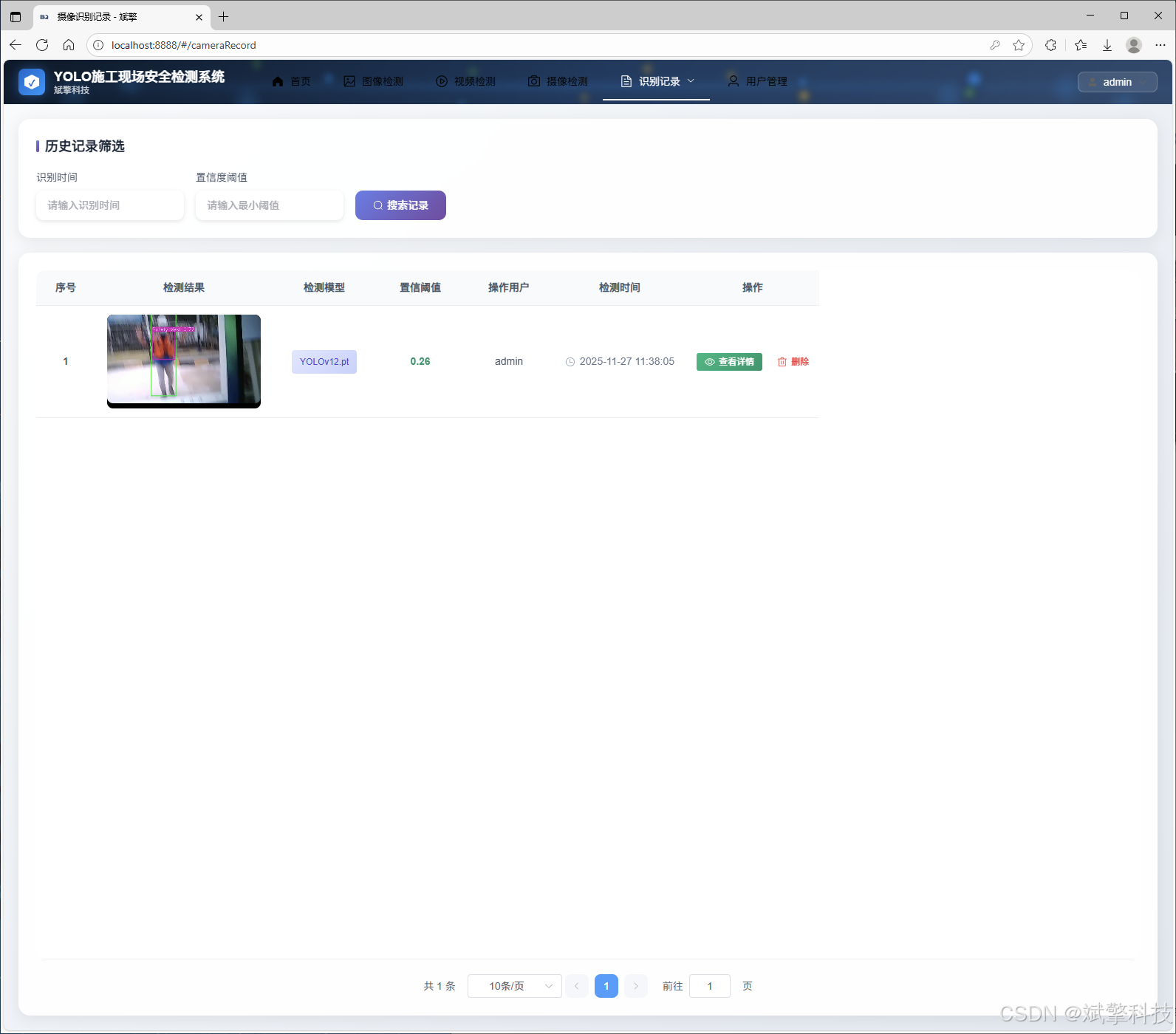
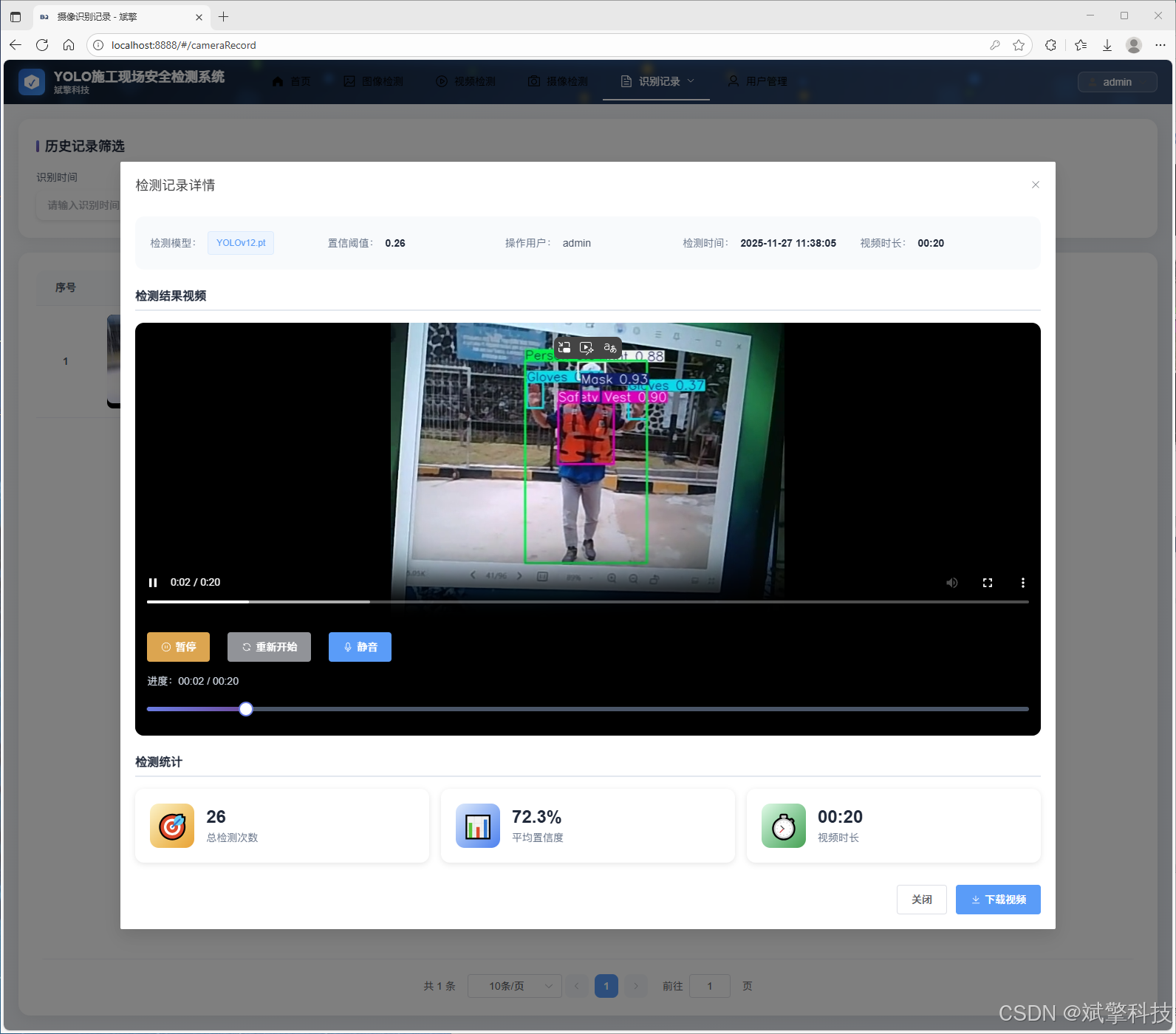
✅ 图片识别记录管理、视频识别记录管理和摄像头识别记录管理。
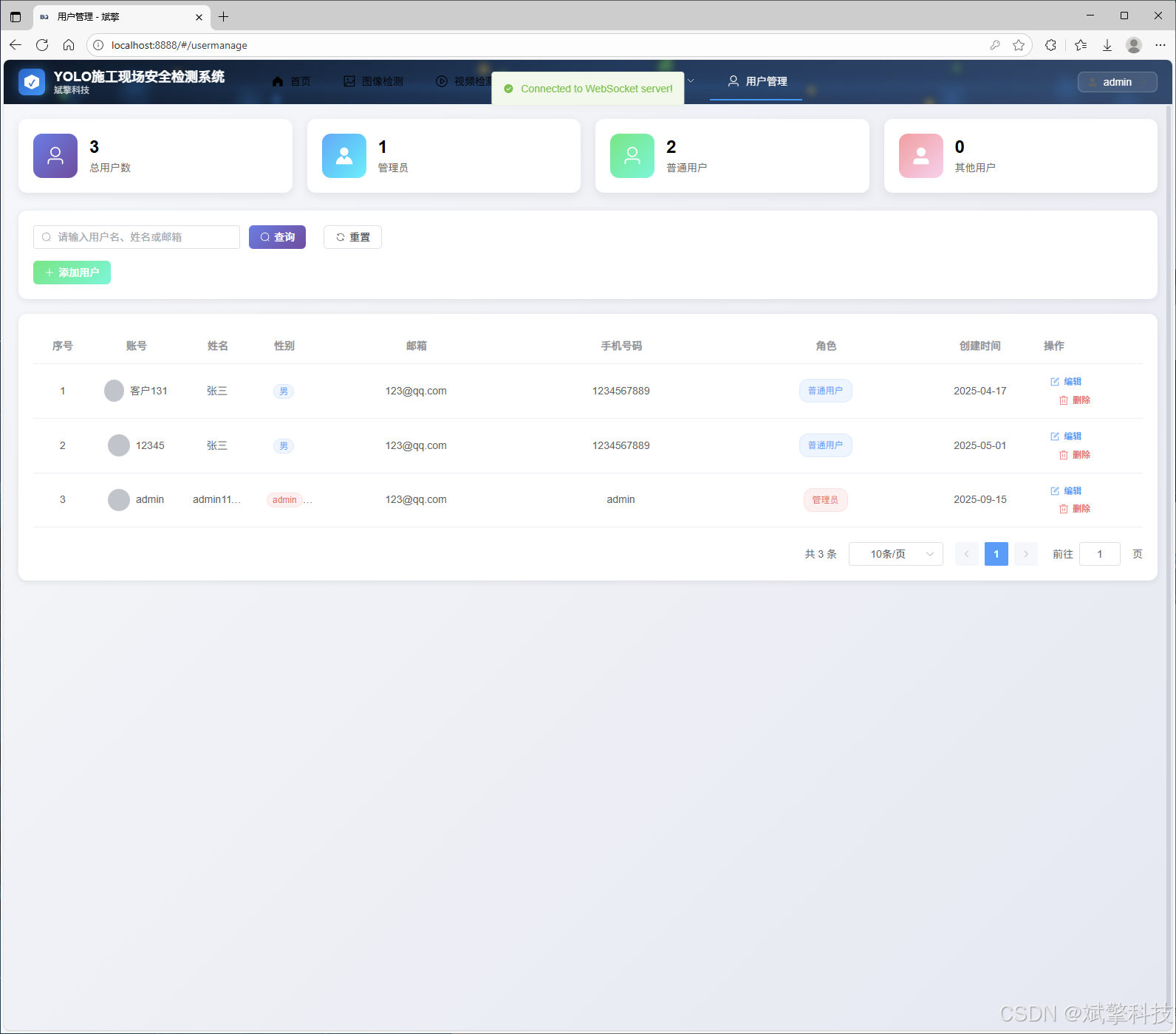
✅ 用户管理模块,管理员可以对用户进行增删改查。
✅ 个人中心,可以修改自己的信息,密码姓名头像等等。
登录注册模块
可视化模块
图像检测模块
-
YOLO模型集成 (v8/v10/v11/v12)
-
DeepSeek多模态分析
-
支持格式:JPG/PNG/MP4/RTSP
视频检测模块
实时检测模块
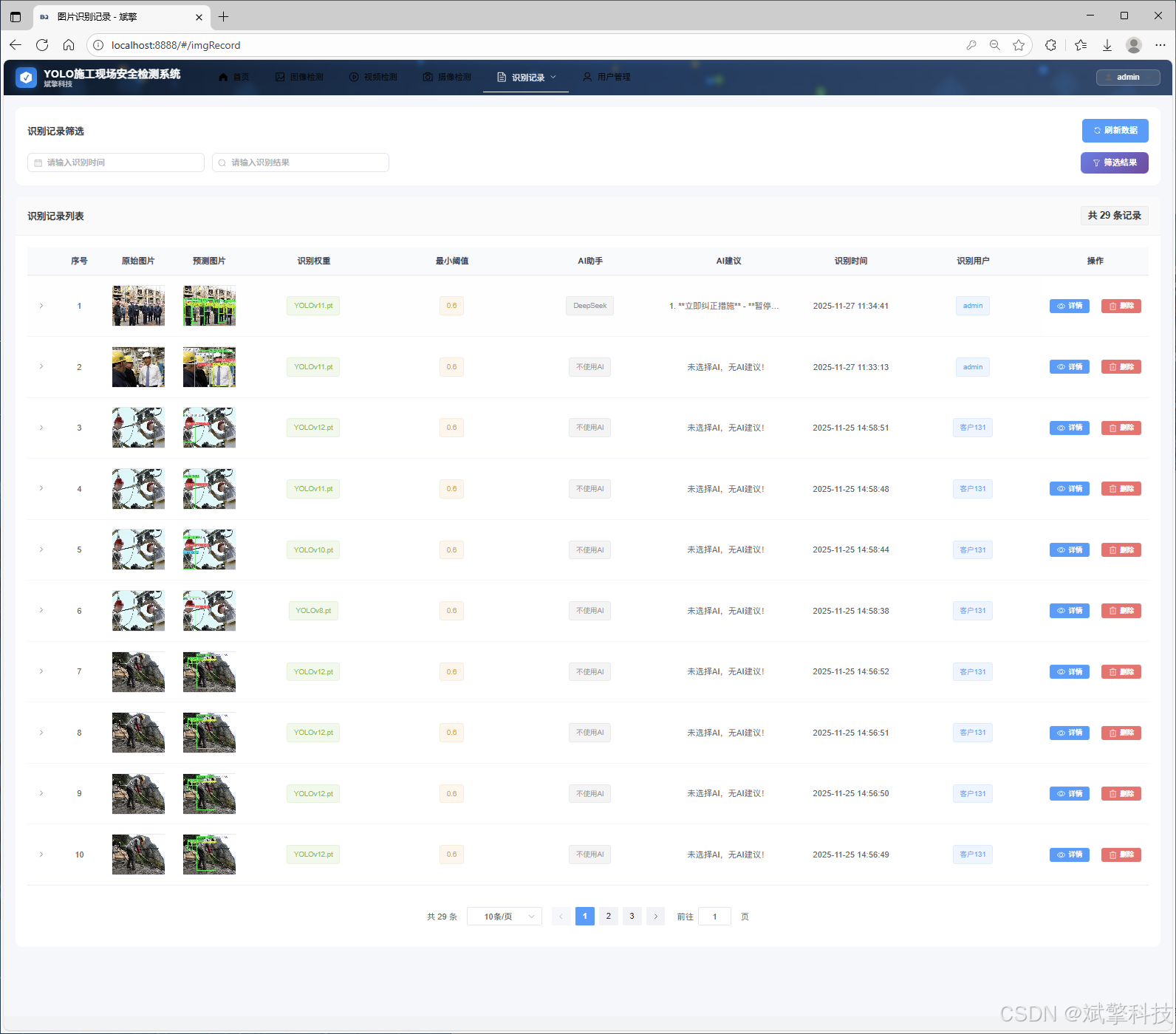
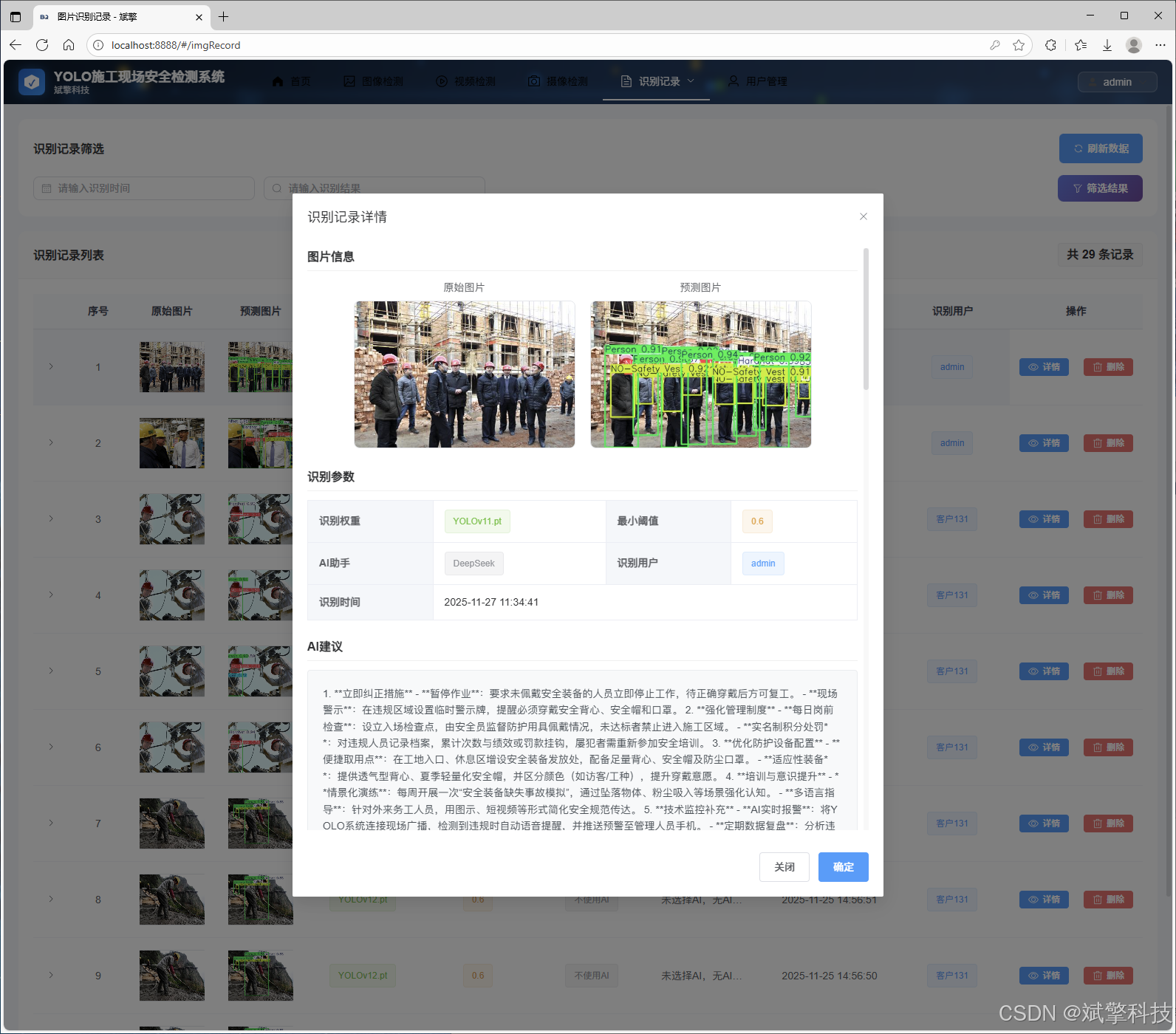
图片识别记录管理
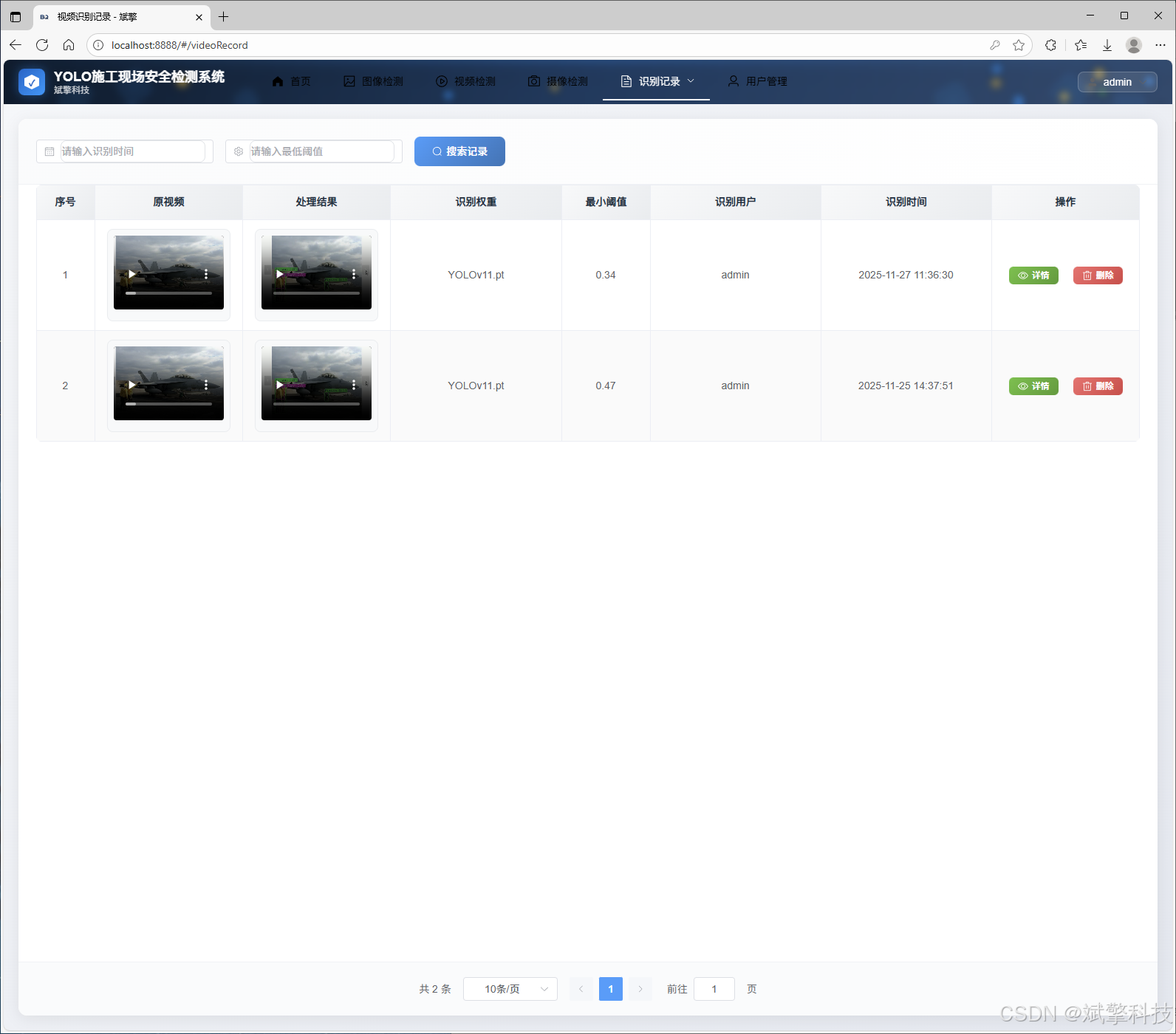
视频识别记录管理
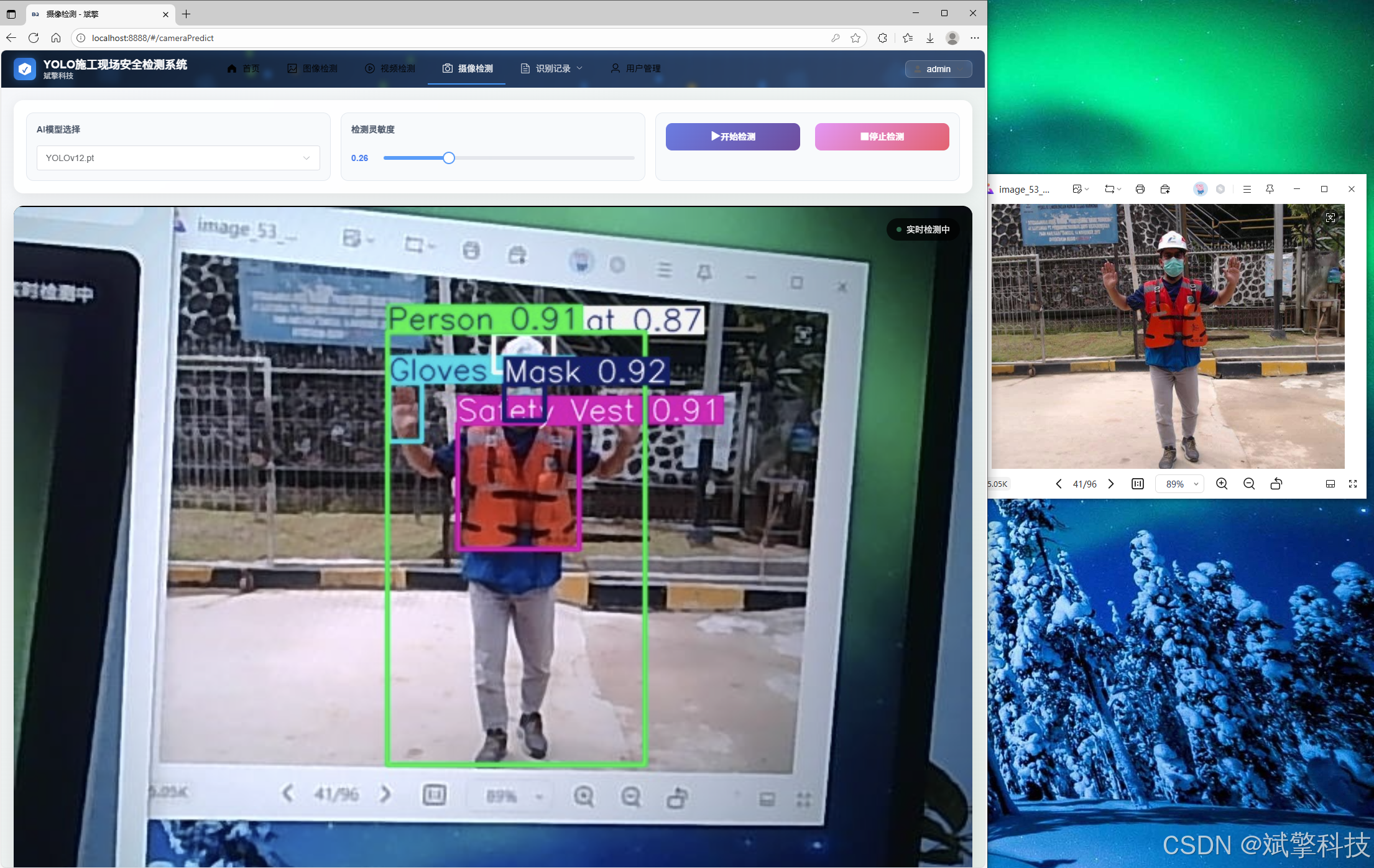
摄像头识别记录管理
用户管理模块
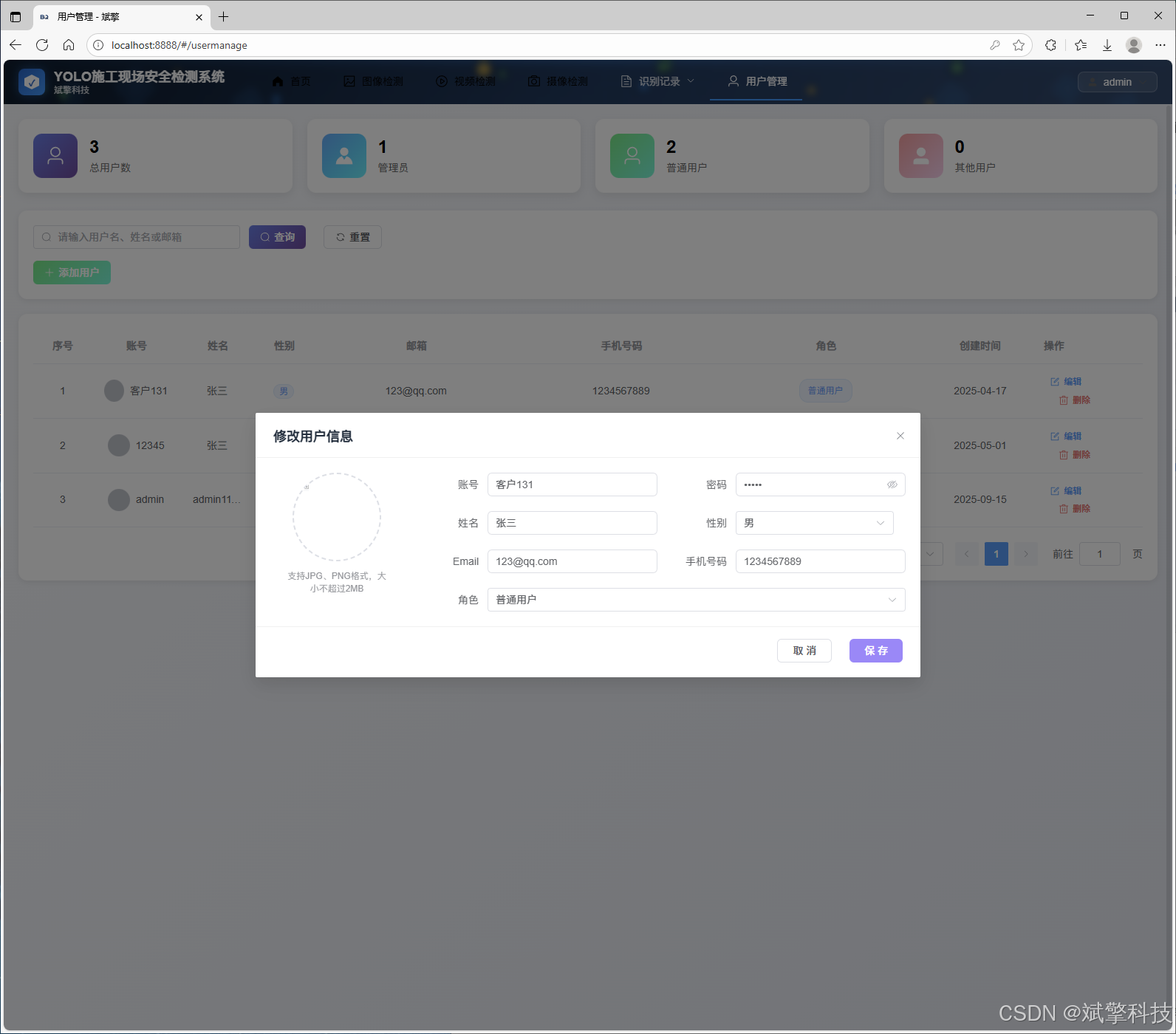
数据管理模块(MySQL表设计)
-
users- 用户信息表

-
imgrecords- 图片检测记录表
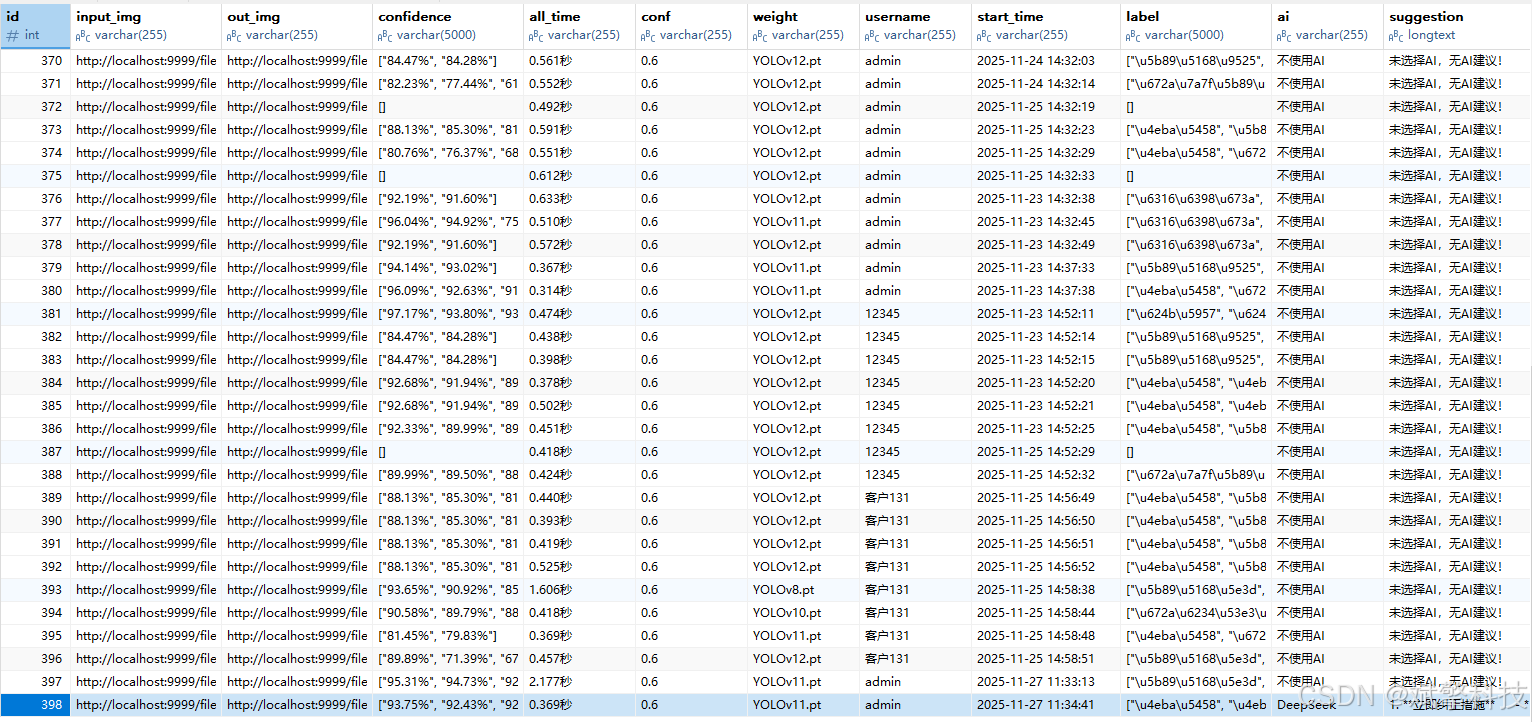
-
videorecords- 视频检测记录表

-
camerarecords- 摄像头检测记录表

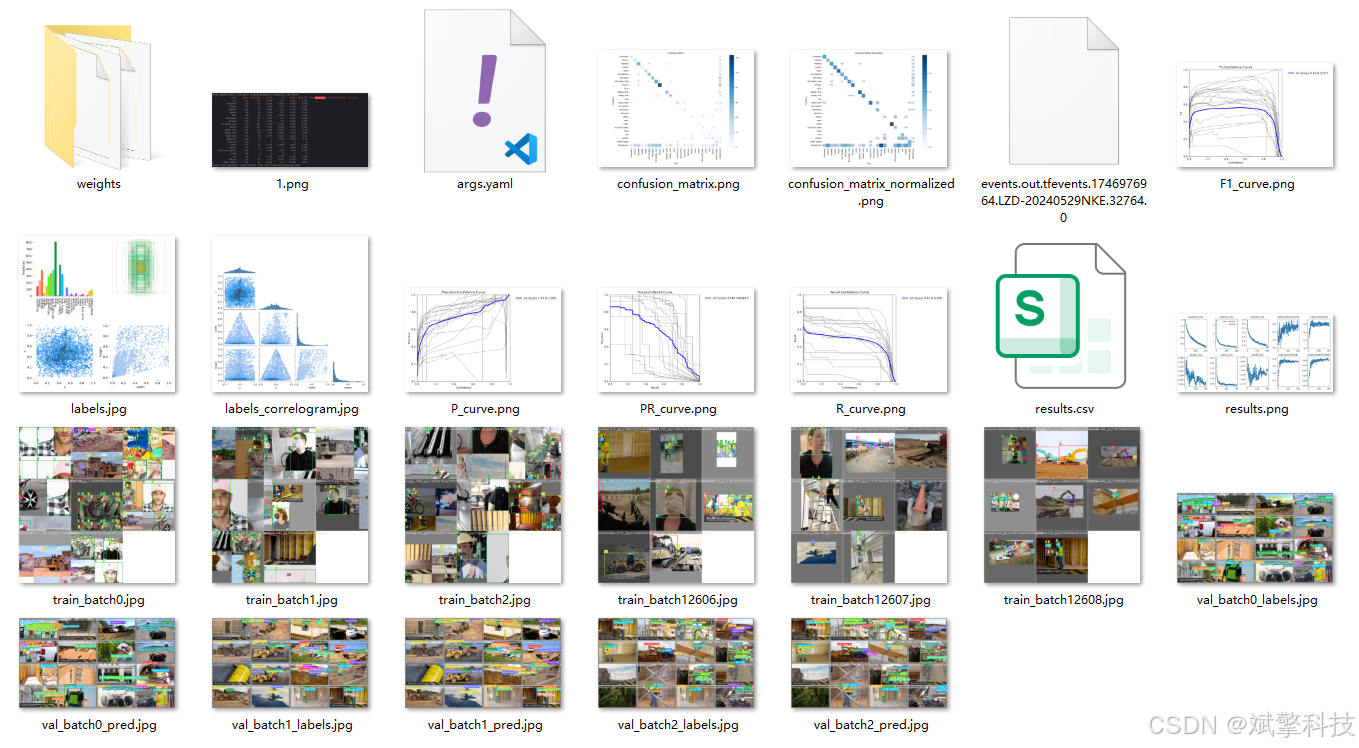
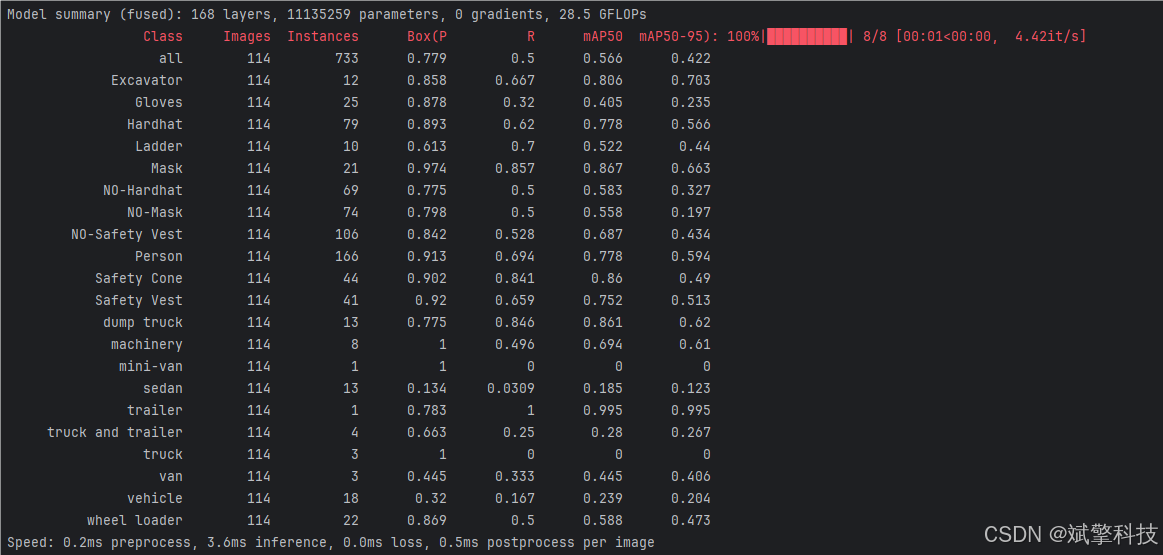
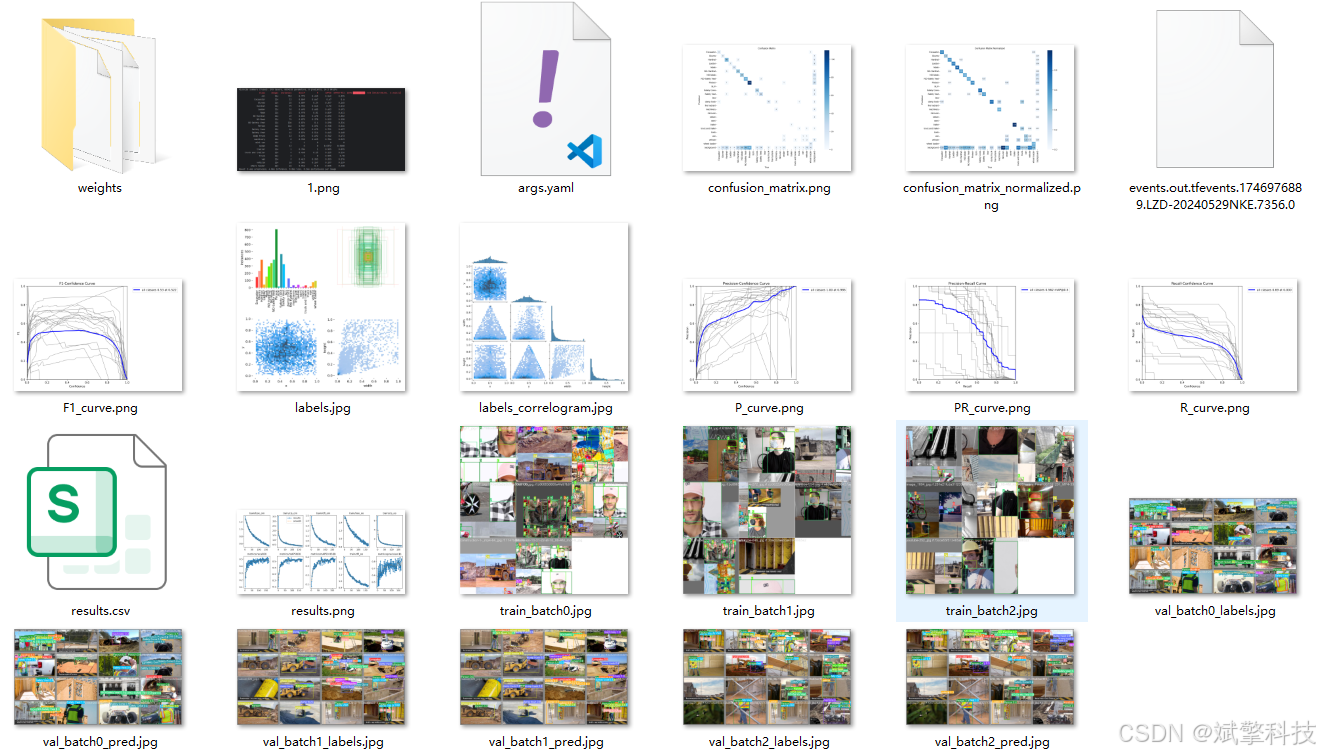
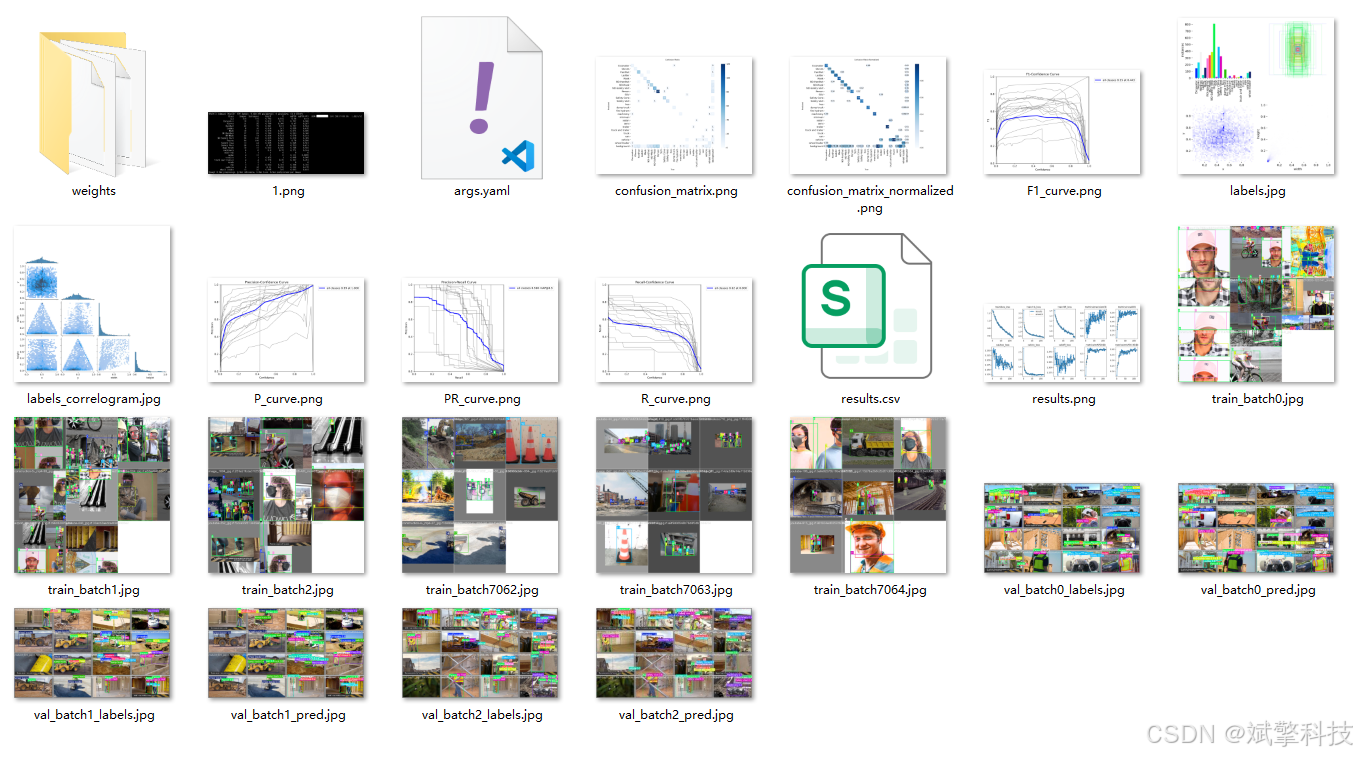
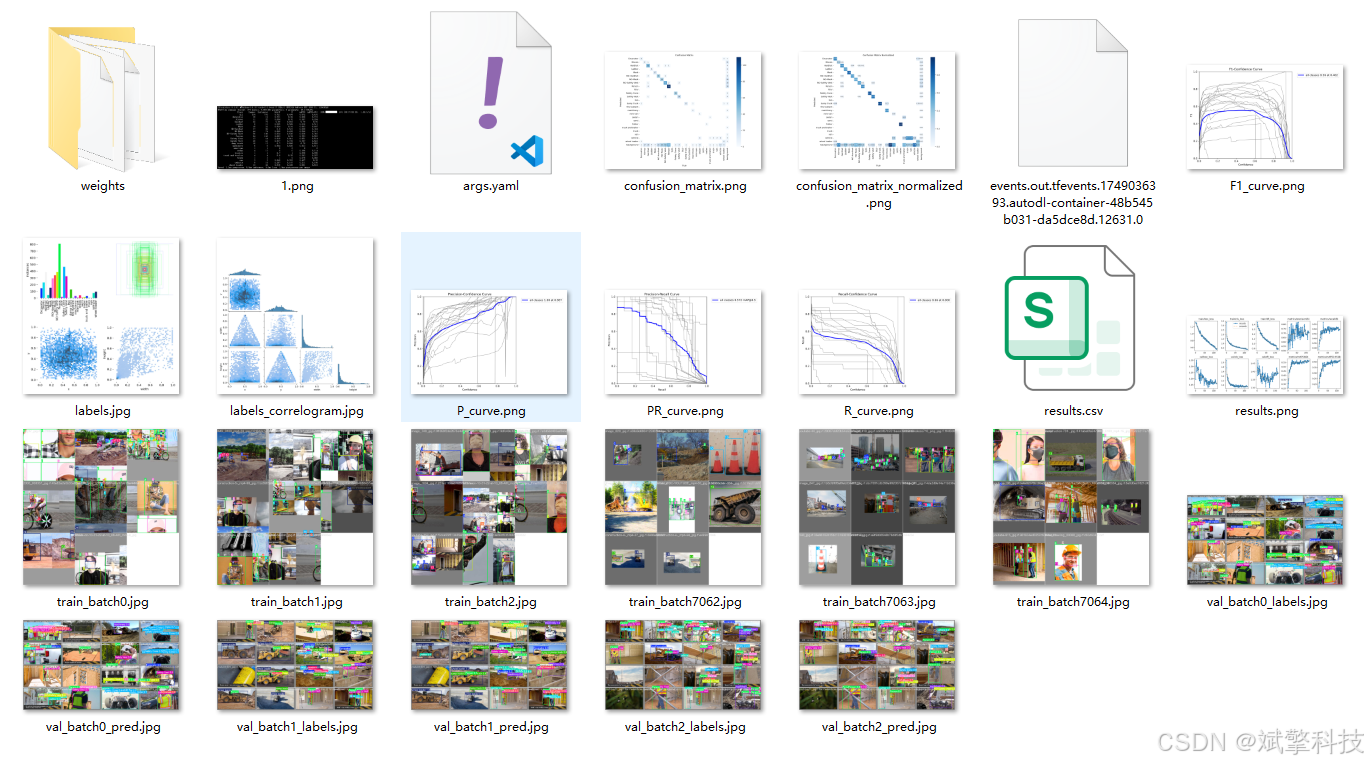
模型训练结果
#coding:utf-8
#根据实际情况更换模型
# yolon.yaml (nano):轻量化模型,适合嵌入式设备,速度快但精度略低。
# yolos.yaml (small):小模型,适合实时任务。
# yolom.yaml (medium):中等大小模型,兼顾速度和精度。
# yolob.yaml (base):基本版模型,适合大部分应用场景。
# yolol.yaml (large):大型模型,适合对精度要求高的任务。

from ultralytics import YOLO

model_path = 'pt/yolo12s.pt'
data_path = 'data.yaml'

if __name__ == '__main__':
    model = YOLO(model_path)
    results = model.train(data=data_path,
                          epochs=500,
                          batch=64,
                          device='0',
                          workers=0,
                          project='runs',
                          name='exp',
                          )
YOLOv8
YOLOv10
YOLOv11
YOLOv12
前端代码展示
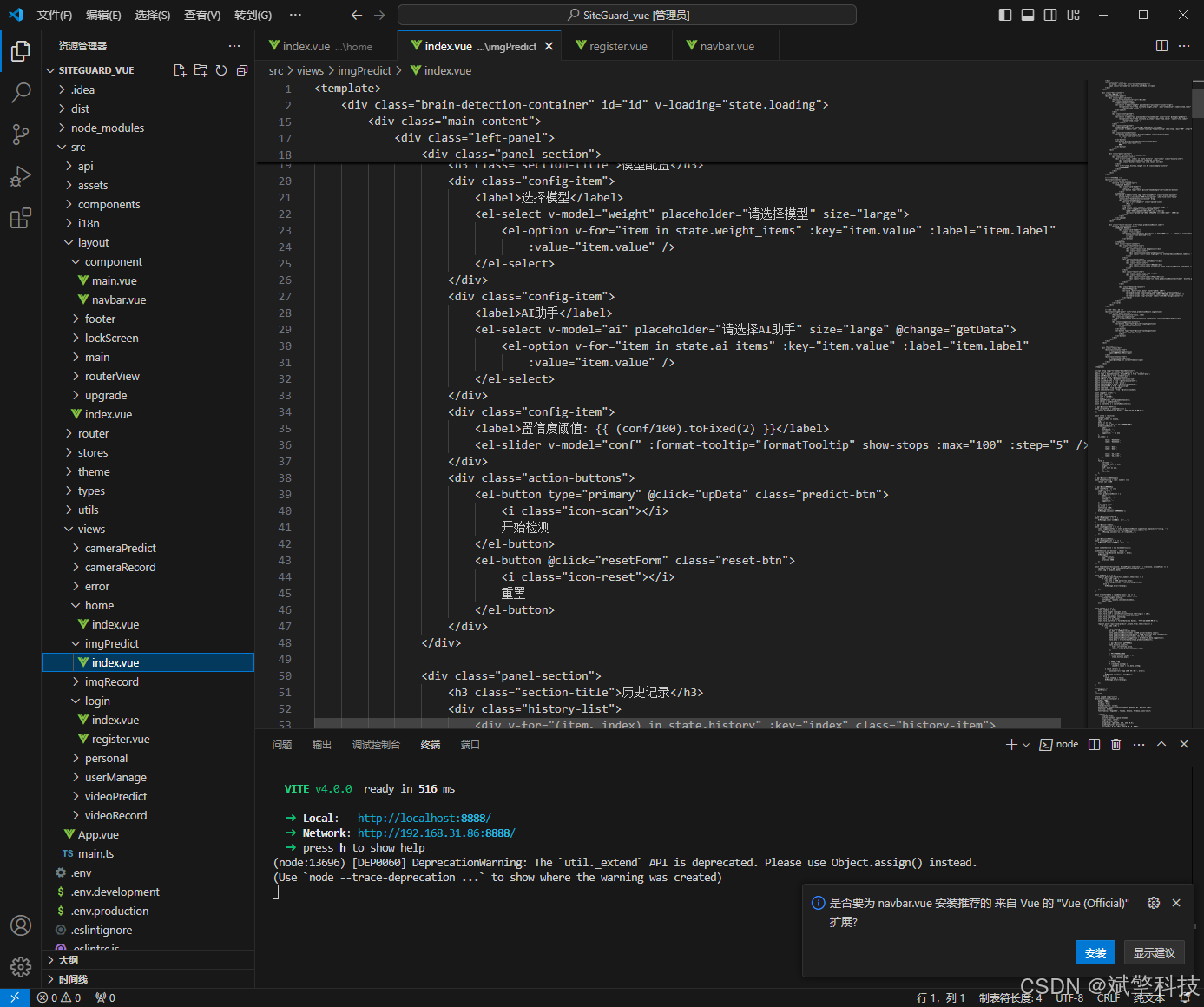
部分代码
<template>
	<div class="brain-detection-container" id="id" v-loading="state.loading">
		<!-- 顶部导航栏 -->
		<div class="top-nav">
			<div class="logo">
				<i class="icon-brain"></i>
				<span>Computer Vision</span>
			</div>
			<div class="user-info">
				<el-avatar :size="32" :src="userInfos.avatar" />
				<span class="username">{{ userInfos.userName }}</span>
			</div>
		</div>

		<div class="main-content">
			<!-- 左侧功能区 -->
			<div class="left-panel">
				<div class="panel-section">
					<h3 class="section-title">模型配置</h3>
					<div class="config-item">
						<label>选择模型</label>
						<el-select v-model="weight" placeholder="请选择模型" size="large">
							<el-option v-for="item in state.weight_items" :key="item.value" :label="item.label"
								:value="item.value" />
						</el-select>
					</div>
					<div class="config-item">
						<label>AI助手</label>
						<el-select v-model="ai" placeholder="请选择AI助手" size="large" @change="getData">
							<el-option v-for="item in state.ai_items" :key="item.value" :label="item.label"
								:value="item.value" />
						</el-select>
					</div>
					<div class="config-item">
						<label>置信度阈值: {{ (conf/100).toFixed(2) }}</label>
						<el-slider v-model="conf" :format-tooltip="formatTooltip" show-stops :max="100" :step="5" />
					</div>
					<div class="action-buttons">
						<el-button type="primary" @click="upData" class="predict-btn">
							<i class="icon-scan"></i>
							开始检测
						</el-button>
						<el-button @click="resetForm" class="reset-btn">
							<i class="icon-reset"></i>
							重置
						</el-button>
					</div>
				</div>

				<div class="panel-section">
					<h3 class="section-title">历史记录</h3>
					<div class="history-list">
						<div v-for="(item, index) in state.history" :key="index" class="history-item">
							<div class="history-time">{{ item.time }}</div>
							<div class="history-result">{{ item.result }}</div>
						</div>
						<div v-if="state.history.length === 0" class="empty-history">
							暂无历史记录
						</div>
					</div>
				</div>
			</div>

			<!-- 中间内容区 -->
			<div class="center-panel">
				<div class="upload-section">
					<el-card class="upload-card">
						<template #header>
							<div class="card-header">
								<span>上传图片</span>
								<el-button type="text" @click="showExample">查看示例</el-button>
							</div>
						</template>
						<el-upload v-model="state.img" ref="uploadFile" class="avatar-uploader"
							action="http://localhost:9999/files/upload" :show-file-list="false"
							:on-success="handleAvatarSuccessone" drag>
							<div class="upload-area">
								<el-icon v-if="!imageUrl" class="upload-icon">
									<Plus />
								</el-icon>
								<img v-else :src="imageUrl" class="uploaded-image" />
								<div v-if="!imageUrl" class="upload-text">
									<p>将图片拖拽到此处,或<em>点击上传</em></p>
									<p class="upload-tip">支持 JPG、PNG 格式,大小不超过 10MB</p>
								</div>
							</div>
						</el-upload>
					</el-card>
				</div>

				<div class="result-section" v-if="state.predictionResult.label">
					<el-card class="result-card">
						<template #header>
							<div class="card-header">
								<span>检测结果</span>
								<el-button type="primary" @click="() => htmlToPDF('id', '检测报告')" size="small">
									<i class="icon-download"></i>
									导出报告
								</el-button>
							</div>
						</template>
						<div class="result-content">
							<div class="result-overview">
								<div class="result-item">
									<div class="result-icon diagnosis"></div>
									<div class="result-info">
										<div class="result-label">诊断结果</div>
										<div class="result-value highlight">{{ state.predictionResult.label || '-' }}</div>
									</div>
								</div>
								<div class="result-item">
									<div class="result-icon confidence"></div>
									<div class="result-info">
										<div class="result-label">置信度</div>
										<div class="result-value accent">{{ state.predictionResult.confidence || '-' }}</div>
									</div>
								</div>
								<div class="result-item">
									<div class="result-icon time"></div>
									<div class="result-info">
										<div class="result-label">分析用时</div>
										<div class="result-value">{{ state.predictionResult.allTime ? `${state.predictionResult.allTime}` : '-' }}</div>
									</div>
								</div>
							</div>

							<div class="detailed-results">
								<h4>详细分析</h4>
								<el-table :data="state.data" style="width: 100%">
									<el-table-column prop="label" label="预测结果" align="center" />
									<el-table-column prop="confidence" label="置信度" align="center" />
									<el-table-column prop="allTime" label="用时(秒)" align="center" />
								</el-table>
							</div>
						</div>
					</el-card>
				</div>
			</div>

			<!-- 右侧AI建议区 -->
			<div class="right-panel" v-if="state.predictionResult.suggestion">
				<div class="panel-section">
					<h3 class="section-title">AI建议</h3>
					<div class="ai-suggestion">
						<div v-html="state.predictionResult.suggestion" class="markdown-body"></div>
					</div>
					<div class="suggestion-actions">
						<el-button type="text" @click="copySuggestion">
							<i class="icon-copy"></i>
							复制建议
						</el-button>
						<el-button type="text" @click="saveSuggestion">
							<i class="icon-save"></i>
							保存建议
						</el-button>
					</div>
				</div>
			</div>
		</div>

		<!-- 底部状态栏 -->
		<div class="status-bar">
			<div class="status-item">
				<i class="icon-status"></i>
				<span>系统状态: 正常</span>
			</div>
			<div class="status-item">
				<i class="icon-time"></i>
				<span>最后更新: {{ currentTime }}</span>
			</div>
		</div>
	</div>
</template>

<script setup lang="ts" name="brainDetection">
import { reactive, ref, onMounted, computed } from 'vue';
import type { UploadInstance, UploadProps } from 'element-plus';
import { ElMessage } from 'element-plus';
import request from '/@/utils/request';
import { Plus } from '@element-plus/icons-vue';
import { useUserInfo } from '/@/stores/userInfo';
import { storeToRefs } from 'pinia';
import { formatDate } from '/@/utils/formatTime';
import { htmlToPDF } from '/@/utils/pdf'
import { marked } from "marked";
import { SocketService } from '/@/utils/socket';

const imageUrl = ref('');
const ai = ref('');
const conf = ref(60);
const weight = ref('');
const uploadFile = ref<UploadInstance>();
const stores = useUserInfo();
const { userInfos } = storeToRefs(stores);

// 新增功能:当前时间显示
const currentTime = computed(() => {
	return formatDate(new Date(), 'YYYY-mm-dd HH:MM:SS');
});

const state = reactive({
	loading: false,
	weight_items: [] as any,
	img: '',
	data: [] as any,
	history: [] as any, // 新增历史记录功能
	predictionResult: {
		label: '',
		confidence: '',
		allTime: '',
		suggestion: '' as any
	},
	ai_items: [
		{
			value: 'DeepSeek',
			label: 'DeepSeek',
		},
		{
			value: 'Qwen',
			label: 'Qwen',
		},
		{
			value: '不使用AI',
			label: '不使用AI',
		},
	],
	form: {
		username: '',
		inputImg: null as any,
		weight: '',
		conf: null as any,
		ai: '',
		startTime: ''
	},
});

// 新增功能:格式化工具提示
const formatTooltip = (val: number) => {
	return val / 100
}

// 新增功能:重置表单
const resetForm = () => {
	imageUrl.value = '';
	state.img = '';
	state.predictionResult = {
		label: '',
		confidence: '',
		allTime: '',
		suggestion: ''
	};
	state.data = [];
	ai.value = '';
	conf.value = 60;
	weight.value = '';
	ElMessage.success('已重置表单');
};

// 新增功能:显示示例图片
const showExample = () => {
	ElMessage.info('示例功能开发中...');
};

// 新增功能:复制AI建议
const copySuggestion = () => {
	const suggestionText = state.predictionResult.suggestion.replace(/<[^>]*>/g, '');
	navigator.clipboard.writeText(suggestionText).then(() => {
		ElMessage.success('建议已复制到剪贴板');
	});
};

// 新增功能:保存AI建议
const saveSuggestion = () => {
	ElMessage.info('保存功能开发中...');
};

const socketService = new SocketService();

socketService.on('message', (data) => {
	console.log('Received message:', data);
	ElMessage({
		message: data,
		type: 'success',
		duration: 3000
	})
});

const handleAvatarSuccessone: UploadProps['onSuccess'] = (response, uploadFile) => {
	imageUrl.value = URL.createObjectURL(uploadFile.raw!);
	state.img = response.data;
};

const getData = () => {
	request.get('/api/flask/file_names').then((res) => {
		if (res.code == 0) {
			res.data = JSON.parse(res.data);
			state.weight_items = res.data.weight_items;
		} else {
			ElMessage.error(res.msg);
		}
	});
};

const transformData = (rawData: any): any => {
	return rawData.label.map((label, index) => ({
		allTime: rawData.allTime,
		confidence: rawData.confidence[index],
		label: label,
	}));
}

const upData = () => {
	state.loading = true;
	state.form.weight = weight.value;
	state.form.conf = (parseFloat(conf.value.toString()) / 100);
	state.form.username = userInfos.value.userName;
	state.form.inputImg = state.img;
	state.form.ai = ai.value;
	state.form.startTime = formatDate(new Date(), 'YYYY-mm-dd HH:MM:SS');

	request.post('/api/flask/predict', state.form).then((res) => {
		if (res.code == 0) {
			try {
				state.loading = false;
				res.data = JSON.parse(res.data);
				state.predictionResult.label = JSON.parse(res.data.label);
				state.predictionResult.confidence = JSON.parse(res.data.confidence);
				state.predictionResult.allTime = res.data.allTime;
				state.predictionResult.suggestion = marked(res.data.suggestion);
				state.data = transformData(state.predictionResult);

				// 新增功能:添加到历史记录
				state.history.unshift({
					time: currentTime.value,
					result: state.predictionResult.label
				});

				// 限制历史记录数量
				if (state.history.length > 5) {
					state.history.pop();
				}

				// 覆盖原图片
				if (res.data.outImg) {
					imageUrl.value = res.data.outImg;
				}
			} catch (error) {
				console.error('解析 JSON 时出错:', error);
			}
			ElMessage.success('检测完成!');
		} else {
			state.loading = false;
			ElMessage.error(res.msg);
		}
	});
};

onMounted(() => {
	getData();
});
</script>

<style scoped lang="scss">
.brain-detection-container {
	width: 100%;
	height: 100vh;
	display: flex;
	flex-direction: column;
	background: linear-gradient(135deg, #f5f7fa 0%, #c3cfe2 100%);
	overflow: hidden;
	font-family: 'Segoe UI', Tahoma, Geneva, Verdana, sans-serif;

	.top-nav {
		display: flex;
		justify-content: space-between;
		align-items: center;
		padding: 15px 30px;
		background: rgba(255, 255, 255, 0.9);
		backdrop-filter: blur(10px);
		box-shadow: 0 2px 10px rgba(0, 0, 0, 0.05);

		.logo {
			display: flex;
			align-items: center;
			font-size: 22px;
			font-weight: 700;
			color: #2c3e50;

			.icon-brain {
				display: inline-block;
				width: 32px;
				height: 32px;
				background: linear-gradient(135deg, #667eea 0%, #764ba2 100%);
				border-radius: 8px;
				margin-right: 10px;
				position: relative;

				&:before {
					content: "";
					position: absolute;
					top: 8px;
					left: 8px;
					width: 16px;
					height: 16px;
					border: 2px solid white;
					border-radius: 50%;
				}

				&:after {
					content: "";
					position: absolute;
					bottom: 8px;
					right: 8px;
					width: 8px;
					height: 8px;
					background: white;
					border-radius: 50%;
				}
			}
		}

		.user-info {
			display: flex;
			align-items: center;

			.username {
				margin-left: 10px;
				font-weight: 500;
				color: #5a6c7d;
			}
		}
	}

	.main-content {
		flex: 1;
		display: flex;
		padding: 20px;
		gap: 20px;
		overflow: hidden;

		.left-panel, .right-panel {
			width: 300px;
			display: flex;
			flex-direction: column;
			gap: 20px;
		}

		.center-panel {
			flex: 1;
			display: flex;
			flex-direction: column;
			gap: 20px;
			overflow-y: auto;
		}

		.panel-section {
			background: rgba(255, 255, 255, 0.9);
			border-radius: 12px;
			padding: 20px;
			box-shadow: 0 4px 12px rgba(0, 0, 0, 0.05);
			backdrop-filter: blur(10px);

			.section-title {
				font-size: 16px;
				font-weight: 600;
				color: #2c3e50;
				margin-bottom: 15px;
				padding-bottom: 10px;
				border-bottom: 1px solid #eaeaea;
			}

			.config-item {
				margin-bottom: 20px;

				label {
					display: block;
					margin-bottom: 8px;
					font-size: 14px;
					color: #5a6c7d;
					font-weight: 500;
				}
			}

			.action-buttons {
				display: flex;
				flex-direction: column;
				gap: 10px;

				.predict-btn {
					background: linear-gradient(135deg, #667eea 0%, #764ba2 100%);
					border: none;
					height: 44px;
					font-weight: 600;

					.icon-scan {
						display: inline-block;
						width: 16px;
						height: 16px;
						background: white;
						border-radius: 50%;
						margin-right: 8px;
						position: relative;

						&:before {
							content: "";
							position: absolute;
							top: 3px;
							left: 3px;
							width: 10px;
							height: 10px;
							border: 2px solid #764ba2;
							border-radius: 50%;
						}
					}
				}

				.reset-btn {
					height: 44px;

					.icon-reset {
						display: inline-block;
						width: 16px;
						height: 16px;
						border: 2px solid #5a6c7d;
						border-radius: 50%;
						margin-right: 8px;
						position: relative;

						&:before {
							content: "";
							position: absolute;
							top: 2px;
							right: 2px;
							width: 6px;
							height: 2px;
							background: #5a6c7d;
							transform: rotate(45deg);
						}
					}
				}
			}

			.history-list {
				max-height: 200px;
				overflow-y: auto;

				.history-item {
					padding: 10px 0;
					border-bottom: 1px solid #f0f0f0;

					&:last-child {
						border-bottom: none;
					}

					.history-time {
						font-size: 12px;
						color: #909399;
					}

					.history-result {
						font-size: 14px;
						color: #2c3e50;
						margin-top: 4px;
					}
				}

				.empty-history {
					text-align: center;
					color: #909399;
					font-style: italic;
					padding: 20px 0;
				}
			}

			.ai-suggestion {
				max-height: 400px;
				overflow-y: auto;
				padding: 10px;
				background: #f8f9fa;
				border-radius: 8px;
			}

			.suggestion-actions {
				display: flex;
				justify-content: flex-end;
				margin-top: 15px;

				.icon-copy, .icon-save {
					display: inline-block;
					width: 14px;
					height: 14px;
					margin-right: 5px;
					background: #5a6c7d;
				}
			}
		}

		.upload-card, .result-card {
			border-radius: 12px;
			box-shadow: 0 4px 12px rgba(0, 0, 0, 0.05);
			border: none;

			:deep(.el-card__header) {
				border-bottom: 1px solid #eaeaea;
				padding: 15px 20px;

				.card-header {
					display: flex;
					justify-content: space-between;
					align-items: center;

					span {
						font-weight: 600;
						color: #2c3e50;
					}
				}
			}
		}

		.avatar-uploader {
			:deep(.el-upload) {
				width: 100%;
			}

			:deep(.el-upload-dragger) {
				width: 100%;
				height: 300px;
				border: 2px dashed #c0c4cc;
				border-radius: 8px;
				background: #fafafa;
				display: flex;
				align-items: center;
				justify-content: center;
				flex-direction: column;

				&:hover {
					border-color: #667eea;
				}
			}

			.upload-area {
				width: 100%;
				height: 100%;
				display: flex;
				flex-direction: column;
				align-items: center;
				justify-content: center;

				.upload-icon {
					font-size: 48px;
					color: #c0c4cc;
					margin-bottom: 15px;
				}

				.uploaded-image {
					max-width: 100%;
					max-height: 280px;
					border-radius: 6px;
				}

				.upload-text {
					text-align: center;

					p {
						margin: 5px 0;
						color: #606266;

						em {
							color: #667eea;
							font-style: normal;
						}
					}

					.upload-tip {
						font-size: 12px;
						color: #909399;
					}
				}
			}
		}
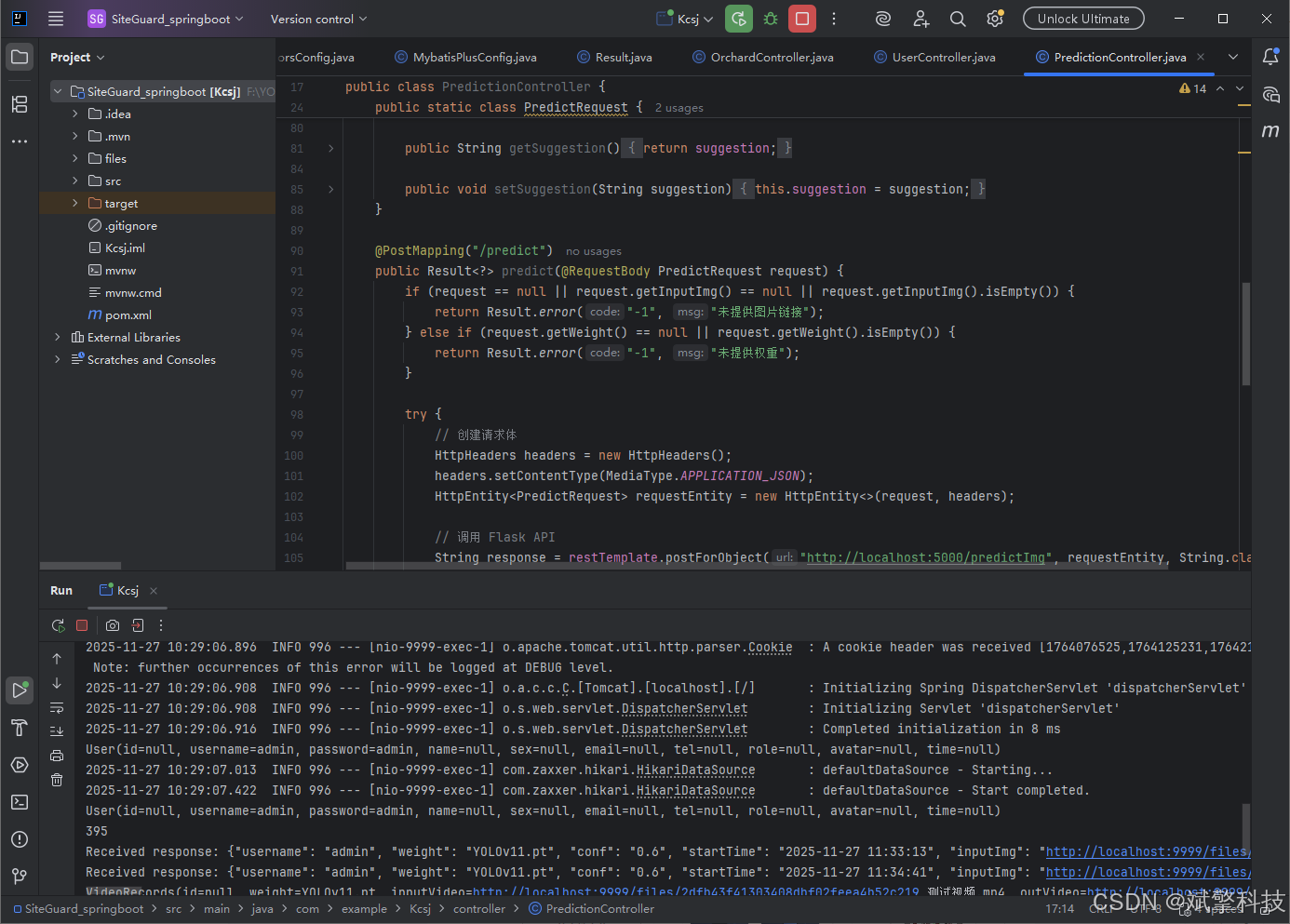
后端代码展示
项目源码+数据集下载链接
完整代码在哔哩哔哩视频下方简介内获取:
基于深度学习的施工现场安全检测系统(web界面+YOLOv8/v10/v11/v12+DeepSeek智能分析 +前后端分离)_哔哩哔哩_bilibili
https://www.bilibili.com/video/BV1uxUzBUEdE
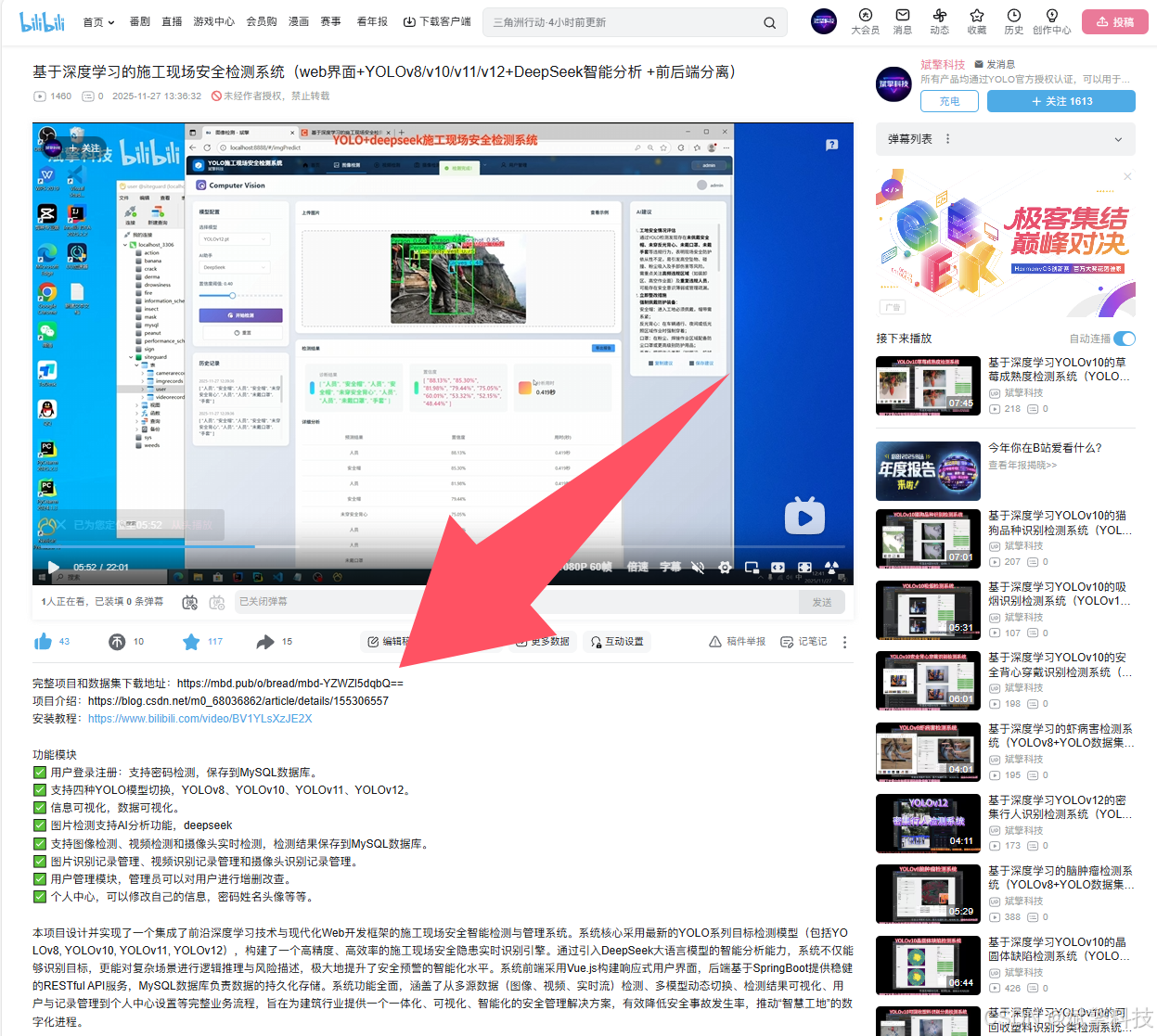
项目安装教程
https://www.bilibili.com/video/BV1YLsXzJE2X/?spm_id_from=333.1387.homepage.video_card.click

火山引擎开发者社区是火山引擎打造的AI技术生态平台,聚焦Agent与大模型开发,提供豆包系列模型(图像/视频/视觉)、智能分析与会话工具,并配套评测集、动手实验室及行业案例库。社区通过技术沙龙、挑战赛等活动促进开发者成长,新用户可领50万Tokens权益,助力构建智能应用。
更多推荐
 7
7 0
0- 0



 已为社区贡献38条内容

所有评论(0)