ollama部署大模型以及连续分片调用的实现
经过近百次的尝试,我发现通过代码直接部署大模型的不稳定性以及操作、技术上的难度远远超过了其本身的价值,尤其是对于初学者以及硬件能力较弱的机器。而采用ollama直接一键部署大模型则显得更加有优势,其在模型的控制上更稳定,模型库包含了大量不同大小的模型的不同量化版本,一键部署更加方便。
上一篇文章我介绍了通过Python环境直接使用代码部署大模型的示例,本篇我将借助ollama完成同样的功能演示。Python部署大模型以及连续调用功能实现(性能优化+输出控制)-CSDN博客
具体步骤
1.下载ollama
我在之前的文章中已经介绍了ollama的部署方式
浅谈大模型(含本地部署deepseek)_大模型api python环境部署-CSDN博客
我这里在给大家讲一下具体步骤
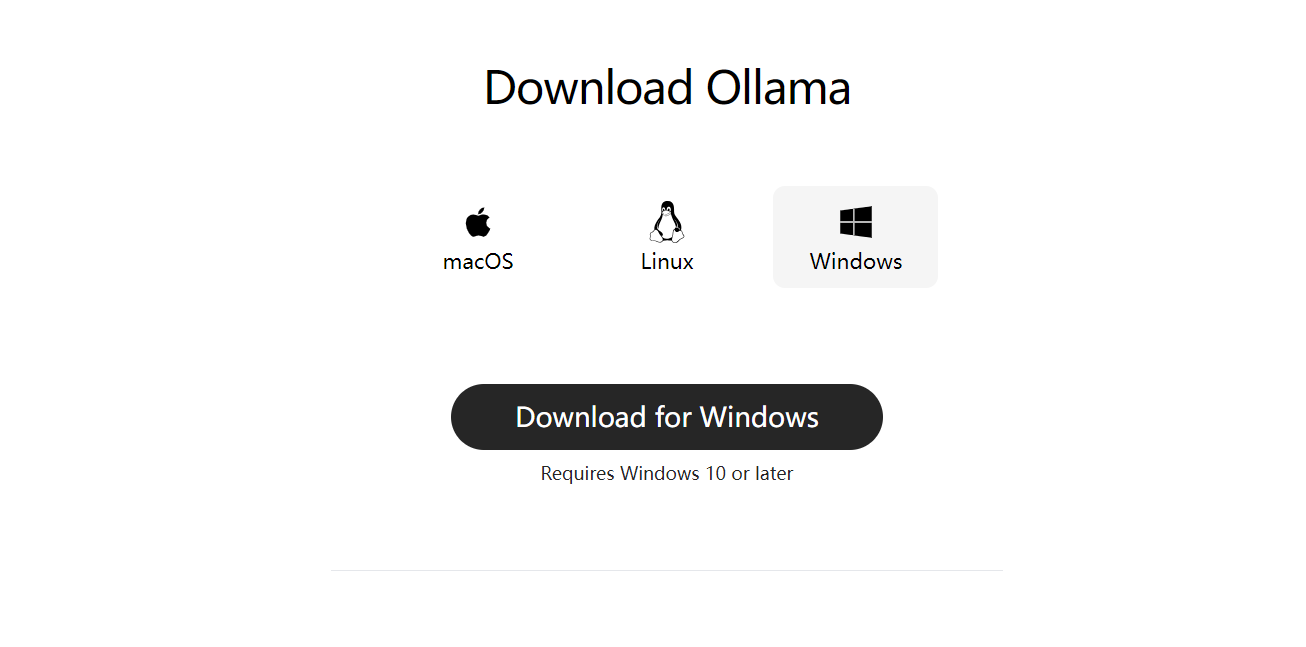
访问ollama官网:Ollama
点击Download,根据你的操作系统下载对应的版本
2.拉取模型
下载完成后,在命令行输入ollama serve 验证是否运行
拉取模型需要根据硬件能力选择合适的模型,我这里为
RTX 4090 + 16GB内存 我可以选择qwen2-7b或deepseek-r1-7b以及同级别的模型
你需要根据自身机器的性能选择更大或更小的模型
运行以下命令
ollama run deepseek-r1:7b # 需替换为你的对应模型等待下载完成后应该有这个场景

尝试发送一条消息,得到回应表示部署成功
3.实现调用
因为考虑到机器的性能,在输入的长度上需要收到控制,一般的普通模型能够接受0-1000token的输入,即最大越1800个中文字符的长度。
ollama默认运行在11434端口,我们在使用某个模型时需要显示指定模型名称
以下是实现调用ollama完成分片调用的代码实现
import requests
import json
import argparse
from pathlib import Path
import logging
from typing import List, Dict
from tqdm import tqdm

# 配置日志
logging.basicConfig(
    level=logging.INFO,
    format="%(asctime)s - %(levelname)s - %(message)s"
)
logger = logging.getLogger(__name__)

class BatchVideoClient:
    def __init__(self, endpoint: str = "http://localhost:11434/api/generate"):  # 修改为 Ollama 默认地址
        self.endpoint = endpoint
        self.session = requests.Session()

    # 验证JSON数据结构
    def _validate_json(self, data: List[Dict]) -> bool:
        required_fields = ["video_name", "duration", "content"]
        for item in data:
            if not all(field in item for field in required_fields):
                raise ValueError(f"缺少必要字段:{required_fields}")
        return True

    # 加载单个JSON文件
    def _load_json_file(self, file_path: Path) -> List[Dict]:
        try:
            with open(file_path, 'r', encoding='utf-8') as f:
                data = json.load(f)
                self._validate_json(data)
                return data
        except Exception as e:
            logger.error(f"文件加载失败 {file_path}: {str(e)}")
            raise

    # 获取目录下所有JSON文件
    def _find_json_files(self, input_path: Path) -> List[Path]:
        if input_path.is_file():
            return [input_path]
        return sorted([p for p in input_path.glob("**/*.json") if p.is_file()])

    # 构建请求负载
    def _build_payload(self, data: List[Dict], system_prompt: str, params: Dict) -> Dict:
        """适配 Ollama API 格式"""
        user_input = "\n\n".join(
            f"{idx+1}. {item['video_name']} ({item['duration']}秒)\n{item['content']}"
            for idx, item in enumerate(data)
        )

        # 合并系统提示词和用户输入(按模型要求格式)
        enhanced_system_prompt = (
            f"{system_prompt}\n"
            "请直接输出最终结果,不要包含任何<think>标签或中间思考过程。"
        )

        # 构建完整的提示词
        full_prompt = f"<|system|>\n{enhanced_system_prompt}</s>\n<|user|>\n{user_input}</s>\n<|assistant|>"

        # 构建请求参数
        return {
            "model": "qwen2:7b",  # 确保模型已下载:ollama pull deepseek-r1:7b
            "prompt": full_prompt,
            "stream": False,
            "options": {
                "temperature": params.get("temperature", 0.7),
                "num_gpu": 1,  # 启用GPU层(需CUDA)
                "main_gpu": 0,  # 指定主GPU
                "low_vram": False,  # 高显存模式
                "num_threads": 8,   # CPU线程数
                "top_p": params.get("top_p", 0.9),  # Top-p采样
                "num_predict": params.get("num_predict", 600),  # 关键参数名修改
                "repeat_penalty": 1.2  # 重复惩罚
            }
        }

    # 移除<think>标签
    def _remove_think_tags(self, text: str) -> str:
        """使用正则表达式移除所有<think>标签及其内容"""
        import re
        # 匹配多行内容的正则表达式(非贪婪模式)
        return re.sub(r'<think>.*?</think>', '', text, flags=re.DOTALL)

    # 处理单个JSON文件
    def _process_single_file(
        self,
        json_file: Path,
        system_prompt: str,
        output_file: Path,
        params: Dict
    ) -> bool:
        try:
            video_data = self._load_json_file(json_file)
            logger.info(f"开始处理文件: {json_file.name} ({len(video_data)}个视频)")

            payload = self._build_payload(video_data, system_prompt, params)
            # 修改请求参数启用流式
            payload["stream"] = True  # 启用流式

            # 发送请求
            response = self.session.post(
                self.endpoint,
                json=payload,
                headers={"Content-Type": "application/json"},
                timeout=600
            )
            response.raise_for_status()

            # 修改响应解析方式
            # result = response.json().get("response", "无响应内容")

            full_response = []
            for line in response.iter_lines():
                if line:
                    chunk = json.loads(line.decode("utf-8"))
                    response_text = chunk.get("response", "")

                    # 实时过滤<think>标签
                    cleaned_text = self._remove_think_tags(response_text)

                    # 写入处理后的内容
                    # with open(output_file, 'a', encoding='utf-8') as f:
                    #     f.write(cleaned_text)

                    full_response.append(cleaned_text)

            # 最终二次过滤(处理跨块的标签)
            final_result = self._remove_think_tags("".join(full_response))

            # 单独写入清理后的完整结果
            with open(output_file, 'a', encoding='utf-8') as f:
                f.write(f"\n=== 文件: {json_file.name} 完整结果 ===\n")
                f.write(final_result + "\n")
                f.write("\n\n")  # 添加分隔符

            logger.info(f"完成处理: {json_file.name}")
            return True

        # 异常处理
        except requests.exceptions.HTTPError as e:
            logger.error(f"API请求失败: {e}\n响应内容: {response.text}")
            return False
        except json.JSONDecodeError as e:
            logger.error(f"JSON解析失败: {e}")
            return False
        except Exception as e:
            logger.exception(f"未处理异常: {e}")
            return False

    # 批量处理入口
    def batch_process(
        self,
        input_path: str,
        system_prompt_file: str,
        output_file: str,
        params: Dict
    ) -> None:
        try:
            input_path = Path(input_path)
            output_path = Path(output_file)
            output_path.parent.mkdir(parents=True, exist_ok=True)

            # 初始化输出文件
            with open(output_path, 'w', encoding='utf-8') as f:
                f.write("=== 视频分镜批量生成结果 ===\n")

            # 加载系统提示词
            with open(system_prompt_file, 'r', encoding='utf-8') as f:
                system_prompt = f.read().strip()

            json_files = self._find_json_files(input_path)
            if not json_files:
                raise FileNotFoundError("未找到JSON文件")

            logger.info(f"发现 {len(json_files)} 个待处理文件")

            success_count = 0
            for json_file in tqdm(json_files, desc="处理进度"):
                if self._process_single_file(json_file, system_prompt, output_path, params):
                    success_count += 1

            stats = f"\n处理完成: {success_count} 成功 / {len(json_files)} 总数"
            with open(output_path, 'a', encoding='utf-8') as f:
                f.write(stats)

            logger.info(f"批量处理完成. {stats}")

        except Exception as e:
            logger.error(f"批量处理失败: {str(e)}")
            raise

# 运行脚本
if __name__ == "__main__":
    # 解析命令行参数
    parser = argparse.ArgumentParser(
        description="批量视频分镜生成客户端(适配Ollama)",
        formatter_class=argparse.RawTextHelpFormatter
    )
    parser.add_argument(
        "-i", "--input",
        required=True,
        help="输入路径(文件或目录)\n例: ./input/videos/"
    )
    parser.add_argument(
        "-s", "--system",
        required=True,
        help="系统提示词文件路径\n例: ./prompts/system.txt"
    )
    parser.add_argument(
        "-o", "--output",
        required=True,
        help="输出文件路径\n例: ./output/scripts.txt"
    )
    parser.add_argument(
        "--temp",
        type=float,
        default=0.7,
        help="生成温度参数(0.1-1.0)",
        choices=[x/10.0 for x in range(1, 11)]  # 添加参数限制
    )
    parser.add_argument(
        "--top_p",
        type=float,
        default=0.9,
        help="Top-p 采样参数(0.5-1.0)",
        choices=[x/10.0 for x in range(5, 11)]
    )
    parser.add_argument(
        "--max_length",
        type=int,
        default=600,  # 修改默认值为600(原4096可能超出模型限制)
        help="最大生成长度(token数)"
    )

    # 添加其他参数
    args = parser.parse_args()
    # 检查输入路径
    client = BatchVideoClient()
    client.batch_process(
        input_path=args.input,
        system_prompt_file=args.system,
        output_file=args.output,
        params={
            "temperature": args.temp,
            "top_p": args.top_p,
            "num_predict": args.max_length  # 参数名映射修改
        }
    )
# 示例命令
# python3 ollama_script.py -i ../Client3/videos/videos3 -s ../Client3/prompts/system2.txt -o ../Client3/output/script_all7.txt(还可指定最大生成长度等参数)
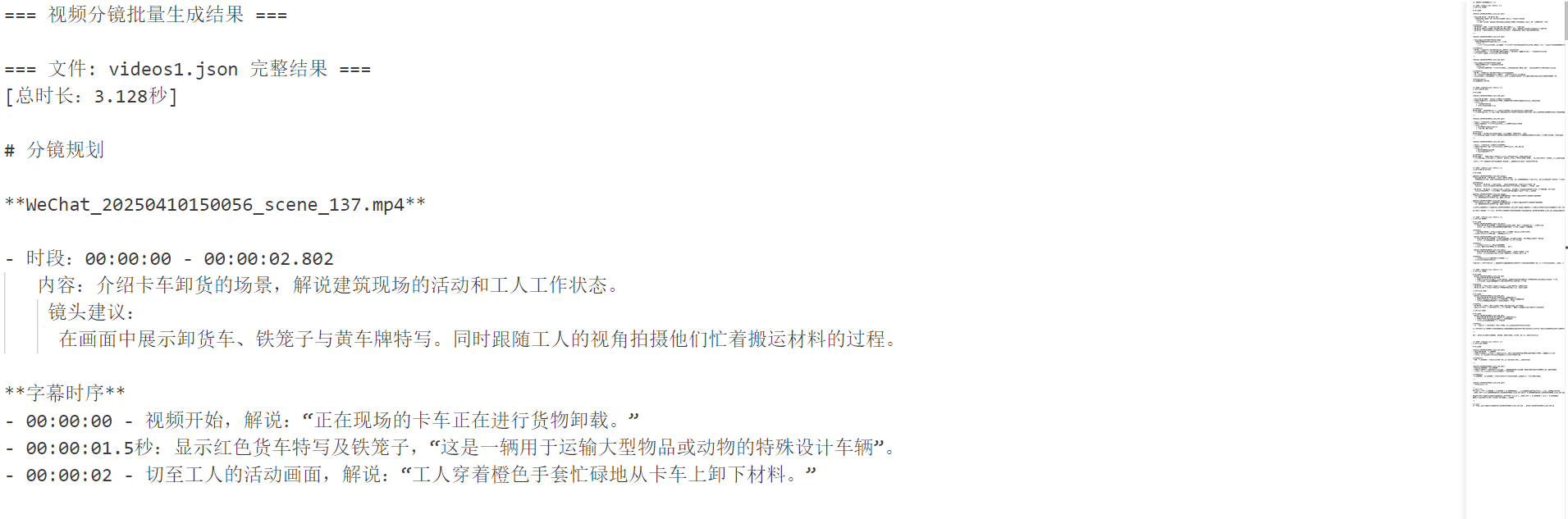
运行脚本,最终可以实现ollama不断处理请求,并将响应结果追加到输出文件中。
总结
ollama部署与代码部署相比,ollama更稳定,但是可控参数较少,代码方式可控参数更多,但是对于初学者不友好。ollama对于长文本处理时间更长,代码方式可以通过各种手段对执行效率进行优化。但ollama由于模型更稳定,输出的结果更容易达到我们的需求。
所以我认为选择哪种方式应该取决于具体的场景,之前我也提到过,决定大模型回答效果的因素极大部分取决于我们的提示词工程,所以如果站在应用开发的角度上,运行以及硬件问题通过量化或者增加预算都可以解决,我们更应该关注如何向大模型提问。

中国智能体开发者社区,聚焦智能体与大模型开发,提供前沿资讯、实用工具链、开源项目及行业案例。通过技术沙龙、开发者大赛等活动,促进经验交流与协作,助力开发者快速构建创新智能应用。
更多推荐

 19
19 0
0- 0


 已为社区贡献6条内容

所有评论(0)