记一次Windows下canal同步MySQL数据至ES中
·
canal-server和canal-adapter
选择canal-server和canal-adapter,可以实时将数据库中的数据同步至es中,canal-server监听mysql中的binlog,canal-adapter对binlog进行消费将数据推送到es中。
canal-server和canal-adapter下载
https://github.com/alibaba/canal/releases

下载这个两个即可
Mysql配置
监听Mysql是需要打开其binlog配置的,打开mysql配置my.ini,添加如下配置

-- 授权 canal 链接 MySQL 账号具有作为 MySQL slave 的权限, 如果已有账户可直接 grant

CREATE USER canal IDENTIFIED BY 'canal';
GRANT SELECT, REPLICATION SLAVE, REPLICATION CLIENT ON *.* TO 'canal'@'%';
-- 赋予账户全部权限-- GRANT ALL PRIVILEGES ON *.* TO 'canal'@'%' ;
FLUSH PRIVILEGES;
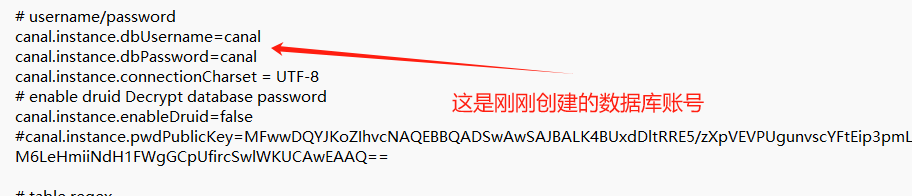
这里打开binlog设置,出现如下图可见binlog开启成功。场景账户供后面canal进行监听binlog,并授予权限。
show VARIABLES like 'log_bin';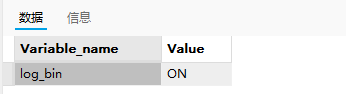
canal-server配置
打开如下图地址进行配置
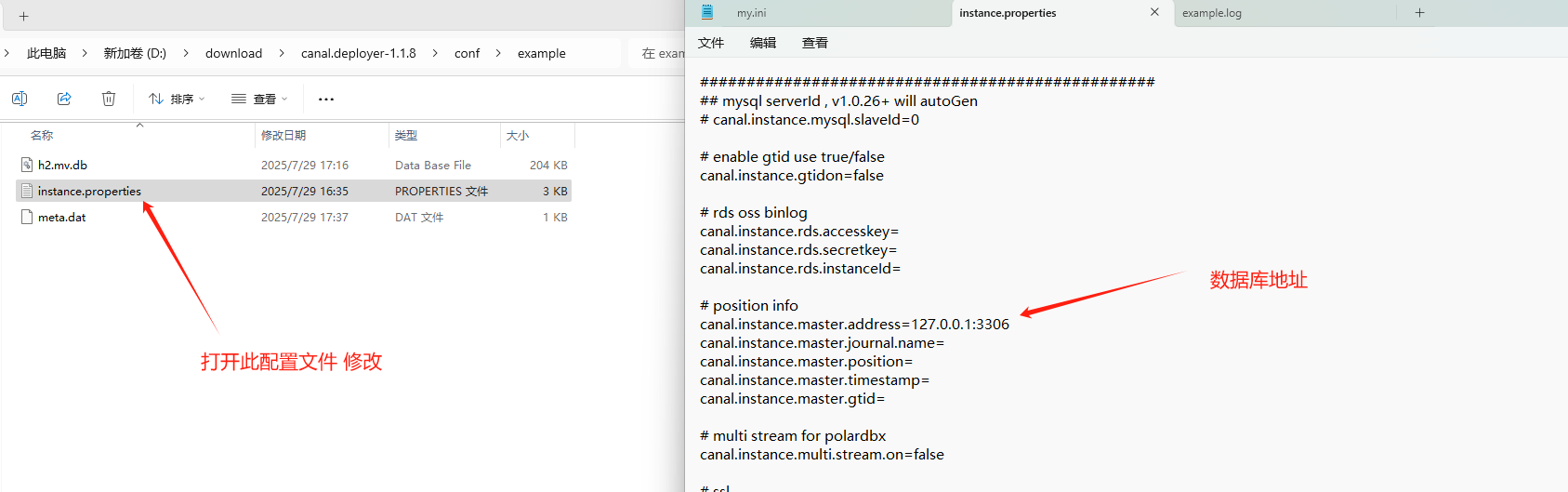
canal-adapter配置
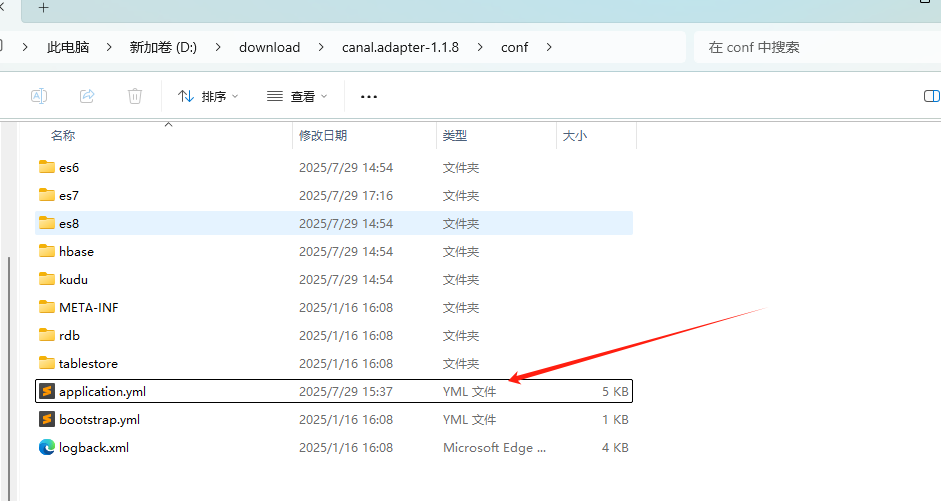
server:
  port: 8081
spring:
  jackson:
    date-format: yyyy-MM-dd HH:mm:ss
    time-zone: GMT+8
    default-property-inclusion: non_null

canal.conf:
  mode: tcp #tcp kafka rocketMQ rabbitMQ
  flatMessage: true
  zookeeperHosts:
  syncBatchSize: 1000
  retries: -1
  timeout:
  accessKey:
  secretKey:
  consumerProperties:
    canal.tcp.server.host: 127.0.0.1:11111 #这里是canal-server
    canal.tcp.zookeeper.hosts:
    canal.tcp.batch.size: 500
    canal.tcp.username:
    canal.tcp.password:

  # 需要同步的数据库配置
  srcDataSources:
    big_market_01:
      url: jdbc:mysql://127.0.0.1:3306/mysql1?useUnicode=true #需要推送数据库信息
      username: canal
      password: canal
    big_market_02:
      url: jdbc:mysql://127.0.0.1:3306/mysql1?useUnicode=true #需要推送数据库信息
      username: canal
      password: canal
  canalAdapters:
  - instance: example # canal instance Name or mq topic name
    groups:
    - groupId: g1 #跟后面的es文件下对应
      outerAdapters:
      - name: logger
      - name: es7  #需对应
        hosts: http://192.168.136.128:9200 # 127.0.0.1:9200 for rest mode #es地址
        properties:
          mode: rest # transport or rest
          cluster.name: docker-cluster
配置es7
有es6、es7、es8根据es的版本进行配置,
dataSourceKey: msql #这里是数据库名称 需同步的数据库名称
destination: example
groupId: g1 #组信息 需跟前面进行同步
esMapping:
  _index: big_market.raffle_activity_order #索引名称
  _id: _id
  sql: "select  t.order_id as _id,
                t.user_id as _user_id,
                t.sku as _sku,
                t.activity_id as _activity_id,
                t.activity_name as _activity_name,
                t.strategy_id as _strategy_id,
                t.order_id as _order_id,
                t.order_time as _order_time,
                t.total_count as _total_count,
                t.day_count as _day_count,
                t.month_count as _month_count,
                t.pay_amount as _pay_amount,
                t.state as _state,
                t.out_business_no as _out_business_no,
                DATE_FORMAT(t.create_time, '%Y-%m-%d %H:%i:%s') as _create_time,
                DATE_FORMAT(t.update_time, '%Y-%m-%d %H:%i:%s') as _update_time
        from raffle_activity_order_000 t" #表名称  不同的表都需要创建 放入对应的es文件夹下
  etlCondition: "where t.update_time>={}"  #数据过滤条件
  commitBatch: 3000
启动
进入相应文件中bin下 startup.bat 启动相应的程序 先启动canal-server 再启动canal-adapter
kibana启动
如果我们想看es中的数据化,可以启动kibana可以进行查看
注意:要先将数据同步之后才能创建该索引,不能搜索不到该索引
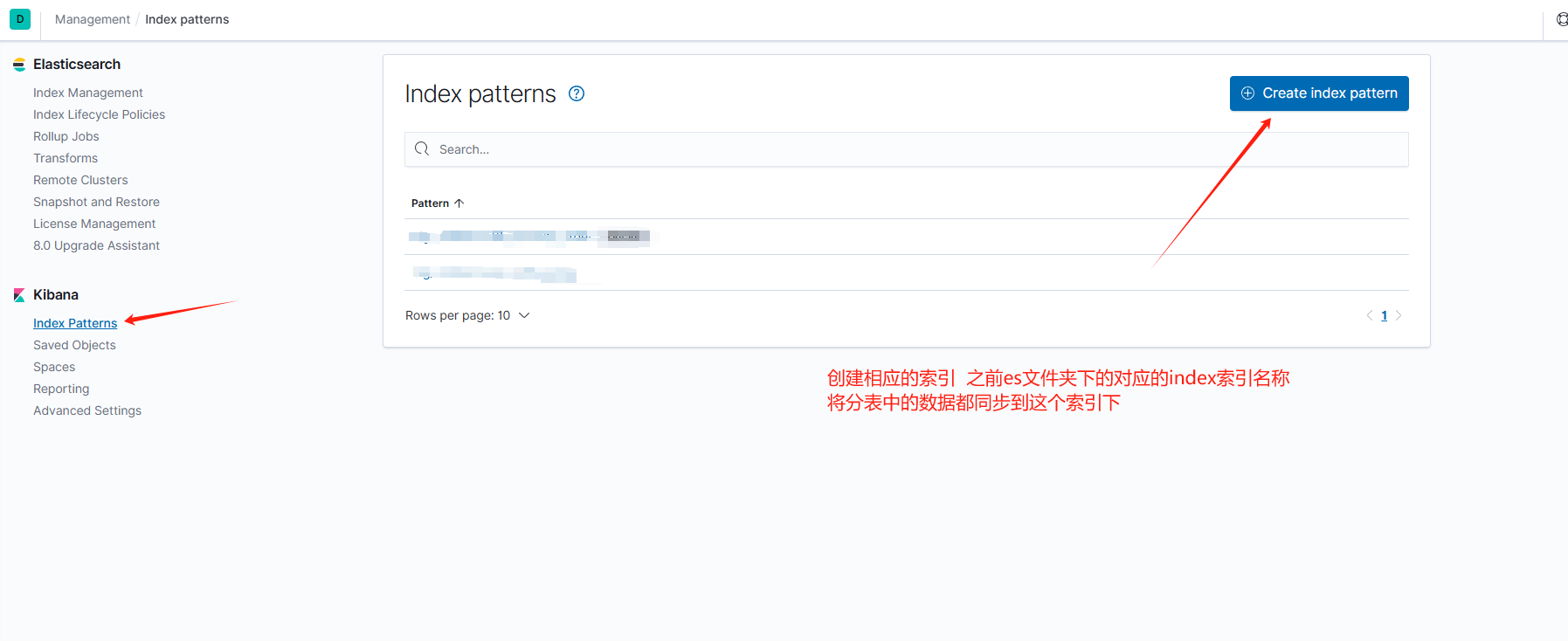
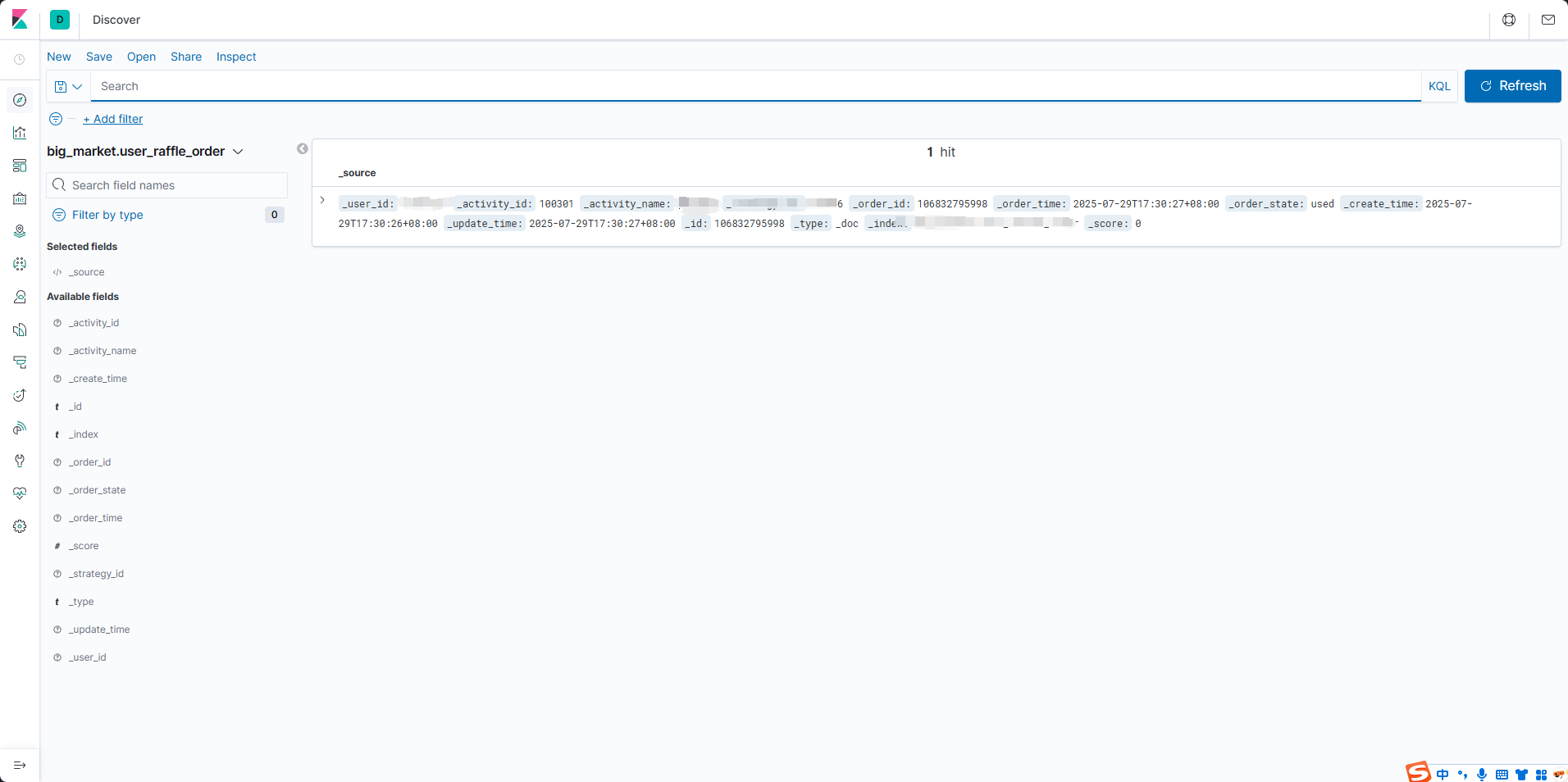
最后的效果如下

中国智能体开发者社区,聚焦智能体与大模型开发,提供前沿资讯、实用工具链、开源项目及行业案例。通过技术沙龙、开发者大赛等活动,促进经验交流与协作,助力开发者快速构建创新智能应用。
更多推荐


 5
5 0
0- 0


 已为社区贡献1条内容

所有评论(0)