前端智能化场景解决方案UI库,轻松构建你的AI应用,如何进行Vue项目快速安装环境
华为MateChat是一款专为AI生成内容(AIGC)场景设计的开源UI组件库,由华为DevUI团队开发。它提供完整的对话式交互组件,如消息气泡、输入框等,支持快速集成到React、Vue等主流框架中。具有轻量化、高扩展性特点,可自定义消息格式和主题样式,兼容OpenAI、Gemini等主流AI模型。该组件已应用于华为内部多个产品,如CodeArts、InsCode AI IDE等,帮助开发者高效
华为MateChat组件是为AI生成内容(AIGC)场景设计的UI库。MateChat,作为华为专为AIGC场景精心打造的UI库,旨在助力开发者高效构建AI对话应用。实际上,它不仅支撑了华为内部多个应用的对话需求,还融入了CodeArts、InsCode AI IDE等智能化助手的构建之中。
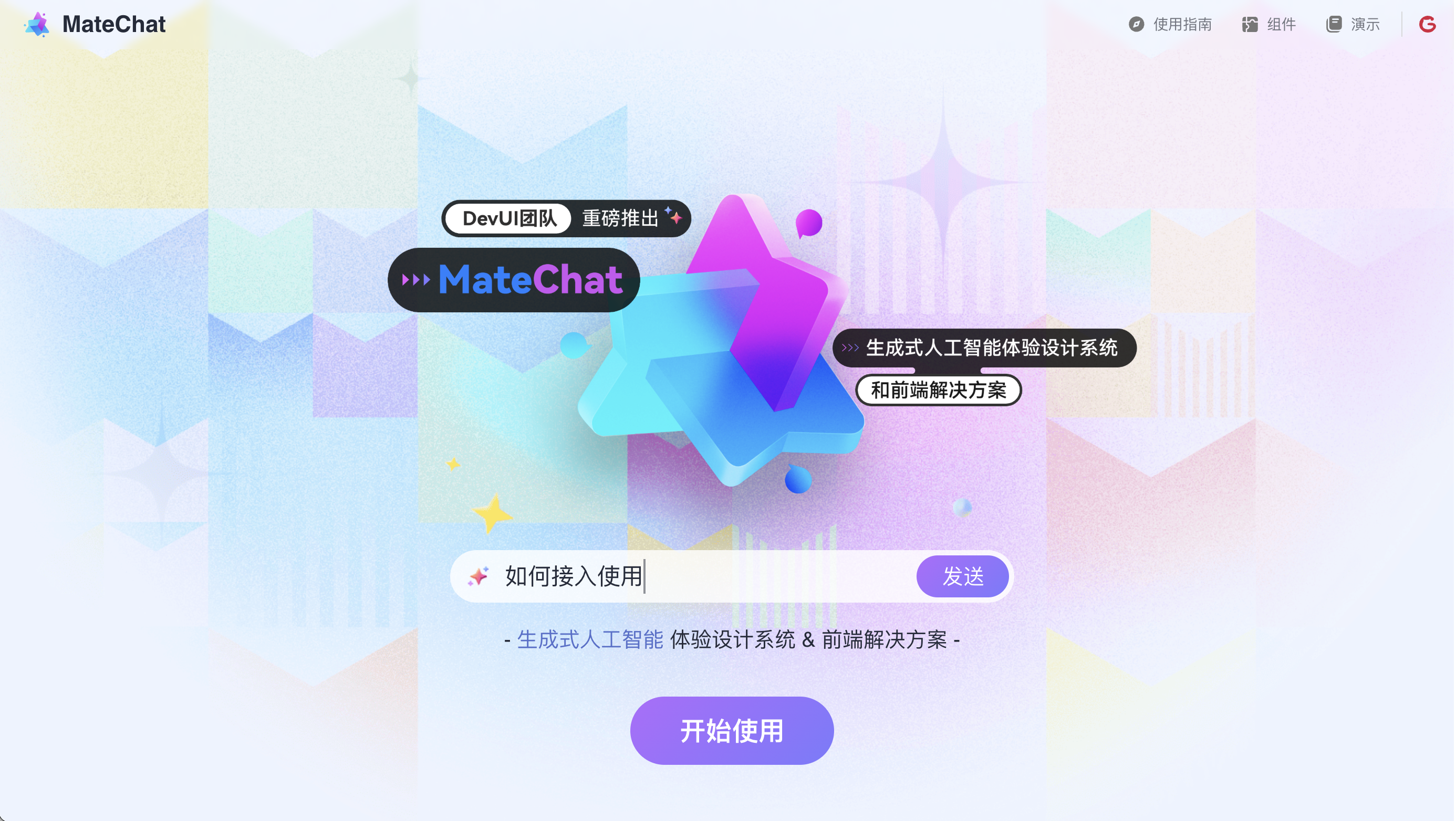 MateChat 是由华为 DevUI 团队开发的一款开源前端 AI 组件库,旨在帮助开发者快速构建智能对话应用。
它专注于生成式 AI(GenAI)场景,提供了一套完整的对话式交互组件,如消息气泡、输入框和过程监督组件,以实现流畅、易用的用户体验。 其核心特点包括:
- 即插即用:轻量化设计,支持快速集成到 React、Vue 等主流前端框架中,降低开发门槛。
- 高扩展性:允许自定义消息格式、主题样式和对话逻辑,兼容 OpenAI、Gemini 等主流 AI 模型。
- 多场景适配:不仅适用于通用网站(如企业官网、电商平台),还特别优化了研发工具领域(如 IDE 插件),支持沉浸式、情境化的交互体验。
MateChat 已在华为内部多个应用及 CodeArts、InsCode AI IDE 等产品中落地,体现了其在实际项目中的可靠性。 通过提供开箱即用的组件和灵活的定制能力,它致力于简化 AI 对话功能的开发流程,助力应用智能化升级。
MateChat 优势:
完成了基础的UI界面搭建后,我们可以进一步探索其在实际项目中的应用。以Vue为例,通过简单的引入和配置,就能在项目中呈现出如McBubble这样的对话组件。其内容与头像的配置都十分灵活,能够轻松满足各种场景的需求。此外,官网还提供了详细的示例和文档,使得开发者能够迅速上手,降低学习成本。
在对接大模型服务方面,通过简单的引入和配置,开发者可在项目中轻松实现对话组件。无论是如盘古、ChatGPT等知名大模型,还是其他开放平台上的模型,都能轻松实现对接。只需在大模型开放平台注册并获取API-Key,即可在项目中调用相应的模型接口,实现智能对话功能。
此外,值得一提的是,MateChat作为华为DevUI团队开发的开源组件,遵循MIT开源协议,可自由下载并应用于商业项目。其轻量级、易集成特点,使得开发者能够轻松搭建自己的AI Chat应用,享受智能交互带来的便捷体验。
如何来使用呢?
前端智能化场景解决方案UI库,轻松构建你的AI应用。已服务于华为内部多个应用智能化改造,并助力CodeArts、InsCode AI IDE等智能化助手搭建。
🖥️ 快速开始
1. 安装
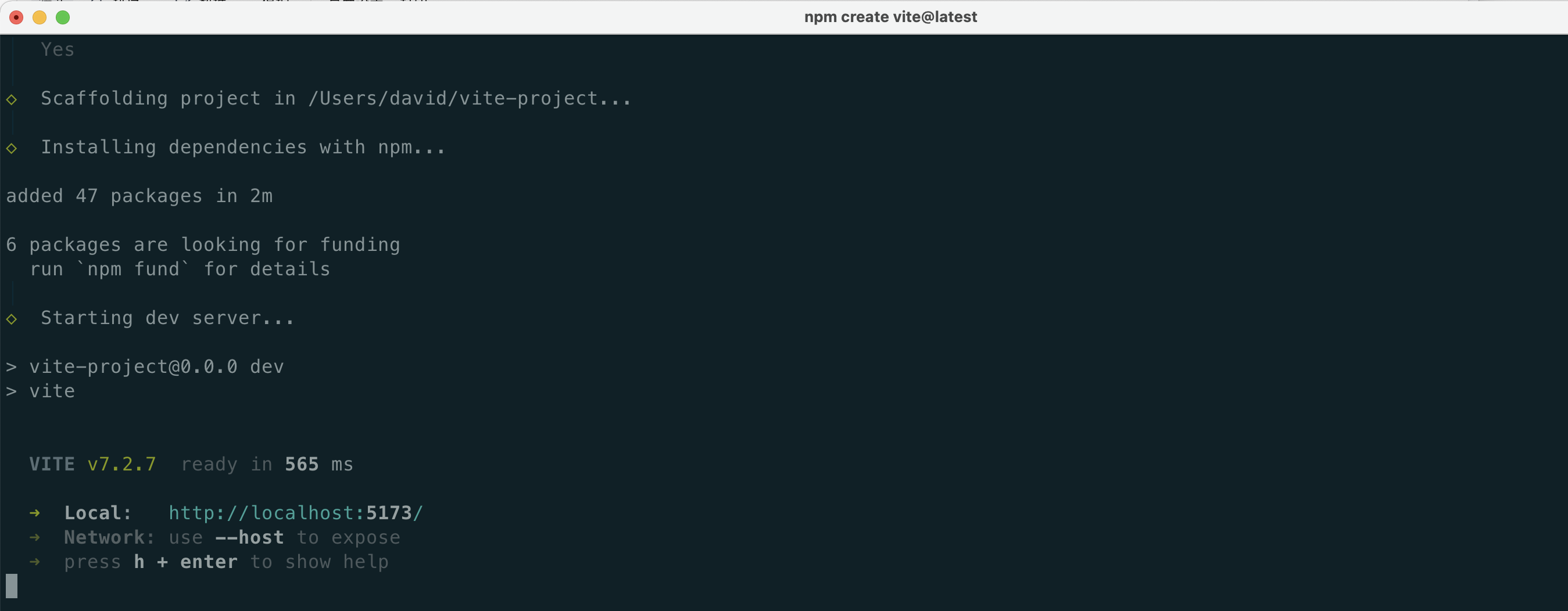
如果你还没有新建项目,可以使用vite首先初始化一个vue+ts项目:
$ npm create vite@latest
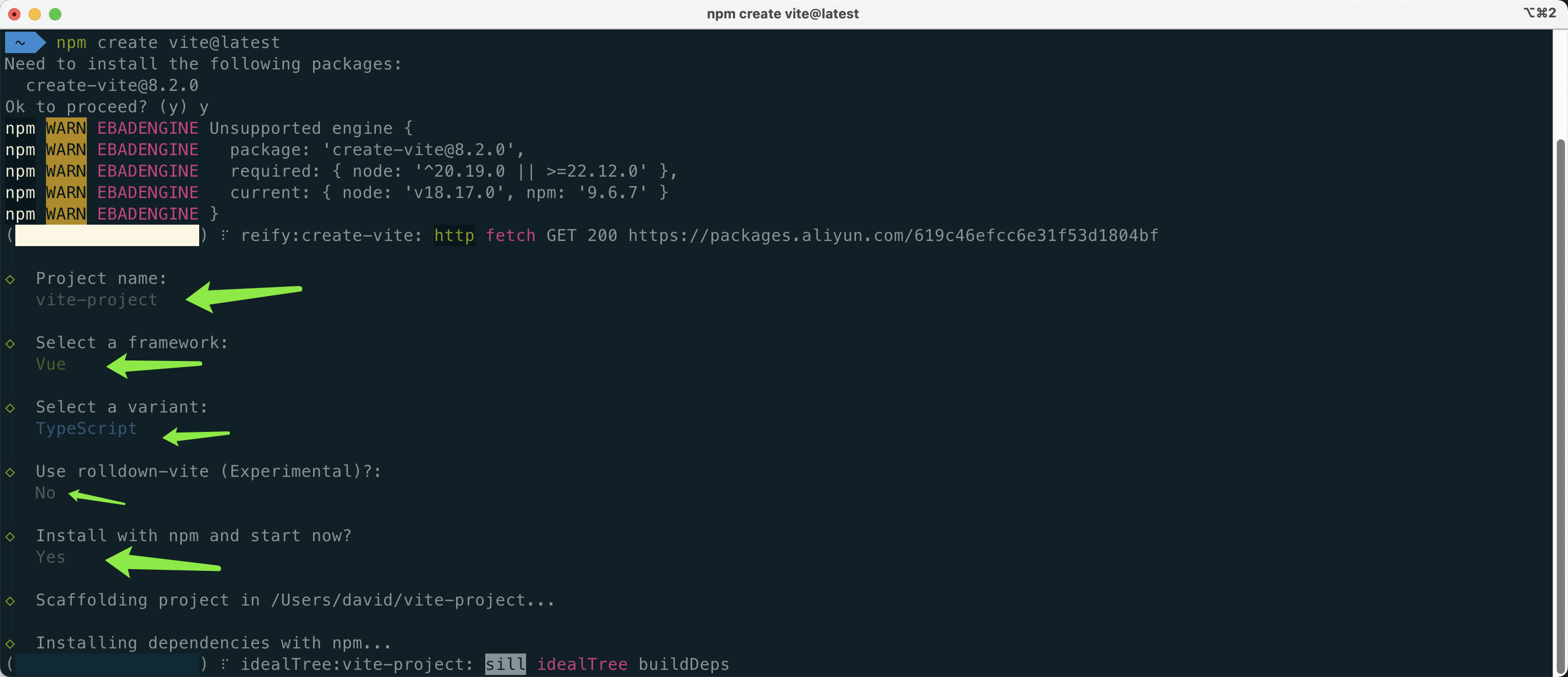
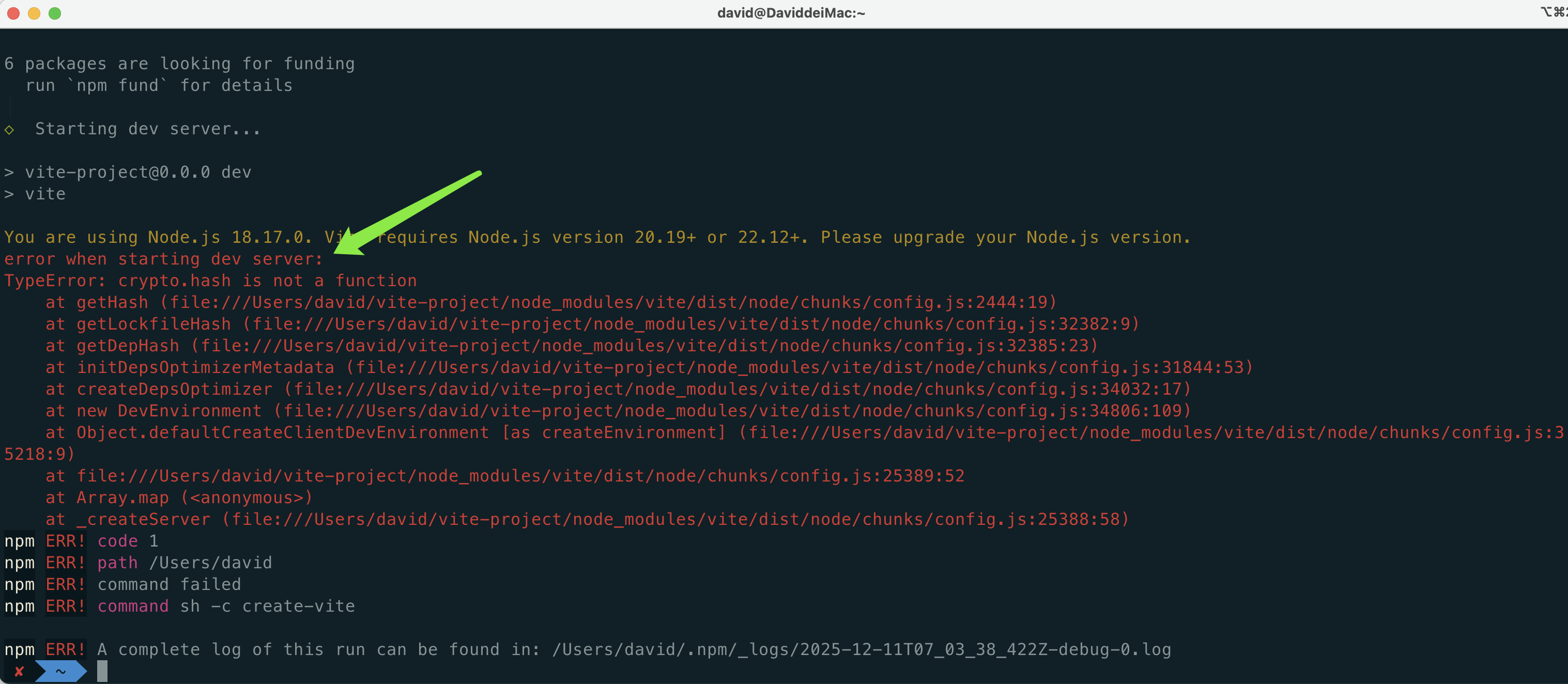
好像报错了:
You are using Node.js 18.17.0. Vite requires Node.js version 20.19+ or 22.12+. Please upgrade your Node.js version.
error when starting dev server:
TypeError: crypto.hash is not a function
根据你提供的错误信息和Node.js版本要求,以下是解决方案:
问题原因
Vite 7.x 版本依赖于 Node.js 20.19+ 或 22.12+ 的 crypto.hash API,而你当前使用的是 Node.js 18.17.0,导致兼容性问题。具体错误 TypeError: crypto.hash is not a function 是由于 Node.js 18.x 版本不支持该 API。
解决方案
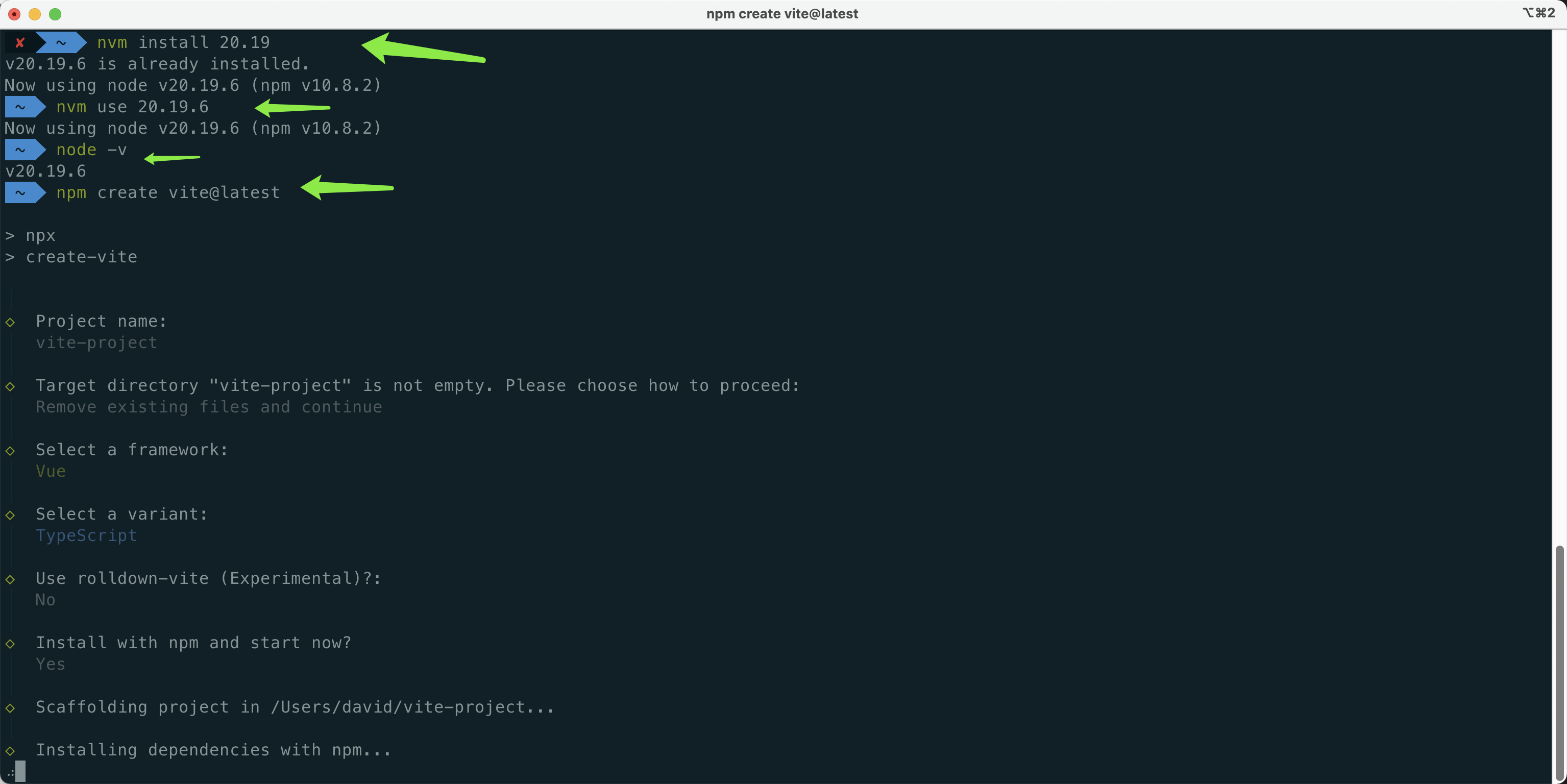
方案一:升级 Node.js 版本(推荐)
安装符合要求的 Node.js 版本:
# 使用 nvm 切换版本(推荐)
nvm install 22.12.0
nvm use 22.12.0
或者安装 Node.js 20.x 版本:
nvm install 20.19.0
nvm use 20.19.0
验证 Node.js 版本:
node -v # 应输出 v22.12.0 或 v20.19.0
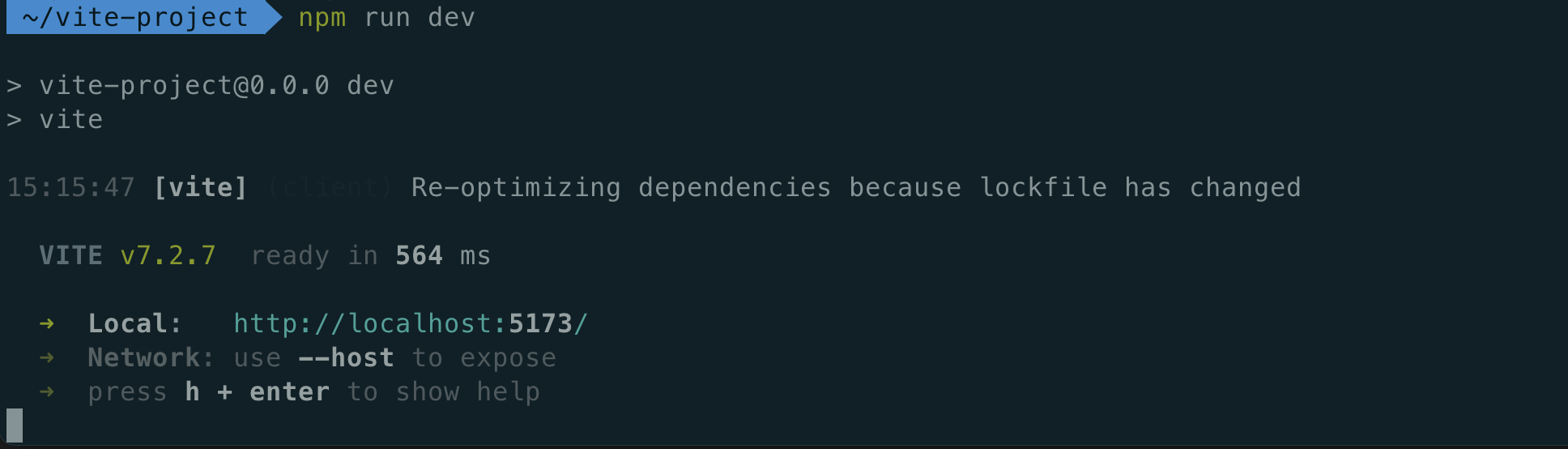
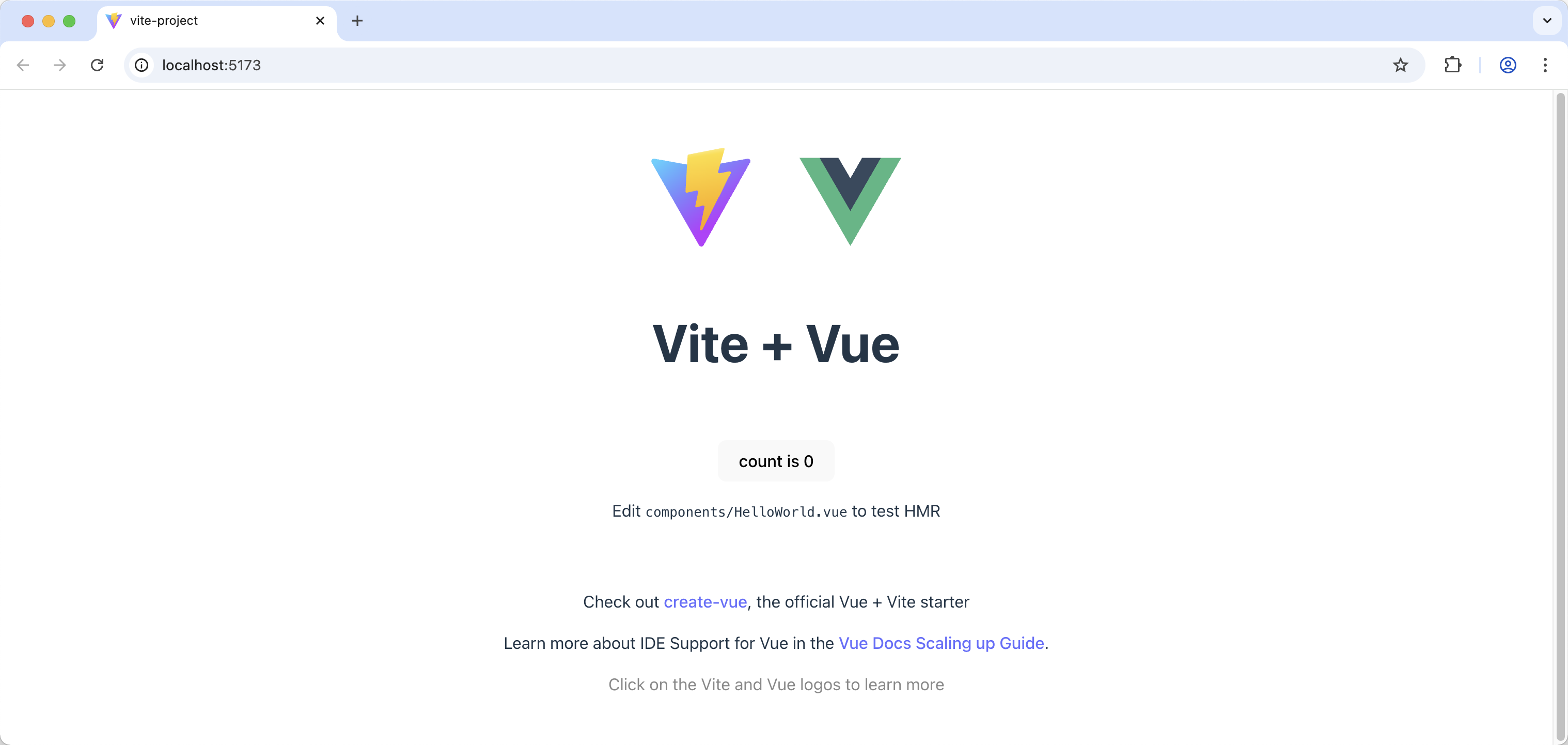
$ npm i vue-devui @matechat/core @devui-design/icons

2. 引入
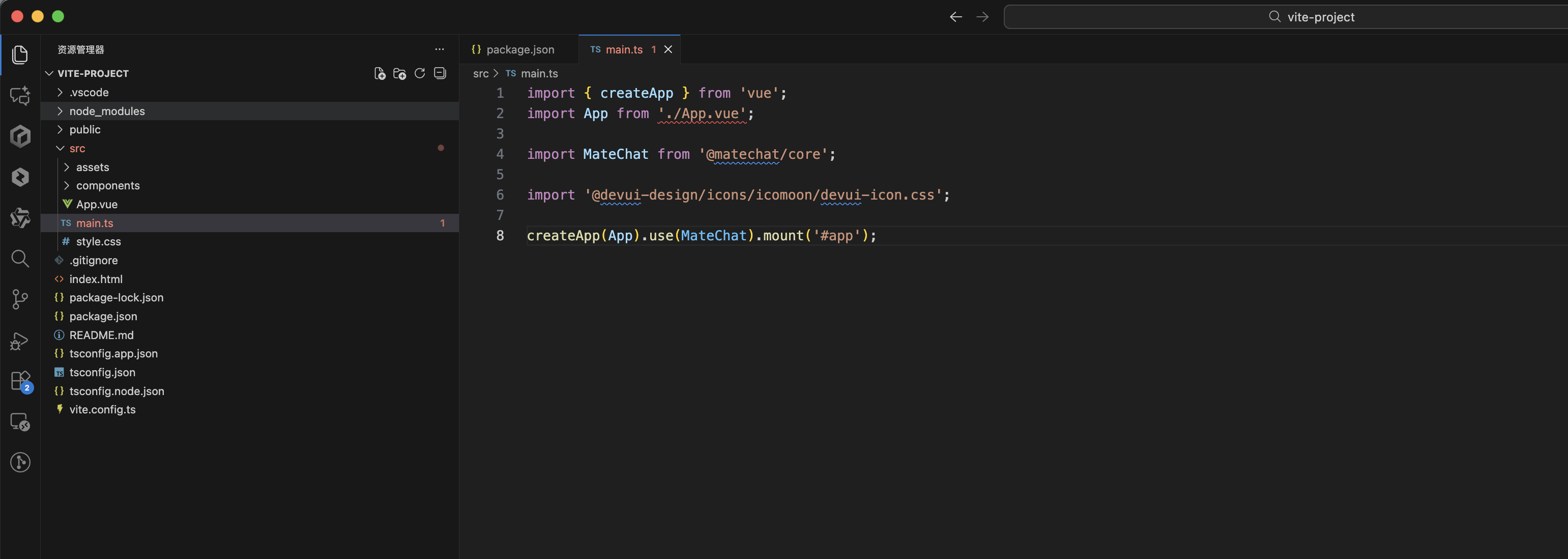
在main.ts文件中引入matechat, 图标库 样式文件
import { createApp } from 'vue';
import App from './App.vue';

import MateChat from '@matechat/core';

import '@devui-design/icons/icomoon/devui-icon.css';

createApp(App).use(MateChat).mount('#app');
3. 使用
在App.vue文件中使用 MateChat 组件,如:
<template>
  <McBubble :content="'Hello, MateChat'" :avatarConfig="{ name: 'matechat' }"></McBubble>
</template>
以下为一个简单的对话界面搭建示例:
<template>
  <McLayout class="container">
    <McHeader :title="'MateChat'" :logoImg="'https://matechat.gitcode.com/logo.svg'">
      <template #operationArea>
        <div class="operations">
          <i class="icon-helping"></i>
        </div>
      </template>
    </McHeader>
    <McLayoutContent
      v-if="startPage"
      style="display: flex; flex-direction: column; align-items: center; justify-content: center; gap: 12px"
    >
      <McIntroduction
        :logoImg="'https://matechat.gitcode.com/logo2x.svg'"
        :title="'MateChat'"
        :subTitle="'Hi,欢迎使用 MateChat'"
        :description="description"
      ></McIntroduction>
      <McPrompt
        :list="introPrompt.list"
        :direction="introPrompt.direction"
        class="intro-prompt"
        @itemClick="onSubmit($event.label)"
      ></McPrompt>
    </McLayoutContent>
    <McLayoutContent class="content-container" v-else>
      <template v-for="(msg, idx) in messages" :key="idx">
        <McBubble
          v-if="msg.from === 'user'"
          :content="msg.content"
          :align="'right'"
          :avatarConfig="{ imgSrc: 'https://matechat.gitcode.com/png/demo/userAvatar.svg' }"
        >
        </McBubble>
        <McBubble v-else :content="msg.content" :avatarConfig="{ imgSrc: 'https://matechat.gitcode.com/logo.svg' }" :loading="msg.loading"> </McBubble>
      </template>
    </McLayoutContent>
    <div class="shortcut" style="display: flex; align-items: center; gap: 8px">
      <McPrompt
        v-if="!startPage"
        :list="simplePrompt"
        :direction="'horizontal'"
        style="flex: 1"
        @itemClick="onSubmit($event.label)"
      ></McPrompt>
      <Button
        style="margin-left: auto"
        icon="add"
        shape="circle"
        title="新建对话"
        size="md"
        @click="newConversation"
      />
    </div>
    <McLayoutSender>
      <McInput :value="inputValue" :maxLength="2000" @change="(e) => (inputValue = e)" @submit="onSubmit">
        <template #extra>
          <div class="input-foot-wrapper">
            <div class="input-foot-left">
              <span v-for="(item, index) in inputFootIcons" :key="index">
                <i :class="item.icon"></i>
                {{ item.text }}
              </span>
              <span class="input-foot-dividing-line"></span>
              <span class="input-foot-maxlength">{{ inputValue.length }}/2000</span>
            </div>
            <div class="input-foot-right">
              <Button icon="op-clearup" shape="round" :disabled="!inputValue" @click="inputValue = ''"><span class="demo-button-content">清空输入</span></Button>
            </div>
          </div>
        </template>
      </McInput>
    </McLayoutSender>
  </McLayout>
</template>

<script setup lang="ts">
import { ref } from 'vue';
import { Button } from 'vue-devui/button';
import 'vue-devui/button/style.css';

const description = [
  'MateChat 可以辅助研发人员编码、查询知识和相关作业信息、编写文档等。',
  '作为AI模型,MateChat 提供的答案可能不总是确定或准确的,但您的反馈可以帮助 MateChat 做的更好。',
];
const introPrompt = {
  direction: 'horizontal',
  list: [
    {
      value: 'quickSort',
      label: '帮我写一个快速排序',
      iconConfig: { name: 'icon-info-o', color: '#5e7ce0' },
      desc: '使用 js 实现一个快速排序',
    },
    {
      value: 'helpMd',
      label: '你可以帮我做些什么?',
      iconConfig: { name: 'icon-star', color: 'rgb(255, 215, 0)' },
      desc: '了解当前大模型可以帮你做的事',
    },
    {
      value: 'bindProjectSpace',
      label: '怎么绑定项目空间',
      iconConfig: { name: 'icon-priority', color: '#3ac295' },
      desc: '如何绑定云空间中的项目',
    },
  ],
};
const simplePrompt = [
  {
    value: 'quickSort',
    iconConfig: { name: 'icon-info-o', color: '#5e7ce0' },
    label: '帮我写一个快速排序',
  },
  {
    value: 'helpMd',
    iconConfig: { name: 'icon-star', color: 'rgb(255, 215, 0)' },
    label: '你可以帮我做些什么?',
  },
];
const startPage = ref(true);
const inputValue = ref('');
const inputFootIcons = [
  { icon: 'icon-at', text: '智能体' },
  { icon: 'icon-standard', text: '词库' },
  { icon: 'icon-add', text: '附件' },
];

const messages = ref<any[]>([]);

const newConversation = () => {
  startPage.value = true;
  messages.value = [];
}

const onSubmit = (evt) => {
  inputValue.value='';
  startPage.value = false;
  // 用户发送消息
  messages.value.push({
    from: 'user',
    content: evt,
  });
  setTimeout(() => {
    // 模型返回消息
    messages.value.push({
      from: 'model',
      content: evt,
    });
  }, 200);
};
</script>

<style>
.container {
  width: 1000px;
  margin: 20px auto;
  height: calc(100vh - 82px);
  padding: 20px;
  gap: 8px;
  background: #fff;
  border: 1px solid #ddd;
  border-radius: 16px;
}

.content-container {
  display: flex;
  flex-direction: column;
  gap: 8px;
  overflow: auto;
}

.input-foot-wrapper {
  display: flex;
  justify-content: space-between;
  align-items: center;
  width: 100%;
  height: 100%;
  margin-right: 8px;

  .input-foot-left {
    display: flex;
    align-items: center;
    gap: 8px;

    span {
      font-size: 14px;
      line-height: 18px;
      color: #252b3a;
      cursor: pointer;
    }

    .input-foot-dividing-line {
      width: 1px;
      height: 14px;
      background-color: #d7d8da;
    }

    .input-foot-maxlength {
      font-size: 14px;
      color: #71757f;
    }
  }

  .input-foot-right {
    .demo-button-content {
      font-size: 14px;
    }

    & > *:not(:first-child) {
      margin-left: 8px;
    }
  }
}
</style>
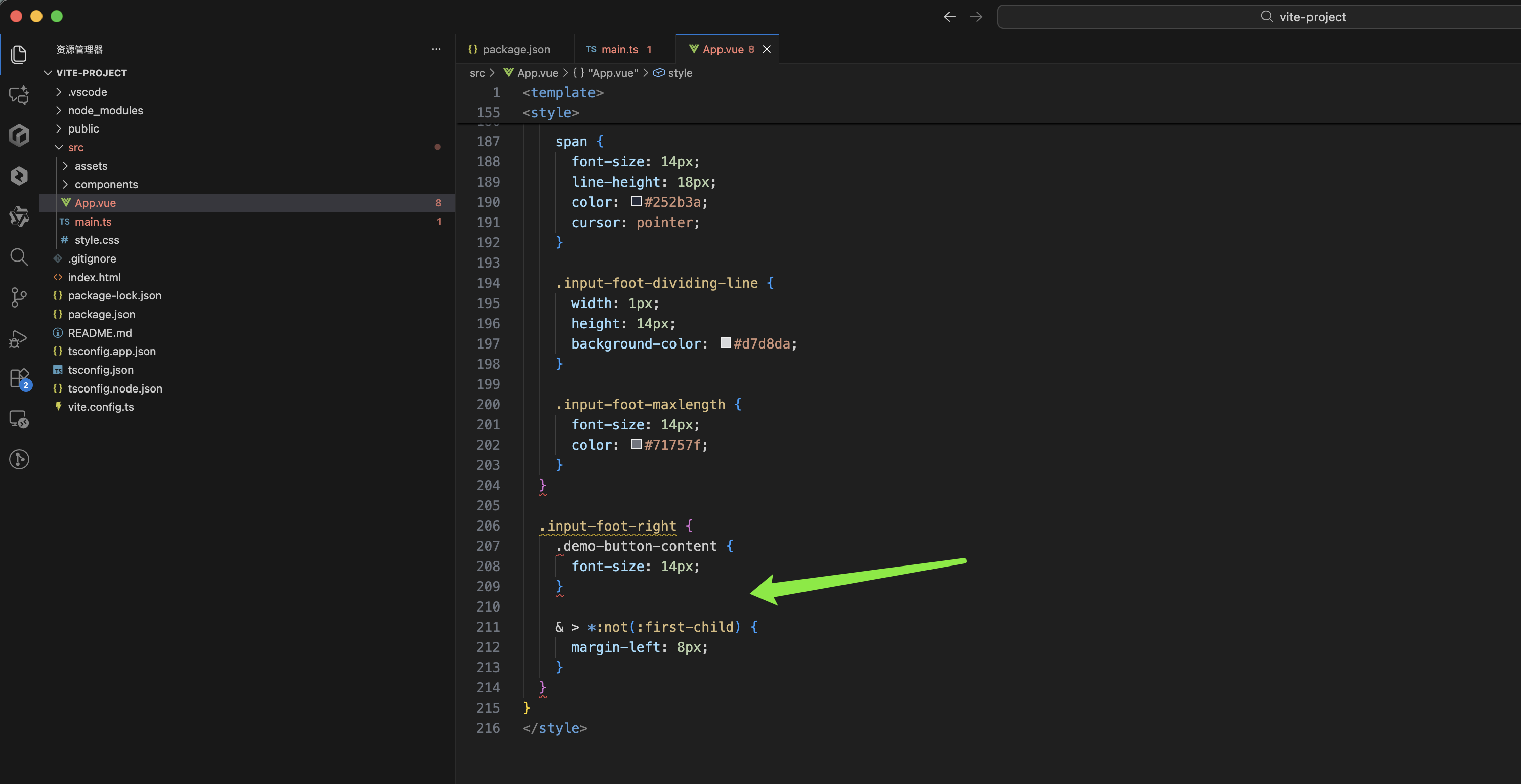
那么我这里加为less的lang表示css的环境:
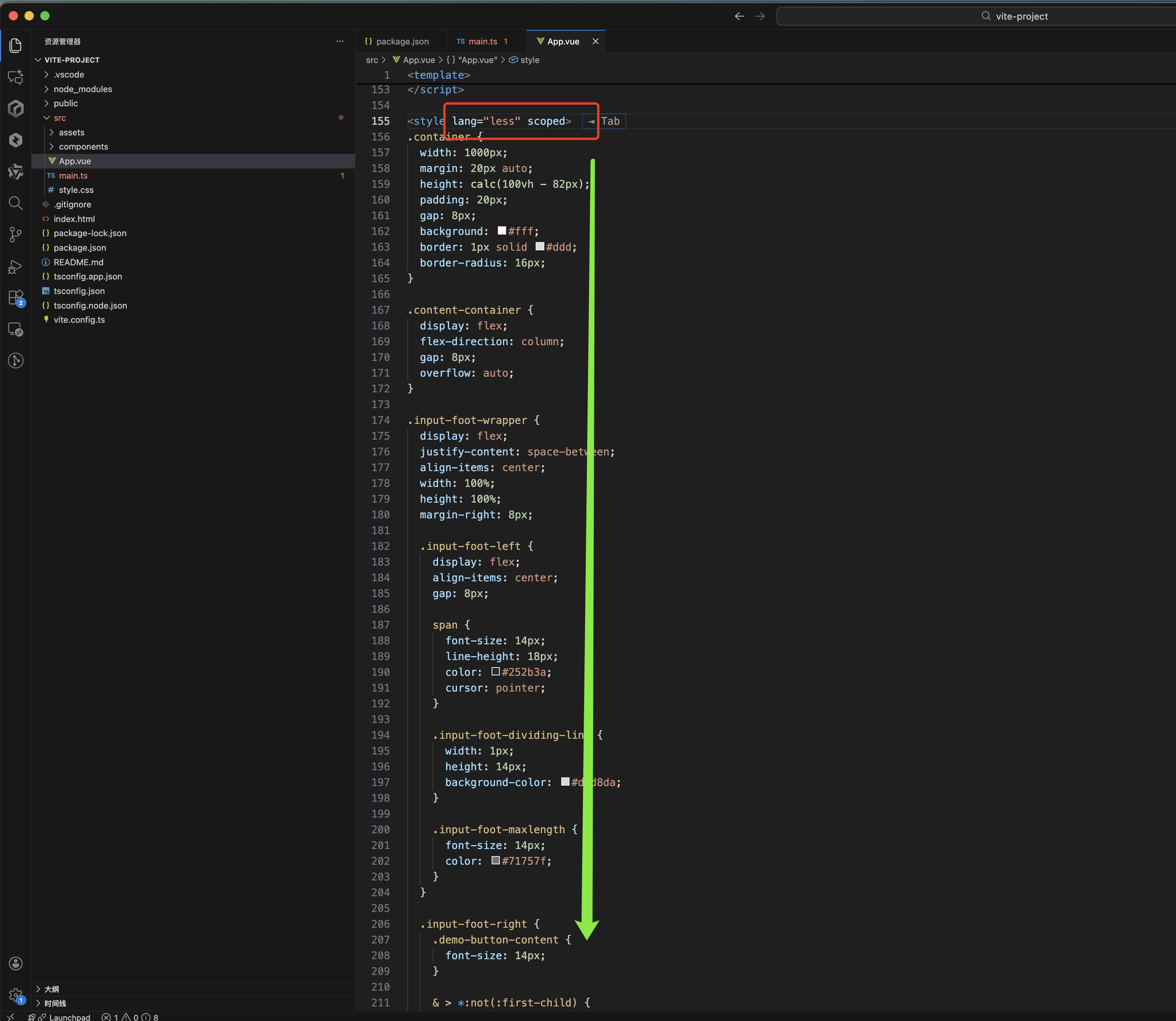
报错解决了,但是页面又出现了报错:
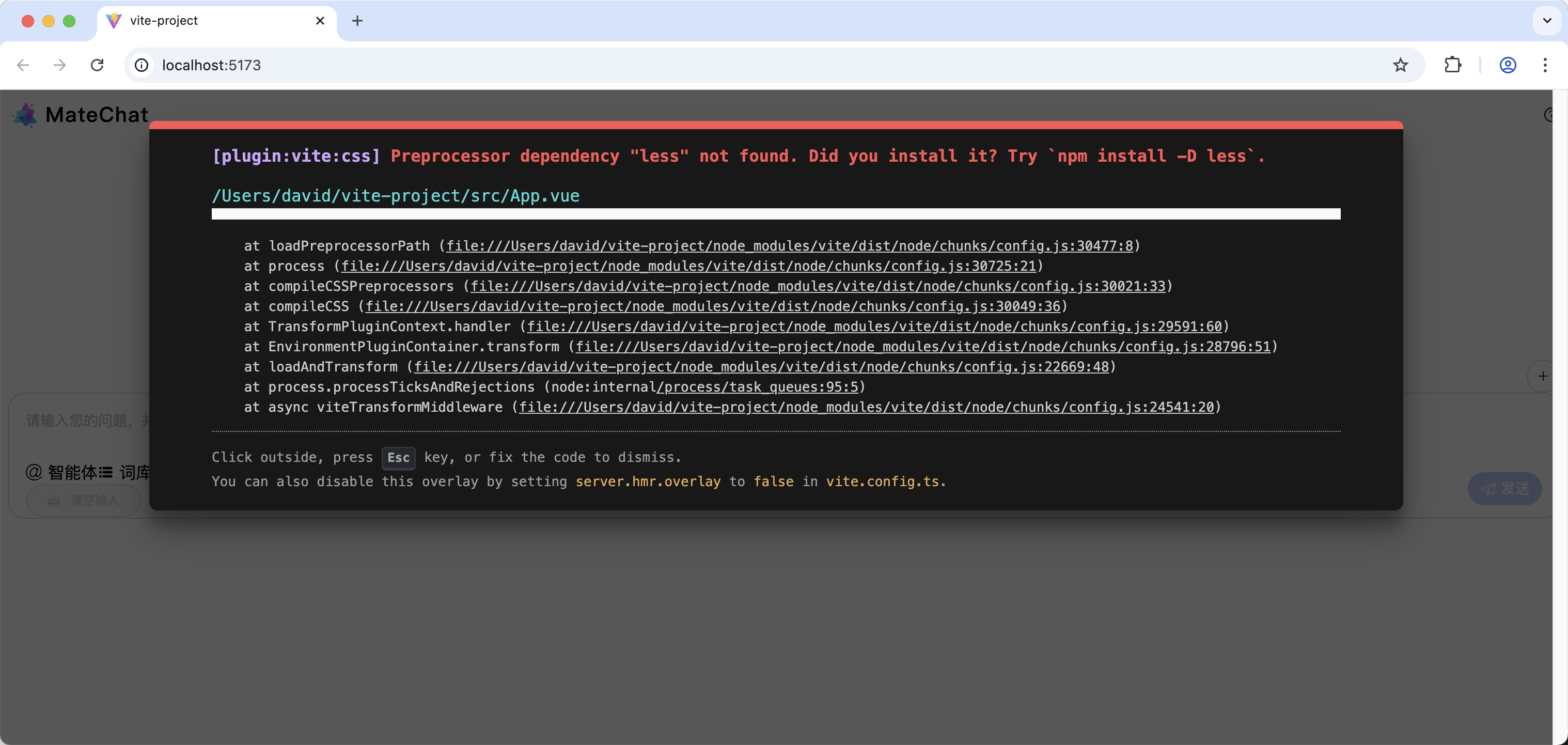
Preprocessor dependency "less" not found. Did you install it? Try `npm install -D less`
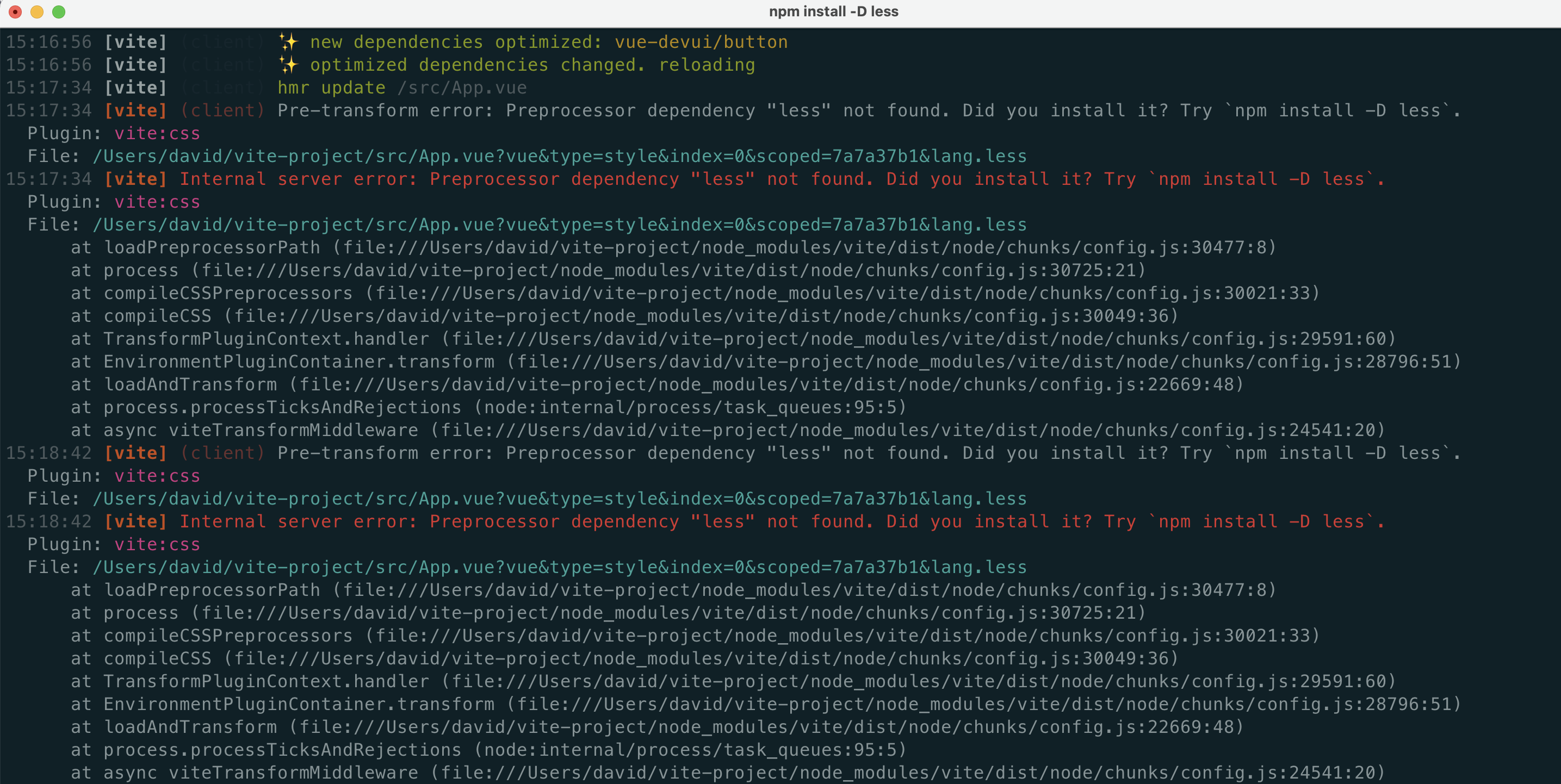
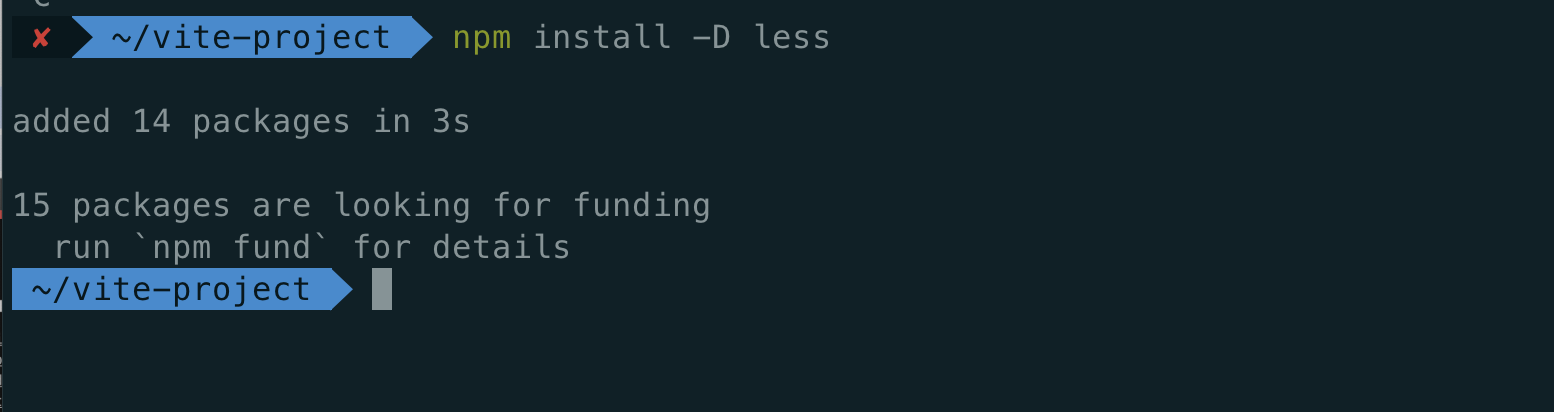
再启动一下就正常了:
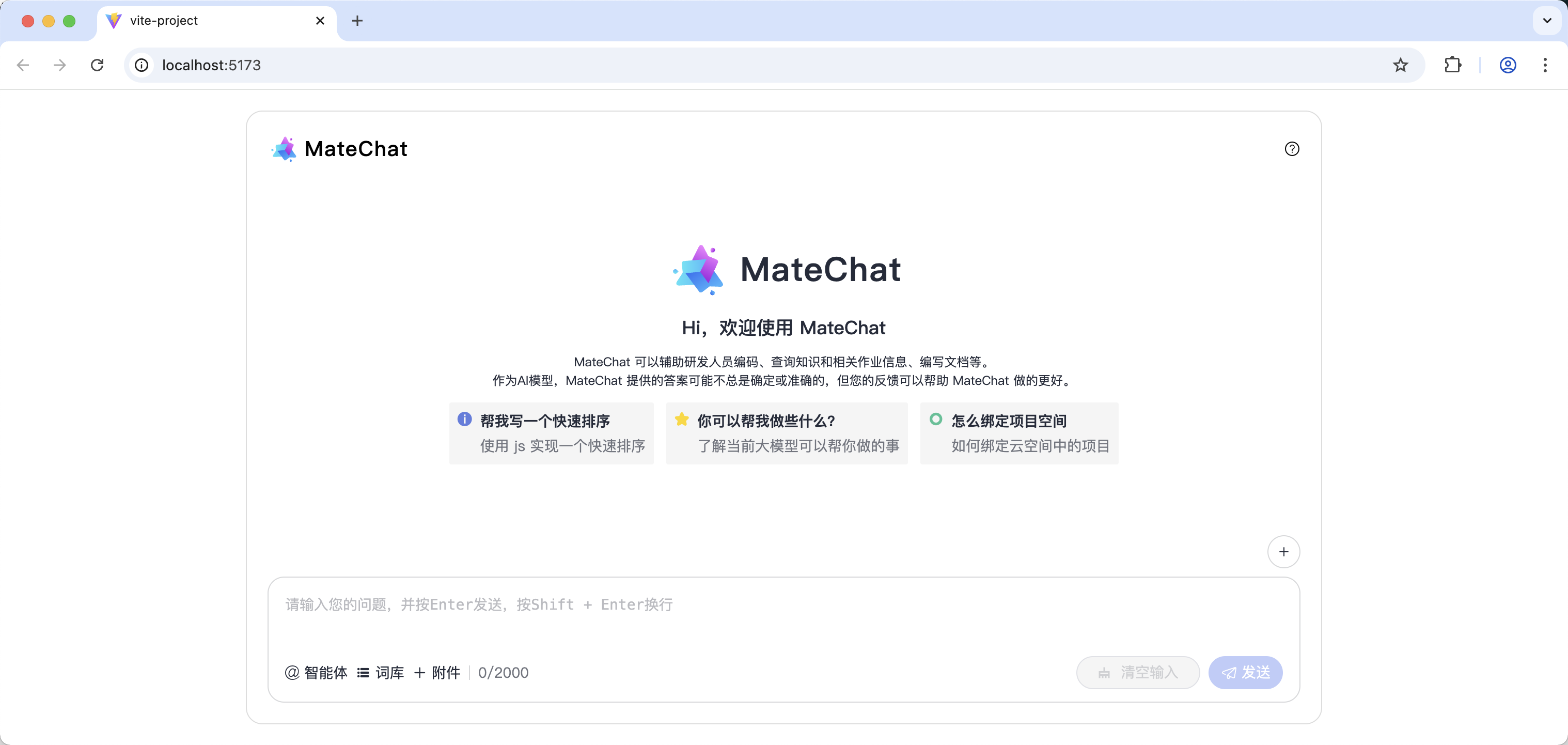
华为MateChat是一款专为AI生成内容(AIGC)场景设计的开源UI组件库,由华为DevUI团队开发。它提供完整的对话式交互组件,如消息气泡、输入框等,支持快速集成到React、Vue等主流框架中。具有轻量化、高扩展性特点,可自定义消息格式和主题样式,兼容OpenAI、Gemini等主流AI模型。该组件已应用于华为内部多个产品,如CodeArts、InsCode AI IDE等,帮助开发者高效构建智能对话应用。通过简单的安装配置即可实现与大模型服务的对接,降低开发门槛,助力应用智能化升级。
MateChat:https://gitcode.com/DevCloudFE/MateChat
MateChat官网:https://matechat.gitcode.com
DevUI官网:https://devui.design/home

火山引擎开发者社区是火山引擎打造的AI技术生态平台,聚焦Agent与大模型开发,提供豆包系列模型(图像/视频/视觉)、智能分析与会话工具,并配套评测集、动手实验室及行业案例库。社区通过技术沙龙、挑战赛等活动促进开发者成长,新用户可领50万Tokens权益,助力构建智能应用。
更多推荐
 19
19 0
0- 0


 已为社区贡献4条内容

所有评论(0)