基于深度学习的无人机识别检测系统(最新web界面+YOLOv8/YOLOv10/YOLOv11/YOLOv12+DeepSeek智能分析 +前后端分离)
本项目旨在设计并实现一个高效、精准、用户友好的无人机自动识别与综合管理系统。系统核心采用当前最前沿的YOLOv8/YOLOv10/YOLOv11/YOLOv12目标检测算法,构建了一个高性能的无人机检测模型。项目创新性地集成了DeepSeek大型语言模型的智能分析能力,赋予系统对检测结果的语义理解和生成式描述功能。系统架构采用前后端分离的现代化设计模式,后端使用Spring Boot等框架构建稳健
摘要
本项目旨在设计并实现一个高效、精准、用户友好的无人机自动识别与综合管理系统。系统核心采用当前最前沿的YOLOv8/YOLOv10/YOLOv11/YOLOv12目标检测算法,构建了一个高性能的无人机检测模型。项目创新性地集成了DeepSeek大型语言模型的智能分析能力,赋予系统对检测结果的语义理解和生成式描述功能。系统架构采用前后端分离的现代化设计模式,后端使用Spring Boot等框架构建稳健的API服务,前端采用Vue.js构建响应式、高交互的Web界面,确保了良好的可维护性和扩展性。系统功能全面,不仅支持图像、视频、摄像头实时流的无人机检测,并将所有检测记录与用户行为数据持久化存储至MySQL数据库,还提供了完善的用户权限管理、可视化数据分析、多媒体记录管理等后台模块。本系统将深度学习的前沿技术、大模型的智能分析与成熟的软件工程实践相结合,为无人机监管、空域安全、反制系统等领域提供了一个功能强大、界面直观的一体化解决方案。
目录
项目源码+数据集下载链接
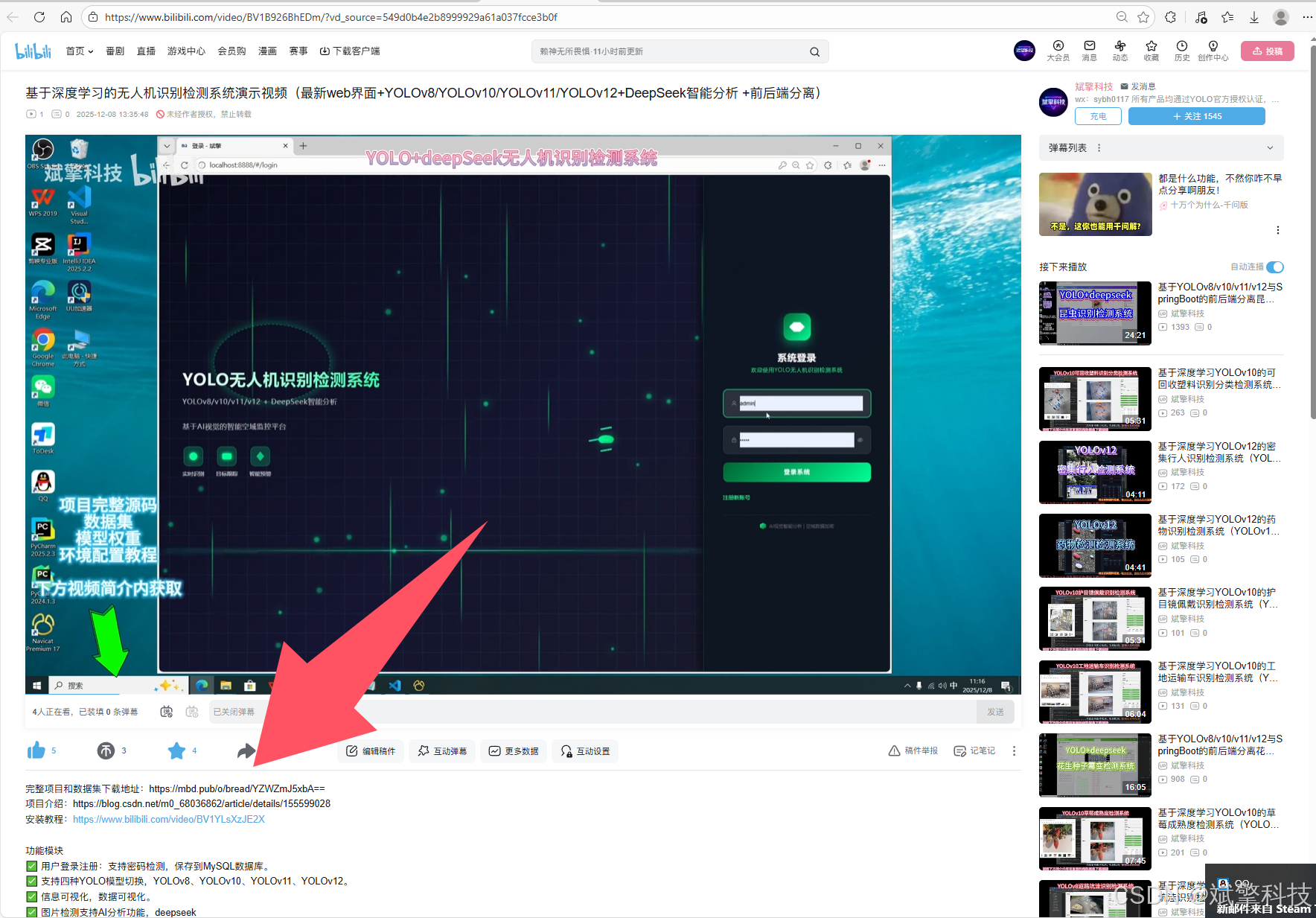
完整代码在哔哩哔哩视频下方简介内获取:
基于深度学习的无人机识别检测系统演示视频(最新web界面+YOLOv8/YOLOv10/YOLOv11/YOLOv12+DeepSeek智能分析 +前后端分离)_哔哩哔哩_bilibili
 https://www.bilibili.com/video/BV1B926BhEDm/?vd_source=549d0b4e2b8999929a61a037fcce3b0f
https://www.bilibili.com/video/BV1B926BhEDm
引言
随着无人机技术的普及和成本的降低,其应用已渗透到农业、物流、测绘、娱乐等各个领域。然而,无人机的无序使用也给公共安全、个人隐私、航空秩序甚至关键基础设施带来了严峻挑战。因此,实现对无人机的快速、准确、自动化的识别与监控变得至关重要。
传统的无人机检测方法(如雷达、声学探测)存在成本高、易受环境干扰或识别精度有限等问题。近年来,基于深度学习,特别是卷积神经网络的目标检测技术,在视觉检测任务中展现了巨大优势。其中,YOLO系列算法以其卓越的“速度-精度”平衡而广受青睐。本项目紧跟技术前沿,集成YOLOv8至v12等多个版本的最新模型,为用户提供了灵活、强大的检测引擎选择。
此外,单纯的检测框输出已难以满足复杂场景下的分析需求。本项目创造性引入DeepSeek大型语言模型,对检测结果进行上下文理解与智能报告生成,使系统从“看见”无人机升级为“理解”检测场景。结合现代化的Web开发技术,我们打造了一个集算法切换、智能分析、数据管理、用户交互于一体的综合性平台,旨在推动无人机识别技术从实验室算法向实际工程化、服务化应用的转化。
背景与研究现状
1. 无人机检测的紧迫性: 无人机“黑飞”、“乱飞”事件频发,对机场、重大活动场所、军事禁区等构成了现实威胁。全球范围内对低空安防和无人机感知技术的需求急剧增长。
2. 基于视觉的深度学习检测方法: R-CNN系列、SSD、YOLO等算法是当前主流。YOLO系列因其单阶段、端到端的特性,在实时检测领域占据统治地位。YOLOv8在速度和精度上取得了良好平衡;YOLOv10提出了无NMS的改进;YOLOv11/YOLOv12(注:此为社区或后续版本命名)通常代表了在骨干网络、特征融合或训练策略上的进一步优化。通过集成这些版本,本项目能够横向对比并应用最先进的检测性能。
3. 大模型与计算机视觉的融合趋势: 通用大语言模型具备强大的知识整合与语言生成能力。将其与CV模型结合(如通过视觉编码器或对检测结果进行后处理分析),可以生成更人性化、信息更丰富的描述,提升系统的可解释性和实用性。
4. 系统工程的实践需求: 一个成熟的检测系统不仅是算法模型,更需要稳定的后台服务、安全的数据管理、友好的用户界面和完整的业务流程。前后端分离架构、RESTful API设计、数据库规划是现代Web应用的标准实践。
本项目正是在上述背景下,致力于解决从“先进算法”到“可用系统”之间的鸿沟,构建一个技术栈全面、功能闭环的无人机识别检测产品级解决方案。
数据集介绍
本项目的模型训练与验证依赖于一个精心构建的无人机专用视觉数据集。
-
类别定义: 数据集专注于单一目标类别——
drone。这种单类别设计使得模型能够集中所有学习能力,最大化对无人机特征的识别精度,避免多类别间的干扰。 -
数据规模:
-
训练集: 包含 1,012张 高质量、多场景的无人机图像。这些图像涵盖了无人机在不同尺度、角度、光照条件、背景复杂度以及不同飞行状态下的外观。充足且多样的训练数据是模型获得强泛化能力的基础。
-
验证集: 包含 347张 图像,用于在训练过程中评估模型性能、调整超参数以及进行模型选择。验证集与训练集在分布上独立,确保了评估的客观性。
-
-
数据标注: 所有图像均使用专业的标注工具(如LabelImg)进行标注。每个边界框精确框出图像中的无人机目标,并打上“drone”标签。
系统核心功能模块详述
1. 用户认证与管理模块
-
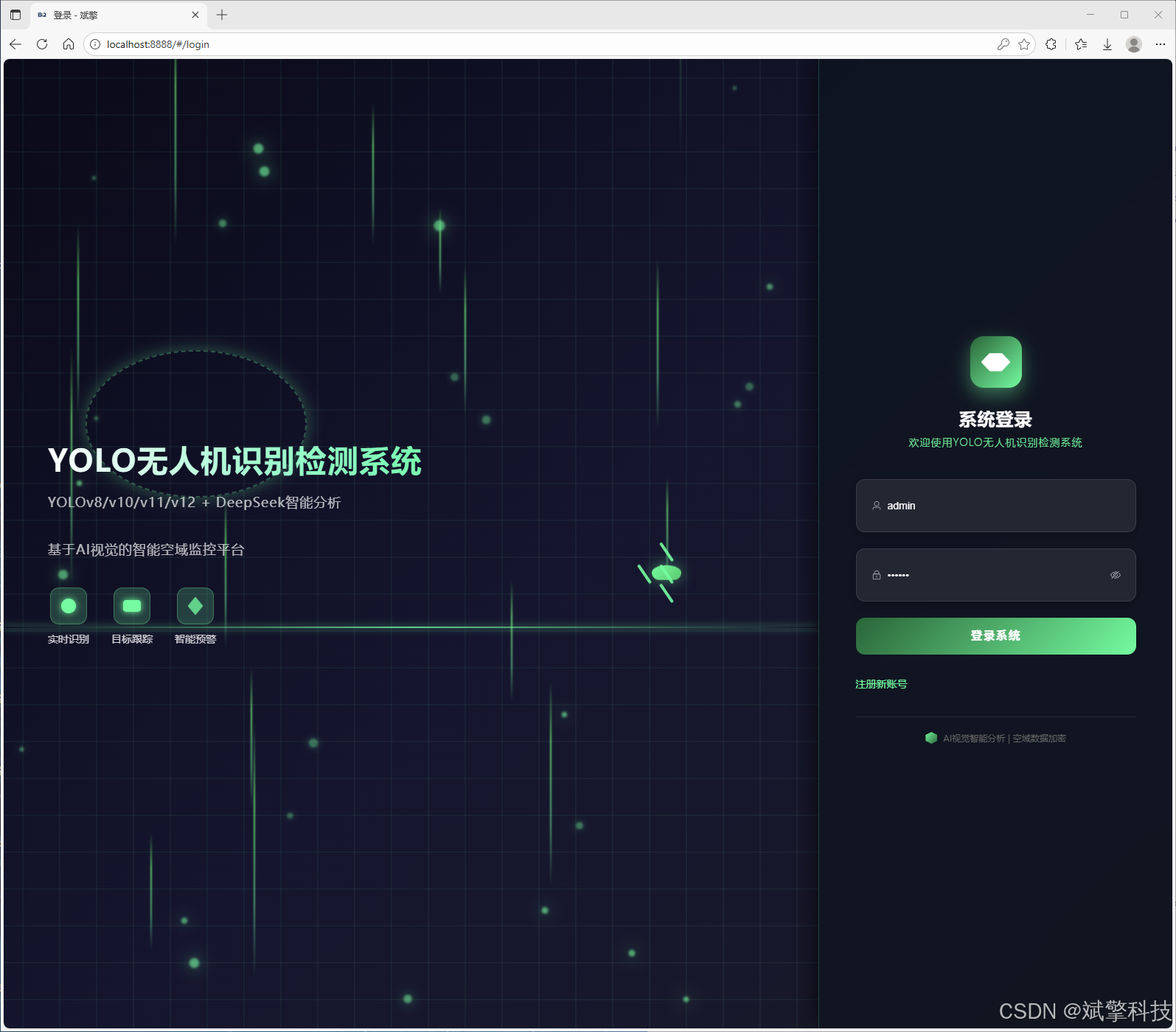
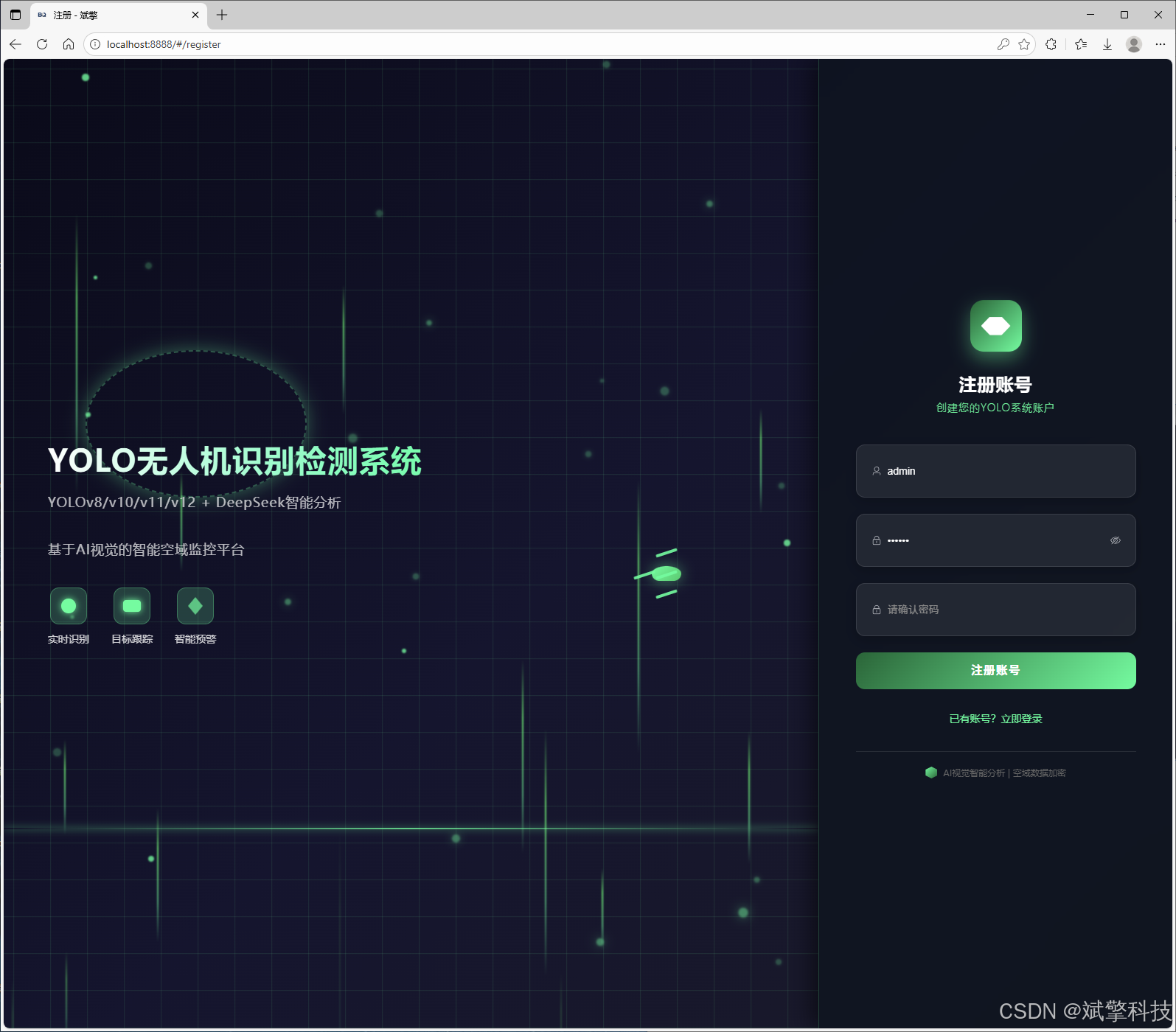
安全注册与登录: 实现基于用户名/密码的认证,密码存储,并支持密码强度实时检测。
-
MySQL集成: 所有用户凭证、资料均安全存储于MySQL数据库。
-
精细化权限控制: 实现
普通用户与系统管理员角色分离。 -
管理员后台: 管理员拥有专属界面,可对系统所有用户进行增、删、改、查操作。
-
个人中心: 每个用户可修改个人信息,如昵称、头像、密码等,提供个性化体验。
2. 多模态无人机检测模块
-
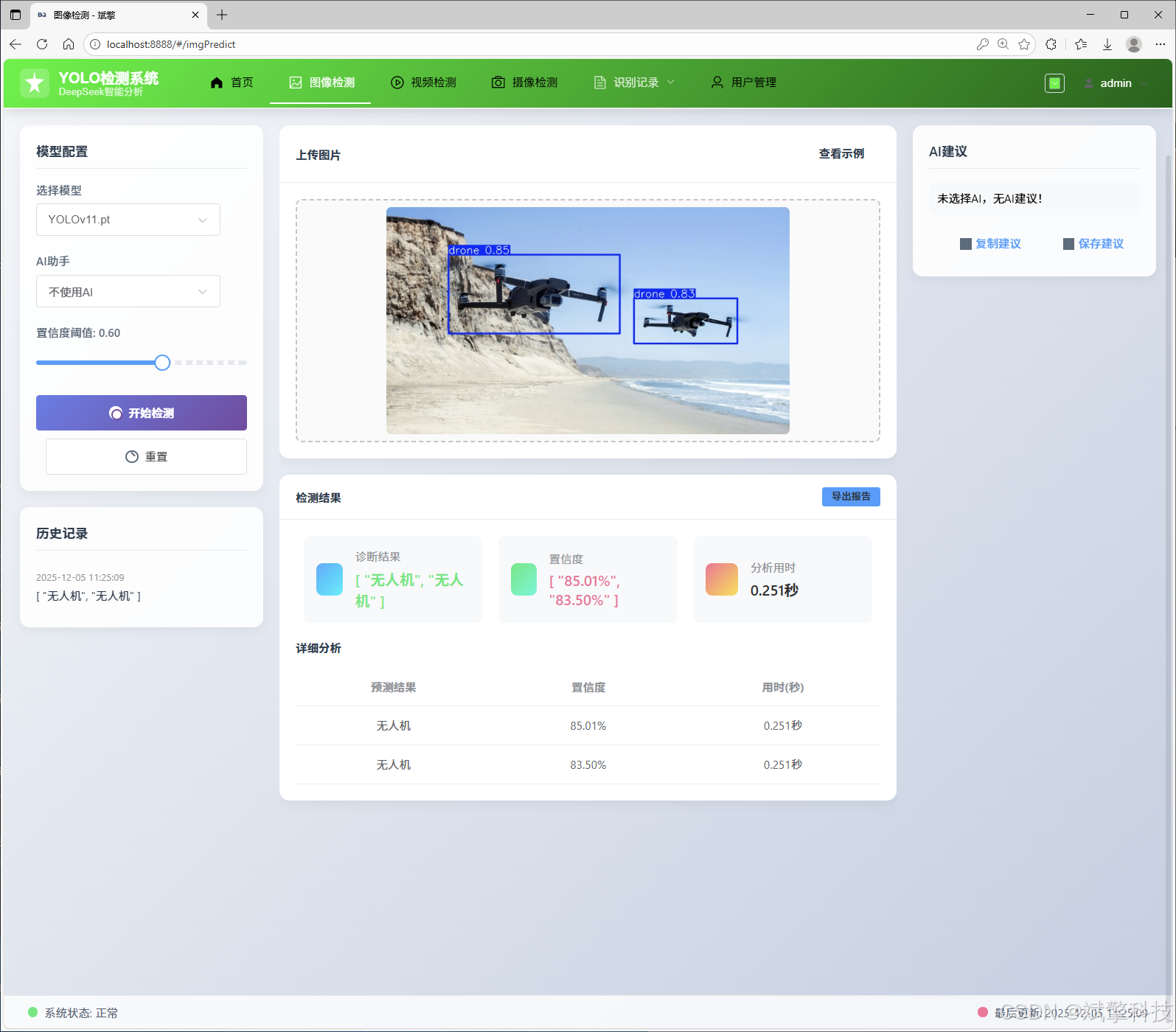
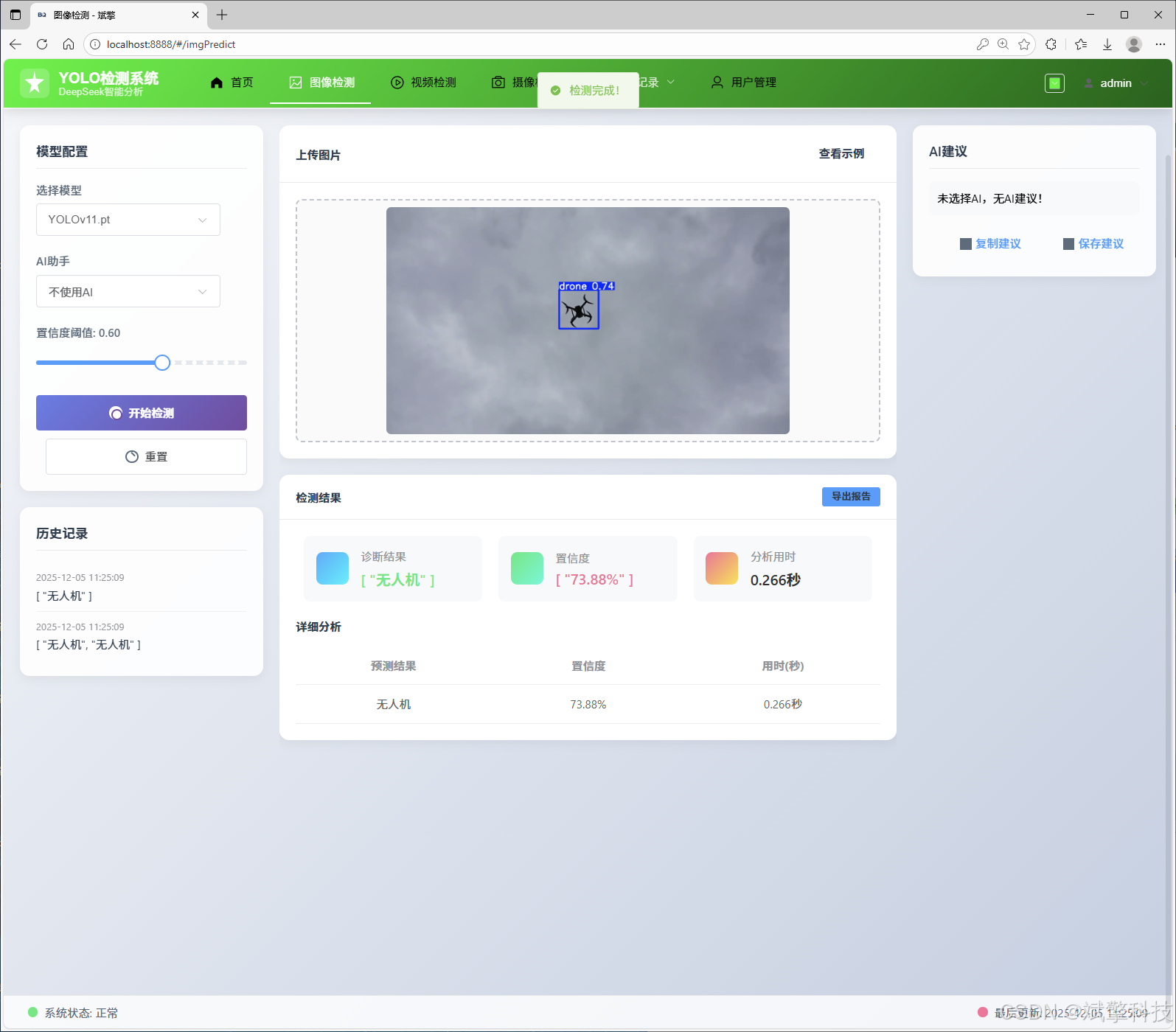
图像检测: 用户上传静态图片,系统调用选定的YOLO模型进行推理,返回带检测框和置信度的结果图。
-
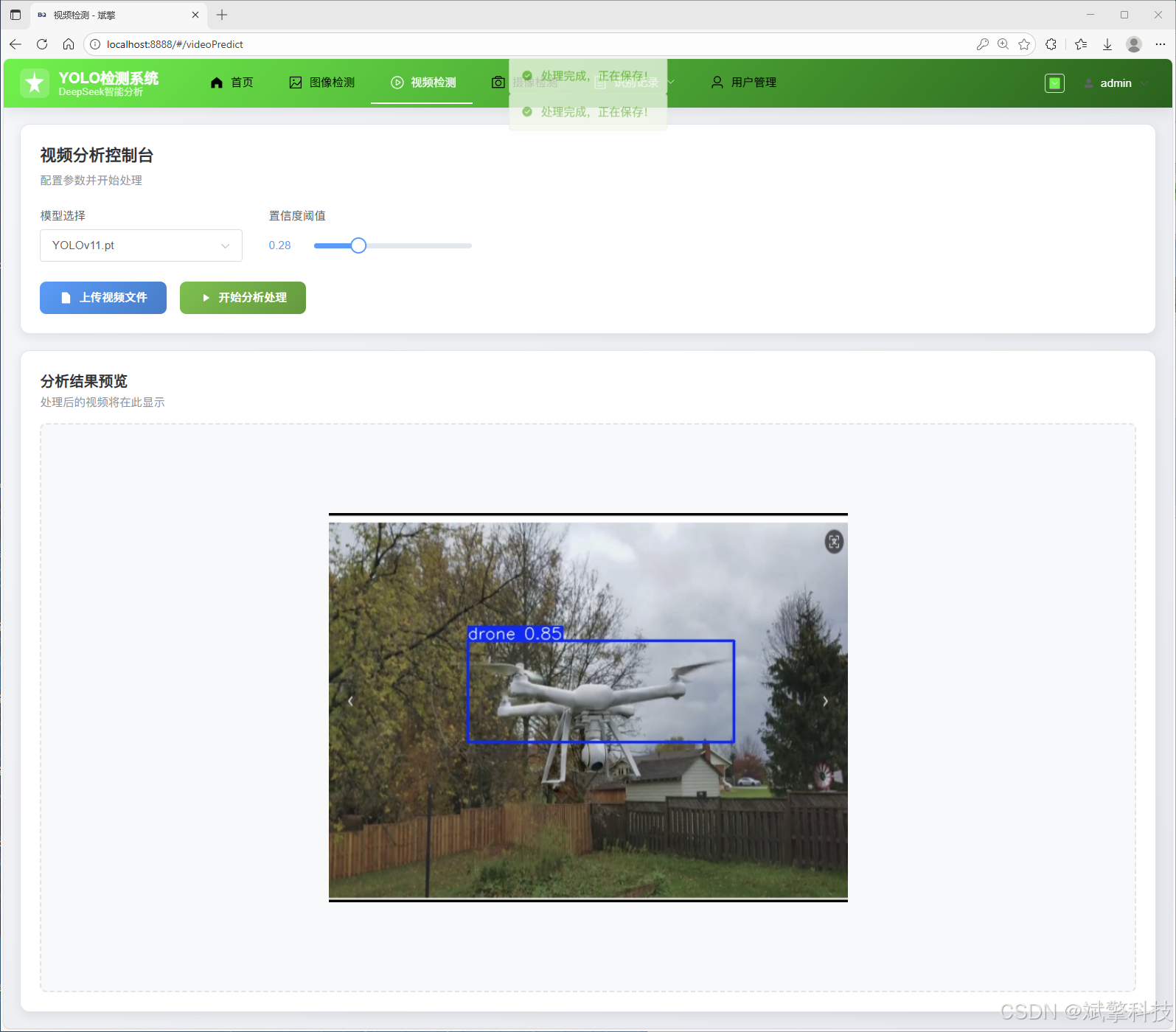
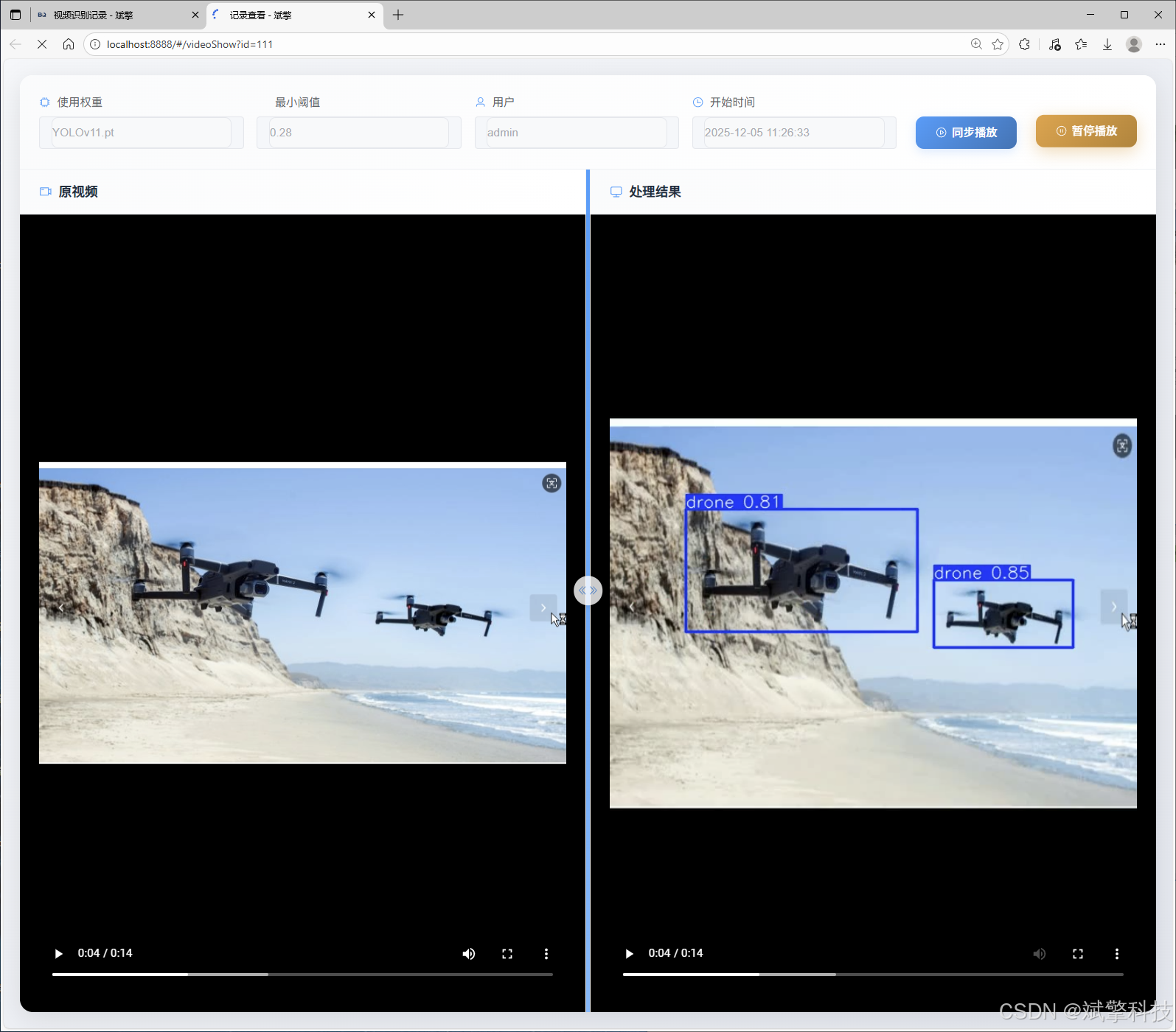
视频检测: 支持上传视频文件,系统逐帧分析,可生成带检测结果的视频输出,并提取检测摘要。
-
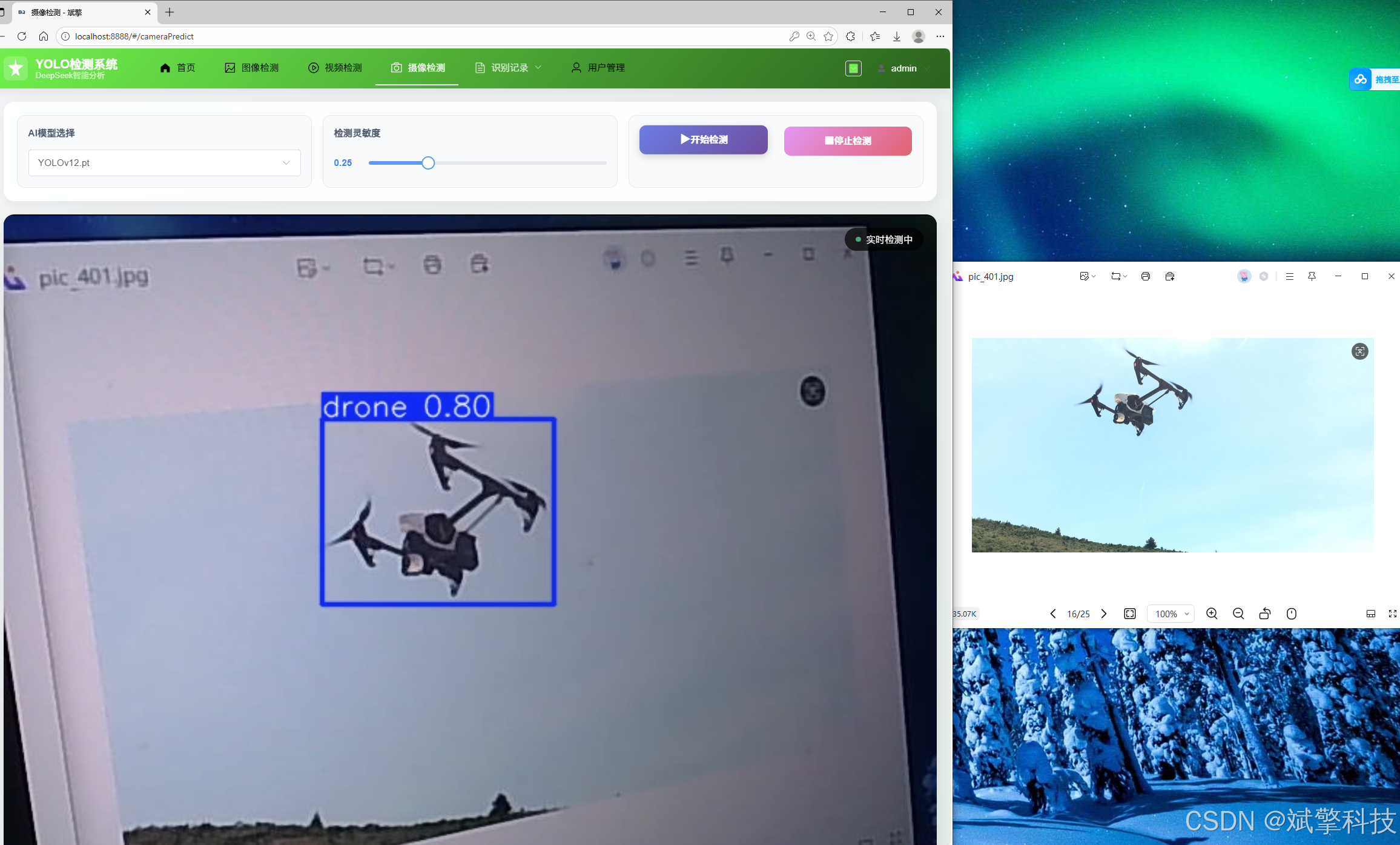
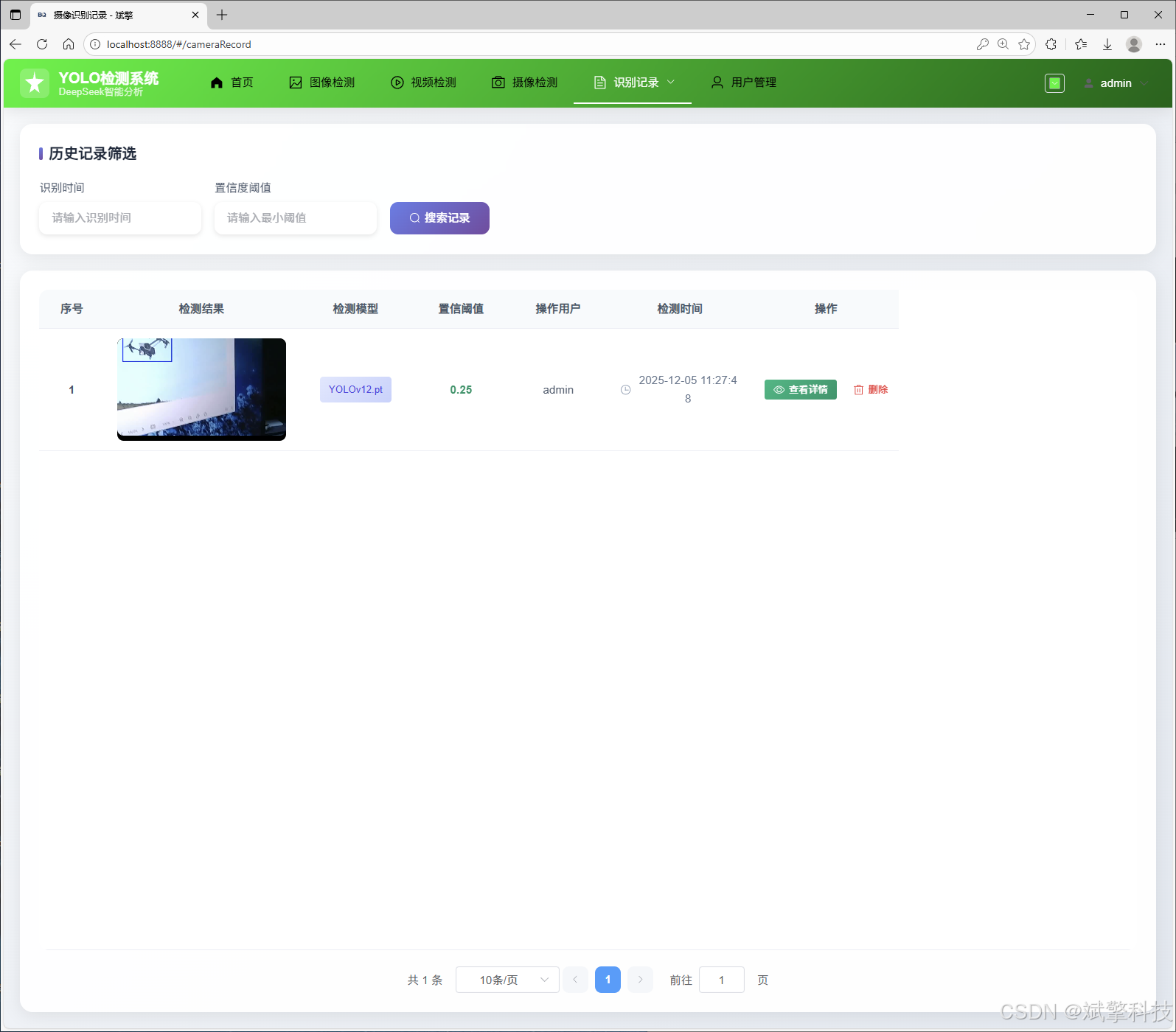
实时摄像头检测: 开启本地摄像头,进行实时流媒体分析,实现低延时的无人机识别功能。
-
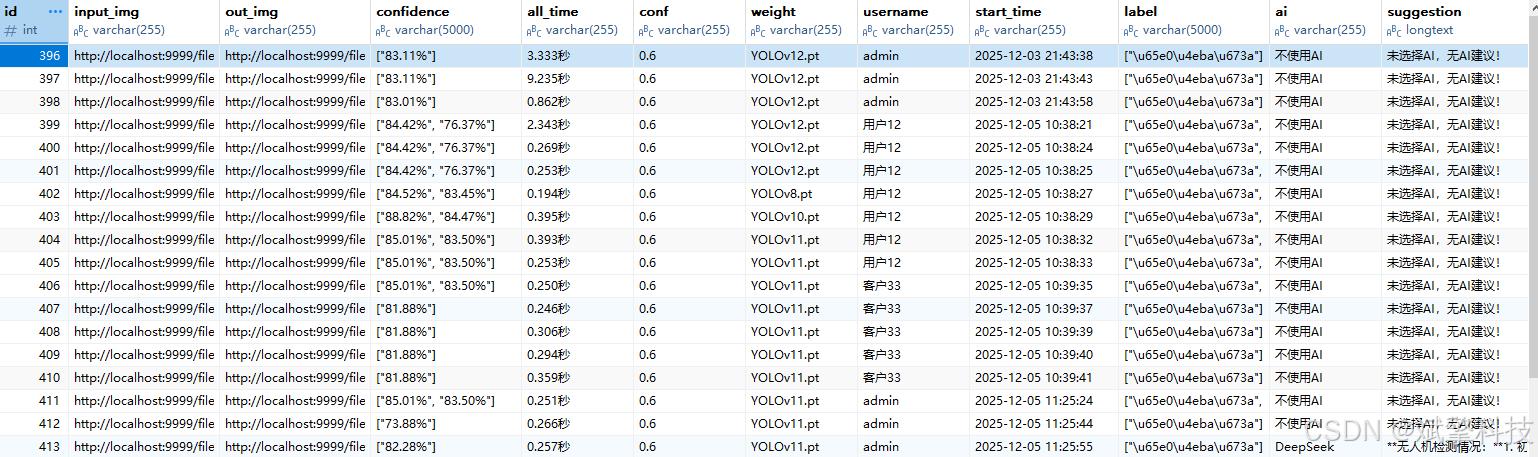
结果持久化: 每一次检测任务的元数据(时间、用户、模型、文件路径)和结果(检测到的无人机数量、置信度)都自动保存至MySQL数据库,形成历史记录。
3. 智能AI分析模块 (DeepSeek集成)
-
场景理解与报告生成: 在图片检测后,系统将检测结果(如数量、位置)作为上下文,调用DeepSeek API,生成一段自然语言描述。例如:“在图片的右上方发现一架高速飞行的白色无人机,背景为城市天空,建议密切关注其动向。”这极大提升了系统的交互性和信息价值。
-
增强可解释性: 将冰冷的检测框转化为生动的语言描述,使非专业用户也能轻松理解分析结果。
-
多媒体记录管理:
-
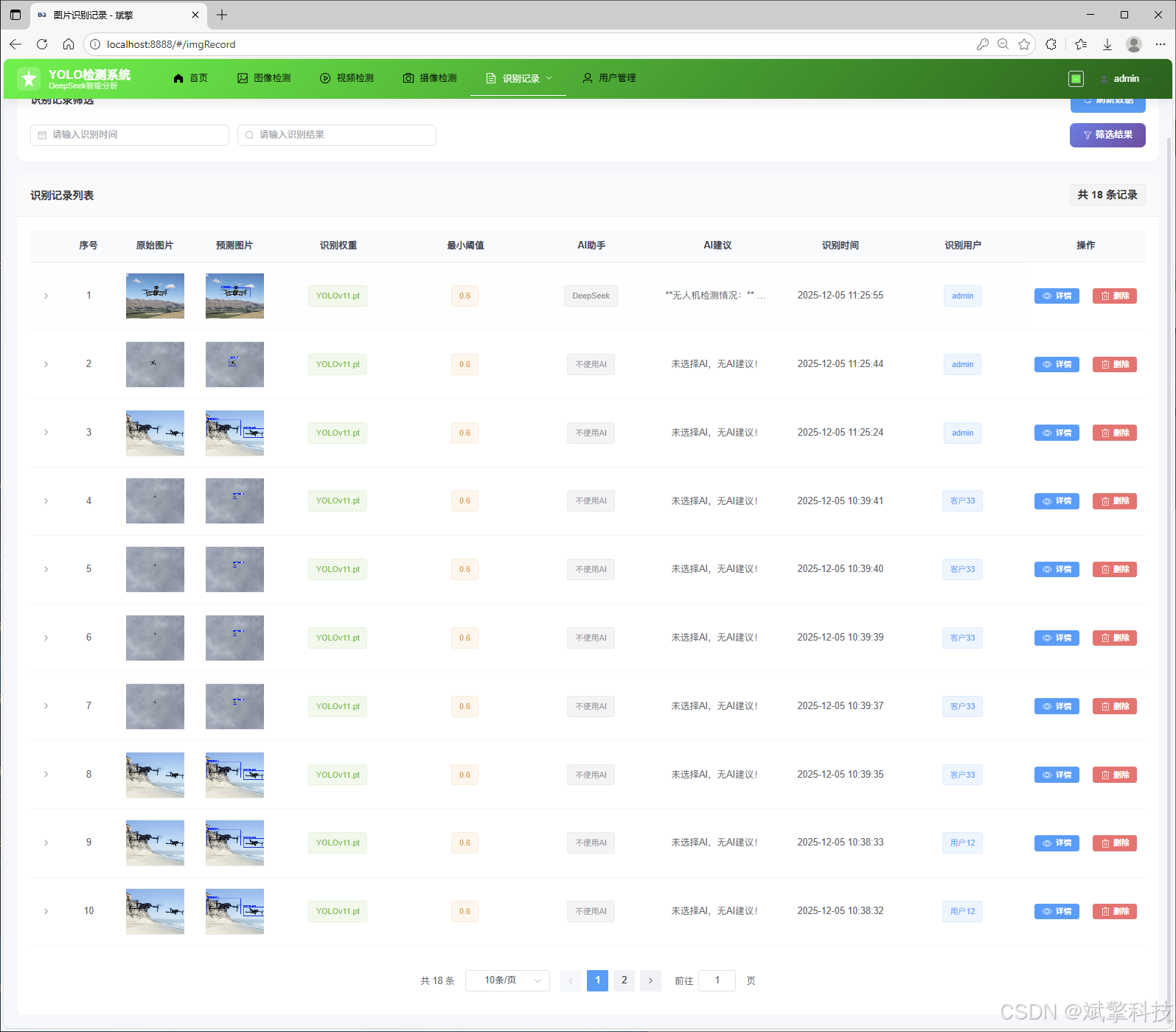
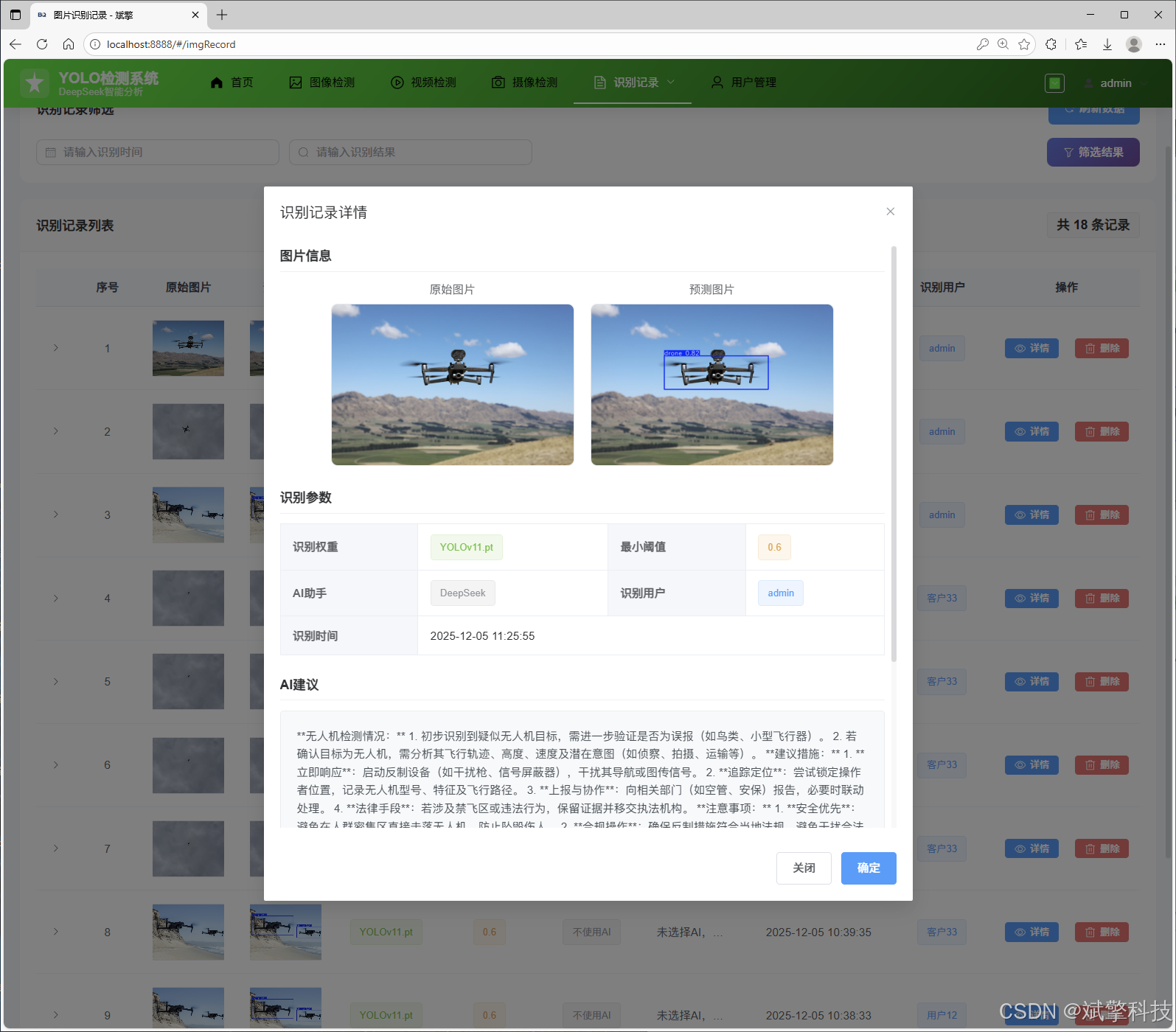
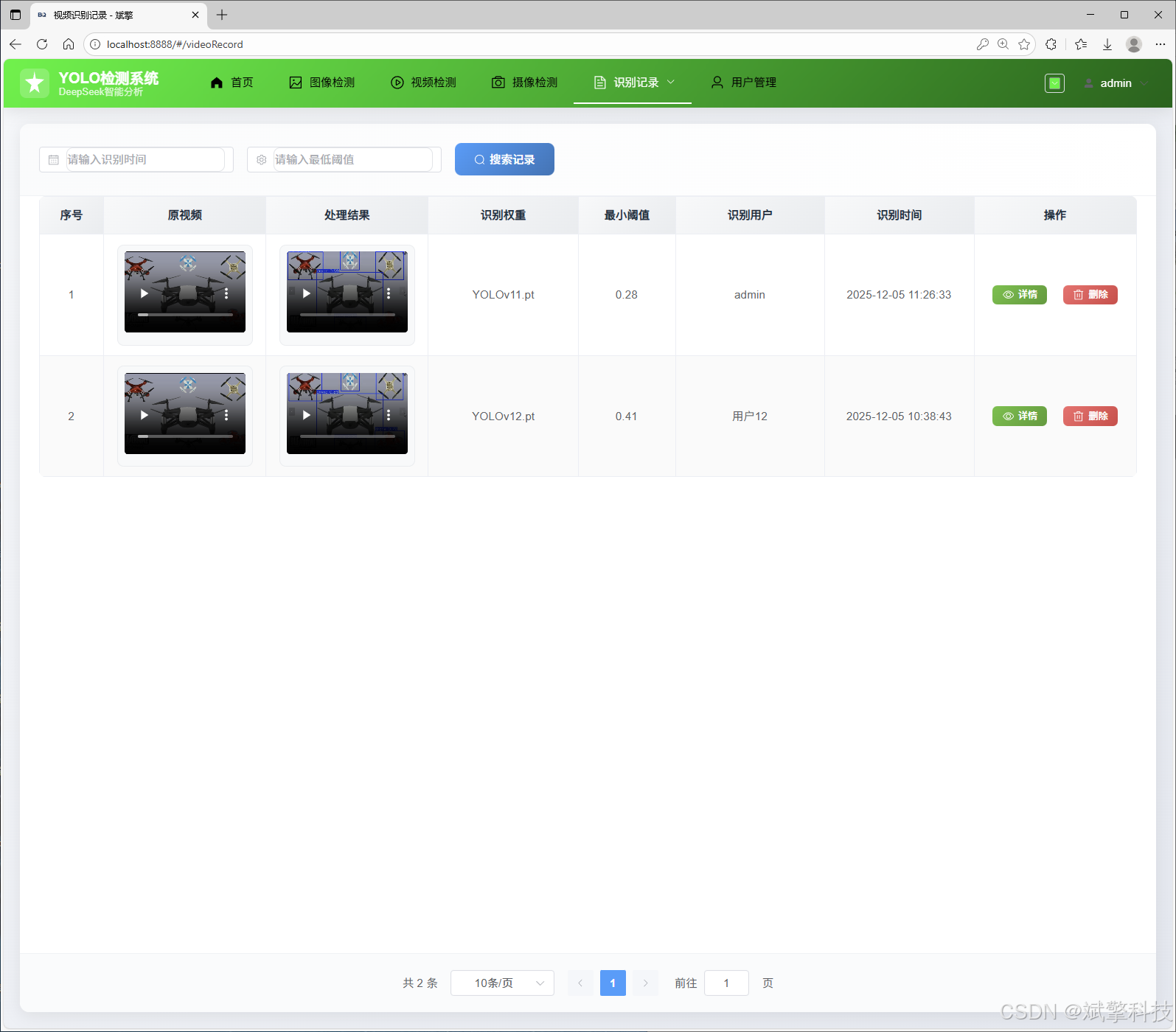
图片/视频/摄像头记录管理: 提供独立的页面,以列表或画廊形式展示所有历史检测记录。支持按时间、模型、用户进行筛选查询,并提供结果预览、详细信息和删除管理功能。
-
5. 动态模型切换模块
-
灵活算法选择: 用户在前端界面可通过下拉菜单或按钮,在 YOLOv8, YOLOv10, YOLOv11, YOLOv12 四个预训练或自定义精炼的模型间自由切换。
-
后端动态加载: 后端服务根据用户选择,动态加载对应的模型权重文件进行推理,无需重启服务,保证了系统的灵活性与可扩展性,便于未来集成更先进的模型。
6. 系统架构与部署
-
前后端分离:
-
前端: Vue.js框架,负责UI渲染和用户交互,通过Axios调用后端API。
-
后端: Spring Boot,提供RESTful API,处理业务逻辑、模型推理和数据库操作。
-
-
数据库: MySQL作为核心数据存储,存储用户数据、检测记录、系统日志等。
-
深度学习服务: 使用PyTorch加载YOLO模型,可部署在GPU服务器上以加速推理。
功能模块
✅ 用户登录注册:支持密码检测,保存到MySQL数据库。
✅ 支持四种YOLO模型切换,YOLOv8、YOLOv10、YOLOv11、YOLOv12。
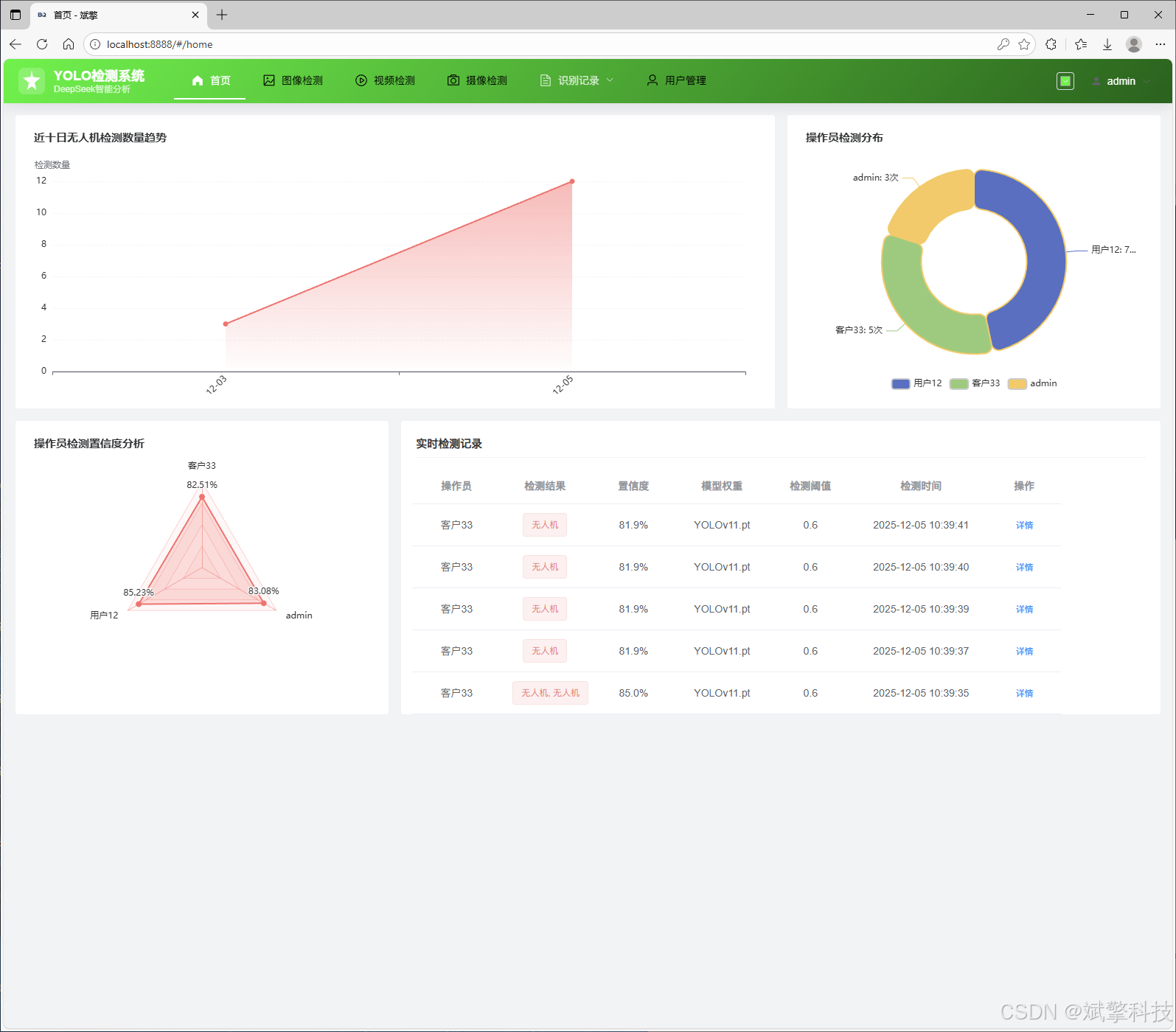
✅ 信息可视化,数据可视化。
✅ 图片检测支持AI分析功能,deepseek
✅ 支持图像检测、视频检测和摄像头实时检测,检测结果保存到MySQL数据库。
✅ 图片识别记录管理、视频识别记录管理和摄像头识别记录管理。
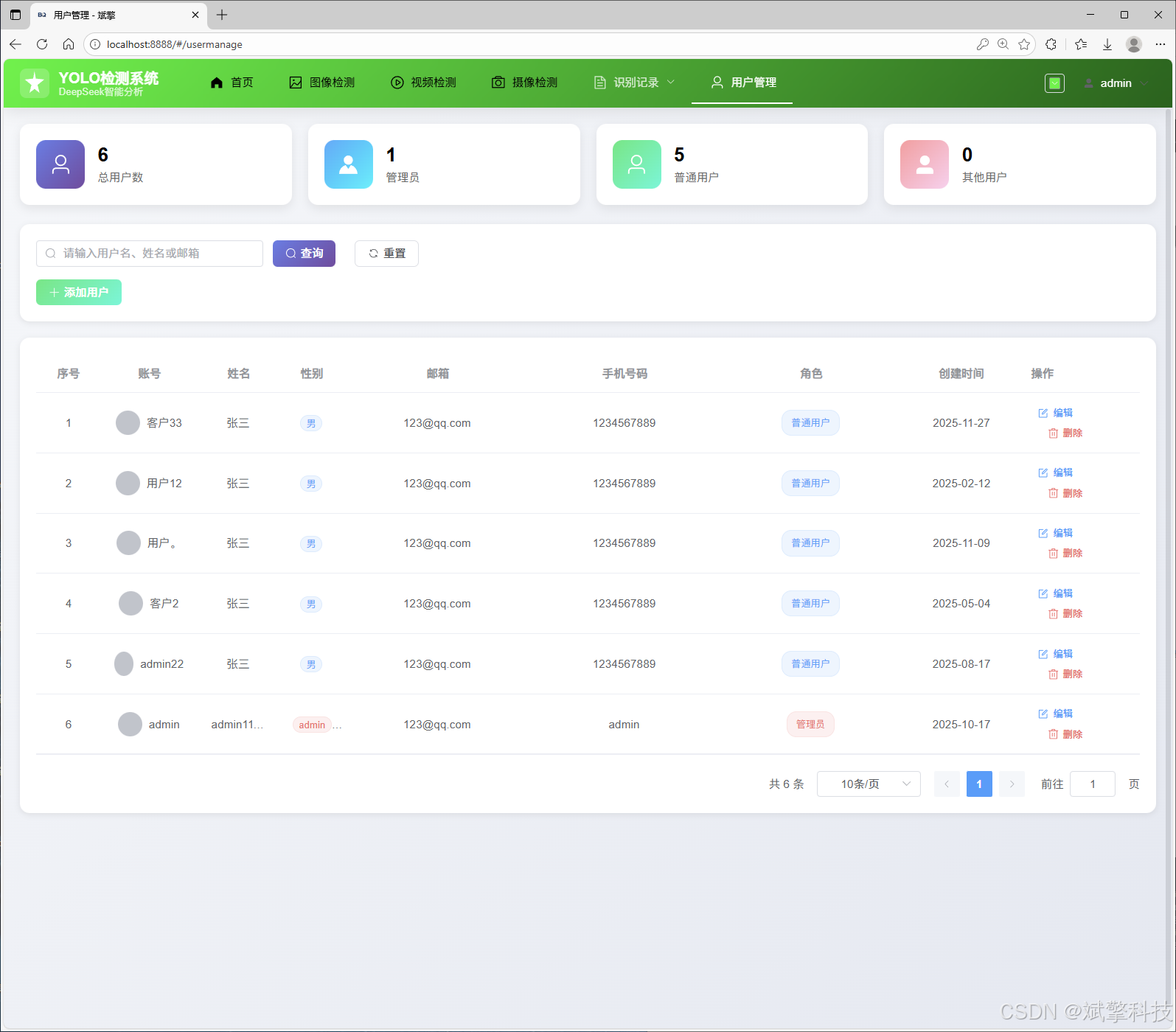
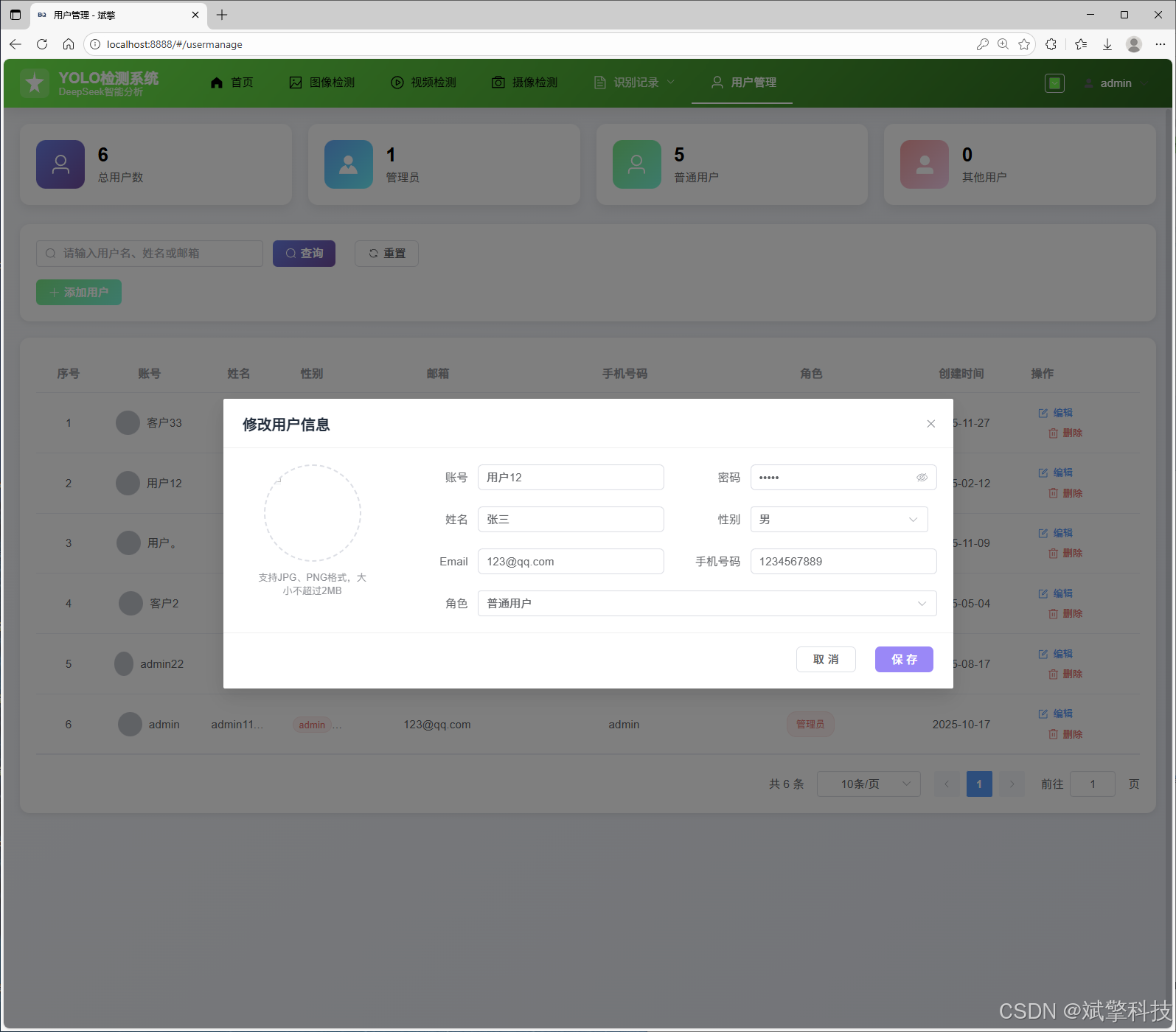
✅ 用户管理模块,管理员可以对用户进行增删改查。
✅ 个人中心,可以修改自己的信息,密码姓名头像等等。
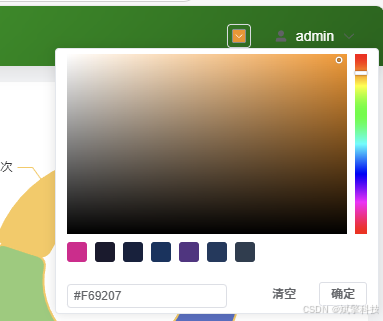
✅ 支持更换导航栏背景颜色
登录注册模块
可视化模块
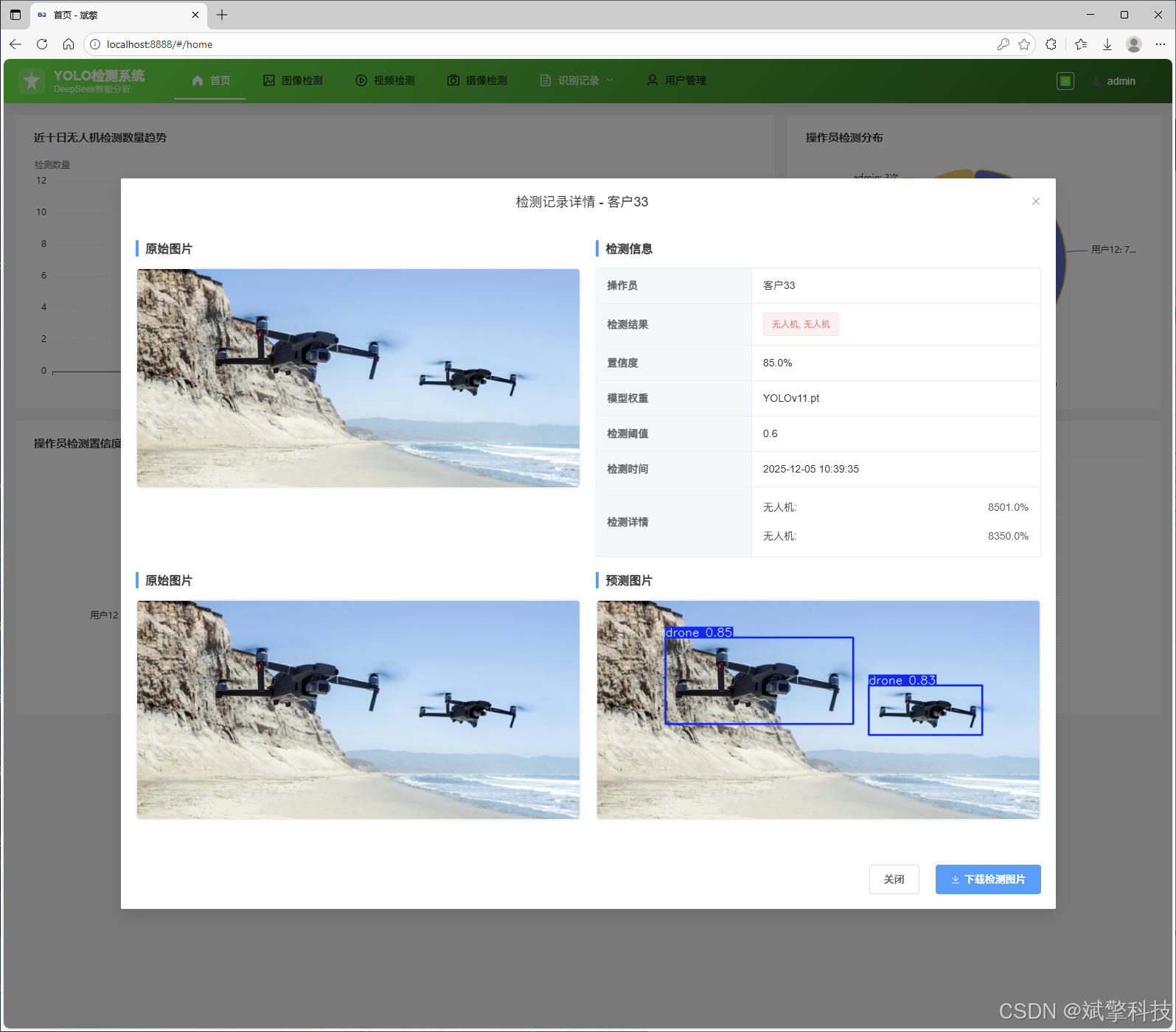
更换导航栏背景颜色
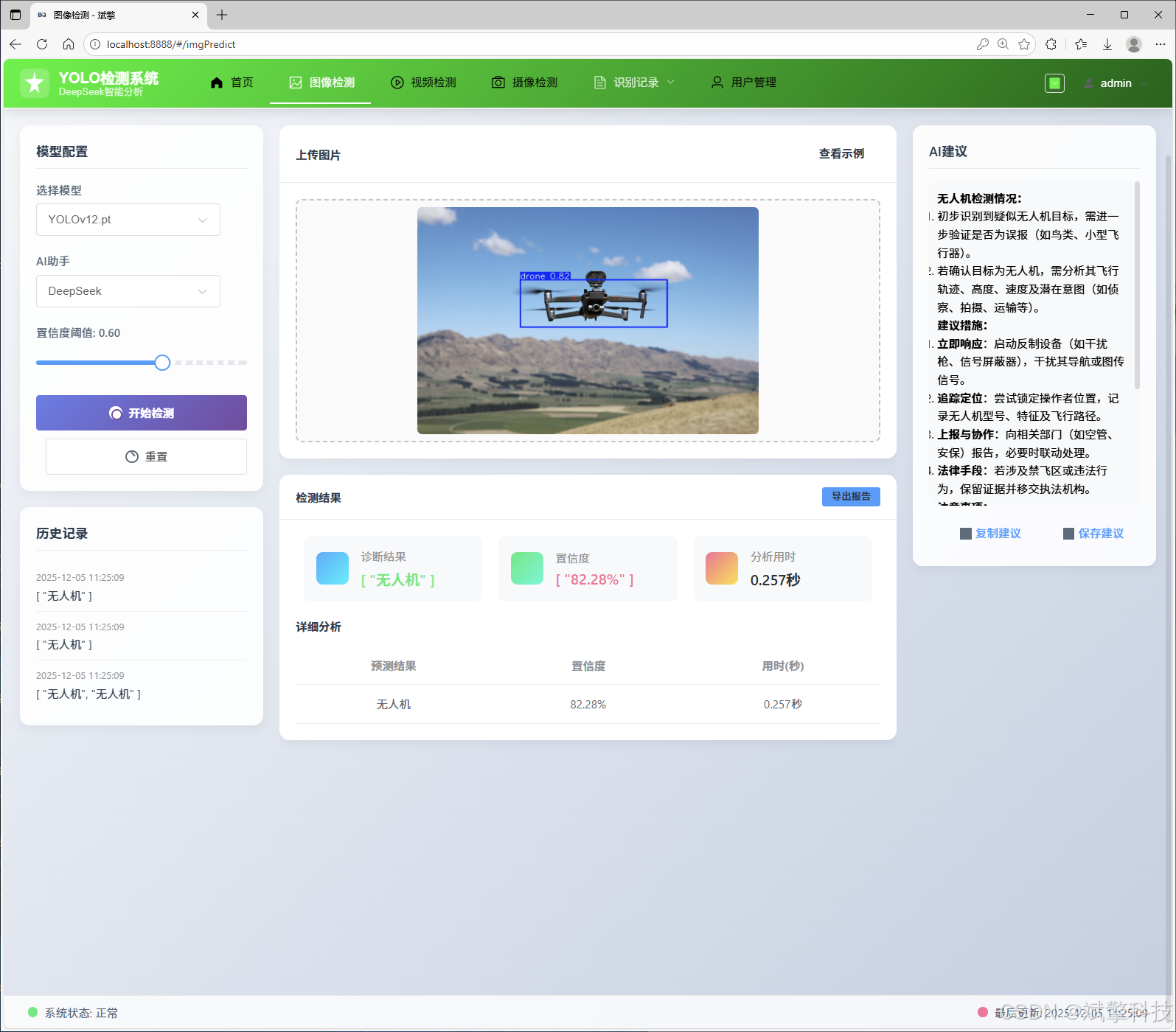
图像检测模块
-
YOLO模型集成 (v8/v10/v11/v12)
-
DeepSeek多模态分析
-
支持格式:JPG/PNG/MP4/RTSP
视频检测模块
实时检测模块
图片识别记录管理
视频识别记录管理
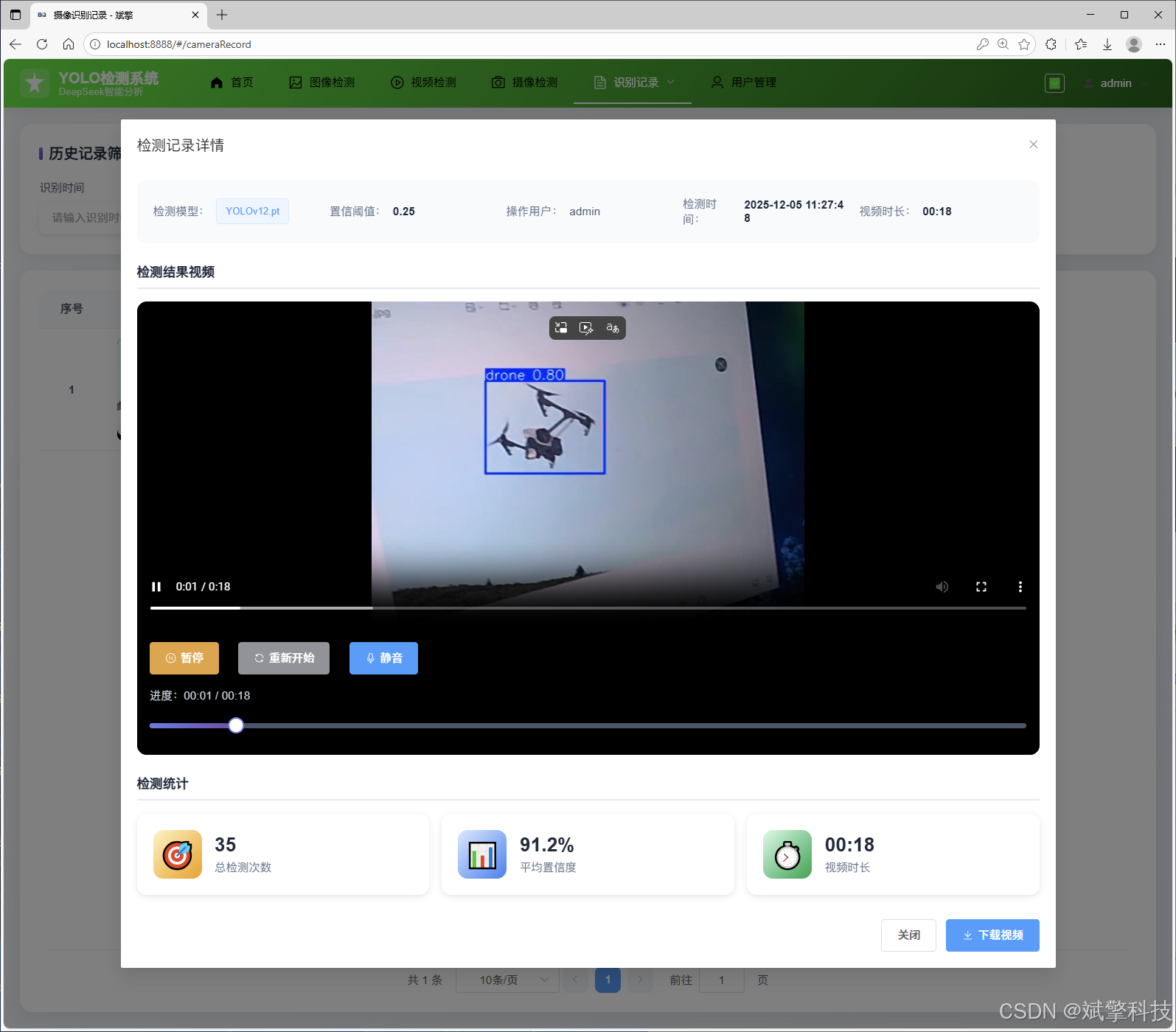
摄像头识别记录管理
用户管理模块
数据管理模块(MySQL表设计)
-
users- 用户信息表

-
imgrecords- 图片检测记录表
-
videorecords- 视频检测记录表

-
camerarecords- 摄像头检测记录表

模型训练结果
#coding:utf-8
#根据实际情况更换模型
# yolon.yaml (nano):轻量化模型,适合嵌入式设备,速度快但精度略低。
# yolos.yaml (small):小模型,适合实时任务。
# yolom.yaml (medium):中等大小模型,兼顾速度和精度。
# yolob.yaml (base):基本版模型,适合大部分应用场景。
# yolol.yaml (large):大型模型,适合对精度要求高的任务。

from ultralytics import YOLO

model_path = 'pt/yolo12s.pt'
data_path = 'data.yaml'

if __name__ == '__main__':
    model = YOLO(model_path)
    results = model.train(data=data_path,
                          epochs=500,
                          batch=64,
                          device='0',
                          workers=0,
                          project='runs',
                          name='exp',
                          )
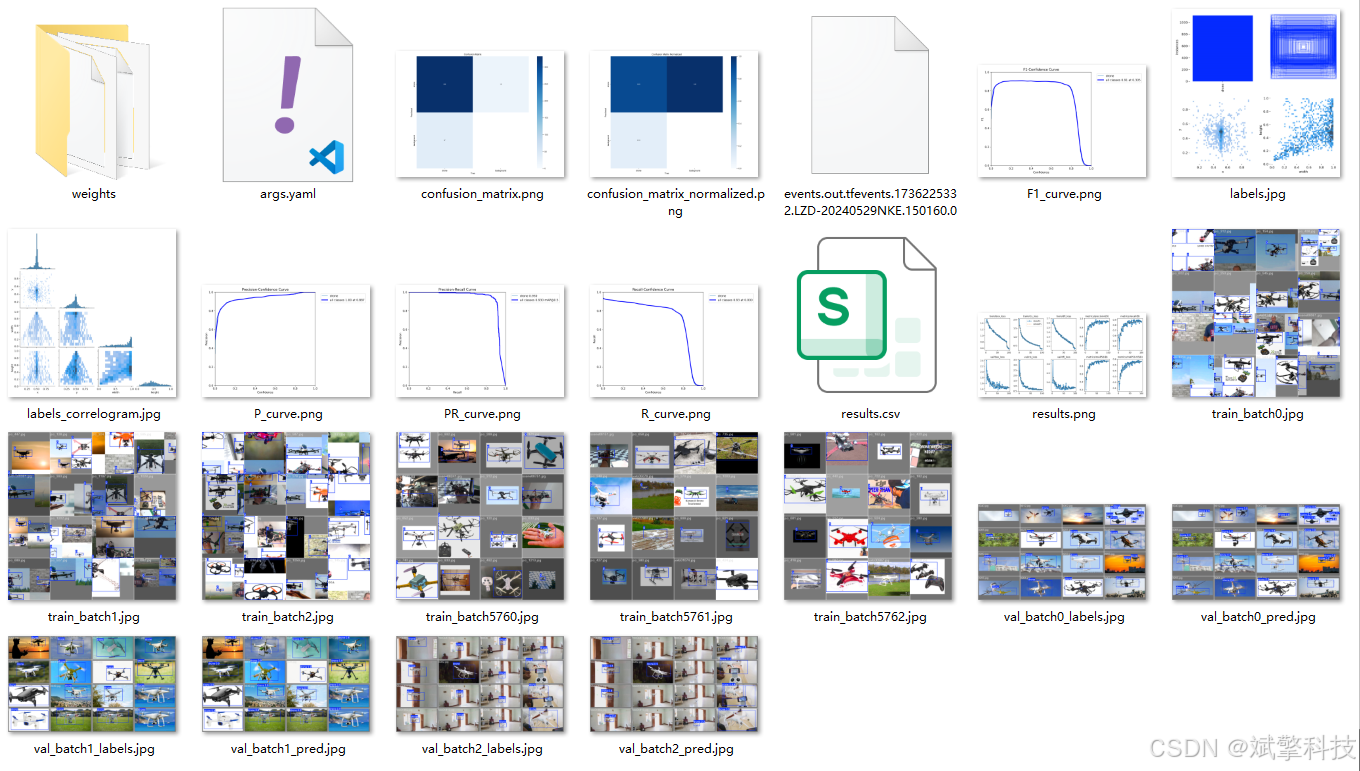
YOLOv8
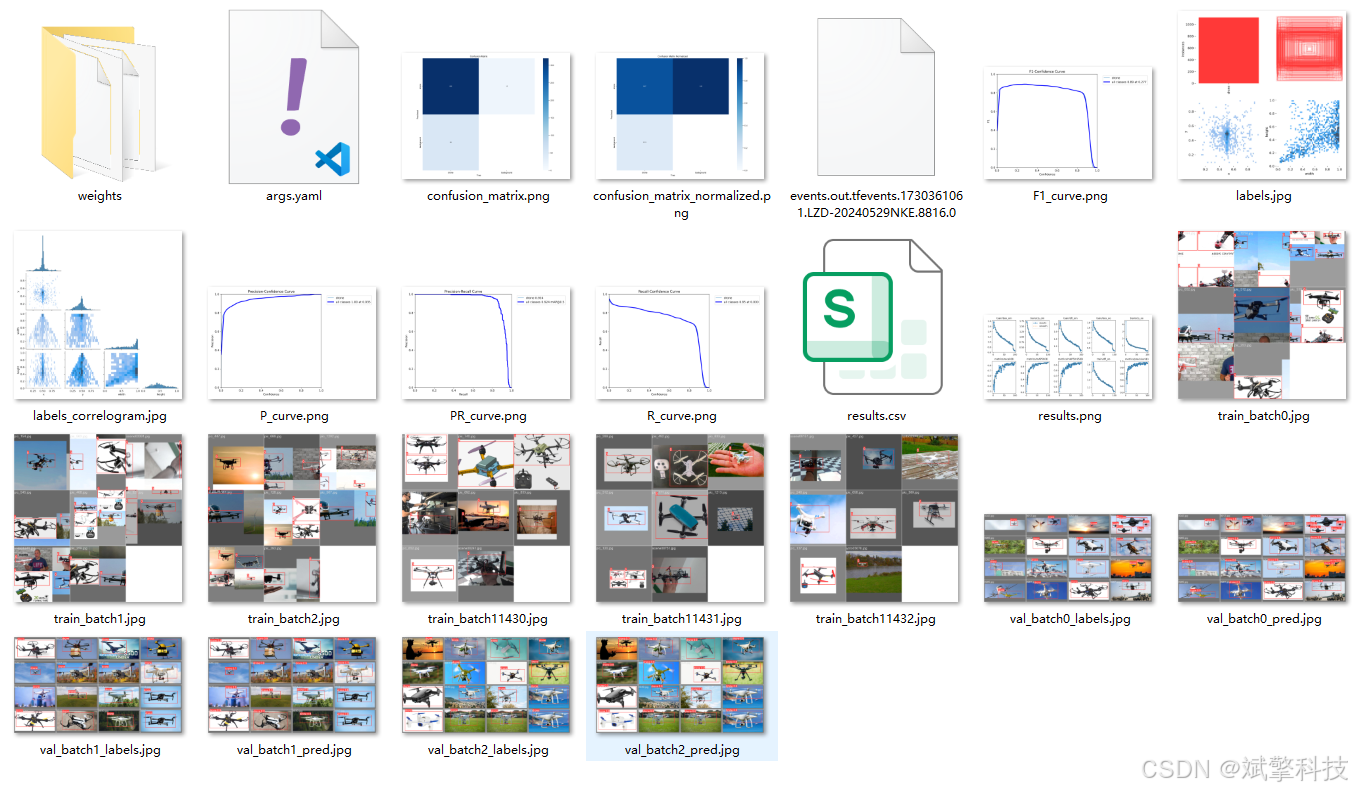
YOLOv10
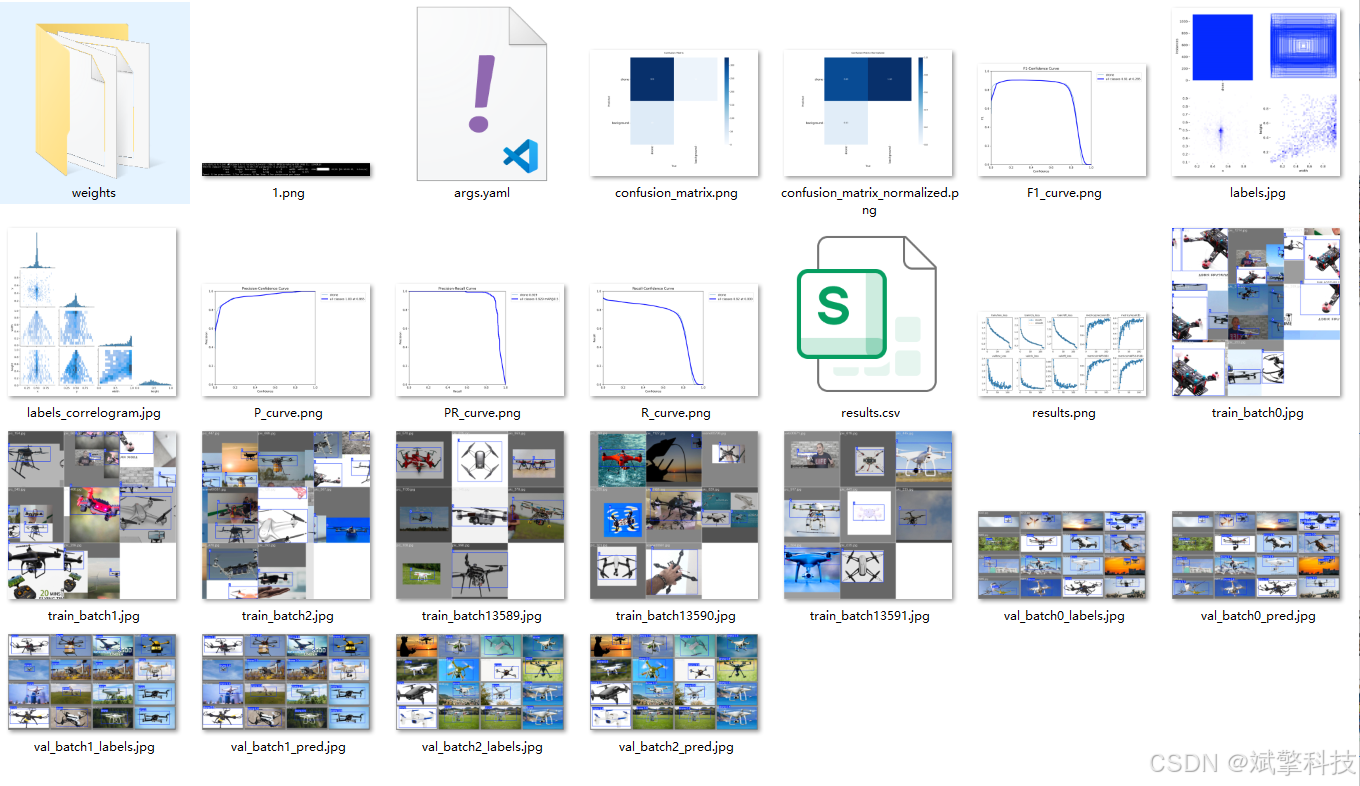
YOLOv11
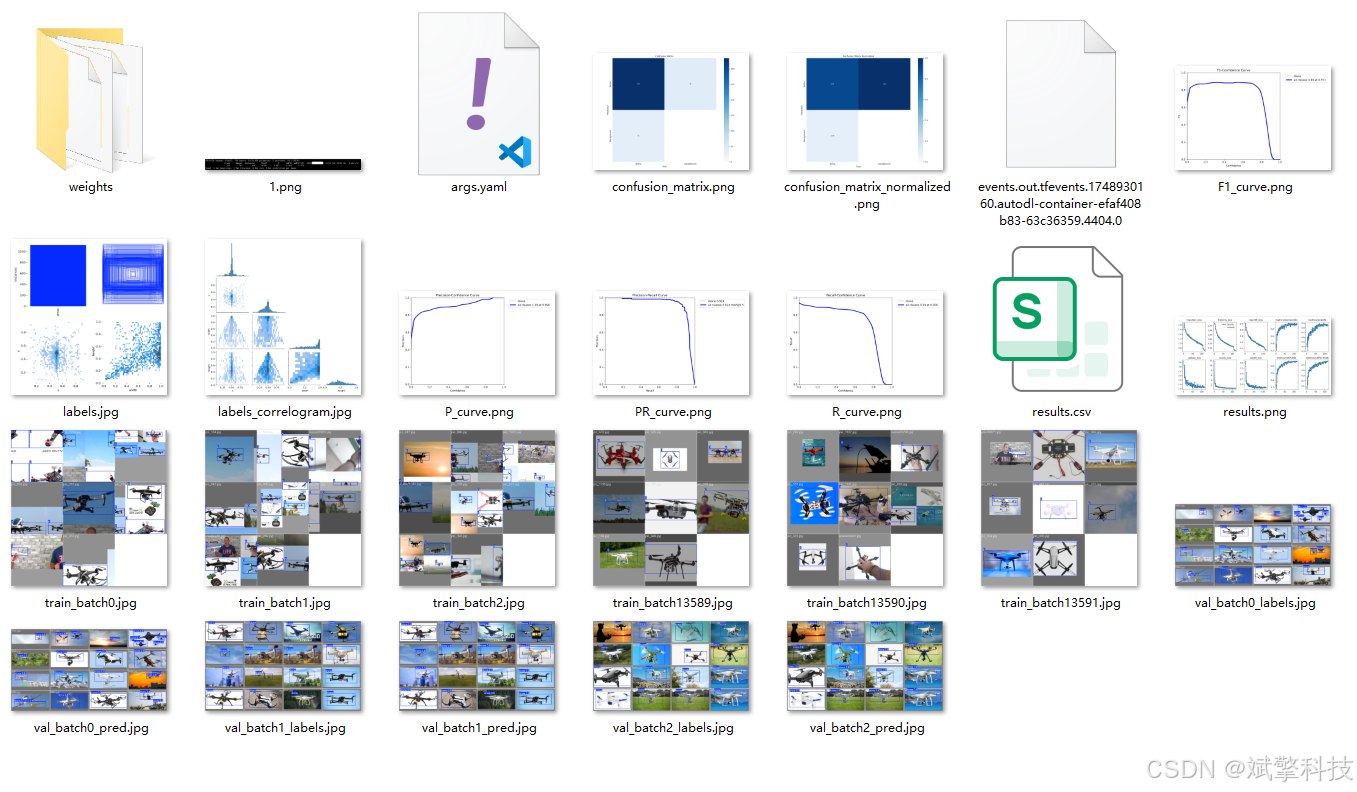
YOLOv12
前端代码展示
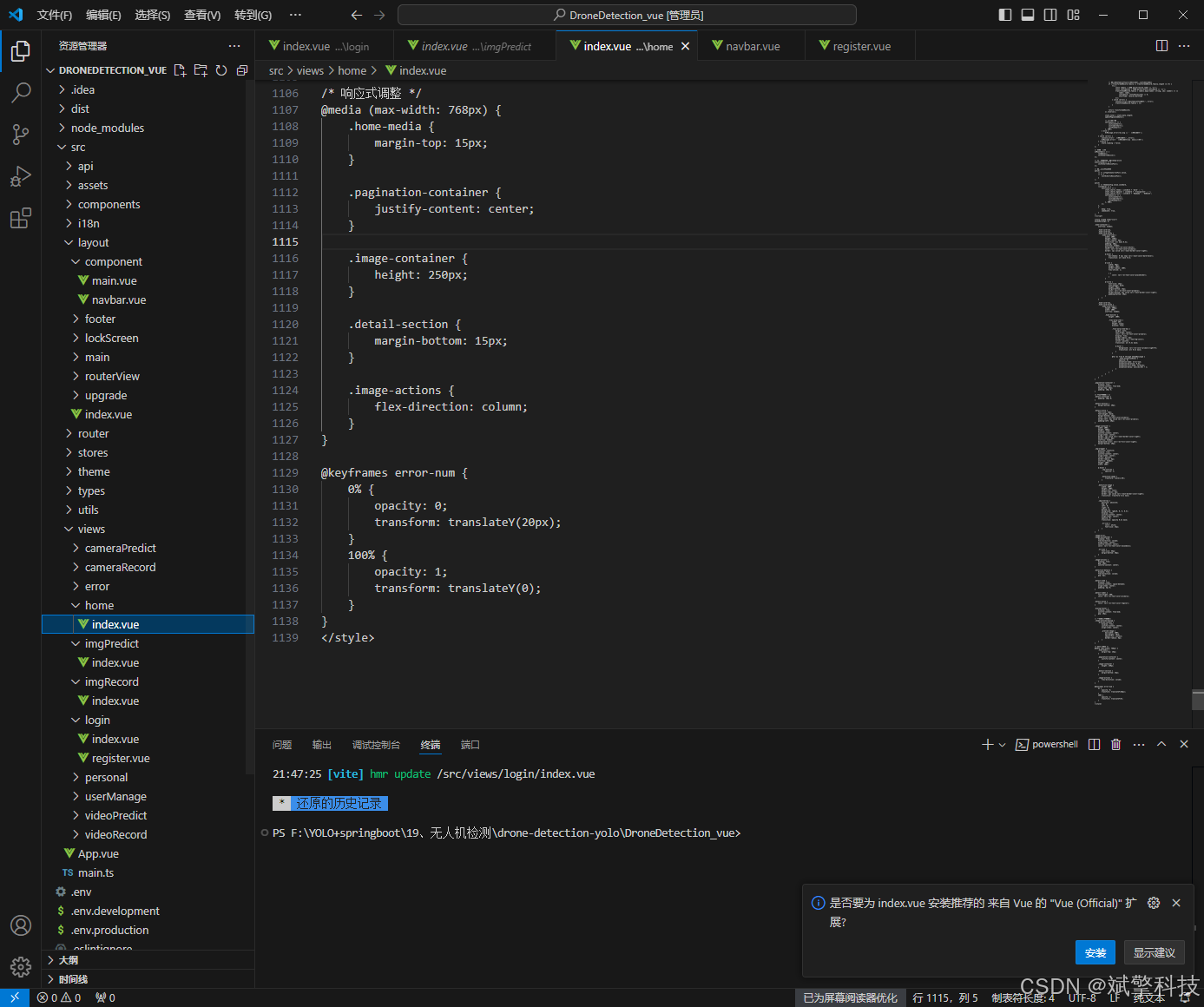
部分代码
<template>
	<div class="brain-detection-container" id="id" v-loading="state.loading">
		<!-- 顶部导航栏 -->
		<div class="top-nav">
			<div class="logo">
				<i class="icon-brain"></i>
				<span>Computer Vision</span>
			</div>
			<div class="user-info">
				<el-avatar :size="32" :src="userInfos.avatar" />
				<span class="username">{{ userInfos.userName }}</span>
			</div>
		</div>

		<div class="main-content">
			<!-- 左侧功能区 -->
			<div class="left-panel">
				<div class="panel-section">
					<h3 class="section-title">模型配置</h3>
					<div class="config-item">
						<label>选择模型</label>
						<el-select v-model="weight" placeholder="请选择模型" size="large">
							<el-option v-for="item in state.weight_items" :key="item.value" :label="item.label"
								:value="item.value" />
						</el-select>
					</div>
					<div class="config-item">
						<label>AI助手</label>
						<el-select v-model="ai" placeholder="请选择AI助手" size="large" @change="getData">
							<el-option v-for="item in state.ai_items" :key="item.value" :label="item.label"
								:value="item.value" />
						</el-select>
					</div>
					<div class="config-item">
						<label>置信度阈值: {{ (conf/100).toFixed(2) }}</label>
						<el-slider v-model="conf" :format-tooltip="formatTooltip" show-stops :max="100" :step="5" />
					</div>
					<div class="action-buttons">
						<el-button type="primary" @click="upData" class="predict-btn">
							<i class="icon-scan"></i>
							开始检测
						</el-button>
						<el-button @click="resetForm" class="reset-btn">
							<i class="icon-reset"></i>
							重置
						</el-button>
					</div>
				</div>

				<div class="panel-section">
					<h3 class="section-title">历史记录</h3>
					<div class="history-list">
						<div v-for="(item, index) in state.history" :key="index" class="history-item">
							<div class="history-time">{{ item.time }}</div>
							<div class="history-result">{{ item.result }}</div>
						</div>
						<div v-if="state.history.length === 0" class="empty-history">
							暂无历史记录
						</div>
					</div>
				</div>
			</div>

			<!-- 中间内容区 -->
			<div class="center-panel">
				<div class="upload-section">
					<el-card class="upload-card">
						<template #header>
							<div class="card-header">
								<span>上传图片</span>
								<el-button type="text" @click="showExample">查看示例</el-button>
							</div>
						</template>
						<el-upload v-model="state.img" ref="uploadFile" class="avatar-uploader"
							action="http://localhost:9999/files/upload" :show-file-list="false"
							:on-success="handleAvatarSuccessone" drag>
							<div class="upload-area">
								<el-icon v-if="!imageUrl" class="upload-icon">
									<Plus />
								</el-icon>
								<img v-else :src="imageUrl" class="uploaded-image" />
								<div v-if="!imageUrl" class="upload-text">
									<p>将图片拖拽到此处,或<em>点击上传</em></p>
									<p class="upload-tip">支持 JPG、PNG 格式,大小不超过 10MB</p>
								</div>
							</div>
						</el-upload>
					</el-card>
				</div>

				<div class="result-section" v-if="state.predictionResult.label">
					<el-card class="result-card">
						<template #header>
							<div class="card-header">
								<span>检测结果</span>
								<el-button type="primary" @click="() => htmlToPDF('id', '检测报告')" size="small">
									<i class="icon-download"></i>
									导出报告
								</el-button>
							</div>
						</template>
						<div class="result-content">
							<div class="result-overview">
								<div class="result-item">
									<div class="result-icon diagnosis"></div>
									<div class="result-info">
										<div class="result-label">诊断结果</div>
										<div class="result-value highlight">{{ state.predictionResult.label || '-' }}</div>
									</div>
								</div>
								<div class="result-item">
									<div class="result-icon confidence"></div>
									<div class="result-info">
										<div class="result-label">置信度</div>
										<div class="result-value accent">{{ state.predictionResult.confidence || '-' }}</div>
									</div>
								</div>
								<div class="result-item">
									<div class="result-icon time"></div>
									<div class="result-info">
										<div class="result-label">分析用时</div>
										<div class="result-value">{{ state.predictionResult.allTime ? `${state.predictionResult.allTime}` : '-' }}</div>
									</div>
								</div>
							</div>

							<div class="detailed-results">
								<h4>详细分析</h4>
								<el-table :data="state.data" style="width: 100%">
									<el-table-column prop="label" label="预测结果" align="center" />
									<el-table-column prop="confidence" label="置信度" align="center" />
									<el-table-column prop="allTime" label="用时(秒)" align="center" />
								</el-table>
							</div>
						</div>
					</el-card>
				</div>
			</div>

			<!-- 右侧AI建议区 -->
			<div class="right-panel" v-if="state.predictionResult.suggestion">
				<div class="panel-section">
					<h3 class="section-title">AI建议</h3>
					<div class="ai-suggestion">
						<div v-html="state.predictionResult.suggestion" class="markdown-body"></div>
					</div>
					<div class="suggestion-actions">
						<el-button type="text" @click="copySuggestion">
							<i class="icon-copy"></i>
							复制建议
						</el-button>
						<el-button type="text" @click="saveSuggestion">
							<i class="icon-save"></i>
							保存建议
						</el-button>
					</div>
				</div>
			</div>
		</div>

		<!-- 底部状态栏 -->
		<div class="status-bar">
			<div class="status-item">
				<i class="icon-status"></i>
				<span>系统状态: 正常</span>
			</div>
			<div class="status-item">
				<i class="icon-time"></i>
				<span>最后更新: {{ currentTime }}</span>
			</div>
		</div>
	</div>
</template>

<script setup lang="ts" name="brainDetection">
import { reactive, ref, onMounted, computed } from 'vue';
import type { UploadInstance, UploadProps } from 'element-plus';
import { ElMessage } from 'element-plus';
import request from '/@/utils/request';
import { Plus } from '@element-plus/icons-vue';
import { useUserInfo } from '/@/stores/userInfo';
import { storeToRefs } from 'pinia';
import { formatDate } from '/@/utils/formatTime';
import { htmlToPDF } from '/@/utils/pdf'
import { marked } from "marked";
import { SocketService } from '/@/utils/socket';

const imageUrl = ref('');
const ai = ref('');
const conf = ref(60);
const weight = ref('');
const uploadFile = ref<UploadInstance>();
const stores = useUserInfo();
const { userInfos } = storeToRefs(stores);

// 新增功能:当前时间显示
const currentTime = computed(() => {
	return formatDate(new Date(), 'YYYY-mm-dd HH:MM:SS');
});

const state = reactive({
	loading: false,
	weight_items: [] as any,
	img: '',
	data: [] as any,
	history: [] as any, // 新增历史记录功能
	predictionResult: {
		label: '',
		confidence: '',
		allTime: '',
		suggestion: '' as any
	},
	ai_items: [
		{
			value: 'DeepSeek',
			label: 'DeepSeek',
		},
		{
			value: 'Qwen',
			label: 'Qwen',
		},
		{
			value: '不使用AI',
			label: '不使用AI',
		},
	],
	form: {
		username: '',
		inputImg: null as any,
		weight: '',
		conf: null as any,
		ai: '',
		startTime: ''
	},
});

// 新增功能:格式化工具提示
const formatTooltip = (val: number) => {
	return val / 100
}

// 新增功能:重置表单
const resetForm = () => {
	imageUrl.value = '';
	state.img = '';
	state.predictionResult = {
		label: '',
		confidence: '',
		allTime: '',
		suggestion: ''
	};
	state.data = [];
	ai.value = '';
	conf.value = 60;
	weight.value = '';
	ElMessage.success('已重置表单');
};

// 新增功能:显示示例图片
const showExample = () => {
	ElMessage.info('示例功能开发中...');
};

// 新增功能:复制AI建议
const copySuggestion = () => {
	const suggestionText = state.predictionResult.suggestion.replace(/<[^>]*>/g, '');
	navigator.clipboard.writeText(suggestionText).then(() => {
		ElMessage.success('建议已复制到剪贴板');
	});
};

// 新增功能:保存AI建议
const saveSuggestion = () => {
	ElMessage.info('保存功能开发中...');
};

const socketService = new SocketService();

socketService.on('message', (data) => {
	console.log('Received message:', data);
	ElMessage({
		message: data,
		type: 'success',
		duration: 3000
	})
});

const handleAvatarSuccessone: UploadProps['onSuccess'] = (response, uploadFile) => {
	imageUrl.value = URL.createObjectURL(uploadFile.raw!);
	state.img = response.data;
};

const getData = () => {
	request.get('/api/flask/file_names').then((res) => {
		if (res.code == 0) {
			res.data = JSON.parse(res.data);
			state.weight_items = res.data.weight_items;
		} else {
			ElMessage.error(res.msg);
		}
	});
};

const transformData = (rawData: any): any => {
	return rawData.label.map((label, index) => ({
		allTime: rawData.allTime,
		confidence: rawData.confidence[index],
		label: label,
	}));
}

const upData = () => {
	state.loading = true;
	state.form.weight = weight.value;
	state.form.conf = (parseFloat(conf.value.toString()) / 100);
	state.form.username = userInfos.value.userName;
	state.form.inputImg = state.img;
	state.form.ai = ai.value;
	state.form.startTime = formatDate(new Date(), 'YYYY-mm-dd HH:MM:SS');

	request.post('/api/flask/predict', state.form).then((res) => {
		if (res.code == 0) {
			try {
				state.loading = false;
				res.data = JSON.parse(res.data);
				state.predictionResult.label = JSON.parse(res.data.label);
				state.predictionResult.confidence = JSON.parse(res.data.confidence);
				state.predictionResult.allTime = res.data.allTime;
				state.predictionResult.suggestion = marked(res.data.suggestion);
				state.data = transformData(state.predictionResult);

				// 新增功能:添加到历史记录
				state.history.unshift({
					time: currentTime.value,
					result: state.predictionResult.label
				});

				// 限制历史记录数量
				if (state.history.length > 5) {
					state.history.pop();
				}

				// 覆盖原图片
				if (res.data.outImg) {
					imageUrl.value = res.data.outImg;
				}
			} catch (error) {
				console.error('解析 JSON 时出错:', error);
			}
			ElMessage.success('检测完成!');
		} else {
			state.loading = false;
			ElMessage.error(res.msg);
		}
	});
};

onMounted(() => {
	getData();
});
</script>

<style scoped lang="scss">
.brain-detection-container {
	width: 100%;
	height: 100vh;
	display: flex;
	flex-direction: column;
	background: linear-gradient(135deg, #f5f7fa 0%, #c3cfe2 100%);
	overflow: hidden;
	font-family: 'Segoe UI', Tahoma, Geneva, Verdana, sans-serif;

	.top-nav {
		display: flex;
		justify-content: space-between;
		align-items: center;
		padding: 15px 30px;
		background: rgba(255, 255, 255, 0.9);
		backdrop-filter: blur(10px);
		box-shadow: 0 2px 10px rgba(0, 0, 0, 0.05);

		.logo {
			display: flex;
			align-items: center;
			font-size: 22px;
			font-weight: 700;
			color: #2c3e50;

			.icon-brain {
				display: inline-block;
				width: 32px;
				height: 32px;
				background: linear-gradient(135deg, #667eea 0%, #764ba2 100%);
				border-radius: 8px;
				margin-right: 10px;
				position: relative;

				&:before {
					content: "";
					position: absolute;
					top: 8px;
					left: 8px;
					width: 16px;
					height: 16px;
					border: 2px solid white;
					border-radius: 50%;
				}

				&:after {
					content: "";
					position: absolute;
					bottom: 8px;
					right: 8px;
					width: 8px;
					height: 8px;
					background: white;
					border-radius: 50%;
				}
			}
		}

		.user-info {
			display: flex;
			align-items: center;

			.username {
				margin-left: 10px;
				font-weight: 500;
				color: #5a6c7d;
			}
		}
	}

	.main-content {
		flex: 1;
		display: flex;
		padding: 20px;
		gap: 20px;
		overflow: hidden;

		.left-panel, .right-panel {
			width: 300px;
			display: flex;
			flex-direction: column;
			gap: 20px;
		}

		.center-panel {
			flex: 1;
			display: flex;
			flex-direction: column;
			gap: 20px;
			overflow-y: auto;
		}

		.panel-section {
			background: rgba(255, 255, 255, 0.9);
			border-radius: 12px;
			padding: 20px;
			box-shadow: 0 4px 12px rgba(0, 0, 0, 0.05);
			backdrop-filter: blur(10px);

			.section-title {
				font-size: 16px;
				font-weight: 600;
				color: #2c3e50;
				margin-bottom: 15px;
				padding-bottom: 10px;
				border-bottom: 1px solid #eaeaea;
			}

			.config-item {
				margin-bottom: 20px;

				label {
					display: block;
					margin-bottom: 8px;
					font-size: 14px;
					color: #5a6c7d;
					font-weight: 500;
				}
			}

			.action-buttons {
				display: flex;
				flex-direction: column;
				gap: 10px;

				.predict-btn {
					background: linear-gradient(135deg, #667eea 0%, #764ba2 100%);
					border: none;
					height: 44px;
					font-weight: 600;

					.icon-scan {
						display: inline-block;
						width: 16px;
						height: 16px;
						background: white;
						border-radius: 50%;
						margin-right: 8px;
						position: relative;

						&:before {
							content: "";
							position: absolute;
							top: 3px;
							left: 3px;
							width: 10px;
							height: 10px;
							border: 2px solid #764ba2;
							border-radius: 50%;
						}
					}
				}

				.reset-btn {
					height: 44px;

					.icon-reset {
						display: inline-block;
						width: 16px;
						height: 16px;
						border: 2px solid #5a6c7d;
						border-radius: 50%;
						margin-right: 8px;
						position: relative;

						&:before {
							content: "";
							position: absolute;
							top: 2px;
							right: 2px;
							width: 6px;
							height: 2px;
							background: #5a6c7d;
							transform: rotate(45deg);
						}
					}
				}
			}

			.history-list {
				max-height: 200px;
				overflow-y: auto;

				.history-item {
					padding: 10px 0;
					border-bottom: 1px solid #f0f0f0;

					&:last-child {
						border-bottom: none;
					}

					.history-time {
						font-size: 12px;
						color: #909399;
					}

					.history-result {
						font-size: 14px;
						color: #2c3e50;
						margin-top: 4px;
					}
				}

				.empty-history {
					text-align: center;
					color: #909399;
					font-style: italic;
					padding: 20px 0;
				}
			}

			.ai-suggestion {
				max-height: 400px;
				overflow-y: auto;
				padding: 10px;
				background: #f8f9fa;
				border-radius: 8px;
			}

			.suggestion-actions {
				display: flex;
				justify-content: flex-end;
				margin-top: 15px;

				.icon-copy, .icon-save {
					display: inline-block;
					width: 14px;
					height: 14px;
					margin-right: 5px;
					background: #5a6c7d;
				}
			}
		}

		.upload-card, .result-card {
			border-radius: 12px;
			box-shadow: 0 4px 12px rgba(0, 0, 0, 0.05);
			border: none;

			:deep(.el-card__header) {
				border-bottom: 1px solid #eaeaea;
				padding: 15px 20px;

				.card-header {
					display: flex;
					justify-content: space-between;
					align-items: center;

					span {
						font-weight: 600;
						color: #2c3e50;
					}
				}
			}
		}

		.avatar-uploader {
			:deep(.el-upload) {
				width: 100%;
			}

			:deep(.el-upload-dragger) {
				width: 100%;
				height: 300px;
				border: 2px dashed #c0c4cc;
				border-radius: 8px;
				background: #fafafa;
				display: flex;
				align-items: center;
				justify-content: center;
				flex-direction: column;

				&:hover {
					border-color: #667eea;
				}
			}

			.upload-area {
				width: 100%;
				height: 100%;
				display: flex;
				flex-direction: column;
				align-items: center;
				justify-content: center;

				.upload-icon {
					font-size: 48px;
					color: #c0c4cc;
					margin-bottom: 15px;
				}

				.uploaded-image {
					max-width: 100%;
					max-height: 280px;
					border-radius: 6px;
				}

				.upload-text {
					text-align: center;

					p {
						margin: 5px 0;
						color: #606266;

						em {
							color: #667eea;
							font-style: normal;
						}
					}

					.upload-tip {
						font-size: 12px;
						color: #909399;
					}
				}
			}
		}

		.result-content {
			.result-overview {
				display: flex;
				justify-content: space-between;
				margin-bottom: 20px;

				.result-item {
					display: flex;
					align-items: center;
					flex: 1;
					padding: 15px;
					background: #f8f9fa;
					border-radius: 8px;
					margin: 0 10px;

					.result-icon {
						width: 40px;
						height: 40px;
						border-radius: 8px;
						margin-right: 15px;
						display: flex;
						align-items: center;
						justify-content: center;
						color: white;
						font-size: 18px;

						&.diagnosis {
							background: linear-gradient(135deg, #4facfe 0%, #00f2fe 100%);
						}

						&.confidence {
							background: linear-gradient(135deg, #43e97b 0%, #38f9d7 100%);
						}

						&.time {
							background: linear-gradient(135deg, #fa709a 0%, #fee140 100%);
						}
					}

					.result-info {
						.result-label {
							font-size: 14px;
							color: #909399;
							margin-bottom: 5px;
						}

						.result-value {
							font-size: 18px;
							font-weight: 600;

							&.highlight {
								color: #43e97b;
							}

							&.accent {
								color: #fa709a;
							}
						}
					}
				}
			}

			.detailed-results {
				h4 {
					margin-bottom: 15px;
					color: #2c3e50;
				}
			}
		}
	}

	.status-bar {
		display: flex;
		justify-content: space-between;
		padding: 10px 30px;
		background: rgba(255, 255, 255, 0.8);
		border-top: 1px solid #eaeaea;
		font-size: 14px;
		color: #5a6c7d;

		.status-item {
			display: flex;
			align-items: center;

			.icon-status, .icon-time {
				display: inline-block;
				width: 12px;
				height: 12px;
				border-radius: 50%;
				background: #43e97b;
				margin-right: 8px;
			}

			.icon-time {
				background: #fa709a;
			}
		}
	}
}

.markdown-body {
	line-height: 1.6;
	font-size: 14px;

	h1, h2, h3, h4, h5, h6 {
		margin-top: 0;
		margin-bottom: 10px;
		color: #2c3e50;
	}

	p {
		margin-bottom: 10px;
	}

	pre {
		background: #f4f4f4;
		padding: 10px;
		border-radius: 5px;
		overflow-x: auto;
		margin: 10px 0;
	}

	code {
		background: #f4f4f4;
		padding: 2px 5px;
		border-radius: 3px;
		font-family: 'Courier New', monospace;
	}

	ul, ol {
		padding-left: 20px;
		margin: 10px 0;
	}
}

/* 响应式设计 */
@media (max-width: 1200px) {
	.brain-detection-container .main-content {
		flex-direction: column;

		.left-panel, .right-panel {
			width: 100%;
		}

		.result-overview {
			flex-direction: column;

			.result-item {
				margin: 10px 0;
			}
		}
	}
}
</style>
项目源码+数据集下载链接
完整代码在哔哩哔哩视频下方简介内获取:
基于深度学习的无人机识别检测系统演示视频(最新web界面+YOLOv8/YOLOv10/YOLOv11/YOLOv12+DeepSeek智能分析 +前后端分离)_哔哩哔哩_bilibili
https://www.bilibili.com/video/BV1B926BhEDm
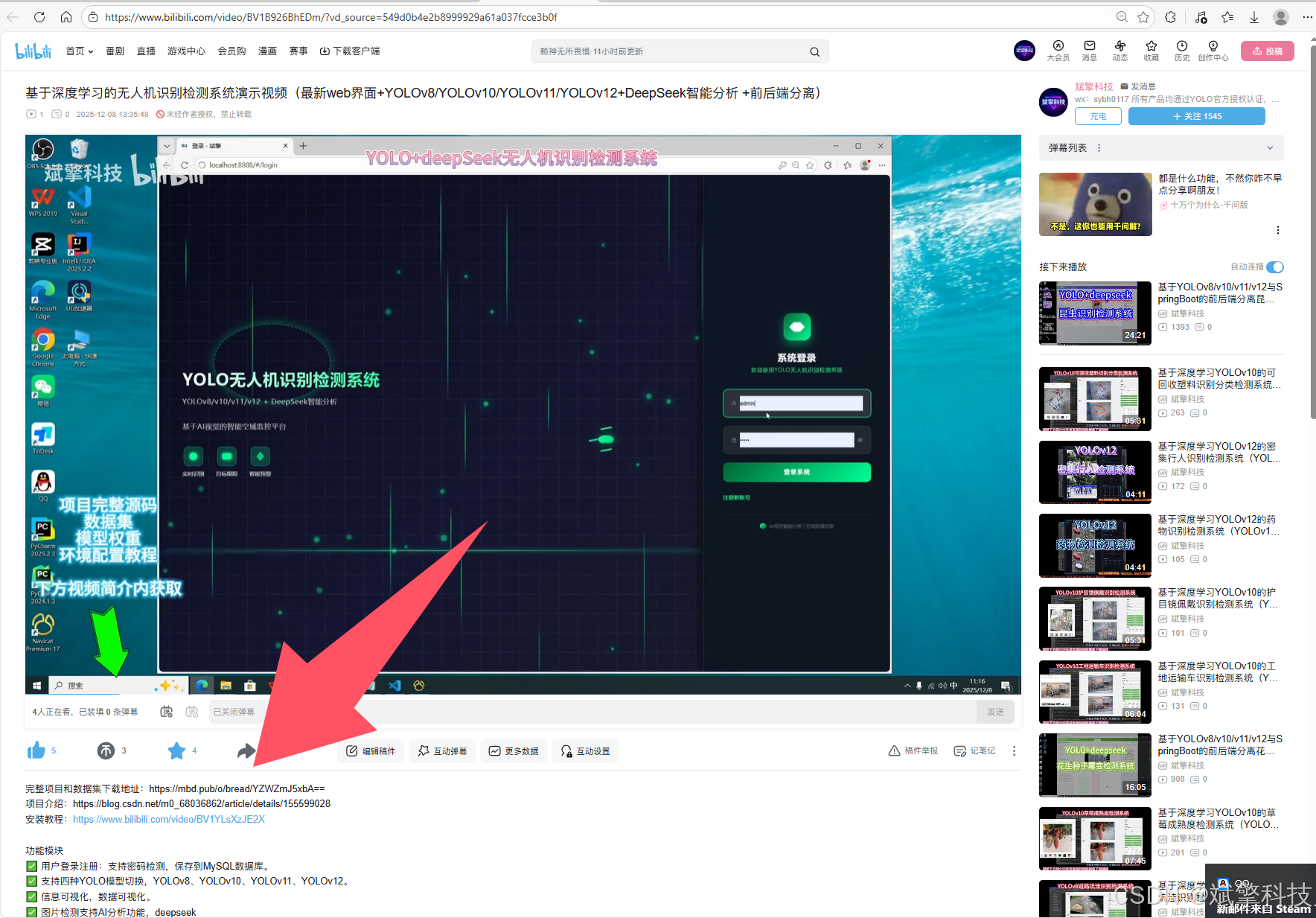
项目安装教程
https://www.bilibili.com/video/BV1YLsXzJE2X/?spm_id_from=333.1387.homepage.video_card.click

火山引擎开发者社区是火山引擎打造的AI技术生态平台,聚焦Agent与大模型开发,提供豆包系列模型(图像/视频/视觉)、智能分析与会话工具,并配套评测集、动手实验室及行业案例库。社区通过技术沙龙、挑战赛等活动促进开发者成长,新用户可领50万Tokens权益,助力构建智能应用。
更多推荐
 9
9 0
0- 0



 已为社区贡献38条内容

所有评论(0)