快速入门-API使用文档
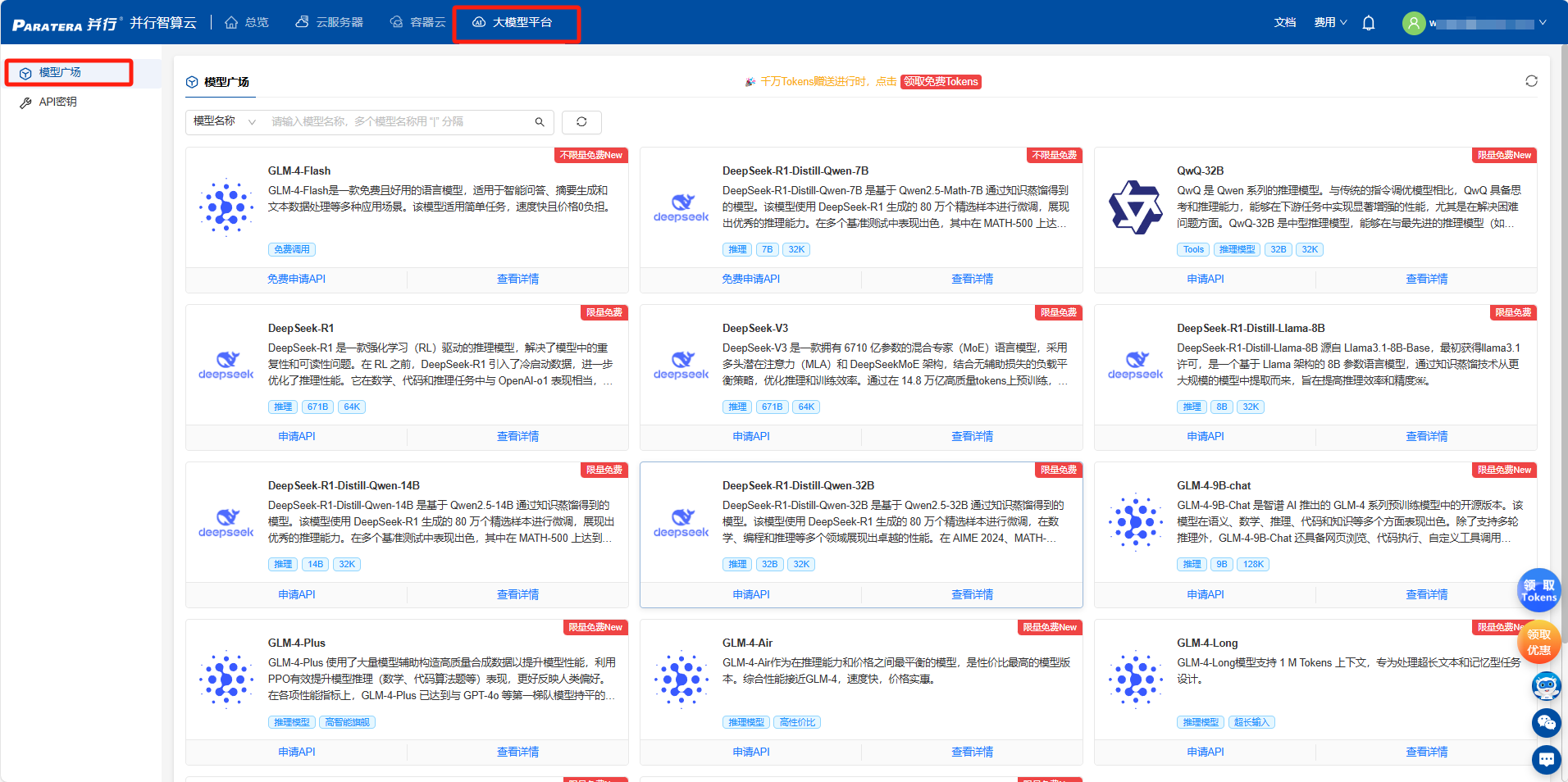
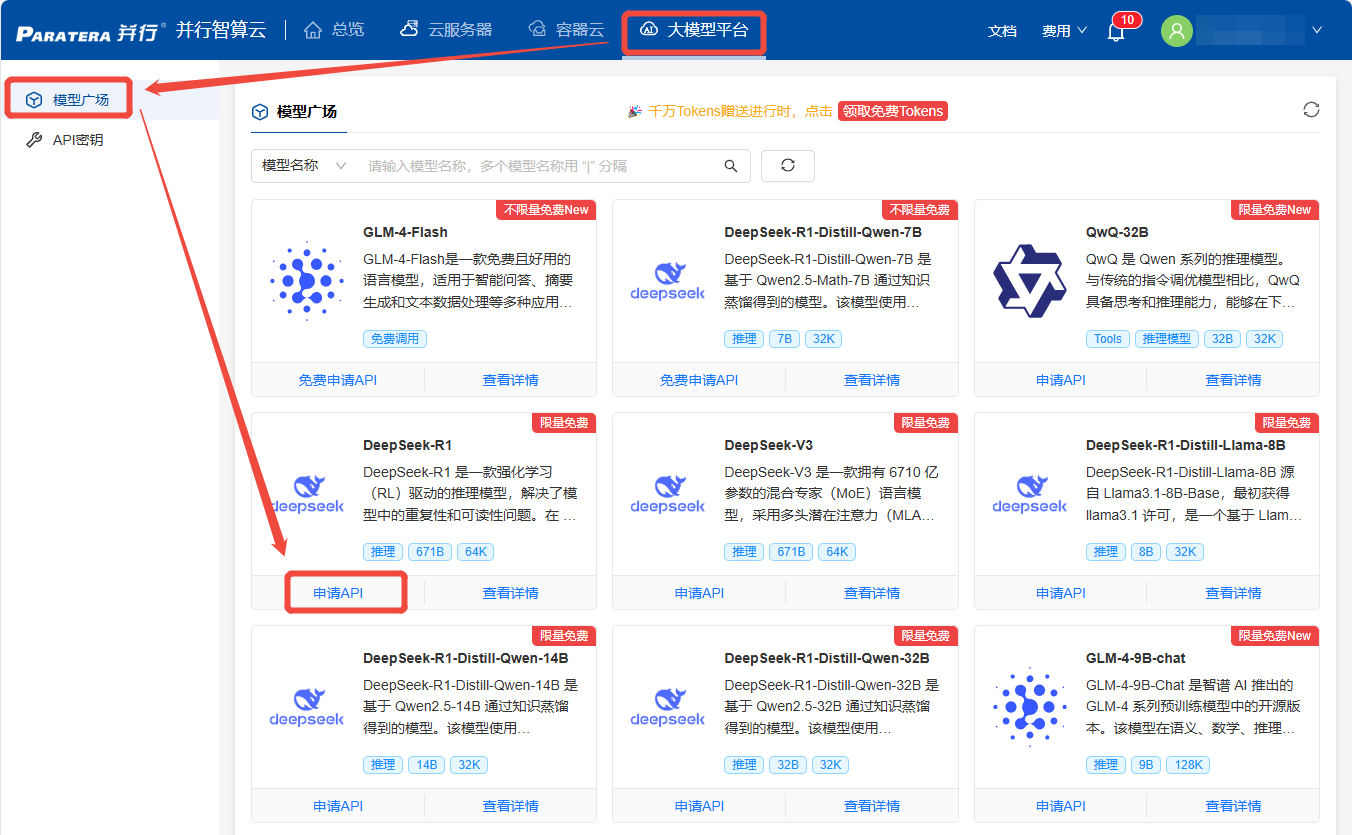
登录智算云平台-大模型平台(填写11307获取赠送额度)通过模型广场查看当前支持的模型信息(模型详情、价格、TPM/RPM限制等信息)
登录智算云平台-大模型平台 https://ai.paratera.com/#/lms/model (填写11307获取赠送额度)
通过模型广场查看当前支持的模型信息(模型详情、价格、TPM/RPM限制等信息)
2. 获取并配置API_Key
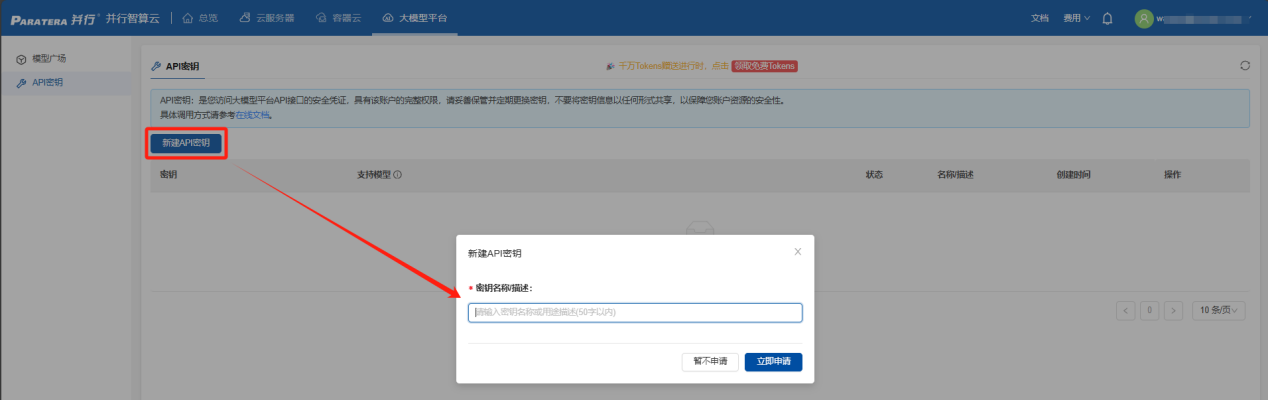
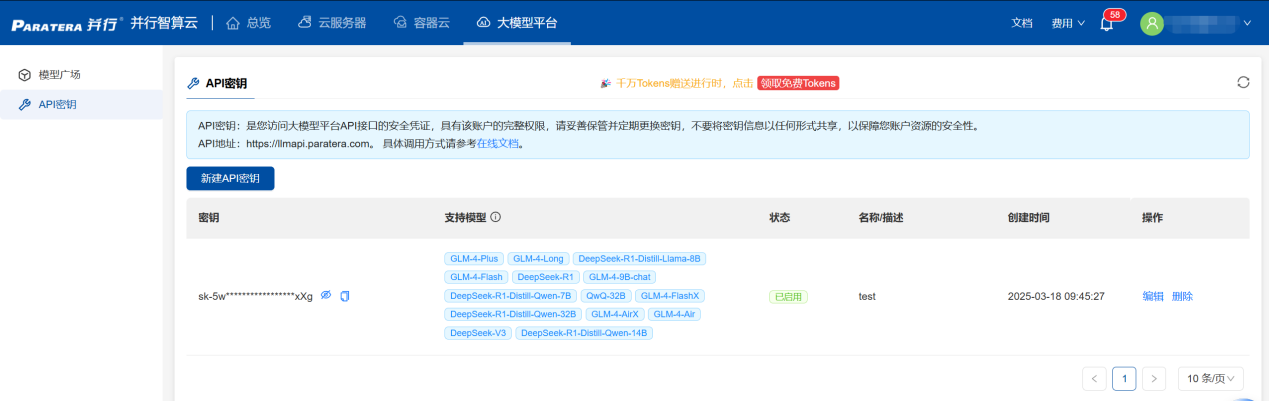
进入【API密钥】页面,通过【新建API密钥】==>【填写密钥描述】==>【立即申请】,即可获取您的专属密钥信息。
3. 多种API接入形式
支持2种使用方式:本地客户端接入、代码接入
3.1 本地客户端接入
支持三种主流工具:Chatbox、Cherry Studio、AnythingLLM
3.1.1 Chatbox接入
(1) 本地下载安装Chatbox
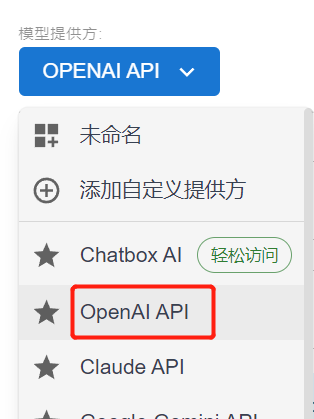
(2) 选择模型提供方为OpenAI API
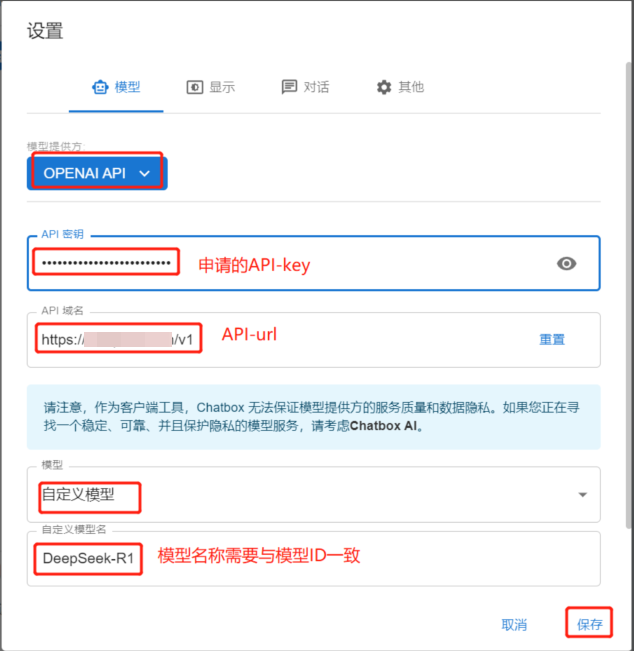
(3) 输入API密钥(API KEY)、API 域名(API URL)、模型名
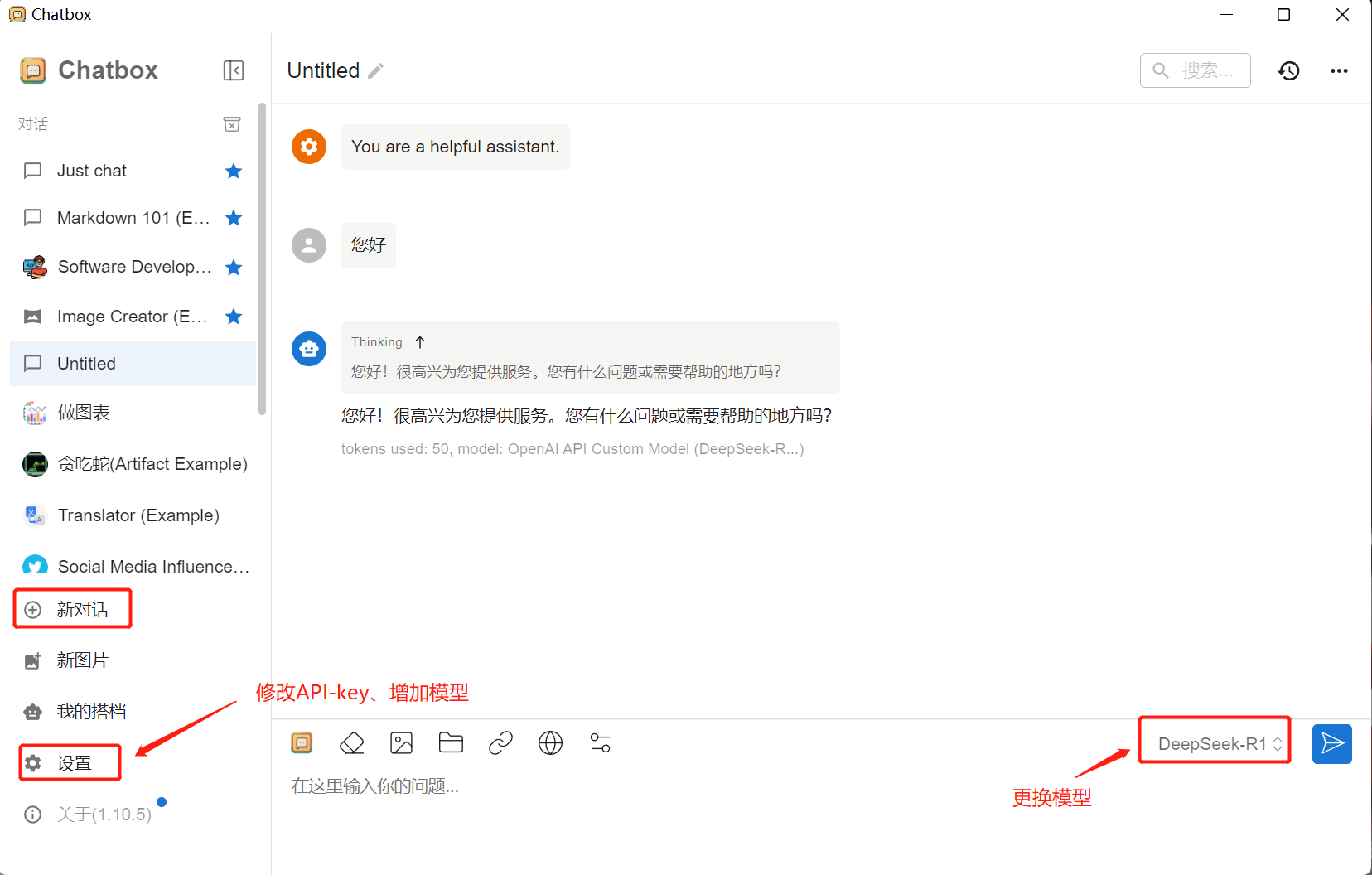
注:如果首次进入chatbox时,忘记选择【使用自己的模型】,可在对话窗口左下角【设置】里修改模型。
(4) 开启对话等功能使用
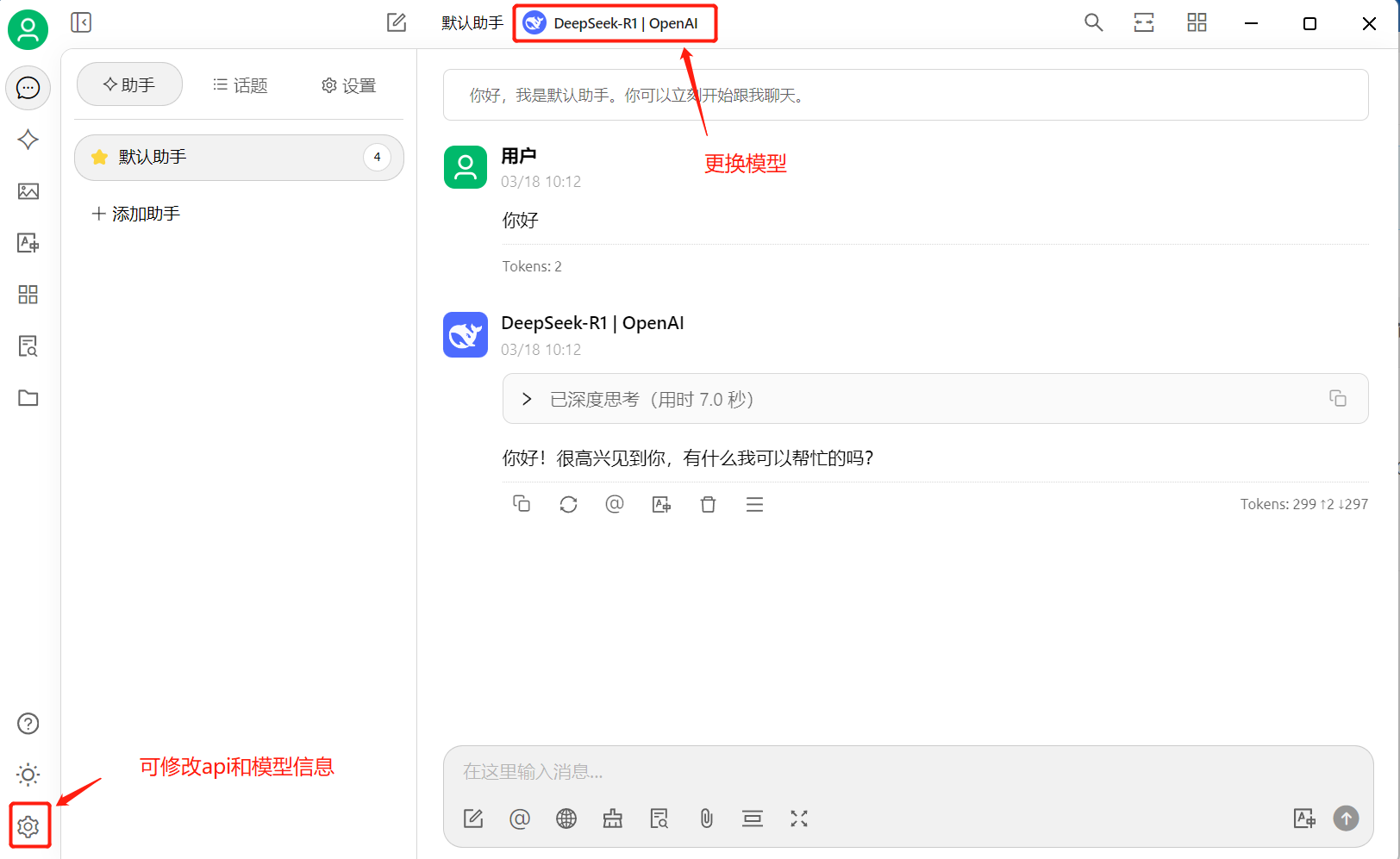
3.1.2 Cherry Studio接入
(1) 本地下载安装Cherry Studio
(2) 选择模型提供方为OpenAI
(3) 输入API密钥(API KEY)、API 地址(API URL)、模型名
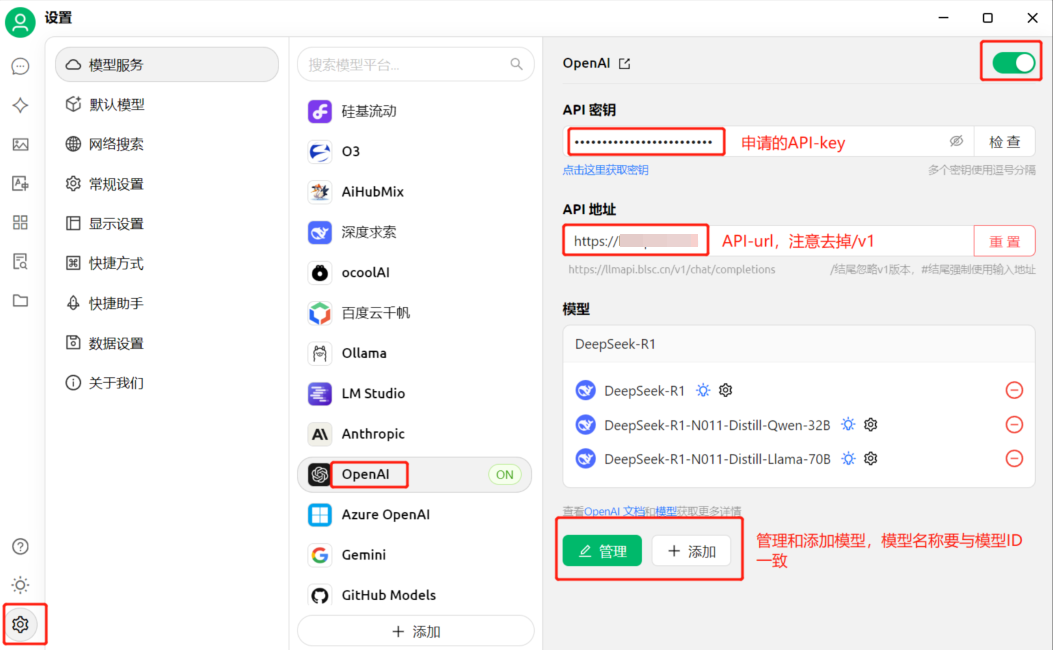
注:如果首次进入Cherry Studio时,忘记选择【使用自己的模型】,可在对话窗口左下角【齿轮】里修改模型。
(4) 开启对话等功能使用
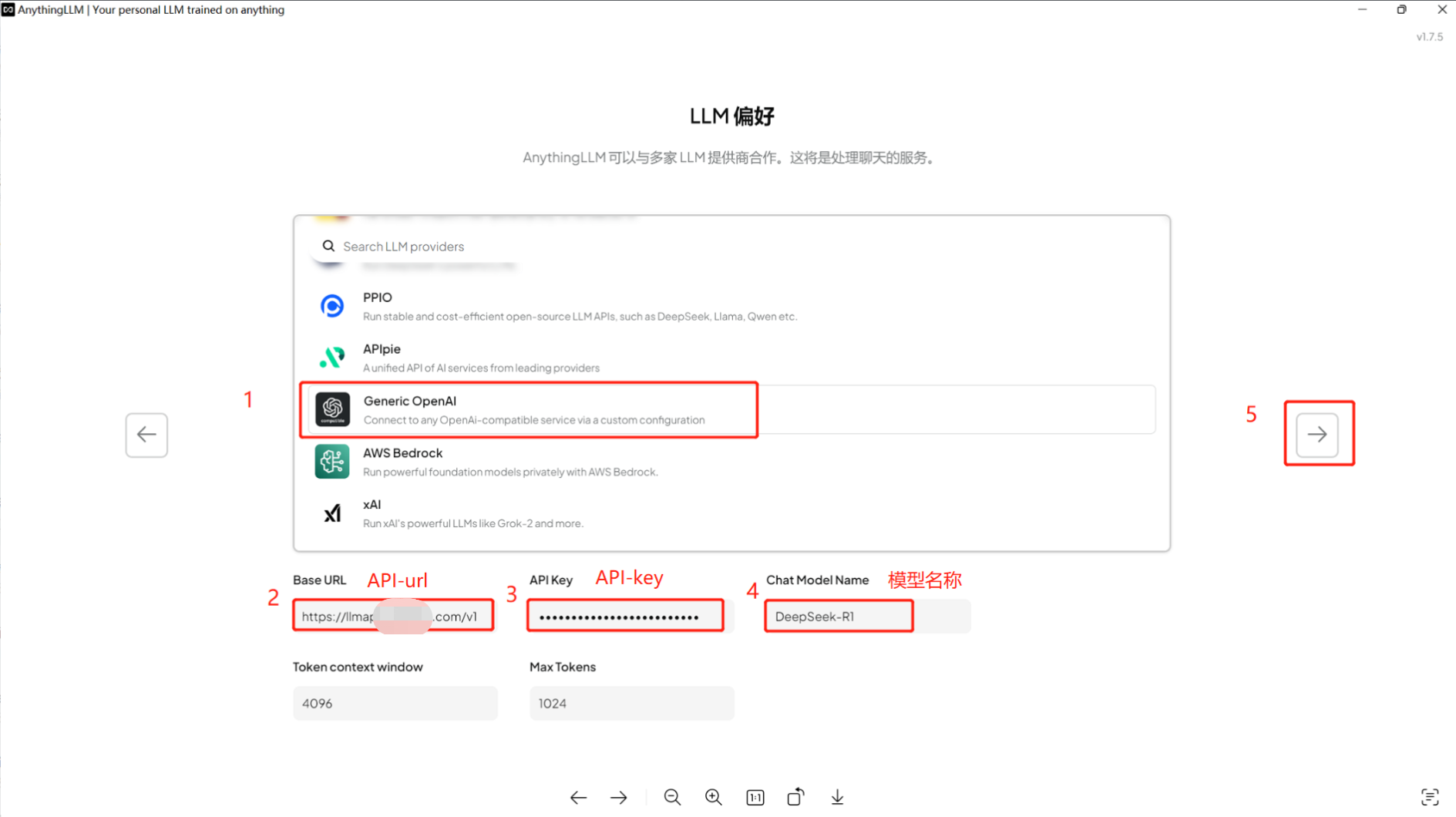
3.1.3 AnythingLLM接入
(1) 本地下载安装AnythingLLM
(2) 首次安装设置界面,选择Generic OpenAI,输入API KEY、API URL、模型名
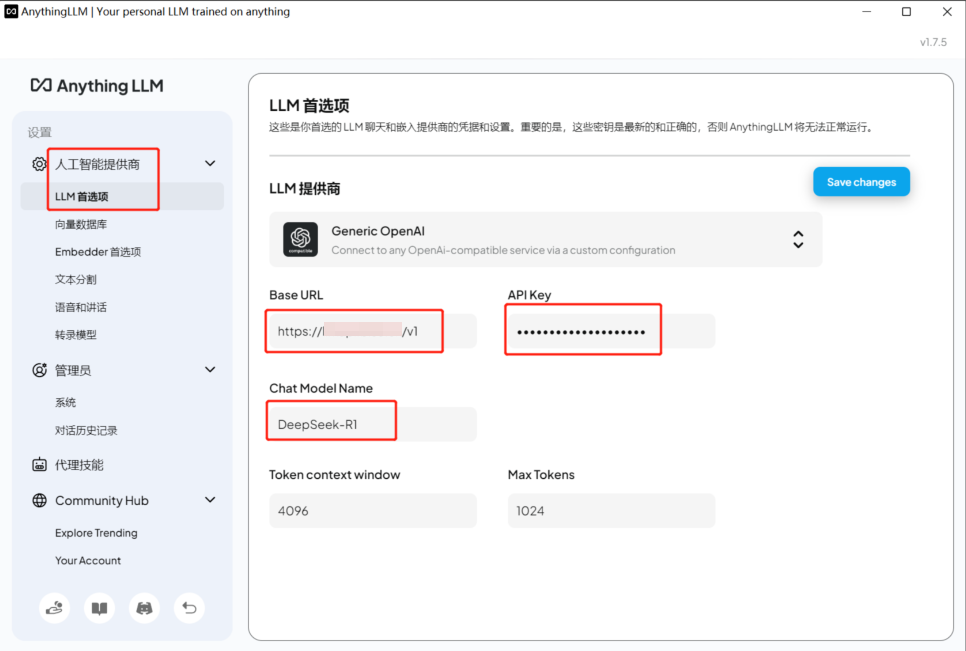
(3) 更改设置,选择左下角第四个图标
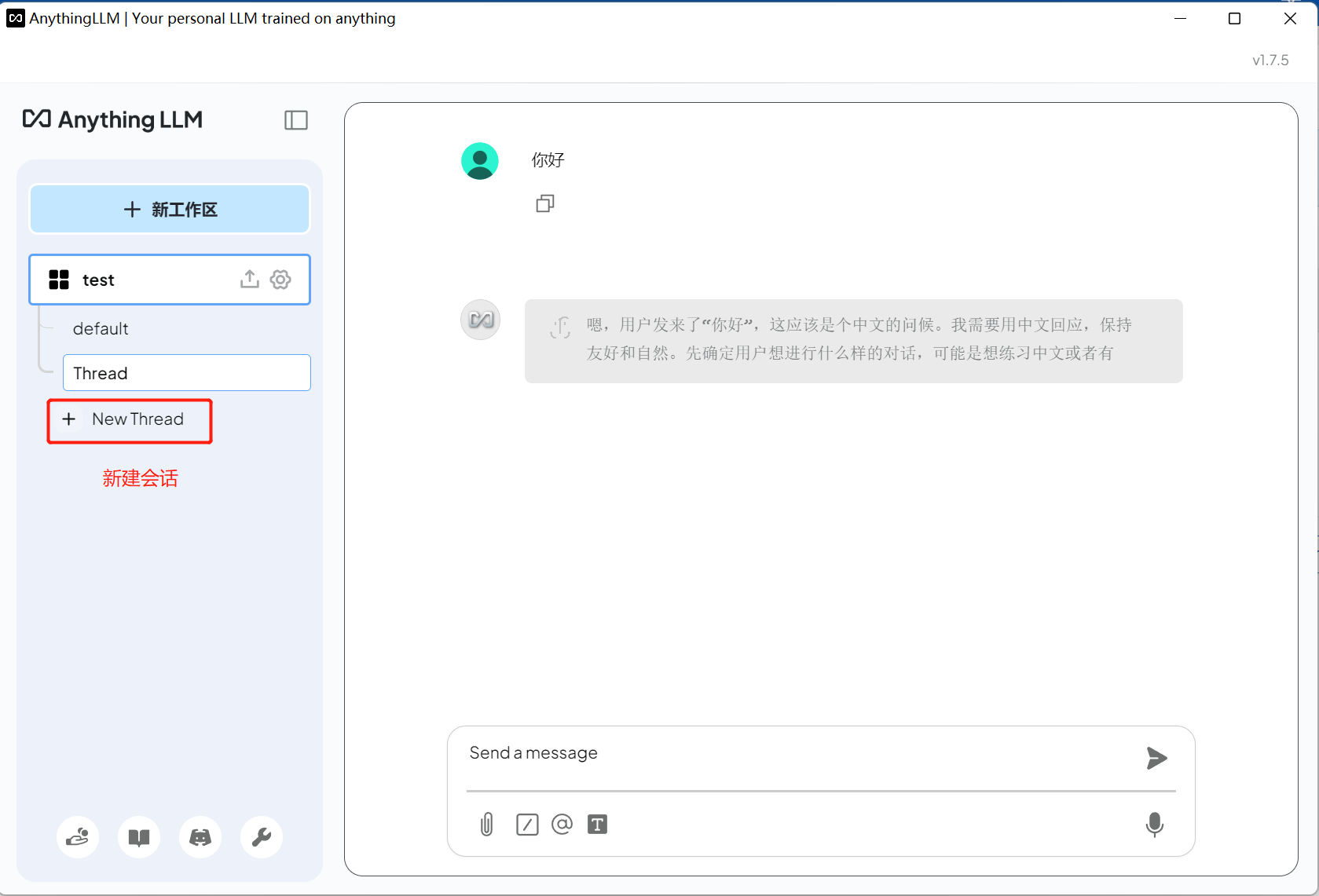
(4) 开启对话等功能使用
3.2 代码接入
支持curl、python、golang、java、nodejs等
3.2.1 curl接入
查询所有可用模型
curl --request GET \ --url [hostname]/v1/models \ --header 'authorization: Bearer 申请到的key' \ --header 'content-type: application/json'推理
curl --request POST \ --url [hostname]/chat/completions \ --header 'authorization: Bearer 申请到的key' \ --header 'content-type: application/json' \ --data '{ "model": "模型ID", "messages": [ { "role": "user", "content": "Hello World" } ]}'3.2.2 python接入
import openai client = openai.OpenAI( api_key="申请到的key", base_url="[hostname]/v1/") response = client.chat.completions.create( model="模型ID", # model to send to the proxy messages=[{"role": "user", "content": "Hello World"}],)print(response)3.2.3 golang接入
package mainimport ( "bytes" "encoding/json" "fmt" "io/ioutil" "net/http") func main() { url := "[hostname]/v1/chat/completions" // Define and marshal the payload payload, _ := json.Marshal(map[string]interface{}{ "model": "模型ID", "messages": []map[string]string{{ "role": "user", "content": "Hello World", }}, "stream": false, "max_tokens": 512, "temperature": 0.6, }) // Create and send the request req, _ := http.NewRequest("POST", url, bytes.NewBuffer(payload)) req.Header.Set("Authorization", "Bearer 申请的api-key") req.Header.Set("Content-Type", "application/json") res, err := http.DefaultClient.Do(req) if err != nil { fmt.Println("Error:", err) return } defer res.Body.Close() // Read and print the response body, _ := ioutil.ReadAll(res.Body) fmt.Println("Response:", string(body))}3.2.4 java 接入
import com.mashape.unirest.http.HttpResponse;import com.mashape.unirest.http.Unirest;import org.json.JSONObject;import org.json.JSONArray; public class Test { public static void main(String[] args) throws Exception{ JSONObject body = new JSONObject() .put("model", "模型ID") .put("messages", new JSONArray().put(new JSONObject().put("role", "user").put("content", "Hello World"))) .put("stream", false) .put("max_tokens", 512) .put("temperature", 0.6); HttpResponse<String> response = Unirest.post("[hostname]/v1/chat/completions") .header("Authorization", "Bearer 申请的api-key") .header("Content-Type", "application/json") .body(body.()) .asString(); System.out.println(response.getBody()); }}3.2.5 nodejs 接入
const axios = require('axios'); const url = '[hostname]/v1/chat/completions'; const payload = { model: '模型ID', messages: [ { role: 'user', content: 'Hello world', }, ], stream: false, max_tokens: 512, temperature: 0.6,}; axios .post(url, payload, { headers: { Authorization: 'Bearer 申请的api-key', 'Content-Type': 'application/json', }, }) .then((response) => { console.log('Response Status:', response.status); console.log('Response Body:', response.data.choices[0].message.content ); }) .catch((err) => { console.error('Error:', err); });
火山引擎开发者社区是火山引擎打造的AI技术生态平台,聚焦Agent与大模型开发,提供豆包系列模型(图像/视频/视觉)、智能分析与会话工具,并配套评测集、动手实验室及行业案例库。社区通过技术沙龙、挑战赛等活动促进开发者成长,新用户可领50万Tokens权益,助力构建智能应用。
更多推荐
 3
3 0
0- 0


 已为社区贡献12条内容

所有评论(0)