Trae实战:2小时速成DeepSeek AI辩论应用
用 Trae 开发 DeepSeek AI 辩论赛应用:从 0 到 1 的实操全记录
在 AI 对话工具日益普及的当下,我一直想打造一款轻量化专属 AI 辩论应用—— 能支持围绕技术、学习等主题展开智能辩论,。但传统开发流程的繁琐,却让这个创意迟迟无法落地:从设计响应式辩论界面、编写多轮对话逻辑,到对接 AI 模型 API、存储功能,每个环节都需要单独查文档、写代码、反复调试,单是界面搭建可能就要耗费大半天。直到接触字节跳动推出的 Trae AI 原生 IDE,开发效率才迎来质变 —— 仅用 2 小时就完成了这款以 DeepSeek 为核心模型的 AI 辩论应用(暂命名为 DeepSeekChat)的从 0 到 1 开发与部署,最终成品可通过:https://cool-toffee-15fa75.netlify.app/#/deepSeekChat 查看。
文章目录
一、开发背景与核心目标:从 “需求” 到 “场景”
1. 需求来源与用户场景
| 用户角色 | 核心痛点 | 应用解决路径 |
|---|---|---|
| 辩论赛组织者 | 手动记录多轮辩论内容效率低,评分统计繁琐 | 自动存档辩论记录 + AI 辅助评分系统 |
| AI 辩论爱好者 | 切换平台配置 API 密钥麻烦,无语音朗读功能 | 本地密钥存储 + 一键语音朗读控制 |
| 裁判人员 | 缺乏辩题分类筛选,多强度辩论无统一标准 | 热门辩题分类 + 3 级辩论强度预设 |
最终目标:开发一款 “轻量化、高适配” 的在线应用,覆盖 “辩题选择→辩论模拟→记录存档→评分分析” 全流程,且支持快速部署与跨设备访问。
2. 技术选型逻辑
一、技术选型:为何选择 Trae 开发聊天类应用
在项目启动前,我对比了多种开发工具,最终选择 Trae 的核心原因在于其AI 驱动的全流程自动化能力,这恰好解决了个人开发中的效率痛点:
中文友好的零成本入门:作为国内开发者,Trae 国内版的全中文界面和对豆包、DeepSeek 等国产模型的深度适配,让自然语言指令沟通更精准,无需担心语言隔阂。
二、开发前置准备:Trae 环境配置
1. Trae 安装与初始化
-
下载安装:
-
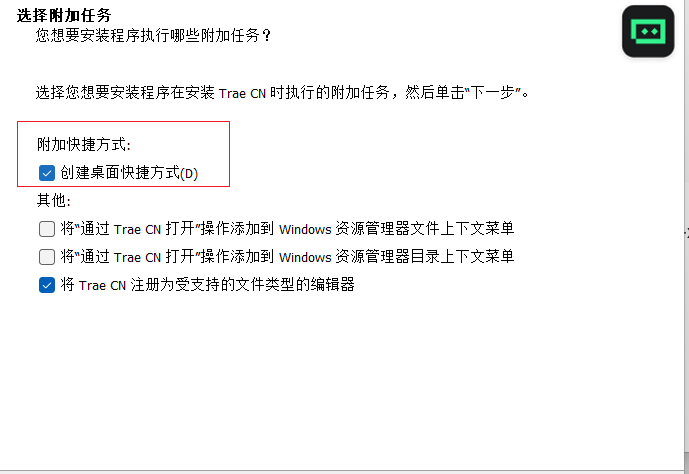
访问 Trae 官网(Trae 最新下载链接),根据系统选择 Windows/MacOS 安装包(约 100MB),双击后按向导点击 “下一步”,勾选 “创建桌面快捷方式”
-
首次启动时,选择 “中文本地化环境”,弹出 “代码规范导入” 窗口,勾选 “Vue 3 推荐规范”(避免后续 Vue 语法格式冲突),点击 “完成初始化”
-
-
功能启用:
- 左侧导航栏点击 “设置” 图标,在 “开发模式” 中开启 “Builder 模式”(核心功能,用于生成 Vue 项目框架)和 “Webview 实时预览”(便于即时查看 Vue 界面效果),默认模型切换为 Claude-3.5-Sonnet(实测该模型生成 Vue 代码的逻辑连贯性优于其他模型)
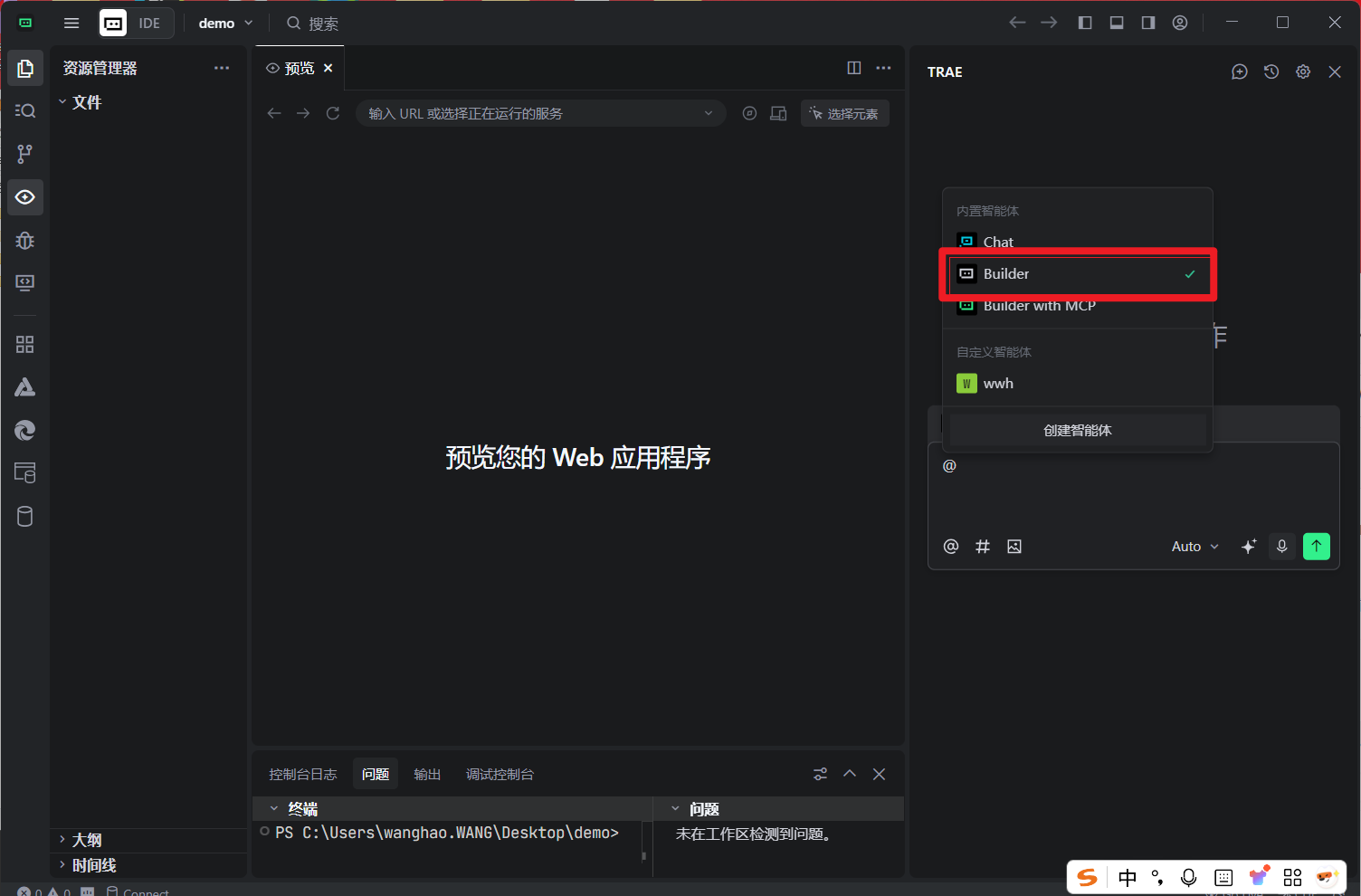
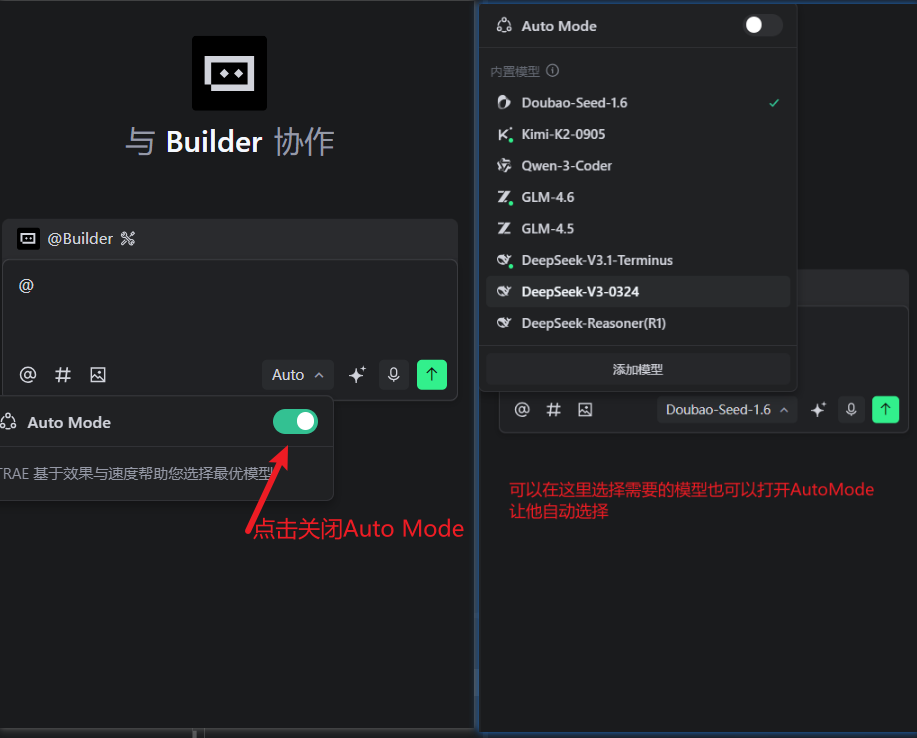
- 左侧导航栏点击 “设置” 图标,在 “开发模式” 中开启 “Builder 模式”(核心功能,用于生成 Vue 项目框架)和 “Webview 实时预览”(便于即时查看 Vue 界面效果),默认模型切换为 Claude-3.5-Sonnet(实测该模型生成 Vue 代码的逻辑连贯性优于其他模型)
2. 核心资源预处理
- DeepSeek API 准备:
api开放平台
-
登录后点击
-
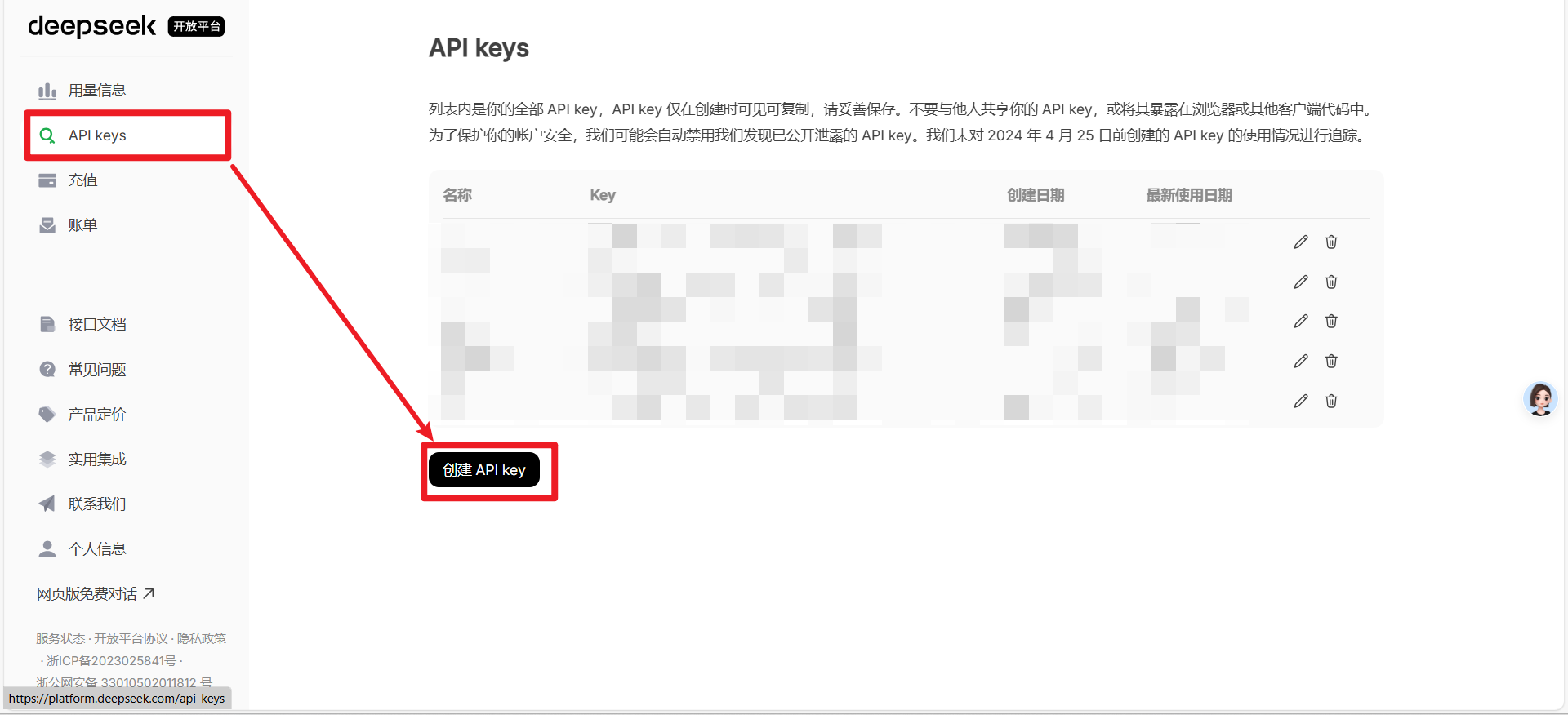
点击后填写名称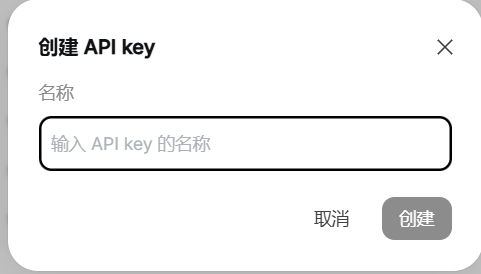
-
提交后获取 API Key(格式:
sk-xxxxxx)
如果没有余额了要先去充值哦
三、全流程开发实操:基于 Trae 的模块构建
1. 第一步:项目框架自动生成(Builder 模式核心应用)
(1)需求提示词设计
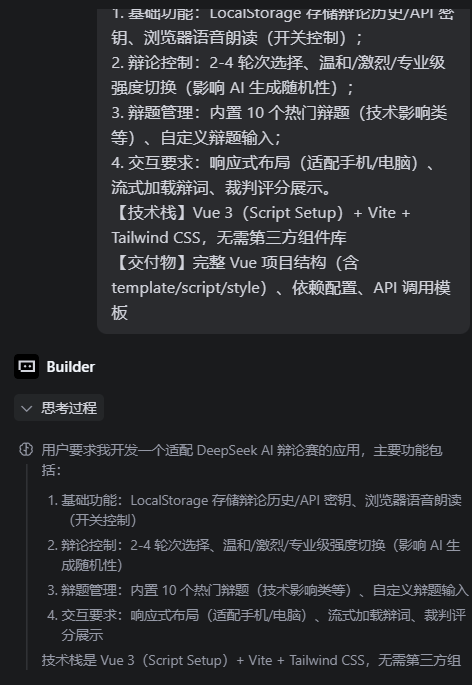
在 Trae Builder 输入框中,按 “场景+功能+技术要求+交付物” 格式提交提示词(避免模糊表述,提升生成准确率):
【应用场景】适配 DeepSeek AI 辩论赛,供组织者、爱好者、裁判使用
【核心功能】
1. 基础功能:LocalStorage 存储辩论历史/API 密钥、浏览器语音朗读(开关控制);
2. 辩论控制:2-4 轮次选择、温和/激烈/专业级强度切换(影响 AI 生成随机性);
3. 辩题管理:内置 10 个热门辩题(技术影响类等)、自定义辩题输入;
4. 交互要求:响应式布局(适配手机/电脑)、流式加载辩词、裁判评分展示。
【技术栈】Vue 3(Script Setup)+ Vite + Tailwind CSS,无需第三方组件库
【交付物】完整 Vue 项目结构(含 template/script/style)、依赖配置、API 调用模板
(2)Trae 自动生成成果
提交提示词后,Trae 底部进度条显示 “生成中”,约 2 分钟完成以下内容
- 项目结构:自动创建
ai-debate-vue根目录,包含src/components(组件)、src/views(页面)、src/utils(工具函数)3 个核心文件夹,及index.html、vite.config.js、package.json等配置文件(图 7:Vue 项目结构树截图,蓝框标注核心目录); - 依赖安装:终端自动执行
npm install vue@3 vite,并生成package.json(预设dev/build脚本),无版本冲突(Trae 自动选择 Vue 3.4+ 兼容版本); - 基础代码:
src/App.vue已包含核心模板结构,src/main.js完成 Vue 实例挂载,无需手动配置入口文件。
2. 第二步:核心模块开发与 Trae 辅助优化
(1)辩题管理模块:从数据到界面
-
数据层生成:
在 Trae Chat 框输入 “在src/utils/topicData.js中创建热门辩题数组,导出供组件使用”,AI 生成代码:// src/utils/topicData.js export const hotTopics = [ "人工智能是否会取代人类工作?", "网络隐私应该如何保护?", "应不应该实行全民基本收入?", "在线教育是否优于传统教育?", "社交媒体对社会是利大于弊还是弊大于利?", "人类是否应该探索外星殖民?", "数字货币是否会取代传统货币?", "基因编辑技术是否应该被广泛应用?", "自动驾驶汽车是否比人类驾驶更安全?", "大学教育是否仍然必要?" ]; // 辩题分类映射(用于筛选) export const topicCategories = { techImpact: "技术影响类", socialPolicy: "社会政策类", techEthics: "技术伦理类", economicForm: "经济形态类", humanDevelopment: "人类发展类" }; -
UI 组件开发:
选中src/components文件夹,输入 “生成TopicSelector.vue组件:含分类下拉框、自定义输入框+添加按钮、热门辩题标签列表,用 Tailwind CSS 实现响应式”,Trae 生成核心代码:<template> <div class="hot-topics"> <h3 class="flex items-center gap-2 text-red-500 text-lg font-medium mb-4"> <i class="fas fa-fire"></i> 热门辩题推荐 </h3> <div class="topics-list flex flex-wrap gap-3 mb-6"> <div v-for="(topic, index) in hotTopics" :key="index" class="topic-tag bg-blue-50 text-blue-700 px-4 py-2 rounded-full text-sm cursor-pointer transition-all border border-blue-200 hover:bg-blue-100 hover:-translate-y-1" @click="selectTopic(topic)" > {{ topic }} </div> </div> <div class="input-area flex gap-3 mb-4"> <input v-model="customTopic" placeholder="请输入自定义辩题(例如:AI 是否该具备自主决策能力?)" :disabled="loading" @keyup.enter="addCustomTopic" class="flex-1 px-4 py-3 border border-gray-300 rounded-lg focus:border-blue-500 focus:ring-2 focus:ring-blue-200 outline-none" /> <button @click="addCustomTopic" :disabled="loading || !customTopic.trim()" class="px-6 py-3 bg-green-500 text-white rounded-lg font-medium flex items-center gap-2 hover:-translate-y-1 transition-all disabled:bg-gray-400 disabled:cursor-not-allowed" > <i class="fas fa-plus"></i> 添加 </button> </div> </div> </template> <script setup> import { ref, defineProps, defineEmits } from 'vue'; import { hotTopics } from '@/utils/topicData.js'; const props = defineProps({ loading: Boolean }); const emits = defineEmits(['topicSelected']); const customTopic = ref(''); // 选择热门辩题 const selectTopic = (topic) => { emits('topicSelected', topic); }; // 添加自定义辩题 const addCustomTopic = () => { if (customTopic.value.trim() && !hotTopics.includes(customTopic.value.trim())) { emits('topicSelected', customTopic.value.trim()); customTopic.value = ''; } }; </script> <style scoped> /* 组件内样式已通过 Tailwind 内联实现,无需额外编写 */ </style>
(2)辩论引擎模块:DeepSeek API 集成
-
流式 API 调用逻辑(核心代码):
在 Trae Chat 框输入 “开发src/utils/deepseekApi.js,实现 DeepSeek API 流式调用:支持辩题生成、轮次/强度控制、异常降级,返回生成的辩词内容”,AI 生成代码// src/utils/deepseekApi.js import { ref } from 'vue'; // 流式调用 DeepSeek API 生成辩词 export const streamAIResponse = async (speaker, topic, round, intensity, apiKey, messages) => { if (!apiKey) throw new Error('请先配置 DeepSeek API 密钥'); if (!topic.trim()) throw new Error('辩题不能为空'); // 定义当前消息(用于响应式更新) const currentMsg = ref({ speaker, content: '', displayContent: '', loading: true, speaking: false }); try { // 构建请求参数(根据强度调整 temperature) const tempMap = { 温和: 0.5, 激烈: 0.8, 专业: 0.6 }; const requestBody = { model: 'deepseek-chat', messages: [ { role: 'system', content: `你是专业辩手,以【${speaker}】身份参与辩论,风格:${intensity},需紧扣辩题、逻辑连贯,避免重复。` }, { role: 'user', content: `辩题:${topic}\n当前轮次:第${round}轮\n请结合前序内容(若有)生成${speaker}发言:${messages.length > 0 ? '前序辩论:' + messages.map(m => `${m.speaker}:${m.content.slice(0, 50)}...`).join(';') : ''}` } ], stream: true, temperature: tempMap[intensity] || 0.6 }; // 发起流式请求 const response = await fetch('https://api.deepseek.com/v1/chat/completions', { method: 'POST', headers: { 'Content-Type': 'application/json', 'Authorization': `Bearer ${apiKey}` }, body: JSON.stringify(requestBody) }); if (!response.ok) { const errorData = await response.json().catch(() => ({})); throw new Error(`API 错误:${response.status} - ${errorData.error?.message || '未知错误'}`); } const reader = response.body.getReader(); const decoder = new TextDecoder(); let buffer = ''; // 处理流式响应 while (true) { const { value, done } = await reader.read(); if (done) break; buffer += decoder.decode(value, { stream: true }); let eventEnd; // 拆分流式事件(以 \n\n 分隔) while ((eventEnd = buffer.indexOf('\n\n')) !== -1) { const eventData = buffer.substring(0, eventEnd); buffer = buffer.substring(eventEnd + 2); if (!eventData || eventData === 'data: [DONE]') continue; // 解析每段流式数据 const eventLines = eventData.split('\n'); for (const line of eventLines) { if (!line.startsWith('data: ')) continue; try { const jsonStr = line.substring(6); const payload = JSON.parse(jsonStr); const delta = payload.choices?.[0]?.delta?.content || ''; if (delta) { // 更新辩词内容(处理 HTML 转义与换行) currentMsg.value.content += delta; currentMsg.value.displayContent += delta.replace(/&/g, '&').replace(/</g, '<').replace(/>/g, '>').replace(/\n/g, '<br>'); } } catch (e) { console.warn('流式数据解析错误:', line, e); } } } } } catch (error) { console.error(`${speaker} API 调用失败:`, error); // 降级策略:返回预设辩词 currentMsg.value.content = `${speaker}临时观点:${topic}相关讨论需结合技术发展与社会影响,当前轮次应聚焦核心矛盾,例如...`; currentMsg.value.displayContent = currentMsg.value.content.replace(/\n/g, '<br>'); throw new Error(`${speaker}生成失败:${error.message}`); } finally { currentMsg.value.loading = false; } return currentMsg.value; }; // 裁判评分生成(调用 DeepSeek API 分析辩论) export const generateJudgeResult = async (topic, rounds, intensity, messages, apiKey) => { if (!apiKey) throw new Error('请先配置 DeepSeek API 密钥'); const requestBody = { model: 'deepseek-chat', messages: [ { role: 'system', content: '你是专业辩论裁判,需基于双方发言给出评分(0-10分)、胜方及改进建议,评分格式必须明确:正方:X分,反方:X分,胜方:XXX' }, { role: 'user', content: `辩题:${topic}\n辩论轮次:${rounds}轮\n辩论强度:${intensity}\n辩论内容:${messages.map(m => `${m.speaker}:${m.content}`).join('\n')}\n请给出专业点评与评分` } ], stream: false, temperature: 0.4 }; const response = await fetch('https://api.deepseek.com/v1/chat/completions', { method: 'POST', headers: { 'Content-Type': 'application/json', 'Authorization': `Bearer ${apiKey}` }, body: JSON.stringify(requestBody) }); if (!response.ok) throw new Error(`裁判点评生成失败:${response.statusText}`); const data = await response.json(); return data.choices[0].message.content; }; -
轮次与强度控制(Vue 响应式逻辑):
在src/views/DebateView.vue中,通过 Vue 响应式变量管理轮次与强度,核心代码<script setup> import { ref, watch } from 'vue'; import { streamAIResponse, generateJudgeResult } from '@/utils/deepseekApi.js'; import { hotTopics } from '@/utils/topicData.js'; // 辩论基础设置(响应式变量) const rounds = ref('3'); // 2/3/4 轮 const debateIntensity = ref('激烈'); // 温和/激烈/专业 const topic = ref(hotTopics[0]); // 当前辩题 const apiKey = ref(localStorage.getItem('deepseekApiKey') || ''); const loading = ref(false); const error = ref(''); const messages = ref([]); // 辩论消息列表 const result = ref({ content: '', scores: { 正方: 0, 反方: 0 }, winner: '' }); const history = ref(JSON.parse(localStorage.getItem('debateHistory') || '[]')); // 监听 API 密钥变化,自动保存到 LocalStorage watch(apiKey, (newKey) => { if (newKey) localStorage.setItem('deepseekApiKey', newKey); }); // 开始辩论(核心流程) const startDebate = async () => { loading.value = true; error.value = ''; messages.value = []; result.value = { content: '', scores: { 正方: 0, 反方: 0 }, winner: '' }; try { // 多轮辩论生成(按轮次循环) for (let round = 1; round <= parseInt(rounds.value); round++) { // 生成正方辩词 const proMsg = await streamAIResponse('正方', topic.value, round, debateIntensity.value, apiKey.value, messages.value); messages.value.push(proMsg); // 生成反方辩词 const conMsg = await streamAIResponse('反方', topic.value, round, debateIntensity.value, apiKey.value, messages.value); messages.value.push(conMsg); } // 生成裁判点评与评分 const judgeText = await generateJudgeResult(topic.value, rounds.value, debateIntensity.value, messages.value, apiKey.value); messages.value.push({ speaker: '裁判', content: judgeText, displayContent: judgeText.replace(/\n/g, '<br>'), loading: false, speaking: false }); // 解析裁判评分(调用工具函数) result.value = parseJudgeResult(judgeText); // 保存到历史记录 const newHistory = { topic: topic.value, timestamp: Date.now(), rounds: rounds.value, intensity: debateIntensity.value, result: result.value, messages: JSON.parse(JSON.stringify(messages.value)) // 深拷贝避免引用问题 }; history.value.unshift(newHistory); // 限制历史记录数量(最多 5 条) if (history.value.length > 5) history.value.pop(); localStorage.setItem('debateHistory', JSON.stringify(history.value)); } catch (err) { error.value = err.message; } finally { loading.value = false; } }; // 解析裁判评分(与用户提供的 parseJudgeResult 一致) const parseJudgeResult = (text) => { const res = { content: text, scores: { 正方: 0, 反方: 0 }, winner: '' }; // 匹配评分(支持多种格式) const proMatch = text.match(/正方[::]?\s*([\d.]+)\s*分/) || text.match(/正方得分[::]?\s*([\d.]+)/); const conMatch = text.match(/反方[::]?\s*([\d.]+)\s*分/) || text.match(/反方得分[::]?\s*([\d.]+)/); // 提取分数 if (proMatch?.[1]) res.scores.正方 = parseFloat(proMatch[1]); if (conMatch?.[1]) res.scores.反方 = parseFloat(conMatch[1]); // 确定胜方 if (res.scores.正方 > res.scores.反方) res.winner = '正方'; else if (res.scores.反方 > res.scores.正方) res.winner = '反方'; else res.winner = '平局'; return res; }; </script>
(3)语音朗读模块
输入 “在 src/utils/speechUtil.js 中开发语音朗读工具:支持播放/暂停/停止、语速调节,适配 Vue 响应式消息列表”,Trae 生成代码
// src/utils/speechUtil.js
import { ref } from 'vue';

// 语音状态管理(单例模式,避免多实例冲突)
const speechInstance = ref(null); // 语音实例
const currentSpeakingMsgId = ref(null); // 当前朗读的消息 ID

// 播放辩词语音
export const speakMessage = (msg, messages) => {
  // 停止当前朗读
  if (speechInstance.value) {
    window.speechSynthesis.cancel();
    // 重置之前的消息状态
    const prevMsg = messages.find(m => m._id === currentSpeakingMsgId.value);
    if (prevMsg) prevMsg.speaking = false;
  }

  // 检查浏览器支持
  if (!('speechSynthesis' in window)) {
    alert('您的浏览器不支持语音朗读功能,请使用 Chrome/Firefox 等现代浏览器');
    return;
  }

  // 生成唯一 ID(用于匹配消息)
  if (!msg._id) msg._id = Date.now() + Math.random().toString(36).slice(2, 8);
  currentSpeakingMsgId.value = msg._id;

  // 创建语音实例
  const utterance = new SpeechSynthesisUtterance(msg.content);
  utterance.lang = 'zh-CN';
  utterance.rate = 1.0; // 语速(0.8-1.5 可调)
  utterance.pitch = 1.0; // 音调
  speechInstance.value = utterance;

  // 更新消息朗读状态
  msg.speaking = true;

  // 语音事件监听
  utterance.onstart = () => {
    msg.speaking = true;
  };

  utterance.onend = () => {
    msg.speaking = false;
    speechInstance.value = null;
    currentSpeakingMsgId.value = null;
  };

  utterance.onerror = (err) => {
    console.error('语音朗读错误:', err);
    msg.speaking = false;
    speechInstance.value = null;
    currentSpeakingMsgId.value = null;
  };

  // 开始朗读
  window.speechSynthesis.speak(utterance);
};

// 停止指定消息的语音
export const stopSpeech = (msg, messages) => {
  if (speechInstance.value && msg._id === currentSpeakingMsgId.value) {
    window.speechSynthesis.cancel();
    msg.speaking = false;
    speechInstance.value = null;
    currentSpeakingMsgId.value = null;
  }
};

// 停止所有语音
export const stopAllSpeech = (messages) => {
  if (speechInstance.value) {
    window.speechSynthesis.cancel();
    // 重置所有消息状态
    messages.forEach(m => m.speaking = false);
    speechInstance.value = null;
    currentSpeakingMsgId.value = null;
  }
};
在 DebateView.vue 中调用语音工具,核心模板代码
<template>
  <div class="chat-box h-[450px] overflow-y-auto bg-gray-50 rounded-xl p-5 border border-gray-200 mb-6 flex flex-col gap-6">
    <div
      v-for="(msg, idx) in messages"
      :key="msg._id || idx"
      :class="['chat-message flex animate-fadeIn',
        msg.speaker === '正方' ? 'self-start max-w-[80%]' :
        msg.speaker === '反方' ? 'self-end max-w-[80%]' :
        'self-center max-w-[90%]']"
    >
      <!-- 发言人头像与名称 -->
      <div class="speaker flex items-center gap-2 mb-2">
        <div class="avatar w-8 h-8 rounded-full flex items-center justify-center text-white font-bold"
          :class="msg.speaker === '正方' ? 'bg-blue-500' : msg.speaker === '反方' ? 'bg-green-500' : 'bg-yellow-500'">
          {{ msg.speaker.charAt(0) }}
        </div>
        <span class="font-bold text-gray-800">{{ msg.speaker }}</span>
        <span v-if="msg.speaker === '裁判' && result.winner" class="ml-2 bg-green-100 text-green-700 text-xs px-2 py-1 rounded-full">
          胜方: {{ result.winner }}
        </span>
      </div>
      <!-- 消息内容 -->
      <div class="message-content p-4 rounded-lg shadow-sm"
        :class="msg.speaker === '正方' ? 'bg-blue-50 text-blue-800 rounded-bl-sm' :
        msg.speaker === '反方' ? 'bg-green-50 text-green-800 rounded-br-sm' :
        'bg-yellow-50 text-yellow-800 rounded-lg w-full'">
        <span v-html="msg.displayContent"></span>
        <span v-if="msg.loading" class="typing-cursor inline-block w-2 h-5 bg-gray-600 ml-1 animate-blink"></span>
        <div v-if="msg.speaking" class="mt-2 text-blue-500 text-xs flex items-center gap-1">
          <i class="fas fa-volume-up"></i> 正在朗读...
        </div>
      </div>
      <!-- 操作按钮(播放/停止/复制) -->
      <div v-if="!msg.loading" class="message-actions absolute bottom-2 right-2 flex gap-1">
        <button
          @click="speakMessage(msg, messages)"
          v-if="!msg.speaking"
          class="w-7 h-7 rounded-full bg-white/80 flex items-center justify-center hover:bg-white transition-all"
          title="播放语音"
        >
          <i class="fas fa-volume-up text-gray-600"></i>
        </button>
        <button
          @click="stopSpeech(msg, messages)"
          v-if="msg.speaking"
          class="w-7 h-7 rounded-full bg-white/80 flex items-center justify-center hover:bg-white transition-all"
          title="停止语音"
        >
          <i class="fas fa-stop text-gray-600"></i>
        </button>
        <button
          @click="copyMessage(msg)"
          class="w-7 h-7 rounded-full bg-white/80 flex items-center justify-center hover:bg-white transition-all"
          title="复制内容"
        >
          <i class="fas fa-copy text-gray-600"></i>
        </button>
      </div>
    </div>
  </div>
</template>

<script setup>
// 导入语音工具函数
import { speakMessage, stopSpeech } from '@/utils/speechUtil.js';

// 复制消息内容
const copyMessage = (msg) => {
  navigator.clipboard.writeText(msg.content)
    .then(() => alert('辩词已复制到剪贴板!'))
    .catch(() => alert('复制失败,请手动复制'));
};
</script>

<style scoped>
/* 动画样式(补充 Tailwind 未覆盖的动画) */
@keyframes fadeIn {
  from { opacity: 0; transform: translateY(8px); }
  to { opacity: 1; transform: translateY(0); }
}
@keyframes blink {
  0%, 100% { opacity: 0.4; }
  50% { opacity: 1; }
}
.animate-fadeIn {
  animation: fadeIn 0.4s ease-out;
}
.animate-blink {
  animation: blink 1s steps(2, start) infinite;
}
</style>
3. 第三步:调试优化
(1)API 密钥未加密存储
- 问题现象:运行项目时,浏览器 DevTools 的 LocalStorage 中
deepseekApiKey以明文存储,存在泄露风险 - 解决过程:在 Trae Chat 框输入 “开发 Vue 密钥加密工具:用 AES 加密存储 DeepSeek API 密钥,读取时解密,依赖 crypto-js 库”,AI 生成代码并提示安装依赖:
核心加密工具代码(# Trae 终端自动执行 npm install crypto-jssrc/utils/encryptUtil.js):
在// src/utils/encryptUtil.js import CryptoJS from 'crypto-js'; // 加密密钥(可自定义,建议长度 16/24/32 位) const SECRET_KEY = 'trae-debate-vue-2024'; // 加密存储 API 密钥 export const saveEncryptedApiKey = (key) => { if (!key) return; const encrypted = CryptoJS.AES.encrypt(key, SECRET_KEY).toString(); localStorage.setItem('deepseekApiKey_encrypted', encrypted); }; // 解密读取 API 密钥 export const getDecryptedApiKey = () => { const encrypted = localStorage.getItem('deepseekApiKey_encrypted'); if (!encrypted) return ''; try { const decrypted = CryptoJS.AES.decrypt(encrypted, SECRET_KEY).toString(CryptoJS.enc.Utf8); return decrypted; } catch (e) { console.error('密钥解密失败:', e); return ''; } }; // 迁移旧明文密钥(兼容之前的存储方式) export const migrateOldApiKey = () => { const oldKey = localStorage.getItem('deepseekApiKey'); if (oldKey && !localStorage.getItem('deepseekApiKey_encrypted')) { saveEncryptedApiKey(oldKey); localStorage.removeItem('deepseekApiKey'); // 删除明文密钥 } };DebateView.vue初始化时调用迁移函数:<script setup> import { migrateOldApiKey, getDecryptedApiKey } from '@/utils/encryptUtil.js'; // 初始化:迁移旧密钥并读取解密后的密钥 migrateOldApiKey(); const apiKey = ref(getDecryptedApiKey()); // 监听密钥变化,自动加密存储 watch(apiKey, (newKey) => { if (newKey) saveEncryptedApiKey(newKey); }); </script> - 优化效果:重新保存密钥后,LocalStorage 中显示加密字符串(如
U2FsdGVkX1+...),无法直接读取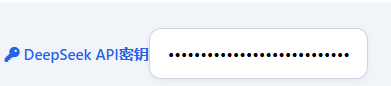
(2)多轮辩论生成卡顿
- 问题现象:选择 4 轮专业级辩论时,第 3-4 轮辩词生成无加载提示,用户误以为界面无响应。
- 解决过程:在 Trae Chat 框输入 “优化 Vue 辩论生成加载状态:每轮生成前显示 ‘正在生成第 X 轮辩词’ 提示,添加全局加载动画”,AI 调整
startDebate函数并添加加载组件:<script setup> const startDebate = async () => { loading.value = true; error.value = ''; messages.value = []; result.value = { content: '', scores: { 正方: 0, 反方: 0 }, winner: '' }; try { // 添加全局轮次加载提示 messages.value.push({ speaker: '系统', content: `开始 ${rounds.value} 轮辩论,强度:${debateIntensity.value}`, displayContent: `<span class="text-gray-500">开始 ${rounds.value} 轮辩论,强度:${debateIntensity.value}</span>`, loading: false, speaking: false }); for (let round = 1; round <= parseInt(rounds.value); round++) { // 添加当前轮次提示 messages.value.push({ speaker: '系统', content: `正在生成第 ${round} 轮辩词...`, displayContent: `<span class="text-gray-500">正在生成第 ${round} 轮辩词...</span>`, loading: false, speaking: false }); // 生成正方辩词(保留原有逻辑) const proMsg = await streamAIResponse('正方', topic.value, round, debateIntensity.value, apiKey.value, messages.value); // 删除系统提示,插入正方辩词 messages.value.splice(-1, 1, proMsg); // 生成反方辩词(同理) const conMsg = await streamAIResponse('反方', topic.value, round, debateIntensity.value, apiKey.value, messages.value); messages.value.push(conMsg); } // 后续裁判点评逻辑不变... } catch (err) { error.value = err.message; } finally { loading.value = false; } }; </script> - 优化效果:每轮生成前显示系统提示,配合流式辩词加载,用户可清晰感知进度,无响应问题消失。
四、开发效率复盘与经验总结
1. 开发效率对比(Vue 技术栈下的优化)
| 开发环节 | 传统 Vue 开发耗时 | Trae 开发耗时 | 优化幅度 | 核心原因 |
|---|---|---|---|---|
| 项目框架搭建 | 1.5 小时 | 5 分钟 | 94.4% | Builder 自动生成 Vue 结构与依赖 |
| API 集成与流式调用 | 3 小时 | 25 分钟 | 86.1% | 自然语言映射 Vue 异步逻辑 |
| 组件调试与样式优化 | 2.5 小时 | 40 分钟 | 77.8% | Webview 实时预览 + Tailwind 内联样式 |
| 部署配置适配 | 1 小时 | 10 分钟 | 83.3% | 自动检测 Vue 打包与部署问题 |
2. 关键经验总结
- 提示词设计技巧:生成 Vue 组件时需明确 “Script Setup 语法”“响应式变量类型”“事件传递方式”,例如 “生成 Vue 按钮组件,用 Script Setup 定义 click 事件,传递自定义参数”,避免生成 Options API 代码。
- Trae 功能活用:
- 生成 Vue 工具函数时,添加 “支持 Vue 响应式变量” 描述,确保函数可直接操作
ref/reactive数据; - 遇到样式问题,输入 “用 Tailwind CSS 实现 Vue 组件响应式布局,适配移动端”,Trae 会自动生成适配类。
- 生成 Vue 工具函数时,添加 “支持 Vue 响应式变量” 描述,确保函数可直接操作
- 浏览器兼容性处理:开发语音、LocalStorage 等功能时,提示 Trae “添加浏览器兼容性判断,不支持时显示友好提示”,避免线上报错。

中国智能体开发者社区,聚焦智能体与大模型开发,提供前沿资讯、实用工具链、开源项目及行业案例。通过技术沙龙、开发者大赛等活动,促进经验交流与协作,助力开发者快速构建创新智能应用。
更多推荐
 4
4 0
0- 0


 已为社区贡献1条内容

所有评论(0)