windows环境安装chromadb并后台启动
·
版本适配
官网说明chromadb支持3.8+版本的python,我一路试了十几个版本,总算找到可行的一个。。。。
python:3.10.8
安装Python
官网下载地址
下载3.10.8版本,然后一路下一步,安装就是,记得把pip勾选上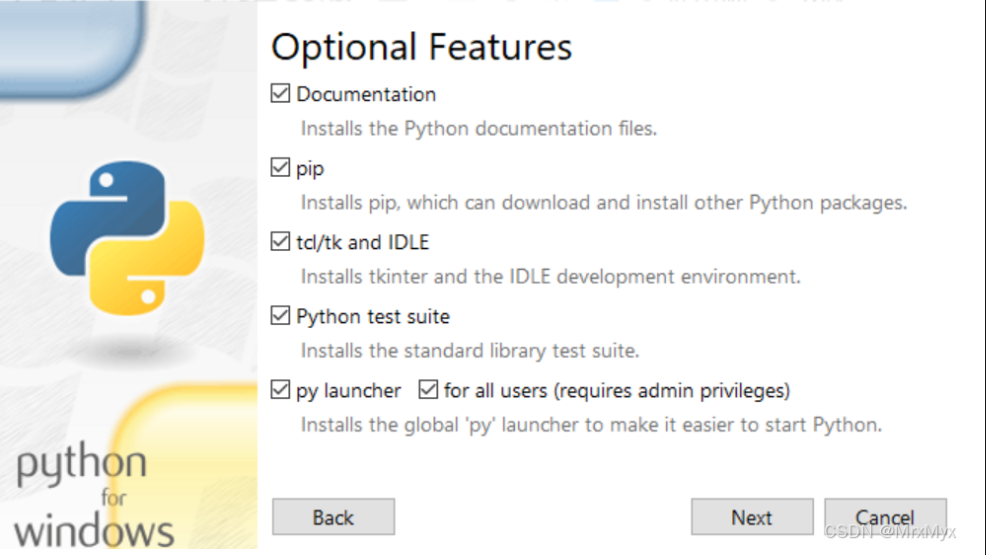
cmd验证下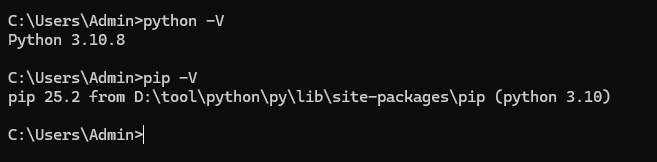
配置下pip镜像,当然也可以临时用一下
pip install -i https://pypi.tuna.tsinghua.edu.cn/simple chromadb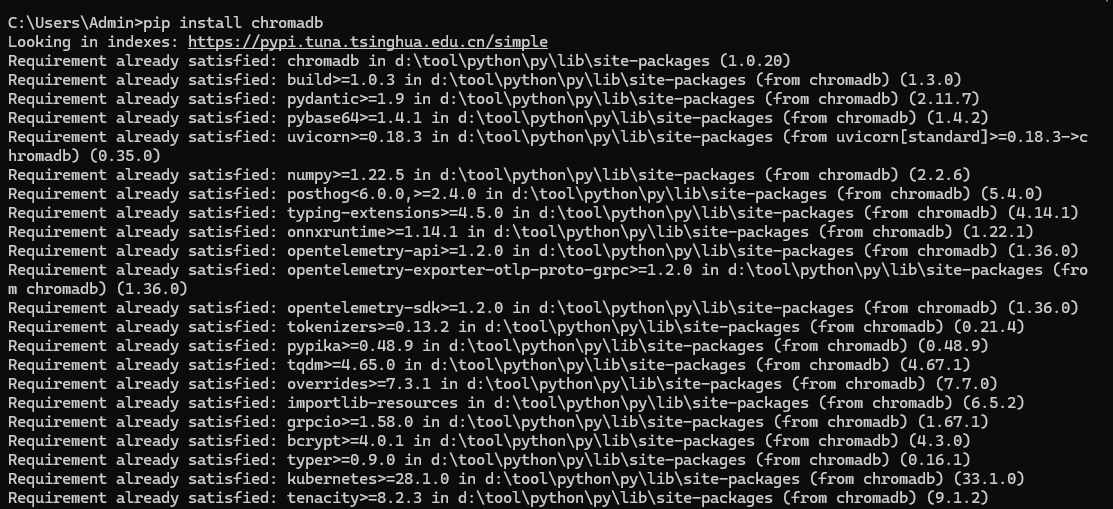
安装成功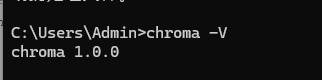
本地启动
chroma.exe run --host 0.0.0.0 --port 8000 --path D:\tool\python\chormadb-data(这路径自行设置)
这样启动存在一个问题,cmd窗口一关,服务就停了。
聪明的你肯定想到了把他做成服务。可以尝试,我试了几个启动会失败。(有大佬成功了可以留言教教我)
另类解决思路:
创建python脚本 start_chroma.py
import subprocess
import sys

# 启动 ChromaDB 并隐藏窗口
subprocess.Popen(
    ["D:\\tool\\python\\py\\Scripts\\chroma.exe(记得改路径)", "run", "--path", "D:\\tool\\python\\chormadb-data(记得改路径)"],
    creationflags=subprocess.CREATE_NO_WINDOW
)
sys.exit(0)
cmd执行 python start_chroma.py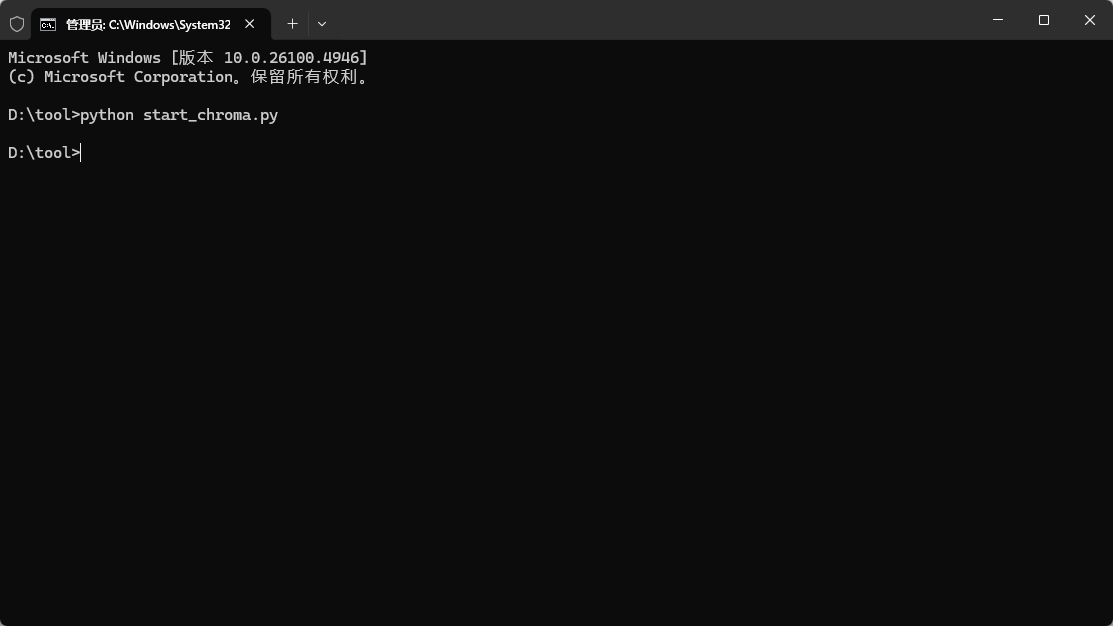
关闭cmd窗口,看下服务还在不在,噢!!!!!!!!!还在,但自启动,还得另想办法。 浏览器访问 http://localhost:8000/docs/ chromadb的接口文档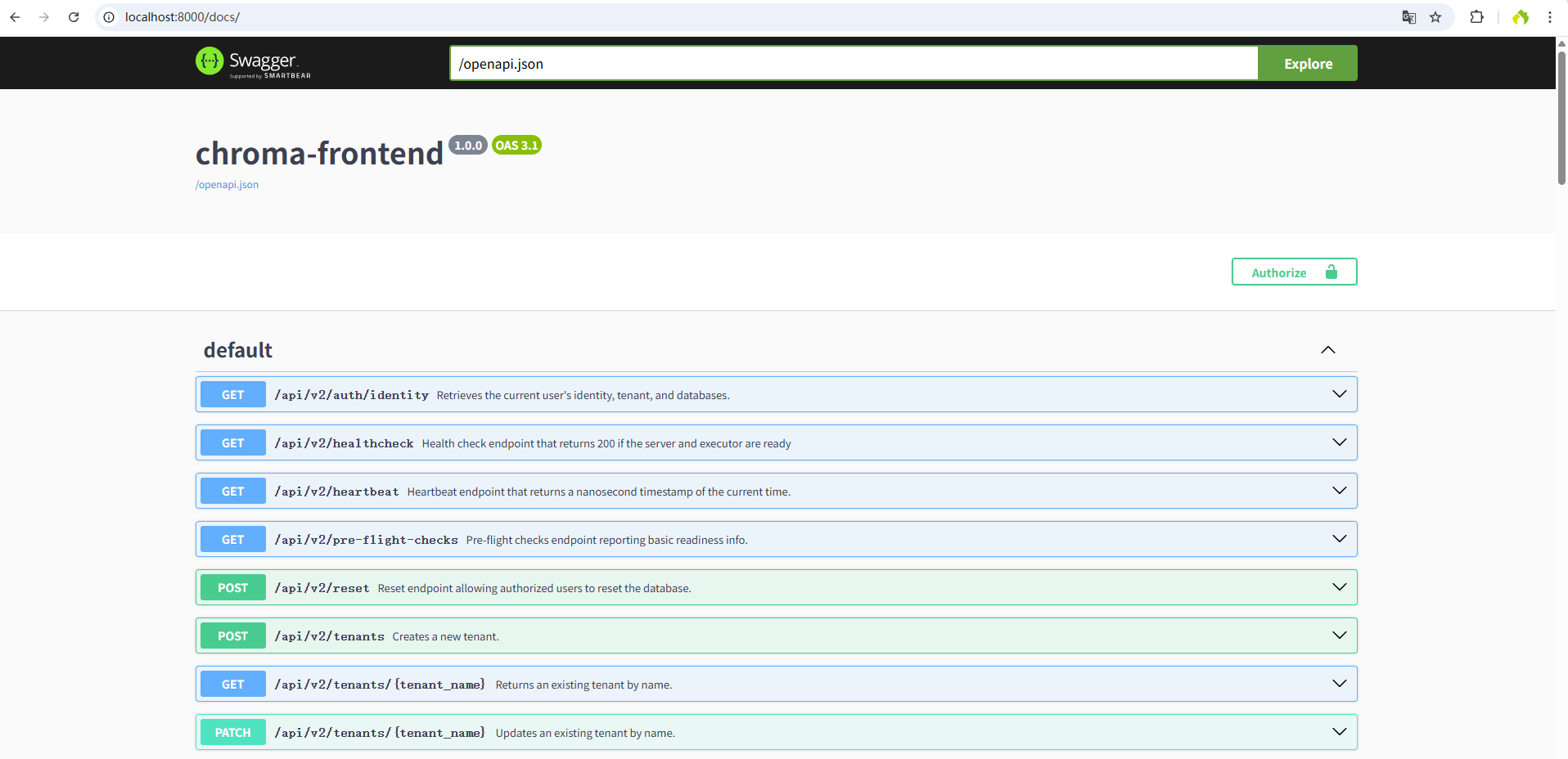
不过没有可视化工具,查东西很麻烦,我用ai写了个最基础的,凑合着用。如果连线上环境会存在跨域问题,直接上vue
vue.config.js
const { defineConfig } = require('@vue/cli-service')
module.exports = defineConfig({
  transpileDependencies: true,
  lintOnSave: false,
  devServer: {
    host: '0.0.0.0',
    port: 81,
    open: true,
    proxy: {
      '/api/v2': {
        //线上环境就配线上地址
        target: `http://localhost:8000`,
        //解决跨域
        changeOrigin: true,
      }
    }
  },
})
Chromadb.vue
<template>
  <div class="chromadb-container">
    <!-- 左侧区域 -->
    <div class="left-panel">
      <!-- 连接配置区域 -->
      <div class="connection-panel">
        <h3 class="panel-title">连接配置</h3>
        <el-form :model="form" label-width="80px" size="small">
          <el-form-item label="Tenant">
            <el-input
                v-model="form.tenant"
                placeholder="请输入Tenant"
            ></el-input>
          </el-form-item>
          <el-form-item label="Database">
            <el-input
                v-model="form.databases"
                placeholder="请输入Database"
            ></el-input>
          </el-form-item>
          <el-form-item>
            <el-button
                type="primary"
                @click="connect"
                :disabled="isConnect"
                style="width: 100%"
                size="small"
            >{{ isConnect ? "已连接" : "连接" }}</el-button
            >
          </el-form-item>
        </el-form>
      </div>

      <!-- Collection选择区域 -->
      <div class="collection-panel">
        <h3 class="panel-title">Collections</h3>
        <div class="collection-list">
          <el-select
              v-model="form.collection"
              placeholder="请选择Collection"
              style="width: 100%"
              size="small"
              @change="onCollectionChange"
          >
            <el-option
                v-for="item in collections"
                :key="item.id"
                :label="item.name"
                :value="item.name"
            >
            </el-option>
          </el-select>
        </div>

        <!-- Collection详情区域 -->
        <div class="collection-detail" v-if="collectionInfo.id">
          <h4>详细信息</h4>
          <el-descriptions :column="1" size="small" border>
            <el-descriptions-item label="ID">
              {{ collectionInfo.id }}
            </el-descriptions-item>
            <el-descriptions-item label="名称">
              {{ collectionInfo.name }}
            </el-descriptions-item>
            <el-descriptions-item label="维度">
              {{ collectionInfo.dimension }}
            </el-descriptions-item>
            <el-descriptions-item label="文档数量">
              {{ collectionInfo.count }}
            </el-descriptions-item>
            <el-descriptions-item label="元数据">
              {{ JSON.stringify(collectionInfo.metadata) }}
            </el-descriptions-item>
          </el-descriptions>
        </div>
      </div>
    </div>

    <!-- 右侧区域 -->
    <div class="right-panel">
      <!-- 数据展示区域 -->
      <div class="data-panel">
        <h3 class="panel-title">查询结果</h3>
        <div class="data-display">
          <el-table
              :data="queryResults"
              style="width: 100%"
              size="small"
              height="calc(100% - 44px)"
              v-loading="loading"
              :show-header="false"
          >
            <el-table-column label="详细信息">
              <template #default="scope">
                <div class="result-item">
                  <div class="result-id">
                    <strong>ID:</strong> {{ scope.row.id }}
                  </div>
                  <div class="result-document">
                    <strong>文档内容:</strong>
                    <div class="document-content">{{ scope.row.document }}</div>
                  </div>
                  <div class="result-metadata">
                    <strong>元数据:</strong>
                    <pre class="metadata">{{
                        JSON.stringify(scope.row.metadata, null, 2)
                      }}</pre>
                  </div>
                </div>
              </template>
            </el-table-column>
          </el-table>
          <el-pagination
              :current-page="currentPage"
              :page-size="pageSize"
              :page-sizes="[5, 10, 20, 50]"
              :total="collectionInfo.count"
              layout="total, sizes, prev, pager, next, jumper"
              @size-change="handleSizeChange"
              @current-change="handleCurrentChange"
              class="pagination"
          />
        </div>
      </div>
    </div>
  </div>
</template>
<script>
import axios from "axios";

export default {
  name: "Chromadb",
  data() {
    return {
      isConnect: false,
      loading: false,
      currentPage: 1,
      pageSize: 10,
      form: {
        tenant: "default",
        databases: "ai-system",
        collection: "",
      },
      queryForm: {
        queryText: "",
        nResults: 5,
      },
      collectionInfo: {
        id: "",
        name: "",
        dimension: "",
        count: 0,
        metadata: {},
      },
      collections: [],
      queryResults: [],
      listCollections:
          "/api/v2/tenants/${tenant}/databases/${databases}/collections",
      detailsCollection:
          "/api/v2/tenants/${tenant}/databases/${databases}/collections/${collection_name}",
      countDocuments:
          "/api/v2/tenants/${tenant}/databases/${databases}/collections/${collection_id}/count",
      listDocuments:
          "/api/v2/tenants/${tenant}/databases/${databases}/collections/${collection_id}/get",
      queryDocuments:
          "/api/v2/tenants/${tenant}/databases/${databases}/collections/${collection_id}/query",
    };
  },
  methods: {
    // 添加分页处理方法
    handleSizeChange(val) {
      this.pageSize = val;
      this.currentPage = 1;
      if (this.form.collection) {
        this.performQuery();
      }
    },
    handleCurrentChange(val) {
      this.currentPage = val;
      if (this.form.collection) {
        this.performQuery();
      }
    },
    connect() {
      if (this.isConnect) {
        return;
      }
      const listUrl = this.listCollections
          .replace("${tenant}", this.form.tenant)
          .replace("${databases}", this.form.databases);

      this.loading = true;
      axios
          .get(listUrl)
          .then((resp) => {
            console.log(resp.data);
            this.collections = resp.data;
            this.isConnect = true;
            this.$message.success("连接成功");
          })
          .catch((error) => {
            this.$message.error("连接失败: " + error.message);
          })
          .finally(() => {
            this.loading = false;
          });
    },

    onCollectionChange(collectionName) {
      if (!collectionName) {
        this.collectionInfo = {
          id: "",
          name: "",
          dimension: "",
          count: 0,
          metadata: {},
        };
        this.queryResults = [];
        return;
      }

      // 查找选中的collection
      const selectedCollection = this.collections.find(
          (item) => item.name === collectionName
      );

      if (selectedCollection) {
        this.getCollectionDetails(selectedCollection);
      }
    },

    getCollectionDetails(collection) {
      const detailsUrl = this.detailsCollection
          .replace("${tenant}", this.form.tenant)
          .replace("${databases}", this.form.databases)
          .replace("${collection_name}", collection.name);

      this.loading = true;
      axios
          .get(detailsUrl)
          .then((resp) => {
            this.collectionInfo = resp.data;

            // 获取文档数量
            const countUrl = this.countDocuments
                .replace("${tenant}", this.form.tenant)
                .replace("${databases}", this.form.databases)
                .replace("${collection_id}", this.collectionInfo.id);

            return axios.get(countUrl);
          })
          .then((resp) => {
            // 更新文档数量
            this.$set(this.collectionInfo, "count", resp.data);
            this.currentPage = 1; // 重置页码
            this.performQuery();
          })
          .catch((error) => {
            this.$message.error("获取Collection详情失败: " + error.message);
          })
          .finally(() => {
            this.loading = false;
          });
    },

    performQuery() {
      const queryUrl = this.listDocuments
          .replace("${tenant}", this.form.tenant)
          .replace("${databases}", this.form.databases)
          .replace("${collection_id}", this.collectionInfo.id);

      this.loading = true;
      axios
          .post(queryUrl, {
            include: ["metadatas", "documents"],
            limit: this.pageSize,
            offset: (this.currentPage - 1) * this.pageSize,
          })
          .then((resp) => {
            // 处理查询结果
            const results = resp.data;
            this.queryResults = [];

            if (results.ids && results.ids.length > 0) {
              for (let i = 0; i < results.ids.length; i++) {
                this.queryResults.push({
                  id: results.ids[i],
                  document: results.documents[i],
                  metadata: results.metadatas[i] || {},
                });
              }
            }

            this.$message.success(
                "查询完成,共找到 " + this.queryResults.length + " 条结果"
            );
          })
          .catch((error) => {
            this.$message.error("查询失败: " + error.message);
          })
          .finally(() => {
            this.loading = false;
          });
    },
  },
};
</script>

<style scoped>.chromadb-container {
  display: flex;
  height: calc(100vh - 40px);
  padding: 20px;
  box-sizing: border-box;
  background-color: #f5f7fa;
  gap: 20px;
}

.left-panel {
  flex: 1;
  display: flex;
  flex-direction: column;
  gap: 20px;
  max-width: 350px;
}

.right-panel {
  flex: 3;
  display: flex;
  flex-direction: column;
  gap: 20px;
}

.panel-title {
  margin: 0 0 15px 0;
  padding-bottom: 10px;
  border-bottom: 1px solid #ebeef5;
  color: #303133;
  font-size: 16px;
  font-weight: 600;
}

.connection-panel,
.collection-panel,
.query-panel,
.data-panel {
  background: #ffffff;
  border-radius: 8px;
  padding: 20px;
  box-shadow: 0 2px 12px 0 rgba(0, 0, 0, 0.1);
}

.collection-panel {
  flex: 1;
  display: flex;
  flex-direction: column;
}

.collection-list {
  margin-bottom: 20px;
}

.collection-detail {
  flex: 1;
}

.collection-detail h4 {
  margin-top: 0;
  margin-bottom: 15px;
  color: #606266;
}

.query-panel {
  background: #ffffff;
}

.query-form {
  padding: 10px 0;
}

.data-panel {
  flex: 1;
  display: flex;
  flex-direction: column;
}

.data-display {
  flex: 1;
  display: flex;
  flex-direction: column;
}

.document-content {
  white-space: pre-wrap;
  word-wrap: break-word;
  line-height: 1.5;
  margin-top: 5px;
  padding: 8px;
  background-color: #f8f9fa;
  border-radius: 4px;
}

.metadata {
  font-size: 12px;
  color: #606266;
  max-height: 150px;
  overflow-y: auto;
  margin: 5px 0 0 0;
  padding: 8px;
  background-color: #f8f9fa;
  border-radius: 4px;
}

.result-item {
  display: flex;
  flex-direction: column;
  gap: 10px;
  padding: 10px 0;
}

.result-id {
  font-size: 14px;
  color: #409eff;
}

.result-document {
  font-size: 14px;
  color: #303133;
}

.result-metadata {
  font-size: 14px;
  color: #909399;
}

.pagination {
  margin-top: 15px;
  display: flex;
  justify-content: center;
}

:deep(.el-descriptions__body) {
  background-color: #fff;
}

:deep(.el-table .cell) {
  line-height: 1.4;
}

:deep(.el-table__row:hover) {
  background-color: #f5f7fa !important;
}
</style>

中国智能体开发者社区,聚焦智能体与大模型开发,提供前沿资讯、实用工具链、开源项目及行业案例。通过技术沙龙、开发者大赛等活动,促进经验交流与协作,助力开发者快速构建创新智能应用。
更多推荐

 4
4 0
0- 0


 已为社区贡献1条内容

所有评论(0)