快速调用Dify工作流API(附完整代码)
·
Dify中已经被创建好的工作流如何调用?如何起一个简单的服务器和前端页面跑起来?
步骤如下:
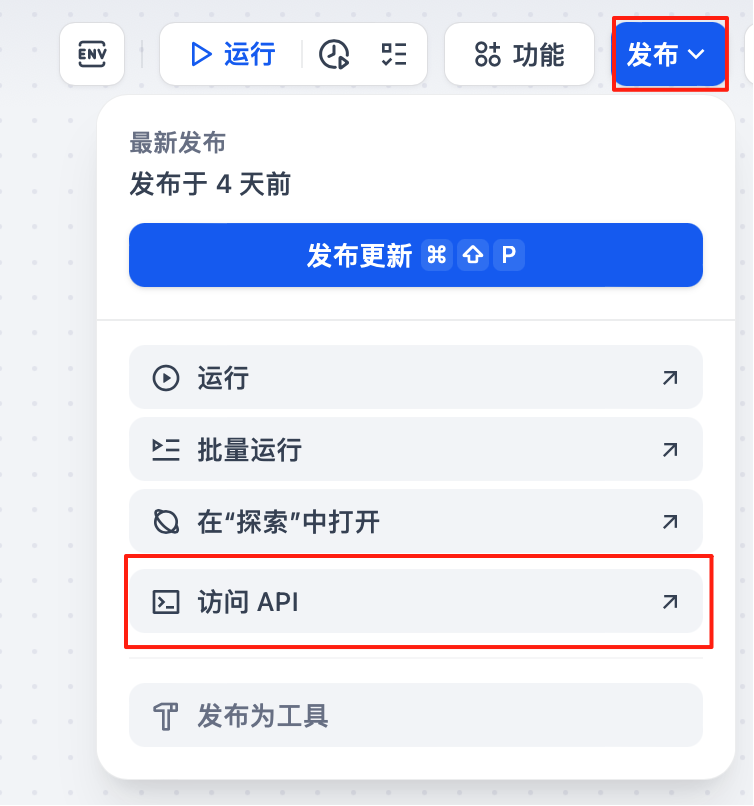
1. 首先需要在Dify中发布工作流,然后点击访问API。进入访问API页面后,可以看到Base URL,这个url就是你要调用的地址。
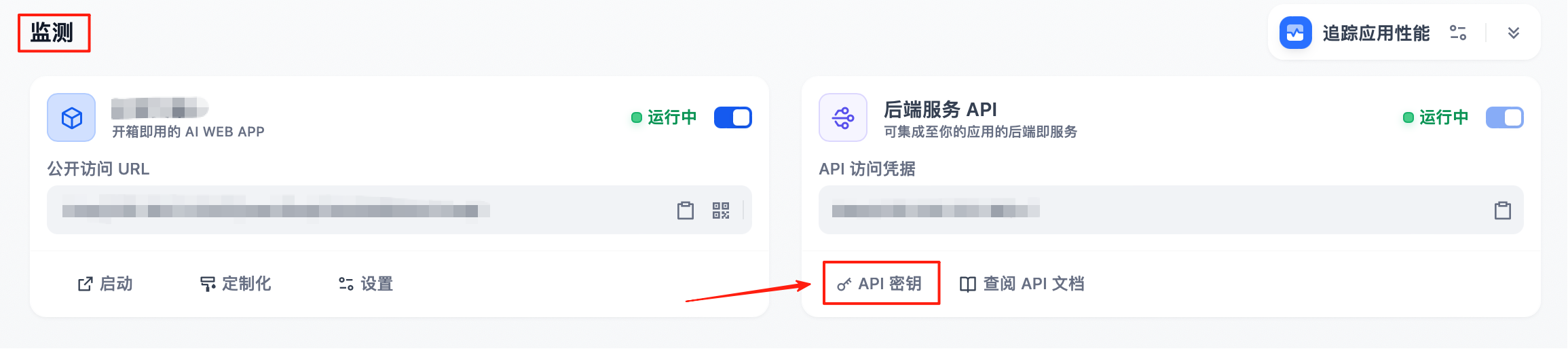
2. 获取密钥。点击页面左侧的“监测”,进入监测页面。点击这里就可以获取API钥。
3. 在服务器后端中调用Dify工作流端点。
// Proxy endpoint to call Dify workflow
app.post('/api/run', async (req, res) => {
  try {
    const { event, main_point } = req.body || {};
    if (!event || typeof event !== 'string') {
      return res.status(400).json({ error: 'Missing required field: event' });
    }
    if (!main_point || typeof main_point !== 'string') {
      return res.status(400).json({ error: 'Missing required field: main_point' });
    }

    const difyUrl = process.env.DIFY_WORKFLOW_URL || 'http://你的地址/v1/workflows/run';
    const difyApiKey = process.env.DIFY_API_KEY || '你的密钥';

    const payload = {
      inputs: { event, main_point },
      response_mode: 'blocking',
      user: 'web-user'
    };

    const response = await axios.post(difyUrl, payload, {
      headers: {
        'Content-Type': 'application/json',
        'Authorization': `Bearer ${difyApiKey}`
      },
      timeout: 60000
    });
项目的完整代码在这里:

中国智能体开发者社区,聚焦智能体与大模型开发,提供前沿资讯、实用工具链、开源项目及行业案例。通过技术沙龙、开发者大赛等活动,促进经验交流与协作,助力开发者快速构建创新智能应用。
更多推荐
 4
4 0
0- 0


 已为社区贡献1条内容

所有评论(0)