一款比ELK更强大,更好用的日志收集分析告警系统 2.0版本重磅来袭
介绍
日志收集智能分析系统-LCA
- 快速部署:部署丝滑,管理方便,有web后台管理, 可进行权限控制。
- 高效的数据采集:LCA 支持多种数据源,无论是服务器日志、应用日志还是网络设备日志,都能一键配置,快速部署。
- 灵活的数据处理:比起传统的elk更加灵活,而且还集成了日志分析和告警,内置强大的数据处理功能,包括过滤、聚合、关联等,让您轻松应对复杂的数据处理需求,除了按配置好的目录收集日志还提供了api接口实时调用,吞吐率高。
- 直观的数据可视化:LCA 让数据分析变得更加简单直观,让您一目了然地了解业务状况。
- 智能告警机制:实时监控关键指标,一旦发现异常立即触发告警,确保问题第一时间得到解决。
- 安全可靠:web管理后台访问控制策略,保障您的数据安全无忧。
1.去官网下载程序
2.修改配置文件
路径:/opt/lca_sys/manifest/config/config.yaml
server:
  address:     ":8808"
  serverRoot: "resource/public"
  dumpRouterMap: false
  routeOverWrite: true
  openapiPath: "/api.json"
  swaggerPath: "/swagger"
  NameToUriType: 3
  maxHeaderBytes: "20KB"
  clientMaxBodySize: "50MB"
  # Logging配置
  logPath: "resource/log/server"                 # 日志文件存储目录路径,建议使用绝对路径。默认为空,表示关闭
  logStdout: true               # 日志是否输出到终端。默认为true
  errorStack: true               # 当Server捕获到异常时是否记录堆栈信息到日志中。默认为true
  errorLogEnabled: true               # 是否记录异常日志信息到日志中。默认为true
  errorLogPattern: "error-{Ymd}.log"  # 异常错误日志文件格式。默认为"error-{Ymd}.log"
  accessLogEnabled: true              # 是否记录访问日志。默认为false
  accessLogPattern: "access-{Ymd}.log" # 访问日志文件格式。默认为"access-{Ymd}.log"

logger:
  path: "resource/log/run"
  file: "{Y-m-d}.log"
  level: "all"
  stdout: true

# Database.
database:
  logger:
    level:   "all"
    stdout:  true
    Path: "resource/log/sql"

  default:
    link:   "mysql:root:max2024@tcp(172.16.0.70:3306)/lca?charset=utf8mb4&parseTime=true&loc=Local"
    debug:  true
    charset: "utf8mb4" #数据库编码
    dryRun: false #空跑
    maxIdle: 10 #连接池最大闲置的连接数
    maxOpen: 10 #连接池最大打开的连接数
    maxLifetime: "30s" #(单位秒)连接对象可重复使用的时间长度

gfToken:
  cacheKey: "gfToken:"
  timeOut: 10800
  maxRefresh: 5400
  multiLogin: true
  encryptKey: "49c54195e750b04e74a8429b17896586"
  cacheModel: "redis"  #缓存模式 memory OR redis OR dist
  distPath: "./resource/data/distTokenDb" #使用磁盘缓存时配置数据缓存的目录
  excludePaths:
    - "/api/v1/system/login"


# Redis 配置示例
redis:
  # 单实例配置
  default:
    address: 172.16.0.70:6379
    db: 14
    idleTimeout: "60s" #连接最大空闲时间,使用时间字符串例如30s/1m/1d
    maxConnLifetime: "90s" #连接最长存活时间,使用时间字符串例如30s/1m/1d
    waitTimeout: "60s" #等待连接池连接的超时时间,使用时间字符串例如30s/1m/1d
    dialTimeout: "30s" #TCP连接的超时时间,使用时间字符串例如30s/1m/1d
    readTimeout: "30s" #TCP的Read操作超时时间,使用时间字符串例如30s/1m/1d
    writeTimeout: "30s" #TCP的Write操作超时时间,使用时间字符串例如30s/1m/1d
    maxActive: 100
    pass: "max2024"

system:
  notCheckAuthAdminIds: [1,2,31]  #无需验证后台权限的用户id
  dataDir: "./resource/data"
  cache:
    model: "redis"  #缓存模式 memory OR redis OR dist
    distPath: "./resource/data/distCacheDb" #使用磁盘缓存时配置数据缓存的目录
    prefix: "gFastV3Cache:" #缓存前缀

#casbin配置
casbin:
  modelFile: "./resource/casbin/rbac_model.conf"
  policyFile: "./resource/casbin/rbac_policy.csv"


# CLI.
gfcli:
  gen:
    dao:
      - link:            "mysql:root:max2024@tcp(172.16.0.70:3306)/lca"
        tables:          "es_log_topic"
        removePrefix:    "gf_"
        descriptionTag:  true
        noModelComment:  true
        path: "./internal/app/system"

# ETCD
etcd:
  endpoints:
    - "172.16.0.70:2379"
  dialTimeout: "10s"

# Elasticsearch 配置
elasticsearch:
  endpoints: "http://172.16.0.70:9200"
  timeout: "10s"

#授权码
auth:
  order_no: "2025072099555055"
按照自己的情况修改好,database的配置,redis配置,etcd配置,elasticsearch配置,授权码
3.导入数据库
路径:/opt/lca_sys/resource/data/lca.sql4.授权码
就是订单编号
5.到目录下启动程序
nohup ./lca &可以先直接 ./lca 看是否有报错
6.配置Nginx
server {
    listen 80;

    server_name testlca.c4eee.cn;


    access_log /www/wwwlogs/lca_access_nginx.log;
    error_log /www/wwwlogs/lca_access_error_nginx.log;

   # 静态资源根目录(指向 dist 文件夹)
    root /opt/lca_sys/dist;
    index index.html;

    location / {
        try_files $uri $uri/ /index.html; # 支持 Vue Router 的 history 模式
    }

    # 处理静态资源(JS/CSS/图片等)
    location /assets/ {
        alias /opt/lca_sys/dist/assets/;
        expires 1y;
        add_header Cache-Control "public";
    }

   location /api {
      proxy_pass http://127.0.0.1:8808; #后端接口地址
      proxy_set_header Host $proxy_host;
      proxy_set_header X-Real-IP $remote_addr;
      proxy_set_header X-Forwarded-For $proxy_add_x_forwarded_for;
      proxy_set_header Upgrade $http_upgrade;
      proxy_set_header Connection "upgrade";
      proxy_set_header Authorization $http_authorization;

    }

    # 禁止访问 .git 等敏感文件
    location ~ /\.(?!well-known) {
       deny all;
    }


}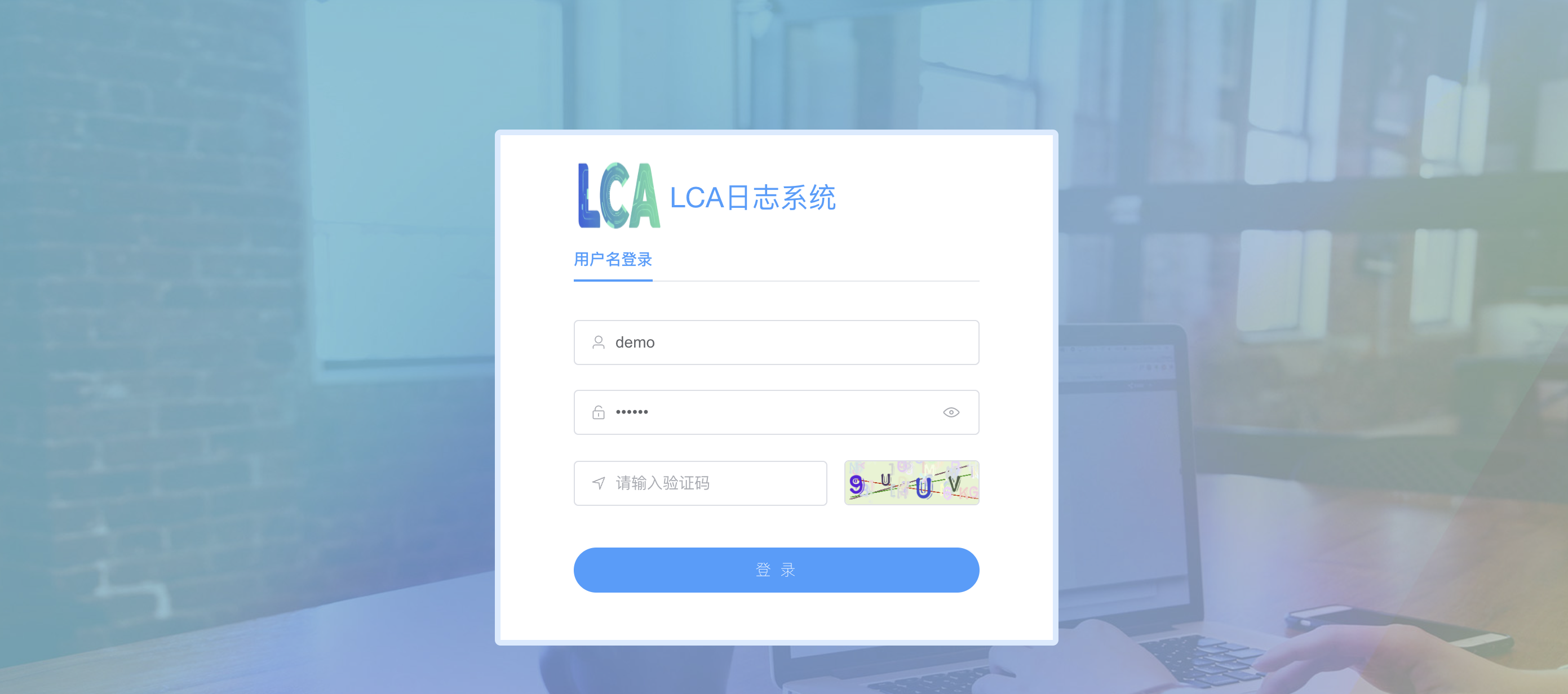
默认账号:demo,
默认密码:123456
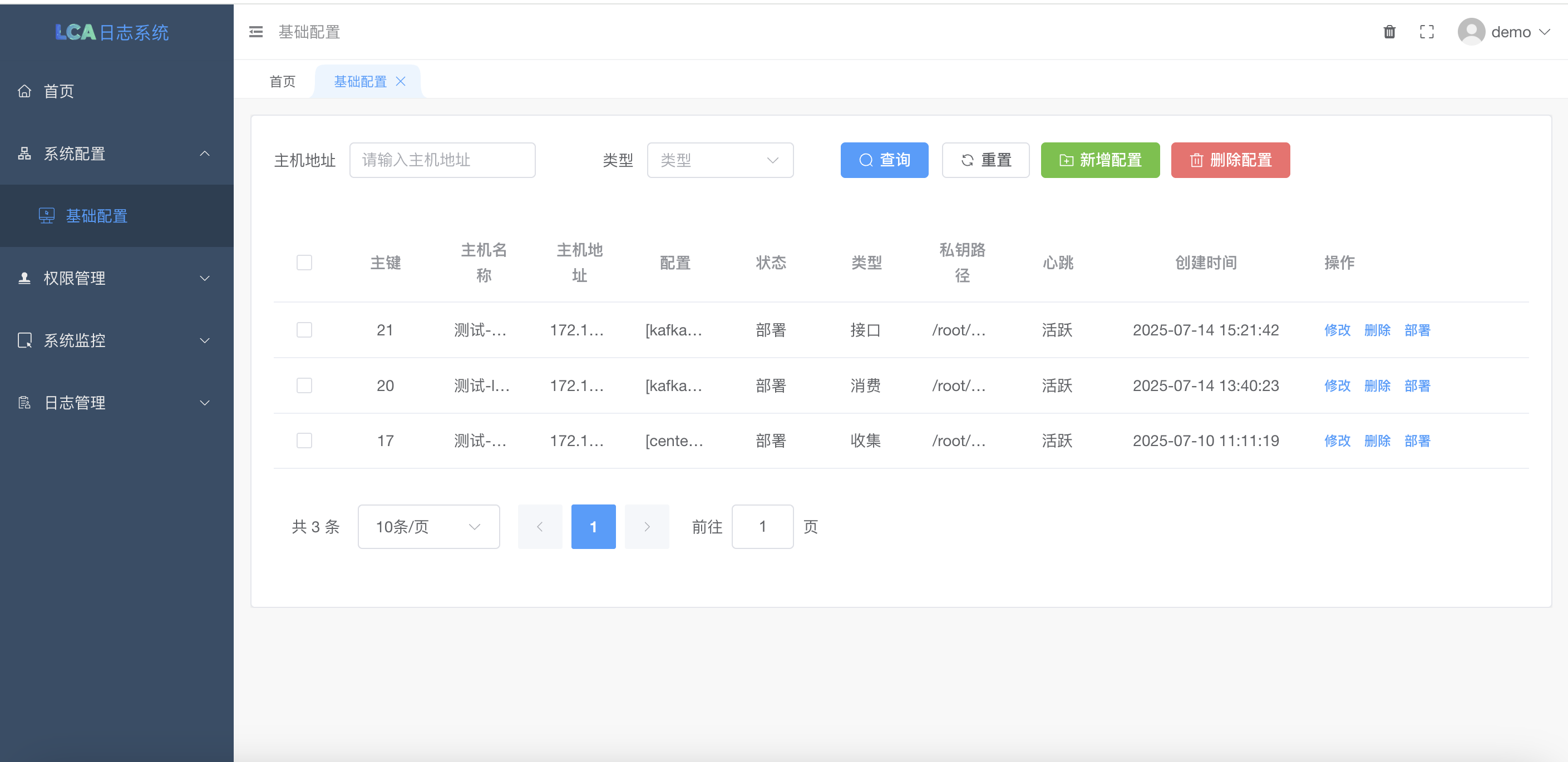
添加主机时时候需要填写私钥路径
1.ssh-keygen -t rsa -b 4096 -C "your_email@example.com"(直接回车就好了)
默认情况下,这个密钥对会保存在~/.ssh/id_rsa(私钥)和~/.ssh/id_rsa.pub(公钥)。
host是目标机器的IP
2.ssh-copy-id -i ~/.ssh/id_rsa.pub root@host
添加日志库
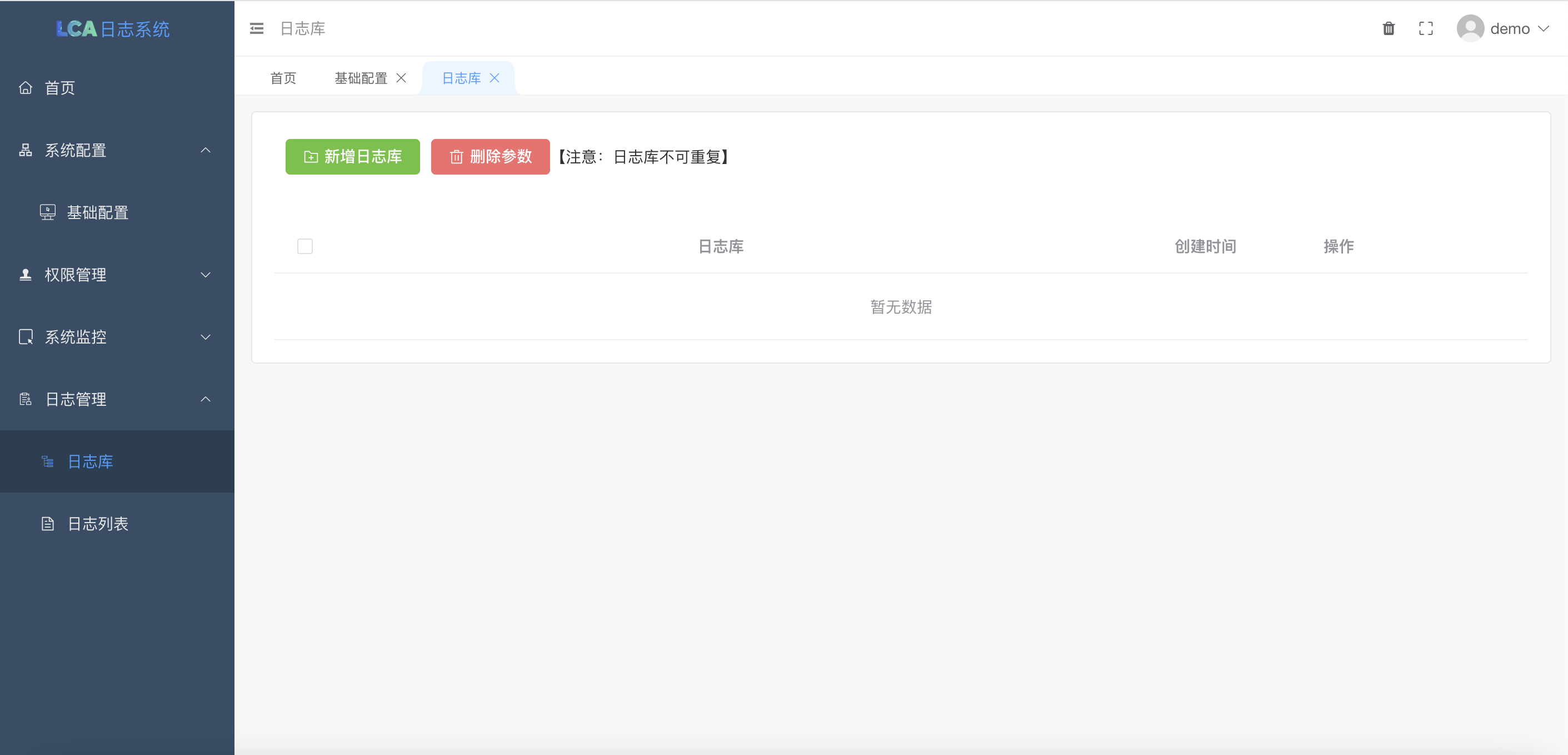
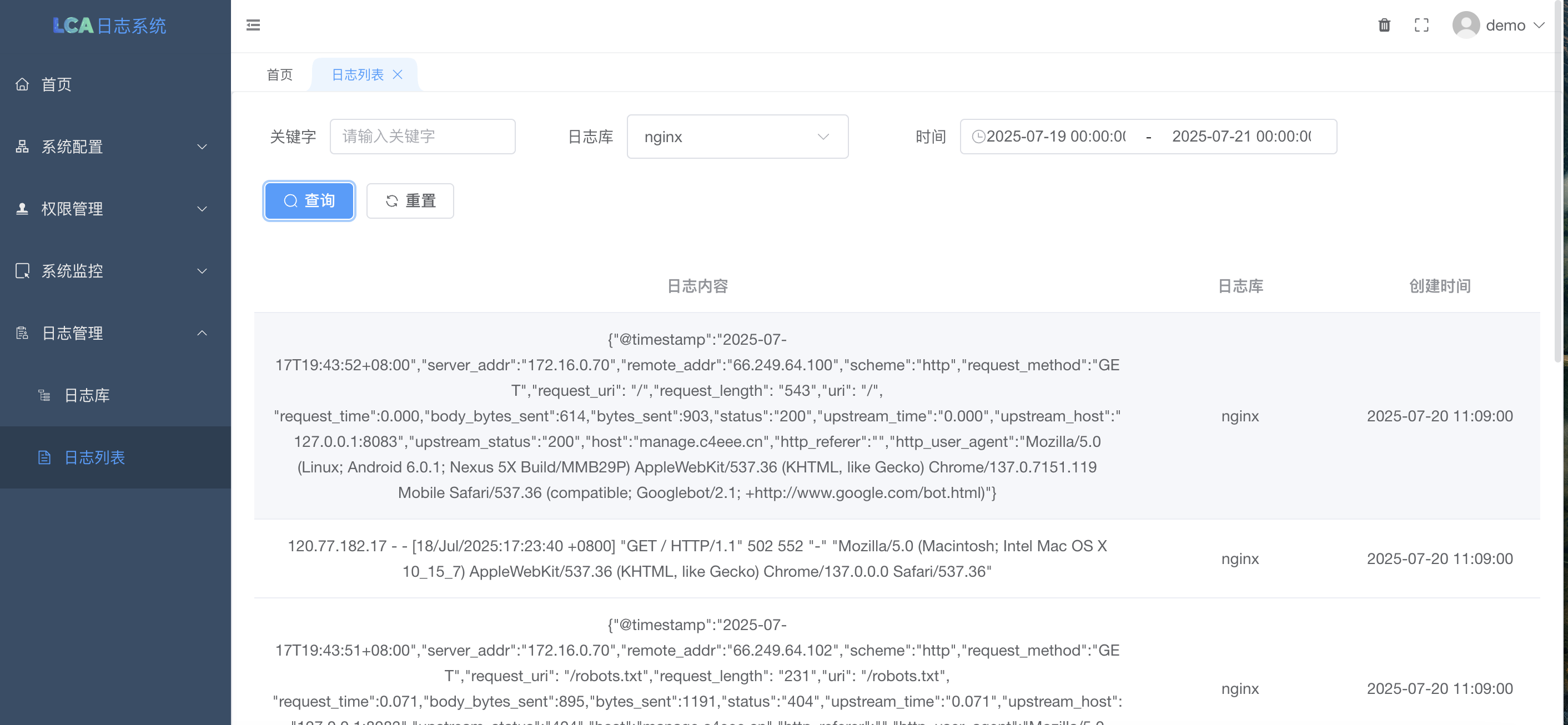
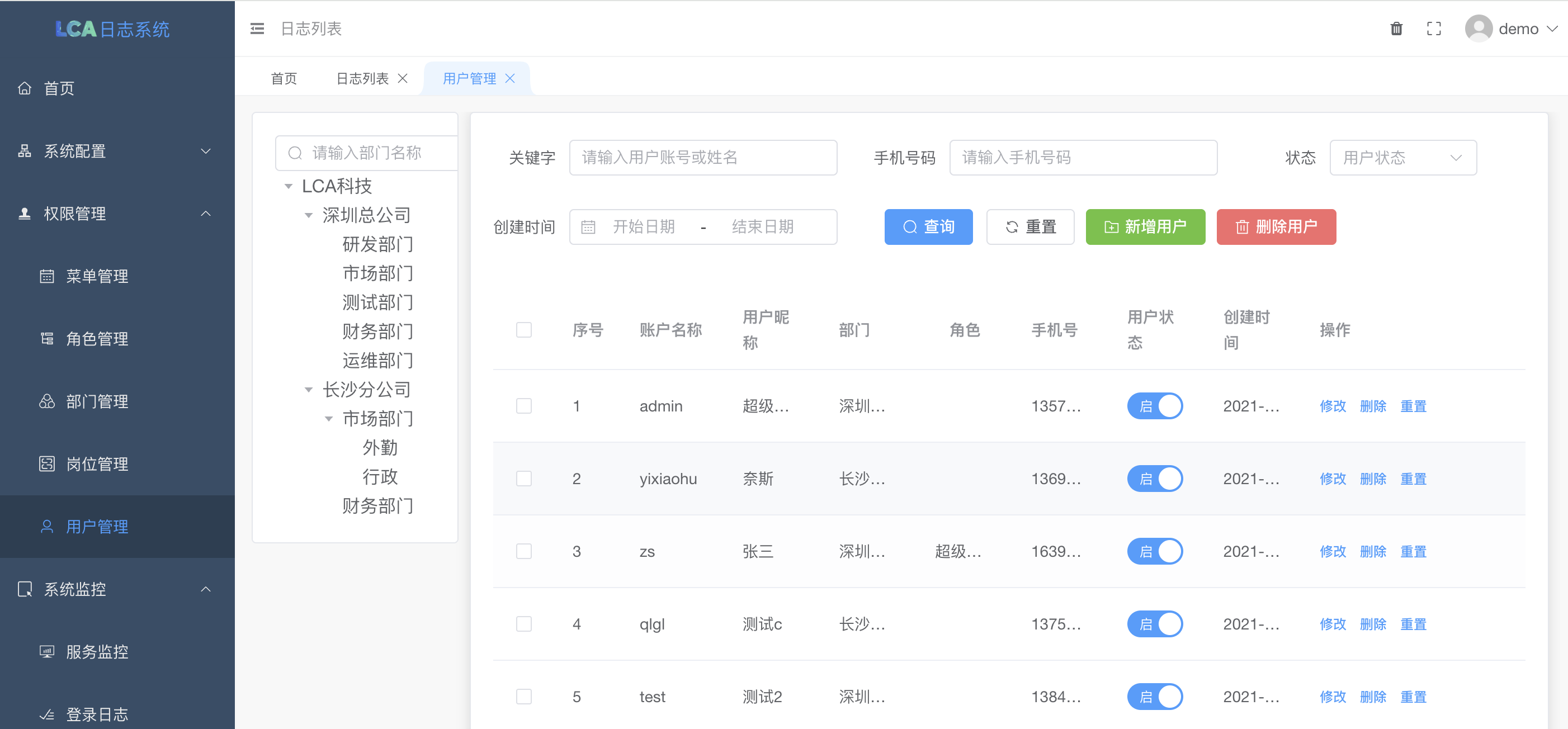
收集日志路径:
[{"path": "/www/wwwlogs/lca_access_nginx.log", "topic": "nginx"}, {"path": "/opt/lca_sys/resource/log/server/access-{Y}{M}{D}.log", "topic": "lca_project"}, {"path": "/opt/lca_sys/resource/log/run/{Y}-{M}-{D}.log", "topic": "lca_project_01"}]
可以是固定地址也可使用占位符,系统会自动替换占位符
{Y} 替换大年 例如:2025
{y} 替换小年 例如:25
{M} 替换月 例如:01
{m} 替换月 例如:1
{D} 替换日 例如:01
{d} 替换日 例如:1
api调用 通过调用 http://192.168.10.118:8086/send 这个接口可以实时把日志写入分析系统当中 事例:curl -X POST "http://自己的地址/send" -H "Content-Type: application/x-www-form-urlencoded" -d "topic=ai_api&data=你的日志内容"

中国智能体开发者社区,聚焦智能体与大模型开发,提供前沿资讯、实用工具链、开源项目及行业案例。通过技术沙龙、开发者大赛等活动,促进经验交流与协作,助力开发者快速构建创新智能应用。
更多推荐

 14
14 0
0- 0


 已为社区贡献2条内容

所有评论(0)